# Develop ink! dApp using Typink
In this tutorial, we'll guide you through the process of developing a simple ink! dApp using Typink- a new set of react hooks & utilities to help to build new ink! dApp faster & easier.
Let's make a simple PSP22 Transfer dApp using Typink!
### Create a new project via `create-typink` CLI
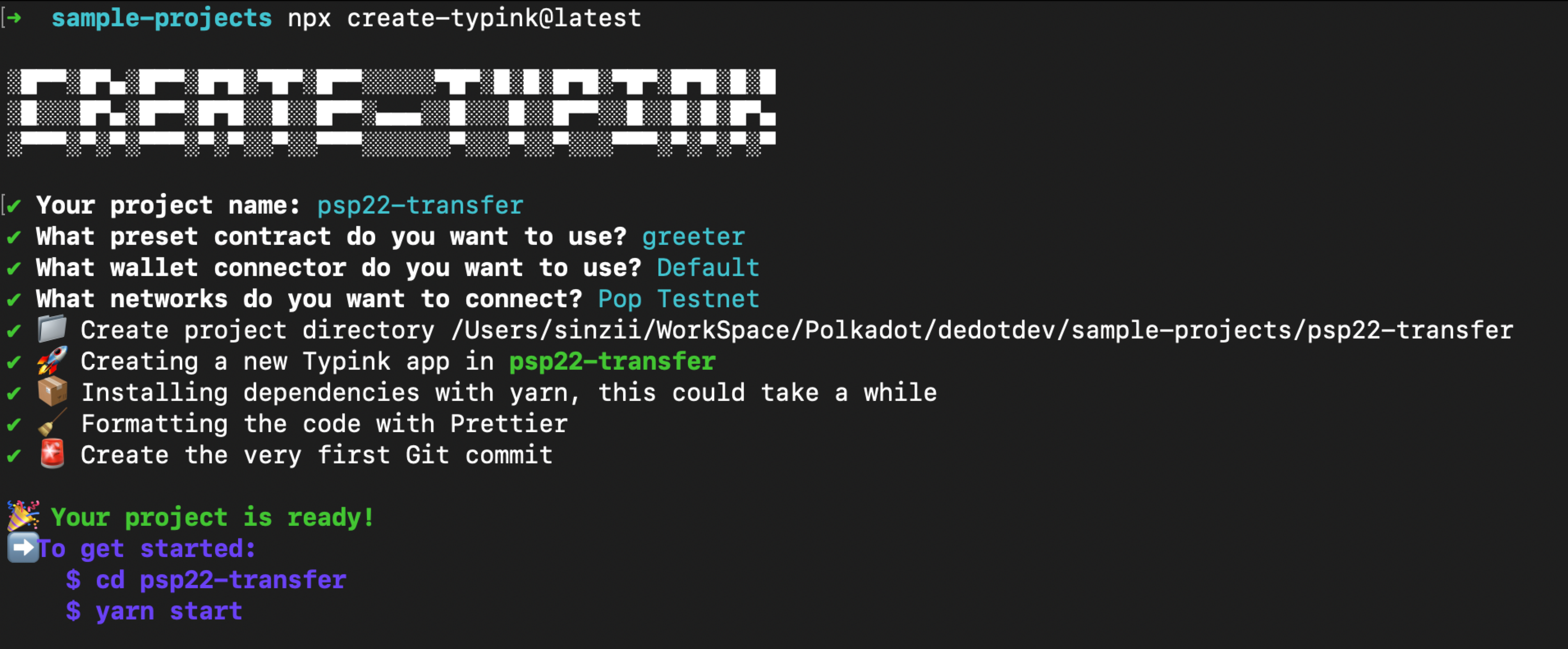
We're going to set up a new ink! dapp project via the `create-typink`cli.
```sh
npx create-typink@latest
```
Let's choose `greeter` as example contract and deploy our contract to `Pop Testnet`.
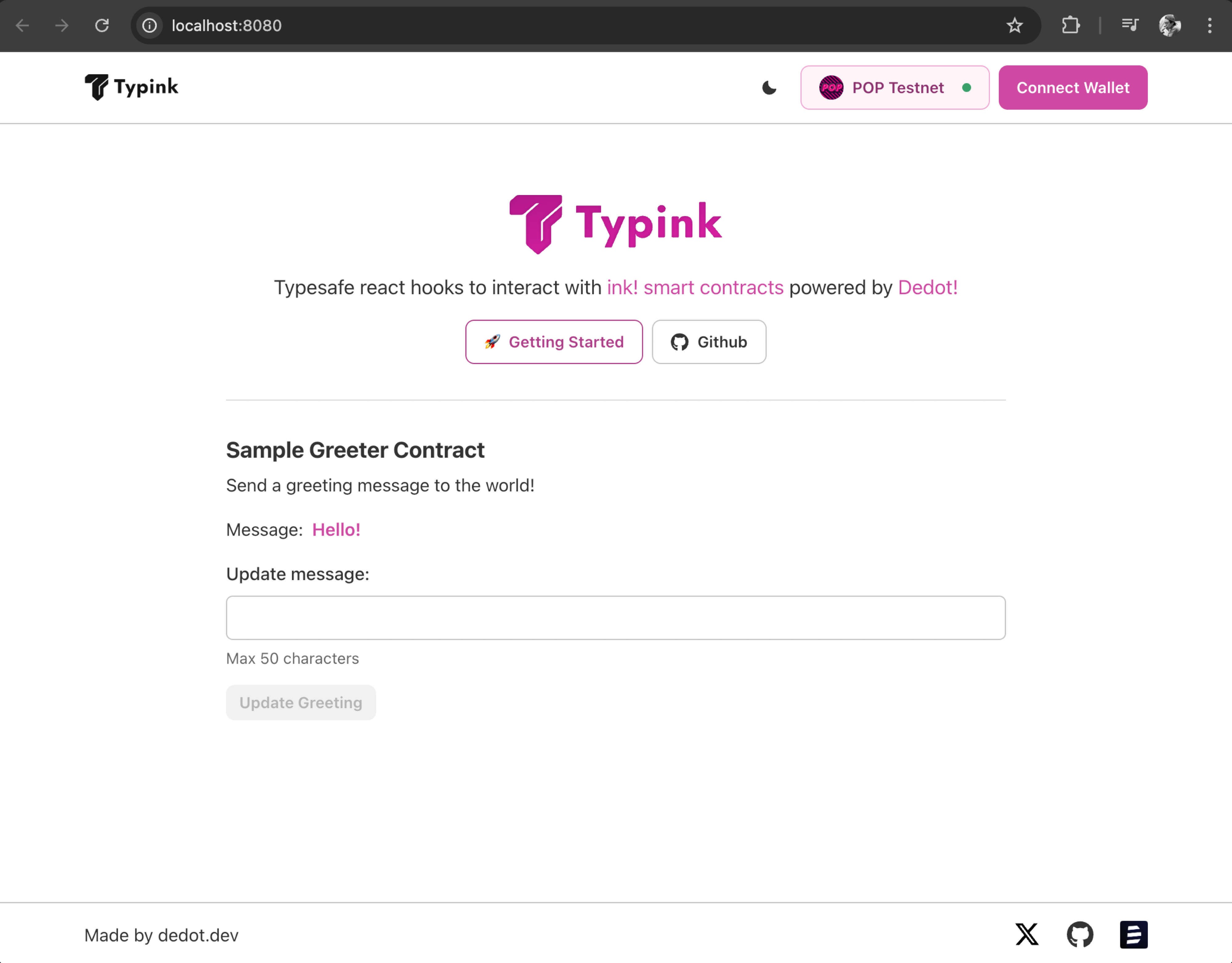
We can now go to the `psp22-transfer`folder and run `yarn start`to start the development server at: `http://localhost:8080`
### Claim testnet token via faucet
Next step, in order to deploy & interact with contracts on Pop Testnet, we'll need to claim some test token. Since Pop Testnet as a parachain uses the native token of the Relay Chain (Paseo) as its token to pay transaction fee, so it requires 2 steps to claim testnet token on Pop Testnet.
1. Claim PAS test token on Paseo faucet via
2. Transfer PAS token from Paseo to Pop Testnet via
After you finished claiming & transfering the PAS token to Pop Testnet, let's compile & deploy our PSP22 contract.
### Compile & deploy PSP22 Contract
We're using this [PSP22 implementation](https://github.com/Cardinal-Cryptography/PSP22) from [Cardinal-Cryptography](https://github.com/Cardinal-Cryptography) (the team behind Aleph Zero) in this tutorials.
After cloning the repo, we can build the contract using the following commands:
```sh
git clone https://github.com/Cardinal-Cryptography/PSP22
cd PSP22
cargo contract build --release
```
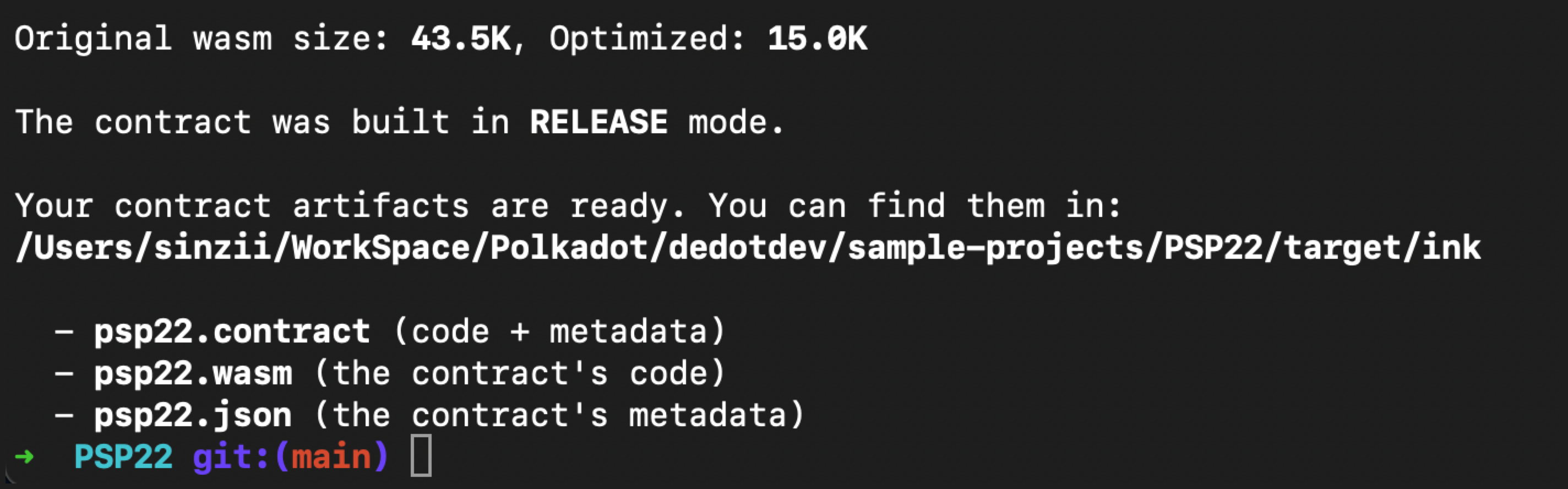
After building the contract, we'll get all the compiled artifacts in folder: `target/ink`
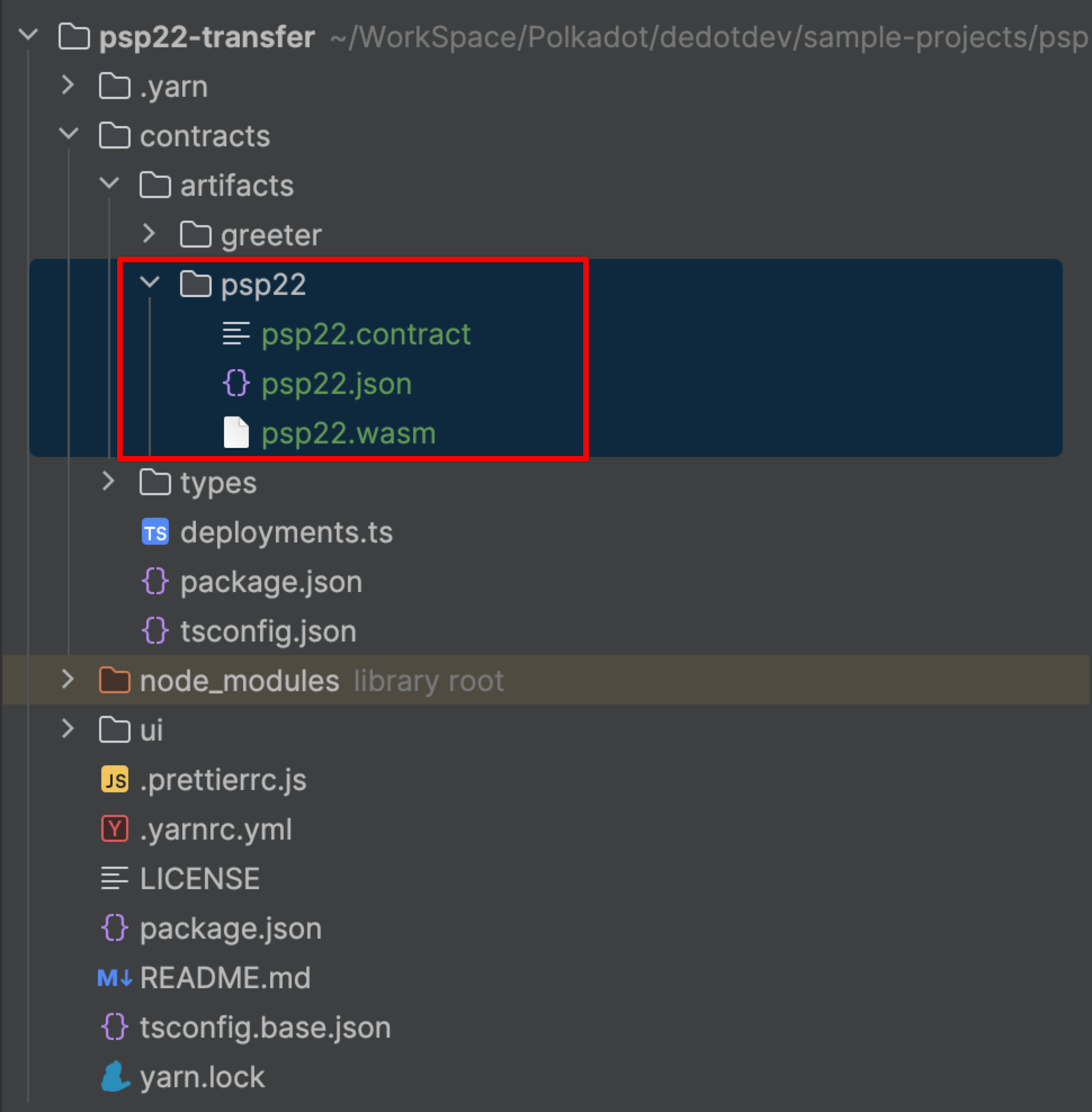
Now let's copy all these 3 files into the folder: `contracts/artifacts/psp22`in our `psp2-transfer`project.
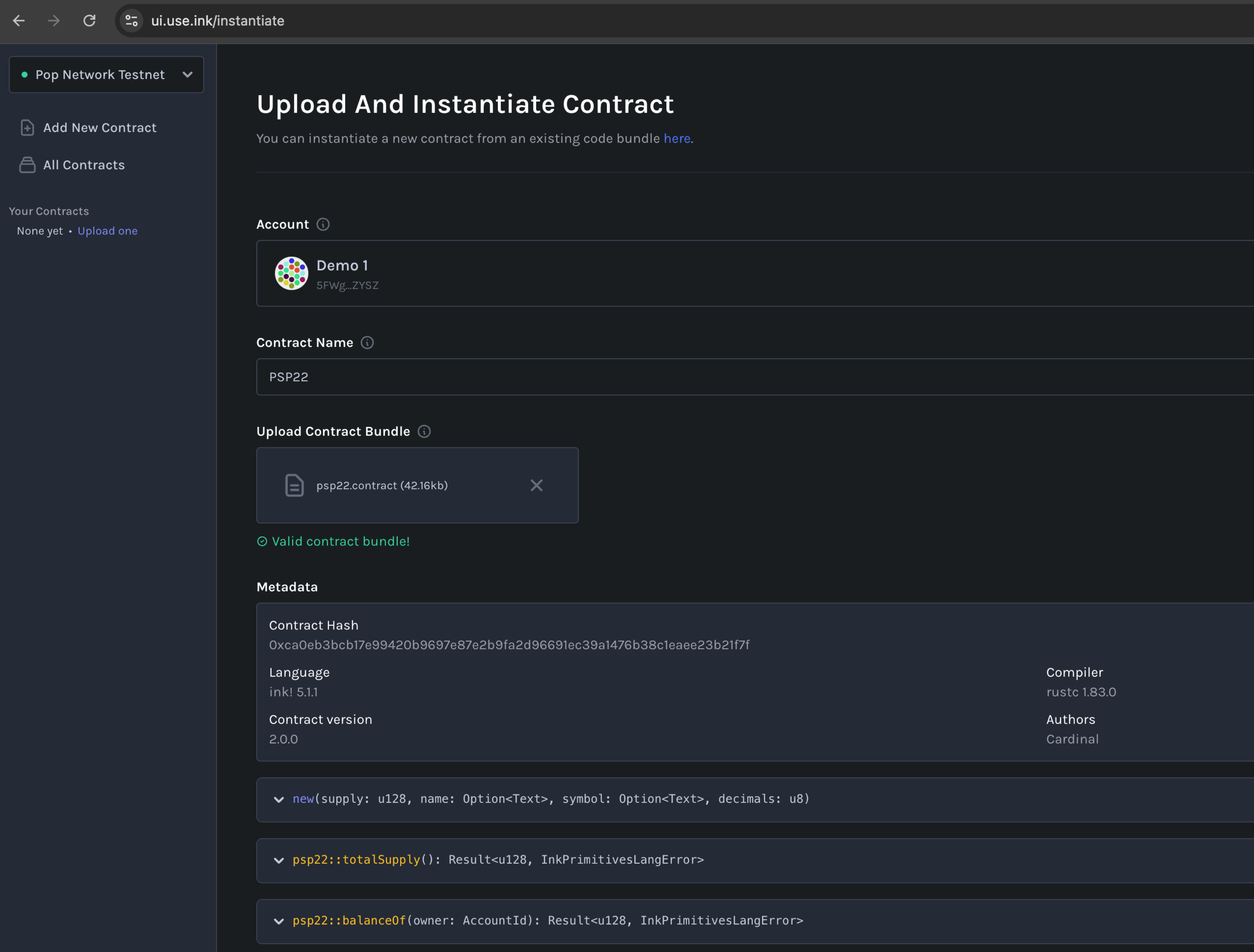
Next, let's deploy our PSP22 contract to Pop Testnet via
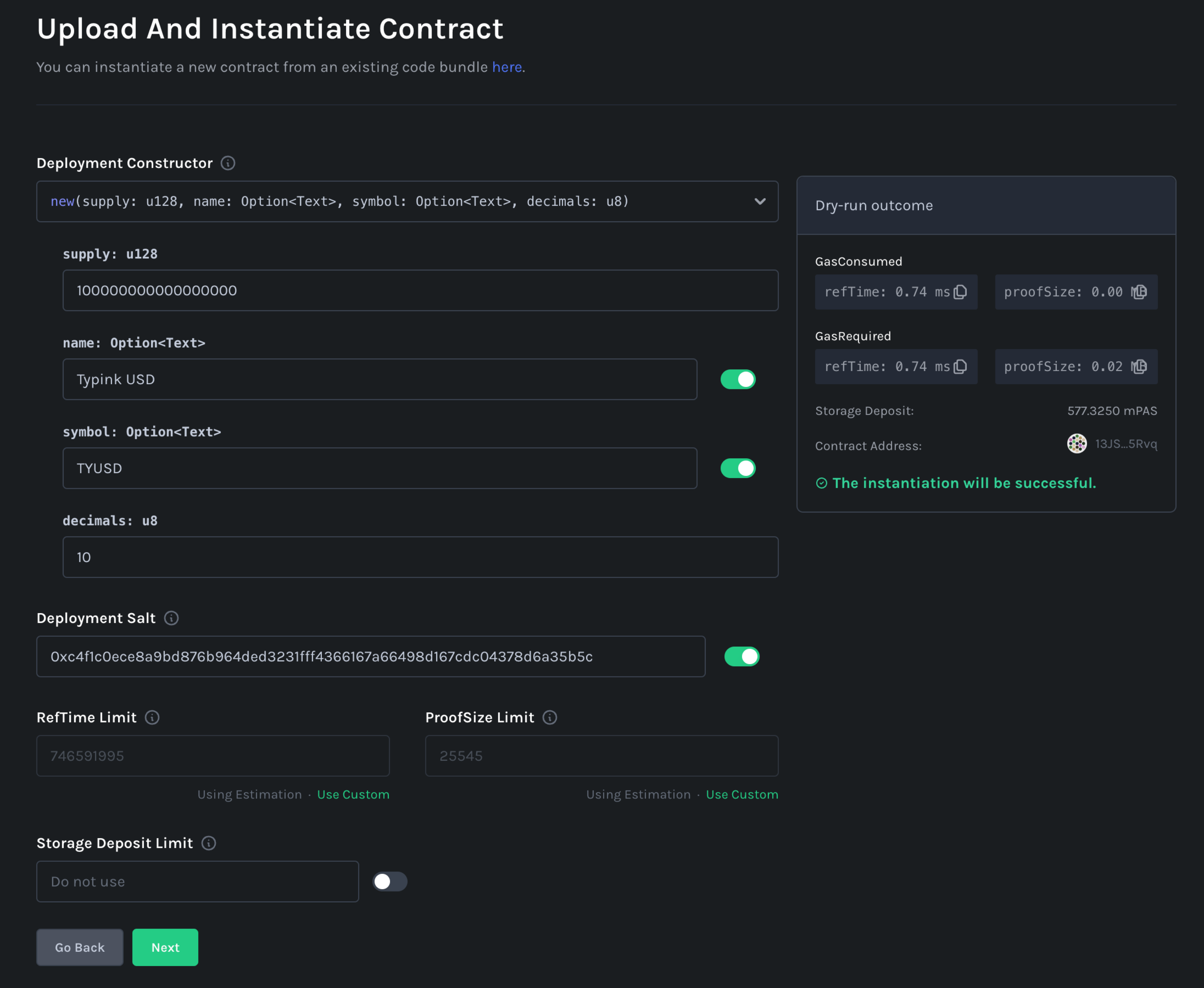
We'll fill in some basic information of the PSP22 token as below, feel free to adjust the params as to your preferences.
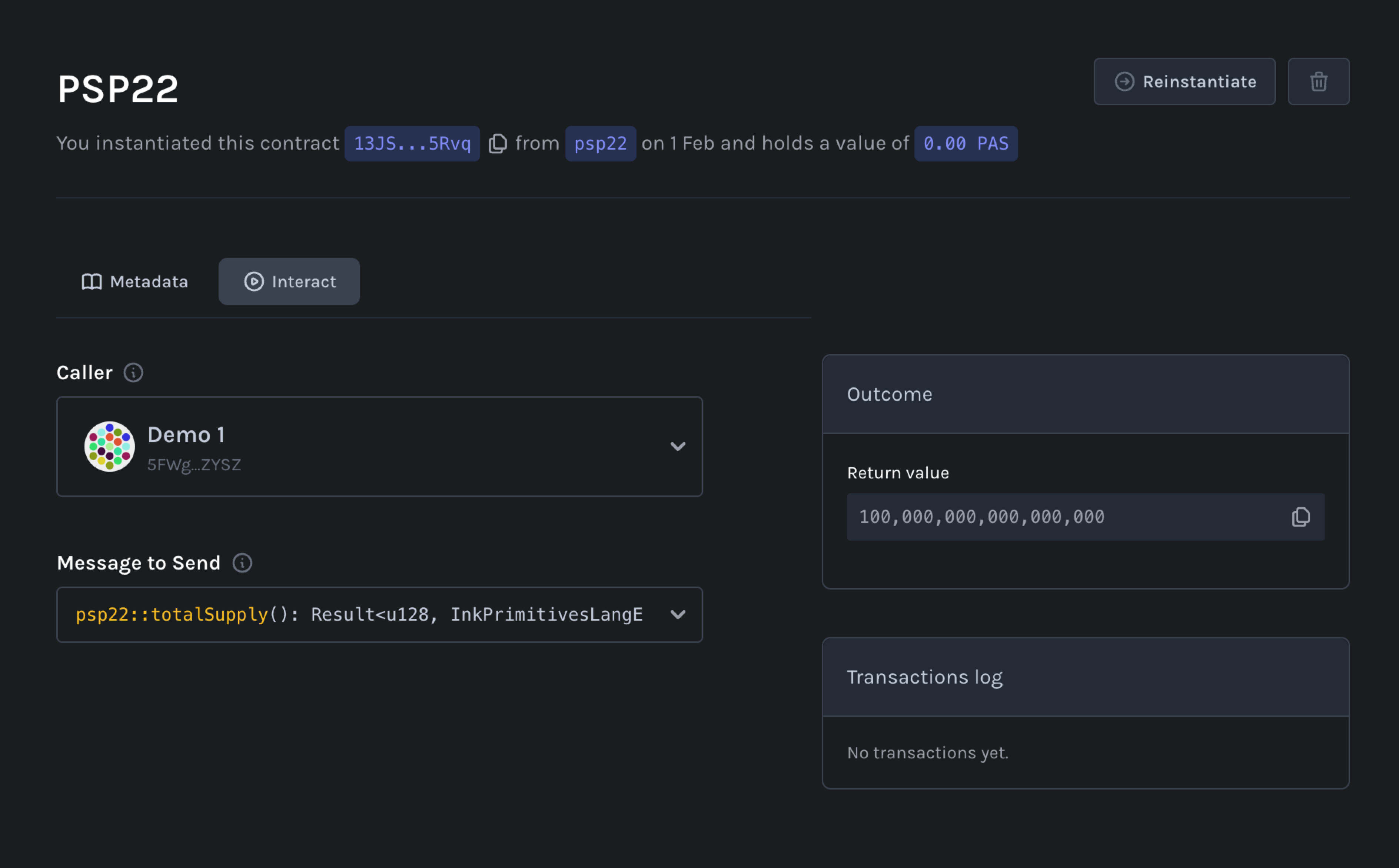
We deployed the contract, and its address is: `13JSR8RUSxtg11MLg2Pj5jV7Yh9sh9gCnjFW7ReHGmDj5Rvq`
Finally, let's update the contract deployments list in file: `contracts/deployment.ts` to register our new PSP22 contract to the list, this helps us quickly initiate new `Contract` instance via Typink's react hooks: `useContract`
{% code title="contracts/deployment.ts" lineNumbers="true" %}
```typescript
import { ContractDeployment, popTestnet } from 'typink';
import psp22Metadata from './artifacts/psp22/psp22.json';
export enum ContractId {
PSP22 = 'psp22'
}
export const deployments: ContractDeployment[] = [
{
id: ContractId.PSP22,
metadata: psp22Metadata as any,
network: popTestnet.id,
address: '13JSR8RUSxtg11MLg2Pj5jV7Yh9sh9gCnjFW7ReHGmDj5Rvq',
},
];
```
{% endcode %}
### Generate TypeScript bindings for the contract
Next, let's generate TypeScript bindings/types for our PSP22 contract using its metadata. This helps us enable auto-complete & suggestions (IntelliSense) later when we deal & interact with contract messages / events.
We can do this via `dedot`cli, `dedot` is a required dependency and will be install for every Typink-based projects. Let's put the generated types in folder: `contracts/types` :
```sh
npx dedot typink -m ./contracts/artifacts/psp22/psp22.json -o ./contracts/types
```
After this step, we're ready to start coding the logic for our application.
### Fetch & show PSP22 balance
First, let's initiate a global `Contract`instance in `AppProvider` (`ui/src/providers/AppProvider.tsx`) so we can use it across our app & components.
{% code lineNumbers="true" %}
```tsx
import { createContext, useContext } from 'react';
import { Props } from '@/types.ts';
import { ContractId } from 'contracts/deployments.ts';
import { Psp22ContractApi } from 'contracts/types/psp22';
import { Contract } from 'dedot/contracts';
import { useContract } from 'typink';
interface AppContextProps {
psp22Contract?: Contract;
}
const AppContext = createContext({} as any);
export const useApp = () => {
return useContext(AppContext);
};
export function AppProvider({ children }: Props) {
const { contract: psp22Contract } = useContract(ContractId.PSP22);
return (
{children}
);
}
```
{% endcode %}
Next, let's fetch & show the PSP22 balance for connected account. We're going to update the `MainBoard`component (`ui/src/components/MainBoard.tsx`) to add the logic using `useContractQuery`hook to fetch basic contract information (symbol, decimals) and psp22 balance of the connected account.
{% code title="ui/src/components/MainBoard.tsx" lineNumbers="true" %}
```tsx
import { Box, Flex, Heading, Text } from '@chakra-ui/react';
import PendingText from '@/components/shared/PendingText.tsx';
import { useApp } from '@/providers/AppProvider.tsx';
import { formatBalance, useContractQuery, useTypink } from 'typink';
interface PSP22TransferProps {
connectedAddress: string;
}
function PSP22Transfer({ connectedAddress }: PSP22TransferProps) {
const { psp22Contract: contract } = useApp();
const tokenSymbol = useContractQuery({ contract, fn: 'psp22MetadataTokenSymbol' });
const decimals = useContractQuery({ contract, fn: 'psp22MetadataTokenDecimals' });
const balance = useContractQuery({
contract,
fn: 'psp22BalanceOf',
args: [connectedAddress],
watch: true,
});
const isLoading = tokenSymbol.isLoading && decimals.isLoading && balance.isLoading;
return (
<>
Balance:
{formatBalance(balance.data, { symbol: tokenSymbol.data, decimals: decimals.data })}
);
}
export default function MainBoard() {
const { connectedAccount } = useTypink();
return (
PSP22 Transfer
{connectedAccount ? (
) : (
Connect to your wallet to getting started!
)}
);
}
```
{% endcode %}
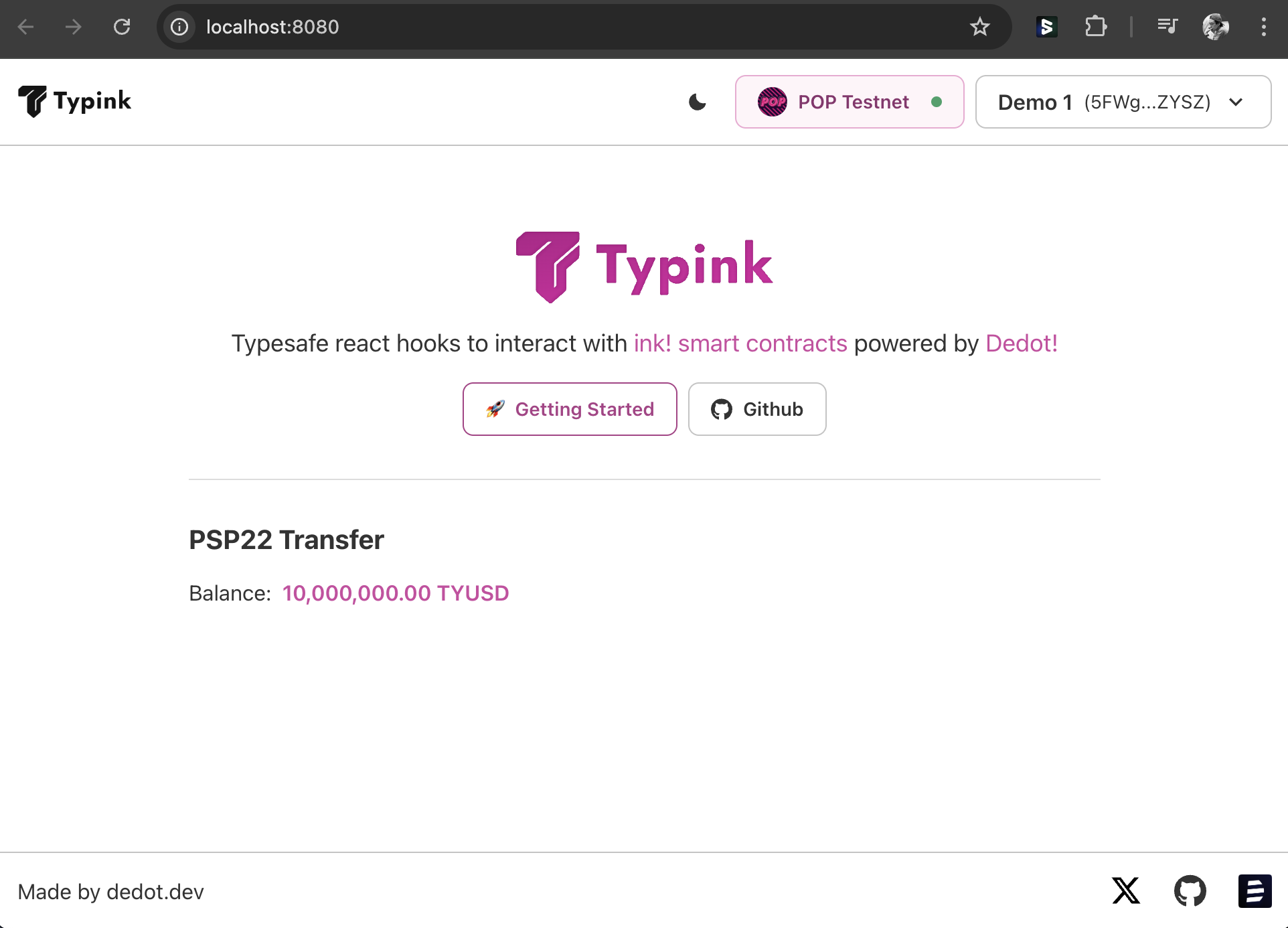
Now, after connected to the account we're using to deploy the contract, it's showing the total PSP22 balance of account.
### Create a transfer form/UI
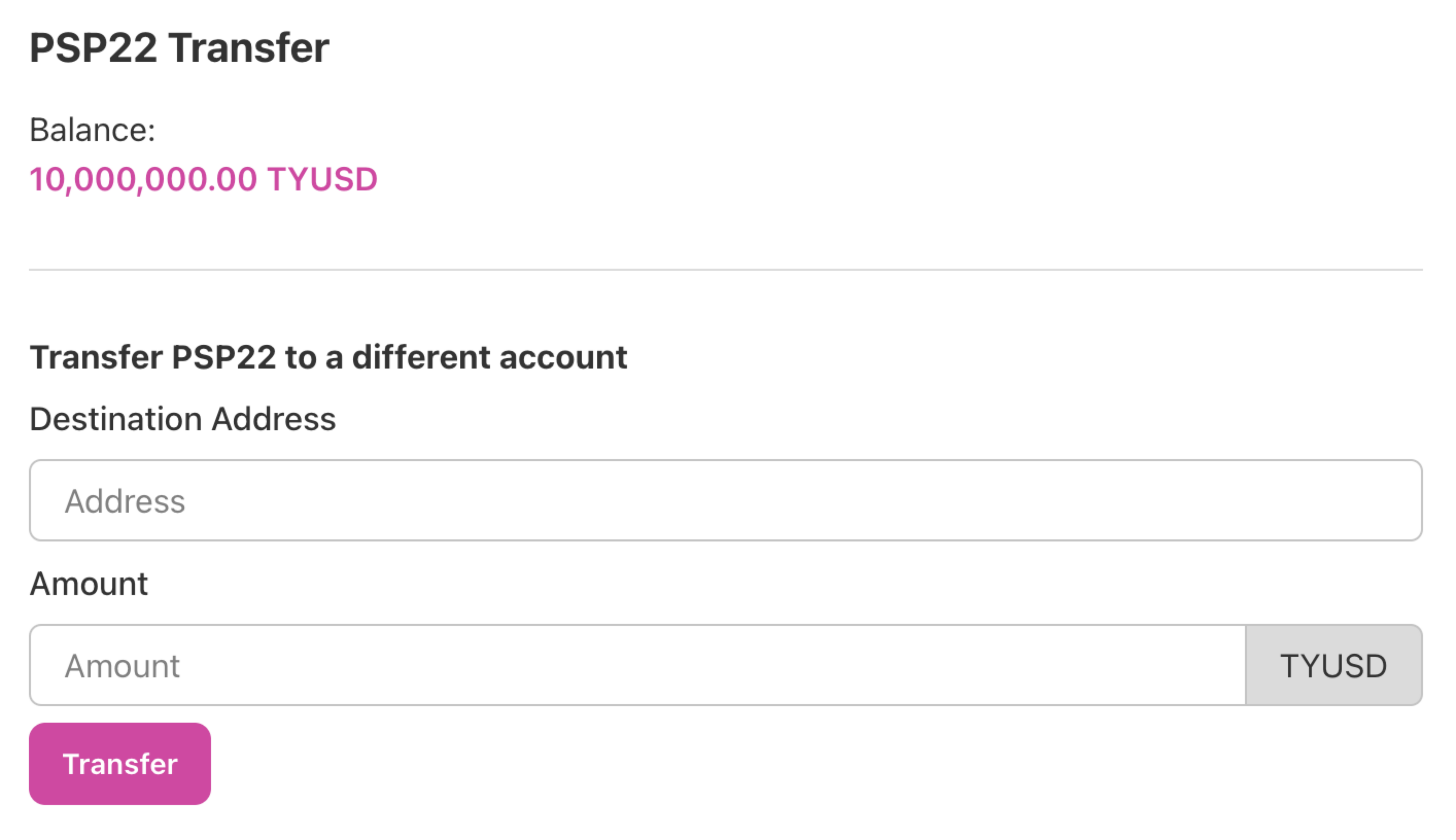
Next, let's create a transfer form which includes the following components:
* Destination Address: the address that we'll transfer the token to
* Amount: the amount of PSP22 token we'll send to the Destination Account
* Submit Button: a button to submit the form
{% code title="PSP22Transfer" lineNumbers="true" %}
```tsx
import {
Box,
Button,
Divider,
FormControl,
FormLabel,
Heading,
Input,
InputGroup
InputRightAddon,
Text,
} from '@chakra-ui/react';
// function PSP22Transfer({ connectedAddress }: PSP22TransferProps) {
// ...
// ...
```
{% endcode %}
The UI will look like this after we added the form.
### Submit transfer transaction with transaction toaster
Now, let's implement the logic make the transfer transaction using `useContractTx`hook:
{% code lineNumbers="true" %}
```tsx
import {
Box,
Button,
Divider,
FormControl,
FormLabel,
Heading,
Input,
InputGroup,
InputRightAddon,
Text,
} from '@chakra-ui/react';
import { useState } from 'react';
import PendingText from '@/components/shared/PendingText.tsx';
import { useApp } from '@/providers/AppProvider.tsx';
import { txToaster } from '@/utils/txToaster.tsx';
import { decodeAddress } from 'dedot/utils';
import { formatBalance, useContractQuery, useContractTx, useTypink } from 'typink';
interface PSP22TransferProps {
connectedAddress: string;
}
function PSP22Transfer({ connectedAddress }: PSP22TransferProps) {
const { psp22Contract: contract } = useApp();
const tokenSymbol = useContractQuery({ contract, fn: 'psp22MetadataTokenSymbol' });
const decimals = useContractQuery({ contract, fn: 'psp22MetadataTokenDecimals' });
const balance = useContractQuery({
contract,
fn: 'psp22BalanceOf',
args: [connectedAddress],
watch: true,
});
const isLoading = tokenSymbol.isLoading && decimals.isLoading && balance.isLoading;
const [destAddress, setDestAddress] = useState('');
const [amount, setAmount] = useState('');
const transferTx = useContractTx(contract, 'psp22Transfer');
const enableTransfer = !!destAddress && !!amount && !!decimals.data;
const doTransfer = async (e: any) => {
e && e.preventDefault();
if (!enableTransfer) return;
const toaster = txToaster();
try {
if (destAddress == connectedAddress) {
throw new Error('Cannot transfer to the same address');
}
decodeAddress(destAddress); // validate address
const amountToTransfer = BigInt(+amount) * BigInt(Math.pow(10, decimals.data!));
await transferTx.signAndSend({
args: [destAddress, amountToTransfer, '0x'],
callback: (progress) => {
toaster.onTxProgress(progress);
},
});
} catch (e: any) {
console.error(e);
toaster.onTxError(e);
}
};
return (
<>
Balance:
{formatBalance(balance.data, { symbol: tokenSymbol.data, decimals: decimals.data })}
);
}
export default function MainBoard() {
const { connectedAccount } = useTypink();
return (
PSP22 Transfer
{connectedAccount ? (
) : (
Connect to your wallet to getting started!
)}
);
}
```
{% endcode %}
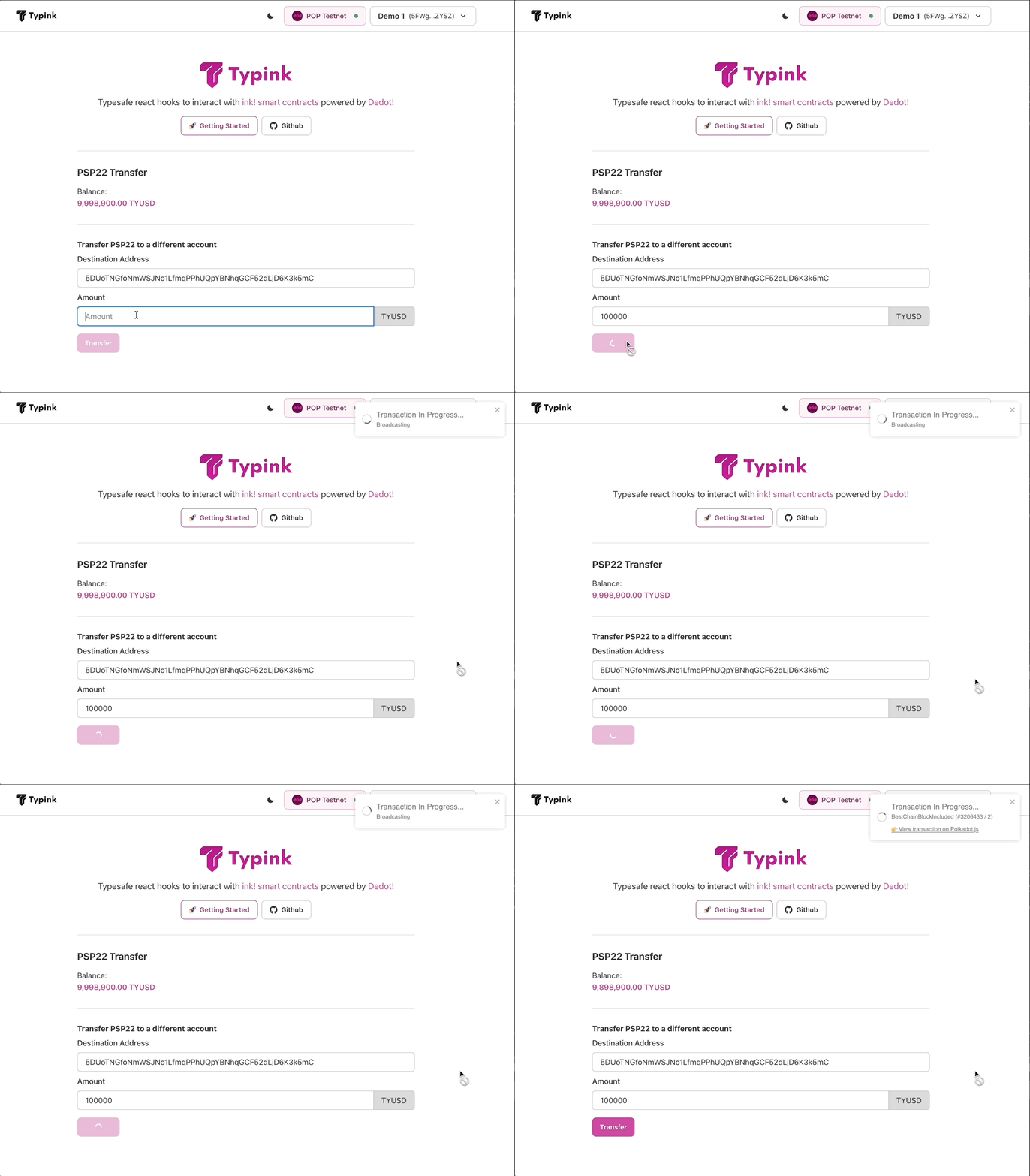
Now, let's try it out when we transfer some PSP22 token to a different address:
You can always checkout the [Github repo](https://github.com/sinzii/psp22-transfer) of this `psp22-transfer`project, clone & have fun!