


A web-based interface for the Metasploit Framework with multi-user support and an intuitive UI.
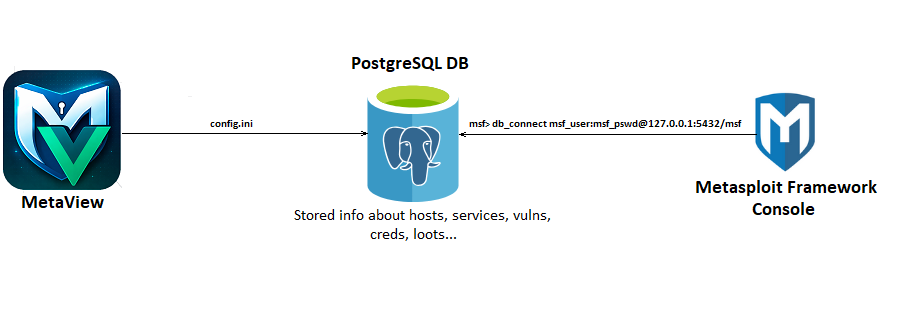
For more detailed information on setting up and using msfdb, you can find out here .
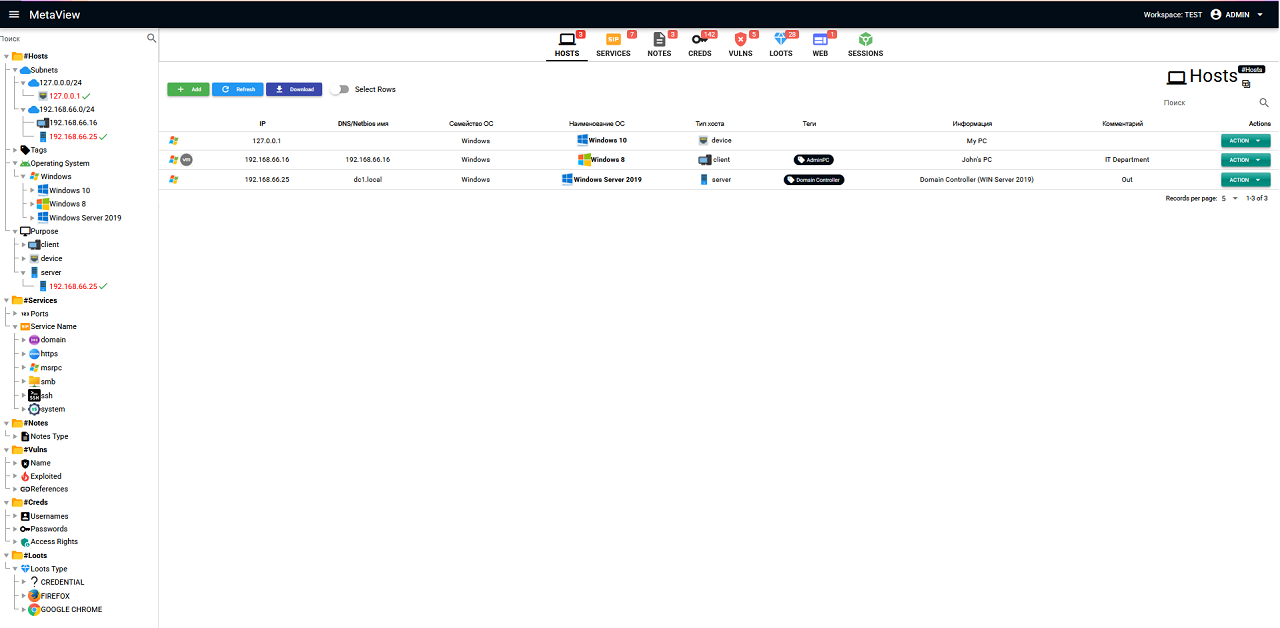
- Modern web interface
- Project management (add, edit and remove workspaces)
- Visualization of data stored in the Metasploit Framework Database:
Hosts, Services, Notes, Vulns, Creds, Loots, Sessions - Import data from MaxPatrol, Nmap, Acunetix
- Managing the structure of websites being tested (WMAP and Acunetix scanning)
- View session events such as meterpreter
- Separation of roles and projects
- Tag operation history
- Creating tasks for project users
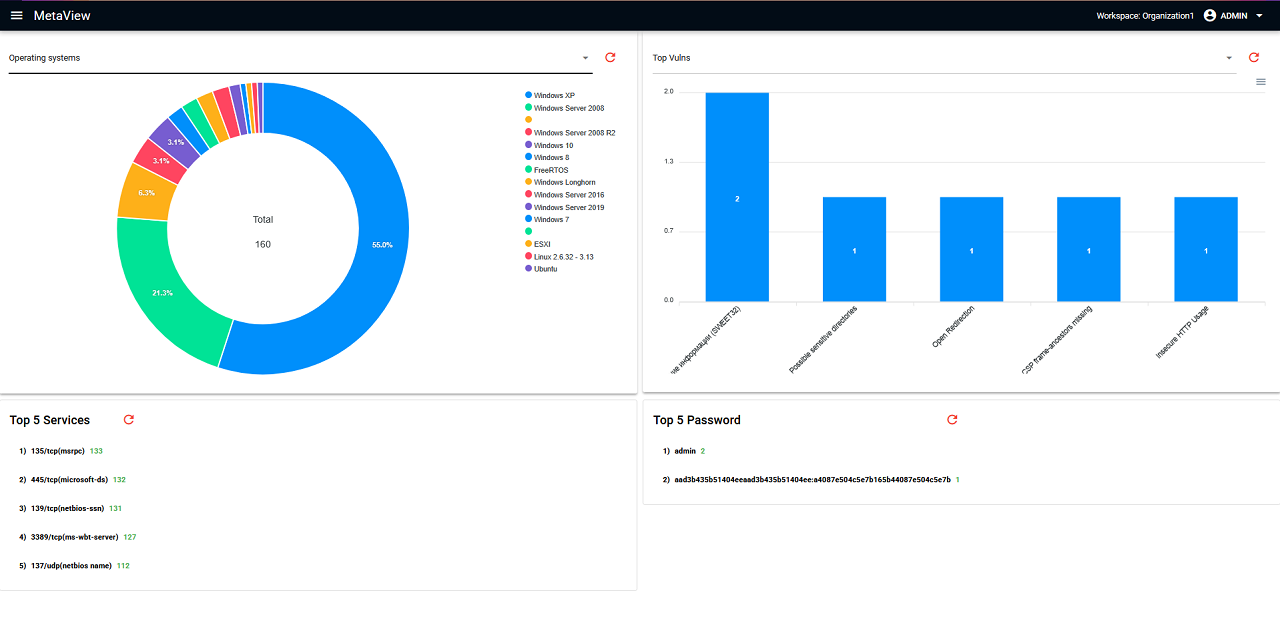
- Live dashboards with metrics
- Visualization of scan results
# Clone
git clone https://github.com/sh94ya/MetaView.git
cd MetaView

# Linux
python3 -m venv venv
source venv/bin/activate
pip install -e .
# Edit config.ini (See Configuration section)
# Run
gunicorn --workers 4 --bind 127.0.0.1:5000 main:app

# Windows
python.exe -m venv venv
venv\Scripts\activate.bat
pip install -e .
# Edit config.ini (See Configuration section)
# Run
python.exe main.py

# Open in a browser (default creds - admin:admin)
http://localhost:5000# Clone
git clone https://github.com/sh94ya/MetaView.git
cd MetaView
# Build Docker Image
docker build -t metaview .
# Edit config.ini (See Configuration section)
# Run container
docker run -p 5000:5000 -v $(pwd)/config.ini:/app/config.ini metaview
# Open in a browser (default creds - admin:admin)
http://localhost:5000# Clone
git clone https://github.com/sh94ya/MetaView.git
cd MetaView
# Edit config.ini
ADDRESS=db
# Build and Run metaview-web and postgresql-db containers
docker compose up --build
# Open in a browser (default creds - admin:admin)
http://localhost:5000In the [DB] section of the config.ini file, set the data for establishing a connection to the PostgreSQL database for joint work with msfconsole.
[DB]
LOGIN=msf
PASSWORD=msf
ADDRESS=127.0.0.1
PORT=5432
DATABASE=msfChange your secret key:
[JWT]
SECRET_KEY = '<change-your-secret_key>'Flask + Vue 3 (with Quasar Framework)
IMPORTANT: This tool is intended solely for:
- Legal penetration testing
- Educational purposes
- Cybersecurity research
The developer is not responsible for illegal use.
Distributed under the MIT License. See the LICENSE file for details.
sh94ya — Lead Developer — GitHub
Give a ⭐️ on GitHub if you like the project!