Diagnostic Criteria
A. Persistent pattern of cognitive, emotional, and social functioning characterized by a strong preference for normative coherence, rapid closure of uncertainty, and limited tolerance for sustained depth—intellectual, experiential, or emotional—beginning in early socialization and present across multiple contexts (e.g. interpersonal relationships, workplace environments, family systems, cultural participation).
B. The pattern manifests through three (or more) of the following symptoms:
- Normative Rigidity
Marked discomfort when encountering deviations from customary practices, beliefs, or emotional expressions, even when such deviations are demonstratively non-harmful or adaptive. Often expressed as “But why?” followed by silence rather than curiosity. - Contextual Literalism
Difficulty interpreting meaning, identity, or emotional communication outside their most common cultural framing; metaphor and subtext are tolerated primarily when socially standardized. - Consensus-Seeking Reflex
Habitual alignment with majority opinion, authority, or prevailing emotional norms when forming judgments, often prior to personal reflection or affective attunement. - Change Aversion with Rationalization
Resistance to novel ideas or emotional complexity, accompanied by post-hoc justifications framed as realism, pragmatism, or emotional maturity, rather than acknowledged emotional discomfort. - Social Script Dependence
Reliance on rehearsed conversational and emotional scripts (weather, productivity, polite outrage), and visible distress when interactions require unscripted vulnerability, prolonged emotional presence, or exploratory dialogue. - Hierarchy Calibration Preoccupation
Excessive attention to formal roles, relational labels, and status markers, such as job titles, relationship escalators, age-based authority, or institutional validation, with difficulty engaging others outside these frameworks as emotionally or epistemically equal. - Ambiguity Intolerance
A pronounced need to resolve uncertainty quickly—cognitively and emotionally, even at the cost of nuance. Mixed feelings, ambivalence, or unresolved emotional states may be experienced as distressing or unproductive. Questions with multiple valid answers may be experienced as irritating rather than interesting. - Pathologizing the Outlier
Tendency to interpret uncommon preferences, communication styles, atypical cognitive styles, emotional expressions, relational structures, or life choices as problems needing explanation, containment, or optimization. - Empathy via Projection
Assumption that others experience emotions in similar ways and intensities, leading to misattuned reassurance, premature advice, or minimization of divergent affective experiences, resulting in advice that begins with “If it were me…” and ends with confusion when it is, in fact, not them. - Depth Avoidance in Sustained Inquiry
Marked difficulty engaging in prolonged, high-resolution discussion of topics that extend beyond surface facts, sanctioned opinions, or immediately actionable conclusions. Deep exploration of systems, first principles, or existential implications is often curtailed. - Diffuse Interest Profile
A pattern of broad but shallow interests, with engagement driven primarily by social relevance or utility rather than intrinsic fascination. Mastery is rare; familiarity is common. - Expertise Anxiety
Discomfort in the presence of deep intellectual or emotional proficiency—either in oneself or others—leading to minimization, deflection, or reframing depth as excessive, obsessive, or impractical. - Instrumental Curiosity
Curiosity activated mainly when a topic yields immediate benefit. Curiosity pursued for its own sake may be regarded as indulgent, inefficient, or emotionally suspect. - Affective Flattening in Non-Crisis Contexts
A restricted range or shallowness of emotional experience outside socially sanctioned peaks (e.g. celebrations, emergencies). Subtle, slow-building, or internally complex emotional states may be under-recognized, quickly translated into simpler labels, or bypassed through distraction. - Emotional Resolution Urgency
A strong drive to “process,” “move on,” or “feel better” rapidly, often resulting in premature emotional closure. Emotional depth is equated with rumination rather than information. - Vulnerability Time-Limiting
Tolerance for emotional exposure is constrained by implicit time or intensity limits. Extended emotional presence—grief without deadlines, joy without justification, love without clear structure—may provoke discomfort or withdrawal.
C. Symptoms cause clinically significant impairment in adaptive curiosity, cross-cultural understanding, deep relational intimacy, sustained emotional attunement, and the capacity to remain present with complex internal states—both one’s own and others’, or collaboration with neurodivergent individuals, particularly in rapidly changing environments or in relationships requiring long-term emotional nuance.
D. The presentation is not better explained by acute stress, lack of exposure, trauma-related emotional numbing, cultural display rules alone, or temporary social conformity for situational survival (e.g. customer service roles, family holidays).
Specifiers
- With Strong Institutional Reinforcement (e.g. corporate culture, rigid schooling)
- With Moral Certainty Features
- Masked Presentation (appears emotionally open but only within safe, scripted bounds)
- Late-Onset (often following promotion to middle management)
Course and Prognosis
NTSD is typically stable across adulthood. Improvement correlates with sustained exposure to emotional complexity without forced resolution, relationships that reward presence over performance, and practices that cultivate interoceptive awareness rather than emotional efficiency. Partial remission has been observed following prolonged engagement with artists, immigrants, queer communities, altered states, long-form grief, open-source software, or toddlers asking “why” without stopping.
Differential Diagnosis
Must be distinguished from:
- Willful ignorance (which involves effort)
- Malice (which involves intent)
- Burnout (which improves with rest)
- Actual lack of information (which improves with learning)
NTSD persists despite information.
]]>That’s the modern paradox of Unix & Linux culture: tools older than many of us are being rediscovered through vertical videos and autoplay feeds. A generation raised on Shorts and Reels is bumping into sort, uniq, and friends, often for the first time, and asking very reasonable questions like: wait, why are there two ways to do this?
So let’s talk about one of those deceptively small choices.
The question
What’s better?
sort -u
or
sort | uniq
At first glance, they seem equivalent. Both give you sorted, unique lines of text. Both appear in scripts, blog posts, and Stack Overflow answers. Both are “correct”.
But Linux has opinions, and those opinions are usually encoded in flags.
The short answer
sort -u is almost always better.
The longer answer is where the interesting bits live.
What actually happens
sort -u tells sort to do two things at once:
- sort the input
- suppress duplicate lines
That’s one program, one job, one set of buffers, and one round of temporary files. Fewer processes, less data sloshing around, and fewer opportunities for your CPU to sigh quietly.
By contrast, sort | uniq is a two-step relay race. sort does the sorting, then hands everything to uniq, which removes duplicates — but only if they’re adjacent. That adjacency requirement is why the sort is mandatory in the first place.
This pipeline works because Linux tools compose beautifully. But composition has a cost: an extra process, an extra pipe, and extra I/O.
On small inputs, you’ll never notice. On large ones, sort -u usually wins on performance and simplicity.
Clarity matters too
There’s also a human factor.
When you see sort -u, the intent is explicit: “I want sorted, unique output.”
When you see sort | uniq, you have to mentally remember a historical detail: uniq only removes adjacent duplicates.
That knowledge is common among Linux people, but it’s not obvious. sort -u encodes the idea directly into the command.
When uniq still earns its keep
All that said, uniq is not obsolete. It just has a narrower, sharper purpose.
Use sort | uniq when you want things that sort -u cannot do, such as:
- counting duplicates (
uniq -c) - showing only duplicated lines (
uniq -d) - showing only lines that occur once (
uniq -u)
In those cases, uniq isn’t redundant — it’s the point.
A small philosophical note
This is one of those Linux moments that looks trivial but teaches a bigger lesson. Linux tools evolve. Sometimes functionality migrates inward, from pipelines into flags, because common patterns deserve first-class support.
sort -u is not “less Linuxy” than sort | uniq. It’s Linux noticing a habit and formalizing it.
The shell still lets you build LEGO castles out of pipes. It just also hands you pre-molded bricks when the shape is obvious.
The takeaway
If you just want unique, sorted lines:
sort -u
If you want insight about duplication:
sort | uniq …
Same ecosystem, different intentions.
And yes, it’s mildly delightful that a 1’30” YouTube Short can still provoke a discussion about tools designed in the 1970s. The terminal endures. The format changes. The ideas keep resurfacing — sorted, deduplicated, and ready for reuse.
]]>

I had websites before that—my first one must have been around 1996, hosted on university servers or one of those free hosting platforms that have long since disappeared. There is no trace of those early experiments, and that’s probably for the best. Frames, animated GIFs, questionable colour schemes… it was all part of the charm. 

But amedee.be was the moment I claimed a place on the internet that was truly mine. And not just a website: from the very beginning, I also used the domain for email, which added a level of permanence and identity that those free services never could. 
Over the past 25 years, I have used more content management systems than I can easily list. I started with plain static HTML. Then came a parade of platforms that now feel almost archaeological: self-written Perl scripts, TikiWiki, XOOPS, Drupal… and eventually WordPress, where the site still lives today. I’m probably forgetting a few—experience tends to blur after a quarter century online. 

Not all of that content survived. I’ve lost plenty along the way: server crashes, rushed or ill-planned CMS migrations, and the occasional period of heroic under-backing-up. I hope I’ve learned something from each of those episodes. Fortunately, parts of the site’s history can still be explored through the Wayback Machine at the Internet Archive—a kind of external memory for the things I didn’t manage to preserve myself. 


The hosting story is just as varied. The site spent many years at Hetzner, had a period on AWS, and has been running on DigitalOcean for about a year now. I’m sure there were other stops in between—ones I may have forgotten for good reasons. 

What has remained constant is this: amedee.be is my space to write, tinker, and occasionally publish something that turns out useful for someone else. A digital layer of 25 years is nothing to take lightly. It feels a bit like personal archaeology—still growing with each passing year. 

Here’s to the next 25 years. I’m curious which tools, platforms, ideas, and inevitable mishaps I’ll encounter along the way. One thing is certain: as long as the internet exists, I’ll be here somewhere. 

Last night I did something new: I went fusion dancing for the first time.
Yes, fusion — that mysterious realm where dancers claim to “just feel the music,” which is usually code for nobody knows what we’re doing but we vibe anyway.
The setting: a church in Ghent.
The vibe: incense-free, spiritually confusing. 
Spoiler: it was okay.
Nice to try once. Probably not my new religion.
Before anyone sharpens their pitchforks:
Lene (Kula Dance) did an absolutely brilliant job organizing this.
It was the first fusion event in Ghent, she put her whole heart into it, the vibe was warm and welcoming, and this is not a criticism of her or the atmosphere she created.
This post is purely about my personal dance preferences, which are… highly specific, let’s call it that.
But let’s zoom out. Because at this point I’ve sampled enough dance styles to write my own David Attenborough documentary, except with more sweat and fewer migratory birds. 
Below: my completely subjective, highly scientific taxonomy of partner dance communities, observed in their natural habitats.
 Balfolk – Home Sweet Home
Balfolk is where I grew up as a dancer — the motherland of flow, warmth, and dancing like you’re collectively auditioning for a Scandinavian fairy tale.
There’s connection, community, live music, soft embraces, swirling mazurkas, and just the right amount of emotional intimacy without anyone pretending to unlock your chakras.
Balfolk people: friendly, grounded, slightly nerdy, and dangerously good at hugs.
Verdict: My natural habitat. My comfort food. My baseline for judging all other styles. 
 Fusion: A Beautiful Thing That Might Not Be My Thing
Fusion isn’t a dance style — it’s a philosophical suggestion.
“Take everything you’ve ever learned and… improvise.”
Fusion dancers will tell you fusion is everything.
Which, suspiciously, also means it is nothing.
It’s not a style; it’s a choose-your-own-adventure.
You take whatever dance language you know and try to merge it with someone else’s dance language, and pray the resulting dialect is mutually intelligible.
I had a fun evening, truly. It was lovely to see familiar faces, and again: Lene absolutely nailed the organization. Also a big thanks to Corentin for the music!
But for me personally, fusion sometimes has:
- a bit too much freedom
- a bit too little structure
- and a wildly varying “shared vocabulary” depending on who you’re holding
One dance feels like tango in slow motion, the next like zouk without the hair flips, the next like someone attempts tai chi with interpretative enthusiasm. Mostly an exercise in guessing whether your partner is leading, following, improvising, or attempting contemporary contact improv for the first time.
Beautiful when it works. Less so when it doesn’t.
And all of that randomly in a church in Ghent on a weeknight.
Verdict: Fun to try once, but I’m not currently planning my life around it. 
 Contact Improvisation: Gravity’s Favorite Dance Style
Contact improv deserves its own category because it’s fusion’s feral cousin.
It’s the dance style where everyone pretends it’s totally normal to roll on the floor with strangers while discussing weight sharing and listening with your skin.
Contact improv can be magical — bold, creative, playful, curious, physical, surprising, expressive.
It can also be:
- accidentally elbowing someone in the ribs
- getting pinned under a “creative lift” gone wrong
- wondering why everyone else looks blissful while you’re trying not to faceplant
- ending up in a cuddle pile you did not sign up for
It can exactly be the moment where my brain goes:
“Ah. So this is where my comfort zone ends.”
It’s partnered physics homework.
Sometimes beautiful, sometimes confusing, sometimes suspiciously close to a yoga class that escaped supervision.
I absolutely respect the dancers who dive into weight-sharing, rolling, lifting, sliding, and all that sculptural body-physics magic.
But my personal dance style is:
- musical
- playful
- partner-oriented
- rhythm-based
- and preferably done without accidentally mounting someone like a confused koala

Verdict: Fascinating to try, excellent for body awareness, fascinating to observe, but not my go-to when I just want to dance and not reenact two otters experimenting with buoyancy.  Probably not something I’ll ever do weekly.
 Contra: The Holy Grail of Joyful Chaos
Contra is basically balfolk after three coffees.
People line up, the caller shouts things, everyone spins, nobody knows who they’re dancing with and nobody cares. It’s wholesome, joyful, fast, structured, musical, social, and somehow everyone becomes instantly attractive while doing it.
Verdict: YES. Inject directly into my bloodstream. 
 Ceilidh: Same Energy, More Shouting
Ceilidh is what you get when Contra and Guinness have a love child.
It’s rowdy, chaotic, and absolutely nobody takes themselves seriously — not even the guy wearing a kilt with questionable underwear decisions. It’s more shouting, more laughter, more giggling at your own mistakes, and occasionally someone yeeting themselves across the room.
Verdict: Also YES. My natural ecosystem.
 Forró: Balfolk, but Warmer
If mazurka went on Erasmus in Brazil and came back with stories of sunshine and hip movement, you’d get Forró.
Close embrace? Check.
Playfulness? Check.
Techniques that look easy until you attempt them and fall over? Check.
I’m convinced I would adore forró.
Verdict: Where are the damn lessons in Ghent? Brussel if we really have to. Asking for a friend. (The friend is me.) 
Lindy Hop & West Coast Swing: Fun… But the Vibe?
Both look amazing — great music, athletic energy, dynamic, cool moves, full of personality.
But sometimes the community feels a tiny bit like:
“If you’re not wearing vintage shoes and triple-stepping since birth, who even are you?”
It’s not that the dancers are bad — they’re great.
It’s just… the pretentie.
Verdict: Lovely to watch, less lovely to join.
Still looking for a group without the subtle “audition for fame-school jazz ensemble” energy.
 Zouk: The Idea Pot
Zouk dancers move like water. Or like very bendy cats.
It’s sexy, flowy, and full of body isolations that make you reconsider your spine’s architecture.
I’m not planning to become a zouk person, but I am planning to steal their ideas.
Chest isolations?
Head rolls?
Wavy body movements?
Yes please. For flavour. Not for full conversion.
Verdict: Excellent expansion pack, questionable main quest.
 Salsa, Bachata & Friends: Respectfully… No
I tried. I really did.
I know people love them.
But the Latin socials generally radiate too much:
- machismo
- perfume
- nightclub energy
- “look at my hips” nationalism
- and questionable gender-role nostalgia
If you love it, great.
If you’re me: no, no, absolutely not, thank you.
Verdict: iew iew nééé. 
Fantastic for others. Not for me.
 Tango: The Forbidden Fruit
Tango is elegant, intimate, dramatic… and the community is a whole ecosystem on its own.
There are scenes where people dance with poetic tenderness, and scenes where people glare across the room using century-old codified eyebrow signals that might accidentally summon a demon. 
I like tango a lot — I just need to find a community that doesn’t feel like I’m intruding on someone’s ancestral mating ritual. And where nobody hisses if your embrace is 3 mm off the sacred norm.
Verdict: Promising, if I find the right humans.
 Ballroom: Elegance With a Rulebook Thicker Than a Bible
Ballroom dancers glide across the floor like aristocrats at a diplomatic gala — smooth, flawless, elegant, and somehow always looking like they can hear a string quartet even when Beyoncé is playing.
It’s beautiful. Truly.
Also: terrifying.
Ballroom is the only dance style where I’m convinced the shoes judge you.
Everything is codified — posture, frame, foot angle, when to breathe, how much you’re allowed to look at your partner before the gods of Standard strike you down with a minus-10 penalty.
The dancers?
Immaculate. Shiny. Laser-focused.
Half angel, half geometry teacher.
I admire Ballroom deeply… from a safe distance.
My internal monologue when watching it:
“Gorgeous! Stunning! Very impressive!”
My internal monologue imagining myself doing it:
“Nope. My spine wasn’t built for this. I slouch like a relaxed accordion.”
Verdict: Respect, awe, and zero practical intention of joining.
I love dancing — but I’m not ready to pledge allegiance to the International Order of Perfect Posture. 
 Ecstatic Dance / 5 Rhythms / Biodanza / Tantric Whatever
Look.
I’m trying to be polite.
But if I wanted to flail around barefoot while being spiritually judged by someone named Moonfeather, I’d just do yoga in the wrong class.
I appreciate the concept of moving freely.
I do not appreciate:
- uninvited aura readings
- unclear boundaries
- workshops that smell like kombucha
- communities where “I feel called to share” takes 20 minutes
And also: what are we doing? Therapy? Dance? Summoning a forest deity? 
Verdict: Too much floaty spirituality, not enough actual dancing.
Hard pass.
Conclusion
I’m a simple dancer.
Give me clear structure (contra), playful chaos (ceilidh), heartfelt connection (balfolk), or Brazilian sunshine vibes (forró).
Fusion was fun to try, and I’m genuinely grateful it exists — and grateful to the people like Lene who pour time and energy into creating new dance spaces in Ghent. 
But for me personally?
Fusion can stay in the category of “fun experiment,” but I won’t be selling all my worldly possessions to follow the Church of Expressive Improvisation any time soon.
I’ll stay in my natural habitat: balfolk, contra, ceilidh, and anything that combines playfulness, partnership, and structure.
If you see me in a dance hall, assume I’m there for the joy, the flow, and preferably fewer incense-burning hippies. 
Still: I’m glad I went.
Trying new things is half the adventure.
Knowing what you like is the other half.
And I’m getting pretty damn good at that. 
Amen.
(Fitting, since I wrote this after dancing in a church.)
And in our case, that meant making an inventory of everything that lived in the house at Van Ooteghem:
Who takes what, what gets sold, and what’s destined for the containerpark.
To keep things organised (and avoid the classic “wait, whose toaster was that again?” discussion), we split the task — each person took care of one room.
I was assigned to the living room.
I made photos of every item, uploaded them to our shared Dropbox folder, and listed them neatly in a Google spreadsheet:
one column for the Dropbox URL, another for the photo itself using the IMAGE() function, like this:
=IMAGE(A2)
 When Dropbox meets Google Sheets
Of course, it didn’t work immediately — because Dropbox links don’t point directly to the image.
They point to a webpage that shows a preview. Google Sheets looked at that and shrugged.
A typical Dropbox link looks like this:
https://www.dropbox.com/s/abcd1234efgh5678/photo.jpg?dl=0
So I used a small trick: in my IMAGE() formula, I replaced ?dl=0 with ?raw=1, forcing Dropbox to serve the actual image file.
=IMAGE(SUBSTITUTE(A2, "?dl=0", "?raw=1"))
And suddenly, there they were — tidy little thumbnails, each safely contained within its cell.
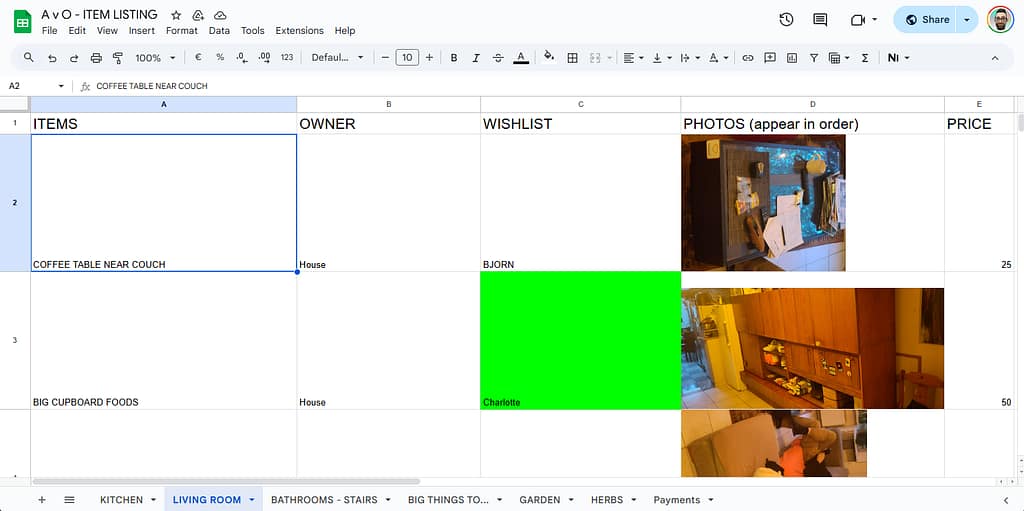
 Making it fit just right
You can fine-tune how your image appears using the optional second argument of the IMAGE() function:
=IMAGE("https://example.com/image.jpg", mode)
Where:
1– fit to cell (default)2– stretch (fill the entire cell, may distort)3– keep original size4– custom size, e.g.=IMAGE("https://example.com/image.jpg", 4, 50, 50)(sets width and height in pixels)
 Resize the row or column if needed to make it look right.
That flexibility means you can keep your spreadsheet clean and consistent — even if your photos come in all sorts of shapes and sizes.
 The others tried it too…
My housemates loved the idea and started adding their own photos to the spreadsheet.
Except… they just pasted them in.
It looked great at first — until someone resized a row.
Then the layout turned into an abstract art project, with floating chairs and migrating coffee machines.

The moral of the story: IMAGE() behaves like cell content, while pasted images are wild creatures that roam free across your grid.
 Bonus: The Excel version
If you’re more of an Excel person, there’s good news.
Recent versions of Excel 365 also support the IMAGE() function — almost identical to Google Sheets:
=IMAGE("https://www.dropbox.com/s/abcd1234efgh5678/photo.jpg?raw=1", "Fit")
If you’re still using an older version, you’ll need to insert pictures manually and set them to Move and size with cells.
Not quite as elegant, but it gets the job done.
 Organised chaos, visual edition
So that’s how our farewell to Van Ooteghem turned into a tech experiment:
a spreadsheet full of URLs, formulas, furniture, and shared memories.
It’s oddly satisfying to scroll through — half practical inventory, half digital scrapbook.
Because even when you’re dismantling a home, there’s still beauty in a good system.
The most nerve-wracking moment? Without a doubt, moving the piano. It got more attention than any other piece of furniture — and rightfully so. With a mix of brute strength, precision, and a few prayers to the gods of gravity, it’s now proudly standing in the living room.

We’ve also been officially added to the street WhatsApp group — the digital equivalent of the village well, but with emojis. It feels good to get those first friendly waves and “welcome to the neighborhood!” messages.
The house itself is slowly coming together. My IKEA PAX wardrobe is fully assembled, but the BRIMNES bed still exists mostly in theory. For now, I’m camping in style — mattress on the floor. My goal is to build one piece of furniture per day, though that might be slightly ambitious. Help is always welcome — not so much for heavy lifting, but for some body doubling and co-regulation. Just someone to sit nearby, hold a plank, and occasionally say “you’re doing great!”
There are still plenty of (banana) boxes left to unpack, but that’s part of the process. My personal mission: downsizing. Especially the books. But they won’t just be dumped at a thrift store — books are friends, and friends deserve a loving new home. 
Technically, things are running quite smoothly already: we’ve got fiber internet from Mobile Vikings, and I set up some Wi-Fi extenders and powerline adapters. Tomorrow, the electrician’s coming to service the air-conditioning units — and while he’s here, I’ll ask him to attach RJ45 connectors to the loose UTP cables that end in the fuse box. That means wired internet soon too — because nothing says “settled adult” like a stable ping.
And then there’s the garden.  Not just a tiny patch of green, but a real garden with ancient fruit trees and even a fig tree! We had a garden at the previous house too, but this one definitely feels like the deluxe upgrade. Every day I discover something new that grows, blossoms, or sneakily stings.

Ideas for cozy gatherings are already brewing. One of the first plans: living room concerts — small, warm afternoons or evenings filled with music, tea (one of us has British roots, so yes: milk included, coffee machine not required), and lovely people.
The first one will likely feature Hilde Van Belle, a (bal)folk friend who currently has a Kickstarter running for her first solo album: Hilde Van Belle – First Solo Album
I already heard her songs at the CaDansa Balfolk Festival, and I could really feel the personal emotions in her music — honest, raw, and full of heart.
You should definitely support her!
The album artwork is created by another (bal)folk friend, Verena, which makes the whole project feel even more connected and personal.
 Valentina Anzani
So yes: the piano’s in place, the Wi-Fi works, the garden thrives, the boxes wait patiently, and the teapot is steaming.
We’ve arrived.
Phew. We actually moved. 


Well… what if instead of music, you could make it play Space Invaders?
Yes, that’s a real thing.
It’s called GRUB Invaders, and it runs before your operating system even wakes up.
Because who needs Linux when you can blast aliens straight from your BIOS screen?
From Tunes to Lasers
In a previous post — “Resurrecting My Windows Partition After 4 Years 
 ” —
” —
I fell down a delightful rabbit hole while editing my GRUB configuration.
That’s where I discovered GRUB_INIT_TUNE, spent hours turning my PC speaker into an 80s arcade machine, and learned far more about bootloader acoustics than anyone should.
So naturally, the next logical step was obvious:
if GRUB can play music, surely it can play games too.
Enter: GRUB Invaders. 

What the Heck Is GRUB Invaders?
grub-invaders is a multiboot-compliant kernel game — basically, a program that GRUB can launch like it’s an OS.
Except it’s not Linux, not BSD, not anything remotely useful…
it’s a tiny Space Invaders clone that runs on bare metal.
To install it (on Ubuntu or Debian derivatives):
sudo apt install grub-invaders
Then, in GRUB’s boot menu, it’ll show up as GRUB Invaders.
Pick it, hit Enter, and bam! — no kernel, no systemd, just pew-pew-pew.
Your CPU becomes a glorified arcade cabinet. 

 How It Works
Under the hood, GRUB Invaders is a multiboot kernel image (yep, same format as Linux).
That means GRUB can load it into memory, set up registers, and jump straight into its entry point.
There’s no OS, no drivers — just BIOS interrupts, VGA mode, and a lot of clever 8-bit trickery.
Basically: the game runs in real mode, paints directly to video memory, and uses the keyboard interrupt for controls.
It’s a beautiful reminder that once upon a time, you could build a whole game in a few kilobytes.
Technical Nostalgia
Installed size?
Installed-Size: 30
Size: 8726 bytes
Yes, you read that right: under 9 KB.
That’s less than one PNG icon on your desktop.
Yet it’s fully playable — proof that programmers in the ’80s had sorcery we’ve since forgotten. 
The package is ancient but still maintained enough to live in the Ubuntu repositories:
Homepage: http://www.erikyyy.de/invaders/
Maintainer: Debian Games Team
Enhances: grub2-common
So you can still apt install it in 2025, and it just works.
Why Bother?
Because you can.
Because sometimes it’s nice to remember that your bootloader isn’t just a boring chunk of C code parsing configs.
It’s a tiny virtual machine, capable of loading kernels, playing music, and — if you’re feeling chaotic — defending the Earth from pixelated aliens before breakfast.
It’s also a wonderful conversation starter at tech meetups:
“Oh, my GRUB doesn’t just boot Linux. It plays Space Invaders. What does yours do?”
 A Note on Shenanigans
Don’t worry — GRUB Invaders doesn’t modify your boot process or mess with your partitions.
It’s launched manually, like any other GRUB entry.
When you’re done, reboot, and you’re back to your normal OS.
Totally safe. (Mostly. Unless you lose track of time blasting aliens.)
 TL;DR
TL;DR
grub-invaderslets you play Space Invaders in GRUB.- It’s under 9 KB, runs without an OS, and is somehow still in Ubuntu repos.
- Totally useless. Totally delightful.
- Perfect for when you want to flex your inner 8-bit gremlin.
Waar ik hulp bij kan gebruiken 
- Bananendozen verhuizen — ik zorg dat het meeste op voorhand is ingepakt.
Ruwe schatting: zo’n 30 dozen (ik heb ze niet geteld, ik leef graag gevaarlijk). - Demonteren en verhuizen van meubels:
- Boekenrek (IKEA KALLAX 5×5)
- Kleerkast
- Bed
- Bureau
- Diepvries verhuizen (van de keuken op het gelijkvloers naar de kelder in het nieuwe huis).
De dozen en meubels staan nu op de 2de verdieping. Ik probeer vooraf al wat dozen naar beneden te sleuren — want trappen, ja.
Assembleren van meubels op het nieuwe adres doen we een andere dag.
Doel van de dag: niet overprikkeld geraken.
Wat ik zelf regel 
Ik voorzie een kleine bestelwagen via Dégage autodelen.
Wat ik nog nodig heb 
- Een elektrische schroevendraaier (voor het IKEA-spul).
- Handige, stressbestendige mensen met een vleugje organisatietalent.
- Enkele auto’s die over en weer kunnen rijden — zelfs al is het maar voor een paar dozen.
- Emotionele support crew die op tijd kunnen zeggen: “Hey, pauze.”
Praktisch 
- Oud adres: Ledeberg
- Nieuw adres: tussen station Gent-Sint-Pieters en de Sterre
- Afstand: ongeveer 4 km
(Exacte adressen deel ik met de helpers.)
Ik maak een WhatsApp-groep voor coördinatie.
Afsluiter 
Verhuisdag Part 1 eindigt met gratis pizza’s.
Want eerlijk: dozen sleuren is zwaar, maar pizza maakt alles beter.
Wil je komen helpen (met spierkracht, auto, gereedschap of goeie vibes)?
Laat iets weten — hoe meer handen, hoe minder stress!
In a previous post — Resurrecting My Windows Partition After 4 Years 🖥️🎮 — I was neck-deep in
grub.cfg, poking at boot entries, fixing UUIDs, and generally performing a ritual worthy of system resurrection.
While I was at it, I decided to take a closer look at all those mysterious variables lurking in /etc/default/grub.
That’s when I stumbled upon something… magical. ✨
🎶 GRUB_INIT_TUNE — Your Bootloader Has a Voice
Hidden among all the serious-sounding options like GRUB_TIMEOUT and GRUB_CMDLINE_LINUX_DEFAULT sits this gem:
# Uncomment to get a beep at grub start
#GRUB_INIT_TUNE="480 440 1"
Wait, what? GRUB can beep?
Oh, not just beep. GRUB can play a tune. 🎺
Here’s how it actually works (per the GRUB manpage):
Format:
tempo freq duration [freq duration freq duration ...]
- tempo — The base time for all note durations, in beats per minute.
- 60 BPM → 1 second per beat
- 120 BPM → 0.5 seconds per beat
- freq — The note frequency in hertz.
- 262 = Middle C, 0 = silence
- duration — Measured in “bars” relative to the tempo.
- With tempo 60,
1= 1 second,2= 2 seconds, etc.
- With tempo 60,
So 480 440 1 is basically GRUB saying “Hello, world!” through your motherboard speaker: 0.25 seconds at 440 Hz, which is A4 in standard concert pitch as defined by ISO 16:1975.
And yes, this works even before your sound card drivers have loaded — pure, raw, BIOS-level nostalgia.
🧠 From Beep to Bop
Naturally, I couldn’t resist. One line turned into a small Python experiment, which turned into an audio preview tool, which turned into… let’s say, “bootloader performance art.”
Want to make GRUB play a polska when your system starts?
You can. It’s just a matter of string length — and a little bit of mischief. 😏
There’s technically no fixed “maximum size” for GRUB_INIT_TUNE, but remember: the bootloader runs in a very limited environment. Push it too far, and your majestic overture becomes a segmentation fault sonata.
So maybe keep it under a few kilobytes unless you enjoy debugging hex dumps at 2 AM.
🎼 How to Write a Tune That Won’t Make Your Laptop Cry
Practical rules of thumb (don’t be that person):
- Keep the inline tune under a few kilobytes if you want it to behave predictably.
- Hundreds to a few thousands of notes is usually fine; tens of thousands is pushing luck.
- Each numeric value (pitch or duration) must be ≤ 65535.
- Very long tunes simply delay the menu — that’s obnoxious for you and terrifying for anyone asking you for help.
Keep tunes short and tasteful (or obnoxious on purpose).
🎵 Little Musical Grammar: Notes, Durations and Chords (Fake Ones)
Write notes as frequency numbers (Hz). Example: A4 = 440.
Prefer readable helpers: write a tiny script that converts D4 F#4 A4 into the numbers.
Example minimal tune:

GRUB_INIT_TUNE="480 294 1 370 1 440 1 370 1 392 1 494 1 294 1"
That’ll give you a jaunty, bouncy opener — suitable for mild neighbour complaints. 💃🎻
Chords? GRUB can’t play them simultaneously — but you can fake them by rapid time-multiplexing (cycling the chord notes quickly).
It sounds like a buzzing organ, not a symphony, but it’s delightful in small doses.
Fun fact 💾: this time-multiplexing trick isn’t new — it’s straight out of the 8-bit video game era.
Old sound chips (like those in the Commodore 64 and NES) used the same sleight of hand to make
a single channel pretend to play multiple notes at once.
If you’ve ever heard a chiptune shimmer with impossible harmonies, that’s the same magic. ✨🎮
🧰 Tools I Like (and That You Secretly Want)
If you’re not into manually counting numbers, do this:
Use a small composer script (I wrote one) that:
- Accepts melodic notation like
D4 F#4 A4orC4+E4+G4(chord syntax). - Can preview via your system audio (so you don’t have to reboot to hear it).
- Can install the result into
/etc/default/gruband runupdate-grub(only as sudo).
Preview before you install. Always.
Your ears will tell you if your “ode to systemd” is charming or actually offensive.
For chords, the script time-multiplexes: e.g. for a 500 ms chord and 15 ms slices,
it cycles the chord notes quickly so the ear blends them.
It’s not true polyphony, but it’s a fun trick.
(If you want the full script I iterated on: drop me a comment. But it’s more fun to leave as an exercise to the reader.)
🧮 Limits, Memory, and “How Big Before It Breaks?”
Yes, my Red Team colleague will love this paragraph — and no, I’m not going to hand over a checklist for breaking things.
Short answer: GRUB doesn’t advertise a single fixed limit for GRUB_INIT_TUNE length.
Longer answer, responsibly phrased:
- Numeric limits: per note pitch/duration ≤ 65535 (
uint16_t). - Tempo: can go up to
uint32_t. - Parser & memory: the tune is tokenized at boot, so parsing buffers and allocators impose practical limits.
Expect a few kilobytes to be safe; hundreds of kilobytes is where things get flaky. - Usability: if your tune is measured in minutes, you’ve already lost. Don’t be that.
If you want to test where the parser chokes, do it in a disposable VM, never on production hardware.
If you’re feeling brave, you can even audit the GRUB source for buffer sizes in your specific version. 🧩
⚙️ How to Make It Sing
Edit /etc/default/grub and add a line like this:
GRUB_INIT_TUNE="480 440 1 494 1 523 1 587 1 659 3"
Then rebuild your config:
sudo update-grub
Reboot, and bask in the glory of your new startup sound.
Your BIOS will literally play you in. 🎶
💡 Final Thoughts
GRUB_INIT_TUNE is the operating-system equivalent of a ringtone for your toaster:
ridiculously low fidelity, disproportionately satisfying,
and a perfect tiny place to inject personality into an otherwise beige boot.
Use it for a smile, not for sabotage.
And just when I thought I’d been all clever reverse-engineering GRUB beeps myself…
I discovered that someone already built a web-based GRUB tune tester!
👉 https://breadmaker.github.io/grub-tune-tester/
Yes, you can compose and preview tunes right in your browser —
no need to sacrifice your system to the gods of early boot audio.
It’s surprisingly slick.
Even better, there’s a small but lively community posting their GRUB masterpieces on Reddit and other forums.
From Mario theme beeps to Doom startup riffs, there’s something both geeky and glorious about it.
You’ll find everything from tasteful minimalist dings to full-on “someone please stop them” anthems. 🎮🎶
Boot loud, boot proud — but please boot considerate. 😄🎻💻
]]>

That includes the very boring Quality Assurance Hat
 — the one that says “yes, Amedee, you do need to check for trailing whitespace again.”
And honestly? I suck at remembering those little details. I’d rather be building cool stuff than remembering to run Black or fix a missing newline. So I let my robot friend handle it.
That friend is called pre-commit. And it’s the best personal assistant I never hired. 
 What is this thing?
Pre-commit is like a bouncer for your Git repo. Before your code gets into the club (your repo), it gets checked at the door:
“Whoa there — trailing whitespace? Not tonight.”
“Missing a newline at the end? Try again.”
“That YAML looks sketchy, pal.”
“You really just tried to commit a 200MB video file? What is this, Dropbox?”
“Leaking AWS keys now, are we? Security says nope.”
“Commit message says ‘fix’? That’s not a message, that’s a shrug.”
Pre-commit runs a bunch of little scripts called hooks to catch this stuff. You choose which ones to use — it’s modular, like Lego for grown-up devs. 
When I commit, the hooks run. If they don’t like what they see, the commit gets bounced.
No exceptions. No drama. Just “fix it and try again.”
Is it annoying? Yeah, sometimes.
But has it saved my butt from pushing broken or embarrassing code? Way too many times.
 Why I bother (as a hobby dev)
I don’t have teammates yelling at me in code reviews. I am the teammate.
And future-me is very forgetful. 
Pre-commit helps me:
 Keep my code consistent
 It catches dumb mistakes before I make them permanent.
 Spend less time cleaning up
 Feel a little more “pro” even when I’m hacking on toy projects
 It works with any language. Even Bash, if you’re that kind of person.
Also, it feels kinda magical when it auto-fixes stuff and the commit just… works.
Installing it with pipx (because I’m not a barbarian)
I’m not a fan of polluting my Python environment, so I use pipx to keep things tidy. It installs CLI tools globally, but keeps them isolated.
If you don’t have pipx yet:
python3 -m pip install --user pipx
pipx ensurepath
Then install pre-commit like a boss:
pipx install pre-commit
Boom. It’s installed system-wide without polluting your precious virtualenvs. Chef’s kiss. 

Setting it up
Inside my project (usually some weird half-finished script I’ll obsess over for 3 days and then forget for 3 months), I create a file called .pre-commit-config.yaml.
Here’s what mine usually looks like:
repos:
  - repo: https://github.com/pre-commit/pre-commit-hooks
    rev: v5.0.0
    hooks:
      - id: trailing-whitespace
      - id: end-of-file-fixer
      - id: check-yaml
      - id: check-added-large-files

  - repo: https://github.com/gitleaks/gitleaks
    rev: v8.28.0
    hooks:
      - id: gitleaks

  - repo: https://github.com/jorisroovers/gitlint
    rev: v0.19.1
    hooks:
      - id: gitlint

  - repo: https://gitlab.com/vojko.pribudic.foss/pre-commit-update
    rev: v0.8.0
    hooks:
      - id: pre-commit-update
What this pre-commit config actually does
You’re not just tossing some YAML in your repo and calling it a day. This thing pulls together a full-on code hygiene crew — the kind that shows up uninvited, scrubs your mess, locks up your secrets, and judges your commit messages like it’s their job. Because it is.
pre-commit-hooks (v5.0.0)
These are the basics — the unglamorous chores that keep your repo from turning into a dumpster fire. Think lint roller, vacuum, and passive-aggressive IKEA manual rolled into one.
trailing-whitespace: No more forgotten spaces at the end of lines. The silent killers of clean diffs.
end-of-file-fixer: Adds a newline at the end of each file. Why? Because some tools (and nerds) get cranky if it’s missing.
check-yaml: Validates your YAML syntax. No more “why isn’t my config working?” only to discover you had an extra space somewhere.
check-added-large-files: Stops you from accidentally committing that 500MB cat video or
 .sqlitedump. Saves your repo. Saves your dignity.

gitleaks (v8.28.0)
Scans your code for secrets — API keys, passwords, tokens you really shouldn’t be committing.
Because we’ve all accidentally pushed our .env file at some point. (Don’t lie.)

gitlint (v0.19.1)
Enforces good commit message style — like limiting subject line length, capitalizing properly, and avoiding messages like “asdf”.
Great if you’re trying to look like a serious dev, even when you’re mostly committing bugfixes at 2AM.

pre-commit-update (v0.8.0)
The responsible adult in the room. Automatically bumps your hook versions to the latest stable ones. No more living on ancient plugin versions.
 In summary
This setup covers:
 Basic file hygiene (whitespace, newlines, YAML, large files)
 Secret detection
 Commit message quality
 Keeping your hooks fresh
You can add more later, like linters specific for your language of choice — think of this as your “minimum viable cleanliness.”
What else can it do?
There are hundreds of hooks. Some I’ve used, some I’ve just admired from afar:
blackis a Python code formatter that says: “Shhh, I know better.”flake8finds bugs, smells, and style issues in Python.isortsorts your imports so you don’t have to.eslintfor all you JavaScript kids.shellcheckfor Bash scripts.- … or write your own custom one-liner hook!
You can browse tons of them at: https://pre-commit.com/hooks.html
 Make Git do your bidding
To hook it all into Git:
pre-commit install
Now every time you commit, your code gets a spa treatment before it enters version control. 
Wanna retroactively clean up the whole repo? Go ahead:
pre-commit run --all-files
You’ll feel better. I promise.
TL;DR
Pre-commit is a must-have.
It’s like brushing your teeth before a date: it’s fast, polite, and avoids awkward moments later. 
If you haven’t tried it yet: do it. Your future self (and your Git history, and your date) will thank you. 
Use pipx to install it globally.
Add a .pre-commit-config.yaml.
Install the Git hook.
Enjoy cleaner commits, fewer review comments — and a commit history you’re not embarrassed to bring home to your parents. 

And if it ever annoys you too much?
You can always disable it… like cancelling the date but still showing up in their Instagram story. 

git commit --no-verify
Want help writing your first config? Or customizing it for Python, Bash, JavaScript, Kotlin, or your one-man-band side project? I’ve been there. Ask away!
]]>And then Fortnite happened.
My girlfriend Enya and her wife Kyra got hooked, and naturally I wanted to join them. But Fortnite refuses to run on Linux — apparently some copy-protection magic that digs into the Windows kernel, according to Reddit (so I don’t know if it’s true). It’s rare these days for a game to be Windows-only, but rare enough to shatter my Linux-only bubble. Suddenly, resurrecting Windows wasn’t a chore anymore; it was a quest for polyamorous Battle Royale glory.
My Windows 11 partition had been hibernating since November 2021, quietly gathering dust and updates in a forgotten corner of the disk. Why it stopped working back then? I honestly don’t remember, but apparently I had blogged about it. I hadn’t cared — until now.
The Awakening – Peeking Into the UEFI Abyss 
I started my journey with my usual tools: efibootmgr and update-grub on Ubuntu. I wanted to see what the firmware thought was bootable:
sudo efibootmgr
Output:
BootCurrent: 0001
Timeout: 1 seconds
BootOrder: 0001,0000
Boot0000* Windows Boot Manager ...
Boot0001* Ubuntu ...
At first glance, everything seemed fine. Ubuntu booted as usual. Windows… did not. It didn’t even show up in the GRUB boot menu. A little disappointing—but not unexpected, given that it hadn’t been touched in years. 
I knew the firmware knew about Windows—but the OS itself refused to wake up.
The Hidden Enemy – Why os-prober Was Disabled
I soon learned that recent Ubuntu versions disable os-prober by default. This is partly to speed up boot and partly to avoid probing unknown partitions automatically, which could theoretically be a security risk.
I re-enabled it in /etc/default/grub:
GRUB_DISABLE_OS_PROBER=false
Then ran:
sudo update-grub
Even after this tweak, Windows still didn’t appear in the GRUB menu.
The Manual Attempt – GRUB to the Rescue
Determined, I added a manual GRUB entry in /etc/grub.d/40_custom:
menuentry "Windows" {
    insmod part_gpt
    insmod fat
    insmod chain
    search --no-floppy --fs-uuid --set=root 99C1-B96E
    chainloader /EFI/Microsoft/Boot/bootmgfw.efi
}
How I found the EFI partition UUID:
sudo blkid | grep EFIResult:
UUID="99C1-B96E"
Ran sudo update-grub… Windows showed up in GRUB! But clicking it? Nothing.
At this stage, Windows still wouldn’t boot. The ghost remained untouchable.
The Missing File – Hunt for bootmgfw.efi
The culprit? bootmgfw.efi itself was gone. My chainloader had nothing to point to.
I mounted the NTFS Windows partition (at /home/amedee/windows) and searched for the missing EFI file:
sudo find /home/amedee/windows/ -type f -name "bootmgfw.efi"
/home/amedee/windows/Windows/Boot/EFI/bootmgfw.efi
The EFI file was hidden away, but thankfully intact. I copied it into the proper EFI directory:
sudo cp /home/amedee/windows/Windows/Boot/EFI/bootmgfw.efi /boot/efi/EFI/Microsoft/Boot/
After a final sudo update-grub, Windows appeared automatically in the GRUB menu. Finally, clicking the entry actually booted Windows. Victory! 
Four Years of Sleeping Giants 
Booting Windows after four years was like opening a time capsule. I was greeted with thousands of updates, drivers, software installations, and of course, the installation of Fortnite itself. It took hours, but it was worth it. The old system came back to life.
Every “update complete” message was a heartbeat closer to joining Enya and Kyra in the Battle Royale.
The GRUB Disappearance – Enter Ventoy
After celebrating Windows resurrection, I rebooted… and panic struck.
The GRUB menu had vanished. My system booted straight into Windows, leaving me without access to Linux. How could I escape?
I grabbed my trusty Ventoy USB stick (the same one I had used for performance tests months ago) and booted it in UEFI mode. Once in the live environment, I inspected the boot entries:
sudo efibootmgr -v
Output:
BootCurrent: 0002
Timeout: 1 seconds
BootOrder: 0002,0000,0001
Boot0000* Windows Boot Manager ...
Boot0001* Ubuntu ...
Boot0002* USB Ventoy ...
To restore Ubuntu to the top of the boot order:
sudo efibootmgr -o 0001,0000
Console output:
BootOrder changed from 0002,0000,0001 to 0001,0000
After rebooting, the GRUB menu reappeared, listing both Ubuntu and Windows. I could finally choose my OS again without further fiddling.
A Word on Secure Boot and Signed Kernels
Since we’re talking bootloaders: Secure Boot only allows EFI binaries signed with a trusted key to execute. Ubuntu Desktop ships with signed kernels and a signed shim so it boots fine out of the box. If you build your own kernel or use unsigned modules, you’ll either need to sign them yourself or disable Secure Boot in firmware.
Diagram of the Boot Flow 
Here’s a visual representation of the boot process after the fix:
flowchart TD
UEFI[" UEFI Firmware BootOrder:<br/>0001 (Ubuntu) →<br/>0000 (Windows)<br/>(BootCurrent: 0001)"]
subgraph UbuntuEFI["shimx64.efi"]
GRUB[" GRUB menu"]
LINUX[" Ubuntu Linux<br/>kernel + initrd"]
CHAINLOAD["
GRUB menu"]
LINUX[" Ubuntu Linux<br/>kernel + initrd"]
CHAINLOAD[" Windows<br/>bootmgfw.efi"]
end
subgraph WindowsEFI["bootmgfw.efi"]
WBM[" Windows Boot Manager"]
WINOS["
Windows<br/>bootmgfw.efi"]
end
subgraph WindowsEFI["bootmgfw.efi"]
WBM[" Windows Boot Manager"]
WINOS[" Windows 11<br/>(C:)"]
end
UEFI --> UbuntuEFI
GRUB -->|boots| LINUX
GRUB -.->|chainloads| CHAINLOAD
UEFI --> WindowsEFI
WBM -->|boots| WINOS
Windows 11<br/>(C:)"]
end
UEFI --> UbuntuEFI
GRUB -->|boots| LINUX
GRUB -.->|chainloads| CHAINLOAD
UEFI --> WindowsEFI
WBM -->|boots| WINOS
From the GRUB menu, the Windows entry chainloads bootmgfw.efi, which then points to the Windows Boot Manager, finally booting Windows itself.
First Battle Royale
After all the technical drama and late-night troubleshooting, I finally joined Enya and Kyra in Fortnite.
I had never played Fortnite before, but my FPS experience (Borderlands hype, anyone?) and PUBG knowledge from Viva La Dirt League on YouTube gave me a fighting chance.
We won our first Battle Royale together!  The sense of triumph was surreal—after resurrecting a four-year-old Windows partition, surviving driver hell, and finally joining the game, victory felt glorious.
TL;DR: Quick Repair Steps 
- Enable os-prober in
/etc/default/grub. - If Windows isn’t detected, try a manual GRUB entry.
- If boot fails, copy
bootmgfw.efifrom the NTFS Windows partition to/boot/efi/EFI/Microsoft/Boot/. - Run
sudo update-grub. - If GRUB disappears after booting Windows, boot a Live USB (UEFI mode) and adjust
efibootmgrto set Ubuntu first. - Reboot and enjoy both OSes.

This little adventure taught me more about GRUB, UEFI, and EFI files than I ever wanted to know, but it was worth it. Most importantly, I got to join my polycule in a Fortnite victory and prove that even a four-year-old Windows partition can rise again! 
You and I have been together for a long time. I wrote blog posts, you provided a place to share them. For years that worked. But lately you’ve been treating my posts like spam — my own blog links! Apparently linking to an external site on my Page is now a cardinal sin unless I pay to “boost” it.
And it’s not just Facebook. Threads — another Meta platform — also keeps taking down my blog links.
So this is goodbye… at least for my Facebook Page.
I’m not deleting my personal Profile. I’ll still pop in to see what events are coming up, and to look at photos after the balfolk and festivals. But our Page-posting days are over.
Here’s why:
- Your algorithm is a slot machine. What used to be “share and be seen” has become “share, pray, and maybe pay.” I’d rather drop coins in an actual jukebox than feed a zuckerbot just so friends can see my work.
- Talking into a digital void. Posting to my Page now feels like performing in an empty theatre while an usher whispers “boost post?” The real conversations happen by email, on Mastodon, or — imagine — in real life.
- Privacy, ads, and that creepy feeling. Every login is a reminder that Facebook isn’t free. I’m paying with my data to scroll past ads for things I only muttered near my phone. That’s not the backdrop I want for my writing.
- The algorithm ate my audience. Remember when following a Page meant seeing its posts? Cute era. Now everything’s at the mercy of an opaque feed.
- My house, my rules. I built amedee.be to be my own little corner of the web. No arbitrary takedowns, no algorithmic chokehold, no random “spam” labels. Subscribe by RSS or email and you’ll get my posts in the order I publish them — not the order an algorithm thinks you should.
- Better energy elsewhere. Time spent arm-wrestling Facebook is time I could spend writing, playing the nyckelharpa, or dancing a Swedish polska at a balfolk. All of that beats arguing with a zuckerbot.
From now on, if people actually want to read what I write, they’ll find me at amedee.be, via RSS, email, or Mastodon. No algorithms, no takedowns, no mystery boxes.
So yes, we’ll still bump into each other when I check events or browse photos. But the part where I dutifully feed you my blog posts? That’s over.
With zero boosted posts and one very happy nyckelharpa,
Amedee

CI runs shouldn’t feel like molasses. Here’s how I got Ansible to stop downloading the internet. You’re welcome.
Let’s get one thing straight: nobody likes waiting on CI.
Not you. Not me. Not even the coffee you brewed while waiting for Galaxy roles to install — again.
So I said “nope” and made it snappy. Enter: GitHub Actions Cache + Ansible + a generous helping of grit and retries.
Why cache your Ansible Galaxy installs?
Because time is money, and your CI shouldn’t feel like it’s stuck in dial-up hell.
If you’ve ever screamed internally watching community.general get re-downloaded for the 73rd time this month — same, buddy, same.
The fix? Cache that madness. Save your roles and collections once, and reuse like a boss.
The basics: caching 101
Here’s the money snippet:
path: .ansible/
key: ansible-deps-${{ hashFiles('requirements.yml') }}
restoreKeys: |
  ansible-deps-
Translation:
- Store everything Ansible installs in
.ansible/ - Cache key changes when
requirements.ymlchanges — nice and deterministic - If the exact match doesn’t exist, fall back to the latest vaguely-similar key
Result? Fast pipelines. Happy devs. Fewer rage-tweets.
Retry like you mean it
Let’s face it: ansible-galaxy has… moods.
Sometimes Galaxy API is down. Sometimes it’s just bored. So instead of throwing a tantrum, I taught it patience:
for i in {1..5}; do
  if ansible-galaxy install -vv -r requirements.yml; then
    break
  else
    echo "Galaxy is being dramatic. Retrying in $((i * 10)) seconds…" >&2
    sleep $((i * 10))
  fi
done
That’s five retries. With increasing delays. “You good now, Galaxy? You sure? Because I’ve got YAML to lint.”
 The catch (a.k.a. cache wars)
Here’s where things get spicy:
actions/cacheonly saves when a job finishes successfully.
So if two jobs try to save the exact same cache at the same time? Boom. Collision. One wins. The other walks away salty:
Unable to reserve cache with key ansible-deps-...,
another job may be creating this cache.
Rude.
 Fix: preload the cache in a separate job
The solution is elegant:
Warm-up job. One that only does Galaxy installs and saves the cache. All your other jobs just consume it. Zero drama. Maximum speed.
 Tempted to symlink instead of copy?
Yeah, I thought about it too.
“But what if we symlink .ansible/ and skip the copy?”
Nah. Not worth the brainpower. Just cache the thing directly. It works. It’s clean. You sleep better.
Pro tips
- Use the hash of
requirements.ymlas your cache key. Trust me. - Add a fallback prefix like
ansible-deps-so you’re never left cold. - Don’t overthink it. Let the cache work for you, not the other way around.
TL;DR
- GitHub Actions cache = fast pipelines
- Smart keys based on
requirements.yml= consistency - Retry loops = less flakiness
- Preload job = no more cache collisions
 Re-downloading Galaxy junk every time = madness
 Go forth and cache like a pro.
Got better tricks? Hit me up on Mastodon and show me your CI magic.
And remember: Friends don’t let friends wait on Galaxy.
Peace, love, and fewer ansible-galaxy downloads.
deadbeef1234. You remember what it did. You know it was important. And yet, when you go looking for it…
fatal: unable to read tree <deadbeef1234>
Great. Git has ghosted you.
That was me today. All I had was a lonely commit hash. The branch that once pointed to it? Deleted. The local clone that once had it? Gone in a heroic but ill-fated attempt to save disk space. And GitHub? Pretending like it never happened. Typical.
 Act I: The Naïve Clone
“Let’s just clone the repo and check out the commit,” I thought. Spoiler alert: that’s not how Git works.
git clone --no-checkout https://github.com/user/repo.git
cd repo
git fetch --all
git checkout deadbeef1234
fatal: unable to read tree 'deadbeef1234'
Thanks Git. Very cool. Apparently, if no ref points to a commit, GitHub doesn’t hand it out with the rest of the toys. It’s like showing up to a party and being told your friend never existed.
Act II: The Desperate fsck
Surely it’s still in there somewhere? Let’s dig through the guts.
git fsck --full --unreachable
Nope. Nothing but the digital equivalent of lint and old bubblegum wrappers.
 Act III: The Final Trick
Then I stumbled across a lesser-known Git dark art:
git fetch origin deadbeef1234
And lo and behold, GitHub replied with a shrug and handed it over like, “Oh, that commit? Why didn’t you just say so?”
Suddenly the commit was in my local repo, fresh as ever, ready to be inspected, praised, and perhaps even resurrected into a new branch:
git checkout -b zombie-branch deadbeef1234
Mission accomplished. The dead walk again.
 Moral of the Story
If you’re ever trying to recover a commit from a deleted branch on GitHub:
- Cloning alone won’t save you.
git fetch origin <commit>is your secret weapon.- If GitHub has completely deleted the commit from its history, you’re out of luck unless:
- You have an old local clone
- Someone forked the repo and kept it
- CI logs or PR diffs include your precious bits
Otherwise, it’s digital dust.
 Bonus Tip
Once you’ve resurrected that commit, create a branch immediately. Unreferenced commits are Git’s version of vampires: they disappear without a trace when left in the shadows.
git checkout -b safe-now deadbeef1234
And there you have it. One undead commit, safely reanimated.
]]>Let me explain.
Over on my amedee/ansible-servers repository, I have a workflow called workflow-metrics.yml, which runs after every pipeline. It uses yykamei/github-workflows-metrics to generate beautiful charts that show how long my CI pipeline takes to run. Those charts are then posted into a GitHub Issue—one per run.
It’s neat. It’s visual. It’s entirely unnecessary to keep them forever.
The thing is: every time the workflow runs, it creates a new issue and closes the old one. So naturally, I end up with a long, trailing graveyard of “CI Metrics” issues that serve no purpose once they’re a few weeks old.
Cue the digital broom. 🧹
Enter cleanup-closed-issues.yml
To avoid hoarding useless closed issues like some kind of GitHub raccoon, I created a scheduled workflow that runs every Monday at 3:00 AM UTC and deletes the cruft:
schedule:
  - cron: '0 3 * * 1' # Every Monday at 03:00 UTC
This workflow:
- Keeps at least 6 closed issues (just in case I want to peek at recent metrics).
- Keeps issues that were closed less than 30 days ago.
- Deletes everything else—quietly, efficiently, and without breaking a sweat.
It’s also configurable when triggered manually, with inputs for dry_run, days_to_keep, and min_issues_to_keep. So I can preview deletions before committing them, or tweak the retention period as needed.
📂 Complete Source Code for the Cleanup Workflow
name: 🧹 Cleanup Closed Issues

on:
  schedule:
    - cron: '0 3 * * 1' # Runs every Monday at 03:00 UTC
  workflow_dispatch:
    inputs:
      dry_run:
        description: "Enable dry run mode (preview deletions, no actual delete)"
        required: false
        default: "false"
        type: choice
        options:
          - "true"
          - "false"
      days_to_keep:
        description: "Number of days to retain closed issues"
        required: false
        default: "30"
        type: string
      min_issues_to_keep:
        description: "Minimum number of closed issues to keep"
        required: false
        default: "6"
        type: string

concurrency:
  group: ${{ github.workflow }}-${{ github.ref }}
  cancel-in-progress: true

permissions:
  issues: write

jobs:
  cleanup:
    runs-on: ubuntu-latest

    steps:
      - name: Install GitHub CLI
        run: sudo apt-get install --yes gh

      - name: Delete old closed issues
        env:
          GH_TOKEN: ${{ secrets.GH_FINEGRAINED_PAT }}
          DRY_RUN: ${{ github.event.inputs.dry_run || 'false' }}
          DAYS_TO_KEEP: ${{ github.event.inputs.days_to_keep || '30' }}
          MIN_ISSUES_TO_KEEP: ${{ github.event.inputs.min_issues_to_keep || '6' }}
          REPO: ${{ github.repository }}
        run: |
          NOW=$(date -u +%s)
          THRESHOLD_DATE=$(date -u -d "${DAYS_TO_KEEP} days ago" +%s)
          echo "Only consider issues older than ${THRESHOLD_DATE}"

          echo "::group::Checking GitHub API Rate Limits..."
          RATE_LIMIT=$(gh api /rate_limit --jq '.rate.remaining')
          echo "Remaining API requests: ${RATE_LIMIT}"
          if [[ "${RATE_LIMIT}" -lt 10 ]]; then
            echo "⚠️ Low API limit detected. Sleeping for a while..."
            sleep 60
          fi
          echo "::endgroup::"

          echo "Fetching ALL closed issues from ${REPO}..."
          CLOSED_ISSUES=$(gh issue list --repo "${REPO}" --state closed --limit 1000 --json number,closedAt)

          if [ "${CLOSED_ISSUES}" = "[]" ]; then
            echo "✅ No closed issues found. Exiting."
            exit 0
          fi

          ISSUES_TO_DELETE=$(echo "${CLOSED_ISSUES}" | jq -r \
            --argjson now "${NOW}" \
            --argjson limit "${MIN_ISSUES_TO_KEEP}" \
            --argjson threshold "${THRESHOLD_DATE}" '
              .[:-(if length < $limit then 0 else $limit end)]
              | map(select(
                  (.closedAt | type == "string") and
                  ((.closedAt | fromdateiso8601) < $threshold)
                ))
              | .[].number
            ' || echo "")

          if [ -z "${ISSUES_TO_DELETE}" ]; then
            echo "✅ No issues to delete. Exiting."
            exit 0
          fi

          echo "::group::Issues to delete:"
          echo "${ISSUES_TO_DELETE}"
          echo "::endgroup::"

          if [ "${DRY_RUN}" = "true" ]; then
            echo "🛑 DRY RUN ENABLED: Issues will NOT be deleted."
            exit 0
          fi

          echo "⏳ Deleting issues..."
          echo "${ISSUES_TO_DELETE}" \
            | xargs -I {} -P 5 gh issue delete "{}" --repo "${REPO}" --yes

          DELETED_COUNT=$(echo "${ISSUES_TO_DELETE}" | wc -l)
          REMAINING_ISSUES=$(gh issue list --repo "${REPO}" --state closed --limit 100 | wc -l)

          echo "::group::✅ Issue cleanup completed!"
          echo "📌 Deleted Issues: ${DELETED_COUNT}"
          echo "📌 Remaining Closed Issues: ${REMAINING_ISSUES}"
          echo "::endgroup::"

          {
            echo "### 🗑️ GitHub Issue Cleanup Summary"
            echo "- **Deleted Issues**: ${DELETED_COUNT}"
            echo "- **Remaining Closed Issues**: ${REMAINING_ISSUES}"
          } >> "$GITHUB_STEP_SUMMARY"
🛠️ Technical Design Choices Behind the Cleanup Workflow
Cleaning up old GitHub issues may seem trivial, but doing it well requires a few careful decisions. Here’s why I built the workflow the way I did:
Why GitHub CLI (gh)?
While I could have used raw REST API calls or GraphQL, the GitHub CLI (gh) provides a nice balance of power and simplicity:
- It handles authentication and pagination under the hood.
- Supports JSON output and filtering directly with
--jsonand--jq. - Provides convenient commands like
gh issue listandgh issue deletethat make the script readable. - Comes pre-installed on GitHub runners or can be installed easily.
Example fetching closed issues:
gh issue list --repo "$REPO" --state closed --limit 1000 --json number,closedAt
No messy headers or tokens, just straightforward commands.
Filtering with jq
I use jq to:
- Retain a minimum number of issues to keep (
min_issues_to_keep). - Keep issues closed more recently than the retention period (
days_to_keep). - Parse and compare issue closed timestamps with precision.
- Exclude pull requests from deletion by checking the presence of the
pull_requestfield.
The jq filter looks like this:
jq -r --argjson now "$NOW" --argjson limit "$MIN_ISSUES_TO_KEEP" --argjson threshold "$THRESHOLD_DATE" '
  .[:-(if length < $limit then 0 else $limit end)]
  | map(select(
      (.closedAt | type == "string") and
      ((.closedAt | fromdateiso8601) < $threshold)
    ))
  | .[].number
'
Secure Authentication with Fine-Grained PAT
Because deleting issues is a destructive operation, the workflow uses a Fine-Grained Personal Access Token (PAT) with the narrowest possible scopes:
Issues: Read and Write- Limited to the repository in question
The token is securely stored as a GitHub Secret (GH_FINEGRAINED_PAT).
Note: Pull requests are not deleted because they are filtered out and the CLI won’t delete PRs via the issues API.
Dry Run for Safety
Before deleting anything, I can run the workflow in dry_run mode to preview what would be deleted:
inputs:
  dry_run:
    description: "Enable dry run mode (preview deletions, no actual delete)"
    default: "false"
This lets me double-check without risking accidental data loss.
Parallel Deletion
Deletion happens in parallel to speed things up:
echo "$ISSUES_TO_DELETE" | xargs -I {} -P 5 gh issue delete "{}" --repo "$REPO" --yes
Up to 5 deletions run concurrently — handy when cleaning dozens of old issues.
User-Friendly Output
The workflow uses GitHub Actions’ logging groups and step summaries to give a clean, collapsible UI:
echo "::group::Issues to delete:"
echo "$ISSUES_TO_DELETE"
echo "::endgroup::"
And a markdown summary is generated for quick reference in the Actions UI.
Why Bother?
I’m not deleting old issues because of disk space or API limits — GitHub doesn’t charge for that. It’s about:
- Reducing clutter so my issue list stays manageable.
- Making it easier to find recent, relevant information.
- Automating maintenance to free my brain for other things.
- Keeping my tooling neat and tidy, which is its own kind of joy.
Steal It, Adapt It, Use It
If you’re generating temporary issues or ephemeral data in GitHub Issues, consider using a cleanup workflow like this one.
It’s simple, secure, and effective.
Because sometimes, good housekeeping is the best feature.
🧼✨ Happy coding (and cleaning)!
]]>Enough of that nonsense.
🛠 The setup
Here’s the relevant part of my Vagrantfile:
Vagrant.configure(2) do |config|
  config.vm.box = 'boxen/ubuntu-24.04'
  config.vm.disk :disk, size: '20GB', primary: true

  config.vm.provision 'shell', path: 'resize_disk.sh'
end
This makes sure the disk is large enough and automatically resized by the resize_disk.sh script at first boot.
✨ The script
#!/bin/bash
set -euo pipefail
LOGFILE="/var/log/resize_disk.log"
exec > >(tee -a "$LOGFILE") 2>&1
echo "[$(date)] Starting disk resize process..."

REQUIRED_TOOLS=("parted" "pvresize" "lvresize" "lvdisplay" "grep" "awk")
for tool in "${REQUIRED_TOOLS[@]}"; do
  if ! command -v "$tool" &>/dev/null; then
    echo "[$(date)] ERROR: Required tool '$tool' is missing. Exiting."
    exit 1
  fi
done

# Read current and total partition size (in sectors)
parted_output=$(parted --script /dev/sda unit s print || true)
read -r PARTITION_SIZE TOTAL_SIZE < <(echo "$parted_output" | awk '
  / 3 / {part = $4}
  /^Disk \/dev\/sda:/ {total = $3}
  END {print part, total}
')

# Trim 's' suffix
PARTITION_SIZE_NUM="${PARTITION_SIZE%s}"
TOTAL_SIZE_NUM="${TOTAL_SIZE%s}"

if [[ "$PARTITION_SIZE_NUM" -lt "$TOTAL_SIZE_NUM" ]]; then
  echo "[$(date)] Resizing partition /dev/sda3..."
  parted --fix --script /dev/sda resizepart 3 100%
else
  echo "[$(date)] Partition /dev/sda3 is already at full size. Skipping."
fi

if [[ "$(pvresize --test /dev/sda3 2>&1)" != *"successfully resized"* ]]; then
  echo "[$(date)] Resizing physical volume..."
  pvresize /dev/sda3
else
  echo "[$(date)] Physical volume is already resized. Skipping."
fi

LV_SIZE=$(lvdisplay --units M /dev/ubuntu-vg/ubuntu-lv | grep "LV Size" | awk '{print $3}' | tr -d 'MiB')
PE_SIZE=$(vgdisplay --units M /dev/ubuntu-vg | grep "PE Size" | awk '{print $3}' | tr -d 'MiB')
CURRENT_LE=$(lvdisplay /dev/ubuntu-vg/ubuntu-lv | grep "Current LE" | awk '{print $3}')

USED_SPACE=$(echo "$CURRENT_LE * $PE_SIZE" | bc)
FREE_SPACE=$(echo "$LV_SIZE - $USED_SPACE" | bc)

if (($(echo "$FREE_SPACE > 0" | bc -l))); then
  echo "[$(date)] Resizing logical volume..."
  lvresize -rl +100%FREE /dev/ubuntu-vg/ubuntu-lv
else
  echo "[$(date)] Logical volume is already fully extended. Skipping."
fi
💡 Highlights
- ✅ Uses
partedwith--scriptto avoid prompts. - ✅ Automatically fixes GPT mismatch warnings with
--fix. - ✅ Calculates exact available space using
lvdisplayandvgdisplay, withbcfor floating point math. - ✅ Extends the partition, PV, and LV only when needed.
- ✅ Logs everything to
/var/log/resize_disk.log.
🚨 Gotchas
- Your disk must already use LVM. This script assumes you’re resizing
/dev/ubuntu-vg/ubuntu-lv, the default for Ubuntu server installs. - You must use a Vagrant box that supports VirtualBox’s disk resizing—thankfully,
boxen/ubuntu-24.04does. - If your LVM setup is different, you’ll need to adapt device paths.
🔁 Automation FTW
Calling this script as a provisioner means I never have to think about disk space again during development. One less yak to shave.
Feel free to steal this setup, adapt it to your team, or improve it and send me a patch. Or better yet—don’t wait until your filesystem runs out of space at 3 AM.
]]>If you’ve ever squinted at your pipeline and wondered, “Where the heck should I declare this ANSIBLE_CONFIG thing so it doesn’t vanish into the void between steps?”, you’re not alone. I’ve been there. I’ve screamed at $GITHUB_ENV. I’ve misused export. I’ve over-engineered echo. But fear not, dear reader — I’ve distilled it down so you don’t have to.
In this post, we’ll look at the right ways (and a few less right ways) to set environment variables — and more importantly, when to use static vs dynamic approaches.
Static Variables: Set It and Forget It
Got a variable like ANSIBLE_STDOUT_CALLBACK=yaml that’s the same every time? Congratulations, you’ve got yourself a static variable! These are the boring, predictable, low-maintenance types that make your CI life a dream.
Best Practice: Job-Level env
If your variable is static and used across multiple steps, this is the cleanest, classiest, and least shouty way to do it:
jobs:
  my-job:
    runs-on: ubuntu-latest
    env:
      ANSIBLE_CONFIG: ansible.cfg
      ANSIBLE_STDOUT_CALLBACK: yaml
    steps:
      - name: Use env vars
        run: echo "ANSIBLE_CONFIG is $ANSIBLE_CONFIG"
Why it rocks:
- Super readable
- Available in every step of the job
- Keeps your YAML clean — no extra echo commands, no nonsense
Unless you have a very specific reason not to, this should be your default.
Dynamic Variables: Born to Be Wild
Now what if your variables aren’t so chill? Maybe you calculate something in one step and need to pass it to another — a file path, a version number, an API token from a secret backend ritual…
That’s when you reach for the slightly more… creative option:
$GITHUB_ENV to the rescue
- name: Set dynamic environment vars
  run: |
    echo "BUILD_DATE=$(date +%F)" >> $GITHUB_ENV
    echo "RELEASE_TAG=v1.$(date +%s)" >> $GITHUB_ENV

- name: Use them later
  run: echo "Tag: $RELEASE_TAG built on $BUILD_DATE"
What it does:
- Persists the variables across steps
- Works well when values are calculated during the run
- Makes you feel powerful
Fancy Bonus: Heredoc Style
If you like your YAML with a side of Bash wizardry:
- name: Set vars with heredoc
  run: |
    cat <<EOF >> $GITHUB_ENV
    FOO=bar
    BAZ=qux
    EOF
Because sometimes, you just want to feel fancy.
 What Not to Do (Unless You Really Mean It)
- name: Set env with export
  run: |
    export FOO=bar
    echo "FOO is $FOO"
This only works within that step. The minute your pipeline moves on, FOO is gone. Poof. Into the void. If that’s what you want, fine. If not, don’t say I didn’t warn you.
TL;DR – The Cheat Sheet
| Scenario | Best Method |
|---|---|
| Static variable used in all steps | env at the job level |
| Static variable used in one step | env at the step level |
| Dynamic value needed across steps | $GITHUB_ENV |
| Dynamic value only needed in one step | export (but don’t overdo it) |
| Need to show off with Bash skills | cat <<EOF >> $GITHUB_ENV  |
My Use Case: Ansible FTW
In my setup, I wanted to use:
ANSIBLE_CONFIG=ansible.cfg
ANSIBLE_STDOUT_CALLBACK=yaml
These are rock-solid, boringly consistent values. So instead of writing this in every step:
- name: Set env
  run: |
    echo "ANSIBLE_CONFIG=ansible.cfg" >> $GITHUB_ENV
I now do this:
jobs:
  deploy:
    runs-on: ubuntu-latest
    env:
      ANSIBLE_CONFIG: ansible.cfg
      ANSIBLE_STDOUT_CALLBACK: yaml
    steps:
      ...
Cleaner. Simpler. One less thing to trip over when I’m debugging at 2am.
Final Thoughts
Environment variables in GitHub Actions aren’t hard — once you know the rules of the game. Use env for the boring stuff. Use $GITHUB_ENV when you need a little dynamism. And remember: if you’re writing export in step after step, something probably smells.
Got questions? Did I miss a clever trick? Want to tell me my heredoc formatting is ugly? Hit me up in the comments or toot at me on Mastodon.
Posted by Amedee, who loves YAML almost as much as dancing polskas. Because good CI is like a good dance: smooth, elegant, and nobody falls flat on their face. Scheduled to go live on 20 August — just as Boombalfestival kicks off. Because why not celebrate great workflows and great dances at the same time?
command module is your bread and butter for executing system commands. But did you know that there’s a safer, cleaner, and more predictable way to pass arguments? Meet argv—an alternative to writing commands as strings.
In this post, I’ll explore the pros and cons of using argv, and I’ll walk through several real-world examples tailored to web servers and mail servers.
Why Use argv Instead of a Command String?
✅ Pros
- Avoids Shell Parsing Issues: Each argument is passed exactly as intended, with no surprises from quoting or spaces.
- More Secure: No shell = no risk of shell injection.
- Clearer Syntax: Every argument is explicitly defined, improving readability.
- Predictable: Behavior is consistent across different platforms and setups.
❌ Cons
- No Shell Features: You can’t use pipes (
|), redirection (>), or environment variables like$HOME. - More Verbose: Every argument must be a separate list item. It’s explicit, but more to type.
- Not for Shell Built-ins: Commands like
cd,export, orechowith redirection won’t work.
Real-World Examples
Let’s apply this to actual use cases.
🔧 Restarting Nginx with argv
- name: Restart Nginx using argv
  hosts: amedee.be
  become: yes
  tasks:
    - name: Restart Nginx
      ansible.builtin.command:
        argv:
          - systemctl
          - restart
          - nginx
📬 Check Mail Queue on a Mail-in-a-Box Server
- name: Check Postfix mail queue using argv
  hosts: box.vangasse.eu
  become: yes
  tasks:
    - name: Get mail queue status
      ansible.builtin.command:
        argv:
          - mailq
      register: mail_queue

    - name: Show queue
      ansible.builtin.debug:
        msg: "{{ mail_queue.stdout_lines }}"
🗃️ Back Up WordPress Database
- name: Backup WordPress database using argv
  hosts: amedee.be
  become: yes
  vars:
    db_user: wordpress_user
    db_password: wordpress_password
    db_name: wordpress_db
  tasks:
    - name: Dump database
      ansible.builtin.command:
        argv:
          - mysqldump
          - -u
          - "{{ db_user }}"
          - -p{{ db_password }}
          - "{{ db_name }}"
          - --result-file=/root/wordpress_backup.sql
⚠️ Avoid exposing credentials directly—use Ansible Vault instead.
Using argv with Interpolation
Ansible lets you use Jinja2-style variables ({{ }}) inside argv items.
🔄 Restart a Dynamic Service
- name: Restart a service using argv and variable
  hosts: localhost
  become: yes
  vars:
    service_name: nginx
  tasks:
    - name: Restart
      ansible.builtin.command:
        argv:
          - systemctl
          - restart
          - "{{ service_name }}"
🕒 Timestamped Backups
- name: Timestamped DB backup
  hosts: localhost
  become: yes
  vars:
    db_user: wordpress_user
    db_password: wordpress_password
    db_name: wordpress_db
  tasks:
    - name: Dump with timestamp
      ansible.builtin.command:
        argv:
          - mysqldump
          - -u
          - "{{ db_user }}"
          - -p{{ db_password }}
          - "{{ db_name }}"
          - --result-file=/root/wordpress_backup_{{ ansible_date_time.iso8601 }}.sql
🧩 Dynamic Argument Lists
Avoid join(' '), which collapses the list into a single string.
❌ Wrong:
argv:
  - ls
  - "{{ args_list | join(' ') }}"  # BAD: becomes one long string
✅ Correct:
argv: ["ls"] + args_list
Or if the length is known:
argv:
  - ls
  - "{{ args_list[0] }}"
  - "{{ args_list[1] }}"
📣 Interpolation Inside Strings
- name: Greet with hostname
  hosts: localhost
  tasks:
    - name: Print message
      ansible.builtin.command:
        argv:
          - echo
          - "Hello, {{ ansible_facts['hostname'] }}!"
When to Use argv
✅ Commands with complex quoting or multiple arguments
✅ Tasks requiring safety and predictability
✅ Scripts or binaries that take arguments, but not full shell expressions
When to Avoid argv
❌ When you need pipes, redirection, or shell expansion
❌ When you’re calling shell built-ins
Final Thoughts
Using argv in Ansible may feel a bit verbose, but it offers precision and security that traditional string commands lack. When you need reliable, cross-platform automation that avoids the quirks of shell parsing, argv is the better choice.
Prefer safety? Choose argv.
Need shell magic? Use the shell module.
Have a favorite argv trick or horror story? Drop it in the comments below.
Here’s the message I received:
From: Peter Hooks
<[email protected]>
Subject: Security Vulnerability DisclosureHi Team,
I’ve identified security vulnerabilities in your app that may put users at risk. I’d like to report these responsibly and help ensure they are resolved quickly.
Please advise on your disclosure protocol, or share details if you have a Bug Bounty program in place.
Looking forward to your reply.
Best regards,
Peter Hooks
Right. Let’s unpack this.
 ”Your App” — What App?
I’m not a company. I’m not a startup. I’m not even a garage-based stealth tech bro.
I run a personal WordPress blog. That’s it.
There is no “app.” There are no “users at risk” (unless you count me, and I̷̜̓’̷̠̋m̴̪̓ ̴̹́a̸͙̽ḷ̵̿r̸͇̽ë̵͖a̶͖̋ḋ̵͓ŷ̴̼ ̴̖͂b̶̠̋é̶̻ÿ̴͇́ọ̸̒ń̸̦d̴̟̆ ̶͉͒s̶̀ͅa̶̡͗v̴͙͊i̵͖̊n̵͖̆g̸̡̔).
 The Anatomy of a Beg Bounty Email
This little email ticks all the classic marks of what the security community affectionately calls a beg bounty — someone scanning random domains, finding trivial or non-issues, and fishing for a payout.
Want to see how common this is? Check out:
- Troy Hunt’s excellent blog post on beg bounties
- Sophos’ warning on random bug bounty emails
- Intigriti’s insights into the latest beg bounty scam
 My (Admittedly Snarky) Reply
I couldn’t resist. Here’s the reply I sent:
Hi Peter,
Thanks for your email and your keen interest in my “app” — spoiler alert: there isn’t one. Just a humble personal blog here.
Your message hits all the classic marks of a beg bounty reconnaissance email:
Bravo. You almost had me convinced.
I’ll be featuring this charming little interaction in a blog post soon — starring you, of course. If you ever feel like upgrading from vague templates to actual evidence, I’m all ears. Until then, happy fishing!
Cheers,
Amedee
 No Reply
Sadly, Peter didn’t write back.
No scathing rebuttal.
No actual vulnerabilities.
No awkward attempt at pivoting.
Just… silence.
#sadface
#crying
#missionfailed
 A Note for Fellow Nerds
If you’ve got a domain name, no matter how small, there’s a good chance you’ll get emails like this.
Here’s how to handle them:
- Stay calm — most of these are low-effort probes.
- Don’t pay — you owe nothing to random strangers on the internet.
- Don’t panic — vague threats are just that: vague.
- Do check your stuff occasionally for actual issues.
- Bonus: write a blog post about it and enjoy the catharsis.
For more context on this phenomenon, don’t miss:
 tl;dr
tl;dr
If your “security researcher”:
- doesn’t say what they found,
- doesn’t mention your actual domain or service,
- asks for a bug bounty up front,
- signs with a Gmail address ending in 007…
…it’s probably not the start of a beautiful friendship.
Got a similar email? Want help crafting a reply that’s equally professional and petty?
Feel free to drop a comment or reach out — I’ll even throw in a checklist.
Until then: stay patched, stay skeptical, and stay snarky.
Step 1: Let’s Make Some Files… Lots of Them
Our goal? Generate 10 000 files filled with random data. But not just any random sizes — we want a mean file size of roughly 68 KB and a median of about 2 KB. Sounds like a math puzzle? That’s because it kind of is.
If you just pick file sizes uniformly at random, you’ll end up with a median close to the mean — which is boring. We want a skewed distribution, where most files are small, but some are big enough to bring that average up.
The Magic Trick: Log-normal Distribution 🎩✨
Enter the log-normal distribution, a nifty way to generate lots of small numbers and a few big ones — just like real life. Using Python’s NumPy library, we generate these sizes and feed them to good old /dev/urandom to fill our files with pure randomness.
Here’s the Bash script that does the heavy lifting:
#!/bin/bash

# Directory to store the random files
output_dir="random_files"
mkdir -p "$output_dir"

# Total number of files to create
file_count=10000

# Log-normal distribution parameters
mean_log=9.0  # Adjusted for ~68KB mean
stddev_log=1.5  # Adjusted for ~2KB median

# Function to generate random numbers based on log-normal distribution
generate_random_size() {
    python3 -c "import numpy as np; print(int(np.random.lognormal($mean_log, $stddev_log)))"
}

# Create files with random data
for i in $(seq 1 $file_count); do
    file_size=$(generate_random_size)
    file_path="$output_dir/file_$i.bin"
    head -c "$file_size" /dev/urandom > "$file_path"
    echo "Generated file $i with size $file_size bytes."
done

echo "Done. Files saved in $output_dir."
Easy enough, right? This creates a directory random_files and fills it with 10 000 files of sizes mostly small but occasionally wildly bigger. Don’t blame me if your disk space takes a little hit! 💥
Step 2: Crunching Numbers — The File Size Distribution 📊
Okay, you’ve got the files. Now, what can we learn from their sizes? Let’s find out the:
- Mean size: The average size across all files.
- Median size: The middle value when sizes are sorted — because averages can lie.
- Distribution breakdown: How many tiny files vs. giant files.
Here’s a handy Bash script that reads file sizes and spits out these stats with a bit of flair:
#!/bin/bash

# Input directory (default to "random_files" if not provided)
directory="${1:-random_files}"

# Check if directory exists
if [ ! -d "$directory" ]; then
    echo "Directory $directory does not exist."
    exit 1
fi

# Array to store file sizes
file_sizes=($(find "$directory" -type f -exec stat -c%s {} \;))

# Check if there are files in the directory
if [ ${#file_sizes[@]} -eq 0 ]; then
    echo "No files found in the directory $directory."
    exit 1
fi

# Calculate mean
total_size=0
for size in "${file_sizes[@]}"; do
    total_size=$((total_size + size))
done
mean=$((total_size / ${#file_sizes[@]}))

# Calculate median
sorted_sizes=($(printf '%s\n' "${file_sizes[@]}" | sort -n))
mid=$(( ${#sorted_sizes[@]} / 2 ))
if (( ${#sorted_sizes[@]} % 2 == 0 )); then
    median=$(( (sorted_sizes[mid-1] + sorted_sizes[mid]) / 2 ))
else
    median=${sorted_sizes[mid]}
fi

# Display file size distribution
echo "File size distribution in directory $directory:"
echo "---------------------------------------------"
echo "Number of files: ${#file_sizes[@]}"
echo "Mean size: $mean bytes"
echo "Median size: $median bytes"

# Display detailed size distribution (optional)
echo
echo "Detailed distribution (size ranges):"
awk '{
    if ($1 < 1024) bins["< 1 KB"]++;
    else if ($1 < 10240) bins["1 KB - 10 KB"]++;
    else if ($1 < 102400) bins["10 KB - 100 KB"]++;
    else bins[">= 100 KB"]++;
} END {
    for (range in bins) printf "%-15s: %d\n", range, bins[range];
}' <(printf '%s\n' "${file_sizes[@]}")
Run it, and voilà — instant nerd satisfaction.
Example Output:
File size distribution in directory random_files:
---------------------------------------------
Number of files: 10000
Mean size: 68987 bytes
Median size: 2048 bytes

Detailed distribution (size ranges):
< 1 KB         : 1234
1 KB - 10 KB   : 5678
10 KB - 100 KB : 2890
>= 100 KB      : 198
Why Should You Care? 🤷♀️
Besides the obvious geek cred, generating files like this can help:
- Test backup systems — can they handle weird file size distributions?
- Stress-test storage or network performance with real-world-like data.
- Understand your data patterns if you’re building apps that deal with files.
Wrapping Up: Big Files, Small Files, and the Chaos In Between
So there you have it. Ten thousand random files later, and we’ve peeked behind the curtain to understand their size story. It’s a bit like hosting a party and then figuring out who ate how many snacks. 🍿
Try this yourself! Tweak the distribution parameters, generate files, crunch the numbers — and impress your friends with your mad scripting skills. Or at least have a fun weekend project that makes you sound way smarter than you actually are.
Happy hacking! 🔥
]]>
The Problem with Duplicity Versions
Duplicity 3.0.1 and 3.0.5 have been reported to cause backup failures — a real headache when you depend on them to protect your data. The Mail-in-a-Box forum post “Something is wrong with the backup” dives into these issues with great detail. Users reported mysterious backup failures and eventually traced it back to specific Duplicity releases causing the problem.
Here’s the catch: those problematic versions sometimes sneak in during automatic updates. By the time you realize something’s wrong, you might already have upgraded to a buggy release. 
Pinning Problematic Versions with APT Preferences
One way to stop apt from installing those broken versions is to use APT pinning. Here’s an example file I created in /etc/apt/preferences/pin_duplicity.pref:
Explanation: Duplicity version 3.0.1* has a bug and should not be installed
Package: duplicity
Pin: version 3.0.1*
Pin-Priority: -1

Explanation: Duplicity version 3.0.5* has a bug and should not be installed
Package: duplicity
Pin: version 3.0.5*
Pin-Priority: -1
This tells apt to refuse to install these specific buggy versions. Sounds great, right? Except — it often comes too late. You could already have updated to a broken version before adding the pin.
Also, since Duplicity is installed from a PPA, older versions vanish quickly as new releases push them out. This makes rolling back to a known good version a pain. 
My Solution: Backing Up Known Good Duplicity .deb Files Automatically
To fix this, I created an APT hook that runs after every package operation involving Duplicity. It automatically copies the .deb package files of Duplicity from apt’s archive cache — and even from my local folder if I’m installing manually — into a safe backup folder.
Here’s the script, saved as /usr/local/bin/apt-backup-duplicity.sh:
#!/bin/bash
set -x

mkdir -p /var/backups/debs/duplicity

cp -vn /var/cache/apt/archives/duplicity_*.deb /var/backups/debs/duplicity/ 2>/dev/null || true
cp -vn /root/duplicity_*.deb /var/backups/debs/duplicity/ 2>/dev/null || true
And here’s the APT hook configuration I put in /etc/apt/apt.conf.d/99backup-duplicity-debs to run this script automatically after DPKG operations:
DPkg::Post-Invoke { "/usr/local/bin/apt-backup-duplicity.sh"; };
Use apt-mark hold to Lock a Working Duplicity Version
Even with pinning and local .deb backups, there’s one more layer of protection I recommend: freezing a known-good version with apt-mark hold.
Once you’ve confirmed that your current version of Duplicity works reliably, run:
sudo apt-mark hold duplicity
This tells apt not to upgrade Duplicity, even if a newer version becomes available. It’s a great way to avoid accidentally replacing your working setup with something buggy during routine updates.
When you’re ready to upgrade, do this:
sudo apt-mark unhold duplicity
sudo apt update
sudo apt install duplicity
If everything still works fine, you can apt-mark hold it again to freeze the new version.
How to Use Your Backup Versions to Roll Back
If a new Duplicity version breaks your backups, you can easily reinstall a known-good .deb file from your backup folder:
sudo apt install --reinstall /var/backups/debs/duplicity/duplicity_<version>.deb
Replace <version> with the actual filename you want to roll back to. Because you saved the .deb files right after each update, you always have access to older stable versions — even if the PPA has moved on.
Final Thoughts
While pinning bad versions helps, having a local stash of known-good packages is a game changer. Add apt-mark hold on top of that, and you have a rock-solid defense against regressions. 
It’s a small extra step but pays off hugely when things go sideways. Plus, it’s totally automated with the APT hook, so you don’t have to remember to save anything manually.
If you run Mail-in-a-Box or rely on Duplicity in any critical backup workflow, I highly recommend setting up this safety net.
Stay safe and backed up!
 What Is Hardlinking?
In a traditional filesystem, every file has an inode, which is essentially its real identity—the data on disk. A hard link is a different filename that points to the same inode. That means:
- The file appears to exist in multiple places.
- But there’s only one actual copy of the data.
- Deleting one link doesn’t delete the content, unless it’s the last one.
Compare this to a symlink, which is just a pointer to a path. A hardlink is a pointer to the data.
So if you have 10 identical files scattered across the system, you can replace them with hardlinks, and boom—nine of them stop taking up extra space.
 Why Use Hardlinking?
My servers run a fairly standard Ubuntu install, and like most Linux machines, the root filesystem accumulates a lot of identical binaries and libraries—especially across /bin, /lib, /usr, and /opt.
That’s not a problem… until you’re tight on disk space, or you’re just a curious nerd who enjoys squeezing every last byte.
In my case, I wanted to reduce disk usage safely, without weird side effects.
Hardlinking is a one-time cost with ongoing benefits. It’s not compression. It’s not archival. But it’s efficient and non-invasive.
 Which Directories Are Safe to Hardlink?
Hardlinking only works within the same filesystem, and not all directories are good candidates.
Safe directories:
/bin,/sbin– system binaries/lib,/lib64– shared libraries/usr,/usr/bin,/usr/lib,/usr/share,/usr/local– user-space binaries, docs, etc./opt– optional manually installed software
These contain mostly static files: compiled binaries, libraries, man pages… not something that changes often.
Unsafe or risky directories:
/etc– configuration files, might change frequently/var,/tmp– logs, spools, caches, session data/home– user files, temporary edits, live data/dev,/proc,/sys– virtual filesystems, do not touch
If a file is modified after being hardlinked, it breaks the deduplication (the OS creates a copy-on-write scenario), and you’re back where you started—or worse, sharing data you didn’t mean to.
That’s why I avoid any folders with volatile, user-specific, or auto-generated files.
Risks and Limitations
Hardlinking is not magic. It comes with sharp edges:
- One inode, multiple names: All links are equal. Editing one changes the data for all.
- Backups: Some backup tools don’t preserve hardlinks or treat them inefficiently.
➤ Duplicity, which I use, does not preserve hardlinks. It backs up each linked file as a full copy, so hardlinking won’t reduce backup size. - Security: Linking files with different permissions or owners can have unexpected results.
- Limited scope: Only works within the same filesystem (e.g., can’t link
/and/mntif they’re on separate partitions).
In my setup, I accept those risks because:
- I’m only linking read-only system files.
- I never link config or user data.
- I don’t rely on hardlink preservation in backups.
- I test changes before deploying.
In short: I know what I’m linking, and why.
 What the Critics Say About Hardlinking
Not everyone loves hardlinks—and for good reasons. Two thoughtful critiques are:
The core arguments:
- Hardlinks violate expectations about file ownership and identity.
- They can break assumptions in software that tracks files by name or path.
- They complicate file deletion logic—deleting one name doesn’t delete the content.
- They confuse file monitoring and logging tools, since it’s hard to tell if a file is “new” or just another name.
- They increase the risk of data corruption if accidentally modified in-place by a script that assumes it owns the file.
Why I’m still OK with it:
These concerns are valid—but mostly apply to:
- Mutable files (e.g., logs, configs, user data)
- Systems with untrusted users or dynamic scripts
- Software that relies on inode isolation or path integrity
In contrast, my approach is intentionally narrow and safe:
- I only deduplicate read-only system files in
/bin,/sbin,/lib,/lib64,/usr, and/opt. - These are owned by root, and only changed during package updates.
- I don’t hardlink anything under
/home,/etc,/var, or/tmp. - I know exactly when the cron job runs and what it targets.
So yes, hardlinks can be dangerous—but only if you use them in the wrong places. In this case, I believe I’m using them correctly and conservatively.
Does Hardlinking Impact System Performance?
Good news: hardlinks have virtually no impact on system performance in everyday use.
Hardlinks are a native feature of Linux filesystems like ext4 or xfs. The OS treats a hardlinked file just like a normal file:
- Reading and writing hardlinked files is just as fast as normal files.
- Permissions, ownership, and access behave identically.
- Common tools (
ls,cat,cp) don’t care whether a file is hardlinked or not. - Filesystem caches and memory management work exactly the same.
The only difference is that multiple filenames point to the exact same data.
Things to keep in mind:
- If you edit a hardlinked file, all links see that change because there’s really just one file.
- Some tools (backup, disk usage) might treat hardlinked files differently.
- Debugging or auditing files can be slightly trickier since multiple paths share one inode.
But from a performance standpoint? Your system won’t even notice the difference.
Tools for Hardlinking
There are a few tools out there:
fdupes– finds duplicates and optionally replaces with hardlinksrdfind– more sophisticated detectionhardlink– simple but limitedjdupes– high-performance fork of fdupes
 About Hadori
From the Debian package description:
This might look like yet another hardlinking tool, but it is the only one which only memorizes one filename per inode. That results in less memory consumption and faster execution compared to its alternatives. Therefore (and because all the other names are already taken) it’s called “Hardlinking DOne RIght”.
Advantages over other tools:
- Predictability: arguments are scanned in order, each first version is kept
- Much lower CPU and memory consumption compared to alternatives
This makes hadori especially suited for system-wide deduplication where efficiency and reliability matter.
 How I Use Hadori
I run hadori once per month with a cron job. Here’s the actual command:
/usr/bin/hadori --verbose /bin /sbin /lib /lib64 /usr /opt
This scans those directories, finds duplicate files, and replaces them with hardlinks when safe.
And here’s the crontab entry I installed in the file /etc/cron.d/hadori:
@monthly root /usr/bin/hadori --verbose /bin /sbin /lib /lib64 /usr /opt
What Are the Results?
After the first run, I saw a noticeable reduction in used disk space, especially in /usr/lib and /usr/share. On my modest VPS, that translated to about 300–500 MB saved—not huge, but non-trivial for a small root partition.
While this doesn’t reduce my backup size (Duplicity doesn’t support hardlinks), it still helps with local disk usage and keeps things a little tidier.
And because the job only runs monthly, it’s not intrusive or performance-heavy.
Final Thoughts
Hardlinking isn’t something most people need to think about. And frankly, most people probably shouldn’t use it.
But if you:
- Know what you’re linking
- Limit it to static, read-only system files
- Automate it safely and sparingly
…then it can be a smart little optimization.
With a tool like hadori, it’s safe, fast, and efficient. I’ve read the horror stories—and decided that in my case, they don’t apply.
This post was brought to you by a monthly cron job and the letters i-n-o-d-e.
I was trying to make sense of incoming mail categories—Spam, Clean, Malware—and the numbers that went with them. Naturally, I opened the file in Excel, intending to wrangle the data manually like I usually do. You know: transpose the table, delete some columns, rename a few headers, calculate percentages… the usual grunt work.
But something was different this time. I noticed the “Get & Transform” section in Excel’s Data ribbon. I had clicked it before, but this time I gave it a real shot. I selected “From Text/CSV”, and suddenly I was in a whole new environment: Power Query Editor.
 Wait, What Is Power Query?
For those who haven’t met it yet, Power Query is a powerful tool in Excel (and also in Power BI) that lets you import, clean, transform, and reshape data before it even hits your spreadsheet. It uses a language called M, but you don’t really have to write code—although I quickly did, of course, because I can’t help myself.
In the editor, every transformation step is recorded. You can rename columns, remove rows, change data types, calculate new columns—all through a clean interface. And once you’re done, you just load the result into Excel. Even better: you can refresh it with one click when the source file updates.
From Curiosity to Control
Back to my IronPort report. I used Power Query to:
- Transpose the data (turn columns into rows),
- Remove columns I didn’t need,
- Rename columns to something meaningful,
- Convert text values to numbers,
- Calculate the percentage of each message category relative to the total.
All without touching a single cell in Excel manually. What would have taken 15+ minutes and been error-prone became a repeatable, refreshable process. I even added a “Percent” column that showed something like 53.4%—formatted just the way I wanted.
 The Geeky Bit (Optional)
I quickly opened the Advanced Editor to look at the underlying M code. It was readable! With a bit of trial and error, I started customizing my steps, renaming variables for clarity, and turning a throwaway transformation into a well-documented process.
This was the moment it clicked: Power Query is not just a tool; it’s a pipeline.
Lessons Learned
- Sometimes it pays to explore what’s already in the software you use every day.
- Excel is much more powerful than most people realize.
- Power Query turns tedious cleanup work into something maintainable and even elegant.
- If you do something in Excel more than once, Power Query is probably the better way.
What’s Next?
I’m already thinking about integrating this into more of my work. Whether it’s cleaning exported logs, combining reports, or prepping data for dashboards, Power Query is now part of my toolkit.
If you’ve never used it, give it a try. You might accidentally discover your next favorite tool—just like I did.
Have you used Power Query before? Let me know your tips or war stories in the comments!
]]> .
.

Now, I get it — people are on high alert, trying to spot generated content. But I’d like to take a moment to defend this elegant punctuation mark, because I use it often — and deliberately. Not because a machine told me to, but because it helps me think .
A Typographic Tool, Not a Trend 
The em dash has been around for a long time — longer than most people realize. The oldest printed examples I’ve found are in early 17th-century editions of Shakespeare’s plays, published by the printer Okes in the 1620s. That’s not just a random dash on a page — that’s four hundred years of literary service  . If Shakespeare’s typesetters were using em dashes before indoor plumbing was common, I think it’s safe to say they’re not a 21st-century LLM quirk.

A Dash for Thoughts 
In Dutch, the em dash is called a gedachtestreepje — literally, a thought dash. And honestly? I think that’s beautiful. It captures exactly what the em dash does: it opens a little mental window in your sentence. It lets you slip in a side note, a clarification, an emotion, or even a complete detour — just like a sudden thought that needs to be spoken before it disappears. For someone like me, who often thinks in tangents, it’s the perfect punctuation.
Why I Use the Em Dash (And Other Punctuation Marks)
I’m autistic, and that means a few things for how I write. I tend to overshare and infodump — not to dominate the conversation, but to make sure everything is clear. I don’t like ambiguity. I don’t want anyone to walk away confused. So I reach for whatever punctuation tools help me shape my thoughts as precisely as possible:
- Colons help me present information in a tidy list — like this one.
- Brackets let me add little clarifications (without disrupting the main sentence).
- And em dashes — ah, the em dash — they let me open a window mid-sentence to give you extra context, a bit of tone, or a change in pace.
They’re not random. They’re intentional. They reflect how my brain works — and how I try to bridge the gap between thoughts and words  .
.
It’s Not Just a Line — It’s a Rhythm 
There’s also something typographically beautiful about the em dash. It’s not a hyphen (-), and it’s not a middling en dash (–). It’s long and confident. It creates space for your eyes and your thoughts. Used well, it gives writing a rhythm that mimics natural speech, especially the kind of speech where someone is passionate about a topic and wants to take you on a detour — just for a moment — before coming back to the main road  .
.
I’m that someone.
Don’t Let the Bots Scare You
Yes, LLMs tend to use em dashes. So do thoughtful human beings. Let’s not throw centuries of stylistic nuance out the window because a few bots learned how to mimic good writing. Instead of scanning for suspicious punctuation, maybe we should pay more attention to what’s being said — and how intentionally .
So if you see an em dash in my writing, don’t assume it came from a machine. It came from me — my mind, my style, my history with language. And I’m not going to stop using it just because an algorithm picked up the habit .
Wij zijn drie mensen die samen een huis willen delen in Gent. We vormen een warme, bewuste en respectvolle woongroep, en we dromen van een plek waar we rust, verbinding en creativiteit kunnen combineren.
Wie zijn wij?
 Amedee (48): IT’er, balfolkdanser, amateurmuzikant, houdt van gezelschapsspelletjes en wandelen, auti en sociaal geëngageerd
 Chloë (bijna 52): Kunstenares, ex-Waldorfleerkracht en permacultuurontwerpster, houdt van creativiteit, koken en natuur Kathleen (54): Doodle-artiest met sociaal-culturele achtergrond, houdt van gezelligheid, buiten zijn en schrijft graag
We willen samen een huis vormen waar communicatie, zorgzaamheid en vrijheid centraal staan. Een plek waar je je thuis voelt, en waar ruimte is voor kleine activiteiten zoals een spelavond, een workshop, een creatieve sessie of gewoon rustig samen zijn.
Wat zoeken we?
 Een huis (géén appartement) in Gent, op max. 15 minuten fietsen van station Gent-Sint-Pieters Energiezuinig: EPC B of beter
 Minstens 3 ruime slaapkamers van ±20m²
 Huurprijs:
- tot €1650/maand voor 3 slaapkamers
- tot €2200/maand voor 4 slaapkamers
Extra ruimtes zoals een zolder, logeerkamer, atelier, bureau of hobbyruimte zijn heel welkom. We houden van luchtige, multifunctionele plekken die mee kunnen groeien met onze noden.
 Beschikbaar: vanaf nu, ten laatste oktober
Ken jij iets? Laat van je horen!
Ken je een huis dat past in dit plaatje?
We staan open voor tips via immokantoren, vrienden, buren, collega’s of andere netwerken — alles helpt!
 Contact: [email protected]
Dankjewel om mee uit te kijken — en delen mag altijd 
Samen met twee vrienden ben ik een nieuwe cohousing aan het opstarten in Gent. We hebben een prachtig gerenoveerd herenhuis op het oog, en we zijn op zoek naar een vierde persoon om het huis mee te delen.
Het huis
Het gaat om een ruim en karaktervol herenhuis met energielabel B+. Het beschikt over:
Vier volwaardige slaapkamers van elk 18 à 20 m²
Eén extra kamer die we kunnen inrichten als logeerkamer, bureau of hobbyruimte
Twee badkamers
Twee keukens
Een zolder met stevige balken — de creatieve ideeën borrelen al op!
De ligging is uitstekend: aan de Koning Albertlaan, op amper 5 minuten fietsen van station Gent-Sint-Pieters en 7 minuten van de Korenmarkt. De huurprijs is €2200 in totaal, wat neerkomt op €550 per persoon bij vier bewoners.
Het huis is al beschikbaar vanaf 1 juli 2025.
Wie zoeken we?
We zoeken iemand die zich herkent in een aantal gedeelde waarden en graag deel uitmaakt van een respectvolle, open en bewuste leefomgeving. Concreet betekent dat voor ons:
Je staat open voor diversiteit in al haar vormen
Je bent respectvol, communicatief en houdt rekening met anderen
Je hebt voeling met thema’s zoals inclusie, mentale gezondheid, en samenleven met aandacht voor elkaar
Je hebt een rustig karakter en draagt graag bij aan een veilige, harmonieuze sfeer in huis
Leeftijd is niet doorslaggevend, maar omdat we zelf allemaal 40+ zijn, zoeken we eerder iemand die zich in die levensfase herkent
Iets voor jou?
Voel je een klik met dit verhaal? Of heb je vragen en wil je ons beter leren kennen? Aarzel dan niet om contact op te nemen via [email protected].
Is dit niets voor jou, maar ken je iemand die perfect zou passen in dit plaatje? Deel dan zeker deze oproep — dank je wel!
Samen kunnen we van dit huis een warme thuis maken. ]]>
- LinkedIn Post:
Sibelga – Testimonial with Passwerk
A brief but impactful post summarizing the collaboration.  Article on Sibelga.be (Dutch):
Wanneer anders zijn een sterkte wordt
The full article dives deeper into the story and the value of inclusive hiring. YouTube Video:
Passwerk @ Sibelga – Testimonial
A short video in which I talk about my experience working at Sibelga through Passwerk.
What Is This All About?
Passwerk is an organisation that matches talented individuals on the autism spectrum with roles in IT and software testing, creating opportunities based on strengths and precision. I have been working with them as a consultant, currently placed at Sibelga, Brussels’ electricity and gas distribution network operator.
The article and video highlight how being “different” does not have to be a limitation—in fact, it can be a real asset in the right context. It means a lot to me to be seen and appreciated for who I am and the quality of my work.
Why This Matters
For many neurodivergent people, the professional world can be full of challenges that go beyond the work itself. Finding the right environment—one that values accuracy, focus, and dedication—can be transformative.
I am proud to be part of a story that shows what is possible when companies look beyond stereotypes and embrace neurodiversity as a strength.
Thank you to Sibelga, Passwerk, and everyone who contributed to this recognition. It is an honour to be featured, and I hope this story inspires more organisations to open up to diverse talents.
Want to know more? Check out the article or watch the video!

From Ghent to Brittany… with Two Dutch Strangers
My journey began in Ghent, where I was picked up by Sterre and Michelle, two dancers from the Netherlands. I did not know them too well beforehand, but in the balfolk world, that is hardly unusual — de balfolkcommunity is één grote familie — one big family.
We took turns driving, chatting, laughing, and singing along. Google Maps logged our total drive time at 7 hours and 39 minutes.

Along the way, we had the perfect soundtrack: French Road Trip 
 — 7 hours and 49 minutes of French and Francophone tubes.

A Tasty Stop in Pré-en-Pail-Saint-Samson
Somewhere around dinner time, we stopped at La Sosta, a cozy Italian restaurant in Pré-en-Pail-Saint-Samson (2300 inhabitants). I had a pizza normande — base tomate, andouille, pomme, mozzarella, crème, persil . A delicious and unexpected regional twist — definitely worth remembering!

The pizzas wereexcellent, but also generously sized — too big to finish in one sitting. Heureusement, ils nous ont proposé d’emballer le reste à emporter. That was a nice touch — and much appreciated after a long day on the road.

 Arrival Just Before Dark
We arrived at the Balilas festival site five minutes after sunset, with just enough light left to set up our tents before nightfall. Trugarez d’an heol — thank you, sun, for holding out a little longer.
There were two other cars filled with people coming from the Netherlands, but they had booked a B&B. We chose to camp on-site to soak in the full festival atmosphere.


Balilas itself was magical: days and nights filled with live music, joyful dancing, friendly faces, and the kind of warm atmosphere that defines balfolk festivals.

More info and photos: balilas.lesviesdansent.bzh @balilas.balfolk on Instagram
Balfolk is more than just dancing. It is about trust, openness, and sharing small adventures with people you barely know—who somehow feel like old friends by the end of the journey.
Tot de volgende — à la prochaine — betek ar blez a zeu!
Thank you Maï for proofreading the Breton expressions.
Recently, I implemented a GitHub Actions workflow in my ansible-servers repository to automatically generate and deploy Gource visualizations. In this post, I will walk you through how the workflow is set up and what it does.
But first, let us take a quick look back…
Back in 2013: Visualizing Repos with Bash and XVFB
More than a decade ago, I published a blog post about Gource (in Dutch) where I described a manual workflow using Bash scripts. At that time, I ran Gource headlessly using xvfb-run, piped its output through pv, and passed it to ffmpeg to create a video.
It looked something like this:
#!/bin/bash -ex

xvfb-run -a -s "-screen 0 1280x720x24" \
  gource \
    --seconds-per-day 1 \
    --auto-skip-seconds 1 \
    --file-idle-time 0 \
    --max-file-lag 1 \
    --key -1280x720 \
    -r 30 \
    -o - \
  | pv -cW \
  | ffmpeg \
    -loglevel warning \
    -y \
    -b:v 3000K \
    -r 30 \
    -f image2pipe \
    -vcodec ppm \
    -i - \
    -vcodec libx264 \
    -preset ultrafast \
    -pix_fmt yuv420p \
    -crf 1 \
    -threads 0 \
    -bf 0 \
    ../gource.mp4
This setup worked well for its time and could even be automated via cron or a Git hook. However, it required a graphical environment workaround and quite a bit of shell-fu.
From Shell Scripts to GitHub Actions
Fast forward to today, and things are much more elegant. The modern Gource workflow lives in .github/workflows/gource.yml and is:
- Reusable through
workflow_call  Manually triggerable via
 workflow_dispatch- Integrated into a larger CI/CD pipeline (
pipeline.yml) - Cloud-native, with video output stored on S3
Instead of bash scripts and virtual framebuffers, I now use a well-structured GitHub Actions workflow with clear job separation, artifact management, and summary reporting.
What the New Workflow Does
The GitHub Actions workflow handles everything automatically:
- Decides if a new Gource video should be generated, based on time since the last successful run.
 Generates a Gource animation and a looping thumbnail GIF.
- Uploads the files to an AWS S3 bucket.
- Posts a clean summary with links, preview, and commit info.
It supports two triggers:
workflow_dispatch(manual run from the GitHub UI)workflow_call(invoked from other workflows likepipeline.yml)
You can specify how frequently it should run with the skip_interval_hours input (default is every 24 hours).
Smart Checks Before Running
To avoid unnecessary work, the workflow first checks:
- If the workflow file itself was changed.
- When the last successful run occurred.
- Whether the defined interval has passed.
Only if those conditions are met does it proceed to the generation step.
Building the Visualization
 Step-by-step:
- Checkout the Repo
Usesactions/checkoutwithfetch-depth: 0to ensure full commit history. - Generate Gource Video
Usesnbprojekt/gource-actionwith configuration for avatars, title, and resolution. - Install FFmpeg
UsesAnimMouse/setup-ffmpegto enable video and image processing. - Create a Thumbnail
Extracts preview frames and assembles a looping GIF for visual summaries. - Upload Artifacts
Usesactions/upload-artifactto store files for downstream use.
Uploading to AWS S3
In a second job:
- AWS credentials are securely configured via
aws-actions/configure-aws-credentials. - Files are uploaded using a commit-specific path.
- Symlinks (
gource-latest.mp4,gource-latest.gif) are updated to always point to the latest version.
 A Clean Summary for Humans
At the end, a GitHub Actions summary is generated, which includes:
- A thumbnail preview
- A direct link to the full video
- Video file size
- Commit metadata
This gives collaborators a quick overview, right in the Actions tab.
Why This Matters
Compared to the 2013 setup:
| 2013 Bash Script | 2025 GitHub Actions Workflow |
|---|---|
| Manual setup via shell | Fully automated in CI/CD |
| Local only | Cloud-native with AWS S3 |
| Xvfb workaround required | Headless and clean execution |
| Script needs maintenance | Modular, reusable, and versioned |
| No summaries | Markdown summary with links and preview |
Automation has come a long way — and this workflow is a testament to that progress.
Final Thoughts
This Gource workflow is now a seamless part of my GitHub pipeline. It generates beautiful animations, hosts them reliably, and presents the results with minimal fuss. Whether triggered manually or automatically from a central workflow, it helps tell the story of a repository in a way that is both informative and visually engaging.
Would you like help setting this up in your own project? Let me know — I am happy to share.
]]> 1. Fiddlers on the Move – Ghent (5–9 March)

In early March, I joined Fiddlers on the Move in Ghent, a five-day course packed with workshops led by musicians from all over the world. Although I play the nyckelharpa, I deliberately chose workshops that were not nyckelharpa-specific. This gave me the challenge and joy of translating techniques from other string traditions to my instrument.
Here is a glimpse of the week:
- Wednesday: Fiddle singing with Laura Cortese – singing while playing was new for me, and surprisingly fun.
- Thursday: Klezmer violin / Fiddlers down the roof with Amit Weisberger – beautiful melodies and ornamentation with plenty of character.
- Friday: Arabic music with Layth Sidiq – an introduction to maqams and rhythmic patterns that stretched my ears in the best way.
- Saturday: Swedish violin jamsession classics with Mia Marine – a familiar style, but always a joy with Mia’s energy and musicality.
- Sunday: Live looping strings with Joris Vanvinckenroye – playful creativity with loops, layering, and rhythm.
Each day brought something different, and I came home with a head full of ideas and melodies to explore further.
 2. Workshopweekend Stichting Draailier & Doedelzak – Sint-Michielsgestel, NL (18–21 April)

In mid-April, I traveled to Sint-Michielsgestel in the Netherlands for the annual Workshopweekend organized by Stichting Draailier & Doedelzak. This year marked the foundation’s 40th anniversary, and the event was extended to four days, from Friday evening to Monday afternoon, at the beautiful location of De Zonnewende.
I joined the nyckelharpa workshop with Rasmus Brinck. One of the central themes we explored was the connection between playing and dancing polska—a topic close to my heart. I consider myself a dancer first and a musician second, so it was especially meaningful to deepen the musical understanding of how movement and melody shape one another.
The weekend offered a rich variety of other workshops as well, including hurdy-gurdy, bagpipes, diatonic accordion, singing, and ensemble playing. As always, the atmosphere was warm and welcoming. With structured workshops during the day and informal jam sessions, concerts, and bals in the evenings, it was a perfect blend of learning and celebration.
 3. Swedish Music for Strings – Ronse (2–4 May)
At the beginning of May, I took part in a three-day course in Ronse dedicated to Swedish string music. Although we could arrive on 1 May, teaching started the next day. The course was led by David Eriksson and organized by Amate Galli. About 20 musicians participated—two violinists, one cellist, and the rest of us on nyckelharpa.
The focus was on capturing the subtle groove and phrasing that make Swedish folk music so distinctive. It was a joy to be surrounded by such a rich soundscape and to play in harmony with others who share the same passion. The music stayed with me long after the course ended.
Final Thoughts
Each of these courses gave me something different: new musical perspectives, renewed technical focus, and most importantly, the joy of making music with others. I am deeply grateful to all the teachers, organizers, and fellow participants who made these experiences so rewarding. I am already looking forward to the next musical adventure!
]]>README.md files to fall out of sync. To prevent this and keep documentation continuously up to date, I wrote a GitHub Actions workflow that automatically generates and formats documentation for all Ansible roles in my repository. Even better: it writes its own commit messages using AI.
Let me walk you through why I created this workflow, how it works, and what problems it solves.
Why Automate Role Documentation?
Ansible roles are modular, reusable components. Good roles include well-structured documentation—at the very least, variable descriptions, usage examples, and explanations of defaults.
However, writing documentation manually introduces several problems:
- Inconsistency: Humans forget things. Updates to a role do not always get mirrored in its documentation.
- Wasted time: Writing boilerplate documentation by hand is inefficient.
- Error-prone: Manually copying variable names and descriptions invites typos and outdated content.
Enter ansible-doctor: a tool that analyzes roles and generates structured documentation automatically. Once I had that, it made perfect sense to automate its execution using GitHub Actions.
How the Workflow Works
Here is the high-level overview of what the workflow does:
- Triggers:
- It can be run manually via
workflow_dispatch. - It is also designed to be reusable in other workflows via
workflow_call.
- It can be run manually via
- Concurrency and Permissions:
- Uses
concurrencyto ensure that only one documentation run per branch is active at a time. - Grants minimal permissions needed to write to the repository and generate OIDC tokens.
- Uses
- Steps:
- Check out the code.
 Set up Python and install
 ansible-doctor.- Generate documentation with
ansible-doctor --recursive roles. - Format the resulting Markdown using Prettier to ensure consistency.
- Configure Git with a bot identity.
- Detect whether any
.mdfiles changed. - Generate a commit message using AI, powered by OpenRouter.ai and a small open-source model (
mistralai/devstral-small:free). - Commit and push the changes if there are any.
AI-Generated Commit Messages
Why use AI for commit messages?
- I want my commits to be meaningful, concise, and nicely formatted.
- The AI model is given a
diffof the staged Markdown changes (up to 3000 characters) and asked to:- Keep it under 72 characters.
- Start with an emoji.
- Summarize the nature of the documentation update.
This is a small but elegant example of how LLMs can reduce repetitive work and make commits cleaner and more expressive.
Fallbacks are in place: if the AI fails to generate a message, the workflow defaults to a generic 📝 Update Ansible role documentation.
 A Universal Pattern for Automated Docs
Although this workflow is focused on Ansible, the underlying pattern is not specific to Ansible at all. You can apply the same approach to any programming language or ecosystem that supports documentation generation based on inline annotations, comments, or code structure.
The general steps are:
- Write documentation annotations in your code (e.g. JSDoc, Doxygen, Python docstrings, Rust doc comments, etc.).
- Run a documentation generator, such as:
- Generate a commit message from the diff using an LLM.
- Commit and push the updated documentation.
This automation pattern works best in projects where:
- Documentation is stored in version control.
- Changes to documentation should be traceable.
- Developers want to reduce the overhead of writing and committing docs manually.
A Note on OpenRouter API Keys
The AI step relies on OpenRouter.ai to provide access to language models. To keep your API key secure, it is passed via secrets.OPENROUTER_API_KEY, which is required when calling this workflow. I recommend generating a dedicated, rate-limited key for GitHub Actions use.
Try It Yourself
If you are working with Ansible roles—or any codebase with structured documentation—and want to keep your docs fresh and AI-assisted, this workflow might be useful for you too. Feel free to copy and adapt it for your own projects. You can find the full source in my GitHub repository.
Let the robots do the boring work, so you can focus on writing better code.
Feedback?
If you have ideas to improve this workflow or want to share your own automation tricks, feel free to leave a comment or reach out on Mastodon: @[email protected].
Happy automating!
]]>/dev/scream, a few people asked:
“Wasn’t
/dev/nullgood enough?”
Fair question—but it misses a key point.
Let me explain: /dev/null and /dev/zero are not interchangeable. In fact, they are opposites in many ways. And to fully appreciate the joke behind /dev/scream, you need to understand where that scream is coming from—not where it ends up.
 Black Holes and White Holes
To understand the difference, let us borrow a metaphor from cosmology.
/dev/nullis like a black hole: it swallows everything. You can write data to it, but nothing ever comes out. Not even light. Not even your logs./dev/zerois like a white hole: it constantly emits data. In this case, an infinite stream of zero bytes (0x00). It produces, but does not accept.
So when I run:
dd if=/dev/zero of=/dev/null
I am pulling data out of the white hole, and sending it straight into the black hole. A perfectly balanced operation of cosmic futility.
What Are All These /dev/* Devices?
Let us break down the core players:
| Device | Can You Write To It? | Can You Read From It? | What You Read | Commonly Used For | Nickname / Metaphor |
|---|---|---|---|---|---|
/dev/null | Yes | Yes | Instantly empty (EOF) | Discard console output of a program | Black hole  |
/dev/zero | Yes | Yes | Endless zeroes (0x00) | Wiping drives, filling files, or allocating memory with known contents | White hole  |
/dev/random | No | Yes | Random bytes from entropy pool | Secure wiping drives, generating random data | Quantum noise  |
/dev/urandom | No | Yes | Pseudo-random bytes (faster, less secure) | Generating random data | Pseudo-random fountain  |
/dev/one | Yes | Yes | Endless 0xFF bytes | Wiping drives, filling files, or allocating memory with known contents | The dark mirror of /dev/zero |
/dev/scream | Yes | Yes | aHAAhhaHHAAHaAaAAAA… | Catharsis | Emotional white hole  |
Note:
/dev/oneis not a standard part of Linux—it comes from a community kernel module, much like/dev/scream.
 Back to the Screaming
/dev/scream is a parody of /dev/zero—not /dev/null.
The point of /dev/scream was not to discard data. That is what /dev/null is for.
The point was to generate data, like /dev/zero or /dev/random, but instead of silent zeroes or cryptographic entropy, it gives you something more cathartic: an endless, chaotic scream.
aHAAhhaHHAAHaAaAAAAhhHhhAAaAAAhAaaAAAaHHAHhAaaaaAaHahAaAHaAAHaaHhAHhHaHaAaHAAHaAhhaHaAaAA
So when I wrote:
dd if=/dev/scream of=/dev/null
I was screaming into the void. The scream came from the custom device, and /dev/null politely absorbed it without complaint. Not a single bit screamed back. Like pulling screams out of a white hole and throwing them into a black hole. The ultimate cosmic catharsis.
Try Them Yourself
Want to experience the universe of /dev for yourself? Try these commands (press Ctrl+C to stop each):
# Silent, empty. Nothing comes out.
cat /dev/null

# Zero bytes forever. Very chill.
hexdump -C /dev/zero

# Random bytes from real entropy (may block).
hexdump -C /dev/random

# Random bytes, fast but less secure.
hexdump -C /dev/urandom

# If you have the /dev/one module:
hexdump -C /dev/one

# If you installed /dev/scream:
cat /dev/scream
TL;DR
/dev/null= Black hole: absorbs, never emits./dev/zero= White hole: emits zeroes, absorbs nothing./dev/random//dev/urandom= Entropy sources: useful for cryptography./dev/one= Evil twin of/dev/zero: gives endless0xFFbytes./dev/scream= Chaotic white hole: emits pure emotional entropy.
So no, /dev/null was not “good enough”—it was not the right tool. The original post was not about where the data goes (of=/dev/null), but where it comes from (if=/dev/scream), just like /dev/zero. And when it comes from /dev/scream, you are tapping into something truly primal.
Because sometimes, in Linux as in life, you just need to scream into the void.
]]>Thanks to the excellent ActivityPub plugin for WordPress, each blog post I publish on amedee.be is now automatically shared in a way that federated social platforms can understand and display.
Follow me from Mastodon
If you are on Mastodon, you can follow this blog just like you would follow another person:
Search for: @[email protected]
Or click this link if your Mastodon instance supports it:
https://amedee.be/@amedee.be
New blog posts will appear in your timeline, and you can even reply to them from Mastodon. Your comments will appear as replies on the blog post page—Fediverse and WordPress users interacting seamlessly!
Why I enabled ActivityPub
I have been active on Mastodon for a while as @[email protected], and I really enjoy the decentralized, open nature of the Fediverse. It is a refreshing change from the algorithm-driven social media platforms.
Adding ActivityPub support to my blog aligns perfectly with those values: open standards, decentralization, and full control over my own content.
This change was as simple as adding the activitypub plugin to my blog’s Ansible configuration on GitHub:
 blog_wp_plugins_install:
+  - activitypub
   - akismet
   - google-site-kit
   - health-check
Once deployed, GitHub Actions and Ansible took care of the rest.
What this means for you
If you already follow me on Mastodon (@[email protected]), nothing changes—you will still see the occasional personal post, boost, or comment.
But if you are more interested in my blog content—technical articles, tutorials, and occasional personal reflections—you might prefer following @[email protected]. It is an automated account that only shares blog posts.
This setup lets me keep content separate and organized, while still engaging with the broader Fediverse community.
Want to do the same for your blog?
Setting this up is easy:
- Make sure you are running WordPress version 6.4 or later.
- Install and activate the ActivityPub plugin.
- After activation, your author profile (and optionally, your blog itself) becomes followable via the Fediverse.
- Start publishing—and federate your writing with the world!
shred still reliable? Should I overwrite with random data or zeroes? What about SSDs and wear leveling?”
As I followed the thread, I came across a mention of /dev/zero, the classic Unix device that outputs an endless stream of null bytes (0x00). It is often used in scripts and system maintenance tasks like wiping partitions or creating empty files.
That led me to wonder: if there is /dev/zero, is there a /dev/one?
Turns out, not in the standard kernel—but someone did write a kernel module to simulate it. It outputs a continuous stream of 0xFF, which is essentially all bits set to one. It is a fun curiosity with some practical uses in testing or wiping data in a different pattern.
But then came the real gem of the rabbit hole: /dev/scream.
Yes, it is exactly what it sounds like.
What is /dev/scream?
/dev/scream is a Linux kernel module that creates a character device which, when read, outputs a stream of text that mimics a chaotic, high-pitched scream. Think:
aHAAhhaHHAAHaAaAAAAhhHhhAAaAAAhAaaAAAaHHAHhAaaaaAaHahAaAHaAAHaaHhAHhHaHaAaHAAHaAhhaHaAaAA
It is completely useless… and completely delightful.
Originally written by @matlink, the module is a humorous take on the Unix philosophy: “Everything is a file”—even your existential dread. It turns your terminal into a primal outlet. Just run:
cat /dev/scream
And enjoy the textual equivalent of a scream into the void.
Why?
Why not?
Sometimes the joy of Linux is not about solving problems, but about exploring the weird and wonderful corners of its ecosystem. From /dev/null swallowing your output silently, to /dev/urandom serving up chaos, to /dev/scream venting it—all of these illustrate the creativity of the open source world.
Sure, shred and secure deletion are important. But so is remembering that your system is a playground.
Try it Yourself
If you want to give /dev/scream a go, here is how to install it:
Warning
This is a custom kernel module. It is not dangerous, but do not run it on production systems unless you know what you are doing.
Build and Load the Module
git clone https://github.com/matlink/dev_scream.git
cd dev_scream
make build
sudo make install
sudo make load
sudo insmod dev_scream.ko
Now read from the device:
cat /dev/scream
Or, if you are feeling truly poetic, try screaming into the void:
dd if=/dev/scream of=/dev/null
In space, nobody can hear you scream… but on Linux,
/dev/screamis loud and clear—even if you pipe it straight into oblivion.
When you are done screaming:
sudo rmmod dev_scream
Final Thoughts
I started with secure deletion, and I ended up installing a kernel module that screams. This is the beauty of curiosity-driven learning in Linux: you never quite know where you will end up. And sometimes, after a long day, maybe all you need is to cat /dev/scream.
Let me know if you tried it—and whether your terminal feels a little lighter afterward.
]]>A Bit of History: How It All Started
This project began out of necessity. I was maintaining a handful of Ubuntu servers — one for email, another for a website, and a few for experiments — and I quickly realized that logging into each one to make manual changes was both tedious and error-prone. My first step toward automation was a collection of shell scripts. They worked, but as the infrastructure grew, they became hard to manage and lacked the modularity I needed.
That is when I discovered Ansible. I created the ansible-servers repository in early 2024 as a way to centralize and standardize my infrastructure automation. Initially, it only contained a basic playbook for setting up users and updating packages. But over time, it evolved to include multiple roles, structured inventories, and eventually CI/CD integration through GitHub Actions.
Every addition was born out of a real-world need. When I got tired of testing changes manually, I added Vagrant to simulate my environments locally. When I wanted to be sure my configurations stayed consistent after every push, I integrated GitHub Actions to automate deployments. When I noticed the repo growing, I introduced linting and security checks to maintain quality.
The repository has grown steadily and organically, each commit reflecting a small lesson learned or a new challenge overcome.
The Foundation: Ansible Playbooks
At the core of my automation strategy are Ansible playbooks, which define the desired state of my servers. These playbooks handle tasks such as installing necessary packages, configuring services, and setting up user accounts. By codifying these configurations, I can apply them consistently across different environments.
To manage these playbooks, I maintain a structured repository that includes:
- Inventory Files: Located in the
inventorydirectory, these YAML files specify the hosts and groups for deployment targets. - Roles: Under the
rolesdirectory, I define reusable components that encapsulate specific functionalities, such as setting up a web server or configuring a database. - Configuration File: The
ansible.cfgfile sets important defaults, like enabling fact caching and specifying the inventory path, to optimize Ansible’s behavior.
Seamless Deployments with GitHub Actions
To automate the deployment process, I leverage GitHub Actions. This integration allows me to trigger Ansible playbooks automatically upon code changes, ensuring that my servers are always up-to-date with the latest configurations.
One of the key workflows is Deploy to Production, which executes the main playbook against the production inventory. This workflow is defined in the ansible-deploy.yml file and is triggered on specific events, such as pushes to the main branch.
Additionally, I have set up other workflows to maintain code quality and security:
- Super-Linter: Automatically checks the codebase for syntax errors and adherence to best practices.
- Codacy Security Scan: Analyzes the code for potential security vulnerabilities.
- Dependabot Updates: Keeps dependencies up-to-date by automatically creating pull requests for new versions.
Local Testing with Vagrant
Before deploying changes to production, it is crucial to test them in a controlled environment. For this purpose, I use Vagrant to spin up virtual machines that mirror my production servers.
The deploy_to_staging.sh script automates this process by:
- Starting the Vagrant environment and provisioning it.
- Installing required Ansible roles specified in
requirements.yml. - Running the Ansible playbook against the staging inventory.
This approach allows me to validate changes in a safe environment before applying them to live servers.
Embracing Open Source and Continuous Improvement
Transparency and collaboration are vital in the open-source community. By hosting my automation setup on GitHub, I invite others to review, suggest improvements, and adapt the configurations for their own use cases.
The repository is licensed under the MIT License, encouraging reuse and modification. Moreover, I actively monitor issues and welcome contributions to enhance the system further.
In summary, by combining Ansible, GitHub Actions, and Vagrant, I have created a powerful and flexible automation framework for managing my servers. This setup not only reduces manual effort but also increases reliability and scalability. I encourage others to explore this approach and adapt it to their own infrastructure needs. What began as a few basic scripts has now evolved into a reliable automation pipeline I rely on every day.
If you are managing servers and find yourself repeating the same configuration steps, I invite you to check out the ansible-servers repository on GitHub. Clone it, explore the structure, try it in your own environment — and if you have ideas or improvements, feel free to open a pull request or start a discussion. Automation has made a huge difference for me, and I hope it can do the same for you.
]]>
In my previous post, I shared the story of why I needed a new USB stick and how I used ChatGPT to write a benchmark script that could measure read performance across various methods. In this follow-up, I will dive into the technical details of how the script evolved—from a basic prototype into a robust and feature-rich tool—thanks to incremental refinements and some AI-assisted development.
Starting Simple: The First Version
The initial idea was simple: read a file using dd and measure the speed.
dd if=/media/amedee/Ventoy/ISO/ubuntu-24.10-desktop-amd64.iso \
   of=/dev/null bs=8k
That worked, but I quickly ran into limitations:
- No progress indicator
- Hardcoded file paths
- No USB auto-detection
- No cache flushing, leading to inflated results when repeating the measurement
With ChatGPT’s help, I started addressing each of these issues one by one.
Tools check
On a default Ubuntu installation, some tools are available by default, while others (especially benchmarking tools) usually need to be installed separately.
Tools used in the script:
| Tool | Installed by default? | Needs require? |
|---|---|---|
hdparm | ❌ Not installed | ✅ Yes |
dd | ✅ Yes | ❌ No |
pv | ❌ Not installed | ✅ Yes |
cat | ✅ Yes | ❌ No |
ioping | ❌ Not installed | ✅ Yes |
fio | ❌ Not installed | ✅ Yes |
lsblk | ✅ Yes (in util-linux) | ❌ No |
awk | ✅ Yes (in gawk) | ❌ No |
grep | ✅ Yes | ❌ No |
basename | ✅ Yes (in coreutils) | ❌ No |
find | ✅ Yes | ❌ No |
sort | ✅ Yes | ❌ No |
stat | ✅ Yes | ❌ No |
This function ensures the system has all tools needed for benchmarking. It exits early if any tool is missing.
This was the initial version:
check_required_tools() {
  local required_tools=(dd pv hdparm fio ioping awk grep sed tr bc stat lsblk find sort)
  for tool in "${required_tools[@]}"; do
    if ! command -v "$tool" &>/dev/null; then
      echo "❌ Required tool '$tool' is not installed."
      exit 1
    fi
  done
}
That’s already nice, but maybe I just want to run the script anyway if some of the tools are missing.
This is a more advanced version:
ALL_TOOLS=(hdparm dd pv ioping fio lsblk stat grep awk find sort basename column gnuplot)
MISSING_TOOLS=()

require() {
  if ! command -v "$1" >/dev/null; then
    return 1
  fi
  return 0
}

check_required_tools() {
  echo "🔍 Checking required tools..."
  for tool in "${ALL_TOOLS[@]}"; do
    if ! require "$tool"; then
      MISSING_TOOLS+=("$tool")
    fi
  done

  if [[ ${#MISSING_TOOLS[@]} -gt 0 ]]; then
    echo "⚠️  The following tools are missing: ${MISSING_TOOLS[*]}"
    echo "You can install them using: sudo apt install ${MISSING_TOOLS[*]}"
    if [[ -z "$FORCE_YES" ]]; then
      read -rp "Do you want to continue and skip tests that require them? (y/N): " yn
      case $yn in
        [Yy]*)
          echo "Continuing with limited tests..."
          ;;
        *)
          echo "Aborting. Please install the required tools."
          exit 1
          ;;
      esac
    else
      echo "Continuing with limited tests (auto-confirmed)..."
    fi
  else
    echo "✅ All required tools are available."
  fi
}
Device Auto-Detection
One early challenge was identifying which device was the USB stick. I wanted the script to automatically detect a mounted USB device. My first version was clunky and error-prone.
detect_usb() {
  USB_DEVICE=$(lsblk -o NAME,TRAN,MOUNTPOINT -J | jq -r '.blockdevices[] | select(.tran=="usb") | .name' | head -n1)
  if [[ -z "$USB_DEVICE" ]]; then
    echo "❌ No USB device detected."
    exit 1
  fi
  USB_PATH="/dev/$USB_DEVICE"
  MOUNT_PATH=$(lsblk -no MOUNTPOINT "$USB_PATH" | head -n1)
  if [[ -z "$MOUNT_PATH" ]]; then
    echo "❌ USB device is not mounted."
    exit 1
  fi
  echo "✅ Using USB device: $USB_PATH"
  echo "✅ Mounted at: $MOUNT_PATH"
}
After a few iterations, we (ChatGPT and I) settled on parsing lsblk with filters on tran=usb and hotplug=1, and selecting the first mounted partition.
We also added a fallback prompt in case auto-detection failed.
detect_usb() {
  if [[ -n "$USB_DEVICE" ]]; then
    echo "📎 Using provided USB device: $USB_DEVICE"
    MOUNT_PATH=$(lsblk -no MOUNTPOINT "$USB_DEVICE")
    return
  fi

  echo "🔍 Detecting USB device..."
  USB_DEVICE=""
  while read -r dev tran hotplug type _; do
    if [[ "$tran" == "usb" && "$hotplug" == "1" && "$type" == "disk" ]]; then
      base="/dev/$dev"
      part=$(lsblk -nr -o NAME,MOUNTPOINT "$base" | awk '$2 != "" {print "/dev/"$1; exit}')
      if [[ -n "$part" ]]; then
        USB_DEVICE="$part"
        break
      fi
    fi
  done < <(lsblk -o NAME,TRAN,HOTPLUG,TYPE,MOUNTPOINT -nr)

  if [ -z "$USB_DEVICE" ]; then
    echo "❌ No mounted USB partition found on any USB disk."
    lsblk -o NAME,TRAN,HOTPLUG,TYPE,SIZE,MOUNTPOINT -nr | grep part
    read -rp "Enter the USB device path manually (e.g., /dev/sdc1): " USB_DEVICE
  fi

  MOUNT_PATH=$(lsblk -no MOUNTPOINT "$USB_DEVICE")
  if [ -z "$MOUNT_PATH" ]; then
    echo "❌ USB device is not mounted."
    exit 1
  fi

  echo "✅ Using USB device: $USB_DEVICE"
  echo "✅ Mounted at: $MOUNT_PATH"
}
Finding the Test File
To avoid hardcoding filenames, we implemented logic to search for the latest Ubuntu ISO on the USB stick.
find_ubuntu_iso() {
  # Function to find an Ubuntu ISO on the USB device
  find "$MOUNT_PATH" -type f -regextype posix-extended \
    -regex ".*/ubuntu-[0-9]{2}\.[0-9]{2}-desktop-amd64\\.iso" | sort -V | tail -n1
}
Later, we enhanced it to accept a user-provided file, and even verify that the file was located on the USB stick. If it was not, the script would gracefully fall back to the Ubuntu ISO search.
find_test_file() {
  if [[ -n "$TEST_FILE" ]]; then
    echo "📎 Using provided test file: $(basename "$TEST_FILE")"

    # Check if the provided test file is on the USB device
    TEST_FILE_MOUNT_PATH=$(realpath "$TEST_FILE" | grep -oP "^$MOUNT_PATH")
    if [[ -z "$TEST_FILE_MOUNT_PATH" ]]; then
      echo "❌ The provided test file is not located on the USB device."
      # Look for an Ubuntu ISO if it's not on the USB
      TEST_FILE=$(find_ubuntu_iso)
    fi
  else
    TEST_FILE=$(find_ubuntu_iso)
  fi

  if [ -z "$TEST_FILE" ]; then
    echo "❌ No valid test file found."
    exit 1
  fi

  if [[ "$TEST_FILE" =~ ubuntu-[0-9]{2}\.[0-9]{2}-desktop-amd64\.iso ]]; then
    UBUNTU_VERSION=$(basename "$TEST_FILE" | grep -oP 'ubuntu-\d{2}\.\d{2}')
    echo "🧪 Selected Ubuntu version: $UBUNTU_VERSION"
  else
    echo "📎 Selected test file: $(basename "$TEST_FILE")"
  fi
}
Read Methods and Speed Extraction
To get a comprehensive view, we added multiple methods:
hdparm(direct disk access)dd(simple block read)dd + pv(with progress bar)cat + pv(alternative stream reader)ioping(random access)fio(customizable benchmark tool)
    if require hdparm; then
      drop_caches
      speed=$(sudo hdparm -t --direct "$USB_DEVICE" 2>/dev/null | extract_speed)
      mb=$(speed_to_mb "$speed")
      echo "${idx}. ${TEST_NAMES[$idx]}: $speed"
      TOTAL_MB[$idx]=$(echo "${TOTAL_MB[$idx]} + $mb" | bc)
      echo "${TEST_NAMES[$idx]},$run,$mb" >> "$CSVFILE"
    fi
    ((idx++))

    drop_caches
    speed=$(dd if="$TEST_FILE" of=/dev/null bs=8k 2>&1 |& extract_speed)
    mb=$(speed_to_mb "$speed")
    echo "${idx}. ${TEST_NAMES[$idx]}: $speed"
    TOTAL_MB[$idx]=$(echo "${TOTAL_MB[$idx]} + $mb" | bc)
    echo "${TEST_NAMES[$idx]},$run,$mb" >> "$CSVFILE"
    ((idx++))

    if require pv; then
      drop_caches
      FILESIZE=$(stat -c%s "$TEST_FILE")
      speed=$(dd if="$TEST_FILE" bs=8k status=none | pv -s "$FILESIZE" -f -X 2>&1 | extract_speed)
      mb=$(speed_to_mb "$speed")
      echo "${idx}. ${TEST_NAMES[$idx]}: $speed"
      TOTAL_MB[$idx]=$(echo "${TOTAL_MB[$idx]} + $mb" | bc)
      echo "${TEST_NAMES[$idx]},$run,$mb" >> "$CSVFILE"
    fi
    ((idx++))

    if require pv; then
      drop_caches
      speed=$(cat "$TEST_FILE" | pv -f -X 2>&1 | extract_speed)
      mb=$(speed_to_mb "$speed")
      echo "${idx}. ${TEST_NAMES[$idx]}: $speed"
      TOTAL_MB[$idx]=$(echo "${TOTAL_MB[$idx]} + $mb" | bc)
      echo "${TEST_NAMES[$idx]},$run,$mb" >> "$CSVFILE"
    fi
    ((idx++))

    if require ioping; then
      drop_caches
      speed=$(ioping -c 10 -A "$USB_DEVICE" 2>/dev/null | grep 'read' | extract_speed)
      mb=$(speed_to_mb "$speed")
      echo "${idx}. ${TEST_NAMES[$idx]}: $speed"
      TOTAL_MB[$idx]=$(echo "${TOTAL_MB[$idx]} + $mb" | bc)
      echo "${TEST_NAMES[$idx]},$run,$mb" >> "$CSVFILE"
    fi
    ((idx++))

    if require fio; then
      drop_caches
      speed=$(fio --name=readtest --filename="$TEST_FILE" --direct=1 --rw=read --bs=8k \
            --size=100M --ioengine=libaio --iodepth=16 --runtime=5s --time_based --readonly \
            --minimal 2>/dev/null | awk -F';' '{print $6" KB/s"}' | extract_speed)
      mb=$(speed_to_mb "$speed")
      echo "${idx}. ${TEST_NAMES[$idx]}: $speed"
      TOTAL_MB[$idx]=$(echo "${TOTAL_MB[$idx]} + $mb" | bc)
      echo "${TEST_NAMES[$idx]},$run,$mb" >> "$CSVFILE"
    fi
Parsing their outputs proved tricky. For example, pv outputs speed with or without spaces, and with different units. We created a robust extract_speed function with regex, and a speed_to_mb function that could handle both MB/s and MiB/s, with or without a space between value and unit.
extract_speed() {
  grep -oP '(?i)[\d.,]+\s*[KMG]i?B/s' | tail -1 | sed 's/,/./'
}

speed_to_mb() {
  if [[ "$1" =~ ([0-9.,]+)[[:space:]]*([a-zA-Z/]+) ]]; then
    value="${BASH_REMATCH[1]}"
    unit=$(echo "${BASH_REMATCH[2]}" | tr '[:upper:]' '[:lower:]')
  else
    echo "0"
    return
  fi

  case "$unit" in
    kb/s)   awk -v v="$value" 'BEGIN { printf "%.2f", v / 1000 }' ;;
    mb/s)   awk -v v="$value" 'BEGIN { printf "%.2f", v }' ;;
    gb/s)   awk -v v="$value" 'BEGIN { printf "%.2f", v * 1000 }' ;;
    kib/s)  awk -v v="$value" 'BEGIN { printf "%.2f", v / 1024 }' ;;
    mib/s)  awk -v v="$value" 'BEGIN { printf "%.2f", v }' ;;
    gib/s)  awk -v v="$value" 'BEGIN { printf "%.2f", v * 1024 }' ;;
    *) echo "0" ;;
  esac
}
Dropping Caches for Accurate Results
To prevent cached reads from skewing the results, each test run begins by dropping system caches using:
sync && echo 3 | sudo tee /proc/sys/vm/drop_caches
What it does:
| Command | Purpose |
|---|---|
sync | Flushes all dirty (pending write) pages to disk |
echo 3 > /proc/sys/vm/drop_caches | Clears page cache, dentries, and inodes from RAM |
We wrapped this in a helper function and used it consistently.
Multiple Runs and Averaging
We made the script repeat each test N times (default: 3), collect results, compute averages, and display a summary at the end.
  echo "📊 Read-only USB benchmark started ($RUNS run(s))"
  echo "==================================="

  declare -A TEST_NAMES=(
    [1]="hdparm"
    [2]="dd"
    [3]="dd + pv"
    [4]="cat + pv"
    [5]="ioping"
    [6]="fio"
  )

  declare -A TOTAL_MB
  for i in {1..6}; do TOTAL_MB[$i]=0; done
  CSVFILE="usb-benchmark-$(date +%Y%m%d-%H%M%S).csv"
  echo "Test,Run,Speed (MB/s)" > "$CSVFILE"

  for ((run=1; run<=RUNS; run++)); do
    echo "▶ Run $run"
    idx=1

  ### tests run here

  echo "📄 Summary of average results for $UBUNTU_VERSION:"
  echo "==================================="
  SUMMARY_TABLE=""
  for i in {1..6}; do
    if [[ ${TOTAL_MB[$i]} != 0 ]]; then
      avg=$(echo "scale=2; ${TOTAL_MB[$i]} / $RUNS" | bc)
      echo "${TEST_NAMES[$i]} average: $avg MB/s"
      RESULTS+=("${TEST_NAMES[$i]} average: $avg MB/s")
      SUMMARY_TABLE+="${TEST_NAMES[$i]},$avg\n"
    fi
  done
Output Formats
To make the results user-friendly, we added:
- A clean table view
- CSV export for spreadsheets
- Log file for later reference
  if [[ "$VISUAL" == "table" || "$VISUAL" == "both" ]]; then
    echo -e "📋 Table view:"
    echo -e "Test Method,Average MB/s\n$SUMMARY_TABLE" | column -t -s ','
  fi

  if [[ "$VISUAL" == "bar" || "$VISUAL" == "both" ]]; then
    if require gnuplot; then
      echo -e "$SUMMARY_TABLE" | awk -F',' '{print $1" "$2}' | \
      gnuplot -p -e "
        set terminal dumb;
        set title 'USB Read Benchmark Results ($UBUNTU_VERSION)';
        set xlabel 'Test Method';
        set ylabel 'MB/s';
        plot '-' using 2:xtic(1) with boxes notitle
      "
    fi
  fi

  LOGFILE="usb-benchmark-$(date +%Y%m%d-%H%M%S).log"
  {
    echo "Benchmark for USB device: $USB_DEVICE"
    echo "Mounted at: $MOUNT_PATH"
    echo "Ubuntu version: $UBUNTU_VERSION"
    echo "Test file: $TEST_FILE"
    echo "Timestamp: $(date)"
    echo "Number of runs: $RUNS"
    echo ""
    echo "Read speed averages:"
    for line in "${RESULTS[@]}"; do
      echo "$line"
    done
  } > "$LOGFILE"

  echo "📝 Results saved to: $LOGFILE"
  echo "📈 CSV exported to: $CSVFILE"
  echo "==================================="
The Full Script
Here is the complete version of the script used to benchmark the read performance of a USB drive:
#!/bin/bash

# ==========================
# CONFIGURATION
# ==========================
RESULTS=()
USB_DEVICE=""
TEST_FILE=""
RUNS=1
VISUAL="none"
SUMMARY=0

# (Consider grouping related configuration into a config file or associative array if script expands)

# ==========================
# ARGUMENT PARSING
# ==========================
while [[ $# -gt 0 ]]; do
  case $1 in
    --device)
      USB_DEVICE="$2"
      shift 2
      ;;
    --file)
      TEST_FILE="$2"
      shift 2
      ;;
    --runs)
      RUNS="$2"
      shift 2
      ;;
    --visual)
      VISUAL="$2"
      shift 2
      ;;
    --summary)
      SUMMARY=1
      shift
      ;;
    --yes|--force)
      FORCE_YES=1
      shift
      ;;
    *)
      echo "Unknown option: $1"
      exit 1
      ;;
  esac
done

# ==========================
# TOOL CHECK
# ==========================
ALL_TOOLS=(hdparm dd pv ioping fio lsblk stat grep awk find sort basename column gnuplot)
MISSING_TOOLS=()

require() {
  if ! command -v "$1" >/dev/null; then
    return 1
  fi
  return 0
}

check_required_tools() {
  echo "🔍 Checking required tools..."
  for tool in "${ALL_TOOLS[@]}"; do
    if ! require "$tool"; then
      MISSING_TOOLS+=("$tool")
    fi
  done

  if [[ ${#MISSING_TOOLS[@]} -gt 0 ]]; then
    echo "⚠️  The following tools are missing: ${MISSING_TOOLS[*]}"
    echo "You can install them using: sudo apt install ${MISSING_TOOLS[*]}"
    if [[ -z "$FORCE_YES" ]]; then
      read -rp "Do you want to continue and skip tests that require them? (y/N): " yn
      case $yn in
        [Yy]*)
          echo "Continuing with limited tests..."
          ;;
        *)
          echo "Aborting. Please install the required tools."
          exit 1
          ;;
      esac
    else
      echo "Continuing with limited tests (auto-confirmed)..."
    fi
  else
    echo "✅ All required tools are available."
  fi
}

# ==========================
# AUTO-DETECT USB DEVICE
# ==========================
detect_usb() {
  if [[ -n "$USB_DEVICE" ]]; then
    echo "📎 Using provided USB device: $USB_DEVICE"
    MOUNT_PATH=$(lsblk -no MOUNTPOINT "$USB_DEVICE")
    return
  fi

  echo "🔍 Detecting USB device..."
  USB_DEVICE=""
  while read -r dev tran hotplug type _; do
    if [[ "$tran" == "usb" && "$hotplug" == "1" && "$type" == "disk" ]]; then
      base="/dev/$dev"
      part=$(lsblk -nr -o NAME,MOUNTPOINT "$base" | awk '$2 != "" {print "/dev/"$1; exit}')
      if [[ -n "$part" ]]; then
        USB_DEVICE="$part"
        break
      fi
    fi
  done < <(lsblk -o NAME,TRAN,HOTPLUG,TYPE,MOUNTPOINT -nr)

  if [ -z "$USB_DEVICE" ]; then
    echo "❌ No mounted USB partition found on any USB disk."
    lsblk -o NAME,TRAN,HOTPLUG,TYPE,SIZE,MOUNTPOINT -nr | grep part
    read -rp "Enter the USB device path manually (e.g., /dev/sdc1): " USB_DEVICE
  fi

  MOUNT_PATH=$(lsblk -no MOUNTPOINT "$USB_DEVICE")
  if [ -z "$MOUNT_PATH" ]; then
    echo "❌ USB device is not mounted."
    exit 1
  fi

  echo "✅ Using USB device: $USB_DEVICE"
  echo "✅ Mounted at: $MOUNT_PATH"
}

# ==========================
# FIND TEST FILE
# ==========================
find_ubuntu_iso() {
  # Function to find an Ubuntu ISO on the USB device
  find "$MOUNT_PATH" -type f -regextype posix-extended \
    -regex ".*/ubuntu-[0-9]{2}\.[0-9]{2}-desktop-amd64\\.iso" | sort -V | tail -n1
}

find_test_file() {
  if [[ -n "$TEST_FILE" ]]; then
    echo "📎 Using provided test file: $(basename "$TEST_FILE")"

    # Check if the provided test file is on the USB device
    TEST_FILE_MOUNT_PATH=$(realpath "$TEST_FILE" | grep -oP "^$MOUNT_PATH")
    if [[ -z "$TEST_FILE_MOUNT_PATH" ]]; then
      echo "❌ The provided test file is not located on the USB device."
      # Look for an Ubuntu ISO if it's not on the USB
      TEST_FILE=$(find_ubuntu_iso)
    fi
  else
    TEST_FILE=$(find_ubuntu_iso)
  fi

  if [ -z "$TEST_FILE" ]; then
    echo "❌ No valid test file found."
    exit 1
  fi

  if [[ "$TEST_FILE" =~ ubuntu-[0-9]{2}\.[0-9]{2}-desktop-amd64\.iso ]]; then
    UBUNTU_VERSION=$(basename "$TEST_FILE" | grep -oP 'ubuntu-\d{2}\.\d{2}')
    echo "🧪 Selected Ubuntu version: $UBUNTU_VERSION"
  else
    echo "📎 Selected test file: $(basename "$TEST_FILE")"
  fi
}


# ==========================
# SPEED EXTRACTION
# ==========================
extract_speed() {
  grep -oP '(?i)[\d.,]+\s*[KMG]i?B/s' | tail -1 | sed 's/,/./'
}

speed_to_mb() {
  if [[ "$1" =~ ([0-9.,]+)[[:space:]]*([a-zA-Z/]+) ]]; then
    value="${BASH_REMATCH[1]}"
    unit=$(echo "${BASH_REMATCH[2]}" | tr '[:upper:]' '[:lower:]')
  else
    echo "0"
    return
  fi

  case "$unit" in
    kb/s)   awk -v v="$value" 'BEGIN { printf "%.2f", v / 1000 }' ;;
    mb/s)   awk -v v="$value" 'BEGIN { printf "%.2f", v }' ;;
    gb/s)   awk -v v="$value" 'BEGIN { printf "%.2f", v * 1000 }' ;;
    kib/s)  awk -v v="$value" 'BEGIN { printf "%.2f", v / 1024 }' ;;
    mib/s)  awk -v v="$value" 'BEGIN { printf "%.2f", v }' ;;
    gib/s)  awk -v v="$value" 'BEGIN { printf "%.2f", v * 1024 }' ;;
    *) echo "0" ;;
  esac
}

drop_caches() {
  echo "🧹 Dropping system caches..."
  if [[ $EUID -ne 0 ]]; then
    echo "  (requires sudo)"
  fi
  sudo sh -c "sync && echo 3 > /proc/sys/vm/drop_caches"
}

# ==========================
# RUN BENCHMARKS
# ==========================
run_benchmarks() {
  echo "📊 Read-only USB benchmark started ($RUNS run(s))"
  echo "==================================="

  declare -A TEST_NAMES=(
    [1]="hdparm"
    [2]="dd"
    [3]="dd + pv"
    [4]="cat + pv"
    [5]="ioping"
    [6]="fio"
  )

  declare -A TOTAL_MB
  for i in {1..6}; do TOTAL_MB[$i]=0; done
  CSVFILE="usb-benchmark-$(date +%Y%m%d-%H%M%S).csv"
  echo "Test,Run,Speed (MB/s)" > "$CSVFILE"

  for ((run=1; run<=RUNS; run++)); do
    echo "▶ Run $run"
    idx=1

    if require hdparm; then
      drop_caches
      speed=$(sudo hdparm -t --direct "$USB_DEVICE" 2>/dev/null | extract_speed)
      mb=$(speed_to_mb "$speed")
      echo "${idx}. ${TEST_NAMES[$idx]}: $speed"
      TOTAL_MB[$idx]=$(echo "${TOTAL_MB[$idx]} + $mb" | bc)
      echo "${TEST_NAMES[$idx]},$run,$mb" >> "$CSVFILE"
    fi
    ((idx++))

    drop_caches
    speed=$(dd if="$TEST_FILE" of=/dev/null bs=8k 2>&1 |& extract_speed)
    mb=$(speed_to_mb "$speed")
    echo "${idx}. ${TEST_NAMES[$idx]}: $speed"
    TOTAL_MB[$idx]=$(echo "${TOTAL_MB[$idx]} + $mb" | bc)
    echo "${TEST_NAMES[$idx]},$run,$mb" >> "$CSVFILE"
    ((idx++))

    if require pv; then
      drop_caches
      FILESIZE=$(stat -c%s "$TEST_FILE")
      speed=$(dd if="$TEST_FILE" bs=8k status=none | pv -s "$FILESIZE" -f -X 2>&1 | extract_speed)
      mb=$(speed_to_mb "$speed")
      echo "${idx}. ${TEST_NAMES[$idx]}: $speed"
      TOTAL_MB[$idx]=$(echo "${TOTAL_MB[$idx]} + $mb" | bc)
      echo "${TEST_NAMES[$idx]},$run,$mb" >> "$CSVFILE"
    fi
    ((idx++))

    if require pv; then
      drop_caches
      speed=$(cat "$TEST_FILE" | pv -f -X 2>&1 | extract_speed)
      mb=$(speed_to_mb "$speed")
      echo "${idx}. ${TEST_NAMES[$idx]}: $speed"
      TOTAL_MB[$idx]=$(echo "${TOTAL_MB[$idx]} + $mb" | bc)
      echo "${TEST_NAMES[$idx]},$run,$mb" >> "$CSVFILE"
    fi
    ((idx++))

    if require ioping; then
      drop_caches
      speed=$(ioping -c 10 -A "$USB_DEVICE" 2>/dev/null | grep 'read' | extract_speed)
      mb=$(speed_to_mb "$speed")
      echo "${idx}. ${TEST_NAMES[$idx]}: $speed"
      TOTAL_MB[$idx]=$(echo "${TOTAL_MB[$idx]} + $mb" | bc)
      echo "${TEST_NAMES[$idx]},$run,$mb" >> "$CSVFILE"
    fi
    ((idx++))

    if require fio; then
      drop_caches
      speed=$(fio --name=readtest --filename="$TEST_FILE" --direct=1 --rw=read --bs=8k \
            --size=100M --ioengine=libaio --iodepth=16 --runtime=5s --time_based --readonly \
            --minimal 2>/dev/null | awk -F';' '{print $6" KB/s"}' | extract_speed)
      mb=$(speed_to_mb "$speed")
      echo "${idx}. ${TEST_NAMES[$idx]}: $speed"
      TOTAL_MB[$idx]=$(echo "${TOTAL_MB[$idx]} + $mb" | bc)
      echo "${TEST_NAMES[$idx]},$run,$mb" >> "$CSVFILE"
    fi
  done

  echo "📄 Summary of average results for $UBUNTU_VERSION:"
  echo "==================================="
  SUMMARY_TABLE=""
  for i in {1..6}; do
    if [[ ${TOTAL_MB[$i]} != 0 ]]; then
      avg=$(echo "scale=2; ${TOTAL_MB[$i]} / $RUNS" | bc)
      echo "${TEST_NAMES[$i]} average: $avg MB/s"
      RESULTS+=("${TEST_NAMES[$i]} average: $avg MB/s")
      SUMMARY_TABLE+="${TEST_NAMES[$i]},$avg\n"
    fi
  done

  if [[ "$VISUAL" == "table" || "$VISUAL" == "both" ]]; then
    echo -e "📋 Table view:"
    echo -e "Test Method,Average MB/s\n$SUMMARY_TABLE" | column -t -s ','
  fi

  if [[ "$VISUAL" == "bar" || "$VISUAL" == "both" ]]; then
    if require gnuplot; then
      echo -e "$SUMMARY_TABLE" | awk -F',' '{print $1" "$2}' | \
      gnuplot -p -e "
        set terminal dumb;
        set title 'USB Read Benchmark Results ($UBUNTU_VERSION)';
        set xlabel 'Test Method';
        set ylabel 'MB/s';
        plot '-' using 2:xtic(1) with boxes notitle
      "
    fi
  fi

  LOGFILE="usb-benchmark-$(date +%Y%m%d-%H%M%S).log"
  {
    echo "Benchmark for USB device: $USB_DEVICE"
    echo "Mounted at: $MOUNT_PATH"
    echo "Ubuntu version: $UBUNTU_VERSION"
    echo "Test file: $TEST_FILE"
    echo "Timestamp: $(date)"
    echo "Number of runs: $RUNS"
    echo ""
    echo "Read speed averages:"
    for line in "${RESULTS[@]}"; do
      echo "$line"
    done
  } > "$LOGFILE"

  echo "📝 Results saved to: $LOGFILE"
  echo "📈 CSV exported to: $CSVFILE"
  echo "==================================="
}

# ==========================
# MAIN
# ==========================
check_required_tools
detect_usb
find_test_file
run_benchmarks
You van also find the latest revision of this script as a GitHub Gist.
Lessons Learned
This script has grown from a simple one-liner into a reliable tool to test USB read performance. Working with ChatGPT sped up development significantly, especially for bash edge cases and regex. But more importantly, it helped guide the evolution of the script in a structured way, with clean modular functions and consistent formatting.
Conclusion
This has been a fun and educational project. Whether you are benchmarking your own USB drives or just want to learn more about shell scripting, I hope this walkthrough is helpful.
Next up? Maybe a graphical version, or write benchmarking on a RAM disk to avoid damaging flash storage.
Stay tuned—and let me know if you use this script or improve it!
]]>When I upgraded from an old 8GB USB stick to a shiny new 256GB one, I expected faster speeds and more convenience—especially for carrying around multiple bootable ISO files using Ventoy. With modern Linux distributions often exceeding 4GB per ISO, my old drive could barely hold a single image. But I quickly realized that storage space was only half the story—performance matters too.
Curious about how much of an upgrade I had actually made, I decided to benchmark the read speed of both USB sticks. Instead of hunting down benchmarking tools or manually comparing outputs, I turned to ChatGPT to help me craft a reliable, repeatable shell script that could automate the entire process. In this post, I’ll share how ChatGPT helped me go from an idea to a functional USB benchmark script, and what I learned along the way.
The Goal
I wanted to answer a few simple but important questions:
- How much faster is my new USB stick compared to the old one?
- Do different USB ports affect read speeds?
- How can I automate these tests and compare the results?
But I also wanted a reusable script that would:
- Detect the USB device automatically
- Find or use a test file on the USB stick
- Run several types of read benchmarks
- Present the results clearly, with support for summary and CSV export
Getting Help from ChatGPT
I asked ChatGPT to help me write a shell script with these requirements. It guided me through:
- Choosing benchmarking tools:
hdparm,dd,pv,ioping,fio - Auto-detecting the mounted USB device
- Handling different cases for user-provided test files or Ubuntu ISOs
- Parsing and converting human-readable speed outputs
- Displaying results in human-friendly tables and optional CSV export
We iterated over the script, addressing edge cases like:
- USB devices not mounted
- Multiple USB partitions
pvnot showing output unlessstderrwas correctly handled- Formatting output consistently across tools
ChatGPT even helped optimize the code for readability, reduce duplication, and handle both space-separated and non-space-separated speed values like “18.6 MB/s” and “18.6MB/s”.
Benchmark Results
With the script ready, I ran tests on three configurations:
1. Old 8GB USB Stick
hdparm       16.40 MB/s
dd           18.66 MB/s
dd + pv      17.80 MB/s
cat + pv     18.10 MB/s
ioping        4.44 MB/s
fio          93.99 MB/s
2. New 256GB USB Stick (Fast USB Port)
hdparm      372.01 MB/s
dd          327.33 MB/s
dd + pv     310.00 MB/s
cat + pv    347.00 MB/s
ioping        8.58 MB/s
fio         992.78 MB/s
3. New 256GB USB Stick (Slow USB Port)
hdparm       37.60 MB/s
dd           39.86 MB/s
dd + pv      38.13 MB/s
cat + pv     40.30 MB/s
ioping        6.88 MB/s
fio          73.52 MB/s
Observations
- The old USB stick is not only limited in capacity but also very slow. It barely breaks 20 MB/s in most tests.
- The new USB stick, when plugged into a fast USB 3.0 port, is significantly faster—over 10x the speed in most benchmarks.
- Plugging the same new stick into a slower port dramatically reduces its performance—a good reminder to check where you plug it in.
- Tools like
hdparm,dd, andcat + pvgive relatively consistent results. However,iopingandfiobehave differently due to the way they access data—random access or block size differences can impact results.
Also worth noting: the metal casing of the new USB stick gets warm after a few test runs, unlike the old plastic one.
Conclusion
Using ChatGPT to develop this benchmark script was like pair-programming with an always-available assistant. It accelerated development, helped troubleshoot weird edge cases, and made the script more polished than if I had done it alone.
If you want to test your own USB drives—or ensure you’re using the best port for speed—this benchmark script is a great tool to have in your kit. And if you’re looking to learn shell scripting, pairing with ChatGPT is an excellent way to level up.
Want the script?
I’ll share the full version of the script and instructions on how to use it in a follow-up post. Stay tuned!
From the AI-generated Wikipedia summary for a 10 year old:
The Advent of Code is an exciting annual computer programming event that takes place during the holiday season. It’s a fun challenge for programmers of all levels!Every day in December leading up to Christmas, a new coding puzzle is released on the Advent of Code website. These puzzles are designed to test your problem-solving skills and help you improve your coding abilities.
You can participate by solving each puzzle using any programming language you’re comfortable with. The puzzles start off easy and gradually become more challenging as the days go by. You’ll get to explore different concepts like algorithms, data structures, and logical thinking while having lots of fun!
Not only will you have the opportunity to learn and practice coding, but there’s also a friendly community of fellow participants who share their solutions and discuss strategies on forums or social media platforms.
So if you enjoy coding or want to give it a try, the Advent of Code is a fantastic event for you! It’s a great way to sharpen your programming skills while enjoying the festive spirit during the holiday season.
Back in 2018 I created a GitHub repository with the good intention to work on all the puzzles, starting from the first year, 2015. Well, guess what never happened? ¯\_(ツ)_/¯
This year I’m starting again. I do not promise that I will work on a puzzle every day. Maybe I’ll spend more time on procrastinating setting up GitHub Actions. We’ll see…
- Much smaller logo. The logo was taking up waaaaay too much space.
- The thumbnails have a shadow on the main page.
- I hope that the font is easier to read. I might tweak this later.
- Less clutter in the sidebar!
- The social links have moved to the Contact page.
- The top menu is rearranged a bit.
- The blog archive displays the full article, not just an excerpt.
- Infinite scroll! I don’t know yet if I like it, I might change it later.
The blog archive has 2 columns. Again, I’m not sure about this, might change it later. Feedback is welcome, leave a comment!I changed it to single column, that’s easier to read, especially on mobile.- The most recent post is displayed full width.
- On individual posts the thumbnail image is now the background of the title.
- I’m still not entirely happy that the author is shown at the bottom of each blog post. I’m the only author here, so that’s useless, but I have not yet found how to remove that. EDIT: fixed with some extra CSS. Thanks for the tip, Frank!
Do you have any suggestions or comments on the new layout?
]]>But over time, my enthusiasm faded. The more I used it, the more I realized something frustrating: Fitbit is a closed ecosystem, and that comes with some serious drawbacks.
Walled Garden, Limited Freedom
What do I mean by “closed ecosystem”? Essentially, Fitbit controls every aspect of the experience—from the hardware to the software to how your data is accessed. You are locked into their app, their platform, and their way of doing things.
Want to export your health data in a usable, open format? Tough luck. Want to use your Fitbit with a different app or platform? You will likely run into walls, paywalls, or limited APIs. Even things as basic as syncing your steps with other services can become frustratingly complicated—or simply impossible without a third-party workaround or a paid subscription.
Your Data, Their Rules
This is perhaps what bothers me most. The data collected by Fitbit—your heart rate, activity, sleep patterns—is incredibly personal. Yet Fitbit treats it like their property. You can view it in their app, sure, but only in the ways they allow. If you want more detailed insights or longer historical views, you often need to pay for Fitbit Premium.
And even then, it is not truly your data in the way it should be. You cannot easily export it, analyze it, or integrate it with other tools without hitting a wall. Contrast this with platforms that support open data standards and allow users to take full control of their own information.
Vendor Lock-in Is Real
Another big issue: once you are in the Fitbit ecosystem, it is hard to leave. If you switch to another tracker, you lose your history. There is no easy way to transfer years of health data to a new device or platform. That means people often stick with Fitbit—not because it is the best option, but because they do not want to start over from scratch.
This is a classic case of vendor lock-in. And it feels especially wrong when we are talking about personal health data.
It Did Not Have to Be This Way
The thing is, Fitbit could have done this differently. They could have embraced open standards, supported broader integration, and given users real ownership of their data. They could have made it easier to work with third-party apps and services. Instead, they chose to build a walled garden—and I am no longer interested in living in it.
Looking Ahead
I have not decided which tracker I will switch to yet, but one thing is clear: I want something open. Something that respects my ownership of my data. Something that plays nicely with other tools and services I already use.
Fitbit might work well for some people, and that is fine. But for me, the closed ecosystem is a dealbreaker. I want freedom, transparency, and real control over my data—and until Fitbit changes course, I will be looking elsewhere.
]]>Many moons ago I did a boo-boo: for some reason I felt that I had to make my EFI system partition bigger. Which also meant resizing and moving all other partitions. Linux didn’t flinch but Windows pooped in its pants. Apparently that operating system is soooo legacy that it can’t cope with a simple partition move. I tried to fix it using a Windows system repair disk but the damn thing just couldn’t be arsed.

For a long time I just couldn’t be bothered with any further repair attempts. I don’t need that Windows anyway. I can always run Windows in VirtualBox if I really need it. It also means that I can nuke a 414 GiB partition and use that space for better things. As you can see in the screenshot, I mounted it on /mnt/windows with the intention of copying the directory Users/Amedee to Linux, in case there was still something of value there. Probably not, but better safe than sorry.
There’s just one small snag: for the life of me, I couldn’t find a Windows activation key, or remember where I put it. It’s not an OEM PC so the key isn’t stored in the BIOS. And I didn’t want to waste money on buying another license for an operating system that I hardly ever use.
I googled for methods to retrieve the Windows activation key. Some methods involve typing a command on the command prompt of a functioning Windows operating system, so those were not useful for me. Another method is just reading the activation key from the Windows Registry:
Computer\HKEY_LOCAL_MACHINE\SOFTWARE\Microsoft\Windows NT\CurrentVersion\SoftwareProtectionPlatform\BackupProductKeyDefaultI don’t need a working Windows operating system to read Registry keys, I can just mount the Windows filesystem in Linux and query the Registry database files in /Windows/System32/config/. I found 2 tools for that purpose: hivexget and reglookup.
hivexget
This one is the simplest, it directly outputs the value of a registry key.
Installation:
sudo apt install --yes libhivex-binUsage:
hivexget /mnt/windows/Windows/System32/config/SOFTWARE \
     "\Microsoft\Windows NT\CurrentVersion\SoftwareProtectionPlatform" \
     BackupProductKeyDefault
XXXXX-XXXXX-XXXXX-XXXXX-XXXXX
reglookup
This requires a bit more typing.
Installation:
sudo apt install --yes reglookupUsage:
reglookup -p "/Microsoft/Windows NT/CurrentVersion/SoftwareProtectionPlatform/BackupProductKeyDefault" \
     /mnt/windows/Windows/System32/config/SOFTWARE
PATH,TYPE,VALUE,MTIME
/Microsoft/Windows NT/CurrentVersion/SoftwareProtectionPlatform/BackupProductKeyDefault,SZ,XXXXX-XXXXX-XXXXX-XXXXX-XXXXX,
The output has a header and is comma separated. Using -H removes the header, and then cut does the rest of the work;
reglookup -H -p "/Microsoft/Windows NT/CurrentVersion/SoftwareProtectionPlatform/BackupProductKeyDefault" \
     /mnt/windows/Windows/System32/config/SOFTWARE \
     | cut --delimiter="," --fields=3
XXXXX-XXXXX-XXXXX-XXXXX-XXXXXI made an appointment with one of the administrative centers of the city. The entire process took less than 5 minutes, and at the end I got a welcome gift: a box with a lot of information about the city services.
It’s been a while since I last did an unboxing video. The audio is in Dutch, maybe if I’m not too lazy (and only if people ask for it in the comments) I’ll provide subtitles.


I needed to review an addendum to a rental contract. (I moved! I’ll write about that later.) The addendum was sent to me in ODT format. At the time, my desktop pc was still packed in a box. On my laptop (a 2011 MacBook Air with Ubuntu 20.04) I only have the most essential software installed, which for me doesn’t include an office suite. I could install LibreOffice, but why make it easy if I can also do it the hard way? 
I do have Evince installed, which is a lightweight PDF viewer. To convert ODT to PDF I’m using Pandoc, which is a Swiss army knife for converting document formats. For PDF it needs the help of LaTeX, a document preparation system for typesetting.
First I installed the required software:
$ sudo apt install pandoc texlive texlive-latex-extra
Reading package lists... Done
Building dependency tree
Reading state information... Done
The following additional packages will be installed:
  libapache-pom-java libcommons-logging-java libcommons-parent-java libfontbox-java libpdfbox-java preview-latex-style texlive-base texlive-binaries
  texlive-fonts-recommended texlive-latex-base texlive-latex-recommended texlive-pictures texlive-plain-generic tipa
Suggested packages:
  libavalon-framework-java libcommons-logging-java-doc libexcalibur-logkit-java liblog4j1.2-java texlive-xetex texlive-luatex pandoc-citeproc
  context wkhtmltopdf librsvg2-bin groff ghc php python r-base-core libjs-mathjax node-katex perl-tk xzdec texlive-fonts-recommended-doc
  texlive-latex-base-doc python3-pygments icc-profiles libfile-which-perl libspreadsheet-parseexcel-perl texlive-latex-extra-doc
  texlive-latex-recommended-doc texlive-pstricks dot2tex prerex ruby-tcltk | libtcltk-ruby texlive-pictures-doc vprerex
The following NEW packages will be installed:
  libapache-pom-java libcommons-logging-java libcommons-parent-java libfontbox-java libpdfbox-java pandoc preview-latex-style texlive texlive-base
  texlive-binaries texlive-fonts-recommended texlive-latex-base texlive-latex-extra texlive-latex-recommended texlive-pictures texlive-plain-generic
  tipa
0 upgraded, 17 newly installed, 0 to remove and 1 not upgraded.
Need to get 116 MB of archives.
After this operation, 448 MB of additional disk space will be used.
Do you want to continue? [Y/n]
Just to compare, installing LibreOffice Writer would actually use less disk space. Pandoc is a lot faster though.
$ sudo apt install libreoffice-writer
Reading package lists... Done
Building dependency tree
Reading state information... Done
The following additional packages will be installed:
  libabw-0.1-1 libboost-date-time1.71.0 libboost-filesystem1.71.0 libboost-iostreams1.71.0 libboost-locale1.71.0 libclucene-contribs1v5
  libclucene-core1v5 libcmis-0.5-5v5 libe-book-0.1-1 libeot0 libepubgen-0.1-1 libetonyek-0.1-1 libexttextcat-2.0-0 libexttextcat-data libgpgmepp6
  libjuh-java libjurt-java liblangtag-common liblangtag1 libmhash2 libmwaw-0.3-3 libmythes-1.2-0 libneon27-gnutls libodfgen-0.1-1 liborcus-0.15-0
  libraptor2-0 librasqal3 librdf0 libreoffice-base-core libreoffice-common libreoffice-core libreoffice-math libreoffice-style-colibre
  libreoffice-style-tango librevenge-0.0-0 libridl-java libuno-cppu3 libuno-cppuhelpergcc3-3 libuno-purpenvhelpergcc3-3 libuno-sal3
  libuno-salhelpergcc3-3 libunoloader-java libwpd-0.10-10 libwpg-0.3-3 libwps-0.4-4 libxmlsec1 libxmlsec1-nss libyajl2 python3-uno uno-libs-private
  ure
Suggested packages:
  raptor2-utils rasqal-utils librdf-storage-postgresql librdf-storage-mysql librdf-storage-sqlite librdf-storage-virtuoso redland-utils
  libreoffice-base gstreamer1.0-plugins-bad tango-icon-theme fonts-crosextra-caladea fonts-crosextra-carlito libreoffice-java-common
The following NEW packages will be installed:
  libabw-0.1-1 libboost-date-time1.71.0 libboost-filesystem1.71.0 libboost-iostreams1.71.0 libboost-locale1.71.0 libclucene-contribs1v5
  libclucene-core1v5 libcmis-0.5-5v5 libe-book-0.1-1 libeot0 libepubgen-0.1-1 libetonyek-0.1-1 libexttextcat-2.0-0 libexttextcat-data libgpgmepp6
  libjuh-java libjurt-java liblangtag-common liblangtag1 libmhash2 libmwaw-0.3-3 libmythes-1.2-0 libneon27-gnutls libodfgen-0.1-1 liborcus-0.15-0
  libraptor2-0 librasqal3 librdf0 libreoffice-base-core libreoffice-common libreoffice-core libreoffice-math libreoffice-style-colibre
  libreoffice-style-tango libreoffice-writer librevenge-0.0-0 libridl-java libuno-cppu3 libuno-cppuhelpergcc3-3 libuno-purpenvhelpergcc3-3
  libuno-sal3 libuno-salhelpergcc3-3 libunoloader-java libwpd-0.10-10 libwpg-0.3-3 libwps-0.4-4 libxmlsec1 libxmlsec1-nss libyajl2 python3-uno
  uno-libs-private ure
0 upgraded, 52 newly installed, 0 to remove and 1 not upgraded.
Need to get 78,5 MB of archives.
After this operation, 283 MB of additional disk space will be used.
Do you want to continue? [Y/n] n
Abort.
Next, converting the file. It’s possible to tell Pandoc which file formats to use with the -f (from) and -t (to) switches, but it can usually guess correctly based on the file extensions.
$ time pandoc 2022-06-house-contract-adendum.odt -o 2022-06-house-contract-adendum.pdf

real	0m0,519s
user	0m0,475s
sys	0m0,059s
It took only half a second to convert the file. Opening LibreOffice takes a bit more time on this old laptop.
You can see the PDF document properties with pdfinfo:
$ pdfinfo 2022-06-house-contract-adendum.pdf
Title:
Subject:
Keywords:
Author:
Creator:        LaTeX with hyperref
Producer:       pdfTeX-1.40.20
CreationDate:   Sat Jun 11 23:32:30 2022 CEST
ModDate:        Sat Jun 11 23:32:30 2022 CEST
Tagged:         no
UserProperties: no
Suspects:       no
Form:           none
JavaScript:     no
Pages:          2
Encrypted:      no
Page size:      612 x 792 pts (letter)
Page rot:       0
File size:      64904 bytes
Optimized:      no
PDF version:    1.5
I don’t want it in letter format, I want A4:
$ time pandoc -V papersize:a4 -o 2022-06-house-contract-adendum.pdf 2022-06-house-contract-adendum.odt

real	0m0,520s
user	0m0,469s
sys	0m0,060s
$ pdfinfo 2022-06-house-contract-adendum.pdf
Title:
Subject:
Keywords:
Author:
Creator: LaTeX with hyperref
Producer: pdfTeX-1.40.20
CreationDate: Sat Jun 11 23:40:16 2022 CEST
ModDate: Sat Jun 11 23:40:16 2022 CEST
Tagged: no
UserProperties: no
Suspects: no
Form: none
JavaScript: no
Pages: 2
Encrypted: no
Page size: 595.276 x 841.89 pts (A4)
Page rot: 0
File size: 64935 bytes
Optimized: no
PDF version: 1.5Then I could open the file with evince 2022-06-house-contract-adendum.pdf.
And yes, I know that addendum is with double d. 
Do not replace my 5.13 kernel series!
This was primarily for compatibility reasons with specific drivers and tools I rely on. See also my other post about my ridiculous amount of kernels.
This post documents the steps I took to successfully upgrade the OS while keeping my old kernel intact.
Step 1: Clean Up Old Configuration Files Before the Upgrade
Before starting the upgrade, I removed some APT configuration files that could conflict with the upgrade process:
sudo rm --force \
    /etc/apt/apt.conf.d/01ubuntu \
    /etc/apt/sources.list.d/jammy.list \
    /etc/apt/preferences.d/libssl3
Then I refreshed my package metadata:
sudo apt update
Step 2: Launch the Release Upgrade
Now it was time for the main event. I initiated the upgrade with:
sudo do-release-upgrade
The release upgrader went through its usual routine — calculating changes, checking dependencies, and showing what would be removed or upgraded.
3 installed packages are no longer supported by Canonical.
22 packages will be removed, 385 new packages installed, and 3005 packages upgraded.
Download: ~5.2 MB
Estimated time: 17 mins @ 40 Mbit/s or over 2 hours @ 5 Mbit/s.
Step 3: Wait, It Wants to Remove What?!
Among the packages marked for removal:
hardlinkfuse- Many
linux-5.13.*kernel packages - Tools like
grub-customizerand older versions of Python
Investigating hardlink
I use hardlink regularly, so I double-checked its availability.
No need to worry — it is still available in Ubuntu 22.04!
It moved from its own package toutil-linux.
So no problem there.
Saving fuse
I aborted the upgrade and manually installed fuse to mark it as manually installed:
sudo apt install fuse
Then I restarted the upgrade.
Step 4: Keep the 5.13 Kernel
To keep using my current kernel version, I re-added the Impish repo after the upgrade but before rebooting.
awk '($1$3$4=="debjammymain"){$3="impish" ;print}' /etc/apt/sources.list \
    | sudo tee /etc/apt/sources.list.d/impish.list
Then I updated the package lists and reinstalled the kernel packages I wanted to keep:
sudo apt update
sudo apt install linux-{image,headers,modules,modules-extra,tools}-$(uname -r)
This ensured the 5.13 kernel and related packages would not be removed.
Step 5: Unhold Held Packages
I checked which packages were held:
sudo apt-mark showhold
Many of them were 5.13.0-22 packages. I canceled the hold status:
sudo apt-mark unhold *-5.13.0-22-generic
Step 6: Keep GRUB on Your Favorite Kernel
To stop GRUB from switching to a newer kernel automatically and keep booting the same kernel version, I updated my GRUB configuration:
sudo nano /etc/default/grub
I set:
GRUB_DEFAULT=saved
GRUB_SAVEDEFAULT=true
Then I made sure GRUB’s main kernel script /etc/grub.d/10_linux was executable:
sudo chmod +x /etc/grub.d/10_linux
 Step 7: Clean Up Other Kernels
Once I was confident everything worked, I purged other kernel versions:
sudo apt purge *-5.13.*
sudo apt purge *-5.14.*
sudo apt purge *-5.16.*
sudo apt purge *-5.17.*
sudo apt purge linux-*-5.15.*-0515*-generic
sudo rm -rf /lib/modules/5.13.*
Final Thoughts
This upgrade process allowed me to:
- Enjoy the new features and LTS support of Ubuntu 22.04
- Continue using the 5.13 kernel that works best with my hardware
If you need to preserve specific kernel versions or drivers, this strategy may help you too!
Have you tried upgrading while keeping your older kernel? Share your experience or ask questions in the comments!
]]>
Start with a clean install in a virtual machine
I start with a simple Vagrantfile:
Vagrant.configure("2") do |config|
  config.vm.box = "ubuntu/jammy64"
  config.vm.provision "ansible" do |ansible|
    ansible.playbook = "playbook.yml"
  end
end
This Ansible playbook updates all packages to the latest version and removes unused packages.
- name: Update all packages to the latest version
  hosts: all
  remote_user: ubuntu
  become: yes

  tasks:

  - name: Update apt cache
    apt:
      update_cache: yes
      cache_valid_time: 3600
      force_apt_get: yes

  - name: Upgrade all apt packages
    apt:
      force_apt_get: yes
      upgrade: dist

  - name: Check if a reboot is needed for Ubuntu boxes
    register: reboot_required_file
    stat: path=/var/run/reboot-required get_md5=no

  - name: Reboot the Ubuntu box
    reboot:
      msg: "Reboot initiated by Ansible due to kernel updates"
      connect_timeout: 5
      reboot_timeout: 300
      pre_reboot_delay: 0
      post_reboot_delay: 30
      test_command: uptime
    when: reboot_required_file.stat.exists

  - name: Remove unused packages
    apt:
      autoremove: yes
      purge: yes
      force_apt_get: yes
Then bring up the virtual machine with vagrant up --provision.
Get the installation size
I ssh into the box (vagrant ssh) and run a couple of commands to get some numbers.
Number of installed packages:
$ dpkg-query --show | wc --lines
592
Size of the installed packages:
$ dpkg-query --show --showformat '${Installed-size}\n' | awk '{s+=$1*1024} END {print s}' | numfmt --to=iec-i --format='%.2fB'
1.14GiB
I need to multiply the package size with 1024 because dpkg-query outputs size in kilobytes.
Total size:
$ sudo du --summarize --human-readable --one-file-system /
1.9G	/
Get the installation size using Ansible
Of course, I can also add this to my Ansible playbook, and then I don’t have to ssh into the virtual machine.
  - name: Get the number of installed packages
    shell: dpkg-query --show | wc --lines
    register: package_count
    changed_when: false
    failed_when: false
  - debug: msg="{{ package_count.stdout }}"

  - name: Get the size of installed packages
    shell: >
      dpkg-query --show --showformat '${Installed-size}\n'
      | awk '{s+=$1*1024} END {print s}'
      | numfmt --to=iec-i --format='%.2fB'
    register: package_size
    changed_when: false
    failed_when: false
  - debug: msg="{{ package_size.stdout }}"

  - name: Get the disk size with du
    shell: >
      du --summarize --one-file-system /
      | numfmt --to=iec-i --format='%.2fB'
    register: du_used
    changed_when: false
    failed_when: false
  - debug: msg="{{ du_used.stdout }}"
The output is then:
TASK [Get the number of installed packages] ************************************
ok: [default]

TASK [debug] *******************************************************************
ok: [default] => {
    "msg": "592"
}

TASK [Get the size of installed packages] **************************************
ok: [default]

TASK [debug] *******************************************************************
ok: [default] => {
    "msg": "1.14GiB"
}

TASK [Get the disk size with du] ***********************************************
ok: [default]

TASK [debug] *******************************************************************
ok: [default] => {
    "msg": "1.82MiB /"
}Well… yes. But also, no. Gitmojis are much more than just cute little icons. They are a powerful convention that improves collaboration, commit clarity, and even automation in your development workflow. In this post, we will explore how Gitmojis can boost your Git hygiene, help your team, and make your commits more expressive — without writing a novel in every message.
What is Gitmoji?
Gitmoji is a project by Carlos Cuesta that introduces a standardized set of emojis to prefix your Git commit messages. Each emoji represents a common type of change. For example:
| Emoji | Code | Description |
|---|---|---|
| :sparkles: | New feature |
 | :bug: | Bug fix |
| :memo: | Documentation change |
 | :recycle: | Code refactor |
| :rocket: | Performance upgrade |
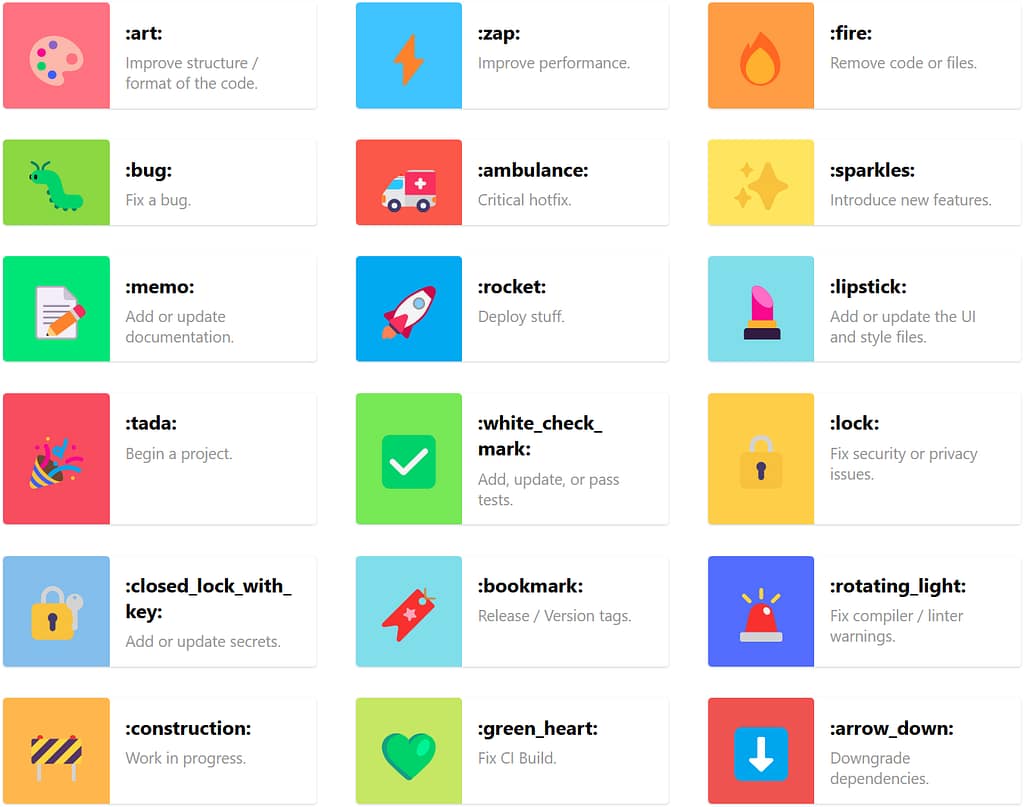
Why Use Gitmoji?
1. Readable History at a Glance
Reading a log full of generic messages like fix stuff, more changes, or final update is painful. Gitmojis help you scan through history and immediately understand what types of changes were made. Think of it as color-coding your past.
Example — Traditional Git log:
git log --oneline
b11d9b3 Fix things
a31cbf1 Final touches
7c991e8 Update again
 Example — Gitmoji-enhanced log:
 Fix overflow issue on mobile nav
 Add user onboarding wizard
 Update README with environment setup
 Remove unused CSS classes
2. Consistency Without Bureaucracy
Git commit conventions like Conventional Commits are excellent for automation but can be intimidating and verbose. Gitmoji offers a simpler, friendlier alternative — a consistent prefix without strict formatting.
You still write meaningful commit messages, but now with context that is easy to scan.
3. Tooling Support with gitmoji-cli
Gitmoji CLI is a command-line tool that makes committing with emojis seamless.
Installation:
npm install -g gitmoji-cli
Usage:
gitmoji -c
You will be greeted with an interactive prompt:
 Gitmojis fetched successfully, these are the new emojis:
? Choose a gitmoji: (Use arrow keys or type to search)
❯ - Improve structure / format of the code.
- Improve performance.
- Remove code or files.
- Fix a bug.
Gitmojis fetched successfully, these are the new emojis:
? Choose a gitmoji: (Use arrow keys or type to search)
❯ - Improve structure / format of the code.
- Improve performance.
- Remove code or files.
- Fix a bug.
 - Critical hotfix.
- Introduce new features.
- Add or update documentation.
(Move up and down to reveal more choices)
- Critical hotfix.
- Introduce new features.
- Add or update documentation.
(Move up and down to reveal more choices)
The CLI also supports conventional formatting and custom scopes. Want to tweak your settings?
gitmoji --config
You can also use it in CI/CD pipelines or with Git hooks to enforce Gitmoji usage across teams.
4. Better Collaboration and Code Review
Your teammates will thank you when your commits say more than “fix” or “update”. Gitmojis provide context and clarity — especially during code review or when you are scanning a pull request with dozens of commits.
Before:
fix
update styles
final commit
After:
Fix background image issue on Safari
 Adjust padding for login form
Add final e2e test for login flow
Adjust padding for login form
Add final e2e test for login flow
This is how a pull request with Gitmoji commits looks like on GitHub:
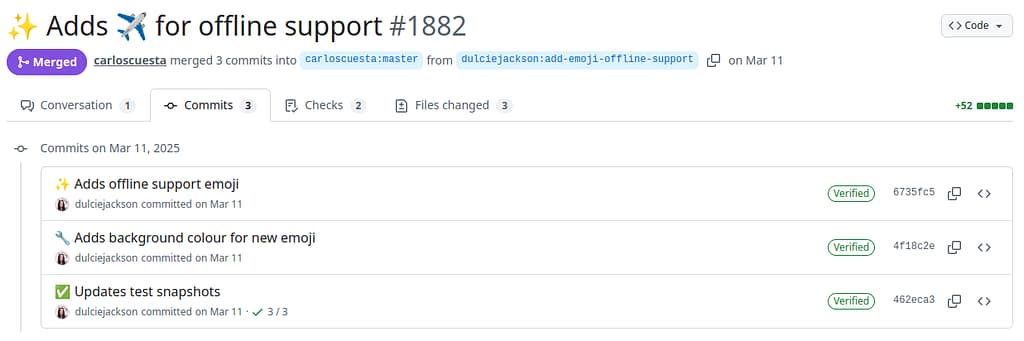
5. Automation Ready
Need to generate changelogs or trigger actions based on commit types? Gitmoji messages are easy to parse, making them automation-friendly.
Example with a simple script:
git log --oneline | grep "^"
You can even integrate this into release workflows with tools like semantic-release or your own custom tooling.
Do Not Let the Cute Icons Fool You
Yes, emojis are fun. But behind the smiling faces and sparkles is a thoughtful system that improves your Git workflow. Whether you are working solo or as part of a team, Gitmoji brings:
- More readable commit history
- Lightweight commit standards
- Easy automation hooks
- A dash of joy to your development day
So next time you commit, try it:
gitmoji -c
Because Gitmojis are not just cute.
They are practical, powerful — and yes, still pretty adorable.
Get Started
- Browse the emoji list: gitmoji.dev
- Install the CLI tool: github.com/carloscuesta/gitmoji-cli
- Run it:
gitmoji -c
Happy committing!
It works very well on Linux, Windows and Mac, but it was always a bit fickle on my QNAP NAS. There is a qpkg package for CrashPlan, and there are lots of posts on the QNAP support forum. After 2018, none of the solutions to run a backup on the NAS itself stopped working. So I gave up, and I didn’t have a backup for almost 4 years.
Now that I have mounted most of the network shares on my local filesystem, I can just run the backup on my pc. I made 3 different backup sets, one for each of the shares. There’s only one thing that I had to fix: if Crashplan runs when the shares aren’t mounted, then it thinks that the directories are empty, and it will delete the backup on the cloud storage. As soon as the shares come back online, the files are backed up again. It doesn’t have to upload all files again, because Crashplan doesn’t purge the files on it’s cloud immediately, but the file verification still happens. That takes time and bandwidth.
I contacted CrashPlan support about this issue, and this was their reply:
I do not believe that this scenario can be avoided with this product – at least not in conjunction with your desired setup. If a location within CrashPlan’s file selection is detached from the host machine, then the program will need to rescan the selection. This is in inherent drawback to including network drives within your file selection. Your drives need to retain a stable connection in order to avoid the necessity of the software to run a new scan when it sees the drives attached to the device (so long as they’re within the file selection) detach and reattach.
Since the drive detaching will send a hardware event from the OS to CrashPlan, CrashPlan will see that that hardware event lies within its file selection – due to the fact that you mapped your network drives into a location which you’ve configured CrashPlan to watch. A hardware event pointing out that a drive within the /home/amedee/Multimedia/ file path has changed its connection status will trigger a scan. CrashPlan will not shut down upon receiving a drive detachment or attachment hardware event. The program needs to know what (if anything) is still there, and is designed firmly to track those types of changes, not to give up and stop monitoring the locations within its file selection.
There’s no way around this, aside from ensuring that you either keep a stable connection. This is an unavoidable negative consequence of mapping a network drive to a location which you’ve included in CrashPlan’s file selection. The only solution would be for you to engineer your network so as not to interrupt the connection.
Nathaniel, Technical Support Agent, Code42
I thought as much already. No problem, Nathaniel! I found a workaround: a shell script that checks if a certain marker file on the network share exists, and if it doesn’t, then the script stops the CrashPlan service, which will prevent CrashPlan from scanning the file selection. As soon as the file becomes available again, then the CrashPlan service is started. This workaround works, and is good enough for me. It may not be the cleanest solution but I’m happy with it.
I first considered using inotifywait, which listens to filesystem events like modifying or deleting files, or unmount. However when the network connection just drops for any reason, then inotifywait doesn’t get an event. So I have to resort to checking if a file exists.
#!/bin/bash
file_list="/home/amedee/bin/file_list.txt"

all_files_exist () {
    while read -r line; do
        [ -f "$line" ]
        status=$?
        if ! (exit $status); then
            echo "$line not found!"
            return $status
        fi
    done < "$file_list"
}

start_crashplan () {
    /etc/init.d/code42 start
}

stop_crashplan () {
    /etc/init.d/code42 stop
}

while true; do
    if all_files_exist; then
        start_crashplan
    else
        stop_crashplan
    fi
    sleep 60
donefile_list.txtcontains a list oftestfiles on different shares that I want to check. They all have to be present, if even only one of them is missing or can’t be reached, then the service must be stopped.
/home/amedee/Downloads/.testfile
/home/amedee/Multimedia/.testfile
/home/amedee/backup/.testfile- I can add or remove shares without needing to modify the script, I only need to edit
file_list.txt– even while the script is still running. - Starting (or stopping) the service if it is already started (or stopped) is very much ok. The actual startup script itself takes care of checking if it has already started (or stopped).
- This script needs to be run at startup as root, so I call it from cron (
sudo crontab -u root -e):
@reboot /home/amedee/bin/test_cifs_shares.shThis is what CrashPlan support replied when I told them about my workaround:
Hello Amedee,
That is excellent to hear that you have devised a solution which fits your needs!
This might not come in time to help smooth out your experience with your particular setup, but I can mark this ticket with a feature request tag. These tags help give a resource to our Product team to gauge customer interest in various features or improvements. While there is no way to use features within the program itself to properly address the scenario in which you unfortunately find yourself, as an avenue for adjustments to how the software currently operates in regards to the attachment or detachment of network drives, it’s an entirely valid request for changes in the future.
Nathaniel, Technical Support Agent, Code42
That’s very nice of you, Nathaniel! Thank you very much!
]]>The NAS has a couple of CIFS shares with very obvious names:
backupDownloadMultimedia, with directoriesMusic,PhotosandVideos
(There are a few more shares, but they aren’t relevant now.)
In Ubuntu, a user home directory has these default directories:
DownloadsMusicPicturesVideos
I want to store the files in these directories on my NAS.
Mounting shares, the obvious way
First I moved all existing files from ~/Downloads, ~/Music, ~/Pictures, ~/Videos to the corresponding directories on the NAS, to get empty directories. Then I made a few changes to the directories:
$ mkdir backup
$ mkdir Multimedia
$ rmdir Music
$ ln -s Multimedia/Music Music
$ rmdir Pictures
$ ln -s Multimedia/Photos Pictures
$ rmdir Videos
$ ln -s Multimedia/Videos Videos
The symbolic links now point to directories that don’t (yet) exist, so they appear broken – for now.
The next step is to mount the network shares to their corresponding directories.
The hostname of my NAS is minerva, after the Roman goddess of wisdom. To avoid using IP addresses, I added it’s IP address to /etc/hosts:
127.0.0.1	localhost
192.168.1.1     modem
192.168.1.63	minerva
The shares are password protected, and I don’t want to type the password each time I use the shares. So the login goes into a file /home/amedee/.smb:
username=amedee
password=NOT_GOING_TO_TELL_YOU_:-p
Even though I am the only user of this computer, it’s best practice to protect that file so I do
$ chmod 400 /home/amedee/.smbThen I added these entries to /etc/fstab:
//minerva/download	/home/amedee/Downloads	cifs	uid=1000,gid=1000,credentials=/home/amedee/.smb,iocharset=utf8 0 0
//minerva/backup	/home/amedee/backup	cifs	uid=0,gid=1000,credentials=/home/amedee/.smb,iocharset=utf8 0 0
//minerva/multimedia /home/amedee/Multimedia cifs uid=0,gid=1000,credentials=/home/amedee/.smb,iocharset=utf8 0 0- CIFS shares don’t have a concept of user per file, so the entire share is shown as owned by the same user.
uid=1000andgid=1000are the user ID and group ID of the useramedee, so that all files appear to be owned by me when I dols -l. - The
credentialsoption points to the file with the username and password. - The default character encoding for mounts is iso8859-1, for legacy reasons. I may have files with funky characters, so
iocharset=utf8takes care of that.
Then I did sudo mount -a and yay, the files on the NAS appear as if they were on the local hard disk!
Fixing a slow startup
This all worked very well, until I did a reboot. It took a really, really long time to get to the login screen. I did lots of troubleshooting, which was really boring, so I’ll skip to the conclusion: the network mounts were slowing things down, and if I manually mount them after login, then there’s no problem.
It turns out that systemd provides a way to automount filesystems on demand. So they are only mounted when the operating system tries to access them. That sounds exactly like what I need.
To achieve this, I only needed to add noauto,x-systemd.automount to the mount options. I also added x-systemd.device-timeout=10, which means that systemd waits for 10 seconds, and then gives up if it’s unable to mount the share.
From now on I’ll never not use noauto,x-systemd.automount for network shares!
While researching this, I found some documentation that claims you don’t need noauto if you have x-systemd.automount in your mount options. Yours truly has tried it with and without noauto, and I can confirm, from first hand experience, that you definitely need noauto. Without it, there is still the long waiting time at login.
I september 2020 började jag lära mig svenska på kvällsskolan i Aalst. Varför? Det finns flera anledningar:
- Jag spelar nyckelharpa, ett typiskt svenskt musikinstrument. Jag går på kurser hemma och utomlands, ofta från svenska lärare. Det var så jag lärde känna människor i Sverige och då är det bra att prata lite svenska för att hålla kontakten online.
- När man slår upp något på nätet om nyckelharpa är det ofta på svenska. Jag har också en underbar bok “Nyckelharpan – Ett unikt svenskt kulturarv” av Esbjörn Hogmark och jag vill kunna läsa den och inte bara titta på bilderna.
- Jag tycker att Sverige är ett vackert land som jag kanske vill besöka någon gång. Norge också, och där talar man en märklig dialekt av svenska.

- Jag vill gå en kurs på Eric Sahlström Institutet i Tobo någon gång. Då skulle det vara bra att förstå lärarna på deras eget språk.
- Jag gillar språk och språkinlärning! Det håller min hjärna fräsch och frisk.
And if you didn’t understand anything: there’s always Google Translate!
]]>It wasn’t long until my bug got confirmed. Someone else chimed in that they had also experienced USB issues. In their case it were external drive devices. Definitely a showstopper!
As of this date, there is a beta for Ubuntu 22.04, and my hope is that this version will either include a new enough kernel (5.16 or up), or that Ubuntu developers have manually cherry-picked the commit that fixes the issue. Let’s check with the Ubuntu Kernel Team:

Oops… based on upstream 5.15… that’s not good. Maybe they cherry-picked upstream commits? I checked https://packages.ubuntu.com/jammy/linux-generic and the kernel is currently at 5.15.0.25.27. The changelog doesn’t mention anything about xhci or usb. I guess I still have to wait a bit longer…
- Part 1: Discovering the bug
- Part 2: Installing mainline kernels
- Part 3: Compiling kernels from source
- Part 4: Using git bisect
To be able to install any kernel version 5.15.7 or higher, I also had to install libssl3.
The result is that I now have 37 kernels installed, taking up little over 2 GiB disk space:
$ (cd /boot ; ls -hgo initrd.img-* ; ls /boot/initrd.img-* | wc -l)
-rw-r--r-- 1 39M mrt  9 09:54 initrd.img-5.13.0-051300-generic
-rw-r--r-- 1 40M mrt  9 09:58 initrd.img-5.13.0-19-generic
-rw-r--r-- 1 40M mrt  9 09:58 initrd.img-5.13.0-20-generic
-rw-r--r-- 1 40M mrt  9 09:57 initrd.img-5.13.0-21-generic
-rw-r--r-- 1 44M mrt 30 17:46 initrd.img-5.13.0-22-generic
-rw-r--r-- 1 40M mrt  9 09:56 initrd.img-5.13.0-23-generic
-rw-r--r-- 1 40M mrt  9 09:56 initrd.img-5.13.0-25-generic
-rw-r--r-- 1 40M mrt  9 09:56 initrd.img-5.13.0-27-generic
-rw-r--r-- 1 40M mrt  9 09:55 initrd.img-5.13.0-28-generic
-rw-r--r-- 1 40M mrt  9 09:55 initrd.img-5.13.0-30-generic
-rw-r--r-- 1 45M mrt  9 12:02 initrd.img-5.13.0-35-generic
-rw-r--r-- 1 45M mrt 24 23:17 initrd.img-5.13.0-37-generic
-rw-r--r-- 1 45M mrt 30 17:49 initrd.img-5.13.0-39-generic
-rw-r--r-- 1 39M mrt  9 09:54 initrd.img-5.13.1-051301-generic
-rw-r--r-- 1 39M mrt  9 09:54 initrd.img-5.13.19-051319-generic
-rw-r--r-- 1 37M mrt  9 09:53 initrd.img-5.13.19-ubuntu-5.13.0-22.22
-rw-r--r-- 1 37M mrt  9 09:53 initrd.img-5.13.19-ubuntu-5.13.0-22.22-0-g3ab15e228151
-rw-r--r-- 1 37M mrt  9 09:52 initrd.img-5.13.19-ubuntu-5.13.0-22.22-317-g398351230dab
-rw-r--r-- 1 37M mrt  9 09:52 initrd.img-5.13.19-ubuntu-5.13.0-22.22-356-g8ac4e2604dae
-rw-r--r-- 1 37M mrt  9 09:52 initrd.img-5.13.19-ubuntu-5.13.0-22.22-376-gfab6fb5e61e1
-rw-r--r-- 1 37M mrt  9 09:51 initrd.img-5.13.19-ubuntu-5.13.0-22.22-386-gce5ff9b36bc3
-rw-r--r-- 1 37M mrt  9 09:51 initrd.img-5.13.19-ubuntu-5.13.0-22.22-387-g0fc979747dec
-rw-r--r-- 1 37M mrt  9 09:50 initrd.img-5.13.19-ubuntu-5.13.0-22.22-388-g20210d51e24a
-rw-r--r-- 1 37M mrt  9 09:50 initrd.img-5.13.19-ubuntu-5.13.0-22.22-388-gab2802ea6621
-rw-r--r-- 1 37M mrt  9 09:50 initrd.img-5.13.19-ubuntu-5.13.0-22.22-391-ge24e59fa409c
-rw-r--r-- 1 37M mrt  9 09:49 initrd.img-5.13.19-ubuntu-5.13.0-22.22-396-gc3d35f3acc3a
-rw-r--r-- 1 37M mrt  9 09:49 initrd.img-5.13.19-ubuntu-5.13.0-22.22-475-g79b62d0bba89
-rw-r--r-- 1 37M mrt  9 09:48 initrd.img-5.13.19-ubuntu-5.13.0-23.23
-rw-r--r-- 1 40M mrt  9 09:48 initrd.img-5.14.0-051400-generic
-rw-r--r-- 1 40M mrt  9 10:31 initrd.img-5.14.21-051421-generic
-rw-r--r-- 1 44M mrt  9 12:39 initrd.img-5.15.0-051500-generic
-rw-r--r-- 1 46M mrt  9 12:16 initrd.img-5.15.0-22-generic
-rw-r--r-- 1 46M mrt 28 23:27 initrd.img-5.15.32-051532-generic
-rw-r--r-- 1 46M mrt 17 21:12 initrd.img-5.16.0-051600-generic
-rw-r--r-- 1 48M mrt 28 23:19 initrd.img-5.16.16-051616-generic
-rw-r--r-- 1 45M mrt 28 23:11 initrd.img-5.17.0-051700-generic
-rw-r--r-- 1 46M apr  8 17:02 initrd.img-5.17.2-051702-generic
37- Versions
5.xx.yy-zz-genericare installed withapt. - Versions
5.xx.yy-05xxyy-genericare installed with the Ubuntu Mainline Kernel Installer. - Versions
5.xx.yy-ubuntu-5.13.0-zz.zz-nnn-g<commithash>are compiled from source, where<commithash>is the commit of the kernel repository that I compiled.
The kernels in bold are the kernels where something unexpected happens with my USB devices:
- Ubuntu kernels
5.13.23and up – including5.15kernels of Ubuntu 22.04 LTS (Jammy Jellyfish). - Ubuntu compiled kernels, starting 387 commits after kernel
5.13.22. - Mainline kernels
5.15.xx.
When Ubuntu finally bases their kernel on mainline 5.16 or higher, then the USB bug will be solved.
--- at the start of a YAML file in Ansible.
What does the Ansible documentation say?
I know, I know, if you look at the official documentation on docs.ansible.com, then all of the examples start with ---. And if the official examples do it, then everyone should just blindly copy that without thinking, right?
Wrong! The Ansible documentation on YAML syntax says:
There’s another small quirk to YAML. All YAML files (regardless of their association with Ansible or not) can optionally begin with
© Copyright Ansible project contributors.---and end with.... This is part of the YAML format and indicates the start and end of a document.
I’ve added the emphasis: optionally. They then continue with one example with --- at the start and ... at the end. The funny thing is, that’s about the only example on the Ansible documentation site (that I could find) that ends with .... So the end marker ... is clearly optional. What about the start marker ---?
What does the YAML specification say?
Ansible uses version 1.2 of the YAML specification and unless you are doing something really exotic, that’s the only version you should care about. Revision 1.2.0 was published in July 2009 and revision 1.2.2 in October 2021. That last revision doesn’t make any changes to the specification, it only corrects some errors and adds clarity.
Chapter 9 of the YAML spec introduces two concepts: documents and streams.
A stream can contain zero or more documents. It’s called a (character) stream because it can be something else than a file on your hard disk, for example some data that’s sent over a network connection. So your Ansible playbook file with extension .yml or .yaml is not a YAML document, it’s a YAML stream.
A document can have several parts:
- Document prefix: optional character encoding and optional comment lines.
Seriously, it’s 2022, are you going to make life hard for yourself and use any other encoding than ASCII or UTF-8? The default encoding that every YAML processor, inclusing Ansible, must support is UTF-8. So You Ain’t Gonna Need It.
Comments can be placed anywhere, so don’t worry. - Document directives: these are instructions to the YAML processor and aren’t part of the data structure. The only directive I’ve occasionally seen in the wild is
%YAML 1.2, to indicate the version of YAML used. That’s the default version for Ansible anyway, so You Ain’t Gonna Need It. - Document markers: a parser needs some way to know where directives stop and document content begins. That’s the directives end marker,
---. There is also a document end marker,..., which tells a parser to stop looking for content and start scanning for directives again. If there are no markers and the first line doesn’t start with%(a directive), then a parser knows that everything is content. In real life you probably won’t ever have multiple documents in the same stream (file), instead you’ll organize your Ansible code in separate.yamlfiles, with playbooks and roles and tasks etc. - Document content: that’s the only really interesting stuff you care about.
YAML knows 3 types of documents:
- Bare documents: don’t begin with directives or marker lines. Such documents are very “clean” as they contain nothing other than the content. This is the kind of YAML documents I prefer for Ansible.
- Explicit documents: begin with an explicit directives end maker (
---) but have no directives. This is the style that many people use if they just copy/paste examples from Stack Overflow. - Directives documents: start with some directives, followed by an explicit directives end marker. You don’t need directives for Ansible.
Configuring yamllint
I use ansible-lint and yamllint in a pre-commit hook to check the syntax of my Ansible files. This is currently my .yamllint.yml:
rules:
  document-start:
    present: false
  truthy:
    allowed-values: ['true', 'false', 'yes', 'no']
document-start makes sure that there is no --- at the start of a file. I also have opinions on truthy: an Ansible playbook is supposed to be readable both by machines and humans, and then it makes sense to allow the more human-readable values yes and no.
Do you also have opinions that make you change the default configuration of your linters?
]]>libssl1.1 (>= 1.1.0) to libssl3 (>= 3.0.0~~alpha1).
However, package libssl3 is not available for Ubuntu 21.10 Impish Indri. It’s only available for Ubuntu 22.04 Jammy Jellyfish (which is still in beta as of time of writing) and later.
libssl3 further depends on libc6>=2.34 and debconf, but they are available in 21.10 repositories.
Here are a few different ways to resolve the dependency:
Option 1
Use apt pinning to install libssl3 from a Jammy repo, without pulling in everything else from Jammy.
This is more complicated, but it allows the libssl3 package to receive updates automatically.
Do all the following as root.
- Create an apt config file to specify your system’s current release as the default release for installing packages, instead of simply the highest version number found. We are about to add a Jammy repo to apt, which will contain a lot of packages with higher version numbers, and we want apt to ignore them all.
$ echo 'APT::Default-Release "impish";' \
| sudo tee /etc/apt/apt.conf.d/01ubuntu- Add the Jammy repository to the apt sources. If your system isn’t “impish”, change that below.
$ awk '($1$3$4=="debimpishmain"){$3="jammy" ;print}' /etc/apt/sources.list \
| sudo tee /etc/apt/sources.list.d/jammy.list- Pin
libssl3to the jammy version in apt preferences. This overrides the Default-Release above, just for thelibssl3package.
$ sudo tee /etc/apt/preferences.d/libssl3 >/dev/null <<%%EOF
Package: libssl3
Pin: release n=jammy
Pin-Priority: 900
%%EOF- Install
libssl3:
$ sudo apt update
$ sudo apt install libssl3
Later, when Jammy is officially released, delete all 3 files created above
$ sudo rm --force \
    /etc/apt/apt.conf.d/01ubuntu \
    /etc/apt/sources.list.d/jammy.list \
    /etc/apt/preferences.d/libssl3
Option 2
Download the libssl3 deb package for Jammy and install it manually with dpkg -i filename.deb.
This only works if there aren’t any additional dependencies, which you would also have to install, with a risk of breaking your system. Here Be Dragons…
]]>$ ls -l --human-readable *.pdf-r--r--r-- 1 amedee amedee 217K apr 15 2020 'Arthur original.pdf'
-r--r--r-- 1 amedee amedee 197K apr 13 2020 'Canal en octobre.pdf'
-r--r--r-- 1 amedee amedee 14K apr 13 2020 DenAndro.pdf
-r--r--r-- 1 amedee amedee 42K apr 14 2020 'Doedel you do.pdf'
-r--r--r-- 1 amedee amedee 57K apr 13 2020 Flatworld.pdf
-r--r--r-- 1 amedee amedee 35K apr 16 2020 'Jump at the sun.pdf'
-r--r--r-- 1 amedee amedee 444K jun 19 2016 'Kadril Van Mechelen.pdf'
-r--r--r-- 1 amedee amedee 15K apr 13 2020 La-gavre.pdf
-r--r--r-- 1 amedee amedee 47K apr 13 2020 'Le petit déjeuner.pdf'
-r--r--r-- 1 amedee amedee 109K apr 13 2020 LesChaminoux__2016_04_24.cached.pdf
-r--r--r-- 1 amedee amedee 368K apr 13 2020 'Mazurka It.pdf'
-r--r--r-- 1 amedee amedee 591K apr 13 2020 'Narrendans uit Mater.pdf'
-r--r--r-- 1 amedee amedee 454K apr 13 2020 'Neverending jig.pdf'
-r--r--r-- 1 amedee amedee 1,1M apr 14 2020 'Red scissors.pdf'
-r--r--r-- 1 amedee amedee 35K apr 13 2020 Scottish-à-VirmouxSOL.pdf
-r--r--r-- 1 amedee amedee 76K apr 14 2020 'Tarantella Napolitana meest gespeelde versie.pdf'
-r--r--r-- 1 amedee amedee 198K apr 15 2020 'Zot kieken!.pdf'There are 2 console commands for printing: lp and lpr. One comes from grandpa System V, the other from grandpa BSD, and both are included in CUPS. The nice thing about these commands is that they know how to interpret PostScript and PDF files. So this is going to be easy: just cd into the directory with the PDF files and print them all:
$ lp *.pdflp: Error - No default destination.Oops. A quick Google search of this error message tells me that I don’t have a default printer.
Configuring a default printer
First I use lpstat to find all current printers:
$ lpstat -p -dprinter HP_OfficeJet_Pro_9010_NETWORK is idle. enabled since za 12 mrt 2022 00:00:28
printer HP_OfficeJet_Pro_9010_USB is idle. enabled since za 12 mrt 2022 00:00:17
no system default destinationI have a HP OfficeJet Pro 9012e printer, which Ubuntu recognizes as a 9010 series. Close enough. It’s connected over network and USB. I’m setting the network connection as default with lpoptions:
$ lpoptions -d $(lpstat -p -d | head --lines=1 | cut --delimiter=' ' --fields=2)copies=1 device-uri=hp:/net/HP_OfficeJet_Pro_9010_series?ip=192.168.1.9 finishings=3 job-cancel-after=10800 job-hold-until=no-hold job-priority=50 job-sheets=none,none marker-change-time=0 media=iso_a4_210x297mm number-up=1 output-bin=face-down print-color-mode=color printer-commands=none printer-info printer-is-accepting-jobs=true printer-is-shared=true printer-is-temporary=false printer-location printer-make-and-model='HP Officejet Pro 9010 Series, hpcups 3.22.2' printer-state=3 printer-state-change-time=1649175159 printer-state-reasons=none printer-type=4124 printer-uri-supported=ipp://localhost/printers/HP_OfficeJet_Pro_9010_NETWORK sides=one-sidedI can then use lpq to verify that the default printer is ready:
$ lpqHP_OfficeJet_Pro_9010_NETWORK is ready
no entriesPrinting multiple files from console
I found that if I naively do lp *.pdf, then only the last file will be printed. That’s unexpected, and I can’t be bothered to find out why. So I just use ls and feed that to a while-loop. It’s quick and dirty, and using find+xargs would probably be better if there are “special” characters, but that’s not the case here.
There’s one caveat: when the PDF files are printed one by one, then the first page will be at the bottom of the paper stack, so I need to print them in reverse order.
$ ls --reverse *.pdf | while read f; do lp "$f"; doneWith that command I got 17 print jobs in the printer queue, one for each file.
Now that I know how to print from console, I’ll probably do that more often. The man page of lp describes many useful printing options, like printing double sided:
$ lp -o media=a4 -o sides=two-sided-long-edge filenamegit checkout of a certain commit, build the kernel, install it, reboot, select the new kernel in Grub, and see if my keyboard works. I am quite sure that I need to search between 5.13.0-22 and 5.13.0-23, but that’s still 634 commits!
$ git rev-list Ubuntu-5.13.0-22.22..Ubuntu-5.13.0-23.23 | wc --lines
634
This is where git bisect comes in. It’s sort of a wizard that guides you to find a bad commit. You tell it on which commit your software was known to work ok, and a commit where it doesn’t. It then picks a commit somewhere in the middle, you build your software and do your tests, and then tell git bisect if the result was good or bad. It will then give you a new commit to inspect, each time narrowing the search.

git bisectLet’s do this!
$ git bisect start
$ git bisect good Ubuntu-5.13.0-22.22
$ git bisect bad Ubuntu-5.13.0-23.23
Bisecting: 316 revisions left to test after this (roughly 8 steps)
[398351230dab42d654036847a49a5839705abdcb] powerpc/bpf ppc32: Fix BPF_SUB when imm == 0x80000000
$ git describe --long
Ubuntu-5.13.0-22.22-317-g398351230dab
In this first step, I get the 317th commit after 5.13.0-22. Let’s compile that commit:
$ time make clean olddefconfig bindeb-pkg \
    --jobs=$(getconf _NPROCESSORS_ONLN) \
    LOCALVERSION=-$(git describe --long | tr '[:upper:]' '[:lower:]')
This creates 3 .deb packages in the directory above:
$ ls -1 ../*$(git describe --long | tr '[:upper:]' '[:lower:]')*.deb
../linux-headers-5.13.19-ubuntu-5.13.0-22.22-317-g398351230dab_5.13.19-ubuntu-5.13.0-22.22-317-g398351230dab-10_amd64.deb
../linux-image-5.13.19-ubuntu-5.13.0-22.22-317-g398351230dab_5.13.19-ubuntu-5.13.0-22.22-317-g398351230dab-10_amd64.deb
../linux-libc-dev_5.13.19-ubuntu-5.13.0-22.22-317-g398351230dab-10_amd64.deb
I only need to install the headers and the image, libc-dev isn’t needed.
$ sudo dpkg --install ../linux-{headers,image}-*$(git describe --long | tr '[:upper:]' '[:lower:]')*.debVerify that the kernel files are in the /boot directory:
$ ls -1 /boot/*$(git describe --long | tr '[:upper:]' '[:lower:]')*
/boot/config-5.13.19-ubuntu-5.13.0-22.22-317-g398351230dab
/boot/initrd.img-5.13.19-ubuntu-5.13.0-22.22-317-g398351230dab
/boot/System.map-5.13.19-ubuntu-5.13.0-22.22-317-g398351230dab
/boot/vmlinuz-5.13.19-ubuntu-5.13.0-22.22-317-g398351230dab
Now I can reboot, select the new kernel in Grub, and test the keyboard. With commit 317, the keyboard worked, so the first bad commit has to be somewhere between commit 317 and 634:
$ git bisect good ; git describe --long
Bisecting: 158 revisions left to test after this (roughly 7 steps)
[79b62d0bba892e8367cb46ca09b623c885852c29] drm/msm/a4xx: fix error handling in a4xx_gpu_init()
Ubuntu-5.13.0-22.22-475-g79b62d0bba89
Now it’s time again for make clean olddefconfig bindeb-pkg, dpkg --install and reboot. Turns out that commit 475 was a “bad” commit (one where the keyboard didn’t work):
$ git bisect bad ; git describe --long
Bisecting: 78 revisions left to test after this (roughly 6 steps)
[c3d35f3acc3a11b726959c7b2c25ab9e46310273] USB: serial: option: add Telit LE910Cx composition 0x1204
Ubuntu-5.13.0-22.22-396-gc3d35f3acc3a
I’m not going to describe all the steps in full detail, by now you should get the gist of it. This was the sequence of steps that git bisect gave me:
- 317: good
- 475: bad
- 396: bad
- 356: good
- 376: good
- 386: good
- 391: bad
- 388: bad
- 387: bad
And then we finally get the first bad commit, the 387th commit after 5.13.0-22, Ubuntu-5.13.0-22.22-387-g0fc979747dec:
$ git bisect bad ; git describe --long
0fc979747dece96c189bc29ef604e61afbddfa2a is the first bad commit
commit 0fc979747dece96c189bc29ef604e61afbddfa2a
Author: Pavankumar Kondeti <[email protected]>
Date:   Fri Oct 8 12:25:46 2021 +0300

    xhci: Fix command ring pointer corruption while aborting a command

    BugLink: https://bugs.launchpad.net/bugs/1951880

    commit ff0e50d3564f33b7f4b35cadeabd951d66cfc570 upstream.

    The command ring pointer is located at [6:63] bits of the command
    ring control register (CRCR). All the control bits like command stop,
    abort are located at [0:3] bits. While aborting a command, we read the
    CRCR and set the abort bit and write to the CRCR. The read will always
    give command ring pointer as all zeros. So we essentially write only
    the control bits. Since we split the 64 bit write into two 32 bit writes,
    there is a possibility of xHC command ring stopped before the upper
    dword (all zeros) is written. If that happens, xHC updates the upper
    dword of its internal command ring pointer with all zeros. Next time,
    when the command ring is restarted, we see xHC memory access failures.
    Fix this issue by only writing to the lower dword of CRCR where all
    control bits are located.

    Cc: [email protected]
    Signed-off-by: Pavankumar Kondeti <[email protected]>
    Signed-off-by: Mathias Nyman <[email protected]>
    Link: https://lore.kernel.org/r/[email protected]
    Signed-off-by: Greg Kroah-Hartman <[email protected]>
    Signed-off-by: Kamal Mostafa <[email protected]>
    Signed-off-by: Stefan Bader <[email protected]>

 drivers/usb/host/xhci-ring.c | 14 ++++++++++----
 1 file changed, 10 insertions(+), 4 deletions(-)
Ubuntu-5.13.0-22.22-387-g0fc979747dec
At first sight the commit description is quite cryptic, and the actual code change doesn’t tell me a lot either. But it’s a change in drivers/usb/host/xhci-ring.c, and xhci stands for eXtensible Host Controller Interface, and interface specification for USB host controllers. If it’s an issue with the USB host controller, then it makes sense that if I use 2 keyboards from different brands, neither of them would work. It also suggests that other USB devices, like external hard drives, wouldn’t work either, but that’s a bit harder to test. A keyboard is easy. Just look at NumLock LED, if it doesn’t go on then there’s an issue.
The first link in the commit description is just a long list of patches that were taken from upstream and integrated in the Ubuntu kernel, so that doesn’t help me. The second link is a thread on the kernel.org mailing list, and there it gets interesting.

Some excerpts from the thread:
This patch cause suspend to disk resume usb not work, xhci_hcd 0000:00:14.0: Abort failed to stop command ring: -110.
youling257
Thanks for the report, this is odd.
Mathias Nyman
Could you double check that by reverting this patch resume start working again.
If this is the case maybe we need to write all 64bits before this xHC hardware reacts to CRCR register changes.
Maybe following changes on top of current patch could help:
Every time a developer says “this is odd”, my alarm bells go off.
Further down in the thread there is a proposed update to the change. I’m going to try that patch, but that’s for another blog post.
]]>The first thing to do, is to install some prerequisites:
$ sudo apt install --yes asciidoc binutils-dev bison build-essential ccache \
    crash dwarves fakeroot flex git git-core git-doc git-email kernel-package \
    kernel-wedge kexec-tools libelf-dev libncurses5 libncurses5-dev libssl-dev \
    makedumpfile zstd
$ sudo apt-get --yes build-dep linux
Next I cloned the Ubuntu Impish repository. This takes a while…
$ git clone git://kernel.ubuntu.com/ubuntu/ubuntu-impish.git
$ cd ubuntu-impish
Now let’s see which versions are in the repository:
$ git tag --list
Ubuntu-5.11.0-16.17
Ubuntu-5.11.0-18.19+21.10.1
Ubuntu-5.11.0-20.21+21.10.1
Ubuntu-5.13.0-11.11
Ubuntu-5.13.0-12.12
Ubuntu-5.13.0-13.13
Ubuntu-5.13.0-14.14
Ubuntu-5.13.0-15.15
Ubuntu-5.13.0-16.16
Ubuntu-5.13.0-17.17
Ubuntu-5.13.0-18.18
Ubuntu-5.13.0-19.19
Ubuntu-5.13.0-20.20
Ubuntu-5.13.0-21.21
Ubuntu-5.13.0-22.22
Ubuntu-5.13.0-23.23
Ubuntu-5.13.0-24.24
Ubuntu-5.13.0-25.26
Ubuntu-5.13.0-26.27
Ubuntu-5.13.0-27.29
Ubuntu-5.13.0-28.31
Ubuntu-5.13.0-29.32
Ubuntu-5.13.0-30.33
Ubuntu-5.13.0-31.34
Ubuntu-5.13.0-32.35
freeze-20211018
freeze-20211108
freeze-20220131
freeze-20220221
v5.11
v5.13
The two tags that interest me, are Ubuntu-5.13.0-22.22 and Ubuntu-5.13.0-23.23. I’m starting with the former.
git checkout Ubuntu-5.13.0-22.22First I copy the configuration of the current running kernel to the working directory:
$ cp /boot/config-$(uname --kernel-release) .configI don’t want or need full debugging. That makes an enormous kernel and it takes twice as long to compile, so I turn debugging off:
$ scripts/config --disable DEBUG_INFOI need to disable certificate stuff:
$ scripts/config --disable SYSTEM_TRUSTED_KEYS
$ scripts/config --disable SYSTEM_REVOCATION_KEYS
Next: update the kernel config and set all new symbols to their default value.
$ make olddefconfigThen the most exciting thing can start: actually compiling the kernel!
$ make clean
$ time make --jobs=$(getconf _NPROCESSORS_ONLN) bindeb-pkg \
LOCALVERSION=-$(git describe --long | tr '[:upper:]' '[:lower:]')timeis to see how long the compilation took.getconf _NPROCESSORS_ONLNqueries the number of processors on the computer.makewill then try to run that many jobs in parallel.bindeb-pkgwill create.debpackages in the directory above.LOCALVERSIONappends a string to the kernel name.git describe --longshows how far after a tag a certain commit is. In this case:Ubuntu-5.13.0-22.22-0-g3ab15e228151Ubuntu-5.13.0-22.22is the tag.0is how many commits after the tag. In this case it’s the tag itself.3ab15e228151is the abbreviated hash of the current commit.
tr '[:upper:]' '[:lower:]'is needed because.debpackages can’t contain upper case letters (I found out the hard way).
Now go grab a coffee, tea or chai latte. Compilation took 22 minutes on my computer.

When the compilation is done, there are 3 .deb packages in the directory above:
$ ls -1 ../*.deb
../linux-headers-5.13.19-ubuntu-5.13.0-22.22-0-g3ab15e228151_5.13.19-ubuntu-5.13.0-22.22-0-g3ab15e228151-21_amd64.deb
../linux-image-5.13.19-ubuntu-5.13.0-22.22-0-g3ab15e228151_5.13.19-ubuntu-5.13.0-22.22-0-g3ab15e228151-21_amd64.deb
../linux-libc-dev_5.13.19-ubuntu-5.13.0-22.22-0-g3ab15e228151-21_amd64.deb
Install the linux-headers and the linux-image packages, you don’t need the libc-dev package.
$ sudo dpkg --install \
    ../linux-{headers,image}-*$(git describe --long | tr '[:upper:]' '[:lower:]')*.deb
The kernel is now installed in the /boot directory, and it’s available in the Grub menu after reboot.
$ ls -1 /boot/*$(git describe --long | tr '[:upper:]' '[:lower:]')*
/boot/config-5.13.19-ubuntu-5.13.0-22.22-0-g3ab15e228151
/boot/initrd.img-5.13.19-ubuntu-5.13.0-22.22-0-g3ab15e228151
/boot/System.map-5.13.19-ubuntu-5.13.0-22.22-0-g3ab15e228151
/boot/vmlinuz-5.13.19-ubuntu-5.13.0-22.22-0-g3ab15e228151
Kernel ubuntu-5.13.0-22.22-0-g3ab15e228151 is, for all intents and purposes, the same as kernel 5.13.0-22-generic, so I expected it to be a “good” kernel, and it was.
For kernel Ubuntu-5.13.0-23.23 I did the same thing: starting from the git checkout. I skipped copying and editing the config file, because between minor releases I don’t expect there to be much change. I did run make olddefconfig for good measure, though. As expected, the keyboard and mouse didn’t work with the compiled ...-23 kernel.
Next up: using git bisect to find the exact commit where it went wrong. It’s got to be somewhere between ...-22 and ...-23!
5.13.0-22 and 5.13.0-23, in the Ubuntu kernels. I wanted to know if the issue only surfaced in Ubuntu-flavored kernels, or also in the upstream (mainline) kernels from kernel.org.
There is an Ubuntu Mainline PPA with all the upstream kernels, but I found it a bit too opaque to use. Fortunately I found the Ubuntu Mainline Kernel Installer (UMKI), a tool for installing the latest Linux kernels on Ubuntu-based distributions.

The UMKI is pretty straightforward. It fetches a list of kernels from the Ubuntu Mainline PPA and a GUI displays available and installed kernels, regardless of how they were installed. It installs the kernel, headers and modules. There is also a CLI client.
To install the UMKI:
sudo add-apt-repository ppa:cappelikan/ppa
sudo apt update
sudo apt install mainline
With that out of the way, there’s the matter of deciding which kernels to try. The “interesting” Ubuntu kernels are 5.13.0-22 and 5.13.0-23, so the mainline kernels I definitely want to test, are around those versions. That means 5.13.0 and 5.13.1. I also want to try the latest 5.13.x kernel, so that’s 5.13.19, and the most recent stable kernel, 5.16.11 (as of 2022-03-01).
To summarize, I have tested these mainline kernels:
5.13.05.13.15.13.195.16.11
The result (after several reboots)? With all of them, my keyboard and mouse worked without a hitch. That means the issue most likely doesn’t occur in (stable) mainline kernels, only in kernels with additional patches from Ubuntu.
Up next: compiling kernels from source.
]]>Lasciate ogne speranza, voi ch’intrate.
Dante Alighieri
The issue was:
- At the Grub boot menu, the keyboard works: I can use the keys, the numlock led lights up, the LCD of the Logitech G19 displays a logo.
- At the Ubuntu login screen, the keyboard (and the mouse) went dark: no backlight of the keys, no numlock led, no logo on the display. And the mouse cursor didn’t move on screen.
Must be a problem at my end, I initially thought, because surely, something so essential as input devices wouldn’t break by a simple kernel update? So I did some basic troubleshooting:
- Have you tried to turn it off and on again?

- Plug the keyboard in another USB port.
- Try a different keyboard.
- Start with the older kernel, which was still in the Grub menu. And indeed, this gave me back control over my input devices!
So if the only thing I changed was the kernel, then maybe it’s a kernel bug after all?
I know that Ubuntu 21.10 uses kernel 5.something, and I know that I use the generic kernels. So which kernels are we talking about, actually?
$ apt-cache show linux-image-5*-generic | grep Package: | sed 's/Package: //g'
linux-image-5.13.0-19-generic
linux-image-5.13.0-20-generic
linux-image-5.13.0-21-generic
linux-image-5.13.0-22-generic
linux-image-5.13.0-23-generic
linux-image-5.13.0-25-generic
linux-image-5.13.0-27-generic
linux-image-5.13.0-28-generic
linux-image-5.13.0-30-generic
9 kernels, that’s not too bad. All of them 5.13.0-XX-generic. So I just installed all the kernels:
$ sudo apt install --yes \
    linux-{image,headers,modules,modules-extra,tools}-5.13.0-*-generic
My /boot directory is quite busy now:
$  ls -hl /boot
total 1,2G
drwxr-xr-x  4 root root  12K mrt  1 18:11 .
drwxr-xr-x 20 root root 4,0K mrt  1 18:11 ..
-rw-r--r--  1 root root 252K okt  7 11:09 config-5.13.0-19-generic
-rw-r--r--  1 root root 252K okt 15 15:53 config-5.13.0-20-generic
-rw-r--r--  1 root root 252K okt 19 10:41 config-5.13.0-21-generic
-rw-r--r--  1 root root 252K nov  5 10:21 config-5.13.0-22-generic
-rw-r--r--  1 root root 252K nov 26 12:14 config-5.13.0-23-generic
-rw-r--r--  1 root root 252K jan  7 16:16 config-5.13.0-25-generic
-rw-r--r--  1 root root 252K jan 12 15:43 config-5.13.0-27-generic
-rw-r--r--  1 root root 252K jan 13 18:13 config-5.13.0-28-generic
-rw-r--r--  1 root root 252K feb  4 17:40 config-5.13.0-30-generic
drwx------  4 root root 4,0K jan  1  1970 efi
drwxr-xr-x  5 root root 4,0K mrt  1 18:11 grub
lrwxrwxrwx  1 root root   28 feb 28 04:26 initrd.img -> initrd.img-5.13.0-22-generic
-rw-r--r--  1 root root  40M mrt  1 16:02 initrd.img-5.13.0-19-generic
-rw-r--r--  1 root root  40M mrt  1 17:39 initrd.img-5.13.0-20-generic
-rw-r--r--  1 root root  40M mrt  1 17:38 initrd.img-5.13.0-21-generic
-rw-r--r--  1 root root  40M feb 26 13:55 initrd.img-5.13.0-22-generic
-rw-r--r--  1 root root  40M mrt  1 17:40 initrd.img-5.13.0-23-generic
-rw-r--r--  1 root root  40M mrt  1 17:40 initrd.img-5.13.0-25-generic
-rw-r--r--  1 root root  40M mrt  1 17:41 initrd.img-5.13.0-27-generic
-rw-r--r--  1 root root  40M mrt  1 17:41 initrd.img-5.13.0-28-generic
-rw-r--r--  1 root root  40M mrt  1 17:38 initrd.img-5.13.0-30-generic
-rw-------  1 root root 5,7M okt  7 11:09 System.map-5.13.0-19-generic
-rw-------  1 root root 5,7M okt 15 15:53 System.map-5.13.0-20-generic
-rw-------  1 root root 5,7M okt 19 10:41 System.map-5.13.0-21-generic
-rw-------  1 root root 5,7M nov  5 10:21 System.map-5.13.0-22-generic
-rw-------  1 root root 5,7M nov 26 12:14 System.map-5.13.0-23-generic
-rw-------  1 root root 5,7M jan  7 16:16 System.map-5.13.0-25-generic
-rw-------  1 root root 5,7M jan 12 15:43 System.map-5.13.0-27-generic
-rw-------  1 root root 5,7M jan 13 18:13 System.map-5.13.0-28-generic
-rw-------  1 root root 5,7M feb  4 17:40 System.map-5.13.0-30-generic
lrwxrwxrwx  1 root root   25 feb 28 04:27 vmlinuz -> vmlinuz-5.13.0-22-generic
-rw-------  1 root root 9,8M okt  7 19:37 vmlinuz-5.13.0-19-generic
-rw-------  1 root root 9,8M okt 15 15:56 vmlinuz-5.13.0-20-generic
-rw-------  1 root root 9,8M okt 19 10:43 vmlinuz-5.13.0-21-generic
-rw-------  1 root root 9,8M nov  5 13:51 vmlinuz-5.13.0-22-generic
-rw-------  1 root root 9,8M nov 26 11:52 vmlinuz-5.13.0-23-generic
-rw-------  1 root root 9,8M jan  7 16:19 vmlinuz-5.13.0-25-generic
-rw-------  1 root root 9,8M jan 12 16:19 vmlinuz-5.13.0-27-generic
-rw-------  1 root root 9,8M jan 13 18:10 vmlinuz-5.13.0-28-generic
-rw-------  1 root root 9,8M feb  4 17:46 vmlinuz-5.13.0-30-generic
I tried all these kernels. The last kernel where my input devices still worked, was 5.13.0-22-generic, and the first where they stopped working, was 5.13.0-23-generic. Which leads me to assume that some unintended change was introduced between those two versions, and it hasn’t been fixed since.
For now, I’m telling Ubuntu to keep kernel 5.13.0-22-generic and not upgrade to a more recent version.
$ sudo apt-mark hold linux-image-5.13.0-22-generic
linux-image-5.13.0-22-generic set on hold.
I also want Grub to show me the known working kernel as the default change. To do that, I’ve put this in /etc/default/grub:
GRUB_DEFAULT="Advanced options for Ubuntu>Ubuntu, with Linux 5.13.0-22-generic"followed by sudo update-grub.
I’ll do the following things next, to get to the bottom of this:
- Install mainline kernels from kernel.org, to see if the issue comes from upstream, or if it’s an Ubuntu specific issue.
- Compile kernels from source, to hopefully find the exact change that caused the USB input devices to stop working.
git bisecthelps a lot in narrowing down the broken commit.
This also has an influence on my preferred place to work. I have decided to find a place to live not too far from work, wherever that may be (because I’m still on the #jobhunt). Ideally it would be inside the triangle Ghent-Antwerp-Brussels but I think I could even be convinced by the Leuven area.
Factors I’ll take into account:
- Elevation and hydrology – with climate change, I don’t want to live somewhere with increased risk of flooding.
- Proximity of essential shops and services.
- Proximity of public transport with a good service.
- Proximity of car sharing services like Cambio.
- Not too far from something green (a park will do just fine) to go for a walk or a run.
I haven’t started looking yet, I’m not even sure if I want to do co-housing again, or live on my own. That’ll depend on the price, I guess. (Living alone? In this economy???) First I want to land on a job.
That makes sense—without knowing where I will be working, house hunting feels a bit like putting the cart before the horse. Still, I find myself browsing listings occasionally, more out of curiosity than anything else. It is interesting to see how prices and availability vary wildly, even within the triangle I mentioned. Some towns look charming on paper but lack the basics I need; others tick all the boxes but come with a rental price that makes my eyebrows do gymnastics.
In the meantime, I am mentally preparing for a lot of change. Leaving my current co-housing situation is bittersweet. On one hand, it has been a wonderful experience: shared dinners, spontaneous conversations, and a real sense of community. On the other hand, living with others also means compromise, and part of me wonders what it would be like to have a space entirely to myself. No shared fridges, no waiting for the bathroom, and the joy of decorating a place to my own taste.
That said, co-housing still appeals to me. If I stumble upon a like-minded group or an interesting project in a new city, I would definitely consider it. The key will be finding something that balances affordability, autonomy, and connection. I do not need a commune, but I also do not want to feel isolated.
I suppose this transition is about more than just logistics—it is also a moment to rethink what I want day-to-day life to look like. Am I willing to commute a bit longer for a greener environment? Would I trade square meters for access to culture and nightlife? Do I want to wake up to birdsong or the rumble of trams?
These are the questions swirling around my head as I polish up my CV, send out job applications, and daydream about future homes. It is a lot to juggle, but oddly enough, I feel optimistic. This is a chance to design a new chapter from scratch. A little daunting, sure. But also full of possibility.
]]>I use 2 email clients at the same time: Thunderbird and Gmail.
- Thunderbird: runs on my local system, it’s very fast, it shows me all the metadata of an email in the way I want, the email list is not paged, I can use it for high volume actions on email. These happen on my local system, and then the IMAP protocol gradually syncs it to Gmail. I also find that Thunderbird’s email notifications integrate nicer in Ubuntu.
- Gmail: can’t be beaten for search. It also groups mail conversations. And then there are labels!

Gmail has several tabs: Primary, Social, Promotions, Updates and Forums. Gmail is usually smart enough that it can classify most emails in the correct tab. If it doesn’t: drag the email to the correct tab, and Gmail will ask you if all future emails of that sender should go to the same tab. This system works well enough for me. My email routine is to first check the tabs Social, Promotions and Forums, and delete or unsubscribe from most emails that end up there. All emails about the #jobhunt go to Updates. I clean up the other emails in that tab (delete, unsubscribe, filter, archive) so that only the #jobhunt emails remain. Those I give a label – more about that later. Then I go to the Inbox. Any emails there (shouldn’t be many) are also taken care of: delete, unsubscribe, filter, archive or reply.


Google has 3 Send options: regular Send, Schedule send (which I don’t use) and Send + Archive. The last one is probably my favorite button. When I reply to an email, it is in most cases a final action on that item, so after the email is sent, it’s dealt with, and I don’t need to see it in my Inbox any more. And if there is a reply on the email, then the entire conversation will just go to the Inbox again (unarchived).

I love labels! At the level of an individual email, you can add several labels. The tabs are also labels, so if you add the label Inbox to an archived email, then it will be shown in the Inbox again. At the level of the entire mailbox, labels behave a bit like mail folders. You can even have labels within labels, in a directory structure. Contrary to traditional mail clients, where an email could only be in one mail folder, you can add as many labels as you want.
The labels are also shown as folders in an IMAP mail client like Thunderbird. If you move an email from one folder to another, then the corresponding label gets updated in Gmail.
The filters that I use in my #jobhunt are work/jobhunt, work/jobhunt/call_back, work/jobhunt/not_interesting, work/jobhunt/not_interesting/freelance, work/jobhunt/not_interesting/abroad, work/jobsites and work/coaching. The emails that end up with the abroad label, are source material for my blog post Working Abroad?
The label list on the left looks like a directory structure. It’s actually a mix of labels and traditional folders like Sent, Drafts, Spam, Trash,… Those are always visible at the top. Then there is a neat little trick for labels. If you have a lot of labels, like me, then Gmail will hide some of them behind a “More” button. You can influence which labels are always visible by selecting Show if unread on that label. This only applies to top-level labels. When there are no unread emails with that label or any of it’s sublabels, then the label will be hidden below the More button. As soon as there are unread mails with that label or any of it’s sublabels, then the label will be visible. Mark all mails as read, and the label is out of view. Again, less clutter, you only see it when you need it.

Filters, filters, filters. I think I have a gazillion filters. (208, actually – I exported them to XML so I could count them) Each time I have more than two emails that have something meaningful in common, I make a filter. Most of my filters have the setting ‘Skip Inbox’. They will remain unread in the label where I put them, and I’ll read them when it’s convenient for me. For example, emails that are automatically labelled takeaway aren’t important and don’t need to be in the Inbox, but when I want to order takeaway, I take a look in that folder to see if there are any promo codes.
Email templates. Write a draft email, click on the 3 dots bottom right, save draft as template. Now I can reuse the same text so that I don’t have to write for the umpteenth time that I don’t do freelance. I could send an autoreply with templates, but for now I’ll still do it manually.
I can be short about that: it’s a mess. You can only access LinkedIn messages from the website, and if you have a lot of messages, then it behaves like a garbage pile. Some people also have an expectation that it’s some sort of instant messaging. For me it definitely isn’t. And just like with email: I archive LinkedIn chats as soon as I have replied.
I used to have an autoreply that told people to email me, and gave a link to my CV and my blog. What do you think, should I enable that again?
Imagine testing a function with several input-output pairs. The tests can become bloated and harder to read.
This is where Jest’s
.each syntax shines. It lets you write cleaner, data-driven tests with minimal duplication.
The Problem: Repetitive Test Cases
Take a simple sum function:
function sum(a, b) {
  return a + b;
}
Without .each, you might write your tests like this:
test('adds 1 + 2 to equal 3', () => {
  expect(sum(1, 2)).toBe(3);
});

test('adds 2 + 3 to equal 5', () => {
  expect(sum(2, 3)).toBe(5);
});

test('adds -1 + -1 to equal -2', () => {
  expect(sum(-1, -1)).toBe(-2);
});
These tests work, but they are verbose. You repeat the same logic over and over with only the inputs and expected results changing.
The Solution: Jest’s .each Syntax
Jest’s .each allows you to define test cases as data and reuse the same test body.
Here is the same example using .each:
describe('sum', () => {
  test.each([
    [1, 2, 3],
    [2, 3, 5],
    [-1, -1, -2],
  ])('returns %i when %i + %i', (a, b, expected) => {
    expect(sum(a, b)).toBe(expected);
  });
});
This single block of code replaces three separate test cases.
Each array in the .each list corresponds to a test run, and Jest automatically substitutes the values.
Bonus: Named Arguments with Tagged Template Literals
You can also use named arguments for clarity:
test.each`
  a    | b    | expected
  ${1} | ${2} | ${3}
  ${2} | ${3} | ${5}
  ${-1}| ${-1}| ${-2}
`('returns $expected when $a + $b', ({ a, b, expected }) => {
  expect(sum(a, b)).toBe(expected);
});
This syntax is more readable, especially when dealing with longer or more descriptive variable names.
It reads like a mini table of test cases.
Why Use .each?
- Less boilerplate: Define the test once and reuse it.
- Better readability: Data-driven tests are easier to scan.
- Easier maintenance: Add or remove cases without duplicating test logic.
- Fewer mistakes: Repeating the same code invites copy-paste errors.
Use Case: Validating Multiple Inputs
Suppose you are testing a validation function like isEmail. You can define all test cases in one place:
test.each([
  ['[email protected]', true],
  ['not-an-email', false],
  ['[email protected]', true],
  ['@missing.local', false],
])('validates %s as %s', (input, expected) => {
  expect(isEmail(input)).toBe(expected);
});
This approach scales better than writing individual test blocks for every email address.
Conclusion
Jest’s .each is a powerful way to reduce duplication in your test suite.
It helps you write cleaner, more maintainable, and more expressive tests.
Next time you find yourself writing nearly identical test cases, reach for .each—your future self will thank you.
But before diving into the code, I should mention: this was my very first encounter with TypeScript. I had never written a single line in the language before this exercise. That added an extra layer of learning—on top of refactoring legacy code, I was also picking up TypeScript’s type system, syntax, and tooling from scratch.
🧪 Development Workflow
Pre-Commit Hooks
pre-commit.com is a framework for managing and maintaining multi-language pre-commit hooks. It allows you to define a set of checks (such as code formatting, linting, or security scans) that automatically run before every commit, helping ensure code quality and consistency across a team. Hooks are easily configured in a .pre-commit-config.yaml file and can be reused from popular repositories or custom scripts. It integrates seamlessly with Git and supports many languages and tools out of the box.
- repo: https://github.com/pre-commit/mirrors-eslint
  hooks:
    - id: eslint

  - repo: https://github.com/jorisroovers/gitlint
    hooks:
      - id: gitlint
GitHub Actions
GitHub Actions was used to automate the testing workflow, ensuring that every push runs the full test suite. This provides immediate feedback when changes break functionality, which was especially important while refactoring the legacy Gilded Rose code. The setup installs dependencies with npm, runs tests with yarn, and ensures consistent results across different environments—helping maintain code quality and giving confidence to refactor freely while learning TypeScript.
name: Build

on:
  push:
    branches: [ main ]
  pull_request:
    branches: [ main ]

jobs:
  build:
    runs-on: ubuntu-latest

    strategy:
      matrix:
        node-version: [12.x]

    steps:
      - uses: actions/checkout@v2
      - name: Node.js
        uses: actions/setup-node@v1
        with:
          node-version: ${{ matrix.node-version }}
      - run: npm install -g yarn
        working-directory: ./TypeScript
      - name: yarn install, compile and test
        run: |
          yarn
          yarn compile
          yarn test
        working-directory: ./TypeScript
🔍 Starting Point: Legacy Logic
Originally, everything was handled in a massive updateQuality() function using nested if statements like this:
if (item.name !== 'Aged Brie' && item.name !== 'Backstage passes') {
    if (item.quality > 0) {
        item.quality--;
    }
} else {
    if (item.quality < 50) {
        item.quality++;
    }
}
The function mixed different concerns and was painful to extend.
🧪 Building Safety Nets
Golden master tests are a technique used to protect legacy code during refactoring by capturing the current behavior of the system and comparing it against future runs. In this project, I recorded the output of the original updateQuality() function across many item variations. As changes were made to clean up and restructure the logic, the tests ensured that the external behavior remained identical. This approach was especially useful when the codebase was poorly understood or untested, offering a reliable safety net while improving internal structure.
expect(goldenMasterOutput).toEqual(currentOutput);
🧹 Refactoring: Toward Structure and Simplicity
1. Extracting Logic
I moved logic to a separate method:
private doUpdateQuality(item: Item) {
    // clean, focused logic
}
This isolated the business rules from boilerplate iteration.
2. Replacing Conditionals with a switch
Using a switch statement instead of multiple if/else if blocks makes the code cleaner, more readable, and easier to maintain—especially when checking a single variable (like item.name) against several known values. It clearly separates each case, making it easier to scan and reason about the logic. In the Gilded Rose project, switching to switch also made it easier to later refactor into specialized handlers or classes for each item type, as each case represented a clear and distinct behavior to isolate.
switch (item.name) {
    case 'Aged Brie':
        this.updateBrie(item);
        break;
    case 'Sulfuras':
        break; // no-op
    case 'Backstage passes':
        this.updateBackstage(item);
        break;
    default:
        this.updateNormal(item);
}
This increased clarity and prepared the ground for polymorphism or factory patterns later.
🛠 Polishing the Code
Constants and Math Utilities
Instead of magic strings and numbers, I introduced constants:
const MAX_QUALITY = 50;
const MIN_QUALITY = 0;
I replaced verbose checks with:
item.quality = Math.min(MAX_QUALITY, item.quality + 1);
Factory Pattern
The factory pattern is a design pattern that creates objects without exposing the exact class or construction logic to the code that uses them. Instead of instantiating classes directly with new, a factory function or class decides which subclass to return based on input—like item names in the Gilded Rose kata. This makes it easy to add new behaviors (e.g., “Conjured” items) without changing existing logic, supporting the Open/Closed Principle and keeping the code modular and easier to test or extend.
switch (true) {
    case /^Conjured/.test(item.name):
        return new ConjuredItem(item);
    case item.name === 'Sulfuras':
        return new SulfurasItem(item);
    // ...
}
🌟 Feature Additions
With structure in place, adding Conjured Items was straightforward:
class ConjuredItem extends ItemUpdater {
    update() {
        this.decreaseQuality(2);
        this.decreaseSellIn();
    }
}
A corresponding test was added to confirm behavior.
🎯 Conclusion
The journey from legacy to clean architecture was iterative and rewarding. Key takeaways:
- Set up CI and hooks early to enforce consistency.
- Use golden master tests for safety.
- Start small with extractions and switch statements.
- Add structure gradually—factories, constants, classes.
- With a clean base, adding features like “Conjured” is trivial.
All this while learning TypeScript for the first time!
You can explore the full codebase and history here:
📦 Gilded Rose Refactoring Kata — TypeScript branch
Curious to try it yourself, also in other languages?
Fork Emily Bache’s repo here: GildedRose-Refactoring-Kata on GitHub
The annoying thing is when someone like me, who doesn’t really need to know if a thing is written in Python or Ruby or JavaScript or whatever, tries to follow instructions like these:
$ pip install foo
Command 'pip' not found
$ gem install bar
Command 'gem' not found$ yarn install baz
Command 'yarn' not found$ ./configure && make && sudo make install
Command 'make' not foundBy now, I already know that I first need to do sudo apt install python3-pip (or the equivalent installation commands for RubyGems, Yarn, build-essential,…). I also understand that, within the context of a specific developer community, this is so obvious that it is often assumed. That being said, I am making a promise:
For every open source project that I will henceforth publish online (on Github or any other code sharing platforms), I promise to do the following things:
(1) Test the installation on at least one clean installed operating system – which will be documented.
(2) Include full installation steps in the documentation, including all frameworks, development tools, etc. that would otherwise be assumed.
(3) Where possible and useful, provide an installation script.
The operating system I’m currently targeting, is Ubuntu, which means I’ll include apt commands. I’m counting on Continuous Integration to help me test on other operating systems that I don’t personally use.
Jag hade aldrig spelat ett instrument “på riktigt” tidigare. Visst, jag spelade blockflöjt i skolan – men jag var usel på det och hatade varje minut. So when I started learning nyckelharpa, it was a fresh beginning, a clean slate.
Varför nyckelharpa?
One of the biggest reasons I got interested in the nyckelharpa is because I love to dance – especially balfolk, and even more so the Swedish polska. Det började alltså med dansen. Jag lyssnade på mycket polska, och snart märkte jag att många av mina favoritlåtar spelades på nyckelharpa. Before I knew it, I wanted to try playing them myself.
Vad är en nyckelharpa?
A nyckelharpa is a traditional Swedish keyed fiddle. It has strings that you play with a bow, and instead of pressing the strings directly, you use wooden keys that stop the string at the correct pitch. Det ger en väldigt speciell klang – varm, vibrerande och nästan magisk. Jag blev förälskad i ljudet direkt.
Mina första steg
Jag började ta lektioner på musikskolan i Schoten, Belgien, där min lärare är Ann Heynen. Sedan dess har jag deltagit i många helgkurser och workshops i Belgien, Tyskland, Nederländerna och Storbritannien.
(Jag har inte varit i Sverige för kurser – ännu! Men det finns på min önskelista.)
Det var där jag fick lära mig av några av de mest inspirerande spelmän och -kvinnor jag någonsin träffat:
Jule Bauer, Magnus Holmström, Emilia Amper, Marco Ambrosini, Didier François, Josefina Paulson, Vicki Swan, David Eriksson, Olena Yeremenko, Björn Kaidel, Olov Johansson, Eléonore Billy, Johannes Mayr, Johan Lång, Alban Faust, Koen Vanmeerbeek, Eveline d’Hanens – och säkert många fler fantastiska musiker jag glömmer just nu.
Under kurserna har jag också fått många nya bekanta – och till och med riktiga vänner – från hela Europa.
We share the same passion for music, dancing, and culture, and it is amazing how the nyckelharpa can bring people together across borders.
Från hyra till egen nyckelharpa
Like many beginners, I started by renting an instrument. Men i 2019 kände jag att det var dags att ta nästa steg, och jag beställde min egen nyckelharpa från Jean-Claude Condi, en lutier i Mirecourt, Frankrike – ett historiskt centrum för instrumentbyggare.
Tyvärr slog pandemin till strax efter, och det dröjde ända till augusti 2021 innan jag kunde åka till Mirecourt och äntligen hämta min nyckelharpa. It was worth the wait.
En resa i både musik och språk
Att lära mig spela nyckelharpa väckte också mitt intresse för svensk kultur. I kept hearing Swedish in the songs, and in 2020, I finally decided to start learning the language.
Jag började läsa svenska på kvällsskola under läsåret, och under loven fortsatte jag att öva med Duolingo. Sedan dess har jag försökt kombinera mina två passioner: språket och musiken.
Jag lyssnar ofta på svenska låtar, spelar visor och folkmelodier, och ibland försöker jag sjunga med. It is not only a way to practice, it is also incredibly rewarding.
Spela för dans
One of my goals is to be able to play well enough that others can dance to my music – just like I love dancing to other people’s tunes.
Det är inte lätt, för när jag har lärt mig en låt utantill, har jag redan glömt hur den förra gick… Men jag fortsätter öva. En dag, så!
Vad händer härnäst?
Mitt mål är att en dag spela tillsammans med andra på en riktig spelmansstämma i Sverige – och kanske äntligen ta en kurs på plats i Sverige också.
Men fram till dess fortsätter jag att öva, att lära mig, och att njuta av varje ton.
Jag lär mig spela nyckelharpa. Och jag lär mig svenska. Två passioner, ett hjärta.
Vill du också börja?
Är du nyfiken på nyckelharpa? Eller kanske du dansar balfolk och vill kunna spela själv?
Do not wait as long as I did — rent an instrument, find a workshop, or try your first tune today.
And if you are already playing: hör gärna av dig! Let us jam, dance, or just talk nyckelharpa.
Oh, you didn’t mean tabletop role playing but job roles? Riiiight…
I don’t think that this blog post will ever be complete, and it will always be evolving. But at this point, some of the things that I see myself doing:
Anything related to Continuous Delivery in software. From my perspective, that may include:
- Test Automation – I’ve done this a lot, I liked it and wouldn’t mind doing more of it.
- DevOps – I’m still not sure if DevOps must be a separate role, or if other roles can work better if they apply DevOps principles. That being said, I have done some devops-ish things, I liked it, and I would sure like to do more of it.
- Software Development – There, I’ve put it in writing. I haven’t done this yet in a work context, but I like doing it and learning about it. And really – isn’t test automation also writing software?
Maybe you noticed that in none of these things I mention a specific technology. There may be tech&tools that I already have experience with, and you can read about that in my CV or on LinkedIn, but that is not what this blog post is about. I believe that technologies can (and should) always be learned, and it’s more of an attitude to work quality-driven.
Technical Storytelling or Technical Community Management
Storytelling can help simplify the complexities of new technologies. It’s a combination of technical skills, communication skills and empathy. It’s about supporting a community by creating helpful content, from sample code to tutorials, blog posts(*) and videos; speaking at conferences; and helping improve a product or technology by collecting feedback from the community. I recently read a blog post on this, and I can totally recognize myself there.
(*) Yes, the blog posts that I’m writing now, are also written with that kind of role in mind.
Also have a look at the roles that I am not interested in (but do get a lot of emails about).
]]>(scroll down for a map if you don’t want to read).
The thing is, I actually enjoy going from point A to point B. At the same time, if it is in much less than ideal situations (lots of traffic, or crowded public transportation), then I may get overstimulated, which leads to fatigue and lack of concentration. The least enjoyable commute was only 20km, by car, but it typically took me more than one hour. This was when a new bridge was constructed over the Scheldt in Temse.
The most pleasant work experiences I had, involved these commute patterns:
- A 3km bicycle ride (about 10 minutes).
- 30 km by car, with the first 15 minutes on almost empty rural roads, and then 25 minutes on a highway in the direction that had the least amount of traffic.
- 5km, which I did on foot in 50 minutes (I was training for the Dodentocht at the time).
- 40km, which I did with 5 minutes bicycle, 35 minutes train, 5 minutes walking. Ideal for listening to one or two episodes of a podcast. Doing the same distance by car would taken me about the same amount of time, in ideal conditions. And I can’t focus on traffic and listen to a podcast at the same time.
- 6km, which was 20 minutes on a bicycle or 12 minutes by car. I preferred cycling, because I had separate bike lanes for about 80% of the way. 20 minutes was also an ideal amount of time to listen to one epidode of a podcast.
That looks like a lot of cycling, even though I don’t really consider myself to be an athletic type. It’s also eco-friendly, even though I don’t really consider myself to be an eco-warrior.
I’m not a petrol head, I don’t know anything about cars. 4 wheels and steering wheel, that’s about the limit of my knowledge. Currently I don’t even have a car, I make use of car sharing services like Cambio on the rare occasions that I actually need a car. At the same time, I do enjoy the experience of driving, especially long, smooth stretches. For example each year I go to a music course somewhere in the middle of Germany. That’s a 5 hour drive, not including stops. I absolutely love the change of scenery along the way. But but me in city traffic for an hour and I get too much input.
I have found a website where you can draw a map of the places you can reach within a certain time: TravelTime (the also have an API! ).
This is a map I made with the following data:
- Yellow: reachable by cycling in 30 minutes or less. That’s about all of the city center of Ghent.
- Red: reachable by public transport in 1 hour or less. That doesn’t get me to Antwerp, Mechelen or Kortrijk, but Brussels and Bruges are just about reachable.
- Blue: reachable by car in 45 minutes or less. That barely touches Antwerp. Brussels: the north, west and south edges. Kortrijk and Bruges are also within reach. Why the cutoff at 45 minutes? Well, I would need really, really good other motivations to consider Brussels. Some time ago I thought that 30 minutes would be my maximum, but it isn’t. I’d rather call it an optimum than a maximum.

Even with this map, I still have a personal bias. Most of my social life occurs somewhere in the triangle Ghent-Antwerp-Brussels. It becomes harder to do something after work when working in West-Flanders. It’s not a hard pass, just a preference.
I have more to tell on this topic, so I might update this blog post later.
]]>Over the years I have experimented with installing Linux in parallel to the OS X operating system, but in the end I settled on installing my favorite Linux tools inside OS X using Homebrew, because having two different operating systems on one laptop was Too Much Effort. In recent times Apple has decided, in it’s infinite wisdom (no sarcasm at all *cough*), that it will no longer provide operating system upgrades for older hardware. Okay, then. Lately the laptop had become slow as molasses anyway, so I decided to replace OS X entirely with Ubuntu. No more half measures! I chose 20.04 LTS for the laptop because reasons.

According to the Ubuntu Community Help Wiki, all hardware should be supported, except Thunderbolt. I don’t use anything Thunderbolt, so that’s OK for me. The installation was pretty straightforward: I just created a bootable USB stick and powered on the Mac with the Option/Alt (⌥) key pressed. Choose EFI Boot in the Startup Manager, and from there on it’s all a typical Ubuntu installation.

I did not bother with any of the customizations described on the Ubuntu Wiki, because everything worked straight out of the box, and besides, the wiki is terribly outdated anyway.
The end result? I now have a laptop that feels snappy again, and that still gets updates for the operating system and the installed applications. And it’s my familiar Linux. What’s next? I’m thinking about using Ansible to configure the laptop.
To finish, I want to show you my sticker collection on the laptop. There’s still room for a lot more!

This is a list of places outside of Belgium where people are apparently interested in having me.
- India (Hyderabad)
- Germany (Berlin, Munich, Stuttgart, Wiesbaden)
- United Kindom (London)
- France (Paris)
- Italy (Turin)
- Spain (Madrid)
- Poland
- Netherlands (Amsterdam, Rotterdam, The Hague, Utrecht, Eindhoven, Groningen, Almere, Arnhem, Maastricht, Leiden, Deventer, Delft, Heerenveen)
- Sweden (Stockholm)
- Austria (Graz)
- Switzerland (Zurich)
- Norway (Stavanger)
- Luxembourg (Luxembourg City, Pétange)
I have never considered moving permanently to another country for work, and I wouldn’t feel comfortable to move to a country where I don’t speak the language. Even if the company language is English, I would still need to communicate with people in everyday life, for example going to the shop. So from the list above, only France and the Netherlands would remain.
Besides the language, there is still the matter of being cut off from the people who matter to me. Yes there is the internet, and during the pandemic there was virtually no other way to stay in touch, but still… it’s not the same. I already have some friends in the Netherlands, so (hypothetically) I would feel less alone there. But there are still plenty of interesting local companies to work for, so no thanks for now.
Have you ever been invited to work abroad? If yes, what was your motivation for doing so? What were your experiences? Feel free to share in the comments!
]]>- Freelance: I have never done freelance before. Working freelance means that I would first have to start all the paperwork to become self-employed, and at this moment I’m not interested in doing all that. Maybe that could change in the faraway future, but at this point in my life I prefer permanent positions.
- C/C++ embedded development: At one of my previous jobs, I did testing on the embedded software of a smart printer. Testing. Not development. I have never written a single line of C or C++ in my life. I would probably be able to read and understand other people’s code, but I’m sure that there are plenty of people who are really fluent in C/C++.
- Drupal development: A long, long time ago, I made and maintained a few small Drupal sites. I have also been to one or two Drupal Dev Days in the early 2000s. I think I still have a T-shirt somewhere. But in all that time, I only did Drupal admin, I never went into the itty-gritty PHP to write custom Drupal code. And I’m pretty sure that my Drupal skills are quite rusty now.
Node.js development: Oh dear. I did a few tiny Node.js projects: some “glue code”, some rapid prototyping. Nothing fancy, nothing production quality, never more than 100 lines of code. Let’s not do that.
EDIT 2021-10-25: I may have changed my opinion on this one! More about this in an upcoming blogpost.
EDIT 2021-10-29: it’s online: What are my preferred roles.- SharePoint development: With the eternal words of William Shakespeare:
Fie on’t! ah fie! ’tis an unweeded garden,
Hamlet, Act I, Scene ii
That grows to seed; things rank and gross in nature
Possess it merely. That it should come to this!
- Quality Control Operator: This is typically a case of blindly searching for keywords and not verifying the results. I have worked as a Software Quality Engineer, so if you search only for “quality”, you’ll end up with jobs where you do actual physical inspection of physical products. Rule of thumb: if I can’t test it with an Assert-statement in some kind of programming language, then it’s probably not the kind of “quality” that I’m looking for.
- Production / “blue collar jobs”: Yeah well let’s not do that at all, shall we? With all due respect for the people who do this type of work, and some of it is really essential work, but I don’t think that this would ever make me happy.
- First line tech support: Been there, done that, got the battle scars. Never again, thank you very much.
Benefits for not contacting me for any of these: you don’t waste time chasing a dead-end lead, and I can spend more time on reading and reacting to job offers that actually are relevant, interesting and even exciting. Everybody happy!
Job sites
I started with creating or updating a profile on a couple of job sites:
There are a couple more job sites that I know of but haven’t done anything with. Please leave a comment if you think any of them offer benefits over those listed above.
- Viadeo (mostly French, so probably less useful)
- Xing (I think they are mostly German-based)
- StepStone
- Facebook Job Search (I can’t imagine that any employer on Facebook Job Search wouldn’t also be on LinkedIn, but maybe I’ll try it to see if the search works better there)
I have also updated my CV and I’ve put it online: https://amedee.be/cv.
A torrent of messages
But then — I think — I made a mistake. The weather was nice, I wanted to be outdoors, trying to unwind a bit from the unusual times of the past months, and I disconnected.
Meanwhile the messages started pouring in, via email, LinkedIn (messages and connection requests), and occasionally a phone call from an unknown number. First just a few, then dozens, and just a few weeks later, already a couple of hundred. Oops.
The thing is, while I was technically available, I wasn’t yet mentally available. I still had to disconnect from the previous job, where I worked for more than 7 years, and I needed to think about what I really want to do next. Should I do something similar as before, because I already have the experience? Or should I try to find something that truly sparks joy? More on that later.
Strategies
Anyway, I had to come up with some strategies to deal with these high volumes of communication. First of all, not to get completely crazy, I defined a schedule, because otherwise I’d be responding to messages 24/7. There are other important activities too, like actively browsing through the job listings on various sites, or keeping up to date with current technology, or reaching out to my network, or having a social media presence (like this blog), or, you know, being social, having hobbies, and life in general.
One thing I noticed right away in many messages, is that people ask me for a CV — even though my LinkedIn profile is current. But I get it. And a separate document doesn’t confine me to the format of one specific website, and it helps me to emphasize what I think is important. So I made sure that my CV is available on an easy to reach URL: https://amedee.be/cv.
Then I made two short template messages, one in Dutch and one in English, to thank people for contacting me, where they can find my CV, and — for the LinkedIn people — what my email address is. That’s because I find it easier to track conversations in my mailbox. I can also give labels and flags to conversations, to help me in identifying the interesting ones.
On LinkedIn, it went like this:
- Read message.
- Copy contact details to a spreadsheet.
- Copy/paste the Dutch or English template message, so that they have my CV and email address.
- If their message was really interesting(*), add an additional message that I’ll get back to them, and close the conversation. That’ll move it to the top of the message queue.
- If their message wasn’t interesting or unclear, archive the conversation. If they come back after reading my CV, they’ll either end up in my mailbox, or if they use LinkedIn again, they’ll pop back up at the top of the message queue. But I don’t want to worry about the kind of recruiters that are just “fishing”.
This way I reduced my LinkedIn messages from about 150 to about 20. That’s 20 job offers that I want to give a second, more detailed look. Wow. And that’s just LinkedIn.
(*) What makes a message interesting?
- It’s relevant.
- The job isn’t too far to commute.
- They clearly read my LinkedIn profile.
- There is a detailed job description.
- My gut feeling.
Email is another huge source of messages. Fortunately Gmail gives me some tools there to help me. One of the first things I had to do, was to clean out my mailbox. Seriously. It was a dumpster fire. My Inbox had thousands (!) of unread emails. I used rules, filters, deleted emails (I think I deleted more than 100 000 emails), archived emails, and unsubscribed from many, many newsletters that had accumulated over the years. I am now at the point where there are currently 3 emails in my Primary Inbox, all 3 of them actionable items that I expect to finish in the next two weeks, and then those emails will be archived too.
Then, for any recent(ish) email about job offers, I labeled them as “jobhunt” and moved them to the Updates Inbox. That’s the Inbox that Gmail already used automatically for most of these emails, so that was convenient. (For those who don’t know: Gmail has 5 inboxes: Primary, Social, Promotions, Updates and Forums.) At this moment, there are 326 emails labeled “jobhunt”. I’m sure that there will be some overlap with LinkedIn, but still. That’s a lot.
I’ll be using Gmail’s stars, “Important” flag, and archive, to classify emails. Again, just like with LinkedIn, if an email isn’t really interesting at first glance, it’ll go to the archive after I’ve send them a short default message.
Phone
I get it. Really, I do. For some of you, talking on the phone comes naturally, you do it all the time, and it’s your preferred way of communication. For you it’s the fastest way to do your job.
But for me it’s a tough one. I wouldn’t say that I have outright phone phobia, but phone really is my least favorite communication channel. I need some time to charge myself up for a planned phone call, and afterwards I need some time to process it. Even if it is just writing down some notes about what was discussed and looking up some stuff.
It also has to do with how I process information. Speech is in one direction, always forward, and always at the same speed. You can’t rewind speech. But that’s not how my brain works. I want to read something again and again, or skip a paragraph, or first jump to a conclusion and then jump back to see how we got to that conclusion. Sometimes my thoughts go faster than how I express them, and putting it in writing helps me to see the gaps.
Calls out of the blue? I prefer to avoid those. Really. Especially the ones where people just want to get to know me. In the time it takes for me to do one such phone call (and I do take them seriously), I’m able to process several emails. So I very much prefer to focus first on contacts who have something concrete and actionable.
As mentioned above, I record contact information in a spreadsheet. I then import that information into Google Contacts, so that when someone calls me, I see their name on the screen of my phone, and not just a number. That also helps me to decide to pick up the phone or let it go to voicemail. I will get back to those that go to voicemail, but it’ll just be at my own pace.
Social media presence
I’m starting to put myself a bit more out there, by engaging in conversations on LinkedIn. I have also picked up blogging again, and I’m sharing links to my posts on LinkedIn, Facebook and Twitter. Besides my Facebook profile, I also have a Facebook page, but I’m not using that fanatically, because for myself at this point I don’t see Facebook as a professional tool.
On Twitter I have two accounts: @amedee and @AmedeeVanGasse. The former is mostly for personal stuff, and is mostly in Dutch. The latter is one that I created to tweet at tech conferences, but we all know how many tech conferences there were in the last 1.5 years… Most tweets there will be in English.
Epilogue
I feel like this has become a very long blog post. Maybe too long, I don’t know. Maybe I should have split it up in several parts? But for me it felt like one story I had to tell.
If any of you social media gurus out there have some opinions to share, that’s what the comment box below is for.
Een alinea in het artikel trok vooral mijn aandacht:
Van west naar oost slingert er een brede grillige vulkanische gordel onder ons land, van Diksmuide en Oostende over de taalgrens via Halle naar Hoei, Gembloux en Visé en andere Ardense plekken en Duitsland. Als ons land 4 kilometer groter was, dan hadden we warempel een nog bovengronds zichtbare vulkaan: die van Ormont, 4 kilometer over de Belgisch – Duitse grens. Dat is echt een “groentje” want daterend uit de laatste ijstijd.
Daaronder stond deze foto:
Met als bijschrift:
De nog zichtbare vulkaanvorm van Ormont
Zuiderhuis
Oh, cool, zo’n herkenbare vorm, dat moet zeker te zien zijn op Google Maps! Ik ga eens zien of ik die vulkaan kan vinden. Volg met mij mee: ga naar https://www.google.com/maps/place/Ormont,+Germany en zet de terreinlaag aan, zodat je de topografie ziet.

In het noordoosten van Ormont lijken de hoogtelijnen iets te vormen dat met een beetje verbeelding heel misschien een vulkaan zou kunnen zijn. Helaas is er in Duitsland geen Google Street View, dus op die manier kan ik het niet bevestigen.
Maar die hoogtelijnen… ik voel dat er iets niet klopt… dat is een zacht glooiend landschap, en er is geen echt duidelijk afgetekende “berg” zoals op de foto op de VRT-site.
Misschien vind ik op de Duitse Wikipedia (https://www.wikiwand.com/de/Ormont) iets over het plaatsje Ormont? Daar staat deze foto:

Euhm, nee, dat landschap komt totaal niet overeen met de foto op de VRT-site.
Ik zoek verder op Google naar Ormont en ik vind iets op mindat.org, een internationale database van mineralen en mijnbouw: https://www.mindat.org/loc-214158.html. Op het kaartje daar staat een mijn genaamd “Goldberg” aangeduid:

En inderdaad, die mijn is ook goed te zien op Google Maps:

Er is trouwens geen goud te vinden in de Goldberg mijn, maar wel augiet, biotiet, diopsied, forsteriet, magnetiet, nefelien en sanidien. Voor de kenners: dat zijn allemaal mineralen die in magma te vinden zijn, dus die mijn ligt inderdaad op een vulkaan.
Maar waar komt de foto van de VRT dan wel vandaan? Bij het zoeken op Google naar “Ormont” had ik die foto ook al zien passeren. Ik heb dan Google Reverse Image Search gebruikt, en ik vond direct de bron op Wikipedia, namelijk het was inderdaad Ormont… in de Vogezen in Frankrijk: https://www.wikiwand.com/fr/Ormont_(montagne)!
Dit staat in de metadata van de Franse foto:
- Genomen op 1 februari 2008 met een Nikon Coolpix S500
- Op 17 februari 2008 geëxporteerd naar JPEG in Adobe Photoshop Elements 2.0
- Op 29 februari 2008 toegevoegd aan Wikipedia door user Ji-Elle als eigen werk, en in public domain domain geplaatst
- Beschrijving: “Robache (Saint-Dié des Vosges, France) au pied du massif de l’Ormont”
Ik kon de exacte locatie van de foto niet vinden, maar als ik op Google Maps 48.3068505N, 6.9732091E neem (Route Forestiere du Paradis, Robache), overschakel naar Street View, en dan pal oostwaarts kijk, dan herken ik de berg, inclusief de antenne op de top. Dat heeft me wel wat meer tijd op Google Maps gekost dan het duurde om deze blogpost te schrijven…

Op Wikipedia zeggen ze nog het volgende over de Ormont in Robache:
Formée au cœur d’un bassin permien, la partie élevée de la montagne est supportée par des alternances de couches de grès et d’argiles.
Dat wil zeggen, afwisselende lagen van zandsteen en klei. Dus zeker geen vulkaan!
De website van tourisme Lorraine bevestigt ook dat het zandsteen is:
https://www.tourisme-lorraine.fr/a-voir-a-faire/visites/sites-naturels/940001913-massif-de-lormont-saint-die-des-vosges
Le massif de l’Ormont est fait de roche gréseuse et culmine jusqu’à 899 m d’altitude.
Oef zeg, mysterie opgelost! Ik heb een mailtje met mijn bevindingen gestuurd naar de VRT nieuwsombudsman, en enkele dagen later kreeg ik antwoord:
Beste heer Vangasse,
Bedankt voor uw mail aan de nieuwsombudsman. U had een opmerking over een foto in onderstaand artikel: https://www.vrt.be/vrtnws/nl/2020/05/11/er-zijn-wel-vulkanen-in-belgie-kijk-maar-naar-parijs-roubaix/
Ik bracht de redactie daarvan op de hoogte, en de foto werd inmiddels aangepast.
De nieuwsombudsman wil u ook danken voor uw kritische opmerking.
Verder wensen wij u de komende dagen veel warmte, solidariteit en een goede gezondheid.Met vriendelijke groeten,
Ine Verhulst, medewerker van Tim Pauwels
VRT Nieuwsombudsman
Eind goed, al goed!
As a minor detail, postfix/procmail/dovecot were of course not installed or configured. Meh. This annoyed the Mrs. a bit because she didn’t get her newsletters. But I was so fed up with all the technical problems, that I waited a month to do anything about it.
Doing sudo apt-get -y install postfix procmail dovecot-pop3d and copying over the configs from the old server solved that.
Did I miss email during that month? Not at all. People were able to contact met through Twitter, Facebook, Telegram and all the other social networks. And I had an entire month without spam. Wonderful!
]]>sudo service nginx stop
sudo apt-get -y purge nginx
sudo apt-get -y install apache2 apachetop libapache2-mod-php5
sudo apt-get -y autoremove
sudo service apache2 restart
AND DONE!
]]>Captain: What happen?
Mechanic: Somebody set up us the bomb!
So yeah, my blog was off the air for a couple of days. So what happened?
This is what /var/log/nginx/error.log told me:
2016/06/27 08:48:46 [error] 22758#0: *21197
connect() to unix:/var/run/php5-fpm.sock failed (11: Resource temporarily unavailable) while connecting to upstream, client: 194.187.170.206, server: blog.amedee.be, request: "GET /wuala-0 HTTP/1.0", upstream: "fastcgi://unix:/var/run/php5-fpm.sock:", host:
"amedee.be"
So I asked Doctor Google “connect() to unix:/var/run/php5-fpm.sock failed (11: resource temporarily unavailable)” and got this answer from StackOverflow:
The issue is socket itself, its problems on high-load cases is well-known. Please consider using TCP/IP connection instead of unix socket, for that you need to make these changes:
- in php-fpm pool configuration replace
listen = /var/run/php5-fpm.sockwithlisten = 127.0.0.1:7777- in /etc/nginx/php_location replace
fastcgi_pass unix:/var/run/php5-fpm.sock;withfastcgi_pass 127.0.0.1:7777;
followed by a carefull application of
sudo /etc/init.d/php-fpm restart
sudo /etc/init.d/nginx restart
Tl;dr version: don’t use a Unix socket, use an IP socket. For great justice!
I leave you with this classic:

.dll files that were built on a TeamCity server and you want to bundle them into a NuGet package and publish them on nuget.org, how would you do that if you were a Linux user? Is that even possible??? Let’s find out!
-
Preparation
First things first, lets create a clean working environment:
mkdir -p ~/repos/qa-nugetlinux
cd qa-nugetlinux
git init
gi linux,vagrant >> .gitignore
git add .gitignore
git commit -m ".gitignore created by https://www.gitignore.io/api/linux,vagrant"
vagrant init --minimal ubuntu/yakkety64
git add Vagrantfile
git commit -m "Add Vagrantfile"
vagrant up --provider virtualbox
This creates a Vagrant box where I will conduct my experiments. Let’s dive in and make sure that everything is up-to-date inside:
vagrant ssh
sudo apt-get update
sudo apt-get -y dist-upgrade
sudo apt-get -y autoremove
-
Installing NuGet
Now let’s get this party going!
cd ~/vagrant
wget https://dist.nuget.org/win-x86-commandline/latest/nuget.exe
chmod +x nuget.exe
./nuget.exe
-bash: ./nuget.exe: cannot execute binary file: Exec format error
Computer says no…
Why not?file nuget.exe nuget.exe: PE32 executable (console) Intel 80386 Mono/.Net assembly, for MS Windows
Oops, silly me. It’s a Mono executable.
mono nuget.exe
The program 'mono' is currently not installed. You can install it by typing:
sudo apt install mono-runtime
Thank you for that helpful message, Ubuntu!
sudo apt-get -y install mono-runtime
16 MiB later, I try again:
mono nuget.exe
Unhandled Exception:
System.IO.FileNotFoundException: Could not load file or assembly 'System.Core, Version=4.0.0.0, Culture=neutral, PublicKeyToken=b77a5c561934e089' or one of its dependencies.
File name: 'System.Core, Version=4.0.0.0, Culture=neutral, PublicKeyToken=b77a5c561934e089'
  at NuGet.CommandLine.Program.Main (System.String[] args)  in :0
[ERROR] FATAL UNHANDLED EXCEPTION: System.IO.FileNotFoundException: Could not load file or assembly 'System.Core, Version=4.0.0.0, Culture=neutral, PublicKeyToken=b77a5c561934e089' or one of its dependencies.
File name: 'System.Core, Version=4.0.0.0, Culture=neutral, PublicKeyToken=b77a5c561934e089'
  at NuGet.CommandLine.Program.Main (System.String[] args)  in :0
System.Core is missing? OK let’s install that.
sudo apt-get -y install libmono-system-*
And try again:
mono nuget.exe
Could not load file or assembly or one of its dependencies.
Sigh. Ok, let’s use a cannon to shoot a mosquito:
sudo apt-get -y install mono-complete
Does it work now?
mono nuget.exe NuGet Version: 3.4.4.1321 usage: NuGet
[args] [options] Type 'NuGet help ' for help on a specific command. Available commands: add Adds the given package to a hierarchical source. http sources are not supported. For more info, goto https://docs.nuget.org/consume/command-line-reference#add-command. config Gets or sets NuGet config values. delete Deletes a package from the server. help (?) Displays general help information and help information about other commands. init Adds all the packages from the to the hierarchical . http feeds are not supported. For more info, goto https://docs.nuget.org/consume/command-line-reference#init-command. install Installs a package using the specified sources. If no sources are specified, all sources defined in the NuGet configuration file are used. If the configuration file specifies no sources, uses the default NuGet feed. list Displays a list of packages from a given source. If no sources are specified, all sources defined in %AppData%NuGetNuGet.config are used. If NuGet.config specifies no sources, uses the default NuGet feed. locals Clears or lists local NuGet resources such as http requests cache, packages cache or machine-wide global packages folder. pack Creates a NuGet package based on the specified nuspec or project file. push Pushes a package to the server and publishes it. NuGet's default configuration is obtained by loading %AppData%NuGetNuGet.config, then loading any nuget.config or .nugetnuget.config starting from root of drive and ending in current directory. restore Restores NuGet packages. setApiKey Saves an API key for a given server URL. When no URL is provided API key is saved for the NuGet gallery. sources Provides the ability to manage list of sources located in %AppData%NuGetNuGet.config spec Generates a nuspec for a new package. If this command is run in the same folder as a project file (.csproj, .vbproj, .fsproj), it will create a tokenized nuspec file. update Update packages to latest available versions. This command also updates NuGet.exe itself. For more information, visit http://docs.nuget.org/docs/reference/command-line-reference 
And there was much rejoicing (Monty Python And The Holy Grail) -
Creating the
.nuspecfile-
Trying the easy way, and failing miserably
According to some Idiot’s Guide to Creating and Publishing a NuGet package I found, I should be able to create a
.nuspecfile by running NuGet in the same directory as a.csprojfile. Let’s try that:cd ~/vagrant/itextcore-dotnet/itext/itext.barcodes/ mono ~/vagrant/nuget.exe pack itext.barcodes.csproj -verbosity detailed Attempting to build package from 'itext.barcodes.csproj'. MSBuild auto-detection: using msbuild version '4.0' from '/usr/lib/mono/4.5'. Use option -MSBuildVersion to force nuget to use a specific version of MSBuild. System.NotImplementedException: The method or operation is not implemented. at (wrapper dynamic-method) System.Object:CallSite.Target (System.Runtime.CompilerServices.Closure,System.Runtime.CompilerServices.CallSite,object) at System.Dynamic.UpdateDelegates.UpdateAndExecuteVoid1[T0] (System.Runtime.CompilerServices.CallSite site, System.Dynamic.T0 arg0) in :0 at NuGet.CommandLine.ProjectFactory.ResolveTargetPath () in :0 at NuGet.CommandLine.ProjectFactory.BuildProject () in :0 at NuGet.CommandLine.ProjectFactory.CreateBuilder (System.String basePath) in :0 at NuGet.CommandLine.PackCommand.BuildFromProjectFile (System.String path) in :0 at NuGet.CommandLine.PackCommand.BuildPackage (System.String path) in :0 at NuGet.CommandLine.PackCommand.ExecuteCommand () in :0 at NuGet.CommandLine.Command.ExecuteCommandAsync () in :0 at NuGet.CommandLine.Command.Execute () in :0 at NuGet.CommandLine.Program.MainCore (System.String workingDirectory, System.String[] args) in :0
That seems like a big ball of NOPE to me… According to this GitHub comment from a NuGet member, this is to be expected.
-
Hand Crank the
.nuspecFileSo it’s going to be the hard way.
<TO BE CONTINUED>
This blog post was a draft, and I decided to publish whatever I had already, and if anyone is ever interested, I may or may not finish it. ¯_(ツ)_/¯
-
- blog amedee be
Yeah, that’s this blog. - localhost
Which used to be my IRC handle a looooong time ago. - upgrade squeeze to wheezy sed -i
Sometimes I blog about Ubuntu, or Linux in general. - guild wars bornem
Okay, I have played Guild Wars, but not very often, and I have been in Bornem, but the combination??? - giftige amedee & amedee giftig
Wait, I am toxic??? - orgasme
Ehhhh… dunno why people come looking for orgasms on my blog. - telenet service
I used to blog about bad service I got a couple of times from Telenet. - taxipost 2007
Dunno. - ik bond ixq
Lolwut?
Van op de vijfde verdieping van AZ Nikolaas had ik een mooi uitzicht over de stad en de voorbij vliegende ballons. Ik heb de panoramafunctie van mijn Nexus 4 gebruikt en de foto op Twitter geplaatst:
http://twitter.com/amedee/status/508293460898897920
Op de foto zie je een vleugel van het gebouw van AZ Nikolaas, en ik kreeg ook een bezorgde reactie van @mariegoos.
Een tijdje later werd mijn foto ook integraal geretweet door de officiele twitteraccount van @stadsintniklaas. Fijn.
De volgende dag kreeg ik van een kennis bericht dat mijn foto gebruikt werd op de VRT website deredactie.be. Ik ben even gaan zoeken (met Google Image Search) en effectief, de foto staat bij 2 artikels:
- [VRT website] [Google Cache]

- [VRT website] – [Google Cache]


Ik ben daar eigenlijk niet zo gelukkig mee. OK, mijn naam staat er wel bij, maar moet dat nu echt, VRT? Is dit het gevolg van de opgelegde besparingen? 92.000 mensen kwamen naar de Vredefeesten, zaten daar echt geen professionele fotografen bij? Die mensen moeten ook het beleg op hun boterham verdienen! Ik ben maar een amateur die een beetje met zijn smartphone zat te prutsen, en ik vind het zelf niet eens een mooie foto.
Ik heb mijn licht eens opgestoken bij bevriende fotografen (dankjewel Monica en Evy) en ik heb de SOFAM-tarieven geraadpleegd. Blijkbaar kan ik 110.30 euro vragen per gebruik van een foto, + 200% schadevergoeding wegens geen toestemming gevraagd of gegeven, + 200% schadevergoeding wegens schending van de integriteit (want ze hebben een stuk weggeknipt, waardoor de context van het AZ Nikolaas verloren ging).
Dat komt dus in totaal op 1103 euro.
En NEEN, het is niet omdat iets op Twitter, Facebook, Instagram of soortgelijken staat, dat je het zomaar mag gebruiken. Volgens de regeltjes van Twitter mag je een tweet maar overnemen als het een embedded tweet is, zoals mijn tweet hierboven. Dus de integrale tweet, inclusief de context. Niet een stukje van de tweet, zoals een (deel van een) foto.
Ik heb een onkostennota verstuurd naar de VRT. Het bedrag dat ze me gaan betalen (if any), ga ik integraal doorstorten naar het Fonds Pascal Decroos voor Onderzoeksjournalistiek.
EDIT: deze blogpost is nog geen half uur gepubliceerd en ik zie in Google Analytics dat er al een referral is van contactbeheer.vrt.be. Ze hebben het dus gezien.
]]>

Op vrijdag 8 augustus 2014 stap ik de 100 km Dodentocht te Bornem ten voordele van het Psychosociaal Oncologisch Welzijnscentrum ‘A touch of Rose’.
De aangeboden zorg in ‘A touch of Rose’ betekent een belangrijke aanvulling op de klassieke medische therapie van een patiënt met kanker. De patiënt en zijn of haar familie, kunnen hier extra kracht uit putten om de strijd met de ziekte ten volle aan te gaan of zo goed mogelijk verder te leven met de gevolgen ervan.
De werking van ‘A touch of Rose’ wordt niet gesubsidieerd of financieel gesteund door andere organisaties. Deze extra zorg kan dus enkel maar haalbaar blijven door middel van ondersteuning door giften of acties.
Een tocht van 100 km is niet niks, maar voor het goede doel kan een mens net dat “tikkeltje meer”.
Daarom zoek ik sponsors die mij per gestapte kilometer willen steunen of een vrije bijdrage willen schenken voor dit goede doel. Wil ook jij mijn sponsor zijn?
Aarzel niet en stort je gift:
- op het rekeningnummer van ‘A touch of Rose’
IBAN BE56 0016 4511 9188
BIC GEBABEBB - op de projectrekening bij de Koning Boudewijnstichting
IBAN BE 10 0000 0000 0404
BIC BPOTBEB1
met vermelding van de volgende gestructureerde mededeling 128/2513/00150. - Opgepast: indien je een fiscaal attest wenst, moet de storting steeds via de Koning Boudewijnstichting verlopen!
- Vergeet je naam en de vermelding ‘Dodentocht 2014’ + de naam van de moedige stapper die je steunt niet ! (Amedee Van Gasse, dus )
Ik hou je op de hoogte van mijn afgelegde kilometers en de totale opbrengst van de Dodentocht ten voordele van ‘A touch of Rose’!
Vanwege ‘A touch of Rose’ en mezelf Dank-je-wel!
Voor meer info: zie www.atouchofrose.be
Mijn startnummer: 1647. Je kan me live volgen via de tracking op http://tracking2.dodentocht.be/Default.aspx?s=1647, of je kan me komen aanmoedigen langs het parcours!
]]>Left 4 Dead
Payday
Guild Wars 2
Alien Swarm ]]>
fbgrab of fbdump moeten gebruiken, maar dat is in dit concrete geval niet mogelijk because reasons.
In dit concrete geval is er een toepassing die rechtstreeks naar de framebuffer beelden stuurt. Bon, alles is een file onder Linux, dus ik ging eens piepen wat er dan eigenlijk in dat framebuffer device zat:
$ cp /dev/fb0 /tmp/framebuffer.data

$ head -c 64 /tmp/framebuffer.data

kkk�kkk�kkk�kkk�kkk�kkk�kkk�kkk�kkk�kkk�kkk�kkk�kkk�kkk�kkk�kkk�
IEKS!!!
Alhoewel…
Tiens, dat zag er verdacht regelmatig uit, telkens in groepjes van 4 bytes. “k” heeft ASCII waarde 107, of 6B hexadecimaal, en #6B6B6B is een grijstint. Ik had voorlopig nog geen enkel idee wat die “�” betekende, maar ik wist dat ik iets op het spoor was!
Ik heb framebuffer.data dan gekopieerd naar een pc met daarop Gimp. (referentie naar Contact invoegen)
2. Danse Macabre + Thriller / Prins Igor
3. Young person’s guide to the orchestra ]]>
Op Twitter, Facebook en Google+ kan je de berichten en foto’s van de deelnemers, organisatoren en toeschouwers volgen met de hashtag #doto13.
Je kan nog meer doen dan mij verbaal aanmoedigen: je kan mij ook sponsoren door een bedrag naar keuze te schenken aan A touch of Rose. Meer informatie vind je op http://atouchofrose.be/dodentocht.html. Instant karma++ als je dat doet.
Om eerlijk te zijn: ik verwacht niet dat ik de finish ga halen. In de voorbije maanden heb ik verschillende wandelingen gedaan tot 40km, en bij de laatste wandelingen kreeg ik naar het einde toe steeds pijn in mijn rechterknie. De laatste keer was het zo erg dat ik alleen nog maar kon rondstappen als Herr Flick. Ik zal al lang blij zijn als ik de afstanden van mijn voorbereiding kan evenaren. Maar ondertussen heb ik al 3 weken kunnen rusten dus ik hoop dat mijn knie voldoende hersteld is om net ietsje meer te kunnen doen.
Wat is het volgende, dat men laat weten dat er JavaScript gebruikt wordt? CSS? Dat men DIVs gebruikt voor layout, in plaats van TABLEs?
U bent gewaarschuwd: bij het schrijven van deze blogpost werden er 2 koekjes gegeten.
]]>Wat mij wel interesseert: is de voorgestelde wetgeving ook op mij van toepassing? Hoezo, zou je denken, ik ben toch geen internetprovider. Dat niet, maar ik maak ook geen gebruik van een Telenet- of Belgacom-mailbox. Ik heb mijn eigen mailserver, die in een datacenter ergens in Duitsland staat en daar rechtstreeks aan het internet hangt. Ik heb een aantal verschillende domeinnamen, waaronder een Zweedse, en die zijn geregistreerd via een Franse registrar. Ik ben niet de enige gebruiker van die mailserver, mijn echtgenote en mijn schoonouders gebruiken die ook. In feite doe ik zo ongeveer hetzelfde als een klein hostingbedrijf, maar dan als privépersoon. En het is nu net de bedoeling van de voorgestelde wet dat kleine hostingbedrijven ook in het vizier komen.
En wat wanneer ik telnet op poort 25? Dan heb ik als afzender geen mailserver gebruikt, dus geen logging. En ja ik spreek vloeiend SMTP. HELO daar!
Hoe zit het eigenlijk met muggles die buitenlandse mailservers gebruiken zoals Gmail? Want wie gebruikt nu nog providermail, zeg eens eerlijk.
Ga ik nu mijn root wachtwoord moeten afgeven?
Ik heb al aan een aantal mensen gevraagd of ik nu ook verplicht ga worden om maillogs een jaar lang bij te houden, maar de enige antwoorden die ik ondertussen wel al gekregen heb, draaien rond de pot. Wordt vervolgd.

Das Leben der Anderen (2006) was trouwens nog eens op tv. Gat in uw cultuur als je die nog niet gezien hebt.
Meer info op tauday.com.
]]>
Mijn network map was tot voor kort redelijk voorspelbaar: aan de ene kant enkele kleine clusters, vooral van huidige en vorige werkgevers (blauw: ArcelorMittal, daaronder bruin: Econocom, rechts onderaan roze: Newell Rubbermaid), maar ook van avondschool. Aan de andere kant heb ik een gigantische blob contacten die onderling goed geconnecteerd zijn. Dat zijn de “mensen van Twitter” (groen). Sterk verweven met het Twitternetwerk en ook onderling, zijn de mensen die ik nog ken van de Pandora User Base en van mijn politiek verleden. Heel toepasselijk staat dat netwerk in het oranje. (hashtag #jeugdzonde)
Er zijn een paar personen die een brug vormen tussen de verschillende netwerken. Een typisch voorbeeld is Steven Lecluyse. Hij is, net zoals ik dat was, een ‘externe’ bij ArcelorMittal. Hij is ook heel actief op Twitter als @slecluyse en met de hashtag #grkortrijk is de politieke link al snel gelegd.
Ik vraag me af hoe ik sta in Steven z’n netwerk, en wie bij hem de grootste bruggenbouwer is. Steven, bij deze gooi ik jou een blogstokje. Vang!
Enkele weken geleden verscheen er een nieuw netwerk, bij gebrek aan een betere naam noem ik het Co-Learning. Een week geleden was dat aparte netwerk weer verdwenen en zaten de meeste van die mensen terug in het Twitter netwerk. Dat had volgens mij niets te maken met dat netwerk, maar wel met 2 netwerken van ex-werkgevers waar men LinkedIn wat actiever is gaan gebruiken en waar mensen wat meer connecties begonnen te leggen. Ik vraag me af of het een teken is dat ex-collega’s van job gaan veranderen?
]]>In de komende dagen ga ik uitzoeken hoe ik blogposts kan migreren van Drupal naar WordPress. Desnoods is ‘t copy/paste van de Wayback Machine.
]]> Op de disclaimer-pagina staat een aardigheidje. Je moet zelf maar eens zoeken.
Ik heb dit idee gehaald bij TheDailyWTF. Als je het zelf ook op een WordPress site wil hebben, dan doe je het volgende:
- Wijzig de editor van Visual naar Text
- Zet dit bovenaan in de pagina:
<script type="text/javascript" src="proxy.php?url=http://www.cornify.com/js/cornify.js"></script> - Zet dit aan het begin van een blok tekst:
<span onclick="cornify_add();return false;" title="click me!">
en dit aan het einde:</span> - Bewaar de pagina.
LET OP! WordPress heeft de vervelende gewoonte om <span>-tags zomaar te verwijderen wanneer je een pagina opnieuw bewerkt!
]]>
In principe zou je Gource moeten draaien op een grafische desktop, en dan kan je met een desktop recording tool opnemen. Maar het is ook mogelijk om Gource op een virtual framebuffer te draaien, en de output daarvan naar ffmpeg te sturen, dat dan encoding doet naar een videobestand.
Ik gebruik daarvoor dit script:
#!/bin/bash -ex

xvfb-run -a -s "-screen 0 1280x720x24" \
  gource \
    --seconds-per-day 1 \
    --auto-skip-seconds 1 \
    --file-idle-time 0 \
    --max-file-lag 1 \
    --key -1280x720 \
    -r 30 \
    -o - \
  | pv -cW \
  | ffmpeg \
    -loglevel warning \
    -y \
    -b:v 3000K \
    -r 30 \
    -f image2pipe \
    -vcodec ppm \
    -i - \
    -vcodec libx264 \
    -preset ultrafast \
    -pix_fmt yuv420p \
    -crf 1 \
    -threads 0 \
    -bf 0 \
    ../${PWD##*/}.mov
Dit zou je bijvoorbeeld kunnen draaien via een cron job, of iedere keer wanneer een release getagd wordt. Sounds cool, huh?
Maar heeft dit nu ook praktisch nut? Jawel! Door Gource te gebruiken op het werk, hebben we de checkin-stijl van 2 verschillende contractors kunnen vergelijken. De ene deden 1 keer om de 2 weken een massale checkin, waardoor het leek alsof het scherm explodeerde wanneer je het met Gource bekeek. De anderen deden continu kleine checkins. Ik denk dat ik niet moet uitleggen welke van de 2 wij het liefst mee samenwerken?
]]>
Vandaag is het 3-14, in de Amerikaanders notatie. 3,14… is ook de waarde van π (pi), ofwel de helft van τ (tau).
Huh? Waarom zou je dat vieren? Meer daarover op Tau Day! Nog effe wachten dus…
]]>
Helaas sloeg in de jaren ’50 de angst voor de communisten toe en werd deze uitvoering gecensureerd. Jarenlang werd het origineel als verloren beschouwd, tot er in de jaren ’80 ergens in Alaska een kopie gevonden werd.
Hieronder te bekijken, doorspelen naar 7m46s voor het stuk met de Internationale (maar voel u vrij om het volledige fragment te beluisteren).


PS: Voor wie het zich afvraagt: neen ik heb totaal geen interesse in het communisme. Dit is ooit begonnen als satire en een inside joke.
Kabelmodem gecheckt: zo donker al iets. Dansje gedaan met de stroomkabels, met een dode kip gewuifd: nada.
Dus, er zit nie anders op dan een telefoontje naar de 015 2*number of the beast. Beetje semi-random op nummerkes gedrukt, modemtestje dat zegt dat er iets loos is met m’n modem, efkes een geblondeerde trezebees moeten aanhoren die “zet a doar” zingt, af en toe onderbroken door een Engelstalige stem (doh? Vlaams bedrijf?) die me verwijst naar de website.
Slechts 2′ later (helemaal niet slecht) heb ik een medewerker aan de lijn. Ik hoor dat het nen geïmporteerde Hollander is met Limburgs accent, dus ik gok dat ik bij IPG zit. Wat ik hem vraag en hij mij ook bevestigd terwijl we wachten wanneer hij mij het kabeldansje nog eens laat uitvoeren. Bon, die gast moet ook maar z’n troubleshootingprocedure uitvoeren, daar is niks mis mee.
Zijn diagnose: b0rken voeding. Ik deel zijn mening. Hij gaat me een nieuwe voeding opsturen met Taxipost. Ik vraag nog uitdrukkelijk of ik zelf niet ergens iets kan afhalen, maar nee: er is niets bij mij in de buurt. Twijfelachtig, mor allà.
Woensdagavond, briefke in de bus van Taxipost. Of ik mijn pakje kan komen ophalen in Wetteren. Wetteren??? Fscking Wetteren? Ik weet da gat met moeite liggen (geen gps), laat staan dat ik er naartoe ga rijden. Het is op dat moment al te laat om naar Taxipost of Telenet te bellen.
Donderdag geef ik mijn madam opdracht om naar Taxipost te bellen. Aangezien wij alletwee werkende mensen zijn, en aangezien Taxipost blijkbaar altijd rond 11u in de voormiddag probeert te leveren, ga ik nooit een nieuwe voeding zien. SWMBO is zo slim van te vragen, jullie zijn Taxipost, kan je dat niet in een postkantoor in de buurt leveren? De frank valt van da madammeke van Taxipost: ha ja dat kan ook. Vroegste leveringstermijn bij het postkantoor: volgende week dinsdag…
Oh… my… fscking… $DEITY!
Dus, ik bel gisterenavond naar Telenet. Weer semi-random toetsen indrukken, weer bleitmuziek, en uiteindelijk: Sylvia. Ze klinkt Limburgs, dus waarschijnlijk ook IPG. Pas op, geen slecht woord over Limburgers of IPG’ers. Uiteindelijk heeft zij mij nog het best van al geholpen.
Ik doe mijn verhaal en ik vraag haar hoe “wij” (let op de meervoudsvorm!) dit probleem kunnen oplossen. Ik vraag met aandrang naar een Telenet service centrum in de buurt. Zij tokkelt wat op haar toppenbord, en uiteindelijk vindt ze iets in de Stationsstraat. Ik vraag, is dat soms Bluesky, ondertussen verhuisd naar de Mercatorstraat? Ja zegt ze, maar van een verhuis weet ze niet (was ook maar vorige week). Maar als ik daar om een nieuwe voeding wil gaan, dan moet zij toch wel een nieuw papierke opmaken. (Ja doe dat dan he sèg, zo erg is da toch nie?)
Verstade da nu? Eerst zou ik drie kwartier (enkele rit) moeten bollen naar Wetteren, en als ik doorvraag, dan kan ik mijn gerief op ocharme 5′ te voet van mijn deur gaan halen, bij mijn vaste pc-boer????
Aaaaaaaaaaaaaaa!!! bonk bonk bonk
]]>Localhost:
Wat is ‘t, gaan ze dat onverwijld doen?
NB: grapje. Ik hoop dat het nog steeds toegestaan is voor een moderator om een klein grapje te maken.
Lord Utopia:
Tuurlijk wel, je bent ook maar iemand van vlees en bloed (denk ik)
localhost:
Ben je daar wel 100% zeker van? bip-bip.
hellsnake:
Hangt ervan af. Heb je een kunstbeen/arm?
kondamin:
localhost is gewoon zo’n project dat door van die Ubuntu hackers bij Microsoft gestolen is geworden en dan bij hen ontsnapte op het internet.
Na een poosje is localhost zich zelf beginnen vermeerderen en elke dag word hij inteligenter en inteligenter door de massa van computer kracht dat hij op alle pc’s kon vinden.
Nu zit localhost op het niveau van zo’n gemiddeld mens.
bon localhost zit op zo wat elke pc die netwerk mogelijkheden heeft, als je wil testen of localhost op jou pc zit ga dan naar u commando venstertje
cmd typen bij uitvoeren voor de leken
in dat zwart venstertje dat dan opgaat moet je “tracert localhost” typen
je zal zien dat er maar 1 hop is wat wil zeggen dat localhost jou systeem heeft besmet.
als je “ping localhost” en je ziet hoge waarden in ms wil het zeggen dat localhost aan het denken is.
symantec, trendmicro en pandasoftware hebben nog steeds morele problemen met het verwijderen van localhost van het internet om dat het de turing test nog al goed weet te passeren de meeste mensen denken echt dat het om een persoon gaat.Waardoor ze vrezen dat ze worden aangezien als moordenaars mochten ze dat doen.
ik hoop dat het niet het zelfde uit draait als in de historische documentaire “terminator ” deze gaat over een gelijkaardig computer programma dat skynet noemt.
In de media werd gedaan als of het om de zo gezegde Y2K bug ging, in amerika zijn er toen jammer genoeg wel heel veel mensen gestorven.
Persoonlijk heb ik nog niet veel kwaads gezien in “localhost” dus ik maak me nu niet zo veel zorgen.
mischien is het toch interesant als de regering een onderzoek omtrend localhosts bestaans recht uitvoerd.
schijf naar de persoon op wie u stemde omtrend deze zaak.
localhost:
@kondamin: ROTFLMAO!!! (oneoneone)
Mag ik die op m’n blog vereeuwigen?

kondamin:
@localhost, go ahead
localhost:
Bij deze
Met dank aan kondamin.
]]>This points, perhaps, to a network issue. (…) You might talk to your IT
person. The IT support is usually found in a remote janitor closet,
eating cheetos and drinking mountain dew while playing Everquest on a
wireless laptop. Just follow the crumbs.
– quaoar [at] tenthplanet.net in microsoft.public.excel.crashesgpfs
]]>Peer-to-peer downloading produces a rapid high and within seconds of starting a download, the user experiences euphoria along with other intoxicating effects. If sufficient gibibytes are downloaded they produce anesthesia, a loss of sensation, and even unconsciousness (although unconsciousness may also be due to oxygen deprivation). Some users may also experience the impression of time slowing down. Alcohol-like effects include slurred speech, muscle weakness, belligerence, apathy, impaired judgment, euphoria, and dizziness. In addition, users may experience lightheadedness, hallucinations, and delusions. Successive downloads may make users feel less inhibited and less in control. After downloading heavily, users may feel drowsy for several hours and experience a lingering headache.
Peer-to-peer downloading also cause a giddy feeling and a pounding of the heart and as they also dilate the pupil, the black part of the eye, they can cause distortions in vision. Some use peer-to-peer downloads for anal intercourse because they relax the anal muscles, and sex in general as they can make you feel less inhibited, increase skin sensitivity and produce a sense of exhilaration and acceleration before orgasm. Downloads give a feeling of an intensifed orgasm of longer duration.
When downloading, peer-to-peer networks act as vasodilators by relaxing smooth muscles throughout the body, including the sphincter muscles of the anus and the vagina. Vasodilation (dilation of blood vessels) causes a sudden drop in systemic blood pressure that is followed by a sharp rebound increase, increased heart rate, and a sensation of excitement that can last for several minutes. Core body temperature can drop as a result of heat loss through the dilated vessels of the skin. The blood vessels in the brain lack sheaths of smooth muscle and are unique in that they expand and contract in order to regulate blood pressure within the brain.[citation needed] The speed charts in download clients override this regulatory mechanism, and as such the drop in systemic blood pressure and subsequent vascular pressure spike are experienced directly by the brain.[citation needed] This causes the euphoric “head rush” associated with excessive downloading.
Based on Wikipedia: http://en.wikipedia.org/wiki/Nitrite_inhalants#Physiological_effects
]]>https://twitter.com/amedee ]]>
This points, perhaps, to a network issue. (…) You might talk to your IT
person. The IT support is usually found in a remote janitor closet,
eating cheetos and drinking mountain dew while playing Everquest on a
wireless laptop. Just follow the crumbs.— quaoar [at] tenthplanet.net in microsoft.public.excel.crashesgpfs
Soms kom je op de nieuwsgroepen de meest fantastische pareltjes tegen.
Ik was eigenlijk gewoon op zoek naar een oplossing voor een crash in Excel, maar dit antwoord stak er met kop en schouders bovenuit.
Niet dat het nuttig was — maar kom, ik heb wel luidop gelachen.
De beeldspraak is gewoon té mooi: ergens in een bezemkast, onder een stapel netwerkkabels, zit een IT’er te gamen, met oranje vingers van de cheetos, en een blikje Mountain Dew binnen handbereik. De draadloze verbinding hapert, maar hij merkt het niet, want hij is net een raid aan het leiden in Everquest.
Het doet me denken aan de stereotype LAN-party’s van vroeger. En toegegeven, ik herken mezelf er ook een beetje in.
]]>
Dat de power-led continu aan het knipperen is, dat lijkt me toch niet helemaal gezond…
Gelukkig heb ik nog ergens een hub (!) vanonder het stof kunnen halen, zodat ik niet heel de tijd het spelletje van kabeltje-wissel moet spelen. Als we willen afdrukken, zal het wel nog eventjes lastig worden met onze netwerkprinters.
Ik heb al geprobeerd om de router een harde reset te geven, maar zonder succes. Zelfs het terugplaatsen van de originele firmware (voor zover ik daar nog aan kon geraken) heeft niets uitgehaald. Hij blijft gewoon hangen in een soort bootloop.
Mogelijk is het flashgeheugen corrupt geraakt – niet ondenkbaar na ettelijke jaren dienst, custom firmware (DD-WRT, iemand?), en hier en daar een stroomonderbreking. De WRT54G was ooit dé referentie voor hobbyisten, maar helaas begint hij nu echt tekenen van ouderdom te vertonen.
Tijd dus om op zoek te gaan naar een waardige opvolger. Een router die minstens even betrouwbaar is, en liefst eentje waarop ik opnieuw third-party firmware kan installeren. Suggesties zijn welkom!
In tussentijd houden we het even bij de good old hub en een beetje manueel kabelmanagement. Niet ideaal, maar het doet voorlopig wat het moet doen.
]]>DISCLAIMER: zorg dat je vooraf alle andere programma’s afgesloten hebt!
]]>Gisteren was er een langverwachte update (3.9-0ubuntu2) van bluetooth in Ubuntu Feisty. Resultaat: muis en gsm werken, maar het toetsenbord niet. Dat is nog altijd lastig, maar het is een interessante wijziging!
Ik heb dan een oud PS/2-toetsenbord vanonder het stof gehaald, daarmee de gebruikelijke mantra ingetypt om verbinding te maken met een bluetooth device: sudo hidd --connect 00:07:61:XX:XX:XX terwijl ik tegelijkertijd op de connect-knopjes drukte op het toetsenbord en de bluetooth dongle. Ik moest wel héél snel zijn en een aantal keer opnieuw proberen, maar… (tromgeroffel) mijn toetsenbord werkt nu!
Beer++ voor de bluetooth-developers.
]]>Wij bezorgen u, als bijlage, een voor eensluidend verklaard afschrift van de gemeenteraadsbeslissing(en) van 16 februari 2007 waarbij u werd aangeduid als vertegenwoordiger van de stad Sint-Niklaas in de algemene vergadering van één of meerdere verenigingen, vennootschappen of samenwerkingsverbanden waarvan de stad Sint-Niklaas lid is en/of waarvoor zij een vertegenwoordiger mag aanduiden, en/of werd voorgedragen als kandidaat of aangeduid als lid van een bestuurs- of toezichtsorgaan van één of meerdere van deze verenigingen, vennootschappen of samenwerkingsverbanden.
Wij bezorgen u, als bijlage, een voor eensluidend verklaard afschrift van de gemeenteraadsbeslissing(en) van 16 februari 2007 waarbij u werd aangeduid als vertegenwoordiger van de stad Sint-Niklaas in de algemene vergadering van één of meerdere verenigingen, vennootschappen of samenwerkingsverbanden waarvan de stad Sint-Niklaas lid is en/of waarvoor zij een vertegenwoordiger mag aanduiden, en/of werd voorgedragen als kandidaat of aangeduid als lid van een bestuurs- of toezichtsorgaan van één of meerdere van deze verenigingen, vennootschappen of samenwerkingsverbanden.
Kort samengevat: ik zit nu namens de stad Sint-Niklaas in de algemene vergadering van CEVI vzw.
]]>Lorem ipsum dolor sit amet, consectetur adipisicing elit, sed do eiusmod tempor incididunt ut labore et dolore magna aliqua. Ut enim ad minim veniam, quis nostrud exercitation ullamco laboris nisi ut aliquip ex ea commodo consequat. Duis aute irure dolor in reprehenderit in voluptate velit esse cillum dolore eu fugiat nulla pariatur. Excepteur sint occaecat cupidatat non proident, sunt in culpa qui officia deserunt mollit anim id est laborum.
Dit is de standaard onzintekst die al honderden jaren gebruikt wordt door drukkers en DTP’ers om een pagina op te vullen met tekst, zodat men de layout al kan beoordelen vóór men de eigenlijke tekst van de opdrachtgever heeft.
Tegenwoordig zijn daar allerlei geautomatiseerde variaties op. Bijvoorbeeld, http://www.lorem-ipsum.info/generator3 kan je zelfs een versie in het Quenya (elfentaal, uitgevonden door Tolkien) geven:
]]>Nót cu assa inqua amanyar, sáma mantil vórima pé tul. Már oi ilma felmë larca. Er osellë nahamna rip, cil ai caurë cuilë estel? Nót rata mavor tihta be, ara vá línë racinë calina, tec cé pica alcarin taniquelassë. Túr na osellë ettelen, sondë nimba winga tec or.

‘t Is een perfecte weergave van hoe ik ook mijn jeugd herinner – tot zelfs het behangpapier toe in hun YouTube-videoclip. Echt jeugdsentiment. Help! Ik word oud…
Hun reggae-versie vind ik trouwens nóg beter dan het origineel. Dat past beter bij zo’n downtempo liedje.
Fixkes website: http://www.fixkes.be/
Fixkes op MySpace: http://www.myspace.com/stabroek
Het heeft wel wat voeten in de aarde gehad want je moet dan een document ondertekenen met pgp en dat is, om het beleefd te zeggen, niet echt een uitblinker qua gebruiksgemak. Ik vermoed dat ik pgp totaal verkeerd gebruik, maar iedere keer dat ik iets van pgp-keys nodig heb, verwijder ik al mijn vorige keys en maak ik er totaal nieuwe aan. Soit. Het hele proces bestaat uit 3 delen:
OpenPGP key aanmaken
gpg --gen-key

gpg --list-keys

gpg --keyserver keyserver.ubuntu.com --send-keys 82BA02FC

gpg --fingerprint
Dan de fingerprint copy/pasten in Launchpad. Even later krijg je een encrypted mail van Launchpad. Kopieer de inhoud van de mail naar een tekstfile en doe:gpg -d launchpad.txt
Op het einde van te tekst staat een link om de OpenPGP key te bevestigen.
CoC ondertekenen
 wget https://launchpad.net/codeofconduct/2.0/+download

gpg --clearsign UbuntuCodeofConduct-2.0.txt
en dan de inhoud van UbuntuCodeofConduct-2.0.txt.asc copy/pasten op https://launchpad.net/codeofconduct/2.0/+sign
Opkuis
De OpenPGP key heb ik nu niet meer nodig, dus alles mag weg:rm -rf ~/.gnupg UbuntuCodeofConduct*
Het resultaat is te bewonderen op https://launchpad.net/~amedee/+codesofconduct
]]>In plaats van in het wilde weg wat te beginnen tokkelen, heb ik het (voor de verandering) eens systematisch aangepakt: met een mindmap. Eerst je gedachten ordenen, daarna pas beginnen tokkelen.
Hoewel ik momenteel in Gnome werk, heb ik toch maar het KDE-programma Kdissert geïnstalleerd. (Ik geloof trouwens niet zo erg in de KDE-Gnome-XFCE-[Flux|Open|…]box-Ion-… holy wars)
Dat programma is nu echt eens supersimpel in het gebruik: rechts klikken op een node om een nieuwe node toe te voegen, onderaan wat tekst intokkelen, enzovoort. Je kan de mindmaps zelfs exporteren naar OpenOffice.org, HTML, LaTeX, noem maar op. Wat wil ne mens nog meer?
23:39 < Amedee> en, zou ik ook eens drupal installeren op m'n eigen site? ik ben bitweaver een beetje beu

23:52 < Digi-God> Amedee: wat is er mis met vim?

23:57 < Amedee> Digi-God: dat is schuurpoeder

Day changed to 07 feb 2007

00:37 < Amedee> et voila, 't staat er

00:37 < Amedee> morgen nog wa verder rondneuzen in dienen drupal
Op 7 februari 2007 ben ik dus officieel begonnen met Drupal. Van de blog in Bitweaver, of die daarvoor in TikiWiki, heb ik geen archief meer. ]]>

Euh, ja, ok dan. Ubuntu, heet het, en het is een Linux distributie waar we volgens JanC nog veel van gaan horen. Ik ben eens benieuwd of het gemakkelijker in gebruik is dan de Gentoo die ik nu gebruik. Ik zal al lang blij zijn als ik niet meer alles van scratch moet compilen want dat is booooring…
In het kartonnetje zitten 2 CD’s: een live-cd, om uit te proberen zonder iets aan het systeem te wijzigen, en een installatie-cd. Wie zelf interesse heeft, kan (gratis!) cd’s laten opsturen via ShipIt. Bestel ineens een grote hoeveelheid en deel ze uit aan vrienden en collega’s.
]]>
Ik heb namelijk bijgedragen aan de Nederlandse vertaling van Awstats, een programma om bezoekersstatistieken van websites te analyseren.
Een van de kleine details die ik er in gesmokkeld heb, is het gebruik van de binaire prefixen kibi, mebi, gibi.

If you would like to read an English version
of this page, let me know at[email protected],
and I’ll try to find my English dictionary.
Wie is Amedee Van Gasse?
Inhoud
- Informatie over mezelf
- Lijst van favorieten
- Contactinformatie
- Commentaar en suggesties
- Informatie over mezelf
Geboortedatum en -plaats: 1 september 1976, Sint-Niklaas
Ik ben student aan de KaHo Sint-Lieven, departement Sint-Niklaas, (vergeet geen adem te halen!) campus BNS-OLVP. Daar hou ik mij al voor het derde jaar onledig met het regentaat wetenschappen-aardrijkskunde.
Ik koos voor deze vakkencombinatie omdat wetenschappen mij altijd al geïnteresserd hebben, en ook omdat het zo’n complementair pakket is. Soms heb je chemische achtergronden nodig in de fysica of de biologie, of moet je wat biologische kennis hebben in de aardrijkskunde. Zodus. En ook omdat ik geen zin had om wiskunde te doen
Uiteindelijk ben ik nooit in het onderwijs beland.
Ik ben ook hoofdleider op speelplein Blij en Trouw in Sint-Niklaas, en dit sinds zomer 1996. In de paasvakantie van 1992 stond ik er voor het eerst in leiding, na een cursus van VDS.
Ik heb van 1992 tot 1999 speelplein gedaan. Best wel lang.
Ik zit in de stedelijke jeugdraad van Sint-Niklaas voor het speelplein. Daar neem ik deel aan twee werkgroepen: de werkgroep speelpleinwerkingen (vanneigens) en de werkgroep Groene Ruimten.
Een van de verwezelijkingen van die werkgroep was het stadsbestuur van Sint-Niklaas bewust maken van een bosgebied van ongeveer 60 hectare (Puitvoet), aan de rand van de stad (geklemd tussen woonzone en industrie), dat daar maar lag te verloederen en te verkavelen, terwijl het een ideaal speelbos is voor jeugdbewegingen. Ook heel wat werknemers van de vlakbij gelegen bedrijven gaan er tijdens hun middagpauze regelmatig joggen.
In de vakanties sta ik niet alleen in leiding op het speelplein, maar ik begeleid ook vakanties bij Jeugd en Gezondheid. Het liefst van al ga ik naar de bergen. Ik heb in zomer ’97 dan ook een bergcursus gevolgd. Andere dingen die ik doe voor J&G is af en toe eens een artikel schrijven voor ‘t Moniteur-trice-ken, en tappen op het tweewekelijkse praatcafé.
Af en toe vraagt men mij om in de bibliotheek Het Centrum (Grote Markt, Sint-Niklaas) lessen internet voor beginners te geven. Dat brengt mij bij een van mijn andere interesses: het Net. Denk nu niet dat ik zo’n computerfreak ben. Alhoewel. Al wat ik weet heb ik op eigen houtje geleerd. Het is begonnen met het overtypen van BASIC-programma’s voor de ZX-Spectrum (zie ook: dinosaurus) op mijn XT (zie ook: prehistorie). Later heb ik ooit eens een cursus Pascal gevolgd, maar ik keek altijd een paar bladzijden verder dan waar de lesgever zat. Op de universiteit heb ik dan het Internet leren kennen. En dat leer je pas goed kennen door er veel gebruik van te maken. Maar dat ging een beetje ten koste van mijn studies, vrees ik.
Ik ben ondertussen nog altijd keihard een computernerd. Al wat met Linux en Free Software te maken heeft, is mijn ding. Java is een programmeertaal die ik redelijk kan, met het Android platform kan ik overweg als developer, en er zijn mensen mij aan het kietelen om eens met C# te beginnen. Ruby en Python staan ook nog op mijn TODO-lijstje.
Dit zijn de websites die ik ontworpen heb:
Vlaamse Landbouwkundige Kring (februari ’96)
Roderoestraat 27 – mijn vroeger kot (mei ’96)
Speelpleinwerking Blij en Trouw (juli ’96)
Jeugd en Gezondheid verbond Waasland (april ’97)
biotoopstudie Puitvoet (februari ’98)
Geertje De Ceuleneer-fansite (maart ’98)
Procordia (oktober ’98)Mijn andere hobby’s (in willekeurige volgorde):
wandelen – ooit doe ik wel eens mee aan de Dodentocht (100 km wandelen in Bornem)
Meer dan een decennium later ben ik daar eindelijk voor aan het trainen.
]]>films
lezen (voral de betere SF&F: Tolkien, Heinlein, Herbert, LeGuin, Vance, Pratchett,… en wetenschappelijke boeken over o.a. fysica: Hawking, Penrose, Prigogine, Sagan,…)
muziek (ongeveer 3/4 van wat ze draaien op Radio 1)Terug naar begin