In Anthony F. Janson's work, History of art, the following statement is attributed to the absolute genius Leonardo da Vinci, referring to a poet who would be “...overcome by sleep and hunger before (being able to) describe in words what a painter is capable (of painting) in an instant.”
Certainly the forms in which it is possible to represent reality today have evolved (although we may regret some of the artists of days gone by), but the basic concept expressed by Leonardo remains the same:
ONE IMAGE IS WORTH MORE THAN A THOUSAND WORDS.
In the field of cryptocurrency investigations, this adage is truer than ever. There is often a need to graphically track the myriad transactions being followed, and a graphical visualization can help to make sense of the entire investigative scheme.
We are helped on this issue by MetaSleuth, a platform created for investigating and tracking crypto-related activities. We particularly like it for its ability to create cost-free charts.
Of course, MetaSleuth is one of the many resources we have included as a Firefox favorite in the collection dedicated to BlockExplorers.
So, let's take a simple case study to show how we could use MetaSleuth for our purposes. We need to find the destination of the funds received (by our imaginary bad guy) at the following address:
BG) 0x65dd24d1d98be9db903e846d753112eb86311347
through the following 3 transactions:
1) 0x7aebc916b5c772fbb1898c663dd718410298c9da5a20b823105b21326b0c44f9
2) 0x1cbf1473fcf15f3e502424ddddc40d177b53e054dcbe6dd3fafacd3a804431c7
3) 0x9443dcd3c790eefa8b7755a21b66c70ff23c78185cb759c6fbf0b78b58ae03a1
Firstly, after logging into the platform, we should enter the address we are looking for into the centre bar on the main screen. The option to choose which chain we want to follow will then appear on the screen immediately.
Immediately afterwards, the platform will display the address we are investigating in the centre of the screen, highlighted in yellow. This address will be enriched with valuable information, such as the transactions from which the funds originate. The three transactions through which the funds arrive are highlighted in red on the left and originate from a Kraken account. The destination address is highlighted in green on the right.
We now know the destination address of the funds we are interested in (0x606DfAA40E35D6079C3FF801bfeADd7B2B9fB679), and through the appropriate icons highlighted in red, we can also open that address with other Blockhain Explorers tools such as Etherscan or Debank.
In fact, clicking on the Etherscan icon will open the page showing the transactions made by the address in question (0x606DfAA40E35D6079C3FF801bfeADd7B2B9fB679). Sorting these transactions by date, from oldest to newest, reveals how easily the platform itself highlights the three transactions made by the address we are investigating.
Upon examining our address, we can see that there are a couple of 'strange' transactions, which we refer to as such because they both point to a service called "Tokelon DEX2". Clicking on the relevant TRXs reveals that they are currency conversions from ETH to USDT (via a conversion to WETH).
These transactions always start and end at our address (0x606DfAA40E35D6079C3FF801bfeADd7B2B9fB679), but the currency is in a different form each time (USDT in this case).
The following chart (highlighted in green) shows how ETHs are directed from the Tokelon DEX2 to Swaps services, where they are converted to another currency (USDT in this case) and returned to the starting address.
However, below we can see how the USDTs are directed first to an OKX Deposit account and then to an OKX Hot Wallet.
Finally, it is worth noting that the created graphs can be customised by adjusting their distances and directions. It is also possible to download the entire graph in .png or .svg format. This is a useful feature for including graphs in investigative reports.
Therefore, we showed how MetaSleuth (even in the free version) could be used to reconstruct and simplify transactions and currency conversions, providing a clear chart with great impact and immediate understanding.
We also demonstrated how easy it is to quickly switch between platforms or services dedicated to Blockchain Explorers using AnuBitux. Our investigations are carried out in a completely secure environment, and nothing will leak unless we decide it should.
Tools like Liana, which is described in this post, are designed for experienced users. If you are not sure about how it works and how to access your funds using it, you should do some practice with testnet funds or opt for another solution.
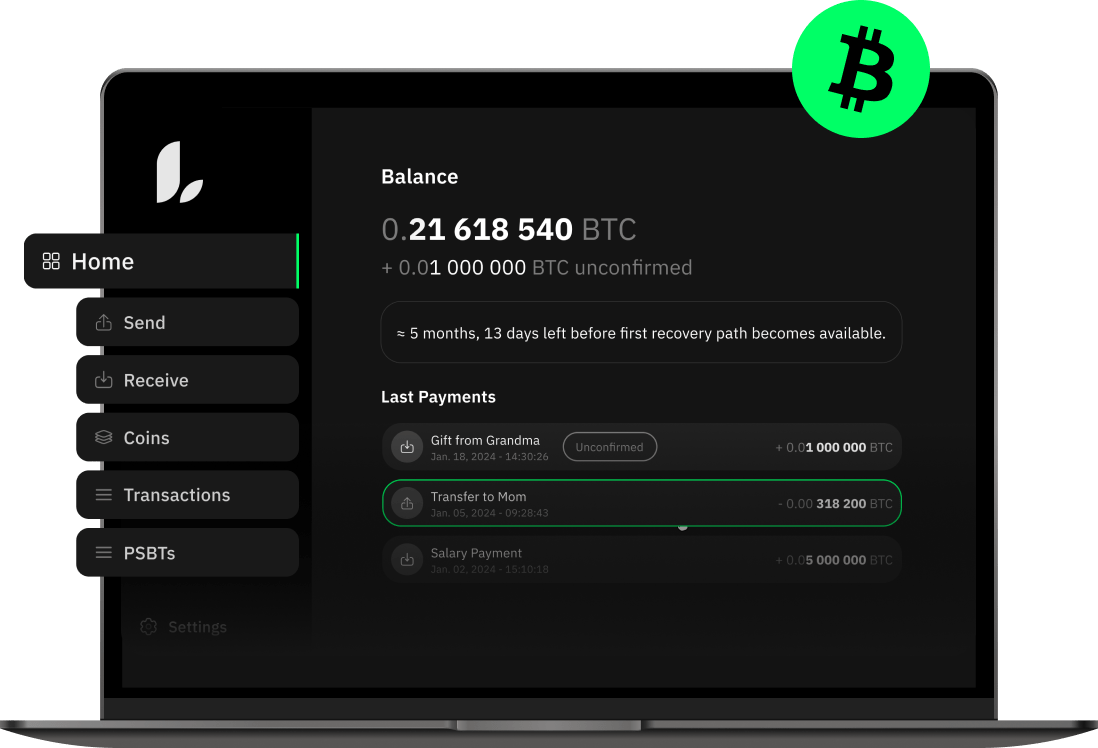
With cryptocurrencies, we usually want to keep our wallets very private and secret, but we might also have the necessity to share a wallet with a trusted person to prevent funds loss for any reason. Just sharing a copy of our mnemonic would include multiple security issues and would expose our wallet to unwanted risks. To achieve this task we may want to use Liana, a very special wallet designed for it.
To create a wallet we can just start it and follow the creation wizard's steps.

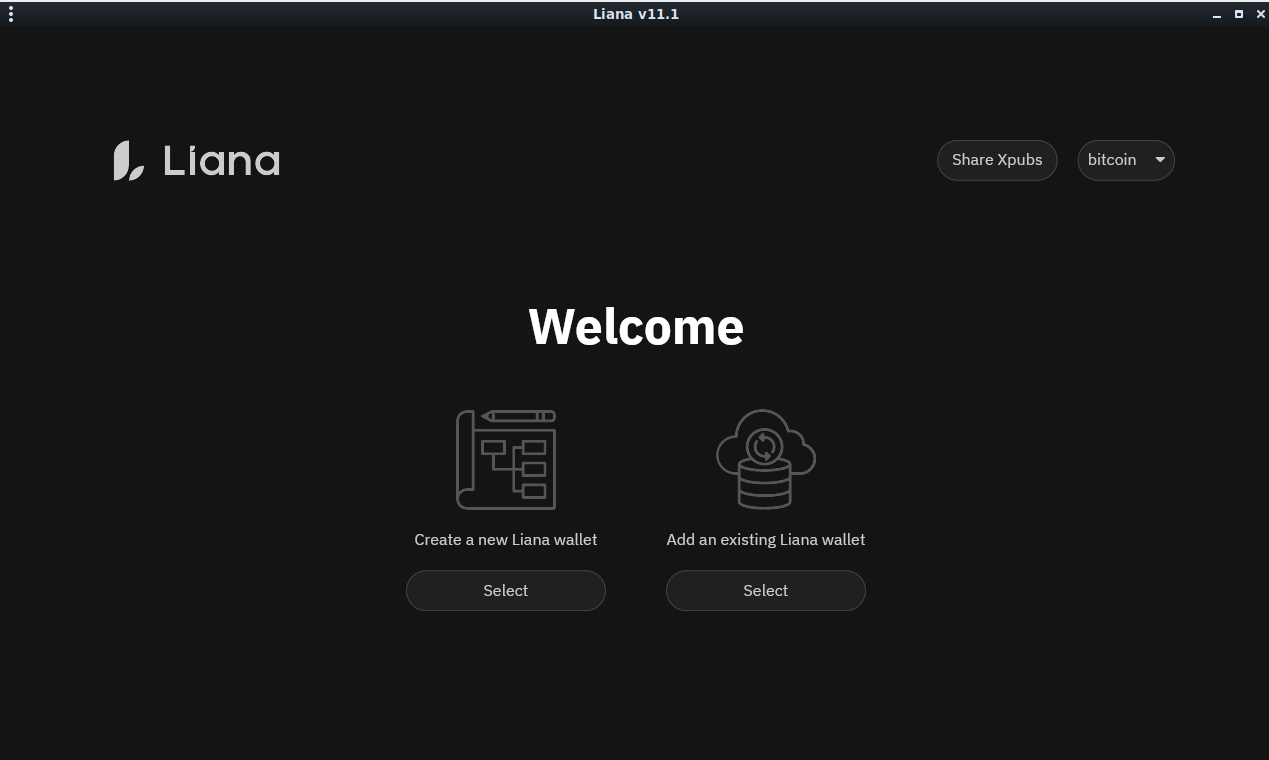
Choosing to create a new Liana wallet, we have to select what kind of wallet we want to create. For this demonstration we will just pick the first option "Simple inheritance".
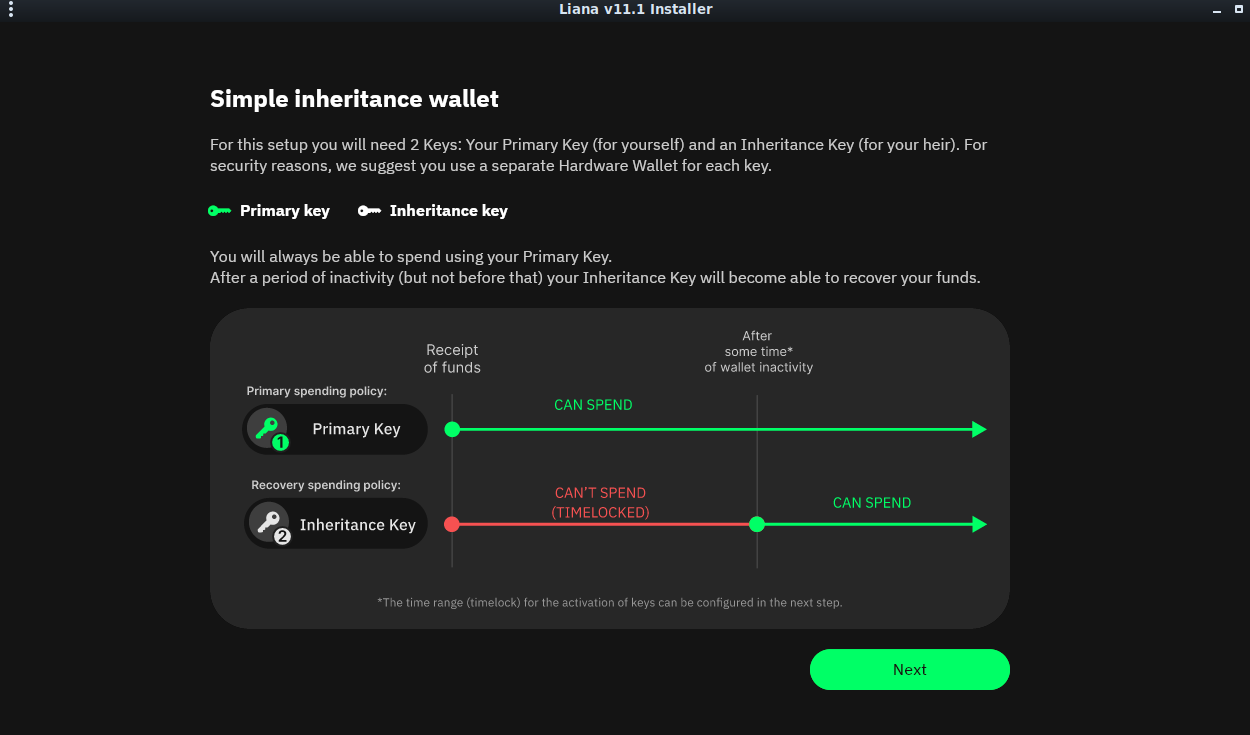
In the next step, we start having a clearer view on how this tool works: our wallet will have two keys, one that can regularly access the funds and a second one, that won't be able to access funds before a certain period of inactivity of the wallet.

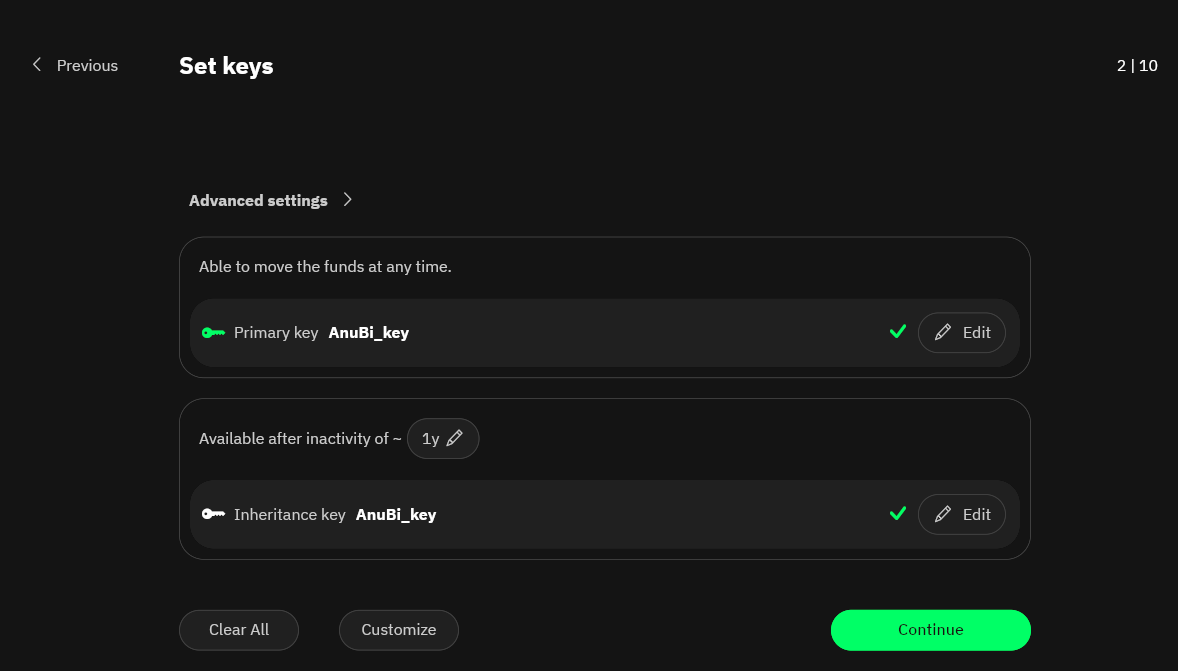
Then we have to choose the keys. In order to simplify the demonstration, we are picking the same locally generated key, but it is preferable to use a separately generated key. Anyway, the other user that would have access after the desired period of inactivity, only has to share the xpub key.

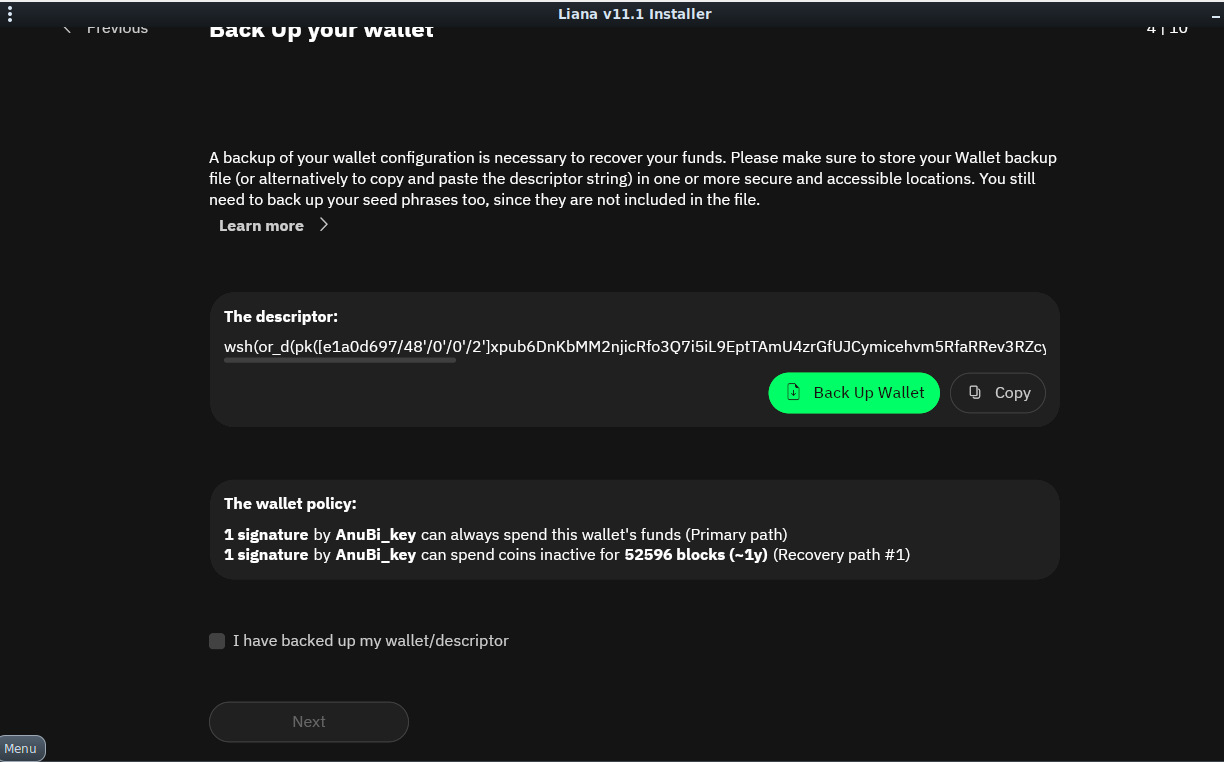
We will then obtain a mnemonic seed, like in any other desktop wallet, after which we obtain a string to backup (the descriptor).

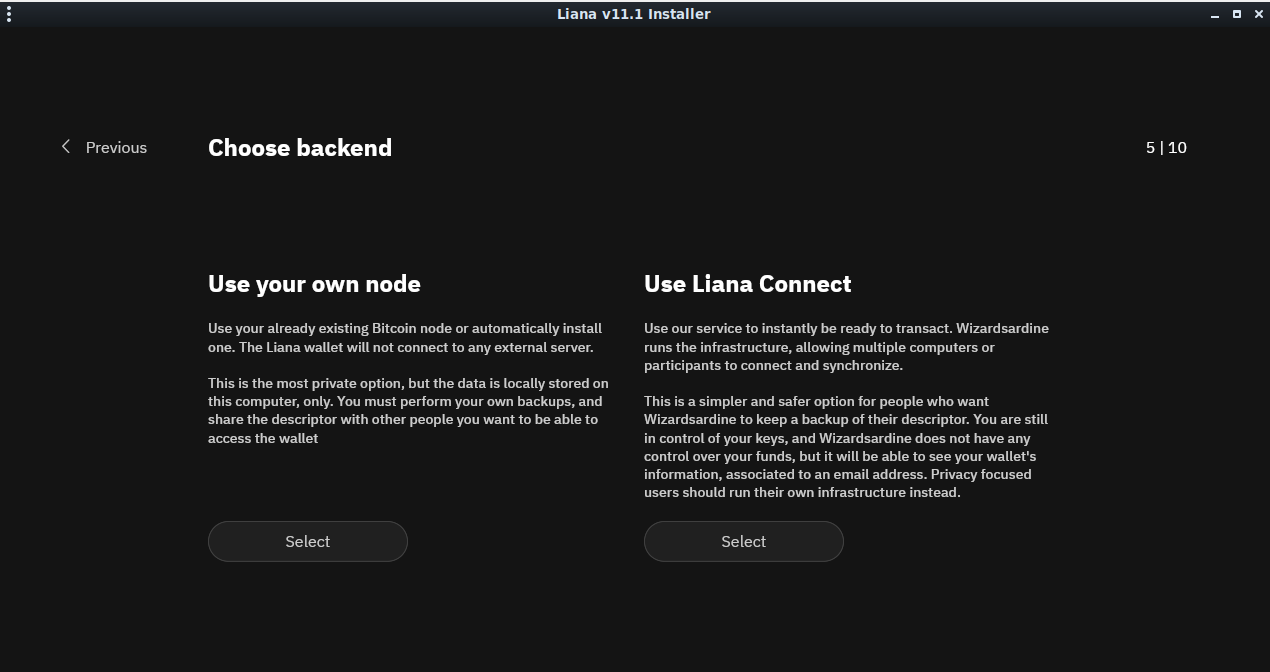
We can then set how our client should connect to the Bitcoin network. Connecting to our private node is the best option to preserve our privacy but, if we don't have a node, we can connect to Liana's. We may want to use Kalitorify* to avoid exposing our IP address.
* In AnuBitux, Kalitorify can be started using the desktop shortcut "Tor mode".

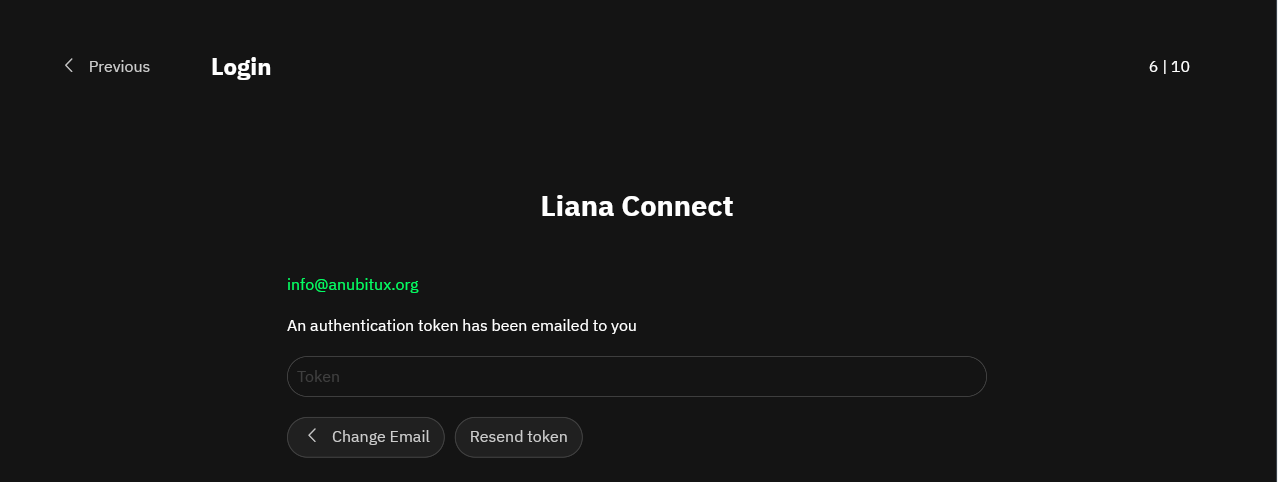
We have then to submit an email that will be associated with the wallet (email will be verified in the next step).

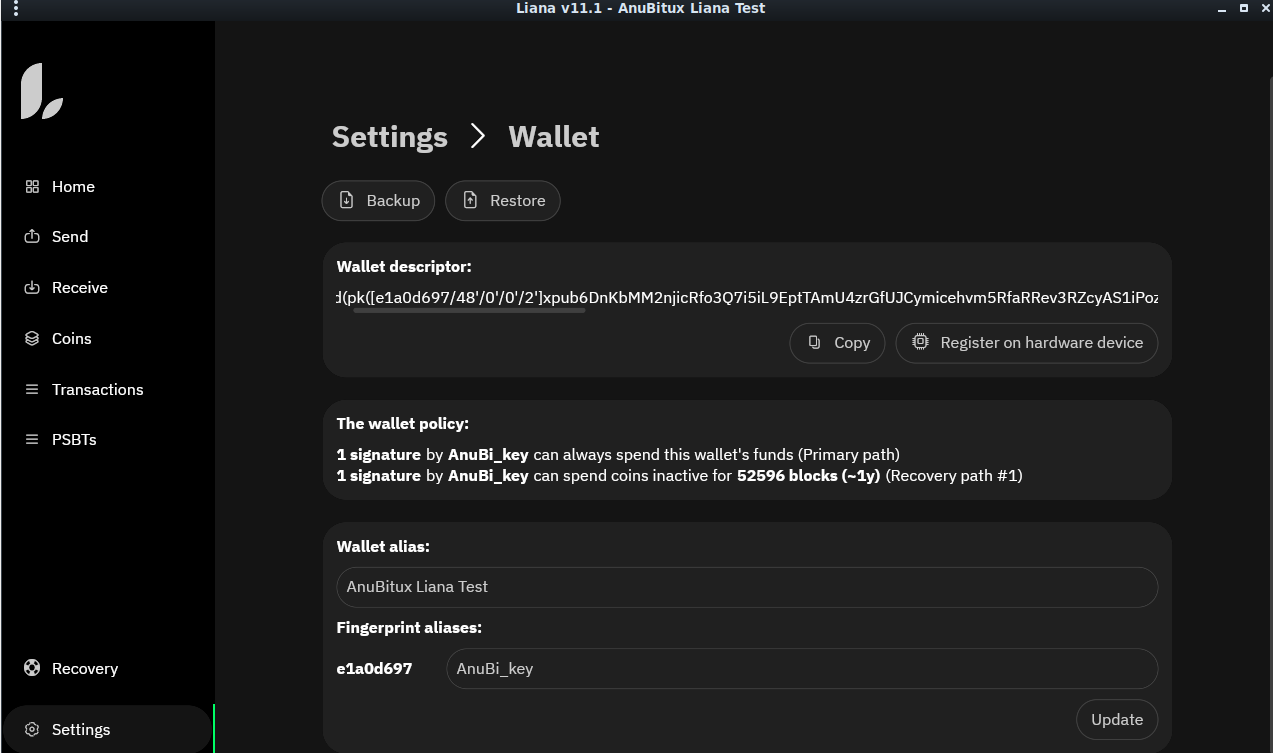
We have now successfully created our Liana wallet. In the settings, we can see an overview of how our keys work.

In the recovery menu, which is empty in our demo wallet as it has no funds, will be displayed the owned coins and the remaining time, until they will expire and became available for the second authorized signer.
More information and more detailed explanations can be found on the Liana wallet official website, in the Support section.

]]>
Storing crypto is an extremely personal choice. This post aims to provide readers with basic knowledge about some of the available solutions and has not to be intended as an advice.
Cryptocurrencies are aiming to let people be their own bank. In the cypherpunk philosophy this is a great thing, but it is also very risky!
Being our own bank, we have to answer these two questions:
Indeed, we need to know the basics of how the cryptoccurencies protocols work to avoid to loose control on our funds. We also have to know how we want to use our cryptos, for instance if we want to "hodl" them, if we want to trade different kind of coins, if we want to use them to make payments, etc.
Therefore, we need to choose the right type of wallet that fits our needs, allows us to accomplish our goals safely, and aligns with our skill level and threat model.
Let's analyze together different kind of wallets. It is very important to undestand that there isn't a "best" solution. We only can try to find out the solution that better works for us.
When approaching cryptos for the first time, maybe googling how to do that, we will probably encounter online wallets. This kind of wallets can be very convenient, since usually we have only a username and a password to access our funds, like we are used with other online accounts like emails, social networks, etc. But there is an important assertion to consider:
NOT YOUR KEYS, NOT YOUR COINS!
Usually with online wallets we do not have access to our private keys and, if so, we have to consider that propably we are not the only one that have access to them because also the service provider that is managing the online wallet could have access to it. This doesn't mean our coins will definitely be stolen, but we should never forget that with cryptocurrencies, we are our own bank. In doing so, we are doing the same thing we do with traditional banks, not that cypherpunk!
So, why should we use online wallets? They are often related to exchanges and trading platforms. We will probably use them in the most cases we are buying cryptos, and we need them when using trading platforms since they are necessary in many trading strategies: i.e. keeping cryptos on private un-hosted wallets could not allow us to make trades as quick as we need.
Of course, there are other decentralized solutions to perform this tasks but they could not integrate all the functionalities we need or they could need too much skills for our level of experience.
Desktop wallets can be found in a lot of different versions, some of them prefer simplicity, some of them prefer privacy and security. We could say that they are so called because keys are stored on desktop or mobile devices.
These kind of wallets generally:
Basically, the security of this kind of wallets relies on the device, on how safely we are storing our seed and on our ability to detect scams or any other kind of attack.
Desktop and mobile wallets are not suggested just for holding or storing cryptocurrencies, since we are exposing our wallets in the moments we connect our devices to the Internet. Nowadays it is very easy to encounter malware that could try to steal our cryptos. They are usually injected with social engineering techniques or they come packed with other software, often realized for illegal things like cracking licenses or downloading copyright protected media files.
These wallets can be used as daily solution when we are often receiving transaction and making payments. In these cases they can be very convenient.
There are two kinds of hardware wallets:
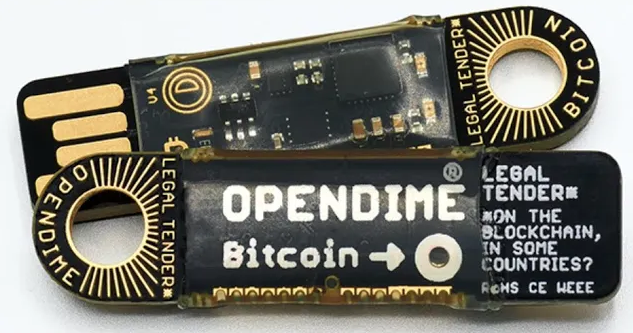
In the first case, we are referring to wallets that are keeping our private keys isolated, as paper wallets or devices like OpenDime do.

These solutions are very powerful to receive coins or to store coins in a very safe way when we do not need to spend them. They are safe as long as:
When we need to move coins from these wallets, we should always empty them, since starting from this moment, we exposed our private keys and they can't be considered that secure anymore. If we do not need to spend the whole amount we are storing, it could be a very good idea to move funds to a new secure cold storage.
In the second case we are talking about hardware wallets like Trezor, Ledger, Safepal, Ellipal, etc. This kind of wallets can be considered very safe even for using cryptos on a daily basis. Indeed, they handle all the signing process without revealing the private keys they are handling. The client prepares the transaction, sends it to the hardware wallets that signs it with the correct private keys and sends it back to the client that now can propagate it to the network. These wallets often require a physical interaction by the user to perform the signing process so, even if the device we are using has been compromised, no one will be able to move our cryptos without being near our hardware wallet. On the counter, these solutions, like desktop wallets, use mnemonic seeds as backup method. So, they can be considered safe as long we are keeping our mnemonic seed in a secure place. This feature makes them useless as cold storage solutions, since we are already storing our seed in a safe place without the need to move funds. Store them also on an electronic device does not add any security to our cold storage. Also the process with which they collect entropy to generate our seed, has not to be considered safer than the methods used by other solutions. We could obtain a mnemonic seed even rolling our dice many times and converting results into entropy to obtain a mnemonic seed.

So, which one can be considered as the best solutions? Maybe no one, because any solution has many pros and cons and has been designed to satisfy different needs. Online wallets are useful since they can be accessed from anywhere, desktop wallets give us the control over our keys and can be used on regular basis, hardware wallets can be used as cold storage solutions or for keeping our private keys safer.
Therefore the best solution could be using all these solutions, separating coins in consideration of what we want to use them for, so we can always be ready to send coins to a safe cold storage or we can quickly perform a good trade on our preferred exchange platform. We also need to consider that this strategy avoids us from having a single point of failure since if one of our wallets gets compromised, we are not going to loose our coins.
In conclusion, we should not rely on a single solution and should not adopt solutions without previously analyzing them. We should only use wallets we have analysed and tested, using them only when we feel pretty comfortable with their features.

In a previous post, we illustrated our Blind Protocol, which allows two operators to create a paper wallet splitting the private key so that nobody has access to it and it is not shown before the need to spend the funds.
In some cases, it is definitely more useful to have the private key stored in the form of a BIP39 mnemonic seed, since it can be used easily with most of the nowadays clients. So we developed BlindMnemonic, a new tool with the same approach, which generates two parts of a mnemonic seed and provides some deposit addresses, so that it is possible to receive funds with no one having access to the whole mneminic seed.
Also this tool requires two different operators, each one obtaining a part of the mnemonic seed.
In real case scenarios, don't forget to use the "Offline" button on the desktop to disable all the network interfaces and prevent any data leakage.
When starting the tool, it is possible to specify if we prefer a 12 or 24 words mnemonic seed phrase. We knoe It is also possible to have valid mnemonic phrases with other lenghts, but 12 and 24 are the most used out there.
Once we have choses the lenght of our mnemonic seed, the two operators have to type some random words in the proper text box.
It is important to know that this step is totally not deterministic and the provided words are only part of the entropy used during the seed generation process so, even providing the same words, it is not possible to obtain the same mnemonic seed phrase.
When clicking on the "Generat first words" button, the tool automatically generates a pdf file containing the first part of the mnemonic seed phrase.
By clicking on the other button, the pdf file will be irremediably deleted so it is important to save it in this stage of the process. Then the second operator is supposed to do the same, inserting other random words and obtaining another pdf file containing the remaining part of the mnemonic seed phrase.
In the last step the tool allows to choose among several types of public address to receive the transfers. This capability is helpful to avoid to put the mnemonic seed phrase into some kind of client to obtain the related public addresses.
In our example we are choosing to obtain Bitcoin public addresses and the tool is automatically providing a .pdf file with the public address and the corresponding QR code.
To confirm that the mnemonic seed phrase we obtained running the tool is working properly we can check it using Ian Coleman's BIP39 tool.
This is supposed to be done only while testing the tool, since the tool was designed to never put together the two parts of the mnemonic seed phrase.

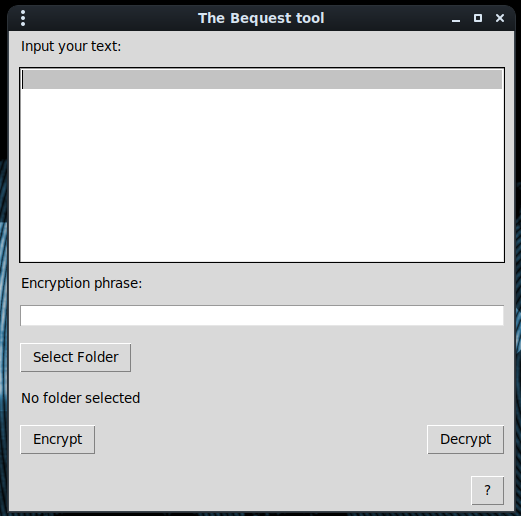
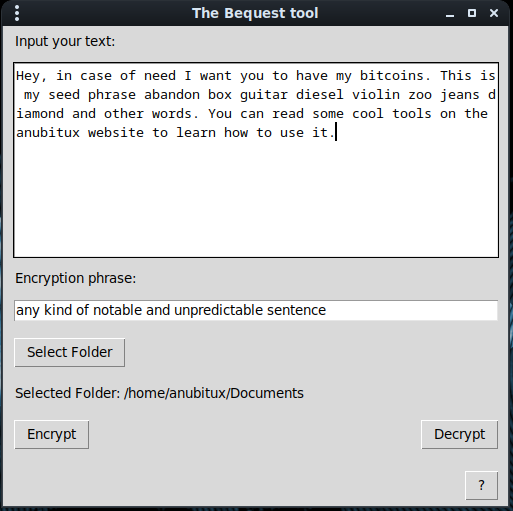
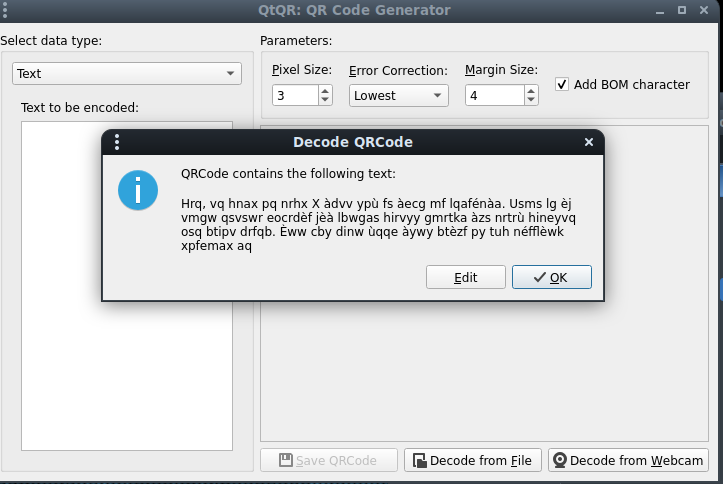
It might happen that we want to share some kind of information with a third party without the need to writing down the information in clear text and without requiring the other party to get used to some encryption method. For this purpose we developed Bequest, a tool that encrypts some text using an arbitrary key phrase and stores the encrypted text in a series of QR codes. With this tool the party that needs to access the secret information only has to remember the phrase that was used in the encryption process.

To encrypt some text, we simply have to:

Once done, we will obtain some QR codes that we can store in the way that better fits our needs, lime putting them on some encrypted device or saving them on paper, maybe in plain sight on something that usually has QR codes like a boarding pass.
To decrypt the QR codes it is enough to read them using some tool, like QtQR.
In some cases, especially with some special character, we noticed that QtQR or CoBang are not reading QR codes properly but smartphones are. So it is advised to use smartphones in case QR codes seem not to work.

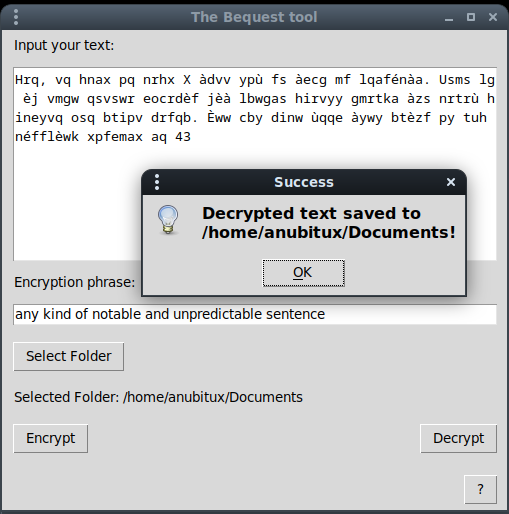
The text has the to be copied and pasted in the bigger box of the Bequest tool. Then it can be decrypted by providing the same encryption phrase and clicking o the "Decrypt" button.

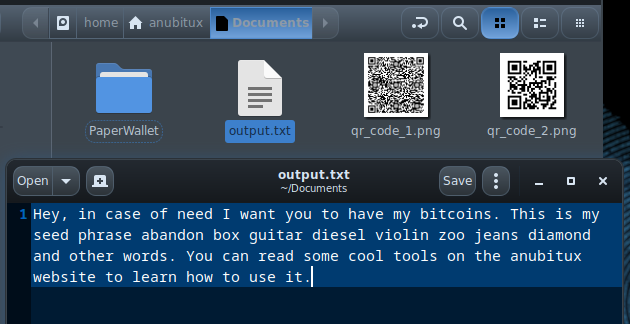
Once done, we will find the output.txt file in the selected folder.

It is recommended to always check if the QR codes are storing the correct text and if the tool is able to decrypt it in the proper way. In case something goes wrong, it is probably due to some temporary issue or to some special character that is not handled correctly. If so, we recommend to try again, maybe changing your text and reporting the issue to us.

]]>
Generating mnemonic seeds is perhaps the most delicate aspect in relation to the custody of cryptocurrencies. There are a lot of methods to obtain mnemonics, for example:
It is very important to make sure that the obtained mnemonic seed is truly random and not replicable. If not so, other users could obtain the same private keys and steal our funds. Summarizing, it is important to use a good source of entropy!
It could also be a good idea to grab the entropy from the environmental noise, since it is very unlike that there could be exactly the same noise for two times. To collect entropy in this way and obtain a printable paper wallet, AnuBitux provides the Mic2Seed tool.
Before using the tool, it may be a good idea to use the "Offline" shortcut from the AnuBitux desktop, in order to disable all the possible connection to external devices and avoid leaking any kind of information.
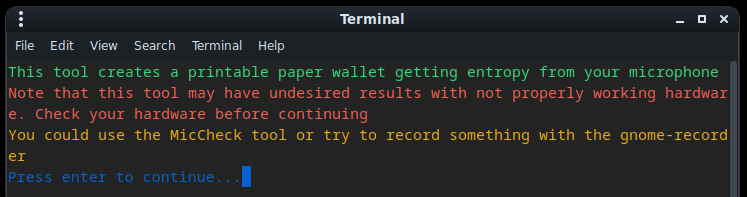
It is also important to check that the ardware we are using is working properly. In AnuBitux, we can use the MicCheck tool. It records a 5 seconds audio and plays it. If we don't hear anything there may be something not working in the correct way but definetly we have to remember to turn up the volume. The tool tries to help us showing a clear and big message saying "VolumeUp".
Once we are sure that our hardware is working properly and we took care of our OpSec, we can launch the tool directly from the Wallet Generators menu or typing mic2seed.py in our terminal.
If we are sure that our hardware is working properly, we only have to wait about 30 seconds to obtain our new random mnemonic seed.
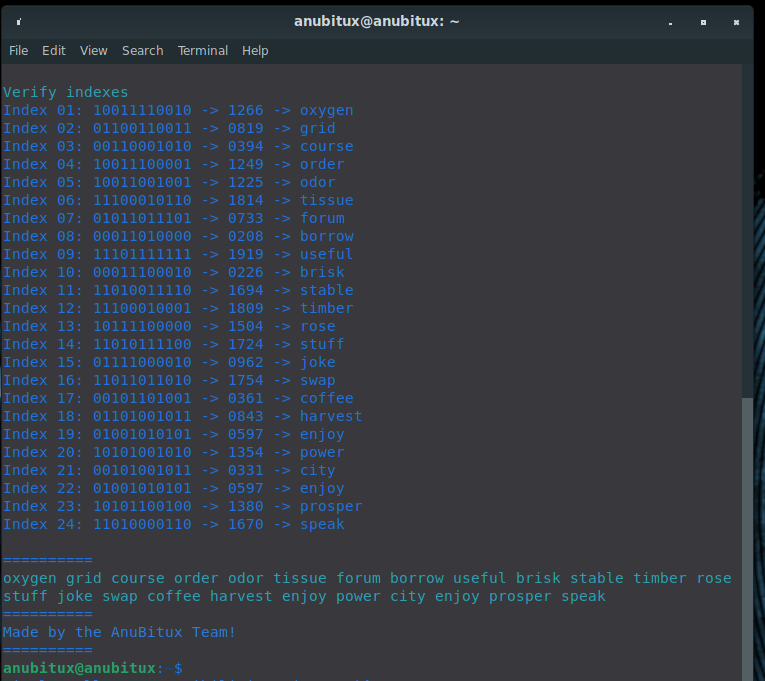
The tool also provides the entropy used to obtain the mnemonic seed and the indexes of the words to check them from the BIP39 list.
On our YouTube channel you can find a demonstration on how to use this tool!

In some cases it may be necessary to create private keys to securely store funds for others, for instance, when seizing cryptocurrency for the judicial authority or when acting as a crypto custodian. When creating the private key with the common tools, even when using all the precautions (i.e. using a live working environment like AnuBitux, disabling all the network connections, using a good source of entropy, etc.), the operator, even if only for a few seconds, is gaining access to a private key related to funds which are not going to belong to him. To avoid it, multisignature wallets ciuld be created, but this solution is not directly and easily available for all the currencies and may also be pretty difficult to use for most of the users.
As more complex is the solution we use to store cryptocurrencies, as more it is easy to lose access to them.
To solve this, we developed something called "Blind protocol for crypto wallet generation". This protocol provides two tools, BlindGen and BlindDecode.
The BlindGen tool allows two user to create half part of the private key, without ever gaining access to the whole private key and then provides a printable paper wallet only containing the public address. The BlindDecode tool allows the users to obtain the whole private key. It is intended to be used only when in need to spend the funds received on the generated address.
Before using the tool, it may be a good idea to use the "Offline" shortcut from the AnuBitux desktop, in order to disable all the possible connection to external devices and avoid leaking any kind of information. It is also mandatory to use AnuBitux in live mode and not in a virtual machine and to operate in a safe environment.
The tool is provided with a very easy to use graphical interface. When starting it, the first user has to insert some random text, which could be a single word, a sentence, a number, some random characters, etc.
Then it is only necessary to click on the "Generate first half key" button to obtain a printable .pdf file with the first half part of the private key and the related QR code.
Now the first user has to print the .pdf or store it in some safe place and click on the "End" button. When clicking on it, the .pdf viewer is automatically closed and the .pdf file is permanently deleted.
Then the second user has to perform the same operations.
It is very important to store the provided parts of the keys during the process since the tool does not work in a deterministic way. The text provided by the user is not the only source of entropy. This tool uses multiple sources of entropy so that human randomness and computer randomness can work together and avoid that the obtained private key could be replicated by some threat actor.
Now, when the second part of the private key has been put in a safe place, also the second user can click on the "End" button. Then one of the users or also some third user has to select for which currency it is necessary to obtain a public address.
Let's hypothesize we are in need of a Bitcoin address, so we can chose Bitcoin from the menu and click on the "Generate public addresses" button.
It is also possible to click multiple times on the "Generate public addresses" button obtaining addresses for different currencies. Only the last one is stored in the Documents folder but, if the previous generated address hasn't been stored, it is possible to choose the same currency again and obtain it multiple times before the tool is closed.
Now it is possible to send funds to the obtained addresses but it is very important to be sure to have both parts of the private key. Unless so there is no way to recover it and funds are going to be lost!
To obtain the whole private key, it is necessary to use the BlindDecode tool.
This action is supposed to be done only when it is necessary to move the funds.
The tool is not mandatory since the two parts of the private key simply are the bits of the private key in hex format and they could also be converted manually or with other custom tools.
When the tool is started, it shows a garphical interface where it is possible to paste the two parts of the private key and select the desired coin. To avoid to write them manually it is also possible to read the QR codes with QtQR or any similar tool.
Now, clicking on the "Show private key" it is possible to obtain a pdf file with the WIF private key in and the related QR code.
There are also some suggestions about how the private keys could be used.

]]>
Generating private keys is perhaps the most delicate aspect in relation to the custody of cryptocurrencies. There are a lot of methods to obtain keys, for example:
It is very important to make sure that the obtained private key is truly random and not replicable. If not so, other users could obtain the same private key and steal our funds. Summarizing, it is important to use a good source of entropy!
It could also be a good idea to grab the entropy from the environmental noise, since it is very unlike that there could be exactly the same noise for two times. To collect entropy in this way and obtain a printable paper wallet, AnuBitux provides the Mic2Paper tool.
Before using the tool, it may be a good idea to use the "Offline" shortcut from the AnuBitux desktop, in order to disable all the possible connections to external devices and avoid leaking any kind of information.
It is also important to check that the hardware we are using is working properly. In AnuBitux, we can use the MicCheck tool. It records a 5 seconds audio and plays it. If we don't hear anything there may be something not working in the correct way but definitely we have to remember to turn up the volume. The tool tries to help us showing a clear and big message saying "VolumeUp".
Once we are sure that our hardware is working properly and we took care of our OpSec, we can launch the tool directly from the Wallet Generators menu or typing mic2paper.py in our terminal.

Then we only have to confirm that we feel comfortable with our hardware and then the tools does all the magic by itself.
Then we can choose among many different coins which kind of paper wallet we need.
After this, we can choose if we want a printable .pdf. If we don't, the keys will only be printed in our terminal and the we can manually create QR codes with QtQR.
If we accept to make the tool create a paper wallet for us, we can find the printable file in the Documents/PaperWallet folder.
Now, thanks to the numerous printer drivers included in AnuBitux, we should be able to print our paper wallet and store it in a super safe place.
You can see a demo about how this tool works on our YouTube channel.

]]>
On April 24, 2024, U.S. D.O.J. arrested the founder and the CEO of Samourai wallet and charged them with money laundering and unlicensed money transmitting offenses.
Samourai wallet was a mobile wallet that could be used to perform CoinJoin transactions through the Whirlpool algorithm (a zerolink coinjoin implementation created by the Samourai Wallet developer team).
At a very high level, a Whirlpool mix is a collaborative transaction between five participants. The outputs of each Whirlpool mix are always identical resulting in every mix having a lot of possible interpretations. Anyone trying to analyze the blockchain and looking at a Whirlpool transaction cannot say for sure which output corresponds to which input.
Each of the five Whirlpool participants submits 1 input into the transaction. For a mix to start, a minimum of two of these participants must be new entrants to the pool. These new entrants are known as ‘premixers’ and they are required at every Whirlpool mix. Requiring two premixers to trigger a mix ensures that new liquidity forms part of every cycle and prevents the same pool UTXO’s continually mixing with each other.
As stated above, a whirlpool transaction requires 5 participants sending 5 identical outputs. Here you can see an example of a Whirlpool transaction.
As you can see, two addresses are providing bigger inputs, they are the new entrants, providing a little extra-amount to cover transaction fees.
It is very important to point out that Whirlpool works in a totally non custodial way. Funds are never sent to third parties, there's only a coordinator server orchestrating the process without knowing which funds belong to each of the involved addresses.
Among the mixing process, funds are sent to addresses based on the same seed used to create the BIP39 software wallet you are using. Whirlpool just uses different standards with an offset on the index.
Remember that a derivation path is something like m/44’/60’/0’/0/0. it is tellig your hierarchical deterministic wallet to:
- start at the master key (m);
- use the BIP44 standard (44);
- derive keys for Ethereum (60, use 0 for bitcoin);
- do not derive a change address (first zero, use 1 for change addresses);
- the index of the address (last zero).
In detail, Whirlpool is using the following derivation paths:
m/44'|49'|84'|47'/0'/0'm/84'/0'/2147483644'm/84'/0'/2147483645'm/84'/0'/2147483646'm/44'|49'|84'/0'/2147483647'That means that we can always recover all our funds so long as you have the seed.
Since the Samourai app may not be available anymore, to access funds held through this client it may be possible to use other clients supporting Whirlpool mixes, like Sparrow wallet (backup link). If also Sparrow wallet does not work with Whirlpool anymore, it is enough to use it or other fully feathured clients, like Electrum, manually specifying the desired derivation path in the wallet setup wizard.
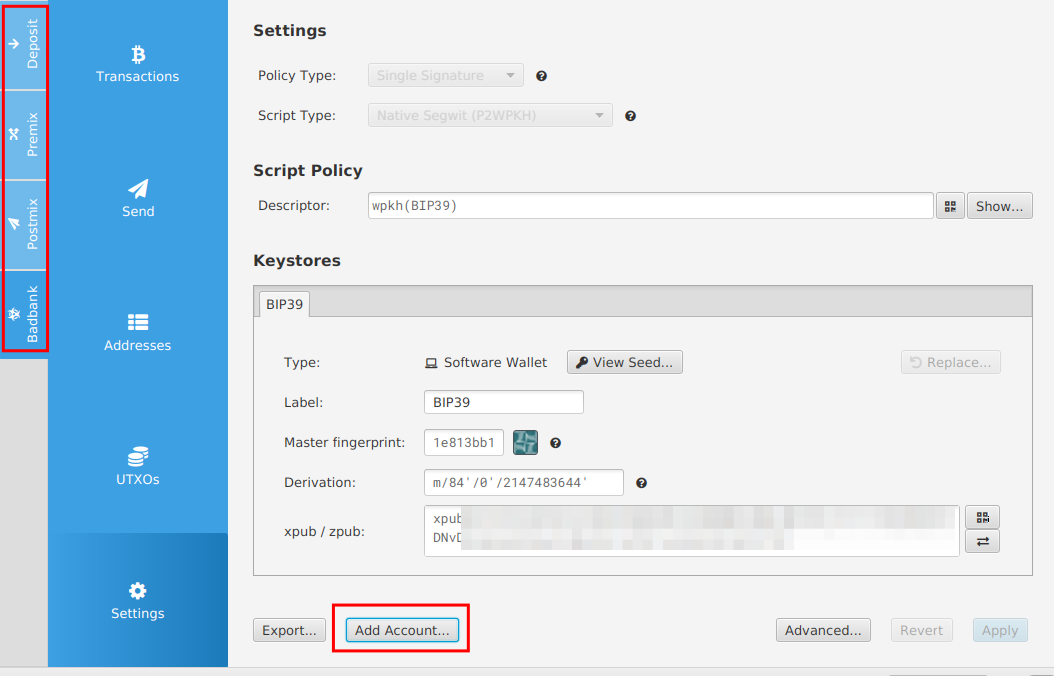
To see the funds used through Whirlpool with Sparrow wallet, when importing a new keystore based on the BIP39 mnemonic used with Samourai, it is necessary to click on the "Add Account..." button and click on the Whirlpool option (the last one). This will add the buttons on the left and will allow us to see the funds and the transactions related to our ordinary wallet (Deposit) and also the funds and the transactions related to Whirlpool (Premix, Postmix and Badbank).

In this case we can notice how it is important to know how the tools we are using work. So, if some of them stops working, we will always be in control of our funds. It is very important to avoid to rely on centralized solutions or using tools before trying to understand how they work.

On the 12th April 2024 our core team memper StanleyK presented AnuBitux at the Cyber Forensics IISFA Forum, held by the IISFA association.
Here you can watch the recording of the talk:
It was about the features and the tools included in AnuBitux and there was also a demo about how to use seedrecover to fix a mnemonic seed with missing words, like we have shown here.