A complete health, security, and performance dashboard
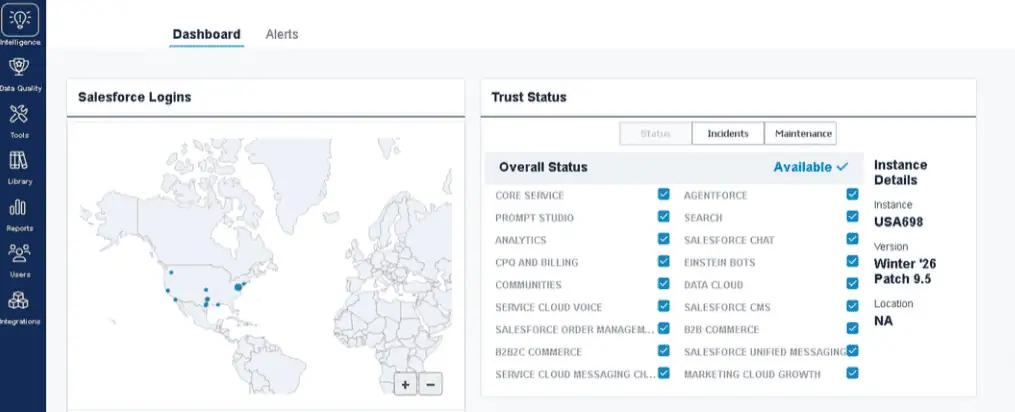
Monitor Salesforce security in real time with unified visibility into logins, IPs, access patterns, policy changes, and trust status.
Track org performance and reliability across API usage, integration health, spikes, and user-impacting anomalies.
See all installed apps and custom code—including API versions, updates, and deprecations—in one place to stay ahead of breakages.
Smart Alerts surface 20+ critical signals so you’re notified the moment something changes, not after something goes wrong.
Learn more here.
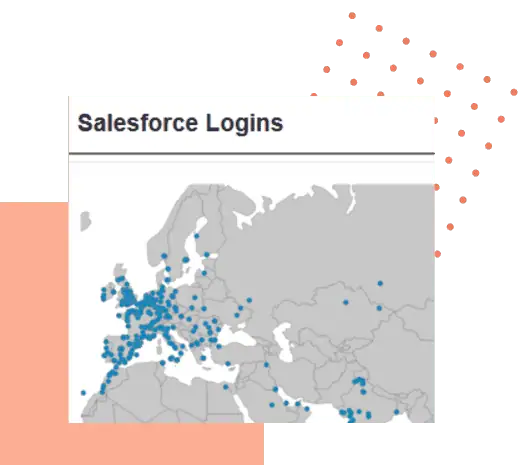
See who’s really accessing your Salesforce org and spot risks instantly
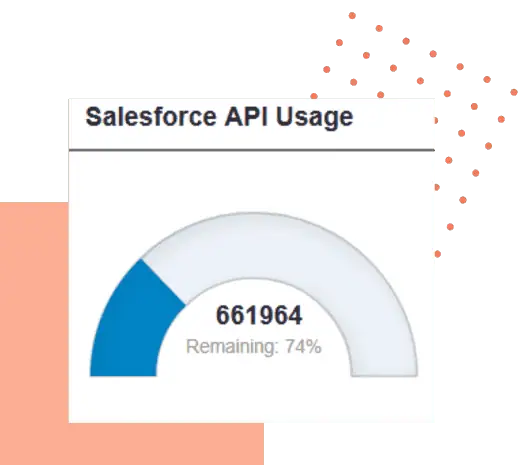
Catch Salesforce slowdowns and API spikes before your users feel them
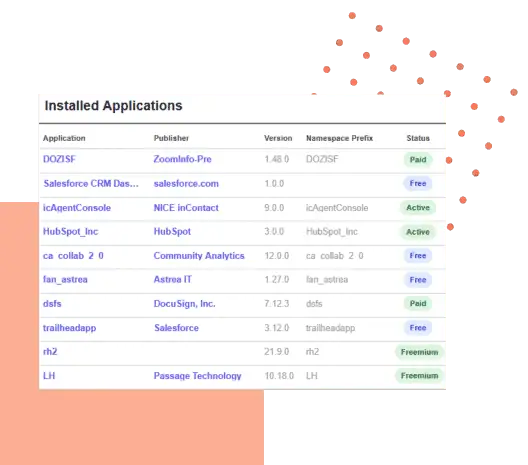
Stay ahead of app updates, code risks, and Salesforce API deprecations
A complete view of your Salesforce health, security, and performance
Cloudingo Intelligence brings your Salesforce security, performance, and app activity into one dashboard—so you can see issues sooner and act before they escalate.

“Cloudingo is not only easy to use; every aspect of the platform has been thoroughly vetted. I can’t imagine where we’d be without it.”
Meghan Lynch, Salesforce admin at United Way of Salt Lake

Control who can access the Intelligence Dashboard
Only Cloudingo Admins can view the Intelligence Dashboard by default.
Additional users may be granted access by assigning the Cloudingo Intelligence Dashboard role.
Learn more here.

Take the guesswork out of monitoring your Salesforce health.
See Cloudingo in action. Request a demo.
Salesforce Org Health and Security Monitoring FAQ
Admins can monitor Salesforce org health and security from a centralized dashboard inside Cloudingo. The Intelligence Dashboard surfaces indicators such as login activity, Salesforce Trust status, API usage, installed applications, network access settings, custom classes and triggers, admin-user ratio, and idle users. Admins can also enable alerts to monitor risk events and configuration changes.
Cloudingo’s Intelligence Dashboard includes a Salesforce Logins report that shows who logged in, the application used, source IP, first and last login dates, login counts, active status, and login location. This helps admins identify unusual access locations and review third-party app activity.
Cloudingo shows the total and remaining API calls available in your Salesforce org for the current 24-hour period. Admins can also enable alerts when API usage exceeds a threshold so teams can catch issues before limits affect operations.
Yes. Cloudingo supports alerts for events such as login anomalies, API usage thresholds, configuration changes, and Salesforce Trust incidents. Notifications can be delivered by email or viewed directly on the Intelligence Dashboard.