Black Friday and Cyber Monday deals usually offer the biggest bargains of the year. You can get a lot more for your money at this time or save big on your favorite tools and plugins.
We’ve hand-picked the top WordPress deals across a wide range of products, offering some of the largest savings you’ll see all year, now is definitely the time to buy!
Let’s look at the best WordPress Black Friday and Cyber Monday of the year!
Featured Black Friday And Cyber Monday Deals
We’re very excited about Black Friday and Cyber Monday. There are a lot of savings to me made so we’ve handpicked the best deals for you here:

Convert Pro
Convert Pro is a fantastic tool to gain more conversions. It has many features including lead generation, prevention of cart abandonment, advanced triggers, and more. There are also A/B tests so you can continually refine your campaigns.
Discount: Up to 25% off
Coupon code: Auto-applied
Validity: 17 Nov to 5 Dec 2025

Astra
Astra is an exceptionally popular WordPress theme. It works well for both new WordPress users and experienced veterans. It includes over 300 Starter Templates, each of which can be used for a different kind of website, no matter what its niche or industry.
Astra is fast, easy to use, compatible with most page builders, and amazing for WooCommerce.
Discount: Up to 40% off
Coupon code: Auto-applied
Validity: 17 Nov to 5 Dec 2025

Spectra Pro
Spectra Pro is an innovative visual website builder that integrates seamlessly into the WordPress block editor. It adds smart new blocks, block patterns, wireframes, readymade templates, and design tools to the block editor.
Spectra Pro also includes a popup builder, modal builder, and loop builder to help create engagement. It’s a complete website builder with all the tools you need!
Discount: Up to 40% off
Coupon code: Auto-applied
Validity: 17 Nov to 5 Dec 2025

ZipWP
ZipWP is an AI-powered website builder that helps you create stunning, professional websites in just minutes. Tailored for agencies and freelancers, it takes the complexity out of web design by offering mobile-responsive templates and expertly written content.
Whether you’re building for clients or your own business, ZipWP lets you skip the technical hassle and focus on delivering exceptional results.
Discount: Up to 41% off
Coupon code: Auto-applied
Validity: 17 Nov to 5 Dec 2025

Sigmize
Sigmize makes website optimization effortless and meaningful. Built for founders, marketers, and teams who want real results, it lets you understand your visitors and improve conversion rates with zero guesswork.
Discount: Up to 50% off
Coupon code: Auto-applied
Validity: 17 Nov to 5 Dec 2025

Ultimate Addons for Elementor Pro
If you use Elementor, you need Ultimate Addons for Elementor. It’s a huge library of add-ons and other tools to help you create a website. Everything is simple and easy to use, plus it fits right into the regular Elementor UI!
Discount: Up to 40% off
Coupon code: Auto-applied
Validity: 17 Nov to 5 Dec 2025

SureMembers
SureMembers makes it easy to build membership websites. With this amazing plugin, you can start selling your online courses, create exclusive communities, and use paywalls to protect content. It also comes with some cool features including secure digital downloads, custom access rules, and more. It’s a handy tool that helps you to protect website content.
Discount: Up to 62% off
Coupon code: Auto-applied
Validity: 17 Nov to 5 Dec 2025

Schema Pro
Schema Pro is a very useful WordPress plugin that helps you add schema markup to your website. Adding schema is a very effective method for improving your SEO, and using a plugin like Schema Pro is a great way to do it.
Discount: Up to 25% off
Coupon code: Auto-applied
Validity: 17 Nov to 5 Dec 2025

CartFlows
Every eCommerce website needs CartFlows. This plugin lets you create one-click sales funnels, frictionless checkout, order bumps, upsells, and tons of other valuable conversion actions. If you want to optimize your site and maximize revenue, you just have to try CartFlows!
Discount: Up to 40% off
Coupon code: Auto-applied
Validity: 17 Nov to 5 Dec 2025

Presto Player
Do you use video on your WordPress website? If so, you absolutely need Presto Player. This plugin includes pretty much every feature you could ever need in a video player, including sticky players, analytics, chapters, calls to action, and tons more. It’s the only video plugin you’ll ever need!
Discount: Up to 40% off
Coupon code: Auto-applied
Validity: 17 Nov to 5 Dec 2025

OttoKit
OttoKit is a cutting-edge automation platform that connects over 1200+ apps and WordPress plugins to streamline manual tasks, boost productivity, and enhance ROI. With an easy-to-use visual canvas, you can build seamless workflows that power your business operations effortlessly.
Join over 70,000 users who are already automating WordPress and beyond. OttoKit is 90% more affordable than Zapier, making it the best value for your automation needs!
Discount: 57% Off on Lifetime plans
Coupon code: Auto-applied
Validity: 17 Nov to 5 Dec 2025

SureCart
If you have digital products and want to sell it on your website SureCart can be a great solution to this end.
It works faster than the other eCommerce plugins, automates the sales funnel, and calculates sales tax and EU VAT without spending separately.
Discount: Up to 50% off
Coupon code: Auto-applied
Validity: 17 Nov to 5 Dec 2025

SureMembers
SureMembers is a very popular WordPress membership plugin. It gives you everything you need to build and manage membership websites. From creating drip content and access rules for your content to protecting your content behind a paywall, SureMembers can do it all.
Discount: Up to 60% off
Coupon code: Auto-applied
Validity: 17 Nov to 5 Dec 2025

SureForms
Boost your productivity with SureForms, the AI-driven solution for creating forms quickly and efficiently. Skip manual form design and let SureForms handle the heavy lifting. With an intuitive interface and endless customization options, it’s a must-have tool for WordPress professionals.
Discount: Up to 32% off
Coupon code: Auto-applied
Validity: 17 Nov to 5 Dec 2025

LatePoint
LatePoint is the ultimate appointment scheduling plugin for WordPress, built to simplify bookings for businesses of all sizes. Its intuitive interface, customizable booking forms, and seamless integration make managing appointments effortless.
Perfect for salons, clinics, consultancies, and more, LatePoint helps you save time, reduce no-shows, and provide a hassle-free booking experience your clients will love.
Discount: Up to 55% off
Coupon code: Auto-applied
Validity: 17 Nov to 5 Dec 2025

Ultimate Addons for Beaver Builder
Are you a Beaver Builder user? If you are, you simply must get the Ultimate Addons for Beaver Builder addon! It’s a collection of over 60+ modules and 300+ section and page templates designed to take design further.
Discount: Up to 40% off
Coupon code: Auto-applied
Validity: 17 Nov to 5 Dec 2025

SureFeedback
SureFeedback is an essential plugin for any web design professional who needs feedback from their clients. It uses sticky note-style comments where clients or your team can add comments, likes, dislikes, and approvals. It streamlines the client review and approval process dramatically, making it a must-have for any designer, developer, or agency!
Discount: Up to 50% off
Coupon code: Auto-applied
Validity: 17 Nov to 5 Dec 2025

WP Portfolio
If you want to showcase your work in the form of websites, images, and videos, WP Portfolio is the plugin you need. It can elevate the humble portfolio and show off your work as it deserves to be shown.
It comes with some advanced features like item search fields, real-time previews, sortable categories, lazy loading pages, and infinite scrolls, to name a few.
Discount: Up to 25% off
Coupon code: Auto-applied
Validity: 17 Nov to 5 Dec 2025
| Name | Category | Offer | Coupon Code | |
|---|---|---|---|---|
| Convert Pro | Popups. Conversion | Up to 30% off | Auto-applied | Get the Deal |
| Astra | Theme | Up to 50% off | Auto-applied | Get the Deal |
| Astra Business Toolkit | Must Get Deals | Up to 50% off | Auto-applied | Get the Deal |
| ZipWP | Must Get Deals | Up to 30% off | Auto-applied | Get the Deal |
| OttoKit | Automation | 42% Off on Lifetime Plans | Auto-applied | Get the Deal |
| Spectra Pro | Page Builders | Up to 50% off | Auto-applied | Get the Deal |
| CartFlows | Ecommerce | Up to 50% off | Auto-applied | Get the Deal |
| Presto Player | Essential Plugins | Up to 50% off | Auto-applied | Get the Deal |
| SureCart | Ecommerce | Up to 50% off | Auto-applied | Get the Deal |
| SureMembers | Membership | Up to 60% off | Auto-applied | Get the Deal |
| SureForms | Forms | Up to 35% off | Auto-applied | Get the Deal |
| LatePoint | Booking | Up to 50% off | Auto-applied | Get the Deal |
| SureFeedback | Essential Plugins | Up to 50% off | Auto-applied | Get the Deal |
| Ultimate Addons for Elementor | Page Builders | Up to 50% off | Auto-applied | Get the Deal |
| Schema Pro | SEO | Up to 30% off | Auto-applied | Get the Deal |
| Ultimate Addons for Beaver Builder | Page Builders | Up to 50% off | Auto-applied | Get the Deal |
| WP Portfolio | Must Get Deals | Up to 30% off | Auto-applied | Get the Deal |
| Hover Console | Must Get Deals | Flat 75% off | Auto-applied | Get the Deal |
| Dokan | Ecommerce | Up to 55% off | Auto-applied | Get the Deal |
| DiviFlash | Must Get Deals | Up to 50% off | Auto-applied | Get the Deal |
| DiviGear | Must Get Deals | Up to 80% off | Auto-applied | Get the Deal |
| Saasland | Theme | Flat 44% off | Auto-applied | Get the Deal |
| TranslatePress | Must Get Deals | Up to 30% off | BF2024 | Get the Deal |
| Profile Builder | Must Get Deals | Up to 30% off | BF2024 | Get the Deal |
| Paid Member Subscriptions | Membership | Up to 30% off | BF2024 | Get the Deal |
| WP Webhooks | Membership | Up to 30% off | BFCM2024 | Get the Deal |
| Ajax Search Pro for WordPress | Forms | 33% off | Auto-applied | Get the Deal |
| WPvivid | Backups | Up to 40% off | Auto-applied | Get the Deal |
| WPManageNinja | Essential Plugins | Up to 60% off | Auto-applied | Get the Deal |
| Fluent Forms | Forms | Up to 40% off | Auto-applied | Get the Deal |
| FluentCRM | Email Marketing | Flat 40% off | Auto-applied | Get the Deal |
| Fluent Support | Essential Plugins | Flat 40% off | Auto-applied | Get the Deal |
| WPBakery Page Builder | Page Builders | Up to 30% off multisite licenses | Auto-applied | Get the Deal |
| Visual Composer Website Builder | Page Builders | Up to 40% off premium plans | Auto-applied | Get the Deal |
| Indystack | Domain & Hosting | 40% and 50% off | Auto-applied | Get the Deal |
| Ninja Tables | Essential Plugins | Up to 40% off | Auto-applied | Get the Deal |
| Paymattic | Essential Plugins | Up to 50% off | Auto-applied | Get the Deal |
| The Post Grid Pro | Essential Plugins | 50% off | Auto-applied | Get the Deal |
| Classified Listing Pro | Essential Plugins | 50% off | Auto-applied | Get the Deal |
| ShopBuilder Pro | Essential Plugins | 50% off | Auto-applied | Get the Deal |
| AzonPress | Affiliate | Up to 40% off | Auto-applied | Get the Deal |
| WP Social Ninja | Social Media | Flat 60% off | Auto-applied | Get the Deal |
| FluentBoards | Essential Plugins | Up to 40% off | Auto-applied | Get the Deal |
| FluentBooking | Essential Plugins | Up to 40% off | Auto-applied | Get the Deal |
| Discount Rules for Woocommerce - Pro | Ecommerce | 30% off | BFCM2024 | Get the Deal |
| New User Approve | Security | 24% Off | BFCM24 | Get the Deal |
| WC Shop sync | Ecommerce | 24% Off | BFCM24 | Get the Deal |
| Element Pack | Page Builders | Up to 85% off | BFCM2024 | Get the Deal |
| Prime Slider | Essential Plugins | Up to 85% off | BFCM2024 | Get the Deal |
| Ultimate Post Kit | Page Builders | Up to 85% off | BFCM2024 | Get the Deal |
| ZoloBlocks | Page Builders | Up to 85% off | BFCM2024 | Get the Deal |
| Ultimate Store Kit | Essential Plugins | Up to 85% off | BFCM2024 | Get the Deal |
| Pixel Gallery | Essential Plugins | Up to 85% off | BFCM | Get the Deal |
| Cleanly | Booking | Up to 43% OFF | Auto-applied | Get the Deal |
| Salonly | Booking | Up to 49% OFF | Auto-applied | Get the Deal |
| Hive Support | Essential Plugins | Up to 50% off | Auto-applied | Get the Deal |
| WP Guidant | Essential Plugins | Up to 50% off | Auto-applied | Get the Deal |
| Darklup | Essential Plugins | Up to 50% off | Auto-applied | Get the Deal |
| HostArmada | Domain & Hosting | Up to 85% off | Auto-applied | Get the Deal |
| NitroPack | Performance & Cache | Up to 35% off | BFCMPROMO2024 | Get the Deal |
| CatFolders - WP Media Folders | Essential Plugins | Up to 30% off | BLACKCATFRIDAY2024 | Get the Deal |
| WP Adminify | Other Must Get Deals | Up to 55% off | Auto-applied | Get the Deal |
| Admin Bar Editor | Other Must Get Deals | Flat 50% off | BFCM50 | Get the Deal |
| Loginfy | Other Must Get Deals | Flat 50% off | BFCM50 | Get the Deal |
| Master Addons | Page Builders | Flat 50% off | BFCM50 | Get the Deal |
| Master Blocks | Page Builders | Flat 50% off | BFCM50 | Get the Deal |
| WP Security Ninja | Security | Flat 40% off | BF2024 | Get the Deal |
| Bit Integrations | Other Must Get Deals | Flat 50% off | Auto-applied | Get the Deal |
| UK Web Hosting | Domain & Hosting | Flat 50% off | BLACKFRIDAY50 | Get the Deal |
| Bit Form | Forms | Flat 50% off | Auto-applied | Get the Deal |
| Bit Assist | Other Must Get Deals | Flat 50% off | Auto-applied | Get the Deal |
| Mailtrap Email Marketing | Email Marketing | Up to 25% off | BFCM24 | Get the Deal |
| DarkMySite - WordPress Dark Mode | WordPress Theme | Up to 70% off | Auto-applied | Get the Deal |
| Crypto Payment Gateway - Coinbase Commerce for WooCommerce | Ecommerce | Up to 30% off | BFCM2024 | Get the Deal |
| Crypto Payment WooCommerce - NOWPayments | Ecommerce | Up to 30% off | BFCM2024 | Get the Deal |
| Custom Product Builder for WooCommerce | Ecommerce | Up to 30% off | BFCM2024 | Get the Deal |
Midnight Deals for WooCommerce  | Ecommerce | Up to 30% off | BFCM2024 | Get the Deal |
Save Cart for WooCommerce  | Ecommerce | Up to 30% off | BFCM2024 | Get the Deal |
| Admin Page Spider | Essential Plugins | Up to 30% off | BLACKFRIDAY2024 | Get the Deal |
| Joomla & WordPress Products | Other Must Get Deals | Flat 50% off | BLACK24 | Get the Deal |
| Simple Social Buttons | Essential Plugins | Up to 40% off | BFCM40 | Get the Deal |
| WP Courseware | LMS | Flat 50% off | BFCM2024 | Get the Deal |
| WoooPlugin BF Bundle | Ecommerce | Up to 70% off | BF70 | Get the Deal |
| Code Snippets Pro | Page Builders | Up to 50% off | Auto-applied | Get the Deal |
| MoreConvert - All-In-One WooCommerce Marketing Tool | Marketing | Flat 15% off | Auto-applied | Get the Deal |
| WP Compress | Performance & Cache | Up to 93% off | BLACKFRIDAY | Get the Deal |
| Integrate Google Drive | Essential Plugins | Up to 30% off | FSBFCM2024 | Get the Deal |
| Radio Player | Essential Plugins | Up to 30% off | FSBFCM2024 | Get the Deal |
| Dracula Dark Mode | Essential Plugins | Up to 30% off | FSBFCM2024 | Get the Deal |
| WC Vendors | Essential Plugins | Up to 60% off | Auto-applied | Get the Deal |
| Visser Labs | Essential Plugins | Up to 60% off | Auto-applied | Get the Deal |
| HostWP.io | Domain & Hosting | Up to 50% off | BFCM50 | Get the Deal |
| CoDesigner | Ecommerce | Up to 80% off | Auto-applied | Get the Deal |
| ThumbPress | Image Optimization | Up to 80% off | Auto-applied | Get the Deal |
| Share Logins | Essential Plugins | Up to 80% off | Auto-applied | Get the Deal |
| WC Affiliate | Affiliate | Up to 80% off | Auto-applied | Get the Deal |
| WPMarmite Pay | Ecommerce | Flat 50% off | BF2024 | Get the Deal |
| CheckView | Performance & Cache | Flat 35% off | Auto-applied | Get the Deal |
| Post SMTP | Essential Plugins | Flat 24% off | BFCM24 | Get the Deal |
| Devrims | Domain & Hosting | Flaat 30% | BIGSAVE | Get the Deal |
| WPMozo | Essential Plugins | Up to 40% off | Auto-applied | Get the Deal |
| Draw Attention | Gallery | Up to 40% off | BF2024 | Get the Deal |
| Simple Client Dashboard | Essential Plugins | Up to 40% off | BF2024 | Get the Deal |
| AAArdvark | Other Must Get Deals | Up to 50% off | BF2024 | Get the Deal |
| WholesaleX | Ecommerce | Up to 65% off | Auto-applied | Get the Deal |
| WP Ultimate CSV Importer Premium | Other Must Get Deals | Flat 25% off | Auto-applied | Get the Deal |
| SKT Themes-Get Up to 50% Off All Themes Bundle Package | WordPress Theme | Upto 50% off | Auto-applied | Get the Deal |
| HasThemes | Page Builders | Up to 72% off | BFCM24 | Get the Deal |
| ShopLentor: WooCommerce Builder For Elementor and Gutenberg | Ecommerce | Flat 30% off | BFCM24 | Get the Deal |
| HT Mega: Absolute Addons For Elementor | Page Builders | Up to 60% off | Auto-applied | Get the Deal |
| Support Genix: WordPress Support Ticket Plugin | Essential Plugins | Flat 30% off | BFCM24 | Get the Deal |
| Whols - WooCommerce Wholesale Prices Plugin | Ecommerce | Flat 30% off | BFCM24 | Get the Deal |
| HT Easy GA4: WordPress Google Analytics Plugin | Analytics | Flat 30% off | BFCM24 | Get the Deal |
| Pixelavo - Facebook Pixel Plugin | Marketing | Flat 30% off | BFCM24 | Get the Deal |
| JustTables - WooCommerce Product Table Plugin | Ecommerce | Up to 40% off | Auto-applied | Get the Deal |
| Swatchly - WooCommerce Variation Swatches Plugin | Ecommerce | Up to 40% off | Auto-applied | Get the Deal |
| Customer Support Platform | AI Tools | Up to 40% off | EXTRABLACK40 | Get the Deal |
| Bit Social | Social Media | Up to 62% off | Auto-applied | |
| Bit Apps | Essential Plugins | Up to 60% off | Auto-applied | Get the Deal |
| CTX Feed Product Feed | Ecommerce | Flat 40% OFF | BFCM2024 | Get the Deal |
| Challan Pro | Ecommerce | Flat 40% OFF | BFCM2024 | Get the Deal |
| Wordform AI | Other Must Get Deals | Up to 50% off | Auto-applied | Get the Deal |
| AmpiFire | Other Must Get Deals | Up to 80% off | Auto-applied | Get the Deal |
Marketing & CRM
Convert Pro
Convert Pro is a fantastic tool for gaining more conversions
Discount: Up to 25% off
Coupon code: Auto-applied
Validity: 17 Nov to 5 Dec 2025

WP Mail SMTP
#1 WordPress SMTP and PHP Mailer plugin.
Discount: Revealed soon
Coupon code: Revealed soon
Validity: Revealed soon

OptinMonster
OptinMonster is a toolkit for optimizing your conversion rate, both through landing pages and via email.
Discount: Revealed soon
Coupon code: Revealed soon
Validity: Revealed soon

MailOptin
MailOptin is a lead generation and email automation solution for WordPress.
Discount: Revealed soon
Coupon code: Revealed soon
Validity: Revealed soon

AffiliateWP
If you are an affiliate marketer, you’ll appreciate this plugin.
Discount: Revealed soon
Coupon code: Revealed soon
Validity: Revealed soon

WP ERP
WP ERP is a complete leave management solution for your HR team.
Discount: Revealed soon
Coupon code: Revealed soon
Validity: Revealed soon

WP Fusion
WP Fusion extends the plugins you use with your CRM or marketing automation platform.
Discount: Revealed soon
Coupon code: Revealed soon
Validity: Revealed soon

Strive
Strive is a content calendar WordPress plugin.
Discount: Revealed soon
Coupon code: Revealed soon
Validity: Revealed soon

FluentCRM
Fluent CRM is an email marketing automation plugin for WordPress websites.
Discount: Flat 40% off
Coupon code: Auto-applied
Validity: 13 Nov – 09 Dec 2025

UpLead
UpLead is a B2B lead generation platform that provides access to over 160 million verified business contacts, offering features like real-time email verification, data enrichment, and CRM integration to enhance sales prospecting efforts.
Discount: Flat 30% off
Coupon code: Auto-applied
Validity: 21 Nov – 03 Dec 2025

FormyChat
FormyChat is the ultimate WhatsApp notification plugin for WordPress. It sends contact form leads directly to your WhatsApp account and helps you continue the conversation from anywhere.
Discount: Up to 50% off
Coupon code: Auto-applied
Validity: 27 Nov – 04 Dec 2025

WowOptin
WowOptin is a comprehensive lead-generation tool designed to maximize conversions through customizable, no-code optins. With features like exit-intent pop-ups, smart triggers, and advanced audience targeting, it lets you engage with customers precisely when they’re most likely to convert.
Discount: Up to 70% off
Coupon code: Auto-applied
Validity: 14 Nov – 12 Dec 2025
SEO

Schema Pro
Schema Pro is the most advanced schema markup plugin you can buy.
Discount: Up to 25% off
Coupon code: Auto-applied
Validity: 17 Nov to 5 Dec 2025

Yoast SEO
Yoast is a well-known SEO plugin with both free and paid versions.
Discount: Revealed soon
Coupon code: Revealed soon
Validity: Revealed soon

SEOPress
SEOPress is an easy-to-use, intuitive, and effective plugin for improving your SEO.
Discount: Up to 33% off
Coupon code: Auto-applied
Validity: 27 Nov – 04 Dec 2025

All In One SEO
AIO SEO allows you to easily optimize your WordPress website for search engines and social media platforms.
Discount: Revealed soon
Coupon code: Revealed soon
Validity: Revealed soon

SE Ranking
SE Ranking is an all-in-one SEO platform for business owners, SEOs, and agencies.
Discount: Up to 20% off
Coupon code: Auto-applied
Validity: 20 Nov – 04 Dec 2025
Analytics

MonsterInsights
This is one of the best analytics programs for WordPress.
Discount: Revealed soon
Coupon code: Revealed soon
Validity: Revealed soon

ExactMetrics
Join over 1,000,000+ smart website owners who use ExactMetrics to grow faster!
Discount: Revealed soon
Coupon code: Revealed soon
Validity: Revealed soon

Analytify
Analytify is a Google Analytics dashboard plugin that displays your site’s stats directly in your WordPress admin.
Discount: Up to 40% off
Coupon code: BFCM40
Validity: 07 Nov – 02 Dec 2025

Coupler.io
Coupler.io is a reporting automation tool that turns complex data into insightful reports. Its no-code interface makes integrating data into your sheets and dashboards easy.
Discount: Up to 30% off
Coupon code: CPLBF25
Validity: 01 Nov – 06 Dec 2025

Appsero
Appsero is a brilliant tool for analytics, software licensing, automatic updates, and releasing new versions of plugins and themes.
Discount: Revealed soon
Coupon code: Revealed soon
Validity: Revealed soon
E-commerce
CartFlows
This tool lets you create powerful sales funnels, optimize checkout, add upsells, and implement other useful eCommerce tactics.
Discount: Up to 40% off
Coupon code: Auto-applied
Validity: 17 Nov to 5 Dec 2025
SureCart
SureCart is a powerful eCommerce platform that can be set up in a matter of minutes.
Discount: Up to 50% off
Coupon code: Auto-applied
Validity: 17 Nov to 5 Dec 2025

Easy Digital Downloads
It’s ideal for selling PDFs, images, books, and other digital types of products on your WordPress website.
Discount: Revealed soon
Coupon code: Revealed soon
Validity: Revealed soon

Dokan
Experience unlimited possibilities with Dokan, the most popular WooCommerce multi-vendor marketplace solution for WordPress—trusted by over 50,000 entrepreneurs worldwide!
Deal: Up to 55% off
Coupon code: Auto-applied
Validity: 19 Nov – 06 Dec 2025

Bulk Order Form for WooCommerce
No matter the size of your business, Bulk Order Form for WooCommerce is designed to elevate your WooCommerce store with cutting-edge features and functionality.
Deal: 24% OFF on Annual Plan
Coupon code: BFCM25
Validity: 20 Nov – 06 Dec 2025

PluginHive
PluginHive is a marketplace for secure, stable, feature-rich, and intuitive WooCommerce, Shopify, and Magento extensions.
Discount: Flat 20% off
Coupon code: ph_bfcm_2025
Validity: 11 Nov – 06 Dec 2025

Flycart Product
Flycart offers feature-rich, easy-to-use WooCommerce plugins that can help any WordPress website start selling more.
Discount: Up to 30% off
Coupon code: BFCM2025
Validity: 23 Nov – 05 Dec 2025

Product Feed Manager for WooCommerce
Use Product Feed Manager to generate accurate WooCommerce product feed and promote on the most popular marketplaces.
Discount: Flat 40% Off
Coupon code: Auto-applied
Validity: 11 Nov – 05 Dec 2025

Woo Essential – Divi Shop Builder
Woo Essential is the ultimate toolkit for enhancing your Divi WooCommerce store. With advanced features like product filters, mini carts, and seamless integration, it helps you create a smooth, user-friendly shopping experience.
Discount: Up to 50% Off
Coupon code: Auto-applied
Validity: 19 Nov – 09 Dec 2025

WooCommerce Order Sync with Google Sheets
Order Sync with Google Sheets is a powerful order management plugin for WooCommerce that offers bidirectional order sync between WooCommerce and Google Sheets. This plugin automatically exports your orders to Google Sheets and keeps them synced with WooCommerce.
Discount: Up to 50% Off
Coupon code: Auto-applied
Validity: 27 Nov – 04 Dec 2025

WowRevenue
WowRevenue is a WooCommerce sales booster plugin designed to maximize your store’s average order value. Using its campaign builder, you can set up, manage, and track multiple discount campaigns such as buy X get Y, product mix and match, frequently bought together, and more.
Discount: Up to 70% Off
Coupon code: Auto-applied
Validity: 14 Nov – 12 Dec 2025
Hosting

SiteGround
SiteGround is a great choice for low traffic to high traffic websites.
Deal: Up to 85% off
Coupon code: Auto-applied
Validity: 22 Nov – 02 Dec 2025

Hostinger
Another solid host, Hostinger is a good, powerful, secure WordPress host. Its prices are also very reasonable and in line with competitors.
Deal: Up to 80% off
Coupon code: BLACKFRIDAY
Validity: 13 Oct – 15 Dec 2025

HostArmada
HostArmada is a reliable and lightning-fast web hosting solution designed to elevate your website’s performance. With robust SSD cloud storage, free daily backups, and cutting-edge security features, HostArmada ensures your website stays fast, secure, and always online.
Deal: Up to 85% off
Validity: 21 Oct – 13 Dec 2025

WPEngine
WP Engine is a high-quality managed WordPress hosting.
Discount: Revealed soon
Coupon code: Revealed soon
Validity: Revealed soon
Form

Fluent Forms
Fluent Forms is the most user-friendly WordPress form builder available today.
Discount: Up to 40% off
Coupon code: Auto-applied
Validity: 13 Nov – 09 Dec 2025
SureForms
Boost your productivity with SureForms, the AI-driven solution for creating forms quickly and efficiently.
Discount: Up to 35% off
Coupon code: Auto-applied
Validity: 25 Nov to 6 Dec 2025

WPForms
Another great form builder, WPForms lets you create contact forms, surveys, and other forms with little effort required.
Discount: Revealed soon
Coupon code: Revealed soon
Validity: Revealed soon

Gravity Forms
Gravity Forms is a powerful form builder system. You can use it to create complex forms for any WordPress site.
Discount: Up to 50% off
Coupon code: Auto-applied
Validity: 25 Nov – 03 Dec 2025
Security and Backup

Termageddon
Termageddon is a generator of policies for websites and applications.
Discount: Revealed soon
Coupon code: Revealed soon
Validity: Revealed soon

UpdraftPlus
UpdraftPlus is another well-known backup plugin for WordPress.
Discount: Revealed soon
Coupon code: Revealed soon
Validity: Revealed soon

WP Activity Log
Track user activity in WordPress with WP Activity Log plugin.
Discount: Revealed soon
Coupon code: Revealed soon
Validity: Revealed soon
Performance and Image Optimization

WP Rocket
WP Rocket is a well-known caching plugin that is used by many high performance websites.
Discount: Up to 40% off
Coupon code: Auto-applied
Validity: 19 Nov – 04 Dec 2025

Imagify
Imagify is the most advanced image compression tool that allows you to speed up your website with lighter images.
Discount: Revealed soon
Coupon code: Revealed soon
Validity: Revealed soon
Other Essential
SureFeedback
SureFeedback is a must-have plugin for designers and developers who want to collect feedback from their clients.
Discount: Up to 50% off
Coupon code: Auto-applied
Validity: 17 Nov to 5 Dec 2025
Presto Player
Presto Player is the most powerful video plugin available for WordPress. It truly has no competitor.
Discount: Up to 40% off
Coupon code: Auto-applied
Validity: 17 Nov to 5 Dec 2025

DiviFlash
DiviFlash is an advanced Divi plugin packed with 60+ custom modules, 15+ powerful extensions, 40+ pre-made website layouts, and 800+ ready-to-use sections.
Deal: Up to 50% off
Coupon code: Auto-applied
Validity: 22 Nov – 16 Dec 2025

Saasland
Elevate your SaaS, startup, or IT services website with Saasland! This versatile WordPress theme offers incredible flexibility with features like full Gutenberg & WooCommerce compatibility, multilingual & RTL support, and a clean, modern design.
Deal: Flat 44% off
Coupon code: Auto-applied
Validity: 18 Nov to 09 Dec 2025

DiviGear
DiviGear offers high-quality Divi plugins, child themes, and layouts designed to streamline your Divi website creation process.
Deal: Up to 80% off
Coupon code: Auto-applied
Validity: 22 Nov – 16 Dec 2025

Fluent Support
Fluent Support is your go-to solution for a seamless helpdesk experience. Manage unlimited agents with ease, customize notifications, and integrate with AI models—all from within your WordPress dashboard.
Discount: Flat 40% off
Coupon code: Auto-applied
Validity: 13 Nov – 09 Dec 2025

Profile Builder Pro
All-in-one user registration and profile plugin for WordPress.
Discount: Revealed soon
Coupon code: Revealed soon
Validity: Revealed soon

Gravity Booking
Gravity Booking is an online booking plugin that simplifies appointment scheduling for businesses. It offers seamless integration with WordPress, allowing users to manage bookings, services, and customer appointments effortlessly.
Discount: 24% OFF on Lifetime Plan
Coupon code: BFCM25
Validity: 20 Nov – 06 Dec 2025

Atarim
Atarim is a web agency management system designed to enable collaboration with clients and communication within the team.
Discount: Revealed soon
Coupon code: Revealed soon
Validity: Revealed soon

Ninja Tables
Ninja Tables is one of the best WordPress table plugins used by 70,000+ websites!
Discount: Up to 40% off
Coupon code: Auto-applied
Validity: 13 Nov – 09 Dec 2025

wpWax
wpWax is a dedicated marketplace for popular plugins like Directorist- AI Directory & Classified Website Builder, FormGent- AI Form Builder, HelpGent, Legal Pages Pro, Product Carousel, Slider & Grid Ultimate Pro for WooCommerce, Logo Showcase Ultimate Pro, Post Grid, and Slider & Carousel Ultimate Pro. In this BFCM, wpWax offers up to 70% discount on all products.
Discount: Up to 70% off
Coupon code: Auto-applied
Validity: 20 Nov – 10 Dec 2025

Divi EssentialPlan
Divi Essential is a comprehensive toolkit with 64+ modules, 5+ extensions, and 650+ preset layouts. It simplifies website design with powerful features like Popup Pro and Widget Library, enabling easy customization and seamless integration.
Discount: Up to 50% off
Coupon code: Revealed soon
Validity: 19 Nov – 09 Dec 2025

GiveWP
GiveWP makes it super-easy to build full-fledged donation-focused websites or individual pages.
Discount: Up to 30% off
Coupon code: DOMOREGOOD25
Validity: 01 Nov – 30 Nov 2025

TranslatePress
Need to translate your website and make it multilingual? TranslatePress is the best way to do it.
Discount: Up to 30% off
Coupon code: BF2025
Validity: 25 Nov – 03 Dec 2025

WPVR – Virtual Tour Builder
Build complete virtual tours for your business with WPVR plugin.
Discount: Up to 40% off
Coupon code: Auto-applied
Validity: 11 ov – 04 Dec 2025

Popup Pro – Popup Builder
Popup Pro is a powerful popup builder designed to boost user engagement & conversions. With 50+ customizable options & 30+ free pre-set layouts, it enables you to create eye-catching popups for lead generation, promotions, & more.
Discount: Up to 50% off
Coupon code: Auto-applied
Validity: 19 Nov – 09 Dec 2025

WP Reset
The best solution for debugging, testing, and developing tasks.
Discount: Revealed soon
Coupon code: Revealed soon
Validity: Revealed soon

Nexter
Nexter lets you launch stunning WordPress websites in minutes! With over 90+ Gutenberg Blocks, 22+ WordPress Extensions, and an ultra-light jQuery FREE theme. Creating your WordPress website has never been easier.
Discount: $300 Off
Coupon code: Auto-applied
Validity: 14 Nov – 01 Dec 2025

The Plus Addons for Elementor
One of the most popular Elementor addons with over 150K users, this powerful tool eliminates the need for multiple plugins.
Discount: Flat 40% off
Coupon code: Auto-applied
Validity: 14 Nov – 01 Dec 2025

Divi Next All Access Pass
The Divi Next All Access Pass is your ultimate web design toolkit. With 80+ modules, 17+ premium plugins, 50+ starter templates, and 850+ preset layouts, you’ll have everything you need to create stunning websites.
Discount: Up to 36% off
Coupon code: Auto-applied
Validity: 19 Nov – 09 Dec 2025

Eventin
Eventin is a powerful Event Management Plugin for WordPress that simplifies Organizing Events. It features a Multivendor Event Marketplace with Multi-tiered Ticketing, RSVP Calendar, Recurring Events, and integrations with Google Meet, PayPal, and Zapier.
Discount: Up to 50% off
Coupon code: TWBF50
Validity: 10 Nov – 15 Dec 2025

Authorsy
Authorsy is a simple author box plugin for WordPress that enhances author profiles on your site. It supports Multiple Authors, Guest Authors, Customizable Layouts, User Ratings, and Social Media Links.
Discount: Up to 50% off
Coupon code: TWBF50
Validity: 10 Nov – 15 Dec 2025

Business Directory Plugin
Business Directory Plugin is an easy way to create a WordPress directory listing. It is the directory listing plugin of choice for thousands of users across the world. Create a simple, beautiful directory on your WP site with ease.
Discount: Up to $175 off
Coupon code: TWBF50
Validity: 25 Nov – 04 Dec 2025

WP Timetics
WP Timetics is an advanced Appointment and Booking Plugin for WordPress that simplifies Online Scheduling. It features Unlimited Meetings, Google Meet and Zoom integration, Visual Seat Plans, Automated Notifications, and many Payment Methods.
Discount: Up to 50% off
Coupon code: TWBF50
Validity: 10 Nov – 15 Dec 2025

EngageBay
EngageBay is an integrated all-in-one marketing, sales and support platform with a free CRM built for startups and growing companies. Streamline and grow your marketing, sales & support processes using a single software. Get a unified customer view across all the teams.
Discount: Up to 40% off
Coupon code: Auto-applied
Validity: 14 Nov – 03 Dec 2025

Narrato
Narrato AI is a comprehensive platform that revolutionizes the way you create and market content. Crafted to simplify and enhance collaboration, Narrato provides an all-encompassing workspace where you can brainstorm innovative content ideas, produce exceptional content, and work seamlessly with your team on content projects, all the way through to efficient publishing. By accelerating the content production process tenfold, it saves you valuable time and resources, allowing you to focus on what truly matters.
Discount: Up to 30% off
Coupon code: BFCM25NRT
Validity: 19 Nov – 03 Dec 2025

WPCafe
WPCafe is a versatile Restaurant Management Plugin for WordPress that enables Online Food Ordering, Reservations, and Customizable Menus. It features Pickup/Delivery options, QR Code Ordering, and easy WooCommerce integration.
Discount: Up to 50% off
Coupon code: TWBF50
Validity: 10 Nov – 15 Dec 2025

Desk365
Desk365 is a cloud-based helpdesk ticketing solution for managing customer support, streamlining tickets, and improving team productivity.
Discount: Flat 10% off
Coupon code: BF2025
Validity: 01 Nov – 03 Dec 2025

FluentCommunity
FluentCommunity is an all-in-one platform for building and managing vibrant online communities, and courses in WordPress.
Discount: Limited LTD offer
Coupon code: Auto-applied
Validity: 18 Nov – 10 Dec 2025

Consolto
Engage with your website visitors and customers instantly at the peak of their interest. Offer them live video meetings and chats directly on your site
Discount: Up to 90% off
Coupon code: 90OFFBF25, 75OFFBF25, 50OFFBF25, 30OFFBF25
Validity: 15 Oct – 14 Dec 2025

MapSVG
MapSVG is a versatile WordPress plugin for creating various types of maps, including interactive SVG vector maps, image maps from PNG/JPG/WebP, Google Maps, choropleth maps for data visualization, floorplans for venues or real estate, and architectural or neighborhood layouts.
Discount: Up to 30% off
Coupon code: Auto-applied
Validity: 20 Nov – 03 Dec 2025
FREQUENTLY ASKED QUESTIONS
Need More Discounts?
Hopefully, you’ve found some of the Black Friday and Cyber Monday deals above to be helpful.
They are our hand-picked choices from a variety of different sources from around the web.
We hope you’ll also appreciate the huge sales on Convert Pro, one of the best conversion plugins available for WordPress.
Few More Black Friday Deals:
- WordPress Black Friday & Cyber Monday Deals from Astra
- WordPress Black Friday Deals from Ultimate Addons for Elementor
- WordPress Black Friday Deals from WPCrafter
Be sure to take advantage of these great deals, but move fast, as they aren’t here for long!
Read more at Convert Pro
]]>Everyone loves Halloween. It’s a fun holiday to dress up in fun costumes and eat sweet candy.
It’s also a time for some sweet deals on WordPress hosting, page builders, themes, plugins and other awesome addons!
This article includes some exciting deals and discounts on the most popular WordPress products.
Featured Halloween WordPress Deals
The list includes some top Halloween WordPress deals on your favorite products. Let’s see what we have!
Convert Pro
Read this! Look here! Getting the attention of your readers is essential, especially if you want them to take action. With the Convert Pro lead generation plugin, you can easily get the attention of your readers.
Build your email list, share promotions and special offers, play videos, catch abandoning visitors, and more.
This plugin lets you create popups, notification bars, slide-ins, convert maps, inline forms, and other attention-grabbing elements, all with a drag-and-drop interface. It also includes powerful triggering and targeting features that let you craft the most effective experience.
If you want to increase your revenue or get more email subscribers, you definitely need Convert Pro!
Discount: Up to 20% Off
Promo code: Auto-applied
Validity: 28 Oct to 1 Nov 2024
Astra

Astra is ranked among the top 3 popular themes on the WordPress repository. It’s lightning fast, easy to use and endlessly customizable, which makes it suitable for every type of website.
With the Astra Pro addon, you get the following:
- Premium Theme Features: Get access to extra options like more color and typography choices, site and custom layouts, headers, mega menus, and more.
- Deeper Integrations: Astra Pro comes with dedicated modules that integrate flawlessly with WooCommerce, LifterLMS, LearnDash, and Easy Digital Downloads.
- Premium Support: Get the absolute best support from our dedicated team.
Premium options include the Essential Toolkit and Business Toolkits. Both come with additional premium plugins, plus the Premium starter templates.
The Essential Toolkit includes the following:
- The Astra theme and Astra Pro addon
- Ultimate Addons for Elementor or Beaver Builder (your choice)
- Premium Starter Templates (built with Gutenberg, Elementor, or Beaver Builder)
- WP Portfolio plugin
The Business Toolkit comes with the following:
- The Astra theme and Astra Pro addon
- Astra Premium Sites (all free and premium tagged starter templates)
- Ultimate Addons for Beaver Builder
- Ultimate Addons for Elementor
- Convert Pro
- Schema Pro
- WP Portfolio plugin
- SkillJet Academy
- Our Future Plugins*
Want to Upgrade a Plan?
If you already have a Brainstorm Force product and want to upgrade to the Essential Toolkit or Business Toolkits, you can save 30% by upgrading now!
This discount will be applied to the amount difference between your current plan and the upgrade plan.
To upgrade, simply open the Upgrades page, select the plan you want to upgrade to and check out using this awesome discount.
Discount: Up to 40% Off
Promo Code: Auto Applied
Validity: 28 Oct to 1 Nov 2024
Spectra

Spectra Pro is a powerful website builder that takes your WordPress site to the next level with its intuitive design tools and dynamic functionality. With Spectra Pro, you can access 20+ advanced blocks, pre-designed templates, and features like the popup builder, loop builder, and animations—perfect for creating stunning websites effortlessly.
Spectra Pro also supports dynamic content, sliders, and advanced integrations, enabling you to build engaging, interactive sites without any coding skills. Whether you’re a designer or a business owner, Spectra Pro will help you build faster and better.
Discount: Up to 40% off
Promo Code: Auto Applied
Validity: 28 Oct to 1 Nov 2024
Presto Player
Presto Player is a feature-rich video player for WordPress. It’s ideal for anyone who wants to use video on their website for any reason. It’s easy to use, includes some powerful features and is designed to work seamlessly within your current web design.
Presto Player includes autoplay options, conversion tracking, video chapter controls, the ability to add calls to action, lead capture tools and a whole lot more. It can also play videos from multiple sources while protecting them from downloading or copying.
Discount: Up to 20% off
Promo Code: Auto Applied
Validity: 28 Oct to 1 Nov 2024
SureFeedback
SureFeedback is an innovative product that makes it incredibly simple for web designers and agencies to get client feedback. Using a unique sticky note-type system, clients can add notes and comments to your wireframes, mockups and designs so you can see exactly what they mean.
It’s an incredibly simple, yet powerful way to work with clients. They can show and tell what they like and don’t like while offering targeted feedback on designs. It lowers the stresses of working with clients and makes the web design process so much faster!
Discount: Up to 20% off
Promo Code: Auto Applied
Validity: 28 Oct to 1 Nov 2024
WP Portfolio
WP Portfolio is the last word in website portfolios. It’s a powerful WordPress plugin that levels up your portfolio by adding support for lightboxes and shortcodes and providing templates you can import and use right away.
WP Portfolio is compatible with most leading page builders including Elementor and Beaver Builder. It helps you showcase your images, videos and web designs as they deserve. All without slowing down your website!
Discount: Up to 20% off
Promo Code: Auto Applied
Validity: 28 Oct to 1 Nov 2024
WP Rocket

WP Rocket is a powerful caching plugin that makes your website load more quickly. It doesn’t require much effort to set up, which is a huge plus and has straightforward interface, making it a joy to use. Other attractive features include image optimization, static file compression, cache preloading, and database optimization.
Best of all, WP Rocket provides great support. There is also extensive documentation available within the plugin.
This Halloween, get xx% off on WP Rocket.
Dokan

Experience the most popular WooCommerce multi-vendor marketplace solution – Dokan (trusted by over 50K users worldwide). It comes with 40+ premium modules and a host of game-changing features that help you create a fully functional multi-vendor online marketplace in just a few minutes.
This Halloween, get 50% off on Dokan.
Other Halloween WordPress Deals You Should Check
| Name | Category | Discount % | Coupon Code |
|---|---|---|---|
| Astra | Theme | Up to 40% off | Click Here |
| Spectra | Page Builders | Up to 40% off | Click Here |
| Ultimate Addons for Elementor | Page Builders | Up to 40% off | Click Here |
| Ultimate Addons for Beaver Builder | Page Builders | Up to 40% off | Click Here |
| CartFlows | Ecommerce | Up to 35% off | Click Here |
| Convert Pro | Other Must Get Deals | Up to 20% off | Click Here |
| Presto Player | Other Must Get Deals | Up to 20% off | Click Here |
| SureFeedback | Other Must Get Deals | Up to 20% off | Click Here |
| Schema Pro | SEO | Up to 40% off | Click Here |
| Fluent Forms | Forms | Up to 40% Off | Click Here |
| Dokan | Ecommerce | Up to 50% off | Click Here |
| Next3 Offload | Other Must Get Deals | Up to 47% Off | Click Here |
| GetGenie AI | Other Must Get Deals | Up to 45% Off | Click Here |
| FluentCRM | Other Must Get Deals | Up to 40% Off | Click Here |
| Fluent Support | Other Must Get Deals | Flat 40% Off | Click Here |
| DiviFlash | Other Must Get Deals | Up to 35% off | Click Here |
| Ninja Tables | Other Must Get Deals | Up to 40% Off | Click Here |
| Paymattic | Other Must Get Deals | Up to 50% Off | Click Here |
| FluentBooking | Booking | Up to 40% Off | Click Here |
| Blaze Themes | Theme | Up to 30% off | Click Here |
| Templately | Page Builder | Up To 65% OFF | Click Here |
| LoginPress | Security | Up to 25% off | Click Here |
| Brizy | Page Builder | Up to 30% off | Click Here |
| Analytify | Analytics | Up to 40% off | Click Here |
| MailBluster | Email Marketing | 50% off on upgrade plan & Up to 30% off on monthly usage | Click Here |
| WPManageNinja | Other Must Get Deals | Up to 50% off | Click Here |
| FireBox | Other Must Get Deals | Up to 30% off | Click Here |
| NotificationX | Other Must Get Deals | Flat 25% OFF | Click Here |
| Grace Themes | Theme | Up to 15% off | Click Here |
| Element Pack | Page Builder | Up to 80% off | Click Here |
| ShopEngine | Ecommerce | Up to 30% Off | Click Here |
| WooCommerce Bookings and Shipping Plugins - PluginHive | Ecommerce | Up to 20% off | Click Here |
| Essential Addons For Elementor | Page Builder | Flat 25% OFF | Click Here |
| BetterDocs | Other Must Get Deals | Flat 25% OFF | Click Here |
| EmbedPress | Other Must Get Deals | Up To $150 OFF | Click Here |
| BetterLinks | Other Must Get Deals | Flat 25% OFF | Click Here |
| easy.jobs | Other Must Get Deals | Up TO 70% OFF | Click Here |
| Essential Blocks | Page Builder | Flat 25% OFF | Click Here |
| ElementsKit | Page Builder | up to 30% discount | Click Here |
| GutenKit | Page Builder | up to 30% discount | Click Here |
| Cleanly | Other Must Get Deals | Up to 41% Off | Click Here |
| CTX Feed Pro - WooCommerce Product Feed Manager Plugin | Ecommerce | Flat 30% Off | Click Here |
| HT Easy GA4 | Analytics | Flat 30% Off | Click Here |
| Pixelavo | Analytics | Flat 30% Off | Click Here |
| JustTables | Ecommerce | Flat 30% Off | Click Here |
| Swatchly | Ecommerce | Flat 30% Off | Click Here |
| EmailKit | Email Marketing | up to 30% discount | Click Here |
| Wholesale Suite | Ecommerce | 50% off on all plugins and bundles | Click Here |
| Visser Labs | Ecommerce | 50% off on all plugins | Click Here |
| WC Vendors | Ecommerce | 50% off on all plugins and bundles | Click Here |
| AdTribes | Other Must Get Deals | 70% off on all plugins | Click Here |
| Internxt | Other Must Get Deals | Up to 80% off | Click Here |
| Elemento Addons for Elementor | Page Builder | Up to 25% off | Click Here |
| WPFunnels | Email Marketing | 30% | Click Here |
| Mail Mint | Email Marketing | Flat 30% Off | Click Here |
| WPVR | Other Must Get Deals | Flat 30% Off | Click Here |
| Product Feed Manager For WooCommerce | Ecommerce | Flat 30% Off | Click Here |
| Cart Lift | Other Must Get Deals | Flat 30% Off | Click Here |
| Divi Essential | Page builder | Flat 24% Off | Click Here |
| Woo Essential - Divi Shop Builder | Ecommerce | Upto 50% Off | Click Here |
| Dynamic Discounts For WooCommerce | Ecommerce | Flat 30% Off | Click Here |
| Advanced Coupons | Ecommerce | 70% off on all plugins and bundles | Click Here |
| Cyberchimps Responsive Theme | Theme | Up to 30% off | Click Here |
| WP Ultimate CSV Importer Pro | Other Must Get Deals | Up to 25% off | Click Here |
| ShopLentor: WooCommerce Builder For Elementor and Gutenberg | Ecommerce | Flat 30% Off | Click Here |
| Depicter | Other Must Get Deals | Up to 30% off | Click Here |
| HT Mega: Absolute Addons For Elementor | Other Must Get Deals | Flat 30% Off | Click Here |
| Support Genix: WordPress Support Ticket Plugin | Ecommerce | Flat 30% Off | Click Here |
| Whols | Ecommerce | Flat 30% Off | Click Here |
| Hive Support | Other Must Get Deals | Up to 30% off | Click Here |
| WP Guidant | Other Must Get Deals | Up to 30% off | Click Here |
| Darklup | Other Must Get Deals | Up to 30% off | Click Here |
| WP Dark Mode | Other Must Get Deals | Up to 45% off | Click Here |
| FlexTable | Other Must Get Deals | Up to 45% off | Click Here |
| FlexSync | Ecommerce | Up to 80% off | Click Here |
| Jitsi Meet | Other Must Get Deals | Up to 80% off | Click Here |
| WooCommerce Order Sync with Google Sheets | Other Must Get Deals | Up to 45% off | Click Here |
| FormyChat | Other Must Get Deals | Up to 45% off | Click Here |
| EchoRewards | Ecommerce | Up to 45% off | Click Here |
| Easy Video Reviews | Other Must Get Deals | Up to 50% off | Click Here |
| Integrate Dropbox | Other Must Get Deals | Up To 40% Off | Click Here |
| Acme Themes | Theme | Flat 30% off | Click Here |
| Cosmos WP | Theme | Flat 30% off | Click Here |
| Gutentor | Page Builder | Flat 30% off | Click Here |
| HostWP.io | Domain & Hosting | Flat 30% off | Click Here |
| WholesaleX | Ecommerce | Up to 60% off | Click Here |
| DJ-Accessibility | Other Must Get Deals | Up to 40% off | Click Here |
| Free Gifts for WooCommerce | Ecommerce | Up to 40% off | Click Here |
Web Hosting Deals
SiteGround

SiteGround is a very popular hosting service for WordPress, with a very good reputation. It provides the best combination of security and friendliness and prices are reasonable too. It’s also well known for their awesome dedicated hosting for WooCommerce, which is an added bonus if you run an eCommerce site.
SiteGround comes with 24/7 support, an in-house caching solution, a user-friendly dashboard, custom security for servers, and much more to make your website perform at its best.
Get up to xx% off with SiteGround this Halloween.
GreekGeeks
GreenGeeks is a web hosting service that comes with fast website performance, excellent security, and endless scalability. With a one-click WordPress installation, it provides a great user experience, too, making it very easy to get started on any website project.
GreenGeeks also offers automatic updates, SSD storage, SSL certificates, a free CDN service, and much more. Their friendly customer support is available around the clock, meaning they can fix issues no matter when they happen. Perhaps most importantly, GreenGeeks is famous for their eco-friendly approach to green web hosting.
Get up to xx% off with GreenGeeks this Halloween.
Bluehost

Bluehost offers a variety of website services including WordPress hosting, shared web hosting, VPS web hosting, domain name registration, email, website and migration, just to name a few. They also provide an easy to use cPanel interface to control every aspect of your website. Bluehost boasts an outstanding 99.99% uptime, which makes them a leader in the industry.
Bluehost’s support team is also well-regarded. They offer a knowledge base, live chat, email ticket support, and phone support.
Get up to xx% off with Bluehost this Halloween.
HostGator

HostGator delivers powerful and affordable WordPress hosting. It provides superior performance with automatic updates, fast servers and modern infrastructure. With advanced caching, it also makes your website load faster, which is good news for everyone.
Backups are always important, so HostGator runs automatic recovery in case of failure with instant scalability. They also provide 24×7 technical support, just in case you need it.
Save up to xx% on HostGator this Halloween.
WordPress Themes & Plugins
Astra
Ranked in the top themes on the WordPress repository, Astra is super fast, easy to use and endlessly customizable, which makes it a good choice for any type of website.
With the Astra Pro add-on, you get the following:
- Premium Theme Features: Access advanced design options like more color and typography choices, custom layouts, headers, mega menus, and more.
- Deeper Integrations: Astra Pro comes with dedicated modules that integrate flawlessly with WooCommerce, LifterLMS, LearnDash, and Easy Digital Downloads.
- Premium Support: Get the absolute best support from our dedicated team.
You can also get the Essential Toolkit and Business Toolkits. Both come with additional premium plugins, plus the Premium starter templates.
The Essential Toolkit comes with the following:
- The Astra theme and Astra Pro addon
- Ultimate Addons for Elementor or Beaver Builder (your choice)
- Premium Starter Templates (built with Gutenberg, Elementor, or Beaver Builder)
- WP Portfolio plugin
The Business Toolkit comes with the following –
- The Astra theme and Astra Pro addon
- Astra Premium Sites (all free and Premium tagged starter templates)
- Ultimate Addons for Beaver Builder
- Ultimate Addons for Elementor
- Convert Pro
- Schema Pro
- WP Portfolio plugin
- SkillJet Academy
- Our Future Plugins*
Want to Upgrade Your Plan?
If you already have a Brainstorm Force product and want to upgrade to the Essential Toolkit or Business Toolkits, you can save 63% by upgrading now!
This discount will be applied on the amount difference between your current plan and the upgrade plan.
To upgrade, simply open the Upgrades page, select the plan you wish to upgrade to and checkout to use this awesome discount.
Discount: Up to 40% off
Promo Code: Auto Applied
Validity: 28 Oct to 1 Nov 2024
LearnDash

LearnDash is a popular WordPress LMS plugin for WordPress that can create and manage online courses easily. It is user friendly and makes it super simple to create different kinds of courses.
With a powerful course builder, LearnDash also provides advanced quizzing, course specific forums, certificates and points for course activities and much more. It also offers built-in payment functionality to help you monetize your learning website..
Get up to xx% off with LearnDash this Halloween.
WP Social Ninja
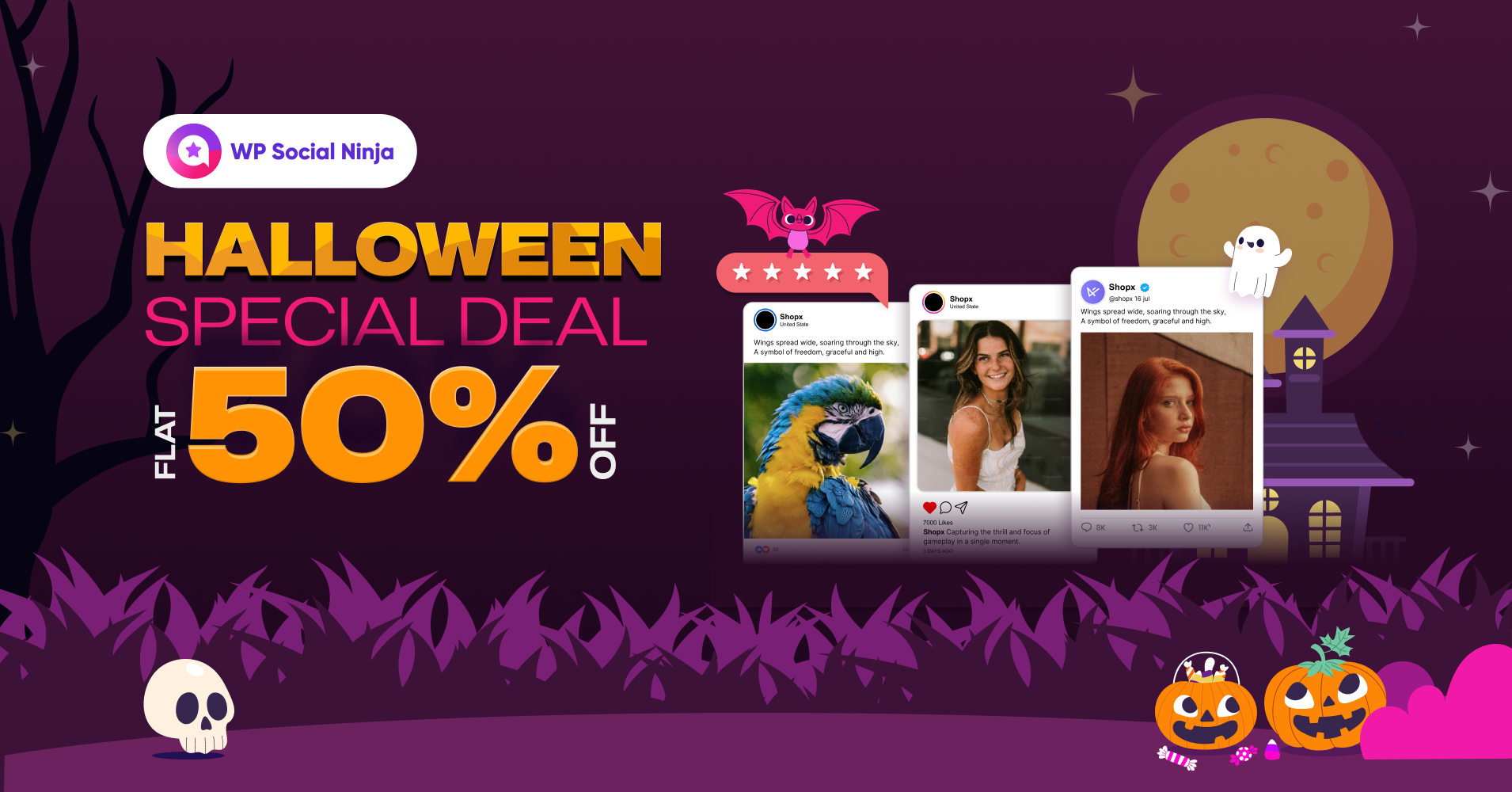
WP Social Ninja is a feature-rich WordPress social media plugin. It turns your website into a social hub with 30+ platforms. Easily, you can display content from 4+ social feeds, like Facebook, Instagram, and others.
You can embed business reviews from Google, WooCommerce, and eight other platforms. Moreover, testimonials, notification popups, and chat widgets from 15+ platforms will also engage visitors.
Get a flat 50% discount on WP Social Ninja.
AzonPress

AzonPress is the best WordPress affiliate marketing plugin. Create your product comparison tables with different layouts, cloak your affiliate links, and showcase single products with built-in Gutenberg widgets.
Also, AzonPress offers you NO API affiliate marketing. That means you can create custom product tables without any API restrictions. Nothing can stop your revenue with AzonPress.
Get up to 40% discount on AzonPress.
Marketing and Essentials
Schema Pro
SEO is an important aspect of any website. One way to improve SEO is by adding schema markup, which is simply structured data that lets search engines know what your website is all about. It also increases the chances of an attractive rich snippet being displayed on search engine results pages.
Schema Pro is an advanced and easy-to-use schema markup plugin that helps you add different schema types on your website automatically. Use it and you can improve your SEO dramatically.
You can add schema types like:
- Reviews
- Local business
- Product
- Service
- Recipe
- Article
- Course
- Person
- Job postings
- Software application
- Book
- Event
- Video object
- FAQ
All you have to do is select the schema type you wish to add, pick the pages you want to apply it to, and you’re all set. It really is that easy!
Discount: Up to 20% off
Promo Code: Auto Applied
Validity: 28 Oct to 1 Nov 2024
Ultimate Addons for Elementor

Are you an Elementor user? You definitely want to get Ultimate Addons for Elementor. It comes with 40+ widgets and 200+ section blocks that you can use to create your WordPress posts and pages. Plus, you get over 100 full-website templates to speed up the process of creating a site.
Everything is drag-and-drop, making it super easy to create incredible looking pages. You can even copy designs from one site to another. Best of all, the plugin’s code is optimized for high performance, making your site run lightning fast.
Discount: Up to 40% off
Promo Code: Auto Applied
Validity: 28 Oct to 1 Nov 2024
Ultimate Addons for Beaver Builder

The Ultimate Addons for Beaver Builder is an awesome Beaver Builder addon that you should definitely use. It comes with 65+ creative modules that let you quickly create pages and posts with Beaver Builder.
This addon gives you a host of modules like business reviews, hotspot tour, table of contents, form stylers, and dozens of others. If you want to improve your productivity using Beaver Builder, you definitely need this addon!
You also get a variety of page and section templates that you can import and use to build websites quickly!
Discount: Up to 40% off
Promo Code: Auto Applied
Validity: 28 Oct to 1 Nov 2024
CartFlows
CartFlows is a simple, effective way of building powerful sales funnels using your favorite page builder. It helps optimize the checkout process with WooCommerce, leading to more conversions and more revenue.
The plugin provides professionally designed sales funnel templates that you can set up in a few minutes.
It also comes with advanced and useful options like:
- Order bumps
- One-click upsells
- Frictionless checkout
- Conversion tested checkout
- Unlimited upsells and downsells
CartFlows is a must-have sales funnel plugin for WordPress to boost your revenue!
Get up to 35% off on CartFlows.
Discount: Up to 35% off
Promo Code: Auto Applied
Validity: 28 Oct to 1 Nov 2024
FlexSync

FlexSync is your go-to solution for seamless WooCommerce stock management. Effortlessly sync and manage your WooCommerce inventory from the comfort of Google Sheets.
FlexSync Ultimate comes with unlimited 2-way stock sync, unlimited product addition, bulk editing WooCommerce, custom fields support, and a whole lot more. The best part is it comes with 24/7 customer support to answer your queries.
Get up to 80% discount on FlexSync.
FormyChat

FormyChat is the ultimate WhatsApp notification plugin for WordPress. It sends contact form leads directly to your WhatsApp account and helps you continue the conversation from anywhere. Leverage the full potential of customer support with FormyChat’s stunning floating widgets, welcome popups, and powerful integration with Contact Form 7.
Upgrade to FormyChat Ultimate to access features like unlimited widget creation, custom floating icons, unlimited contact form customization, stunning welcome popup templates, unlimited leads access, 24-7 support, and a lot more!
Get up to 45% discount on FormyChat.
EchoRewards

EchoRewards is a powerful referral plugin for WooCommerce. It seamlessly integrates the concept of double-sided referral in WordPress and provides incentives to both parties. With automated unlimited referral coupon generation, a referral tab on WooCommerce, and social sharing, it’s packed with features dedicated to making your referral program successful.
Upgrade to EchoRewards Pro to get unlimited referral program customization, floating referral widgets, Gutenberg and Elementor widgets, reward email customization, funnel integration, analytics, and more.
Get up to 45% discount on EchoRewards.
Easy Video Reviews
Easy Video Reviews lets you effortlessly collect text and video reviews in WordPress. With 1-click recording, video preview, embedding testimonials with shortcode, drag and drop video uploader, custom form builder, and social sharing – Easy Video Reviews provides you with every video testimonials feature in one place.
Upgrade to Easy Video Revies Premium to get unlimited text and video testimonials, a wall of love, integration with WooCommerce and Easy Digital Downloads, 24-7 support, and more.
Get up to 50% discount on Easy Video Reviews.
DiviFlash

DiviFlash is an advanced Divi plugin packed with 60+ custom modules, 15+ powerful extensions, 40+ pre-made website layouts, and 800+ ready-to-use sections. Supercharge your website design with features like the Popup Maker, Mega Menu Builder, 1-Click Layout Importer, Custom Post Types, and WooCommerce support, plus much more. Trusted by over 100K users, DiviFlash delivers regular updates, exceptional performance, and dedicated support, ensuring an unbeatable website-building experience.
Get up to 35% discount on DiviFlash.
Don’t Miss Out This Halloween!
Halloween only comes once a year, so don’t miss out on your opportunity to get some serious discounts on web hosting, marketing tools, themes, and other useful goodies for your WordPress website!
Not sure which deal you should take? Feel free to ask any questions in the comments below.
Read more at Convert Pro
]]>Done right, email is cost-effective and offers a targeted approach to building a loyal audience.
It’s also measurable so you can assess how well each email performs and refine them as you go.
Of all the marketing options available to you, email is the easiest to get into and offers the highest potential for engagement and profit.
That’s why it’s so popular!
Launching the first email marketing campaign for your online business can seem intimidating at first but we’re here to help.
If you’re looking for tips on how to grow your brand with eCommerce email marketing, you’ve come to the right place!
In this article, we will look closely at nine proven email marketing strategies that can help you grow your eCommerce business.
- Why is email marketing so important in eCommerce?
- Email marketing ideas for eCommerce
- 1. Establish a strong email eCommerce marketing strategy
- 2. Grow your email list
- 3. Create attractive email newsletters
- 4. Send targeted emails to specific customers
- 5. Use social media to promote email campaigns
- 6. Ask for customer reviews
- 7. Experiment with different types of content
- 8. Test and track your email marketing campaigns
- 9. Continually improve your email marketing campaigns
- Conclusion
Why is email marketing so important in eCommerce?
Email is an effective way to communicate and engage with your audience. It’s cheap, easy to do and can be largely automated.
It can also be personal, adding that essential element that helps create profitable relationships.
Here are the most common types of eCommerce email marketing:
- Transactional emails. Includes information such as product order confirmations, payment receipts, and shipment details. With Magento 2 email templates, these transactional emails can be customized and automated, ensuring they are sent automatically to eCommerce customers, whether they’re on your mailing list or not.
- Promotional emails. Businesses use this type of email to promote special offers like a Black Friday sale, to increase click-through rates (CTRs) and convert qualified leads.
- Re-engagement emails. Often called lifecycle emails, this type of email asks buyers to perform a specific action based on their last activity. For example, abandoned cart emails remind people to complete a purchase.
There are a number of tangible benefits to having an effective eCommerce email marketing strategy:
- Nurturing leads. Email marketing can be very effective at lead generation. It lets you send targeted messages to specific segments based on interests, demographics and user behaviors.
- Retargeting inactive customers. eCommerce email marketing helps re-engage customers who haven’t been interacting with your products or services. With better customer segmentation, you can send lifecycle emails that encourage shoppers to take relevant action.
- Upselling and cross-selling products. You can use transactional emails to incorporate upselling and cross-selling strategies. For instance, include a digital catalog with related product suggestions in order confirmation emails based on customers’ preference data.
- Increasing sales. Email marketing enables you to send special offers and relevant product information while encouraging customers to purchase.
- Improving brand reputation. An eCommerce email marketing strategy helps establish a good reputation through consistent branding efforts.
- Easier tracking. Automate email marketing and track your campaigns using analytics tools like BigQuery, Power BI, Tableau, etc. With automated data aggregation and streamlined analytics using BigQuery connectors like Windsor.ai, you can seamlessly consolidate data from multiple email marketing sources, gain deeper insights, and optimize your content based on real-time performance metrics. This helps you measure marketing performance and learn what type of email content resonates with your audience.
Email marketing ideas for eCommerce
Email marketing is one of the most effective channels to engage with existing customers, reach new prospects, and build a positive brand image.
By integrating white label marketing services, businesses can elevate their email campaigns with tailored strategies and top-notch designs, all while maintaining their own brand identity. This seamless enhancement not only conserves time and resources but also delivers a cohesive and superior customer experience, leading to higher engagement and improved results.
White label services provide the expertise and innovation needed to stay ahead in a competitive market, ensuring that every email sent reflects the brand’s commitment to quality and customer satisfaction.
To help you avoid common email marketing mistakes, let’s discuss nine proven ways to grow your eCommerce brand using email marketing.
1. Establish a strong email eCommerce marketing strategy
Creating a solid eCommerce email marketing strategy helps align emails with your business objectives and communicate your brand’s value proposition.
Do it right and you’ll create solid customer relationships and better sales opportunities. Both can result in extra profit!
That all sounds very formal, but a strategy helps you plan what you’re going to be doing, what emails you need to do and how you’ll send them.
To start email marketing, use a reliable business email service from providers like Hostinger.
Business email is a step up from standard and affordable VPS hosting and has the reliability to deliver every email on time, every time. They are also less likely to be blacklisted by spam platforms.
You can be notified every time an email is opened.
Some providers also let you use custom email templates so you don’t even have to design your emails.
Once your business email account is set up, plan your email campaigns by following these steps:
Research your target audience
Define a specific target audience based on your niche and products. If you already have a defined target audience, use what you know about them to direct your strategy towards converting them.
If you want to experiment with new audience groups, utilize tools like Google Trends. It enables you to analyze and compare keywords to determine what people are searching for.
If you have yet to define who your target audience is, tools like Google Analytics and Semrush are excellent for collecting demographic data such as age, gender, location, behaviors, and interests.
These tools are also useful for assessing competitors’ performance.
Create customer segmentation
Once you have enough data on the target audience, categorize them into segments to create more personalized messages for each group.
Let’s say your email campaign aims to increase sales from existing customer groups. You can divide them into sub-groups, like active users and inactive users or frequent customers and infrequent customers.
This helps you improve the effectiveness of your email marketing strategy by enabling you to create emails specifically for each reader.
Define measurable goals
Set specific indicators to stay on track with your business objectives and evaluate the success of your campaign.
Let’s use the earlier example for the email marketing goal – to increase sales from existing customer groups.
The next step is to define how you will measure the goal for this campaign period – for example, by percentage growth or the total number of sales.
SMART goals can be useful to create measurable objectives for your email campaigns.
Visualize your email campaign
We eat and we buy with our eyes. That means any email you send has to be visually appealing.
Your first priority is to ensure your email templates fit your brand. Second, they should include a clear structure so a reader can easily see what’s inside and follow the story.
You could also sweeten the deal by offering time-sensitive discounts to create a sense of urgency.
The main aim is to personalize your emails so they speak directly to the segment you’re targeting. Design plays an important role in that.
Allocate time to craft the right messaging
Once you have the email template and creative visuals ready, it’s time to write the email content.
Aside from building a trustworthy brand, the aim of email marketing is to generate sales for your eCommerce business.
For that, write catchy copy encouraging readers to take action, like pre-order a product or sign up for a newsletter.
If you don’t have that kind of skill, we recommend hiring a freelancer or copywriter that does.
Any investment here could be repaid many times over with compelling email copy!

2. Grow your email list
An email list contains the names and contact details of prospects and customers who want to receive communications from a business.
Growing this list is essential for communicating with existing customers and getting new email subscribers. The larger your list, the wider the potential pool of customers.
Collecting email addresses from high-quality prospects and other sources is important.
They are the ones genuinely interested in your products and services, shown by how regularly they interact with your brand across various channels.
Without targeting quality leads, you’ll end up sending emails to low-quality prospects who won’t open them and take the desired action. This results in low CTRs and conversions, which is a waste of time and resources.
To gather relevant email and contact information:
- Add a subscription form to your website. This helps gather new leads for your mailing list. Create a subscription form with Convert Pro where users can fill in their name, contact information, and content preferences.
- Offer a chatbot on your website. A chatbot can initiate engaging conversations with website visitors. Through these conversations, chatbots can gather information such as email addresses and other relevant contact details to grow your email list.
- Use email marketing services. Email marketing automation tools like Mailchimp enable you to create pop-up and embedded forms with appealing visuals
- Create a landing page. A separate page dedicated to email subscription can give visitors a smoother user experience. Check out these landing page templates for inspiration.
- Include a call to action (CTA) in your email. Adding a clear and personalized CTA in your email encourages readers to perform a specific action in one click. Research suggests that the average CTR of email calls to action is 4.23%, higher than the average for Google Ads.
- Utilize paid ads for lead generation campaigns. You can create a Google Ads Search campaign and set a lead generation goal. The ads will appear for relevant queries, helping drive more visitors to fill in the subscription form on your website.
- Send a welcome email to new customers. A welcome email helps new customers learn more about your products and services. It’s also a great way to start building brand loyalty and set the tone for your future relationship.
3. Create attractive email newsletters
Newsletters are emails periodically sent to your subscriber list. Businesses often use them to provide the latest updates about their company and products. They might also include creative email newsletter ideas to promote events, newly published articles, or engage subscribers uniquely.
You can do the same.

While newsletters can touch on multiple topics, this email marketing strategy aims to increase user engagement.
So, consider the type of content customers want to read and how your products and services can add value.
Here are some ideas to help create an effective eCommerce newsletter:
- Use email marketing software. Having the right tool lets you easily create professional-looking newsletters. For example, AI-based software like Sendinblue has an analytics feature that helps with performance tracking.
- Prepare segmented newsletter email lists. Ensure the people on your list have consented to receive email newsletters. Ideally, you should use double opt-in, meaning that people confirm their subscription in a separate email after signing up through a form.
- Design an email newsletter that converts. Start by creating an email subject line that grabs readers’ attention. Then, include your brand logo design, high-quality photos, engaging copy, and a CTA button. Also, pay attention to the content structure and place the most important elements above the fold. Ensure e-commerce image optimization to improve loading times and visual appeal, enhancing the overall user experience.
- Monetize your email newsletter. There are ways to make money through email newsletter subscriptions, such as via paid memberships, affiliate marketing and digital products like eBooks.
- Attract newsletter subscribers. Use lead magnets and teaser content on your eCommerce website and in order confirmation emails to attract more newsletter subscribers.
- Launch your email newsletter campaign. Preview the newsletter to check for errors before scheduling and sending your email campaign. Send the email at the best time for a higher open rate.
- Track your email newsletter metrics. Measure your email newsletter performance to determine what works and what needs improvement. Important email marketing metrics include conversion rate, bounce rate, CTR, and open rate.
To help you brainstorm ideas for creating excellent newsletters, learn how to create email newsletters that convert.
4. Send targeted emails to specific customers
Targeted email marketing can help reach audience segments with a tailored message based on particular interests and characteristics like demographics and behaviors.
This is an effective way to increase conversion rates as it feels more personal and contents are more relevant.
By understanding which type of customer suits your products, you’ll know how to provide them with the information and solutions they need.
With relevant content, the more likely they will interact with your email.
Designing a custom email for specific customers will also make them feel valued, enhancing trust in your brand.
Utilize analytics tools to gather relevant information about your target audience. As mentioned earlier, using email marketing software to incorporate the findings into your email campaigns can really help.
Typically, most email marketing tools also include a built-in A/B testing feature to measure the effectiveness of your content. That way, you can compare two versions of an email to determine which works best for conversions.
Some email marketing tools also offer a customer relationship management (CRM) feature to organize and store audience data.
5. Use social media to promote email campaigns
Social media platforms are great avenues to extend your eCommerce email marketing strategy.
Although email marketing and social media work differently, you can integrate the two channels to gain more information about potential customers.
You can also embed Instagram feed on your website to showcase real-time social proof, driving engagement while boosting your brand’s online presence.
For instance, once you conduct A/B testing on the copy of your automated emails, apply the best-performing one on your social media ads. This way, you can align the message on both channels.
Also, consider promoting your email marketing landing page on your company’s social media profiles, like Instagram and LinkedIn. You will especially like the latter as there are a lot of automation tools on LinkedIn that can save you time. Tools like Carousify can help you create engaging carousel posts to showcase your content professionally. Just remember to choose the right platforms based on your target audience.
Another strategy is to use paid ads, such as Twitter ads. Twitter is an excellent platform for building a customer base through word-of-mouth promotion.
A Facebook widget is also a helpful tool that’s a great way to keep your visitors informed, grow your online presence, and connect with more people through social media.
Many email marketing tools and CRM software can help your online business gather customer data across platforms and store them in a database.
This offers an easier way to generate useful insights and track your email campaigns.
That may seem like overkill in the beginning but you never know how much you’ll grow!
6. Ask for customer reviews
Customer reviews help your business and potential buyers learn how paying customers feel about your product or service.
Research shows that 45% of consumers are more likely to visit a business that responds to negative reviews.
Moreover, 84% of millennials don’t trust traditional advertising and 98% of consumers find online reviews an essential factor when making purchasing decisions.
An excellent way to gather testimonials is through email marketing. Include a customer feedback form or short survey in your marketing emails, website, and social media pages.
That way, you can gather plenty of feedback from existing consumers.
If you use a clear CTA in emails for customers to leave a review and rating on your site, they are much more likely to use them.
People will get to see that your brand genuinely listens to customer feedback to personalize experiences. Once you acquire a lot of positive testimonials, you can use them as social proof on your website and elsewhere to help increase conversion.
7. Experiment with different types of content
Knowing which content appeals to different subscriber segments is crucial in email marketing.
We recommend trialing different types of content to see which ones generate the most user interactions.
Weekly blogs, infographics, webinars, and article recommendations are great options to engage with the audience.
Pay attention to the visual elements you’re using. Compelling images can help your brand communicate marketing messages more effectively. For instance, animated images may draw readers’ attention better.
Embedding videos in emails is another excellent way to increase your content’s attractiveness. Your brand can benefit from video email marketing to deliver information about new initiatives and products.
Company introduction videos, news and events highlight videos, product demonstration videos, customer testimonial videos, and educational videos are excellent content ideas for your email marketing strategy.
In fact, 84% of consumers have been convinced to purchase after watching a brand’s video!
Here are some other advantages of embedding videos in emails:
- Videos are more engaging and help deliver valuable information to users.
- Videos are easier to understand when showcasing the value of your products and services.
- Customers can better sense your brand personality through videos, strengthening your company image.
FlexClip , a versatile online video editor, can be a valuable tool in creating compelling video content for your email marketing campaigns.
Take a look at the example below from the coffee company Jot.
Along with an eye-catching heading, it uses a high-quality video to showcase the product’s benefits.

8. Test and track your email marketing campaigns
Testing and measuring your campaign performance can unlock useful insights. Fortunately, most email marketing tools offer the ability to A/B test and track emails.
Testing helps you see how subscribers interact with your email campaigns. You can use what you find to steadily improve the email structure, copy and calls to action until you have a template you know performs well for your particular audience.
Here are some important elements to test when creating an effective email strategy:
- Subject line. Compare shorter and longer subject lines to see which one works better. You can also try a different tone of voice to identify the one your subscribers engage with most.
- Content. Experiment with content types and lengths and send them to different customer segments. Measure which type performs best and use that in future mails.
- Call to action. Use bold CTA designs to drive action. Try different colors and fonts to make them stand out.
- Delivery time. Try sending your marketing emails on different days and times to determine when the open rate and CTR are the highest.
In addition, assess your campaigns periodically. You can make a weekly or monthly tracking schedule to see whether the email marketing metrics meet your objectives.
We recommend gathering data on the following:
- Open rate. This metric shows the percentage of recipients who open your email.
- CTR. It measures how many subscribers clicked on links provided in your email.
- Conversion rate. This metric shows the percentage of people who clicked on a link in an email and performed the desired action, such as purchasing a product.
- Bounce rate. Use this metric to discover the percentage of unsuccessful email deliveries.
- Email sharing rate. This metric shows how many recipients clicked on the social share or forward button within an email.
- Spam score. Measures how many people mark your emails as spam. A high spam score indicates your audience is uninterested in receiving your offers.
- Unsubscribe rate. Businesses use this metric to measure the percentage of users who unsubscribe after opening an email.
9. Continually improve your email marketing campaigns
Once you analyze what’s working and what isn’t by testing and tracking, use those insights to enhance your email marketing efforts.
While tools can help you with automation and analytics, you will need to incorporate the data into personalized content that appeals to customers.
Go through your existing email marketing strategies by defining objectives, checking your mail list segmentation, and planning content. Then, keep measuring performance and refining your emails depending on what you find.
Conclusion
An email marketing strategy enables eCommerce businesses to communicate their brand message and send product offers through promotional content. It also helps retain customers, as well as gain new subscribers.
To help you plan the best email marketing strategy for your online store, here are nine methods you can try:
- Create a solid email marketing strategy.
- Build segmented mailing lists.
- Provide subscribers with engaging newsletters.
- Send targeted marketing emails based on the type of subscriber.
- Promote your email campaigns on multiple social media channels.
- Ask customers to give feedback for your eCommerce store.
- Try different kinds of content in your email.
- Conduct tests and regular performance tracking to measure email marketing success.
- Keep improving your campaign performance.
We hope this article helps you better plan your eCommerce email marketing campaigns. Good luck growing your brand online!
Read more at Convert Pro
]]>In this post, we have curated a list of special Christmas and New Year deals just for you.
Christmas discounts are one of the largest in a year compared to any other time. It is the perfect time to buy.
If you want to generate leads for your business, check out Convert Pro. It is an excellent plugin that helps you benefit from every web page that you create on your website. And, of course, we have some massive discounts on Convert Pro to celebrate the Holiday!
What’s more, the deals we list down here are not limited to Convert Pro but across all Brainstorm Force products.
You can save up to 50% Off on these deals!
Christmas Deals for WordPress Enthusiasts
Convert Pro (Save Up To 40% Off)

Convert Pro helps you generate qualified leads from your website. This power-packed plugin enables you to convert your visitors into subscribers and leads. It includes valuable features like exit-intent popups, A/B testing, cart abandonment prevention, custom triggers, and other conversion tools.
If you want to increase your website’s conversion rate, Convert Pro is the plugin to use. With Convert Pro, we have made sure that you get the highest conversion possible from all your traffic sources!
- Discount: Up to 40% Off
- Coupon code: Auto-applied
- Validity: 2 Jan – 12 Jan
Astra Theme (Save Up To 40% Off)

Astra is the most downloaded multipurpose theme for WordPress. We have over a million happy and active users and that number is growing every day.
We have made Astra lightweight and SEO-friendly. It integrates well with any page builder or block editor. You can create websites in any niche using Astra!
With Astra Pro, we have taken performance to the next level. Astra Pro unlocks cool features like custom layouts, multiple headers, and flexible footer designs. It helps you get complete control over the look and feel of your website.
- Discount: Save up to 40% Off
- Coupon code: Auto-applied
- Validity: 2 Jan – 12 Jan
Ultimate Addons for Elementor (Save Up To 40% Off)
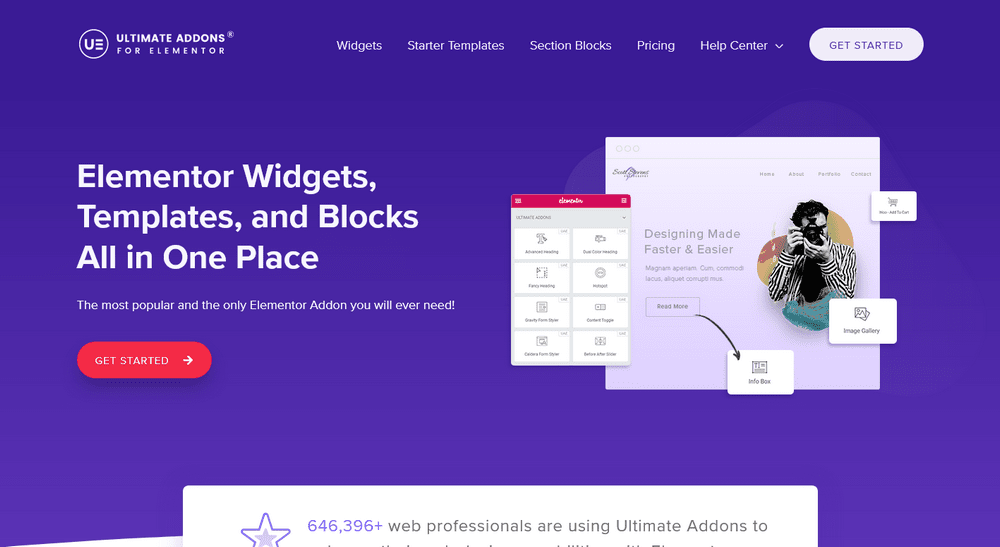
Do you love using Elementor? Well, the Ultimate Addons for Elementor (UAE) takes its functionality to the next level. It adds 40+ widgets and extensions to your existing Elementor version, 100+ website templates, and more than 200 sections.
It comes with a highly customizable workflow and the one-click import option helps save you a ton of time while designing your website.
- Discount: Up to 40% Off
- Coupon code: Auto-applied
- Validity: 2 Jan – 12 Jan
Ultimate Addons for Beaver Builder (Save Up To 40% Off)

The Ultimate Addons for Beaver Builder (UAB) adds 50+ module presets to the Beaver Builder. It also comes with 60+ unique modules and a massive library of 300+ row and page templates.
It is lightweight, supports multi-site websites, and works with both free and premium Beaver Builder versions.
- Discount: Up to 40% Off
- Coupon code: Auto-applied
- Validity: 2 Jan – 12 Jan
Schema Pro (Save Up To 40% Off)

Schema Pro is a powerful SEO plugin that helps you implement proper schema markup on web pages. You don’t need to be tech-savvy to implement schema as Schema Pro does it for you.
Schema markup helps search engines understand the content of your website. It helps display your posts with rich results in the search engine results pages. All you need is to map the right schema type, and it takes care of the entire website in no time!
- Discount: Up to 40% Off
- Coupon code: Auto-applied
- Validity: 2 Jan – 12 Jan
WP Portfolio (Save Up To 40% Off)

WP Portfolio is a powerful portfolio plugin for WordPress that supports images, video, audio and web designs. Showcase your work quickly and easily with beautiful premade portfolio templates or build your own with your favorite page builder. It’s all possible with WP Portfolio!
WP Portfolio is fully responsive, supports all browsers and devices, supports shortcodes and can display your work in a range of attractive ways.
- Discount: Up to 40% Off
- Coupon code: Auto-applied
- Validity: 2 Jan – 12 Jan
CartFlows (Save Up To 50% Off)

CartFlows lets you build your own sales funnels with WordPress. Thanks to this incredible plugin, you don’t have to invest in expensive tools to help increase sales. It is highly efficient and comes with multiple templates that are designed to bring more conversions with minimal effort.
CartFlows includes everything that a sales funnel builder needs. It includes order bumps, one-time offers for upselling, down selling, cross-selling, and many more. You can integrate CartFlows with all popular page builders.
- Discount: Save up to 50% Off
- Coupon code: Auto-applied
- Validity: 2 Jan – 12 Jan
SureFeedback (Save Up To 40% Off)

If you are a web developer or designer, SureFeedback is going to be a lifesaver. It lets clients leave sticky-note style feedback on your websites, making managing projects simple. It works so well, you’ll wonder how you got feedback before!
Thanks to SureFeedback , you don’t need to schedule meetings all the time to take feedback on the design. It’s all done on screen, in real time.
- Discount: Up to 40% Off
- Coupon code: Auto-applied
- Validity: 2 Jan – 12 Jan
Presto Player (Save Up To 40% Off)

Presto Player is the best way to embed videos on your WordPress site. It’s fast and easy, with a better user experience than normal embeds! Whether you’re looking for an online learning management system or want to generate leads for your business, this player can do it all.
The pro version of the Presto Player comes with advanced features like email integration, muted autoplay, branding logo, powerful analytics dashboard, and more.
- Discount: Save up to 40% Off
- Coupon code: Auto-applied
- Validity: 2 Jan – 12 Jan
What’s on Your Christmas Wish List?
If you’ve been looking for the best WordPress deals, look no further. Here we have compiled all of our favorite plugins and themes to help optimize your website for better performance.
Our Christmas deals are set to go live on the 2nd of January, 2023, and are valid only till the 12th of January, 2023.
That’s not long, so don’t delay!
We hope these recommendations can help you find just what it is that you need. Let us know in the comments which one of these is your favorite.
Read more at Convert Pro
]]>However, did you know that you can embed videos directly into your email messages?
This can be a great way to grab attention and engage your audience. In this blog post, we will discuss the benefits of video email marketing and the types of videos that can be used.
By the end of this article, you will learn how to embed videos in email messages and get some ideas for using video in marketing campaigns.
The basics of video email marketing
Video email marketing is a type of marketing that involves embedding a video in an email message.
Videos can be used to announce a new product, provide further information about a campaign, or simply engage your audience.
It’s 2022 and video email marketing is still going strong. In fact, it may be more popular than ever!
While producing videos can be effort-intensive, the benefits make it worthwhile. You can always use a free project management software to help manage your team’s workflow efficiently.

But why is that happening?
Video is a powerful way to communicate with your audience, which makes video email marketing an important tool for any business.
Studies show that including a video in your email can increase click-through rates by 65% and boost open rates by 19%. Adding the word “video” in the subject line gives an additional open-rate boost of 6%.
All of these numbers mean basically the same.
Video is an incredibly effective medium for getting your message across, be it a sale announcement, product showcase, or company news.
The benefits of video email marketing
Let’s dig deeper into why sometimes videos are a must in your newsletter campaigns.
Videos are more personal and engaging
The text is great, but it can be dry and boring. Videos are more personal and engaging and can convey emotion in a way that text cannot.
You can use video to show off your personality, build relationships with your customers, and engagingly provide valuable information.
Emails containing videos are also more likely to get noticed than traditional text-based ones.
In today’s busy world, people would rather watch a short video than read through a long email.
This mainly concerns product presentations – 69% of people prefer video over a thorough text description.
Videos humanize your brand
When customers feel like they have a personal relationship with your brand, they are much more likely to continue doing business with you.
Video email marketing humanizes your brand by giving customers a face and voice to associate with your company. This personal touch can make a big difference in customer loyalty and satisfaction.
Videos allow you to connect with your customers on a deeper level. You can use video to tell stories, share testimonials or even just show off your products in a more personal way.
Videos are great for explaining complex concepts or products
Most people are visual learners, so embedding a video in your email can be a great way to better explain complex things.
Videos can also be used to show off your product or service in action, which can be especially helpful for potential customers who are on the fence about buying.
This is especially true for explainer videos.
They are designed to educate your audience about your product or service in a way that is easy to understand and digest.
Studies have shown that after watching an explainer video, audiences can retain up to 95% of the information presented to them.
Videos drive conversions and increase sales
But only when done right. By providing additional information via video, you can give potential customers the push they need to make a purchasing decision.
According to a recent study, videos drive conversions and increase sales. In fact, 84% of consumers say they are more likely to buy a product after watching a video about it.
Videos help you stand out from the competition
When your videos have style and reflect your brand’s personality, you’ll be able to connect with your target audience more effectively.
And when your video style is consistent, your audience will begin to recognize and trust your brand.
If you put in the time and effort to create quality, on-brand videos, you’ll be sure to stand out from the competition. And who knows – you might even become a viral sensation!
‘Want to level up your marketing emails? Don’t forget to include your business logo with every email you send. If you don’t already have one, get one.
Hire a freelancer, use a logo maker, or try a logo maker app to design one yourself. Your logo is your identity and makes a huge difference to how people perceive your emails!
Types of videos you can use in email marketing campaigns
Now that we know why you absolutely should use videos in your campaigns, let’s explore the different types of branded videos that work great in email marketing.
Introductory videos
An introductory video is a great way to pave the way for your brand or product to your audience. Think of it as an elevator pitch that you can deliver right to their inbox.
This type of video is perfect for new subscribers who might not be familiar with your brand yet.
Introductory videos should be short (around one minute) and focus on the key benefits of your product or service.
You can also include a call to action at the end of the video, encouraging viewers to learn more about your brand.
Product demonstration videos
If you’re selling a physical product, then a product demonstration video is a must in your email marketing campaigns.
This type of video allows you to show off your product in all its glory.
Ahrefs, known for its SEO and backlink monitoring tool, regularly shares software updates with its users. When a new feature is released, you get a quick video guide on how to use it.

Product demonstration videos should be around two minutes long and give a detailed overview of the product.
Be sure to include close-ups and different angles so that viewers can get a good look at the product.
Customer testimonial videos
A customer testimonial video is a great way to show potential customers that your product or service is worth their time and money, and a brilliant example of customer satisfaction towards your brand. The positive experiences of others can significantly contribute to customers’ satisfaction with the product or service.
These videos can be short (around one minute) or long (up to three minutes), depending on the story you want to tell.
When filming customer testimonial videos, be sure to focus on the emotion of the story. The more relatable and emotional the story is, the more likely it is to resonate with viewers.
How-to videos
These videos are a great way to teach your audience how to use your product or service. Their length can vary depending on the complexity of the task at hand.
In a monthly digest, Movavi, a multimedia software developer, sends its subscribers a couple of the most popular video instructions encouraging them to use these tips in their following projects.

When filming a how-to video, be sure to use clear visuals and concise instructions.
You may even want to consider using screen capture software so that viewers can follow along with your steps.
Company news or events
People love to see behind-the-scenes footage, and it gives them a chance to get to know your company and its employees better.
Plus, it’s a great way to build up hype for upcoming products or events.
The organizers of RiminiWellness, an annual fitness event, are interested in keeping their participants.
To achieve that, they have a newsletter that reminds everyone how much fun they had the year before and encourages them to join the event next year.
Additionally, they incorporate a Social Wall where attendees can share their experiences, photos, and testimonials from the event, creating a vibrant community atmosphere and amplifying excitement for future gatherings.

When creating these videos, make sure to include a call-to-action, so viewers know how to stay up-to-date with your company.
Contest or giveaway announcements
Contests and giveaways are a great way to generate excitement and engagement. These videos can be used to promote contest rules and prizes, as well as announce the winner.
When creating a contest or giveaway announcement, be sure to include all the relevant information that viewers will need.
This includes the prize, how to enter, and when the contest ends. If you’re announcing a contest winner, be sure to congratulate them in your video.
This is a great way to show your audience that you appreciate their engagement.
A guide on how to email videos that convert
If you want to embed a video in your email marketing campaign, there are a few things you need to know.
Shoot the footage
This is where you’ll need to get creative. If you’re selling a physical product, show it in use. If you’re providing a service, explain what it is and how it benefits your customer.
Keep your video short and to the point – around one minute is ideal.
Add motion graphics or animation to your video
Once you have all your footage, it’s time to put it together into a cohesive video.
Use video editing software to cut out any unnecessary footage, add graphics, music, and a voice-over to make your video engaging and informative.
Save and upload
Not all email providers can handle video, so make sure to save your video in a format that is compatible with the most popular email and video hosting platforms.
YouTube and Vimeo are both great options for hosting videos. If you plan to use a lot of it, be mindful of storage on your computer and hosting platform as high-quality video takes up a lot of space.
How to send a video through email
The first method is linking to a video that’s hosted on YouTube, Vimeo, or your website.
To add a link to a video in your email, simply find the URL and insert it into your email just like you would any other hyperlink.
Be sure to use descriptive anchor text so that your recipients know what they’re clicking on.
For example, you might say “Watch our new commercial!” or “Learn more about our new product.”
Of course, you can also include a thumbnail image of the video in your email along with the link. This can help entice people to click on the link and watch the video.
You can even add a brief description of the video so that people know what they’re going to be watching.

This is the easiest way to add a video to your email, but it does have some drawbacks.
First, your recipients will need to click the link to go to another website to watch the video. This can be disruptive and may cause them to lose interest in your message. Additionally, if they’re viewing your email on a mobile device, they may not be able to watch the video at all.
Embed an HTML video
The second method is embedding an HTML video directly into your email. This requires a little more work upfront, but it has some significant advantages.
First, your recipients will be able to watch the video without leaving their inboxes. This helps to keep them engaged with your message.
Additionally, you can ensure that the video will be compatible with all email clients, so everyone will be able to see it regardless of how they’re viewing your email.
To embed a video in your email using HTML, you’ll first need to find the embed code for the video you want to share.
Once you have the code, you’ll need to insert it into your email using the HTML editor.
Embed a play button in an image
If you want to embed a video in your email but want to be more subtle than including a link, you can insert a play button in an image.
This is a great way to add a video to your email without making it too difficult for people to watch.
Simply insert the URL of the video into the image code and add a play button over the image. When people click on the image, the video will start playing.
This is how InVideo does it:

You can also use this method to embed video in signatures. Simply craft a signature with an image of your company logo design, and add the video URL underneath.
Then, when people click on your signature, they can watch your company’s latest video.
Use a GIF
You can also embed videos in emails by using a GIF. This is a great way to add short, looping videos to your email.
Simply upload the video to a GIF maker and then copy the embed code into your email. The recipient will be able to watch the video directly from their inbox.
Make sure you choose a high-quality video so that it looks good when it’s turned into a GIF.
You also want to make sure that the video is short enough that it won’t be too difficult for people to watch.
How to optimize your video emails for the best results
Now that you know how to create a video for your email marketing campaign, there are a few things you may do to improve it for the greatest impact.
Keep your videos short and to the point
The average attention span of an internet user is only a few seconds, so make sure your videos are short and sweet.
The best length for a video email is between 30 seconds and two minutes. Any longer and you risk losing your viewer’s attention.
Insert subtitles
Adding subtitles is a great way to engage more users and make your video more accessible to them. This is especially important if your video is longer than two minutes or uses complex language.
Subtitles also help viewers who are watching your videos without sound.
Think of a catchy title and thumbnail
Your video email should have a catchy title and thumbnail that will grab your viewer’s attention.
The title should be short and to the point, and the thumbnail should be an image from the video.

Alt: email subject line example
Use a clear and concise call to action
Your video email should have a clear call to action (CTA).
Tell your viewers what you want them to do, whether it’s visiting your website, subscribing to your newsletter, or taking advantage of a limited-time offer.
We recommend using an opt-in plugin to turn your video into an email capture tool. It’s a simple way to design and add an email opt-in form to your video so viewers can subscribe with just a few clicks.
Make sure your videos are mobile-friendly
More and more people are watching videos on their smartphones. Make sure your videos are formatted for small screens, relatively short, and subtitled.
Test, test, test
Before you send out your video email to your entire list, it’s important to test it first. Proofread the email and ask for feedback on the video.
This will help you catch any technical issues or typos before you hit “Send.”
Conclusion
Adding video to your email marketing campaign is a great way to engage your audience and get more people to convert.
Keep your videos short, sweet, and to the point, and make sure you include a clear call to action.
With these tips, you can create video emails that will wow your subscribers and help you achieve your business goals.
Do you have any tips for creating great video emails? Share them in the comments below!
Author bio: Victoria is a content manager at Movavi. She specializes in researching complex topics of marketing, social media, and blogging to make them easy to understand for other people.
Read more at Convert Pro
]]>However, many newbie email marketers (and even experienced professionals) make mistakes that negatively affect their reputation and clients’ advertising budgets. It happens by accident, out of haste or ignorance and can easily be avoided.
Today we’ll share 15 common email marketing mistakes to avoid at all costs.
All designed to help you quickly adjust your marketing strategy and increase your company’s sales.
- 15 common email marketing mistakes
- Making mistakes in the subject line
- No email preview
- Not using personalization
- Not using a profile picture on email ID
- Not using the “unsubscribe” link for an easy opt-out
- Not leaving any opportunity to reply and ask questions
- Ignoring obvious spelling and grammar errors
- Writing sales-oriented emails or using too many links
- Misleading headlines
- Using lots of graphics and stock photos
- Sending too many emails
- Neglecting the mobile version
- Not keeping track of email campaigns
- Trying to engage uninterested users
- Using incorrect calls to action
- Every marketer should ask themselves these questions
15 common email marketing mistakes
Using experience to avoid repeating mistakes is a part of the email marketer’s life. We have compiled 15 email mistakes that most marketers make so you don’t have to make the same ones we have.
All of them are equally important when creating your emails.
Use our experience to avoid making these common email mistakes as they can directly influence the success of your email marketing campaigns.
Making mistakes in the subject line
People get tons of emails. A workday is just not long enough to read every one of them in detail.
Most recipients just scan the Subject lines for a few microseconds and then decide whether to open the email.
What should be in the subject line to make a user read it?
The most successful subject lines meet several criteria:
- They provide value immediately. We mean value for the recipient, not for the sender. Imagine you’re an article writer, and you’re writing to the editor with a proposal for collaboration. Compare “I suggest topics for your blog” and “I’m an aspiring author, I really want to collaborate with you.” The second subject line is better.
- They are short, clear, and to the point. Such subject lines focus on the subject matter and show the primary purpose of the email.
- They sound professional, not sensational. Examples of bad subject lines are “Lose 20 pounds in two weeks!” or “Make a six-figure income in 30 days!!!”. Examples of great subject lines are “Check out how to lose 20 pounds” and “Get a plan on how to increase your income”.
- They are personalized. Addressing the user by name always pleases the eye and caresses the ear. And, of course, the email should be sent only to one recipient, not hundreds in a mass mailing.
The bad subject line is the first obstacle to successful email marketing. But now you know how to avoid it.
No email preview

Alt: example of email preview
Most email programs have a preview function that briefly introduces readers to the email’s subject. It’s like a TL:DR in an article: users want to know what the text is about before reading it.
Just as the subject line should grab the reader’s interest immediately, the preview will let the recipient know if they want to read further.
Remember the rule: the first line of any email should be the most exciting. It’s a guarantee that your message will be read.
Not using personalization

Alt: example of email personalization
A commitment to personalization is a trait that promotes your brand as caring about the customer.
According to GetResponse research, personalized headlines have an open rate of 24%, while standard emails have an open rate of 21%.
A personalized email body yields a 3.89% CTR compared to 3.29% click-throughs from non-personalized emails.
While that doesn’t sound like much, if you’re sending thousands of emails in a campaign, those numbers can make a big difference!
Not using a profile picture on email ID

Alt: example of profile picture on email ID
Almost all email providers have the option of adding a profile picture as you would in social media.
The profile picture on the email ID offers several benefits:
- Increased trust and rapport
- Recognition from the first seconds
- Visual association
- Creates a human connection to the person behind the emails
Your profile picture on your email ID should:
- Be clear, not blurry
- Be straightforward and visually striking
- Have a correct aspect ratio for the platform’s format
- Meet or exceed the platform’s minimum image size requirements.
Never underestimate the human touch. When most of our lives are run by bots, machines and automated systems, knowing there’s a real person on the other side of the email can make a massive difference!
Not using the “unsubscribe” link for an easy opt-out

Alt: example of the unsubscribe link in email
All marketing emails should provide recipients with an unsubscribe link. This ensures that your email list contains only people interested in your product or services and you don’t waste time on the wrong people.
Providing an unsubscribe link allows them to remove themselves from your list quickly and easily.
While nobody wants to encourage people to leave, we also only want people on your email list who want to be there.
Also, if your emails don’t contain unsubscribe links, recipients can start marking them as spam. This will negatively affect your reputation for mailers and lead to failing your next email marketing campaign.
Unsubscribe links are also a legal requirement in some countries, so don’t forget them!
Not leaving any opportunity to reply and ask questions

Alt: common email marketing mistakes
Emails that don’t allow readers to respond and ask questions are doomed to fail. Always enable readers to provide feedback. A good option is to integrate a “contact us” link into the email that leads potential customers to a landing page and generates leads.
On this page, they can ask any questions or request more information. You can also create lead magnets with ConvertPro. They are also an excellent source for lead collection when you do email marketing for a cold targeted audience.
For example, real estate agents can ask for a user’s contacts to indicate the timing of buying or selling a home in an ad.
Ignoring obvious spelling and grammar errors
Obvious spelling and grammar errors make your subscribers think you are less intelligent than you really are.
Spelling mistakes often create confusion, make email text difficult to understand, and can portray your business as unprofessional.
Studies have shown that obvious spelling and grammar errors cause people to leave immediately because they lose confidence in the information presented.
That’s not great for your core message or your brand’s reputation.
We recommend asking an essay writing service or in-house copywriter to proofread email text before sending. It’s better to be safe than sorry!
Writing sales-oriented emails or using too many links
Your emails should bring value to readers, not focus on benefitting your business. When recipients see that your emails are too sales-oriented or provide too many links to products, they can start to lose interest.
The ratio between sales and helpful emails directly influences your email marketing success.
Remember, email marketing is about the reader and not about you. Frame your emails that way and your campaign should succeed.
Misleading headlines
In business, you should always deliver what you promise. If your headline promises 25 ways to save money on groceries, your email had better deliver 25 different ways to save money on groceries!
If a company sends out misleading marketing emails, it can take years to rebuild a reputation. And customers won’t wait – they’ll find more trustworthy organizations to do business with.
Here are a few rules that work:
- Avoid excessive emotion and enthusiasm. Write in a professional and level-headed style.
- Include a privacy notice in every email, letting readers know you care about their data.
- Avoid cheap tricks like the illusion of a reply in the subject line. It looks like this: “RE: Buy plastic windows.” The user is not suffering from amnesia and remembers perfectly well that he didn’t send you any emails.
Misleading headlines are used mainly by small businesses and can significantly harm their reputation.
Also, write from your work email, not your personal account. Emails from “Name”@companyname.com get opened more often than those from an anonymous user.
Using lots of graphics and stock photos
The problem with lots of graphics or images is not that emails load slowly. Relying only on graphics and not paying attention to the text can put readers off and distract from the message you’re trying to communicate.
At the same time, the clever use of diagrams, charts, infographics, and the company’s corporate style can increase trust and, hopefully, the conversion rate.
Think of email design as spices you add to the main dish of quality content. Too much spice will ruin even the best food, while a moderate amount and interesting combinations will deliver a tasty dish.
Sending too many emails

Many marketers make the mistake of working too hard with emails (or not making contact at all after launching one or two successful email marketing campaigns – but that’s the other case).
Even if users really like your content, remember that the best is the enemy of the good. When there are too many emails, it’s a distraction from work and other things to do.
Bombarding readers with too many emails annoy even the most loyal users. In the end, readers will stop reading them altogether.
Ideally, allow visitors to choose the desired frequency of updates (e.g. newsletter once a week) when registering and comply with their wishes.
Automate the sending of emails at regular intervals, even if the marketer is on vacation or sick.
Neglecting the mobile version
With the rise of mobile phone use, it is essential to adapt emails to small screens.
Always test email marketing campaigns on different devices to eliminate quality and load time issues. It is essential if you want everyone to enjoy the best possible experience when reading your emails, regardless of the device they use.
Marketers can’t improve download speeds if the user has an old smartphone or poor network quality. But they can create email layouts that allow most users to view their content faster.
Not keeping track of email campaigns

Email marketing campaigns should ideally implement tracking software. This will help determine which emails are causing readers to take targeted actions (clicking links, subscribing, ordering goods and services) and which are going straight to spam.
A tracking system will help improve your email marketing strategy and increase conversion rates. It will give you an understanding of the current situation with email sales to change or adjust your email marketing campaign.
Many CRM systems include email tracking tools. Experienced marketers actively use their capabilities to evaluate the effectiveness of email campaigns.
It also allows you to target those customers who will open the email and entice them with special offers.
Trying to engage uninterested users
Keeping loyal customers who always come back for content or products/services is more important than trying to engage those who don’t open emails or send them to spam.
We know that email marketers want to spend as much time as possible on those readers who do engage and who will convert.
Review your email list quarterly and gently remove contacts who still did not buy.
For many marketers, the suggestion to remove possible leads will seem like a crime. The argument is, “These are potential customers! Just a little more pressure and they will read emails and take targeted actions!”
In the long run, those who focus on interested customers are the ones who get a higher return on investment.
Using incorrect calls to action
Why even build an email marketing campaign? That’s right, to motivate readers to take targeted action. Whether that’s to buy, sign up, subscribe, request a quote, or something else, you need the right call to action.
Email is an easy and inexpensive way to reach potential customers, but poorly designed campaigns give the impression that the business only wants money without offering anything in return.
Hence the conclusion: Choose your call to action words carefully. Effective calls to action (CTAs) should focus on the customer, not the product.
Create calls to action that meet the needs of your readers. Offer ready-to-use real solutions, give helpful information, and take care of your users’ comfort and time.
Every marketer should ask themselves these questions
So, we’ve broken down 15 of the most common email marketing mistakes inexperienced marketers make. Avoiding them will help you attract loyal customers and spend your budget more effectively.
Before creating an email marketing campaign, answer these questions:
- What are the main goals of our company’s email strategy?
- What prevents us from achieving better results? (you need to know the problems beforehand to be able to solve them)
- How can I prioritize goals and objectives when building an email marketing strategy?
- What are the most effective types of emails?
- What resources (in-house or outsourced specialists) do other companies use for email marketing?
Answering these questions and avoiding the above mentioned email marketing mistakes will help you adjust your marketing strategy and achieve the goals you set.
This is a guest article contributed by Stacey Wonder.
Stacey Wonder is a freelance blogger from California. She usually writes on educational topics, career, self-development, and writing. When not busy with her projects, Stacey creates detective stories. She dreams to become a well-known writer one day. Email: [email protected].
Read more at Convert Pro
]]>At its core, creating newsletters is close to content marketing, which aims to give the reader helpful information. But signing up to receive emails shows the reader’s interest in your products or services, so it’s crucial to find a reasonable balance between advertising and benefit to the reader.
In this article, we will explain how to write an effective newsletter email and how to evaluate the effectiveness of email marketing.
5 key benefits of effective email newsletters for a business

Creating a newsletter is helpful for many different types of businesses.
It can be used when selling everything from everyday goods all the way to expensive services. It will be especially effective if you know the needs of your target audience well and prepare exciting and relevant content for them.
5 key benefits of email newsletters include:
- Gathering target audience. With the help of an email newsletter, you can gather a base of potential customers interested in your products or services through a form on the site.
- Direct sales. People sign up for emails when they plan to buy a product or service but can’t do it now (have doubts about the choice, lack of money, or time). Email newsletters remove possible objections, answer the subscriber’s questions and can lead to a purchase.
- Reminders and repeat sales. You can set up a mailing to customers who have already purchased and lead them to new purchases. You can use newsletter emails to remind people to repurchase products (for example, lenses) or update their membership.
- Attention to customers. Emails can educate and entertain the subscriber. For example, congratulate them on their birthday or tell them about an improvement in a product they were interested in. This increases customer loyalty.
- Feedback. After the purchase, you can send the customer a questionnaire and get feedback on your work and products.
As you can see, an email newsletter can do a lot for businesses, including helping increase sales, build loyalty, and gather feedback.
How to create a newsletter email that people read

Creating a newsletter email that converts is not difficult if you know 9 simple rules.
Rule 1: Start with the overall concept
Any commercial text is part of a company’s marketing strategy. You need to understand what the company sells and who its target audience is to get the most out of it.
Knowing the audience enables you to use their language, speak to them on their level to make a connection and generally improve communication.
When you create a newsletter email, you should consider the audience. This is because the target audience’s characteristics are the basis of any promotion.
Rule 2: Craft a compelling subject line and preview text
The subject line and preview text should briefly reflect the content of the email and motivate the reader to open the message. A vague subject line doesn’t capture attention and the email is likely to go unopened.
our email is probably one of a dozen similar emails from competitors. To get an advantage, make your subject line and preview text as straightforward and motivating as possible since 82% of experts use subject lines with 60 characters or less.
Don’t cheat or make false promises in the subject line. This is a sure way to end up in spam or get blacklisted.
Rule 3: One goal, one letter
Before you start writing a newsletter email, decide what you want to do: sell a product, call a subscriber to an event or increase loyalty.
Each task will have its type of newsletter email. Promo emails suit best for sales, while content emails for increasing loyalty.
| Newsletter email purpose | Newsletter email type | Newsletter email requirements |
|---|---|---|
| Talk about the company, introduce the new product | Welcome email | Such an email should talk about the company’s features and the product, and what is exciting or valuable to the subscriber. |
| Sell a product | Promo email | Such an email should have a solid motivation to buy, quote, and handle objections to match the interests and pain points of the target audience. |
| Increase customer loyalty | Content email | Such email should have exciting or helpful information that will help solve customers’ problems, handle objections, and have emotional storytelling. It can be in the form of a digest, longreads, FAQs, or how-tos. |
| Remind about the abandoned cart, confirm the order | Transactional email | Such an email should have short text but include all the necessary information about the order (order number, cost, delivery time, and so on.) An offer or some critical advantages of the items in the abandoned cart. |
| Bring back subscribers or clients who haven’t opened your mailing list or bought your products for a long time | Reactivation email | The subject of this email should state its aim, and the text should briefly remind the reader about the practical benefit of the mailing or the product. |
Don’t try to put everything into one newsletter email. Use the one goal, one letter principle and try to keep things focused.
Rule 4: Keep important information to the beginning of the email
If you offer subscribers a discount, tell them about it at the beginning of the email. Better yet, put it on the banner and in the subject line. If you have something to offer the customer, don’t hesitate to say it loudly.
Rule 5: Keep the text simple
Complex, abstruse texts aren’t inclusive and can alienate parts of your audience. Write simply and clearly, so that even your grandmother understands.
A few rules to help with this:
- Avoid passive voice, clauses, and compound sentences
- Don’t use a lot of adverbs
- Keep things simple and personal: instead of “cleaning is done on Tuesdays and Thursdays by the company staff” write “we clean on Tuesdays and Thursdays”
- Don’t write phrases that have no value, like, “It’s been known for a long time that clients don’t like to listen to experts.” Known by whom? Proven by whom? Don’t be like that.
- Don`t use compound-complex sentences. For example: “We know you love to learn English so we propose you enroll at Udemy later this week because it has many exciting English courses.”
If you are not sure about your newsletter email text, you can turn to online proofreading services like Essay Writer.
Rule 6: Add a call to action
Your newsletter email aims to get the customer to do something you want. You need to push them: add calls to action buttons and make them visible.
The main rule is clarity. The user must understand what you want from him at once. In this case, one word wins over a sentence: less time spent reading – faster understanding.
Verbs work well in CTAs. A verb is an action. If it’s in the button, the subscriber will immediately understand the targeted action to take. Use a verb in your CTA: “buy”, “do”, “follow”. Examples are “Select shoes now!” and “Go to catalog!”
Using a verb in button text is a tip, not a rule. But you might as well limit yourself to a noun – “Catalog,” “Shoes,” “Details,” and so on. That will work, too.
Rule 7: Theme and preheader must attract attention.
Don’t be afraid to keep the text short and concise: ruthlessly remove everything that doesn’t affect the meaning or push the story forward. That can include superfluous pronouns, introductory words and unnecessary descriptions.
Compare what sounds better:
- “Only today we have a unique offer on all washing machines and microwaves”
- “Today a 20% discount on washing machines and microwaves”
The second one sounds better. If you have a short preheader, put an exclamation point, a question mark, or a period in the end, so the preheader doesn’t blend in with the main text.
Rule 8: Make a brief footer
For most email marketers, the perfect footer is a single “unsubscribe” phrase.
If you want a full-fledged unsubscribe phrase, write simply, “If you don’t want to receive our emails, click unsubscribe.” Keep it short and to the point so you don’t take up too much room.
Rule 9: Make it 90% educational and 10% promotional
A rule of thumb for newsletter content selection is to combine 90% educational and 10% promotional content in the newsletter emails. This is referred to as the 90/10 rule.
Subscribers are tired of receiving promotional emails with urgent calls to action “buy now”. So it’s worth moderating the self-promotion and over-intrusiveness.
Focus on educational, relevant, and timely information that could be genuinely useful to your subscribers.
Examples of top-performing email newsletters

Privy is a service for creating subscription forms and A/B testing. The newsletter sends links to valuable articles from the blog. The newsletter email has a minimalistic design, and each email is devoted to one problem, so the selected topic gets more coverage.

Litmus helps test how emails display on the web, mobile, and desktop platforms. Litmus newsletters talk about email marketing, tell you what’s new on the blog, and send you the results of their research.
They create useful newsletter emails for marketers and often experiment with design and try out new tricks in their emails. And, of course, the content: Litmus helps email marketers worldwide stay up to date.

Email On Acid is another service for checking emails on different platforms. They send links to important articles from the blog, tell you about new features in the service, and invite you to its webinars.
Email On Acid has short, minimalist emails and the content encourages the reader to try the service. Their welcome email chain is excellent.
First, they greet us and introduce us to the service, then give us 600 templates, and in the following email, lead us by hand through important articles from the blog — all to make it easier for a person to get started with Email On Acid.
We started a mailing list. What’s next?
Creating a newsletter email is only half the battle. You still need to solve any problems that may arise, improve email content and analyze its effectiveness.
Let’s discuss these further.
If emails end up in spam

Before starting a newsletter campaign, send it to several of your addresses in different email account services. Go to your email account and check if the email is in your spam folder.
Gmail will send an email to the spam folder if a subscriber has already marked your email as spam. Mailchimp will block your account if your spam email exceeds the critical 0.5%.
The most common reasons why emails end up in spam include:
- SPF (Sender Policy Framework) not configured
- DKIM (Domain Keys Identified Mail) not configured
- DMARC (Domain-based Message Authentication Reporting and Conformance) not configured
- No Double Opt-in
- Purchased databases of emails
If everything is okay with above things, adhere to next rules:
- Each email should have a subject line. It should briefly reflect the essence of the email. Do not make it too long to take up the whole line. Also, do not write all the words in capital letters in the subject line.
- Send newsletters from a corporate address. Otherwise, many email providers can recognize your emails as spam.
- Always be sure to write a text message in your newsletter emails. If you send only a picture to your subscribers, it might be considered spam.
- Don’t change the sender’s name unnecessarily. If the email comes from an unknown sender, the user might not recognize your company. He won’t look into the details and click the “Spam” button.
- Don’t collect emails from open sources, and don’t buy the email address database. You need to be sure of the legitimacy of the database to do the newsletter. If you are just starting an email campaign, send emails to a small sample of addresses first and watch the recipients’ reactions.
If more than 1% of your emails end up in spam, this is an alarm bell. Therefore it is necessary to promptly find out the reason for getting into spam and eliminate it.
Personalization: working with your subscriber base

Divide subscribers into segments based on activity, location, last purchase date, clicks on certain links, birthday and other metrics.
Like all online advertising, newsletters are more effective if they are personalized – that is, they take into account subscriber data (name, date of birth, purchase history, and so on).
It’s easiest to include the subscriber’s name, but it’s not the most effective way to personalize.
The following data helps personalize the email:
- Specific personal data (birthday, children or pets, the person’s activities). Ask subscribers to fill out a particular form for a bonus or promo code to get this data.
- The place where the subscriber is and everything related to it (season of the year, weather, city, or district).
- Data from the database. Use an individual promo code, order payment information, last purchase or something else.
- Actions on the website. A reminder of an abandoned cart is the most common type of personalized email.
Using personalization, change not only the content but also the subject line of the email. This will increase the appeal of the newsletter in the eyes of the audience.
Evaluating the effectiveness of email marketing

The metrics of email newsletter efficiency are usually divided into internal (percentage of opens, number of clicks on the site) and external (purchases from the email).
The internal metrics of an email newsletter reflect:
- Involvement of subscribers (open rate and clickability indicators). The higher the email open rate, the more loyal your readers are. The higher the clickability, the better you can engage the email.
- Subscriber retention (bounce rate, frequency of interactions). An increase or a high unsubscribing rate indicates that people do not like something in your emails. The frequency of the recipient’s interactions with the email allows you to understand how exciting and valuable your mailing is to the subscriber.
- The quality of your emailing (the percentage of delivery mistakes, spam complaints). Delivery mistakes happen if there are some problems. For example, the address does not exist anymore (if you have been gathering the email database for a long time). The recipients who didn’t receive the emails because of address errors are better deleted from the mailing list to get objective statistics of the emails.
External metrics show:
- Attracting subscribers (estimate the value of the subscriber, base growth). It is helpful to count the value of the subscriber from different advertising channels to identify the most and least effective.
- Monetization (evaluates conversions, total revenue per email, ROI). The easiest way to determine mailing effectiveness is to count the total revenue per email (RPE) from CRM applications or Google Analytics ecommerce reports.
These are 5 primary metrics for evaluating email marketing success.
Conclusion
An email newsletter allows you to effectively communicate with your subscribers and promote your products and services. But the result does not come right away.
So, let’s repeat:
- Before creating the email, research the client, their product, their target audience, and their communication styles.
- One email newsletter should be created for one goal.
- Newsletter email should start with the most important information.
- Text should be simple and clear.
- Newsletter email should contain CTA.
- Theme and the preheader must attract attention.
- Footer text should be brief.
- Personalization is a great technique for increasing the effectiveness of email.
Increased conversions are guaranteed if you learn how to create effective newsletter emails.
This is a guest article contributed by Vanessa Friedman.
Vanessa Friedman is a content marketing professional that helps companies attract visitors, convert leads and close customers. Previously, Vanessa worked as a marketing manager for a tech software startup. She graduated with honors from Columbia University with a dual degree in Business Administration and Creative Writing.
Read more at Convert Pro
]]>All you need to do is keep readers entertained while gently promoting your products and services while building trust and authority.
But entertainment shouldn’t just be your only goal.
You likely want your email newsletters to convert too.
Taking the time to design an effective email newsletter is important if you want it to be effective, but it isn’t easy. It’s an art and something not everyone finds easy.
As we regularly publish a newsletter to our own readers, we have a little experience in that field.
We know first hand what works and what doesn’t. We have made mistakes and we have learned from them.
So here are a few strategies you can use to create a newsletter that works.
1. Capture Attention With Your Subject Line
Your subject line is the first thing your readers see. That makes it prime real estate to create interest and draw readers in.
According to Optinmonster, 47% of readers only decide to open newsletters once they read the subject line.
That’s how important it is!

You have mere seconds to convince the recipient your newsletter is worth reading. Expect to spend almost as much time on the subject line as on the rest of the contents!
Have fun with it, make it interesting or unique. Experiment with different styles and see what works and what doesn’t.
Before writing your winning subject line think of the following:
- Who is your target audience? Are they, mostly aged between 21-35? Affluent? Manual workers?
- At what stage in the sales funnel are they?
- What time of the day will they receive the email? Will they be on a lunch break or chilling on the sofa?
Tips for Writing a Good Subject Line
Now that you’ve identified your target audience, you can use the following tips to help you deliver a punchy subject line.
- Keep it short: When checking email on mobile, we only get to see 30-35 characters. Use emojis if you like, but make sure you don’t overdo it: “We showed grit and strong mentality

 ” is a good example of a subject line.
 - Include the recipient’s name: Using your reader’s name in the subject line of your email newsletters attracts their attention and makes them feel valued. A subject line like “Emilia, how was your Monday? Here’s a special offer to cheer you up!” adds a touch of exclusivity many people will respond to.
- Use sentence-case subject lines: An email subject line written in sentence case is more approachable and casual. However, you need to remember to capitalize the first letter of the subject line and proper nouns, like in “5 things Brainstorm Force can help your CRMs”.
- Keep the tone casual: The goal of every subject line is to convince the reader to open the email. A stiff, formal tone might intimidate the reader, while a casual tone is more inviting. “Hi Emily, you’ll be psyched about our latest offer” is a good, casual subject line that should generate clicks.
- Be specific: As a reader, you’ll want to know right away whether an email is worth opening. A specific subject line, such as “ConvertPro’s email marketing hints that work” gives the subscriber a good idea of what they can expect.
There are some things to avoid when creating a good subject line too:
- Don’t overdo it: Your subscribers will appreciate a short and straightforward subject line. While you can use emojis, using too many can appear gimmicky and take space away from text that you could otherwise use to convert the reader.
- Don’t write spammy lines: Using words associated with spam, such as “free”, “buy now”, and “click here” won’t just turn off your readers. They also activate the spam filters and can impact email delivery.
- Don’t be too formal: It’s fine to sound professional, but a subject line like “Good afternoon! May I present you some very impressive data” sounds too formal, stilted, and suspicious.
- Don’t use subject lines that provide no context: A vague subject line can confuse the reader and make them feel frustrated. For instance, “Fun things to see” is likely to raise a few eyebrows and end up in trash.
Here’s a great example of an email newsletter with a catchy subject line:

This example ticks most, if not all, of the boxes above. It’s short, casual and contains an emoji as well as the recipient’s name.
It’s also on point, descriptive and not too spammy.
Considering you’ll be sending multiple newsletters a year, it’s worth taking note of which types of subject lines convert and which don’t. There are plenty of analytics tools to help with that, plus A/B testing can play a big part.
Don’t be afraid to experiment with your subject lines but make sure you don’t go too far!
Our final tip for writing subject lines is to consider writing them last.
Writing them first helps you stay focused on the goal of the newsletter. But, writing them last gives you a lot more to work with.
You know what the newsletter is about, you have written the content already to know exactly what it includes and you’re already in the groove.
It’s completely up to you to choose your approach, so don’t hesitate to explore different methods. If needed, you can also seek expert assistance from platforms like studycrumb.com to craft the perfect subject line.
2. Only Use Relevant Images
There’s good reasons why web designs, blog posts and ads contain images. Because they work.
Humans can process images many times faster than words, so use that in your newsletter and in any marketing material you produce.
But, make sure those images are relevant to the topics at hand and are of a high quality.
It may be tempting to incorporate a nice-looking image into an email for the sake of it, but we recommend always choosing one that is relevant to your brand or message.
For example, if you’re an eCommerce company selling shoes, don’t include images of animals (unless you’re selling shoes for animals of course).
If you’re a company selling toys for kids, stay away from showing digital cameras (unless they are made out of plastic).
You get the idea.
We process images faster than words but those images still need to contribute to the overall story you’re trying to tell.
Here’s an email newsletter from a sewing enthusiast, Rebecca Page. The images are all related to the core message and contribute to the overall effect:

Your images should support your primary message and your brand personality, just as Etsy ads should align with your overall brand strategy.
Try keeping all images in the same style or color scheme so the readers can identify your email with your brand.
Images can be beneficial to your newsletter design, but remember that all your readers may not see your pictures. Images should never replace text!
Some email providers automatically block images in emails. Here’s the same email from Rebecca Page as above, but with images blocked:

This is an excellent example why you should treat images as an addition to the message and not as a replacement.
Some people will open your email but won’t click to display the images at all.
Ask yourself if your readers that don’t see the images are missing out. If the answer is yes – go back to your message and make changes so they don’t.
The best email newsletters have alt-text added to the images. The alt-text displays when the images don’t load and for those who use screen readers.
Make Images Responsive
All your images have to look good on mobile as well as desktop.
Avoid images that are very long or wide, or have a lot of detail. Placing text on the images is not a great idea either. Always check if they fit just right on different devices!
In some industries, especially technical ones, newsletters look absolutely fine without any images.
Here’s an example one sent by Fika Digital:

Whichever you decide, make sure to use relevant images rather than random ones, no matter how pretty.
You can search for royalty-free images at pixabay or pexels.com. Alternatively, with a paid subscription, you can use a number of images a month from Adobe Stock.
Just make sure they don’t look too obviously like royalty-free images!
3. Avoid Sending Too Many Emails
As a rule of thumb, it’s best to send newsletters at least once a month but not more than twice a week.
Much depends on the size of your organization and how much relevant, valuable news you have to share.
Research has shown that 60% of people would like to see emails from their favorite brands at least once a week, while almost 90% at least once a month.

Most small businesses tend to send their newsletters once a month.
Once a company has a set schedule and is comfortable with the emailing process they can increase the schedule if required.
The key is to balance frequency with value.
If you don’t provide value in every newsletter you send, you’ll see an increase in people unsubscribing. Nobody wants that!
Sending email sequences and scheduling emails are both good ideas if you want to plan your campaign ahead of time.
Instead of sending an email once it’s ready, you can set up automation rules. For example, you can send a welcome email sequence to new subscribers.
There is no perfect way to send emails or perfect frequency. Just the schedule and frequency that suits you and your subscribers.
4. Personalize Your Content
Personalization is another great idea to incorporate into your email newsletter. Most people don’t like being treated as a number, so adding a personal touch can avoid that.
Readers want to be treated as individuals, with their own unique interests and tastes. Your newsletter and all your marketing material should deliver that message.

The easiest way to make the email personalized is to address it to the reader by using their first name.
Most email platforms let you add the recipient’s first name into the subject line:
“Charlotte, you are invited to our sewing summit! 
 ”
”
However, because a lot of businesses have already realized the power of personalized content, you need to go beyond just using first names.
You need to produce and send content that is relevant and useful to your readers.
To do this, you can perform email segmentation.
Segmentation is an essential part of a multi-channel marketing strategy.
Using customer data gathered from different channels, you can get a good idea of the things subscribers find useful and then use that in newsletters.
Your email database can contain different data points, such as age, gender, location, and industry, that you can use to segment your list.
It’s possible to do some segmenting manually in a spreadsheet, like grouping by location. There are also platforms that help with segmentation if your lists are larger or more complex.
5. Add a Strong CTA
A CTA (Call To Action) is what we use to get a reader to take the desired action.
For example, ‘Click here for your free gift’ or ‘Enter your email address to enter the prize draw’.
A good CTA should be friendly and inviting.
When coming up with the right CTA text, imagine you’re speaking directly to your subscribers. Treat them as your friends or work colleagues.
A CTA should tell the reader what to expect, what is likely to happen next and give them a reason to click it.
That’s a lot of work for just a few words!

An effective CTA should start with an action verb. “Order”, “Register” or “Start” are just a few examples.
You ideally want to tell people what to do from the beginning. If they do this for you they will be more likely to follow through on the next action, such as buying a product or subscribing to your service.
The best way to get more clicks in a newsletter is to include a CTA button.
Why a button? A button makes it 100% clear that you want the reader to click it.
Placement is also important for calls to action. They should appear in the right places of the newsletter to stand the highest chance of converting.
The first one should appear before the fold. The design and color should stand out from the rest of the email to make it clear this is something different.

You can make your button interactive if you like. If something moves it’s usually hard to miss.
Whatever you go for, make sure the button is big enough and clear enough, especially on mobile.
6. Test and Send, Then Test Again
Once you have prepared your newsletter, it’s time to test it.
Read it through and make sure to check for grammar.
Then send a test email to yourself so you can check if all the links are working, the layout looks good, images are rendering correctly and no parts are overlapping.
Make sure to test on desktop and on mobile to make sure all bases are covered.
Once you send your newsletter, plan to master A/B testing to help you continuously improve and increase conversion and engagement.
It’s extra work but if you’re serious about your newsletter, you need to master A.B testing!
In Closing
Email is one of the most effective ways to engage your audience. Despite all the other marketing mediums out there, nothing can compete with email.
Every business of every size should use email as part of their marketing mix. Email newsletters can be an important part of that.
Crafting newsletters that convert doesn’t have to be difficult.
All you have to do is come up with some ideas and use the tips in this post to deliver a compelling newsletter.
Get that part right and the rest will follow.
We know. We have been there and are still learning after many years of sending them!
This is a guest article contributed by David Campbell
David Campbell is a digital marketing specialist at Ramp Ventures. He helps manage the content marketing team at Right Inbox. When he’s not working, he enjoys traveling and trying to learn Spanish.
Read more at Convert Pro
]]>
Automation offers the gift of time.
Think for a moment about what woke you up this morning. Chances are, your mobile phone likely did that for you. After you purchased your shiny new phone, you probably set up your morning alarm.
Since then, it has continued to wake you up every morning. This happens every day without you having to start from scratch and set it up manually.
That alarm clock is a simple, yet powerful, example of automation.
An excellent illustration of how something simple, but important, can be automated so we don’t have to spend time thinking or worrying about it.
This idea of saving time can also apply to selling event registrations or tickets from your WordPress website, which is the subject of this post.
If you run events, sell tickets, or work in the events industry, imagine being able to automate repetitive tasks on your WordPress site to streamline the event ticketing process.
Here are five tasks that can be automated and help make your next event a success!
1. Create an Event Registration Page
The #1 goal of an event registration page is to encourage visitors to register for your event. The page does that by painting a vivid picture of your event, which helps visitors understand if it’s right for them.
A basic event registration page has five components:
- Event title
- Featured image
- Registration options or tickets
- Event description
- Event location (venue)
Can a WordPress event registration plugin build an event registration page for me? Is it customizable?
Yes, and yes!
Your event plugin will build your event registration page using event details that you provide through the event editor in your WordPress dashboard.
That frees up time to focus on other areas of your upcoming event. Plus, you don’t need to be a tech expert to use the event editor either!
Here are three recommendations to help your event page connect with a potential attendee.
Get Specific About Who Your Audience Is
Organizing an event for “everyone” is challenging and can seem overwhelming. A better way is to use a framework to focus on specific details.
First, think about the type of event you want to host.
For example, are you organizing a conference, class, or perhaps a course?
Second, add one more level of detail to the type of event to narrow down the target audience.
Third, add a qualifier such as the location or the background of your attendees.
Here are a handful of examples:
– A leadership web conference for technology professionals
– A community gardening class for residents in Key West, Florida.
– A training course for online coaches.
Now, think of the name of someone you know who would love to attend your event. Imagine you are having a conversation with them. What are 3 to 5 compelling reasons for why they are interested in attending?
Can’t think of someone specific at the moment? You can ask your customers through the email list that you’ve built.
Use Real Words and Phrases
When you use actual phrases and words from your attendees, it will resonate much better with them. It makes your content relatable and will help convert much more effectively.
Rather than being confused by jargon or language that they don’t understand, your event registration page will capture their attention and create a connection.
Tap Into Social Proof
People connect with people. Use a review or a testimonial from a past attendee in your event description. That will help potential attendees understand that an event was helpful for someone like them.
The most impactful customer reviews are authentic, vivid, and relatable.
Go directly to the source and check in with attendees to gather reviews. Then use a call to action in the event description. This helps the attendee review stand out and includes a button that makes it easy to register. And for an extra touch of visual credibility, consider featuring a subtle logo slider showcasing reputable companies or organizations that have participated in your events.
2. Collect Registration Details
Gathering details from registrants helps you know who is attending. There are basic contact details like first name, last name, and email address. However, you can also ask for answers to custom questions to better understand your audience.
For example, let’s revisit the example event that we shared earlier for a leadership conference.
You could ask the following question:
What have you tried to improve your leadership skills?
- I watched videos online
- I purchased a book
- I bought a training course
- I worked with a coach
Or, if you wanted to learn more about how attendees find your event, you could ask the question below:
How did you hear about the leadership conference?
- Google search
- Friend or colleague
- Social media
- A blog post
The first question helps you tailor the conference experience. For instance, if the feedback shows that most attendees start with a book and a couple of Youtube videos, you pick up where those resources left off.
The second question helps you discover the marketing channels you want to prioritize for future conference events.
Both questions help you figure out what is working. As the author’s Chip and Dan Heath write in their book, Switch:
‘To pursue bright spots is to ask the question “What’s working, and how can we do more of it?”‘
As attendees fill out details, your event registration plugin will store them for you on your WordPress site. No more dealing with the hassle of paper registration forms!
3. Receive Credit Card Payments
Does any of the following sound familiar?
✘ Several trips to the local bank to deposit checks from attendees
✘ Calling attendees that started an event registration and haven’t paid
✘ Manually marking an attendee as paid once a check is deposited
If you’ve helped organize an event that had paper registration forms, then you may have been frustrated by the process.
Accepting event payments online is a win-win for you and attendees.
First, attendees can quickly pay securely for their event registrations or tickets using a card in just a few minutes.
Then your event plugin can run through a series of steps behind the scenes for you.
Here are just a few of the tasks managed by an event plugin:
✓ Mark the attendee as paid
✓ Let the attendee know they are confirmed for the event
✓ Send the funds to your merchant account (e.g., PayPal or Stripe)
“Willpower isn’t just a skill,” Charles Duhigg, an author and journalist at the New York Times, says.
“It’s a muscle, like the muscles in your arms or legs, and it gets tired as it works harder, so there’s less power left over for other things.”
The beauty of an automated system is that it doesn’t rely on willpower.
A system is designed to get certain things done. A system doesn’t get tired, nor does it forget to run. It will continue to accomplish tasks like those shared above for you around the clock.
4. Send a Registration Confirmation Email
After a successful event registration, an email notification can be sent automatically. The email reminds the attendee that they are registered and summarizes details about the event.
That includes their event registration or ticket, event date and time and the event location.
The registration confirmation email can be tailored to let attendees know what to expect.
Here are a few examples:
– Hosting a leadership conference → Include a conference schedule and details on where to check-in at the venue.
– Teaching a class on community gardening → Include directions to the community garden and any equipment or tools required.
– Training coaches online → Include recommendations on preparing and accessing the virtual meeting (e.g., a Zoom link).
An event plugin can even send an event reminder email to attendees a day before the event. It works similar to an airline sending you a courtesy email to remind you about an upcoming flight.
5. Create an Attendee Registration List
An attendee registration report lets you know who is attending your event. It includes basic contact information and answers to any custom questions you requested from your attendees.
The best part is you don’t need to build the report manually as your WordPress event registration plugin can handle this for you.
Need to get a check-in list to share with your team? Create a downloadable report in just a few clicks from your WordPress dashboard. It can also work as a backup even if you are scanning tickets that are in the form of QR code PDFs to check-in attendees
Five time-saving tasks that a WordPress event registration plugin can help with are:
- Create an event registration page
- Collect registration details from attendees
- Receive credit card payments
- Send a registration confirmation email
- Create an attendee registration list
Keep in mind that it is part of human nature to connect with others. Organizing events helps create new memories and make meaningful connections.
And there is another benefit. Authors Chip and Dan Heath comment on how our interests can affect us in their book Switch.
“The positive emotion of interest broadens what we want to investigate. When we’re interested, we want to get involved, to learn new things, to tackle new experiences. We become more open to new ideas.”
Exactly the kinds of things we get from events.
Start planning your next event today! Use a WordPress event registration plugin like Event Espresso to save time and make your upcoming event a success!
Read more at Convert Pro
]]>
All this with the sole purpose of bringing in more leads, navigating them through your sales funnel, and ultimately, closing a sale.
Using Convert Pro, you could already display such attractive and engaging calls to action before or after any post/page content.
With the latest Convert Pro update, you can now display a CTA right within the page/post content. Simply create a CTA and set it up to display within the content. All this with just a click! Or maybe a few clicks.
This latest update helps you display attractive offers, subscriptions, and much more within your page/post content. You can also create different CTA for different pages/posts with related and specific offerings.
Excited? We know we are!
Let’s explore how this feature works, often implemented with the guidance of a web development company.
Display CTA Inside Page/Post
Convert Pro 1.7.0 introduces new options that allow you to display call-to-action within your page/post content. You can embed your CTA in just three easy steps.
Step 1: Create New CTA
Head over to Convert Pro > Create New and click on Before/After.

Step 2: Design CTA
You can now design a CTA of your choice. You have the option to either design one from scratch or use one from the available templates that match your requirements.

Once you select a template, you will be directed to the editor.
Convert Pro comes with a complete drag-and-drop editor that makes it easy to design your CTA.

You can play around, create and design the call-to-action of your choice by including additional elements, form fields, shapes, and a lot more.
Step 3: Set CTA to Display Inside Page/Post
Once you have designed your CTA, all we have to do is include it within your page/post content.
Under the Configure tab, you have the option to decide where you’d like to display your CTA. Select Configure > Display Inline Position > Inside Post/Page Content.
This will open up a new option called ‘Location on post/page.’

This option now lets you decide on the exact location you’d like to include the CTA on your Gutenberg page/post.
Let’s explore what these options are:
- After a certain number of blocks – This option allows you to display your CTA after the selected number of blocks on the Gutenberg page/post.
Additionally, you also get an option to enter the Block Number. Using block number, you get to set the number of blocks after which you want your CTA to be displayed.
Example: If you set the Block Number to 3, your CTA will be displayed after the 3rd block on the selected pages/posts. Irrespective of the Gutenberg block, be it heading, separator, or any other blocks, your CTA will be displayed after the set block number.
- Before a certain number of heading blocks – In this option, you can display the CTA before the selected number of heading blocks on the page/post. This will also take into consideration the native Gutenberg heading block.
Furthermore, you have the option to enter the Heading Block Number. You can set the number of heading blocks before which your CTA has to be displayed.
Example: If you set the Heading Block Number to 3, your CTA will be displayed just before the 3rd heading block on the selected pages/posts.
In addition to the above, you can also target specific pages and posts to display your CTA. To achieve this, head over to Target > Pages > Display Rules.
Once you’ve selected the exact location, you are done. Visit the front end and check out the CTA you’ve just created.
Displaying your CTA inside the page/post is that easy with Convert Pro.
Update Convert Pro Today!
Excited to use this awesome new feature? We know we are!
All you have to do is update Convert Pro to the latest 1.7.0 version, and you are good to go.
If you’d like to know more, refer to our detailed knowledge base article on (include article name and link).
In case of any questions, do get in touch with our support team here.
Let us know how you like this new feature in the comments below.
Cheers!
Read more at Convert Pro
]]>