While the internet reels from one of the worst actively-exploited vulnerabilities in my lifetime, we’ll quietly take a calm look at a new BGP metadata “API” that works over DNS and two exciting (hey, I have no life, remember?) new (one is new-ish) DNS client libraries.
Bonus link: a helpful (quick) reminder why you should really get out of the curl|bash habit.
TL;DR
(This is an LLM/GPT-generated summary of today’s Drop. Ollama and MiniMax M2.1.)
- Geoff Huston built ipasn.net, a DNS-based IP-to-ASN lookup service that queries using natural IP addresses instead of reversed formats, eliminating the preprocessing requirement of Team Cymru’s origin.asn.cymru.com service (https://blog.apnic.net/2026/02/09/from-the-stupid-dns-tricks-department-ipasn-net/).
- Hickory DNS is a complete Rust-native DNS stack created to address memory safety vulnerabilities in C-based DNS implementations, with ISRG/Prossimo funding and Let’s Encrypt planning production deployment in 2026 (https://github.com/hickory-dns/hickory-dns).
- Miek Gieben is rewriting the canonical Go DNS library with significant performance improvements including 2x throughput via recvmmsg batch reads and TCP pipelining, and 0.5x memory footprint from rdata structural changes (https://codeberg.org/miekg/dns).
ipasn.net

Geoff Huston (APNIC Chief Scientist) built a DNS-based IP-to-ASN enrichment service at ipasn.net. It’s conceptually similar to Team Cymru’s long-standing origin.asn.cymru.com DNS service, but addresses the main usability annoyances of that service.
Team Cymru’s service requires pre-processing the query string: IPv4 octets need to be reversed, and IPv6 addresses need the colon delimiters replaced with a reverse-ordered string of 8-bit octets. The IPv6 queries in particular are painful to construct manually. Huston’s view is that this reversal step is unnecessary.
There are two main ways ipasn.net works differently. DNS authoritative servers don’t require a static zone file. A DNS authoritative server could execute any procedure it wanted that generates a response correlated to the query it received. Huston uses PowerDNS with its plug-in backend capability to run dynamic lookups instead of zone file matching. DNS query labels are also more flexible with characters than the RFCs might suggest. Even the dot character can be used within a zone label in practice.
With Geoff’s implementation, you query with the IP address in its natural, un-reversed form.
The service supports several query patterns, all returning TXT records that the post goes into with examples.
The reply data is assembled by looking up the address prefix in a current BGP routing table snapshot to retrieve the origin AS, a lookup into a geolocation database for the country code, and then a lookup into the RIRs’ statistics reports for the registration details. The RPKI/ROA data comes from the published ROA objects across the five RIR Trust Anchors.
The broader point Huston is making in the post is that the DNS protocol itself is essentially a distributed computation system where the query string encodes instructions for the server. The “zone file” abstraction is convenient but optional, and once you treat the DNS server as a query processor rather than a key-value store, you can build arbitrary lookup services on top of it with the full benefit of DNS caching, recursion, and global distribution infrastructure.
I put a more readable breakdown of Geoff’s ipasn.net “API” over at https://git.sr.ht/~hrbrmstr/gists/tree/main/item/2026/2026-02-25-ipasn-net/ipasn-net-api.md.
Hickory DNS
It’s 2026 and the dominant DNS server implementations are still written in C, and their CVE histories reflect it. There are scads of memory corruption bugs that put foundational internet infrastructure at risk. Hickory DNS exists as a direct response to that: a complete, Rust-native DNS stack covering client, stub resolver, forwarding resolver, recursive resolver, and authoritative name server, all started by Benjamin Fry back in 2015 under the name “Trust-DNS” before moving to its own GitHub org and getting the Hickory rebrand.
The codebase is organized as a Rust workspace with cleanly separated crates. hickory-proto handles the low-level protocol work – encoding, decoding, transports. hickory-client sits on top for query/update/notify operations. hickory-resolver is the stub/forwarding resolver and is explicitly designed as a drop-in replacement for OS-level resolution. hickory-recursor handles full recursive resolution. hickory-server is the authoritative server library, wrapped by a hickory-dns binary for standalone deployment. The whole thing runs on Tokio for async I/O, and cryptography backends — aws-lc-rs or ring — are swappable via feature flags.
This cornucopia of Rust-based resolver goodness is defintely here for the long haul. ISRG (the organization behind Let’s Encrypt) is funding development through their Prossimo project, which is specifically focused on moving security-critical infrastructure to memory-safe languages. ISRG staff developer David Cook came on in 2024, and in January 2025 Dirkjan Ochtman was contracted to prepare Hickory for production use at Let’s Encrypt. Ferrous Systems has contributed DNSSEC work, and ICANN is funding RFC 9539 (opportunistic encryption) implementation.
In a surprise twist (Rust may be memory safe and make it easier to write memory safe code, but a decent chunk of stuff built in the wild with Rust is most assuredly not memory safe) the X41 D-Sec audit commissioned by OSTIF in fall 2024 asserted Hickory DNS ha[ds] no memory safety issues. The findings were two medium and two low severity issues, all DoS-related (the code wasn’t sufficiently limiting resource usage, allowing denial-of-service conditions with low effort).
Protocol coverage is mind-bendingly comprehensive: RFC 1035 base DNS, EDNS0 (RFC 6891), DNSSEC (RFCs 4034/4035/5155 including NSEC3), DNS-over-TLS, DNS-over-HTTPS, DNS-over-QUIC, dynamic updates (RFC 2136), SIG(0) authentication, DANE/TLSA, CAA records, mDNS/DNS-SD (experimental), and the ANAME draft. RFC 9539 is in active development.
hickory-proto has crossed 20 million downloads on crates.io, which suggests production adoption is already happening and ISRG’s target is to deploy Hickory as Let’s Encrypt’s recursive resolver for domain control validation in the first half of 2026. Let’s Encrypt validates certificate issuance at a scale that makes most infrastructure look adorable. If they do end up sticking with the deployment, orgs might want to consider re-thinking their own DNS server deployments, especially since LE is about to shrink renewal times again, and that will put Hickory through some serious paces.
Use the resolver crates today if you need async DNS resolution in Rust as they’re genuinely production-ready. I would hold off on the server binary for anything critical until 1.0 lands, and the Let’s Encrypt deployment will tell us everything we need to know about whether the wait was worth it.
Install just the client with cargo install --bin resolve hickory-util and it can be used with the first resource thusly:
❯ resolve 172.93.49.183.ipasn.net -t TXT -sQuerying for 172.93.49.183.ipasn.net TXT from udp:192.0.2.42:53, tcp:192.0.2.42:53Success for query 172.93.49.183.ipasn.net. IN TXT 172.93.49.183.ipasn.net. 3600 IN TXT 172.93.49.183|IPv4|ADVERTISED|172.93.48.0/24|29802|Strasmore,_Inc.|US|United_States_of_America|arin|172.93.48.0/21|assigned|2017-01-03|UNKGo DNS Take Two
Miek Gieben’s Golang dns package has been the legit de facto standard when it comes to doing ANYTHING DNS-related in Go land (it quietly underpins CoreDNS, dnscrypt-proxy, and a substantial chunk of Kubernetes networking). I truly love this package and have used it in many a place at work and in hobby projects.
Miek is not one to rest on laurels and has been hard at work (it’s been super-fun watching him devlog this on Mastodon) on the next generation of Golang dns over at Codeberg.
Most Drop readers do not have DNS-related RFC terminology memorized (y’all shld work on that) and likely grrrrd at the alphabet soup in the first section, so we’ll focus on performance here, since that was/is a major focus for this rewrite. Gieben had explored a pure builder-pattern approach (similar to golang.org/x/net/dns/dnsmessage) that would’ve kept everything in wire format (the binary representation of a DNS object; typically a Message or a Resource Record) at all times, then benchmarked it against Go structs with targeted optimizations and abandoned it. It turns out that tiny allocations from on-the-fly wire format construction just killed performance. What shipped instead is a Msg struct with a Data []byte slice for referencing wire-format data directly, alongside the new rdata sub-package that splits header fields from record payloads.
And the resulting performance numbers show a roughly 2x serving throughput via recvmmsg(2) batch reads and TCP pipelining, ~0.5x memory footprint from the rdata split, ~1.5x zone parsing. The included cmd/reflect reference server hits ~400-450K UDP qps on an M2. It’s seriously impressive, and watching Miek painstakingly implement this shows LLM coding assistants still have a long way to go before they match the persistence, creativity, determination, and sheer skill of human coders.
I haven’t ported anything over yet, but cookbook.go in the repo is the designated v1 migration guide. If you’ve got Go code touching DNS, this is worth a look sooner rather than later.
Great job, Miek!
FIN
Remember, you can follow and interact with the full text of The Daily Drop’s free posts on:
- Mastodon via
@[email protected] - Bluesky via
<https://bsky.app/profile/dailydrop.hrbrmstr.dev.web.brid.gy>

You get two freebies for having to up with me slightly soapboxing at the end of the first section.
TL;DR
(This is an LLM/GPT-generated summary of today’s Drop. Ollama and MiniMax M2.1.)
- Typography remains distinctively human in an AI-driven design landscape because it requires optical judgment, cultural fluency, and rhythmic understanding that current AI tools cannot replicate at production scale, with human-crafted type becoming a premium authenticity signal (https://www.creativeboom.com/insight/typography-might-be-the-last-thing-ai-cant-fake/).
- Television Sans is a free geometric sans-serif font inspired by 1980s newsprint advertising that balances circular letterforms and consistent geometry with optical corrections for organic warmth (https://github.com/sammularczyk/television-sans).
- Sobremesa is a freemium contemporary humanist-geometric sans-serif from Anagram Foundry featuring 18 styles, 515 glyphs, and a Weight/Slant variable axis, designed to convey warmth and comfort through subtle human details while maintaining geometric foundations (https://anagramfoundry.gumroad.com/l/afsobremesa).
Unmistakably Human
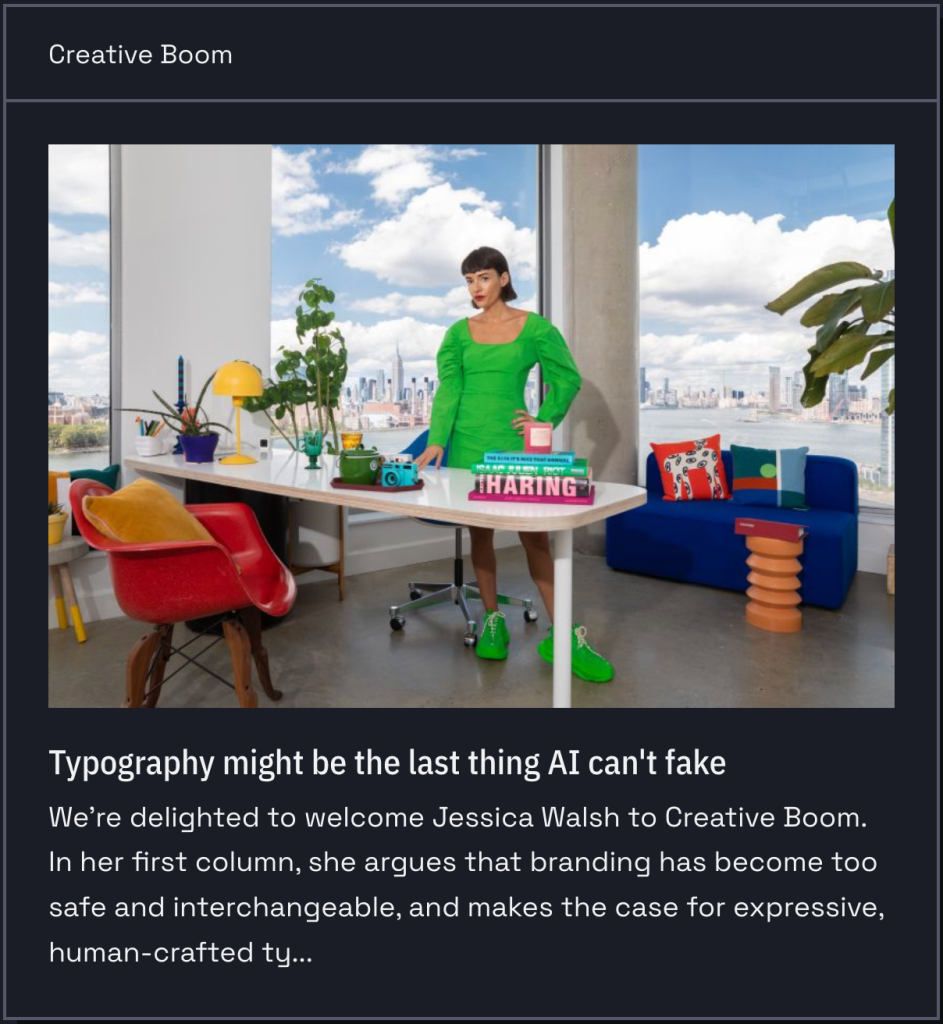
The visual trust signals that used to distinguish human-made content from generated content are eroding at a frightening pace. Whether it be “AI” created images, video, or layouts, the gap between machine output and human craft is closing rapidly in most areas of visual design. Typography is [still] the notable exception, and probably not for the reasons you’d expect: it’s not that “AI” can’t generate letterforms; it can, and we’ve explored how it can in many-a-Tuesday Drop. But building a typeface that actually functions across a full design system requires optical judgment, cultural fluency, and an understanding of rhythm that current “AI” font tools (or models in general) cannot deliver at production scale. What they produce is draft material, not finished type.
Sadly, we’ve been ushering in this takeover of design on our own for quite some time, so (lacking a better word) “branding” has already been trending toward homogenization independent of “AI.” The commercially available font market is mostly ultra-neutral sans-serifs, with the outliers being either too stylized to survive real-world use or expensive enough to price them out of more widespread adoption. The result is a landscape where everything starts to feel like a variation on the same handful of choices. Genuinely distinctive type identities of corporations, products, magazines, studios, etc., were built over decades; the question is where up-and-comers will find that kind of differentiation now.
Jessica Walsh’s answer, developed over at Creative Boom, is that human-crafted typography is becoming a premium authenticity signal precisely because “AI” can’t fake it convincingly (yet); and that the artists and craftsfolk who are “the market” still haven’t figured out how to democratize that authenticity so it’s accessible to everyone (not just folks with big bundles of cash). It’s a sharper argument than the headline suggests, and I especially like this quote from Jessica: “The brands that win in the next few years won’t be the ones with the slickest images, photos, or videos. They’ll be the ones that feel unmistakably human.”
I’ll take a brief ending aside publisher’s privilege to submit we humans have been trending towards “slop” for a while. It’s nice to cast aspersions on the clankers, but we have all (yes, “all”) been accepting gravitation towards the mediocre for quite some time, barely taking any effort to reward novelty or cleverness in any design space. Heck, even I eventually relented to D3’s ubiquitous and maddeningly generic “steelblue” after a time (a habit I’m breaking this year). So, while we’re using the resource in this section to celebrate our human dominance over the clankers (when it comes to typography), perhaps we should consider all the other places we’ve consigned ourselves to accept the human mediocrity and seek/encourage the authentic. Then, perhaps, we can legitimately complain about “AI.”
Featured Free Font: Television Sans

We have another geometric sans in this section, “inspired by newsprint ads from the 1980s.” If you weren’t around back then, AdRetro can give you a small taste of what you, er, “missed.” But you can also go grab Television Sans by Sam Mularczyk and give it a go yourself.
The geometric foundation is, again, evident in the circular “o” forms and the consistent stroke geometry, but it’s tempered with enough optical correction to avoid the cold precision that plagues pure geometric designs. The “S” in the hero specimen (see more of it at the link) has a nice organic quality to it rather than feeling mechanically constructed.
The “a” is single-story, which is, again, consistent with the geometric tradition. The letter spacing looks well-tuned across the weight range, so the Extralight isn’t swimming in space and the Bold isn’t cramped.
Geometric sans fonts dominated newspaper advertising in that era. 80s newspaper ad type needed to be legible on cheap newsprint at speed, so it favored clarity over elegance. Television Sans has that same pragmatic quality. It’s the polar opposite of the flashy neon/chrome/Memphis aesthetic folks typically associate with “the 80s.” You’d see a font like this used in local newspaper ads for electronics stores, car dealerships, and department stores. Think Radio Shack (kids can kagi that) circulars, Sears catalog ((again, kids can kagi that) headers, and regional telco ads.
I’d argue that it Television Sans is a modernized version of its 80s counterparts, but that doesn’t take away from its utility. And, it’s only at version 0.5.0 so keep an eye out for additions/tweaks/improvements.
Featured Freemium Font: Sobremesa
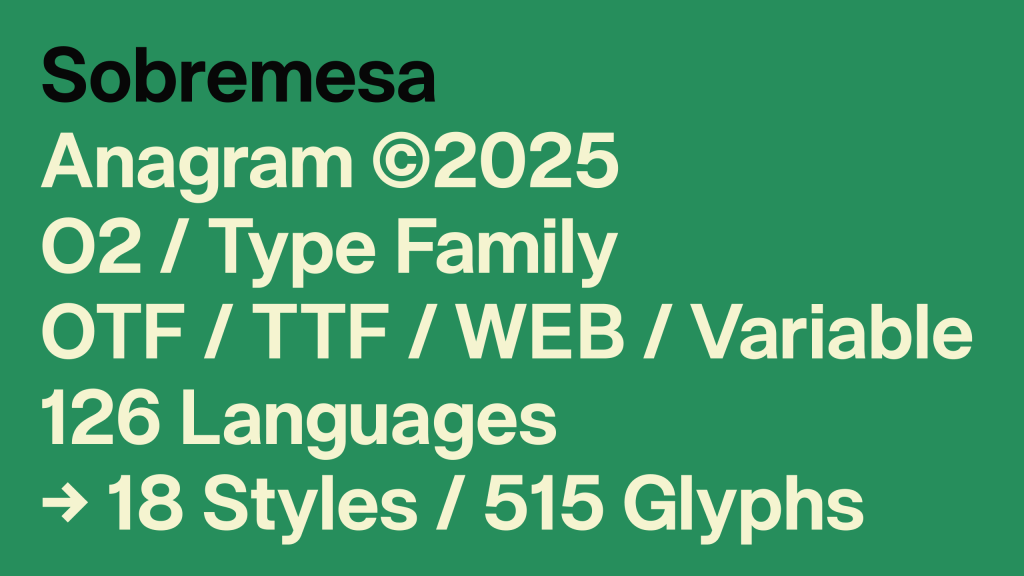
“Sobremesa” is a Spanish/Portuguese word meaning the time spent lingering at the table after a meal, conjuring up images of unhurried conversation with friends or family. This matches the typeface’s intent of creating a feeling of warmth, comfort, and hospitality; not urgeny, and definitely not anywhere near the clinical nature of the typefaces alluded to in the first section.
This contemporary sans-serif comes from Anagram Foundry, which describes it as “balancing geometric construction with subtle human details.” This places it squarely in the contemporary humanist-geometric hybrid territory that’s become increasingly popular. It’s the same space occupied by typefaces like Inter, General Sans, or Pangram Pangram’s Neue Montreal, where strict geometry gets softened by optical corrections and warmth in the curves.
The family ships as 18 styles with 515 glyphs, supporting 126 languages. Formats include OTF, TTF, web fonts, and a variable font cut. The variable font exposes two axes: Weight and Slant. This confirms the 18 styles are 9 upright weights plus 9 corresponding slanted (italic) variants, which is the standard pairing for a family this size.
The ‘O’ is nearly circular, the ‘a’ is double-story, the ‘g’ is single-story. If you take a moment to linger on well-crafted sites or meatspace posters/signs, that double-story ‘a’ / single-story ‘g’ combo is everywhere right now as it splits the difference between readability and clean modern look.
The terminals are flat, not rounded or angled. Apertures are moderately open and wider than Helvetica but narrower than, say, Fira Sans. So this font is likely good enough for body text at small sizes without issues.
The x-height is tall relative to cap height, which is standard for anything designed with screens in mind, as it helps legibility at small sizes, and reduces uppercase/lowercase contrast at large sizes.
The Slant axis means the italics are obliques (a nod back to a recent Tuesday Drop), with letterforms tilted, not redrawn with cursive structures.
If you do choose to use it, one thing to watch is that the lowercase ‘l’ looks like a straight vertical stroke, so depending on the weight you’re using, it could be hard to distinguish from uppercase ‘I’ or the numeral ‘1’. If you need that disambiguation for data-heavy or code-adjacent work, definitely test it first.
FIN
Remember, you can follow and interact with the full text of The Daily Drop’s free posts on:
- Mastodon via
@[email protected] - Bluesky via
<https://bsky.app/profile/dailydrop.hrbrmstr.dev.web.brid.gy>
Today, we take an unexpectedly themed ride from an lsof TUI to…playing games? o_o
TL;DR
(This is an LLM/GPT-generated summary of today’s Drop. Ollama and MiniMax M2.1.)
- Portit is a minimal Rust TUI for inspecting listening TCP ports and killing processes, which can be largely replicated with a custom Bash shell function using lsof, ps, and awk (https://github.com/odysa/portit)
- GNU gawk 5.4.0 introduces MinRX, a new non-backtracking POSIX ERE regex engine by Mike Haertel that uses Stacked NFAs to provide polynomial-time matching with genuine POSIX compliance (https://github.com/mikehaertel/minrx)
- Regexle is a daily hexagonal crossword puzzle game combining Wordle mechanics with regular expressions, where players fill cells with alphanumeric sequences that match the regex patterns along each edge (https://regexle.com/)
portit
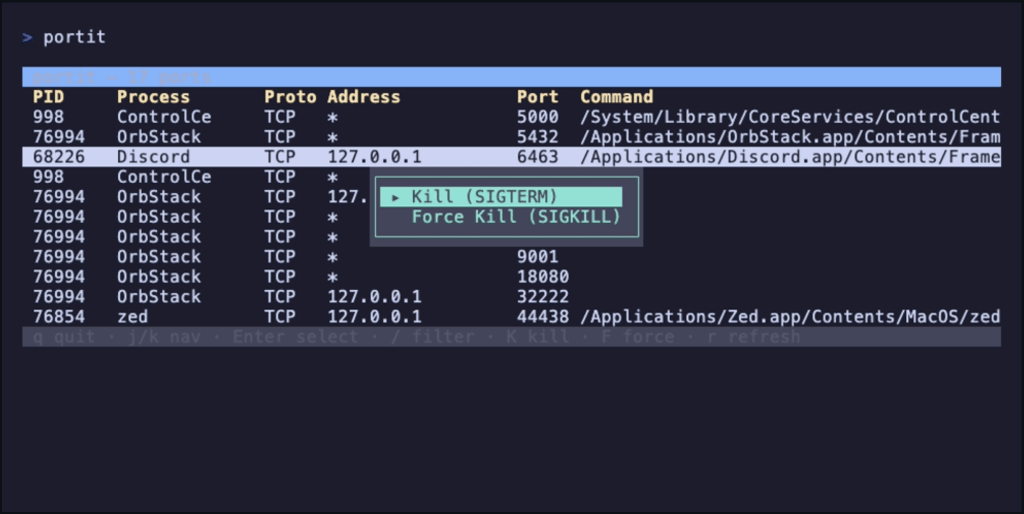
portit is a _“minimal Rust TUI for inspecting listening TCP ports and killing processes”. It’s, essentially, a TUI over the venerable lsof, and designed to speed up the “I need to kill whatever is listening on X” workflow.
The TUI also uses ps and (if filtering and killing) grep + kill. It shells out to lsof -iTCP -sTCP:LISTEN -P -n, parses the whitespace-delimited output line by line, then makes a second call to ps -ww -p <pids> -o pid=,command= to get full command lines. Results are deduped by (PID, port) and sorted by port number.
You can get most of the way there without adding another binary dependency to your system. I modified my listening() shell function:
listening() { if [ $# -eq 0 ]; then sudo lsof -iTCP -sTCP:LISTEN -n -P elif [ $# -eq 1 ]; then sudo lsof -iTCP -sTCP:LISTEN -n -P | grep -i --color $1 else echo "Usage: listening [pattern]" fi}to work a bit more like portit:
listening() { if [ $# -gt 1 ]; then printf "Usage: listening [pattern]\n" >&2 return 1 fi local raw raw=$(sudo lsof -iTCP -sTCP:LISTEN -n -P 2>/dev/null) || return 1 local pids pids=$(printf '%s\n' "$raw" | awk 'NR>1 {print $2}' | sort -u | paste -sd, -) if [ -z "$pids" ]; then printf "No listening ports found.\n" return 0 fi local cmds cmds=$(ps -ww -p "$pids" -o pid=,command= 2>/dev/null) printf '%s\n' "$raw" | CMDS="$cmds" awk ' BEGIN { n = split(ENVIRON["CMDS"], lines, "\n") for (i = 1; i <= n; i++) { line = lines[i] gsub(/^[ \t]+/, "", line) split(line, parts, /[ \t]+/) p = parts[1] + 0 sub(/^[ \t]*[0-9]+[ \t]+/, "", line) if (p > 0) pidcmd[p] = line } } NR == 1 { printf "%-12s %-8s %-6s %-22s %-7s %s\n", "PROCESS", "PID", "PROTO", "ADDRESS", "PORT", "COMMAND" next } { pid = $2 + 0 addrport = $(NF-1) n2 = split(addrport, ap, ":") port = ap[n2] addr = substr(addrport, 1, length(addrport) - length(port) - 1) if (addr == "") addr = "*" cmd = (pid in pidcmd) ? pidcmd[pid] : "-" printf "%-12s %-8s %-6s %-22s %-7s %s\n", $1, pid, "TCP", addr, port, cmd } ' | if [ $# -eq 1 ]; then head -1 grep -i --color "$1" else cat fi}With a few tweaks and some Charm utils you may already have installed, you can likely fully replicate the TUI in Bash.
Still, it is a focused app that does one thing well, and we at the Drop do like those types of utilities.
The neat thing about me “having” to modify my shell function is that it provided a segue to the middle section, since my shell hack uses awk and the “MinRX” section is all about GNU awk’s new regex engine.
MinRX
When I read the announcement regarding the release of Gawk 5.4.0, I learned about the switch to a new regular expression library, MinRX, by Mike Haertel (author of GNU grep). This is a major change, and since it may break existing scripts, GAWK_GNU_MATCHERS lets folks switch back to the now legacy engine (until 5.5.0 comes out).
I hadn’t heard about MinRX before, so I hit up the repo and the intertubes to learn a bit more about it, since a new regex engine in GNU land is a pretty big deal.
MinRX is a POSIX Extended Regular Expression (ERE). The current development focus is on correctness and simplicity, with performance improvements planned later. Arnold Robbins (gawk maintainer) apparently pestered Haertel for years to write it and then enthusiastically tested early versions against gawk’s test suite.
It introduces what Haertel calls a “stacked NFA,” which is (as one might expect) an NFA (nondeterministic finite automata) augmented with a stack of arbitrary integers. NFA is a type of finite state machine where, given a current state and an input symbol, there can be multiple possible next states (or none at all). Conversely, in a deterministic finite automaton (DFA), every state has exactly one transition for each input symbol. So, in an NFA, you can think of the machine as exploring all possible paths simultaneously. If any path leads to an accept state, the input is accepted.
This new library is a non-backtracking matcher, which means it makes a single forward scan through the input, one character at a time, considering all possible matches in parallel. This is a key feature, as it means one can’t craft a pathological regex that causes exponential blowup the way one can with backtracking engines (PCRE, Python’s re, etc.).
The SNFA is more powerful than a traditional NFA because the stack lets it track subgroup match positions (perhaps the most difficult part of POSIX regex matching). A regular NFA can tell you if a string matches, but POSIX semantics require reporting which subgroups matched what, following leftmost-longest rules. The stack machinery handles this without backtracking.
Unlike existing GNU matchers, MinRX aims to fully follow the POSIX 2024 standard for extended regular expressions. In the process, it reveals a spot where the POSIX spec actually contradicts itself: when a pattern like ABC can be split up multiple ways and still produce the same overall match, the spec’s grammar says “feed the left part first” but one of its own examples says “feed the right part first.” MinRX goes with left-first, since it’s faster and matches how repetition operators like * and + already behave.
Of note: it deliberately does not support POSIX Basic Regular Expressions (BREs), and Haertel’s reasoning is principled: BREs include backreferences, which make them not true regular expressions. They don’t correspond to finite automata at all, and matchers for them have exponential worst-case complexity. Haertel argues a modified SNFA could probably match BREs but would have exponential space complexity, making it broadly useless.
The library is C++20, but Haertel plans to rewrite it in C once the algorithm stabilizes. He explicitly says folks using the library anywhere should not have any expectations regarding performance (including the rxgrep tool that comes along for the ride), as speed optimization are planned, but not yet implemented. The gawk integration means this is now running in production across a huge number of systems, which should flush out remaining correctness issues quickly.
So, gawk now has a regex engine that is provably non-backtracking with polynomial time guarantees and genuine POSIX compliance, written by someone with deep expertise in this exact problem space. This is a spiffy foundation for any part of the GNU ecosystem that uses regex to build upon.
regexle

The MinRX rabbit hole ate up way more time than it should have, so we’ll keep this section tight.
As the name implies, regexle is a homunculus of Wordle and regular expressions. You get a daily hexagonal crossword where you fill cells with alphanumeric sequences that must fully match the regular expressions listed along each edge (empty cells count as spaces). Rules turn bold green when satisfied, red when not; selecting a cell underlines the rules along its axes, and you navigate with Tab/Shift-Tab (left-to-right, top-to-bottom by default), or click a rule to constrain traversal to that axis. A lightbulb icon toggles hint mode, highlighting correct cells green and incorrect ones yellow while tracking hint usage. For regex help, try regex101.com.
FIN
Remember, you can follow and interact with the full text of The Daily Drop’s free posts on:
- Mastodon via
@[email protected] - Bluesky via
<https://bsky.app/profile/dailydrop.hrbrmstr.dev.web.brid.gy>
We’ve got some nostalgia and nouveau, with a hint of pragmatism in today’s sections.
TL;DR
(This is an LLM/GPT-generated summary of today’s Drop. Ollama and MiniMax M2.1.)
- A 5-line AWK script implements a Bell 103 modem entirely in software, encoding arbitrary text into a WAV file that can be used as a data exfiltration technique for air-gapped systems where only a shell with AWK is available (https://seriot.ch/software/awkward_modem.html)
- The
go fixsubcommand in Go 1.26 has been completely revamped on the Go analysis framework, running modernizer analyzers that automatically rewrite code to use newer Go idioms likemin/maxbuiltins,strings.Cut,range-over-int, andanyinstead ofinterface{}(https://go.dev/blog/gofix) - Scraping Sandbox is an open-source web scraping playground built on Next.js featuring 500 sample products across 15 categories with pagination and rate limiting at 60 requests per 10 seconds, designed for practicing scraper development in a safe environment (https://scrapingsandbox.com/)
An AWKward Modem

I’ve been thinking back on the privilege that I’ve had to be present and aware at a time when analogue, rotary phones were “high tech”, Casio digital watches were “from the future”, and just as the era of “personal computing” was being birthed. I saw, and experienced/moved through all of the technology transformations, can still recollect my Compuserve ID, and likely still have an AOL CD somewhere in a box in the storage garage. An article posted recently that triggered yet-another one of those walks down memory lane.
If you, too, grew up in the era of analogue phone lines, you know the sound of a modem handshake viscerally. As all Drop readers likely know, that screech-and-hiss when your 300-baud modem (or later, 2400, 14.4k, and even 56k!!!) dialed into a BBS or your uni’s terminal server wasn’t random noise. It was frequency-shift keying (FSK) — two distinct audio tones representing binary 1 and 0. The Bell 103 standard from 1962 used 1270 Hz for a mark (1) and 1070 Hz for a space (0). At 300 baud, with start and stop bits framing each byte, you got 30 characters per second. You could literally _hear+ data moving.
What if I told you there’s a 5-line AWK script that implements a Bell 103 modem entirely in software, encoding arbitrary text into a WAV file that can be played through speakers and decoded on the other end by a microphone. While already cool, it’s also a plausible data exfiltration technique for air-gapped systems where you have no network, no compiler, and no install rights, just a shell with awk.
The post shows that this entire protocol is so simple it can be reimplemented in a language that ships with every Unix system ever made. AWK has been standard on Unix since the late 1970s, so it is always there. No need to apt/brew it or FTP some source tarball and compile it. It just exists, like ls or cat. And that’s what makes this cool project a legitimate security concern rather than just a nostalgia trip.
Consider that hardened, air-gapped system with no network, no USB, and no ability to install software. The machine has speakers (or a headphone jack), and there’s a phone nearby (like that iPhone in your pocket if this isn’t a SCIF). The attacker types (either from memory or a tiny piece of paper) or pastes 433 bytes of AWK into a terminal, pipes a file through it, and plays the resulting WAV. The phone records what sounds like a faint tone (or, in ultrasonic mode, nothing audible at all). Later, minimodem decodes the recording back into the original text.
As the post notes, an SSH private key is typically under 2KB, and at 30 bytes per second, that’s about a minute of audio. The ultrasonic variant shifts the mark and space frequencies up to 17.5 kHz and 15 kHz respectively, which is above what most adults over 45 can hear, but well within the recording capability of modern phone microphones and apps like iOS Voice Memo in lossless mode.
What the author has done is take the oldest, most fundamental data-over-audio technique in computing; the thing that literally was the internet before there was an internet; the mechanism by which every BBS caller and early network user moved bits; and demonstrated that it never actually went away. The physics hasn’t changed and sound still carries information. The tools to generate those sounds have been sitting quietly on every Unix box for half a century.
For those of us who watched the transition from acoustic couplers (the rubber-cupped devices you’d press a telephone handset into, exactly as shown in WarGames) to Hayes-compatible modems to DSL to fiber, there’s something both charming and unsettling about this. The old ways still work and the air gap you trust is only as good as your control over every transducer in the room (i.e., every speaker, every microphone, every device capable of recording audio).
I feel compelled to note that the piece was published in Paged Out! issue 8 (February 2026), which is a free zine focused on fitting technical content onto a single page. So the post format suits this hack perfectly, since the core idea is compact enough to fit on one page because the Bell 103 protocol itself is that simple.
Go F…ix Yourself

The go fix subcommand that shipped with the recent Go 1.26 rollout has been completely revamped, and is a major upgrade to Go’s static analysis tooling.
The old go fix was a relic from the pre-Go 1.0 days, and was used to keep code compatible during early language churn. The new go fix is rebuilt on top of the Go analysis framework (the same infrastructure behind go vet and the epic gopls). It runs a suite of “modernizer” analyzers that identify opportunities to rewrite your code using newer Go idioms and APIs.
You just run go fix ./... from a clean git state, and it silently rewrites your source files (it does skip generated files). You can preview with -diff, list available fixers with go tool fix help, enable/disable specific analyzers by flag name, and run multiple passes since fixes can be synergistic (one rewrite creates the opportunity for another).
The baked-in modernizers address a real problem: Go has been evolving faster since generics landed in 1.18, adding things like min/max builtins, range-over-int, strings.Cut, the maps and slices packages, etc. But the global corpus of Go code (and consequently, sigh, LLM training data) still reflects older patterns. The post explicitly calls out that LLM coding assistants were producing outdated Go idioms and sometimes refused to use newer features even when directed to. The modernizers exist partly to update the training corpus itself.
So what exactly gets targeted for the rewrites? if/else clamping patterns become min(max(...)); three-clause for i := 0; i < n; i++ becomes for range n; strings.Index plus slicing becomes strings.Cut; interface{} becomes any; redundant loop variable re-declarations from pre-1.22 get removed; and string concatenation in loops gets replaced with strings.Builder.
Go 1.26 also introduces new(expr), extending the new builtin to accept a value instead of just a type. So new("hello") returns a *string pointing to "hello". This eliminates all the newInt/newString helper functions that litter codebases using JSON or protobuf with optional pointer fields. There’s also a corresponding newexpr fixer.
go vet and go fix are now nearly identical in implementation, and they differ only in their analyzer suites and what they do with diagnostics. Vet reports problems; fix applies corrections. The analyzers are decoupled from “drivers” (unitchecker, singlechecker, gopls, nogo for Bazel, staticcheck, Google’s Tricorder, etc.), so you write an analyzer once and it runs everywhere. The framework supports cross-package “facts” for interprocedural analysis, and there’s been significant infrastructure investment: an AST cursor type for DOM-like navigation, a type index for fast symbol reference lookup (1000x speedup for finding calls to infrequent functions like net.Dial), and a library of refactoring primitives.
If you are in Go-land even infrequently, I highly recommend poking at the rest of the article.
Scraping Sandbox

It’s always nice to have a legit playground to practice web scraping in, especially when working in a new language.
Scripting Sandbox is an open-source web scraping playground built by Agenty (a SaaS web scraping platform catering to “AI”), designed for developers and automation builders to prototype scrapers and experiment with selectors in a safe environment. It’s essentially a fake e-commerce storefront with synthetic product data.
It has 500 sample products across 15 categories and 20 fictional vendor names. Each product has a name, price (some with sale/original pricing), rating, category, SKU, vendor, and stock status. The data is clearly generated, so you’ll see names like “Lightweight Probiotics” from vendor “SoundWave” and “Limited Edition Vinyl Record” from “TasteBud.”
They built it on Next.js with App Router, Tailwind CSS, Radix UI, ShadCN for the UI and deployed it via OpenNext on Cloudflare Workers. Normally that sentence would make me wretch, but these are the kinds of sites you encounter in the real world, so practice on this is valuable.
The site exposes pagination (21 pages of products), search/filtering by category, and individual product detail pages at /product/{id}. The header teases an API endpoint (api.agenty.com/:agent_id?limit=500) which is a reference to Agenty’s commercial scraping API, not a public endpoint on the sandbox itself.
You get 60 requests per 10 seconds, and if you exceed that, you get temporarily blocked. This is intentional, as it’s meant to simulate real-world rate-limiting behavior you’d encounter in production.
Sites like scrapethissite.com and books.toscrape.com have been the go-to practice targets for years. This one differentiates by offering a more modern, React-rendered frontend (which matters for testing JS-rendered content scraping) and the e-commerce product grid pattern specifically.
FIN
Remember, you can follow and interact with the full text of The Daily Drop’s free posts on:
 Mastodon via
 @[email protected] Bluesky via
 https://bsky.app/profile/dailydrop.hrbrmstr.dev.web.brid.gy
Tis a feast for the eyes, in today’s themed Drop. We sandwich a super cool new tool I found in between two CSS-focused sections.
Note the model change in the TL;DR. I’ve got access to a DGX Spark, now, so can go a bit bigger and crazier with local inference.
TL;DR
(This is an LLM/GPT-generated summary of today’s Drop. Ollama and Qwen3 Next 80b.)
Took ~40 seconds vs. the ~4 second average MiniMax M2.1 has been sporting.)
- Modern CSS Code Snippets catalogs 71 legacy-to-modern CSS pattern comparisons with browser compatibility data across categories like Layout, Animation, and Typography at https://modern-css.com/
- ASCII Silhouettify converts images to monochrome, ANSI, or HTML ASCII art using silhouette-based filling algorithms with precise character cell matching at https://meatfighter.com/ascii-silhouettify/spa/index.html#/
- CSS Doodle is a web component for generative art creation using CSS-like rules with per-cell context and randomization features at https://css-doodle.com/
Modern CSS Code Snippets
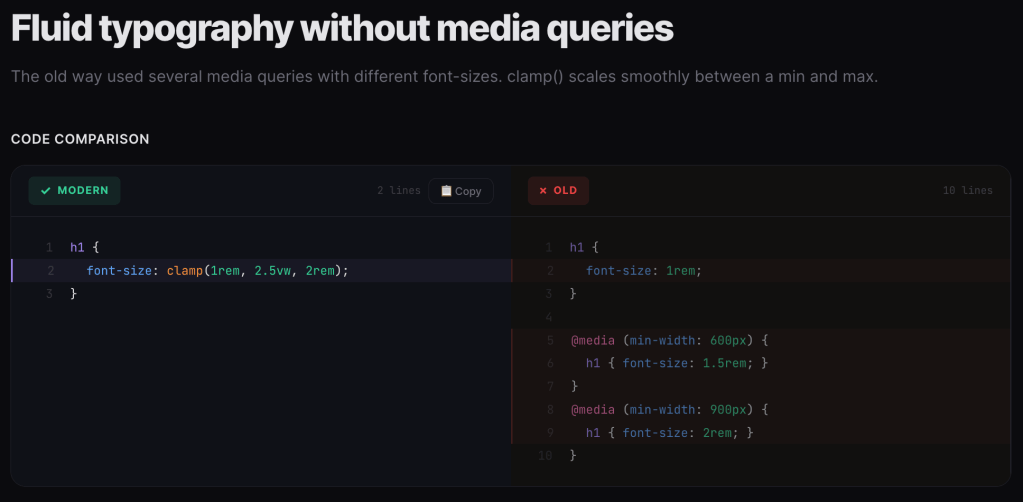
I do not (thankfully) write CSS every day, and while I do try to keep up with every new update to the standards, I inevitably miss some pretty cool quality of life (and code) improveents. Which is why I am fond of sites like Modern CSS Code Snippets which try to select the more useful (or just plain cool) legacy-to-modern CSS idioms to migrate to.
Naeem Noor has (so far) cataloged 71 side-by-side comparisons of legacy CSS patterns versus their modern native replacements. The format is welcomingly consistent: here’s the old hack, here’s the clean modern way, along with a browser compatibility percentage.
The site is organized across several categories: Layout, Animation, Color, Typography, Workflow, and Selectors. Each snippet is tagged by difficulty (Beginner, Intermediate, Advanced) and includes a compatibility indicator showing how widely available the modern approach is. Each snippet has zero dependencies and is not tied to any “framework”. The playground and articles sections also make it more than “just another reference site”.
It is especially helpful in surfacing CSS features that have landed in browsers but haven’t made it into most developers’ muscle memory yet. Alot of these replace JavaScript-dependent patterns or preprocessor workarounds with pure CSS. Some highlights worth knowing about:
Naeem joins similar niche sites, such as to Stephanie Eckles’ “Modern CSS Solutions” or Jen Simmons’ older layout demos, but with a tighter editorial focus on the “old vs new” comparison format.
Just make sure to keep an eye on the browser compatibility percentages. I think anything above 85% should be safe for production.
ASCII Silhouettify
NOTE: AI Vegans can just hit up the resource if you don’t want to see short blather about “AI”.
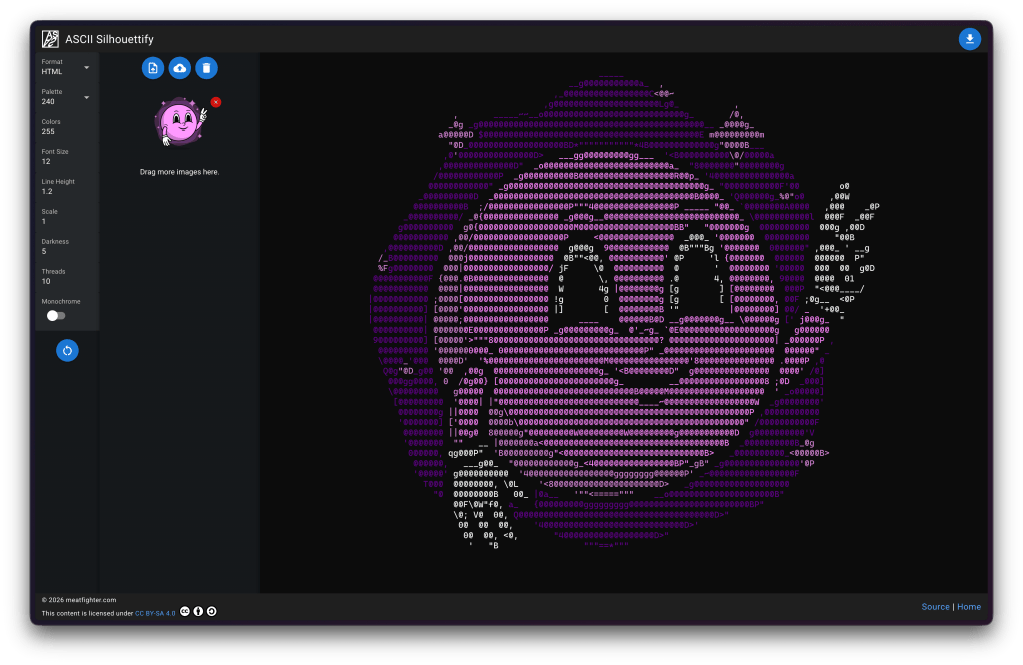
At work, we’ve been building an autonomous “AI”-based threat-hunting agent for our Global Observation Grid. There’s just too much data and too few humans to keep up with the billions of packets that hit our sensors every day. It needed a name, and “Orbie” stuck (the “all knowing orb”, with an ie tacked on the end to keep the convention of our other mascots Ghostie and Taggie). Then, it needed an avatar. Fellow GNoid (one of the ways we refer to fellow GreyNoise teammates) Austin Price is one of the most talented designers I’ve encountered in my 5 decades on this big blue marble of ours, and came up with an amazing likeness for our little buddy.
Images are great, but most of my team lives at the command line, so we needed to ASCII-ify Orbie, which sent me on a quest to see what the latest and greatest exists out there in this tool category.
That led me to find ASCII Silhouettify (GH) by Meat Fighter. The tool outputs monochrome plaintext, ANSI-colored text, HTML (with or without color), or Neofetch’s custom ASCII art format. It’s available as both a Node.js CLI (npm install -g ascii-silhouettify) and a browser-based SPA (the link goes to the Quasar/Vue app).
Input images need black or transparent backgrounds, and should be pre-scaled to roughly the desired output size in character cells. Font size and line height settings let you calibrate aspect ratio to match your specific terminal’s character dimensions.
While I’m fairly confident the section header says everything that might need to be said about how spiffy this tool is, I will blather a bit more as there is some seriously cool stuff under the hood (I highly encourage folks to read the GH code).
As implied by the name, the tool uses a silhouette-filling approach. Silhouette methods use outlines and contours to represent forms against a contrasting background. The technique traces back to 18th-century portraiture, where artists cut detailed profiles from black paper, but has evolved considerably. The technique (and this tool) is fundamentally different from the typical “map brightness to character density” ASCII art generators you’ve seen a gazllion times.
Instead of approximating shading/gradients by picking characters based on how “dark” they look (the classic approach where @ = dark, . = light), this tool treats each colored region of the input as a binary silhouette and finds the largest ASCII characters that fit within the outline without any white pixels bleeding outside the shape boundary. The result is filled geometric shapes rather than textured approximations.
The algorithm operates on 9×19 pixel character cells (matching a typical monospaced font rendering). Every printable ASCII character (95 total) is pre-rendered as a binary black/white bitmap at that cell size, thresholded at 50% intensity.
For a given input image, the process is pretty straightforward:
- Color plane separation: The image is decomposed into per-color binary planes (white silhouette on black background) using CIEDE2000 perceptual color distance to map input colors to the selected ANSI palette.
- Region partitioning: Each plane is divided into a grid of 9×19 cells.
- Character fitting: For each cell, every ASCII character image is compared pixel-by-pixel against the region. If any white pixel in the character image lands on a black pixel in the region, that character is rejected (it would extend beyond the silhouette). Among all remaining valid characters, the one with the most white pixels wins. This maximizes fill density while strictly respecting the boundary.
- Plane merging: After converting all color planes independently, the final output is assembled by picking the character at each position that had the highest white-pixel match count, colored according to its source plane.
- Origin optimizationL: The grid origin matters, so the algorithm brute-forces all integer offsets within one character cell (171 possible origins) and picks the best overall result. This is parallelized across available CPU cores.
The bitmask trick is super clever! Rather than doing a naive pixel-by-pixel comparison loop, the algorithm precomputes 171 bitmasks (one per pixel position in the 9×19 cell). Each bitmask is 95 bits wide, where each bit represents one ASCII character. A set bit at position N in a bitmask means character N has a black pixel at that coordinate.
During conversion, a 95-bit accumulator starts as all-ones. For each black pixel in the input region, the accumulator is AND’d with the corresponding bitmask, which eliminates characters that have white pixels where the region is black. After processing all pixels, the highest set bit (found via a CLZ/count-leading-zeros hardware instruction) indexes the best-fitting character. This collapses what would be a nested loop into a series of bitwise ANDs and a single CLZ, which makes the whole thing super fast.
Note that you cannot drop in a photograph or anything with gradients/shading. This is purely a shape-filler for flat graphics. The CIEDE2000 color mapping is computationally expensive but produces perceptually accurate palette matching. This absolutely matters when you’re constrained to 8/16/240/256 ANSI colors.
CSS Doodle
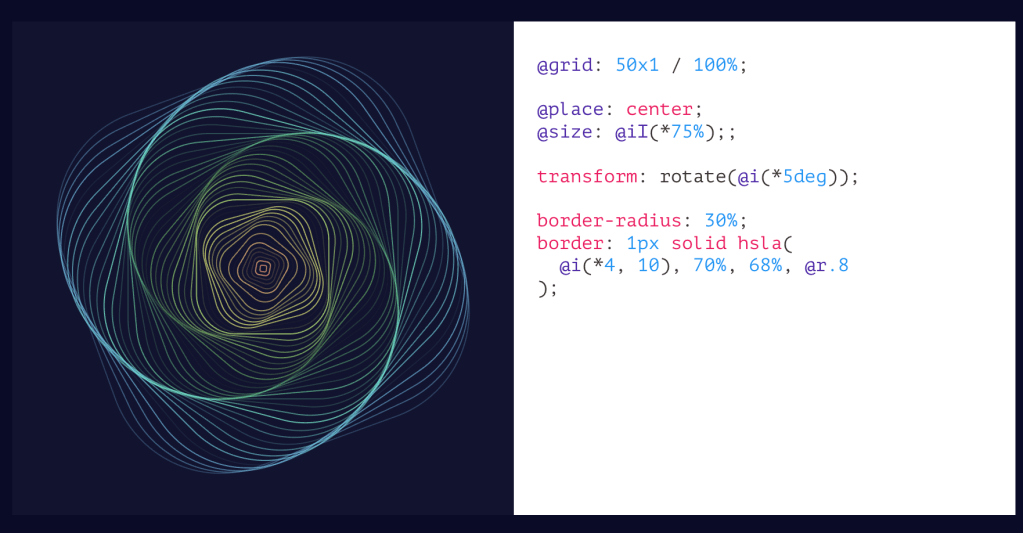
We’ll double-down on CSS, today, and talk about CSS Doodle (GH). It’s a web component (aptly named <css-doodle>) created by Yuan Chuan for generative art and pattern creation. Under the hood is framework-less and is ultimately just a single custom element built on Shadow DOM v1 and Custom Elements v1. Thus, it works in all modern browsers without polyfills.
To use it, just drop a <css-doodle> element on a page, give it a grid size (up to 64×64, or 4096 for 1D grids), and write CSS-like rules inside it. The component generates a grid of divs and applies your rules to each cell. The twist is a rich set of @-prefixed functions and selectors that give you per-cell awareness of position, randomness, and iteration, which are all things CSS alone cannot do.
Yuan’s custom DSL (domain-specific langauage) extends CSS with several categories of additions. Selectors like @nth, @at(col, row), @random(ratio), @row(n), @col(n), and @match(expression) let you target specific cells or groups. The @match selector is particularly interesting as it accepts math expressions where x, y, i, X, Y, I are available as variables, so you can do things like @match(tan.cos.sin(x*y) > 1) for complex patterns.
Functions provide per-cell context: @index (aliased @i), @row/@col (aliased @x/@y), @size-row/@size-col (aliased @X/@Y), and the randomness (a technique used across many generative art projects) comes from @rand(start, end) and @pick(v1, v2, ...) with variants @pick-n (sequential) and @pick-d (distinct random order). There’s @last-pick and @last-rand for referencing the previous random value, which is useful for coordinating colors or angles.
Between the tomes in the two sections and that short spelunk into the code, you’ve likely had enough technical exposition for one Drop. So, I’ll leave you to your own devices to explore the “properties,” how deterministic seeding (since generative art designers do need to control the randomness), JS API, production use patterns, and other more advanced features.
FIN
Remember, you can follow and interact with the full text of The Daily Drop’s free posts on:
- Mastodon via
@[email protected] - Bluesky via
<https://bsky.app/profile/dailydrop.hrbrmstr.dev.web.brid.gy>
No theme, but FOUR sections! I highly encourage folks to carve out time to switch to the utility in the first section (if you are a direnv user), and make your own backup fork/copy of the JSON in the second section.
TL;DR
(This is an LLM/GPT-generated summary of today’s Drop. Ollama and MiniMax M2.1.)
- dotenvx is an enhanced .env management tool that encrypts environment files using ECIES for secure version control and supports multi-environment configurations through a standalone binary that works with any programming language (https://dotenvx.com/).
- factbook.json is a community-maintained GitHub repository that preserves the defunct CIA World Factbook as JSON files covering 260 entities with structured data, while OpenFactBook layers on World Bank time-series data and presents it through an interactive Astro site (https://github.com/factbook/factbook.json).
- alpinestuff is a hands-on learning resource for Alpine.JS that uses module-based exercises to build muscle memory without the temptation of hacking internals, helping developers overcome initial learning curve inertia (https://github.com/joshcassell4/alpinestuff).
- Kanso Ink theme configurations are provided for WezTerm/Kaku and
zsh-syntax-highlighting.
dotenvx
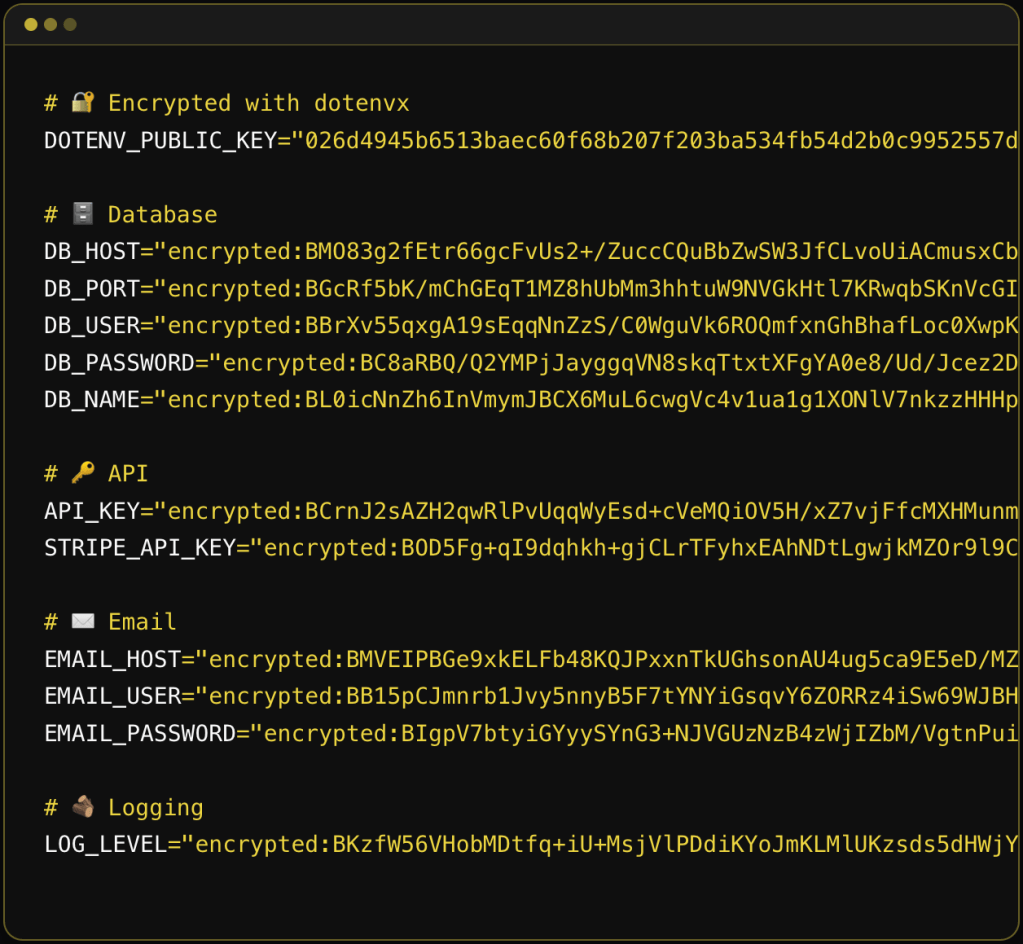
dotenvx is the successor to dotenv, built by the same creator (Scott Motte / motdotla). The original dotenv was a Node.js library that loaded environment variables from .env files into process.env. dotenvx takes that concept and solves three longstanding problems with it: security, portability, and multi-environment management.
The x at the end seems to stand for “encryption”, since the selling point for this upgraded tool is that it creates and works with encrypted .env files you can safely “accidentally” (or, deliberately, as this tool recommends) commit to version control. The old advice was “never commit your .env file.” dotenvx flips that by encrypting the values in-place using ECIES (Elliptic Curve Integrated Encryption Scheme) with secp256k1 (same curve as Bitcoin). Each secret gets encrypted with a unique ephemeral AES-256 key, which is itself wrapped with the public key. The result is you commit the encrypted .env file and keep the private decryption key (DOTENV_PRIVATE_KEY) separate (ideally in your secrets manager or CI/CD vault).
Traditional secrets managers (Vault, AWS Secrets Manager, etc.) centralize everything, which means a breach exposes the entire corpus. dotenvx decentralizes the blast radius since each .env file has its own keypair, so compromising one key only exposes that file’s secrets.
Unlike the original dotenv (which, as noted, is Node.js only), dotenvx ships as a standalone binary (available via curl, brew, docker, winget, etc.). The pattern is dotenvx run -- <any_command>, which injects env vars into the subprocess regardless of language. So, it works with Go, Rust, Deno, Bun, R, and anything that reads environment variables.
Multi-environment support is handled through naming conventions and a pretty clever key-matching pattern. File .env.production is decrypted by DOTENV_PRIVATE_KEY_PRODUCTION. File .env.ci by DOTENV_PRIVATE_KEY_CI. The suffix after DOTENV_PRIVATE_KEY_ maps to the env file name. Multiple private keys can be comma-separated for monorepo scenarios where a single CI run needs secrets from multiple apps.
Variable interpolation is also more capable than the original dotenv. It supports shell-style expansion (${VAR}), default values (${VAR:-fallback}), alternate values (${VAR:+alternate}), and command substitution ($(whoami)). The colon variants (:- vs -, :+ vs +) distinguish between “unset” and “unset or empty,” which matches longstanding POSIX shell semantics.
Precedence rules follow the original dotenv convention: environment variables already present in the shell take precedence over .env file values. The --overload flag reverses this, letting .env file values win. This matters for container deployments where you want cloud-provider-set env vars to override committed defaults.
Key management operations include encrypt, decrypt, rotate (re-encrypt with new keypair), and keypair (print keys). You can selectively encrypt/decrypt specific keys with -k and glob patterns, or exclude keys with -ek. The .env.keys file stores the keypairs locally, and the -fk flag lets you centralize that file for monorepos.
The extensions (ext) are utilities: genexample generates a .env.example from your real .env (stripping values), gitignore adds .env* patterns (handy!), precommit installs a git hook to block unencrypted .env commits (also handy!), prebuild prevents .env files from leaking into Docker images, and scan wraps gitleaks for leaked secret detection.
Dotenvx Ops is the commercial layer. It adds a “radar” feature that auto-observes and backs up your environment variables when you run dotenvx run. It requires a separate dotenvx-ops binary and account login.
If you use direnv as a shell hook (it already handles the “run something when I cd into a directory” lifecycle) just have it call dotenvx for the actual decryption and injection, and you have a full drop-in replacement for nasty ol’ .env files.
In your .envrc file for the project directory:
dotenv_if_exists() { if command -v dotenvx &> /dev/null && [ -f .env ]; then eval "$(dotenvx get --format eval)" fi}dotenv_if_existsOr more concisely if you know dotenvx and the .env are always present:
eval "$(dotenvx get --format eval)"The --format eval flag outputs properly quoted KEY="value" pairs that are safe to eval. direnv’s eval integration handles the export and cleanup (unsets vars when you cd out).
For encrypted files, this assumes DOTENV_PRIVATE_KEY (or the environment-specific variant) is already available in your shell (either exported in your .bashrc/.zshrc, pulled from a keychain, or set via some other mechanism). dotenvx will use it automatically to decrypt during dotenvx get.
If you want per-environment files:
eval "$(dotenvx get --format eval -f .env.development)"One last caveat: the dotenvx docs do warn about eval allowing arbitrary command execution, so this is a pointy edged tool. In a trusted local dev environment it’s fine, but you probably don’t want to use this pattern on a shared machine where someone else could modify the .env file.
factbook.json / OpenFactBook
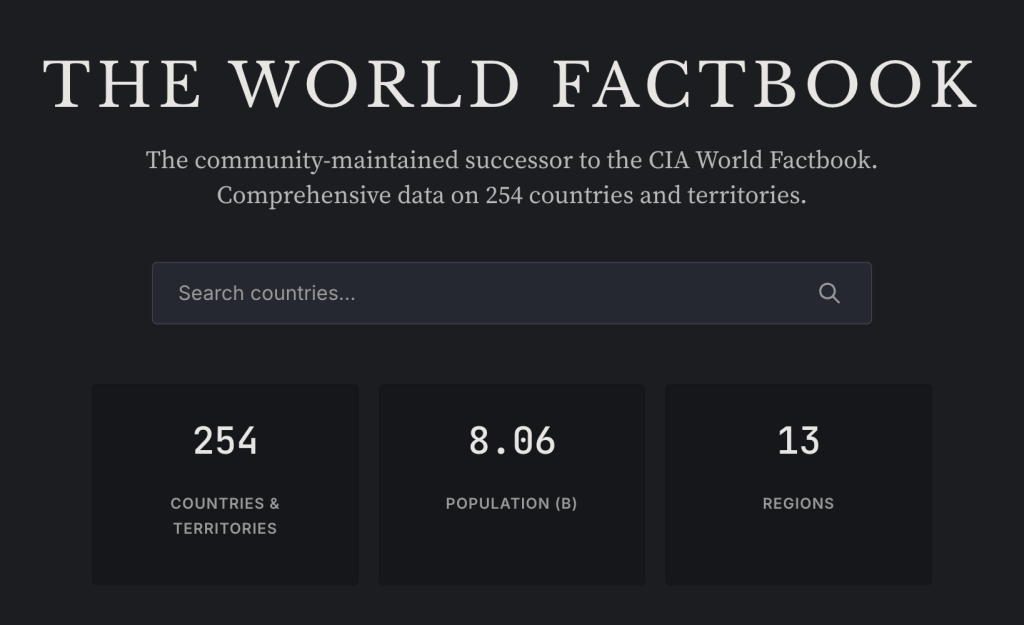
The (U.S.) CIA summarily executed the World Factbook on February 4, 2026 with no advance notice and no explanation. The agency announced on its website that the World Factbook “has sunset” and just … declined to comment. Its demise comes one year into the tenure of CIA Director John Ratcliffe, who has promised to bring “strict adherence to the CIA’s mission” of intelligence gathering and analysis.
The removal was super aggressive. They set every single page to a 302 redirect to a closure announcement, removing the entire site including all historical archives.
The downstream damage is broader than just me and others whining about it, and a ton of broken Wikipedia links. The Factbook relied heavily on the U.S. Census Bureau and its International Database, with Census getting reimbursed for its contributions. The end of the Factbook creates uncertainty about those interagency funding flows. That critical database already took a hit in 2025 with the shuttering of USAID, which also reimbursed Census for international statistical work. So this website going dark is potentially going to comletely destabilize the data pipeline that fed it.
factbook.json is a community-maintained project by Gerald Bauer that had been converting the CIA World Factbook into structured JSON files, one per country/territory. It covers 260 entities (195 sovereign countries, 2 “others” like Taiwan and the EU, 52 dependencies, 5 miscellaneous territories, 5 oceans, and a “World” entry). The data (used to) auto-update weekly via GitHub Actions by scraping the CIA’s site. It’s CC0 / public domain, so it’s usable by all and (obviously) no API key is needed. You can fetch any country profile as raw JSON directly from GitHub (e.g., https://github.com/factbook/factbook.json/raw/master/europe/gm.json for Germany).
NOTE!!!!!!! It uses Geopolitical Entities and Codes (GEC) (formerly FIPS PUB 10-4)) two-letter codes, >>>NOT<<< ISO country codes. So au is Austria (NOT Australia), gm is Germany (NOT Gambia), sf is South Africa (and 100% not what you’d expect from ISO’s ZA). The mapping is non-trivial because the Factbook covers entities that ISO doesn’t, and the definitions don’t always align.
The JSON structure mirrors the Factbook’s section hierarchy: Introduction, Geography, People and Society, Government, Economy, Energy, Communications, Transportation, Military and Security, Terrorism, Transnational Issues. Values are mostly free-text strings inside nested objects (e.g., Geography.Area.total.text = "83,871 sq km"), not pre-parsed numerics. That means if you want to do quantitative analysis, you’ll need to parse numbers out of text fields yourself.
OpenFactBook is a separate project that consumes factbook.json as its primary data source, layers on World Bank time-series data (GDP, population, life expectancy over 20+ years) and REST Countries API data (currencies, calling codes, timezones, driving side, etc.), and presents it all as a static Astro site with interactive charts, country comparisons, and rankings. It’s essentially a modern, browsable front-end for the underlying data.
Thank the Great Maker for the savvy souls who started and maintained the data preservation project and also the ones who made a new interface to this great data source.
alpinestuff

I went down a bit of a personal rabbit hole in poking at the bits for the first two sections (and now have a janky DuckDB-backed CLI and MCP tool for the factbook.json data and 1/10 of my personal projects converted to dotenvx), so this is just a “go poke” encouragement section.
I haven’t had as much play time of late, so my goal of truly mastering Alpine.JS is not progressing quickly. But, I’ve found alpinestuff to be a useful way to at least keep what I do know in muscle memory without having to put thinking and design effort into some lingering side projects. And muscle memory is super important (at least to me).
Under the hood, it uses a tech stack that I would never use (icky Python, ugh MongoDB, and daft Tailwind), so I’m not tempted to hack the internals, and can focus on refreshing knowledge and learning more by progressing up to and eventually through Module 4 (I have no desire to write a chatbot and despise OpenAI, so I’ll be skipping Module 5).
Even if you’re not going to work with Alpine.JS, resources like this for other tech do exist and can be super helpful when trying to get a full handle on something new. There is real temptation to just avoid the initial inertia of any learning curve by leaning on the increasingly capable “AI” tools to help one “get stuff done”. Resist that urge (pls). Getting past that hump injects real knowledge into the little grey cells, and that knowledge interconnects with other knowledge, and let’s us solve new problems in creative ways that LLMs will just not be able to do.
And, since some of y’all do refuse to use anything even remotely built with “AI” (R folks who are in that camp have uninstalled the {tidyverse}, right?), my janky Bash script that does some “AI” flight checks gave this a 0.63 (0.0-1.0 scale) score, so you may not be able to use it, though Module 5 was likely enough to cause you to avoid it.
kanso ink
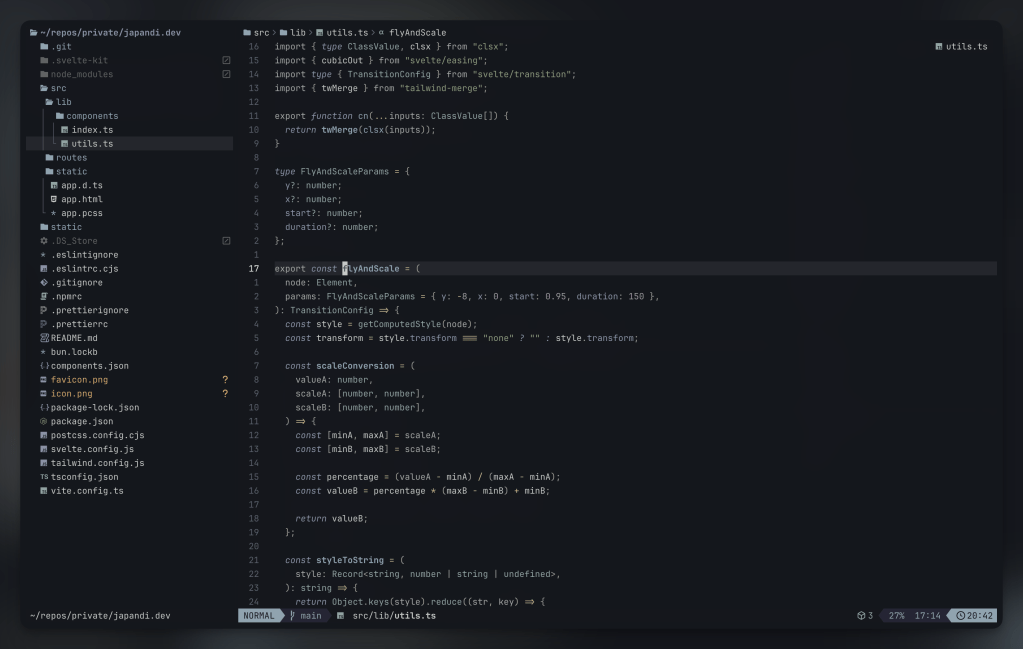
One more rabbit hole that ate time from going deeper on the third section was some much needed terminal/shell surgery.
I don’t know what it is about Kaku (we covered that WezTerm fork this week), but after installing it, it felt like I had a brand new terminakl canvas and spent some time making many quality of life tweaks I had just been working around, one of which was converting my fav Zed color scheme — Kanso Ink — to WezTerm and zsh-syntax-highlighting.
There are toml and lua versions of it for Kaku/WezTerm and the ZSH_HIGHLIGHT_STYLES values the end of this section, in case you use WezTerm/Kaku/zsh-syntax-highlighting and want to give it a go there too.
The section header is from the nvim port of the theme.
# name: Kanso Ink# author: Webhooked (converted from Zed theme)# license: MIT# upstream: https://github.com/webhooked/kanso# blurb: A minimal dark theme with muted, balanced tones[colors]ansi = [ "#14171d", # Black "#c4746e", # Red "#8a9a7b", # Green "#c4b28a", # Yellow "#8ba4b0", # Blue "#a292a3", # Purple "#8ea4a2", # Cyan "#c5c9c7", # White]brights = [ "#22262D", # Black "#e46876", # Red "#87a987", # Green "#c4b28a", # Yellow "#7fb4ca", # Blue "#d27e99", # Purple "#7aa89f", # Cyan "#b6927b", # White]foreground = "#c5c9c7"background = "#14171d"cursor_bg = "#c5c9c7"cursor_border = "#c5c9c7"cursor_fg = "#14171d"selection_bg = "#393B44"selection_fg = "#c5c9c7"[colors.indexed][metadata]aliases = ["Kanso Ink"]name = "Kanso Ink"origin_url = "https://github.com/webhooked/kanso"wezterm_version = "Always"config.colors = { foreground = '#c5c9c7', background = '#14171d', cursor_bg = '#c5c9c7', cursor_fg = '#14171d', cursor_border = '#c5c9c7', selection_fg = '#c5c9c7', selection_bg = '#393B44', scrollbar_thumb = '#5C6066', split = '#22262D', ansi = { '#14171d', -- Black '#c4746e', -- Red '#8a9a7b', -- Green '#c4b28a', -- Yellow '#8ba4b0', -- Blue '#a292a3', -- Purple '#8ea4a2', -- Cyan '#c5c9c7', -- White }, brights = { '#22262D', -- Black '#e46876', -- Red '#87a987', -- Green '#c4b28a', -- Yellow '#7fb4ca', -- Blue '#d27e99', -- Purple '#7aa89f', -- Cyan '#b6927b', -- White }, indexed = {}, compose_cursor = '#c4746e', copy_mode_active_highlight_bg = { Color = '#536269' }, copy_mode_active_highlight_fg = { Color = '#c5c9c7' }, copy_mode_inactive_highlight_bg = { Color = '#8ba4b0' }, copy_mode_inactive_highlight_fg = { Color = '#c5c9c7' }, quick_select_label_bg = { Color = '#c4b28a' }, quick_select_label_fg = { Color = '#14171d' }, quick_select_match_bg = { Color = '#a292a3' }, quick_select_match_fg = { Color = '#c5c9c7' },}# Kanzo Ink color palette# ansi colors:# Black: #14171d# Red: #c4746e# Green: #8a9a7b# Yellow: #c4b28a# Blue: #8ba4b0# Purple: #a292a3# Cyan: #8ea4a2# White: #c5c9c7# brights:# Red: #e46876# Green: #87a987# Blue: #7fb4ca# Purple: #d27e99# Cyan: #7aa89f# Main syntax highlighting stylesZSH_HIGHLIGHT_STYLES[default]="fg=#c5c9c7" # Default text (white)ZSH_HIGHLIGHT_STYLES[unknown-token]="fg=#c4746e" # Unknown tokens (red)ZSH_HIGHLIGHT_STYLES[reserved-word]="fg=#a292a3,bold" # Reserved words like if/then/else (purple, bold)ZSH_HIGHLIGHT_STYLES[alias]="fg=#7fb4ca" # Aliases (bright blue)ZSH_HIGHLIGHT_STYLES[suffix-alias]="fg=#7fb4ca" # Suffix aliasesZSH_HIGHLIGHT_STYLES[builtin]="fg=#8ba4b0,bold" # Builtin commands (blue, bold)ZSH_HIGHLIGHT_STYLES[function]="fg=#7fb4ca" # Functions (bright blue)ZSH_HIGHLIGHT_STYLES[command]="fg=#8ba4b0" # External commands (blue)ZSH_HIGHLIGHT_STYLES[precommand]="fg=#8ba4b0,italic" # Precommands like sudo (blue, italic)ZSH_HIGHLIGHT_STYLES[commandseparator]="fg=#a292a3" # Command separators like ; && || (purple)ZSH_HIGHLIGHT_STYLES[hashed-command]="fg=#8ba4b0" # Hashed commands (blue)ZSH_HIGHLIGHT_STYLES[path]="fg=#8ea4a2,underline" # Paths (cyan, underlined)ZSH_HIGHLIGHT_STYLES[path_pathseparator]="fg=#7aa89f" # Path separators (bright cyan)ZSH_HIGHLIGHT_STYLES[path_prefix]="fg=#8ea4a2" # Path prefix (cyan)ZSH_HIGHLIGHT_STYLES[path_prefix_pathseparator]="fg=#7aa89f" # Path prefix separator (bright cyan)ZSH_HIGHLIGHT_STYLES[globbing]="fg=#d27e99" # Globbing patterns (bright purple)ZSH_HIGHLIGHT_STYLES[history-expansion]="fg=#d27e99,bold" # History expansion (bright purple, bold)ZSH_HIGHLIGHT_STYLES[single-hyphen-option]="fg=#c4b28a" # Single hyphen options -x (yellow)ZSH_HIGHLIGHT_STYLES[double-hyphen-option]="fg=#c4b28a" # Double hyphen options --option (yellow)ZSH_HIGHLIGHT_STYLES[back-quoted-argument]="fg=#87a987" # Back-quoted arguments (bright green)ZSH_HIGHLIGHT_STYLES[single-quoted-argument]="fg=#c4b28a" # Single-quoted strings (yellow)ZSH_HIGHLIGHT_STYLES[double-quoted-argument]="fg=#c4b28a" # Double-quoted strings (yellow)ZSH_HIGHLIGHT_STYLES[dollar-quoted-argument]="fg=#c4b28a" # Dollar-quoted strings (yellow)ZSH_HIGHLIGHT_STYLES[dollar-double-quoted-argument]="fg=#c4b28a" # Vars in double quotes (yellow)ZSH_HIGHLIGHT_STYLES[back-double-quoted-argument]="fg=#87a987" # Backslash in double quotes (bright green)ZSH_HIGHLIGHT_STYLES[back-dollar-quoted-argument]="fg=#87a987" # Backslash in dollar quotes (bright green)ZSH_HIGHLIGHT_STYLES[assign]="fg=#a292a3" # Variable assignments (purple)ZSH_HIGHLIGHT_STYLES[redirection]="fg=#d27e99" # Redirections like > < (bright purple)ZSH_HIGHLIGHT_STYLES[comment]="fg=#8a9a7b" # Comments (green)ZSH_HIGHLIGHT_STYLES[arg0]="fg=#8ba4b0" # First argument (blue)# Bracket/parenthesis matchingZSH_HIGHLIGHT_STYLES[bracket-error]="fg=#e46876,bold" # Bracket errors (bright red, bold)ZSH_HIGHLIGHT_STYLES[bracket-level-1]="fg=#8ba4b0" # Level 1 brackets (blue)ZSH_HIGHLIGHT_STYLES[bracket-level-2]="fg=#87a987" # Level 2 brackets (bright green)ZSH_HIGHLIGHT_STYLES[bracket-level-3]="fg=#d27e99" # Level 3 brackets (bright purple)ZSH_HIGHLIGHT_STYLES[bracket-level-4]="fg=#c4b28a" # Level 4 brackets (yellow)ZSH_HIGHLIGHT_STYLES[cursor-matchingbracket]="fg=#e46876,bold" # Matching bracket under cursor (bright red, bold)FIN
Remember, you can follow and interact with the full text of The Daily Drop’s free posts on:
- Mastodon via
@[email protected] - Bluesky via
<https://bsky.app/profile/dailydrop.hrbrmstr.dev.web.brid.gy>
A trio of super-fun things in today’s typography-centric edition of the drop.
TL;DR
(This is an LLM/GPT-generated summary of today’s Drop. Ollama and MiniMax M2.1.)
- M PLUS 1 Code is a Japanese-origin open-source programming font with monospaced Latin characters and proportional CJK support, variable weight axes from Thin to Bold, and clear glyph differentiation available on Google Fonts (https://fonts.google.com/specimen/M+PLUS+1+Code?vfonly=true&preview.script=Latn)
- FontPlop is an Electron-based utility app that converts TTF and OTF fonts to woff and woff2 formats with a simple drag-and-drop interface, created by Matthew Gonzalez as a free open source successor to the paid FontPrep (https://github.com/matthewgonzalez/fontplop)
- Font Gauntlet is a free browser-based tool by Dinamo Typefaces for proofing, generating, and animating variable fonts with local-only font caching for privacy (https://justapedia.org/wiki/Running_the_gauntlet)
M PLUS 1 Code/M+1 Code
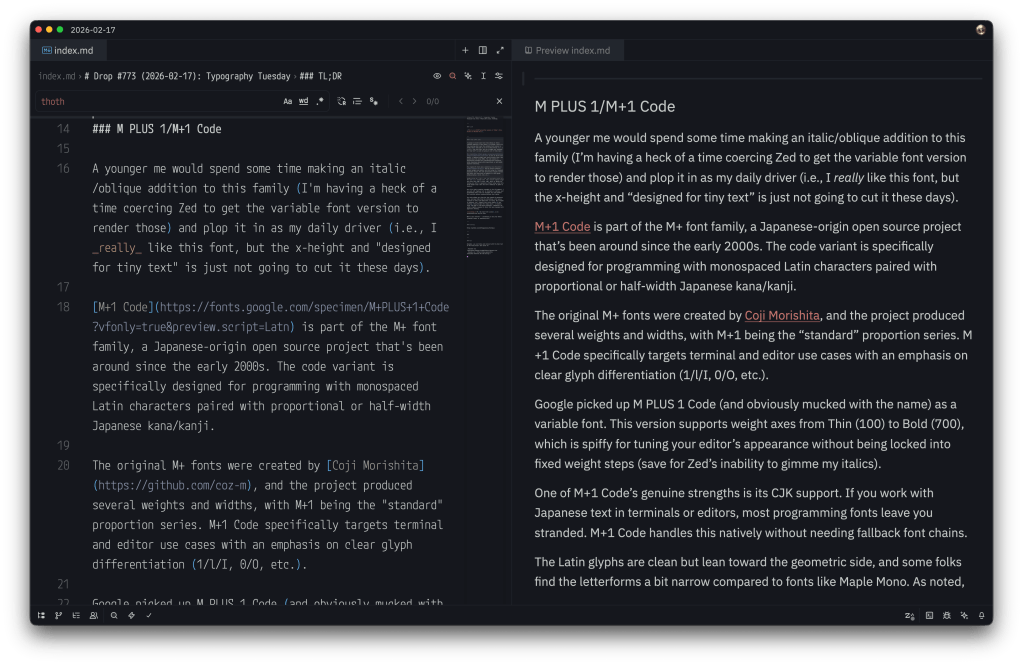
A younger me would spend some time making an italic/oblique addition to this family (I’m having a heck of a time coercing Zed to get the variable font version to render those) and plop it in as my daily driver (i.e., I really like this font, but the x-height and “designed for tiny text” are just not going to cut it these days).
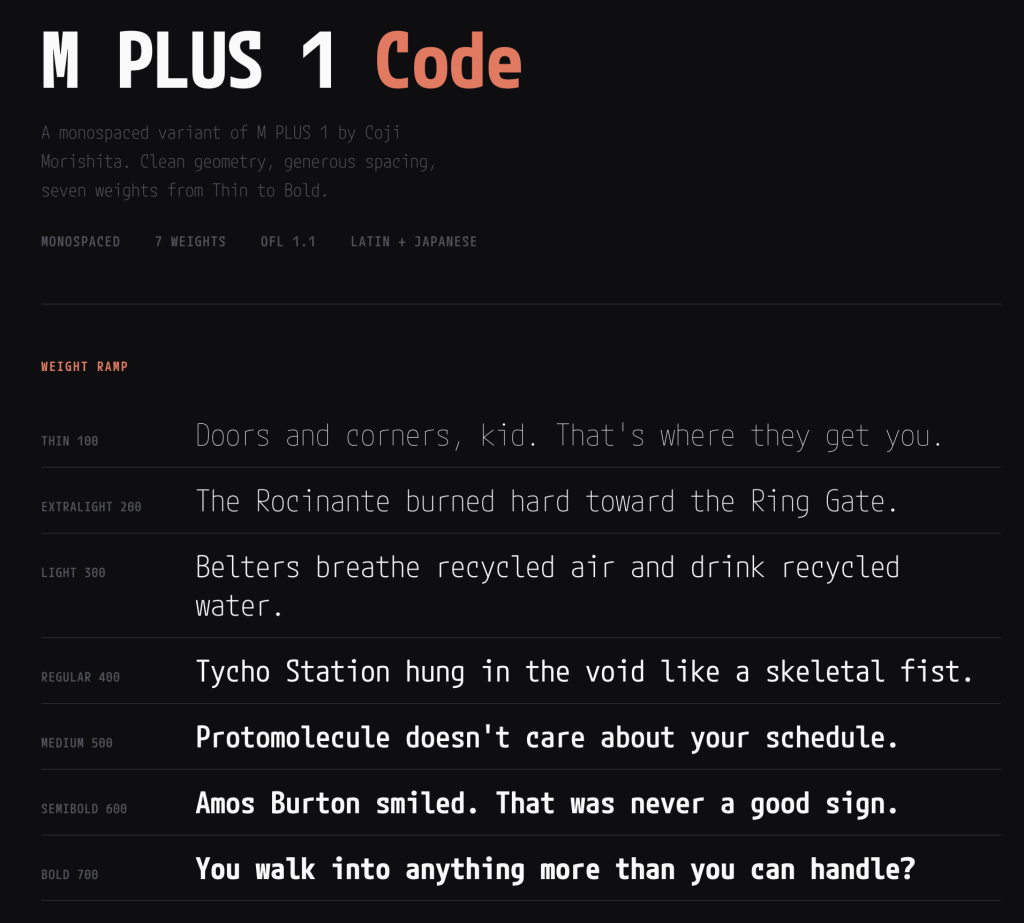
M+1 Code is part of the M+ font family, a Japanese-origin open-source project that’s been around since the early 2000s. The code variant is specifically designed for programming with monospaced Latin characters paired with proportional or half-width Japanese kana/kanji.
The original M+ fonts were created by Coji Morishita, and the project produced several weights and widths, with M+1 being the “standard” proportion series. M+1 Code specifically targets terminal and editor use cases with an emphasis on clear glyph differentiation (1/l/I, 0/O, etc.).
Google picked up M PLUS 1 Code (and obviously mucked with the name) as a variable font. This version supports weight axes from Thin (100) to Bold (700), which is spiffy for tuning your editor’s appearance without being locked into fixed weight steps (save for Zed’s inability to gimme my italics).
One of M+1 Code’s genuine strengths is its CJK support. If you work with Japanese text in terminals or editors, most programming fonts leave you stranded. M+1 Code handles this natively without needing fallback font chains.
The Latin glyphs are clean but lean toward the geometric side, and some folks find the letterforms a bit narrow compared to fonts like Maple Mono. As noted, the x-height is moderate, and — despite this entire family (it has siblings) being designed for smapp spaces — at smaller sizes (sub-12pt on non-Retina displays), legibility can suffer slightly compared to fonts that were designed with aggressive hinting.
FontPlop / woff
NOTE: the main domain in the GitHub description for FontPlop expired and was slurped up by an evil domain broker. Consider putting it in your ad blocker’s restricted domains list to avoid accidentally tapping on it since it could turn malicious at any time.
I hate Electron as much or more than the most vehement Electron hater does, but there are a few apps I’ve filed under the “guilty pleasure” category, where I will suffer the bloat just for the sake of utility. Matthew Gonzalez’s FontPop is one of them.
Despite there being a few modern CLI alternatives (once we discuss, below), FontPlop still maintains a place in my /Applications folder. It’s an Electron app from the era when Electron apps were novel (this app came out a ~year after v1.0 of Electron did), and it does exactly one thing: you drop a TTF or OTF on it, and it hands you back woff, woff2, and a CSS snippet. No account. No cloud. No “workspace.” No subscription tier where the premium feature is batch conversion. You drop a font. It plops out web formats. The name is the entire user manual.
Gonzalez built it as the successor to FontPrep (don’t bother looking it up), which had the misfortune of being a paid app in a category where people need the tool once every few months. FontPlop fixed that by being free and open source. The entire contribution history fits on one screen, and it managed to collect five contributors during its short development lifetime. It may be a “bus factor == 1” project, but nobody really cares because the bus already left in 2017 and the app keeps running.
It dropped EOT and SVG support in version 1.2 because the world moved on, and FontPlop was honest enough to acknowledge it. The README even links to the issue discussion about it (i.e., no “deprecation timeline” or “migration guide”; just “these formats are dead, here’s the last release that had them if you really need them” … Those were definitely simpler times.
The brew cask install fontplop still works! The app itself definitely still works on modern macOS despite being seven years past its last update, because font conversion is a solved problem and the underlying libraries don’t need to keep up with framework churn. You’ve got to appreciate a defiant piece of software that knows it is finished, and by that I do not mean “abandoned”. It reached the point where it did what it was supposed to do and what it said on the tin and stopped pretending there was more to add.
FontPlop is a utility, not a “platform”, and it sits in your Applications folder taking up negligible disk space, waiting patiently for the next time you need to convert a typeface. It asks nothing of you in between.
It makes a folder per font, and you can drop as many fonts on it as you want/need. I’ve got a Bash script — popcssicle.sh* that you can run in the directory where all the -export dirs were made, and it’ll make a nice single webfonts dir with the woffs and a pre-made CSS file you can drop in anywhere. I did that for M PLUS 1 Mono and made a small specimen page for it with the FontPop-converted woffs.
Now, we do live in modern times, and of course there’s a Rust CLI to do this same thing (Ivan Ukhov’s zero-dependency woff). cargo install --features binary woff gets you up and running fast, and the CLI handles both directions (compress and decompress) and supports both woff and woff2 formats.
woffle.sh performs a similar task as popcssicle.sh does, except you point it to a dir of ttf fonts and it does the rest.
Font Gauntlet
(“Fun” fact: prior to this Drop I have only used
gauntlettwice in the Drop’s history.)
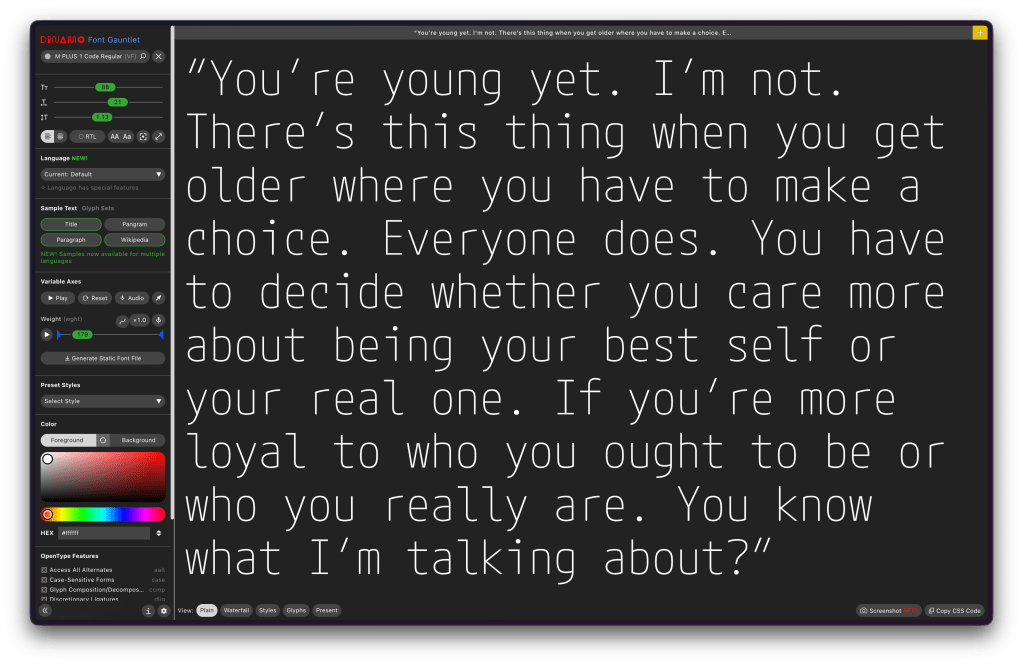
Font Gauntlet is a [free] tool made by Dinamo Typefaces for proofing, generating, and animating (Variable) Fonts. Published by Dinamo Typefaces. The web app’s name, “guantlet”, is an oddly violent choice (IMO), but when you do drop any font into the UI and start fiddling with the knobs, I guess there is just a teeny bit of font violence going on.
Your fonts stay cached locally in your browser only and they claim that when they generate an instance from your variable font, sid font is uploaded to our server for processing and then immediately deleted.
I’d blather more, but it’s already a tome of a Drop, and the UX is solid enough that you’ll get the feel for it in about 3 seconds if you do drop a font into it.
FIN
Remember, you can follow and interact with the full text of The Daily Drop’s free posts on:
- Mastodon via
@[email protected] - Bluesky via
<https://bsky.app/profile/dailydrop.hrbrmstr.dev.web.brid.gy>
ANOTHER THEME’D DROP!
The third section is light due to the tome-like nature of the first two sections. But, we’re talking about NEW VIM drop this past weekend and me finally getting around to kicking the tyres on Fresh.
TL;DR
(This is an LLM/GPT-generated summary of today’s Drop. Ollama and MiniMax M2.1.)
- Vim 9.2 introduces practical improvements including enums, generic functions, and tuples for Vim9 scripting, enhanced class support, fuzzy matching for insert-mode completion, and modernized defaults like increased history to 200 and backspace working properly (https://vimhelp.org/version9.txt.html)
- Fresh is a Rust-built terminal editor that uses standard keybindings and avoids modal editing, offering tmux-like session persistence, lazy-loading piece tree architecture capable of handling 10GB+ files with minimal memory, LSP integration, TypeScript plugins in sandboxed QuickJS, and robust SSH remote editing (https://getfresh.dev/)
- Liam’s initial Zed experience provides a newcomers perspective on setting up and using Zed, the editor the author has been a fan of since its early days (https://ljb.fyi/setting-up-zed/)
vim 9.2
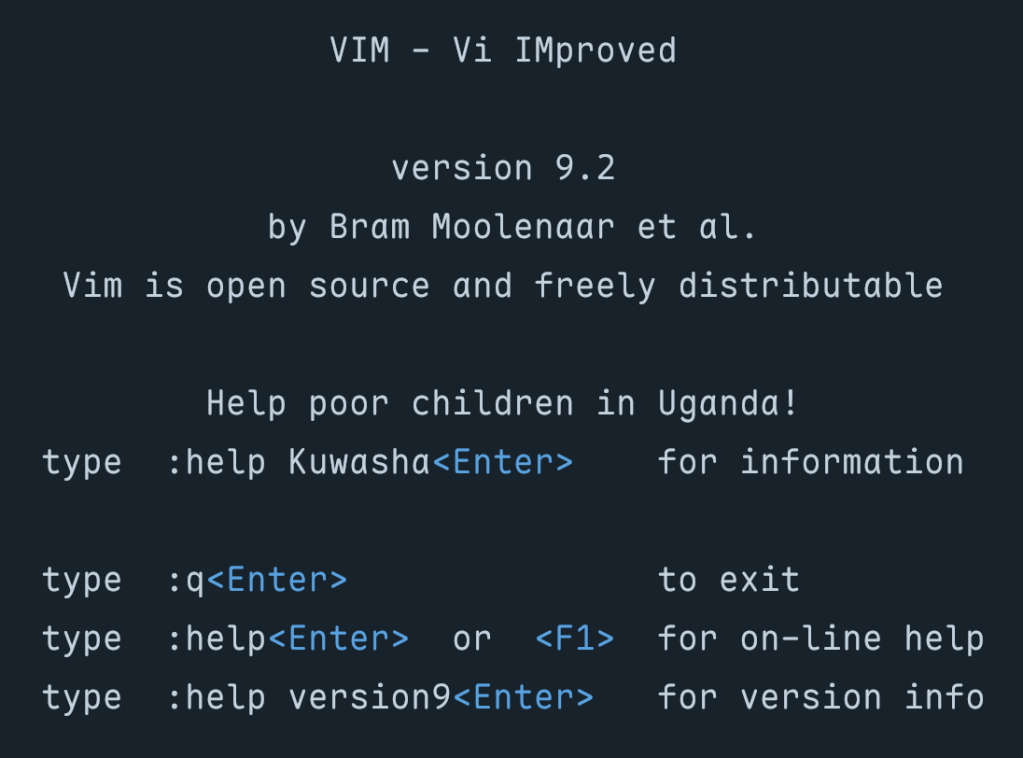
Vim 9.2 arrived about two years after the 9.1 release, and it’s jam packed with practical improvements that impact nearly every part of the editor. This release delivers a mind-bendingly broad set of enhancements to scripting, completion, diff mode, platform support, and the UX/UI. We’ll start with scripting.
Our wee Vim9 script done gone and growed all up! This new scripting language was introduced back in Vim 9.0 as a faster, more modern alternative to legacy Vimscript, and the language now supports enums, letting us define named sets of constants the way we’d would in most typed languages. Generic functions have arrived as well, so we can write reusable code that operates on different types without losing compile-time safety (how many editors can say they care about “compile-time safety” for their own editor components?). And there’s a new tuple data type for when we need a lightweight, ordered collection that’s distinct from a list.
Class support has improved too, and built-in functions can be called as object methods, which makes Vim9 script code read more naturally. The maturity of these features is starting to show in real projects, too. Contributor Yegappan Lakshmanan built four semi-complex games entirely in Vim9 script to showcase these constructs:
- Battleship – a complete implementation of the classic naval strategy game, using classes and type aliases
- Snake – the arcade classic running in a popup window, where the snake must eat numbers 1 through 9 in order
- Number Puzzle – a sliding tile puzzle demonstrating interactive plugin development with modern Vim9 constructs
- Sudoku – yes, Sudoku in your terminal text editor
All four were generated using (ugh) GitHub Copilot (scroll to the bottom of the README), which itself speaks to how legible and well-structured Vim9 script has become. If “AI” tooling can produce functional game code in a scripting language, the syntax is probably in a good place. (“AI” Vegans: don’t @ me.)
Insert-mode completion has been a useful but sometimes limited feature in Vim for a long time, and Vim 9.2 makes it substantially more capable. They’ve added support for fuzzy matching during insert-mode completion. Instead of requiring an exact prefix match, the completion engine now considers fuzzy matches, which means we can type a rough approximation of a symbol name and still get useful suggestions. This brings Vim closer to the completion behavior folks have come to expect from dedicated language servers and IDE-style plugins, without requiring any external tooling.
We can now also complete words directly from registers using CTRL-X CTRL-R, so if, say, we’ve yanked something useful, we can pull it into our completion candidates without leaving insert mode.
The release notes include detailed Vim9 script examples showing how to build auto-completion, live grep, fuzzy file finding, and command-line auto-completion using just the built-in APIs. No plugins required.
Several defaults have been modernized to match what most folks were already setting manually in their vimrc files. 'history' jumps from 50 to 200, giving us more command and search history without any configuration. 'backspace' now defaults to "indent,eol,start", which means backspace works the way virtually everyone expects it to in insert mode. 'ruler' and 'showcmd' are now on by default, so cursor position and partial command display are visible without opting in.
These changes have been removed from defaults.vim since they’re now baked into Vim itself. If you had them in your vimrc because defaults.vim was handling them, you can clean up a few lines.
Vim 9.2 also introduces a vertical tabpanel as an alternative, providing a sidebar-style list of tabs, which is easier to scan when we have many open. This won’t replace well-established statusline plugins for people who depend on rich metadata in their tab display, but as a built-in option it’s a sensible addition.
There’s tons more to explore in the release notes and app.
fresh
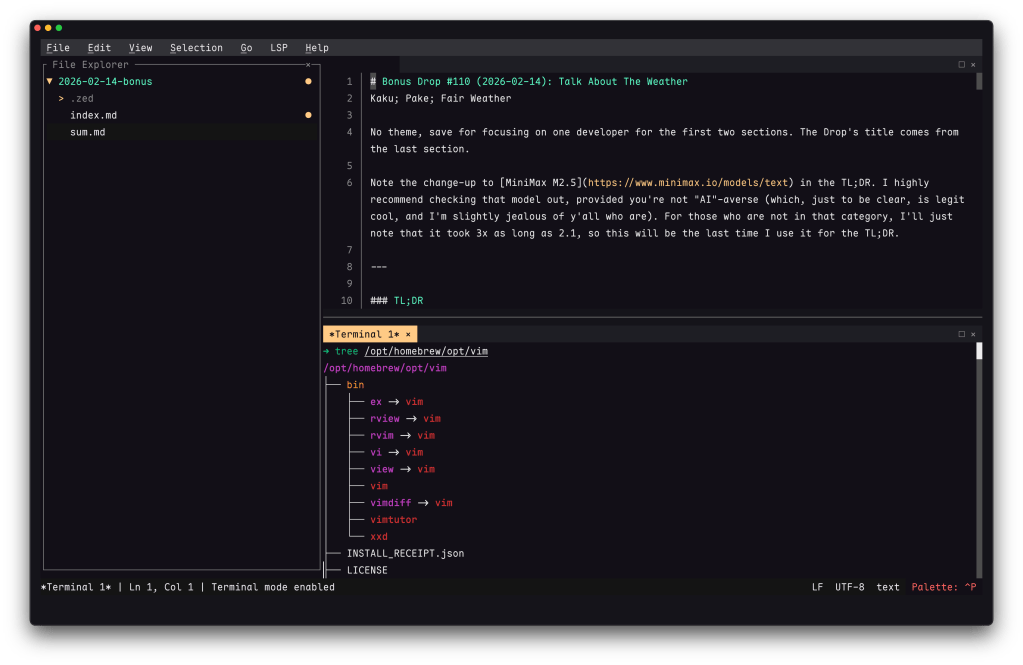
I held off introducing this editor after it was initially released a bit ago and hadn’t really played with it enough to get a good feel for it. I recently did scrounge some time to see if this was worth keeping around and updated (it is!), so it’s time to take a look at Fresh (GH).
Most terminal editor conversations start and end with the same question: vim or $SOME_OTHER_SERIOUSLY_WRONG_CHOICE? (Or, more recently, as we’ve showcased in the Drop since 2022, neovim or helix?) Noam Lewis’s Fresh sidesteps that debate entirely. It’s a Rust-built terminal editor designed around a premise your terminal editor should work like every other text editor you’ve ever used. That means it uses standard keybindings, has solid mouse support, sports a useful command palette, incorporates a menu bar, and permabans modal editing by default.
That is a solid UX pitch, but after using Sublime Text for so long (and, now, Zed), Fresh’s take on session persistence could just have me forgo the Vim 9.2 update. It supports tmux-like detach/reattach natively — fresh -a reconnects to a running session that survives terminal disconnections, SSH drops, and restarts. You can push files into a running session from external tools. If you’ve ever maintained a tmux config primarily so your editor survives a dropped connection, this collapses that entire layer into the editor itself.
Rust developers (as a whole) seem to come at problem-solving with very modern approaches, and this seems true for Fresh, too. It uses a lazy-loading piece tree for buffer management (i.e., it reads only the file chunks needed for whatever you’re interacting with, rather than loading everything into RAM). That architecture lets it handle files over 10 GB (confirmed, albeit w/a 4.3 GB file) with negligible memory overhead (startup time and input latency are equally impressively fast).
Feature coverage is dense for what’s essentially a single-human project. There’s full LSP (language server protocl) integration (go-to-definition, hover docs, diagnostics, code actions, autocompletion, format-on-save), a TypeScript plugin system running in sandboxed QuickJS (this is such a handy project that’s being embedded in everything making for a nice target for a supply chain attack) with OXC for fast compilation, a built-in package manager, robust split panes, an integrated terminal emulator, git gutter indicators (and log viewer), markdown preview, side-by-side diff, and ripgrep search. (I’m tired after typing that and re-reading it; the editor is really impressive). SSH remote editing with password/key auth and sudo save pushes it into territory usually occupied by Zed’s excellent remote SSH feature.
After spending some time with it, the low-friction onboarding is kind of what truly won me over. There are no config file rabbit holes and no keybinding memorization phase. I just opened it and started editing Saturday’s Drop.
If you like helix but would also like even more of an IDE feel, def give this a go.
Setting Up Zed
I’m a yuge Zed fanboi (shocker), and have been with it from the early days, so I’m super-biased at how good it is.
Take a look at liam’s intiial Zed experience for a newcomers perspective.
FIN
Remember, you can follow and interact with the full text of The Daily Drop’s free posts on:
- Mastodon via
@[email protected] - Bluesky via
<https://bsky.app/profile/dailydrop.hrbrmstr.dev.web.brid.gy>
No theme, save for focusing on one developer for the first two sections. The Drop’s title comes from the last section.
Note the change-up to MiniMax M2.5 in the TL;DR. I highly recommend checking that model out, provided you’re not “AI”-averse (which, just to be clear, is legit cool, and I’m slightly jealous of y’all who are). For those who are not in that category, I’ll just note that it took 3x as long as 2.1, so this will be the last time I use it for the TL;DR.
TL;DR
(This is an LLM/GPT-generated summary of today’s Drop. Ollama and MiniMax M2.5.)
- Kaku is a macOS-only fork of WezTerm that adds ergonomic Cmd-key shortcuts and includes a shell “starter pack” with tools like Starship, zoxide, Delta, and zsh plugins, plus optimizations that reduce the executable from 67 MB to 40 MB and cut launch latency (https://github.com/tw93/Kaku)
- Pake is a Tauri-based CLI tool that converts any URL into a lightweight cross-platform desktop app, though users may encounter xattr errors and local storage restrictions that can be resolved through codesigning with an Apple Developer certificate (https://github.com/tw93/pake?tab=readme-ov-file)
- Fair Weather is a vanilla JS weather scoring app that uses Open-Meteo APIs to calculate activity-specific scores for running, cycling, and stargazing, featuring color-coded timeline cards with clothing recommendations and an “Add to Calendar” function for hourly slots (https://fair-weather.query-farm.services/)
Kaku
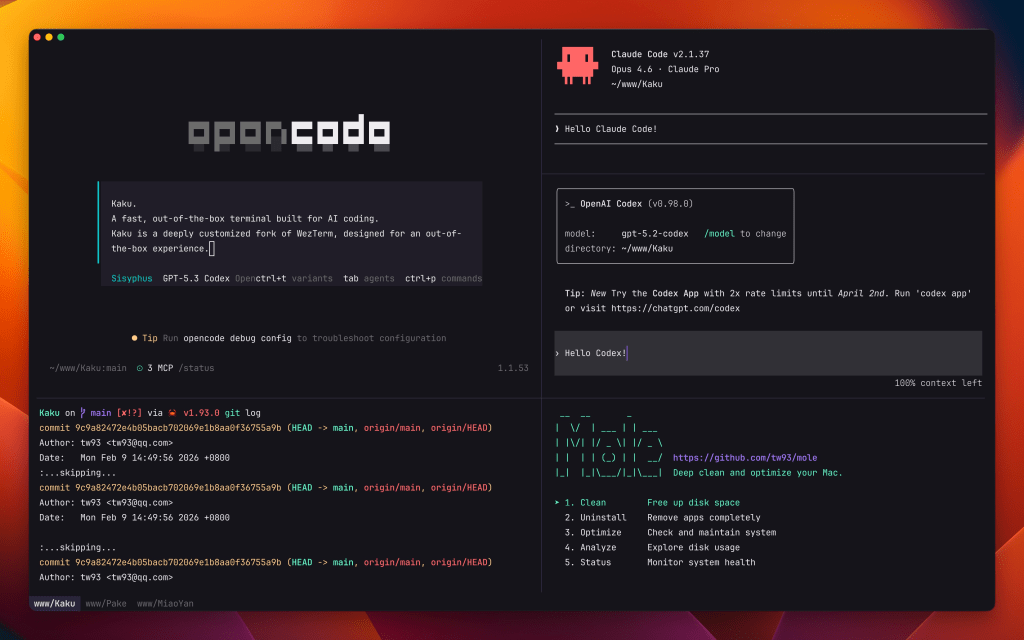
NOTE: macOS only, so Win/Lin folks can skip to the next section
Well, I did not expect WezTerm to be the first “daily driver” to go by the wayside in 2026, but here we are.
Kaku is a fork of WezTerm that adds some super nice ergonomics and a shell “starter pack” for folks who have not already leveled up their Zsh configs.
First up, please ignore the sad use of the forbidden letterform pair (“AI”) in the repo’s description. I’m not surprised devs will use that to get SEO and AEO + attract “AI” Bruhs; and the author did cite their desire for a solid terminal experience for “AI”-assisted coding as one of the reasons for building this fork, but it’s incidental to the utility of the terminal.
In the ergonomics space, Kaku defines a numbner of Cmd- keys for working with tabs, panes, etc. You could 100% do this on your own, to some degree. But out-of-the-box defaults are handy, especially for folks new to the terminal.
We’ve mentioned every component in Kaku’s “starter pack” in previous Drops, but rather than drop 4 links, we’ll snip from them to explain each component here.
Starship is a cross-shell prompt written in Rust that dynamically displays contextual information as you navigate your filesystem. It detects the current Git branch and status, active language/runtime versions (Node, Python, Go, Rust, etc.), cloud provider context (AWS profile, Kubernetes cluster), and the wall-clock duration of the last command. Configuration lives in a single TOML file, and it works across zsh, bash, fish, and PowerShell without modification.
z (typically via zoxide these days) tracks the directories you visit and ranks them by frequency and recency. Instead of typing out full paths, you give it a partial string, and it jumps to the best match. So z proj might resolve to ~/work/projects/greynoise-mcp if that’s where you spend your time. It hooks into cd transparently, so it learns passively as you work.
Delta replaces the default pager for git diff, git log, git show, and similar output with side-by-side or unified views that include syntax highlighting, line numbers, and configurable themes. It also handles grep output and plain diff. You configure Git to use it as core.pager and interactive.diffFilter, and it picks up language-aware highlighting automatically from the file extension.
zsh-completions is a community-maintained collection of completion definitions for commands that don’t ship their own. It fills gaps for tools like docker, cargo, kubectl, systemctl, and hundreds of others, providing tab completion not just for the top-level command but for subcommands, flags, and sometimes even argument values (like container names or branch names).
zsh-syntax-highlighting colorizes your command line as you type. Valid commands appear green, unknown commands red, strings get quoted highlighting, and paths that resolve on disk are underlined. It catches typos before you hit enter, which is especially useful for long pipelines or commands with complex flag combinations.
zsh-autosuggestions shows a ghost-text completion pulled from your shell history as you type, similar to how Fish shell works natively. Press the right arrow key to accept the full suggestion, or keep typing to narrow it. It surfaces commands you’ve run before in the current context, which is particularly useful for long or complex commands you run frequently but don’t want to alias.
Letting it add this to your config only puts one line in your ~/.zshrc, which you can 100% remove. Despite already using everything but Z, I let it do it to see how Tw93 rolls and then ditched the line.
ASIDE: I neglected to mention that X-CMD is still part of my daily drivers, and I am surprised it’s part of Tw93’s config.
WezTerm was already fast and lean, but Tw93 managed to shrink it a bit more and dial the speed knob up a bit. The optimized build reduces the executable from roughly 67 MB to 40 MB through aggressive symbol stripping and feature pruning, while the bundled resources drop from around 100 MB to 80 MB via asset optimization and lazy-loaded assets. Launch latency improves from standard to near-instant through just-in-time initialization, and shell bootstrap time is cut from approximately 200 ms to 100 ms with optimized environment provisioning. These gains come from stripping unused features, lazy loading color schemes, and tuning the shell integration layer.
If you go the Homebrew route to install, use kakuku as the formula name, since there was a conflict with an existing tool.
Pake
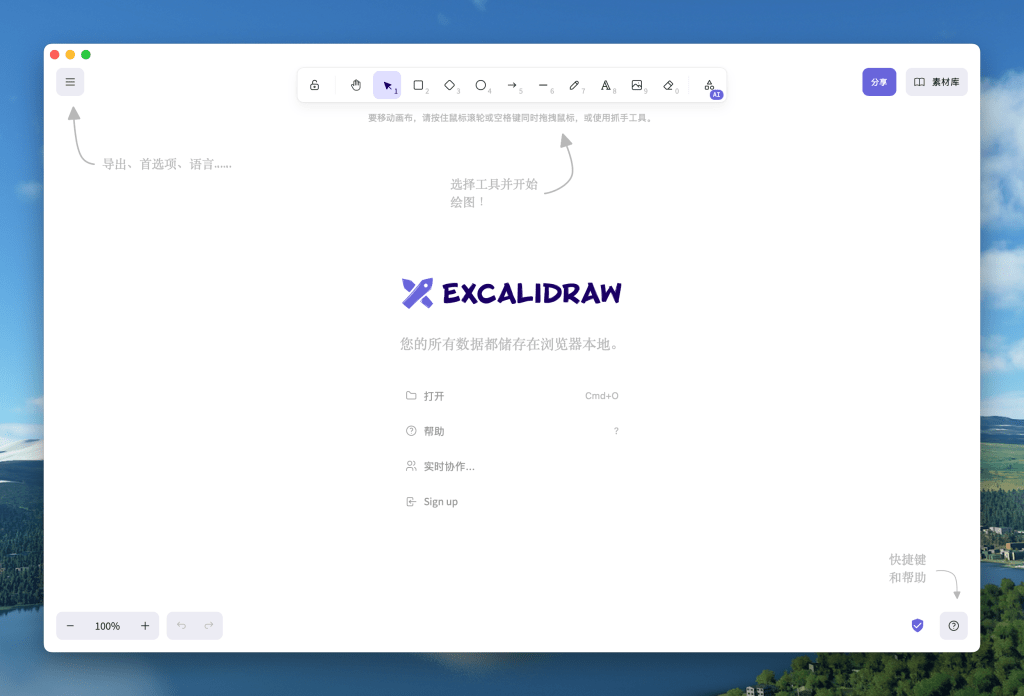
We’ll stay in the Tw93-verse for the Drop’s midsection and cover Pake.
This will be a short section since this is a “Give it a URL and an optional app name, and you get back a double-clickable cross-platform app that turns the website into a URL” tool.
It relies on Rust’s Tauri under the hood, so it’s more lightweight than most other options.
I tried wrapping my “Bloomberg Terminal For The Internet” at work in with it and got:
$ deno run -A npm:pake-cli "https://viz.greynoise.io/observe/explore/sessions" GreySharkBundling GreyShark.app (/Users/hrbrmstr/Library/Caches/deno/npm/registry.npmjs.org/pake-cli/3.8.4/src-tauri/target/aarch64-apple-darwin/release/bundle/macos/GreyShark.app)failed to bundle project failed to remove extra attributes from app bundle: `failed to run xattr` Error failed to bundle project failed to remove extra attributes from app bundle: `failed to run xattr` ELIFECYCLE Command failed with exit code 1.That’s not a showstopper, and the resultant app worked fine for a bit until our web app tried to use local storage (macOS is pretty strict these days). After codesigning it with my Apple Developer cert it worked fine.
Keep an eye on it, and kick the tyres. It’s always handy to have another one of these web-to-app builders in the arsenal.
Fair Weather
As longtime Drop readers will know, I’m a weather nerd who will always try out any new weather app, API, or gadget that comes my way.
Fair Weather is a single-page (SPA) weather scoring app from Query.Farm, the supercalifragilisticexpialidocious DuckDB extension studio. It’s designed to answer one question: “When should I go outside [to do X]?”
It relies on two Open-Meteo API calls:
- Weather forecast (
api.open-meteo.com/v1/forecast) – pulls hourly temperature, feels-like temp, humidity, weather code, wind speed, UV index, precipitation probability, cloud cover, and visibility. Also grabs daily sunrise/sunset. Two-day forecast window. - Air quality (
air-quality-api.open-meteo.com/v1/air-quality) – pulls hourly US AQI for the same two-day window.
All computation happens client-side (i.e., there’s no backend API). It’s a super small static site with inline [vanilla] JS doing the scoring.
Speaking of scoring…each hour gets a 0-100 score with four tiers: Poor (red), Fair (yellow), Good (blue), Excellent (green), and the scoring weights differ per activity:
- Running/Walking/Cycling – scores based on feels-like temperature, wind speed, precipitation probability, UV index, and weather code. The optimal temperature band shifts slightly between activities (cycling penalizes wind more heavily, walking is more tolerant of cold). Daylight hours clearly get a boost. Each hour card shows clothing recommendations that map to the score/conditions – things like “Heavy running jacket, fleece layer, gloves, hat” for cold/poor conditions vs “Long sleeve shirt or half-zip” for excellent.
- Stargazing – completely different scoring model. Factors in cloud cover percentage, visibility distance (km), and moon phase/illumination (Waning Crescent 7% tonight, which is great for stargazing). It adds a “Tonight’s Sky” panel showing visible planets with color-coded tags (Mercury, Venus, Mars highlighted as currently visible; Jupiter and Saturn dimmer). The timeline includes astronomical events like planet rise times and moonrise. Scores invert from daytime activities – pre-dawn hours at 6AM scored Excellent (80), while 7AM after sunrise dropped to Poor (24).
The timeline “heat bar” at the top gives an at-a-glance view using a red-to-green gradient, with a “Best X-Y” range indicator underneath. Each hourly card is expandable with full conditions. The left border color matches the score tier. Transition annotations between hours explain what changed (i.e., “Conditions shift from fair to good. Feels 5 degrees warmer.” ) Sunrise/sunset markers are inline in the timeline.
The delicious part is that when I poked under the hood, it looked like no frameworks were used. That’s right: no React, Vue, Alpine, or Svelte. It’s vanilla JS with inline scripts and CSS! It also has a web app manifest (manifest.json) and is PWA-capable (i.e., has service worker support). Likewise, it sports two external scripts in total plus Google Fonts (Bunny Fonts or local hosting would have been cooler).
It also has some quality-of-life enhancers, specifically an “Add to Calendar” per hourly slot (generates .ics) and the duration selector (30 min to 2 hours), which presumably adjusts scoring to consider condition stability over the selected window rather than just a single-hour snapshot.
It’s a well-executed single-purpose tool (something always appreciated at the Drop).
FIN
Remember, you can follow and interact with the full text of The Daily Drop’s free posts on:
- Mastodon via
@[email protected] - Bluesky via
https://bsky.app/profile/dailydrop.hrbrmstr.dev.web.brid.gy
A THEMED DROP! W00t!
But, honestly, just hit the md-browse link in the TL;DR, and spend all your time actually being able to read the internet again.
Keep reading if you want more details on the core bits that made it possible.
TL;DR
(This is an LLM/GPT-generated summary of today’s Drop. Ollama and MiniMax M2.1.)
- md-browse is a markdown-first web browser that converts web pages to clean markdown by sending Accept headers and using Turndown for HTML-to-markdown conversion, prioritizing readability over visual artifacts (https://github.com/needle-tools/md-browse)
- electrobun is a lightweight alternative to Electron that uses Bun and native WebViews on each platform to build cross-platform desktop apps with dramatically smaller bundle sizes and type-checked IPC (https://github.com/blackboardsh/electrobun)
- Turndown is a JavaScript library that converts HTML to Markdown across browsers, Node, and Deno by walking DOM trees and applying customizable rules to produce clean, readable markdown output (https://github.com/mixmark-io/turndown)
md-browse
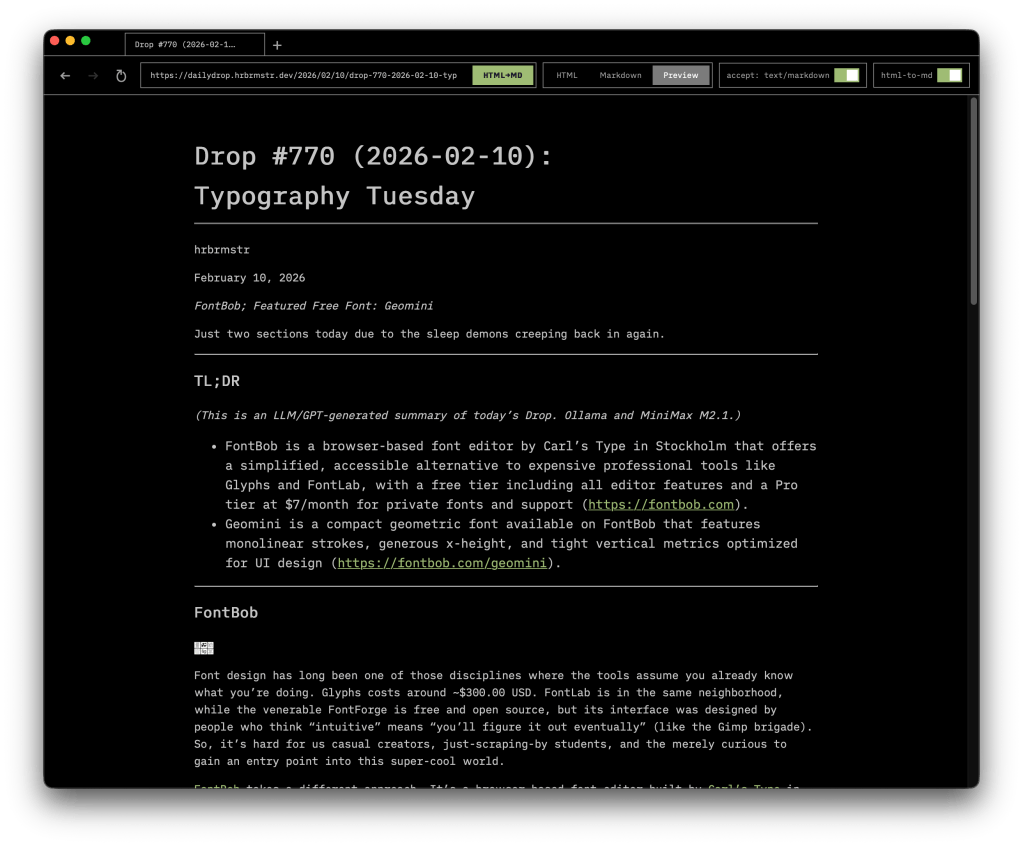
I was just having a convo with a teammate last week about wishing there was a browser that just converted everything to markdown (rendered or raw) to avoid all the garbage that is the internet in 2026. I need to speak things into existence more often!
As you all know, most web browsers treat every page as a visual artifact, downloading and rendering the full weight of “modern” HTML, CSS, and JavaScript regardless of whether you actually need any of it. If you spend most of your time reading rather than interacting, that is a lot of overhead for what amounts to text on a screen. md-browse takes a different approach.
Built on Electrobun (which “TIL” and is in the next section), md-browse is a markdown-first browser that treats readable text as the default rather than the exception. When you navigate to a URL, it sends an Accept: text/markdown (also “doh! why have I not done this to various sites I run?”) header before anything else. Servers that respect that header return markdown directly, and md-browse displays it as-is. For everything else, the app fetches the HTML and runs it through a tuned Turndown (also in the last section!) conversion pipeline that strips away scripts, styles, navigation chrome, and footer clutter, pulling the actual content from semantic elements like <main> and <article> and converting it to clean markdown. The result is close to what AI tools see when they ingest a web page: just the substance, structured and readable.
The interface supports tabbed browsing with full navigation history, and each tab offers a dual-view toggle so you can switch between raw markdown and a rendered preview. The architecture is straightforward: a Bun process handles fetching, conversion, and state management over RPC, while a Svelte-based toolbar view manages tabs, navigation controls, the URL bar, and content display. The design is dark, minimal, and built around readability rather than decoration.
IT IS SO STUPID DREAMY!
electrobun

I despise Electron apps, as Electron is a bad solution to the cross-platform GUI app distribution problem. Seeing how nimble and lightweight md-browse was made me super happy to discover electrobun. Rather than ship a 150MB bundle for what’s essentially a wrapper around your web app, electrobun lets your system’s native WebView handle rendering. For macOS that means WebKit-proper; on (ugh) Windows it’s Edge WebView2; and, for Linux it’s WebKitGTK; This drops the most minimal app from 50MB to about 13MB distributed, which I can 100% live with.
The framework runs on Bun rather than Node, which means your main process gets Bun’s TypeScript execution and bundling instead of V8. The repo breakdown is a mix of 40% TypeScript, 34% C++, 14% Objective-C++, 5% Zig. All OS-native functionality like window management, system trays, and menus live in that C++/Obj-C layer, while Zig handles a SIMD-optimized BSDIFF implementation for binary diff updates.
I poked around the forums and folks were regularly praising the update system. Apps gets tarred, zlib-compressed, then wrapped in a self-extracting ZSTD bundle for distribution. Updates produce patches often measured in kilobytes rather than megabytes (like the good ol’ days!), and the whole thing works against a static file host. Folks on older versions download successive patches; if patching fails, it falls back to full download. The IPC model uses typed end-to-end RPC, so your cross-process calls between the Bun main process and webview get type-checked at compile time (which is a real improvement over Electron’s untyped IPC, even though TypeScript is not in any way, shape, or form foolproof).
Yoav at Blackboard built electrobun to power co(lab), their hybrid browser/code editor, and it recently hit v1 with macOS, Windows, and Ubuntu support. The API covers windows, menus, context menus, tray icons, clipboard, dialogs, webview partitions, session storage, find-in-page, and the update infrastructure. The CLI handles DMG generation, code signing, and notarization on macOS, with build targets for macos-arm64, macos-x64, win-x64, linux-x64, or all at once.
Compared to Rust’s Tauri, you’re writing Bun+TypeScript for your main process instead of Rust, which lowers the barrier considerably if you don’t want to context-switch languages. Compared to Electron, you lose guaranteed Chromium consistency across platforms (unless you opt into bundling CEF), but gain those dramatically smaller bundles and update sizes.
The ecosystem around it, which I suggest means things like plugins, community packages, and Stack Overflow (yes, SO is still “a thing”) answers, is essentially nonexistent compared to Electron or even Tauri. If you need battle-tested production stability with a large support community, this isn’t there yet. If you’re building something new and can tolerate rough edges in exchange for small bundles and sane updates, give it a serious look.
Turndown
We referenced Turndown (GH) back in 2024 but have never covered it. This seemed like a good opportunity to do so.
By now you’ve grok’ed that Turndown converts HTML to Markdown. It works across browsers, Node, and Deno without dram (JS/TS DOM-dependent libraries are notoriously fierce beasts to tame).
It walks a DOM tree, matches each element against a set of rules, and calls the matching rule’s replacement function to produce Markdown. Built-in rules cover standard HTML elements sensibly, but you can override any of them or add custom rules for elements like strikethrough or task lists. And, these rules evaluate in reverse order of addition, so your custom rules always win.
Browser builds use the native DOM parser and come in at roughly 4KB minified+gzipped with zero runtime dependencies (yay!). Node builds pull in jsdom (sigh) for DOM parsing (the “sigh” was due to jsdom being a ridiculously heavyweight dependency). For Deno, import via npm:turndown and pair it with deno-dom or linkedom to skip the jsdom weight.
Configuration handles Markdown style preferences such as heading style (setext underlines vs. atx hashes), bullet markers, code block style (fenced vs. indented), and emphasis delimiters. The turndown-plugin-gfm plugin adds what I’d call must-have GitHub-flavored extras like tables and task lists.
I use this and readability libraries in a personal service that turns content at URLs into markdown + text and it’s never failed me once.
FIN
Remember, you can follow and interact with the full text of The Daily Drop’s free posts on:
- Mastodon via
@[email protected] - Bluesky via
<https://bsky.app/profile/dailydrop.hrbrmstr.dev.web.brid.gy>