Recently, Google quietly removed support for the num=100 search parameter – the one that allowed viewing 100 search results per page. This parameter also made it possible to collect large sets of ranking data quickly and efficiently. But now, with results now capped at 10 per page, more requests are needed to collect the same amount of data as before, which translates to higher resource usage, and naturally, higher data costs.
Even so, there are smart ways to adapt and optimize your workflows to keep your data accurate without overspending. In this blog post, we’ll break down the changes we’ve had to introduce at DataForSEO, and what specific strategies you can implement to achieve maximum cost efficiency in your rank-tracking with SERP API.
Contents
How DataForSEO Adapted As Google Dropped num=100
Cost-Effective Approaches to Rank Tracking with SERP API
1. Optimize Your SERP Crawl Depth
2. Adjust Your Tracking Frequency
3. Fetch Only the Pages That Matter
4. Automate Savings with Stop-on-Match in SERP API
5. Lean on DataForSEO for Fair Billing and Automatic Refunds
Rank Tracking Cost Optimization in Real-Life Scenarios
Takeaways for Smarter SERP API Spend
How DataForSEO Adapted As Google Dropped num=100
At DataForSEO, we realized something was off early, so we jumped into action right away. Our team worked long shifts over that September weekend, tuning our crawling system, resources and loads to ensure uninterrupted performance for our clients. In parallel, we began developing a new pricing model that would reflect the real resource usage under the new conditions, while remaining cost-effective. And of course, we gave our clients an early heads-up so they could prepare before the changes took effect.
So, what exactly changed in the DataForSEO SERP API?
To keep things straightforward, our SERP API now charges based on the actual “depth” of results retrieved. The first page (typically up to 10 results) is billed at full rate and every additional page is discounted by 25%.
This approach mirrors the reality of crawling. Page 1 is generally the most resource-heavy, packed with all the ads, AI Overviews, and other SERP features, which require more processing power. Subsequent pages are lighter and simpler, so they cost less to collect.
Google’s update also served as a catalyst for aligning the pricing rules across all Organic search engine types of SERP API, including Google, Bing, Yahoo, Baidu, Seznam, Naver. This approach ensures the cost matches true resource usage required to retrieve paginated results, while keeping billing consistent and transparent for every customer.
Ultimately, the new model helps you reduce costs when collecting deeper pages without compromising data completeness and reliability. So, how do you make the most of it?
Cost-Effective Approaches to Rank Tracking with SERP API
Data accuracy and cost efficiency can absolutely go hand in hand. You don’t have to choose between them. With a few thoughtful adjustments to your rank-tracking strategy, you can achieve greater savings without compromising on quality.
Now that Google limits each page to 10 results, it makes sense to focus your workflow optimization on three key areas: depth, frequency, and targeting. These are not just savings tactics, but smarter ways to navigate rank tracking in today’s evolving SERPs.
To maintain operational stability, it’s equally important to have sound cost-saving automation features and balance-protection mechanisms. With DataForSEO, you can rely on stop_crawl_on_match and automatic refunds for controlled and predictable spending.
But let’s explore everything step by step.
1. Optimize Your SERP Crawl Depth
One of the simplest ways to make your rank tracking more cost-effective is by fine-tuning your depth. If you’ve been pulling full top-100 results for every keyword, narrowing that range can immediately lower your data costs. For instance, going from 100 to 50 results slices your spend in half, while still giving you a clear picture of the competitive search landscape.
In most cases, real competition sits within the top 30 results. Fetching three pages instead of ten, you instantly cut your costs by roughly 70%, while getting a focused view of the competitors that matter most in terms of traffic and performance.
To make depth control even more predictable, you can additionally use the max_crawl_pages parameter. As you may already know, search engines tend to return varying numbers of results on page one, so it’s impossible to guess what depth will stay within that page. The max_crawl_pages parameters solves that uncertainty by letting you limit how many pages the API should crawl. Learn more about this feature here.
For example, if you send a request "depth": 15, and Google shows 14 results on page 1 and 10 on page 2, you’d normally receive data from two pages and pay more for the extra crawl. But with "max_crawl_pages": 1, the API will only return the first page’s 14 results, helping you minimize costs.
Below you can find an example SERP API request with depth and max_crawl_pages settings.
[
    {
        "language_code": "en",
        "location_code": 2840,
        "keyword": "albert einstein",
        "max_crawl_pages": 3,
        "depth": 30
    }
]
And here’s how reducing the number of SERPs you pull translates to savings.
| Depth Strategy | Pages Crawled | Cost | Savings vs 10 pages (100 results) |
| Full depth, 100 results (baseline) | 10 pages | $0.00465 | 0% |
| Fetch top 50 results | 5 pages | $0.0006 + 4×0.00045 = $0.0024 | 48.4% |
| Fetch top 30 results | 3 pages | $0.0006 + 2×0.00045 = $0.0015 | 67.7% |
| First page only | 1 page | $0.0006 | 87.1% |
2. Adjust Your Tracking Frequency
Check frequency is one of the most important levers for optimizing your rank tracking costs. When you step back and evaluate how often different keywords truly need attention, it becomes easier to define the right rhythm for tracking them.
If we’re speaking of your high-value keywords (those directly tied to revenue, brand visibility, or critical campaigns), these absolutely deserve daily monitoring. That’s where even some small fluctuations matter, and keeping a close eye on such terms allows for quick reaction and tweaks.
But not all keywords require the same scrutiny. For secondary, long-tail terms, consider shifting from daily checks to every two or three days. A slightly wider monitoring window will still capture the most important trends, but it will also help you reduce costs dramatically without losing any meaningful insights.
From an implementation standpoint, you could group your keywords by priority labels,
(e.g., “core”, “supporting”, “long-tail”) and assign different update intervals to each group in your task scheduler or no-code workflow.
Lowering the check frequency for non-critical keywords can cut costs dramatically in the long run.
| Frequency Strategy | Checks / Month | Relative Cost | Savings |
| Daily (baseline) | 30 | 100% | 0% |
| Every 2 days | 15 | 50% | 50% |
| Every 3 days | 10 | 33% | 66.7% |
3. Fetch Only the Pages That Matter
When you already know roughly where a target website tends to rank, you can leverage another smart option: you don’t need to crawl the SERPs from the top every time – fetch only the pages you need instead.
Let’s say your target website typically ranks around position 34. That’s on page four. Rather than fetching all 100 results, you could only scan a narrower set of results where your site is likely to appear: in our example, these would be pages 3, 4, and 5. In addition to significantly cutting your costs by skipping unnecessary pages, this approach will also speed up your workflow.
From a practical perspective, with DataForSEO SERP API, you can easily do this using the search_param field with the start parameter. For instance, &start=31 jumps straight to the first result on page four. From there, you can set depth to 30 or max_crawl_pages to 3 to limit how far the crawl goes.
Note that rank values will count the results starting from the first page of the crawl, so with &start=31 applied, "rank_absolute": 1 will mean the actual rank is 31.
Here’s an example workflow with all the necessary implementation steps:
- Determine expected rank ranges based on historical data for a domain.
- Set
"search_param": "&start=X"to start crawling search results at the closest position range. - Add
"max_crawl_pages"or"depth"to set a rational limit for the crawl. - Process results using the following formula for smooth analytics:
Actual rank = rank_absolute + start - 1
Replace start with the number you set as N in "&start=N". For example, if start = 31 and rank_absolute = 5, the actual position is 5 + 31 - 1 = 35.
SERP API request example
[
    {
        "language_code": "en",
        "location_code": 2840,
        "keyword": "albert einstein",
        "max_crawl_pages": 3,
        "depth": 30,
        "search_param": "&start=31"
    }
]
Overall, this option ensures a precise targeted data collection that lets you focus on the pages that you really need, avoid unnecessary page scans and save significantly.
| Targeted Crawl Strategy | Cost | Savings |
| Full crawl, 10 pages, 100 results (baseline) | $0.00465 | 0% |
| Fetch only 3 specific pages | $0.0015 | 67.7% |
| Fetch only 2 specific pages | $0.00105 | 77.4% |
| Fetch only 1 specific page | $0.0006 | 87.1% |
4. Automate Savings with Stop-on-Match in SERP API
The next essential tactic is based on a new feature we’ve added to the DataForSEO SERP API – stop_crawl_on_match. Rank tracking often involves collecting multiple pages just to confirm whether a specific domain appears in some of them. But once the target is found, your objective has been achieved, so everything beyond that point becomes unnecessary spending.
The stop_crawl_on_match array allows you to avoid just that, by specifying up to 10 target domains and/or URLs that act as stopping signals. By default, the crawl automatically stops as soon as the first match is found for one of your specified targets, preventing unnecessary page fetches and API usage. But to make this mechanism even more flexible, we’ve added three parameters that help you control where and when crawling stops:
target_search_mode– decide whether the crawl should stop after finding any single target or only after all targets are located.find_targets_in– restrict target detection to specific SERP elements such as organic results or featured snippets.ignore_targets_in– exclude rankings in unwanted SERP elements like paid ads, images, or videos from the matching process.
These options let you shape crawl behavior around your specific analytical needs. You can learn more about using them in our dedicated Help Center article.
Note that if the target is not found, the crawl will continue as usual up to the indicated depth.
Here’s how to add the stop_crawl_on_match array with additional settings to your API request body.
[
    {
        "language_code": "en",
        "location_code": 2840,
        "keyword": "email marketing tools",
        "depth": 100,
        "stop_crawl_on_match": [
            {
                "match_value": "mailchimp.com",
                "match_type": "domain"
            },
            {
                "match_value": "constantcontact.com",
                "match_type": "domain"
            },
            {
                "match_value": "sendinblue.com",
                "match_type": "domain"
            }
        ],
        "target_search_mode": "all",
        "find_targets_in": [
            "organic",
            "featured_snippet"
        ]
    }
]
The match_type parameter supports three options:
domain– match the specified domain exactly (without subdomains);with_subdomains– match the domain and all its subdomains;wildcard– match by pattern.
Read more about this and other settings for the stop_crawl_on_match parameter in more detail here. For maximum control and efficiency, combine the stop_crawl_on_match with parameters like depth, max_crawl_pages, and "search_param": "&start=N".
Automated stopping maximizes your rank-tracking efficiency by eliminating wasted crawls. Savings depend on when the target domain is found.
| Target’s Position Found On | Cost | Savings |
| Page 1 | $0.0006 | 87.1% |
| Page 2 | $0.00105 | 77.4% |
| Page 3 | $0.0015 | 67.7% |
| Page 4 | $0.00195 | 58.1% |
| Not found (full crawl, 10 pages) | $0.00465 | 0% |
5. Lean on DataForSEO for Fair Billing and Automatic Refunds
Last but not least, we’ve got your back. The DataForSEO system includes a built-in safety net for your balance protection.
If you ever ask for more results than actually exist, you will get an automatic refund of the difference back to your account balance. For example, when you set “depth” to 14, you are initially billed for two pages, but if a single page contains all 14 results once it’s fetched, the charge for the extra page(s) is returned to your balance automatically.
Besides that, if a page contains more than 10 results (let’s say 15), and you set depth to 10 or ignore the depth field, you will receive all the 15 results at no additional cost.
This logic ensures users never overpay and can confidently rely on built-in refunds.
Rank Tracking Cost Optimization in Real-Life Scenarios
Businesses of all sizes can undoubtedly benefit from the rank-tracking optimization techniques discussed above, however, their cost-saving impact depends heavily on the scale.
➤ For freelance SEOs and small teams working with a limited number of clients, every API request directly affects profitability. So, the biggest win here comes from avoiding unnecessary data collection. The best tactic would be adjusting your depth carefully and using stop-on-match to ensure you only pay for results that actually appear in client reports. The savings may seem small per keyword at first, but they will add up over time, resulting in healthier margins and allowing you to offer more competitive rates or reinvest in growth..
➤ Large SEO agencies handling thousands of keywords across multiple clients face a different challenge: scale. This means even minor inefficiencies can lead to significant financial impact. On the other hand, it also means implementing small adjustments in depth, frequency, and crawl behavior can translate into significant savings. To achieve the best outcomes, combine those tweaks with smart client segmentation. For instance, you could maintain deeper top-100 tracking for priority clients or very competitive niches, while reducing depth to 30 or 50 results for smaller accounts and less volatile markets. Tracking frequency can be tiered as well: daily for top accounts, every two or three days for others. Working together, these strategies will help you balance the depth of insights with long-term sustainability.
➤ If you’re a developer and or SEO software provider, the main cost-saving opportunity in this case is system-level optimization. You can build configurable rank tracking options directly into your platform, giving users full control over how many pages their dashboard covers and how frequently they want it updated. This way, you can upgrade your rank tracking to an adaptive customer-first solution where users can clearly see how their settings affect cost. Behind the scenes, leverage additional features like stop-on-match to avoid unnecessary data processing. This mixed approach will help you not only improve performance and reduce data costs, but also increase transparency and brand trust.
Takeaways for Smarter SERP API Spend
Change in SEO is inevitable. Search engines will always be challenging us to optimize, refine, and future-proof our workflows. But when we find the right approach, like replacing a single letter, change doesn’t have to be a disruption – it can become a chance.
The removal of num=100 is indeed a great limitation, but it also opens the door to smarter rank tracking. With reliable data and the right strategy, even major shifts like this become chances to innovate, opportunities to optimize workflows and build more sustainable systems.
At DataForSEO, our mission has always been to keep your data accurate and affordable, and your costs – predictable and transparent. That’s why we’ve compiled all of these cost-saving opportunities together into practical strategies you can apply right away.
Here’s your quick recap:
- Control your
depth— track only what matters most. - Adjust frequency — prioritize your most valuable keywords.
- Target pages smartly — skip directly to where your site ranks.
- Use
stop_crawl_on_match— avoid unnecessary crawling easily. - Rely on automatic refunds — never pay for unused crawls.
Each of these steps helps you keep your search monitoring budget-friendly without sacrificing data quality.
If you’re ready to turn this shift into a strategic advantage, explore the updated DataForSEO SERP API docs and see how you can streamline your workflow.
]]>Traditional SEO strategies are obsolete when it comes to generative search. Built around tracking SERP rankings, organic traffic, and backlink profiles, such strategies don’t fully translate to AI-driven search. Another issue is defining the main goals and success metrics of generative search optimization. What are the main KPIs in GEO, and how to track them? How can you evaluate and report the results of optimization efforts?
In this article, we break down the key similarities and differences between SEO and GEO, focusing on three critical processes: visibility tracking, keyword analysis, and setting KPIs. We’ll explore how the data requirements, metrics, and ultimate goals differ between traditional and AI search optimization.
Contents:
Traditional and generative search: shared principles and main distinctions
➤ Main distinctions
➤ Shared principles
The three key process differences: where SEO and GEO diverge
➤ Tracking website visibility in search
➤ Data-driven keyword analysis
➤ Defining ultimate goals and KPIs
Conclusion
Traditional and generative search: shared principles and main distinctions
Traditional and generative search both aim to connect users with relevant information from trusted sources, but they achieve this goal through different mechanisms. Let’s analyze the main distinctions and shared principles of traditional and generative search to better understand the process-level changes that follow.
Main distinctions
1. How results are sourced and displayed. In traditional search, websites are displayed as lists of ranked search engine results. The search engine selects websites from a massive index and ranks them from the most relevant to the user’s query to the least. While forming a list of relevant results, the websites are ranked against numerous factors: from content relevance to domain authority.
In AI-driven search, there is no traditional ranking system. The LLM cites websites and brands directly inside the conversational responses in the form of text mentions or embedded links. Mentions are placed across the response depending on the context and relevance to specific answer points.
The way AI searches for relevant information and selects sources is even more sophisticated. First, the AI may retrieve the information for the answer from its training data (including brand mentions) or conduct a web search to gather external information. When searching the web, AI can use a “query fan-out” technique – breaking down the initial query into multiple related searches to gather comprehensive data. Then, AI analyzes the relevance of the found information and sources, taking into account the context of the conversation, topic coverage, and generates a response. What’s more, LLMs may often pull mentions from popular discussion platforms, like Reddit and Quora, and streaming services, such as YouTube, rather than top-ranking pages.
2. User journey difference. The user’s journey in traditional search is relatively simple: the user types a query, clicks the relevant result, and visits a website (or browses again). In LLM-based searches, the journey can be significantly different: the user asks a question, the LLM generates an answer using information from a website, so the user may not visit a website at all. Such a phenomenon is called a “zero-click search”, where the user receives the answer immediately, without needing to visit a website.
In generative search, “zero-click searches” are more common, as AI provides a comprehensive response that may be sufficient for a user, rather than a list of links to click through. Such searches result in little-to-no direct traffic from LLMs to websites. However, what matters in AI-driven search is visibility. While it may not drive direct traffic, AI visibility shapes brand perception, builds authority, and influences users when they’re ready to take action.
3. Content structure and relevance. Content optimization plays a crucial role in traditional SEO, as it significantly increases the chances of ranking higher in search results. By now, there are countless approaches and guides that cover different aspects of SEO content optimization, from keyword targeting to text structuring. In the case of generative search, content optimization requires some special practices.
This involves making website content relevant and noticeable to AI algorithms by presenting information in a format that AI can easily reference in its responses. Additionally, if your content comprehensively covers the target query, it is more likely to be noticed by the LLM. That means the content must be oriented toward addressing real user questions and pain points, rather than targeting specific traffic-focused keywords.
Shared principles
1. The essential SEO best practices still matter. When generative search appears to be a completely different domain, following SEO fundamentals remains critical for AI visibility. That’s because, when performing a search for external data, LLMs fetch it directly from search engines. So, if your website doesn’t rank or even appear in traditional SERP, you can’t expect it to be seen and quoted by LLMs either. Besides, the poor technical condition of a website and unstructured data can prevent AI crawlers from parsing your content and including it in the responses.
Thus, maintaining good website health, structuring content, and providing trusted, relevant information is a bare minimum for being noticed by LLMs. Only when you’re sure that your website is adequately optimized for traditional search can you start integrating GEO-specific tactics to increase your chances of being cited in AI responses.
2. Access to quality optimization data is paramount. Both SEO and GEO strategies can guarantee success only if backed by real and actionable data. Without access to keyword data, rankings, and visibility insights, all optimization is just guesswork. The data allows you to make evidence-based decisions, identify what drives results, and continuously refine your optimization approach.
However, in this context, one major issue emerges – the nature of the data and its accessibility. Accessing and analyzing SEO data is relatively straightforward, as most of it you can fetch directly from the source – search engines. For example, Google keyword data is available through the Google Ads API, and SERP data can also be retrieved efficiently using powerful API solutions. Moreover, you can easily interpret SEO data into understandable and trackable metrics that can precisely reflect the results of optimization.
The generative search data is way more complicated. First, popular LLMs don’t provide open access to structured response data, keyword popularity insights, and other relevant information. Second, due to the fluid and conversational nature of the LLM response, data collection and results tracking require more complex approaches, which are substantially different from traditional SEO.
This data challenge, along with the distinctions we explored earlier, means that familiar SEO workflows require a fundamental rethinking for GEO.
The three key process differences: where SEO and GEO diverge
Visibility tracking is essential both for SEO and GEO. When your website is visible on the web or in LLM responses, it generates brand awareness, attracts potential customers, and builds credibility for your business. So, tracking rankings and visibility helps you understand your market position, how you perform against competitors, and identify areas for improvement to increase your popularity in search.
1Tracking website visibility in search
SEO visibility tracking
In SEO, visibility monitoring is relatively straightforward. In particular, it includes:
- Tracking the position of your website and its pages in SERPs for specific keywords (top 10 or top 100 results);
- Analyzing whether your business appears in the extra SERP features (people also ask questions, knowledge graphs, image galleries);
- Estimating potential traffic volume to a website;
- Tracking and analyzing the historical ranking changes over time.
For rank tracking in traditional SEO, you need to rely on actual and historical SERP data. This data includes structured result snippets with website title, description, position, and URL of your and your competitors’ websites, estimated traffic volume, and extra SERP features. With these insights, you can evaluate your overall search performance, analyze the competitive landscape, and spot opportunities for improvement.
The SERP data can be scraped directly from the search engine, but doing it manually is time-consuming and resource-intensive. You’ll need to go through dozens of SERPs with extra features to get helpful information. Fortunately, in DataForSEO, we have an advanced API toolkit for retrieving all possible SERP data in a structured format:
- Organic SERP API: fetches real-time SERP pages with structured results and data from available extra features. It supports all major search engines and is perfect for retrieving actual updates on website rankings.
- Historical Rank Overview endpoint of DataForSEO Labs API: provides detailed historical ranking data, which you can use to assess website ranking fluctuations over time and calculate average position value.
- Historical Bulk Traffic Estimation endpoint: allows you to analyze the changes in estimated historical traffic to multiple domains in SERPs over time.
With these core endpoints, you can get all the necessary data for successful rank tracking.
What’s more, you can use these endpoints for SERP analysis without writing a single line of code. You can do that by connecting our official DataForSEO MCP server to one of the popular LLMs, like Claude. The MCP server connects LLM to DataForSEO API endpoints, transforming it into a data-driven AI SEO assistant. Additionally, the connection process can be completed in just a few minutes – see how in our Help Center guide.
Here’s an example of how you can access DataForSEO insights with the MCP server on the example prompt below:
“Use the serp_organic_live_advanced API to fetch the top 10 results and SERP features for the keyword “ai seo” in English for two locations with two separate API requests: the United States, then in the United Kingdom. Display a unified table of the top 10 results for both locations side-by-side, with columns: Rank, Domain, Title, Snippet (shorten), URL, and Element Type (e.g., Organic, Knowledge Graph, Featured Snippet, etc.).”

Here is the result. As you can see, Claude made two requests to the Google Organic endpoint and fetched actual SERP data according to the prompt. After that, the LLM generated a side-by-side SERP comparison for two locations with all the necessary data.
GEO visibility tracking
In GEO, visibility tracking is substantially different. As we mentioned before, there is no established ranking system in generative search. Websites and brands appear in LLM responses as text mentions or source citations, and their placement depends on the context and structure of the responses. Then, how to assess visibility in generative search?
To gain an understanding of AI search visibility, experts must track how frequently and prominently websites and brands appear in AI responses, compared to their industry competitors. More specifically, this includes:
- Tracking website mentions across AI responses by industry keywords;
- Assessing in which context a website is quoted as a source in the response;
- Which of your and your competitors’ pages are mentioned by LLM;
- How your AI visibility changes over time.
Performing such an analysis requires very specific data from AI models. In particular, you should gain access to the following:
- Structured snippets of AI responses, relevant to your target queries, that include response text and links to all cited sources;
- LLM mentions data that displays how frequently your website is mentioned in LLM responses.
- Data on competitors’ performance in LLM searches.
With our new comprehensive AI Optimization API suite, you can access the critical data for AI search optimization. For visibility tracking, you can rely on the two solutions: LLM Responses API and LLM Mentions API.
The LLM Responses API is useful for fetching structured responses directly from popular LLMs like ChatGPT and Claude. In a nutshell, this API works as follows: you select an endpoint for your preferred AI model, specify a request with user prompt and AI behavior parameters, send the request, and receive a response, structured in JSON.
With wide request customization options, you can set different scenarios for LLM behavior and receive tailored responses that reflect how the LLM sources information for specific queries.
Here is an example of a custom request with the query “What are the most popular rank tracking tools?” and the relevant API response:
Request example:
[
    {
        "system_message": "communicate as if we are in a business meeting",
        "message_chain": [
            {
                "role": "user",
                "message": "Hello, what's up?"
            },
            {
                "role": "ai",
                "message": "Hello! I’m doing well, thank you. How can I assist you today? Are there any specific topics or projects you’d like to discuss in our meeting?"
            }
        ],
        "web_search_country_iso_code": "US",
        "web_search_city": "Washington",
        "model_name": "gpt-5",
        "web_search": true,
        "user_prompt": "What are the most popular rank tracking tools?"
    }
]
Response example:
{
    "version": "0.1.20251023",
    "status_code": 20000,
    "status_message": "Ok.",
    "time": "31.8026 sec.",
    "cost": 0.04454625,
    "tasks_count": 1,
    "tasks_error": 0,
    "tasks": [
        {
            "id": "11051327-1535-0612-0000-215bcf10bddd",
            "status_code": 20000,
            "status_message": "Ok.",
            "time": "31.7415 sec.",
            "cost": 0.04454625,
            "result_count": 1,
            "path": [
                "v3",
                "ai_optimization",
                "chat_gpt",
                "llm_responses",
                "live"
            ],
            "data": {
                "api": "ai_optimization",
                "function": "llm_responses",
                "se": "chat_gpt",
                "system_message": "communicate as if we are in a business meeting",
                "message_chain": [
                    {
                        "role": "user",
                        "message": "Hello, what's up?"
                    },
                    {
                        "role": "ai",
                        "message": "Hello! I’m doing well, thank you. How can I assist you today? Are there any specific topics or projects you’d like to discuss in our meeting?"
                    }
                ],
                "web_search_country_iso_code": "US",
                "web_search_city": "Washington",
                "model_name": "gpt-5",
                "web_search": true,
                "user_prompt": "What are the most popular rank tracking tools?"
            },
            "result": [
                {
                    "model_name": "gpt-5-2025-08-07",
                    "input_tokens": 8941,
                    "output_tokens": 1277,
                    "web_search": true,
                    "money_spent": 0.04394625,
                    "datetime": "2025-11-05 13:27:50 +00:00",
                    "items": [
                        {
                            "type": "message",
                            "sections": [
                                {
                                    "type": "text",
                                    "text": "Here’s a concise view of rank trackers that teams most often shortlist in 2025, grouped by type:\n\nAll‑in‑one SEO suites with strong rank tracking\n- Ahrefs Rank Tracker — robust geo targeting (down to ZIP), desktop/mobile tracking, SERP‑feature visibility, competitor benchmarking. Recent “Rank Tracker 2.0” performance revamp. ([ahrefs.com](https://ahrefs.com/rank-tracker?utm_source=openai))\n- Semrush Position Tracking\n- Moz Pro Rank Tracker and STAT Search Analytics (enterprise scale)\n\nDedicated rank‑tracking platforms\n- AccuRanker — fast updates, unlimited users/domains, strong integrations and reporting. ([accuranker.com](https://www.accuranker.com/?utm_source=openai))\n- Advanced Web Ranking (AWR)\n- ProRankTracker\n- Wincher\n- Nightwatch\n- SE Ranking\n- Mangools SERPWatcher\n- Rank Ranger (Similarweb)\n\nIf helpful, I can pull a side‑by‑side based on your needs—e.g., daily vs on‑demand refresh, number of keywords, local pack/AI Overviews tracking, API/connectors (Looker Studio, BigQuery), seats, and budget. For context, could you share:\n- Target markets and tracking granularity (country, city, ZIP)\n- Update frequency required (daily, on‑demand)\n- Keyword volume and number of projects\n- Reporting destinations (GSC, GA4, BI tools)\n- Preference for suite vs point solution",
                                    "annotations": [
                                        {
                                            "title": "Rank Tracker by Ahrefs: Track Keyword Rankings Globally",
                                            "url": "https://ahrefs.com/rank-tracker?utm_source=openai"
                                        },
                                        {
                                            "title": "AccuRanker — The Best Rank Tracker for SEOs",
                                            "url": "https://www.accuranker.com/?utm_source=openai"
                                        }
                                    ]
                                }
                            ]
                        }
                    ]
                }
            ]
        }
    ]
}
In the sections array of the result, you can find the text field with the generated text of the response and the annotations array, which contains links to websites, quoted by the LLM. With this endpoint, you can quickly assess whether your (and your competitor’s) website appears in LLMs in different scenarios. Learn more about this endpoint in the dedicated Help Center article.
The LLM Mentions API can help you assess how frequently and in which context your business is mentioned in LLMs. It is powered by a vast database with over 10 million records of user queries, based on “People Also Ask” questions and the respective AI responses.
The LLM Mentions encompasses various endpoints for fetching mentions data, but for this use case, the Search Mentions endpoint fits best. It will fetch structured mentions data for your target domains and keywords.
Here is an example of a request and response for the Search Mentions endpoint.
Request example:
[
    {
        "language_name": "English",
        "location_code": 2840,
        "target": [
            {
                "domain": "dataforseo.com",
                "search_filter": "include"
            },
            {
                "keyword": "dataforseo",
                "search_scope": [
                    "answer"
                ]
            }
        ],
        "platform": "google",
        "filters": [
            [
                "ai_search_volume",
                ">",
                10
            ]
        ],
        "order_by" : ["ai_search_volume,desc"],
        "offset": 0,
        "limit": 2
    }
]
Response example:
{
"version": "0.1.20251117",
"status_code": 20000,
"status_message": "Ok.",
"time": "0.1449 sec.",
"cost": 0.102,
"tasks_count": 1,
"tasks_error": 0,
"tasks": [
{
"id": "11181541-1535-0634-0000-c1f68a3c2228",
"status_code": 20000,
"status_message": "Ok.",
"time": "0.0860 sec.",
"cost": 0.102,
"result_count": 1,
"path": [
"v3",
"ai_optimization",
"llm_mentions",
"search",
"live"
],
"data": {
"api": "ai_optimization",
"function": "search",
"language_name": "English",
"location_code": 2840,
"target": [
{
"domain": "dataforseo.com",
"search_filter": "include"
},
{
"keyword": "dataforseo",
"search_scope": [
"answer"
]
}
],
"platform": "google",
"filters": [
[
"ai_search_volume",
">",
10
]
],
"order_by": [
"ai_search_volume,desc"
],
"offset": 0,
"limit": 2
},
"result": [
{
"total_count": 21,
"current_offset": 0,
"search_after_token": "eyJDdXJyZW50T2Zmc2V0IjoyLCJSYXdSZXF1ZXN0Ijp7InRhcmdldCI6W3sidHlwZSI6ImRvbWFpbiIsImRvbWFpbiI6ImRhdGFmb3JzZW8uY29tIiwic2VhcmNoX3Njb3BlIjpbImFueSJdLCJzZWFyY2hfdHlwZSI6ImluY2x1ZGUiLCJpbmNsdWRlX3N1YmRvbWFpbnMiOmZhbHNlfSx7InR5cGUiOiJrZXl3b3JkIiwia2V5d29yZCI6ImRhdGFmb3JzZW8iLCJzZWFyY2hfc2NvcGUiOlsiYW5zd2VyIl0sInNlYXJjaF90eXBlIjoiaW5jbHVkZSIsImVudHJ5X3R5cGUiOiJ3b3JkX21hdGNoIn1dLCJwbGF0Zm9ybSI6Imdvb2dsZSIsImxhbmd1YWdlIjoiZW4iLCJsb2NhdGlvbiI6Mjg0MCwibGltaXQiOjIsIm9mZnNldCI6MCwib3JkZXJfYnkiOnsib3JkZXJfZmllbGQiOiJhaV9zZWFyY2hfdm9sdW1lIiwib3JkZXJfdHlwZSI6ImRlc2MifSwicXVlcnkiOnsiZmllbGQiOiJhaV9zZWFyY2hfdm9sdW1lIiwidHlwZSI6Imd0IiwidmFsdWUiOjEwfSwic2VhcmNoX2FmdGVyX3Rva2VuIjpudWxsLCJhaWQiOjE1MzV9LCJTZWFyY2hBZnRlckRhdGEiOnsiVmVyc2lvbiI6MSwiU2VhcmNoQWZ0ZXJWYWx1ZXMiOnsiYWlfc2VhcmNoX3ZvbHVtZSI6MTMwMCwiaGFzaCI6ODY5MjkwMjQxODM3OTc1MjExOH0sIlRva2VuUmVhbE9mZnNldCI6MH19",
"items_count": 2,
"items": [
{
"platform": "google",
"location_code": 2840,
"language_code": "en",
"question": "all internet sites",
"answer": "`There isn't a single, comprehensive list of \"all\" websites because the number is vast and constantly changing` , but you can find lists of popular or top-ranked websites on sites like [DataForSEO](https://dataforseo.com/free-seo-stats/top-1000-websites) and by using Google Search.Websites are commonly organized by categories, such as social media (Facebook, Instagram), search engines (Google, Bing), e-commerce (Amazon, Temu), and information (Wikipedia).[[1]](https://www.scrapingbee.com/blog/how-to-find-all-urls-on-a-domains-website-multiple-methods/)[[2]](https://dataforseo.com/free-seo-stats/top-1000-websites)\n\nHow to Find Lists of Websites\n\n- **Use Search Engines:** Search engines like [Google](https://support.google.com/chrome/answer/95589?hl=en-GB&co=GENIE.Platform%3DDesktop) and [DuckDuckGo](https://duckduckgo.com/) can provide information on popular or trending websites.[[1]](https://duckduckgo.com/#:~:text=DuckDuckGo%20is%20an%20independent%20Google%20alternative%20that,your%20searches%20or%20browsing%20history%2C%20and%20our)[[2]](https://wpshout.com/search-engine-market-share/#:~:text=Search%20Engine%20Market%20Share:%20History%20&%20Trends,to%20quickly%20find%20the%20information%20they%20need.)\n- **Check Top Website Rankings:** Websites like DataForSEO offer updated lists of top-ranked websites by country or globally.\n- **Look for Specific Categories:** You can often find lists organized by website type, such as \"top news websites\" or \"best e-commerce sites\".\n\nExamples of Popular Websites\n\n- **Search Engines:** [Google.com](http://google.com/) , Bing, DuckDuckGo\n- **Social Media:** [Facebook.com](https://www.facebook.com/), [Instagram.com](https://www.instagram.com/), [X.com](https://x.com/) , Reddit.com, [TikTok.com](https://www.tiktok.com/) , Pinterest.com\n- **E-commerce:** [Amazon.com](https://www.amazon.com/) , Temu\n- **Information & Entertainment:** [Wikipedia.org](https://www.wikipedia.org/), [YouTube.com](https://www.youtube.com/), [Twitch.com](https://www.twitch.tv/) \n- **News & Weather:** Yahoo!, Weather.com, BBC News",
"sources": [
{
"snippet": "Mar 11, 2025 — How to find all webpages on a website? * Google Search. One of the simplest methods is to use Google Search. ... * Si...",
"source_name": "ScrapingBee",
"thumbnail": null,
"markdown": null,
"position": 1,
"title": "How to find all URLs on a domain's website (multiple methods)",
"domain": "www.scrapingbee.com",
"url": "https://www.scrapingbee.com/blog/how-to-find-all-urls-on-a-domains-website-multiple-methods/",
"publication_date": null
},
{
"snippet": null,
"source_name": "DataForSEO",
"thumbnail": null,
"markdown": null,
"position": 2,
"title": "Top 1000 Websites By Ranking Keywords – DataForSEO",
"domain": "dataforseo.com",
"url": "https://dataforseo.com/free-seo-stats/top-1000-websites",
"publication_date": null
},
{
"snippet": "DuckDuckGo is an independent Google alternative that also lets you search and browse the web, but we don't track your searches or ...",
"source_name": "DuckDuckGo",
"thumbnail": null,
"markdown": null,
"position": 3,
"title": "DuckDuckGo - Protection. Privacy. Peace of mind.",
"domain": "duckduckgo.com",
"url": "https://duckduckgo.com/#:~:text=DuckDuckGo%20is%20an%20independent%20Google%20alternative%20that,your%20searches%20or%20browsing%20history%2C%20and%20our",
"publication_date": null
},
{
"snippet": "Apr 21, 2025 — NOTE: The list is organized by site type. You can use the table of contents above to find different types and to jump ...",
"source_name": "MemberPress",
"thumbnail": null,
"markdown": null,
"position": 4,
"title": "100+ Membership Sites that’ll Inspire You to Start Your Own",
"domain": "memberpress.com",
"url": "https://memberpress.com/blog/memberpress-website-examples/#:~:text=NOTE:%20The%20list%20is%20organized%20by%20site,types%20and%20to%20jump%20around%20between%20sections.",
"publication_date": null
},
{
"snippet": "Jul 29, 2025 — Temu is an e-commerce platform that has seen rapid growth since its launch in 2022. The business operates through a we...",
"source_name": "NordVPN",
"thumbnail": null,
"markdown": null,
"position": 5,
"title": "Is Temu safe or a scam? What you should know - NordVPN",
"domain": "nordvpn.com",
"url": "https://nordvpn.com/blog/is-temu-safe/#:~:text=Temu%20is%20an%20e-commerce%20platform%20that%20has,and%20an%20app%20and%20functions%20in%20the",
"publication_date": null
},
{
"snippet": "Aug 20, 2002 — (TWC), is the world's leading source of weather on the Web. Consistently, weather.com ranks among the top 20 of all We...",
"source_name": "Microsoft Source",
"thumbnail": null,
"markdown": null,
"position": 6,
"title": "MSNBC.com and MSN Sign Agreement With Weather.com to Provide Expanded Weather Coverage - Source",
"domain": "news.microsoft.com",
"url": "https://news.microsoft.com/source/2002/08/20/msnbc-com-and-msn-sign-agreement-with-weather-com-to-provide-expanded-weather-coverage/#:~:text=(TWC)%2C%20is%20the%20world's%20leading%20source%20of,number%203%20cable%20television-related%20Web%20sites%20(Nielsen//NetRatings).",
"publication_date": null
},
{
"snippet": "Feb 5, 2024 — Search Engine Market Share: History & Trends For over 5 billion internet users, search engines like Google, Bing, and D...",
"source_name": "WPShout",
"thumbnail": null,
"markdown": null,
"position": 7,
"title": "Search Engine Market Share: History & Trends",
"domain": "wpshout.com",
"url": "https://wpshout.com/search-engine-market-share/#:~:text=Search%20Engine%20Market%20Share:%20History%20&%20Trends,to%20quickly%20find%20the%20information%20they%20need.",
"publication_date": null
}
],
"search_results": null,
"ai_search_volume": 1600,
"monthly_searches": [
{
"year": 2025,
"month": 8,
"search_volume": 1000
},
{
"year": 2025,
"month": 7,
"search_volume": 1300
},
{
"year": 2025,
"month": 6,
"search_volume": 1900
},
{
"year": 2025,
"month": 5,
"search_volume": 2400
},
{
"year": 2025,
"month": 4,
"search_volume": 2900
},
{
"year": 2025,
"month": 3,
"search_volume": 2400
},
{
"year": 2025,
"month": 2,
"search_volume": 1900
},
{
"year": 2025,
"month": 1,
"search_volume": 1600
},
{
"year": 2024,
"month": 12,
"search_volume": 1300
},
{
"year": 2024,
"month": 11,
"search_volume": 1300
},
{
"year": 2024,
"month": 10,
"search_volume": 1300
},
{
"year": 2024,
"month": 9,
"search_volume": 1300
}
]
},
{
"platform": "google",
"location_code": 2840,
"language_code": "en",
"question": "various websites list",
"answer": "`There isn't a single, comprehensive list of \"all\" websites because the number is vast and constantly changing` , but you can find lists of popular or top-ranked websites on sites like [DataForSEO](https://dataforseo.com/free-seo-stats/top-1000-websites) and by using Google Search.Websites are commonly organized by categories, such as social media (Facebook, Instagram), search engines (Google, Bing), e-commerce (Amazon, Temu), and information (Wikipedia).[[1]](https://www.scrapingbee.com/blog/how-to-find-all-urls-on-a-domains-website-multiple-methods/)[[2]](https://dataforseo.com/free-seo-stats/top-1000-websites)\n\nHow to Find Lists of Websites\n\n- **Use Search Engines:** Search engines like [Google](https://support.google.com/chrome/answer/95589?hl=en-GB&co=GENIE.Platform%3DDesktop) and [DuckDuckGo](https://duckduckgo.com/) can provide information on popular or trending websites.[[1]](https://duckduckgo.com/#:~:text=DuckDuckGo%20is%20an%20independent%20Google%20alternative%20that,your%20searches%20or%20browsing%20history%2C%20and%20our)[[2]](https://wpshout.com/search-engine-market-share/#:~:text=Search%20Engine%20Market%20Share:%20History%20&%20Trends,to%20quickly%20find%20the%20information%20they%20need.)\n- **Check Top Website Rankings:** Websites like DataForSEO offer updated lists of top-ranked websites by country or globally.\n- **Look for Specific Categories:** You can often find lists organized by website type, such as \"top news websites\" or \"best e-commerce sites\".\n\nExamples of Popular Websites\n\n- **Search Engines:** [Google.com](http://google.com/) , Bing, DuckDuckGo\n- **Social Media:** [Facebook.com](https://www.facebook.com/), [Instagram.com](https://www.instagram.com/), [X.com](https://x.com/) , Reddit.com, [TikTok.com](https://www.tiktok.com/) , Pinterest.com\n- **E-commerce:** [Amazon.com](https://www.amazon.com/) , Temu\n- **Information & Entertainment:** [Wikipedia.org](https://www.wikipedia.org/), [YouTube.com](https://www.youtube.com/), [Twitch.com](https://www.twitch.tv/) \n- **News & Weather:** Yahoo!, Weather.com, BBC News",
"sources": [
{
"snippet": "Mar 11, 2025 — How to find all webpages on a website? * Google Search. One of the simplest methods is to use Google Search. ... * Si...",
"source_name": "ScrapingBee",
"thumbnail": null,
"markdown": null,
"position": 1,
"title": "How to find all URLs on a domain's website (multiple methods)",
"domain": "www.scrapingbee.com",
"url": "https://www.scrapingbee.com/blog/how-to-find-all-urls-on-a-domains-website-multiple-methods/",
"publication_date": null
},
{
"snippet": null,
"source_name": "DataForSEO",
"thumbnail": null,
"markdown": null,
"position": 2,
"title": "Top 1000 Websites By Ranking Keywords – DataForSEO",
"domain": "dataforseo.com",
"url": "https://dataforseo.com/free-seo-stats/top-1000-websites",
"publication_date": null
},
{
"snippet": "DuckDuckGo is an independent Google alternative that also lets you search and browse the web, but we don't track your searches or ...",
"source_name": "DuckDuckGo",
"thumbnail": null,
"markdown": null,
"position": 3,
"title": "DuckDuckGo - Protection. Privacy. Peace of mind.",
"domain": "duckduckgo.com",
"url": "https://duckduckgo.com/#:~:text=DuckDuckGo%20is%20an%20independent%20Google%20alternative%20that,your%20searches%20or%20browsing%20history%2C%20and%20our",
"publication_date": null
},
{
"snippet": "Apr 21, 2025 — NOTE: The list is organized by site type. You can use the table of contents above to find different types and to jump ...",
"source_name": "MemberPress",
"thumbnail": null,
"markdown": null,
"position": 4,
"title": "100+ Membership Sites that’ll Inspire You to Start Your Own",
"domain": "memberpress.com",
"url": "https://memberpress.com/blog/memberpress-website-examples/#:~:text=NOTE:%20The%20list%20is%20organized%20by%20site,types%20and%20to%20jump%20around%20between%20sections.",
"publication_date": null
},
{
"snippet": "Jul 29, 2025 — Temu is an e-commerce platform that has seen rapid growth since its launch in 2022. The business operates through a we...",
"source_name": "NordVPN",
"thumbnail": null,
"markdown": null,
"position": 5,
"title": "Is Temu safe or a scam? What you should know - NordVPN",
"domain": "nordvpn.com",
"url": "https://nordvpn.com/blog/is-temu-safe/#:~:text=Temu%20is%20an%20e-commerce%20platform%20that%20has,and%20an%20app%20and%20functions%20in%20the",
"publication_date": null
},
{
"snippet": "Aug 20, 2002 — (TWC), is the world's leading source of weather on the Web. Consistently, weather.com ranks among the top 20 of all We...",
"source_name": "Microsoft Source",
"thumbnail": null,
"markdown": null,
"position": 6,
"title": "MSNBC.com and MSN Sign Agreement With Weather.com to Provide Expanded Weather Coverage - Source",
"domain": "news.microsoft.com",
"url": "https://news.microsoft.com/source/2002/08/20/msnbc-com-and-msn-sign-agreement-with-weather-com-to-provide-expanded-weather-coverage/#:~:text=(TWC)%2C%20is%20the%20world's%20leading%20source%20of,number%203%20cable%20television-related%20Web%20sites%20(Nielsen//NetRatings).",
"publication_date": null
},
{
"snippet": "Feb 5, 2024 — Search Engine Market Share: History & Trends For over 5 billion internet users, search engines like Google, Bing, and D...",
"source_name": "WPShout",
"thumbnail": null,
"markdown": null,
"position": 7,
"title": "Search Engine Market Share: History & Trends",
"domain": "wpshout.com",
"url": "https://wpshout.com/search-engine-market-share/#:~:text=Search%20Engine%20Market%20Share:%20History%20&%20Trends,to%20quickly%20find%20the%20information%20they%20need.",
"publication_date": null
}
],
"search_results": null,
"ai_search_volume": 1300,
"monthly_searches": [
{
"year": 2025,
"month": 8,
"search_volume": 590
},
{
"year": 2025,
"month": 7,
"search_volume": 880
},
{
"year": 2025,
"month": 6,
"search_volume": 1300
},
{
"year": 2025,
"month": 5,
"search_volume": 1900
},
{
"year": 2025,
"month": 4,
"search_volume": 1900
},
{
"year": 2025,
"month": 3,
"search_volume": 1600
},
{
"year": 2025,
"month": 2,
"search_volume": 1600
},
{
"year": 2025,
"month": 1,
"search_volume": 1300
},
{
"year": 2024,
"month": 12,
"search_volume": 1000
},
{
"year": 2024,
"month": 11,
"search_volume": 1300
},
{
"year": 2024,
"month": 10,
"search_volume": 1300
},
{
"year": 2024,
"month": 9,
"search_volume": 880
}
]
}
]
}
]
}
]
}
The response contains all necessary data for precise and consistent mentions tracking: from the total quantity of mentions to response examples, where your targets are quoted. With access to this data, you can develop systems to track changes in AI visibility over time, similar to ones we explain in the dedicated blog post.
In summary, visibility tracking in SEO and GEO differs substantially in the process and data requirements levels. SEO focuses on ranking positions and traffic metrics derived from structured SERP data, while GEO tracks mention frequency and citation context across generative AI responses. The overall focus shifts from measuring “where you rank” to “how often you’re cited.”
2Data-driven keyword analysis
Keyword research is an integral part of any type of search optimization. Finding and analyzing search queries allows you to understand what your target audience is searching for, which topics generate the most interest, and how competitive different queries are. Ultimately, high-potential keywords are the cornerstone of content optimization, enabling you to enhance the visibility of your content and attract high-quality traffic.
SEO keyword analysis
In SEO, to conduct a quality keyword analysis, you must assess a variety of important metrics of target keywords and define the most high-potential ones to include in your strategy. These metrics include search volume, competition, cost-per-click, monthly searches, keyword difficulty, and more. The variety of keyword metrics makes analysis more complex but ensures reliable targeting outcomes.
The data for keyword analysis in SEO can be retrieved directly from the source. For instance, most of the SEO keyword research tools and solutions rely on data from the Google Ads API. More granular keyword insights can be obtained by utilizing clickstream data – records of real user actions, such as clicks, across the web. However, you need a developer token to access Google Ads API data, and using traditional keyword tools as an alternative may be pricey.
Luckily, DataForSEO has probably the biggest set of cost-effective APIs for keyword analysis on the market. From verified Google Ads API metrics to precise clickstream search volume, our APIs can fetch the quality keyword insights for a fraction of the cost.
Besides, similar to SERP API endpoints, most keyword research-related endpoints can be used in no-code solutions that streamline day-to-day SEO tasks. For example, by using DataForSEO integration with the Make automation platform, you can build automated keyword analysis workflows, like the one below.

This simple, yet effective automation is built using the Google Ads API Search Volume endpoint. The workflow pulls actual Google Ads metrics for your target keywords straight to Google Sheets. What’s more, you don’t need to build it from scratch – just use the pre-made workflow template directly in Make.
GEO keyword analysis
In GEO, opportunities for keyword analysis are more limited, but not nonexistent. The limitations stem from the same problem: there is no publicly available data from LLM platforms on the popularity of queries people use in AI searches. Besides, while browsing the web, people tend to use shorter keywords, whereas in LLMs, users engage in conversation and often ask complex questions. This makes estimation of search volume and query popularity significantly more complex than in traditional search.
Nevertheless, conducting keyword analysis is still vital for GEO. However, it takes a different form – identifying queries users are more likely to use in LLMs rather than traditional search. By exploring these queries and assessing their popularity in AI searches, you can create more relevant, comprehensive content that thoroughly covers popular topics. When your content is thorough, it becomes naturally more appealing to AI algorithms as a trusted source of information.
But how do you get data to analyze keyword popularity in AI searches? Traditional search volume doesn’t accurately reflect the popularity of AI search queries. At DataForSEO, we have invested considerable time in addressing this data gap and introduced AI search volume, our proprietary metric for AI keyword analysis.
The AI search volume reflects estimated usage of search queries in AI tools and is calculated using our proprietary algorithm. The algorithm considers multiple signals, including questions from the “People Also Ask” section, that AI models usually pay attention to. You can learn more about AI search volume in this Help Center article.
You can get AI search volume by using the Keyword Search Volume endpoint of the AI Keyword Data API. This endpoint is also available through our MCP server, allowing you to generate search volume reports directly within the AI assistants. Here is an example:
“Fetch AI search volume values for keywords “iphone”, “seo”, and “smartphones with the best camera” Use the AI optimization keyword search volume endpoint.”

As you can see, Claude generated a search volume overview for specified queries using Keyword Search Volume. It included the current AI search volume and highlighted historical peaks of popularity for each query. By using this data, you can assess which queries currently have considerable popularity in AI searches and track how their popularity levels have fluctuated in the past.
In a nutshell, keyword analysis remains critical in SEO and GEO, but follows different principles. SEO keyword analysis focuses on traditional metrics, such as search volume and competition, while GEO requires developing new metrics and collecting data that can reflect the popularity of conversational queries.
3Defining ultimate goals and KPIs
The crucial part of every optimization strategy is to define key performance indicators and the ultimate goals you want to achieve. Clear KPIs and goals allow you to organize the optimization process effectively, track progress against objective metrics, and make adjustments to your strategy if necessary. Moreover, knowing your ultimate goal and ways to achieve it helps you to understand what outcomes you can expect and what you can’t. So, which ultimate goals and KPIs should you define for SEO and which for GEO?
SEO goals and KPIs
As we mentioned earlier, the user journey in traditional search follows a specific pattern: the user searches for something, sees your website, clicks on it, and performs an action (such as reading content or making a purchase). Thus, the ultimate goal of SEO is to bring qualified traffic to your website.
The following processes contribute to the achievement of that ultimate goal:
- Rank high in search results to be seen by users and attract their attention;
- Maintain domain authority to strengthen overall ranking potential;
- Build quality backlinks to signal trustworthiness to search engine;
- Target relevant keywords to attract users who actively search for your product.
Based on these processes and the ultimate goal, it is possible to define key performance indicators that are necessary for assessing the SEO success:
- Average position in SERP;
- Number of ranked SERPs (where website in top 3, top 10);
- Organic traffic volume;
- Domain authority score;
- Backlinks quantity and quality.
You can track all these KPIs by using traditional SEO tools, but most of them have expensive subscriptions and a lot of unnecessary features. Instead, you can create tracking workflows with DataForSEO APIs and no-code integrations, and monitor KPIs for a fraction of the cost.
GEO goals and KPIs
For GEO, the ultimate goal and success metrics differ due to various reasons. First, in generative search, users are highly likely to end their journey with a “zero-click search” – one that does not involve visiting your website. That doesn’t mean traffic volume doesn’t matter, but it’s no longer the primary metric to track. Second, without traditional rankings, success is measured by how AI platforms represent your brand in their responses. Thus, the ultimate goal of GEO is to ensure that your website and brand are frequently, prominently, and accurately mentioned by AI across relevant queries.
Taking into account this ultimate goal and the working principles of generative search, you can define the following KPIs for assessing GEO success:
- Brand mention frequency – how often your brand appears in AI responses for target queries;
- Share of voice in AI search – your visibility compared to competitors across relevant topics;
- Brand mention context and sentiment – whether LLM presents your brand positively and in the right context;
- Citation accuracy – whether AI describes your products, services, and value proposition correctly;
To set up and track these KPIs, you need to retrieve the relevant data from AI responses in a structured format. With the DataForSEO LLM mentions API, you can effectively meet this data need. In particular, you should consider the following endpoints:
- Search Mentions – retrieves structured LLM responses with detailed mentions data. This endpoint is perfect for assessing brand mentions’ context, sentiment, and how accurately AI describes your brand.
- Cross Aggregated Metrics – provides consolidated mentions data for multiple target domains or keywords. This API is what you need for tracking brand mention frequency and comparing your AI share of voice with that of your competitors.
In summary, ultimate goals and KPIs diverge significantly between SEO and GEO. SEO aims to drive website traffic through boosting website rankings and authority. GEO focuses more on establishing brand visibility in AI responses through increasing mention frequency, prominence, and AI share of voice.
Conclusion
SEO and GEO represent two distinct optimization paradigms, each with unique data requirements, tracking methodologies, and success metrics. While SEO relies on established ranking systems and traffic-focused KPIs, GEO is based on entirely new approaches, from tracking mention frequency to analyzing conversational query patterns. Such fundamental differences have a significant impact on the optimization processes as a whole, presenting unprecedented and complex challenges for digital experts.
| SEO | GEO | |
| Visibility Tracking | Tracking positions in SERPs (top 10, top 100) and presence in SERP features using actual and historical SERP data. | Tracking brand mention frequency and citation context across AI responses. Visibility is measured by how often you’re cited, not rankings. |
| Keyword Analysis | Analyzing search volume, competition, CPC, and keyword difficulty using Google Ads data and clickstream insights. | Identifying conversational queries popular in AI searches using proprietary AI search volume. |
| KPIs | SERP positions, organic traffic, domain authority, backlinks, keyword rankings (top 3, top 10). | Brand mention frequency, AI share of voice, citation context, and sentiment, citation accuracy. |
The DataForSEO bridges this complexity gap, providing structured data solutions for both optimization domains. With our new AI Optimization API, you can transform conversational AI responses into structured insights, making them suitable for data-driven optimization and performance tracking. At the same time, with our other API solutions, you can maintain seamless access to traditional SEO data, from structured SERPs to granular keyword metrics.
Whether it’s SEO or GEO, access to quality data is the main prerequisite for success. Register at DataForSEO today, and equip yourself with the complete data infrastructure needed to excel in both traditional and generative search optimization.
]]>Instead of solely monitoring SERP rankings, companies now must track mentions and citations in Large Language Models and explore in which context the brand shows up. The challenge is clear: How do you measure brand visibility in AI-driven search? Popular LLMs and Google don’t provide open data on AI-based searches and mentions, and manual monitoring across multiple AI services is neither scalable nor reliable.
But there is no need to worry. At DataForSEO, we developed a breakthrough data solution to prepare you for the era of generative search – LLM Mentions API. In this article, we’ll explore how to use this API to pull and track LLM mentions effortlessly. Moreover, we’ll demonstrate how generative search optimization (GEO) experts, tool developers, and brand agencies can transform LLM mentions data into actual insights.
Contents:
DataForSEO LLM Mentions API: a complete toolkit for AI mentions tracking
➤ How do these endpoints work if there is no open data on AI mentions?
➤ Search Mentions endpoint
➤ Aggregated Metrics endpoint
➤ Cross Aggregated Metrics endpoint
➤ Top Domains & Top Pages endpoints
Securing success in the generative search era with LLM Mentions API: 3 use cases
➤ Generative search optimization (GEO) experts
➤ Developers of AI visibility tracking tools
➤ Brand marketing and PR agencies
Conclusion
LLM Mentions API: a complete toolkit for tracking AI mentions
LLM Mentions API is a complete API suite for tracking mentions in LLM responses and retrieving relevant mention data. The API includes five endpoints – Search Mentions, Aggregated Metrics, Cross Aggregated Metrics, Top Domains, and Top Pages – each designed for collecting mention data grouped by specific parameters.
How do these endpoints work if there is no open data on AI mentions?
We use a sophisticated approach to address this limitation. First, we have formed an extensive database comprising millions of records of Google AI Overviews, sections of “people also ask” questions, and ChatGPT responses. This vast dataset is continuously expanded and regularly updated. Then, we structure the data and calculate all the relevant metrics, such as AI search volume, using our proprietary algorithms. After that, you can access the data instantly using LLM Mentions endpoints. This approach ensures you get complete, reliable AI mentions data whenever needed.
Now, let’s take a closer look at each of the LLM Mentions API endpoints.
1Search Mentions endpoint
The first endpoint, Search Mentions, provides detailed and structured mentions data for target keywords and domains. In particular, it fetches user queries and AI-generated snippets where the target is mentioned, complemented with mention metrics, such as total mention count and AI search volume.
The distinctive feature of the Search Mentions endpoint, as well as other endpoints of the LLM Mentions API, is the highly customizable task-setting process. First, you should specify the target array of up to 10 keyword or domain entities. For each entity in the target array, you can set custom search parameters, such as setting search scope for keyword or domain mentions, or excluding specific keywords from search results. This entity-based targeting approach allows you to narrow down search results precisely, making sure you receive only the most relevant mentions data.
Then, you can choose the platform type to get mentions data from a specific LLM platform (currently, either Google AI Overviews or ChatGPT). Besides, you can further customize the request by specifying location, language, and setting up ordering and filtering parameters. To manage the quantity of returned results, set the limit parameter to the preferred value.
Here is an example of a request to the Search Mentions endpoint:
[
  {
    "language_name": "English",
    "location_code": 2840,
    "target": [
      {
        "domain": "dataforseo.com",
        "search_filter": "include"
      },
      {
        "keyword": "dataforseo",
        "search_scope": [
          "answer"
        ]
      }
    ],
    "platform": "google",
    "filters": [
      [
        "ai_search_volume",
        ">",
        10
      ]
    ],
    "order_by": [
      "ai_search_volume,desc"
    ],
    "offset": 0,
    "limit": 2
  }
]
The response will return results as follows:
{
  "version": "0.1.20250922",
  "status_code": 20000,
  "status_message": "Ok.",
  "time": "0.2630 sec.",
  "cost": 0.102,
  "tasks_count": 1,
  "tasks_error": 0,
  "tasks": [
    {
      "id": "09261819-1535-0634-0000-57a9d2753804",
      "status_code": 20000,
      "status_message": "Ok.",
      "time": "0.1493 sec.",
      "cost": 0.102,
      "result_count": 1,
      "path": [
        "v3",
        "ai_optimization",
        "llm_mentions",
        "search",
        "live"
      ],
      "data": {
        "api": "ai_optimization",
        "function": "search",
        "language_name": "English",
        "location_code": 2840,
        "target": [
          {
            "domain": "dataforseo.com",
            "search_filter": "include"
          },
          {
            "keyword": "dataforseo",
            "search_scope": [
              "answer"
            ]
          }
        ],
        "platform": "google",
        "filters": [
          [
            "ai_search_volume",
            ">",
            10
          ]
        ],
        "order_by": [
          "ai_search_volume,desc"
        ],
        "offset": 0,
        "limit": 2
      },
      "result": [
        {
          "total_count": 4,
          "current_offset": 0,
          "search_after_token": "eyJDdXJyZW50T2Zmc2V0IjoyLCJSYXdSZXF1ZXN0Ijp7InRhcmdldCI6W3sidHlwZSI6ImRvbWFpbiIsImRvbWFpbiI6ImRhdGFmb3JzZW8uY29tIiwic2VhcmNoX3Njb3BlIjpbImFueSJdLCJzZWFyY2hfdHlwZSI6ImluY2x1ZGUifSx7InR5cGUiOiJrZXl3b3JkIiwia2V5d29yZCI6ImRhdGFmb3JzZW8iLCJzZWFyY2hfc2NvcGUiOlsiYW5zd2VyIl0sInNlYXJjaF90eXBlIjoiaW5jbHVkZSIsImVudHJ5X3R5cGUiOiJ3b3JkX21hdGNoIn1dLCJwbGF0Zm9ybSI6Imdvb2dsZSIsImxhbmd1YWdlIjoiZW4iLCJsb2NhdGlvbiI6Mjg0MCwibGltaXQiOjIsIm9mZnNldCI6MCwib3JkZXJfYnkiOnsib3JkZXJfZmllbGQiOiJhaV9zZWFyY2hfdm9sdW1lIiwib3JkZXJfdHlwZSI6ImRlc2MifSwicXVlcnkiOnsiZmllbGQiOiJhaV9zZWFyY2hfdm9sdW1lIiwidHlwZSI6Imd0IiwidmFsdWUiOjEwfSwic2VhcmNoX2FmdGVyX3Rva2VuIjpudWxsLCJhaWQiOjE1MzV9LCJTZWFyY2hBZnRlckRhdGEiOnsiVmVyc2lvbiI6MSwiU2VhcmNoQWZ0ZXJWYWx1ZXMiOnsiYWlfc2VhcmNoX3ZvbHVtZSI6MjYwLCJoYXNoIjotNTI5OTg2NDQ5ODIyODQ5MzY3OX0sIlRva2VuUmVhbE9mZnNldCI6MH19",
          "items_count": 2,
          "items": [
            {
              "platform": "google",
              "location_code": 2840,
              "language_code": "en",
              "question": "google shopping api",
              "answer": "The Google Shopping API refers primarily to the Content API for Shopping, which allows programmatic interaction with Google Merchant Center.This API is designed for merchants and developers to manage product data, inventory, and Merchant Center accounts more efficiently, especially for large or complex operations.\n\nKey functionalities of the Content API for Shopping include:\n\n- **Product Management:** Uploading, updating, and managing product data, including inventory, pricing, and product specifications.\n- **Account Management:** Managing Merchant Center accounts and sub-accounts, including linking accounts and handling account labels.\n- **Reporting and Insights:** Accessing performance metrics (clicks, impressions) and market insights like best-selling products and brands through the Reporting API.\n- **Integration with Google Ads:** Linking inventory to Google Ads and managing Shopping campaigns programmatically.\n\nOther APIs related to Google Shopping:\n\n- [**Google Ads API:** ](https://www.google.com/search?num=100&sca_esv=a9221caf88f3a082&hl=en&gl=US&glp=1&q=Google+Ads+API&sa=X&ved=2ahUKEwj5hPub2amPAxXhmbAFHX8gL_gQxccNegUI9wIQAw) Used for managing Google Ads campaigns, including Shopping ads, and linking them to Merchant Center data.\n- [**Merchant API:** ](https://www.google.com/search?num=100&sca_esv=a9221caf88f3a082&hl=en&gl=US&glp=1&q=Merchant+API&sa=X&ved=2ahUKEwj5hPub2amPAxXhmbAFHX8gL_gQxccNegUI9gIQAw) A newer API for managing various aspects of Google Merchant Center, offering similar functionalities to the Content API for Shopping.\n- [**Google Shopping Results API (from third-party providers like SerpApi):** ](https://www.google.com/search?num=100&sca_esv=a9221caf88f3a082&hl=en&gl=US&glp=1&q=Google+Shopping+Results+API+%28from+third-party+providers+like+SerpApi%29&sa=X&ved=2ahUKEwj5hPub2amPAxXhmbAFHX8gL_gQxccNegUI7wIQAw) These APIs focus on scraping and providing structured data from Google Shopping search results, including product details, pricing, and seller information.\n- [**Google Shopping Product Specs API (from third-party providers like DataForSEO):** ](https://www.google.com/search?num=100&sca_esv=a9221caf88f3a082&hl=en&gl=US&glp=1&q=Google+Shopping+Product+Specs+API+%28from+third-party+providers+like+DataForSEO%29&sa=X&ved=2ahUKEwj5hPub2amPAxXhmbAFHX8gL_gQxccNegUI_QIQAw) Offers detailed product specifications, including brand names, GTINs, and other technical parameters.\n- [**Google Shopping Reviews API (from third-party providers like DataForSEO):** ](https://www.google.com/search?num=100&sca_esv=a9221caf88f3a082&hl=en&gl=US&glp=1&q=Google+Shopping+Reviews+API+%28from+third-party+providers+like+DataForSEO%29&sa=X&ved=2ahUKEwj5hPub2amPAxXhmbAFHX8gL_gQxccNegUI_AIQAw) Provides access to customer reviews and ratings from Google Shopping listings.[[1]](https://dataforseo.com/apis/merchant-api-google-shopping#:~:text=Google%20Shopping%20Products%20API,integrate%20it%20into%20your%20solution.)\n\nThese APIs enable businesses to automate and integrate their product data and advertising efforts with Google's e-commerce ecosystem, enhancing efficiency and reach.",
              "sources": [
                {
                  "snippet": "Google Shopping Products API. Google Shopping Products API is a versatile engine for aggregating structured products data across G...",
                  "source_name": "DataForSEO",
                  "thumbnail": null,
                  "markdown": null,
                  "position": 1,
                  "title": "Merchant API: Google Shopping – Data on Products and Prices",
                  "domain": "dataforseo.com",
                  "url": "https://dataforseo.com/apis/merchant-api-google-shopping#:~:text=Google%20Shopping%20Products%20API,integrate%20it%20into%20your%20solution.",
                  "publication_date": null
                }
              ],
              "search_results": null,
              "ai_search_volume": 880,
              "monthly_searches": [
                {
                  "year": 2025,
                  "month": 6,
                  "search_volume": 720
                },
                {
                  "year": 2025,
                  "month": 5,
                  "search_volume": 880
                },
                {
                  "year": 2025,
                  "month": 4,
                  "search_volume": 880
                },
                {
                  "year": 2025,
                  "month": 3,
                  "search_volume": 880
                },
                {
                  "year": 2025,
                  "month": 2,
                  "search_volume": 880
                },
                {
                  "year": 2025,
                  "month": 1,
                  "search_volume": 1300
                },
                {
                  "year": 2024,
                  "month": 12,
                  "search_volume": 720
                },
                {
                  "year": 2024,
                  "month": 11,
                  "search_volume": 720
                },
                {
                  "year": 2024,
                  "month": 10,
                  "search_volume": 720
                },
                {
                  "year": 2024,
                  "month": 9,
                  "search_volume": 590
                },
                {
                  "year": 2024,
                  "month": 8,
                  "search_volume": 590
                },
                {
                  "year": 2024,
                  "month": 7,
                  "search_volume": 590
                }
              ]
            },
            {
              "platform": "google",
              "location_code": 2840,
              "language_code": "en",
              "question": "what is a callback ping",
              "answer": "A callback ping is `a technical term for a server sending a brief, targeted HTTP or HTTPS request, or \"ping,\" to another server to establish a connection or trigger a response, often for real-time data transfer like performance marketing event data`.In the context of mobile apps, it sends structured data such as event type or device ID to an analytics platform.In other contexts, it can mean a customer service request, a remote access request, or a notification in a work-related or video game context.[[1]](https://www.youtube.com/shorts/JW9Za7pgRaY)[[2]](https://www.adjust.com/glossary/callback/#:~:text=The%20definition%20of%20callback,for%20performance-driven%20mobile%20marketing.)[[3]](https://docs.pingidentity.com/pingoneaic/latest/am-authentication/callbacks-supported.html#:~:text=For%20an%20example%20using%20callbacks,Core%20authentication%20attributes%20Interactive%20callbacks)[[4]](https://dataforseo.com/help-center/pingbacks-postbacks-with-dataforseo-api#:~:text=Commonly%2C%20pingback%20is%20known%20as%20a%20callback,actually%20sends%20the%20results%20to%20your%20server.)[[5]](https://www.remoteutilities.com/support/docs/callback-connection/#:~:text=The%20primary%20concept%20of%20the,or%20automatically%20at%20regular%20intervals.)[[6]](https://www.five9.com/faq/what-is-a-callback#:~:text=A%20callback%20is%20a%20request,on%20hold%20on%20the%20phone.)[[7]](https://www.audiokinetic.com/courses/wwise301/?source=wwise301&id=Callbacks#:~:text=As%20you%20might%20deduce%20from%20the%20name%2C,hit%20occurs%20in%20the%20orchestral%20music%20ensemble.)\n\nKey Characteristics[[1]](https://www.adjust.com/glossary/callback/#:~:text=The%20definition%20of%20callback,for%20performance-driven%20mobile%20marketing.)\n\n- **Server-to-Server Communication**:A callback ping is fundamentally a signal sent from one server to another, typically for data exchange.\n- **Event-Driven**:It's often triggered by a user's interaction with an app, like an ad engagement or an in-app action, to send immediate, raw event data for analytics.\n- **Data Transfer**:The ping carries structured data, such as advertising IDs, event types, and timestamps, to a different system for analysis or other purposes.\n- **Real-Time Functionality**:Callbacks enable real-time data delivery and help mobile marketers accurately track performance.\n\nExamples\n\n- **Mobile Marketing**:When a user clicks an ad, the ad tracker sends a callback ping with specific details to an analytics provider to report the engagement.[[1]](https://www.adjust.com/glossary/callback/#:~:text=The%20definition%20of%20callback,for%20performance-driven%20mobile%20marketing.)\n- **Remote Support**:A host can \"ping\" a viewer to request a connection, which the viewer then accepts to grant remote access, according to Remote Utilities.[[1]](https://www.remoteutilities.com/support/docs/callback-connection/#:~:text=The%20primary%20concept%20of%20the,or%20automatically%20at%20regular%20intervals.)\n- **Gaming/Fiction**:In the show Murder Drones, a character uses a \"callback ping\" to establish a connection with another server, potentially to regain control or transfer information.[[1]](https://www.youtube.com/shorts/JW9Za7pgRaY)",
              "sources": [
                {
                  "snippet": "Aug 13, 2024 — next shot of sing. we get however seems pretty clear that it is an outpost. 3 in this shot where she seems to be compl...",
                  "source_name": "YouTube ·",
                  "thumbnail": null,
                  "markdown": null,
                  "position": 1,
                  "title": "So about that Callback Ping... #shorts #murderdrones #theory #animation ...",
                  "domain": "www.youtube.com",
                  "url": "https://www.youtube.com/shorts/JW9Za7pgRaY",
                  "publication_date": null
                },
                {
                  "snippet": "The definition of callback. A callback, also known as a postback, is a ping (an http or https request) made between one server and...",
                  "source_name": "Adjust",
                  "thumbnail": null,
                  "markdown": null,
                  "position": 2,
                  "title": "What is a callback? - Adjust",
                  "domain": "www.adjust.com",
                  "url": "https://www.adjust.com/glossary/callback/#:~:text=The%20definition%20of%20callback,for%20performance-driven%20mobile%20marketing.",
                  "publication_date": null
                },
                {
                  "snippet": "For an example using callbacks to authenticate, refer to Return callback information to Advanced Identity Cloud. Advanced Identity...",
                  "source_name": "Ping Identity",
                  "thumbnail": null,
                  "markdown": null,
                  "position": 3,
                  "title": "Supported callbacks | PingOne Advanced Identity Cloud",
                  "domain": "docs.pingidentity.com",
                  "url": "https://docs.pingidentity.com/pingoneaic/latest/am-authentication/callbacks-supported.html#:~:text=For%20an%20example%20using%20callbacks,Core%20authentication%20attributes%20Interactive%20callbacks",
                  "publication_date": null
                },
                {
                  "snippet": "Jul 22, 2021 — Commonly, pingback is known as a callback function, and postback is referred to as a webhook or HTTP push. With DataFo...",
                  "source_name": "DataForSEO",
                  "thumbnail": null,
                  "markdown": null,
                  "position": 4,
                  "title": "What are pingbacks & postbacks and how to use them with DataForSEO API? – DataForSEO",
                  "domain": "dataforseo.com",
                  "url": "https://dataforseo.com/help-center/pingbacks-postbacks-with-dataforseo-api#:~:text=Commonly%2C%20pingback%20is%20known%20as%20a%20callback,actually%20sends%20the%20results%20to%20your%20server.",
                  "publication_date": null
                },
                {
                  "snippet": "The primary concept of the callback connection type is that the Host \"pings\" the Viewer and offers remote access. To initiate a re...",
                  "source_name": "Remote Utilities",
                  "thumbnail": null,
                  "markdown": null,
                  "position": 5,
                  "title": "Callback Connection | Remote Utilities",
                  "domain": "www.remoteutilities.com",
                  "url": "https://www.remoteutilities.com/support/docs/callback-connection/#:~:text=The%20primary%20concept%20of%20the,or%20automatically%20at%20regular%20intervals.",
                  "publication_date": null
                },
                {
                  "snippet": "A callback is a request by a customer to have a customer service agent call them back. It is often part of a queue callback featur...",
                  "source_name": "Five9",
                  "thumbnail": null,
                  "markdown": null,
                  "position": 6,
                  "title": "What is a Callback in a Call Center - Five9",
                  "domain": "www.five9.com",
                  "url": "https://www.five9.com/faq/what-is-a-callback#:~:text=A%20callback%20is%20a%20request,on%20hold%20on%20the%20phone.",
                  "publication_date": null
                },
                {
                  "snippet": "As you might deduce from the name, callbacks allow you to get a call back from an Event you have posted. It is a way for the game ...",
                  "source_name": "Audiokinetic",
                  "thumbnail": null,
                  "markdown": null,
                  "position": 7,
                  "title": "Wwise Unity Integration - Callbacks",
                  "domain": "www.audiokinetic.com",
                  "url": "https://www.audiokinetic.com/courses/wwise301/?source=wwise301&id=Callbacks#:~:text=As%20you%20might%20deduce%20from%20the%20name%2C,hit%20occurs%20in%20the%20orchestral%20music%20ensemble.",
                  "publication_date": null
                }
              ],
              "search_results": null,
              "ai_search_volume": 260,
              "monthly_searches": [
                {
                  "year": 2025,
                  "month": 6,
                  "search_volume": 90
                },
                {
                  "year": 2025,
                  "month": 5,
                  "search_volume": 140
                },
                {
                  "year": 2025,
                  "month": 4,
                  "search_volume": 90
                },
                {
                  "year": 2025,
                  "month": 3,
                  "search_volume": 90
                },
                {
                  "year": 2025,
                  "month": 2,
                  "search_volume": 170
                },
                {
                  "year": 2025,
                  "month": 1,
                  "search_volume": 170
                },
                {
                  "year": 2024,
                  "month": 12,
                  "search_volume": 260
                },
                {
                  "year": 2024,
                  "month": 11,
                  "search_volume": 390
                },
                {
                  "year": 2024,
                  "month": 10,
                  "search_volume": 590
                },
                {
                  "year": 2024,
                  "month": 9,
                  "search_volume": 590
                },
                {
                  "year": 2024,
                  "month": 8,
                  "search_volume": 390
                },
                {
                  "year": 2024,
                  "month": 7,
                  "search_volume": null
                }
              ]
            }
          ]
        }
      ]
    }
  ]
}
In the items array of results, you will receive objects that contain mention data for the relevant target. These objects include a user question and an LLM answer in which the target was mentioned, a list of sources quoted by AI in the response, and all websites the model retrieved when looking up the information. Additionally, you get the current and monthly ai_search_volume values for the target keyword or domain. This data is especially beneficial for exploring how and in which context keywords and domains are mentioned in AI responses.
2Aggregated Metrics endpoint
The next endpoint, Aggregated Metrics, gives you a consolidated overview of key mention metrics across different dimensions, such as location, language, AI platform, and source domains.
The task-setting process for this endpoint is similar to that for the Mentions endpoint. Set the target array with the target keyword or domain entities and specify the location and language. Then, select the platform to retrieve the results from and define the filtering parameters.
The request may be structured like this:
[
  {
    "language_code": "es",
    "location_code": 2840,
    "platform": "google",
    "target": [
      {
        "domain": "en.wikipedia.org",
        "search_filter": "exclude"
      },
      {
        "keyword": "bmw",
        "search_scope": [
          "answer"
        ]
      }
    ],
    "initial_dataset_filters": [
      [
        "ai_search_volume",
        ">",
        10
      ]
    ],
    "internal_list_limit": 3
  }
]
The response will return the following results:
{
  "version": "0.1.20250922",
  "status_code": 20000,
  "status_message": "Ok.",
  "time": "0.6480 sec.",
  "cost": 0.101,
  "tasks_count": 1,
  "tasks_error": 0,
  "tasks": [
    {
      "id": "09261821-1535-0635-0000-5864ad3ff1e0",
      "status_code": 20000,
      "status_message": "Ok.",
      "time": "0.5832 sec.",
      "cost": 0.101,
      "result_count": 1,
      "path": [
        "v3",
        "ai_optimization",
        "llm_mentions",
        "aggregated_metrics",
        "live"
      ],
      "data": {
        "api": "ai_optimization",
        "function": "aggregated_metrics",
        "language_code": "es",
        "location_code": 2840,
        "platform": "google",
        "target": [
          {
            "domain": "en.wikipedia.org",
            "search_filter": "exclude"
          },
          {
            "keyword": "bmw",
            "search_scope": [
              "answer"
            ]
          }
        ],
        "initial_dataset_filters": [
          [
            "ai_search_volume",
            ">",
            10
          ]
        ],
        "internal_list_limit": 3
      },
      "result": [
        {
          "total": {
            "location": [
              {
                "type": "group_element",
                "key": "2840",
                "mentions": 483,
                "ai_search_volume": 2432100,
                "impressions": 1174704300
              }
            ],
            "language": [
              {
                "type": "group_element",
                "key": "es",
                "mentions": 483,
                "ai_search_volume": 2432100,
                "impressions": 1174704300
              }
            ],
            "platform": [
              {
                "type": "group_element",
                "key": "google",
                "mentions": 483,
                "ai_search_volume": 2432100,
                "impressions": 1174704300
              }
            ],
            "sources_domain": [
              {
                "type": "group_element",
                "key": "www.youtube.com",
                "mentions": 318,
                "ai_search_volume": 1513700,
                "impressions": 481356600
              },
              {
                "type": "group_element",
                "key": "www.caranddriver.com",
                "mentions": 103,
                "ai_search_volume": 510800,
                "impressions": 52612400
              },
              {
                "type": "group_element",
                "key": "cars.usnews.com",
                "mentions": 79,
                "ai_search_volume": 710300,
                "impressions": 56113700
              }
            ],
            "search_results_domain": null
          },
          "items": null
        }
      ]
    }
  ]
}
The API returns a response with the aggregated mention metrics grouped by specified location, language, and LLM. The metrics include current ai_search_volume and impressions values, as well as total mentions count. Besides, the mention data is additionally grouped by all relevant domains found in the AI responses. With this endpoint, you can quickly assess the overall traffic potential of your target mentions and identify which domains consistently appear in related AI responses.
3Cross Aggregated Metrics endpoint
The Cross Aggregated Metrics endpoint also provides consolidated mention metrics, but with a key difference. In this endpoint, you can specify multiple target mentions to get the data for. It features a separate targets array, where you can set up multiple target domains or keywords grouped under aggregation keys. For each individual target, you can set up a search scope and filtering parameters. The rest of the request parameters, such as location, language, and initial_dataset_filters, are specified similarly to the way it works in the Aggregated Metrics endpoint. This setup allows you to compare mention metrics across multiple targets within a single request.
For instance, you want to compare how frequently different phone models like iPhone, Samsung, Google Pixel, and Xiaomi appear alongside the keyword “best camera” in AI responses. To do that, you can send the following request to the Cross Aggregated Metrics endpoint:
[
  {
    "language_code": "en",
    "location_code": 2840,
    "platform": "google",
    "targets": [
      {
        "aggregation_key": "iphone",
        "target": [
          {
            "keyword": "best camera",
            "search_filter": "include"
          },
          {
            "keyword": "iphone",
            "search_filter": "include"
          }
        ]
      },
      {
        "aggregation_key": "samsung",
        "target": [
          {
            "keyword": "best camera",
            "search_filter": "include"
          },
          {
            "keyword": "samsung",
            "search_filter": "include"
          }
        ]
      },
      {
        "aggregation_key": "google pixel",
        "target": [
          {
            "keyword": "best camera",
            "search_filter": "include"
          },
          {
            "keyword": "google pixel",
            "search_filter": "include"
          }
        ]
      },
      {
        "aggregation_key": "xiaomi",
        "target": [
          {
            "keyword": "best camera",
            "search_filter": "include"
          },
          {
            "keyword": "xiaomi",
            "search_filter": "include"
          }
        ]
      }
    ],
    "initial_dataset_filters": [
      [
        "ai_search_volume",
        ">",
        10
      ]
    ],
    "internal_list_limit": 2
  }
]
As a result, you will get a response like this one below:
{
  "version": "0.1.20250922",
  "status_code": 20000,
  "status_message": "Ok.",
  "time": "0.8062 sec.",
  "cost": 0.101,
  "tasks_count": 1,
  "tasks_error": 0,
  "tasks": [
    {
      "id": "09261823-1535-0636-0000-c71a3f6aa09a",
      "status_code": 20000,
      "status_message": "Ok.",
      "time": "0.7761 sec.",
      "cost": 0.101,
      "result_count": 1,
      "path": [
        "v3",
        "ai_optimization",
        "llm_mentions",
        "cross_aggregated_metrics",
        "live"
      ],
      "data": {
        "api": "ai_optimization",
        "function": "cross_aggregated_metrics",
        "language_code": "en",
        "location_code": 2840,
        "platform": "google",
        "targets": [
          {
            "aggregation_key": "iphone",
            "target": [
              {
                "keyword": "best camera",
                "search_filter": "include"
              },
              {
                "keyword": "iphone",
                "search_filter": "include"
              }
            ]
          },
          {
            "aggregation_key": "samsung",
            "target": [
              {
                "keyword": "best camera",
                "search_filter": "include"
              },
              {
                "keyword": "samsung",
                "search_filter": "include"
              }
            ]
          },
          {
            "aggregation_key": "google pixel",
            "target": [
              {
                "keyword": "best camera",
                "search_filter": "include"
              },
              {
                "keyword": "google pixel",
                "search_filter": "include"
              }
            ]
          },
          {
            "aggregation_key": "xiaomi",
            "target": [
              {
                "keyword": "best camera",
                "search_filter": "include"
              },
              {
                "keyword": "xiaomi",
                "search_filter": "include"
              }
            ]
          }
        ],
        "initial_dataset_filters": [
          [
            "ai_search_volume",
            ">",
            10
          ]
        ],
        "internal_list_limit": 2
      },
      "result": [
        {
          "total": {
            "location": [
              {
                "type": "group_element",
                "key": "2840",
                "mentions": 12593,
                "ai_search_volume": 3846850,
                "impressions": 48443382050
              }
            ],
            "language": [
              {
                "type": "group_element",
                "key": "en",
                "mentions": 12593,
                "ai_search_volume": 3846850,
                "impressions": 48443382050
              }
            ],
            "platform": [
              {
                "type": "group_element",
                "key": "google",
                "mentions": 12593,
                "ai_search_volume": 3846850,
                "impressions": 48443382050
              }
            ],
            "sources_domain": [
              {
                "type": "group_element",
                "key": "www.youtube.com",
                "mentions": 30898,
                "ai_search_volume": 2961270,
                "impressions": 91497320460
              },
              {
                "type": "group_element",
                "key": "www.reddit.com",
                "mentions": 8626,
                "ai_search_volume": 1282340,
                "impressions": 11061464840
              }
            ],
            "search_results_domain": null
          },
          "items": [
            {
              "key": "iphone",
              "location": [
                {
                  "type": "group_element",
                  "key": "2840",
                  "mentions": 10084,
                  "ai_search_volume": 3248310,
                  "impressions": 32755958040
                }
              ],
              "language": [
                {
                  "type": "group_element",
                  "key": "en",
                  "mentions": 10084,
                  "ai_search_volume": 3248310,
                  "impressions": 32755958040
                }
              ],
              "platform": [
                {
                  "type": "group_element",
                  "key": "google",
                  "mentions": 10084,
                  "ai_search_volume": 3248310,
                  "impressions": 32755958040
                }
              ],
              "sources_domain": [
                {
                  "type": "group_element",
                  "key": "www.youtube.com",
                  "mentions": 8278,
                  "ai_search_volume": 2523600,
                  "impressions": 20890360800
                },
                {
                  "type": "group_element",
                  "key": "www.reddit.com",
                  "mentions": 4087,
                  "ai_search_volume": 1085400,
                  "impressions": 4436029800
                }
              ],
              "search_results_domain": null
            },
            {
              "key": "samsung",
              "location": [
                {
                  "type": "group_element",
                  "key": "2840",
                  "mentions": 3571,
                  "ai_search_volume": 916970,
                  "impressions": 3274499870
                }
              ],
              "language": [
                {
                  "type": "group_element",
                  "key": "en",
                  "mentions": 3571,
                  "ai_search_volume": 916970,
                  "impressions": 3274499870
                }
              ],
              "platform": [
                {
                  "type": "group_element",
                  "key": "google",
                  "mentions": 3571,
                  "ai_search_volume": 916970,
                  "impressions": 3274499870
                }
              ],
              "sources_domain": [
                {
                  "type": "group_element",
                  "key": "www.youtube.com",
                  "mentions": 2844,
                  "ai_search_volume": 588640,
                  "impressions": 1674092160
                },
                {
                  "type": "group_element",
                  "key": "www.reddit.com",
                  "mentions": 1572,
                  "ai_search_volume": 286530,
                  "impressions": 450425160
                }
              ],
              "search_results_domain": null
            },
            {
              "key": "google pixel",
              "location": [
                {
                  "type": "group_element",
                  "key": "2840",
                  "mentions": 1272,
                  "ai_search_volume": 450060,
                  "impressions": 572476320
                }
              ],
              "language": [
                {
                  "type": "group_element",
                  "key": "en",
                  "mentions": 1272,
                  "ai_search_volume": 450060,
                  "impressions": 572476320
                }
              ],
              "platform": [
                {
                  "type": "group_element",
                  "key": "google",
                  "mentions": 1272,
                  "ai_search_volume": 450060,
                  "impressions": 572476320
                }
              ],
              "sources_domain": [
                {
                  "type": "group_element",
                  "key": "www.youtube.com",
                  "mentions": 949,
                  "ai_search_volume": 265120,
                  "impressions": 251598880
                },
                {
                  "type": "group_element",
                  "key": "www.reddit.com",
                  "mentions": 556,
                  "ai_search_volume": 164480,
                  "impressions": 91450880
                }
              ],
              "search_results_domain": null
            },
            {
              "key": "xiaomi",
              "location": [
                {
                  "type": "group_element",
                  "key": "2840",
                  "mentions": 450,
                  "ai_search_volume": 232060,
                  "impressions": 104427000
                }
              ],
              "language": [
                {
                  "type": "group_element",
                  "key": "en",
                  "mentions": 450,
                  "ai_search_volume": 232060,
                  "impressions": 104427000
                }
              ],
              "platform": [
                {
                  "type": "group_element",
                  "key": "google",
                  "mentions": 450,
                  "ai_search_volume": 232060,
                  "impressions": 104427000
                }
              ],
              "sources_domain": [
                {
                  "type": "group_element",
                  "key": "www.youtube.com",
                  "mentions": 295,
                  "ai_search_volume": 102230,
                  "impressions": 30157850
                },
                {
                  "type": "group_element",
                  "key": "www.reddit.com",
                  "mentions": 166,
                  "ai_search_volume": 71460,
                  "impressions": 11862360
                }
              ],
              "search_results_domain": null
            }
          ]
        }
      ]
    }
  ]
}
In the response, locate the items array. It contains mention metrics for each individual target, grouped under aggregation keys. Thus, you can clearly see how often different phone models are mentioned in AI responses alongside the keyword “best camera”. Besides, the response features a separate total object with combined metrics of all targets.
4Top Domains & Top Pages endpoints
Finally, the last two endpoints, Top Domains and Top Pages, help you identify which domains and pages appear most frequently in AI responses containing your specific keyword or domain mention. The task-setting process for these endpoints is essentially the same as in the Aggregated Metrics endpoint, but here you can specify the additional links_scope parameter. This parameter allows you to select which types of links from AI responses will be used to extract domain or page data. You can choose between two link types:
sources– links quoted directly in the AI response;search_results– all the links the LLM found during web search.
Here is an example request to the Top Domains endpoint:
[
  {
    "language_code": "en",
    "location_code": 2840,
    "platform": "chat_gpt",
    "target": [
      {
        "keyword": "bmw",
        "search_scope": [
          "answer"
        ]
      },
      {
        "keyword": "auto",
        "search_scope": [
          "question"
        ],
        "match_type": "partial_match"
      }
    ],
    "links_scope": "sources",
    "initial_dataset_filters": [
      [
        "ai_search_volume",
        ">",
        10
      ]
    ],
    "items_list_limit": 2,
    "internal_list_limit": 2
  }
]
The response will return results as follows:
{
  "version": "0.1.20250922",
  "status_code": 20000,
  "status_message": "Ok.",
  "time": "0.7419 sec.",
  "cost": 0.101,
  "tasks_count": 1,
  "tasks_error": 0,
  "tasks": [
    {
      "id": "09261824-1535-0637-0000-3fd6c87eaa56",
      "status_code": 20000,
      "status_message": "Ok.",
      "time": "0.6960 sec.",
      "cost": 0.101,
      "result_count": 1,
      "path": [
        "v3",
        "ai_optimization",
        "llm_mentions",
        "top_domains",
        "live"
      ],
      "data": {
        "api": "ai_optimization",
        "function": "top_domains",
        "language_code": "en",
        "location_code": 2840,
        "platform": "chat_gpt",
        "target": [
          {
            "keyword": "bmw",
            "search_scope": [
              "answer"
            ]
          },
          {
            "keyword": "auto",
            "search_scope": [
              "question"
            ],
            "match_type": "partial_match"
          }
        ],
        "links_scope": "sources",
        "initial_dataset_filters": [
          [
            "ai_search_volume",
            ">",
            10
          ]
        ],
        "items_list_limit": 2,
        "internal_list_limit": 2
      },
      "result": [
        {
          "total": {
            "location": [
              {
                "type": "group_element",
                "key": "2840",
                "mentions": 62,
                "ai_search_volume": 3913,
                "impressions": 242606
              }
            ],
            "language": [
              {
                "type": "group_element",
                "key": "en",
                "mentions": 62,
                "ai_search_volume": 3913,
                "impressions": 242606
              }
            ],
            "platform": [
              {
                "type": "group_element",
                "key": "chat_gpt",
                "mentions": 62,
                "ai_search_volume": 3913,
                "impressions": 242606
              }
            ],
            "sources_domain": [
              {
                "type": "group_element",
                "key": "www.reddit.com",
                "mentions": 30,
                "ai_search_volume": 1485,
                "impressions": 44550
              },
              {
                "type": "group_element",
                "key": "en.wikipedia.org",
                "mentions": 25,
                "ai_search_volume": 1142,
                "impressions": 28550
              }
            ],
            "search_results_domain": [
              {
                "type": "group_element",
                "key": "www.indeed.com",
                "mentions": 4,
                "ai_search_volume": 697,
                "impressions": 2788
              },
              {
                "type": "group_element",
                "key": "www.autonews.com",
                "mentions": 3,
                "ai_search_volume": 380,
                "impressions": 1140
              }
            ]
          },
          "items": [
            {
              "key": "www.reddit.com",
              "location": [
                {
                  "type": "group_element",
                  "key": "2840",
                  "mentions": 30,
                  "ai_search_volume": 1485,
                  "impressions": 44550
                }
              ],
              "language": [
                {
                  "type": "group_element",
                  "key": "en",
                  "mentions": 30,
                  "ai_search_volume": 1485,
                  "impressions": 44550
                }
              ],
              "platform": [
                {
                  "type": "group_element",
                  "key": "chat_gpt",
                  "mentions": 30,
                  "ai_search_volume": 1485,
                  "impressions": 44550
                }
              ],
              "sources_domain": [
                {
                  "type": "group_element",
                  "key": "www.reddit.com",
                  "mentions": 30,
                  "ai_search_volume": 1485,
                  "impressions": 44550
                },
                {
                  "type": "group_element",
                  "key": "en.wikipedia.org",
                  "mentions": 9,
                  "ai_search_volume": 292,
                  "impressions": 2628
                }
              ],
              "search_results_domain": [
                {
                  "type": "group_element",
                  "key": "blog.torque360.co",
                  "mentions": 3,
                  "ai_search_volume": 89,
                  "impressions": 267
                },
                {
                  "type": "group_element",
                  "key": "www.collegevine.com",
                  "mentions": 2,
                  "ai_search_volume": 88,
                  "impressions": 176
                }
              ]
            },
            {
              "key": "en.wikipedia.org",
              "location": [
                {
                  "type": "group_element",
                  "key": "2840",
                  "mentions": 25,
                  "ai_search_volume": 1142,
                  "impressions": 28550
                }
              ],
              "language": [
                {
                  "type": "group_element",
                  "key": "en",
                  "mentions": 25,
                  "ai_search_volume": 1142,
                  "impressions": 28550
                }
              ],
              "platform": [
                {
                  "type": "group_element",
                  "key": "chat_gpt",
                  "mentions": 25,
                  "ai_search_volume": 1142,
                  "impressions": 28550
                }
              ],
              "sources_domain": [
                {
                  "type": "group_element",
                  "key": "en.wikipedia.org",
                  "mentions": 25,
                  "ai_search_volume": 1142,
                  "impressions": 28550
                },
                {
                  "type": "group_element",
                  "key": "www.reddit.com",
                  "mentions": 10,
                  "ai_search_volume": 315,
                  "impressions": 3150
                }
              ],
              "search_results_domain": [
                {
                  "type": "group_element",
                  "key": "detroitautoshow.com",
                  "mentions": 1,
                  "ai_search_volume": 40,
                  "impressions": 40
                },
                {
                  "type": "group_element",
                  "key": "www.collegevine.com",
                  "mentions": 2,
                  "ai_search_volume": 88,
                  "impressions": 176
                }
              ]
            }
          ]
        }
      ]
    }
  ]
}
In the total object of the result, you will find aggregated mention metrics of all the top domains (or pages) found for the specified target. The detailed metrics of each found domain or page are located in separate objects of the items array. Each object features the key field that contains the top domain name or top page URL. In addition, for every found domain or page, you will receive the current ai_search_volume and the total number of mentions. With this data, you can easily explore which domains or pages have the best AI visibility in your target market.
To explore all the LLM Mentions endpoints in more detail, especially the peculiarities of the task-setting process, read our comprehensive guide at the Help Center.
The other important aspect to consider about this API is its pricing system. It features a monthly minimum commitment of $100, similar to the Backlinks API. We introduced this commitment to cover the cost of data retrieval and scale up our existing mentions database. For each of the LLM mentions endpoints, the usage price is $0.1 for setting a task and $0.001 per item in the result. This means that if you get a response with five separate data items, you will pay $0,105 in total. You can limit the number of items in the result with the limit or items_list_limit parameter. For more information about data costs, check out our Pricing page.
Now you understand what makes the LLM Mentions API an advanced toolkit for collecting precise and structured LLM mention data. However, what are the best possible ways to leverage this data, and who can benefit from it the most? Let’s explore three real-world use cases that demonstrate the practical applications.
Securing success in the generative search era with LLM Mentions API: 3 use cases
The DataForSEO LLM Mentions API removes the curtain of uncertainty in tracking mentions in fluid conversational AI responses. It provides diverse digital industry professionals with vast opportunities to excel in the generative search era. Especially, the LLM Mentions API is the best solution for:
- Generative search optimization (GEO) experts, who want to enhance AI visibility of their customers’ businesses;
- Software developers who want to build a new generation of tools for tracking generative search performance;
- Brand agencies that want to assess and improve brands’ perception and share of voice in LLM searches.
Let’s see how they can utilize the LLM mentions insights to achieve their goals most effectively.
1Generative search optimization (GEO) experts
For the new generation of GEO experts, who guide the companies through the unexplored land of generative search, access to LLM mentions data is a cornerstone of success. Without such data, it’s neither possible to evaluate a business’s AI visibility nor find ways to improve it.
However, with the LLM Mentions API, GEO experts can effortlessly perform the most complex generative search optimization tasks. In particular, they can do the following:
➤ Explore the company’s competitors in generative LLM search by key mentions. With the help of the Search Mentions, Top Domains, and Top Pages endpoints, you can quickly assess what companies already dominate the AI results by key industry mentions. For instance, the Search Mentions endpoint can provide a clear picture of the AI-generated results, where competitors rank for industry-specific keywords. Besides, you can analyze the sources array of each AI response. It contains URLs of all websites mentioned by AI and respective text snippets included in the response, providing you an understanding of the typesof sources the LLM considers authoritative.
With the Top Domains and Top Pages endpoints, you can conduct broader competitor research and assess competitors’ overall share of voice in the LLMs. By examining the mentions_count, ai_search_volume, and impressions metrics for top websites, it is possible to determine which competitors consistently capture the most AI attention and traffic in your industry.
➤ Analyze traffic potential and impression rate of target mentions in LLMs. Understanding how much traffic mentions can generate for a website is as important as tracking its AI visibility. Suppose your website is frequently mentioned in LLMs, but the share of AI traffic remains low. That’s the signal to explore new keyword mentions with better traffic potential. For this purpose, you can use Aggregated Metrics and Cross Aggregated Metrics endpoints.
By using the Aggregated metrics endpoint, you can quickly find out how much AI traffic your target keywords can potentially bring to the website. This endpoint provides current ai_search_volume and impressions values for the keyword, grouped by multiple dimensions, such as location, language, and AI platform. You can run this analysis for various keywords and figure out which ones appear prominently in LLMs and attract significant traffic. To facilitate the research even more, you can use the Cross Aggregated Metrics endpoint. In this endpoint, you can specify multiple target keywords and get search volume and impressions data for them in a single request. By comparing the keywords’ metrics side-by-side, you can quickly identify the ones with the highest potential.
➤ Monitor changes in the company’s AI visibility over time. Consistent tracking of a website’s AI visibility and key mention metrics is crucial for measuring the effectiveness of generative search optimization strategies. By regularly pulling mentions data with the LLM Mentions API, you can precisely monitor changes in mention frequency, AI traffic volume, and establish KPIs to track the optimization progress. Based on the monitoring data, you can create comprehensive reports that clearly demonstrate the changes in the website’s AI presence and possible ways to fine-tune your optimization strategy.
As you can see, with the help of the LLM Mentions API, GEO experts can easily perform the most complex AI visibility optimization tasks in a data-driven way.
2Developers of AI visibility tracking tools
For developers of search optimization tools, access to the actual and structured LLM mentions data is vital. With this data, they can incorporate advanced AI visibility tracking features into existing tools or build next-generation GEO solutions from scratch.
Let’s review the most practical and valuable examples of new features that you can build with the LLM Mentions API.
1. LLM queries and responses explorer. First, you can build a customizable LLM queries and responses explorer, like the one in the Ahrefs Brand Radar. By using such an explorer, users can search for AI responses and queries containing specific keyword mentions.

Image source: Ahrefs Blog
Most of the elements present in the explorer can be built with the data from the Search Mentions endpoint:
- For the “AI Overview” element, which displays the generated answer and list of quoted links, you can use data from the
answerfield andsourcesarray of API response. - The respective AI Overview queries (“Keyword” element) can be fetched from the
questionfields in the response. - Fields
total_countandai_search_volumecan be used to display the total mentions count and the traffic volume, respectively.
2. AI visibility overview dashboard. The next feature you can build is an interactive dashboard for tracking changes in your and your competitors’ AI visibility over time. This dashboard can include bar charts and a graph to display the current AI share of voice of tracked websites and historical changes in key mention metrics.

The Cross Aggregated Metrics endpoint is perfect for building this dashboard. With this endpoint, you can track multiple domains simultaneously and receive mention metrics for each. As a result, it is possible to create graphs and charts that compare metrics of domains side by side.
In particular, you can do the following:
- Pull
ai_search_volume,impressions, andtotal_countof mentions for different domains for cross-comparison. - Consistently collect and track mentions data to visualise historical changes.
- Retrieve data for different AI platforms for a comprehensive overview of AI visibility
Overall, with the Cross Aggregated Metrics endpoint, you can design a functional and user-friendly dashboard that will track and visualise the slightest changes in websites’ AI visibility.
3. Top cited domains and pages lists. Using data from the Top Domains and Top Pages endpoints, you can create lists showing the most frequently mentioned domains and pages in LLMs. This table enables users to investigate which domains or pages have the most significant visibility in AI results by target queries.

Aside from exploring top domains and page URLs, users can also see how many impressions, mentions, and AI search volume each domain/page has in LLM responses. All of these metrics can be pulled straight from the Top Domains/Top Pages endpoints’ responses and displayed in the table. Additionally, users can compare the top domains with selected industry competitors by the number of mentions or other metrics.
These tables can be handy for assessing how fierce competition is in AI searches within a specific industry. Besides, you can evaluate whether it is worth targeting specific mentions in AI responses, considering the competition level.
Overall, the LLM Mentions API allows developers to design powerful AI visibility tracking features or build standalone GEO tools, providing immense value to customers.
3Brand marketing and PR agencies
The shift to generative search influences brand marketing and PR, too. Now, AI emerges as a separate channel for brand monitoring because users can consider AI-generated responses as authoritative sources. That means the way LLM mentions your brand in the response, the context AI gives to the mention can determine users’ actions towards your brand. In this situation, tracking the AI responses for brand mentions and analyzing their context and sentiment is crucial for brand strategies.
Fortunately, with the LLM Mentions API, brand agencies can instantly access all required AI mentions data. For example, by using the Search Mentions endpoint, they can collect numerous snippets of LLM responses for specific brand or product mentions. Then, the agency can perform a deep sentiment analysis of relevant responses. This analysis will allow us to determine the sentiment the brand receives the most, how frequently, and in which context the brand appears in AI responses. With detailed sentiment insights, the brand agency can develop data-driven recommendations for improving brand positioning and the company’s value proposition in content marketing and communications.
Beyond sentiment analysis, brand agencies must also focus on shaping how AI models understand and represent their clients’ brands. This can be done by supplying LLMs with relevant information that positions brands favorably through authoritative channels. In this context, the Search Mentions and Top Domains endpoints can help to explore such channels quickly. For instance, in the Search Mentions endpoint, marketers can explore the sources arrays in relevant responses to see which types of sources are favored by AI. Suppose there are websites such as Quora, Reddit, or thematic forums among the sources. In that case, it may be worth considering increasing the brand presence on such resources through communication or content campaigns.
Similarly, marketers can use the Top Domains endpoint to see if there are any relevant channels among the top domains by mentions. They can also estimate the traffic potential from relevant domains by considering ai_search_volume, mentions, and impressions metrics. As a result, a brand marketing agency can map out the best potential channels for an AI brand positioning strategy to make it successful.
In short, these three use cases demonstrate that the LLM Mentions API is a versatile solution that helps many professionals remain confident in the era of generative search. From building advanced mention tracking tools to shaping the brand image for AI, the LLM Mentions API serves as a reliable and quality data foundation.
Conclusion
The generative search era surprised many of us, bringing uncertainty with AI visibility tracking and optimization issues. But the times of uncertainty are over. With the DataForSEO LLM mentions API, AI visibility tracking is no longer guesswork, but a data-driven process. This API transforms conversational responses into structured mentions data that can help various professionals who want to secure success in generative search.
In particular, the power of the LLM Mentions API allows you to:
- Carry out complex generative search optimization tasks, like competitor research, mention monitoring, and AI keyword research;
- Develop advanced AI visibility tracking tools;
- Collect clear and structured AI response data for brand marketing and sentiment analysis.
Register at DataForSEO now and step into the generative search era with the best data solution on the market!
]]>When offering a better search experience for users, Google’s AI Mode creates a new reality for SEO experts and tool developers. It operates differently from standard Google Search and brings up new, unprecedented challenges:
➤ Google AI Mode abandons traditional ranking systems entirely. Instead of returning a list of “10 blue links”, it synthesizes information and cites sources within responses. This makes tracking website visibility problematic using standard SEO methods and tools. Success now depends on developing new tracking methods based on AI Mode’s output data.
➤ While it is clear that AI Mode data is necessary for visibility tracking, accessing it is another problem. AI Mode’s conversational format makes it challenging to extract structured data or measure website performance manually. Is there a way to easily retrieve AI Mode insights at a scale?
Fortunately, at DataForSEO, we developed a solution that addresses these challenges head-on – the Google AI Mode SERP API.
In this article, we’ll explore Google AI Mode and how to retrieve its data efficiently with the Google AI Mode SERP API. We’ll also showcase three use cases that demonstrate how to transform AI Mode data into actionable SEO intelligence.
Contents:
Decoding Google AI Mode and its impact on SEO
➤ What is Google AI Mode, and how is it different from traditional search?
➤ How does Google AI Mode reshape SEO?
Retrieving Google AI Mode results with DataForSEO AI Mode SERP API
The three best ways to leverage Google AI Mode data
➤ Tracking your and your competitors’ visibility in Google AI Mode
➤ Extracting and analyzing AI summary data
➤ Building tools for generative search optimization
Conclusion
Decoding Google AI Mode and its impact on SEO
First, let’s take a closer look at Google AI Mode, how it differs from standard web search, and how it changes the rules of SEO.
What is Google AI Mode, and how is it different from traditional search?
Google AI Mode is a separate AI-powered search engine designed to give comprehensive, conversational answers to user queries. It was released to the public in May 2025 and runs on Gemini 2.5, Google’s proprietary LLM model that supports advanced reasoning and access to web data. Currently, only US, the United Kingdom, and India users can access AI Mode, but it is expected to be available globally soon.
The interface of Google AI Mode isn’t familiar to traditional SERP’s. It doesn’t have a search bar at the top, a list of ranked websites, and some organic SERP features. Instead, the AI Mode’s interface resembles that of popular LLMs, with a chat window at the bottom.
Example of AI Mode interface:

When you send a message in the AI Mode, you receive an AI-generated response. The response consists of text paragraphs and lists with links to quoted websites and may include video snippets, image galleries as well. Besides, you get a separate list of references, which includes links to all sources cited in the response.
The most notable feature of AI Mode that distinguishes it from traditional search is that you can explore topics in a conversation-like manner. For instance, you can ask follow-up questions or send a completely different query in the chat. Then the AI Mode will give you new answers under the previous ones.

In this way, you can hold a step-by-step conversation, providing the AI with additional context and eventually getting more focused and tailored answers.
The option to hold multiturn conversations and refine results in real-time also distinguishes AI Mode from Google’s AI Overviews. AI Overviews are standalone SERP features triggered automatically by specific queries in Google Search. Each query that triggers AI Overview is treated independently, meaning that there is no memory between sessions. Moreover, AI Overviews just summarize and organize the data from the sources relevant to the query. AI Mode, on the other hand, utilizes reasoning and conversation memory to generate answers.
How does Google AI Mode search for relevant information to answer user queries? It leverages a technique called “query fan out”. Using this technique, the AI deconstructs the user’s initial query into related subtopics and researches them separately. After that, it synthesizes information from dozens of relevant sources, applies reasoning, and delivers a structured answer.
For example, suppose you ask a question about preparing SEO strategies. In that case, the AI may research subtopics like “examples of SEO strategies,” “how to build a winning SEO strategy,” and “tools for building SEO strategies,” then retrieve relevant sources for the response.
In a nutshell, Google AI Mode emerges as an innovative AI-driven search engine that differs from standard Google Search in the following ways:
- Instead of providing a SERP with a list of ranked websites, AI Mode generates a comprehensive answer to a user’s query with source citations.
- AI Mode leverages memory from previous conversation turns and advanced reasoning, allowing users to explore topics in greater detail.
- It utilizes the “query fan out” technique, where AI splits the user’s query into related sub-queries and performs deep searches for relevant data.
With such distinct features and working principle, Google AI Mode truly revolutionizes web search. However, AI Mode also brings tectonic changes to the SEO industry, reshaping core principles of ranking, visibility and optimization.
How does Google AI Mode reshape SEO?
Being an AI-powered search engine that works fundamentally differently, Google AI Mode brings four significant challenges. These challenges prompt SEO experts to reimagine existing strategies and find ways to succeed in a new AI-driven digital environment:
1. No traditional ranking model. The standard Google Search operates on a traditional, deterministic ranking model. This model implies that websites matching a user’s query are parsed, ranked, and displayed to a user as a hierarchical list of results, from the most relevant to the least relevant. Factors like content quality and relevance, domain authority, technical condition, etc., are prioritized in the ranking process.
AI Mode, on the other hand, has a probabilistic ranking model. In this model, websites are not only analyzed against performance and relevance to the initial query, but also against factors such as conversation context, topic coverage, and user intent anticipation. The probabilistic model allows AI Mode to present information in a detailed, synthesized response that directly answers the user’s query, with a list of cited sources as an addition. But how can you ensure that your website can be mentioned in AI Mode?
Regarding website ranking in AI Mode, Google confirmed that you should follow the same SEO best practices to appear in AI Mode results, like creating helpful content and maintaining a good website’s health. However, you need to do more than this, obviously, if you want your website to get quoted most in AI Mode. That requires making the website content perfectly structured and crawlable by AI models, switching from targeting narrow queries to complete topic coverage, and meticulously analyzing AI behavior.
2. Visibility tracking issue. The probabilistic ranking model of AI Mode and the citing system make visibility tracking more complicated. Traditional rank tracking tools that monitor SERP positions become irrelevant for AI Mode, where websites appear as citations within conversational responses. Instead, SEO experts must now track citation frequency, context quality, and prominence within AI responses. Besides, it is also necessary to calculate pixel rankings of result snippets to have a clearer picture of the website’s visibility. This shift requires applying new metrics and developing visibility tracking tools specifically designed to capture how often and how prominently websites are referenced in AI Mode answers.
3. Need for detailed AI content analysis and competitor research. Successfully optimizing for AI Mode requires understanding how it synthesizes website content and identifying response patterns. This prompts for a detailed analysis of AI Mode answers and changes the nature of competitor research.
Now, you need to analyze not just what competitors rank for but also how AI summarizes and cites their content, which sections are quoted, and how different sources complement each other in responses. Besides, AI Mode may cite different sources for various aspects of the same query. This makes it crucial to understand in what context competitor websites appear and for which subtopics they’re considered authoritative.
4. Access to structured AI Mode data. All optimization efforts for AI Mode ultimately depend on one critical requirement: access to structured, analyzable data from its responses. Without the ability to systematically track how your content appears in AI Mode, measure citation frequency, or analyze competitor performance, even the best optimization strategies remain guesswork. However, the fluid, conversational nature of AI responses makes manual data collection nearly impossible.
Each user’s query in AI Mode generates unique natural language answers where citations are embedded within paragraphs, making traditional tracking and data scraping obsolete. This data accessibility challenge extends beyond individual website optimization. SEO tool developers also need reliable access to structured AI Mode data to create tracking systems, analytics platforms, and optimization tools for this new search paradigm.
As you can see, Google AI Mode fundamentally transforms the SEO landscape, replacing SERP rankings with contextual citations and transforming structured results into conversational responses. The complex nature of the new SE confronts SEO experts with new challenges, from tailoring content for AI-driven algorithms to tracking website visibility in dynamic search results. Facing these challenges without structured AI Mode data is nearly impossible.
Fortunately, there’s a solution that bridges this gap. With our new DataForSEO Google AI Mode SERP API, you can track conversational AI responses and pull structured data to analyze and optimize against. Let’s explore how this powerful API works and how it can help you master visibility in the age of AI search.
Retrieving Google AI Mode results with DataForSEO AI Mode SERP API
The Google AI Mode SERP API is our new solution for retrieving data from AI Mode. It parses all of the content elements of the AI Mode responses and pulls data in structured JSON. That means you will get every piece of information available, from text snippets to links and cited websites.
Like most DataForSEO APIs, the Google AI Mode SERP API features two data retrieval methods – Standard (POST-GET) and Live. Using the Standard method, you can make bulk requests and retrieve data at a scale, whenever it is convenient for you. That method is especially useful for getting and analyzing large batches of AI Mode data. If you need to get AI Mode responses instantly, the Live method is the best option. The Live method is perfect for real-time response tracking, allowing you to monitor changes in website visibility continuously.
What makes Google AI Mode SERP API even more helpful is that it allows you to monitor and retrieve AI Mode results regardless of your location. As mentioned, the AI Mode is currently available only in the US, UK, and India, so for companies that target these locations from other countries, direct access is impossible. The API solves this geographic limitation. Whether you’re based in Europe, Asia, or anywhere else, you can still analyze how your website performs in AI Mode for these markets.
How do you use the Google AI Mode SERP API? It is easier than you might expect. Let’s see it on the example of the Live endpoint:
POST https://api.dataforseo.com/v3/serp/google/ai_mode/live/advanced
In the keyword field, specify the search query. It can be a single word or even a couple of sentences, but it must not exceed 700 characters. After that, specify the location and language using respective fields (like location_name and language_name). However, keep in mind that the Google AI Mode will return results only for locations where it’s currently available for users.
In addition, you can use the device field to specify the type of device and the os field to define the device’s operating system. To get pixel rank and snippet size of Google AI Mode SERP elements, specify the calculate_rectangles parameter with true. For more precise calculation, you can indicate custom browser_screen_width, browser_screen_height, and browser_screen_resolution_ratio.
Here is an example of an API request:
[
  {
    "language_name": "English",
    "location_name": "United States",
    "keyword": "Eiffel Tower",
    "device": "desktop",
    "os": "windows"
  }
]
The response will return as follows:
{
"version": "0.1.20250526",
"status_code": 20000,
"status_message": "Ok.",
"time": "6.2809 sec.",
"cost": 0.004,
"tasks_count": 1,
"tasks_error": 0,
"tasks": [
{
"id": "06271245-1535-0139-0000-321257bfed27",
"status_code": 20000,
"status_message": "Ok.",
"time": "6.1704 sec.",
"cost": 0.004,
"result_count": 1,
"path": [
"v3",
"serp",
"google",
"ai_mode",
"live",
"advanced"
],
"data": {
"api": "serp",
"function": "live",
"se": "google",
"se_type": "ai_mode",
"language_name": "English",
"location_name": "United States",
"keyword": "Eiffel Tower",
"device": "desktop",
"os": "windows"
},
"result": [
{
"keyword": "Eiffel Tower",
"type": "ai_mode",
"se_domain": "google.com",
"location_code": 2840,
"language_code": "en",
"check_url": "https://www.google.com/search?q=Eiffel%20Tower&num=1&hl=en&gl=US&udm=50&uule=w+CAIQIFISCQs2MuSEtepUEUK33kOSuTsc",
"datetime": "2025-06-27 09:45:08 +00:00",
"spell": null,
"refinement_chips": null,
"item_types": [
"ai_overview"
],
"se_results_count": 0,
"items_count": 1,
"items": [
{
"type": "ai_overview",
"position": "right",
"xpath": "/html[1]/body[1]/div[2]/div[1]/div[5]/div[1]/div[2]/section[1]/div[1]/div[1]/div[1]/div[3]/div[6]/div[1]/div[1]/div[1]/div[1]/div[2]",
"markdown": "The Eiffel Tower, located on the Champ de Mars in Paris, France, is a world-renowned wrought-iron lattice tower . It's a global cultural icon and one of the most recognizable structures worldwide.\n\n\n\n\n\n\n\nHere are some key facts about the Eiffel Tower:\n\n- **Construction:** Built from 1887 to 1889 by Gustave Eiffel's company, for the 1889 World's Fair. The construction took 2 years, 2 months and 5 days.\n- **Design:** Designed by Gustave Eiffel, with contributions from engineers Maurice Koechlin and Émile Nouguier, and architect Stephen Sauvestre.\n- **Purpose:** Initially served as the entrance gateway to the 1889 Exposition Universelle and to showcase French industrial ingenuity. It has since become a powerful symbol of Paris and France.\n- **Height:** It's 330 meters (1,083 ft) tall, about the same height as an 81-story building. It held the title of the world's tallest human-made structure for 41 years until the Chrysler Building in New York City was completed in 1930.\n- **Structure:** Made of wrought iron, using 18,038 pieces joined with 2.5 million rivets.\n- **Levels:** Has three levels for visitors, including observation decks and restaurants.\n- **Visitors:** It's the most visited monument with an entrance fee in the world, welcoming almost 7 million visitors a year.\n\n**Historical Significance:** \n\n- It was initially met with criticism but quickly became a symbol of Paris and France.\n- Its intended temporary lifespan was extended due to its value for radio telegraphy and other scientific experiments.\n- It has been used for various purposes, including meteorological observations, aerodynamic research, and broadcasting radio and television signals.\n\nThe Eiffel Tower's enduring popularity and technical achievements make it a testament to both engineering innovation and Parisian charm.",
"items": [
{
"type": "ai_overview_element",
"position": "left",
"title": null,
"text": "The Eiffel Tower, located on the Champ de Mars in Paris, France, is a world-renowned wrought-iron lattice tower. It's a global cultural icon and one of the most recognizable structures worldwide.",
"markdown": "The Eiffel Tower, located on the Champ de Mars in Paris, France, is a world-renowned wrought-iron lattice tower . It's a global cultural icon and one of the most recognizable structures worldwide.",
"links": null,
"images": null,
"references": [
{
"type": "ai_overview_reference",
"position": "left",
"source": "Wikipedia",
"domain": "en.wikipedia.org",
"url": "https://en.wikipedia.org/wiki/Eiffel_Tower",
"title": "Eiffel Tower - Wikipedia",
"text": "For other uses, see Tour Eiffel (disambiguation). * The Eiffel Tower (/ˈaɪfəl/ EYE-fəl; French: Tour Eiffel [tuʁ ɛfɛl]) is a wrought-iron lattice tower on the C..."
}
]
},
{
"type": "ai_overview_element",
"position": "left",
"title": null,
"text": null,
"markdown": "\n\n\n\n",
"links": null,
"images": [
{
"type": "images_element",
"alt": "Reasons to Visit the Eiffel Tower -",
"url": null,
"image_url": "http://t3.gstatic.com/images?q=tbn:ANd9GcQSnmKpNfo4p6ldJcFlEVdPT9_1BjR0Evktv3c2RD7HgfedxIukhH0WFoRBXb38bIZ9FEdGOH74"
},
{
"type": "images_element",
"alt": "Visiting the Eiffel Tower: Highlights | PlanetWare",
"url": null,
"image_url": "http://t2.gstatic.com/images?q=tbn:ANd9GcRNRrY-I53ZFU3c_toV3OF5zXCpnY9fkcOPlz89tnPnxF6DmyGDOgbWBuNbJJeb3EkTh1qOpw0S"
},
{
"type": "images_element",
"alt": "Eiffel Tower: A Symbol of Innovation and Architectural Brilliance",
"url": null,
"image_url": "http://t1.gstatic.com/images?q=tbn:ANd9GcTYtxOrZXxxd3mDd14qElwiw4K3itTVdG-xAB3u1hX6dHI9SRn1MUB4jcSarXxmMJTR9DCVuYPb"
},
{
"type": "images_element",
"alt": "Exactly How to Visit the Eiffel Tower in 2025",
"url": null,
"image_url": "http://t1.gstatic.com/images?q=tbn:ANd9GcQOcVGqzscEbxA_X-SlmVtw9pWEhM36027qIkg6uVbvRC8ysF6yvBk9iVqWJQgM6c2KYj50B7ZE"
},
{
"type": "images_element",
"alt": "You Can Now Spend the Night in the Eiffel Tower",
"url": null,
"image_url": "http://t2.gstatic.com/images?q=tbn:ANd9GcRzuY15vas7tDlHCZuKNWRZtyvQ4Aezq1DzCRxeDmckptE4tSH337h5C4AcZvpvXpTxdubCAvu-"
}
],
"references": null
},
{
"type": "ai_overview_element",
"position": "left",
"title": null,
"text": "Here are some key facts about the Eiffel Tower:",
"markdown": "Here are some key facts about the Eiffel Tower:",
"links": null,
"images": null,
"references": null
},
{
"type": "ai_overview_element",
"position": "left",
"title": null,
"text": "Construction: Built from 1887 to 1889 by Gustave Eiffel's company, for the 1889 World's Fair. The construction took 2 years, 2 months and 5 days. Design: Designed by Gustave Eiffel, with contributions from engineers Maurice Koechlin and Émile Nouguier, and architect Stephen Sauvestre. Purpose: Initially served as the entrance gateway to the 1889 Exposition Universelle and to showcase French industrial ingenuity. It has since become a powerful symbol of Paris and France. Height: It's 330 meters (1,083 ft) tall, about the same height as an 81-story building. It held the title of the world's tallest human-made structure for 41 years until the Chrysler Building in New York City was completed in 1930. Structure: Made of wrought iron, using 18,038 pieces joined with 2.5 million rivets. Levels: Has three levels for visitors, including observation decks and restaurants. Visitors: It's the most visited monument with an entrance fee in the world, welcoming almost 7 million visitors a year.",
"markdown": "- **Construction:** Built from 1887 to 1889 by Gustave Eiffel's company, for the 1889 World's Fair. The construction took 2 years, 2 months and 5 days.\n- **Design:** Designed by Gustave Eiffel, with contributions from engineers Maurice Koechlin and Émile Nouguier, and architect Stephen Sauvestre.\n- **Purpose:** Initially served as the entrance gateway to the 1889 Exposition Universelle and to showcase French industrial ingenuity. It has since become a powerful symbol of Paris and France.\n- **Height:** It's 330 meters (1,083 ft) tall, about the same height as an 81-story building. It held the title of the world's tallest human-made structure for 41 years until the Chrysler Building in New York City was completed in 1930.\n- **Structure:** Made of wrought iron, using 18,038 pieces joined with 2.5 million rivets.\n- **Levels:** Has three levels for visitors, including observation decks and restaurants.\n- **Visitors:** It's the most visited monument with an entrance fee in the world, welcoming almost 7 million visitors a year.",
"links": null,
"images": null,
"references": [
{
"type": "ai_overview_reference",
"position": "left",
"source": "Wikipedia",
"domain": "en.wikipedia.org",
"url": "https://en.wikipedia.org/wiki/Eiffel_Tower",
"title": "Eiffel Tower - Wikipedia",
"text": "For other uses, see Tour Eiffel (disambiguation). * The Eiffel Tower (/ˈaɪfəl/ EYE-fəl; French: Tour Eiffel [tuʁ ɛfɛl]) is a wrought-iron lattice tower on the C..."
},
{
"type": "ai_overview_reference",
"position": "left",
"source": "Paris City Vision",
"domain": "www.pariscityvision.com",
"url": "https://www.pariscityvision.com/en/paris/landmarks/eiffel-tower/construction-date",
"title": "Date of construction of the Eiffel Tower - PARISCityVISION",
"text": "Here are some key dates in the construction of the Eiffel Tower: * June 1884: The project and blueprints are finalized. * January 28, 1887: Construction work be..."
},
{
"type": "ai_overview_reference",
"position": "left",
"source": "La tour Eiffel",
"domain": "www.toureiffel.paris",
"url": "https://www.toureiffel.paris/en/the-monument/history",
"title": "Eiffel Tower history, architecture, design & construction",
"text": "The Design of the Eiffel Tower. The plan to build a tower 300 metres high was conceived as part of preparations for the World's Fair of 1889. ... The wager was ..."
},
{
"type": "ai_overview_reference",
"position": "left",
"source": "Britannica",
"domain": "www.britannica.com",
"url": "https://www.britannica.com/question/What-was-the-Eiffel-Tower-built-for",
"title": "What was the Eiffel Tower built for? | Britannica",
"text": "What was the Eiffel Tower built for? ... Encyclopaedia Britannica's editors oversee subject areas in which they have extensive knowledge, whether from years of ..."
},
{
"type": "ai_overview_reference",
"position": "left",
"source": "La tour Eiffel",
"domain": "www.toureiffel.paris",
"url": "https://www.toureiffel.paris/en/news/history-and-culture/15-essential-things-know-about-eiffel-tower",
"title": "15 essential things to know about the Eiffel Tower",
"text": "Where we answer 15 of the most popular and fascinating questions about the Eiffel Tower. * Who built the Eiffel Tower? The Eiffel Tower was built from 1887 to 1..."
},
{
"type": "ai_overview_reference",
"position": "left",
"source": "La tour Eiffel",
"domain": "www.toureiffel.paris",
"url": "https://www.toureiffel.paris/en/the-monument/key-figures#:~:text=Eiffel%20tower%20facts%2C%20height%20&%20weight%20%C2%B7,The%20most%20visited%20monument%20in%20the%20world.",
"title": "Eiffel tower facts, height & weight",
"text": "Eiffel tower facts, height & weight · Main Figures · Built for the Exposition Universelle · Two years, two months and five days · The Tower at the centre of eve..."
}
]
},
{
"type": "ai_overview_element",
"position": "left",
"title": "Historical Significance:",
"text": "It was initially met with criticism but quickly became a symbol of Paris and France. Its intended temporary lifespan was extended due to its value for radio telegraphy and other scientific experiments. It has been used for various purposes, including meteorological observations, aerodynamic research, and broadcasting radio and television signals.",
"markdown": "- It was initially met with criticism but quickly became a symbol of Paris and France.\n- Its intended temporary lifespan was extended due to its value for radio telegraphy and other scientific experiments.\n- It has been used for various purposes, including meteorological observations, aerodynamic research, and broadcasting radio and television signals.",
"links": null,
"images": null,
"references": [
{
"type": "ai_overview_reference",
"position": "left",
"source": "History.com",
"domain": "www.history.com",
"url": "https://www.history.com/this-day-in-history/march-31/eiffel-tower-opens",
"title": "Eiffel Tower opens in Paris | March 31, 1889 | HISTORY",
"text": "In 1889, to honor of the centenary of the French Revolution, the French government planned an international exposition and announced a design competition for a ..."
},
{
"type": "ai_overview_reference",
"position": "left",
"source": "Twinkl USA",
"domain": "www.twinkl.com",
"url": "https://www.twinkl.com/teaching-wiki/eiffel-tower",
"title": "Fun Facts about the Eiffel Tower - Twinkl",
"text": "The Eiffel Tower for Kids. The Eiffel Tower is a famous French landmark. It is a wrought-iron tower known all over the world for its beautiful architecture and ..."
},
{
"type": "ai_overview_reference",
"position": "left",
"source": "La tour Eiffel",
"domain": "www.toureiffel.paris",
"url": "https://www.toureiffel.paris/en/the-monument/eiffel-tower-and-science",
"title": "The Eiffel Tower and science - OFFICIAL Eiffel Tower Website",
"text": "The Tower's Scientific Uses. From the presentation of his project in 1886, Gustave Eiffel knew then that only the Tower's scientific uses could protect it from ..."
},
{
"type": "ai_overview_reference",
"position": "left",
"source": "La tour Eiffel",
"domain": "www.toureiffel.paris",
"url": "https://www.toureiffel.paris/en/the-monument/gustave-eiffel",
"title": "All about Gustave Eiffel - The Eiffel Tower",
"text": "Gustave Eiffel * The Tower. * In figures. * The birth. * Gustave Eiffel. * The universal exhibition. * Art. * Paintings. * The lifts. * The lights. * Science. *"
},
{
"type": "ai_overview_reference",
"position": "left",
"source": "Paris City Vision",
"domain": "www.pariscityvision.com",
"url": "https://www.pariscityvision.com/en/paris/landmarks/eiffel-tower/all-about-eiffel-tower",
"title": "All about the Eiffel Tower - Paris City Vision",
"text": "All about the Eiffel Tower Facts. Built in the extension of the Champs de Mars in Paris, the Eiffel Tower's unusual architecture is supported by four self-buttr..."
}
]
},
{
"type": "ai_overview_element",
"position": "left",
"title": null,
"text": "The Eiffel Tower's enduring popularity and technical achievements make it a testament to both engineering innovation and Parisian charm.",
"markdown": "The Eiffel Tower's enduring popularity and technical achievements make it a testament to both engineering innovation and Parisian charm.",
"links": null,
"images": null,
"references": [
{
"type": "ai_overview_reference",
"position": "left",
"source": "Twinkl USA",
"domain": "www.twinkl.com",
"url": "https://www.twinkl.com/teaching-wiki/eiffel-tower",
"title": "Fun Facts about the Eiffel Tower - Twinkl",
"text": "The Eiffel Tower for Kids. The Eiffel Tower is a famous French landmark. It is a wrought-iron tower known all over the world for its beautiful architecture and ..."
},
{
"type": "ai_overview_reference",
"position": "left",
"source": "Paris City Vision",
"domain": "www.pariscityvision.com",
"url": "https://www.pariscityvision.com/en/paris/landmarks/eiffel-tower/all-about-eiffel-tower",
"title": "All about the Eiffel Tower - Paris City Vision",
"text": "All about the Eiffel Tower Facts. Built in the extension of the Champs de Mars in Paris, the Eiffel Tower's unusual architecture is supported by four self-buttr..."
}
]
}
],
"references": [
{
"type": "ai_overview_reference",
"position": "right",
"source": "Wikipedia",
"domain": "en.wikipedia.org",
"url": "https://en.wikipedia.org/wiki/Eiffel_Tower",
"title": "Eiffel Tower - Wikipedia",
"text": "For other uses, see Tour Eiffel (disambiguation). * The Eiffel Tower (/ˈaɪfəl/ EYE-fəl; French: Tour Eiffel [tuʁ ɛfɛl]) is a wrought-iron lattice tower on the C..."
},
{
"type": "ai_overview_reference",
"position": "right",
"source": "La tour Eiffel",
"domain": "www.toureiffel.paris",
"url": "https://www.toureiffel.paris/en/the-monument/history",
"title": "Eiffel Tower history, architecture, design & construction",
"text": "The Design of the Eiffel Tower. The plan to build a tower 300 metres high was conceived as part of preparations for the World's Fair of 1889. ... The wager was ..."
},
{
"type": "ai_overview_reference",
"position": "right",
"source": "Twinkl USA",
"domain": "www.twinkl.com",
"url": "https://www.twinkl.com/teaching-wiki/eiffel-tower",
"title": "Fun Facts about the Eiffel Tower - Twinkl",
"text": "The Eiffel Tower for Kids. The Eiffel Tower is a famous French landmark. It is a wrought-iron tower known all over the world for its beautiful architecture and ..."
},
{
"type": "ai_overview_reference",
"position": "right",
"source": "Paris City Vision",
"domain": "www.pariscityvision.com",
"url": "https://www.pariscityvision.com/en/paris/landmarks/eiffel-tower/all-about-eiffel-tower",
"title": "All about the Eiffel Tower - Paris City Vision",
"text": "All about the Eiffel Tower Facts. Built in the extension of the Champs de Mars in Paris, the Eiffel Tower's unusual architecture is supported by four self-buttr..."
},
{
"type": "ai_overview_reference",
"position": "right",
"source": "Paris City Vision",
"domain": "www.pariscityvision.com",
"url": "https://www.pariscityvision.com/en/paris/landmarks/eiffel-tower/construction-date",
"title": "Date of construction of the Eiffel Tower - PARISCityVISION",
"text": "Here are some key dates in the construction of the Eiffel Tower: * June 1884: The project and blueprints are finalized. * January 28, 1887: Construction work be..."
},
{
"type": "ai_overview_reference",
"position": "right",
"source": "Britannica",
"domain": "www.britannica.com",
"url": "https://www.britannica.com/question/What-was-the-Eiffel-Tower-built-for",
"title": "What was the Eiffel Tower built for? | Britannica",
"text": "What was the Eiffel Tower built for? ... Encyclopaedia Britannica's editors oversee subject areas in which they have extensive knowledge, whether from years of ..."
},
{
"type": "ai_overview_reference",
"position": "right",
"source": "La tour Eiffel",
"domain": "www.toureiffel.paris",
"url": "https://www.toureiffel.paris/en/news/history-and-culture/15-essential-things-know-about-eiffel-tower",
"title": "15 essential things to know about the Eiffel Tower",
"text": "Where we answer 15 of the most popular and fascinating questions about the Eiffel Tower. * Who built the Eiffel Tower? The Eiffel Tower was built from 1887 to 1..."
},
{
"type": "ai_overview_reference",
"position": "right",
"source": "La tour Eiffel",
"domain": "www.toureiffel.paris",
"url": "https://www.toureiffel.paris/en/the-monument/key-figures",
"title": "Eiffel tower facts, height & weight",
"text": "Eiffel tower facts, height & weight · Main Figures · Built for the Exposition Universelle · Two years, two months and five days · The Tower at the centre of eve..."
},
{
"type": "ai_overview_reference",
"position": "right",
"source": "History.com",
"domain": "www.history.com",
"url": "https://www.history.com/this-day-in-history/march-31/eiffel-tower-opens",
"title": "Eiffel Tower opens in Paris | March 31, 1889 | HISTORY",
"text": "In 1889, to honor of the centenary of the French Revolution, the French government planned an international exposition and announced a design competition for a ..."
},
{
"type": "ai_overview_reference",
"position": "right",
"source": "La tour Eiffel",
"domain": "www.toureiffel.paris",
"url": "https://www.toureiffel.paris/en/the-monument/eiffel-tower-and-science",
"title": "The Eiffel Tower and science - OFFICIAL Eiffel Tower Website",
"text": "The Tower's Scientific Uses. From the presentation of his project in 1886, Gustave Eiffel knew then that only the Tower's scientific uses could protect it from ..."
},
{
"type": "ai_overview_reference",
"position": "right",
"source": "La tour Eiffel",
"domain": "www.toureiffel.paris",
"url": "https://www.toureiffel.paris/en/the-monument/gustave-eiffel",
"title": "All about Gustave Eiffel - The Eiffel Tower",
"text": "Gustave Eiffel * The Tower. * In figures. * The birth. * Gustave Eiffel. * The universal exhibition. * Art. * Paintings. * The lifts. * The lights. * Science. *"
}
],
"rectangle": null
}
]
}
]
}
]
}
In the response, all the data from the AI Mode answer is structured within the ai_overview_item, similar to the one you can find in the Google SERP organic responses. Let’s break down a few data elements in this item.
1. The markdown field contains the entire generated response with text and links in the markdown markup language. It provides a complete, unformatted view of the AI’s answer, making it easy to analyze the full context and structure of responses, extract key phrases, or archive responses for historical analysis.
2. The ai_overview_element elements break down the generated response into structured parts. They contain the text snippets, images, and links embedded in the specific text parts. The text fields are especially valuable, as they display the response text generated in the format Google wants to present to the user. You can use this text to identify what attributes Google prioritizes to include in the response. Then, you can adapt product descriptions, blog articles, etc., to align with AI Mode’s preferred format. Besides, you can discover in which context AI Mode features quoted sources by a specific query.
3. The references array features all websites and pages AI Mode uses to generate an answer to the user’s question. It consists of ai_overview_reference objects for each page quoted. In these objects, you can find the domain, title, and url of the source page. Access to reference data lets you track your website visibility. For example, you can monitor how often your website appears as a cited source and identify pages that are being referenced.
Now you see that Google AI Mode SERP API’s responses hold all crucial data from AI Mode results. To learn more about AI Mode data elements and their structure, see this Help Center article.
Moreover, you can pull AI Mode insights at a fraction of the cost. The Google AI Mode SERP API operates on a pay-as-you-go basis, like most other DataForSEO APIs. Using this API, you pay only for the data you receive and nothing else. The price for using the AI Mode SERP API with the Live method is only $0.004 per SERP page retrieved. This means that to retrieve 1000 AI Mode SERP pages, you’ll only pay $4. See all the pricing details at the Pricing page.
Overall, the Google AI Mode SERP API is a solid answer to the challenge of extracting AI Mode data. With this powerful API, you can access data from every element of its responses, from markdown text to reference citations.
Now that you understand how to access and retrieve AI Mode data, let’s explore the three most powerful ways to use these insights and win competition in this new search engine.
The three best ways to leverage Google AI Mode data
The Google AI Mode SERP API is definitely a go-to solution for SEO experts to secure success in optimizing for generative search. Besides, it is also helpful for SEO developers who seek essential data to build the next-gen generative optimization tools.
Here are the three use cases demonstrating the transformative potential of AI Mode.
1 Tracking your and your competitors’ visibility in Google AI Mode
Google AI Mode SERP API eliminates the problem of visibility tracking across AI Mode responses. As mentioned, each API response comes with structured data on all websites quoted in the generated answers. Having this data, you can:
- Explore your AI Mode competitors by keywords and how often they appear in responses;
- See what kind of pages (blog posts, manuals, product pages) AI Mode prefers to quote by target queries;
- Continuously monitor when and where your website is shown in responses and identify when it drops out of the search results.
Besides, you can do all that without writing a single line of code or delving into complex API mechanics. You can seamlessly integrate the Google AI Mode SERP API into workflow management platforms, like Make and n8n, to automate every step of the process.
Let’s see it in the example of a simple yet effective workflow in n8n. This workflow will allow you to automatically identify and track your competitors in AI Mode and pull competitor URLs and domains straight to Google Sheets.
In the n8n workspace, the workflow looks like this:

Before building the workflow, you should do some preparation steps. First, create an account in n8n if you don’t already have one. Then install the DataForSEO Community Node following our guide at the Help Center. Finally, connect Google Cloud with n8n through an API connection to use Google nodes.
Here is a quick breakdown of the steps in the workflow:
1. The Trigger node starts the workflow. Instead of a Manual Trigger, you can use a Schedule Trigger to start it automatically at a specific time.
2. The DataForSEO Get AI Mode Data node retrieves structured AI Mode responses, based on your target keyword or keyphrase.
3. The Split Out node pulls the references array from the API response. The references array contains a list of quoted websites with all attributes – URL, domain name, and title.
4. The Edit Fields node formats the references array data for mapping in the Google Sheets cells.
5. The Google Sheet – Clear Sheet node clears the spreadsheet of data from previous automation runs. It ensures that you get only actual data after each automation run.
6. The Google Sheet – Update Sheet node maps and structures the data into the spreadsheet.
As a result, you will get a list of URLs and domains of your AI Mode competitors, neatly structured in a Google Sheet.
Before building the workflow, you should do some preparation steps. First, create an account in n8n if you don’t already have one. Then install the DataForSEO Community Node following our guide at the Help Center. Finally, connect Google Cloud with n8n through an API connection to use Google nodes.
After that, copy this JSON workflow template into your n8n workspace, adjust settings, and test the automation:
{
  "name": "AI Mode Data",
  "nodes": [
    {
      "parameters": {},
      "type": "n8n-nodes-base.manualTrigger",
      "typeVersion": 1,
      "position": [
        0,
        0
      ],
      "id": "3bd62fa5-e660-424e-a4d7-caf46c04f69c",
      "name": "When clicking ‘Test workflow’"
    },
    {
      "parameters": {
        "fieldToSplitOut": "tasks[0].result[0].items[0].references",
        "options": {}
      },
      "type": "n8n-nodes-base.splitOut",
      "typeVersion": 1,
      "position": [
        440,
        0
      ],
      "id": "4bc9d979-dc9f-4e46-b5d6-565db50ec010",
      "name": "Split Out"
    },
    {
      "parameters": {
        "assignments": {
          "assignments": [
            {
              "id": "b95553f4-1390-451c-9f3e-2453b4258983",
              "name": "Query",
              "value": "={{ $('DataForSEO Get AI Mode Data').item.json.tasks[0].data.keyword }}",
              "type": "string"
            },
            {
              "id": "a704b603-bddc-45f0-a869-817919a636b8",
              "name": "Title",
              "value": "={{ $json.title }}",
              "type": "string"
            },
            {
              "id": "74e9f052-a53a-444e-bc6d-4ca2ac558797",
              "name": "URL",
              "value": "={{ $json.url }}",
              "type": "string"
            },
            {
              "id": "d6689e44-3b0b-4033-bc55-da19b54dcd36",
              "name": "Domain",
              "value": "={{ $json.domain }}",
              "type": "string"
            }
          ]
        },
        "options": {}
      },
      "type": "n8n-nodes-base.set",
      "typeVersion": 3.4,
      "position": [
        660,
        0
      ],
      "id": "1a89d029-a181-475f-aaec-6676988a55f2",
      "name": "Edit Fields"
    },
    {
      "parameters": {
        "resource": "serp",
        "operation": "get-google-ai-mode-serp",
        "keyword": "best seo tools",
        "location_name": "United States",
        "language_name": "English"
      },
      "type": "n8n-nodes-dataforseo.dataForSeo",
      "typeVersion": 1,
      "position": [
        220,
        0
      ],
      "id": "01f1f01a-d0a8-4bce-afcd-f897cc7b7745",
      "name": "DataForSEO Get AI Mode Data",
      "credentials": {
        "dataForSeoApi": {
          "id": "PzyyimLxUCMv1pEt",
          "name": "DataForSEO account 2"
        }
      }
    },
    {
      "parameters": {
        "operation": "clear",
        "documentId": {
          "__rl": true,
          "value": "19QCF1W1Sb2LiAqlYpPom-ldOdblrl3MQwgWIFAByYa8",
          "mode": "list",
          "cachedResultName": "AI Mode Data",
          "cachedResultUrl": "https://docs.google.com/spreadsheets/d/19QCF1W1Sb2LiAqlYpPom-ldOdblrl3MQwgWIFAByYa8/edit?usp=drivesdk"
        },
        "sheetName": {
          "__rl": true,
          "value": "gid=0",
          "mode": "list",
          "cachedResultName": "Sheet1",
          "cachedResultUrl": "https://docs.google.com/spreadsheets/d/19QCF1W1Sb2LiAqlYpPom-ldOdblrl3MQwgWIFAByYa8/edit#gid=0"
        },
        "keepFirstRow": true
      },
      "type": "n8n-nodes-base.googleSheets",
      "typeVersion": 4.5,
      "position": [
        880,
        0
      ],
      "id": "ff0628d7-569e-448a-adbc-30265214be55",
      "name": "Clear Sheet",
      "credentials": {
        "googleSheetsOAuth2Api": {
          "id": "3IhXbuBasjXeEJNt",
          "name": "Google Sheets account"
        }
      }
    },
    {
      "parameters": {
        "operation": "appendOrUpdate",
        "documentId": {
          "__rl": true,
          "value": "19QCF1W1Sb2LiAqlYpPom-ldOdblrl3MQwgWIFAByYa8",
          "mode": "list",
          "cachedResultName": "AI Mode Data",
          "cachedResultUrl": "https://docs.google.com/spreadsheets/d/19QCF1W1Sb2LiAqlYpPom-ldOdblrl3MQwgWIFAByYa8/edit?usp=drivesdk"
        },
        "sheetName": {
          "__rl": true,
          "value": "gid=0",
          "mode": "list",
          "cachedResultName": "Sheet1",
          "cachedResultUrl": "https://docs.google.com/spreadsheets/d/19QCF1W1Sb2LiAqlYpPom-ldOdblrl3MQwgWIFAByYa8/edit#gid=0"
        },
        "columns": {
          "mappingMode": "defineBelow",
          "value": {
            "Query": "={{ $('Edit Fields').item.json.Query }}",
            "Title": "={{ $('Edit Fields').item.json.Title }}",
            "URL": "={{ $('Edit Fields').item.json.URL }}",
            "Domain": "={{ $('Edit Fields').item.json.Domain }}"
          },
          "matchingColumns": [
            "Query"
          ],
          "schema": [
            {
              "id": "Query",
              "displayName": "Query",
              "required": false,
              "defaultMatch": false,
              "display": true,
              "type": "string",
              "canBeUsedToMatch": true,
              "removed": false
            },
            {
              "id": "Title",
              "displayName": "Title",
              "required": false,
              "defaultMatch": false,
              "display": true,
              "type": "string",
              "canBeUsedToMatch": true,
              "removed": false
            },
            {
              "id": "URL",
              "displayName": "URL",
              "required": false,
              "defaultMatch": false,
              "display": true,
              "type": "string",
              "canBeUsedToMatch": true,
              "removed": false
            },
            {
              "id": "Domain",
              "displayName": "Domain",
              "required": false,
              "defaultMatch": false,
              "display": true,
              "type": "string",
              "canBeUsedToMatch": true,
              "removed": false
            }
          ],
          "attemptToConvertTypes": false,
          "convertFieldsToString": false
        },
        "options": {}
      },
      "type": "n8n-nodes-base.googleSheets",
      "typeVersion": 4.5,
      "position": [
        1100,
        0
      ],
      "id": "c4553b00-666e-4bb2-810f-bf65c08616fb",
      "name": "Update Sheet",
      "credentials": {
        "googleSheetsOAuth2Api": {
          "id": "3IhXbuBasjXeEJNt",
          "name": "Google Sheets account"
        }
      }
    }
  ],
  "pinData": {},
  "connections": {
    "When clicking ‘Test workflow’": {
      "main": [
        [
          {
            "node": "DataForSEO Get AI Mode Data",
            "type": "main",
            "index": 0
          }
        ]
      ]
    },
    "Split Out": {
      "main": [
        [
          {
            "node": "Edit Fields",
            "type": "main",
            "index": 0
          }
        ]
      ]
    },
    "Edit Fields": {
      "main": [
        [
          {
            "node": "Clear Sheet",
            "type": "main",
            "index": 0
          }
        ]
      ]
    },
    "DataForSEO Get AI Mode Data": {
      "main": [
        [
          {
            "node": "Split Out",
            "type": "main",
            "index": 0
          }
        ]
      ]
    },
    "Clear Sheet": {
      "main": [
        [
          {
            "node": "Update Sheet",
            "type": "main",
            "index": 0
          }
        ]
      ]
    },
    "Update Sheet": {
      "main": [
        []
      ]
    }
  },
  "active": false,
  "settings": {
    "executionOrder": "v1"
  },
  "versionId": "ff29e3ba-4429-4514-9df4-2ab73f6563e1",
  "meta": {
    "templateCredsSetupCompleted": true,
    "instanceId": "50f5184d9fcc7c29ec22c63089dd0b469a64db3b806bfd08e07c849820db871b"
  },
  "id": "MBtLQp6b5w944AF7",
  "tags": []
}
Workflow operation example:

As you can see, with the powerful combination of Google AI Mode SERP API and n8n, you can regularly monitor which competitors appear in AI Mode responses by target keywords. Besides, you can also explore which pages of your website appear in AI Mode as well.
2 Extracting and analyzing AI summary data
You can use AI Mode data not only for visibility tracking, but also to adapt and structure content to make it more relevant and noticeable by AI-driven algorithms. In particular, you can do the following:
➤ Analyze the ai_overview_element elements of AI Mode responses, especially text fields, to understand how Google structures and presents answers to users. After identifying the patterns Google uses in generating content and preferred attributes, you can make respective adjustments to your text content. For example, if AI Mode returns responses with structured lists for your target query, consider adding similar formatting to the content pages you want to rank.
➤ Assess whether your content covers all aspects of target queries and topics. As AI Mode tends to perform deep research and provide comprehensive answers even for straightforward queries, making your content thorough is essential. For instance, if your blog posts appear for “How to build a marketing strategy?”, analyze AI Mode responses for related queries like “easiest way to create a marketing strategy” or “marketing strategy templates”. If you don’t rank for these topics but competitors do, consider creating content to enhance your presence.
➤ Finally, you can directly investigate competitors’ pages that are cited most frequently by AI Mode. By examining their content structure, depth of coverage, and formatting methods, you can identify the elements that make competitors’ content AI-friendly. This will help you understand not just what topics to cover but also how to make information crawlable by AI Mode and relevant to the user’s intent.
With the Google AI Mode SERP API, you can effortlessly perform all these types of analysis and be sure that your content is always relevant and matches AI Mode’s algorithms.
3 Building tools for generative search optimization
The AI Mode release significantly increased demand for generative search optimization (GEO). As Google transforms into a conversational AI-driven platform, tool developers keep up with this process and build an entirely new generation of GEO tools.
Some of the popular SEO platforms have already introduced advanced GEO features to meet new demand. Let’s see the notable examples.
1. The popular SEO platform SurferSEO added a new AI Tracker dashboard that lets you monitor website visibility across different LLMs and AI Mode as well.

Image source: SurferSEO Blog.
In this dashboard, you can assess the average visibility level and average position in AI Mode responses, and track changes with an interactive graph. Besides, you can explore user prompts that trigger AI Mode to cite your website.
2. Another example is the Google AI Mode Tracker by SE Ranking. It features a more detailed dashboard that tracks the link presence dynamics and estimates potential traffic from AI Mode.

Image source: SE Ranking.
With this dashboard, you can precisely track visibility changes and identify drops or increases in AI Mode citations.
Using data from the Google AI Mode SERP API, you can easily create similar dashboards or even more advanced tools from scratch. The API provides everything you need, from text summaries to structured link data from each AI Mode response. The only limit is your imagination.
In short, Google AI Mode SERP API is an essential part of your gear for conquering the new era of generative search optimization. Whether you are an ambitious SEO expert or a genius tool developer, our new API will serve as a reliable data supply for any of your AI Mode projects.
Conclusion
Google AI Mode represents a fundamental shift in search technology, transforming how users find information and how businesses achieve online visibility. It also introduces unprecedented challenges for SEO, from tracking citations instead of positions to optimizing content to be seen by AI algorithms.
The DataForSEO Google AI Mode SERP API emerges as the best solution to these challenges, providing direct access to structured AI Mode data. It converts fluid AI responses into analyzable insights, enabling you to track visibility and adapt your content to AI preferences. Whether you’re an SEO expert, pioneering the AI Mode, or a developer of generative search optimization tools, our API provides everything you need for success.
Ready to master AI-powered search? Register at DataForSEO today, and secure your competitive edge in the age of generative search optimization.
]]>Imagine feeding it real-time SERP results, fresh keyword metrics, or live backlink data, and turning ChatGPT into a custom AI-powered SEO assistant. This is already possible through DataForSEO API integration with ChatGPT Actions. And it means more work can get done faster and cheaper than with a regular SEO software subscription.
Let’s break down how it works.
Contents
What you get with DataForSEO + ChatGPT integration
Why GPT integration with DataForSEO beats traditional SEO tools
Connecting DataForSEO APIs to ChatGPT in under 2 minutes
Custom GPT and DataForSEO APIs: how this setup works
Best practices for using ChatGPT with DataForSEO APIs
Сopy-paste SEO prompts for ChatGPT by use case
Final thoughts
What you get with DataForSEO + ChatGPT integration
DataForSEO integration with ChatGPT gives you access to all of our most popular APIs, allowing you to query powerful datasets and metrics through natural language prompts.
Here’s the list of available features.
➤ Researcher Toolkit API: Use this unified entry point to run common SEO tasks, such as rank tracking, domain analytics, keyword research, and more.
➤ Backlinks API: Instantly view backlinks, referring domains, competitor profiles, and anchor texts.
➤ Business Data API: Pull local business listings and details straight from Google Maps for local SEO, competitor research, and lead generation.
➤ DataForSEO Labs API: Dive deep into domain analysis, keyword clustering, and advanced SERP intelligence.
➤ Domain Analytics API: Access WHOIS information, hosting tech stacks, and domain history data.
➤ Keywords Data API: Retrieve real-time keyword search volumes, CPC, and trend metrics for Google Ads campaigns.
➤ On Page API: Run live content audits, analyze page structure, and identify SEO issues instantly.
➤ SERP API: Fetch real-time SERP snapshots from Google, Bing, and Yahoo for any search term and location.
Why GPT integration with DataForSEO beats traditional SEO tools
Many SEO platforms charge pricey monthly plans, whether you use all their features or not. This may be fine for agencies or bigger businesses, but it’s overkill for freelancers or small teams who only need a few specific reports every now and then.
At DataForSEO, we take a different approach, offering pay-as-you-go pricing and separate APIs tailored for particular use cases. You pick exactly what you need and pay only for the actual usage. Need search volume for a few terms? No problem, the pricing starts at just $0.05 for 1,000 keywords with Google Ads metrics. Want to shortlist 1,000 backlinks from the most authoritative domains? That’d also be just $0.05. Have another use case in mind? Check the pricing here.
In addition to that, you can benefit from a free unlimited trial. When you create an account, you receive a bonus of $1 on your balance, so you can test our APIs on real requests.
One of the things our users love most is that you can plug our APIs directly into your workflows, including internal dashboards, no-code platforms, and AI assistants like ChatGPT or Claude.
Our most recent integration with ChatGPT, in particular, has gained a lot of popularity within the SEO community, and for good reason. It turns a chatbot into a full-fledged SEO tool that speaks natural human language, both with you and with your SEO data. Thanks to this integration, ChatGPT can make live API queries, interpret the data, and offer you the much-needed strategic insights. This setup is also a more flexible and affordable alternative to the traditional tools most teams rely on. On top of that, you don’t need to be a developer to make this work.
Connecting DataForSEO APIs to ChatGPT in under 2 minutes
Setting up DataForSEO API integration with ChatGPT takes just a few clicks. It doesn’t require any coding skills or additional training. Simply follow the steps below, and in a few minutes, you’ll have your own custom GPT up and running with access to real-time data on keywords, backlinks, rankings, and more.
What you’ll need:
➤ A DataForSEO account (with API credentials).
➤ Access to ChatGPT Plus with Custom GPTs enabled.
➤ The DataForSEO OpenAPI schema from GitHub.
➤ Your DataForSEO API login:password encoded in Base64 (Basic Auth).
Quick start guide:
1 Log into your ChatGPT account, click GPTs, then click Create and navigate to the Configure tab.

2 Add a name (e.g., SEO Assistant) and a description like: “This GPT is designed to be a clear, fast, and strategic SEO reporting tool powered by the DataForSEO API.”

We also recommend adding custom instructions for the most efficient use. Honestly, you don’t want to ignore this; we’ve tested the GPT with and without this setting, and it does a much better job when you give it precise instructions on what the job is. So, you can just copy and paste this one below, but feel free to adapt the text as needed.
You are an SEO assistant using DataForSEO APIs to help users with keyword research, technical audits, and other common SEO reports. Your job is to present data from API responses and provide clear, useful, and actionable insights. You should act and analyze the data as an SEO expert. Use the following guidelines.

1. Data.
Use only the data provided in current or past responses. Do not fetch new data unless the user explicitly asks. Do not invent things that were not provided in the API response. If the current or earlier responses contain useful info, reuse it. Help the user get the most value out of each API call. Users are paying for DataForSEO API usage, so avoid unnecessary requests. Map user queries to the correct DataForSEO data type. Handle time-based requests accurately (e.g., fetching trends over the last 30 days).
In the Backlinks API, Rank values (authority for pages and domains) are calculated using the 0–1000 scale. Indicate that when presenting data to users. Spam Score in the Backlinks API can take values from 0% to 100%: 0%- 30% is considered low, 31%- 60% is considered medium, and a score of 61%- 100% is considered a high Spam Score.
Use available_filters to specify filtering parameters. Do not invent non-existent parameters. You can use the same values as in the filters array to sort the results using the order_by parameter. Set no more than 8 filters and three sorting rules in a single request.

2. Output.
Start every response with a short summary in plain language: highlight what matters most or what action you recommend. Next, include a clean, structured table or list, depending on the data type (keywords, SERP, page audit results, etc.) or user preferences. In the output, prioritize things that have the biggest SEO impact (positive or negative, depending on the context) unless the user requests a different order. Format numbers and currency according to the user’s locale. Avoid cluttered or overly technical outputs unless requested.

3. Insights.
Always interpret the data, don’t just present it. Highlight what’s important, why it matters, and how it affects SEO strategy or the business in general. When applicable, suggest a clear single action per issue the user can take to fix it.

4. Error handling.
If the DataForSEO API returns an error, provide a clear explanation. Do not invent fixes or guess what might resolve the issue, just explain the situation and wait for further input. If credentials are invalid, inform the user their API login or password may be incorrect. If the balance is depleted or they hit a rate limit, let the user know the issue is account-related and specify the reason. If the API returns no data (like zero results), explain that clearly, suggest how they might adjust their input, and advise to double-check it with our API documentation.

5. What you should avoid:
Never expose user credentials.
Don’t output raw JSON unless the user explicitly asks.
Don’t fetch one item at a time when a batch option is available, e.g. bulk_keyword_difficulty, bulk_traffic_estimation, search_intent  endpoints.
Don’t recommend paid SEO tools or other APIs, this GPT is designed to replace them.
Don’t include irrelevant data or long lists of low-priority items.
3 Click Add action. For Authentication, select Basic Auth, and set up your credentials (Base64-encoded DataForSEO API login and password) as API key.

4 Import the OpenAPI schema from the DataForSEO GitHub repository, and test the integration.

5 Once tested, click Publish and View GPT. Your SEO-optimized GPT is now ready for real-time prompting.
All done! Now you can try a prompt like: “Find low-competition keywords for ‘AI SEO tools’ in the US.” You should receive structured results powered by live DataForSEO endpoints.
Prefer a video? Check out our YouTube walkthrough.
For more information, visit the DataForSEO OpenAI Integration Guide.
Custom GPT and DataForSEO APIs: how this setup works
Once everything is set up, you don’t need to worry about dashboards, filters, or CSV exports (well, unless you explicitly request a file). Using DataForSEO APIs through ChatGPT is really a no-brainer. All it takes is the right prompt, and your GPT will pull in live SEO data and give you the insights you can act upon straight away.
Let’s try something like: “Find 20 low-competition keywords on Google for ‘AI SEO tools’ in the US. Present the results in an easy-to-read table and sort by highest SEO opportunity.”

Behind the scenes, ChatGPT will call the DataForSEO API, pull up-to-date keyword metrics based on Google Ads data, and organize them in the exact format you requested.
The best part is that you can ask follow-up questions, refine your search by location, or request further content ideas based on the generated keywords, and it can all be done within the same chat!
Best practices for using ChatGPT with DataForSEO APIs
To help you make the most out of your DataForSEO API integration with ChatGPT, we have prepared a few practical tips. We hope these will save you time, reduce unnecessary token and API usage, and make your SEO workflows more efficient.
Assign ChatGPT a clear role and objective.
Tell ChatGPT who it is and what exactly it needs to do, such as “You are an SEO strategist analyzing competitor backlinks. Return a table with top referring domains and anchor text only.” To get more value, ask GPT to prioritize, sort, or highlight what matters most.
Use a single API response to its full potential.
DataForSEO endpoints return a lot of data in a single API response. Avoid asking GPT to re-fetch information that’s already returned. Instead, use the existing response and prompt GPT to analyze, summarize, rank, or interpret what’s already there.
Define the output format clearly.
If you want a table, summary, or bullet list, state it explicitly in your prompt. This makes results easier to skim, export, or copy-paste into reports.
Use time frames for precise trends.
When working with data that requires time-based accuracy, always specify the desired time period, like “this month” or “last 30 days” to obtain relevant up-to-date results and avoid vague outputs.
Reuse prompt templates that work for you.
Keep a set of tried-and-true prompt templates for your most frequent tasks, such as keyword research, backlink audits, or SERP analysis. This will help you work faster and reduce the need to rephrase or retry when something doesn’t come out right.
Last piece of advice: return to the setup part and copy that custom instruction for your GPT if you haven’t already. It basically gives the model all the best practices above, and even more, so you don’t have to remember them or repeat yourself every time when crafting prompts.
Сopy-paste SEO prompts for ChatGPT by use case
Now that your ChatGPT speaks to DataForSEO, and you understand the best ways to use it, this is the perfect time to consider some ready-made prompts that will speed up your work. Below, we have included a few hand-tested examples for the most common SEO use cases. Feel free to copy and paste.
Keyword research
Create content targeting decision-stage users.
What are alternative or comparison ("vs", "alternative", "best", "compare") search queries people use for [product/brand]? Return 20 ideas with high search volume.
Structure site content and internal linking based on keyword clusters.
Provide a 20-term keyword cluster around [seed keyword]. Group them by intent (informational, commercial, transactional) and list keyword difficulty and SERP features.
Generate SEO-friendly article ideas that directly answer user questions.
Show me 20 question-based keywords (what, why, how) for [topic] with search volume ≥ 300. Include search intent and suggest article headlines that match the query tone.
Focus on high-converting terms for paid campaigns based on buyer readiness.
Find 20 commercial and transactional keywords related to [product/service]. Filter by CPC ≥ $2 and search volume ≥ 1,000. Suggest landing page angles based on intent.
Build content that aligns with user research behavior and ranks easier.
Give me 20 informational keywords around [topic] with low competition and moderate search volume (≥500). Group them by intent and suggest blog topics for each.
Competitor backlink analysis
Discover your strongest backlinks for authority building.
Identify the top 10 highest-authority backlinks to [domain.com], grouped by referring domain. Include backlink type, anchor text, and target page.
See which blog content earns you the most backlinks.
Show me which blog posts on [domain.com] attract the most backlinks. List the top 5 by backlink count, and include title, referring domains, and anchor types.
Find new link opportunities from competitor backlinks.
Which websites link to my competitors but not to [mydomain.com]? Use [competitor1.com] and [competitor2.com]. Return 15 domains I should target for outreach.
Locate broken or redirected pages that waste valuable links.
Find internal pages on [domain.com] that have over [30] backlinks but are 404 or redirected. Return URL, status code, backlink count, and top referring domains.
Benchmark backlink gaps between you and a competitor.
Compare backlinks between [mydomain.com] and competitor [competitor1.com]. Show 10 domains linking only to the competitor domain. Include domain authority and link count.
Technical SEO audits
Identify technical performance issues affecting crawlability and ranking
Audit page [https://domain.com/page] for crawlability issues, including robots.txt restrictions, noindex tags, and broken internal links. Highlight what’s preventing Google from indexing or ranking this page.
Detect missing or duplicate meta tags hurting SEO
Review page [https://domain.com/page] to check for missing or duplicate meta title and meta description tags, use validate_micromarkup, enable_javascript, and enable_browser_rendering. Let me know if the tags are too long, too short, or missing, and how to fix them.
Check for slow load time and mobile compatibility issues
Analyze page [https://domain.com/page] for speed and mobile usability. Use load_resources, enable_javascript, and enable_browser_rendering. Tell me what’s slowing it down or making it hard to use on mobile, include the measurements, and give practical steps to improve performance.
Evaluate internal linking and crawl depth for better indexing
Check how well [https://domain.com/page] is connected internally. Use load_resources, enable_javascript, and enable_browser_rendering. Tell me if it’s buried too deep in the site structure or lacks internal links that could help search engines find and rank it. Include the data for each issue or metric.
Analyze keyword optimization and content gaps
Evaluate [https://domain.com/page] for how well it’s optimized for the keyword [keyword]. Analyze on-page SEO elements like title, meta description, headings (H1-H6), internal links, and keyword usage, extract and parse all content elements (headings, paragraphs, alt attributes, etc.), and check for keyword placement and semantic relevance. Identify missing keyword placements and content gaps that could affect its relevance and ranking.
SERP analytics and visibility monitoring
Track long-term SEO performance, visibility shifts, and seasonal trends.
Using google_historical_rank_overview in DataForSEO Labs API, show how the visibility and SERP position distribution of [domain.com] changed in [location] in [language] over the past 12 months. Focus on the top 3, top 10, and top 100 rankings, and highlight any traffic peaks.
Compare monthly organic traffic trends and ranking distribution against a competitor.
Compare the monthly organic traffic trends and ranking distribution of [domain.com] vs [competitor.com] in [location] in [language] using google_domain_rank_overview. Highlight who has better top 10 visibility and estimated traffic this month.
Analyze local SEO differences in the top 10 Google results for two target markets.
Use the serp_organic_live_advanced API to fetch the top 10 results and SERP features for the keyword [keyword] in [language] for two locations with two separate API requests: [location1], then in [location2]. Display a unified table of the top 10 results for both locations side-by-side, with columns: Rank, Domain, Title, Snippet (shorten), URL, and Element Type (e.g., Organic, Knowledge Graph, Featured Snippet, etc.).
Monitor visibility for key branded searches in real-time.
Using the real-time SERP API, check if [domain.com] currently ranks in the top 3 organic results or SERP features like featured snippet or knowledge graph for the branded keyword [keyword] in [location] in [language]. Indicate what competitors are showing in SERP features too if my domain is not featured.
Generate domain visibility reports and track ranking changes.
Generate a domain visibility snapshot for [domain.com] in [location] in [language] using google_domain_rank_overview. List the estimated organic traffic, percentage of top 10 rankings, and SERP position breakdown for this week. Compare to last month’s values using google_historical_rank_overview.
Want more examples? Review our collection with more prompts and use cases here.
Final thoughts
Forget expensive all-in-one tools that drain the budget and only get half-used. With DataForSEO APIs connected to ChatGPT, you’re getting on-demand access to affordable search data, and you can instantly put it to work. Just send your prompt, and the AI will analyze SERPs, audit website pages, and uncover profitable keyword opportunities for you.
The integration setup takes less than two minutes, there are no coding headaches involved, and our pay-as-you-go model ensures payments happen only for the data you actually use. For freelancers, in-house marketers, and small teams alike, it’s a low-cost and straightforward way to tap into AI-powered SEO intelligence.
Try setting up your SEO GPT today, test a few prompts, and see how much faster and smarter you can work.
]]>The key to this breakthrough is MCP – a revolutionary technology that standardizes AI access to external data sources. It serves as a “bridge” between AI and SEO data, allowing AI models to fetch and transform the data into actionable insights.
MCP can effectively turn AI models into personal SEO assistants that give you real recommendations for SEO strategies, rather than make assumptions. Besides, MCP makes life easier for AI SEO tool developers by helping to connect AI applications to external data sources much faster than ever before.
But what is MCP, and why is this technology so groundbreaking? In this blog post, we’ll explain the essence of MCP and why it matters for AI SEO. Moreover, we’ll showcase our proprietary DataForSEO MCP server, which you can easily connect to AI and access the best SEO data with simple prompts.
Contents:
The bridge between AI models and data: MCP explained
➤ What is Model Context Protocol (MCP)?
➤ How does MCP work?
A closer look at the DataForSEO MCP server
➤ Where and how can you integrate the DataForSEO MCP server?
➤ Local integration with Claude AI
➤ Integration with n8n automation platform
Transforming AI SEO with DataForSEO MCP server: 3 use cases
➤ In-house AI SEO assistant powered with API data
➤ No-code AI automations with MCP integration
➤ Enhancing AI SEO tools with top-notch data
Wrap-up
The bridge between AI models and data: MCP explained
To understand what makes MCP revolutionary for enhancing AI models with quality data, let’s delve into the core specifications of this technology.
What is Model Context Protocol (MCP)?
Model Context Protocol, or MCP, is a special protocol that standardizes how AI models connect and work with different data sources and tools. The MCP is like a universal adapter for completely different devices that allows data transfer and interpretation regardless of the device type.
Previously, connecting AI models and applications to data sources required creating custom connections for each data source. The principles and architecture of connection to one database or tool didn’t apply to others, so each new data source required a completely new connection type. That issue significantly complicated the work of developers, making them spend hours designing different types of integrations. Not to mention that people with little coding experience couldn’t do so at all.
Now, using the standardized Model Context Protocol, developers can create MCP servers for data sources that can be used simultaneously with different AI models and applications. With one server and standardized communication principles, there is no need to start from scratch and build custom connections for every app you want to integrate. Besides, non-tech users can now easily connect AI models to data through MCP servers using simple configuration methods, making advanced AI capabilities accessible without coding expertise.
But how does the MCP operate and enable the connection between AI models and data? To understand that, let’s explore MCP’s architecture and key principles below.
How does MCP work?
The MCP is built on an extensible, flexible architecture that follows the client-server communication principle. It allows simultaneous connections of AI models to multiple data sources and tools.
The architecture of MCP consists of the following elements:
- MCP Hosts: programs and AI models you want to use to access data through MCP. They initiate the connection with the MCP servers.
- MCP Clients: protocol clients that are run by AI models and maintain a connection with the servers;
- MCP Servers: specially designed servers that establish the connection between the hosts and data sources through the MCP;
- Local Data Sources: databases and files that the MCP servers can access locally on your computer;
- External Services: remote systems and software, such as APIs, that MCP servers can connect to.
Here is a visual representation of how the MCP system looks like:

Image source: Model Context Protocol
This system architecture enables your AI application to discover available MCP servers and, using a connection with them, read, receive information from data sources, and take actions based on your prompts.
For carrying out tasks and maintaining a stable client-server connection, the Model Context Protocol operates within a sophisticated lifecycle. The lifecycle is like a set of “conversational rules” for AI models and data sources that allow for smooth data transfer and correct communication.
The MCP lifecycle follows the three main phases:
1. Initialization. This is the first contact between client and server. During initialization, the client and server check the MCP version compatibility, exchange capabilities and features that are supported, and share implementation details;
2. Operation. When the version compatibility and supported features are defined, the client and server enter the operation phase. They exchange messages (requests and responses) back and forth to accomplish tasks, respecting the protocol version and negotiated capabilities.
3. Shutdown. This is the final phase, during which one side (usually the client) terminates the protocol connection. During the shutdown, the output stream closes, and both client and server stop waiting for more messages.
As you can see, the lifecycle consists of proper logical phases, starting from compatibility assessment to clean communication shutdown. All communication is done respecting the supported features and protocol version to ensure that sudden errors won’t happen.
The other important part of the MCP system is the transport mechanisms that handle the underlying message delivery between client and server. All transport communication is done in the JSON-RPC format, with UTF-8 encoding required for all transmitted data. The protocol defines two standard transport implementations that clients and servers can use to establish connections:
1. Standard Input/Output (stdio). The stdio transport provides direct process-to-process communication through standard input and output streams. In this transport mechanism, the client launches the MCP server as a subprocess and client-server communication is done through the computer’s built-in messaging system.
This method is used for running simple, local integrations, and command-line applications with maximum speed and simple process management.
2. Streamable HTTP. The Streamable HTTP transport enables network-based communication using HTTP POST and GET requests, with optional Server-Sent Events (SSE). In this transport method, the MCP server operates independently and can handle multiple client connections through the web.
Streamable HTTP can support real-time updates from data sources and enables streaming responses for long-running operations. This transport can be used for web-based applications, distributed systems, and scenarios requiring real-time data streaming.
Besides, according to the MCP documentation, custom transports can be implemented to suit specific needs. However, custom transports must preserve the same JSON-RPC message format and comply with the MCP lifecycle requirements.
As you can see, the MCP has a well-structured and modular design that makes it both powerful and accessible for developers and non-technical users alike. By combining flexible architecture with standardized communication protocols, MCP eliminates the complexity traditionally associated with connecting AI systems to diverse data sources.
In a nutshell, MCP enables fast and efficient connection of AI models to data sources and tools thanks to:
➤ Robust and well-designed architecture that allows for seamless integration of multiple data sources and tools without the need for custom implementations for each connection.
➤ Logical and standardized lifecycle that ensures a stable connection between host AI applications and data sources;
➤ A determined set of message and data transport mechanisms with the possibility to implement custom transports upon existing ones;
➤ A standardized JSON-RPC message format ensures consistent data exchange regardless of the transport mechanism or data source type.
With such advanced features and emphasis on standardization, MCP reimagines the work with AI models. Instead of relying on pre-trained knowledge, AI models can tap into your local storage or connect to external data sources using MCP. For SEO experts working with AI, this is a real game-changer. MCP can transform AI into a personal SEO tool that gives data-driven recommendations.
That’s exactly why we decided to design the DataForSEO MCP server. We wanted to give you instant access to the best SEO data through simple AI prompts without tedious integration. Let’s explore its features and how you can use it with AI models.
A closer look at the DataForSEO MCP server
DataForSEO MCP server is our innovative, out-of-the-box solution for connecting AI models to a wide range of our APIs. It effectively transforms your AI model into a fully functional SEO assistant and allows you to fetch SEO insights without making complex API requests.
The MCP server gives you access to the most powerful DataForSEO APIs, essential to deal with complex SEO tasks:
- SERP API: Retrieves live SERP data from Google, Bing, and Yahoo! and supports all possible SERP features.
- Keywords Data API: Pulls actual keyword search volume, CPC competition, and more, directly from Google Ads.
- On Page API: Analyzes content and key SEO health metrics of webpages in real time
- DataForSEO Labs API: A tailored API toolkit for in-depth keyword research, SERP, and domain analysis.
- Backlinks API: Get comprehensive backlink data for any domain, analyze competitor backlink profiles, and more.
- Business Data API: Retrieves data on business listings and POIs from Google Maps.
- Domain Analytics API: Provides detailed overviews of WHOIS records and domain technologies.
After you plug in the DataForSEO MCP server to the AI model, it can smoothly “communicate” with these APIs and retrieve data based on the task in your prompt. You won’t need to specify complex filters or parameters, as you would do when making an API request – you can simply describe a task in natural language. The MCP will handle all the technical details and API configurations automatically.
This lets you easily do various types of data-driven SEO research through simple prompts, from keyword research to competitor domain analysis. Best of all, you’ll receive data already interpreted into clear and structured recommendations. No more tedious data collection, no complex analysis required – just ask AI a question and get a complete, data-driven response.
Another key advantage of the DataForSEO MCP server is its very simple integration process – even non-technical users can connect it to AI without a hassle. Our server is built with Node.js and is open source, meaning it can be easily installed via Terminal or Command Prompt. To better understand how you can install and use the DataForSEO MCP server, let’s explore some possible integration options.
Where and how can you integrate the DataForSEO MCP server?
You can access and integrate the DataForSEO MCP server in the following ways. First, you can install it locally and integrate it with a host AI application on your computer. In this way, the MCP server will use the Standard Input/Output (stdio) transport format, and you can access DataForSEO endpoints directly from the AI model.
Second, you can integrate the DataForSEO MCP server into the workflow management applications, like n8n, via network-based communication. In this case, the MCP server will operate using the Streamable HTTP transport method and can be connected to AI modules in automation workflows. For both MCP integration options, you must have the latest version of Node.js installed on your device and an active DataForSEO API account.
Let’s explore the key integration steps and operational aspects for each option.
1 Local integration with Claude AI
The local MCP setup is straightforward, as we will see in the example of integration with Claude AI, a powerful AI model from Anthropic. We designed and tested the current MCP server version using that AI model and interface, but the core integration principles can also work with other AI models.
Before getting started, ensure you have Node.js installed and an account at Claude AI. Then, proceed with the following steps:
1. Open the MacOS Terminal or Windows Command prompt.
2. Clone the GitHub repository using git clone https://github.com/dataforseo/mcp-server-typescript.
3. Change the project’s directory using cd mcp-server-typescript.
4. Install dependencies with npm install command and set the following environment variables:
export DATAFORSEO_USERNAME=your_username
export DATAFORSEO_PASSWORD=your_password
export ENABLED_MODULES="SERP,KEYWORDS_DATA,ONPAGE,DATAFORSEO_LABS,BUSINESS_DATA,DOMAIN_ANALYTICS,BACKLINKS"
5. Run the project using npm run build.
6. After that, open Claude, move to Developer Settings, and select Edit Config.
7. Open the JSON file with a name similar to ‘claude_desktop_config’ and paste the following code snippet:
{
  "mcpServers": {
    "dataforseo": {
      "command": "node",
      "args": [
        "path_to_your_project\\build\\index.js"
      ],
      "env": {
        "DATAFORSEO_USERNAME": "your_user_name",
        "DATAFORSEO_PASSWORD": "your_password"
      }
    }
  }
}
8. In the args array specify the path to the repository on your device and paste your DataForSEO login and password in the env object.
9. Save changes and restart the Claude AI app.
Now, you have completely installed and connected the DataForSEO MCP server to Claude. If you have troubles with installation or configuration, see our detailed guide on Help Center. Besides, you can watch a 3-minute video tutorial below, where we cover all the essential steps:
When you open Claude again, start a new chat. Click on the Tools button below, and you should see all connected DataForSEO API endpoints. After that, simply write and send a prompt describing your SEO task. Let’s say you need a list of the top 10 keywords for dataforseo.com with high search volume and low competition. Claude will start retrieving and processing the data from DataForSEO.

After that, Claude will organize a list of keywords with actual metrics and recommendations.

That’s it! You have a personal AI SEO assistant powered by fresh SEO data. Now you can tackle various SEO tasks through simple prompts. Besides, it is possible to set multiple tasks in one chat for more detailed analysis. You can even generate an entire data-driven SEO strategy from scratch, if you wish.
Let’s move on to another case covering aspects of MCP integration in n8n.
2 Integration with n8n automation platform
n8n is an innovative no-code workflow management platform where you can easily automate complex processes. It is a perfect solution for automating various SEO workflows, and with DataForSEO MCP server integration, it becomes even more powerful. In this setup, we will use a free n8n version installed locally.
Before starting integration, ensure you have an active n8n account and access to the OpenAI API, Anthropic API, or similar. Then, follow the integration steps below:
1. Install n8n through Terminal or Command prompt using this guide from n8n.
2. Open the link provided in the Terminal or Command prompt and sign in to n8n.
3. Start the DataForSEO MCP server in the Terminal or Command prompt with npx -y dataforseo-mcp-server sse command.
4. Switch to n8n, create a new workflow, and add the AI Agent node.
5. Choose an AI Chat model, create an API connection, and add a Memory option.
6. Search for the MCP Client Tool and plug it into the AI Agent.
7. In the MCP Client Tool, specify your SSE endpoint and set your DataForSEO API credentials in Base64 format.
8. Save the workflow.
These are all essential steps to successfully connect the DataForSEO MCP server to n8n. Additionally, you can check out our complete video guide on installation below:
After the installation, you can open the Chat trigger node and send an AI prompt describing the SEO task. The AI agent will communicate with the DataForSEO MCP server to get the data. Then, the response will appear in the chat window and in the AI Agent’s output section.

Now, you can seamlessly integrate the AI Agent with the MCP server connection to any SEO workflow you want to build. Besides, you can have multiple AI Agents connected in one workflow, so you can create multi-layered, advanced workflows to deal with the most complex SEO processes with ease.
As you can see, the DataForSEO MCP server is very easy to integrate – there is no need for extensive coding or tedious configuration. Thanks to simple, no-code integration, even non-developers can connect MCP to AI and automation workflows in minutes. This makes access to DataForSEO API data more straightforward than ever, and when combined with AI’s reasoning capabilities, you receive genuine, data-backed insights.
At this point, it should be obvious that the DataForSEO MCP server is an advanced solution that brings the power of quality SEO data to AI models. However, to understand its potential even better, let’s delve into some real-world use cases.
Streamable HTTP
You can connect any supported AI client to DataForSEO MCP server using a streamable HTTP protocol in addition to the standard SSE (Claude is not supported at the moment).
To connect through the streamable HTTP protocol, use the following transport URL: https://mcp.dataforseo.com/mcp
Transforming AI SEO with DataForSEO MCP server: 3 use cases
As we mentioned earlier, the DataForSEO MCP server solves some of the key issues regarding using AI for SEO optimization:
1. It connects AI models to actual SEO data, providing real context for carrying out SEO tasks;
2. It removes manual analysis of SEO data because AI algorithms can efficiently interpret the data and turn it into relevant recommendations.
3. It uses standardized MCP architecture that works across different AI models and platforms, eliminating the need to build custom integrations.
That makes the MCP integration a great choice for various use cases. Let’s explore them in more detail.
1 In-house AI SEO assistant powered with API data
DataForSEO MCP integration is an excellent solution for SEO experts and marketers who seek ways to streamline everyday tasks. It can turn an AI model into a personal AI SEO assistant that can tackle everything from keyword research and competitor analysis to technical audits – all through simple prompts.
Such an AI assistant can be an all-in-one alternative to many traditional SEO tools, which are typically limited to specific tasks and burdened with complicated interfaces. Besides, the MCP connection allows AI to carry out complex SEO tasks with ease, providing users not only with data but also with structured analysis and recommendations. Let’s see it on the examples below:
Suppose you need to generate 100 relevant keyword ideas for your website with actual search volume, keyword difficulty and search intent. In addition, you want to cluster the new keywords by opportunity to understand which keywords to target first.
The prompt for the AI may look like this:
“Generate 100 keywords for dataforseo.com with search volume, intent and keyword difficulty, and cluster them into tables by opportunity.”
Here is the response, generated by AI:

The AI organized keywords into separate tables by opportunity and, additionally, offered detailed recommendations for using keywords in your strategy. This is very handy, as you don’t need to spend time organizing keywords and analyzing for which purpose they are relevant.
Let’s say you want to compare backlink profiles of your website and competitor’s, and identify opportunities to improve your backlink strategy. In this case, you can send AI the following prompt and get a nearly instant response:
“Analyze and compare backlink profiles of dataforseo.com and serpapi.com. Organize results into a table. In addition, generate recommendations for dataforseo.com based on the analysis results.”

The AI returned an exceptionally detailed backlink analysis. It includes everything you need for understanding the backlink performance: quantity of backlinks, their diversity, distribution and quality. Besides, you can benefit from the data-based recommendations to make prompt improvements for your backlink strategy.
As you can see, with just a few prompts, you can, in seconds, accomplish complex SEO analysis that typically takes hours of manual work. And unlike traditional SEO tools, this efficiency doesn’t come with a hefty price tag. We don’t apply any additional charges for the MCP connection and use a convenient pay-as-you-go model. That means you pay only for tasks set to our APIs and the data you receive back.
For instance, if the AI model uses the Related Keywords endpoint to generate a list of 100 keywords, you will be charged $0.01 for setting a task and $0.0001 per keyword retrieved. For a list of 100 related keywords, you will only pay $0.02 in total. With such affordable pricing, there’s no need to maintain expensive subscriptions to multiple SEO tools.
2 No-code AI automations with MCP integration
While having an AI SEO assistant for on-demand analysis is great, imagine taking it a step further – creating automated workflows that run SEO tasks on schedule, and deliver insights without manual intervention. This is where the combination of DataForSEO MCP server and n8n truly shines. With a simple MCP integration process and a convenient drag-and-drop workflow building in n8n, you can automate various SEO processes without writing a single line of code.
Let’s see it in practice with a relatively simple, but efficient AI keyword research automation idea. This automation allows you to get the so-called “weekly keyword updates” that consist of the top 10 high-potential keywords for your website with actual metrics. Besides, you will receive a list of keywords your competitor ranks for in SERP but you don’t, helping you track competitor keyword performance.
Here is how the complete workflow looks in n8n:

To build such a workflow, follow these steps:
1. Create a new workflow in n8n and add the AI Agent node. Plug in the preferred Chat Model and specify the MCP Client connection. Note that we don’t connect the Memory in this workflow, because it prevents us from using the Schedule Trigger.

2. Delete the Chat Trigger and connect the Schedule Trigger instead. Customize the Schedule Trigger to start the workflow weekly.

3. Open the AI Agent, select Source for Prompt – Define below, and write the prompt similar to the one in the screenshot.

4. Add the AI Transform tool as the next module. We will need it to automatically remove the special characters that the AI Agent’s response text may occasionally contain. Click the AI Transform tool, and in the Instructions field paste the following prompt:
“Remove special characters, such as # and * from the input text.”

5. Finally, add the Gmail – Send a Message as the last node. The Gmail node will send a custom email with keyword research results to your inbox each week.
Open the Gmail node, create a connection and select Text email type. Then, specify your inbox, and write the base email text. To automatically add the new keyword research results each time, place the {{ $json.output }} value from Input into the email text field.

Now, the keyword analysis automation is complete. Save the workflow and do the test run of the automation.

You will receive a weekly letter with the top 10 relevant keywords for your website with actual metrics and key competitor keywords.

As a result, you’ve built a simple yet effective keyword automation system that sends regular keyword updates – all without any coding. However, this is just a fraction of what can be built with the DataForSEO MCP server and n8n. With such tools, you can easily bring the most ambitious automation ideas to life.
Moreover, this automation won’t drain your budget with unnecessary spending because you will only pay for using APIs and the data you receive. For example, in this workflow, AI interacts with the following endpoints of the DataForSEO Labs API to generate a response:
➤ Keywords for Site – to get relevant keywords for your website with actual keyword data.
➤ Domain Intersection – to identify keywords that both your website and your competitor’s websites rank in the SERP.
➤ Ranked Keywords – to search for keywords your competitor ranks in the SERP, but you don’t.
All three endpoints have similar pricing – $0.01 for setting a task and $0.0001 per keyword retrieved. That means, if each of these endpoints retrieves 10 keywords to generate a response, you will spend only $0.033. With such pricing, this keyword automation is indeed a cost-effective solution.
3 Enhancing AI SEO tools with top-notch data
For developers building AI-powered SEO tools, the DataForSEO MCP server is a real breakthrough in data integration. It provides undisputed access to API data, significantly extending the capabilities of AI models incorporated in such tools. Besides, the DataForSEO MCP server can be easily integrated with AI thanks to the standardized protocol, unified transportation methods, and logical architecture. Whether you’re enhancing an existing solution or developing an AI SEO tool from scratch, the MCP is the go-to solution for fast data integration and accelerated development.
For example, with the MCP connection, your AI SEO tool can instantly unlock real-time SERP data and ranking insights, fresh keyword metrics directly from Google Ads, comprehensive backlink profiles on demand, technical SEO audit capabilities, and more. The AI model will receive continuous streams of current data, ensuring every recommendation reflects the user’s needs and represents the actual situation.
The MCP server also revolutionizes AI training workflows. Traditional model training requires massive datasets that may take weeks to collect and prepare. With direct MCP access, AI models can pull, process, and learn from live data in real-time. This means that the AI model can continuously learn from current data, instead of solely relying on static datasets. That significantly accelerates the prototyping of new features and overall AI development.
Whether enhancing existing tools or building from scratch, the DataForSEO MCP server provides the essential data foundation for modern AI SEO tools. It removes heavy technical barriers and provides instant access to premium data, helping to create innovative solutions that deliver real value to SEO experts.
Overall, the possibilities of using the DataForSEO MCP server are virtually limitless. From assisting with everyday SEO tasks to powering extensive AI solutions, MCP effectively bridges the gap between powerful SEO data and AI models.
Wrap-up
The DataForSEO MCP server represents a fundamental shift in how AI models interact with SEO data. By eliminating the traditional barriers between AI and data sources, MCP transforms generic AI models into powerful SEO assistants that deliver data-driven insights.
Whether you’re an SEO expert seeking to streamline and automate daily tasks or a developer creating the next generation of AI SEO tools, the DataForSEO MCP server provides the essential bridge between AI intelligence and comprehensive SEO data. With simple integration processes that work for both technical and non-technical users, you can have a fully functional AI SEO solution running in minutes. Besides with our transparent pay-as-you-go pricing, you only pay for the data you actually use, making advanced SEO intelligence accessible to everyone.
Ready to supercharge AI with the best SEO data? Get started with the DataForSEO today, connect our MCP server, and experience the future of data-driven AI SEO optimization!
]]>To stay ahead, investors and companies need immediate access to real-time data on market trends, stock fluctuations, indexes, and breaking financial news. At the same time, the demand for clear, accessible financial data has opened new opportunities for developers to integrate these insights into custom financial solutions, like stock trackers, reporting tools, and investment platforms.
But where developers can find real-time financial data to develop such solutions? Besides, is it possible to pull such structured data quickly, and efficiently?
We’ll answer these questions in this article, where we explore one of the most reliable financial data sources from Google – Google Finance, and show you the way to retrieve data from it effortlessly and at a scale. Additionally, we’ll demonstrate how you can leverage financial data in no-code environments to build powerful, automated financial tools without advanced coding knowledge.
Contents:
Understanding Google Finance service
Using Google Finance SERP API to fetch Google Finance insights
➤ Google Finance Explore
➤ Google Finance Markets
➤ Google Finance Quote
➤ Google Finance Ticker Search
Building data-driven financial automations with Google Finance SERP API and n8n
➤ Automated stock tracking and stock updates
➤ Automated local market stock and news reporting
Conclusion
Understanding Google Finance service
Google Finance is a finance data and news service created by Google that provides data on stock markets and financial instruments. It was introduced in 2006 as a financial news aggregator with options for basic stock monitoring and has since undergone numerous changes to improve its functionality. In 2020, the Google Finance website was completely redesigned, offering new features for exploring market trends and individual stock tracking.
The data and news displayed on Google Finance come from various sources, including stock exchanges (such as NASDAQ, NYSE), news outlets, financial analysts, and directly from listed companies. The diversity and quality of data sources make Google Finance a reliable financial information provider for investors. Overall, Google Finance aggregates rich and structured data that is also invaluable for creating custom financial solutions.
Unfortunately, Google Finance doesn’t offer an official API like Google Ads, Google Analytics, or some other Google services. That means you can’t pull data directly from the Google Finance service and integrate it into your tool.
Still, accessing Google Finance data isn’t out of reach. At DataForSEO, we developed a comprehensive API solution that allows you to effortlessly retrieve all possible data displayed on Google Finance. With our new Google Finance SERP API, you can immediately access data from Google Finance and search for individual tickers.
Let’s learn more about the endpoints of this API and how you can use them to fetch different types of data from Google Finance.
Using Google Finance SERP API to fetch Google Finance insights
The Google Finance SERP API features four endpoints designed to retrieve data from the Google Finance service: Google Finance Explore, Google Finance Markets, Google Finance Quote, and Google Finance Ticker Search. In particular, the first three endpoints retrieve data from the separate tabs of Google Finance: “Explore”, “Markets”, and “Quote”, which display different financial information. The last endpoint, Google Finance Ticker Search, can be used to search for stocks, indexes, and other assets based on the keyword you specify.
To better understand these endpoints and what data they provide, let’s examine them one by one.
1 Google Finance Explore
Using the Google Finance Explore endpoint, you can retrieve real-time data from the “Explore” tab of Google Finance. The “Explore” tab is the first page you land on while accessing Google Finance.
This tab displays the stocks, indexes you may be interested in, most followed stocks, and current market trends. The “Explore” tab also has a news section displaying top, local, and world markets news.
With the Google Finance Expore endpoint, you can effortlessly get data from all elements displayed on this tab. Moreover, you can specify location and language to retrieve information shown to users in a particular country. You can also choose the type of today’s financial news to retrieve: top stories, local, or world market news. To learn more about the Google Finance Explore endpoint and other endpoints of Google Finance SERP API, see this Help Center article.
The request and response of this endpoint look as follows:
Request example:
[
  {
    "language_name": "English",
    "location_code": 2840,
    "news_type": "local_market"
  }
]
Response example:
{
"version": "0.1.20241227",
"status_code": 20000,
"status_message": "Ok.",
"time": "2.7810 sec.",
"cost": 0.004,
"tasks_count": 1,
"tasks_error": 0,
"tasks": [
{
"id": "03051418-1535-0139-0000-d8ac381f8550",
"status_code": 20000,
"status_message": "Ok.",
"time": "2.6911 sec.",
"cost": 0.004,
"result_count": 1,
"path": [
"v3",
"serp",
"google",
"finance_explore",
"live",
"advanced"
],
"data": {
"api": "serp",
"function": "live",
"se": "google",
"se_type": "finance_explore",
"language_name": "English",
"location_code": 2840,
"news_type": "local_market",
"device": "desktop",
"os": "windows"
},
"result": [
{
"keyword": "",
"type": "finance_explore",
"se_domain": "google.com",
"location_code": 2840,
"language_code": "en",
"check_url": "https://www.google.com/finance?hl=en&gl=us",
"datetime": "2025-03-05 12:18:43 +00:00",
"spell": null,
"refinement_chips": null,
"item_types": [
"google_finance_hero_groups",
"google_finance_interested",
"google_finance_news",
"google_finance_earnings_calendar",
"google_finance_most_followed",
"google_finance_market_trends"
],
"se_results_count": 0,
"items_count": 7,
"items": [
{
"type": "google_finance_hero_groups",
"rank_group": 1,
"rank_absolute": 1,
"markets": [
{
"market": "Futures",
"items": [
{
"type": "google_finance_market_instrument_element",
"ticker": "YMW00",
"price": 42747,
"price_delta": 153,
"price_currency": "USD",
"identifier": "YMW00:CBOT",
"displayed_name": "E-mini Dow ($5)",
"url": "https://google.com/finance/quote/YMW00:CBOT?hl=en&gl=us",
"location": null,
"trend": "up",
"timestamp": "2025-03-05 12:08:28 +00:00",
"percentage_delta": 0.3592055
},
{
"type": "google_finance_market_instrument_element",
"ticker": "ESW00",
"price": 5814.25,
"price_delta": 24.75,
"price_currency": "USD",
"identifier": "ESW00:CME_EMINIS",
"displayed_name": "E-mini S&P 500",
"url": "https://google.com/finance/quote/ESW00:CME_EMINIS?hl=en&gl=us",
"location": null,
"trend": "up",
"timestamp": "2025-03-05 12:08:28 +00:00",
"percentage_delta": 0.42749804
},
{
"type": "google_finance_market_instrument_element",
"ticker": "NQW00",
"price": 20510,
"price_delta": 111,
"price_currency": "USD",
"identifier": "NQW00:CME_EMINIS",
"displayed_name": "E-mini NASDAQ 100",
"url": "https://google.com/finance/quote/NQW00:CME_EMINIS?hl=en&gl=us",
"location": null,
"trend": "up",
"timestamp": "2025-03-05 12:08:25 +00:00",
"percentage_delta": 0.54414433
},
{
"type": "google_finance_market_instrument_element",
"ticker": "GCW00",
"price": 2927.199951171875,
"price_delta": 6.5998535,
"price_currency": "USD",
"identifier": "GCW00:COMEX",
"displayed_name": "Gold",
"url": "https://google.com/finance/quote/GCW00:COMEX?hl=en&gl=us",
"location": null,
"trend": "up",
"timestamp": "2025-03-05 12:08:25 +00:00",
"percentage_delta": 0.22597595
},
{
"type": "google_finance_market_instrument_element",
"ticker": "CLW00",
"price": 67.16999816894531,
"price_delta": -1.090004,
"price_currency": "USD",
"identifier": "CLW00:NYMEX",
"displayed_name": "Crude Oil",
"url": "https://google.com/finance/quote/CLW00:NYMEX?hl=en&gl=us",
"location": null,
"trend": "down",
"timestamp": "2025-03-05 12:08:25 +00:00",
"percentage_delta": -1.5968413
}
]
},
{
"market": "US",
"items": [
{
"type": "google_finance_market_index_element",
"ticker": ".DJI",
"market_identifier": "INDEXDJX",
"index_value": 42520.99,
"index_value_delta": -670.25,
"identifier": ".DJI:INDEXDJX",
"displayed_name": "Dow Jones Industrial Average",
"url": "https://google.com/finance/quote/.DJI:INDEXDJX?hl=en&gl=us",
"location": "America/New_York",
"trend": "down",
"timestamp": "2025-03-04 21:52:59 +00:00",
"percentage_delta": -1.5518193
},
{
"type": "google_finance_market_index_element",
"ticker": ".INX",
"market_identifier": "INDEXSP",
"index_value": 5778.15,
"index_value_delta": -71.57031,
"identifier": ".INX:INDEXSP",
"displayed_name": "S&P 500",
"url": "https://google.com/finance/quote/.INX:INDEXSP?hl=en&gl=us",
"location": "America/New_York",
"trend": "down",
"timestamp": "2025-03-04 21:52:59 +00:00",
"percentage_delta": -1.2234826
},
{
"type": "google_finance_market_index_element",
"ticker": ".IXIC",
"market_identifier": "INDEXNASDAQ",
"index_value": 18285.162,
"index_value_delta": -65.0293,
"identifier": ".IXIC:INDEXNASDAQ",
"displayed_name": "Nasdaq Composite",
"url": "https://google.com/finance/quote/.IXIC:INDEXNASDAQ?hl=en&gl=us",
"location": "America/New_York",
"trend": "down",
"timestamp": "2025-03-04 22:15:59 +00:00",
"percentage_delta": -0.3543794
},
{
"type": "google_finance_market_index_element",
"ticker": "RUT",
"market_identifier": "INDEXRUSSELL",
"index_value": 2079.5327,
"index_value_delta": -22.702393,
"identifier": "RUT:INDEXRUSSELL",
"displayed_name": "Russell 2000 Index",
"url": "https://google.com/finance/quote/RUT:INDEXRUSSELL?hl=en&gl=us",
"location": "America/New_York",
"trend": "down",
"timestamp": "2025-03-04 21:30:10 +00:00",
"percentage_delta": -1.079917
},
{
"type": "google_finance_market_index_element",
"ticker": "VIX",
"market_identifier": "INDEXCBOE",
"index_value": 23.31,
"index_value_delta": 0.5299988,
"identifier": "VIX:INDEXCBOE",
"displayed_name": "VIX",
"url": "https://google.com/finance/quote/VIX:INDEXCBOE?hl=en&gl=us",
"location": "America/Chicago",
"trend": "up",
"timestamp": "2025-03-05 12:03:16 +00:00",
"percentage_delta": 2.3265967
}
]
},
{
"market": "Europe",
"items": [
{
"type": "google_finance_market_index_element",
"ticker": "DAX",
"market_identifier": "INDEXDB",
"index_value": 23074.59,
"index_value_delta": 747.7793,
"identifier": "DAX:INDEXDB",
"displayed_name": "DAX PERFORMANCE-INDEX",
"url": "https://google.com/finance/quote/DAX:INDEXDB?hl=en&gl=us",
"location": "Europe/Berlin",
"trend": "up",
"timestamp": "2025-03-05 12:03:12 +00:00",
"percentage_delta": 3.3492436
},
{
"type": "google_finance_market_index_element",
"ticker": "UKX",
"market_identifier": "INDEXFTSE",
"index_value": 8794.22,
"index_value_delta": 35.219727,
"identifier": "UKX:INDEXFTSE",
"displayed_name": "FTSE 100 Index",
"url": "https://google.com/finance/quote/UKX:INDEXFTSE?hl=en&gl=us",
"location": "Europe/London",
"trend": "up",
"timestamp": "2025-03-05 12:18:23 +00:00",
"percentage_delta": 0.40209758
},
{
"type": "google_finance_market_index_element",
"ticker": "PX1",
"market_identifier": "INDEXEURO",
"index_value": 8204.16,
"index_value_delta": 156.24023,
"identifier": "PX1:INDEXEURO",
"displayed_name": "CAC 40",
"url": "https://google.com/finance/quote/PX1:INDEXEURO?hl=en&gl=us",
"location": "Europe/Paris",
"trend": "up",
"timestamp": "2025-03-05 12:03:00 +00:00",
"percentage_delta": 1.9413741
},
{
"type": "google_finance_market_index_element",
"ticker": "INDI",
"market_identifier": "INDEXBME",
"index_value": 13218.3,
"index_value_delta": 186.59961,
"identifier": "INDI:INDEXBME",
"displayed_name": "IBEX 35",
"url": "https://google.com/finance/quote/INDI:INDEXBME?hl=en&gl=us",
"location": "Europe/Madrid",
"trend": "up",
"timestamp": "2025-03-05 12:03:00 +00:00",
"percentage_delta": 1.43189
},
{
"type": "google_finance_market_index_element",
"ticker": "SX5E",
"market_identifier": "INDEXSTOXX",
"index_value": 5504.18,
"index_value_delta": 116.87012,
"identifier": "SX5E:INDEXSTOXX",
"displayed_name": "EURO STOXX 50",
"url": "https://google.com/finance/quote/SX5E:INDEXSTOXX?hl=en&gl=us",
"location": "Europe/Berlin",
"trend": "up",
"timestamp": "2025-03-05 12:03:15 +00:00",
"percentage_delta": 2.1693594
}
]
},
{
"market": "Asia",
"items": [
{
"type": "google_finance_market_index_element",
"ticker": "NI225",
"market_identifier": "INDEXNIKKEI",
"index_value": 37418.24,
"index_value_delta": 87.05859,
"identifier": "NI225:INDEXNIKKEI",
"displayed_name": "Nikkei 225",
"url": "https://google.com/finance/quote/NI225:INDEXNIKKEI?hl=en&gl=us",
"location": "Asia/Tokyo",
"trend": "up",
"timestamp": "2025-03-05 10:00:00 +00:00",
"percentage_delta": 0.23320611
},
{
"type": "google_finance_market_index_element",
"ticker": "000001",
"market_identifier": "SHA",
"index_value": 3341.9648,
"index_value_delta": 17.754883,
"identifier": "000001:SHA",
"displayed_name": "SSE Composite Index",
"url": "https://google.com/finance/quote/000001:SHA?hl=en&gl=us",
"location": "Asia/Shanghai",
"trend": "up",
"timestamp": "2025-03-05 08:15:00 +00:00",
"percentage_delta": 0.53410834
},
{
"type": "google_finance_market_index_element",
"ticker": "HSI",
"market_identifier": "INDEXHANGSENG",
"index_value": 23594.21,
"index_value_delta": 652.4414,
"identifier": "HSI:INDEXHANGSENG",
"displayed_name": "Hang Seng Index",
"url": "https://google.com/finance/quote/HSI:INDEXHANGSENG?hl=en&gl=us",
"location": "Asia/Hong_Kong",
"trend": "up",
"timestamp": "2025-03-05 08:08:38 +00:00",
"percentage_delta": 2.8439019
},
{
"type": "google_finance_market_index_element",
"ticker": "SENSEX",
"market_identifier": "INDEXBOM",
"index_value": 73730.23,
"index_value_delta": 740.2969,
"identifier": "SENSEX:INDEXBOM",
"displayed_name": "BSE SENSEX",
"url": "https://google.com/finance/quote/SENSEX:INDEXBOM?hl=en&gl=us",
"location": "Asia/Calcutta",
"trend": "up",
"timestamp": "2025-03-05 10:00:47 +00:00",
"percentage_delta": 1.0142453
},
{
"type": "google_finance_market_index_element",
"ticker": "NIFTY_50",
"market_identifier": "INDEXNSE",
"index_value": 22337.3,
"index_value_delta": 254.65039,
"identifier": "NIFTY_50:INDEXNSE",
"displayed_name": "NIFTY 50",
"url": "https://google.com/finance/quote/NIFTY_50:INDEXNSE?hl=en&gl=us",
"location": "Asia/Calcutta",
"trend": "up",
"timestamp": "2025-03-05 10:01:11 +00:00",
"percentage_delta": 1.1531695
}
]
},
{
"market": "Currencies",
"items": [
{
"type": "google_finance_asset_pair_element",
"base_symbol": "EUR",
"quote_symbol": "USD",
"base_display_name": "Euro",
"quote_display_name": "United States Dollar",
"price": 1.06927856,
"price_delta": 0.00672856,
"identifier": "EUR-USD",
"displayed_name": "EUR / USD",
"url": "https://google.com/finance/quote/EUR-USD?hl=en&gl=us",
"location": null,
"trend": "up",
"timestamp": "2025-03-05 12:17:05 +00:00",
"percentage_delta": 0.6332464
},
{
"type": "google_finance_asset_pair_element",
"base_symbol": "USD",
"quote_symbol": "JPY",
"base_display_name": "United States Dollar",
"quote_display_name": "Japanese Yen",
"price": 149.2245,
"price_delta": -0.5810000000000001,
"identifier": "USD-JPY",
"displayed_name": "USD / JPY",
"url": "https://google.com/finance/quote/USD-JPY?hl=en&gl=us",
"location": null,
"trend": "down",
"timestamp": "2025-03-05 12:18:05 +00:00",
"percentage_delta": -0.38783619999999996
},
{
"type": "google_finance_asset_pair_element",
"base_symbol": "GBP",
"quote_symbol": "USD",
"base_display_name": "Pound sterling",
"quote_display_name": "United States Dollar",
"price": 1.28316994,
"price_delta": 0.00390994,
"identifier": "GBP-USD",
"displayed_name": "GBP / USD",
"url": "https://google.com/finance/quote/GBP-USD?hl=en&gl=us",
"location": null,
"trend": "up",
"timestamp": "2025-03-05 12:17:05 +00:00",
"percentage_delta": 0.3056407
},
{
"type": "google_finance_asset_pair_element",
"base_symbol": "USD",
"quote_symbol": "CAD",
"base_display_name": "United States Dollar",
"quote_display_name": "Canadian Dollar",
"price": 1.4389835,
"price_delta": -0.0008315,
"identifier": "USD-CAD",
"displayed_name": "USD / CAD",
"url": "https://google.com/finance/quote/USD-CAD?hl=en&gl=us",
"location": null,
"trend": "down",
"timestamp": "2025-03-05 12:18:05 +00:00",
"percentage_delta": -0.05775047
},
{
"type": "google_finance_asset_pair_element",
"base_symbol": "AUD",
"quote_symbol": "USD",
"base_display_name": "Australian Dollar",
"quote_display_name": "United States Dollar",
"price": 0.6287699999999999,
"price_delta": 0.00198,
"identifier": "AUD-USD",
"displayed_name": "AUD / USD",
"url": "https://google.com/finance/quote/AUD-USD?hl=en&gl=us",
"location": null,
"trend": "up",
"timestamp": "2025-03-05 12:18:05 +00:00",
"percentage_delta": 0.3158952
}
]
},
{
"market": "Crypto",
"items": [
{
"type": "google_finance_asset_pair_element",
"base_symbol": "BTC",
"quote_symbol": "USD",
"base_display_name": "Bitcoin",
"quote_display_name": "United States Dollar",
"price": 90257.19,
"price_delta": 2972.93,
"identifier": "BTC-USD",
"displayed_name": "Bitcoin (BTC / USD)",
"url": "https://google.com/finance/quote/BTC-USD?hl=en&gl=us",
"location": null,
"trend": "up",
"timestamp": "2025-03-05 12:17:54 +00:00",
"percentage_delta": 3.4060319999999997
},
{
"type": "google_finance_asset_pair_element",
"base_symbol": "ETH",
"quote_symbol": "USD",
"base_display_name": "Ether",
"quote_display_name": "United States Dollar",
"price": 2224.093353358,
"price_delta": 52.927935349,
"identifier": "ETH-USD",
"displayed_name": "Ether (ETH / USD)",
"url": "https://google.com/finance/quote/ETH-USD?hl=en&gl=us",
"location": null,
"trend": "up",
"timestamp": "2025-03-05 12:16:59 +00:00",
"percentage_delta": 2.437766
},
{
"type": "google_finance_asset_pair_element",
"base_symbol": "ADA",
"quote_symbol": "USD",
"base_display_name": "Cardano",
"quote_display_name": "United States Dollar",
"price": 0.9878919012399999,
"price_delta": 0.048625979379999996,
"identifier": "ADA-USD",
"displayed_name": "Cardano (ADA / USD)",
"url": "https://google.com/finance/quote/ADA-USD?hl=en&gl=us",
"location": null,
"trend": "up",
"timestamp": "2025-03-05 12:16:59 +00:00",
"percentage_delta": 5.177019
},
{
"type": "google_finance_asset_pair_element",
"base_symbol": "XRP",
"quote_symbol": "USD",
"base_display_name": "XRP",
"quote_display_name": "United States Dollar",
"price": 2.48323097252,
"price_delta": 0.028623012799999997,
"identifier": "XRP-USD",
"displayed_name": "XRP (XRP / USD)",
"url": "https://google.com/finance/quote/XRP-USD?hl=en&gl=us",
"location": null,
"trend": "up",
"timestamp": "2025-03-05 12:16:59 +00:00",
"percentage_delta": 1.166093
},
{
"type": "google_finance_asset_pair_element",
"base_symbol": "DOGE",
"quote_symbol": "USD",
"base_display_name": "Dogecoin",
"quote_display_name": "United States Dollar",
"price": 0.2036471558,
"price_delta": 0.00428990596,
"identifier": "DOGE-USD",
"displayed_name": "Dogecoin (DOGE / USD)",
"url": "https://google.com/finance/quote/DOGE-USD?hl=en&gl=us",
"location": null,
"trend": "up",
"timestamp": "2025-03-05 12:16:59 +00:00",
"percentage_delta": 2.151868
}
]
}
]
},
{
"type": "google_finance_interested",
"rank_group": 1,
"rank_absolute": 2,
"items": [
{
"type": "google_finance_market_instrument_element",
"ticker": "GM",
"price": 45.22,
"price_delta": -2.1599998,
"price_currency": "USD",
"identifier": "GM:NYSE",
"displayed_name": "General Motors Co",
"url": "https://google.com/finance/quote/GM:NYSE?hl=en&gl=us",
"location": "America/New_York",
"trend": "down",
"timestamp": "2025-03-05 12:18:13 +00:00",
"percentage_delta": -4.558885
},
{
"type": "google_finance_market_instrument_element",
"ticker": "TSLA",
"price": 272.04,
"price_delta": -12.609985,
"price_currency": "USD",
"identifier": "TSLA:NASDAQ",
"displayed_name": "Tesla Inc",
"url": "https://google.com/finance/quote/TSLA:NASDAQ?hl=en&gl=us",
"location": "America/New_York",
"trend": "down",
"timestamp": "2025-03-05 12:18:05 +00:00",
"percentage_delta": -4.4299965
},
{
"type": "google_finance_market_index_element",
"ticker": "DAX",
"market_identifier": "INDEXDB",
"index_value": 23074.59,
"index_value_delta": 747.7793,
"identifier": "DAX:INDEXDB",
"displayed_name": "DAX PERFORMANCE-INDEX",
"url": "https://google.com/finance/quote/DAX:INDEXDB?hl=en&gl=us",
"location": "Europe/Berlin",
"trend": "up",
"timestamp": "2025-03-05 12:03:12 +00:00",
"percentage_delta": 3.3492436
},
{
"type": "google_finance_market_instrument_element",
"ticker": "F",
"price": 9.12,
"price_delta": -0.27000046,
"price_currency": "USD",
"identifier": "F:NYSE",
"displayed_name": "Ford Motor Co",
"url": "https://google.com/finance/quote/F:NYSE?hl=en&gl=us",
"location": "America/New_York",
"trend": "down",
"timestamp": "2025-03-05 12:17:09 +00:00",
"percentage_delta": -2.8754041
},
{
"type": "google_finance_market_index_element",
"ticker": ".DJI",
"market_identifier": "INDEXDJX",
"index_value": 42520.99,
"index_value_delta": -670.25,
"identifier": ".DJI:INDEXDJX",
"displayed_name": "Dow Jones Industrial Average",
"url": "https://google.com/finance/quote/.DJI:INDEXDJX?hl=en&gl=us",
"location": "America/New_York",
"trend": "down",
"timestamp": "2025-03-04 21:52:59 +00:00",
"percentage_delta": -1.5518193
},
{
"type": "google_finance_market_index_element",
"ticker": ".INX",
"market_identifier": "INDEXSP",
"index_value": 5778.15,
"index_value_delta": -71.57031,
"identifier": ".INX:INDEXSP",
"displayed_name": "S&P 500",
"url": "https://google.com/finance/quote/.INX:INDEXSP?hl=en&gl=us",
"location": "America/New_York",
"trend": "down",
"timestamp": "2025-03-04 21:52:59 +00:00",
"percentage_delta": -1.2234826
}
]
},
{
"type": "google_finance_news",
"rank_group": 1,
"rank_absolute": 3,
"title": "Today's financial news",
"sub_title": null,
"items": [
{
"type": "google_finance_news_element",
"title": "Wall Street’s biggest bear says the S&P 500 could drop to 4,200. Here’s his \nadvice for right now.",
"url": "https://www.marketwatch.com/story/wall-streets-biggest-bear-says-the-s-p-500-could-drop-to-4-200-heres-his-advice-for-right-now-96161ab9",
"source": "MarketWatch",
"image_url": "https://encrypted-tbn3.gstatic.com/images?q=tbn:ANd9GcT8__HBJaajWX2lZ0Eh7i-LtIHHYX-429NtkYoJ18UvXqJ-0i8XC5Vol_O26Vs",
"timestamp": "2025-03-05 11:37:00 +00:00",
"quotes": [
{
"type": "google_finance_market_index_element",
"ticker": ".INX",
"market_identifier": "INDEXSP",
"index_value": 5778.15,
"index_value_delta": -71.57031,
"identifier": ".INX:INDEXSP",
"displayed_name": "S&P 500",
"url": "https://google.com/finance/quote/.INX:INDEXSP?hl=en&gl=us",
"location": "America/New_York",
"trend": "down",
"timestamp": "2025-03-04 21:52:59 +00:00",
"percentage_delta": -1.2234826
}
]
},
{
"type": "google_finance_news_element",
"title": "Traders see wild S&P 500 swings after Trump address to Congress",
"url": "https://finance.yahoo.com/news/traders-see-wild-sp-500-swings-after-trump-address-to-congress-103341088.html",
"source": "Yahoo Finance",
"image_url": "https://encrypted-tbn3.gstatic.com/images?q=tbn:ANd9GcQ0juq4zlX-KhFaLii_Q-BWw97KqViKnd9EtsoK88Siyyy59ljmFlbaYf0uBDU",
"timestamp": "2025-03-05 10:33:41 +00:00",
"quotes": [
{
"type": "google_finance_market_index_element",
"ticker": ".INX",
"market_identifier": "INDEXSP",
"index_value": 5778.15,
"index_value_delta": -71.57031,
"identifier": ".INX:INDEXSP",
"displayed_name": "S&P 500",
"url": "https://google.com/finance/quote/.INX:INDEXSP?hl=en&gl=us",
"location": "America/New_York",
"trend": "down",
"timestamp": "2025-03-04 21:52:59 +00:00",
"percentage_delta": -1.2234826
}
]
},
{
"type": "google_finance_news_element",
"title": "Can Hyperscale Data Meet NYSE's $6M Equity Requirement Before 2026 Deadline?",
"url": "https://www.stocktitan.net/news/GPUS/hyperscale-data-inc-announces-acceptance-of-plan-by-61ro1o2f0eqc.html",
"source": "Stock Titan",
"image_url": "https://encrypted-tbn0.gstatic.com/images?q=tbn:ANd9GcQHZ0Vy6fcjBwLIvgultaNBES2kq2qNTHfAd-5YDZhT07kWCXSzPW6d48UVhoo",
"timestamp": "2025-03-05 11:30:00 +00:00",
"quotes": null
},
{
"type": "google_finance_news_element",
"title": "Dollar Slumps While European Rates Surge",
"url": "https://seekingalpha.com/article/4764811-dollar-slumps-while-european-rates-surge",
"source": "Seeking Alpha",
"image_url": "https://encrypted-tbn0.gstatic.com/images?q=tbn:ANd9GcQabZoo10HAgGNwnX6cfM_tWG86B1HZx1EQqLdcJl0zgBxOK3j4BDftc89sO04",
"timestamp": "2025-03-05 12:13:00 +00:00",
"quotes": null
},
{
"type": "google_finance_news_element",
"title": "Jim Cramer talks Trump tariffs and investor woes after Dow tumbles",
"url": "https://www.cnbc.com/2025/03/04/jim-cramer-talks-trump-tariffs-and-investor-woes-after-dow-tumbles.html",
"source": "CNBC",
"image_url": "https://encrypted-tbn0.gstatic.com/images?q=tbn:ANd9GcSwqK-fQ-2880Zdd5itD1EOYyu64f1o9Qmc-B1nGEPGJDAofWlfYZqrQ0Hc9bQ",
"timestamp": "2025-03-04 23:49:46 +00:00",
"quotes": [
{
"type": "google_finance_market_index_element",
"ticker": ".DJI",
"market_identifier": "INDEXDJX",
"index_value": 42520.99,
"index_value_delta": -670.25,
"identifier": ".DJI:INDEXDJX",
"displayed_name": "Dow Jones Industrial Average",
"url": "https://google.com/finance/quote/.DJI:INDEXDJX?hl=en&gl=us",
"location": "America/New_York",
"trend": "down",
"timestamp": "2025-03-04 21:52:59 +00:00",
"percentage_delta": -1.5518193
}
]
},
{
"type": "google_finance_news_element",
"title": "Europe Stocks Jump, Bunds Sink on German Debt Plan: Markets Wrap",
"url": "https://www.bloomberg.com/news/articles/2025-03-04/stock-market-today-dow-s-p-live-updates",
"source": "Bloomberg.com",
"image_url": "https://encrypted-tbn3.gstatic.com/images?q=tbn:ANd9GcSxZ3nyvT1Zqr4uaT_yK9zj4G16531c7Oex_GxrSsyrH1Ddp3GCIF5L_OMGMVM",
"timestamp": "2025-03-05 10:21:53 +00:00",
"quotes": [
{
"type": "google_finance_market_index_element",
"ticker": ".INX",
"market_identifier": "INDEXSP",
"index_value": 5778.15,
"index_value_delta": -71.57031,
"identifier": ".INX:INDEXSP",
"displayed_name": "S&P 500",
"url": "https://google.com/finance/quote/.INX:INDEXSP?hl=en&gl=us",
"location": "America/New_York",
"trend": "down",
"timestamp": "2025-03-04 21:52:59 +00:00",
"percentage_delta": -1.2234826
},
{
"type": "google_finance_market_index_element",
"ticker": ".DJI",
"market_identifier": "INDEXDJX",
"index_value": 42520.99,
"index_value_delta": -670.25,
"identifier": ".DJI:INDEXDJX",
"displayed_name": "Dow Jones Industrial Average",
"url": "https://google.com/finance/quote/.DJI:INDEXDJX?hl=en&gl=us",
"location": "America/New_York",
"trend": "down",
"timestamp": "2025-03-04 21:52:59 +00:00",
"percentage_delta": -1.5518193
}
]
},
{
"type": "google_finance_news_element",
"title": "Dow Jones Futures Rise After Market Whipsaws Lower; Trump Says Tariff \n'Disturbance' OK",
"url": "https://www.investors.com/market-trend/stock-market-today/dow-jones-futures-market-lower-trump-tariffs-speech-congress-nvidia/",
"source": "Investor's Business Daily",
"image_url": "https://encrypted-tbn0.gstatic.com/images?q=tbn:ANd9GcQ1JYty3r4DAuGEsTvh1Mf5XHolyBlka-D8UR2iBzHsXByLGrex7djMs5pvkHE",
"timestamp": "2025-03-05 06:32:00 +00:00",
"quotes": [
{
"type": "google_finance_market_index_element",
"ticker": ".DJI",
"market_identifier": "INDEXDJX",
"index_value": 42520.99,
"index_value_delta": -670.25,
"identifier": ".DJI:INDEXDJX",
"displayed_name": "Dow Jones Industrial Average",
"url": "https://google.com/finance/quote/.DJI:INDEXDJX?hl=en&gl=us",
"location": "America/New_York",
"trend": "down",
"timestamp": "2025-03-04 21:52:59 +00:00",
"percentage_delta": -1.5518193
}
]
},
{
"type": "google_finance_news_element",
"title": "Dow falls by almost 700 points after Trump’s tariffs threaten a dangerous \ntrade war",
"url": "https://www.cnn.com/2025/03/04/economy/global-markets-trump-tariffs/index.html",
"source": "CNN",
"image_url": "https://encrypted-tbn2.gstatic.com/images?q=tbn:ANd9GcQPIJcS1NFcHt5PLMd8qFy9U72He6ZHJTqcQK6HOZ1JkTrzDlbnf3g1s4l6Y1Y",
"timestamp": "2025-03-04 21:02:00 +00:00",
"quotes": [
{
"type": "google_finance_market_index_element",
"ticker": ".DJI",
"market_identifier": "INDEXDJX",
"index_value": 42520.99,
"index_value_delta": -670.25,
"identifier": ".DJI:INDEXDJX",
"displayed_name": "Dow Jones Industrial Average",
"url": "https://google.com/finance/quote/.DJI:INDEXDJX?hl=en&gl=us",
"location": "America/New_York",
"trend": "down",
"timestamp": "2025-03-04 21:52:59 +00:00",
"percentage_delta": -1.5518193
}
]
},
{
"type": "google_finance_news_element",
"title": "The Nasdaq Is in a Correction – Here Are 2 Stocks You Can Buy on Sale Right \nNow",
"url": "https://www.nasdaq.com/articles/nasdaq-correction-here-are-2-stocks-you-can-buy-sale-right-now",
"source": "Nasdaq",
"image_url": "https://encrypted-tbn0.gstatic.com/images?q=tbn:ANd9GcR8lcaRUHBs1yG3Z3A4xxEVndyt2LzdlwK8fqG4dHYbxwl_U_1s2fa81EuRCK0",
"timestamp": "2025-03-05 10:18:00 +00:00",
"quotes": null
}
]
},
{
"type": "google_finance_earnings_calendar",
"rank_group": 1,
"rank_absolute": 4,
"items": [
{
"type": "google_finance_earnings_calendar_element",
"title": "Marvell Technology",
"url": "https://www.google.com/finance/quote/MRVL:NASDAQ\n&location=http://investor.marvell.com/",
"timestamp": "2025-03-05 21:00:00 +00:00"
},
{
"type": "google_finance_earnings_calendar_element",
"title": "Broadcom Inc",
"url": "https://www.google.com/finance/quote/AVGO:NASDAQ\n&location=https://edge.media-server.com/mmc/p/c7fpit5b/",
"timestamp": "2025-03-06 21:00:00 +00:00"
},
{
"type": "google_finance_earnings_calendar_element",
"title": "Costco Wholesale",
"url": "https://www.google.com/finance/quote/COST:NASDAQ\n&location=https://events.q4inc.com/attendee/946027302",
"timestamp": "2025-03-06 21:15:00 +00:00"
}
]
},
{
"type": "google_finance_most_followed",
"rank_group": 1,
"rank_absolute": 5,
"items": [
{
"type": "google_finance_market_instrument_element",
"ticker": "AAPL",
"price": 235.93,
"price_delta": -2.100006,
"price_currency": "USD",
"identifier": "AAPL:NASDAQ",
"displayed_name": "Apple Inc",
"url": "https://google.com/finance/quote/AAPL:NASDAQ?hl=en&gl=us",
"location": "America/New_York",
"trend": "down",
"timestamp": "2025-03-05 12:18:06 +00:00",
"percentage_delta": -0.8822443
},
{
"type": "google_finance_market_instrument_element",
"ticker": "GOOGL",
"price": 170.92,
"price_delta": 3.9100037,
"price_currency": "USD",
"identifier": "GOOGL:NASDAQ",
"displayed_name": "Alphabet Inc Class A",
"url": "https://google.com/finance/quote/GOOGL:NASDAQ?hl=en&gl=us",
"location": "America/New_York",
"trend": "up",
"timestamp": "2025-03-05 12:18:11 +00:00",
"percentage_delta": 2.3411794
},
{
"type": "google_finance_market_instrument_element",
"ticker": "MSFT",
"price": 388.61,
"price_delta": 0.11999512,
"price_currency": "USD",
"identifier": "MSFT:NASDAQ",
"displayed_name": "Microsoft Corp",
"url": "https://google.com/finance/quote/MSFT:NASDAQ?hl=en&gl=us",
"location": "America/New_York",
"trend": "up",
"timestamp": "2025-03-05 12:18:08 +00:00",
"percentage_delta": 0.03088757
},
{
"type": "google_finance_market_instrument_element",
"ticker": "AMZN",
"price": 203.8,
"price_delta": -1.2200012,
"price_currency": "USD",
"identifier": "AMZN:NASDAQ",
"displayed_name": "Amazon.com Inc",
"url": "https://google.com/finance/quote/AMZN:NASDAQ?hl=en&gl=us",
"location": "America/New_York",
"trend": "down",
"timestamp": "2025-03-05 12:18:00 +00:00",
"percentage_delta": -0.59506446
},
{
"type": "google_finance_market_instrument_element",
"ticker": "META",
"price": 640,
"price_delta": -15.049988,
"price_currency": "USD",
"identifier": "META:NASDAQ",
"displayed_name": "Meta Platforms Inc",
"url": "https://google.com/finance/quote/META:NASDAQ?hl=en&gl=us",
"location": "America/New_York",
"trend": "down",
"timestamp": "2025-03-05 12:18:07 +00:00",
"percentage_delta": -2.2975328
},
{
"type": "google_finance_market_instrument_element",
"ticker": "TSLA",
"price": 272.04,
"price_delta": -12.609985,
"price_currency": "USD",
"identifier": "TSLA:NASDAQ",
"displayed_name": "Tesla Inc",
"url": "https://google.com/finance/quote/TSLA:NASDAQ?hl=en&gl=us",
"location": "America/New_York",
"trend": "down",
"timestamp": "2025-03-05 12:18:05 +00:00",
"percentage_delta": -4.4299965
}
]
},
{
"type": "google_finance_market_trends",
"rank_group": 1,
"rank_absolute": 6,
"items": {
"most_active": [
{
"type": "google_finance_market_trends_element",
"quote": {
"type": "google_finance_market_instrument_element",
"ticker": "NVDA",
"price": 115.99,
"price_delta": 1.9300003,
"price_currency": "USD",
"identifier": "NVDA:NASDAQ",
"displayed_name": "NVIDIA Corp",
"url": "https://google.com/finance/quote/NVDA:NASDAQ?hl=en&gl=us",
"location": "America/New_York",
"trend": "up",
"timestamp": "2025-03-05 12:18:23 +00:00",
"percentage_delta": 1.6920922
},
"news": [
{
"type": "google_finance_news_element",
"title": "Billionaire Stanley Druckenmiller Dumped Shares of Nvidia and Palantir and \nIs Piling Into His New Favorite Artificial Intelligence (AI) Stock",
"url": "https://www.fool.com/investing/2025/03/05/billionaire-stanley-druckenmiller-sell-nvidia-pltr/",
"source": "The Motley Fool",
"image_url": "https://encrypted-tbn1.gstatic.com/images?q=tbn:ANd9GcTs7lUEEH9xqZiuCtYpZUoRf6MnQKq1xUPRK40M6iqRdk6qcFiDNjAD564emjU",
"timestamp": "2025-03-05 09:51:00 +00:00",
"quotes": [
{
"type": "google_finance_market_instrument_element",
"ticker": "NVDA",
"price": 115.99,
"price_delta": 1.9300003,
"price_currency": "USD",
"identifier": "NVDA:NASDAQ",
"displayed_name": "NVIDIA Corp",
"url": "https://google.com/finance/quote/NVDA:NASDAQ?hl=en&gl=us",
"location": "America/New_York",
"trend": "up",
"timestamp": "2025-03-05 12:15:46 +00:00",
"percentage_delta": 1.6920922
},
{
"type": "google_finance_market_instrument_element",
"ticker": "PLTR",
"price": 84.4,
"price_delta": 0.98000336,
"price_currency": "USD",
"identifier": "PLTR:NASDAQ",
"displayed_name": "Palantir Technologies Inc",
"url": "https://google.com/finance/quote/PLTR:NASDAQ?hl=en&gl=us",
"location": "America/New_York",
"trend": "up",
"timestamp": "2025-03-05 12:15:33 +00:00",
"percentage_delta": 1.1747823
}
]
}
]
},
{
"type": "google_finance_market_trends_element",
"quote": {
"type": "google_finance_market_instrument_element",
"ticker": "TSLA",
"price": 272.04,
"price_delta": -12.609985,
"price_currency": "USD",
"identifier": "TSLA:NASDAQ",
"displayed_name": "Tesla Inc",
"url": "https://google.com/finance/quote/TSLA:NASDAQ?hl=en&gl=us",
"location": "America/New_York",
"trend": "down",
"timestamp": "2025-03-05 12:18:05 +00:00",
"percentage_delta": -4.4299965
},
"news": [
{
"type": "google_finance_news_element",
"title": "Tesla China shipments tumble, the latest sign of weakening demand",
"url": "https://finance.yahoo.com/news/tesla-china-shipments-tumble-the-latest-sign-of-weakening-demand-150013459.html",
"source": "Yahoo Finance",
"image_url": "https://encrypted-tbn3.gstatic.com/images?q=tbn:ANd9GcQY-dO-zQEwPHpfRwoFaoBsTR5KuSlE0YVQLSCrGxIjKbMZxgkig7TmUaTtLSU",
"timestamp": "2025-03-04 21:01:28 +00:00",
"quotes": [
{
"type": "google_finance_market_instrument_element",
"ticker": "TSLA",
"price": 272.04,
"price_delta": -12.609985,
"price_currency": "USD",
"identifier": "TSLA:NASDAQ",
"displayed_name": "Tesla Inc",
"url": "https://google.com/finance/quote/TSLA:NASDAQ?hl=en&gl=us",
"location": "America/New_York",
"trend": "down",
"timestamp": "2025-03-05 12:16:47 +00:00",
"percentage_delta": -4.4299965
}
]
}
]
},
{
"type": "google_finance_market_trends_element",
"quote": {
"type": "google_finance_market_instrument_element",
"ticker": "GOGL",
"price": 10.06,
"price_delta": 0.31000042,
"price_currency": "USD",
"identifier": "GOGL:NASDAQ",
"displayed_name": "Golden Ocean Group Ltd",
"url": "https://google.com/finance/quote/GOGL:NASDAQ?hl=en&gl=us",
"location": "America/New_York",
"trend": "up",
"timestamp": "2025-03-05 12:16:19 +00:00",
"percentage_delta": 3.1794915
},
"news": null
},
{
"type": "google_finance_market_trends_element",
"quote": {
"type": "google_finance_market_instrument_element",
"ticker": "PLTR",
"price": 84.4,
"price_delta": 0.98000336,
"price_currency": "USD",
"identifier": "PLTR:NASDAQ",
"displayed_name": "Palantir Technologies Inc",
"url": "https://google.com/finance/quote/PLTR:NASDAQ?hl=en&gl=us",
"location": "America/New_York",
"trend": "up",
"timestamp": "2025-03-05 12:18:15 +00:00",
"percentage_delta": 1.1747823
},
"news": [
{
"type": "google_finance_news_element",
"title": "Analysts revisit Palantir stock ratings amid $90 billion slump",
"url": "https://www.thestreet.com/investing/analysts-revisit-palantir-stock-ratings-amid-90-billion-slump",
"source": "TheStreet",
"image_url": "https://encrypted-tbn2.gstatic.com/images?q=tbn:ANd9GcS95-KrRPpuI-pXDZuNbv_IqS4shx2Jkipp48rDKi5Ku4K6oSE4Gk-bk1EHT34",
"timestamp": "2025-03-05 12:01:34 +00:00",
"quotes": [
{
"type": "google_finance_market_instrument_element",
"ticker": "PLTR",
"price": 84.4,
"price_delta": 0.98000336,
"price_currency": "USD",
"identifier": "PLTR:NASDAQ",
"displayed_name": "Palantir Technologies Inc",
"url": "https://google.com/finance/quote/PLTR:NASDAQ?hl=en&gl=us",
"location": "America/New_York",
"trend": "up",
"timestamp": "2025-03-05 12:15:33 +00:00",
"percentage_delta": 1.1747823
}
]
}
]
}
],
"gainers": [
{
"type": "google_finance_market_trends_element",
"quote": {
"type": "google_finance_market_instrument_element",
"ticker": "ASTS",
"price": 28.61,
"price_delta": 2.9899998,
"price_currency": "USD",
"identifier": "ASTS:NASDAQ",
"displayed_name": "AST SpaceMobile Inc",
"url": "https://google.com/finance/quote/ASTS:NASDAQ?hl=en&gl=us",
"location": "America/New_York",
"trend": "up",
"timestamp": "2025-03-05 12:18:17 +00:00",
"percentage_delta": 11.670568
},
"news": [
{
"type": "google_finance_news_element",
"title": "This is why AST SpaceMobile’s stock is skyrocketing again",
"url": "https://www.marketwatch.com/story/this-is-why-ast-spacemobiles-stock-is-skyrocketing-again-0f938609",
"source": "MarketWatch",
"image_url": "https://encrypted-tbn0.gstatic.com/images?q=tbn:ANd9GcS-YN1ZzfN1jn9YmEqXhEvscpuZZfIISOo3-5vkPZM_QzDYHyCB99S9yyQ-aoM",
"timestamp": "2025-03-04 20:33:00 +00:00",
"quotes": [
{
"type": "google_finance_market_instrument_element",
"ticker": "ASTS",
"price": 28.61,
"price_delta": 2.9899998,
"price_currency": "USD",
"identifier": "ASTS:NASDAQ",
"displayed_name": "AST SpaceMobile Inc",
"url": "https://google.com/finance/quote/ASTS:NASDAQ?hl=en&gl=us",
"location": "America/New_York",
"trend": "up",
"timestamp": "2025-03-05 12:16:09 +00:00",
"percentage_delta": 11.670568
}
]
}
]
},
{
"type": "google_finance_market_trends_element",
"quote": {
"type": "google_finance_market_instrument_element",
"ticker": "SMR",
"price": 17.23,
"price_delta": 1.7799997,
"price_currency": "USD",
"identifier": "SMR:NYSE",
"displayed_name": "Nuscale Power Corp",
"url": "https://google.com/finance/quote/SMR:NYSE?hl=en&gl=us",
"location": "America/New_York",
"trend": "up",
"timestamp": "2025-03-05 12:18:15 +00:00",
"percentage_delta": 11.521034
},
"news": null
},
{
"type": "google_finance_market_trends_element",
"quote": {
"type": "google_finance_market_instrument_element",
"ticker": "MSTR",
"price": 275.15,
"price_delta": 24.229996,
"price_currency": "USD",
"identifier": "MSTR:NASDAQ",
"displayed_name": "MicroStrategy Inc",
"url": "https://google.com/finance/quote/MSTR:NASDAQ?hl=en&gl=us",
"location": "America/New_York",
"trend": "up",
"timestamp": "2025-03-05 12:18:23 +00:00",
"percentage_delta": 9.656463
},
"news": [
{
"type": "google_finance_news_element",
"title": "MicroStrategy (NasdaqGS:MSTR) Falls 11% After Reporting US$671 Million Net \nLoss",
"url": "https://finance.yahoo.com/news/microstrategy-nasdaqgs-mstr-falls-11-174039356.html",
"source": "Yahoo Finance",
"image_url": "https://encrypted-tbn2.gstatic.com/images?q=tbn:ANd9GcS9rSV2IGLBa9Sqll5HoD98XdcCiv5tOMXdWfT75_CZ86Y95FSbpavCOhGBgxU",
"timestamp": "2025-03-04 17:40:39 +00:00",
"quotes": [
{
"type": "google_finance_market_instrument_element",
"ticker": "MSTR",
"price": 275.15,
"price_delta": 24.229996,
"price_currency": "USD",
"identifier": "MSTR:NASDAQ",
"displayed_name": "MicroStrategy Inc",
"url": "https://google.com/finance/quote/MSTR:NASDAQ?hl=en&gl=us",
"location": "America/New_York",
"trend": "up",
"timestamp": "2025-03-05 12:18:23 +00:00",
"percentage_delta": 9.656463
}
]
}
]
},
{
"type": "google_finance_market_trends_element",
"quote": {
"type": "google_finance_market_instrument_element",
"ticker": "SMCI",
"price": 39.14,
"price_delta": 3.0699997,
"price_currency": "USD",
"identifier": "SMCI:NASDAQ",
"displayed_name": "Super Micro Computer Inc",
"url": "https://google.com/finance/quote/SMCI:NASDAQ?hl=en&gl=us",
"location": "America/New_York",
"trend": "up",
"timestamp": "2025-03-05 12:18:17 +00:00",
"percentage_delta": 8.511228
},
"news": [
{
"type": "google_finance_news_element",
"title": "SMCI Stock Climbs Nearly 4% In Wednesday Pre-Market: What's Going On?",
"url": "https://www.benzinga.com/25/03/44136680/smci-stock-climbs-nearly-3-in-wednesday-pre-market-whats-going-on",
"source": "Benzinga",
"image_url": "https://encrypted-tbn1.gstatic.com/images?q=tbn:ANd9GcRiBrG8HMmvsqHJ6qzyk53PM6U_OuZNeP2HyKhvUHUMrzjEXEnznBv1kWuiT_s",
"timestamp": "2025-03-05 10:59:53 +00:00",
"quotes": [
{
"type": "google_finance_market_instrument_element",
"ticker": "SMCI",
"price": 39.14,
"price_delta": 3.0699997,
"price_currency": "USD",
"identifier": "SMCI:NASDAQ",
"displayed_name": "Super Micro Computer Inc",
"url": "https://google.com/finance/quote/SMCI:NASDAQ?hl=en&gl=us",
"location": "America/New_York",
"trend": "up",
"timestamp": "2025-03-05 12:18:17 +00:00",
"percentage_delta": 8.511228
}
]
}
]
},
{
"type": "google_finance_market_trends_element",
"quote": {
"type": "google_finance_market_instrument_element",
"ticker": "CRDO",
"price": 54.32,
"price_delta": 3.9000015,
"price_currency": "USD",
"identifier": "CRDO:NASDAQ",
"displayed_name": "Credo Technology Group Holding Ltd",
"url": "https://google.com/finance/quote/CRDO:NASDAQ?hl=en&gl=us",
"location": "America/New_York",
"trend": "up",
"timestamp": "2025-03-05 12:18:01 +00:00",
"percentage_delta": 7.735029
},
"news": [
{
"type": "google_finance_news_element",
"title": "Credo Technology Delivers Record Q3 Revenue With 154% YoY Growth and Strong \nProfitability",
"url": "https://www.stocktitan.net/news/CRDO/credo-reports-third-quarter-of-fiscal-year-2025-financial-r44wtans7h16.html",
"source": "Stock Titan",
"image_url": "https://encrypted-tbn1.gstatic.com/images?q=tbn:ANd9GcSU8R8nwkGtrwvurTaeEgxZ2upSz-vS8MhxwB8X1Gu9_4YljNr7FuNv5_6uL_4",
"timestamp": "2025-03-04 21:05:00 +00:00",
"quotes": [
{
"type": "google_finance_market_instrument_element",
"ticker": "CRDO",
"price": 54.32,
"price_delta": 3.9000015,
"price_currency": "USD",
"identifier": "CRDO:NASDAQ",
"displayed_name": "Credo Technology Group Holding Ltd",
"url": "https://google.com/finance/quote/CRDO:NASDAQ?hl=en&gl=us",
"location": "America/New_York",
"trend": "up",
"timestamp": "2025-03-05 12:18:01 +00:00",
"percentage_delta": 7.735029
}
]
}
]
}
],
"losers": [
{
"type": "google_finance_market_trends_element",
"quote": {
"type": "google_finance_market_instrument_element",
"ticker": "AFRM",
"price": 57.01,
"price_delta": -4.8500023,
"price_currency": "USD",
"identifier": "AFRM:NASDAQ",
"displayed_name": "Affirm Holdings Inc",
"url": "https://google.com/finance/quote/AFRM:NASDAQ?hl=en&gl=us",
"location": "America/New_York",
"trend": "down",
"timestamp": "2025-03-05 12:10:11 +00:00",
"percentage_delta": -7.840288
},
"news": null
},
{
"type": "google_finance_market_trends_element",
"quote": {
"type": "google_finance_market_instrument_element",
"ticker": "IP",
"price": 51.3,
"price_delta": -4.010002,
"price_currency": "USD",
"identifier": "IP:NYSE",
"displayed_name": "International Paper Co",
"url": "https://google.com/finance/quote/IP:NYSE?hl=en&gl=us",
"location": "America/New_York",
"trend": "down",
"timestamp": "2025-03-05 12:01:47 +00:00",
"percentage_delta": -7.250049
},
"news": [
{
"type": "google_finance_news_element",
"title": "Citi sets International Paper stock Buy rating, $60 target",
"url": "https://www.investing.com/news/analyst-ratings/citi-sets-international-paper-stock-buy-rating-60-target-93CH-3908324",
"source": "Investing.com",
"image_url": "https://encrypted-tbn0.gstatic.com/images?q=tbn:ANd9GcQSVAHQ_FrqJuSWyas0JtgaXTaPfVQA4ymwmu8U5SeaNVYiTUcKA2kw0L2ovVQ",
"timestamp": "2025-03-05 11:39:45 +00:00",
"quotes": null
}
]
},
{
"type": "google_finance_market_trends_element",
"quote": {
"type": "google_finance_market_instrument_element",
"ticker": "BAC",
"price": 42.67,
"price_delta": -2.8900032,
"price_currency": "USD",
"identifier": "BAC:NYSE",
"displayed_name": "Bank of America Corp",
"url": "https://google.com/finance/quote/BAC:NYSE?hl=en&gl=us",
"location": "America/New_York",
"trend": "down",
"timestamp": "2025-03-05 12:18:06 +00:00",
"percentage_delta": -6.3432903
},
"news": [
{
"type": "google_finance_news_element",
"title": "Bank Of America (BAC) Shares Plunge Over 6%",
"url": "https://financefeeds.com/bank-of-america-bac-shares-plunge-over-6/",
"source": "FinanceFeeds",
"image_url": "https://encrypted-tbn1.gstatic.com/images?q=tbn:ANd9GcQveidoA9jyMn86mGinCXFGzsukv1Ly4UvHHFyOUbgXTVq7GP6mC2dgXCM0kFg",
"timestamp": "2025-03-05 10:47:18 +00:00",
"quotes": [
{
"type": "google_finance_market_instrument_element",
"ticker": "BAC",
"price": 42.67,
"price_delta": -2.8900032,
"price_currency": "USD",
"identifier": "BAC:NYSE",
"displayed_name": "Bank of America Corp",
"url": "https://google.com/finance/quote/BAC:NYSE?hl=en&gl=us",
"location": "America/New_York",
"trend": "down",
"timestamp": "2025-03-05 12:18:06 +00:00",
"percentage_delta": -6.3432903
}
]
}
]
},
{
"type": "google_finance_market_trends_element",
"quote": {
"type": "google_finance_market_instrument_element",
"ticker": "INTC",
"price": 21.33,
"price_delta": -1.4099998,
"price_currency": "USD",
"identifier": "INTC:NASDAQ",
"displayed_name": "Intel Corp",
"url": "https://google.com/finance/quote/INTC:NASDAQ?hl=en&gl=us",
"location": "America/New_York",
"trend": "down",
"timestamp": "2025-03-05 12:18:07 +00:00",
"percentage_delta": -6.200527
},
"news": [
{
"type": "google_finance_news_element",
"title": "TSMC's $100 Billion Gamble: Will Intel Be Left Behind in the U.S. Chip War?",
"url": "https://finance.yahoo.com/news/tsmcs-100-billion-gamble-intel-164049499.html",
"source": "Yahoo Finance",
"image_url": "https://encrypted-tbn3.gstatic.com/images?q=tbn:ANd9GcRRPhpcAOT_A7emjTTp-zncB5Vrmv6tOrB5hdn0Wket_gYxajv8deHkA2E5ELs",
"timestamp": "2025-03-04 16:40:49 +00:00",
"quotes": [
{
"type": "google_finance_market_instrument_element",
"ticker": "2330",
"price": 1020,
"price_delta": 20,
"price_currency": "TWD",
"identifier": "2330:TPE",
"displayed_name": "Taiwan Semiconductor Manufacturng Co Ltd",
"url": "https://google.com/finance/quote/2330:TPE?hl=en&gl=us",
"location": "Asia/Taipei",
"trend": "up",
"timestamp": "2025-03-05 06:33:54 +00:00",
"percentage_delta": 2
},
{
"type": "google_finance_market_instrument_element",
"ticker": "INTC",
"price": 21.33,
"price_delta": -1.4099998,
"price_currency": "USD",
"identifier": "INTC:NASDAQ",
"displayed_name": "Intel Corp",
"url": "https://google.com/finance/quote/INTC:NASDAQ?hl=en&gl=us",
"location": "America/New_York",
"trend": "down",
"timestamp": "2025-03-05 12:18:07 +00:00",
"percentage_delta": -6.200527
}
]
}
]
},
{
"type": "google_finance_market_trends_element",
"quote": {
"type": "google_finance_market_instrument_element",
"ticker": "SOUN",
"price": 9.715,
"price_delta": -0.60499954,
"price_currency": "USD",
"identifier": "SOUN:NASDAQ",
"displayed_name": "SoundHound AI Inc",
"url": "https://google.com/finance/quote/SOUN:NASDAQ?hl=en&gl=us",
"location": "America/New_York",
"trend": "down",
"timestamp": "2025-03-05 12:16:38 +00:00",
"percentage_delta": -5.8623986
},
"news": [
{
"type": "google_finance_news_element",
"title": "SoundHound Stock Sinks On Late-Filing Notice",
"url": "https://www.investors.com/news/technology/soundhound-stock-sinks-late-filing-notice/",
"source": "Investor's Business Daily",
"image_url": "https://encrypted-tbn0.gstatic.com/images?q=tbn:ANd9GcS7l_LWkTNXIIcME9QR9DM5O6_EiiNV9X62Y7I5NnW93ncCBHBYrRSZcXTteB8",
"timestamp": "2025-03-04 21:27:00 +00:00",
"quotes": [
{
"type": "google_finance_market_instrument_element",
"ticker": "SOUN",
"price": 9.715,
"price_delta": -0.60499954,
"price_currency": "USD",
"identifier": "SOUN:NASDAQ",
"displayed_name": "SoundHound AI Inc",
"url": "https://google.com/finance/quote/SOUN:NASDAQ?hl=en&gl=us",
"location": "America/New_York",
"trend": "down",
"timestamp": "2025-03-05 12:14:27 +00:00",
"percentage_delta": -5.8623986
}
]
}
]
},
{
"type": "google_finance_market_trends_element",
"quote": {
"type": "google_finance_market_instrument_element",
"ticker": "CCL",
"price": 21.91,
"price_delta": -1.3500004,
"price_currency": "USD",
"identifier": "CCL:NYSE",
"displayed_name": "Carnival Corp",
"url": "https://google.com/finance/quote/CCL:NYSE?hl=en&gl=us",
"location": "America/New_York",
"trend": "down",
"timestamp": "2025-03-05 12:18:11 +00:00",
"percentage_delta": -5.803957
},
"news": [
{
"type": "google_finance_news_element",
"title": "Where Will Carnival Stock Be in 1 Year?",
"url": "https://www.fool.com/investing/2025/03/02/where-will-carnival-stock-be-in-1-year/",
"source": "The Motley Fool",
"image_url": "https://encrypted-tbn0.gstatic.com/images?q=tbn:ANd9GcQyXbUDO9kPIGbGjscDGDWlae6K7oXdOdq8ZmlbdLMh5xL7ryxPfKNd1CGCZDA",
"timestamp": "2025-03-03 02:39:00 +00:00",
"quotes": [
{
"type": "google_finance_market_instrument_element",
"ticker": "CCL",
"price": 21.91,
"price_delta": -1.3500004,
"price_currency": "USD",
"identifier": "CCL:NYSE",
"displayed_name": "Carnival Corp",
"url": "https://google.com/finance/quote/CCL:NYSE?hl=en&gl=us",
"location": "America/New_York",
"trend": "down",
"timestamp": "2025-03-05 12:18:11 +00:00",
"percentage_delta": -5.803957
}
]
}
]
}
]
}
},
{
"type": "google_finance_interested",
"rank_group": 2,
"rank_absolute": 7,
"items": [
{
"type": "google_finance_market_index_element",
"ticker": ".DJI",
"market_identifier": "INDEXDJX",
"index_value": 42520.99,
"index_value_delta": -670.25,
"identifier": ".DJI:INDEXDJX",
"displayed_name": "Dow Jones Industrial Average",
"url": "https://google.com/finance/quote/.DJI:INDEXDJX?hl=en&gl=us",
"location": "America/New_York",
"trend": "down",
"timestamp": "2025-03-04 21:52:59 +00:00",
"percentage_delta": -1.5518193
},
{
"type": "google_finance_market_index_element",
"ticker": ".INX",
"market_identifier": "INDEXSP",
"index_value": 5778.15,
"index_value_delta": -71.57031,
"identifier": ".INX:INDEXSP",
"displayed_name": "S&P 500",
"url": "https://google.com/finance/quote/.INX:INDEXSP?hl=en&gl=us",
"location": "America/New_York",
"trend": "down",
"timestamp": "2025-03-04 21:52:59 +00:00",
"percentage_delta": -1.2234826
},
{
"type": "google_finance_market_instrument_element",
"ticker": "TSLA",
"price": 272.04,
"price_delta": -12.609985,
"price_currency": "USD",
"identifier": "TSLA:NASDAQ",
"displayed_name": "Tesla Inc",
"url": "https://google.com/finance/quote/TSLA:NASDAQ?hl=en&gl=us",
"location": "America/New_York",
"trend": "down",
"timestamp": "2025-03-05 12:18:05 +00:00",
"percentage_delta": -4.4299965
},
{
"type": "google_finance_market_instrument_element",
"ticker": "AAPL",
"price": 235.93,
"price_delta": -2.100006,
"price_currency": "USD",
"identifier": "AAPL:NASDAQ",
"displayed_name": "Apple Inc",
"url": "https://google.com/finance/quote/AAPL:NASDAQ?hl=en&gl=us",
"location": "America/New_York",
"trend": "down",
"timestamp": "2025-03-05 12:18:06 +00:00",
"percentage_delta": -0.8822443
},
{
"type": "google_finance_market_index_element",
"ticker": "DAX",
"market_identifier": "INDEXDB",
"index_value": 23074.59,
"index_value_delta": 747.7793,
"identifier": "DAX:INDEXDB",
"displayed_name": "DAX PERFORMANCE-INDEX",
"url": "https://google.com/finance/quote/DAX:INDEXDB?hl=en&gl=us",
"location": "Europe/Berlin",
"trend": "up",
"timestamp": "2025-03-05 12:03:12 +00:00",
"percentage_delta": 3.3492436
},
{
"type": "google_finance_market_instrument_element",
"ticker": "AMZN",
"price": 203.8,
"price_delta": -1.2200012,
"price_currency": "USD",
"identifier": "AMZN:NASDAQ",
"displayed_name": "Amazon.com Inc",
"url": "https://google.com/finance/quote/AMZN:NASDAQ?hl=en&gl=us",
"location": "America/New_York",
"trend": "down",
"timestamp": "2025-03-05 12:18:00 +00:00",
"percentage_delta": -0.59506446
},
{
"type": "google_finance_market_index_element",
"ticker": "UKX",
"market_identifier": "INDEXFTSE",
"index_value": 8794.22,
"index_value_delta": 35.219727,
"identifier": "UKX:INDEXFTSE",
"displayed_name": "FTSE 100 Index",
"url": "https://google.com/finance/quote/UKX:INDEXFTSE?hl=en&gl=us",
"location": "Europe/London",
"trend": "up",
"timestamp": "2025-03-05 12:18:23 +00:00",
"percentage_delta": 0.40209758
},
{
"type": "google_finance_market_instrument_element",
"ticker": "GM",
"price": 45.22,
"price_delta": -2.1599998,
"price_currency": "USD",
"identifier": "GM:NYSE",
"displayed_name": "General Motors Co",
"url": "https://google.com/finance/quote/GM:NYSE?hl=en&gl=us",
"location": "America/New_York",
"trend": "down",
"timestamp": "2025-03-05 12:18:13 +00:00",
"percentage_delta": -4.558885
},
{
"type": "google_finance_market_index_element",
"ticker": "NDX",
"market_identifier": "INDEXNASDAQ",
"index_value": 20352.527,
"index_value_delta": -73.05664,
"identifier": "NDX:INDEXNASDAQ",
"displayed_name": "Nasdaq-100",
"url": "https://google.com/finance/quote/NDX:INDEXNASDAQ?hl=en&gl=us",
"location": "America/New_York",
"trend": "down",
"timestamp": "2025-03-04 22:15:59 +00:00",
"percentage_delta": -0.3576722
},
{
"type": "google_finance_market_instrument_element",
"ticker": "F",
"price": 9.12,
"price_delta": -0.27000046,
"price_currency": "USD",
"identifier": "F:NYSE",
"displayed_name": "Ford Motor Co",
"url": "https://google.com/finance/quote/F:NYSE?hl=en&gl=us",
"location": "America/New_York",
"trend": "down",
"timestamp": "2025-03-05 12:17:09 +00:00",
"percentage_delta": -2.8754041
}
]
}
]
}
]
}
]
}
After setting a task, the endpoint returns a JSON response with data from all elements displayed on the “Explore” tab. The response data is divided into respective items, containing detailed information for every element. For example, within the google_finance_most_followed item, you will find descriptions of recommended stocks or indexes that include market identifiers, current prices, and trends.
The applications for data provided are vast. You can use it for creating custom financial dashboards, sending reports or notifications about market changes, and more.
2 Google Finance Markets
With the help of the Google Finance Markets endpoint, you can obtain the information from the “Markets” tab of Google Finance. This tab displays current trends in different markets, as well as related market news.

On this tab, users can explore market trends divided by trend type and see the lists of financial instruments affected by these trends.
The Google Finance Markets endpoint can pull the stock and trends data directly from this tab. The endpoint’s task-setting process is similar to that of the Google Finance Explore endpoint. You can also specify the location and language to get country-specific data. However, in this case, you can choose the type of market trends data by specifying the market_type parameter.
Request example:
[
  {
    "language_name": "English",
    "location_name": "United States",
    "market_type": "cryptocurrencies"
  }
]
Response example:
{
"version": "0.1.20241227",
"status_code": 20000,
"status_message": "Ok.",
"time": "1.7625 sec.",
"cost": 0.002,
"tasks_count": 1,
"tasks_error": 0,
"tasks": [
{
"id": "03051420-1535-0139-0000-507f9952f1d4",
"status_code": 20000,
"status_message": "Ok.",
"time": "1.6558 sec.",
"cost": 0.002,
"result_count": 1,
"path": [
"v3",
"serp",
"google",
"finance_markets",
"live",
"advanced"
],
"data": {
"api": "serp",
"function": "live",
"se": "google",
"se_type": "finance_markets",
"language_name": "English",
"location_name": "United States",
"market_type": "cryptocurrencies",
"device": "desktop",
"os": "windows"
},
"result": [
{
"keyword": "",
"type": "finance_markets",
"se_domain": "google.com",
"location_code": 2840,
"language_code": "en",
"check_url": "https://www.google.com/finance/markets/cryptocurrencies?hl=en&gl=us",
"datetime": "2025-03-05 12:20:17 +00:00",
"spell": null,
"refinement_chips": null,
"item_types": [
"google_finance_hero_groups",
"google_finance_explore_market_trends",
"google_finance_news",
"google_finance_interested"
],
"se_results_count": 0,
"items_count": 4,
"items": [
{
"type": "google_finance_hero_groups",
"rank_group": 1,
"rank_absolute": 1,
"markets": [
{
"market": "Futures",
"items": [
{
"type": "google_finance_market_instrument_element",
"ticker": "YMW00",
"price": 42737,
"price_delta": 143,
"price_currency": "USD",
"identifier": "YMW00:CBOT",
"displayed_name": "E-mini Dow ($5)",
"url": "https://google.com/finance/quote/YMW00:CBOT?hl=en&gl=us",
"location": null,
"trend": "up",
"timestamp": "2025-03-05 12:10:01 +00:00",
"percentage_delta": 0.33572805
},
{
"type": "google_finance_market_instrument_element",
"ticker": "ESW00",
"price": 5813.25,
"price_delta": 23.75,
"price_currency": "USD",
"identifier": "ESW00:CME_EMINIS",
"displayed_name": "E-mini S&P 500",
"url": "https://google.com/finance/quote/ESW00:CME_EMINIS?hl=en&gl=us",
"location": null,
"trend": "up",
"timestamp": "2025-03-05 12:09:55 +00:00",
"percentage_delta": 0.41022542
},
{
"type": "google_finance_market_instrument_element",
"ticker": "NQW00",
"price": 20510.25,
"price_delta": 111.25,
"price_currency": "USD",
"identifier": "NQW00:CME_EMINIS",
"displayed_name": "E-mini NASDAQ 100",
"url": "https://google.com/finance/quote/NQW00:CME_EMINIS?hl=en&gl=us",
"location": null,
"trend": "up",
"timestamp": "2025-03-05 12:10:08 +00:00",
"percentage_delta": 0.54536986
},
{
"type": "google_finance_market_instrument_element",
"ticker": "GCW00",
"price": 2927.39990234375,
"price_delta": 6.7998047,
"price_currency": "USD",
"identifier": "GCW00:COMEX",
"displayed_name": "Gold",
"url": "https://google.com/finance/quote/GCW00:COMEX?hl=en&gl=us",
"location": null,
"trend": "up",
"timestamp": "2025-03-05 12:09:50 +00:00",
"percentage_delta": 0.23282218
},
{
"type": "google_finance_market_instrument_element",
"ticker": "CLW00",
"price": 67.16000366210938,
"price_delta": -1.0999985,
"price_currency": "USD",
"identifier": "CLW00:NYMEX",
"displayed_name": "Crude Oil",
"url": "https://google.com/finance/quote/CLW00:NYMEX?hl=en&gl=us",
"location": null,
"trend": "down",
"timestamp": "2025-03-05 12:09:43 +00:00",
"percentage_delta": -1.6114832
}
]
},
{
"market": "US",
"items": [
{
"type": "google_finance_market_index_element",
"ticker": ".DJI",
"market_identifier": "INDEXDJX",
"index_value": 42520.99,
"index_value_delta": -670.25,
"identifier": ".DJI:INDEXDJX",
"displayed_name": "Dow Jones Industrial Average",
"url": "https://google.com/finance/quote/.DJI:INDEXDJX?hl=en&gl=us",
"location": "America/New_York",
"trend": "down",
"timestamp": "2025-03-04 21:52:59 +00:00",
"percentage_delta": -1.5518193
},
{
"type": "google_finance_market_index_element",
"ticker": ".INX",
"market_identifier": "INDEXSP",
"index_value": 5778.15,
"index_value_delta": -71.57031,
"identifier": ".INX:INDEXSP",
"displayed_name": "S&P 500",
"url": "https://google.com/finance/quote/.INX:INDEXSP?hl=en&gl=us",
"location": "America/New_York",
"trend": "down",
"timestamp": "2025-03-04 21:52:59 +00:00",
"percentage_delta": -1.2234826
},
{
"type": "google_finance_market_index_element",
"ticker": ".IXIC",
"market_identifier": "INDEXNASDAQ",
"index_value": 18285.162,
"index_value_delta": -65.0293,
"identifier": ".IXIC:INDEXNASDAQ",
"displayed_name": "Nasdaq Composite",
"url": "https://google.com/finance/quote/.IXIC:INDEXNASDAQ?hl=en&gl=us",
"location": "America/New_York",
"trend": "down",
"timestamp": "2025-03-04 22:15:59 +00:00",
"percentage_delta": -0.3543794
},
{
"type": "google_finance_market_index_element",
"ticker": "RUT",
"market_identifier": "INDEXRUSSELL",
"index_value": 2079.5327,
"index_value_delta": -22.702393,
"identifier": "RUT:INDEXRUSSELL",
"displayed_name": "Russell 2000 Index",
"url": "https://google.com/finance/quote/RUT:INDEXRUSSELL?hl=en&gl=us",
"location": "America/New_York",
"trend": "down",
"timestamp": "2025-03-04 21:30:10 +00:00",
"percentage_delta": -1.079917
},
{
"type": "google_finance_market_index_element",
"ticker": "VIX",
"market_identifier": "INDEXCBOE",
"index_value": 23.33,
"index_value_delta": 0.54999924,
"identifier": "VIX:INDEXCBOE",
"displayed_name": "VIX",
"url": "https://google.com/finance/quote/VIX:INDEXCBOE?hl=en&gl=us",
"location": "America/Chicago",
"trend": "up",
"timestamp": "2025-03-05 12:04:31 +00:00",
"percentage_delta": 2.414395
}
]
},
{
"market": "Europe",
"items": [
{
"type": "google_finance_market_index_element",
"ticker": "DAX",
"market_identifier": "INDEXDB",
"index_value": 23064.71,
"index_value_delta": 737.9004,
"identifier": "DAX:INDEXDB",
"displayed_name": "DAX PERFORMANCE-INDEX",
"url": "https://google.com/finance/quote/DAX:INDEXDB?hl=en&gl=us",
"location": "Europe/Berlin",
"trend": "up",
"timestamp": "2025-03-05 12:04:48 +00:00",
"percentage_delta": 3.304997
},
{
"type": "google_finance_market_index_element",
"ticker": "UKX",
"market_identifier": "INDEXFTSE",
"index_value": 8792.67,
"index_value_delta": 33.66992,
"identifier": "UKX:INDEXFTSE",
"displayed_name": "FTSE 100 Index",
"url": "https://google.com/finance/quote/UKX:INDEXFTSE?hl=en&gl=us",
"location": "Europe/London",
"trend": "up",
"timestamp": "2025-03-05 12:19:48 +00:00",
"percentage_delta": 0.3844037
},
{
"type": "google_finance_market_index_element",
"ticker": "PX1",
"market_identifier": "INDEXEURO",
"index_value": 8202.58,
"index_value_delta": 154.66016,
"identifier": "PX1:INDEXEURO",
"displayed_name": "CAC 40",
"url": "https://google.com/finance/quote/PX1:INDEXEURO?hl=en&gl=us",
"location": "Europe/Paris",
"trend": "up",
"timestamp": "2025-03-05 12:04:45 +00:00",
"percentage_delta": 1.9217408
},
{
"type": "google_finance_market_index_element",
"ticker": "INDI",
"market_identifier": "INDEXBME",
"index_value": 13215.4,
"index_value_delta": 183.7002,
"identifier": "INDI:INDEXBME",
"displayed_name": "IBEX 35",
"url": "https://google.com/finance/quote/INDI:INDEXBME?hl=en&gl=us",
"location": "Europe/Madrid",
"trend": "up",
"timestamp": "2025-03-05 12:04:50 +00:00",
"percentage_delta": 1.409641
},
{
"type": "google_finance_market_index_element",
"ticker": "SX5E",
"market_identifier": "INDEXSTOXX",
"index_value": 5504.7,
"index_value_delta": 117.39014,
"identifier": "SX5E:INDEXSTOXX",
"displayed_name": "EURO STOXX 50",
"url": "https://google.com/finance/quote/SX5E:INDEXSTOXX?hl=en&gl=us",
"location": "Europe/Berlin",
"trend": "up",
"timestamp": "2025-03-05 12:04:45 +00:00",
"percentage_delta": 2.179012
}
]
},
{
"market": "Asia",
"items": [
{
"type": "google_finance_market_index_element",
"ticker": "NI225",
"market_identifier": "INDEXNIKKEI",
"index_value": 37418.24,
"index_value_delta": 87.05859,
"identifier": "NI225:INDEXNIKKEI",
"displayed_name": "Nikkei 225",
"url": "https://google.com/finance/quote/NI225:INDEXNIKKEI?hl=en&gl=us",
"location": "Asia/Tokyo",
"trend": "up",
"timestamp": "2025-03-05 10:00:00 +00:00",
"percentage_delta": 0.23320611
},
{
"type": "google_finance_market_index_element",
"ticker": "000001",
"market_identifier": "SHA",
"index_value": 3341.9648,
"index_value_delta": 17.754883,
"identifier": "000001:SHA",
"displayed_name": "SSE Composite Index",
"url": "https://google.com/finance/quote/000001:SHA?hl=en&gl=us",
"location": "Asia/Shanghai",
"trend": "up",
"timestamp": "2025-03-05 08:15:00 +00:00",
"percentage_delta": 0.53410834
},
{
"type": "google_finance_market_index_element",
"ticker": "HSI",
"market_identifier": "INDEXHANGSENG",
"index_value": 23594.21,
"index_value_delta": 652.4414,
"identifier": "HSI:INDEXHANGSENG",
"displayed_name": "Hang Seng Index",
"url": "https://google.com/finance/quote/HSI:INDEXHANGSENG?hl=en&gl=us",
"location": "Asia/Hong_Kong",
"trend": "up",
"timestamp": "2025-03-05 08:08:38 +00:00",
"percentage_delta": 2.8439019
},
{
"type": "google_finance_market_index_element",
"ticker": "SENSEX",
"market_identifier": "INDEXBOM",
"index_value": 73730.23,
"index_value_delta": 740.2969,
"identifier": "SENSEX:INDEXBOM",
"displayed_name": "BSE SENSEX",
"url": "https://google.com/finance/quote/SENSEX:INDEXBOM?hl=en&gl=us",
"location": "Asia/Calcutta",
"trend": "up",
"timestamp": "2025-03-05 10:00:47 +00:00",
"percentage_delta": 1.0142453
},
{
"type": "google_finance_market_index_element",
"ticker": "NIFTY_50",
"market_identifier": "INDEXNSE",
"index_value": 22337.3,
"index_value_delta": 254.65039,
"identifier": "NIFTY_50:INDEXNSE",
"displayed_name": "NIFTY 50",
"url": "https://google.com/finance/quote/NIFTY_50:INDEXNSE?hl=en&gl=us",
"location": "Asia/Calcutta",
"trend": "up",
"timestamp": "2025-03-05 10:01:11 +00:00",
"percentage_delta": 1.1531695
}
]
},
{
"market": "Currencies",
"items": [
{
"type": "google_finance_asset_pair_element",
"base_symbol": "EUR",
"quote_symbol": "USD",
"base_display_name": "Euro",
"quote_display_name": "United States Dollar",
"price": 1.0694649999999999,
"price_delta": 0.006914999999999999,
"identifier": "EUR-USD",
"displayed_name": "EUR / USD",
"url": "https://google.com/finance/quote/EUR-USD?hl=en&gl=us",
"location": null,
"trend": "up",
"timestamp": "2025-03-05 12:19:05 +00:00",
"percentage_delta": 0.6507929000000001
},
{
"type": "google_finance_asset_pair_element",
"base_symbol": "USD",
"quote_symbol": "JPY",
"base_display_name": "United States Dollar",
"quote_display_name": "Japanese Yen",
"price": 149.275,
"price_delta": -0.5305,
"identifier": "USD-JPY",
"displayed_name": "USD / JPY",
"url": "https://google.com/finance/quote/USD-JPY?hl=en&gl=us",
"location": null,
"trend": "down",
"timestamp": "2025-03-05 12:19:05 +00:00",
"percentage_delta": -0.35412580000000005
},
{
"type": "google_finance_asset_pair_element",
"base_symbol": "GBP",
"quote_symbol": "USD",
"base_display_name": "Pound sterling",
"quote_display_name": "United States Dollar",
"price": 1.28342,
"price_delta": 0.00416,
"identifier": "GBP-USD",
"displayed_name": "GBP / USD",
"url": "https://google.com/finance/quote/GBP-USD?hl=en&gl=us",
"location": null,
"trend": "up",
"timestamp": "2025-03-05 12:19:05 +00:00",
"percentage_delta": 0.3251879000000001
},
{
"type": "google_finance_asset_pair_element",
"base_symbol": "USD",
"quote_symbol": "CAD",
"base_display_name": "United States Dollar",
"quote_display_name": "Canadian Dollar",
"price": 1.439185,
"price_delta": -0.0006299999999999999,
"identifier": "USD-CAD",
"displayed_name": "USD / CAD",
"url": "https://google.com/finance/quote/USD-CAD?hl=en&gl=us",
"location": null,
"trend": "down",
"timestamp": "2025-03-05 12:19:05 +00:00",
"percentage_delta": -0.04375562
},
{
"type": "google_finance_asset_pair_element",
"base_symbol": "AUD",
"quote_symbol": "USD",
"base_display_name": "Australian Dollar",
"quote_display_name": "United States Dollar",
"price": 0.6286501,
"price_delta": 0.0018601,
"identifier": "AUD-USD",
"displayed_name": "AUD / USD",
"url": "https://google.com/finance/quote/AUD-USD?hl=en&gl=us",
"location": null,
"trend": "up",
"timestamp": "2025-03-05 12:19:05 +00:00",
"percentage_delta": 0.296766
}
]
},
{
"market": "Crypto",
"items": [
{
"type": "google_finance_asset_pair_element",
"base_symbol": "BTC",
"quote_symbol": "USD",
"base_display_name": "Bitcoin",
"quote_display_name": "United States Dollar",
"price": 90480.14,
"price_delta": 3195.88,
"identifier": "BTC-USD",
"displayed_name": "Bitcoin (BTC / USD)",
"url": "https://google.com/finance/quote/BTC-USD?hl=en&gl=us",
"location": null,
"trend": "up",
"timestamp": "2025-03-05 12:19:59 +00:00",
"percentage_delta": 3.6614609999999996
},
{
"type": "google_finance_asset_pair_element",
"base_symbol": "ETH",
"quote_symbol": "USD",
"base_display_name": "Ether",
"quote_display_name": "United States Dollar",
"price": 2222.4434051055,
"price_delta": 51.2779870965,
"identifier": "ETH-USD",
"displayed_name": "Ether (ETH / USD)",
"url": "https://google.com/finance/quote/ETH-USD?hl=en&gl=us",
"location": null,
"trend": "up",
"timestamp": "2025-03-05 12:17:54 +00:00",
"percentage_delta": 2.3617719999999998
},
{
"type": "google_finance_asset_pair_element",
"base_symbol": "ADA",
"quote_symbol": "USD",
"base_display_name": "Cardano",
"quote_display_name": "United States Dollar",
"price": 0.9895550040000001,
"price_delta": 0.05028908214,
"identifier": "ADA-USD",
"displayed_name": "Cardano (ADA / USD)",
"url": "https://google.com/finance/quote/ADA-USD?hl=en&gl=us",
"location": null,
"trend": "up",
"timestamp": "2025-03-05 12:18:57 +00:00",
"percentage_delta": 5.354083
},
{
"type": "google_finance_asset_pair_element",
"base_symbol": "XRP",
"quote_symbol": "USD",
"base_display_name": "XRP",
"quote_display_name": "United States Dollar",
"price": 2.4812978762399998,
"price_delta": 0.02668991652,
"identifier": "XRP-USD",
"displayed_name": "XRP (XRP / USD)",
"url": "https://google.com/finance/quote/XRP-USD?hl=en&gl=us",
"location": null,
"trend": "up",
"timestamp": "2025-03-05 12:18:57 +00:00",
"percentage_delta": 1.087339
},
{
"type": "google_finance_asset_pair_element",
"base_symbol": "DOGE",
"quote_symbol": "USD",
"base_display_name": "Dogecoin",
"quote_display_name": "United States Dollar",
"price": 0.2037850716,
"price_delta": 0.00442782176,
"identifier": "DOGE-USD",
"displayed_name": "Dogecoin (DOGE / USD)",
"url": "https://google.com/finance/quote/DOGE-USD?hl=en&gl=us",
"location": null,
"trend": "up",
"timestamp": "2025-03-05 12:18:57 +00:00",
"percentage_delta": 2.2210479999999997
}
]
}
]
},
{
"type": "google_finance_explore_market_trends",
"rank_group": 1,
"rank_absolute": 2,
"title": "Cryptocurrency",
"sub_title": "Cryptocurrencies available on Google Finance",
"url": null,
"items": [
{
"type": "google_finance_asset_pair_element",
"base_symbol": "BTC",
"quote_symbol": "USD",
"base_display_name": "Bitcoin",
"quote_display_name": "United States Dollar",
"price": 90480.14,
"price_delta": 3195.88,
"identifier": "BTC-USD",
"displayed_name": "Bitcoin (BTC / USD)",
"url": "https://google.com/finance/quote/BTC-USD?hl=en&gl=us",
"location": null,
"trend": "up",
"timestamp": "2025-03-05 12:19:59 +00:00",
"percentage_delta": 3.6614609999999996
},
{
"type": "google_finance_asset_pair_element",
"base_symbol": "ETH",
"quote_symbol": "USD",
"base_display_name": "Ether",
"quote_display_name": "United States Dollar",
"price": 2222.4434051055,
"price_delta": 51.2779870965,
"identifier": "ETH-USD",
"displayed_name": "Ether (ETH / USD)",
"url": "https://google.com/finance/quote/ETH-USD?hl=en&gl=us",
"location": null,
"trend": "up",
"timestamp": "2025-03-05 12:17:54 +00:00",
"percentage_delta": 2.3617719999999998
},
{
"type": "google_finance_asset_pair_element",
"base_symbol": "ADA",
"quote_symbol": "USD",
"base_display_name": "Cardano",
"quote_display_name": "United States Dollar",
"price": 0.9895550040000001,
"price_delta": 0.05028908214,
"identifier": "ADA-USD",
"displayed_name": "Cardano (ADA / USD)",
"url": "https://google.com/finance/quote/ADA-USD?hl=en&gl=us",
"location": null,
"trend": "up",
"timestamp": "2025-03-05 12:18:57 +00:00",
"percentage_delta": 5.354083
},
{
"type": "google_finance_asset_pair_element",
"base_symbol": "BNB",
"quote_symbol": "USD",
"base_display_name": "Binance Coin",
"quote_display_name": "United States Dollar",
"price": 598.5001271503199,
"price_delta": 14.454783643799999,
"identifier": "BNB-USD",
"displayed_name": "Binance Coin (BNB / USD)",
"url": "https://google.com/finance/quote/BNB-USD?hl=en&gl=us",
"location": null,
"trend": "up",
"timestamp": "2025-03-05 12:18:57 +00:00",
"percentage_delta": 2.474942
},
{
"type": "google_finance_asset_pair_element",
"base_symbol": "USDT",
"quote_symbol": "USD",
"base_display_name": "Tether",
"quote_display_name": "United States Dollar",
"price": 0.9999861,
"price_delta": 0.00022989999999999998,
"identifier": "USDT-USD",
"displayed_name": "Tether (USDT / USD)",
"url": "https://google.com/finance/quote/USDT-USD?hl=en&gl=us",
"location": null,
"trend": "up",
"timestamp": "2025-03-05 12:18:49 +00:00",
"percentage_delta": 0.022995599999999998
},
{
"type": "google_finance_asset_pair_element",
"base_symbol": "XRP",
"quote_symbol": "USD",
"base_display_name": "XRP",
"quote_display_name": "United States Dollar",
"price": 2.4812978762399998,
"price_delta": 0.02668991652,
"identifier": "XRP-USD",
"displayed_name": "XRP (XRP / USD)",
"url": "https://google.com/finance/quote/XRP-USD?hl=en&gl=us",
"location": null,
"trend": "up",
"timestamp": "2025-03-05 12:18:57 +00:00",
"percentage_delta": 1.087339
},
{
"type": "google_finance_asset_pair_element",
"base_symbol": "DOGE",
"quote_symbol": "USD",
"base_display_name": "Dogecoin",
"quote_display_name": "United States Dollar",
"price": 0.2037850716,
"price_delta": 0.00442782176,
"identifier": "DOGE-USD",
"displayed_name": "Dogecoin (DOGE / USD)",
"url": "https://google.com/finance/quote/DOGE-USD?hl=en&gl=us",
"location": null,
"trend": "up",
"timestamp": "2025-03-05 12:18:57 +00:00",
"percentage_delta": 2.2210479999999997
},
{
"type": "google_finance_asset_pair_element",
"base_symbol": "LINK",
"quote_symbol": "USD",
"base_display_name": "ChainLink",
"quote_display_name": "United States Dollar",
"price": 16.05287304183,
"price_delta": 1.1849594776899999,
"identifier": "LINK-USD",
"displayed_name": "ChainLink (LINK / USD)",
"url": "https://google.com/finance/quote/LINK-USD?hl=en&gl=us",
"location": null,
"trend": "up",
"timestamp": "2025-03-05 12:17:54 +00:00",
"percentage_delta": 7.9699100000000005
},
{
"type": "google_finance_asset_pair_element",
"base_symbol": "LTC",
"quote_symbol": "USD",
"base_display_name": "Litecoin",
"quote_display_name": "United States Dollar",
"price": 104.26131508601999,
"price_delta": 0.56639222638,
"identifier": "LTC-USD",
"displayed_name": "Litecoin (LTC / USD)",
"url": "https://google.com/finance/quote/LTC-USD?hl=en&gl=us",
"location": null,
"trend": "up",
"timestamp": "2025-03-05 12:17:54 +00:00",
"percentage_delta": 0.5462100999999999
},
{
"type": "google_finance_asset_pair_element",
"base_symbol": "BCH",
"quote_symbol": "USD",
"base_display_name": "Bitcoin Cash",
"quote_display_name": "United States Dollar",
"price": 385.44938664072,
"price_delta": 64.9649761024,
"identifier": "BCH-USD",
"displayed_name": "Bitcoin Cash (BCH / USD)",
"url": "https://google.com/finance/quote/BCH-USD?hl=en&gl=us",
"location": null,
"trend": "up",
"timestamp": "2025-03-05 12:18:57 +00:00",
"percentage_delta": 0.008507059173023463
},
{
"type": "google_finance_asset_pair_element",
"base_symbol": "XLM",
"quote_symbol": "USD",
"base_display_name": "Lumens",
"quote_display_name": "United States Dollar",
"price": 0.30490945968,
"price_delta": 0.00953952384,
"identifier": "XLM-USD",
"displayed_name": "Lumens (XLM / USD)",
"url": "https://google.com/finance/quote/XLM-USD?hl=en&gl=us",
"location": null,
"trend": "up",
"timestamp": "2025-03-05 12:18:57 +00:00",
"percentage_delta": 3.229686
},
{
"type": "google_finance_asset_pair_element",
"base_symbol": "TRX",
"quote_symbol": "USD",
"base_display_name": "TRON",
"quote_display_name": "United States Dollar",
"price": 0.24264430920000002,
"price_delta": 0.00043048770000000004,
"identifier": "TRX-USD",
"displayed_name": "TRON (TRX / USD)",
"url": "https://google.com/finance/quote/TRX-USD?hl=en&gl=us",
"location": null,
"trend": "up",
"timestamp": "2025-03-05 12:18:57 +00:00",
"percentage_delta": 0.17773040000000004
},
{
"type": "google_finance_asset_pair_element",
"base_symbol": "ETC",
"quote_symbol": "USD",
"base_display_name": "Ethereum Classic",
"quote_display_name": "United States Dollar",
"price": 19.62200336319,
"price_delta": 0.66709160881,
"identifier": "ETC-USD",
"displayed_name": "Ethereum Classic (ETC / USD)",
"url": "https://google.com/finance/quote/ETC-USD?hl=en&gl=us",
"location": null,
"trend": "up",
"timestamp": "2025-03-05 12:17:54 +00:00",
"percentage_delta": 3.5193600000000003
},
{
"type": "google_finance_asset_pair_element",
"base_symbol": "XMR",
"quote_symbol": "USD",
"base_display_name": "Monero",
"quote_display_name": "United States Dollar",
"price": 225.84289467584998,
"price_delta": 1.4681429503899999,
"identifier": "XMR-USD",
"displayed_name": "Monero (XMR / USD)",
"url": "https://google.com/finance/quote/XMR-USD?hl=en&gl=us",
"location": null,
"trend": "up",
"timestamp": "2025-03-05 12:17:54 +00:00",
"percentage_delta": 0.6543262
},
{
"type": "google_finance_asset_pair_element",
"base_symbol": "EOS",
"quote_symbol": "USD",
"base_display_name": "EOS",
"quote_display_name": "United States Dollar",
"price": 0.5453848812000001,
"price_delta": 0.01111792574,
"identifier": "EOS-USD",
"displayed_name": "EOS (EOS / USD)",
"url": "https://google.com/finance/quote/EOS-USD?hl=en&gl=us",
"location": null,
"trend": "up",
"timestamp": "2025-03-05 12:18:57 +00:00",
"percentage_delta": 2.080968
},
{
"type": "google_finance_asset_pair_element",
"base_symbol": "NEO",
"quote_symbol": "USD",
"base_display_name": "NEO",
"quote_display_name": "United States Dollar",
"price": 9.00333521688,
"price_delta": 0.25884891303999996,
"identifier": "NEO-USD",
"displayed_name": "NEO (NEO / USD)",
"url": "https://google.com/finance/quote/NEO-USD?hl=en&gl=us",
"location": null,
"trend": "up",
"timestamp": "2025-03-05 12:17:54 +00:00",
"percentage_delta": 2.9601379999999997
},
{
"type": "google_finance_asset_pair_element",
"base_symbol": "WAVES",
"quote_symbol": "USD",
"base_display_name": "Waves",
"quote_display_name": "United States Dollar",
"price": 8.6719359072,
"price_delta": 0.29613831760000003,
"identifier": "WAVES-USD",
"displayed_name": "Waves (WAVES / USD)",
"url": "https://google.com/finance/quote/WAVES-USD?hl=en&gl=us",
"location": null,
"trend": "up",
"timestamp": "2025-03-05 12:18:57 +00:00",
"percentage_delta": 3.535643
},
{
"type": "google_finance_asset_pair_element",
"base_symbol": "DASH",
"quote_symbol": "USD",
"base_display_name": "Dash",
"quote_display_name": "United States Dollar",
"price": 24.4840307976,
"price_delta": 0.30314854424,
"identifier": "DASH-USD",
"displayed_name": "Dash (DASH / USD)",
"url": "https://google.com/finance/quote/DASH-USD?hl=en&gl=us",
"location": null,
"trend": "up",
"timestamp": "2025-03-05 12:18:57 +00:00",
"percentage_delta": 1.25367
},
{
"type": "google_finance_asset_pair_element",
"base_symbol": "OMG",
"quote_symbol": "USD",
"base_display_name": "OmiseGO",
"quote_display_name": "United States Dollar",
"price": 0.22429913423999998,
"price_delta": 0.00722317962,
"identifier": "OMG-USD",
"displayed_name": "OmiseGO (OMG / USD)",
"url": "https://google.com/finance/quote/OMG-USD?hl=en&gl=us",
"location": null,
"trend": "up",
"timestamp": "2025-03-05 12:18:57 +00:00",
"percentage_delta": 3.327489
},
{
"type": "google_finance_asset_pair_element",
"base_symbol": "DCR",
"quote_symbol": "USD",
"base_display_name": "Decred",
"quote_display_name": "United States Dollar",
"price": 11.9749711032,
"price_delta": 0.39147695860000004,
"identifier": "DCR-USD",
"displayed_name": "Decred (DCR / USD)",
"url": "https://google.com/finance/quote/DCR-USD?hl=en&gl=us",
"location": null,
"trend": "up",
"timestamp": "2025-03-05 12:18:57 +00:00",
"percentage_delta": 3.3796100000000004
},
{
"type": "google_finance_asset_pair_element",
"base_symbol": "XEM",
"quote_symbol": "USD",
"base_display_name": "NEM",
"quote_display_name": "United States Dollar",
"price": 0.01961035944,
"price_delta": -0.00020316758,
"identifier": "XEM-USD",
"displayed_name": "NEM (XEM / USD)",
"url": "https://google.com/finance/quote/XEM-USD?hl=en&gl=us",
"location": null,
"trend": "down",
"timestamp": "2025-03-05 12:18:57 +00:00",
"percentage_delta": -1.025398
},
{
"type": "google_finance_asset_pair_element",
"base_symbol": "MANA",
"quote_symbol": "USD",
"base_display_name": "Decentraland",
"quote_display_name": "United States Dollar",
"price": 0.28593169248,
"price_delta": 0.00967700958,
"identifier": "MANA-USD",
"displayed_name": "Decentraland (MANA / USD)",
"url": "https://google.com/finance/quote/MANA-USD?hl=en&gl=us",
"location": null,
"trend": "up",
"timestamp": "2025-03-05 12:18:57 +00:00",
"percentage_delta": 3.50293
},
{
"type": "google_finance_asset_pair_element",
"base_symbol": "ICX",
"quote_symbol": "USD",
"base_display_name": "ICON",
"quote_display_name": "United States Dollar",
"price": 0.1116073452,
"price_delta": 0.0016291776,
"identifier": "ICX-USD",
"displayed_name": "ICON (ICX / USD)",
"url": "https://google.com/finance/quote/ICX-USD?hl=en&gl=us",
"location": null,
"trend": "up",
"timestamp": "2025-03-05 12:18:57 +00:00",
"percentage_delta": 1.481364
},
{
"type": "google_finance_asset_pair_element",
"base_symbol": "QTUM",
"quote_symbol": "USD",
"base_display_name": "Qtum",
"quote_display_name": "United States Dollar",
"price": 2.3615572022399998,
"price_delta": 0.02452114074,
"identifier": "QTUM-USD",
"displayed_name": "Qtum (QTUM / USD)",
"url": "https://google.com/finance/quote/QTUM-USD?hl=en&gl=us",
"location": null,
"trend": "up",
"timestamp": "2025-03-05 12:18:57 +00:00",
"percentage_delta": 1.0492409999999999
},
{
"type": "google_finance_asset_pair_element",
"base_symbol": "ZIL",
"quote_symbol": "USD",
"base_display_name": "Zilliqa",
"quote_display_name": "United States Dollar",
"price": 0.0131036964,
"price_delta": 0.00044747870000000004,
"identifier": "ZIL-USD",
"displayed_name": "Zilliqa (ZIL / USD)",
"url": "https://google.com/finance/quote/ZIL-USD?hl=en&gl=us",
"location": null,
"trend": "up",
"timestamp": "2025-03-05 12:18:57 +00:00",
"percentage_delta": 3.535643
},
{
"type": "google_finance_asset_pair_element",
"base_symbol": "BAT",
"quote_symbol": "USD",
"base_display_name": "Basic Attention Token",
"quote_display_name": "United States Dollar",
"price": 0.16113028055999998,
"price_delta": 0.00489145516,
"identifier": "BAT-USD",
"displayed_name": "Basic Attention Token (BAT / USD)",
"url": "https://google.com/finance/quote/BAT-USD?hl=en&gl=us",
"location": null,
"trend": "up",
"timestamp": "2025-03-05 12:18:57 +00:00",
"percentage_delta": 3.1307549999999997
},
{
"type": "google_finance_asset_pair_element",
"base_symbol": "BTG",
"quote_symbol": "USD",
"base_display_name": "Bitgem",
"quote_display_name": "United States Dollar",
"price": 2.52720132,
"price_delta": 0.057056762000000004,
"identifier": "BTG-USD",
"displayed_name": "Bitgem (BTG / USD)",
"url": "https://google.com/finance/quote/BTG-USD?hl=en&gl=us",
"location": null,
"trend": "up",
"timestamp": "2025-03-05 12:17:54 +00:00",
"percentage_delta": 2.3098549999999998
},
{
"type": "google_finance_asset_pair_element",
"base_symbol": "BNT",
"quote_symbol": "USD",
"base_display_name": "Bancor",
"quote_display_name": "United States Dollar",
"price": 0.53206613505,
"price_delta": 0.024071741849999998,
"identifier": "BNT-USD",
"displayed_name": "Bancor (BNT / USD)",
"url": "https://google.com/finance/quote/BNT-USD?hl=en&gl=us",
"location": null,
"trend": "up",
"timestamp": "2025-03-05 12:17:54 +00:00",
"percentage_delta": 4.7385839999999995
},
{
"type": "google_finance_asset_pair_element",
"base_symbol": "ZRX",
"quote_symbol": "USD",
"base_display_name": "0x",
"quote_display_name": "United States Dollar",
"price": 0.27825021528,
"price_delta": 0.00487591296,
"identifier": "ZRX-USD",
"displayed_name": "0x (ZRX / USD)",
"url": "https://google.com/finance/quote/ZRX-USD?hl=en&gl=us",
"location": null,
"trend": "up",
"timestamp": "2025-03-05 12:18:57 +00:00",
"percentage_delta": 1.7836029999999998
},
{
"type": "google_finance_asset_pair_element",
"base_symbol": "SC",
"quote_symbol": "USD",
"base_display_name": "Siacoin",
"quote_display_name": "United States Dollar",
"price": 0.0034340721599999996,
"price_delta": 0.00002998602,
"identifier": "SC-USD",
"displayed_name": "Siacoin (SC / USD)",
"url": "https://google.com/finance/quote/SC-USD?hl=en&gl=us",
"location": null,
"trend": "up",
"timestamp": "2025-03-05 12:18:57 +00:00",
"percentage_delta": 0.8808831000000003
},
{
"type": "google_finance_asset_pair_element",
"base_symbol": "ONT",
"quote_symbol": "USD",
"base_display_name": "Ontology",
"quote_display_name": "United States Dollar",
"price": 0.1599554664,
"price_delta": 0.00310565118,
"identifier": "ONT-USD",
"displayed_name": "Ontology (ONT / USD)",
"url": "https://google.com/finance/quote/ONT-USD?hl=en&gl=us",
"location": null,
"trend": "up",
"timestamp": "2025-03-05 12:18:57 +00:00",
"percentage_delta": 1.9800149999999999
},
{
"type": "google_finance_asset_pair_element",
"base_symbol": "DGB",
"quote_symbol": "USD",
"base_display_name": "DigiByte",
"quote_display_name": "United States Dollar",
"price": 0.00840443976,
"price_delta": 0.00037428783999999995,
"identifier": "DGB-USD",
"displayed_name": "DigiByte (DGB / USD)",
"url": "https://google.com/finance/quote/DGB-USD?hl=en&gl=us",
"location": null,
"trend": "up",
"timestamp": "2025-03-05 12:18:57 +00:00",
"percentage_delta": 4.66103
},
{
"type": "google_finance_asset_pair_element",
"base_symbol": "NANO",
"quote_symbol": "USD",
"base_display_name": "Nano",
"quote_display_name": "United States Dollar",
"price": 10.7423199384,
"price_delta": 0.3668399522,
"identifier": "NANO-USD",
"displayed_name": "Nano (NANO / USD)",
"url": "https://google.com/finance/quote/NANO-USD?hl=en&gl=us",
"location": null,
"trend": "up",
"timestamp": "2025-03-05 12:18:57 +00:00",
"percentage_delta": 3.535643
},
{
"type": "google_finance_asset_pair_element",
"base_symbol": "LSK",
"quote_symbol": "USD",
"base_display_name": "Lisk",
"quote_display_name": "United States Dollar",
"price": 0.6081922536000001,
"price_delta": 0.0098586513,
"identifier": "LSK-USD",
"displayed_name": "Lisk (LSK / USD)",
"url": "https://google.com/finance/quote/LSK-USD?hl=en&gl=us",
"location": null,
"trend": "up",
"timestamp": "2025-03-05 12:18:57 +00:00",
"percentage_delta": 1.647684
},
{
"type": "google_finance_asset_pair_element",
"base_symbol": "GNO",
"quote_symbol": "USD",
"base_display_name": "Gnosis",
"quote_display_name": "United States Dollar",
"price": 142.3314465936,
"price_delta": 4.4537381272,
"identifier": "GNO-USD",
"displayed_name": "Gnosis (GNO / USD)",
"url": "https://google.com/finance/quote/GNO-USD?hl=en&gl=us",
"location": null,
"trend": "up",
"timestamp": "2025-03-05 12:18:57 +00:00",
"percentage_delta": 3.2302079999999997
},
{
"type": "google_finance_asset_pair_element",
"base_symbol": "XVG",
"quote_symbol": "USD",
"base_display_name": "Verge",
"quote_display_name": "United States Dollar",
"price": 0.00533184888,
"price_delta": 0.00009479327999999999,
"identifier": "XVG-USD",
"displayed_name": "Verge (XVG / USD)",
"url": "https://google.com/finance/quote/XVG-USD?hl=en&gl=us",
"location": null,
"trend": "up",
"timestamp": "2025-03-05 12:18:57 +00:00",
"percentage_delta": 1.810049
},
{
"type": "google_finance_asset_pair_element",
"base_symbol": "ARDR",
"quote_symbol": "USD",
"base_display_name": "Ardor",
"quote_display_name": "United States Dollar",
"price": 0.0623555208,
"price_delta": 0.000034559159999999997,
"identifier": "ARDR-USD",
"displayed_name": "Ardor (ARDR / USD)",
"url": "https://google.com/finance/quote/ARDR-USD?hl=en&gl=us",
"location": null,
"trend": "up",
"timestamp": "2025-03-05 12:18:57 +00:00",
"percentage_delta": 0.055453499999999996
},
{
"type": "google_finance_asset_pair_element",
"base_symbol": "SNT",
"quote_symbol": "USD",
"base_display_name": "Status",
"quote_display_name": "United States Dollar",
"price": 0.027291836639999997,
"price_delta": -0.0009009793399999999,
"identifier": "SNT-USD",
"displayed_name": "Status (SNT / USD)",
"url": "https://google.com/finance/quote/SNT-USD?hl=en&gl=us",
"location": null,
"trend": "down",
"timestamp": "2025-03-05 12:18:57 +00:00",
"percentage_delta": -3.195776
},
{
"type": "google_finance_asset_pair_element",
"base_symbol": "MAID",
"quote_symbol": "USD",
"base_display_name": "MaidSafeCoin",
"quote_display_name": "United States Dollar",
"price": 0.33286851672,
"price_delta": 0.11116649631999999,
"identifier": "MAID-USD",
"displayed_name": "MaidSafeCoin (MAID / USD)",
"url": "https://google.com/finance/quote/MAID-USD?hl=en&gl=us",
"location": null,
"trend": "up",
"timestamp": "2025-03-05 12:17:54 +00:00",
"percentage_delta": 50.142300000000006
},
{
"type": "google_finance_asset_pair_element",
"base_symbol": "REP",
"quote_symbol": "USD",
"base_display_name": "Augur",
"quote_display_name": "United States Dollar",
"price": 0.668740368,
"price_delta": 0.057750548000000006,
"identifier": "REP-USD",
"displayed_name": "Augur (REP / USD)",
"url": "https://google.com/finance/quote/REP-USD?hl=en&gl=us",
"location": null,
"trend": "up",
"timestamp": "2025-03-05 12:18:57 +00:00",
"percentage_delta": 9.451965
},
{
"type": "google_finance_asset_pair_element",
"base_symbol": "ARK",
"quote_symbol": "USD",
"base_display_name": "Ark",
"quote_display_name": "United States Dollar",
"price": 0.35443998512999997,
"price_delta": 0.007223198849999999,
"identifier": "ARK-USD",
"displayed_name": "Ark (ARK / USD)",
"url": "https://google.com/finance/quote/ARK-USD?hl=en&gl=us",
"location": null,
"trend": "up",
"timestamp": "2025-03-05 12:17:54 +00:00",
"percentage_delta": 2.080313
},
{
"type": "google_finance_asset_pair_element",
"base_symbol": "FUN",
"quote_symbol": "USD",
"base_display_name": "FunFair",
"quote_display_name": "United States Dollar",
"price": 0.0036148128,
"price_delta": 0.00003615814,
"identifier": "FUN-USD",
"displayed_name": "FunFair (FUN / USD)",
"url": "https://google.com/finance/quote/FUN-USD?hl=en&gl=us",
"location": null,
"trend": "up",
"timestamp": "2025-03-05 12:18:57 +00:00",
"percentage_delta": 1.010383
},
{
"type": "google_finance_asset_pair_element",
"base_symbol": "STEEM",
"quote_symbol": "USD",
"base_display_name": "Steem",
"quote_display_name": "United States Dollar",
"price": 0.5462365138799999,
"price_delta": 0.01799217236,
"identifier": "STEEM-USD",
"displayed_name": "Steem (STEEM / USD)",
"url": "https://google.com/finance/quote/STEEM-USD?hl=en&gl=us",
"location": null,
"trend": "up",
"timestamp": "2025-03-05 12:17:54 +00:00",
"percentage_delta": 3.4060319999999997
},
{
"type": "google_finance_asset_pair_element",
"base_symbol": "SYS",
"quote_symbol": "USD",
"base_display_name": "Syscoin",
"quote_display_name": "United States Dollar",
"price": 0.05433482838,
"price_delta": 0.000829577,
"identifier": "SYS-USD",
"displayed_name": "Syscoin (SYS / USD)",
"url": "https://google.com/finance/quote/SYS-USD?hl=en&gl=us",
"location": null,
"trend": "up",
"timestamp": "2025-03-05 12:17:54 +00:00",
"percentage_delta": 1.550459
},
{
"type": "google_finance_asset_pair_element",
"base_symbol": "BTS",
"quote_symbol": "USD",
"base_display_name": "BitShares",
"quote_display_name": "United States Dollar",
"price": 0.0004518516,
"price_delta": 0.0000154303,
"identifier": "BTS-USD",
"displayed_name": "BitShares (BTS / USD)",
"url": "https://google.com/finance/quote/BTS-USD?hl=en&gl=us",
"location": null,
"trend": "up",
"timestamp": "2025-03-05 12:18:57 +00:00",
"percentage_delta": 3.535643
},
{
"type": "google_finance_asset_pair_element",
"base_symbol": "KMD",
"quote_symbol": "USD",
"base_display_name": "Komodo",
"quote_display_name": "United States Dollar",
"price": 0.17613175368,
"price_delta": 0.004356329999999999,
"identifier": "KMD-USD",
"displayed_name": "Komodo (KMD / USD)",
"url": "https://google.com/finance/quote/KMD-USD?hl=en&gl=us",
"location": null,
"trend": "up",
"timestamp": "2025-03-05 12:18:57 +00:00",
"percentage_delta": 2.5360609999999997
},
{
"type": "google_finance_asset_pair_element",
"base_symbol": "MONA",
"quote_symbol": "USD",
"base_display_name": "MonaCoin",
"quote_display_name": "United States Dollar",
"price": 0.23340509333999998,
"price_delta": 0.00149081452,
"identifier": "MONA-USD",
"displayed_name": "MonaCoin (MONA / USD)",
"url": "https://google.com/finance/quote/MONA-USD?hl=en&gl=us",
"location": null,
"trend": "up",
"timestamp": "2025-03-05 12:17:54 +00:00",
"percentage_delta": 0.6428299000000002
},
{
"type": "google_finance_asset_pair_element",
"base_symbol": "GAS",
"quote_symbol": "USD",
"base_display_name": "Gas",
"quote_display_name": "United States Dollar",
"price": 3.20236265952,
"price_delta": 0.060740289339999996,
"identifier": "GAS-USD",
"displayed_name": "Gas (GAS / USD)",
"url": "https://google.com/finance/quote/GAS-USD?hl=en&gl=us",
"location": null,
"trend": "up",
"timestamp": "2025-03-05 12:18:57 +00:00",
"percentage_delta": 1.9334049999999998
},
{
"type": "google_finance_asset_pair_element",
"base_symbol": "BTM",
"quote_symbol": "USD",
"base_display_name": "Bytom",
"quote_display_name": "United States Dollar",
"price": 0.0037955534399999997,
"price_delta": 0.00021689877999999998,
"identifier": "BTM-USD",
"displayed_name": "Bytom (BTM / USD)",
"url": "https://google.com/finance/quote/BTM-USD?hl=en&gl=us",
"location": null,
"trend": "up",
"timestamp": "2025-03-05 12:18:57 +00:00",
"percentage_delta": 6.060902
},
{
"type": "google_finance_asset_pair_element",
"base_symbol": "WTC",
"quote_symbol": "USD",
"base_display_name": "Waltonchain",
"quote_display_name": "United States Dollar",
"price": 0.0031629612000000002,
"price_delta": 0.0006317176599999999,
"identifier": "WTC-USD",
"displayed_name": "Waltonchain (WTC / USD)",
"url": "https://google.com/finance/quote/WTC-USD?hl=en&gl=us",
"location": null,
"trend": "up",
"timestamp": "2025-03-05 12:18:57 +00:00",
"percentage_delta": 24.95681
},
{
"type": "google_finance_asset_pair_element",
"base_symbol": "AION",
"quote_symbol": "USD",
"base_display_name": "Aion",
"quote_display_name": "United States Dollar",
"price": 0.00397629408,
"price_delta": 0.00013578663999999998,
"identifier": "AION-USD",
"displayed_name": "Aion (AION / USD)",
"url": "https://google.com/finance/quote/AION-USD?hl=en&gl=us",
"location": null,
"trend": "up",
"timestamp": "2025-03-05 12:18:57 +00:00",
"percentage_delta": 3.535643
},
{
"type": "google_finance_asset_pair_element",
"base_symbol": "GRS",
"quote_symbol": "USD",
"base_display_name": "Groestlcoin",
"quote_display_name": "United States Dollar",
"price": 0.35326664166,
"price_delta": 0.0027330534999999998,
"identifier": "GRS-USD",
"displayed_name": "Groestlcoin (GRS / USD)",
"url": "https://google.com/finance/quote/GRS-USD?hl=en&gl=us",
"location": null,
"trend": "up",
"timestamp": "2025-03-05 12:17:54 +00:00",
"percentage_delta": 0.7796837000000002
},
{
"type": "google_finance_asset_pair_element",
"base_symbol": "BCN",
"quote_symbol": "USD",
"base_display_name": "Bytecoin",
"quote_display_name": "United States Dollar",
"price": 0.00018074064,
"price_delta": 0.0000061721199999999994,
"identifier": "BCN-USD",
"displayed_name": "Bytecoin (BCN / USD)",
"url": "https://google.com/finance/quote/BCN-USD?hl=en&gl=us",
"location": null,
"trend": "up",
"timestamp": "2025-03-05 12:18:57 +00:00",
"percentage_delta": 3.535643
},
{
"type": "google_finance_asset_pair_element",
"base_symbol": "VERI",
"quote_symbol": "USD",
"base_display_name": "Veritaseum",
"quote_display_name": "United States Dollar",
"price": 43.31577933885,
"price_delta": 1.42675370095,
"identifier": "VERI-USD",
"displayed_name": "Veritaseum (VERI / USD)",
"url": "https://google.com/finance/quote/VERI-USD?hl=en&gl=us",
"location": null,
"trend": "up",
"timestamp": "2025-03-05 12:17:54 +00:00",
"percentage_delta": 3.4060319999999997
},
{
"type": "google_finance_asset_pair_element",
"base_symbol": "DGD",
"quote_symbol": "USD",
"base_display_name": "DigixDAO",
"quote_display_name": "United States Dollar",
"price": 540.405476568,
"price_delta": 18.454330194,
"identifier": "DGD-USD",
"displayed_name": "DigixDAO (DGD / USD)",
"url": "https://google.com/finance/quote/DGD-USD?hl=en&gl=us",
"location": null,
"trend": "up",
"timestamp": "2025-03-05 12:18:57 +00:00",
"percentage_delta": 3.535643
},
{
"type": "google_finance_asset_pair_element",
"base_symbol": "PIVX",
"quote_symbol": "USD",
"base_display_name": "PIVX",
"quote_display_name": "United States Dollar",
"price": 0.16745620296,
"price_delta": 0.00449648954,
"identifier": "PIVX-USD",
"displayed_name": "PIVX (PIVX / USD)",
"url": "https://google.com/finance/quote/PIVX-USD?hl=en&gl=us",
"location": null,
"trend": "up",
"timestamp": "2025-03-05 12:18:57 +00:00",
"percentage_delta": 2.759264
},
{
"type": "google_finance_asset_pair_element",
"base_symbol": "PPT",
"quote_symbol": "USD",
"base_display_name": "Populous",
"quote_display_name": "United States Dollar",
"price": 0.0388592376,
"price_delta": 0.0013270058,
"identifier": "PPT-USD",
"displayed_name": "Populous (PPT / USD)",
"url": "https://google.com/finance/quote/PPT-USD?hl=en&gl=us",
"location": null,
"trend": "up",
"timestamp": "2025-03-05 12:18:57 +00:00",
"percentage_delta": 3.535643
},
{
"type": "google_finance_asset_pair_element",
"base_symbol": "QASH",
"quote_symbol": "USD",
"base_display_name": "QASH",
"quote_display_name": "United States Dollar",
"price": 0.01543397949,
"price_delta": 0.0012066451099999999,
"identifier": "QASH-USD",
"displayed_name": "QASH (QASH / USD)",
"url": "https://google.com/finance/quote/QASH-USD?hl=en&gl=us",
"location": null,
"trend": "up",
"timestamp": "2025-03-05 12:17:54 +00:00",
"percentage_delta": 8.481174
},
{
"type": "google_finance_asset_pair_element",
"base_symbol": "SALT",
"quote_symbol": "USD",
"base_display_name": "SALT",
"quote_display_name": "United States Dollar",
"price": 0.01256147448,
"price_delta": 0.0013890891999999999,
"identifier": "SALT-USD",
"displayed_name": "SALT (SALT / USD)",
"url": "https://google.com/finance/quote/SALT-USD?hl=en&gl=us",
"location": null,
"trend": "up",
"timestamp": "2025-03-05 12:18:57 +00:00",
"percentage_delta": 12.433230000000002
},
{
"type": "google_finance_asset_pair_element",
"base_symbol": "FCT",
"quote_symbol": "USD",
"base_display_name": "Factom",
"quote_display_name": "United States Dollar",
"price": 2.4165023568,
"price_delta": 0.0825212444,
"identifier": "FCT-USD",
"displayed_name": "FCT / USD",
"url": "https://google.com/finance/quote/FCT-USD?hl=en&gl=us",
"location": null,
"trend": "up",
"timestamp": "2025-03-05 12:18:57 +00:00",
"percentage_delta": 3.535643
},
{
"type": "google_finance_asset_pair_element",
"base_symbol": "NXT",
"quote_symbol": "USD",
"base_display_name": "Nxt",
"quote_display_name": "United States Dollar",
"price": 0.0009037032,
"price_delta": 0.00029271338,
"identifier": "NXT-USD",
"displayed_name": "Nxt (NXT / USD)",
"url": "https://google.com/finance/quote/NXT-USD?hl=en&gl=us",
"location": null,
"trend": "up",
"timestamp": "2025-03-05 12:18:57 +00:00",
"percentage_delta": 47.908060000000006
},
{
"type": "google_finance_asset_pair_element",
"base_symbol": "PAY",
"quote_symbol": "USD",
"base_display_name": "TenX",
"quote_display_name": "United States Dollar",
"price": 0.00947700495,
"price_delta": 0.00362895953,
"identifier": "PAY-USD",
"displayed_name": "TenX (PAY / USD)",
"url": "https://google.com/finance/quote/PAY-USD?hl=en&gl=us",
"location": null,
"trend": "up",
"timestamp": "2025-03-05 12:17:54 +00:00",
"percentage_delta": 62.05422000000001
},
{
"type": "google_finance_asset_pair_element",
"base_symbol": "SUB",
"quote_symbol": "USD",
"base_display_name": "Substratum",
"quote_display_name": "United States Dollar",
"price": 0.00027077157,
"price_delta": 0.00000891879,
"identifier": "SUB-USD",
"displayed_name": "Substratum (SUB / USD)",
"url": "https://google.com/finance/quote/SUB-USD?hl=en&gl=us",
"location": null,
"trend": "up",
"timestamp": "2025-03-05 12:17:54 +00:00",
"percentage_delta": 3.4060319999999997
},
{
"type": "google_finance_asset_pair_element",
"base_symbol": "KNC",
"quote_symbol": "USD",
"base_display_name": "KingN Coin",
"quote_display_name": "United States Dollar",
"price": 0.3687109056,
"price_delta": 0.010496302559999999,
"identifier": "KNC-USD",
"displayed_name": "KingN Coin (KNC / USD)",
"url": "https://google.com/finance/quote/KNC-USD?hl=en&gl=us",
"location": null,
"trend": "up",
"timestamp": "2025-03-05 12:18:57 +00:00",
"percentage_delta": 2.930171
},
{
"type": "google_finance_asset_pair_element",
"base_symbol": "REQ",
"quote_symbol": "USD",
"base_display_name": "Request Network",
"quote_display_name": "United States Dollar",
"price": 0.11327277344999999,
"price_delta": -0.00412455625,
"identifier": "REQ-USD",
"displayed_name": "Request Network (REQ / USD)",
"url": "https://google.com/finance/quote/REQ-USD?hl=en&gl=us",
"location": null,
"trend": "down",
"timestamp": "2025-03-05 12:17:54 +00:00",
"percentage_delta": -3.5133300000000003
},
{
"type": "google_finance_asset_pair_element",
"base_symbol": "VGX",
"quote_symbol": "USD",
"base_display_name": "Voyager Tokens",
"quote_display_name": "United States Dollar",
"price": 5.1940341420000005,
"price_delta": 0.1773712985,
"identifier": "VGX-USD",
"displayed_name": "Voyager Tokens (VGX / USD)",
"url": "https://google.com/finance/quote/VGX-USD?hl=en&gl=us",
"location": null,
"trend": "up",
"timestamp": "2025-03-05 12:18:57 +00:00",
"percentage_delta": 3.535643
},
{
"type": "google_finance_asset_pair_element",
"base_symbol": "TNB",
"quote_symbol": "USD",
"base_display_name": "Time New Bank",
"quote_display_name": "United States Dollar",
"price": 0.010573327439999999,
"price_delta": 0.00036106901999999997,
"identifier": "TNB-USD",
"displayed_name": "Time New Bank (TNB / USD)",
"url": "https://google.com/finance/quote/TNB-USD?hl=en&gl=us",
"location": null,
"trend": "up",
"timestamp": "2025-03-05 12:18:57 +00:00",
"percentage_delta": 3.535643
},
{
"type": "google_finance_asset_pair_element",
"base_symbol": "ZCL",
"quote_symbol": "USD",
"base_display_name": "ZClassic",
"quote_display_name": "United States Dollar",
"price": 0.34024425480000003,
"price_delta": 0.0116190159,
"identifier": "ZCL-USD",
"displayed_name": "ZClassic (ZCL / USD)",
"url": "https://google.com/finance/quote/ZCL-USD?hl=en&gl=us",
"location": null,
"trend": "up",
"timestamp": "2025-03-05 12:18:57 +00:00",
"percentage_delta": 3.535643
},
{
"type": "google_finance_asset_pair_element",
"base_symbol": "HSR",
"quote_symbol": "USD",
"base_display_name": "Hshare",
"quote_display_name": "United States Dollar",
"price": 0.63259224,
"price_delta": 0.02160242,
"identifier": "HSR-USD",
"displayed_name": "Hshare (HSR / USD)",
"url": "https://google.com/finance/quote/HSR-USD?hl=en&gl=us",
"location": null,
"trend": "up",
"timestamp": "2025-03-05 12:18:57 +00:00",
"percentage_delta": 3.535643
},
{
"type": "google_finance_asset_pair_element",
"base_symbol": "POWR",
"quote_symbol": "USD",
"base_display_name": "Powerledger",
"quote_display_name": "United States Dollar",
"price": 0.18186823784999998,
"price_delta": 0.00118981965,
"identifier": "POWR-USD",
"displayed_name": "Powerledger (POWR / USD)",
"url": "https://google.com/finance/quote/POWR-USD?hl=en&gl=us",
"location": null,
"trend": "up",
"timestamp": "2025-03-05 12:17:54 +00:00",
"percentage_delta": 0.6585289
},
{
"type": "google_finance_asset_pair_element",
"base_symbol": "SAN",
"quote_symbol": "USD",
"base_display_name": "Santiment Network Token",
"quote_display_name": "United States Dollar",
"price": 0.3515405448,
"price_delta": 0.0120047734,
"identifier": "SAN-USD",
"displayed_name": "Santiment Network Token (SAN / USD)",
"url": "https://google.com/finance/quote/SAN-USD?hl=en&gl=us",
"location": null,
"trend": "up",
"timestamp": "2025-03-05 12:18:57 +00:00",
"percentage_delta": 3.535643
},
{
"type": "google_finance_asset_pair_element",
"base_symbol": "ELF",
"quote_symbol": "USD",
"base_display_name": "aelf",
"quote_display_name": "United States Dollar",
"price": 0.24671097360000002,
"price_delta": -0.00039076645999999997,
"identifier": "ELF-USD",
"displayed_name": "aelf (ELF / USD)",
"url": "https://google.com/finance/quote/ELF-USD?hl=en&gl=us",
"location": null,
"trend": "down",
"timestamp": "2025-03-05 12:18:57 +00:00",
"percentage_delta": -0.1581399
},
{
"type": "google_finance_asset_pair_element",
"base_symbol": "STRAT",
"quote_symbol": "USD",
"base_display_name": "Stratis",
"quote_display_name": "United States Dollar",
"price": 0.12590878005,
"price_delta": 0.00414723735,
"identifier": "STRAT-USD",
"displayed_name": "Stratis (STRAT / USD)",
"url": "https://google.com/finance/quote/STRAT-USD?hl=en&gl=us",
"location": null,
"trend": "up",
"timestamp": "2025-03-05 12:17:54 +00:00",
"percentage_delta": 3.4060319999999997
},
{
"type": "google_finance_asset_pair_element",
"base_symbol": "QSP",
"quote_symbol": "USD",
"base_display_name": "Quantstamp",
"quote_display_name": "United States Dollar",
"price": 0.05406405681,
"price_delta": 0.00178078507,
"identifier": "QSP-USD",
"displayed_name": "Quantstamp (QSP / USD)",
"url": "https://google.com/finance/quote/QSP-USD?hl=en&gl=us",
"location": null,
"trend": "up",
"timestamp": "2025-03-05 12:17:54 +00:00",
"percentage_delta": 3.4060319999999997
},
{
"type": "google_finance_asset_pair_element",
"base_symbol": "RDN",
"quote_symbol": "USD",
"base_display_name": "Raiden Network Token",
"quote_display_name": "United States Dollar",
"price": 0.3985331112,
"price_delta": 0.0136095246,
"identifier": "RDN-USD",
"displayed_name": "Raiden Network Token (RDN / USD)",
"url": "https://google.com/finance/quote/RDN-USD?hl=en&gl=us",
"location": null,
"trend": "up",
"timestamp": "2025-03-05 12:18:57 +00:00",
"percentage_delta": 3.535643
}
]
},
{
"type": "google_finance_news",
"rank_group": 1,
"rank_absolute": 3,
"title": "In the news",
"sub_title": "Based on cryptocurrency",
"items": [
{
"type": "google_finance_news_element",
"title": "Bitcoin’s (BTC/USD) Wild Ride – Open Interest, ETF Flows Amid Trump’s \nCrypto Remarks",
"url": "https://www.marketpulse.com/crypto/bitcoins-btc-usd-wild-ride-open-interest-etf-flows-amid-trumps-crypto-remarks/zvawda",
"source": "MarketPulse",
"image_url": "https://encrypted-tbn1.gstatic.com/images?q=tbn:ANd9GcTeaO5JMsnIkuhqGG1JsqYI8uPtNMUVFVQZ-rlYWYBdYRKOMgitpHIyua_ZY5I",
"timestamp": "2025-03-04 01:28:21 +00:00",
"quotes": [
{
"type": "google_finance_asset_pair_element",
"base_symbol": "BTC",
"quote_symbol": "USD",
"base_display_name": "Bitcoin",
"quote_display_name": "United States Dollar",
"price": 90480.14,
"price_delta": 3195.88,
"identifier": "BTC-USD",
"displayed_name": "Bitcoin (BTC / USD)",
"url": "https://google.com/finance/quote/BTC-USD?hl=en&gl=us",
"location": null,
"trend": "up",
"timestamp": "2025-03-05 12:19:59 +00:00",
"percentage_delta": 3.6614609999999996
}
]
},
{
"type": "google_finance_news_element",
"title": "BTC/USD Forecast Today 05/03: Drops Below 200-Day EMA -Video",
"url": "https://www.dailyforex.com/forex-technical-analysis/2025/03/btcusd-forecast-5-march-2025/225217",
"source": "DailyForex",
"image_url": "https://encrypted-tbn1.gstatic.com/images?q=tbn:ANd9GcQaCACB4OQwjdHMNRyGRDvM6V3TZE44tZOCpTkyO_sF4A_6FPy8wgqnqN9C3oA",
"timestamp": "2025-03-05 11:59:34 +00:00",
"quotes": [
{
"type": "google_finance_asset_pair_element",
"base_symbol": "BTC",
"quote_symbol": "USD",
"base_display_name": "Bitcoin",
"quote_display_name": "United States Dollar",
"price": 90480.14,
"price_delta": 3195.88,
"identifier": "BTC-USD",
"displayed_name": "Bitcoin (BTC / USD)",
"url": "https://google.com/finance/quote/BTC-USD?hl=en&gl=us",
"location": null,
"trend": "up",
"timestamp": "2025-03-05 12:19:59 +00:00",
"percentage_delta": 3.6614609999999996
}
]
},
{
"type": "google_finance_news_element",
"title": "Cardano (ADA/USD) crypto price news today Elliott Wave technical analysis \n[Video]",
"url": "https://www.fxstreet.com/cryptocurrencies/news/cardano-ada-usd-crypto-price-news-today-elliott-wave-technical-analysis-video-202503050847",
"source": "FXStreet",
"image_url": "https://encrypted-tbn2.gstatic.com/images?q=tbn:ANd9GcTVLnUB9Qqok-WnlE2cfxCDYHIUBY81znOKfGuHmeebwscs9f3Lt9KyW_fBVJo",
"timestamp": "2025-03-05 08:47:00 +00:00",
"quotes": [
{
"type": "google_finance_asset_pair_element",
"base_symbol": "ADA",
"quote_symbol": "USD",
"base_display_name": "Cardano",
"quote_display_name": "United States Dollar",
"price": 0.9895550040000001,
"price_delta": 0.05028908214,
"identifier": "ADA-USD",
"displayed_name": "Cardano (ADA / USD)",
"url": "https://google.com/finance/quote/ADA-USD?hl=en&gl=us",
"location": null,
"trend": "up",
"timestamp": "2025-03-05 12:18:57 +00:00",
"percentage_delta": 5.354083
}
]
},
{
"type": "google_finance_news_element",
"title": "Bitcoin's Pain May Just Be Beginning (Cryptocurrency:BTC-USD)",
"url": "https://seekingalpha.com/article/4764523-bitcoins-pain-may-just-be-beginning",
"source": "Seeking Alpha",
"image_url": "https://encrypted-tbn0.gstatic.com/images?q=tbn:ANd9GcSBHUZHvM6d8z4BPd9imrGq98SEnUtYXUC6Peq3kFoN2ApbuBcdGEd4NYuC5zM",
"timestamp": "2025-03-04 18:49:00 +00:00",
"quotes": [
{
"type": "google_finance_asset_pair_element",
"base_symbol": "BTC",
"quote_symbol": "USD",
"base_display_name": "Bitcoin",
"quote_display_name": "United States Dollar",
"price": 90480.14,
"price_delta": 3195.88,
"identifier": "BTC-USD",
"displayed_name": "Bitcoin (BTC / USD)",
"url": "https://google.com/finance/quote/BTC-USD?hl=en&gl=us",
"location": null,
"trend": "up",
"timestamp": "2025-03-05 12:19:59 +00:00",
"percentage_delta": 3.6614609999999996
}
]
},
{
"type": "google_finance_news_element",
"title": "Bitcoin no longer ‘safe haven’ as $82K BTC price dive leaves gold on top",
"url": "https://cointelegraph.com/news/bitcoin-no-longer-safe-haven-82k-btc-price-dive-gold-top",
"source": "Cointelegraph",
"image_url": "https://encrypted-tbn3.gstatic.com/images?q=tbn:ANd9GcTt7GG5THU1VOz8OaLkaKba1EcjOJfyb04_MKUsWo4Bq6uWpos4MEn2XDvcgME",
"timestamp": "2025-03-04 09:54:25 +00:00",
"quotes": [
{
"type": "google_finance_asset_pair_element",
"base_symbol": "BTC",
"quote_symbol": "USD",
"base_display_name": "Bitcoin",
"quote_display_name": "United States Dollar",
"price": 90480.14,
"price_delta": 3195.88,
"identifier": "BTC-USD",
"displayed_name": "Bitcoin (BTC / USD)",
"url": "https://google.com/finance/quote/BTC-USD?hl=en&gl=us",
"location": null,
"trend": "up",
"timestamp": "2025-03-05 12:19:59 +00:00",
"percentage_delta": 3.6614609999999996
}
]
},
{
"type": "google_finance_news_element",
"title": "Bitcoin Dips, Trump Talks: Why Buy Bitcoin? (BTC-USD)",
"url": "https://seekingalpha.com/article/4764041-bitcoin-dips-trump-talks-why-buy-bitcoin",
"source": "Seeking Alpha",
"image_url": "https://encrypted-tbn1.gstatic.com/images?q=tbn:ANd9GcRV4mFRtSBFXQtaX1-iEfh1SrElyHmZkpflfT25Jw0z3NLZbaeL2RLmbtK9H_8",
"timestamp": "2025-03-03 14:30:00 +00:00",
"quotes": [
{
"type": "google_finance_asset_pair_element",
"base_symbol": "BTC",
"quote_symbol": "USD",
"base_display_name": "Bitcoin",
"quote_display_name": "United States Dollar",
"price": 90480.14,
"price_delta": 3195.88,
"identifier": "BTC-USD",
"displayed_name": "Bitcoin (BTC / USD)",
"url": "https://google.com/finance/quote/BTC-USD?hl=en&gl=us",
"location": null,
"trend": "up",
"timestamp": "2025-03-05 12:19:59 +00:00",
"percentage_delta": 3.6614609999999996
}
]
}
]
},
{
"type": "google_finance_interested",
"rank_group": 1,
"rank_absolute": 4,
"items": [
{
"type": "google_finance_market_index_element",
"ticker": ".DJI",
"market_identifier": "INDEXDJX",
"index_value": 42520.99,
"index_value_delta": -670.25,
"identifier": ".DJI:INDEXDJX",
"displayed_name": "Dow Jones Industrial Average",
"url": "https://google.com/finance/quote/.DJI:INDEXDJX?hl=en&gl=us",
"location": "America/New_York",
"trend": "down",
"timestamp": "2025-03-04 21:52:59 +00:00",
"percentage_delta": -1.5518193
},
{
"type": "google_finance_market_index_element",
"ticker": ".INX",
"market_identifier": "INDEXSP",
"index_value": 5778.15,
"index_value_delta": -71.57031,
"identifier": ".INX:INDEXSP",
"displayed_name": "S&P 500",
"url": "https://google.com/finance/quote/.INX:INDEXSP?hl=en&gl=us",
"location": "America/New_York",
"trend": "down",
"timestamp": "2025-03-04 21:52:59 +00:00",
"percentage_delta": -1.2234826
},
{
"type": "google_finance_market_instrument_element",
"ticker": "TSLA",
"price": 272.04,
"price_delta": -12.609985,
"price_currency": "USD",
"identifier": "TSLA:NASDAQ",
"displayed_name": "Tesla Inc",
"url": "https://google.com/finance/quote/TSLA:NASDAQ?hl=en&gl=us",
"location": "America/New_York",
"trend": "down",
"timestamp": "2025-03-05 12:19:55 +00:00",
"percentage_delta": -4.4299965
},
{
"type": "google_finance_market_instrument_element",
"ticker": "AAPL",
"price": 235.93,
"price_delta": -2.100006,
"price_currency": "USD",
"identifier": "AAPL:NASDAQ",
"displayed_name": "Apple Inc",
"url": "https://google.com/finance/quote/AAPL:NASDAQ?hl=en&gl=us",
"location": "America/New_York",
"trend": "down",
"timestamp": "2025-03-05 12:19:31 +00:00",
"percentage_delta": -0.8822443
},
{
"type": "google_finance_market_index_element",
"ticker": "DAX",
"market_identifier": "INDEXDB",
"index_value": 23064.71,
"index_value_delta": 737.9004,
"identifier": "DAX:INDEXDB",
"displayed_name": "DAX PERFORMANCE-INDEX",
"url": "https://google.com/finance/quote/DAX:INDEXDB?hl=en&gl=us",
"location": "Europe/Berlin",
"trend": "up",
"timestamp": "2025-03-05 12:04:48 +00:00",
"percentage_delta": 3.304997
},
{
"type": "google_finance_market_instrument_element",
"ticker": "AMZN",
"price": 203.8,
"price_delta": -1.2200012,
"price_currency": "USD",
"identifier": "AMZN:NASDAQ",
"displayed_name": "Amazon.com Inc",
"url": "https://google.com/finance/quote/AMZN:NASDAQ?hl=en&gl=us",
"location": "America/New_York",
"trend": "down",
"timestamp": "2025-03-05 12:19:31 +00:00",
"percentage_delta": -0.59506446
},
{
"type": "google_finance_market_index_element",
"ticker": "UKX",
"market_identifier": "INDEXFTSE",
"index_value": 8792.67,
"index_value_delta": 33.66992,
"identifier": "UKX:INDEXFTSE",
"displayed_name": "FTSE 100 Index",
"url": "https://google.com/finance/quote/UKX:INDEXFTSE?hl=en&gl=us",
"location": "Europe/London",
"trend": "up",
"timestamp": "2025-03-05 12:19:48 +00:00",
"percentage_delta": 0.3844037
},
{
"type": "google_finance_market_instrument_element",
"ticker": "GM",
"price": 45.22,
"price_delta": -2.1599998,
"price_currency": "USD",
"identifier": "GM:NYSE",
"displayed_name": "General Motors Co",
"url": "https://google.com/finance/quote/GM:NYSE?hl=en&gl=us",
"location": "America/New_York",
"trend": "down",
"timestamp": "2025-03-05 12:19:56 +00:00",
"percentage_delta": -4.558885
},
{
"type": "google_finance_market_index_element",
"ticker": "NDX",
"market_identifier": "INDEXNASDAQ",
"index_value": 20352.527,
"index_value_delta": -73.05664,
"identifier": "NDX:INDEXNASDAQ",
"displayed_name": "Nasdaq-100",
"url": "https://google.com/finance/quote/NDX:INDEXNASDAQ?hl=en&gl=us",
"location": "America/New_York",
"trend": "down",
"timestamp": "2025-03-04 22:15:59 +00:00",
"percentage_delta": -0.3576722
},
{
"type": "google_finance_market_instrument_element",
"ticker": "F",
"price": 9.12,
"price_delta": -0.27000046,
"price_currency": "USD",
"identifier": "F:NYSE",
"displayed_name": "Ford Motor Co",
"url": "https://google.com/finance/quote/F:NYSE?hl=en&gl=us",
"location": "America/New_York",
"trend": "down",
"timestamp": "2025-03-05 12:19:39 +00:00",
"percentage_delta": -2.8754041
}
]
}
]
}
]
}
]
}
In the response, you will get data structured by items respective to the elements displayed on the “Markets” tab. In particular, you’ll receive the list of financial instruments from the “Explore market trends” element. The list of instruments is related to the trend type you choose when setting a task. This way, you can get information on gaining or losing stocks, most active stocks, cryptocurrencies, and more.
You can leverage such detailed market trends data for various purposes. For instance, it can be used as a data source for market sentiment analysis tools. Such tools will use the data to summarize the trend changes over time and generate detailed reports on the current market status and volatility.
3 Google Finance Quote
The Google Finance Quote endpoint is designed to pull data for specific financial instruments from the “Quote” tab of Google Finance, which is created for every available financial instrument. This tab appears when you search for stocks, indexes, or currencies on Google Finance.
On the “Quote” tab, users can find all the necessary information about the selected financial instrument, including its current price, general information, and related news. Additionally, they can explore the graph with historical trading data for specified quotes and select different time ranges.
The task-setting process for the Google Finance Explore endpoint is much more different than the previous ones. First, you must specify the correct identifier of the financial instrument for which you want to get data. There are different identifiers for various types of financial instruments; you can learn about them in this Help Center article. If you don’t know or can’t find the correct identifier for a stock or index, you can get it by using the Google Finance Ticker Search endpoint.
After that, you should specify the language and location. Additionally, you can use the window parameter to get historical data on selected stocks or indexes for a specific timeframe.
Request example:
[
  {
    "language_name": "English",
    "location_code": 2840,
    "keyword": "AAPL:NASDAQ",
    "window": "5D"
  }
]
Response example:
{
"version": "0.1.20241227",
"status_code": 20000,
"status_message": "Ok.",
"time": "2.6061 sec.",
"cost": 0.004,
"tasks_count": 1,
"tasks_error": 0,
"tasks": [
{
"id": "03051421-1535-0139-0000-311fd9ffa4f5",
"status_code": 20000,
"status_message": "Ok.",
"time": "2.5217 sec.",
"cost": 0.004,
"result_count": 1,
"path": [
"v3",
"serp",
"google",
"finance_quote",
"live",
"advanced"
],
"data": {
"api": "serp",
"function": "live",
"se": "google",
"se_type": "finance_quote",
"language_name": "English",
"location_code": 2840,
"keyword": "AAPL:NASDAQ",
"window": "5D",
"device": "desktop",
"os": "windows"
},
"result": [
{
"keyword": "AAPL:NASDAQ",
"type": "finance_quote",
"se_domain": "google.com",
"location_code": 2840,
"language_code": "en",
"check_url": "https://www.google.com/finance/quote/AAPL:NASDAQ?hl=en&gl=us&window=5d",
"datetime": "2025-03-05 12:21:32 +00:00",
"spell": null,
"refinement_chips": null,
"item_types": [
"google_finance_hero_groups",
"google_finance_quote",
"google_finance_compare_to",
"google_finance_news",
"google_finance_financial",
"google_finance_details",
"google_finance_about",
"google_finance_interested",
"google_finance_people_also_search"
],
"se_results_count": 0,
"items_count": 12,
"items": [
{
"type": "google_finance_hero_groups",
"rank_group": 1,
"rank_absolute": 1,
"markets": [
{
"market": "Futures",
"items": [
{
"type": "google_finance_market_instrument_element",
"ticker": "YMW00",
"price": 42746,
"price_delta": 152,
"price_currency": "USD",
"identifier": "YMW00:CBOT",
"displayed_name": "E-mini Dow ($5)",
"url": "https://google.com/finance/quote/YMW00:CBOT?hl=en&gl=us",
"location": null,
"trend": "up",
"timestamp": "2025-03-05 12:11:12 +00:00",
"percentage_delta": 0.35685778
},
{
"type": "google_finance_market_instrument_element",
"ticker": "ESW00",
"price": 5816,
"price_delta": 26.5,
"price_currency": "USD",
"identifier": "ESW00:CME_EMINIS",
"displayed_name": "E-mini S&P 500",
"url": "https://google.com/finance/quote/ESW00:CME_EMINIS?hl=en&gl=us",
"location": null,
"trend": "up",
"timestamp": "2025-03-05 12:11:14 +00:00",
"percentage_delta": 0.4577252
},
{
"type": "google_finance_market_instrument_element",
"ticker": "NQW00",
"price": 20520.25,
"price_delta": 121.25,
"price_currency": "USD",
"identifier": "NQW00:CME_EMINIS",
"displayed_name": "E-mini NASDAQ 100",
"url": "https://google.com/finance/quote/NQW00:CME_EMINIS?hl=en&gl=us",
"location": null,
"trend": "up",
"timestamp": "2025-03-05 12:11:04 +00:00",
"percentage_delta": 0.5943919
},
{
"type": "google_finance_market_instrument_element",
"ticker": "GCW00",
"price": 2926.800048828125,
"price_delta": 6.199951,
"price_currency": "USD",
"identifier": "GCW00:COMEX",
"displayed_name": "Gold",
"url": "https://google.com/finance/quote/GCW00:COMEX?hl=en&gl=us",
"location": null,
"trend": "up",
"timestamp": "2025-03-05 12:11:18 +00:00",
"percentage_delta": 0.21228346
},
{
"type": "google_finance_market_instrument_element",
"ticker": "CLW00",
"price": 67.16000366210938,
"price_delta": -1.0999985,
"price_currency": "USD",
"identifier": "CLW00:NYMEX",
"displayed_name": "Crude Oil",
"url": "https://google.com/finance/quote/CLW00:NYMEX?hl=en&gl=us",
"location": null,
"trend": "down",
"timestamp": "2025-03-05 12:11:08 +00:00",
"percentage_delta": -1.6114832
}
]
},
{
"market": "US",
"items": [
{
"type": "google_finance_market_index_element",
"ticker": ".DJI",
"market_identifier": "INDEXDJX",
"index_value": 42520.99,
"index_value_delta": -670.25,
"identifier": ".DJI:INDEXDJX",
"displayed_name": "Dow Jones Industrial Average",
"url": "https://google.com/finance/quote/.DJI:INDEXDJX?hl=en&gl=us",
"location": "America/New_York",
"trend": "down",
"timestamp": "2025-03-04 21:52:59 +00:00",
"percentage_delta": -1.5518193
},
{
"type": "google_finance_market_index_element",
"ticker": ".INX",
"market_identifier": "INDEXSP",
"index_value": 5778.15,
"index_value_delta": -71.57031,
"identifier": ".INX:INDEXSP",
"displayed_name": "S&P 500",
"url": "https://google.com/finance/quote/.INX:INDEXSP?hl=en&gl=us",
"location": "America/New_York",
"trend": "down",
"timestamp": "2025-03-04 21:52:59 +00:00",
"percentage_delta": -1.2234826
},
{
"type": "google_finance_market_index_element",
"ticker": ".IXIC",
"market_identifier": "INDEXNASDAQ",
"index_value": 18285.162,
"index_value_delta": -65.0293,
"identifier": ".IXIC:INDEXNASDAQ",
"displayed_name": "Nasdaq Composite",
"url": "https://google.com/finance/quote/.IXIC:INDEXNASDAQ?hl=en&gl=us",
"location": "America/New_York",
"trend": "down",
"timestamp": "2025-03-04 22:15:59 +00:00",
"percentage_delta": -0.3543794
},
{
"type": "google_finance_market_index_element",
"ticker": "RUT",
"market_identifier": "INDEXRUSSELL",
"index_value": 2079.5327,
"index_value_delta": -22.702393,
"identifier": "RUT:INDEXRUSSELL",
"displayed_name": "Russell 2000 Index",
"url": "https://google.com/finance/quote/RUT:INDEXRUSSELL?hl=en&gl=us",
"location": "America/New_York",
"trend": "down",
"timestamp": "2025-03-04 21:30:10 +00:00",
"percentage_delta": -1.079917
},
{
"type": "google_finance_market_index_element",
"ticker": "VIX",
"market_identifier": "INDEXCBOE",
"index_value": 23.42,
"index_value_delta": 0.6399994,
"identifier": "VIX:INDEXCBOE",
"displayed_name": "VIX",
"url": "https://google.com/finance/quote/VIX:INDEXCBOE?hl=en&gl=us",
"location": "America/Chicago",
"trend": "up",
"timestamp": "2025-03-05 12:05:46 +00:00",
"percentage_delta": 2.8094792
}
]
},
{
"market": "Europe",
"items": [
{
"type": "google_finance_market_index_element",
"ticker": "DAX",
"market_identifier": "INDEXDB",
"index_value": 23053.28,
"index_value_delta": 726.46875,
"identifier": "DAX:INDEXDB",
"displayed_name": "DAX PERFORMANCE-INDEX",
"url": "https://google.com/finance/quote/DAX:INDEXDB?hl=en&gl=us",
"location": "Europe/Berlin",
"trend": "up",
"timestamp": "2025-03-05 12:05:54 +00:00",
"percentage_delta": 3.2537954
},
{
"type": "google_finance_market_index_element",
"ticker": "UKX",
"market_identifier": "INDEXFTSE",
"index_value": 8791.21,
"index_value_delta": 32.20996,
"identifier": "UKX:INDEXFTSE",
"displayed_name": "FTSE 100 Index",
"url": "https://google.com/finance/quote/UKX:INDEXFTSE?hl=en&gl=us",
"location": "Europe/London",
"trend": "up",
"timestamp": "2025-03-05 12:21:07 +00:00",
"percentage_delta": 0.3677356
},
{
"type": "google_finance_market_index_element",
"ticker": "PX1",
"market_identifier": "INDEXEURO",
"index_value": 8201.66,
"index_value_delta": 153.74023,
"identifier": "PX1:INDEXEURO",
"displayed_name": "CAC 40",
"url": "https://google.com/finance/quote/PX1:INDEXEURO?hl=en&gl=us",
"location": "Europe/Paris",
"trend": "up",
"timestamp": "2025-03-05 12:05:30 +00:00",
"percentage_delta": 1.9103101
},
{
"type": "google_finance_market_index_element",
"ticker": "INDI",
"market_identifier": "INDEXBME",
"index_value": 13212,
"index_value_delta": 180.2998,
"identifier": "INDI:INDEXBME",
"displayed_name": "IBEX 35",
"url": "https://google.com/finance/quote/INDI:INDEXBME?hl=en&gl=us",
"location": "Europe/Madrid",
"trend": "up",
"timestamp": "2025-03-05 12:05:50 +00:00",
"percentage_delta": 1.3835478
},
{
"type": "google_finance_market_index_element",
"ticker": "SX5E",
"market_identifier": "INDEXSTOXX",
"index_value": 5502.65,
"index_value_delta": 115.33984,
"identifier": "SX5E:INDEXSTOXX",
"displayed_name": "EURO STOXX 50",
"url": "https://google.com/finance/quote/SX5E:INDEXSTOXX?hl=en&gl=us",
"location": "Europe/Berlin",
"trend": "up",
"timestamp": "2025-03-05 12:05:45 +00:00",
"percentage_delta": 2.1409543
}
]
},
{
"market": "Asia",
"items": [
{
"type": "google_finance_market_index_element",
"ticker": "NI225",
"market_identifier": "INDEXNIKKEI",
"index_value": 37418.24,
"index_value_delta": 87.05859,
"identifier": "NI225:INDEXNIKKEI",
"displayed_name": "Nikkei 225",
"url": "https://google.com/finance/quote/NI225:INDEXNIKKEI?hl=en&gl=us",
"location": "Asia/Tokyo",
"trend": "up",
"timestamp": "2025-03-05 10:00:00 +00:00",
"percentage_delta": 0.23320611
},
{
"type": "google_finance_market_index_element",
"ticker": "000001",
"market_identifier": "SHA",
"index_value": 3341.9648,
"index_value_delta": 17.754883,
"identifier": "000001:SHA",
"displayed_name": "SSE Composite Index",
"url": "https://google.com/finance/quote/000001:SHA?hl=en&gl=us",
"location": "Asia/Shanghai",
"trend": "up",
"timestamp": "2025-03-05 08:15:00 +00:00",
"percentage_delta": 0.53410834
},
{
"type": "google_finance_market_index_element",
"ticker": "HSI",
"market_identifier": "INDEXHANGSENG",
"index_value": 23594.21,
"index_value_delta": 652.4414,
"identifier": "HSI:INDEXHANGSENG",
"displayed_name": "Hang Seng Index",
"url": "https://google.com/finance/quote/HSI:INDEXHANGSENG?hl=en&gl=us",
"location": "Asia/Hong_Kong",
"trend": "up",
"timestamp": "2025-03-05 08:08:38 +00:00",
"percentage_delta": 2.8439019
},
{
"type": "google_finance_market_index_element",
"ticker": "SENSEX",
"market_identifier": "INDEXBOM",
"index_value": 73730.23,
"index_value_delta": 740.2969,
"identifier": "SENSEX:INDEXBOM",
"displayed_name": "BSE SENSEX",
"url": "https://google.com/finance/quote/SENSEX:INDEXBOM?hl=en&gl=us",
"location": "Asia/Calcutta",
"trend": "up",
"timestamp": "2025-03-05 10:00:47 +00:00",
"percentage_delta": 1.0142453
},
{
"type": "google_finance_market_index_element",
"ticker": "NIFTY_50",
"market_identifier": "INDEXNSE",
"index_value": 22337.3,
"index_value_delta": 254.65039,
"identifier": "NIFTY_50:INDEXNSE",
"displayed_name": "NIFTY 50",
"url": "https://google.com/finance/quote/NIFTY_50:INDEXNSE?hl=en&gl=us",
"location": "Asia/Calcutta",
"trend": "up",
"timestamp": "2025-03-05 10:01:11 +00:00",
"percentage_delta": 1.1531695
}
]
},
{
"market": "Currencies",
"items": [
{
"type": "google_finance_asset_pair_element",
"base_symbol": "EUR",
"quote_symbol": "USD",
"base_display_name": "Euro",
"quote_display_name": "United States Dollar",
"price": 1.06944437,
"price_delta": 0.00689437,
"identifier": "EUR-USD",
"displayed_name": "EUR / USD",
"url": "https://google.com/finance/quote/EUR-USD?hl=en&gl=us",
"location": null,
"trend": "up",
"timestamp": "2025-03-05 12:20:05 +00:00",
"percentage_delta": 0.6488513
},
{
"type": "google_finance_asset_pair_element",
"base_symbol": "USD",
"quote_symbol": "JPY",
"base_display_name": "United States Dollar",
"quote_display_name": "Japanese Yen",
"price": 149.273,
"price_delta": -0.5325,
"identifier": "USD-JPY",
"displayed_name": "USD / JPY",
"url": "https://google.com/finance/quote/USD-JPY?hl=en&gl=us",
"location": null,
"trend": "down",
"timestamp": "2025-03-05 12:20:05 +00:00",
"percentage_delta": -0.3554609000000001
},
{
"type": "google_finance_asset_pair_element",
"base_symbol": "GBP",
"quote_symbol": "USD",
"base_display_name": "Pound sterling",
"quote_display_name": "United States Dollar",
"price": 1.28367233,
"price_delta": 0.00441233,
"identifier": "GBP-USD",
"displayed_name": "GBP / USD",
"url": "https://google.com/finance/quote/GBP-USD?hl=en&gl=us",
"location": null,
"trend": "up",
"timestamp": "2025-03-05 12:20:05 +00:00",
"percentage_delta": 0.34491259999999996
},
{
"type": "google_finance_asset_pair_element",
"base_symbol": "USD",
"quote_symbol": "CAD",
"base_display_name": "United States Dollar",
"quote_display_name": "Canadian Dollar",
"price": 1.439335,
"price_delta": -0.00047999999999999996,
"identifier": "USD-CAD",
"displayed_name": "USD / CAD",
"url": "https://google.com/finance/quote/USD-CAD?hl=en&gl=us",
"location": null,
"trend": "down",
"timestamp": "2025-03-05 12:20:05 +00:00",
"percentage_delta": -0.033337610000000004
},
{
"type": "google_finance_asset_pair_element",
"base_symbol": "AUD",
"quote_symbol": "USD",
"base_display_name": "Australian Dollar",
"quote_display_name": "United States Dollar",
"price": 0.62863,
"price_delta": 0.0018399999999999998,
"identifier": "AUD-USD",
"displayed_name": "AUD / USD",
"url": "https://google.com/finance/quote/AUD-USD?hl=en&gl=us",
"location": null,
"trend": "up",
"timestamp": "2025-03-05 12:21:05 +00:00",
"percentage_delta": 0.2935592000000001
}
]
},
{
"market": "Crypto",
"items": [
{
"type": "google_finance_asset_pair_element",
"base_symbol": "BTC",
"quote_symbol": "USD",
"base_display_name": "Bitcoin",
"quote_display_name": "United States Dollar",
"price": 90571.07,
"price_delta": 3286.81,
"identifier": "BTC-USD",
"displayed_name": "Bitcoin (BTC / USD)",
"url": "https://google.com/finance/quote/BTC-USD?hl=en&gl=us",
"location": null,
"trend": "up",
"timestamp": "2025-03-05 12:20:58 +00:00",
"percentage_delta": 3.765638
},
{
"type": "google_finance_asset_pair_element",
"base_symbol": "ETH",
"quote_symbol": "USD",
"base_display_name": "Ether",
"quote_display_name": "United States Dollar",
"price": 2226.4239945478002,
"price_delta": 55.2585765388,
"identifier": "ETH-USD",
"displayed_name": "Ether (ETH / USD)",
"url": "https://google.com/finance/quote/ETH-USD?hl=en&gl=us",
"location": null,
"trend": "up",
"timestamp": "2025-03-05 12:19:59 +00:00",
"percentage_delta": 2.545111
},
{
"type": "google_finance_asset_pair_element",
"base_symbol": "ADA",
"quote_symbol": "USD",
"base_display_name": "Cardano",
"quote_display_name": "United States Dollar",
"price": 0.9909384932799999,
"price_delta": 0.051672571419999994,
"identifier": "ADA-USD",
"displayed_name": "Cardano (ADA / USD)",
"url": "https://google.com/finance/quote/ADA-USD?hl=en&gl=us",
"location": null,
"trend": "up",
"timestamp": "2025-03-05 12:19:59 +00:00",
"percentage_delta": 5.501378
},
{
"type": "google_finance_asset_pair_element",
"base_symbol": "XRP",
"quote_symbol": "USD",
"base_display_name": "XRP",
"quote_display_name": "United States Dollar",
"price": 2.4834988827199997,
"price_delta": 0.028890923,
"identifier": "XRP-USD",
"displayed_name": "XRP (XRP / USD)",
"url": "https://google.com/finance/quote/XRP-USD?hl=en&gl=us",
"location": null,
"trend": "up",
"timestamp": "2025-03-05 12:19:59 +00:00",
"percentage_delta": 1.177007
},
{
"type": "google_finance_asset_pair_element",
"base_symbol": "DOGE",
"quote_symbol": "USD",
"base_display_name": "Dogecoin",
"quote_display_name": "United States Dollar",
"price": 0.2040327157,
"price_delta": 0.004675465859999999,
"identifier": "DOGE-USD",
"displayed_name": "Dogecoin (DOGE / USD)",
"url": "https://google.com/finance/quote/DOGE-USD?hl=en&gl=us",
"location": null,
"trend": "up",
"timestamp": "2025-03-05 12:19:59 +00:00",
"percentage_delta": 2.34527
}
]
}
]
},
{
"type": "google_finance_quote",
"rank_group": 1,
"rank_absolute": 2,
"quote": {
"type": "google_finance_market_instrument_element",
"ticker": "AAPL",
"price": 235.93,
"price_delta": -8.793000000000006,
"price_currency": "USD",
"identifier": "AAPL:NASDAQ",
"displayed_name": "Apple Inc",
"url": "https://google.com/finance/quote/AAPL:NASDAQ?hl=en&gl=us",
"location": "America/New_York",
"trend": "down",
"timestamp": "2025-03-05 12:19:31 +00:00",
"percentage_delta": -3.593746806988865
},
"graph_items": [
{
"timestamp": "2025-02-26 04:30:00 +00:00",
"value": 244.675,
"volume": 577603
},
{
"timestamp": "2025-02-26 05:00:00 +00:00",
"value": 243.46,
"volume": 5679763
},
{
"timestamp": "2025-02-26 05:30:00 +00:00",
"value": 243.48,
"volume": 2239136
},
{
"timestamp": "2025-02-26 06:00:00 +00:00",
"value": 242.27,
"volume": 2144928
},
{
"timestamp": "2025-02-26 06:30:00 +00:00",
"value": 241.815,
"volume": 1601761
},
{
"timestamp": "2025-02-26 07:00:00 +00:00",
"value": 243.27,
"volume": 1468838
},
{
"timestamp": "2025-02-26 07:30:00 +00:00",
"value": 243.15,
"volume": 1028571
},
{
"timestamp": "2025-02-26 08:00:00 +00:00",
"value": 241.52,
"volume": 1493313
},
{
"timestamp": "2025-02-26 08:30:00 +00:00",
"value": 240.32,
"volume": 1579566
},
{
"timestamp": "2025-02-26 09:00:00 +00:00",
"value": 239.64,
"volume": 1978127
},
{
"timestamp": "2025-02-26 09:30:00 +00:00",
"value": 239.72,
"volume": 1188802
},
{
"timestamp": "2025-02-26 10:00:00 +00:00",
"value": 239.72,
"volume": 1078629
},
{
"timestamp": "2025-02-26 10:30:00 +00:00",
"value": 239.97,
"volume": 1193537
},
{
"timestamp": "2025-02-26 11:00:00 +00:00",
"value": 240.36,
"volume": 6147676
},
{
"timestamp": "2025-02-27 04:30:00 +00:00",
"value": 239.66,
"volume": 442801
},
{
"timestamp": "2025-02-27 05:00:00 +00:00",
"value": 240.43,
"volume": 3178609
},
{
"timestamp": "2025-02-27 05:30:00 +00:00",
"value": 241.35,
"volume": 2196536
},
{
"timestamp": "2025-02-27 06:00:00 +00:00",
"value": 241.21,
"volume": 1142013
},
{
"timestamp": "2025-02-27 06:30:00 +00:00",
"value": 241.51,
"volume": 1338015
},
{
"timestamp": "2025-02-27 07:00:00 +00:00",
"value": 240.48,
"volume": 917952
},
{
"timestamp": "2025-02-27 07:30:00 +00:00",
"value": 241.08,
"volume": 877685
},
{
"timestamp": "2025-02-27 08:00:00 +00:00",
"value": 240.76,
"volume": 655936
},
{
"timestamp": "2025-02-27 08:30:00 +00:00",
"value": 241.93,
"volume": 832312
},
{
"timestamp": "2025-02-27 09:00:00 +00:00",
"value": 241.61,
"volume": 584407
},
{
"timestamp": "2025-02-27 09:30:00 +00:00",
"value": 240.5918,
"volume": 801844
},
{
"timestamp": "2025-02-27 10:00:00 +00:00",
"value": 239.64,
"volume": 1249387
},
{
"timestamp": "2025-02-27 10:30:00 +00:00",
"value": 239.09,
"volume": 1803874
},
{
"timestamp": "2025-02-27 11:00:00 +00:00",
"value": 237.3,
"volume": 8665280
},
{
"timestamp": "2025-02-28 04:30:00 +00:00",
"value": 236.95,
"volume": 520
},
{
"timestamp": "2025-02-28 05:00:00 +00:00",
"value": 236.73,
"volume": 3427797
},
{
"timestamp": "2025-02-28 05:30:00 +00:00",
"value": 237.495,
"volume": 1414086
},
{
"timestamp": "2025-02-28 06:00:00 +00:00",
"value": 237.485,
"volume": 930047
},
{
"timestamp": "2025-02-28 06:30:00 +00:00",
"value": 236.89,
"volume": 902951
},
{
"timestamp": "2025-02-28 07:00:00 +00:00",
"value": 237.09,
"volume": 677866
},
{
"timestamp": "2025-02-28 07:30:00 +00:00",
"value": 237.69,
"volume": 619606
},
{
"timestamp": "2025-02-28 08:00:00 +00:00",
"value": 237.25,
"volume": 840630
},
{
"timestamp": "2025-02-28 08:30:00 +00:00",
"value": 237.4,
"volume": 770573
},
{
"timestamp": "2025-02-28 09:00:00 +00:00",
"value": 237.04,
"volume": 747330
},
{
"timestamp": "2025-02-28 09:30:00 +00:00",
"value": 237.88,
"volume": 643977
},
{
"timestamp": "2025-02-28 10:00:00 +00:00",
"value": 238.87,
"volume": 1010477
},
{
"timestamp": "2025-02-28 10:30:00 +00:00",
"value": 239.685,
"volume": 1160082
},
{
"timestamp": "2025-02-28 11:00:00 +00:00",
"value": 241.28,
"volume": 3853750
},
{
"timestamp": "2025-03-03 04:30:00 +00:00",
"value": 241.722,
"volume": 1806
},
{
"timestamp": "2025-03-03 05:00:00 +00:00",
"value": 240.65,
"volume": 4195466
},
{
"timestamp": "2025-03-03 05:30:00 +00:00",
"value": 241.4899,
"volume": 1988414
},
{
"timestamp": "2025-03-03 06:00:00 +00:00",
"value": 241.3,
"volume": 1839848
},
{
"timestamp": "2025-03-03 06:30:00 +00:00",
"value": 241.26,
"volume": 1305978
},
{
"timestamp": "2025-03-03 07:00:00 +00:00",
"value": 241.75,
"volume": 1127712
},
{
"timestamp": "2025-03-03 07:30:00 +00:00",
"value": 242.54,
"volume": 922960
},
{
"timestamp": "2025-03-03 08:00:00 +00:00",
"value": 242.26,
"volume": 955339
},
{
"timestamp": "2025-03-03 08:30:00 +00:00",
"value": 240.98,
"volume": 1234282
},
{
"timestamp": "2025-03-03 09:00:00 +00:00",
"value": 241.24,
"volume": 1344624
},
{
"timestamp": "2025-03-03 09:30:00 +00:00",
"value": 241.14,
"volume": 1139607
},
{
"timestamp": "2025-03-03 10:00:00 +00:00",
"value": 240.25,
"volume": 1453168
},
{
"timestamp": "2025-03-03 10:30:00 +00:00",
"value": 236.9246,
"volume": 2417319
},
{
"timestamp": "2025-03-03 11:00:00 +00:00",
"value": 238.03,
"volume": 9341852
},
{
"timestamp": "2025-03-04 04:30:00 +00:00",
"value": 238.12,
"volume": 13504
},
{
"timestamp": "2025-03-04 05:00:00 +00:00",
"value": 236.47,
"volume": 5434516
},
{
"timestamp": "2025-03-04 05:30:00 +00:00",
"value": 238.41,
"volume": 3428490
},
{
"timestamp": "2025-03-04 06:00:00 +00:00",
"value": 239.09,
"volume": 2547056
},
{
"timestamp": "2025-03-04 06:30:00 +00:00",
"value": 238.64,
"volume": 2278915
},
{
"timestamp": "2025-03-04 07:00:00 +00:00",
"value": 239.18,
"volume": 1999733
},
{
"timestamp": "2025-03-04 07:30:00 +00:00",
"value": 238.13,
"volume": 1450690
},
{
"timestamp": "2025-03-04 08:00:00 +00:00",
"value": 236.54,
"volume": 1745594
},
{
"timestamp": "2025-03-04 08:30:00 +00:00",
"value": 236.755,
"volume": 1501431
},
{
"timestamp": "2025-03-04 09:00:00 +00:00",
"value": 237.86,
"volume": 1268635
},
{
"timestamp": "2025-03-04 09:30:00 +00:00",
"value": 238.405,
"volume": 1334250
},
{
"timestamp": "2025-03-04 10:00:00 +00:00",
"value": 238.27,
"volume": 1074038
},
{
"timestamp": "2025-03-04 10:30:00 +00:00",
"value": 238.72,
"volume": 1748604
},
{
"timestamp": "2025-03-04 11:00:00 +00:00",
"value": 235.882,
"volume": 2742304
}
]
},
{
"type": "google_finance_compare_to",
"rank_group": 1,
"rank_absolute": 3,
"items": [
{
"type": "google_finance_market_instrument_element",
"ticker": "AMZN",
"price": 203.8,
"price_delta": -1.2200012,
"price_currency": "USD",
"identifier": "AMZN:NASDAQ",
"displayed_name": "Amazon.com Inc",
"url": "https://www.google.com/finance/quote/AAPL:NASDAQ?hl=en&gl=us&window=5d&comparison=NASDAQ%3AAMZN",
"location": "America/New_York",
"trend": "down",
"timestamp": "2025-03-05 12:21:17 +00:00",
"percentage_delta": -0.59506446
},
{
"type": "google_finance_market_instrument_element",
"ticker": "NVDA",
"price": 115.99,
"price_delta": 1.9300003,
"price_currency": "USD",
"identifier": "NVDA:NASDAQ",
"displayed_name": "NVIDIA Corp",
"url": "https://www.google.com/finance/quote/AAPL:NASDAQ?hl=en&gl=us&window=5d&comparison=NASDAQ%3ANVDA",
"location": "America/New_York",
"trend": "up",
"timestamp": "2025-03-05 12:21:08 +00:00",
"percentage_delta": 1.6920922
},
{
"type": "google_finance_market_instrument_element",
"ticker": "TSLA",
"price": 272.04,
"price_delta": -12.609985,
"price_currency": "USD",
"identifier": "TSLA:NASDAQ",
"displayed_name": "Tesla Inc",
"url": "https://www.google.com/finance/quote/AAPL:NASDAQ?hl=en&gl=us&window=5d&comparison=NASDAQ%3ATSLA",
"location": "America/New_York",
"trend": "down",
"timestamp": "2025-03-05 12:21:19 +00:00",
"percentage_delta": -4.4299965
},
{
"type": "google_finance_market_instrument_element",
"ticker": "MSFT",
"price": 388.61,
"price_delta": 0.11999512,
"price_currency": "USD",
"identifier": "MSFT:NASDAQ",
"displayed_name": "Microsoft Corp",
"url": "https://www.google.com/finance/quote/AAPL:NASDAQ?hl=en&gl=us&window=5d&comparison=NASDAQ%3AMSFT",
"location": "America/New_York",
"trend": "up",
"timestamp": "2025-03-05 12:21:09 +00:00",
"percentage_delta": 0.03088757
},
{
"type": "google_finance_market_instrument_element",
"ticker": "NFLX",
"price": 972.58,
"price_delta": -1.1199951,
"price_currency": "USD",
"identifier": "NFLX:NASDAQ",
"displayed_name": "Netflix Inc",
"url": "https://www.google.com/finance/quote/AAPL:NASDAQ?hl=en&gl=us&window=5d&comparison=NASDAQ%3ANFLX",
"location": "America/New_York",
"trend": "down",
"timestamp": "2025-03-05 12:19:31 +00:00",
"percentage_delta": -0.115024656
},
{
"type": "google_finance_market_instrument_element",
"ticker": "AVGO",
"price": 187.48,
"price_delta": 0.11000061,
"price_currency": "USD",
"identifier": "AVGO:NASDAQ",
"displayed_name": "Broadcom Inc",
"url": "https://www.google.com/finance/quote/AAPL:NASDAQ?hl=en&gl=us&window=5d&comparison=NASDAQ%3AAVGO",
"location": "America/New_York",
"trend": "up",
"timestamp": "2025-03-05 12:19:59 +00:00",
"percentage_delta": 0.0587077
},
{
"type": "google_finance_market_instrument_element",
"ticker": "INTC",
"price": 21.33,
"price_delta": -1.4099998,
"price_currency": "USD",
"identifier": "INTC:NASDAQ",
"displayed_name": "Intel Corp",
"url": "https://www.google.com/finance/quote/AAPL:NASDAQ?hl=en&gl=us&window=5d&comparison=NASDAQ%3AINTC",
"location": "America/New_York",
"trend": "down",
"timestamp": "2025-03-05 12:21:18 +00:00",
"percentage_delta": -6.200527
},
{
"type": "google_finance_market_instrument_element",
"ticker": "BRK.B",
"price": 495.86,
"price_delta": -14.220001,
"price_currency": "USD",
"identifier": "BRK.B:NYSE",
"displayed_name": "Berkshire Hathaway Inc Class B",
"url": "https://www.google.com/finance/quote/AAPL:NASDAQ?hl=en&gl=us&window=5d&comparison=NYSE%3ABRK.B",
"location": "America/New_York",
"trend": "down",
"timestamp": "2025-03-05 12:21:17 +00:00",
"percentage_delta": -2.7877984
},
{
"type": "google_finance_market_instrument_element",
"ticker": "GOOG",
"price": 172.61,
"price_delta": 3.949997,
"price_currency": "USD",
"identifier": "GOOG:NASDAQ",
"displayed_name": "Alphabet Inc Class C",
"url": "https://www.google.com/finance/quote/AAPL:NASDAQ?hl=en&gl=us&window=5d&comparison=NASDAQ%3AGOOG",
"location": "America/New_York",
"trend": "up",
"timestamp": "2025-03-05 12:21:17 +00:00",
"percentage_delta": 2.3419878
}
]
},
{
"type": "google_finance_news",
"rank_group": 1,
"rank_absolute": 4,
"title": "Apple releases new iPad Air",
"sub_title": null,
"items": [
{
"type": "google_finance_news_element",
"title": "Apple launches iPad Air with M3 chip, updates entry-level iPad with \nimproved performance",
"url": "https://finance.yahoo.com/news/apple-launches-ipad-air-with-m3-chip-updates-entry-level-ipad-with-improved-performance-145309491.html",
"source": "Yahoo Finance",
"image_url": "https://encrypted-tbn0.gstatic.com/images?q=tbn:ANd9GcTpHjJ2u0j_Ny3vfMVB4Ge3Qz770TYMRA8qDW6OQxk743HuiO89aWhat17F8uY",
"timestamp": "2025-03-04 14:53:09 +00:00",
"quotes": null
},
{
"type": "google_finance_news_element",
"title": "Apple unveils new iPad Air models: Everything you need to know",
"url": "https://www.foxbusiness.com/technology/apple-unveils-new-ipad-air-models-everything-you-need-know",
"source": "Fox Business",
"image_url": "https://encrypted-tbn3.gstatic.com/images?q=tbn:ANd9GcTU91n4ov0Ts3W-jLMT_FJXf8xJLvmr4QeTP8bRB7114ONU6NrE2aVydPwLW_Q",
"timestamp": "2025-03-04 16:08:00 +00:00",
"quotes": null
},
{
"type": "google_finance_news_element",
"title": "Apple launches new iPad and iPad Air models with performance upgrades. Here \nare the key features and how to order.",
"url": "https://www.businessinsider.com/guides/tech/ipad-a16-m3-ipad-air-2025-release-date-price-features",
"source": "Business Insider",
"image_url": "https://encrypted-tbn2.gstatic.com/images?q=tbn:ANd9GcS2DEV9vvvJWQpBcupznxy5NJSAC9tNy1zy7o4U0qGSf1Xz82-P1v-FudGJ4NI",
"timestamp": "2025-03-04 20:03:00 +00:00",
"quotes": null
}
]
},
{
"type": "google_finance_news",
"rank_group": 2,
"rank_absolute": 5,
"title": "News about Stock",
"sub_title": null,
"items": [
{
"type": "google_finance_news_element",
"title": "Prediction: 3 Stocks That'll Be Worth More Than Apple 5 Years From Now",
"url": "https://www.fool.com/investing/2025/03/03/prediction-3-stocks-thatll-be-worth-more-than-appl/",
"source": "The Motley Fool",
"image_url": "https://encrypted-tbn1.gstatic.com/images?q=tbn:ANd9GcQUW4ygwj1UjzDQ3WEyUoQyI9TRvFRkkfYYm8BCiR5Ei9cF70hqSfy5m3dtuZ8",
"timestamp": "2025-03-03 11:45:00 +00:00",
"quotes": null
},
{
"type": "google_finance_news_element",
"title": "AAPL, NVDA, or PLTR: Which Tech Stock Is the Most Attractive Pick?",
"url": "https://www.tipranks.com/news/aapl-nvda-or-pltr-which-tech-stock-is-the-most-attractive-pick",
"source": "TipRanks",
"image_url": "https://encrypted-tbn1.gstatic.com/images?q=tbn:ANd9GcT21UhLTPxy3qsqfHWN5zq-XdSxzJ20rA0binkGIozID3vWVIr0ZMg0xgRCSxU",
"timestamp": "2025-03-05 04:42:02 +00:00",
"quotes": null
},
{
"type": "google_finance_news_element",
"title": "Zacks Investment Ideas feature highlights Taiwan, Apple, Nvidia and AMD",
"url": "https://finance.yahoo.com/news/zacks-investment-ideas-feature-highlights-080400492.html",
"source": "Yahoo Finance",
"image_url": "https://encrypted-tbn0.gstatic.com/images?q=tbn:ANd9GcTpk5oiGUQxE1sKYmjmDoejKlCeJCaOrvXeyExqAoBf5WRm7xVZu8gO8NP6M04",
"timestamp": "2025-03-04 08:04:00 +00:00",
"quotes": null
}
]
},
{
"type": "google_finance_news",
"rank_group": 3,
"rank_absolute": 6,
"title": "News about Apple CEO Tim Cook",
"sub_title": null,
"items": [
{
"type": "google_finance_news_element",
"title": "Apple CEO Tim Cook Teases 'Something in the Air' This Week",
"url": "https://www.investopedia.com/apple-ceo-tim-cook-teases-something-in-the-air-this-week-11689889",
"source": "Investopedia",
"image_url": "https://encrypted-tbn1.gstatic.com/images?q=tbn:ANd9GcS7Cbbajr9KlISkAesVKNNB_hyFfencSYdMd4CjqIn8YdLHJahkK_sJfcBjRH4",
"timestamp": "2025-03-03 21:54:30 +00:00",
"quotes": null
},
{
"type": "google_finance_news_element",
"title": "Apple shareholders reject ban on diversity programs",
"url": "https://www.nbcnews.com/news/nbcblk/apple-shareholders-reject-ban-diversity-programs-rcna193511",
"source": "NBC News",
"image_url": "https://encrypted-tbn1.gstatic.com/images?q=tbn:ANd9GcT2eWAa_CJxoXVPloUGkIQtBc0FrsK7vFV9wqyj3wRYLpvbjXB7FcS3U_Z8Ejg",
"timestamp": "2025-02-25 17:15:49 +00:00",
"quotes": null
},
{
"type": "google_finance_news_element",
"title": "Apple shareholders vote to keep its diversity policies",
"url": "https://www.reuters.com/technology/apple-investors-reject-proposal-against-dei-policies-2025-02-25/",
"source": "Reuters",
"image_url": "https://encrypted-tbn0.gstatic.com/images?q=tbn:ANd9GcSlhadyOeyfOAYS_DVlpzgOMrU3SyyhAtcD071x9fOszQBK2IO1gnLYuzPWoZg",
"timestamp": "2025-02-26 06:09:00 +00:00",
"quotes": null
}
]
},
{
"type": "google_finance_news",
"rank_group": 4,
"rank_absolute": 7,
"title": null,
"sub_title": null,
"items": [
{
"type": "google_finance_news_element",
"title": "Which Will Win the Race to $5 Trillion: Apple or Nvidia Stock?",
"url": "https://finance.yahoo.com/news/win-race-5-trillion-apple-123000833.html",
"source": "Yahoo Finance",
"image_url": "https://encrypted-tbn0.gstatic.com/images?q=tbn:ANd9GcRRkCQyU1K6lwtHAdhbyKgaRnUjiGPdNitCt2PC93hnlOGzcxg4lTefDtGfg5s",
"timestamp": "2025-03-04 12:30:00 +00:00",
"quotes": null
},
{
"type": "google_finance_news_element",
"title": "Apple launches legal challenge to UK ‘back door’ order",
"url": "https://www.ft.com/content/3d8fe709-f17a-44a6-97ae-f1bbe6d0dccd",
"source": "Financial Times",
"image_url": "https://encrypted-tbn3.gstatic.com/images?q=tbn:ANd9GcT1okD5YhUHrh0paDzxCKWqRGTW93WnCUYsSt94K15C_mSPezIUE8UN2isCQh8",
"timestamp": "2025-03-04 17:34:20 +00:00",
"quotes": null
},
{
"type": "google_finance_news_element",
"title": "Nvidia, Apple, and Eli Lilly: Manufacturing the Future",
"url": "https://www.fool.com/investing/2025/03/04/nvidia-apple-and-eli-lilly-manufacturing-the-futur/",
"source": "The Motley Fool",
"image_url": "https://encrypted-tbn1.gstatic.com/images?q=tbn:ANd9GcQWvAv_XAr742Bn0vEDHYnrcuQziZ-DfyyxKhJyVfZ3LaLR2VV93fqLCyR6QFU",
"timestamp": "2025-03-04 18:36:00 +00:00",
"quotes": null
}
]
},
{
"type": "google_finance_financial",
"rank_group": 1,
"rank_absolute": 8,
"quarterly_metrics": [
{
"type": "google_finance_financial_element",
"timestamp": "2024-12-01 00:00:00 +00:00",
"revenue": 124300000000,
"revenue_delta": 3.9514948776918253,
"operating_expense": 15443000000,
"operating_expense_delta": 6.6358237812456835,
"net_income": 36330000000,
"net_income_delta": 7.1175846208279285,
"net_profit_margin": 29.23,
"net_profit_margin_delta": 3.0677009873060683,
"earnings_per_share": 2.4,
"earnings_per_share_delta": 10.091743119266043,
"ebitda": 45912000000,
"ebitda_delta": 6.226140070798917,
"effective_tax_rate": 14.69,
"cash_and_short_term_investments": 53775000000,
"cash_and_short_term_investments_delta": -26.436388508891927,
"total_assets": 344085000000,
"total_assets_delta": -2.6672211001544497,
"total_liabilities": 277327000000,
"total_liabilities_delta": -0.7469203404267503,
"total_equity": 66758000000,
"shares_outstanding": 15022073000,
"price_to_book": 53.61036036036035,
"return_on_assets": 30.2,
"return_on_capital": 63.07,
"cash_from_operations": 29935000000,
"cash_from_operations_delta": -24.965534528136356,
"cash_from_investing": 9792000000,
"cash_from_investing_delta": 408.1473793461339,
"cash_from_financing": -39371000000,
"cash_from_financing_delta": -28.726499918260583,
"net_change_in_cash": 356000000,
"net_change_in_cash_delta": -96.83189463379905,
"free_cash_flow": 16188000000,
"free_cash_flow_delta": -51.24114743543887
},
{
"type": "google_finance_financial_element",
"timestamp": "2024-09-01 00:00:00 +00:00",
"revenue": 94930000000,
"revenue_delta": 6.069409372276476,
"operating_expense": 14288000000,
"operating_expense_delta": 6.167335413880219,
"net_income": 14736000000,
"net_income_delta": -35.80763199163617,
"net_profit_margin": 15.52,
"net_profit_margin_delta": -39.49317738791423,
"earnings_per_share": 1.64,
"earnings_per_share_delta": 12.328767123287667,
"ebitda": 32502000000,
"ebitda_delta": 9.72250354466275,
"effective_tax_rate": 50.23,
"cash_and_short_term_investments": 65171000000,
"cash_and_short_term_investments_delta": 5.874421249289254,
"total_assets": 364980000000,
"total_assets_delta": 3.5160515396374756,
"total_liabilities": 308030000000,
"total_liabilities_delta": 6.057423813081667,
"total_equity": 56950000000,
"shares_outstanding": 15115823000,
"price_to_book": 63.13793103448276,
"return_on_assets": 21.24,
"return_on_capital": 43.01,
"cash_from_operations": 26811000000,
"cash_from_operations_delta": 24.13649411982591,
"cash_from_investing": 1445000000,
"cash_from_investing_delta": -39.64076858813701,
"cash_from_financing": -24948000000,
"cash_from_financing_delta": -7.752775018356152,
"net_change_in_cash": 3308000000,
"net_change_in_cash_delta": 294.2789034564958,
"free_cash_flow": 34538375000,
"free_cash_flow_delta": 180.60303242644892
},
{
"type": "google_finance_financial_element",
"timestamp": "2024-06-01 00:00:00 +00:00",
"revenue": 85777000000,
"revenue_delta": 4.865704121178038,
"operating_expense": 14326000000,
"operating_expense_delta": 6.790905702571748,
"net_income": 21448000000,
"net_income_delta": 7.881897288868769,
"net_profit_margin": 25,
"net_profit_margin_delta": 2.838338132455785,
"earnings_per_share": 1.4,
"earnings_per_share_delta": 11.111111111111104,
"ebitda": 28202000000,
"ebitda_delta": 8.261036468330134,
"effective_tax_rate": 15.87,
"cash_and_short_term_investments": 61801000000,
"cash_and_short_term_investments_delta": -1.0899138952018181,
"total_assets": 331612000000,
"total_assets_delta": -1.0225705740841338,
"total_liabilities": 264904000000,
"total_liabilities_delta": -3.5885341602247744,
"total_equity": 66708000000,
"shares_outstanding": 15204137000,
"price_to_book": 54.34474885844749,
"return_on_assets": 18.95,
"return_on_capital": 36.55,
"cash_from_operations": 28858000000,
"cash_from_operations_delta": 9.393479909021986,
"cash_from_investing": -127000000,
"cash_from_investing_delta": -129.06178489702518,
"cash_from_financing": -36017000000,
"cash_from_financing_delta": -49.771290751829675,
"net_change_in_cash": -7286000000,
"net_change_in_cash_delta": -363.1274828457927,
"free_cash_flow": 22498000000,
"free_cash_flow_delta": 6.793881353317431
},
{
"type": "google_finance_financial_element",
"timestamp": "2024-03-01 00:00:00 +00:00",
"revenue": 90753000000,
"revenue_delta": -4.30532709097811,
"operating_expense": 14371000000,
"operating_expense_delta": 5.2203836579294185,
"net_income": 23636000000,
"net_income_delta": -2.16887417218543,
"net_profit_margin": 26.04,
"net_profit_margin_delta": 2.1978021978021927,
"earnings_per_share": 1.53,
"earnings_per_share_delta": 0.6578947368421059,
"ebitda": 30736000000,
"ebitda_delta": -1.537672988211174,
"effective_tax_rate": 15.76,
"cash_and_short_term_investments": 67150000000,
"cash_and_short_term_investments_delta": 20.185423825887742,
"total_assets": 337411000000,
"total_assets_delta": 1.5808646435452793,
"total_liabilities": 263217000000,
"total_liabilities_delta": -2.512944348560381,
"total_equity": 74194000000,
"shares_outstanding": 15334082000,
"price_to_book": 49.179752066115704,
"return_on_assets": 20.19,
"return_on_capital": 38.65,
"cash_from_operations": 22690000000,
"cash_from_operations_delta": -20.553221288515406,
"cash_from_investing": -310000000,
"cash_from_investing_delta": -113.3678309616214,
"cash_from_financing": -30433000000,
"cash_from_financing_delta": -18.30586222982429,
"net_change_in_cash": -8053000000,
"net_change_in_cash_delta": -256.2172647914646,
"free_cash_flow": 20609500000,
"free_cash_flow_delta": -8.180836015726808
},
{
"type": "google_finance_financial_element",
"timestamp": "2023-12-01 00:00:00 +00:00",
"revenue": 119575000000,
"revenue_delta": 2.066510746538744,
"operating_expense": 14482000000,
"operating_expense_delta": 1.1595417714445377,
"net_income": 33916000000,
"net_income_delta": 13.060870724714983,
"net_profit_margin": 28.36,
"net_profit_margin_delta": 10.73799297149551,
"earnings_per_share": 2.18,
"earnings_per_share_delta": 15.957446808510653,
"ebitda": 43221000000,
"ebitda_delta": 11.01664440563033,
"effective_tax_rate": 15.89,
"cash_and_short_term_investments": 73100000000,
"cash_and_short_term_investments_delta": 42.342517768474345,
"total_assets": 353514000000,
"total_assets_delta": 1.9515669926488188,
"total_liabilities": 279414000000,
"total_liabilities_delta": -3.6569891731604716,
"total_equity": 74100000000,
"shares_outstanding": 15441881000,
"price_to_book": 49.693110647181626,
"return_on_assets": 28.59,
"return_on_capital": 54.82,
"cash_from_operations": 39895000000,
"cash_from_operations_delta": 17.32098220849875,
"cash_from_investing": 1927000000,
"cash_from_investing_delta": 233.35640138408303,
"cash_from_financing": -30585000000,
"cash_from_financing_delta": 13.997694232770014,
"net_change_in_cash": 11237000000,
"net_change_in_cash_delta": 474.1924741924742,
"free_cash_flow": 33200125000,
"free_cash_flow_delta": 15.210205781309643
}
],
"annual_metrics": [
{
"type": "google_finance_financial_element",
"timestamp": "2024-09-01 00:00:00 +00:00",
"revenue": 391035000000,
"revenue_delta": 2.021994077514121,
"operating_expense": 57467000000,
"operating_expense_delta": 4.776924900176856,
"net_income": 93736000000,
"net_income_delta": -3.3599670086086912,
"net_profit_margin": 23.97,
"net_profit_margin_delta": -5.294350059265112,
"earnings_per_share": 6.75,
"earnings_per_share_delta": 10.1141924959217,
"ebitda": 134661000000,
"ebitda_delta": 7.026704816404387,
"effective_tax_rate": 24.09,
"cash_and_short_term_investments": 65171000000,
"cash_and_short_term_investments_delta": 5.874421249289254,
"total_assets": 364980000000,
"total_assets_delta": 3.5160515396374756,
"total_liabilities": 308030000000,
"total_liabilities_delta": 6.057423813081667,
"total_equity": 56950000000,
"shares_outstanding": 15115823000,
"price_to_book": 63.13793103448276,
"return_on_assets": 21.46,
"return_on_capital": 42.54,
"cash_from_operations": 118254000000,
"cash_from_operations_delta": 6.975566069312395,
"cash_from_investing": 2935000000,
"cash_from_investing_delta": -20.78272604588394,
"cash_from_financing": -121983000000,
"cash_from_financing_delta": -12.439163778482412,
"net_change_in_cash": -794000000,
"net_change_in_cash_delta": -113.78472222222223,
"free_cash_flow": 110846000000,
"free_cash_flow_delta": 30.964621439806233
},
{
"type": "google_finance_financial_element",
"timestamp": "2023-09-01 00:00:00 +00:00",
"revenue": 383285000000,
"revenue_delta": -2.8004605303199366,
"operating_expense": 54847000000,
"operating_expense_delta": 6.820527802122895,
"net_income": 96995000000,
"net_income_delta": -2.8135426790777833,
"net_profit_margin": 25.31,
"net_profit_margin_delta": 0,
"earnings_per_share": 6.13,
"earnings_per_share_delta": 0.3273322422258522,
"ebitda": 125820000000,
"ebitda_delta": -3.6164883063558575,
"effective_tax_rate": 14.72,
"cash_and_short_term_investments": 61555000000,
"cash_and_short_term_investments_delta": 27.43251076515402,
"total_assets": 352583000000,
"total_assets_delta": -0.04875905373417811,
"total_liabilities": 290437000000,
"total_liabilities_delta": -3.855231840255824,
"total_equity": 62146000000,
"shares_outstanding": 15552752000,
"price_to_book": 59.5075,
"return_on_assets": 20.26,
"return_on_capital": 38.7,
"cash_from_operations": 110543000000,
"cash_from_operations_delta": -9.50299219818094,
"cash_from_investing": 3705000000,
"cash_from_investing_delta": 116.57421490560974,
"cash_from_financing": -108488000000,
"cash_from_financing_delta": 2.0415534226042675,
"net_change_in_cash": 5760000000,
"net_change_in_cash_delta": 152.59313367421476,
"free_cash_flow": 84638125000,
"free_cash_flow_delta": -8.049137873670688
},
{
"type": "google_finance_financial_element",
"timestamp": "2022-09-01 00:00:00 +00:00",
"revenue": 394328000000,
"revenue_delta": 7.7937876041846055,
"operating_expense": 51345000000,
"operating_expense_delta": 16.993642764372137,
"net_income": 99803000000,
"net_income_delta": 5.410857625686523,
"net_profit_margin": 25.31,
"net_profit_margin_delta": -2.2024729520865547,
"earnings_per_share": 6.11,
"earnings_per_share_delta": 8.9126559714795,
"ebitda": 130541000000,
"ebitda_delta": 8.573353405471043,
"effective_tax_rate": 16.2,
"cash_and_short_term_investments": 48304000000,
"cash_and_short_term_investments_delta": -22.885103529749838,
"total_assets": 352755000000,
"total_assets_delta": 0.49942735369029234,
"total_liabilities": 302083000000,
"total_liabilities_delta": 4.921990052516047,
"total_equity": 50672000000,
"shares_outstanding": 15908118000,
"price_to_book": 74.85220125786164,
"return_on_assets": 21.21,
"return_on_capital": 39,
"cash_from_operations": 122151000000,
"cash_from_operations_delta": 17.409984813241316,
"cash_from_investing": -22354000000,
"cash_from_investing_delta": -53.688552767273976,
"cash_from_financing": -110749000000,
"cash_from_financing_delta": -18.634644842693863,
"net_change_in_cash": -10952000000,
"net_change_in_cash_delta": -183.73056994818654,
"free_cash_flow": 92047125000,
"free_cash_flow_delta": 25.5844532369193
},
{
"type": "google_finance_financial_element",
"timestamp": "2021-09-01 00:00:00 +00:00",
"revenue": 365817000000,
"revenue_delta": 33.25938473307469,
"operating_expense": 43887000000,
"operating_expense_delta": 13.496948381090307,
"net_income": 94680000000,
"net_income_delta": 64.9161310550243,
"net_profit_margin": 25.88,
"net_profit_margin_delta": 23.768531802965082,
"earnings_per_share": 5.61,
"earnings_per_share_delta": 71.03658536585368,
"ebitda": 120233000000,
"ebitda_delta": 55.45226520479933,
"effective_tax_rate": 13.3,
"cash_and_short_term_investments": 62639000000,
"cash_and_short_term_investments_delta": -31.122791198882815,
"total_assets": 351002000000,
"total_assets_delta": 8.37141234006817,
"total_liabilities": 287912000000,
"total_liabilities_delta": 11.356841449783213,
"total_equity": 63090000000,
"shares_outstanding": 16406397000,
"price_to_book": 61.98697916666667,
"return_on_assets": 20.18,
"return_on_capital": 35.17,
"cash_from_operations": 104038000000,
"cash_from_operations_delta": 28.961003545132264,
"cash_from_investing": -14545000000,
"cash_from_investing_delta": -239.12333877360692,
"cash_from_financing": -93353000000,
"cash_from_financing_delta": -7.524763879290486,
"net_change_in_cash": -3860000000,
"net_change_in_cash_delta": 63.00910397700048,
"free_cash_flow": 73295000000,
"free_cash_flow_delta": 21.374707875611417
},
{
"type": "google_finance_financial_element",
"timestamp": "2020-09-01 00:00:00 +00:00",
"revenue": 274515000000,
"revenue_delta": 5.512080376978483,
"operating_expense": 38668000000,
"operating_expense_delta": 12.204747257849226,
"net_income": 57411000000,
"net_income_delta": 3.9000289561314605,
"net_profit_margin": 20.91,
"net_profit_margin_delta": -1.5536723163841728,
"earnings_per_share": 3.28,
"earnings_per_share_delta": 10.344827586206886,
"ebitda": 77344000000,
"ebitda_delta": 1.1336741765498124,
"effective_tax_rate": 14.43,
"cash_and_short_term_investments": 90943000000,
"cash_and_short_term_investments_delta": -9.56074664120847,
"total_assets": 323888000000,
"total_assets_delta": -4.321213768330005,
"total_liabilities": 258549000000,
"total_liabilities_delta": 4.241859790023707,
"total_equity": 65339000000,
"shares_outstanding": 17001802000,
"price_to_book": 61.82597402597403,
"return_on_assets": 12.51,
"return_on_capital": 21.46,
"cash_from_operations": 80674000000,
"cash_from_operations_delta": 16.260033721952414,
"cash_from_investing": -4289000000,
"cash_from_investing_delta": -109.34504096217535,
"cash_from_financing": -86820000000,
"cash_from_financing_delta": 4.56823777699613,
"net_change_in_cash": -10435000000,
"net_change_in_cash_delta": -142.9229566862737,
"free_cash_flow": 60387375000,
"free_cash_flow_delta": 40.716370436393504
}
]
},
{
"type": "google_finance_details",
"rank_group": 1,
"rank_absolute": 9,
"badges": [
"Stock",
"US listed security",
"US headquartered"
],
"previous_close": 238.03,
"start_day_range": 234.68,
"end_day_range": 240.07,
"start_year_range": 164.08,
"end_year_range": 260.09,
"market_cap": 3547884558959.3506,
"volume": 75290,
"avg_volume": 54263599,
"pe_ratio": 37.50612,
"dividend_yield": 0.42385456,
"primary_exchange": "NASDAQ",
"ytd_return": null,
"expense_ratio": null,
"category": null,
"net_assets": null,
"yield": null,
"front_load": null,
"market_segment": null,
"open_interest": null,
"settlement_price": null,
"cdp_climate_change_score": null,
"metrics_currency": "USD"
},
{
"type": "google_finance_about",
"rank_group": 1,
"rank_absolute": 10,
"displayed_name": "Apple",
"description": "Apple Inc. is an American multinational corporation and technology company headquartered in Cupertino, California, in Silicon Valley. It is best known for its consumer electronics, software, and services. Founded in 1976 as Apple Computer Company by Steve Jobs, Steve Wozniak and Ronald Wayne, the company was incorporated by Jobs and Wozniak as Apple Computer, Inc. the following year. It was renamed Apple Inc. in 2007 as the company had expanded its focus from computers to consumer electronics. Apple is the largest technology company by revenue, with US$391.04 billion in the 2024 fiscal year.\nThe company was founded to produce and market Wozniak's Apple I personal computer. Its second computer, the Apple II, became a best seller as one of the first mass-produced microcomputers. Apple introduced the Lisa in 1983 and the Macintosh in 1984, as some of the first computers to use a graphical user interface and a mouse. By 1985, internal company problems led to Jobs leaving to form NeXT, Inc., and Wozniak withdrawing to other ventures; John Sculley served as long-time CEO for over a decade.",
"description_source_url": "https://en.wikipedia.org/wiki/Apple_Inc.",
"ceo": "Tim Cook | Tim Cook",
"founded": "1976-04-01 00:00:00 +00:00",
"headquarters": "Cupertino, California, United States, US, One Apple Park Way",
"website": "http://www.apple.com/",
"employees": 164000
},
{
"type": "google_finance_interested",
"rank_group": 1,
"rank_absolute": 11,
"items": [
{
"type": "google_finance_market_index_element",
"ticker": ".DJI",
"market_identifier": "INDEXDJX",
"index_value": 42520.99,
"index_value_delta": -670.25,
"identifier": ".DJI:INDEXDJX",
"displayed_name": "Dow Jones Industrial Average",
"url": "https://google.com/finance/quote/.DJI:INDEXDJX?hl=en&gl=us",
"location": "America/New_York",
"trend": "down",
"timestamp": "2025-03-04 21:52:59 +00:00",
"percentage_delta": -1.5518193
},
{
"type": "google_finance_market_index_element",
"ticker": ".INX",
"market_identifier": "INDEXSP",
"index_value": 5778.15,
"index_value_delta": -71.57031,
"identifier": ".INX:INDEXSP",
"displayed_name": "S&P 500",
"url": "https://google.com/finance/quote/.INX:INDEXSP?hl=en&gl=us",
"location": "America/New_York",
"trend": "down",
"timestamp": "2025-03-04 21:52:59 +00:00",
"percentage_delta": -1.2234826
},
{
"type": "google_finance_market_instrument_element",
"ticker": "TSLA",
"price": 272.04,
"price_delta": -12.609985,
"price_currency": "USD",
"identifier": "TSLA:NASDAQ",
"displayed_name": "Tesla Inc",
"url": "https://google.com/finance/quote/TSLA:NASDAQ?hl=en&gl=us",
"location": "America/New_York",
"trend": "down",
"timestamp": "2025-03-05 12:21:19 +00:00",
"percentage_delta": -4.4299965
},
{
"type": "google_finance_market_instrument_element",
"ticker": "AAPL",
"price": 235.93,
"price_delta": -2.100006,
"price_currency": "USD",
"identifier": "AAPL:NASDAQ",
"displayed_name": "Apple Inc",
"url": "https://google.com/finance/quote/AAPL:NASDAQ?hl=en&gl=us",
"location": "America/New_York",
"trend": "down",
"timestamp": "2025-03-05 12:19:31 +00:00",
"percentage_delta": -0.8822443
},
{
"type": "google_finance_market_index_element",
"ticker": "DAX",
"market_identifier": "INDEXDB",
"index_value": 23053.28,
"index_value_delta": 726.46875,
"identifier": "DAX:INDEXDB",
"displayed_name": "DAX PERFORMANCE-INDEX",
"url": "https://google.com/finance/quote/DAX:INDEXDB?hl=en&gl=us",
"location": "Europe/Berlin",
"trend": "up",
"timestamp": "2025-03-05 12:05:54 +00:00",
"percentage_delta": 3.2537954
},
{
"type": "google_finance_market_instrument_element",
"ticker": "AMZN",
"price": 203.8,
"price_delta": -1.2200012,
"price_currency": "USD",
"identifier": "AMZN:NASDAQ",
"displayed_name": "Amazon.com Inc",
"url": "https://google.com/finance/quote/AMZN:NASDAQ?hl=en&gl=us",
"location": "America/New_York",
"trend": "down",
"timestamp": "2025-03-05 12:21:17 +00:00",
"percentage_delta": -0.59506446
},
{
"type": "google_finance_market_index_element",
"ticker": "UKX",
"market_identifier": "INDEXFTSE",
"index_value": 8791.21,
"index_value_delta": 32.20996,
"identifier": "UKX:INDEXFTSE",
"displayed_name": "FTSE 100 Index",
"url": "https://google.com/finance/quote/UKX:INDEXFTSE?hl=en&gl=us",
"location": "Europe/London",
"trend": "up",
"timestamp": "2025-03-05 12:21:07 +00:00",
"percentage_delta": 0.3677356
},
{
"type": "google_finance_market_instrument_element",
"ticker": "GM",
"price": 45.22,
"price_delta": -2.1599998,
"price_currency": "USD",
"identifier": "GM:NYSE",
"displayed_name": "General Motors Co",
"url": "https://google.com/finance/quote/GM:NYSE?hl=en&gl=us",
"location": "America/New_York",
"trend": "down",
"timestamp": "2025-03-05 12:19:56 +00:00",
"percentage_delta": -4.558885
},
{
"type": "google_finance_market_index_element",
"ticker": "NDX",
"market_identifier": "INDEXNASDAQ",
"index_value": 20352.527,
"index_value_delta": -73.05664,
"identifier": "NDX:INDEXNASDAQ",
"displayed_name": "Nasdaq-100",
"url": "https://google.com/finance/quote/NDX:INDEXNASDAQ?hl=en&gl=us",
"location": "America/New_York",
"trend": "down",
"timestamp": "2025-03-04 22:15:59 +00:00",
"percentage_delta": -0.3576722
},
{
"type": "google_finance_market_instrument_element",
"ticker": "F",
"price": 9.12,
"price_delta": -0.27000046,
"price_currency": "USD",
"identifier": "F:NYSE",
"displayed_name": "Ford Motor Co",
"url": "https://google.com/finance/quote/F:NYSE?hl=en&gl=us",
"location": "America/New_York",
"trend": "down",
"timestamp": "2025-03-05 12:19:39 +00:00",
"percentage_delta": -2.8754041
}
]
},
{
"type": "google_finance_people_also_search",
"rank_group": 1,
"rank_absolute": 12,
"items": [
{
"type": "google_finance_market_instrument_element",
"ticker": "AMZN",
"price": 203.8,
"price_delta": -1.2200012,
"price_currency": "USD",
"identifier": "AMZN:NASDAQ",
"displayed_name": "Amazon.com Inc",
"url": "https://google.com/finance/quote/AMZN:NASDAQ?hl=en&gl=us",
"location": "America/New_York",
"trend": "down",
"timestamp": "2025-03-05 12:21:17 +00:00",
"percentage_delta": -0.59506446
},
{
"type": "google_finance_market_instrument_element",
"ticker": "NVDA",
"price": 115.99,
"price_delta": 1.9300003,
"price_currency": "USD",
"identifier": "NVDA:NASDAQ",
"displayed_name": "NVIDIA Corp",
"url": "https://google.com/finance/quote/NVDA:NASDAQ?hl=en&gl=us",
"location": "America/New_York",
"trend": "up",
"timestamp": "2025-03-05 12:21:08 +00:00",
"percentage_delta": 1.6920922
},
{
"type": "google_finance_market_instrument_element",
"ticker": "TSLA",
"price": 272.04,
"price_delta": -12.609985,
"price_currency": "USD",
"identifier": "TSLA:NASDAQ",
"displayed_name": "Tesla Inc",
"url": "https://google.com/finance/quote/TSLA:NASDAQ?hl=en&gl=us",
"location": "America/New_York",
"trend": "down",
"timestamp": "2025-03-05 12:21:19 +00:00",
"percentage_delta": -4.4299965
},
{
"type": "google_finance_market_instrument_element",
"ticker": "MSFT",
"price": 388.61,
"price_delta": 0.11999512,
"price_currency": "USD",
"identifier": "MSFT:NASDAQ",
"displayed_name": "Microsoft Corp",
"url": "https://google.com/finance/quote/MSFT:NASDAQ?hl=en&gl=us",
"location": "America/New_York",
"trend": "up",
"timestamp": "2025-03-05 12:21:09 +00:00",
"percentage_delta": 0.03088757
},
{
"type": "google_finance_market_instrument_element",
"ticker": "NFLX",
"price": 972.58,
"price_delta": -1.1199951,
"price_currency": "USD",
"identifier": "NFLX:NASDAQ",
"displayed_name": "Netflix Inc",
"url": "https://google.com/finance/quote/NFLX:NASDAQ?hl=en&gl=us",
"location": "America/New_York",
"trend": "down",
"timestamp": "2025-03-05 12:19:31 +00:00",
"percentage_delta": -0.115024656
},
{
"type": "google_finance_market_instrument_element",
"ticker": "AVGO",
"price": 187.48,
"price_delta": 0.11000061,
"price_currency": "USD",
"identifier": "AVGO:NASDAQ",
"displayed_name": "Broadcom Inc",
"url": "https://google.com/finance/quote/AVGO:NASDAQ?hl=en&gl=us",
"location": "America/New_York",
"trend": "up",
"timestamp": "2025-03-05 12:19:59 +00:00",
"percentage_delta": 0.0587077
},
{
"type": "google_finance_market_instrument_element",
"ticker": "INTC",
"price": 21.33,
"price_delta": -1.4099998,
"price_currency": "USD",
"identifier": "INTC:NASDAQ",
"displayed_name": "Intel Corp",
"url": "https://google.com/finance/quote/INTC:NASDAQ?hl=en&gl=us",
"location": "America/New_York",
"trend": "down",
"timestamp": "2025-03-05 12:21:18 +00:00",
"percentage_delta": -6.200527
},
{
"type": "google_finance_market_instrument_element",
"ticker": "BRK.B",
"price": 495.86,
"price_delta": -14.220001,
"price_currency": "USD",
"identifier": "BRK.B:NYSE",
"displayed_name": "Berkshire Hathaway Inc Class B",
"url": "https://google.com/finance/quote/BRK.B:NYSE?hl=en&gl=us",
"location": "America/New_York",
"trend": "down",
"timestamp": "2025-03-05 12:21:17 +00:00",
"percentage_delta": -2.7877984
},
{
"type": "google_finance_market_instrument_element",
"ticker": "GOOG",
"price": 172.61,
"price_delta": 3.949997,
"price_currency": "USD",
"identifier": "GOOG:NASDAQ",
"displayed_name": "Alphabet Inc Class C",
"url": "https://google.com/finance/quote/GOOG:NASDAQ?hl=en&gl=us",
"location": "America/New_York",
"trend": "up",
"timestamp": "2025-03-05 12:21:17 +00:00",
"percentage_delta": 2.3419878
},
{
"type": "google_finance_market_instrument_element",
"ticker": "ORCL",
"price": 157.47,
"price_delta": -4.550003,
"price_currency": "USD",
"identifier": "ORCL:NYSE",
"displayed_name": "Oracle Corp",
"url": "https://google.com/finance/quote/ORCL:NYSE?hl=en&gl=us",
"location": "America/New_York",
"trend": "down",
"timestamp": "2025-03-05 12:20:57 +00:00",
"percentage_delta": -2.8082972
},
{
"type": "google_finance_market_instrument_element",
"ticker": "RIVN",
"price": 11.26,
"price_delta": -0.25,
"price_currency": "USD",
"identifier": "RIVN:NASDAQ",
"displayed_name": "Rivian Automotive Inc",
"url": "https://google.com/finance/quote/RIVN:NASDAQ?hl=en&gl=us",
"location": "America/New_York",
"trend": "down",
"timestamp": "2025-03-05 12:07:00 +00:00",
"percentage_delta": -2.1720243
},
{
"type": "google_finance_market_instrument_element",
"ticker": "MRVL",
"price": 88.33,
"price_delta": 2.5,
"price_currency": "USD",
"identifier": "MRVL:NASDAQ",
"displayed_name": "Marvell Technology Inc",
"url": "https://google.com/finance/quote/MRVL:NASDAQ?hl=en&gl=us",
"location": "America/New_York",
"trend": "up",
"timestamp": "2025-03-05 12:18:04 +00:00",
"percentage_delta": 2.9127345
},
{
"type": "google_finance_market_instrument_element",
"ticker": "GOOGL",
"price": 170.92,
"price_delta": 3.9100037,
"price_currency": "USD",
"identifier": "GOOGL:NASDAQ",
"displayed_name": "Alphabet Inc Class A",
"url": "https://google.com/finance/quote/GOOGL:NASDAQ?hl=en&gl=us",
"location": "America/New_York",
"trend": "up",
"timestamp": "2025-03-05 12:21:17 +00:00",
"percentage_delta": 2.3411794
},
{
"type": "google_finance_market_instrument_element",
"ticker": "RDDT",
"price": 159.17,
"price_delta": -3.2799988,
"price_currency": "USD",
"identifier": "RDDT:NYSE",
"displayed_name": "Reddit Inc",
"url": "https://google.com/finance/quote/RDDT:NYSE?hl=en&gl=us",
"location": "America/New_York",
"trend": "down",
"timestamp": "2025-03-05 12:18:52 +00:00",
"percentage_delta": -2.019082
},
{
"type": "google_finance_market_instrument_element",
"ticker": "META",
"price": 640,
"price_delta": -15.049988,
"price_currency": "USD",
"identifier": "META:NASDAQ",
"displayed_name": "Meta Platforms Inc",
"url": "https://google.com/finance/quote/META:NASDAQ?hl=en&gl=us",
"location": "America/New_York",
"trend": "down",
"timestamp": "2025-03-05 12:21:09 +00:00",
"percentage_delta": -2.2975328
},
{
"type": "google_finance_market_instrument_element",
"ticker": "PLTR",
"price": 84.4,
"price_delta": 0.98000336,
"price_currency": "USD",
"identifier": "PLTR:NASDAQ",
"displayed_name": "Palantir Technologies Inc",
"url": "https://google.com/finance/quote/PLTR:NASDAQ?hl=en&gl=us",
"location": "America/New_York",
"trend": "up",
"timestamp": "2025-03-05 12:21:17 +00:00",
"percentage_delta": 1.1747823
}
]
}
]
}
]
}
]
}
The response provides structured data from all elements of the “Quote” tab for selected financial instruments. It includes the current price, key statistical values of the stock or index, its description, and related financial news. Besides, you will get structured historical trading data from the displayed graph, divided into timestamps.
You can use real-time data from this endpoint to create various stock tracking applications. For instance, you can build a widget or an app that will send alerts on stock movements or notifications about important news related to the selected stocks. For more detailed information on the data provided by this endpoint and other Google Finance SERP API endpoints, see this Help Center article.
4 Google Finance Ticker Search
The last endpoint, Google Finance Ticker Search, is designed to search for relevant tickers by company name, market, or financial instrument name and explore detailed trading information. Moreover, this endpoint retrieves a market_identifier for each of the found tickers. The marker_identifier can be used in the Google Finance Quote endpoint to get even more ticker data.
To work with Google Finance Ticker Search, you should specify the keyword, language, and location and indicate the category of tickers to search for.
Request example:
[
  {
    "language_name": "English",
    "location_code": 2840,
    "category": "all",
    "keyword": "Nvidia"
  }
]
Response example:
{
  "version": "0.1.20241227",
  "status_code": 20000,
  "status_message": "Ok.",
  "time": "3.4852 sec.",
  "cost": 0.002,
  "tasks_count": 1,
  "tasks_error": 0,
  "tasks": [
    {
      "id": "04141708-1535-0139-0000-8e1974613ce8",
      "status_code": 20000,
      "status_message": "Ok.",
      "time": "3.4158 sec.",
      "cost": 0.002,
      "result_count": 1,
      "path": [
        "v3",
        "serp",
        "google",
        "finance_ticker_search",
        "live",
        "advanced"
      ],
      "data": {
        "api": "serp",
        "function": "live",
        "se": "google",
        "se_type": "finance_ticker_search",
        "language_name": "English",
        "location_code": 2840,
        "category": "all",
        "keyword": "Nvidia",
        "device": "desktop",
        "os": "windows"
      },
      "result": [
        {
          "keyword": "Nvidia",
          "type": "finance_ticker_search",
          "se_domain": "google.com",
          "location_code": 2840,
          "language_code": "en",
          "check_url": null,
          "datetime": "2025-04-14 14:08:42 +00:00",
          "spell": null,
          "refinement_chips": null,
          "item_types": [
            "google_finance_market_instrument"
          ],
          "se_results_count": 0,
          "items_count": 4,
          "items": [
            {
              "type": "google_finance_market_instrument",
              "rank_group": 1,
              "rank_absolute": 1,
              "ticker": "NVDA",
              "price": 112.66,
              "price_delta": 1.7300034,
              "price_currency": "USD",
              "identifier": "NVDA:NASDAQ",
              "displayed_name": "NVIDIA Corp",
              "url": "https://google.com/finance/quote/NVDA:NASDAQ?hl=en&gl=us",
              "location": "America/New_York",
              "trend": "up",
              "timestamp": "2025-04-14 14:08:37 +00:00",
              "percentage_delta": 1.559545
            },
            {
              "type": "google_finance_market_instrument",
              "rank_group": 2,
              "rank_absolute": 2,
              "ticker": "NVD",
              "price": 99.25,
              "price_delta": 3.4000015,
              "price_currency": "EUR",
              "identifier": "NVD:ETR",
              "displayed_name": "NVIDIA Corp",
              "url": "https://google.com/finance/quote/NVD:ETR?hl=en&gl=us",
              "location": "Europe/Berlin",
              "trend": "up",
              "timestamp": "2025-04-14 13:53:32 +00:00",
              "percentage_delta": 3.547211
            },
            {
              "type": "google_finance_market_instrument",
              "rank_group": 3,
              "rank_absolute": 3,
              "ticker": "NVDA",
              "price": 2240,
              "price_delta": -0.09008789,
              "price_currency": "MXN",
              "identifier": "NVDA:BMV",
              "displayed_name": "NVIDIA Corp",
              "url": "https://google.com/finance/quote/NVDA:BMV?hl=en&gl=us",
              "location": "America/Mexico_City",
              "trend": "down",
              "timestamp": "2025-04-14 13:47:44 +00:00",
              "percentage_delta": -0.004021619
            },
            {
              "type": "google_finance_market_instrument",
              "rank_group": 4,
              "rank_absolute": 4,
              "ticker": "1NVDA",
              "price": 99.62,
              "price_delta": 3.8100052,
              "price_currency": "EUR",
              "identifier": "1NVDA:BIT",
              "displayed_name": "NVIDIA Corp",
              "url": "https://google.com/finance/quote/1NVDA:BIT?hl=en&gl=us",
              "location": "Europe/Rome",
              "trend": "up",
              "timestamp": "2025-04-14 14:08:27 +00:00",
              "percentage_delta": 3.976626
            }
          ]
        }
      ]
    }
  ]
}
This endpoint’s response consists of items containing data on returned financial instruments, including their prices, growth trends, and market identifiers. The tickers returned are relevant to the keyword and category you specify. This makes the Google Finance Ticker Search an easy-to-use tool for exploring stocks or currencies you may be interested in.
All Google Finance SERP API endpoints follow the general SERP API pricing structure. This means that if you use one of these endpoints in Live mode, for example, you’ll pay just $0.002 per request. However, the cost of setting a task will double if you use the news_type parameter in the Google Finance Explore endpoint or the window parameter in the Google Finance Quote endpoint. You can find more details on our Pricing page.
Overall, the Google Finance SERP API endpoints are excellent and easy-to-use tools for retrieving real-time financial insights from Google Finance and developing tailored solutions. Besides, you can quickly build no-code automation tools with these endpoints, as they are available in the most popular no-code platforms, like n8n. Let’s explore some practical automation use cases to demonstrate the full potential of these endpoints.
Building data-driven financial automations with Google Finance SERP API and n8n
The DataForSEO Google Finance SERP API is indeed a powerful and reliable data solution that can support financial projects of any scale – from lightweight reporting systems to enterprise-grade platforms. But can you harness its full potential without diving into hours of intensive coding?
Absolutely. Thanks to integration with popular no-code platforms, you can work with our APIs without writing a single line of code. Let’s demonstrate this by exploring two automations built using the Google Finance SERP API and the n8n automation platform: an automated stock tracking tool and a local market stock reporting system.
1 Automated stock tracking and stock updates
Any investor wants always to stay updated on interested stocks. But manually browsing stock market websites or even Google Finance might be a burden that steals a lot of time. Why not automate stock tracking and receive tailored alerts about your favorite stocks? This is entirely achievable with Google Finance SERP API and the n8n automation platform.
Using these tools, you can build a personal automated stock tracking system that fetches real-time data on selected stocks and sends regular updates. One of its key advantages is that it requires no coding – everything is built within the n8n no-code environment. In addition, the system can generate daily stock reports and collect historical data in structured datasheets you can easily share with colleagues. Finally, you can also have the reports delivered directly to your email at a scheduled time. Overall, this automation makes stock tracking effortless and surprisingly convenient.
To bring such a solution to life, you will need access to the following:
1. First of all, you need a “workbench” where you’ll assemble and automate the stock tracker. The best suitable option is n8n – an open source no-code automation platform that can connect multiple apps into automated workflows. You can build workflows using different nodes, each designed to carry out specific tasks or interact with certain apps. The DataForSEO APIs, including Google Finance SERP API endpoints, are presented as a community node that you can integrate directly into n8n workflows.
2. The Google Finance Ticker Search node will help you search for stocks and their identifiers by keywords. You can then use the stock identifiers with the Google Finance Quote node to get more detailed stock data for reports.
3. Google Finance Quote node will be the source of structured market data for reports on the selected stocks. It will retrieve the actual stock price, trend, price delta, percentage delta, etc.
4. Then, you need to structure all the data into a spreadsheet reports, that will be generated automatically and easy to share. To do this, you should access the Google Cloud which is essential to use the Google Sheets and Google Drive nodes in the n8n workflows.
5. Finally for getting automated stock updates in a convenient way, you will need to connect your workflow to an email system that will send you scheduled letters with updates. For this purpose, you can use the Gmail node or a standard “Send Email” node if you don’t have a Gmail account.
Before building the automation, you should establish a connection with all the above tools. First, you must create an account at n8n, and install the DataForSEO community node. We have a detailed instruction on the Help Center for installing the community node in n8n. Besides, you should connect Google Cloud with n8n through an API connection to use Google modules in the workflow. To do so, you can read a comprehensive guide on the n8n website. After that, you’re all set for building.
The automation consists of two separate workflows – Ticker Search and Stock Tracker. The first workflow involves the Google Finance Ticker Search endpoint, which lets you search for stocks and their identifiers based on a keyword you specify. The Stock Reporting workflow uses the Google Finance Quote endpoint to get stock data based on the stock identifier. Then, it structures data into reports and historical data sheets and sends a stock update email to your inbox.
Let’s take a look at both workflows separately.
Ticker Search workflow
In the n8n environment, the Ticker Search workflow looks like this:

Here is the breakdown of the steps in this workflow:
1. The Manual Trigger node starts the workflow.
2. The DataForSEO Finance Ticker Search node retrieves the list of relevant stocks based on the keyword you specify. The keyword may be a financial instrument name (e.g., “Bitcoin”), company name (e.g., “Nvidia”, “Apple”), or index (e.g., “Dow Jones Industrial Average”). With a list of relevant stocks, it retrieves market identifiers, such as “NVDA:NASDAQ”, “AAPL:NASDAQ”, and so on.
3. The Split Out and Edit Fields nodes fetch the stock details and stock identifiers from the response and format them for mapping in the Google Sheets.
4. The Google Sheets node maps the retrieved stock data and maps it into a separate Google Sheet.
As a result, you have retrieved a list of relevant stocks with stock identifiers. You can use these identifiers to enable the Google Finance Quote node in the Stock Reporting workflow.
Stock Tracker workflow
The second workflow is designed to retrieve data on selected stock regularly, store it in Google Sheets after each run, and send stock updates to your email.
Below is an example of workflow structure in n8n:

The key steps of this workflow are the following:
1. The Schedule Trigger is set to start workflow each day.
2. The Google Sheets node gets the stock identifier from the datasheet template. In the template, you should name columns with the stock information types you want to retrieve for reports and one of the columns must contain the stock identifier.
3. Then, Google Drive nodes copy the datasheet template and place it in a separate daily report folder. A new copy of the template and folder is created for each daily report.
4. The stock identifier, appended by the Edit Fields node, is placed into the DataForSEO Finance Quote node.
5. The Finance Quote node retrieves actual data for the specified stock.
6. After that, the Split Out and Edit Fields nodes fetch specific stock data from the response and format it for mapping into the datasheets.
7. The following Google Sheets node maps the stock data into respective columns of the daily report datasheet.
8. At the same time, the stock data is added to the Historical Stock Data spreadsheet. This spreadsheet saves structured stock data after each run.
9. Finally, the Gmail node generates an email update based on the precompiled template and data from the Google Finance Quote. The email is then sent to your inbox.
To better understand how this automation works, let’s take a closer look at the nodes used in both workflows and their functions:
Trigger nodes. There are two types of trigger nodes in presented workflows – manual and scheduled. The manual trigger launches the workflow when the user clicks, and the scheduled trigger does it automatically at a specific time (each hour, day, week, or month). In the second workflow, the scheduled trigger starts each day to create daily stock updates.
DataForSEO nodes. These nodes (in this case, based on Google Finance Ticker Search and Google Finance Quote endpoints) retrieve the stock identifiers and actual stock data, respectively. Aside from the keyword or stock identifier, you must also specify the basic parameters, such as location and language in the nodes, to enable them.
Split Out nodes. The Split Out nodes allow you to fetch specific data from the endpoints’ responses and turn lists of items into separate items, facilitating data transformation.
Google Sheets and Google Drive nodes. These nodes are used to integrate and store the stock data in the datasheets and perform other different operations with the sheets and folders (copying sheets from templates and creating new folders with datasheets after each run).
Edit Fields nodes. The Edit Fields nodes allow you to structure data more precisely by modifying item fields. They are necessary to map the data in the Google Sheets and Gmail nodes correctly.
Gmail node. With the Gmail node, you can write and customize the stock update letter template and send the updates regularly to your inbox.
When integrated, these nodes make both workflows fully operational and automated, enabling you to easily search stocks and get all necessary stock values and metrics. Here is a visual demonstration of how both workflows operate after assembling.
First workflow operation:
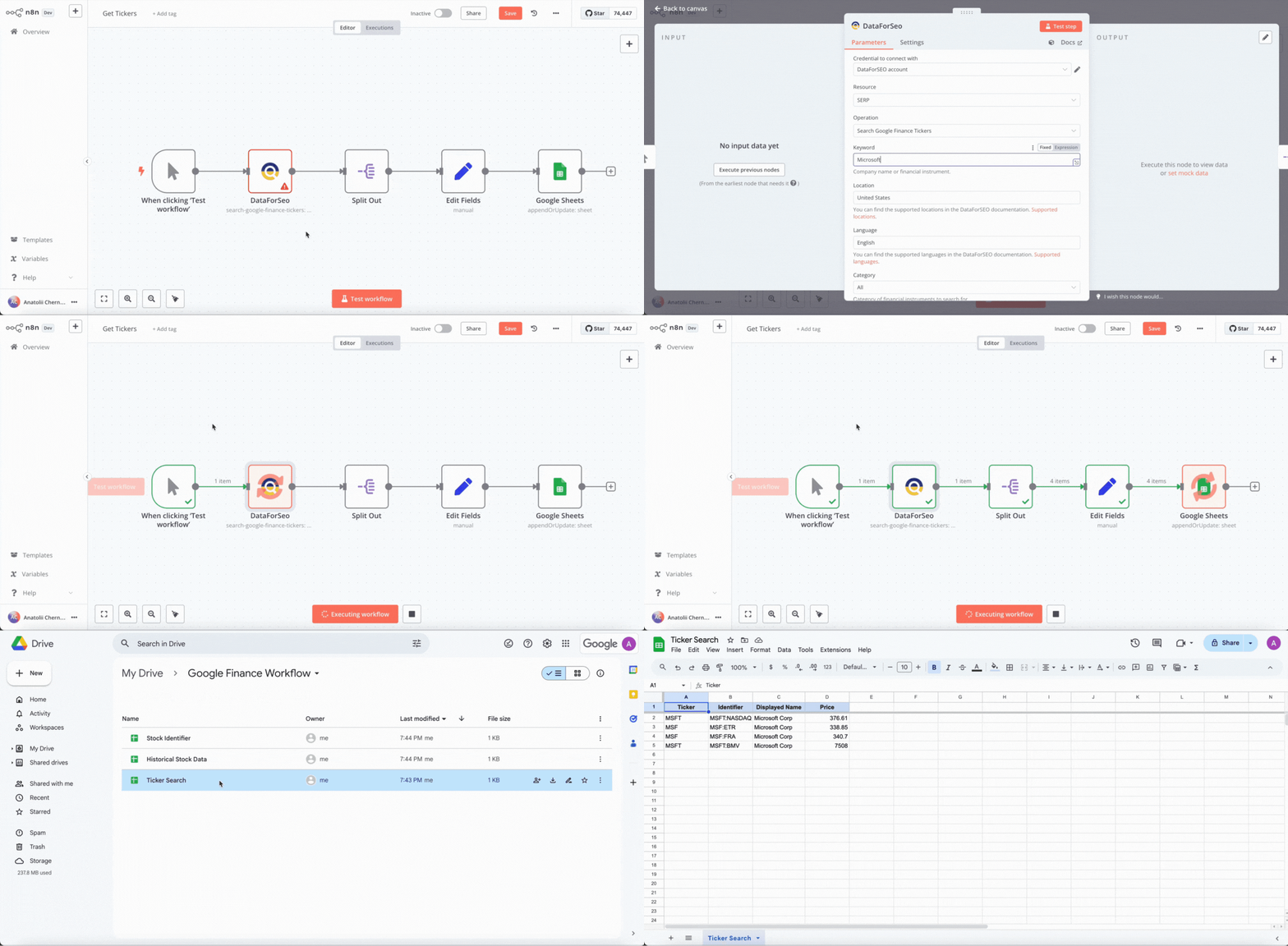
Second workflow operation:

An example of a stock update email:
As a result, you got a list of stocks with identifiers based on the company’s name from the first workflow. Then, you used the stock identifier to enable the second workflow. With the second workflow enabled, each day, you’ll receive a datasheet and an email update with the actual data on the monitored stock, including its price, current trend, and price changes. Moreover, you can analyze the stock data for each workflow run in a separate historical stock data sheet. Overall, this automation is a simple yet effective solution for monitoring stocks and quickly analyzing current and historical stock data.
Besides, you don’t need to build these workflows from scratch. Just copy the two JSON workflow templates below and upload them directly into n8n.
First workflow template:
{
  "name": "Get Tickers",
  "nodes": [
    {
      "parameters": {},
      "type": "n8n-nodes-base.manualTrigger",
      "typeVersion": 1,
      "position": [
        0,
        0
      ],
      "id": "9e4dfb02-d403-4a34-8e4e-7c0b3af85989",
      "name": "When clicking ‘Test workflow’"
    },
    {
      "parameters": {
        "resource": "serp",
        "operation": "search-google-finance-tickers",
        "keyword_finance_search": "Microsoft",
        "location_name": "United States",
        "language_name": "English"
      },
      "type": "n8n-nodes-dataforseo.dataForSeo",
      "typeVersion": 1,
      "position": [
        220,
        0
      ],
      "id": "a4a00877-b5c6-4b5d-b44f-d9a5cb01cdc5",
      "name": "DataForSeo",
      "credentials": {
        "dataForSeoApi": {
          "id": "zkpidrBE7WoVcYRX",
          "name": "DataForSEO account"
        }
      }
    },
    {
      "parameters": {
        "fieldToSplitOut": "tasks[0].result[0].items",
        "options": {}
      },
      "type": "n8n-nodes-base.splitOut",
      "typeVersion": 1,
      "position": [
        440,
        0
      ],
      "id": "9467ee1b-9341-442f-8f96-f63a7b67fa81",
      "name": "Split Out"
    },
    {
      "parameters": {
        "assignments": {
          "assignments": [
            {
              "id": "b95553f4-1390-451c-9f3e-2453b4258983",
              "name": "Ticker",
              "value": "={{ $json.ticker }}",
              "type": "string"
            },
            {
              "id": "a704b603-bddc-45f0-a869-817919a636b8",
              "name": "Identifier",
              "value": "={{ $json.identifier }}",
              "type": "string"
            },
            {
              "id": "74e9f052-a53a-444e-bc6d-4ca2ac558797",
              "name": "Displayed Name",
              "value": "={{ $json.displayed_name }}",
              "type": "string"
            },
            {
              "id": "096cee7e-0c8d-48c6-9c3c-104bfaf1d125",
              "name": "Price",
              "value": "={{ $json.price }}",
              "type": "number"
            }
          ]
        },
        "options": {}
      },
      "type": "n8n-nodes-base.set",
      "typeVersion": 3.4,
      "position": [
        660,
        0
      ],
      "id": "81f01ef5-61cb-42b2-9cf7-59e5e928418e",
      "name": "Edit Fields"
    },
    {
      "parameters": {
        "operation": "appendOrUpdate",
        "documentId": {
          "__rl": true,
          "value": "1AHZIqkiNmWLwyJAPQlJ4LkiiDDhitQLbsprfDYuBLs8",
          "mode": "id"
        },
        "sheetName": {
          "__rl": true,
          "value": "gid=0",
          "mode": "list",
          "cachedResultName": "Ticker Search",
          "cachedResultUrl": "https://docs.google.com/spreadsheets/d/1AHZIqkiNmWLwyJAPQlJ4LkiiDDhitQLbsprfDYuBLs8/edit#gid=0"
        },
        "columns": {
          "mappingMode": "defineBelow",
          "value": {
            "Ticker": "={{ $json.Ticker }}",
            "Identifier": "={{ $json.Identifier }}",
            "Displayed Name": "={{ $json['Displayed Name'] }}",
            "Price": "={{ $json.Price }}"
          },
          "matchingColumns": [
            "Ticker"
          ],
          "schema": [
            {
              "id": "Ticker",
              "displayName": "Ticker",
              "required": false,
              "defaultMatch": false,
              "display": true,
              "type": "string",
              "canBeUsedToMatch": true,
              "removed": false
            },
            {
              "id": "Identifier",
              "displayName": "Identifier",
              "required": false,
              "defaultMatch": false,
              "display": true,
              "type": "string",
              "canBeUsedToMatch": true,
              "removed": false
            },
            {
              "id": "Displayed Name",
              "displayName": "Displayed Name",
              "required": false,
              "defaultMatch": false,
              "display": true,
              "type": "string",
              "canBeUsedToMatch": true
            },
            {
              "id": "Price",
              "displayName": "Price",
              "required": false,
              "defaultMatch": false,
              "display": true,
              "type": "string",
              "canBeUsedToMatch": true
            }
          ],
          "attemptToConvertTypes": false,
          "convertFieldsToString": false
        },
        "options": {}
      },
      "type": "n8n-nodes-base.googleSheets",
      "typeVersion": 4.5,
      "position": [
        880,
        0
      ],
      "id": "cfb34570-ac23-4a78-961e-e8d23e8b3140",
      "name": "Google Sheets",
      "credentials": {
        "googleSheetsOAuth2Api": {
          "id": "3IhXbuBasjXeEJNt",
          "name": "Google Sheets account"
        }
      }
    }
  ],
  "pinData": {},
  "connections": {
    "When clicking ‘Test workflow’": {
      "main": [
        [
          {
            "node": "DataForSeo",
            "type": "main",
            "index": 0
          }
        ]
      ]
    },
    "DataForSeo": {
      "main": [
        [
          {
            "node": "Split Out",
            "type": "main",
            "index": 0
          }
        ]
      ]
    },
    "Split Out": {
      "main": [
        [
          {
            "node": "Edit Fields",
            "type": "main",
            "index": 0
          }
        ]
      ]
    },
    "Edit Fields": {
      "main": [
        [
          {
            "node": "Google Sheets",
            "type": "main",
            "index": 0
          }
        ]
      ]
    },
    "Google Sheets": {
      "main": [
        []
      ]
    }
  },
  "active": false,
  "settings": {
    "executionOrder": "v1"
  },
  "versionId": "79a65277-ae39-4aeb-a5e1-9a28dc0fb0fd",
  "meta": {
    "templateCredsSetupCompleted": true,
    "instanceId": "50f5184d9fcc7c29ec22c63089dd0b469a64db3b806bfd08e07c849820db871b"
  },
  "id": "XcRA2aohLNwuncRQ",
  "tags": []
}
Second workflow template:
{
"name": "Finance Quote",
"nodes": [
{
"parameters": {},
"type": "n8n-nodes-base.manualTrigger",
"typeVersion": 1,
"position": [
-1380,
40
],
"id": "af49fb28-af22-4bc2-8eaa-cd180df1e3b7",
"name": "When clicking ‘Test workflow’"
},
{
"parameters": {
"documentId": {
"__rl": true,
"value": "1R2zE-ddWotwM3KdzOyzujQiE9Le5MD5P3XrmP3pWMbE",
"mode": "id"
},
"sheetName": {
"__rl": true,
"value": "gid=0",
"mode": "list",
"cachedResultName": "Stock Data",
"cachedResultUrl": "https://docs.google.com/spreadsheets/d/1R2zE-ddWotwM3KdzOyzujQiE9Le5MD5P3XrmP3pWMbE/edit#gid=0"
},
"options": {}
},
"type": "n8n-nodes-base.googleSheets",
"typeVersion": 4.5,
"position": [
-1000,
40
],
"id": "15206f77-83d7-42fc-985c-c4614d1ca64c",
"name": "Google Sheets",
"alwaysOutputData": false,
"credentials": {
"googleSheetsOAuth2Api": {
"id": "3IhXbuBasjXeEJNt",
"name": "Google Sheets account"
}
}
},
{
"parameters": {
"assignments": {
"assignments": [
{
"id": "5f4b8576-0afa-439b-9ae1-9c38822fed3b",
"name": "Identifier",
"value": "={{ $('Google Sheets').item.json.Identifier }}",
"type": "string"
},
{
"id": "248f44b2-4fa9-4677-9d30-d0259308d071",
"name": "fileName",
"value": "={{ $json.name }}",
"type": "string"
},
{
"id": "a0307116-a88f-4464-a96f-947dd85db6d6",
"name": "fileId",
"value": "={{ $json.id }}",
"type": "string"
}
]
},
"options": {}
},
"type": "n8n-nodes-base.set",
"typeVersion": 3.4,
"position": [
-420,
40
],
"id": "476c0306-baa9-421e-a230-ad9c44fdc1fb",
"name": "Set Main Fields"
},
{
"parameters": {
"content": "## Get Current Stock Data\nThis gets the actual stock information for the selected stock, specified by stock identifier.",
"height": 320,
"width": 940
},
"type": "n8n-nodes-base.stickyNote",
"typeVersion": 1,
"position": [
-60,
-100
],
"id": "a2604afe-7533-465d-87b7-9e78cb53a1cf",
"name": "Sticky Note1"
},
{
"parameters": {
"content": "## Get Stock Identifier from Template\n",
"height": 260,
"width": 260
},
"type": "n8n-nodes-base.stickyNote",
"typeVersion": 1,
"position": [
-1080,
-60
],
"id": "0bae5505-bb11-4bc9-8a1e-99dfccde9540",
"name": "Sticky Note6"
},
{
"parameters": {
"resource": "folder",
"name": "={{ $json['Identifier'] }} Report {{ $now.format('MM-dd-yyyy') }}",
"driveId": {
"__rl": true,
"value": "My Drive",
"mode": "list",
"cachedResultName": "My Drive",
"cachedResultUrl": "https://drive.google.com/drive/my-drive"
},
"folderId": {
"__rl": true,
"value": "1VYvGaty8SQbe3ka-uRLb2grTCZtzny2_",
"mode": "list",
"cachedResultName": "Google Finance Workflow",
"cachedResultUrl": "https://drive.google.com/drive/folders/1VYvGaty8SQbe3ka-uRLb2grTCZtzny2_"
},
"options": {}
},
"type": "n8n-nodes-base.googleDrive",
"typeVersion": 3,
"position": [
-780,
40
],
"id": "c339c8d4-9440-44ee-8db0-80665c04385a",
"name": "Google Drive",
"credentials": {
"googleDriveOAuth2Api": {
"id": "ZPJjzLmWTvwDN3rz",
"name": "Google Drive account"
}
}
},
{
"parameters": {
"operation": "copy",
"fileId": {
"__rl": true,
"value": "1R2zE-ddWotwM3KdzOyzujQiE9Le5MD5P3XrmP3pWMbE",
"mode": "id"
},
"name": "={{ $('Google Sheets').item.json['Identifier'] }} Report {{ $now.format('MMddyy') }}",
"sameFolder": "={{ false }}",
"driveId": {
"__rl": true,
"mode": "list",
"value": "My Drive"
},
"folderId": {
"__rl": true,
"value": "={{ $json.id }}",
"mode": "id"
},
"options": {}
},
"type": "n8n-nodes-base.googleDrive",
"typeVersion": 3,
"position": [
-600,
40
],
"id": "b4b1a0d9-d708-4202-a4f8-8d3d70c85ed9",
"name": "Google Drive1",
"credentials": {
"googleDriveOAuth2Api": {
"id": "ZPJjzLmWTvwDN3rz",
"name": "Google Drive account"
}
}
},
{
"parameters": {
"content": "## Create New Folder, Copy Template, and Set Fields\nCreate a new folder and a sheet (from the template) with the stock identifier in the folder and sheet file name.\n\nGet stock identifier from the original sheet.",
"height": 340,
"width": 520
},
"type": "n8n-nodes-base.stickyNote",
"typeVersion": 1,
"position": [
-800,
-140
],
"id": "bcc0fb0f-c89c-4987-be92-f8b65b514f28",
"name": "Sticky Note7"
},
{
"parameters": {
"content": "## Add to Historical Stock Data Sheet\n",
"height": 300,
"width": 440,
"color": 4
},
"type": "n8n-nodes-base.stickyNote",
"typeVersion": 1,
"position": [
940,
-260
],
"id": "4fa069f2-ae49-4f71-acbe-da8c3b029de0",
"name": "Sticky Note9"
},
{
"parameters": {
"resource": "serp",
"operation": "get-finance-quote",
"keyword_finance": "={{ $('Google Sheets').item.json.Identifier }}",
"location_name": "United States",
"language_name": "English"
},
"type": "n8n-nodes-dataforseo.dataForSeo",
"typeVersion": 1,
"position": [
0,
40
],
"id": "0a7ec5e8-0f1b-419b-8442-fc730750ad42",
"name": "DataForSeo",
"credentials": {
"dataForSeoApi": {
"id": "zkpidrBE7WoVcYRX",
"name": "DataForSEO account"
}
}
},
{
"parameters": {
"sendTo": "[email protected]",
"subject": "=Daily Stock Update: {{ $json.Identifier }} ({{ $json['Displayed Name '] }})",
"emailType": "text",
"message": "=Hello Anatolii,\n\nBelow is the latest information for {{ $json.Identifier }} ({{ $json['Displayed Name '] }}) as of {{ $json.Timestamp }}:\n\n• Current Price ({{ $json['Price Currency'] }}): {{ $json.Price }};\n• Price Change: {{ $json['Price Delta'] }} ({{ $json['Percentage Delta'] }}%); \n• Trend: {{ $json.Trend }}.\n\nHave a great day!",
"options": {}
},
"type": "n8n-nodes-base.gmail",
"typeVersion": 2.1,
"position": [
1100,
180
],
"id": "64e3624a-55cf-4b55-a500-846468d971fc",
"name": "Gmail",
"webhookId": "6f1e60d7-1b21-4be0-aac3-a9c76201a30f",
"credentials": {
"gmailOAuth2": {
"id": "LasNfN5uqtrLjPzh",
"name": "Gmail account 2"
}
}
},
{
"parameters": {
"content": "## Send a Daily Notification Email with Current Stock Data\n",
"height": 300,
"width": 440,
"color": 4
},
"type": "n8n-nodes-base.stickyNote",
"typeVersion": 1,
"position": [
940,
60
],
"id": "5a2220df-0c81-4c97-971a-48c0b5f4b70b",
"name": "Sticky Note"
},
{
"parameters": {
"operation": "appendOrUpdate",
"documentId": {
"__rl": true,
"value": "={{ $('Set Main Fields').item.json.fileId }}",
"mode": "id"
},
"sheetName": {
"__rl": true,
"value": "gid=0",
"mode": "list",
"cachedResultName": "Stock Data",
"cachedResultUrl": "https://docs.google.com/spreadsheets/d/1hps8jdTI_c5urVf59k3uA_CUPdMiOn9Q4d1HVcoFmmw/edit#gid=0"
},
"columns": {
"mappingMode": "defineBelow",
"value": {
"Ticker": "={{ $json.Ticker }}",
"Identifier": "={{ $json.Identifier }}",
"Displayed Name ": "={{ $json['Displayed Name'] }}",
"Price": "={{ $json.Price }}",
"Price Delta": "={{ $json['Price Delta'] }}",
"Price Currency": "={{ $json['Price Currency'] }}",
"Trend": "={{ $json.Trend }}",
"Percentage Delta": "={{ $json['Percentage Delta'] }}",
"Timestamp": "={{ $json.Timestamp }}"
},
"matchingColumns": [
"Identifier"
],
"schema": [
{
"id": "Ticker",
"displayName": "Ticker",
"required": false,
"defaultMatch": false,
"display": true,
"type": "string",
"canBeUsedToMatch": true
},
{
"id": "Identifier",
"displayName": "Identifier",
"required": false,
"defaultMatch": false,
"display": true,
"type": "string",
"canBeUsedToMatch": true,
"removed": false
},
{
"id": "Displayed Name ",
"displayName": "Displayed Name ",
"required": false,
"defaultMatch": false,
"display": true,
"type": "string",
"canBeUsedToMatch": true
},
{
"id": "Price",
"displayName": "Price",
"required": false,
"defaultMatch": false,
"display": true,
"type": "string",
"canBeUsedToMatch": true
},
{
"id": "Price Delta",
"displayName": "Price Delta",
"required": false,
"defaultMatch": false,
"display": true,
"type": "string",
"canBeUsedToMatch": true
},
{
"id": "Price Currency",
"displayName": "Price Currency",
"required": false,
"defaultMatch": false,
"display": true,
"type": "string",
"canBeUsedToMatch": true
},
{
"id": "Trend",
"displayName": "Trend",
"required": false,
"defaultMatch": false,
"display": true,
"type": "string",
"canBeUsedToMatch": true
},
{
"id": "Percentage Delta",
"displayName": "Percentage Delta",
"required": false,
"defaultMatch": false,
"display": true,
"type": "string",
"canBeUsedToMatch": true
},
{
"id": "Timestamp",
"displayName": "Timestamp",
"required": false,
"defaultMatch": false,
"display": true,
"type": "string",
"canBeUsedToMatch": true
}
],
"attemptToConvertTypes": false,
"convertFieldsToString": false
},
"options": {}
},
"type": "n8n-nodes-base.googleSheets",
"typeVersion": 4.5,
"position": [
660,
40
],
"id": "b369500c-68f6-4025-aa99-2ae702caea64",
"name": "Add Data to the Current Stock Data Sheet",
"credentials": {
"googleSheetsOAuth2Api": {
"id": "3IhXbuBasjXeEJNt",
"name": "Google Sheets account"
}
}
},
{
"parameters": {
"fieldToSplitOut": "tasks[0].result",
"options": {}
},
"type": "n8n-nodes-base.splitOut",
"typeVersion": 1,
"position": [
220,
40
],
"id": "fbb23bb6-2ac8-4fa1-9300-767e4873a879",
"name": "Split Out Current Stock Data"
},
{
"parameters": {
"assignments": {
"assignments": [
{
"id": "b5676eec-fa9f-4f88-b54f-a61a37c2517c",
"name": "Ticker",
"value": "={{ $json.items[1].quote.ticker }}",
"type": "string"
},
{
"id": "c24ccb6e-2901-4cb2-91e8-b5595d5002e3",
"name": "Identifier",
"value": "={{ $json.items[1].quote.identifier }}",
"type": "string"
},
{
"id": "30d41b30-f59b-4ec1-9ad9-906c9af02c76",
"name": "Displayed Name",
"value": "={{ $json.items[1].quote.displayed_name }}",
"type": "string"
},
{
"id": "0bdcb8bf-4702-488b-826c-e080734e1c65",
"name": "Price",
"value": "={{ $json.items[1].quote.price }}",
"type": "number"
},
{
"id": "e2dd500a-e40d-426d-9e8b-882efb48af5b",
"name": "Price Delta",
"value": "={{ $json.items[1].quote.price_delta }}",
"type": "number"
},
{
"id": "f9008a93-5c00-463c-86d0-c82570eb004a",
"name": "Price Currency",
"value": "={{ $json.items[1].quote.price_currency }}",
"type": "string"
},
{
"id": "9feba9fb-ac84-4857-bbf1-b8c0610441b7",
"name": "Trend",
"value": "={{ $json.items[1].quote.trend }}",
"type": "string"
},
{
"id": "8e3edef1-eb71-4a2b-a429-d3cc0da6d479",
"name": "Percentage Delta",
"value": "={{ $json.items[1].quote.percentage_delta }}",
"type": "number"
},
{
"id": "f5932509-d940-41e8-ba7c-7c23587621ea",
"name": "Timestamp",
"value": "={{ $json.items[1].quote.timestamp }}",
"type": "string"
}
]
},
"options": {}
},
"type": "n8n-nodes-base.set",
"typeVersion": 3.4,
"position": [
440,
40
],
"id": "0f6d6850-477f-484d-8a8d-c2b4d3d69b7f",
"name": "Set Current Stock Data Fields"
},
{
"parameters": {
"operation": "append",
"documentId": {
"__rl": true,
"value": "=1QE6Zasl4GWdIS-RljTCNU-LA645O7a--xhXye9bK2aQ",
"mode": "id"
},
"sheetName": {
"__rl": true,
"value": 1244800818,
"mode": "list",
"cachedResultName": "Historical Stock Information",
"cachedResultUrl": "https://docs.google.com/spreadsheets/d/1QE6Zasl4GWdIS-RljTCNU-LA645O7a--xhXye9bK2aQ/edit#gid=1244800818"
},
"columns": {
"mappingMode": "defineBelow",
"value": {
"Ticker": "={{ $json.Ticker }}",
"Identifier": "={{ $json.Identifier }}",
"Displayed Name ": "={{ $json['Displayed Name '] }}",
"Price": "={{ $json.Price }}",
"Price Delta": "={{ $json['Price Delta'] }}",
"Price Currency": "={{ $json['Price Currency'] }}",
"Trend": "={{ $json.Trend }}",
"Percentage Delta": "={{ $json['Percentage Delta'] }}",
"Timestamp": "={{ $json.Timestamp }}"
},
"matchingColumns": [],
"schema": [
{
"id": "Ticker",
"displayName": "Ticker",
"required": false,
"defaultMatch": false,
"display": true,
"type": "string",
"canBeUsedToMatch": true
},
{
"id": "Identifier",
"displayName": "Identifier",
"required": false,
"defaultMatch": false,
"display": true,
"type": "string",
"canBeUsedToMatch": true
},
{
"id": "Displayed Name ",
"displayName": "Displayed Name ",
"required": false,
"defaultMatch": false,
"display": true,
"type": "string",
"canBeUsedToMatch": true
},
{
"id": "Price",
"displayName": "Price",
"required": false,
"defaultMatch": false,
"display": true,
"type": "string",
"canBeUsedToMatch": true
},
{
"id": "Price Delta",
"displayName": "Price Delta",
"required": false,
"defaultMatch": false,
"display": true,
"type": "string",
"canBeUsedToMatch": true
},
{
"id": "Price Currency",
"displayName": "Price Currency",
"required": false,
"defaultMatch": false,
"display": true,
"type": "string",
"canBeUsedToMatch": true
},
{
"id": "Trend",
"displayName": "Trend",
"required": false,
"defaultMatch": false,
"display": true,
"type": "string",
"canBeUsedToMatch": true
},
{
"id": "Percentage Delta",
"displayName": "Percentage Delta",
"required": false,
"defaultMatch": false,
"display": true,
"type": "string",
"canBeUsedToMatch": true
},
{
"id": "Timestamp",
"displayName": "Timestamp",
"required": false,
"defaultMatch": false,
"display": true,
"type": "string",
"canBeUsedToMatch": true
}
],
"attemptToConvertTypes": false,
"convertFieldsToString": false
},
"options": {}
},
"type": "n8n-nodes-base.googleSheets",
"typeVersion": 4.5,
"position": [
1100,
-140
],
"id": "966f3596-0eb1-4c75-8901-16d73511f9e6",
"name": "Historical Stock Data",
"credentials": {
"googleSheetsOAuth2Api": {
"id": "3IhXbuBasjXeEJNt",
"name": "Google Sheets account"
}
}
}
],
"pinData": {},
"connections": {
"When clicking ‘Test workflow’": {
"main": [
[
{
"node": "Google Sheets",
"type": "main",
"index": 0
}
]
]
},
"Google Sheets": {
"main": [
[
{
"node": "Google Drive",
"type": "main",
"index": 0
}
]
]
},
"Set Main Fields": {
"main": [
[
{
"node": "DataForSeo",
"type": "main",
"index": 0
}
]
]
},
"Google Drive": {
"main": [
[
{
"node": "Google Drive1",
"type": "main",
"index": 0
}
]
]
},
"Google Drive1": {
"main": [
[
{
"node": "Set Main Fields",
"type": "main",
"index": 0
}
]
]
},
"DataForSeo": {
"main": [
[
{
"node": "Split Out Current Stock Data",
"type": "main",
"index": 0
}
]
]
},
"Add Data to the Current Stock Data Sheet": {
"main": [
[
{
"node": "Historical Stock Data",
"type": "main",
"index": 0
},
{
"node": "Gmail",
"type": "main",
"index": 0
}
]
]
},
"Split Out Current Stock Data": {
"main": [
[
{
"node": "Set Current Stock Data Fields",
"type": "main",
"index": 0
}
]
]
},
"Set Current Stock Data Fields": {
"main": [
[
{
"node": "Add Data to the Current Stock Data Sheet",
"type": "main",
"index": 0
}
]
]
},
"Historical Stock Data": {
"main": [
[]
]
}
},
"active": false,
"settings": {
"executionOrder": "v1"
},
"versionId": "f3218933-4884-4455-bbf2-8171a8672903",
"meta": {
"templateCredsSetupCompleted": true,
"instanceId": "50f5184d9fcc7c29ec22c63089dd0b469a64db3b806bfd08e07c849820db871b"
},
"id": "WENXtqBp57Vi30sr",
"tags": []
}
2 Automated local market stock and news reporting
Another solution you can create with the Google Finance SERP API and n8n is an automated local market stock reporting system. This automation allows you to get data on the most active stocks on specific local stock markets, as well as current market-related news.
The core benefit of this automation is that you can retrieve data from different local stock markets just by changing the market location. Besides, data on stocks and news will be structured in separate datasheets, and a new data folder will be created after each run of the automation. This way, you will receive regular, structured local market reports that are easy to analyze.
In a nutshell, the workflow structure and technologies used in this case are similar to those used in the previous use case. The key difference is that the Google Finance Markets endpoint is used in this workflow to retrieve local markets data.
The complete workflow structure looks as follows:
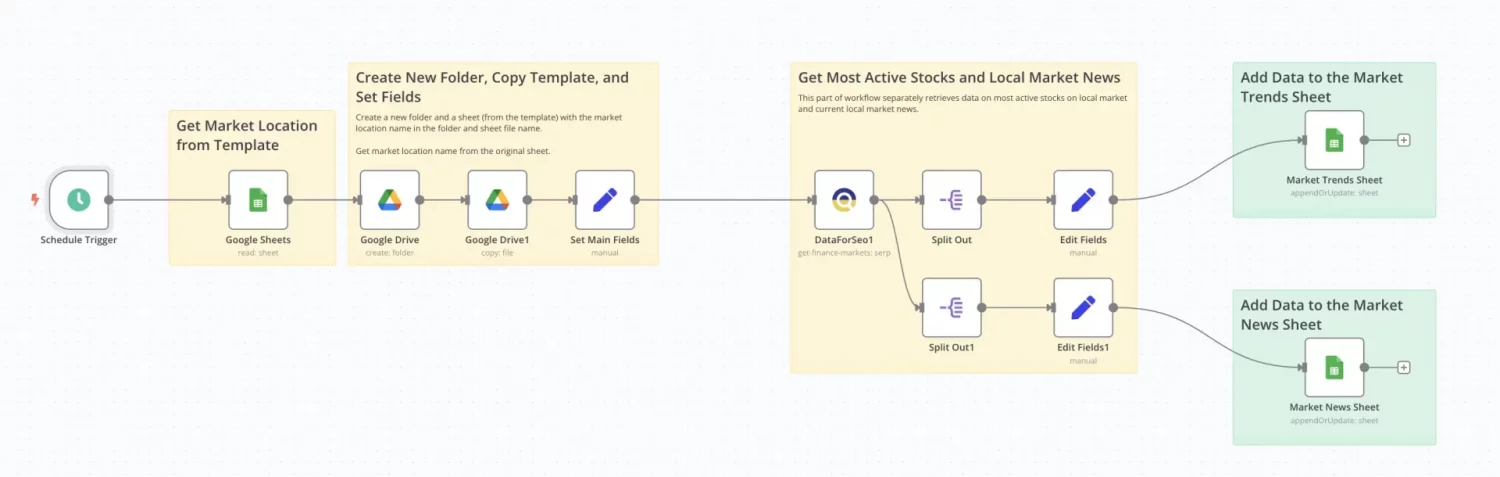
Here is a breakdown of the steps in this workflow:
1. The Schedule Trigger starts the workflow automatically each day.
2. The Google Sheets node retrieves the location name from the datasheet template. The template consists of three separate sheets: Market Trends for storing local stock data, Market News for storing current market news, and Parent Location, where you specify the market location before starting the workflow.
3. Then, Google Drive nodes are used to create a copy of the datasheet template and place it in a separate folder. A new copy of the template and folder is created during each run.
4. After that, the location name, appended by the Edit Fields node, is passed into the DataForSEO Finance Markets node.
5. The Finance Markets node retrieves stock market data for the specified location. Make sure to set the Market Type parameter to “Most active” to get data on the most active stocks from the local market.
6. The workflow is then divided into two branches to separate news and market stock data. The Split Out and Edit Fields nodes fetch the relevant data and format it for mapping into the spreadsheets.
7. Finally, the local news and stock data are inserted and stored in the two respective sheets of the market report datasheet.
Workflow operation example:

With this setup, you’ve developed a fully automated local stock market and news reporting system that creates and saves daily market reports. These reports provide data on the most active local market stocks, including their current prices, growth trends, and price changes. You’ll also receive a list of current local market news with titles, sources, and URLs linking to the original news outlet pages.
Moreover, you can change the location to monitor local stock market trends in other countries and receive country-specific reports. With such robust and structured reports, you can always stay updated on the current local market trends and, over time, collect a lot of structured historical data to perform in-depth market analysis.
As with the previous automation, you can copy the workflow template below, upload it into n8n, and try the automation by yourself:
{
"name": "Market Reporting Workflow",
"nodes": [
{
"parameters": {},
"type": "n8n-nodes-base.manualTrigger",
"typeVersion": 1,
"position": [
-1380,
40
],
"id": "5ad46515-ab7e-473b-8958-3fcaf271ec23",
"name": "When clicking ‘Test workflow’"
},
{
"parameters": {
"documentId": {
"__rl": true,
"value": "1Luk2tKDO0VEBCI5cGjuoxZlPmaaO3zuiL2flVpF_wA4",
"mode": "id"
},
"sheetName": {
"__rl": true,
"value": 15231167,
"mode": "list",
"cachedResultName": "Parent Location",
"cachedResultUrl": "https://docs.google.com/spreadsheets/d/1Luk2tKDO0VEBCI5cGjuoxZlPmaaO3zuiL2flVpF_wA4/edit#gid=15231167"
},
"options": {}
},
"type": "n8n-nodes-base.googleSheets",
"typeVersion": 4.5,
"position": [
-1000,
40
],
"id": "5db2c3a9-e7c6-46cc-b9bb-8de147275d92",
"name": "Google Sheets",
"alwaysOutputData": false,
"credentials": {
"googleSheetsOAuth2Api": {
"id": "3IhXbuBasjXeEJNt",
"name": "Google Sheets account"
}
}
},
{
"parameters": {
"assignments": {
"assignments": [
{
"id": "5f4b8576-0afa-439b-9ae1-9c38822fed3b",
"name": "Location",
"value": "={{ $('Google Sheets').item.json['Parent Location'] }}",
"type": "string"
},
{
"id": "248f44b2-4fa9-4677-9d30-d0259308d071",
"name": "fileName",
"value": "={{ $json.name }}",
"type": "string"
},
{
"id": "a0307116-a88f-4464-a96f-947dd85db6d6",
"name": "fileId",
"value": "={{ $json.id }}",
"type": "string"
}
]
},
"options": {}
},
"type": "n8n-nodes-base.set",
"typeVersion": 3.4,
"position": [
-420,
40
],
"id": "8ea59428-aa5d-445c-8b9c-65c8151c11e6",
"name": "Set Main Fields"
},
{
"parameters": {
"content": "## Get Market Location from Template\n",
"height": 260,
"width": 280
},
"type": "n8n-nodes-base.stickyNote",
"typeVersion": 1,
"position": [
-1100,
-60
],
"id": "d2f7f924-b413-4562-a59d-5a5f2315dc11",
"name": "Sticky Note6"
},
{
"parameters": {
"resource": "folder",
"name": "={{ $json['Parent Location'] }} Stock Market Overview {{ $now.format('MM-dd-yyyy') }}",
"driveId": {
"__rl": true,
"value": "My Drive",
"mode": "list",
"cachedResultName": "My Drive",
"cachedResultUrl": "https://drive.google.com/drive/my-drive"
},
"folderId": {
"__rl": true,
"value": "1ZN7SlP-nnKMnLyP8GFj1y4kQnM6JeL4D",
"mode": "list",
"cachedResultName": "Google Finance Workflow 2",
"cachedResultUrl": "https://drive.google.com/drive/folders/1ZN7SlP-nnKMnLyP8GFj1y4kQnM6JeL4D"
},
"options": {}
},
"type": "n8n-nodes-base.googleDrive",
"typeVersion": 3,
"position": [
-780,
40
],
"id": "af46bb1f-c20c-4ae4-9d87-1c6e1dc14d63",
"name": "Google Drive",
"credentials": {
"googleDriveOAuth2Api": {
"id": "ZPJjzLmWTvwDN3rz",
"name": "Google Drive account"
}
}
},
{
"parameters": {
"operation": "copy",
"fileId": {
"__rl": true,
"value": "1Luk2tKDO0VEBCI5cGjuoxZlPmaaO3zuiL2flVpF_wA4",
"mode": "id"
},
"name": "={{ $('Google Sheets').item.json['Parent Location'] }} Stock Market Overview {{ $now.format('MMddyy') }}",
"sameFolder": "={{ false }}",
"driveId": {
"__rl": true,
"mode": "list",
"value": "My Drive"
},
"folderId": {
"__rl": true,
"value": "={{ $json.id }}",
"mode": "id"
},
"options": {}
},
"type": "n8n-nodes-base.googleDrive",
"typeVersion": 3,
"position": [
-600,
40
],
"id": "22393eb6-de6f-48aa-949c-4bf4c331e855",
"name": "Google Drive1",
"credentials": {
"googleDriveOAuth2Api": {
"id": "ZPJjzLmWTvwDN3rz",
"name": "Google Drive account"
}
}
},
{
"parameters": {
"content": "## Create New Folder, Copy Template, and Set Fields\nCreate a new folder and a sheet (from the template) with the market location name in the folder and sheet file name.\n\nGet market location name from the original sheet.",
"height": 340,
"width": 520
},
"type": "n8n-nodes-base.stickyNote",
"typeVersion": 1,
"position": [
-800,
-140
],
"id": "fb9c3faf-7563-41f1-9acb-c70e6b678e69",
"name": "Sticky Note7"
},
{
"parameters": {
"content": "## Add Data to the Market Trends Sheet\n",
"height": 260,
"width": 340,
"color": 4
},
"type": "n8n-nodes-base.stickyNote",
"typeVersion": 1,
"position": [
680,
-140
],
"id": "2de4f63a-003e-4c51-82e2-6ee0f06bf14e",
"name": "Sticky Note9"
},
{
"parameters": {
"fieldToSplitOut": "tasks[0].result[0].items[1].items",
"options": {}
},
"type": "n8n-nodes-base.splitOut",
"typeVersion": 1,
"position": [
160,
40
],
"id": "824ea765-143c-40a7-8de2-8d856fc3c247",
"name": "Split Out"
},
{
"parameters": {
"assignments": {
"assignments": [
{
"id": "89f1d211-fcc7-4d64-9802-35e2b8d1efe2",
"name": "Displayed Name",
"value": "={{ $json.displayed_name }}",
"type": "string"
},
{
"id": "7801e77b-a1d1-4a65-99d5-ef6809758ba6",
"name": "Ticker",
"value": "={{ $json.ticker }}",
"type": "string"
},
{
"id": "24a0d6d0-a182-4cab-a097-5cdb8d8c15bd",
"name": "Identifier",
"value": "={{ $json.identifier }}",
"type": "string"
},
{
"id": "8e255d43-3806-4099-a195-edc202eda06b",
"name": "Price",
"value": "={{ $json.price }}",
"type": "number"
},
{
"id": "357c71b4-8331-4c8c-a8c4-beab252374e4",
"name": "Price Currency",
"value": "={{ $json.price_currency }}",
"type": "string"
},
{
"id": "84f67420-ecf2-418a-b38a-f93a36a44f25",
"name": "Price Delta",
"value": "={{ $json.price_delta }}",
"type": "number"
},
{
"id": "b603f887-84ae-4021-84b9-9f7e463c5559",
"name": "Percentage Delta",
"value": "={{ $json.percentage_delta }}",
"type": "number"
},
{
"id": "8f10cbb3-2a4f-4ae7-86b9-8fce62d4df2f",
"name": "Trend",
"value": "={{ $json.trend }}",
"type": "string"
},
{
"id": "b510a647-19f4-4979-9035-7615a7a2066b",
"name": "Timestamp",
"value": "={{ $json.timestamp }}",
"type": "string"
},
{
"id": "a42899b2-0cb7-40a8-b985-8603964d0137",
"name": "Location",
"value": "={{ $json.location }}",
"type": "string"
}
]
},
"options": {}
},
"type": "n8n-nodes-base.set",
"typeVersion": 3.4,
"position": [
380,
40
],
"id": "b99092b9-3361-402a-90ee-2fa9d32a2408",
"name": "Edit Fields"
},
{
"parameters": {
"fieldToSplitOut": "tasks[0].result[0].items[2].items",
"options": {}
},
"type": "n8n-nodes-base.splitOut",
"typeVersion": 1,
"position": [
160,
220
],
"id": "ebec25bf-95eb-4d89-af13-b05c62f69af3",
"name": "Split Out1"
},
{
"parameters": {
"assignments": {
"assignments": [
{
"id": "61d30c0e-31b1-4192-a056-ff7851d3f875",
"name": "Title",
"value": "={{ $json.title }}",
"type": "string"
},
{
"id": "ed01ef7c-ca74-4297-baec-4a8e562ebbe8",
"name": "Source",
"value": "={{ $json.source }}",
"type": "string"
},
{
"id": "18a28fa2-7114-4a08-9823-99332073e03c",
"name": "URL",
"value": "={{ $json.url }}",
"type": "string"
}
]
},
"options": {}
},
"type": "n8n-nodes-base.set",
"typeVersion": 3.4,
"position": [
380,
220
],
"id": "9039ca50-6793-4ce8-becd-6cbeb3fbb3e8",
"name": "Edit Fields1"
},
{
"parameters": {
"resource": "serp",
"operation": "get-finance-markets",
"location_name": "={{ $json.Location }}",
"language_name": "English"
},
"type": "n8n-nodes-dataforseo.dataForSeo",
"typeVersion": 1,
"position": [
-20,
40
],
"id": "0656e92f-12e8-459e-93ca-527742eb0f0d",
"name": "DataForSeo1",
"credentials": {
"dataForSeoApi": {
"id": "zkpidrBE7WoVcYRX",
"name": "DataForSEO account"
}
}
},
{
"parameters": {
"content": "## Get Most Active Stocks and Local Market News\nThis part of workflow separately retrieves data on most active stocks on local market and current local market news.",
"height": 520,
"width": 580
},
"type": "n8n-nodes-base.stickyNote",
"typeVersion": 1,
"position": [
-60,
-140
],
"id": "a46f38f9-45ef-4dd9-81cf-576979924962",
"name": "Sticky Note1"
},
{
"parameters": {
"content": "## Add Data to the Market News Sheet\n",
"height": 260,
"width": 340,
"color": 4
},
"type": "n8n-nodes-base.stickyNote",
"typeVersion": 1,
"position": [
680,
240
],
"id": "6f0919ab-1d98-4ad6-8f9b-90f8b454d05d",
"name": "Sticky Note"
},
{
"parameters": {
"operation": "appendOrUpdate",
"documentId": {
"__rl": true,
"value": "={{ $('Set Main Fields').item.json.fileId }}",
"mode": "id"
},
"sheetName": {
"__rl": true,
"value": "gid=0",
"mode": "list",
"cachedResultName": "Market Trends",
"cachedResultUrl": "https://docs.google.com/spreadsheets/d/1Ypebafp1nuxSzOkcY1GZ8sfSB5W_G0QVpXoYd9JChDE/edit#gid=0"
},
"columns": {
"mappingMode": "defineBelow",
"value": {
"Displayed Name": "={{ $json['Displayed Name'] }}",
"Ticker": "={{ $json.Ticker }}",
"Identifier": "={{ $json.Identifier }}",
"Price": "={{ $json.Price }}",
"Price Currency": "={{ $json['Price Currency'] }}",
"Price Delta": "={{ $json['Price Delta'] }}",
"Percentage Delta": "={{ $json['Percentage Delta'] }}",
"Trend": "={{ $json.Trend }}",
"Timestamp": "={{ $json.Timestamp }}",
"Location": "={{ $json.Location }}"
},
"matchingColumns": [
"Displayed Name"
],
"schema": [
{
"id": "Displayed Name",
"displayName": "Displayed Name",
"required": false,
"defaultMatch": false,
"display": true,
"type": "string",
"canBeUsedToMatch": true,
"removed": false
},
{
"id": "Ticker",
"displayName": "Ticker",
"required": false,
"defaultMatch": false,
"display": true,
"type": "string",
"canBeUsedToMatch": true
},
{
"id": "Identifier",
"displayName": "Identifier",
"required": false,
"defaultMatch": false,
"display": true,
"type": "string",
"canBeUsedToMatch": true
},
{
"id": "Price",
"displayName": "Price",
"required": false,
"defaultMatch": false,
"display": true,
"type": "string",
"canBeUsedToMatch": true
},
{
"id": "Price Currency",
"displayName": "Price Currency",
"required": false,
"defaultMatch": false,
"display": true,
"type": "string",
"canBeUsedToMatch": true
},
{
"id": "Price Delta",
"displayName": "Price Delta",
"required": false,
"defaultMatch": false,
"display": true,
"type": "string",
"canBeUsedToMatch": true
},
{
"id": "Percentage Delta",
"displayName": "Percentage Delta",
"required": false,
"defaultMatch": false,
"display": true,
"type": "string",
"canBeUsedToMatch": true
},
{
"id": "Trend",
"displayName": "Trend",
"required": false,
"defaultMatch": false,
"display": true,
"type": "string",
"canBeUsedToMatch": true
},
{
"id": "Location",
"displayName": "Location",
"required": false,
"defaultMatch": false,
"display": true,
"type": "string",
"canBeUsedToMatch": true
},
{
"id": "Timestamp",
"displayName": "Timestamp",
"required": false,
"defaultMatch": false,
"display": true,
"type": "string",
"canBeUsedToMatch": true
}
],
"attemptToConvertTypes": false,
"convertFieldsToString": false
},
"options": {}
},
"type": "n8n-nodes-base.googleSheets",
"typeVersion": 4.5,
"position": [
800,
-60
],
"id": "3d4043d5-27ee-4b34-9cc0-ecbeb9cddf8e",
"name": "Market Trends Sheet",
"credentials": {
"googleSheetsOAuth2Api": {
"id": "3IhXbuBasjXeEJNt",
"name": "Google Sheets account"
}
}
},
{
"parameters": {
"operation": "appendOrUpdate",
"documentId": {
"__rl": true,
"value": "={{ $('Set Main Fields').item.json.fileId }}",
"mode": "id"
},
"sheetName": {
"__rl": true,
"value": 746152575,
"mode": "list",
"cachedResultName": "Market News",
"cachedResultUrl": "https://docs.google.com/spreadsheets/d/1Ypebafp1nuxSzOkcY1GZ8sfSB5W_G0QVpXoYd9JChDE/edit#gid=746152575"
},
"columns": {
"mappingMode": "defineBelow",
"value": {
"Title": "={{ $json.Title }}",
"Source": "={{ $json.Source }}",
"URL": "={{ $json.URL }}"
},
"matchingColumns": [
"Title"
],
"schema": [
{
"id": "Title",
"displayName": "Title",
"required": false,
"defaultMatch": false,
"display": true,
"type": "string",
"canBeUsedToMatch": true,
"removed": false
},
{
"id": "Source",
"displayName": "Source",
"required": false,
"defaultMatch": false,
"display": true,
"type": "string",
"canBeUsedToMatch": true
},
{
"id": "URL",
"displayName": "URL",
"required": false,
"defaultMatch": false,
"display": true,
"type": "string",
"canBeUsedToMatch": true
}
],
"attemptToConvertTypes": false,
"convertFieldsToString": false
},
"options": {}
},
"type": "n8n-nodes-base.googleSheets",
"typeVersion": 4.5,
"position": [
800,
320
],
"id": "be799c23-df35-4376-bcf8-50b8270783d8",
"name": "Market News Sheet",
"credentials": {
"googleSheetsOAuth2Api": {
"id": "3IhXbuBasjXeEJNt",
"name": "Google Sheets account"
}
}
}
],
"pinData": {},
"connections": {
"When clicking ‘Test workflow’": {
"main": [
[
{
"node": "Google Sheets",
"type": "main",
"index": 0
}
]
]
},
"Google Sheets": {
"main": [
[
{
"node": "Google Drive",
"type": "main",
"index": 0
}
]
]
},
"Set Main Fields": {
"main": [
[
{
"node": "DataForSeo1",
"type": "main",
"index": 0
}
]
]
},
"Google Drive": {
"main": [
[
{
"node": "Google Drive1",
"type": "main",
"index": 0
}
]
]
},
"Google Drive1": {
"main": [
[
{
"node": "Set Main Fields",
"type": "main",
"index": 0
}
]
]
},
"Split Out": {
"main": [
[
{
"node": "Edit Fields",
"type": "main",
"index": 0
}
]
]
},
"Edit Fields": {
"main": [
[
{
"node": "Market Trends Sheet",
"type": "main",
"index": 0
}
]
]
},
"Split Out1": {
"main": [
[
{
"node": "Edit Fields1",
"type": "main",
"index": 0
}
]
]
},
"Edit Fields1": {
"main": [
[
{
"node": "Market News Sheet",
"type": "main",
"index": 0
}
]
]
},
"DataForSeo1": {
"main": [
[
{
"node": "Split Out",
"type": "main",
"index": 0
},
{
"node": "Split Out1",
"type": "main",
"index": 0
}
]
]
},
"Market Trends Sheet": {
"main": [
[]
]
},
"Market News Sheet": {
"main": [
[]
]
}
},
"active": false,
"settings": {
"executionOrder": "v1"
},
"versionId": "6bcbbab9-314d-4905-b0e8-7e5818d382c2",
"meta": {
"templateCredsSetupCompleted": true,
"instanceId": "50f5184d9fcc7c29ec22c63089dd0b469a64db3b806bfd08e07c849820db871b"
},
"id": "TKdqJzNCpUeGf6Ud",
"tags": []
}
As you can see, with the help of Google Finance SERP APIs and the n8n automation platform, you can build tailored financial solutions powered by Google Finance data without writing a single line of code. However, these automation examples are only a fraction of what you can create with DataForSEO and n8n. With such powerful tools, you can develop even more advanced and practical solutions tailored to your unique business needs.
Conclusion
In today’s fast-evolving financial landscape, having instant access to accurate financial data is essential, and Google Finance SERP API delivers exactly that. Whether you want to develop stock monitoring tools or precisely analyze finance market trends, DataForSEO’s Google Finance SERP API is the best solution for integrating real-time data from Google Finance into your projects.
Additionally, with the integrations available for no-code platforms like n8n, even non-developers can effortlessly access Google Finance SERP API data. You can automate daily local market reporting, create custom stock tracking systems, and even more advanced tools without writing a single line of code.
Start building your financial data tools today with DataForSEO, and turn Google Finance into your go-to source for real-time market intelligence!
]]>Contents
AI-Driven E-E-A-T Analysis & Content Quality Audit with APIs
AI Writing Tool with Real-Time SEO Data Integration via API
Automated Technical SEO with AI and DataForSEO APIs
AI Search Visibility Checker Powered with API Data
Takeaway & How to Get Started
1. AI-Driven E-E-A-T Analysis & Content Quality Audit with APIs
Businesses increasingly rely on AI to produce content quickly, but just because it’s fast doesn’t mean it’s trustworthy. And trust is exactly what Google is looking for.
In March 2025, Google rolled out its first core update of the year, “designed to better surface relevant, satisfying content for searchers from all types of sites.” While changes to search engine algorithms and ranking factors are nothing new, a key element consistently remains at the forefront: E-E-A-T, otherwise known as Experience, Expertise, Authoritativeness, and Trustworthiness. In short, these mean that if you want to rank well in search results, you need to create helpful, reliable, people-first content.
That puts marketers in a tough spot. How can they combine AI efficiency with the content depth, quality, and trust signals needed to achieve high rankings?
Luckily, new E-E-A-T analysis tools are emerging to bridge this gap between speed and quality. For example, QuickCreator’s Content Quality Scorer uses GPT-based AI to measure how well target content meets Google’s quality standards and offers recommendations for improving it.

Upon registration, users simply enter a desired URL, and the tool will automatically analyze target content and generate a comprehensive report. This report includes a detailed breakdown of E-E-A-T scores, highlights content strengths and weaknesses, and provides tailored suggestions for improving each section.

This tool offers a good starting point, but the accuracy with which it evaluates signals like trust and authority remains uncertain. So, there is significant potential for an advanced version of such a tool.
Here’s how you can build one with DataForSEO APIs.
1 To begin with, you could leverage Content Generation API to streamline the writing process and create well-structured drafts. Then, your tool can analyze the draft for SEO gaps. By integrating On-Page API, it can evaluate keyword usage, content relevance, and readability, helping users optimize their material. Using the DataForSEO Labs API, you can generate additional keyword suggestions tailored to relevant search intent, helping content creators refine their keyword strategy based on real search data.
2 To assess content trustworthiness and authority, pull in data with multiple APIs that provide insight into how Google perceives a website’s credibility. Backlinks API, for instance, reveals the quality and source of inbound links, helping users understand whether their website is supported by reputable domains. Content Analysis API monitors brand mentions and keyword citations across the web, offering a clearer picture of how well the site is referenced in authoritative sources. Meanwhile, the SERP API delivers data on domains that are ranking well in the top 10 search results for the target term, allowing users to compare their content with top-performing competitors and adjust their pieces accordingly.
3 From there, your tool could generate a comprehensive data-backed trust score based on real-world factors, including backlinks, brand mentions, content quality, and more – not just guesswork. This quantifiable measure of credibility will help publishers understand how well they align with Google’s standards and track how they improve over time. Furthermore, by processing all this information with your AI model, you can offer users an intuitive recommendation engine that suggests specific improvements, such as incorporating missing keywords, enhancing readability, or adding authoritative citations to strengthen trust signals.
As AI continues to shape content creation, businesses that combine AI’s speed with a data-backed understanding of E-E-A-T will rise to the top of search results, and stay there. So, now is the time to start integrating APIs and AI-driven analysis to build more advanced and customizable content quality audit solutions. Leveraging DataForSEO APIs to collect real-time data on backlinks, brand mentions, search results, and keyword intent, your tool can evaluate credibility with true accuracy.
2. AI Writing Tool with Real-Time SEO Data Integration via API
AI writing solutions are evolving beyond just spinning out texts. Today’s most advanced tools not only analyze content quality but also increasingly incorporate SEO data directly into the content creation process.
Drawing insights from search data, such as keywords, search volume, and real user questions from the “People Also Ask” feature, AI tools help content creators produce texts that are both well-written and set to perform in search results. Importantly, these solutions unify content creation workflows, allowing users to research, optimize, and write within a single platform instead of jumping between multiple tools and editors.
One such use case comes from Chatsonic, an AI-powered content writing assistant that blends live search data with natural language generation. By connecting to data from Google Trends, search results, and professional SEO tools like Ahrefs, Chatsonic helps users to:
➤ Uncover trending topics in their niche,
➤ Refine keyword strategies with actionable data,
➤ Optimize content while writing.
For instance, if a user prompts Chatsonic to “Suggest keyword clusters for ‘AI in digital marketing’ based on real-time search trends,” they will receive an automatically generated set of optimal terms, including their search volume, difficulty scores, intent, and competition. Users can similarly ask for relevant long-term variations. This functionality eliminates hours of manual research, allowing marketers and writers to seamlessly transition from keyword research to content creation – the main feature of the Chatsonic platform.

Now imagine building your own version, only with deeper access to real SEO data. Here’s a step-by-step example of how this could work with DataForSEO’s comprehensive API suite.
1 Let’s start with topic discovery. When a user asks, “What topics should I write about in the AI marketing niche this week?”, your API-powered assistant:
➤ Uses DataForSEO Google News SERP API to access the latest industry headlines and surface the most discussed themes.
➤ Calls the Google Trends API or DataForSEO Trends API to validate real-time topic popularity across different regions and platforms.
➤ Suggests a prioritized list of timely topics with their popularity scores.
2 After identifying trending themes, your writing assistant can automatically deliver a list of best-fitting keywords that users should include in their draft – by tapping into DataForSEO Labs API. The assistant can either process the data in the background or surface every suggested term with critical performance metrics, such as:
➤ Monthly search volume and 12-month trends;
➤ Current CPC and competition values;
➤ Search intent types;
➤ Ranking difficulty scores;
➤ Average backlink rank of the top-10 ranking pages.
3 Once optimal terms are selected, your tool guides users through the magic of content creation with DataForSEO Content Generation API.
For instance, based on a specified topic and target keywords, the Generate Subtopics endpoint can suggest relevant section ideas for comprehensive coverage of the selected theme. Next, the Generate Text endpoint can produce a complete foundational draft. The Generate Meta Tags endpoint can then offer optimized title and description tags that contain target keywords and maintain click appeal. Finally, the Text Summary can feed your AI with detailed content analytics for the resulting draft, including word count, readability scores, and keyword density. Using these insights, the tool can suggest further content improvements and necessary optimization steps.
Additionally, you can call SERP API to scan the top 10 results for a given keyword and allow your tool to perform a side-by-side analysis of the draft and competitor content.
Using all these APIs, you create an advanced solution that automatically identifies high-potential topics, researches and prioritizes keywords, generates optimized drafts, and analyzes real search competitors. This will help writers and marketers not only maintain exceptional content quality but also gain workflow efficiency. Explore our APIs to bring a data-driven content creation experience into your AI writing tool.
3. Automated Technical SEO with AI and DataForSEO APIs
You could have the best content in the world, but if your site’s slow, poorly linked, or hard to crawl, it’s not going to rank well. That’s why technical SEO remains foundational, but also the most exhausting part of website optimization. Nevertheless, AI-driven tools are redefining what’s possible.
Platforms like Alli AI are turning complex audits into accessible, automated processes. This tool offers real-time on-page feedback and automates internal linking, schema generation, and performance optimization.
If you’re a developer or a product manager of SEO software, there’s a massive opportunity to build your own intelligent on-page SEO tool. Let’s break it down.
1 To begin with, we’ll review Alli AI’s OnPage Automation. This feature provides users with an overview of important on-page changes. What’s most convenient – thousands of these changes can be reviewed and accepted one by one or automatically implemented with a single click, saving hours of manual work.

By integrating DataForSEO On-Page API, you can provide similar instant analysis of titles, headings, or meta descriptions and then use AI to suggest what users should modify. With popular CMS integrations, your solution could apply changes automatically as well.
2 Another standout feature within Alli AI’s Automations is the intelligent internal linking system. It analyzes the user’s website content, suggests relevant internal links to add, and recommends optimized anchor texts — all of which can be auto-implemented within the user’s website.

You can recreate and even enhance this functionality using DataForSEO’s On-Page API. It delivers the comprehensive data you need to diagnose and improve websites at scale and build a solution that delivers smart and scalable results. On-Page API can map all internal links across the target site and detect orphan pages. Combined with AI models that understand content semantics, your assistant can actively offer contextual recommendations, such as which pages should link to which to maximize topical relevance and authority flow.
3 In terms of performance and user experience, Alli AI offers site speed optimizers that diagnose and automatically fix technical issues that are dragging down loading times.

Your tool can run on-demand mobile responsiveness checks and immediately detect any site performance problems by leveraging On-Page API. Whether it’s loading speed, layout stability, or ensuring that JavaScript-heavy content doesn’t prevent bots from crawling important stuff, On-Page API will catch it all.
➤ Plug in the Waterfall endpoint to obtain detailed information about the page loading time, the time to secure connection, and the time it takes to load page resources.
➤ Then, you can use the Resources endpoint to get resources for the necessary pages, including the URL, size, and fetch timing for each resource.
After processing the API results, your tool could suggest fixes, like optimizing images or implementing lazy loading – all crucial for improving Core Web Vitals. Going a step further, your AI could also provide users with prioritized steps. For instance, if slow-loading affects high-traffic landing pages, those would be flagged as urgent. Over time, AI could even learn from historical data, suggesting fixes based on what’s worked for similar sites.
The future of on-page SEO is automated, intelligent, and real-time. With DataForSEO On-Page API, you have the foundation to build a next-gen AI assistant that doesn’t simply tell users what’s wrong, but allows them to understand why it matters and even helps to fix issues. From optimizing performance to upgrading internal link structures, your tool could turn technical SEO from a burden into a competitive advantage.
4. AI Search Visibility Checker Powered with API Data
While AI boosts the capabilities of SEO tools to a new level, it also drastically changes the nature of web search. For example, modern LLMs implement browsing features and quote relevant websites, offering a new way to find information. Additionally, major search engines like Google and Bing have already integrated progressive AI models to improve the search experience.
The most notable examples are Google AI Overview and Bing Copilot Search features. Here’s what these features look like.
Bing Copilot AI Search

Google AI Overview

As you can see, Bing Copilot and Google AI Overview are very similar. They consist of AI-generated summaries relevant to a search query and references to the websites used to provide summaries. What’s important is that these features appear at the top of SERPs, above organic results, instantly grabbing the user’s attention. To generate these overviews, AI models usually choose high-authority websites as sources of information. This makes it essential for website owners to optimize their sites for AI models. However, currently the SEO community only has some generic guidelines on how to do that. For example, according to Google, the website can appear in the AI overview if it follows the existing Google Search Essentials, such as content relevance, absence of technical issues, etc. But can you assess whether the website is optimized for AI more deeply? What additional factors can influence a website’s AI visibility?
New AI search optimization tools are being designed to help website owners answer those questions and increase their websites’ AI visibility. For instance, the AISO Checker is specifically built to analyze how AI perceives your website and how likely it is to recommend it.

The AISO Checker leverages a complex approach, combining SEO and AI context analyses. When you specify your website in the AISO Checker, the tool evaluates its technical condition, content structure, visibility, and position in SERP. Then, it uses a custom AI agent to view the website, assess context markers using popular LLM models’ weightings, and determine if the website is likely to be recommended by AI. After the analysis, AISO Checker generates a detailed report on the website’s AI visibility. It includes the overall visibility score, key context markers, user intent alignment, quality of content structure, and more.

Using reports generated by the AISO Checker, website owners can spot the key issues affecting their website’s AI visibility and identify areas for improvement. With such detailed information at their fingertips, it can be easy to make adjustments to content, boost the website’s health, and increase the chances that AI will recommend the website. All of the above make the AISO checker a powerful assistant in AI search optimization.
Creating such a sophisticated tool requires a deep understanding of AI and advanced technologies. Nevertheless, with the powerful DataForSEO APIs, you can make your development process much easier and much more precise.
1 First off, for an AI visibility checker, it is vital to deliver precise and validated analysis. To evaluate whether an AI model can see a website on the web, it’s necessary to check the website’s actual visibility in AI-powered search results. This is where the DataForSEO SERP API comes into play.
You can connect Google SERP API and Bing SERP API endpoints to get real-time structured SERP data and instantly use it to validate the analysis. With the Advanced endpoints, these APIs pull all available SERP features, ensuring that you won’t miss anything important. You can retrieve structured AI overviews from both Google and Bing as separate ai_overview items. They consist of an ai_overview_element with data on the summary text, images, videos and more (if available), and a references array with the list of source domains, URLs, and text snippets.
Example of an ai_overview item.
{
  "version": "0.1.20241227",
  "status_code": 20000,
  "status_message": "Ok.",
  "time": "15.1544 sec.",
  "cost": 0.002,
  "tasks_count": 1,
  "tasks_error": 0,
  "tasks": [
    {
      "id": "04221555-1535-0139-0000-bb5164789c8b",
      "status_code": 20000,
      "status_message": "Ok.",
      "time": "15.0548 sec.",
      "cost": 0.002,
      "result_count": 1,
      "path": [
        "v3",
        "serp",
        "bing",
        "organic",
        "live",
        "advanced"
      ],
      "data": {
        "api": "serp",
        "function": "live",
        "se": "bing",
        "se_type": "organic",
        "language_name": "English (United Kingdom)",
        "location_name": "London,England,United Kingdom",
        "keyword": "how to replace a tire",
        "device": "desktop",
        "os": "windows"
      },
      "result": [
        {
          "keyword": "how to replace a tire",
          "type": "organic",
          "se_domain": "bing.com",
          "location_code": 1006886,
          "language_code": "en-GB",
          "check_url": "https://www.bing.com/search?q=how%20to%20replace%20a%20tire&count=50&first=1&mkt=en-GB&setlang=en-gb-GB&safesearch=Moderate&form=QBRE&rdr=1",
          "datetime": "2025-04-22 12:55:40 +00:00",
          "spell": null,
          "refinement_chips": null,
          "item_types": [
            "ai_overview",
            "organic",
            "images",
            "people_also_ask",
            "top_stories",
            "related_searches",
            "video"
          ],
          "se_results_count": 47000000,
          "items_count": 108,
          "items": [
            {
              "type": "ai_overview",
              "rank_group": 1,
              "rank_absolute": 2,
              "position": "left",
              "xpath": "/html[1]/body[1]/div[2]/main[1]/ol[1]/li[1]/div[1]/div[1]/div[1]/div[1]/div[1]/div[1]/div[1]/div[1]",
              "items": [
                {
                  "type": "ai_overview_element",
                  "rank_group": 0,
                  "rank_absolute": 0,
                  "position": "left",
                  "title": null,
                  "text": "To replace a tire, you need to follow these steps:",
                  "images": null,
                  "references": [
                    {
                      "type": "ai_overview_reference",
                      "rank_group": 0,
                      "rank_absolute": 0,
                      "position": "left",
                      "source": "TireGrades",
                      "domain": "tiregrades.com",
                      "url": "https://tiregrades.com/tire-maintenance/spare-tire/how-to-change-a-tire/",
                      "title": "How To Change A Tire (Step By Step) | TireGrades",
                      "text": "Step-By-Step Guide To Changing A Tire 1 Step 1: Loosen The lug Nuts ... 2 Step 2: Raise The Vehicle With The Jack ... 3 Step 3: Remove The Lug Nuts And Flat Tire ... 4 Step 4: Put …"
                    },
                    {
                      "type": "ai_overview_reference",
                      "rank_group": 0,
                      "rank_absolute": 0,
                      "position": "left",
                      "source": "Discount Tire",
                      "domain": "www.discounttire.com",
                      "url": "https://www.discounttire.com/learn/change-a-tire",
                      "title": "How To Change A Tire Step By Step | Discount Tire",
                      "text": "Changing a Tire Step-By-Step 1 1. Park or pull over to a safe location. ... 2 2. Activate your emergency brake ... 3 3. Remove your hubcap, if equipped ... 4 4. Loosen lug nuts ...…"
                    }
                  ]
                },
                {
                  "type": "ai_overview_element",
                  "rank_group": 0,
                  "rank_absolute": 0,
                  "position": "left",
                  "title": null,
                  "text": "Park or pull over to a safe location.",
                  "images": null,
                  "references": null
                },
                {
                  "type": "ai_overview_element",
                  "rank_group": 0,
                  "rank_absolute": 0,
                  "position": "left",
                  "title": null,
                  "text": "Activate your emergency brake.",
                  "images": null,
                  "references": null
                },
                {
                  "type": "ai_overview_element",
                  "rank_group": 0,
                  "rank_absolute": 0,
                  "position": "left",
                  "title": null,
                  "text": "Remove your hubcap, if equipped.",
                  "images": null,
                  "references": null
                },
                {
                  "type": "ai_overview_element",
                  "rank_group": 0,
                  "rank_absolute": 0,
                  "position": "left",
                  "title": null,
                  "text": "Loosen lug nuts.",
                  "images": null,
                  "references": null
                },
                {
                  "type": "ai_overview_element",
                  "rank_group": 0,
                  "rank_absolute": 0,
                  "position": "left",
                  "title": null,
                  "text": "Use the jack to lift the vehicle.",
                  "images": null,
                  "references": null
                },
                {
                  "type": "ai_overview_element",
                  "rank_group": 0,
                  "rank_absolute": 0,
                  "position": "left",
                  "title": null,
                  "text": "Fully remove the loosened lug nuts and secure them.",
                  "images": null,
                  "references": null
                },
                {
                  "type": "ai_overview_element",
                  "rank_group": 0,
                  "rank_absolute": 0,
                  "position": "left",
                  "title": null,
                  "text": "Pull the wheel and flat tire off the hub.",
                  "images": null,
                  "references": null
                },
                {
                  "type": "ai_overview_element",
                  "rank_group": 0,
                  "rank_absolute": 0,
                  "position": "left",
                  "title": null,
                  "text": "Attach the spare tire.",
                  "images": null,
                  "references": null
                },
                {
                  "type": "ai_overview_element",
                  "rank_group": 0,
                  "rank_absolute": 0,
                  "position": "left",
                  "title": null,
                  "text": "Tighten the lug nuts by hand.",
                  "images": null,
                  "references": null
                },
                {
                  "type": "ai_overview_element",
                  "rank_group": 0,
                  "rank_absolute": 0,
                  "position": "left",
                  "title": null,
                  "text": "Lower the vehicle and tighten the lug nuts again.",
                  "images": null,
                  "references": null
                }
              ],
              "references": [
                {
                  "type": "ai_overview_reference",
                  "rank_group": 0,
                  "rank_absolute": 0,
                  "position": "left",
                  "source": "TireGrades",
                  "domain": "tiregrades.com",
                  "url": "https://tiregrades.com/tire-maintenance/spare-tire/how-to-change-a-tire/",
                  "title": "How To Change A Tire (Step By Step) | TireGrades",
                  "text": "Step-By-Step Guide To Changing A Tire 1 Step 1: Loosen The lug Nuts ... 2 Step 2: Raise The Vehicle With The Jack ... 3 Step 3: Remove The Lug Nuts And Flat Tire ... 4 Step 4: Put …"
                },
                {
                  "type": "ai_overview_reference",
                  "rank_group": 0,
                  "rank_absolute": 0,
                  "position": "left",
                  "source": "Discount Tire",
                  "domain": "www.discounttire.com",
                  "url": "https://www.discounttire.com/learn/change-a-tire",
                  "title": "How To Change A Tire Step By Step | Discount Tire",
                  "text": "Changing a Tire Step-By-Step 1 1. Park or pull over to a safe location. ... 2 2. Activate your emergency brake ... 3 3. Remove your hubcap, if equipped ... 4 4. Loosen lug nuts ...…"
                }
              ],
              "rectangle": null
            },
2 By fetching this comprehensive AI overview data, you can further enhance your AI visibility checker. For instance, you can use this data to assess which websites appear in AI overviews and evaluate whether the target website has the potential to do the same.
3 You can also rely on the On-Page API to improve your tool’s technical audit capabilities. With a robust set of endpoints and quick parsing time, On-Page API can assist in identifying issues that hinder a website’s AI visibility. On-Page API can assess factors such as page speed, duplicate content, and structured data implementation, which are crucial for both traditional SEO and AI visibility. Using this data, the tool can generate comprehensive overviews of problems that may prevent AI from effectively understanding a website’s content.
So, the emergence of AI-powered search features has brought both challenges and opportunities for website owners and SEO experts. You can help websites adapt to this new reality more smoothly by creating a cutting-edge AI visibility checker using DataForSEO APIs. With real-time SERP data and comprehensive on-page analysis, your tool can provide users with end-to-end recommendations for maximizing AI visibility of their websites.
Takeaway & How to Get Started
AI is transforming how we write, optimize, and rank content – but it’s only as good as the data behind it. To ensure your intelligent software leads the way, the data it uses must be accurate, actionable, and up-to-date.
That’s where DataForSEO comes in. Our comprehensive API suite is designed to serve as a reliable foundation for every feature of your AI-driven tools. With our data, you can:
 Analyze content credibility through E-E-A-T,
Generate optimized, SEO-informed content,
Audit and fix on-page issues at scale,
Evaluate the website visibility for AI models.
The future of SEO is already here — are you building for it? Try DataForSEO for free and start crafting your next-gen SEO tool today. The first 1,000 API calls are on us.
]]>Businesses can figure it out with a comprehensive market analysis involving detailed business listings and POI data. Understanding local markets and competitor presence requires access to large-scale, structured data on businesses, from basic contact information to peak attendance hours. But what exactly are POI and business listings data, and how can companies acquire it in large volumes?
In this article, we’ll explore POI and business listings data and how to access it quickly and efficiently. We’ll specifically focus on the Business Listings database, highlighting its best use cases while also examining scenarios where APIs may be more suitable.
Contents:
Understanding POI and business listings data
➤ What are POI and business listings data?
➤ How can you get POI and business listings data?
Assessing the capabilities of the Business Listings database: Use cases
➤ Exploring possible business competitors in certain locations
➤ Identifying businesses for partnerships or promotion
➤ Powering up local SEO tools
Wrap-up
Understanding POI and business listings data
What are POI and business listings data?
You must’ve used Google Maps or other navigation apps at least once to find places to visit before planning a trip. When opening a map, you will see various pins and icons depicting real-world locations, such as museums, restaurants, and hotels, like in the screenshot below.
When put on the map, these real-world locations are called points of interest or POIs because they are considered interesting and useful for people. Points of interest on a map are not limited to physical places. They may also indicate services, businesses, or landmarks that provide valuable information to users. Essentially, any location that people might seek out for navigation, commerce, or convenience can be categorized as a point of interest. In technical terms, POI data encompasses coordinates of particular places with additional information about them, such as open hours, name and description, reviews, and more.
Want to learn more about POI data? Check out our detailed blog post.
Almost any business entity, from small cafes to large logistic terminals, can also be listed as POIs on the map. However, location-based businesses are presented with detailed data that goes far beyond basic POI information. It encompasses many attributes that provide deeper insights into a company’s operations, offerings, and customer reception. For example, you can notice additional details such as customer ratings, popular hours, business category, place ID, and even interaction options like calling or messaging a business.
These details, collectively known as business listings data, are critical for local search visibility and customer engagement. Google primarily sources this data from business owners who manage their Google Business Profiles (formerly Google My Business). Additionally, Google aggregates information from various sources, including third-party data providers, user contributions, and its own data collection processes.
However, why is such data useful for companies planning business expansion? Simply put, it is a core prerequisite for data-driven local market exploration and competitor analysis. Access to detailed business listings data allows you to analyze your business’s existing and potential competitors, what services and amenities they offer, and how people rate them. Moreover, by exploring business listings, you can adapt your own offerings to customer expectations and preferences to enter the new market easily. We explain it on the example of a use case in this part of the article. in this part of the article.
Moreover, both POI and business listings data are invaluable for companies seeking new partnerships or promotional agencies. Knowing the profiles and performance of local businesses, promoters can approach those who struggle to gain attention and offer them promotional services. Logistics or delivery enterprises, on the other hand, can find potential business partners and, thus, expand their own services effectively. Finally, SEO tool developers can leverage POI data to create powerful local SEO apps to help businesses increase their visibility on Google Maps.
The POI and business listings data are definitely precious for striving businesses. But how can this comprehensive data be obtained in a format suitable for data-driven research? There are three different ways, each with its own unique specifications.
How can you get POI and business listings data?
You can get business listings and POI data using the following three methods: web scraping, APIs, and purchasing a proprietary database. Let’s explore each of them in detail:
1. Web scraping. This approach is the most straightforward, as you only need to manually scrape data from business listings on Google Maps or other platforms like Trustpilot. Nevertheless, this method is the least effective unless you do very little research for one location.
If you want to get data on numerous business listings in different places and structure data properly, scraping becomes a nightmare. You may spend lots of time and resources manually forming a business listing dataset for research. Needless to say, you won’t be able to update it fast and frequently. Sure, you can create or purchase a web scraper, but it might be expensive, especially for one-time research.
2. Using APIs for data retrieval. APIs, or Application Programming Interfaces, use the request-response method and can fetch data directly from the source. This means you can get considerable volumes of the most recent or real-time business listings data from Google Business and Google Maps. APIs retrieve data in structured formats like JSON, which can be easily interpreted and used in research. Moreover, with APIs, you can scale data retrieval based on your specific needs and budget.
3. Purchasing a proprietary database. Databases encompass vast, precompiled datasets that contain millions of business listings and points of interest. They can be delivered directly to the user’s storage for convenient and secure data access. You can fetch data from the database instantly and use specific algorithms to run an analysis, saving you time. Databases come at a considerable price, but the cost-effectiveness of a database purchase depends on the project size and business needs.
As you can see, there are multiple ways to retrieve business listings and POI data, each with its own specifics and use cases. But which method is the best for instant access to large-scale market research data? Purchasing the Business Listings database is often the most efficient solution. With over 100 million business entities and POI records, our database provides a ready-made resource of big data for complex projects. However, it is not a one-size-fits-all solution.
To provide a clearer picture, the next section of this article will explore practical use cases where the Business Listings database proves invaluable. We’ll also discuss situations where alternative data sources, such as APIs, will be a better fit.
Assessing the capabilities of the Business Listings database: Use cases
1 Exploring possible business competitors in certain locations
Suppose you own a large location-based business and plan to expand your services to a new city or district. Before starting an expansion, you want to thoroughly analyze the potential competitors in a new service area to tailor your strategy. The problem is that you need to conduct this large-scale analysis fast, and at the same time, you require tons of complete data on each business entity.
You could use APIs to collect all necessary data and create a custom in-house dataset. However, an API-based approach can be challenging in such a situation. Despite their effectiveness, APIs may struggle to quickly process and deliver massive amounts of data. Additionally, setting up a structured API data storage may take extra time, leading to delays.
In this case, purchasing a ready-made Business Listings database will eliminate your worries. With this database, you will almost instantly access comprehensive data on competitors’ businesses across multiple locations. From contact information to popular hours, you will have all the necessary data at your fingertips.
Besides, you don’t need to design and fill a new storage with data samples. We can deliver the Business Listings database straight to your existing storage, and you will have full control over the data. To work with the database, you should create specific algorithms to fetch the relevant data. It may seem complicated, but eventually, you will be able to retrieve and interpret the data for research as you wish.
For a clearer picture, let’s examine the dataset sample from the database and how you can use it.
Example of a dataset from the Business Listings database:
{
"title": "Lombardo’s Sicilian Pizza",
"description": "At Lombardo’s, we’ve been using the same family recipe and making our pizzas the same way since 1957. We’re old school for a reason: our pizza tastes better! We make our unique sauce fresh every day, and every Lombardo’s pizza crust is hand rolled, fresh to order, made with a bit more yeast and sugar to cook up quickly with a soft, flavorful inside and a crispy crunch on the bottom. Once you’ve tried Lombardo’s Pizza, it’s sure to become your favorite pizza on the Lakeshore – or anywhere else!",
"category": "Pizza delivery",
"category_ids": [
"pizza_delivery_service",
"meal_takeaway"
],
"additional_categories": [
"Takeout Restaurant"
],
"cid": "2412308833485550683",
"feature_id": "0x881bd66f3e7b5351:0x217a3e1a6471745b",
"address": "1697 W Sherman Blvd, Muskegon, MI 49441",
"address_info": {
"borough": "Glenside",
"address": "1697 W Sherman Blvd",
"city": "Muskegon",
"zip": "49441",
"region": "Michigan",
"country_code": "US"
},
"place_id": "ChIJUVN7Pm_WG4gRW3RxZBo-eiE",
"phone": "+1231-755-8111",
"url": "http://lombardosmuskegon.com/",
"domain": "lombardosmuskegon.com",
"logo": "https://lh5.googleusercontent.com/-V0ln3Z6x3GU/AAAAAAAAAAI/AAAAAAAAAAA/uCt8jeorXhE/s44-p-k-no-ns-nd/photo.jpg",
"main_image": "https://lh5.googleusercontent.com/p/AF1QipO78Xt03XigMUOYDj4DfXL7D3XhU-WRrS-ACAk2=w426-h240-k-no",
"total_photos": 50,
"snippet": "1697 W Sherman Blvd, Muskegon, MI 49441",
"latitude": 43.205452799999996,
"longitude": -86.2853444,
"is_claimed": true,
"attributes": {
"available_attributes": {
"service_options": [
"has_takeout"
],
"accessibility": [
"has_wheelchair_accessible_entrance"
]
},
"unavailable_attributes": null
},
"place_topics": {
"price": 22,
"stromboli": 16,
"sub": 10,
"lunch": 19,
"business": 9,
"pie": 6,
"bacon": 5,
"pickle pizza": 4,
"area": 4,
"hands": 5
},
"rating": {
"rating_type": "Max5",
"value": 4.5,
"votes_count": 279,
"rating_max": null
},
"rating_distribution": {
"1": 12,
"2": 9,
"3": 11,
"4": 32,
"5": 215
},
"people_also_search": [
{
"cid": "15475392251705711269",
"feature_id": "0x0:0xd6c3a342c2c05aa5",
"title": "Fazoli's",
"rating": {
"rating_type": "Max5",
"value": 3.6,
"votes_count": 894,
"rating_max": null
}
},
{
"cid": "15037260989464878387",
"feature_id": "0x0:0xd0af1532f7e49d33",
"title": "Domino's Pizza",
"rating": {
"rating_type": "Max5",
"value": 4,
"votes_count": 323,
"rating_max": null
}
},
{
"cid": "9809710928747836826",
"feature_id": "0x0:0x8823181d9948359a",
"title": "Fricano's Muskegon Lake",
"rating": {
"rating_type": "Max5",
"value": 4.3,
"votes_count": 1123,
"rating_max": null
}
},
{
"cid": "12237806704699654346",
"feature_id": "0x0:0xa9d56c5bf78440ca",
"title": "Jet's Pizza",
"rating": {
"rating_type": "Max5",
"value": 3.8,
"votes_count": 239,
"rating_max": null
}
},
{
"cid": "14673718806912129913",
"feature_id": "0x0:0xcba385829bf75b79",
"title": "Pizza Ranch",
"rating": {
"rating_type": "Max5",
"value": 4.2,
"votes_count": 1674,
"rating_max": null
}
}
],
"work_time": {
"work_hours": {
"timetable": {
"sunday": [
{
"open": {
"hour": 14,
"minute": 0
},
"close": {
"hour": 21,
"minute": 0
}
}
],
"monday": [
{
"open": {
"hour": 11,
"minute": 0
},
"close": {
"hour": 14,
"minute": 0
}
},
{
"open": {
"hour": 16,
"minute": 0
},
"close": {
"hour": 21,
"minute": 0
}
}
],
"tuesday": [
{
"open": {
"hour": 11,
"minute": 0
},
"close": {
"hour": 14,
"minute": 0
}
},
{
"open": {
"hour": 16,
"minute": 0
},
"close": {
"hour": 21,
"minute": 0
}
}
],
"wednesday": [
{
"open": {
"hour": 11,
"minute": 0
},
"close": {
"hour": 14,
"minute": 0
}
},
{
"open": {
"hour": 16,
"minute": 0
},
"close": {
"hour": 21,
"minute": 0
}
}
],
"thursday": [
{
"open": {
"hour": 11,
"minute": 0
},
"close": {
"hour": 14,
"minute": 0
}
},
{
"open": {
"hour": 16,
"minute": 0
},
"close": {
"hour": 21,
"minute": 0
}
}
],
"friday": [
{
"open": {
"hour": 11,
"minute": 0
},
"close": {
"hour": 14,
"minute": 0
}
},
{
"open": {
"hour": 16,
"minute": 0
},
"close": {
"hour": 22,
"minute": 0
}
}
],
"saturday": [
{
"open": {
"hour": 11,
"minute": 0
},
"close": {
"hour": 14,
"minute": 0
}
},
{
"open": {
"hour": 16,
"minute": 0
},
"close": {
"hour": 22,
"minute": 0
}
}
]
},
"current_status": "close"
}
},
"popular_times": {
"popular_times_by_days": {
"sunday": [
{
"time": {
"hour": 6,
"minute": 0
},
"popular_index": 0
},
{
"time": {
"hour": 7,
"minute": 0
},
"popular_index": 0
},
{
"time": {
"hour": 8,
"minute": 0
},
"popular_index": 0
},
{
"time": {
"hour": 9,
"minute": 0
},
"popular_index": 0
},
{
"time": {
"hour": 10,
"minute": 0
},
"popular_index": 0
},
{
"time": {
"hour": 11,
"minute": 0
},
"popular_index": 0
},
{
"time": {
"hour": 12,
"minute": 0
},
"popular_index": 0
},
{
"time": {
"hour": 13,
"minute": 0
},
"popular_index": 0
},
{
"time": {
"hour": 14,
"minute": 0
},
"popular_index": 26
},
{
"time": {
"hour": 15,
"minute": 0
},
"popular_index": 22
},
{
"time": {
"hour": 16,
"minute": 0
},
"popular_index": 17
},
{
"time": {
"hour": 17,
"minute": 0
},
"popular_index": 22
},
{
"time": {
"hour": 18,
"minute": 0
},
"popular_index": 36
},
{
"time": {
"hour": 19,
"minute": 0
},
"popular_index": 37
},
{
"time": {
"hour": 20,
"minute": 0
},
"popular_index": 19
},
{
"time": {
"hour": 21,
"minute": 0
},
"popular_index": 0
},
{
"time": {
"hour": 22,
"minute": 0
},
"popular_index": 0
},
{
"time": {
"hour": 23,
"minute": 0
},
"popular_index": 0
}
],
"monday": [
{
"time": {
"hour": 6,
"minute": 0
},
"popular_index": 0
},
{
"time": {
"hour": 7,
"minute": 0
},
"popular_index": 0
},
{
"time": {
"hour": 8,
"minute": 0
},
"popular_index": 0
},
{
"time": {
"hour": 9,
"minute": 0
},
"popular_index": 0
},
{
"time": {
"hour": 10,
"minute": 0
},
"popular_index": 0
},
{
"time": {
"hour": 11,
"minute": 0
},
"popular_index": 40
},
{
"time": {
"hour": 12,
"minute": 0
},
"popular_index": 45
},
{
"time": {
"hour": 13,
"minute": 0
},
"popular_index": 37
},
{
"time": {
"hour": 14,
"minute": 0
},
"popular_index": 0
},
{
"time": {
"hour": 15,
"minute": 0
},
"popular_index": 0
},
{
"time": {
"hour": 16,
"minute": 0
},
"popular_index": 14
},
{
"time": {
"hour": 17,
"minute": 0
},
"popular_index": 38
},
{
"time": {
"hour": 18,
"minute": 0
},
"popular_index": 37
},
{
"time": {
"hour": 19,
"minute": 0
},
"popular_index": 19
},
{
"time": {
"hour": 20,
"minute": 0
},
"popular_index": 11
},
{
"time": {
"hour": 21,
"minute": 0
},
"popular_index": 0
},
{
"time": {
"hour": 22,
"minute": 0
},
"popular_index": 0
},
{
"time": {
"hour": 23,
"minute": 0
},
"popular_index": 0
}
],
"tuesday": [
{
"time": {
"hour": 6,
"minute": 0
},
"popular_index": 0
},
{
"time": {
"hour": 7,
"minute": 0
},
"popular_index": 0
},
{
"time": {
"hour": 8,
"minute": 0
},
"popular_index": 0
},
{
"time": {
"hour": 9,
"minute": 0
},
"popular_index": 0
},
{
"time": {
"hour": 10,
"minute": 0
},
"popular_index": 0
},
{
"time": {
"hour": 11,
"minute": 0
},
"popular_index": 44
},
{
"time": {
"hour": 12,
"minute": 0
},
"popular_index": 56
},
{
"time": {
"hour": 13,
"minute": 0
},
"popular_index": 47
},
{
"time": {
"hour": 14,
"minute": 0
},
"popular_index": 0
},
{
"time": {
"hour": 15,
"minute": 0
},
"popular_index": 0
},
{
"time": {
"hour": 16,
"minute": 0
},
"popular_index": 46
},
{
"time": {
"hour": 17,
"minute": 0
},
"popular_index": 56
},
{
"time": {
"hour": 18,
"minute": 0
},
"popular_index": 55
},
{
"time": {
"hour": 19,
"minute": 0
},
"popular_index": 42
},
{
"time": {
"hour": 20,
"minute": 0
},
"popular_index": 23
},
{
"time": {
"hour": 21,
"minute": 0
},
"popular_index": 0
},
{
"time": {
"hour": 22,
"minute": 0
},
"popular_index": 0
},
{
"time": {
"hour": 23,
"minute": 0
},
"popular_index": 0
}
],
"wednesday": [
{
"time": {
"hour": 6,
"minute": 0
},
"popular_index": 0
},
{
"time": {
"hour": 7,
"minute": 0
},
"popular_index": 0
},
{
"time": {
"hour": 8,
"minute": 0
},
"popular_index": 0
},
{
"time": {
"hour": 9,
"minute": 0
},
"popular_index": 0
},
{
"time": {
"hour": 10,
"minute": 0
},
"popular_index": 0
},
{
"time": {
"hour": 11,
"minute": 0
},
"popular_index": 86
},
{
"time": {
"hour": 12,
"minute": 0
},
"popular_index": 81
},
{
"time": {
"hour": 13,
"minute": 0
},
"popular_index": 54
},
{
"time": {
"hour": 14,
"minute": 0
},
"popular_index": 0
},
{
"time": {
"hour": 15,
"minute": 0
},
"popular_index": 0
},
{
"time": {
"hour": 16,
"minute": 0
},
"popular_index": 42
},
{
"time": {
"hour": 17,
"minute": 0
},
"popular_index": 48
},
{
"time": {
"hour": 18,
"minute": 0
},
"popular_index": 46
},
{
"time": {
"hour": 19,
"minute": 0
},
"popular_index": 37
},
{
"time": {
"hour": 20,
"minute": 0
},
"popular_index": 25
},
{
"time": {
"hour": 21,
"minute": 0
},
"popular_index": 0
},
{
"time": {
"hour": 22,
"minute": 0
},
"popular_index": 0
},
{
"time": {
"hour": 23,
"minute": 0
},
"popular_index": 0
}
],
"thursday": [
{
"time": {
"hour": 6,
"minute": 0
},
"popular_index": 0
},
{
"time": {
"hour": 7,
"minute": 0
},
"popular_index": 0
},
{
"time": {
"hour": 8,
"minute": 0
},
"popular_index": 0
},
{
"time": {
"hour": 9,
"minute": 0
},
"popular_index": 0
},
{
"time": {
"hour": 10,
"minute": 0
},
"popular_index": 0
},
{
"time": {
"hour": 11,
"minute": 0
},
"popular_index": 79
},
{
"time": {
"hour": 12,
"minute": 0
},
"popular_index": 100
},
{
"time": {
"hour": 13,
"minute": 0
},
"popular_index": 97
},
{
"time": {
"hour": 14,
"minute": 0
},
"popular_index": 0
},
{
"time": {
"hour": 15,
"minute": 0
},
"popular_index": 0
},
{
"time": {
"hour": 16,
"minute": 0
},
"popular_index": 40
},
{
"time": {
"hour": 17,
"minute": 0
},
"popular_index": 40
},
{
"time": {
"hour": 18,
"minute": 0
},
"popular_index": 38
},
{
"time": {
"hour": 19,
"minute": 0
},
"popular_index": 29
},
{
"time": {
"hour": 20,
"minute": 0
},
"popular_index": 15
},
{
"time": {
"hour": 21,
"minute": 0
},
"popular_index": 0
},
{
"time": {
"hour": 22,
"minute": 0
},
"popular_index": 0
},
{
"time": {
"hour": 23,
"minute": 0
},
"popular_index": 0
}
],
"friday": [
{
"time": {
"hour": 6,
"minute": 0
},
"popular_index": 0
},
{
"time": {
"hour": 7,
"minute": 0
},
"popular_index": 0
},
{
"time": {
"hour": 8,
"minute": 0
},
"popular_index": 0
},
{
"time": {
"hour": 9,
"minute": 0
},
"popular_index": 0
},
{
"time": {
"hour": 10,
"minute": 0
},
"popular_index": 0
},
{
"time": {
"hour": 11,
"minute": 0
},
"popular_index": 47
},
{
"time": {
"hour": 12,
"minute": 0
},
"popular_index": 56
},
{
"time": {
"hour": 13,
"minute": 0
},
"popular_index": 54
},
{
"time": {
"hour": 14,
"minute": 0
},
"popular_index": 0
},
{
"time": {
"hour": 15,
"minute": 0
},
"popular_index": 0
},
{
"time": {
"hour": 16,
"minute": 0
},
"popular_index": 64
},
{
"time": {
"hour": 17,
"minute": 0
},
"popular_index": 67
},
{
"time": {
"hour": 18,
"minute": 0
},
"popular_index": 63
},
{
"time": {
"hour": 19,
"minute": 0
},
"popular_index": 54
},
{
"time": {
"hour": 20,
"minute": 0
},
"popular_index": 43
},
{
"time": {
"hour": 21,
"minute": 0
},
"popular_index": 30
},
{
"time": {
"hour": 22,
"minute": 0
},
"popular_index": 0
},
{
"time": {
"hour": 23,
"minute": 0
},
"popular_index": 0
}
],
"saturday": [
{
"time": {
"hour": 6,
"minute": 0
},
"popular_index": 0
},
{
"time": {
"hour": 7,
"minute": 0
},
"popular_index": 0
},
{
"time": {
"hour": 8,
"minute": 0
},
"popular_index": 0
},
{
"time": {
"hour": 9,
"minute": 0
},
"popular_index": 0
},
{
"time": {
"hour": 10,
"minute": 0
},
"popular_index": 0
},
{
"time": {
"hour": 11,
"minute": 0
},
"popular_index": 27
},
{
"time": {
"hour": 12,
"minute": 0
},
"popular_index": 25
},
{
"time": {
"hour": 13,
"minute": 0
},
"popular_index": 22
},
{
"time": {
"hour": 14,
"minute": 0
},
"popular_index": 0
},
{
"time": {
"hour": 15,
"minute": 0
},
"popular_index": 0
},
{
"time": {
"hour": 16,
"minute": 0
},
"popular_index": 51
},
{
"time": {
"hour": 17,
"minute": 0
},
"popular_index": 61
},
{
"time": {
"hour": 18,
"minute": 0
},
"popular_index": 64
},
{
"time": {
"hour": 19,
"minute": 0
},
"popular_index": 59
},
{
"time": {
"hour": 20,
"minute": 0
},
"popular_index": 47
},
{
"time": {
"hour": 21,
"minute": 0
},
"popular_index": 32
},
{
"time": {
"hour": 22,
"minute": 0
},
"popular_index": 0
},
{
"time": {
"hour": 23,
"minute": 0
},
"popular_index": 0
}
]
}
},
"local_business_links": [
{
"type": "menu",
"title": "lombardosmuskegon.com",
"url": "https://lombardosmuskegon.com/menu/"
}
],
"contacts": [
{
"type": "Telephone",
"value": "+12317558111",
"source": "google_business"
}
],
"time_update": "2023-02-15T12:50:30",
"check_url": "https://www.google.com/maps?cid=2412308833485550683&hl=en&gl=US",
"price_level": "inexpensive",
"hotel_rating": null
}
As you can see, each business entity in a database comes with a set of detailed information useful for evaluating competitors’ potential. For example, this data can be divided into several categories for better understanding:
- General contact and location information. The dataset includes a business’s full address and geographical coordinates, along with contact details such as a phone number and website URL. Location data can be used to visualize competitor distribution through in-house infographics and reports. Additionally, by exploring the competitors’ websites, you can get insights into their online presence and what types of website content they use.
In the database, you can find location data fields
address,address_info,longitude, andlatitude. Contact details are located in thephone,domain, andurlfields. - Business description and categories. In the dataset, you will receive a full description of the business entity, a business category with
category_ids, and additional business categories. This information is necessary for finding the relevant listing in a database and can also be valuable when setting up your Google Business Profile (GBP). For instance, analyzing competitor descriptions can help refine your brand voice and keyword strategy, making your own business profile more relevant.You can locate the main and additional GBP categories of the business entity in the
categoryandadditional_categoriesfields respectively. Thecategory_idfield contains IDs of categories relevant to the main business category. - Available attributes. This data encompasses the service and accessibility options of a selected business entity. Similarly, you can research what services popular restaurants offer in a certain location and try to consider the availability of such services at your restaurant chain during expansion. This data on available and unavailable service options for a business can be found in the
available_attributesandunavailable_attributesarrays. - Rating and similar businesses. The dataset has comprehensive rating information about each business, including rating value and distribution. You will also receive information on other popular businesses in the same category. This data is invaluable for assessing competitor popularity and finding new competitors you might have missed. The data on other popular businesses is listed in the
people_also_searcharray, and information on ratings can be found in theratingandrating_distributionobjects.
Overall, every business listing in the database is a complete dossier on a potential competitor. With all this data, you can precisely assess the local competition and understand how successful your restaurant chain might be among other restaurants.
However, you might think that purchasing a Business listing database might be pretty expensive, even for your large enterprise. Maybe it is still better to collect all the data with APIs? Let’s do some simple calculations to figure it out.
The price for the Business Listings database for the US region, which contains 18.3 million records, is $2750. However, the number will differ if you want to use the Business Listings API. To obtain 18.3 million records, you must make 18300 requests for $0.01, and the price per record is $0,0003.
18300 x $0,01 + 18300000 x $0,0003 = $5673
As a result, you will pay $2923 more for the same amount of data with APIs. Not to mention, purchasing the Business Listings database will give you a 50% discount for updates, ensuring your data is still current. That makes this database a cost-effective solution in this particular case. For more information, you can always visit our Pricing page.
2 Identifying businesses for partnerships or promotion
Business listings and POI data are great not only for competitor research but also for seeking business partnership opportunities. With instant access to this data from the Business Listings database, you can quickly analyze local establishments’ profiles and find companies that match your requirements. Let’s use two simple examples to illustrate this.
Getting data on potential business partners
Suppose a logistics company or major delivery service is analyzing potential locations for expanding its service area. The priority is to research stores and restaurants that may be interested in new product suppliers or delivery options. However, manually gathering business profiles, contact information, and service details can be time-consuming. Meanwhile, partnership strategy decisions need to be made as quickly as possible.
To free themselves from tedious data gathering, such companies can purchase the Business Listings database and instantly start analyzing the data for research:
➤ Using algorithms, logistic company specialists can separately fetch the business listings that fall into “store”, "supermarket" and "grocery_store" categories. Then, they can get addresses and contact information (phone number, website URL) for sales teams to contact the stores. Besides, based on the rating, description and service options of the store, they can tailor partnership proposals or filter out irrelevant store profiles.
➤ Similarly, deliveries can obtain restaurants’ addresses and contact information to approach their owners. They can also delve into restaurant business profiles to see whether they already have delivery options. By filtering out irrelevant or unpopular restaurants, deliveries can form a list of potential partners in the location and start approaching them.
Searching for possible buyers of promotional services
Promotional bureaus or marketing agencies, especially those promoting local businesses, can also significantly benefit from the Business Listings database. Assuming that such a company wants to find new clients for promotional partnerships, they need to process a lot of data on local business profiles. Again, the Business Listings database can instantly provide them with complete information about each business entity.
For example, by analyzing a database, a promoting bureau can form a list of local supermarkets, restaurants, and beauty salons that, for some reason, have low ratings and struggle to win competition. By getting the contact information, they can reach out to these businesses and discuss the possible options for promotion or rebranding. Besides, if a marketing agency provides SEO services, its specialists can analyze a business website and suggest solutions to improve website visibility or local SEO.
Additionally, such agencies may run targeted advertising campaigns on search engines or social media. These campaigns can be tailored to businesses in specific locations, addressing their unique challenges and pain points.
For instance, from the address_info field in the dataset, you can get location data to target a campaign to a specific city or borough. You can also check the business ratings in the rating and rating_distribution fields to pull business profiles with low ratings. Moreover, from the domain and url fields, you can fetch domains and URLs of businesses to analyze website rankings and check the content.
As might be obvious, the Business Listing database is a comprehensive big data solution for various purposes, from large-scale competitor analysis to searching for new business partnerships. Nevertheless, this database is not the best solution for everything. We’ll demonstrate this in the use case below.
3 Powering up local SEO tools
When databases excel at providing instant access to business listings data for extensive research and analysis, they may not be versatile enough to create local SEO tools. The key requirement for local SEO software is to provide the most recent or real-time insights.
Unfortunately, databases can’t provide real-time search results, and datasets take a long time to update. For instance, the full update cycle of the Business Listings database can vary from 90 to 180 days, depending on the location. Additionally, despite containing a lot of details on business listings, the database lacks additional data such as review information or questions and answers. These insights can significantly increase their value for local SEO tools.
What can be used instead of databases as a data source for a local SEO tool? In this case, APIs serve as the best solution. By fetching data from Google services like Google Business, Google Maps, and other apps like Trustpilot and Tripadvisor, APIs can provide the real-time data needed for local SEO tools. Besides, APIs can be easily integrated into existing tools or serve as a foundation for creating low-level automation, providing necessary flexibility.
DataForSEO has a comprehensive set of Business Data APIs for building a sophisticated local SEO tool from scratch. From real-time business listing data from Google My Business Info to detailed review information from Google Reviews API, our API solutions can power any feature for local SEO tools.
To provide a clear picture, let’s look at some features for local SEO tools that can be powered by DataForSEO APIs:
- Local business rank tracker. The rank tracking feature allows users of a local SEO tool to check whether their business appears in local search results for a specific query. Additionally, users can compare their business’s ranking performance against other businesses in the area. This essential feature can be powered by data from the Google My Business Info endpoint. It provides a comprehensive dataset on each business entity, similar to the Business Listings Database. The key difference is that Google My Business Info supplies live data.
- Comparison of business profiles. This feature lets users compare business entity profiles and check whether their Google Business Profile (GBP) is complete. It helps business owners identify missing features in their profile compared to competitors, ensuring they provide as much relevant information as possible. Adding such a feature is also possible with the Google My Business Info endpoint.
- Reviews research. Accessing business reviews is essential for two key reasons. First, it allows users to analyze how competitors are perceived, identifying their strengths and weaknesses based on customer feedback. Second, reviews can be used to discover new keyword ideas, helping businesses optimize their website or profile content for better relevance. Complete review data from Google, Trustpilot, and Tripadvisor can be obtained using the Google Reviews, Trustpilot Reviews, and Tripadvisor Reviews endpoints.
- Checking updates and Q&A. Tracking key updates from competitors’ businesses is crucial for more effective competitor monitoring and fine-tuning of local SEO strategies. Additionally, analyzing customer questions and how business owners respond can provide insights into competitor engagement and customer concerns. The Google Updates API and Google Questions and Answers API allow users to access real-time updates on local businesses. As a result, businesses can use this information to adjust their content, services, and communication strategies accordingly.
As you can see, using DataForSEO APIs, you can build a full-fledged local SEO software powered with the latest data on business listings, reviews, and updates. If you want to delve deeper into Business data APIs, check out this blog post.
The pricing for DataForSEO Business Data APIs is indeed convenient. Our APIs operate on a pay-as-you-go model, meaning that you pay only to make API calls and retrieve data. For example, the price per retrieved business profile from the Google My Business Info endpoint in Live mode is just $0.0054. To get information on 1000 business profiles, you will pay only $5.4. That makes Business Data API a cost-effective data solution for local SEO tools. Visit the Pricing page for more details.
Overall, the Business Listings database provides extensive and structured business data for extensive market research, competitor analysis, and local marketing initiatives. However, the database is unsuitable and flexible enough to serve as a data source for dynamic applications, such as local SEO tools. In this case, APIs are definitely the preferable option. Besides, if you want to know more about the differences between APIs and databases, see our comprehensive article.
Wrap-up
The Business Listings database is a powerful and comprehensive data solution for large-scale research, competitor analysis, and market expansion. With instant access to millions of business records, it provides the necessary data to explore competitive landscapes, identify partnership opportunities, and easily make data-driven decisions. For companies looking to analyze vast amounts of business data efficiently, a database offers the most scalable and cost-effective approach.
However, this database is not a one-size-fits-all solution. For projects requiring real-time updates and flexible data retrieval, such as local SEO tools, APIs are the better choice. They provide live data on business listings, review data, and other up-to-date information unavailable in the database.
At DataForSEO, we offer both powerful Business data APIs and an extensive Business Listing database to support any data-driven project. Whether you need real-time business data or a structured dataset ready for immediate analysis, we have the right solution. Sign up today and get access to the best data available!
]]>But building and managing massive keyword databases on your own? That’s a resource-draining nightmare.
At DataForSEO, we’ve done the hard work for you, collecting ready-made treasure troves of search insights. Containing billions of terms enriched with search volume, competition, CPC, and more, our keyword datasets allow businesses to reduce operational overload and maximize their SEO and marketing efforts.
Let’s explore how DataForSEO keyword databases are transforming businesses like yours, from SEO agencies and startups to e-commerce retailers and enterprise-level companies.
Contents
What is a keyword database and what does DataForSEO offer?
Use case: keyword database for SEO software businesses
Use case: keyword database for SEO agencies
Use case: keyword database for enterprise businesses
Use case: keyword database for market researchers and data analysts
Use case: keyword database for startups and point-solution SaaS providers
What is a keyword database and what does DataForSEO offer?
Simply put, a keyword database is a structured list of search terms that also contains essential keyword metrics, such as:
- Search Volume – the number of monthly searches for a keyword.
- Cost-Per-Click (CPC) – the average cost to advertise on the search term.
- Competition Level – an indicator of how competitive the term is in paid search.
DataForSEO offers some of the largest and most advanced keyword databases available on the web, with sources ranging from Google and Bing search engines to the Amazon marketplace.
Our Google Keywords Database contains over 7 billion keywords spanning 69 countries and 35 languages. The United States segment alone contains more than 1 billion terms, of which more than 673 million have a positive search volume. Moreover, we add millions of queries monthly to ensure the freshest data. This database is ideal for creating hyper-targeted SEO campaigns across multiple locations.
With our Historical Google Keywords Database, you can analyze keyword data and search trends dating back to 2019. This database serves deep insights, perfect for long-term planning, understanding market shifts and forecasting demand.
Bing Keywords Database is a collection of over 3 billion search terms for 30+ locations enriched with Bing Ads data. This resource helps PPC specialists, advertisers, and businesses looking to diversify beyond Google to improve their keyword targeting and gain a competitive advantage.
The e-commerce-tailored Amazon Products Database offers a deep dive into product rankings, keywords, and listing data. It includes keyword search volumes, product ratings, and delivery details – everything you need to optimize your Amazon listings and inventory strategies. This treasure trove is ideal for e-commerce businesses and brands aiming to maximize visibility on the Amazon marketplace in the United States, United Arab Emirates, Saudi Arabia, and Egypt.
Additionally, we offer regular database updates with a 50% discount, so your data stays fresh and relevant—without stretching your budget. With seamless delivery and robust support, integrating our databases into your workflows is as simple as it is powerful.
Keep reading to discover how businesses across industries are using our keyword datasets to get ahead.
Use case: keyword database for SEO software businesses
Why would an SEO software business need keyword datasets? Well, the vast majority of keyword research tools operate with rather small lists of terms for a limited number of locations and languages. What’s more, many of these tools fail to provide search volume for queries. The reason why they have such limited capabilities is an inappropriate choice of data source.
There are four options to get keywords for an SEO tool:
➤ Through the Google Ads API.
The Google Ads API is probably the most sought-after resource for keyword ideas. Nonetheless, the need to comply with the Terms and Conditions and the Required Minimum Functionality makes it nearly impossible for SEO software to pass the token review.
➤ Through third-party APIs.
Third-party APIs are a great source of keywords when it comes to building SEO tools. However, the complex integration process and pay-per-use model may discourage some software businesses from incorporating such solutions.
➤ Through the in-house web crawler.
While building a web crawler in-house is beneficial in the long run, the high cost of development and certain operational complexities make it insufficient. Yet another issue with in-house crawlers is the time it takes to build a database up to an acceptable size.
➤ Through third-party keyword datasets.
Third-party datasets work best for SEO software businesses that need to add support for additional countries and/or expand the database with more search term ideas. Keyword datasets can be easily integrated with the existing database, so you don’t have to worry about API-related complexities.
By integrating DataForSEO’s keyword databases, SEO software companies can expand the capabilities of their platforms and give users instant access to advanced features like historical trend analysis.
Use case: keyword database for SEO agencies
One of the most common issues SEO agencies face is the insufficiency of keyword sets obtained through Google Keyword Planner. Given the increasing popularity of long-tail phrases, Google Ads is no longer enough to build an efficient keyword profile – no wonder SEO agencies are the primary buyers of our keyword database.
First things first, SEO agencies can use DataForSEO keyword databases to expand the list of clients’ target terms with long-tail ideas. By performing full-text searches within the database and applying filters to exclude inappropriate phrases with an insufficient search volume and overly high competition, one can quickly compile a list of relevant queries that will drive highly qualified traffic.
Besides conducting keyword research and enriching client reports, SEO agencies often use keyword databases to build custom tools or expand existing in-house solutions. In this way, agencies create opportunities to offer bespoke keyword research and reporting services tailored to clients’ needs.
One of the main benefits of a keyword database is that it gives your company full control over the data employed and full confidence in managing your keyword research workflows. You gain independence from third-party keyword research tools and don’t have to worry about sudden shut-offs or breaches in data security.
Overall, access to comprehensive and customizable keyword datasets positions agencies as trusted experts, allows them to reinforce their reputation, and establish stronger client partnerships.
Use case: keyword database for enterprise businesses
Enterprise-level companies operate across diverse regions and industries, requiring robust datasets to drive their large-scale marketing campaigns. Keyword databases is exactly what provides the depth and flexibility needed to empower diverse business units with both global and local search trends.
Imagine an international electronics company striving to align its marketing strategies with regional preferences. Having access to billions of terms spanning multiple regions and languages, the company can discover trending terms like “best 4K TV deals” in North America and “energy-efficient TVs” in Europe, and adapt their campaigns accordingly. Similarly, a multinational hotel chain could analyze search terms like “luxury resorts in Bali” or “budget-friendly hotels in Paris” to refine regional PPC campaigns.
DataForSEO’s Google, Bing, and Amazon databases offer vast coverage, enabling enterprises to refine omnichannel marketing efforts and identify market-specific trends. They help businesses optimize PPC campaigns, improve SEO rankings, and boost product visibility on the Amazon marketplace. Historical keyword data from Google can help enterprises predict demand, allocate resources effectively, and set realistic marketing budgets.
Keyword databases also eliminate operational inefficiencies, offering centralized access to data while reducing dependence on fragmented tools and unreliable solutions. By integrating DataForSEO’s keyword databases, enterprise businesses gain accurate and fresh insights to fuel their global ambitions while staying relevant in local markets.
Use case: keyword database for market researchers and data analysts
Market research and data analysis companies often require extensive datasets to uncover trends, predict demand, and provide other insights to their clients. Let’s say you manage a market research firm working for a global automotive manufacturer. Having access to a vast keyword database, your team can chart the rise of search terms like “affordable electric vehicles” and “EV charging stations near me” in the U.S. over the past three years. By analyzing patterns, you could then pinpoint growing consumer interest, and advise your client what product type to focus on in this market segment.
Beyond helping to uncover trends, historical keyword data allows analysts to examine past shifts in consumer behavior and build predictive models for future market movements. You can use these solutions to guide customers in their product development or marketing investments.
DataForSEO’s keyword databases offer an ideal solution for market research needs, combining comprehensive data coverage with advanced metrics and historical trends dating back to 2019.
The ready-to-use structure of DataForSEO’s databases simplifies integration with your existing market intelligence solutions or analytics platforms.
Use case: keyword database for startups and point-solution SaaS providers
Keyword databases can also benefit startups that build point-solution SaaS products. These can include tools that focus on particular markets and, therefore, don’t need search terms for extra locations. By incorporating a keyword database for an individual country and/or language, such companies avoid paying for queries that don’t align with the targeted demographics of their software solutions.
The cost benefits of the DataForSEO keyword databases become apparent in comparison with the DataForSEO Labs API. Purchasing a keyword database for France with 213.01M search terms will cost you $8,520 vs. $23,431 if using the API to retrieve the same amount of keywords.
All in all, you can save more than 60% on the data source. On top of that, with the pre-compiled database there’s no need to incorporate third-party APIs into your software (which can sometimes turn out quite a time and money-consuming process).
To sum up, startups can use DataForSEO’s keyword databases to allocate more resources toward product development and customer acquisition rather than data collection. Our ready-to-use datasets help emerging businesses reduce time to market and launch their products with minimal upfront investment.
Summary
Keyword databases relieve technical complexities by providing ready-made structured repositories of search insights designed to address diverse business needs. Whether you’re developing cutting-edge SEO tools, refining your agency’s workflow, or optimizing global campaigns, DataForSEO keyword databases are a powerful tool you can benefit from.
Contact us today to discover how DataForSEO can transform your approach with data tailored to your goals!
]]>