

Inspiration
Web browsing is static. Browsers and websites treat all of their users almost exactly the same, but there isn't a one-size fits all for the billions who use the internet. If a user wants some feature added or changed (e.g. hiding all YouTube shorts when visiting the website to avoid distraction), they must either: (i) hope the browser/website developer can and are willing to make it for them, (ii) hope and trust someone made a Chrome extension for their exact use case (without charging an arm and a leg), or (iii) have the time and expertise to make it themself.
We believe we need to stop constraining users with this one-size fits all mindset. As such, we built evolve(browser), a fork of Chromium (and Chrome Extension) which makes customizing your browsing experience as easy as sending a single message.
What it does
evolve(browser) pairs an advanced coding agent with complete browser context. This AI agent codes extensions which are loaded directly into the user's browser in real-time. Here are some cool extensions we created for ourselves or that our friends requested using evolve(browser) (these all took only 1-2 prompts):
- Alastair's YouTube filter: When visiting YouTube.com, hide all YouTube shorts and all videos which have any League of Legends keywords in their title between 9 AM - 5 PM.
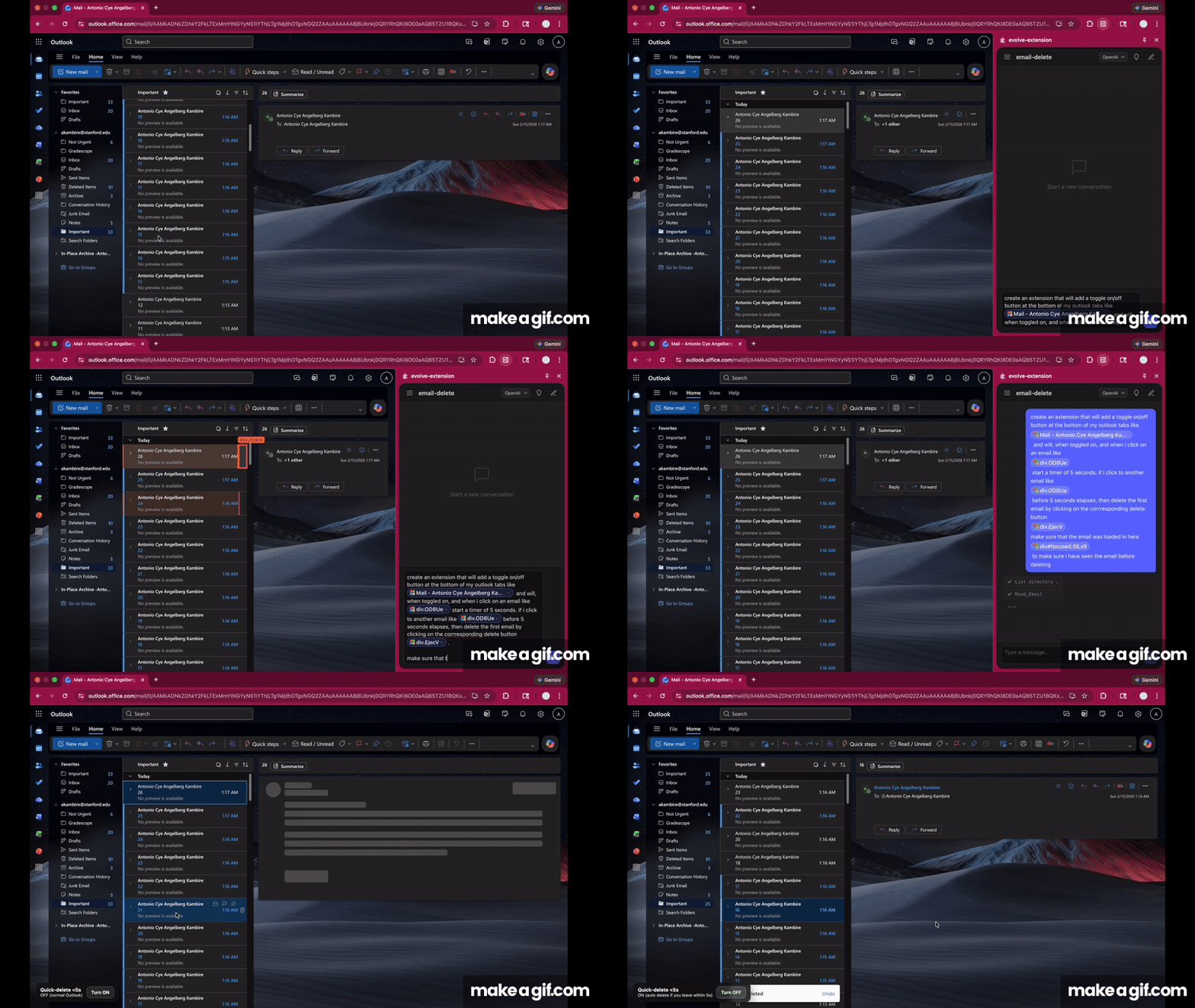
- Haley's Email Manager: Stanford students get a lot of spam (and are forced to use Outlook), Haley wanted an extension which will help her quickly delete all her spam emails.
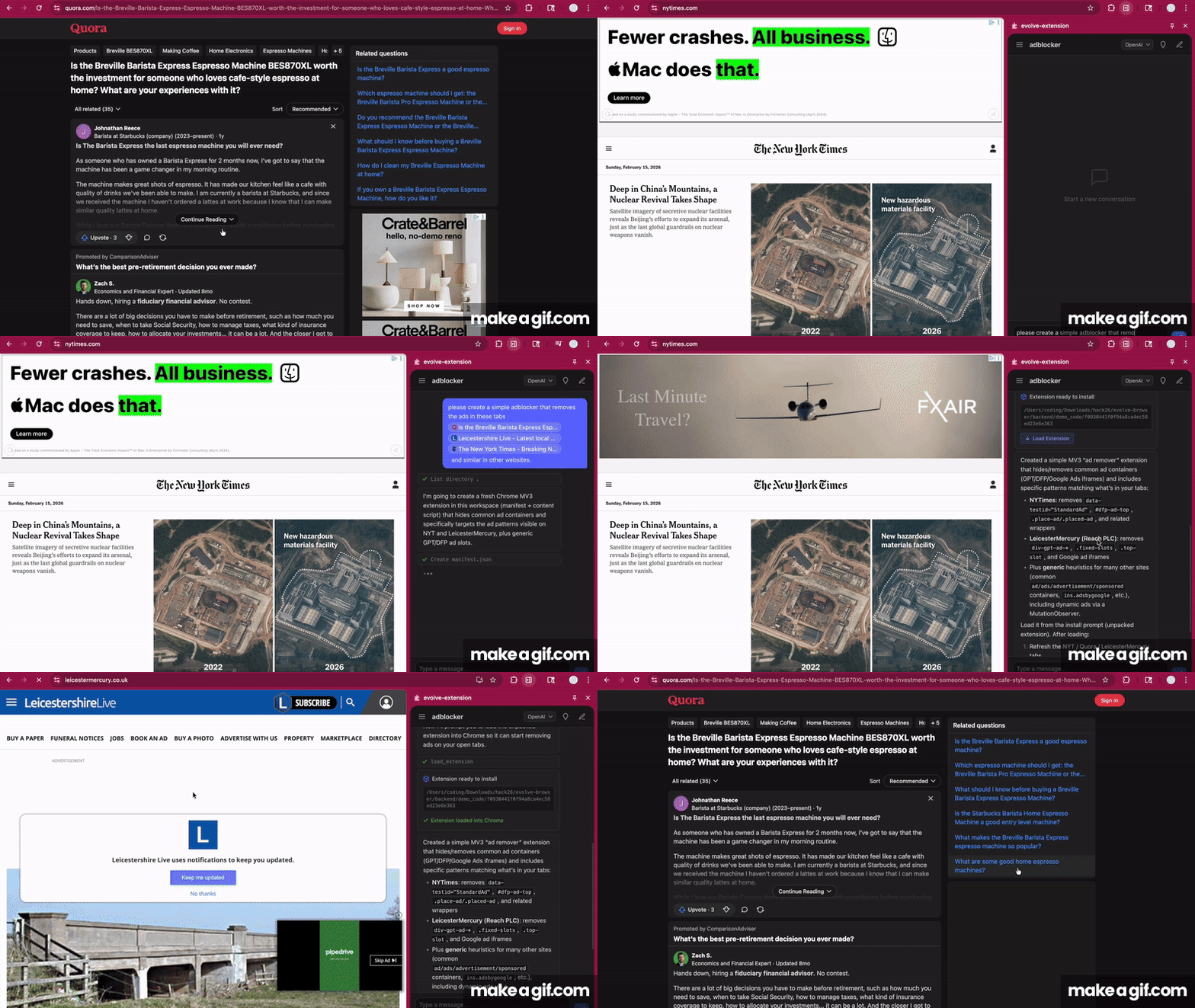
- Antonio's Ad Blocker: Chrome banned uBlock Origin (Antonio's favorite ad blocker), but Antonio doesn't want to switch browsers. Antonio uses evolve to create a custom ad blocker for his most visited sites (and if he ever wants to extend its ad-blocking capabilities to new sites he can just tell evolve to update the extension).
How we built it

Very high-level agent breakdown:
- A primary large model (GPT-5.2 or NVIDIA Nemotron Super 49B) performs the main reasoning, deciding whether to answer directly or call tools.
- Context tools enhance responses using graph-based RAG over the extension codebase and, when useful, live browser context retrieved via WebSocket.
- The knowledge graph is built offline by chunking the codebase, extracting entities and relationships with GPT-5-Nano, and generating embeddings with NVIDIA’s embedding model.
- When actions are required, coding tools (sandboxed terminal, linter, testing sandbox, and code editor) execute tasks, sometimes assisted by a smaller secondary LLM.
- The primary model synthesizes everything into the final response, which is streamed back to the chat and auto-reloaded browser extension.
- A secondary model extracts rules / memories from the overall conversation for future conversations about this extension.
Challenges we ran into
- Our fork of Chromium has limited functionality currently because build times take so long (we weren't able to iterate quickly)
- For the Chrome Extension, auto-loading / auto-reloading chrome extensions from extension code is guarded against by Chrome due to security considerations, so we created a hacky solution (utilizing Apple Events to insert JavaScript directly into Chrome).
Accomplishments that we're proud of
- Neither of us are frontend or UI-focused, so we our proud of our (surprisingly) clean UX.
- Our hacky solutions
What we learned
- Chromium is very large
What's next for evolve(browser)
- Creating a deployable extension / browser.
Built With
- aiohttp
- chrome-extensions-api
- fastapi
- graph-rag
- langchain
- langsmith
- manifest-v3
- networkx
- numpy
- nvidia
- nvidia-nim
- nvidia-open-models
- openai
- openai-gpt-5
- pydantic
- python
- react
- sqlite
- typescript
- uvicorn
- vite
- websockets

Log in or sign up for Devpost to join the conversation.