REGEXP_* functions or the VECTOR data type, you may have encountered a frustrating crash. Here's what's happening and how to fix it.
SQL Server 2025 introduced powerful new features including:
REGEXP_LIKE, REGEXP_REPLACE, REGEXP_SUBSTR, etc.)However, the initial LocalDB installer shipped with missing DLLs (RegExpr.dll and vectorffi.dll), causing sqlservr.exe to crash when these features are used.
When you execute a query like:
SELECT REGEXP_REPLACE('the cat sat on the mat', 'cat', 'dog')
You'll see an error like:
Named Pipes Provider: The pipe has been ended.
Communication link failure
And in your LocalDB error log (%USERPROFILE%\AppData\Local\Microsoft\Microsoft SQL Server Local DB\Instances\MSSQLLocalDb\error.log):
Exception Code = c06d007e EXCEPTION_MOD_NOT_FOUND
Delay load failure occurred for module 'RegExpr.dll'
Microsoft fixed this issue in Cumulative Update 3 (CU3) for SQL Server 2025. The fix includes an updated SQLLOCALDB.MSI with the missing DLLs.
Download the SQL Server 2025 Cumulative Update 3 from Microsoft:
π SQL Server 2025 CU3 Download
The installer is approximately 400 MB.
Run the downloaded installer. It will extract files to a temporary directory on one of your drives (e.g., C:\<GUID>\...).
β οΈ Important: Don't close the installer yet! The temp folder will be deleted when the installer exits.
Navigate to the extracted folder and find the LocalDB installer:
C:\<GUID>\1033_ENU_LP\x64\Setup\x64\SQLLOCALDB.MSI
The <GUID> will be a unique identifier like {A1B2C3D4-E5F6-...}.
π‘ Tip: Copy
SQLLOCALDB.MSI(~65 MB) to a permanent location before proceeding. This allows you to share it with teammates or reinstall later.
Open PowerShell as Administrator and run:
msiexec /i "C:\<GUID>\1033_ENU_LP\x64\Setup\x64\SQLLOCALDB.MSI"
Or if you copied it:
msiexec /i "C:\Tools\SQLLOCALDB.MSI"
The updated binaries are installed, but your existing instance may need to be recreated to use them.
First check the active version after stopping all Visual Studio instances:
SqlLocalDB info MSSQLLocalDB
If the version number is below 17.0.4025, recreate the instance:
# Stop the instance
SqlLocalDB stop MSSQLLocalDB
# Delete the instance (your databases are preserved!)
SqlLocalDB delete MSSQLLocalDB
# Create a new instance with the updated version
SqlLocalDB create MSSQLLocalDB
# Start the instance
SqlLocalDB start MSSQLLocalDB
π Note: Deleting an instance does not delete your databases. They remain in this folder
%USERPROFILE%\AppData\Local\Microsoft\Microsoft SQL Server Local DB\Instances\and can be attached later.
Connect to your LocalDB instance and test the new features:
-- Test REGEXP functions
SELECT REGEXP_REPLACE('Hello World', 'World', 'Visual Studio');
-- Returns: Hello Visual Studio
-- Test VECTOR type
CREATE TABLE #VectorTest (
Id INT PRIMARY KEY,
Embedding VECTOR(3)
);
INSERT INTO #VectorTest VALUES (1, '[0.1, 0.2, 0.3]');
SELECT * FROM #VectorTest;
DROP TABLE #VectorTest;
If you have a development team, you can:
SQLLOCALDB.MSI to a shared network location# update-localdb.ps1
param(
[string]$MsiPath = "\\server\share\SQLLOCALDB.MSI"
)
Write-Host "Installing updated LocalDB..." -ForegroundColor Cyan
msiexec /i $MsiPath /quiet /norestart
Write-Host "Recreating LocalDB instance..." -ForegroundColor Cyan
SqlLocalDB stop MSSQLLocalDB 2>$null
SqlLocalDB delete MSSQLLocalDB 2>$null
SqlLocalDB create MSSQLLocalDB
SqlLocalDB start MSSQLLocalDB
Write-Host "Done! Testing REGEXP support..." -ForegroundColor Green
sqlcmd -W -S "(localdb)\MSSQLLocalDB" -Q "SELECT REGEXP_REPLACE('Success', 'Success', 'It works!')"
If you get an error that the instance is in use:
SqlLocalDB stop MSSQLLocalDB -k (the -k flag kills connections)Verify your version with:
SqlLocalDB info MSSQLLocalDB
You should see version 17.4.4025.3 or higher.

Ensure you're using the MSI from CU3 or later, not the original RTM installer from Microsoft's download page (which may still be outdated).
If you've ever wondered why your simple console app connecting to a local SQL Server suddenly pulls in 10+ Azure-related dependencies, you're not alone. Issue #1108 has been the most voted feature request in the SqlClient GitHub repository since 2021, and with SqlClient 7.0, the team has finally addressed it with a brand new extension-based architecture.
Until now, Microsoft.Data.SqlClient has had a hard dependency on Azure.Identity and related Azure packages. This meant that even if you were only connecting to a local SQL Server instance with Windows Authentication or SQL Authentication, your project would include:
Azure.IdentityAzure.CoreMicrosoft.Identity.ClientMicrosoft.Identity.Client.Extensions.MsalThis resulted in:
SqlClient 7.0 introduces a modular extension system that separates core SQL Server connectivity from Azure-specific functionality. Here's the new package structure:
| Package | Description |
|---|---|
Microsoft.Data.SqlClient (7.0.0) |
Core SQL Server connectivity - no Azure dependencies! |
Microsoft.Data.SqlClient.Extensions.Abstractions (1.0.0) |
Interfaces and base classes for extensions |
| Package | Description |
|---|---|
Microsoft.Data.SqlClient.Extensions.Azure (1.0.0) |
Azure AD/Entra ID authentication support |
If you're connecting to a local SQL Server or using SQL Authentication, you only need the core package:
<PackageReference Include="Microsoft.Data.SqlClient" Version="7.0.0" />
using Microsoft.Data.SqlClient;
var connectionString = "Server=(localdb)\\mssqllocaldb;Database=MyDb;Integrated Security=true";
using var connection = new SqlConnection(connectionString);
connection.Open();
// That's it! No Azure dependencies pulled in.
When you need Entra ID authentication, simply add the Azure extension:
<PackageReference Include="Microsoft.Data.SqlClient" Version="7.0.0" />
<PackageReference Include="Microsoft.Data.SqlClient.Extensions.Azure" Version="1.0.0" />
using Microsoft.Data.SqlClient;
var connectionString = @"Server=tcp:myserver.database.windows.net,1433;
Initial Catalog=MyDatabase;
Encrypt=True;
Authentication=Active Directory Interactive;";
using var connection = new SqlConnection(connectionString);
connection.Open();
// Azure extension automatically registers its authentication providers
One of the pain points addressed is the confusing error message when Azure authentication was attempted without the proper setup. In SqlClient 7.0, if you try to use Azure AD authentication without the extension installed, you'll get a clear, actionable error:
Before (SqlClient 6.x and earlier):
"Cannot find an authentication provider for 'ActiveDirectoryInteractive'."
After (SqlClient 7.0):
"No authentication provider is registered for 'ActiveDirectoryInteractive'. Install the 'Microsoft.Data.SqlClient.Extensions.Azure' package."
This is a major version bump (7.0) because it includes breaking changes:
If you DON'T use Azure AD authentication:
If you DO use Azure AD authentication:
<!-- Before -->
<PackageReference Include="Microsoft.Data.SqlClient" Version="6.0.0" />
<!-- After -->
<PackageReference Include="Microsoft.Data.SqlClient" Version="7.0.0" />
<PackageReference Include="Microsoft.Data.SqlClient.Extensions.Azure" Version="1.0.0" />
Let's look at the dependency reduction for a simple console app:
Before (SqlClient 6.x):
Microsoft.Data.SqlClient 6.0.0
βββ Azure.Identity 1.13.0
β βββ Azure.Core 1.42.0
β β βββ ... (many more)
β βββ Microsoft.Identity.Client 4.67.0
β βββ Microsoft.Identity.Client.Extensions.Msal 4.67.0
β βββ ... (45+ total packages)
βββ Microsoft.IdentityModel.* packages
After (SqlClient 7.0 without Azure extension):
Microsoft.Data.SqlClient 7.0.0
βββ Microsoft.Data.SqlClient.Extensions.Abstractions 1.0.0
βββ Microsoft.IdentityModel.* packages (still there for now!)
βββ System.* packages (already in runtime)
The following files are no longer included:
Azure.Core.dll Azure.Identity.dll Microsoft.Bcl.AsyncInterfaces.dll Microsoft.Data.SqlClient.Extensions.Azure.dll Microsoft.Identity.Client.dll Microsoft.Identity.Client.Extensions.Msal.dll System.ClientModel.dll System.Memory.Data.dll
For containerized deployments, this can mean reductions in image size and faster cold starts.
SqlClient 7.0 preview is available now on NuGet:
dotnet add package Microsoft.Data.SqlClient --version 7.0.0-preview4.26064.3
dotnet add package Microsoft.Data.SqlClient.Extensions.Azure --version 1.0.0-preview1.26064.3
This design has been shaped by community feedback over years of discussion. The SqlClient team wants to hear from you:
This is the kind of developer experience improvement that makes a real difference in day-to-day work. Thanks to everyone who voted, commented, and contributed to making this happen!
]]>A huge thanks to community contributor didranoqx for a great contribution!
This post walks through every new rule, shows what problematic code looks like, explains why it matters, and describes the many ways you can integrate the rule set into your workflow.
| Rule ID | Category | Friendly Name | What It Detects |
|---|---|---|---|
| SRD0071 | Design | CASE without ELSE | CASE expression with no ELSE clause |
| SRD0072 | Design | Variable self-assignment | SET @x = @x β a no-op assignment |
| SRD0073 | Design | Repeated NOT operator | NOT NOT condition β a double negation |
| SRD0074 | Design | Weak hashing algorithm | HASHBYTES with MD2, MD4, MD5, SHA, or SHA1 |
| SRD0075 | Design | Hard-coded credentials | String literals assigned to @password, @pwd, @secret, or @apikey variables |
| SRD0076 | Design | Identical expressions on both sides | WHERE col = col or IF @x = @x |
| SRD0077 | Design | FETCH variable count mismatch | FETCH INTO variable count β cursor SELECT column count |
| SRP0025 | Performance | SELECT * in EXISTS | EXISTS (SELECT * β¦) instead of EXISTS (SELECT 1 β¦) |
A CASE expression without an ELSE clause silently returns NULL when no WHEN branch matches. This often surprises developers who expect a default value.
-- β Triggers SRD0071
DECLARE @status INT = 3;
DECLARE @label NVARCHAR(50);
SET @label = CASE @status
WHEN 1 THEN 'Active'
WHEN 2 THEN 'Inactive'
END;
-- @label is NULL when @status = 3, with no warning
-- β
Fixed
SET @label = CASE @status
WHEN 1 THEN 'Active'
WHEN 2 THEN 'Inactive'
ELSE 'Unknown'
END;
Add an explicit ELSE clause β even ELSE NULL β to make the intent unmistakable.
Assigning a variable to itself (SET @x = @x) is a no-op. It compiles and runs without error, but does nothing. It almost always indicates a copy-paste mistake where the wrong variable was used on the right-hand side.
-- β Triggers SRD0072
DECLARE @customerId INT = 42;
DECLARE @orderId INT;
SET @orderId = @orderId; -- copy-paste error, likely meant @customerId
-- β
Fixed
SET @orderId = @customerId;
Note: the rule only fires for pure self-assignment β SET @x = @x + 1 is not flagged.
A double negation (NOT NOT condition) is logically equivalent to the original condition and is almost certainly either a typo or a logic error. SQL Server accepts the syntax without complaint.
-- β Triggers SRD0073
IF NOT NOT @isActive = 1
BEGIN
PRINT 'Active';
END;
-- β
Fixed β negate once
IF NOT @isActive = 1
BEGIN
PRINT 'Not active';
END;
-- β
Or remove both NOTs if no negation is intended
IF @isActive = 1
BEGIN
PRINT 'Active';
END;
HASHBYTES with MD2, MD4, MD5, SHA, or SHA1 uses algorithms that are considered cryptographically broken and vulnerable to collision attacks. Use SHA2_256 or SHA2_512 for any security-sensitive hashing.
-- β Triggers SRD0074
DECLARE @hash VARBINARY(8000);
SET @hash = HASHBYTES('MD5', 'sensitive data');
SET @hash = HASHBYTES('SHA1', 'sensitive data');
-- β
Fixed
SET @hash = HASHBYTES('SHA2_256', 'sensitive data');
-- or for higher security
SET @hash = HASHBYTES('SHA2_512', 'sensitive data');
This rule applies wherever HASHBYTES is used in a procedure, function, or view.
Embedding passwords, API keys, and other secrets as string literals in T-SQL is a security risk. Anyone with access to the source repository, deployment scripts, or database system tables can read them.
-- β Triggers SRD0075
DECLARE @Password NVARCHAR(100) = 'MySecret123';
DECLARE @ApiKey NVARCHAR(100);
SET @ApiKey = 'sk-1234567890abcdef';
-- β
Fixed β retrieve at runtime from a secure store
DECLARE @Password NVARCHAR(100);
EXEC dbo.GetSecret @Name = 'AppPassword', @Value = @Password OUTPUT;
The rule matches variable and parameter names that contain password, pwd, secret, or apikey (case-insensitive) and flags them when a string literal is assigned.
A comparison where both sides are the same expression (e.g., WHERE col = col) is almost always a bug. It evaluates to either always TRUE or always FALSE (depending on the operator and NULLability), making the WHERE clause meaningless or the IF branch dead code.
-- β Triggers SRD0076
DECLARE @x INT = 5;
IF @x = @x -- always TRUE
PRINT 'Always true';
IF @x <> @x -- always FALSE (or UNKNOWN if @x IS NULL)
PRINT 'Never reached';
-- β
Fixed β compare to the intended right-hand value
IF @x = @threshold
PRINT 'Threshold reached';
-- β
To test for NOT NULL, use the correct idiom
IF @x IS NOT NULL
PRINT 'Has a value';
When the number of variables in a FETCH β¦ INTO statement does not match the number of columns in the corresponding cursor's SELECT list, SQL Server raises a runtime error (Msg 16924). This rule surfaces the mismatch at build time.
-- β Triggers SRD0077 β cursor selects 2 columns, FETCH provides 3 variables
DECLARE @id INT, @name NVARCHAR(100), @extra INT;
DECLARE cur CURSOR FOR
SELECT [object_id], [name] FROM [sys].[objects];
OPEN cur;
FETCH NEXT FROM cur INTO @id, @name, @extra; -- runtime error: variable count mismatch
CLOSE cur;
DEALLOCATE cur;
-- β
Fixed
DECLARE @id INT, @name NVARCHAR(100);
DECLARE cur CURSOR FOR
SELECT [object_id], [name] FROM [sys].[objects];
OPEN cur;
FETCH NEXT FROM cur INTO @id, @name;
CLOSE cur;
DEALLOCATE cur;
Using SELECT * inside an EXISTS subquery sends an unnecessary signal to the reader: "I care about which columns are returned." The optimizer typically handles it, but SELECT 1 is the established best practice and makes the intent explicit.
-- β Triggers SRP0025
IF EXISTS (SELECT * FROM [sys].[objects] WHERE [name] = 'MyProc')
BEGIN
PRINT 'Found';
END;
-- β
Fixed
IF EXISTS (SELECT 1 FROM [sys].[objects] WHERE [name] = 'MyProc')
BEGIN
PRINT 'Found';
END;
SqlServer.Rules ships in several forms. Choose the integration that fits your workflow.
Add the rules as a NuGet dependency to any modern SQL Database project based on MSBuild.Sdk.SqlProj or Microsoft.Build.Sql. Rules run automatically during dotnet build and surface violations as warnings in the build output and IDE error list.
dotnet add package ErikEJ.DacFX.SqlServer.Rules
A second package adds the complementary TSQL Smells rule set:
dotnet add package ErikEJ.DacFX.TSQLSmellSCA
Read more about enabling and configuring rules in the MSBuild.Sdk.SqlProj static code analysis guide.
It is also possible to use the rules with classic .sqlproj based projects in Visual Studio, but it must be done locally and manually.
The T-SQL Analyzer CLI is a .NET global tool that can analyze individual .sql files, entire folders, .dacpac files, .zip archives, and live databases.
dotnet tool install --global ErikEJ.DacFX.TSQLAnalyzer.Cli
Common usage examples:
# Analyze all .sql files in the current folder
tsqlanalyze
# Analyze a single stored procedure
tsqlanalyze -i C:\scripts\usp_CreateOrder.sql
# Analyze a folder
tsqlanalyze -i "C:\database scripts"
# Analyze a dacpac and export results to JSON
tsqlanalyze -i C:\deploy\MyDatabase.dacpac -o results.json
# Analyze a live database
tsqlanalyze -c "Data Source=.\SQLEXPRESS;Initial Catalog=MyDb;Integrated Security=True;Encrypt=false"
# Exclude a specific rule
tsqlanalyze -i C:\scripts -r Rules:-SqlServer.Rules.SRD0004
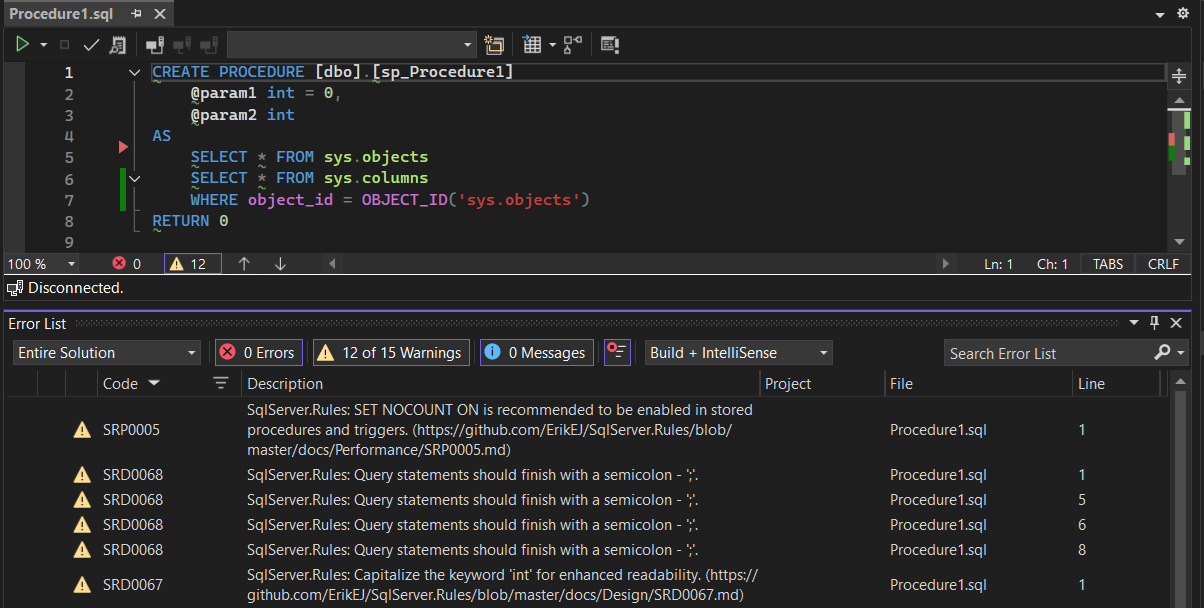
The T-SQL Analyzer Visual Studio extension brings the same rule set directly into the IDE. Install it from the Visual Studio Marketplace and violations appear in the Error List window as you work.
The CLI tool doubles as an MCP (Model Context Protocol) server, letting GitHub Copilot analyze your SQL scripts on demand inside VS Code or Visual Studio.
| Client | One-click Installation |
|---|---|
| VS Code | |
| Visual Studio |
Once configured and enabled, open GitHub Copilot Chat and ask:
"Analyze my stored procedure for T-SQL issues."
Copilot will invoke the MCP server and return a list of rule violations with line numbers and descriptions.
Every new rule is ignorable. If you have a legitimate reason to keep a particular pattern, suppress the rule in-line without disabling it project-wide:
Read more in the ignoring rules guide.
The eight new rules span two common areas of T-SQL quality:
Combined with the existing 130+ rules in SqlServer.Rules and the TSQL Smells library, these additions make it harder for subtle T-SQL mistakes to slip through unnoticed. Whether you prefer build-time analysis via NuGet, a one-off CLI scan, IDE integration through the Visual Studio extension, or conversational analysis via GitHub Copilot and the MCP server, there is an integration point that fits your workflow.
For the full rule reference see the documentation.
]]>SQL Database Project Power Tools enhances your Visual Studio experience when working with SQL Server database projects. It provides a collection of useful tools for importing databases, comparing schemas, analyzing code, creating diagrams, and more.
You can install the extension in two ways:
From Visual Studio: Open Visual Studio, go to Extensions > Manage Extensions, search for "SQL Database Project Power Tools", and click Install.
From the Visual Studio Marketplace: Download and install from the Visual Studio Marketplace.
After installation, restart Visual Studio to activate the extension.
SQL Database Project Power Tools adds project templates to make it easy to create new database projects.

You can also add new items to your project using the enhanced item templates:

One of the most useful features is the ability to import an existing database schema into your project. This saves you time by automatically generating all the necessary SQL scripts.

To import a database:
The tool will create all the necessary files in your project, organized by object type.
The schema compare feature helps you keep your database project in sync with your live databases. You can compare in both directions:
To use schema compare:
This is especially useful when working in teams or managing multiple environments.
Static code analysis helps you find potential issues in your database code before deployment. The analyze feature checks your SQL scripts against best practices and common pitfalls.
To analyze your project:
The analysis includes checks for design issues, naming conventions, performance concerns, and more. Consider adding this step to your regular development workflow.
Visualizing your database structure is easy with the E/R diagram feature. This creates a Mermaid diagram showing the relationships between your tables.

To create a diagram:
These diagrams are perfect for documentation and help team members understand the database structure.
The extension adds a Solution Explorer node for the output of your project (a .dacpac file), making it easy to explore their contents.

To view a .dacpac file:
This is helpful when troubleshooting post and predeployment script issues.
When you need to include seed data in your database project, the Script Table Data feature generates INSERT statements for you.
To script table data:
Post-Deployment folderThis is based on the popular generate-sql-merge script.
All SQL Database Project Power Tools features are accessible from the context menu in Solution Explorer:

Simply right-click on your SQL database project and look for the SQL Project Power Tools menu option.
For even more features, consider installing the SQL Project Power Pack, which includes:
If you need help or want to learn more:
Now that you're familiar with the basics:
Happy database development!
]]>But if you use them in continuous deployment with multiple databases with large and complex schemas, deployment time soon becomes an annoyance, taking minutes to do nothing (as in a high percentage of runs there are no schema changes).
To solve that problem, while enabling you to continue to benefit from continuous deployment, I have created a tool to determine if a deployment of a specific .dacpac file is required based on metadata present in the target database.
This can reduce your .dacpac deployment times significantly in scenarios where you deploy the same .dacpac multiple times, e.g. in CI/CD pipelines. Some of my early adopters report deployment times going down from 150 seconds to 7 seconds.
The tool runs on any system with the .NET 8 or .NET 10 runtime installed.
dotnet tool install -g ErikEJ.DacFX.DacDeploySkip
dacdeployskip check "<path to .dacpac>" "SQL Server connection string"
This command returns 0 if the .dacpac has already been deployed, otherwise 1.
dacdeployskip mark "<path to .dacpac>" "SQL Server connection string"
This command will add metadata to the target database to register the .dacpac as deployed.
You can use the optional -namekey parameter to use the name of the .dacpac file instead of the full path to the .dacpac as key.
dacdeployskip mark "<path to .dacpac>" "SQL Server connection string" -namekey
Notice the use of the additional parameter /p:DropExtendedPropertiesNotInSource=False to avoid dropping the metadata added by this tool.
If you use a publish profile, you can add the same parameter there.
<DropExtendedPropertiesNotInSource>False</DropExtendedPropertiesNotInSource>
trigger:
- main
pool:
name: selfhosted
variables:
buildConfiguration: 'Release'
connectionString: 'Data Source=(localdb)\mssqllocaldb;Initial Catalog=TestBed;Integrated Security=true;Encrypt=false'
dacpacPath: '$(Build.SourcesDirectory)\Database\bin\Release\net8.0\Database.dacpac'
steps:
- script: dotnet tool install -g Microsoft.SqlPackage
displayName: Install latest sqlpackage CLI
- script: dotnet tool install -g ErikEJ.DacFX.DacDeploySkip
displayName: Install latest dacdeployskip CLI
- script: dotnet build --configuration $(buildConfiguration)
displayName: 'dotnet build $(buildConfiguration)'
- powershell: |
dacdeployskip check "$(dacpacPath)" "$(connectionString)"
if (!$?)
{
sqlpackage /Action:Publish /SourceFile:"$(dacpacPath)" /TargetConnectionString:"$(connectionString)" /p:DropExtendedPropertiesNotInSource=False
dacdeployskip mark "$(dacpacPath)" "$(connectionString)"
}
displayName: deploy dacpac if needed only
You can also use the tool to set a condition in your pipeline based on whether a deployment is needed or not. This can be useful if you use a task like SqlAzureDacpacDeployment or SqlDacpacDeploymentOnMachineGroup.
- powershell: |
dacdeployskip check "$(dacpacPath)" "$(ConnectionString)"
if (!$?)
{
Write-Host "##vso[task.setvariable variable=DeployDacPac;]$true"
}
else
{
Write-Host "##vso[task.setvariable variable=DeployDacPac;]$false"
}
displayName: check if dacpac deployment is needed
Then use the condition on subsequent tasks:
condition: and(succeeded(), eq(variables['DeployDacPac'], true))
If you have any questions or other feedback relating to this tool, please provide feedback via GiHub.
]]>One of the highest voted issues for Microsoft.Data.SqlClient, the ADO.NET provider for SQL Server and Azure SQL, is Reading large data (binary, text) asynchronously is extremely slow.
Community contributor Wraith2 started work on fixing this more than 5 years ago, and the fix is now finally - after many attempts even failed ones - available in Microsoft.Data.SqlClient 7.0 preview 2.
After the failed attempt in version 6.1.0, the community stepped up and helped Wraith2 iron out any remaining bugs.
180% speed increase - how is that even possible? Well, if you currently use an older version of the driver, which is the common pattern for most applications, you will see that increase. My benchmark for simply turning the switch on shows a 90% increase, but let's compare with the driver version currently used by EF Core 9, which is 5.1.6.
| Method | Mean | Error | StdDev | Gen0 | Gen1 | Gen2 | Allocated |
|---|---|---|---|---|---|---|---|
| Async | 1,713.09 ms | 33.639 ms | 29.820 ms | 2000.0000 | 1000.0000 | 1000.0000 | 30.67 MB |
| Sync | 33.72 ms | 0.539 ms | 0.530 ms | 875.0000 | 875.0000 | 875.0000 | 20 MB |
So that is from 1.7 seconds to 0.06 seconds!
To enable the fix, make the following changes to your application:
Add an explict (or updated) reference to the latest driver version:
<PackageReference Include="Microsoft.Data.SqlClient" Version="7.0.0-preview2.25289.6" />
Then at the start of your app, for example on the first lines in Program.cs add these two switches:
AppContext.SetSwitch("Switch.Microsoft.Data.SqlClient.UseCompatibilityAsyncBehaviour", false);
AppContext.SetSwitch("Switch.Microsoft.Data.SqlClient.UseCompatibilityProcessSni", false);
This will allow you to get the benefits of this bug fix.
If you encounter any issue with this, please create an issue here.
]]>It is a collection of tools that help improve the developer experience when working with SQL Database Projects in Visual Studio 2026 and 2022, when using our community .dacpac build SDK based projects, but also for "classic" Database Projects (.sqlproj).
The only cross platform and modern project type available for Visual Studio 2026 is MsBuild.Sdk.SqlProj, as the Microsoft provided Microsoft.Build.Sql, also called the "SDK style" project type is not supported in Visual Studio 2026.

In Visual Studio, you can install the extension from the Tools, Manage Extensions page. You can also download from Visual Studio MarketPlace
Select File - New - Project to create a new project using the MsBuild.Sdk.Sqlproj SDK.

From the project context menu, select Add, New Item, and pick one of the templates to get started from scratch.

Often you already have an existing database that you want to put under source control and manage using standard development practices. To do that, use the Import... menu item available from the project context menu.
Create a connection to the database using the built-in SQL Server database connection dialog and choose the layout of the imported files.
| Name | Description |
|---|---|
| Flat | Specifies .sql files for all database objects will be output to a single directory. |
| ObjectType | Specifies .sql files will be output into folders grouped by the database object type. |
| Schema | Specifies .sql files will be output into folders grouped by the database schema names. |
| SchemaObjectType | Specifies .sql files will be output into folders grouped by the database schema name and the database object type. |

Click OK, wait for the import to complete, and all existing database objects are now available in your database project as CREATE scripts.
I have also published SQL Database Project Power Pack, which adds two other useful extensions to your Visual Studio installation.
SQL Formatter helps you standardize the formatting of your SQL scripts with a Format Document command and support for many options in an .editorconfig file or via Tools/Options.
Once you have completed all your scripts, run Build from the project context menu. This will create the .dacpac file for you. It will also validate the syntax of your scripts with static code analysis using 140+ code analysis rules.
The Power Pack also includes the T-SQL Analyzer extension, that provides live code analysis based on the same 140+ rules but with live feedback in the Error List during editing.

Have a look at our extensive user guide for more information on topics like
To document and better understand your database schema, you can create an Entity-Relation diagram with the Mermaid ER Diagram... menu option.
You will get a dialog to pick the tables that you want to include in the diagram, and a Mermaid diagram will be opened, visualizing the tables and foreign key relationships between them.

The Unpack menu item will script out the contents of your database project to a single .sql file to a folder in your project.
I have planned other features and will consider these based on feedback. Potential new features could include: Import database settings, format during import, Data API Builder scaffold, and maybe something you suggest?
I hope you will find the tools useful, and if you have any feedback, issues or suggestions, please contact me via GitHub.
]]>I maintain a collection of over 140 open source static code analysis rules based on the DacFX API for T-SQL based best practices analyzers.
To make the most of the rules, I publish them on NuGet in various forms, so you can take advantage of them in various contexts:
The base analyzer rules, SqlServer.Rules and TSQLSmellSCA , for use in both modern SQL projects, MSBuild.Sdk.SqlProj and Microsoft.Build.Sql and in legacy Visual Studio SQL database projects.
A .NET command line tool for running ad-hoc analysis of script files and more, including use as an MCP Server.
The latest member of the family is a Visual Studio extension, that provides live analysis of your script as you work with it in the Visual Studio SQL editor.
It supports projects based on our MSBuild.Sdk.SqlProj build SDK as well as Microsoft.Build.Sql projects, and legacy Visual Studio SQL database projects.

The extension will respect any rule configuration you have in your SQL project, including whether analysis is enabled, SQL version and rule suppression.
<Project Sdk="MSBuild.Sdk.SqlProj/3.2.0">
<PropertyGroup>
<TargetFramework>net8.0</TargetFramework>
<SqlServerVersion>Sql170</SqlServerVersion>
<RunSqlCodeAnalysis>True</RunSqlCodeAnalysis>
<CodeAnalysisRules>-SqlServer.Rules.SRD0006;-Smells.*</CodeAnalysisRules>
</PropertyGroup>
</Project>
The extension also adds a menu item under Tools to run the T-SQL Analyzer tool against the currently open SQL script in the editor.

The extension depends on the T-SQL Analyzer CLI tool, which is installed as a .NET global tool. If you haven't installed the tool yet, you can do so by running the following command in a terminal:
dotnet tool install -g ErikEJ.DacFX.TSQLAnalyzer.CLI
Download the extension from the Visual Studio Marketplace
Should you encounter bugs or have feature requests, head over to the GitHub repo to open an issue if one doesn't already exist.
]]>NuGet.org recently added new support for a special MCP Server package type, so that in the future AI clients can better discover MCP Servers. Today, you can already take advantage of this package type to make your MCP Server easy searchable on NuGet.org.
So based on the changes made in the previous post, let's see what it takes to publish my tool as a MCP Server on Nuget.org.
First, install the .NET 10 SDK, in order to be able to pack the MCP Server package.
Then you need to add an (optional) server.json file in an .mcp folder in your project, to help users consume and launch your MCP Server.
{
"$schema": "https://modelcontextprotocol.io/schemas/draft/2025-07-09/server.json",
"description": "Find design problems and bad practices in a SQL Server CREATE script",
"name": "io.github.ErikEJ/SqlServer.Rules",
"packages": [
{
"registry_name": "nuget",
"name": "ErikEJ.DacFX.TSQLAnalyzer.Cli",
"version": "1.0",
"package_arguments": [
{
"type": "positional",
"value": "-mcp",
"value_hint": "-mcp"
}
],
"environment_variables": []
}
],
"repository": {
"url": "https://github.com/ErikEJ/SqlServer.Rules",
"source": "github"
},
"version_detail": {
"version": "1.0"
}
}
Notice the interesting syntax for the name top level property. And since my tool must be invoked with a -mcp parameter, you need to add that to the package_arguments array, with a quite versbose syntax (currently).
Now open your .csproj file, and add a new <PackageType>McpServer</PackageType> property.
And make sure your server.json file in included in the NuGet package.
<Project Sdk="Microsoft.NET.Sdk">
<PropertyGroup>
...
<PackAsTool>true</PackAsTool>
<PackageType>McpServer</PackageType>
...
</PropertyGroup>
<ItemGroup>
<None Include="readme.md" Pack="true" PackagePath="/" />
<None Include=".mcp/server.json" Pack="true" PackagePath="/.mcp/" />
</ItemGroup>
...
</Project>
That is all you need to do to pack and publish your .NET tool as an MCP Server on NuGet.org!

The sample mcp.json snippet uses the new one shoot tool execution feature, that was added in .NET 10 preview 6. It allows you to install (download) AND run a .NET tool with a single command.
The ModelContextProtocol package is currently in early preview, but I think MCP Server functionality is very useful and requires minimal amount of code to add to existing command line tools. Adding MCP Server functionality to your tool will make it more useful, and increase your user base.
And publishing your tool as an MCP Server on NuGet.org will increase the visibility of your tool, and eventually make it discoverable by AI clients.
]]>One of the community extensions is the SQL Database projects hosting integration, maintained by Jonathan Mezach.
This extension helps you manage your database lifecycle using a SQL Database project, with builds a .dacpac artifact. You can read more about SQL Database projects in other posts on this blog, including this introductory post.
I will show you how to get started with simple scenarios, and we will then expand on this to cover more complex features and requirements.
Start be creating a database project to define objects in your database, see the blog post mentioned above. You can also use a database project based on the Micrsoft.Build.Sql build SDK.
Then in you .NET Aspire app host project, add the CommunityToolkit.Aspire.Hosting.SqlDatabaseProjects package.
dotnet add package CommunityToolkit.Aspire.Hosting.SqlDatabaseProjects
Add a reference to your database project from the .NET Aspire app host project:
dotnet add reference ../MySqlProj/MyDatabase.csproj
Finally, use the .AddSqlProject extension method in Program.cs to add the SQL Project resource
var builder = DistributedApplication.CreateBuilder(args);
var sqlServer = builder.AddSqlServer("sql");
var sqlDatabase = sqlServer.AddDatabase("test");
builder.AddSqlProject<Projects.MySqlProj>("mysqlproj")
.WithReference(sqlDatabase);
Running this will now spin up a SQL Server container, create a database named test and create the objects defined in your database in the test database, ready for use by other projects in your .NET Aspire app host.

Let's have a look at some advanced use cases and see how they can be implemented with the extension (and maybe other extensions).
In the case where you do not have a database project you can reference, for example if you use the classic SQL Server Data Tools project (.sqlproj), you can reference the .dacpac built by the project directly using the WithDacpac method:
builder.AddSqlProject("mysqlproj")
.WithDacpac("path/to/mysqlproj.dacpac")
.WithReference(sql);
If you want to use an exising database, this can do by specifying adding connection resource that points to the existing database with the AddConnectionString method:
// Get an existing SQL Server connection string from the configuration
var connection = builder.AddConnectionString("Aspire");
builder.AddSqlProject<Projects.MySqlProj>("mysqlproj")
.WithReference(connection);
I prefer to never allow the database publish process to incur dataloss, but sometimes during a development process, database objects can become obsolete. For that purpose, I use what I call a data loss script, which is a idempotent .sql script, that I can execute before running the database publish process. This functionality is now easy to add to your app host project, and is useful for a couple of reasons
Use the new WithCreationScript method to run your data loss script, and use it in combination with persistent storage:
var builder = DistributedApplication.CreateBuilder(args);
var sqlServer = builder.AddSqlServer("sql")
.WithLifetime(ContainerLifetime.Persistent)
.WithDataVolume("sql-data");
var sqlDatabase = sqlServer.AddDatabase("test")
.WithCreationScript(@"IF NOT EXISTS ( SELECT 1 FROM sys.databases WHERE name = [test] ) CREATE DATABASE [test];
GO" + File.ReadAllText("../Database/DataLossScript.sql"));
var sqlProject = builder
.AddSqlProject<Projects.Database>("sqlproj")
.WithReference(sqlDatabase);
An example of the DataLossScript.sql contents:
IF OBJECT_ID('dbo.Role', 'U') IS NOT NULL
BEGIN
IF COL_LENGTH('dbo.Role', 'DirectoryPath') IS NOT NULL
BEGIN
ALTER TABLE [dbo].[Role] DROP COLUMN DirectoryPath;
END
END
IF OBJECT_ID('dbo.Process', 'U') IS NOT NULL
BEGIN
DROP TABLE dbo.Process
END
Maybe you do not want the database publishing process to run each time you launch the app host. In version 9.5.0 or later of the hosting extension, you can use the WithExplicitStart method, so the publish will only take place when you press the Deploybutton in the dashboard:
builder.AddSqlProject<Projects.MySqlProj>("mysqlproj")
.WithReference(sqlDatabase)
.WithExplicitStart();
Maybe you want to look at the database contents while running the app host. You can do this with the DbGate tool, just add the following package:
dotnet add package CommunityToolkit.Aspire.Hosting.SqlServer.Extensions
This with give you the WithDbGate method, that launches the DbGate container and connects it to your database server container.
var sqlServer = builder.AddSqlServer("sql")
.WithDbGate();
Currently, the extension is a development time only extension, but work is in progress to make it useful for deployment as well.
In the meantime, you can use the existing pipeline tasks in Azure DevOps and GitHub to deploy the .dacpac artifact and optionally your data loss script. Relevant Azure DevOps task includes SqlAzureDacpacDeployment and SqlDacpacDeploymentOnMachineGroup
This is an example of a task in an Azure DevOps deployment pipeline to deploy the data loss script:
- task: PowerShell@2
displayName: Deploy DataLoss script
inputs:
targetType: inline
script: |
if ($Null -eq (Get-PackageProvider -Name NuGet -ErrorAction Ignore)) {
Install-PackageProvider -Name NuGet -Force -Scope CurrentUser;
}
$connectionString = $($env:ConnectionString)
Write-Host $connectionString
Install-Module -Name SqlServer -Force -Scope CurrentUser -AllowClobber;
if(($db = Get-SqlDatabase -ConnectionString $connectionString -ErrorAction SilentlyContinue)) {
Invoke-Sqlcmd -InputFile "src/Database/DataLossScript.sql" -ConnectionString $connectionString -ErrorAction Stop
} else {
Write-Host "Database does not exist."
}
You can now get started with app development using .NET Aspire - confident that your database lifecycle management needs can be fulfilled.
]]>