Search the Community
Showing results for tags 'android'.
-
Hi, I've been trying the new NAS feature on launchbox android and found an issue where if you try to add a folder within your VPN launchbox won't see the shared drive because wherever is on a local network the drive is discoverable but because of the limitations of a VPN the drive become undiscoverable. So I ask that please see this issue, the VPNs I use are tailscale and zero tier one I'm on Android 15 although the app can see the server and can access

-
Hi after the new number update changing the Nas ip address in the xml files to adapt to tailscale new ip when on the go doesn't work anymore and says no credentials found when downloading a title. The current credentials are also encrypted and can't be updated manually. Please add the option to add a default Nas IP in the settings and the option to edit the credentials/path? Tailscale changes the lan nas ip but doesn't support nas discovery, it was working before in old versions before. I can access it in file explorers like cx file explorer. Thanks
-
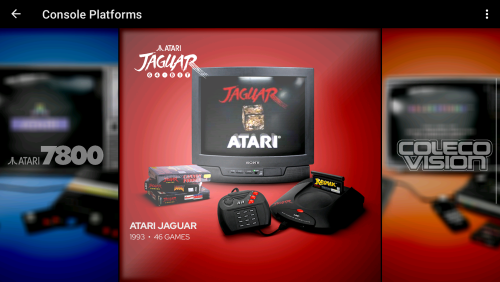
Version 1.5
74 downloads
For the fastest game browsing experience please use both VisionN-Lite Colorful Redux and The Grid-Instant Redux. I wanted to make the main platform theme as fast as possible and responsive instantly to button press like Beacon Game Launcher. I purchased and tried them all on Android and honestly not are as good as Launchbox (I can't live without the remote nas game lists and the minute access to xmls). Hopefully a solution is made to make the skin system 60fps smooth and responsive and a way to easily create more themes as their manual coding is... 🫢 2 themes where modded, The Grid-Instant and this here: I remade all (maybe) art for Faeran's VisionN-Lite 1.0 theme to be as clear as possible when scrolling and went with Colourful's art theme. What changed from VisionN-Lite 1.0: Added custom consoles and handleds clear logos to match the Arcade one. Recreated all assets using Colouful art by adding backgound and graphical effects and made some custom ones for Backgrounds and Backgrounds2 Made the theme use webp instead of jpg (jpg reduction of color look bad on oled screens and make gradients circular even at 100%) Optimized the png files using Caesium image compressor. Modded Faeran theme (VisionN-Lite 1.0) Used viking Colourful background and Hardware set (COLORFUL platform video set 2.1.5) Used Yorrick36 Clear logos for genres (Iconic Genre Playlist Clear Logo Set 1.0.1) Cheers PS: I will try to lower the images' resolution than the default ones for the backgrounds and if it works and is faster and looks good I'll update this theme mod. Redux-Themes-Speed-Clarity.mp4 VisionN-Lite Colorful Redux 1.1.zip -
View File The Grid-Instant Redux For the fastest game browsing experience please use both VisionN-Lite Colorful Redux and The Grid-Instant Redux. The Grid-Instant Redux 1.1.mp4 2 themes where modded, VisionN-Lite 1.0 and this here: I removed all animation delays and made screenshot loading direct for Faeran's The Grid 1.2 theme to be as clear and fast as possible when scrolling. What changed from The Grid 1.2: Removed all animations delaying existing media for the selected game when scrolling. Made screenshots load directly as even without animation it was slow. Made text and labels load instantly too. Left background art load with delay as clear logos, text and screenshots are what most important and didn't want to stress performance. Modded Faeran theme (The Grid 1.2) Cheers Redux-Themes-Speed-Clarity.mp4 The Grid-Instant Redux.mp4 Submitter JAKAMY Submitted 07/05/2025 Category Custom Themes
-
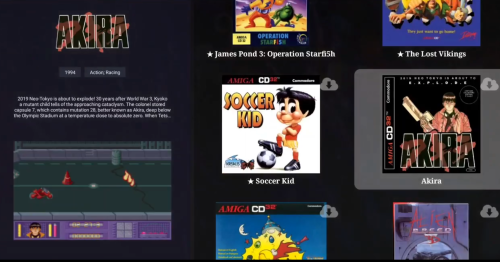
Version 2.0
34 downloads
For the fastest game browsing experience please use both VisionN-Lite Colorful Redux and The Grid-Instant Redux The Grid-Instant Redux V2.0.mp4 2 themes where modded, VisionN-Lite 1.0 and this here: I removed all animation delays and made screenshot loading direct for Faeran's The Grid 1.2 theme to be as clear and fast as possible when scrolling. What changed from The Grid 1.2: Removed all animations delaying existing media for the selected game when scrolling. Made screenshots load directly as even without animation it was slow. Made text and labels load instantly too. Left background art load with delay as clear logos, text and screenshots are what most important and didn't want to stress performance. Modded Faeran theme (The Grid 1.2) Cheers Redux-Themes-Speed-Clarity.mp4 The Grid-Instant Redux 1.1.mp4 -
View File VisionN-Lite Colorful Redux For the fastest game browsing experience please use both VisionN-Lite Colorful Redux and The Grid-Instant Redux. I wanted to make the main platform theme as fast as possible and responsive instantly to button press like Beacon Game Launcher. I purchased and tried them all on Android and honestly not are as good as Launchbox (I can't live without the remote nas game lists and the minute access to xmls). Hopefully a solution is made to make the skin system 60fps smooth and responsive and a way to easily create more themes as their manual coding is... 🫢 2 themes where modded, The Grid-Instant and this here: I remade all (maybe) art for Faeran's VisionN-Lite 1.0 theme to be as clear as possible when scrolling and went with Colourful's art theme. What changed from VisionN-Lite 1.0: Added custom consoles and handleds clear logos to match the Arcade one. Recreated all assets using Colouful art by adding backgound and graphical effects and made some custom ones for Backgrounds and Backgrounds2 Made the theme use png instead of jpg (jpg reduction of color look bad on oled screens and make gradients circular even at 100%) Optimized the png files using Caesium image compressor. Modded Faeran theme (VisionN-Lite 1.0) Used viking Colourful background and Hardware set (COLORFUL platform video set 2.1.5) Used Yorrick36 Clear logos for genres (Iconic Genre Playlist Clear Logo Set 1.0.1) Cheers PS: I will try to lower the images' resolution than the default ones for the backgrounds and if it works and is faster and looks good I'll update this theme mod. Redux-Themes-Speed-Clarity.mp4 VisionN-Lite Colorful Redux 1.1.zip Submitter JAKAMY Submitted 07/05/2025 Category Custom Themes
-
Hi, so with what I've found with the new NAS feature on Android, it only seems to find my NAS when I'm on the same WIFI network with my Android device as my NAS. Is this true for all setups or just mine? If this is the case, could this potentially be upgraded in the future? Also, the Android Launchbox app won't wake up my NAS when it's gone to sleep and I have to use a third party file manager to wake it up first. Again is this expected or just my set-up and if it is true could this potentially be upgraded in the future? Thank you for your time.
-
I have a fresh install of LaunchBox on my NVIDIA Shield and went to download RetroArch and it keeps saying failed to download. I downloaded dolphin just fine. I've deleted the RetroArch files in the emulator folder as well. When I look at "Manage RetroArch" it says RetroArch is not installed Latest Version: Unknown I'm using Version 1.18-beta-5 of Launchbox and had no issues installing on my other NVIDIA shield.
-
It running new themes i buy lifetime android and windows to im happy i got and the custom theme's to im glad I got emu movies to for lifetime to i had to buy it with one of bybit card the other bybit card was not so I use my other bybit card i think I put the cvc number in Romany time but I'm glad I got it when I did or I would of not have the 3 software the lifetime of launchbox bundle and emu movies this is my time being with it
-
- 1
-

-
I won't tell you how i get them but here my roms photos
-
I'm having issues getting the Platform theme videos to play in Launchbox on my Pixel 8 Pro running Android the QPR2 Beta update. This is the guide I was following: Launchbox Tutorial And these are the steps I followed: From platforms view, click the three dots in the top right and change view to Wheel with details (Also should work with text with details view.) Download Theme Videos from the same three dots menu Select to prioritize 'Colourful HD by Viking', Do you want to replace existing videos as well? 'Download All' Wait a few seconds for all to download In landscape you should see videos for each platform playing in the background After doing all this, no background image shows, and no videos. I'm not sure if this is because of the Android Beta software I'm running, or if this is a bug with Launchbox.
-
.thumb.jpg.ea1590f452c26514a55d5cd8cc8eac67.jpg) Since these updates addressed some playtime sync issues and i have experienced multiple of those before i did some testing by creating fresh LB builds of both. So far it seems that the updates have fixed many issues but i found that N64 playtime and play-count sync between PC and Android is still broken. I imported 2 different full ROM sets on PC and chose Beetle adventure racing (LB ID #1067) as the test game to import to android and the old problem of playtime not syncing correctly and getting doubled persists. As a play by play i import the games to PC then only beetle adventure to android and after launching it only on android and letting the sync do its thing, there's no playtime on PC but 2 play-count. I delete the game and platform on android and reset the playtime and count on PC and the phantom 2 play-count keeps appearing every time LB syncs. I then manually remove all playtime from the N64 XML on PC which seems to fix the issue. I then try again to import it to android and it immediately syncs and shows 4 play-count now both on android and PC. I delete everything n64 related on android and manually reset XML on PC which for now has fixed the problem on PC at least. Before these updates i have had very similar issues for other platforms but they seem to work fine for now (fingers crossed) I have tested ps1, NES and Genesis so far and every game syncs correctly.
Since these updates addressed some playtime sync issues and i have experienced multiple of those before i did some testing by creating fresh LB builds of both. So far it seems that the updates have fixed many issues but i found that N64 playtime and play-count sync between PC and Android is still broken. I imported 2 different full ROM sets on PC and chose Beetle adventure racing (LB ID #1067) as the test game to import to android and the old problem of playtime not syncing correctly and getting doubled persists. As a play by play i import the games to PC then only beetle adventure to android and after launching it only on android and letting the sync do its thing, there's no playtime on PC but 2 play-count. I delete the game and platform on android and reset the playtime and count on PC and the phantom 2 play-count keeps appearing every time LB syncs. I then manually remove all playtime from the N64 XML on PC which seems to fix the issue. I then try again to import it to android and it immediately syncs and shows 4 play-count now both on android and PC. I delete everything n64 related on android and manually reset XML on PC which for now has fixed the problem on PC at least. Before these updates i have had very similar issues for other platforms but they seem to work fine for now (fingers crossed) I have tested ps1, NES and Genesis so far and every game syncs correctly. -
Since these updates addressed some playtime sync issues and i have experienced multiple of those before i did some testing by creating fresh LB builds of both. So far it seems that the updates have fixed many issues but i found that N64 playtime and play-count sync between PC and Android is still broken. I imported 2 different full ROM sets on PC and chose Beetle adventure racing (LB ID #1067) as the test game to import to android and the old problem of playtime not syncing correctly and getting doubled persists. As a play by play i import the games to PC then only beetle adventure to android and after launching it only on android and letting the sync do its thing, there's no playtime on PC but 2 play-count. I delete the game and platform on android and reset the playtime and count on PC and the phantom 2 play-count keeps appearing every time LB syncs. I then manually remove all playtime from the N64 XML on PC which seems to fix the issue. I then try again to import it to android and it immediately syncs and shows 4 play-count now both on android and PC. I delete everything n64 related on android and manually reset XML on PC which for now has fixed the problem on PC at least. Before these updates i have had very similar issues for other platforms but they seem to work fine for now (fingers crossed) I have tested ps1, NES and Genesis so far and every game syncs correctly.
-
Hi, I am trying to import a MAME romset from an extrernal HDD but it's crashing Launchbox on my NVIDIA Shield. Is this a known issue? or do I need to try something different? Thanks
-
Hi! I've just set up Launchbox for Android on my Retroid Pocket 3+, and I'm using Syncthing to automatically sync the `Games` folder between the RP3+ and my desktop. The syncing of the files themselves is working perfectly fine, they're in the right place, but Launchbox itself doesn't notice that files have been added. I know I could probably delete the platform and re-scan, but given the level of attention and care that the desktop version of Launchbox gives to keeping the library fresh, I find it hard to believe that the Android version makes this just completely impossible. So I assume I must be missing something; is there a way to just force Launchbox to re-scan an existing platform? Thanks!
-
Hello all, hopefully a quick question: In my Nintendo Game Boy folder I have the following files: Super Mario Land (World) (patched).zip Super Mario Land (World) (Rev 1).zip They are rightly categorised Super Mario Land and when I right click I get the option which I want to play. How should I be titling my patched files so that they always get chosen when I double click to play? Thanks.
-
I'm having a very annoying issue where playtime and play count stats are basically random for some reason. i noticed that suddenly my game was showing only 30mins of playtime when i know it should be near 3h and after doing some testing i noticed that its basically random. I have 15 mins played on beetle adventure racing for example, i import it to lb android and sync and it shows 2h of playtime out of nowhere.
-
Hi, Using the retroarch 64 side loaded app with the MAME current core (although the naming and file type of the core is different in launchbox but this seems to be the same for other platforms), all other platforms work correctly except MAME, where it brings up a black screen and crashes retroarch. I am able to launch games correctly via retroarch directly though. Using 1.12, is it a known issue? -> FIX: disable Extract ROM archives in the Emulator settings in Launchbox
-
Hello, when do you think you will be able to add custom playlists to the Android version? It's the one thing that is missing for me. Thanks
-
Hi, I am using the latest version of LaunchBox on my Ayn Odin Pro hand-held with all latest updates. I cannot seem to get any MAME .139 roms to play. I have tried both RetroArch and Retroarch64 with the MAME2010 core and all i get is the black screen. I tried MAME4DROID and while the games all show up fine (also in LaunchBox) I am not able to start any of them with onscreen or odin controls. Amy help is greatly appreciated.
-
 Okay. Going into details. Warning: I am a noob, when it comes to games and emulators. I managed to get the N64 (using N64Plus FZ), Amiga, and C64 (both using RetroArch) I use all on my Google TV box (MECOOL KM7) and they work perfectly. But, when I try duckstation for PS1 games and MD.emu for GBA neither work through launchbox. MD.emu seems too try to load, but goes black. When I try to use Duckstation, I get an error saying "Failed to load CD image 'Driver.chd': [13]: Permission denied" but everything works great on my cellphone. I test everything on my phone first before transferring to my Android Google TV box. Any thoughts or suggestions would be greatly appreciated.
-
Let me start by saying I love LaunchBox. It makes things so much easier. And I just got LaunchBox for Android which is also very good. The only feature I find lacking is a good game rating system. The community star system doesn't seem to have enough people using it to make it useful. Is there any way to create a game rating database from https://gamefaqs.gamespot.com/games/rankings which has been around for a long time and to me seems pretty accurate. And combine it with the community star system. That way we could find some hidden gems and be able to separate the good from the bad. Especially important when deciding what games to move to android where space is limited. Well, I hope you will consider it. And thanks for all you do.
-
installed the app my roms are on micro sd. i wanted to change the launchbox folder from main device to micro sd card. closed the app as suggested and used FX file explorer to copy the folder and put in in root of micro sd. i relaunched the app and try to data folder to micro sd/Launchbox but it wouldnt let me saying that it didnt have read and write access to that folder. i tried a couple of times i was able to make a folder inside launchbox folder on micro sd card with FX file explorer so it does have read and write? i deleted the lauchbox folder from main device and uninstalled the app. reinstalled the app and tried to select the lauchbox folder on micro sd card again but it wouldnt let me yet again same error message saying read and write. im guessing the app only asks permissions on install for device and not micro sd card? cause other apps can access the micro sd card just fine. im using a SM T835 android 10 (samsung galaxy tab s4)
-
Recently rescanned my games folders on LaunchBox Android and I've now got loads of files I don't want to see in my collection (mp3s, wavs etc). Would be great to filter out unmatched files from the games list. Not sure why it's bothering with these extensions to be honest. Any way to do this or is something in the pipeline? Thanks!
-
I want to maintain my games folder structures when exporting to Android. Presently, the Export to Android feature places all files in their respective system folder. This would break many of my games (cue files dependant on bin and track files etc) as I use subdirectories for games on some systems and some are mixed. I just want to maintain the existing structure. Is there any workaround to export without losing the existing structure? Thanks!










.thumb.jpg.ea1590f452c26514a55d5cd8cc8eac67.jpg)


