Search the Community
Showing results for tags 'export'.
Found 6 results
-
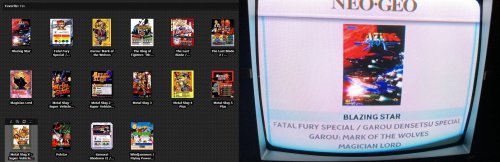
 Launchbox-RetroPie-Batocera-Miyoo Export View File Launchbox is great, but it doesn't run on linux. RetroPie is great, but the scraper is terrible. This script will copy your roms, metadata and images from LaunchBox for use with RetroPie (or Batocera/Miyoo). If desired, it will also reduce the size of the copied images to make them load faster on the Pi. Edit the attached file to choose your platforms, and decide if you want everything, or only your favourites. If selecting Batocera XML format it will attempt to copy the first box art, marquee, screenshot and video file for each of your titles. If selecting the Miyoo Onion OS XML format the gamelists will be called miyoogamelist.xml and the boxart will be reduced to 250px and converted to PNG. See their github for more info. How to Install: Download and install Python Choose All Users and add it to your Path Open cmd, and type 'pip install Pillow' Download the attached file and edit it accordingly (specify your LaunchBox folder, desired output folder and platforms) Run 'python launchbox_retropie_export.py' Transfer the files to your Pi using WinSCP or similar Copy the gamelists, roms and images to /home/pi/RetroPie/roms Enable the 'Parse Gamelists Only' option in EmulationStation Submitter dingodan Submitted 12/04/2017 Category Third-party Apps and Plugins
 -
Version 1.2.2
962 downloads
Launchbox is great, but it doesn't run on linux. RetroPie is great, but the scraper is terrible. This script will copy your roms, metadata and images from LaunchBox for use with RetroPie (or Batocera/Miyoo). If desired, it will also reduce the size of the copied images to make them load faster on the Pi. Edit the attached file to choose your platforms, and decide if you want everything, or only your favourites. If selecting Batocera XML format it will attempt to copy the first box art, marquee, screenshot and video file for each of your titles. If selecting the Miyoo Onion OS XML format the gamelists will be called miyoogamelist.xml and the boxart will be reduced to 250px and converted to PNG. See their github for more info. How to Install: Download and install Python Choose All Users and add it to your Path Open cmd, and type 'pip install Pillow' Download the attached file and edit it accordingly (specify your LaunchBox folder, desired output folder and platforms) Run 'python launchbox_retropie_export.py' Transfer the files to your Pi using WinSCP or similar Copy the gamelists, roms and images to /home/pi/RetroPie/roms Enable the 'Parse Gamelists Only' option in EmulationStation- 33 comments
-
- 17
-

-

-

-
My old PC died, but I had everything backed up to an external. On the new PC, I immediately went to "FILE MANAGEMENT > RESTORE DATA BACKUP" which is great, as everything is in place, my Playlists are there, etc. However, nothing is connected, which makes sense, since everything is in a new location. What is the best way to go about reconnecting stuff? I can't just dump everything from the backup harddrive to my new C:\ as it's only 500 GB SSD. So it seems I'll have to go system-by-system, which is totally fine. I just want all my hard work organizing this preserved. THANKS SO MUCH IN ADVANCE!!!!!
-
I want to maintain my games folder structures when exporting to Android. Presently, the Export to Android feature places all files in their respective system folder. This would break many of my games (cue files dependant on bin and track files etc) as I use subdirectories for games on some systems and some are mixed. I just want to maintain the existing structure. Is there any workaround to export without losing the existing structure? Thanks!
-
Is it at all possible to export LaunchBox to Android without copying the Game Files? (i.e.. Platform XMLs only) I already have all my systems setup on LaunchBox Android but there appears to no way to scrape for videos locally on Android. I'm ideally looking to export the system XMLs only, as they point each game to the correct video. The only workaround I found was to use Robocopy to copy my games folders structure / dummy files, delete the games folder after the export and edit the XML files to use the existing games directory. This is time-consuming and still doesn't take into account the original folder structure I use for my games. I suppose a re-scrape will point them to the correct paths. Would be great if there was an easier way to do this. Let me know if you guys have any easier workarounds or if I missed something. Thanks in advance!
-
Hello Feature request: The android export/app is cool. How about a way to export to a second PC System? Example: I have a large I7 desktop with everything installed on it. All games/emulators I have etc. I would be really cool to have a way to click on Atari 2600 and say export, and build an export file that I can just import on my second computer connected to a TV. This way I can move games/emulators very easy. I would say re-importing meta/images/video could be optional so to keep the file size smaller. So just export games/emulator/settings, then import on a second machine. Thanks Tom


