Search the Community
Showing results for tags 'theme'.
-
DarkRoom View File Intro DarkRoom is a theme for BigBox that relies heavily on 1120x1080 fanarts / game illustrations and has been influenced by CoinOps design. It has been designed for a 16:9 ratio, 1920x1080 resolution, and I know for sure that it displays correctly at 2560x1440. This theme covers most home systems (around 10 still to be done) + windows indies + a few candy cabs for arcade specific playlist This theme has : - 1 platform view, which presents a delayed video with random games from the current platform/playlist. That means this theme doesn't need generic platform videos (except for meta category like Arcade, Computers, Consoles, etc ...); also, non auto-populated playlists will not display any video for now. - 2 game views: a wheel view and a text game view Configuration Files In "Launchbox\Themes\DarkRoom\Views\Configurations", there are several xaml files (1 for each supported system). In case one of your system has a different name from the one the theme is using (Example: "Arcade SNK Neo Geo MVS" instead of "SNK Neo Geo MVS"), you can just: - copy the xaml file and rename the copy with the name from your collection (or directly rename the original), but from an evolutive point of view, it would be better to create a xaml file "Arcade SNK Neo Geo MVS.xaml" with that inside (to simplify, the content makes it so that "Arcade SNK Neo Geo" inherits "SNK Neo Geo MVS" system) <ResourceDictionary xmlns="http://schemas.microsoft.com/winfx/2006/xaml/presentation" xmlns:x="http://schemas.microsoft.com/winfx/2006/xaml"> <ResourceDictionary.MergedDictionaries> <ResourceDictionary Source="pack://siteoforigin:,,,/Themes/DarkRoom/Views/Configurations/SNK Neo Geo MVS.xaml" /> </ResourceDictionary.MergedDictionaries> </ResourceDictionary> - change the name of the platform fanart / clear logos located in "Launchbox\Themes\DarkRoom\Images\<Platforms or Playlists>\<Fanart or Clear Logo>" Performances and cash management Due to the animation handled by the theme, performance issues had to be addressed to somewhat mitigate them (I personnaly don't have any problem now). A cash manager has been added to the theme to handle fanart sliding transition You can configure it (WheelGameView.xaml and PlatformWheel4FiltersView.xaml) by modifying the following lines: <rs:ImageSliderControl.ImageManager> <rsm:GameImageManager CashEnabled="true" Quality="85" ProcessorCount="4" CashLimit="500"/> </rs:ImageSliderControl.ImageManager> - Set CashEnabled to false to disabled it - Set Quality to your liking (under 50 it becomes ugly, and more that 85 will raise RAM usage significantly) - ProcessorCount shouldn't be changed. I let it for testing purpose but will probably suppress it at some point. But if you do, set an even number, less or equal to your physical processor count (AKA without hyperthreading) - Set CashLimit (Mo) to your need. Depending on your fanart filesize, you may need to raise it. For my need I will probably raise it to 1000Mo (that should be around 6000 fanarts given the average size of mine). Also note that cash is cleared every time a new gameview is entered, so you need to set its limit according to the system that has the most games (provided they each have their fanart - for me it is the ZX spectrum). Video Files in Download sections - DarkRoom.zip contains main theme files. - Fanart - Pack 1.zip, that contains "full" pack of fanarts for the following systems: I will add more as time comes ... Special Thanx @Rincewind for his time in helping me fix an issue with the theme. I would not have been able to figure out what was wrong alone. _BB.mp4 Submitter RedSnake Submitted 10/10/2020 Category Big Box Custom Themes
-
Version 1.1.0
154 downloads
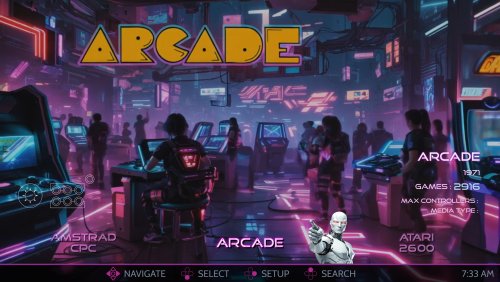
This is the AI-HyperTbox theme. It has been forked from the awesome "AI-HyperTocera" theme done by the The Mini Cake TV folks and they deserve most all the credit for the biggest part of the artwork. Using nice animated AI generated backgrounds. Added over 330 platform and playlist audio clips in SE version (not shown in video) The latest AI-HyperTbox (SE) version has: 5-Platform Views 3-Horizonal Game Wheel Views 4-Vertical Game Wheel Views 2-Game Wall Views Fullscreen Coverflow View Text Games View Platform Marquee View Game Marquee View Settings View Assets Used: AI-HyperTbox (SE) Sound Pack AI-HyperTbox (SE) Start/Exit theme AI-HyperTbox (SE) Pause theme Jarvis Startup Video The AI-HyperTbox theme has two flavors. The SE version (used in the video), available to my BMAC members and the free basic version posted here on the forums Comments, questions and suggestions are always welcome down below. Make sure to like and subscribe to the YouTube video if ya watch it to help out the channel, and do the bell thing to be notified of new videos. Please consider supporting these projects with a "cup of coffee" or by becoming a member @ my BMAC page OR A donation of any size via PayPal - ENJOY!!! • The Papaw 🙏❤️🙏 -

Version 2.1.4
18,069 downloads
Ok, here is version 2 of my Retro Console Theme. This is a MASSIVE overhaul and Includes ANIMATIONS. Thanks to @y2guru and his unending support and development of the 'Community Theme Creator', which now offers an animation tool, I was able to completely rebuild this theme and make it the way I originally intended. Thank You as always my man! * Language issues have been fixed. Should work now! 5-1-2020 The original theme without animations can be found here: Retro Console Version 1 Pretty much every single view has been redone with at least more flare and details, but some of them are totally re-imagined. I have also added several new views and many more platform specific views. All with animations, subtle but informative (hopefully). One of the game views that has a smaller monitor window on the right side of the screen now plays a video in a loop of the matching consoles original startup or boot screen. Not all are included as I have not been able to find them on YouTube. Please let me know if you have any suggestions on where to look for more, would be very helpful! NEW: Playmode Icons - All custom and added all over the theme. NEW: I made a new view that is intended for use with newer consoles like PS3 and XBOX360. Looks good but does not require as much artwork since there is not much available yet. NEW: New version available, "Retro Console Theme Anim V2-center videos.zip". This version is designed to let users select a platform video set other than the Nostalgia set that I have been using. It is much better for center aligned videos. ALSO NEW are several controller button packs that can be swapped out to match your setup. These include 4 buttons each and are color coded throughout the theme: GREEN = Select RED = Back Blue = Search Yellow = Game info screen To use these you should just download the pack you want and drop it in the following folder: ?\LaunchBox\Themes\Retro Console Theme Anim V2\Media\buttons\. Make sure to overwrite the existing ones. controller buttons - arcade.zip: This is a set of generic arcade buttons that can be used for any setup. Just colored and round. controller buttons - numbered.zip: This is a set of numbered controller buttons (1 - 4) for controllers that have numbered buttons. controller buttons - ps3.zip: This is a set of PlayStation controller buttons controller buttons - xbox.zip: This is a set of Microsoft XBOX controller buttons controller buttons - SN30 Pro: This is a set of black buttons with white lettering, glossy I will gladly take any requests for additional controller buttons as long as they don't require changing the theme. (max of 4 buttons in a pack) ALSO: @Wanderer189 has made a huge contribution to this theme in the form of several downloadable add-on packs full of clear logos for each platform. These include literally thousands of logos made for each Genre, Playmode, ETC. This is an amazing thing and I thank you for your hard work Wanderer. You are awesome. If you would like to get these logos for your setup they can be found here: And yet another great contribution from our community: @kidshoalin has created several missing logos to go with your setup. All credit goes to him. Thank you so much for the contribution! INSTALL: First - Download the file: Arcade Defualt Clear Logos.zip, unzip it and then follow below instructions... place clear logos in the Retro-Console Theme Anim V2/images//Playlists Folder make sure to go into options in BigBox and refresh all images. What is this theme: This is a video snap based BigBox theme. Heavily designed around the use and display of video snaps. This theme has over a hundred views including one that offers a different look for each platform including handhelds. There is a large amount of custom graphics and logos and images and icons etc. Hence the large file size. Use the startup and pause themes to complete the seamless setup. (also included here) All icons including stars for 'consumer ratings' and 'ESRB rating' and the new 'playmode icons' are custom and included in the theme file. Use them all you want. I am using the nostalgia platform videos and these are perfect for this theme. I may make my own someday but for now these are Great. @Wanderer189 is currently making videos for every genre and playmode. (you are awesome buddy, thank you so much for all your hard work and contributions to this and other themes) Available Downloads: Retro Console Theme Anim V2.zip - This is the entire theme including platform and platform device logos as well as all icons so you don't have to download them individually. This does not include the startup video, startup or pause themes, collection logos, etc. Retro Console Theme Anim V2-center videos.zip - This an alternate version of the theme. This version is designed to let users select a platform video set other than the Nostalgia set that I have been using. It is much better for center aligned platform videos. controller buttons - arcade.zip - Arcade panel based controller buttons controller buttons - numbered.zip - Number based controller buttons controller buttons - ps3.zip - PlayStation based controller buttons controller buttons - xbox.zip - XBOX based controller buttons Retro-Console-Pause.zip - The pause theme I made also to match this theme. (screens below) Retro-Console-Startup.zip - The startup and shutdown theme I made to match with this theme. (screens below) Platform Clear Logos.zip - Included in the theme download but also here in case you just want them alone. These were made specifically for this theme. Platform Device Logos.zip - Also made for this theme for the platform view that uses device images. Collection Device Logos.zip - Made to match this theme for the platform view that uses device images for each collection I use. I can make more upon request. Collection Logos.zip - Same as the platform logos. Made to match so they can be used in this theme. Platform Categories.zip - A bunch of category logos also made to match this theme. Startup Video.zip - A startup video I made just to add to the overall completeness of the theme. Not at all necessary but here if you want it. Retro Console Sound Pack.zip - Again not required but here if you want it. This is what i use in the video below. Just unzip it to your launchbox sounds folder and then select it in BigBox. Platform Original Boot Videos.zip - This is a pack of just the new startuo videos for each console or platform I could find. (included in theme so no need to download unless you want just these) Arcade Defualt Clear Logos.zip - A new community contribution including several new arcade logos for playlists. Recommendations: Set your Image priorities in Launchbox as follows - Cart Front ( add disc images to the list - this is used in many views in this theme) Set your startup and shutdown time limits in launchbox settings. (mine are: startup=5 sec and shutdown=3.5 sec) I designed this around the Nostalgia Platform Videos. You can use anything but those will fit and line up best. This theme assumes an xbox controller setup: A=Select, B=Back, X=Search, Y=Game Details and Select Button=Change View (not required) I also set the left bumper to platforms and right bumper to platform categories. (not required but helpful) Get as many Banner, Steam Banner and Marquee images as you can. This theme offers a unique view for all arcade cabinet based games and will use those images. There is also a custom view for systems like Windows that also use them. Future Plans: Create a new view that uses the original loading video from each console. (started on 1-3-2020) DONE Complete the white silhouette console and controller images that are used in the startup theme. DONE Add animations to the theme ( @y2guru is working on this ability for his theme creator as we speak and I will update once it is ready) DONE Make platform videos to match this theme (maybe) - In the works How to Install: Extract Retro Console Theme.zip to your launchbox themes folder. This includes all the platform and device logos you need and will automatically use them. ( In order to use other logos just delete the ones in this theme folder) You can also use the startup and pause themes to add more of a consistent flow. Drop the startup video (if you want it) in the launchbox videos root folder. This theme currently has over 80 different platforms and includes the matching device logos, collection logos, category logos and more but some of these have to be added manually through launchbox (sorry). I can not figure out how to make them automatic. Startup Video: Theme Video: Screenshot System View: Screenshots of each Logo Type: Screenshots - Startup and Shutdown and Pause Theme: Screenshots - Random and Extra Stuff: Screenshots - Random Icons and Controllers Made for This Theme:- 93 comments
- 7 reviews
-
- 20
-

-

-

-

-
- pause theme
- controllers
- (and 6 more)
-

Version 2.03
15,267 downloads
# WHAT IS COLORFUL MEDIA SET ? COLORFUL is a complete and coherent high quality graphic set, around a unique design. Made with love in France. Hope you like it!! OFFICIAL COLORFUL ASSET : COLORFUL Theme : The main hub, a unique interface for BigBox. Design by me, coded by @faeran COLORFUL Platform Video : Complete 4K video set, with a unique design. COLORFUL Source : To involve the community in the platform video creation. COLORFUL BigBox Startup Video : custom video to match the general design. COLORFUL Hardware Media PNG (1x1) : Taken from my videos, the 1x1 PNG set. (new) COLORFUL Startup Theme : (soon) COLORFUL Pause Theme : (soon) RECOMMENDED COMMUNITY ASSET : Redrawn Platform ClearLogo by @Dan Patrick Colorful "Playlist" PNG set by @Klopjero Colorful custom theme for Android by @Bawnanable Platform Funtech Super A'can & Platform Arcade Kaneko by @evo1man Alternative Colorful Platform ClearLogo Set by @soqueroeu Alternative Startup Theme (Minimal-Colorful) by @Palada Recommended SoundPack with Steam Deck UI by @Phox # HERE IS COLORFUL THEME FOR BIGBOX: On this page we are talking about COLORFUL Theme for BigBox: Design for work with my platform video set, COLORFUL THEME is thought to be used on the big screen (TV) in gaming console mode. Modern, elegant and animated are the key words of this interface. The COLORFUL project is getting too big for me alone. @faeran has taken over the source code of the theme. A BIG THANKS to you for your support and your precious help !! # IN DETAIL ? The main features : 16:9 only. (Works on other ratio, but with black bands) Full 4K asset. (Any resolution must work, 4K assets) Totally responsive. No resolution deformation on text size or placement. Because of the white/black background, some ClearLogo comes with the theme. Gamepad connection indicator & battery level. # RECOMMENDATION ? Any design choice gives limitations. Here are some recommendations for this theme : LaunchBox/BigBox up to date. VLC highly recommended. Design for work with COLORFUL platform video set. (but you can use any video you what) Beware of full white/black ClearLogo. They will be invisible on Light/Dark views! I didnt test this theme on a lowend configuration. There may be slowdown. (Curious to have your feedback on this subject!) # COOL, HOW TO DOWNLOAD ? 2 ways : In Windows : Right here, with the download button. Extract the "Colorful" folder and place it in your "LaunchBox/Themes" directory. (dont rename it!) In BigBox : Option > Theme manager > Found "COLORFUL - Light" or "COLORFUL - Dark". # HOW TO EDIT ? You can now edit this theme within the COMMUNITY Theme Creator, using the COMMUNITY Theme Creator files below (current version from the CTC 2.3): Colorful Light - COMMUNITY Theme Creator Files - 411737560_Colorful-Light-2.03-COMMUNITYThemeCreatorFiles.zip Colorful Dark - COMMUNITY Theme Creator Files - Colorful - Dark - 2.03 - COMMUNITY Theme Creator Files.zip # SPECIAL THANKS ! @Jason Carr for his hard work on LaunchBox/BigBox! Thx man! @faeran for his hardwork on this theme and all other one ! @y2guru for the awsome Community Teme Creator ! To all Patreon guys! A GIANT THANKS to all of you!!! The whote community for yout support! # CREDITS ! @Jason Carr for LaunchBox/BigBox. @faeran for the all theme code. @y2guru for the Community Theme Creator ! @Grila for Grila's Custom BigBox Controls. @eatkinola for Ao.Bigbox.Themer. @RedSnake for Games.Genre Converter. Christian Robertson for Roboto Free Font Set. Impallari for Raleway Free Font Set. # BY FILE, EVERY CUSTOM VIEW SUMMARY (Here in LIGHT. Same principle/animation for DARK) PlatformWheel1FiltersView.xaml PlatformWheel2FiltersView.xaml WheelGamesView.xaml : Wheel2GamesView.xaml : TextGamesView.xaml : -
.thumb.png.83dcf83ef17bd58458b90edd83312ca3.png)
Version 1.9.5
9,046 downloads
A beautiful Launchbox's BigBox theme with "console mini" style menus for your platforms! Features of this theme: Main view: Simple text flat version that runs fast and looks great. Optional "Classic Mini" view for many systems (WIP). Improved original design of some "Classic Mini" (Such as PSX and Genesis). Classic Mini style views for consoles that do not have an oficial Mini version (such as PS2, WII, X360, PSP, 3DS, GBA, GB, ATARI and many more!). Platform/console selection with video (you need to download the video first from regular launchbox menu). This new version features improved compatibility with newer versions of LaunchBox, several font fixes, and new visualizations and formats. The background music was removed to avoid a bug with CTC that occurs when launching a game directly from the game list (maybe I'll put them back in a next update). A bunch of other small adjustments were also made. You can check some Videos of the theme in action on my Youtube Channel If you'd like to support my work and help me dedicate more time to it, you can support me on: https://www.patreon.com/Exodus_cl . -- 77 comments
- 7 reviews
-
- 44
-
-
-
-
-
- theme
- classic mini
- (and 2 more)
-
AI-HyperTbox (SE) Theme View File This is the AI-HyperTbox theme. It has been forked from the awesome "AI-HyperTocera" theme done by the The Mini Cake TV folks and they deserve most all the credit for the biggest part of the artwork. Using nice animated AI generated backgrounds The latest AI-HyperTbox (SE) version has: 5-Platform Views 3-Horizonal Game Wheel Views 4-Vertical Game Wheel Views 2-Game Wall Views Fullscreen Coverflow View Text Games View Platform Marquee View Game Marquee View Settings View Assets Used: AI-HyperTbox (SE) Sound Pack AI-HyperTbox (SE) Start/Exit theme AI-HyperTbox (SE) Pause theme Jarvis Startup Video The AI-HyperTbox theme has two flavors. The SE version (used in the video), available to my BMAC members and the free basic version posted here on the forums Comments, questions and suggestions are always welcome down below. Make sure to like and subscribe to the YouTube video if ya watch it to help out the channel, and do the bell thing to be notified of new videos. Please consider supporting these projects with a "cup of coffee" or by becoming a member @ my BMAC page OR A donation of any size via PayPal - ENJOY!!! • The Papaw 🙏❤️🙏 Submitter The Papaw Submitted 01/12/2026 Category Custom Themes
-
Version 1.14.0
2,114 downloads
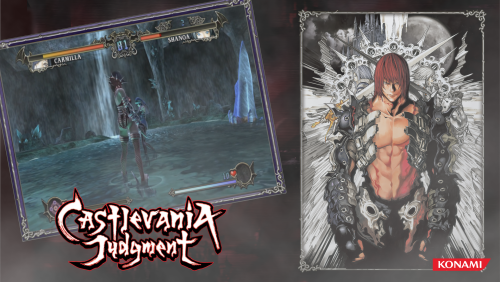
Please enjoy my Castlevania Theme video's A long long time ago I used to make themes for hyperspin. I'm rivisiting my work to see if I can spruce them up and perhaps recapture them in wide screen. Thanks @Suhrvivor for inspiring me. Currently available: Sony Playstation 4 Castlevania - Requiem (NEW) Sega Saturn Castlevania X - Nocturne in the moonlight (NEW) (MOD Fantranslation) Nintendo Wii Castlevania Judgement (EU,USA) (NEW) Akumajou Dracula Jyudjimento (japan) (new) Arcade / MAME / Nintendo vs. system Vs. Castlevania (EU USA) Haunted Castle (EU USA) ( NEW) Akumajoe Dracula (Japan) (NEW) Nintendo 3ds Castlevania Lords of shadow Mirror of fate (EU USA) Kyassuruvania Rōdo obu Shadō - Sadame no Makyō (japa) Nintendo 64 Castlevania Legacy of Darkness (EU) Castlevania Legacy of Darkness (USA) Castlevania 64 (EU, USA) akumajō Dracula: Mokushiroku (japan) Various systems Castlevania Lords of Shadow (EU USA Japan) Castlevania Lords of Shadow 2 (EU USA Japan) Castlevania Harmony of Despair (EU USA) Akumajou Dracula Harmony of Despair (Japan) Nintendo Game Boy Advance Castlevania Aria of Sorrow (EU USA) Castlevania Circle of the moon (EU USA) Castlevania Harmony of Dissonance (EU USA) Castlevania Minuet of Dawn (Japan) Castlevania Byakuya no Concerto (japan) Akumajou Dracula Circle of the moon (Japan) Sharp X68000 Akumajoe Dracula (japan) NEC PC-EngineCD AkumJou Dracula x - Chi No rondo (Japan) Nintendo Super Entertainment System Castlevania X(USA) Castlevania Vampire's Kiss (EU) Super Castlevania IV (USA, EU) Nintendo Super Famicom Akumajou Dracula XX (Japan) Akumajou Dracula (japan) Sega Genesis / Sega Megadrive Castlevania Bloodlines (USA) Castlevania The new generation (EU) Akumajou Dracula Vampire Killer (Japan) Nintendo DS: Order of Eclesia (EU USA) Portrait of Ruin (EU USA) Dawn of sorrow (EU USA) Microsoft MSX 2 Vampire Killer (World) Nintendo Entertainment System Catlevania (EU USA) Castlevania II - Simon's quest (EU USA) Castlevania III - Dracula's curse (USA, EU) Kid Dracula (translation) Nintendo Famicom Akumajou Special - Boku Dracula-kun (Japan) Akumajou Densetsu (japan) Nintendo Famicom disksystem Akumajou dracula (Japan) Akumajou dracula II - noroi no fuuin (japan) Nintendo WiiWare Castlevania Adventure Rebirth (EU USA) Nintendo Gameboy Castlevania Adventure (EU USA) Castlevania II - Belmont's Revenge (EU USA) Castlevania Legend (EU USA) Akumajou dracula Densentsu (japan) Akumajou dracula Densentsu 2(japan) Akumajou Dracula - Shikkoku Taru Zensoukyoku - Dark Night Prelude (japan) Kid Dracula (EU, USA) + ALT Sony playstation Castlevania Sympony of the night (EU, US) Castlevania Chronicles (EU, US) Akumajou Dracula X - Gekka no Yasoukyoku (Japan) Castlevania Chronicle - Akumajou Dracula (Japan) Sony Playstation 2 Castlevania Lament of Innosence (EU USA) Castlevania Curse of Darkness (EU USA) Akumajou Dracula: Yami no Juin (Japan) Sony PSP Castlevania The Dracula X Chronicles (EU USA) Akumajou Dracula - X Chronicle (Japan) -

Version 4K
2,281 downloads
WoodPanels has the old school retro feel of playing games on an old TV in a room with bad, green carpeting, but golden wooden paneled walls. The video game console or platform appears above or beside the television to match that look and feel. It is paired with a set of 8-bit fonts to complete the experience. Now upgraded to 4K resolution! Supports Ultrawide 21:9, Widescreen 16:9, and Fullscreen 4:3 aspect ratios. Playlist support! Watch the video frame and video size dynamically change to match the selected platform and game. Unique views for 50+ platforms with support for game videos, game 3D/2D box art, game cart images, game logos, platform logos, and platform box art. Consoles are paired with a TV from the same decade they were released. PCs likewise are paired with a monitor or setup from the same era. "Wall View" for looking at game boxes on shelves is accompanied by the platform logo and image of the original console packaging. Trailer: Installation and Setup Instructions: Startup Video: List of Supported Platforms: Theme was created using the COMMUNITY Theme Creator by @y2guru -

Version 2.0.0
736 downloads
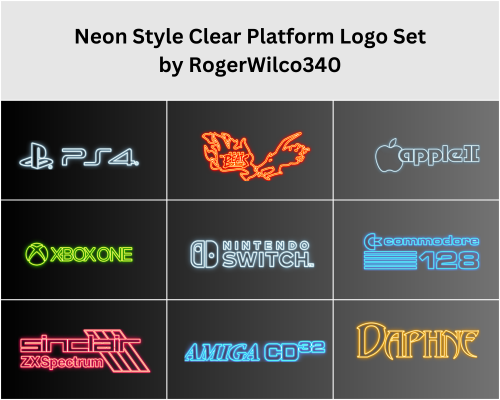
This is a custom, Clear Platform Logo, Neon Style, Set of 68 128\ PNG files that were generated in Photoshop. I am a complete NOOB at Photoshop, but thought the set turned out pretty good for my first attempt! I am therefore sharing the fruits of my labor with the LaunchBox Community. The set is meant to compliment the brilliant BigBox theme, Neon Deluxe Arcade, created by Mr. RetroLust! Enjoy! A special thanks to: Mr. RetroLust for the brilliant Neon Deluxe Arcade theme. Dan Patrick for his v2 Platform Logos Professional Redrawn + Official Versions New BigBox Defaults set. This was invaluable to my efforts! -
Unified Refried 2.0 View File What's different in 2.0? *This replaces the old version of Refried entirely. DO NOT merge this new version with the old one. *All platform addon themes from the first version of Refried have been merged into one single addon called "Queso Fresco" (because it tastes great on top of refried beans...that's why). Therefore all of those older addon themes are no longer needed. *Requires Launchbox 9.4 or above to function properly *Revised Install instructions (please read them below if you are just starting out with the theme) *Added custom controller icons for play modes in the game description on some systems...this will get finished in the future *More great additions made by Ghostlines to the theme *Added the fullscreen video view to all platforms (view 4) *Improved the artwork slightly for the Big Box options menus Important note**If you install this theme,and the artwork does not display properly for a platform on your system,then more than likely it is a naming conflict between your platform and the files in the theme. To fix this issue,you must locate these files and change the name to your actual platforms name: 1.Images/Theme/Background/(name of your platform that is mislabeled) 2.Images/Theme/VideoBorder/(name of your platform that is mislabeled) If you install the Queso Fresco addon as well,then you must also rename the custom view xaml files to your platform name. I set out to make an alternate version to the beautiful Unified theme,with modifications here and there,yet,as I worked on it more and more,I started to go a different direction slightly...and thus Refried was born. This theme is built to focus on artwork,and showcase each system in bright colorful high definition artwork. I have drawn all new original arcade cabinets,and designed custom borders for each platform,which set each system apart from each other,while maintaining a unified appearance across the board. The main difference between this,and many other themes that are out there...are the video borders. When using the Default theme,all video borders are the same size across the entire theme...but,when using the addons,the video borders will then fit the system properly...so that the video for Game Boy Advance,will fit the GBA Video Border...and the PSP video,will fit the PSP Video Border. In other words,by using the custom view addons,it allows the theme to represent the system perfectly...rather than the same size border for everything. This theme is more than capable of running without a single addon theme installed,and only using the Default...the addons are merely to extend the experience of each system,with special added artwork,and tweaks.On the other hand,the Addons rely on the Default themes structure,and will not work without the default theme installed. There are multiple views included with the default theme,including - 1.Border with No Box/Cart/Disc Art 2.Border with Box/Cart/Disc Art 3.Border with Box/Spinning Cart/Disc Art 4.Full Screen Video w/Centered enlarged wheel 5.Border Text List View with Box/Cart/Disc Art The Queso Fresco addon has 5 views - 1.Special Artwork/Special Border with No Box/Cart/Disc Art 2.Special Border with Box/Cart/Disc Art (With wheel fade) 3.Special Border with Box/Cart/Disc Art (No wheel fade) 4.Full Screen Video w/Centered enlarged wheel 5.Special Border Text List View with Box/Cart/Disc Art **If the system has CD's/Discs,then the Disc will spin in Views 2 and 3...but,if the system has carts or floppies,then they will not spin in views 2 and 3. The Arcade portion of the Queso Fresco addon has 5 views - 1.Dynamic Marquees with Character Artwork 2.No Dynamic Marquees with Character Artwork 3.Dynamic Marquees with Advert/Flyers 4.Full Screen Video w/Centered enlarged wheel 5.Text List View with Advert/Flyers/Cabinets With the Queso Fresco addon installed,the arcade platforms are capable of displaying Video Marquees for each game,as well as regular marquees, in the marquee area of the cabinets (Some samples are included,and more are on the way)* Any Video Marquees must be placed in "LaunchBox/Themes/Unified Refried/Images/Theme/Addons/_Arcade/Video Marquees/" and must be in mp4 format In order to make this work properly,you must go into LaunchBox options,and change the priority for Cart Back Image to Arcade - Marquee,and uncheck anything else. Installation: 1.Download the Default theme (Unified Refried) ,and place it in your "Launchbox/Themes" folder 2.If you have not done so,you will need to unblock the Plugins...This does not have to be done for every addon theme,as unblocking them once,in the default,is all that is necessary...excerpt taken from unified description - 3.Set the theme to "Unified Refried" in Options/Views/Theme 4.If installing any of the addons,simply unzip the addon,and open the folder that was created. In this case we will use the Queso Fresco addon as an example. 5.Place the two folders (Images and Views) into the Unified Refried default theme folder,merging the folders when prompted. 6.That's it! ....When you load up Big Box,the artwork should be changed to the Queso Fresco alternate art. Pictures of Installation process for those that need them...If this is your first time using Refried you can skip step 1 Thanks @RetroNi for the use of his Logo set. @CriticalCid for his theme Unified,as I used alot of his coding as a base for the assembly of this theme. @kyoken @neil9000 @bundangdon @zetec-s-joe @Retro808 @Porl Hendy for their feedback during testing. @faeran for his help early on in the development stages. @Jason Carr because I used a bit of code from his Redux version,and took on some of his ideas from the changes he made @NJDave71 for his HelperControl plugin @bmonomad @Suhrvivor for their work on the Community Star Ratings,Favorites,and Play Mode code,which formed the base for implementing it into this theme @Ghostlines for his additions to the theme Examples: Current Platform list covered by the theme - Arcade Consoles Handhelds Computers Pinball Ghostlines Additions Current Playlists covered by the theme - Collections Genres Developers Favorites The Platform/Playlist video set can be found here... The Platform/Playlist Logo set can be found here... Submitter RetroHumanoid Submitted 10/27/2018 Category Big Box Custom Themes
-
Version 1.1.0
294 downloads
Original COLORFUL theme here! Two additional views when selecting games to go along with the Colorful theme. The preview video/screenshot for the game will appear on the console screen underneath reflective light/dirt on the console. Vertical Wheel 4 will also show the game cartridge/disc when applicable, Vertical Wheel 3 doesn't show the cartridge and simply displays the respective game media. This view is not comprehensive, and currently only handles the following game systems: N64 Nintendo 3DS NES Gameboy Advance Gameboy Color Gamecube Switch Wiii Wii U Dreamcast Sega Genesis Sega Saturn Playstation Playstation 2 PSP SNES Windows I may add more as I come across them/expand my own game collection or if there's a high demand for it. There's also the PlatformWheel2 view from the original Colorful theme included but with a correction - the original version seemed to have a color mismatch for the Sega Genesis platform. A corrected version is included in this as well. Enjoy and let me know if you have any issues with it! Shoutouts to @viking and @faeran for making such a clean and wonderful theme! Made with the Community Theme Creator, so thanks also to @y2guru!- 7 comments
-
- 10
-
-
-
-
.thumb.png.6caf257a0459ccd133c470a97c7eaa6a.png)
Version 1.0.1
132 downloads
Hello and thank you for checking out my brand new theme. Flashycart is an attempt at recreating ODE/Flashcart/Loader interfaces for many different systems. It has taken me hours upon hours of work, and I'm most happy to finally make it public. Most consoles on this theme make use of Text views. The point is simplicity and speed. 3DS Uses a horizontal wheel. Each screen is also customizable, as you can change the backgrounds to your liking. On N64 you can add a gif file named animbg.gif if you wish for an animated background. NES, Sega Genesis/Megadrive, Turbografx, and Snes/Sufami support animated backgrounds as well (animbg.gif and animlistbg.gif). 3DS supports regular and animated background (pt_bottom.gif and pt_top.gif). Credits: Saieno for his incredible Mini Consoles Theme - RetroSai Nostalgia - Form over Function Tired Ric for Top 100 Mame Arcade Games - watch?v=9EWKbtXavxI MAME logo was designed by chemical and cleaned up by Exodus3D Vertical lines wallpaper by wallpaperflare.com Pixel City by CRUISE CANYON - https://cruisecanyon.tumblr.com/post/131152180891 Animated starry sky by CHOCOHONEY- DS overlays by Retro808 3DS overlays by Retro808 Game boy overlays by hydef 3DS Font by https://www.ffonts.net/3ds.font Undertale Waterfall theme by ShadowCM8 - https://themeplaza.art/item/2297 Swiss GC and all assets by @emukidid - https://github.com/emukidid/swiss-gc/releases PS2 Assets by Francisco Álefe UPDATE: Got a full time job, I'm A-OK! Thanks to everyone who helped out, no matter how much. I can breathe a little easier now. -
COLORFUL bigbox theme View File # WHAT IS COLORFUL MEDIA SET ? COLORFUL is a complete and coherent high quality graphic set, around a unique design. Made with love in France. Hope you like it!! OFFICIAL COLORFUL ASSET : COLORFUL Theme : The main hub, a unique interface for BigBox. Design by me, coded by @faeran COLORFUL Platform Video : Complete 4K video set, with a unique design. COLORFUL Source : To involve the community in the platform video creation. COLORFUL BigBox Startup Video : custom video to match the general design. COLORFUL Hardware Media PNG (1x1) : Taken from my videos, the 1x1 PNG set. (new) COLORFUL Startup Theme : (soon) COLORFUL Pause Theme : (soon) RECOMMENDED COMMUNITY ASSET : Redrawn Platform ClearLogo by @Dan Patrick Colorful "Playlist" PNG set by @Klopjero Colorful custom theme for Android by @Bawnanable Platform Funtech Super A'can & Platform Arcade Kaneko by @evo1man Alternative Colorful Platform ClearLogo Set by @soqueroeu Alternative Startup Theme (Minimal-Colorful) by @Palada Recommended SoundPack with Steam Deck UI by @Phox # HERE IS COLORFUL THEME FOR BIGBOX: On this page we are talking about COLORFUL Theme for BigBox: Design for work with my platform video set, COLORFUL THEME is thought to be used on the big screen (TV) in gaming console mode. Modern, elegant and animated are the key words of this interface. The COLORFUL project is getting too big for me alone. @faeran has taken over the source code of the theme. A BIG THANKS to you for your support and your precious help !! # IN DETAIL ? The main features : 16:9 only. (Works on other ratio, but with black bands) Full 4K asset. (Any resolution must work, 4K assets) Totally responsive. No resolution deformation on text size or placement. Because of the white/black background, some ClearLogo comes with the theme. Gamepad connection indicator & battery level. # RECOMMENDATION ? Any design choice gives limitations. Here are some recommendations for this theme : LaunchBox/BigBox up to date. VLC highly recommended. Design for work with COLORFUL platform video set. (but you can use any video you what) Beware of full white/black ClearLogo. They will be invisible on Light/Dark views! I didnt test this theme on a lowend configuration. There may be slowdown. (Curious to have your feedback on this subject!) # COOL, HOW TO DOWNLOAD ? 2 ways : In Windows : Right here, with the download button. Extract the "Colorful" folder and place it in your "LaunchBox/Themes" directory. (dont rename it!) In BigBox : Option > Theme manager > Found "COLORFUL - Light" or "COLORFUL - Dark". # HOW TO EDIT ? You can now edit this theme within the COMMUNITY Theme Creator, using the COMMUNITY Theme Creator files below (current version from the CTC 2.3): Colorful Light - COMMUNITY Theme Creator Files - Colorful - Light - 2.02 - COMMUNITY Theme Creator Files.zip Colorful Dark - COMMUNITY Theme Creator Files - Colorful - Dark - 2.02 - COMMUNITY Theme Creator Files.zip # SPECIAL THANKS ! @Jason Carr for his hard work on LaunchBox/BigBox! Thx man! @faeran for his hardwork on this theme and all other one ! @y2guru for the awsome Community Teme Creator ! To all Patreon guys! A GIANT THANKS to all of you!!! The whote community for yout support! # CREDITS ! @Jason Carr for LaunchBox/BigBox. @faeran for the all theme code. @y2guru for the Community Theme Creator ! @Grila for Grila's Custom BigBox Controls. @eatkinola for Ao.Bigbox.Themer. @RedSnake for Games.Genre Converter. Christian Robertson for Roboto Free Font Set. Impallari for Raleway Free Font Set. # BY FILE, EVERY CUSTOM VIEW SUMMARY (Here in LIGHT. Same principle/animation for DARK) PlatformWheel1FiltersView.xaml PlatformWheel2FiltersView.xaml WheelGamesView.xaml : Wheel2GamesView.xaml : TextGamesView.xaml : Submitter viking Submitted 09/09/2019 Category Custom Themes
- 786 replies
-
- 21
-
-
-
-
-
Version 1.5
74 downloads
For the fastest game browsing experience please use both VisionN-Lite Colorful Redux and The Grid-Instant Redux. I wanted to make the main platform theme as fast as possible and responsive instantly to button press like Beacon Game Launcher. I purchased and tried them all on Android and honestly not are as good as Launchbox (I can't live without the remote nas game lists and the minute access to xmls). Hopefully a solution is made to make the skin system 60fps smooth and responsive and a way to easily create more themes as their manual coding is... 🫢 2 themes where modded, The Grid-Instant and this here: I remade all (maybe) art for Faeran's VisionN-Lite 1.0 theme to be as clear as possible when scrolling and went with Colourful's art theme. What changed from VisionN-Lite 1.0: Added custom consoles and handleds clear logos to match the Arcade one. Recreated all assets using Colouful art by adding backgound and graphical effects and made some custom ones for Backgrounds and Backgrounds2 Made the theme use webp instead of jpg (jpg reduction of color look bad on oled screens and make gradients circular even at 100%) Optimized the png files using Caesium image compressor. Modded Faeran theme (VisionN-Lite 1.0) Used viking Colourful background and Hardware set (COLORFUL platform video set 2.1.5) Used Yorrick36 Clear logos for genres (Iconic Genre Playlist Clear Logo Set 1.0.1) Cheers PS: I will try to lower the images' resolution than the default ones for the backgrounds and if it works and is faster and looks good I'll update this theme mod. Redux-Themes-Speed-Clarity.mp4 VisionN-Lite Colorful Redux 1.1.zip -
Version 1.0.1
495 downloads
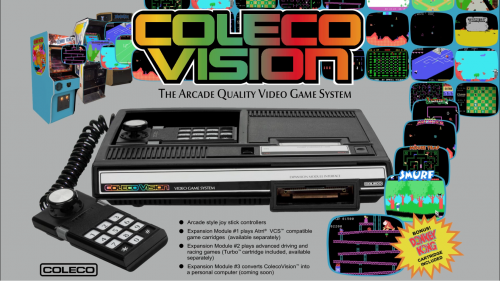
This is my first platform theme that I am making available to the community. My work blends a few influences relevant to the platform while showcasing the machine itself along with the games the platform ran: 1) Music made using sounds available on the platform 2) The platform's boot screen if available 3) Commercial influences usually in the form of the platform's marketing jingle. 4) The platform's packaging. In this way, the platform video itself gives an accurate interpretation of what the platform is, was marketed as, and what it looked and sounded like. The version available on Launchbox-app.com has no watermark.- 3 comments
-
- 15
-
-
-
- colecovision
- platform
- (and 2 more)
-
CoinOps Redux View File What is it? CoinOps Redux is a port of CoinOps Next to BigBox, co-created with @Klopjero. The theme has been developed using the Community Theme Creator (all the credit to @y2guru) and should display correctly in both 16:9 and 4:3 ratios. As in the case of CoinOps, it relies on 1120x1080 fanart images for game wheel views. Big thanks to BritneysPAIRS and the CoinOps team for their work in CoinOps and for their amazing theme design. Views It includes the following BigBox views: - 4 platform views. - 2 game wheels for arcade based systems. - 2 game wheels for non-arcade based systems. - 2 horizontal game wheels. - Systems view. Supporting more than 130 systems. For platform views, we suggest to use @viking colorful videos. Files available [CoinOps Redux 1.0.zip] The BigBox theme files. Just uncompress and copy / paste to Launchbox\Themes folder. All platform background images are included in the file. [Platforms] Sets of fanart images (1120x1080) for several platforms. If you want to use them, just unzip and copy / paste to Launchbox\Images\[Platform]\Fanart - Background. * It is also possible to use the fanart packs uploaded by @RedSnake for his DarkRoom theme (or use these in DarkRoom). Screenshots Showcase CoinOps Redux - Showcase.mp4 Submitter CMOSS Submitted 11/01/2020 Category Big Box Custom Themes

- 102 replies
-
- 12
-
-
-
-
- theme makers
- coinops
- (and 1 more)
-
View File The Grid-Instant Redux For the fastest game browsing experience please use both VisionN-Lite Colorful Redux and The Grid-Instant Redux. The Grid-Instant Redux 1.1.mp4 2 themes where modded, VisionN-Lite 1.0 and this here: I removed all animation delays and made screenshot loading direct for Faeran's The Grid 1.2 theme to be as clear and fast as possible when scrolling. What changed from The Grid 1.2: Removed all animations delaying existing media for the selected game when scrolling. Made screenshots load directly as even without animation it was slow. Made text and labels load instantly too. Left background art load with delay as clear logos, text and screenshots are what most important and didn't want to stress performance. Modded Faeran theme (The Grid 1.2) Cheers Redux-Themes-Speed-Clarity.mp4 The Grid-Instant Redux.mp4 Submitter JAKAMY Submitted 07/05/2025 Category Custom Themes
-
Here's a little theme I made for my upcoming dedicated trackball pedestal cabinet build called Golden Tee Ultimate. It's a dedicated trackball pedestal which will run the emulated versions of Golden Tee Live, Silver Strike Bowling, Target Toss Pro, PowerPutt Live, several classic arcade trackball games as well as a few select PC golf games that work well with a trackball. The goal of the theme was to (somewhat) mimic that actual Golden Tee Live interface that you would find on any commercial GT Live machine. I've included an assets folder in the theme that has the custom images for scrolling games, these will need to go in the various Clear Logo folders for your games. I've also included a template svg file to make your own. The template has a clip layer included so just pop in the image you want and clip it to fit inside the box with any image editing application. Included in the assets folder is background music from GT Live that can be put into Launchbox/Music/Backround and then turn on background music in BigBox settings if you want this. The theme has built in sound effects for navigation that are from the GT Live games. The theme has an animated trackball & left/right direction buttons that react to your direction of scroll. The background images are shots of GT Live courses that change as you scroll through. I do plan on expanding this theme later on when I have the full pedestal built to include videos from each game playing behind the wheel, a wheel that curves around like the actual GT Live interface, more games, etc. I'm navigating the games with a trackball now via an ahk script because BigBox doesn't have native trackball navigation built in. I've feature requested this. If you would like trackball navigation added as a feature please go to support/request a feature and it is item #9222 and upvote it! https://bitbucket.org/jasondavidcarr/launchbox/issues/9222/add-trackball-wheel-navigation-with Download the theme here:
-
Version 1.0.0
281 downloads
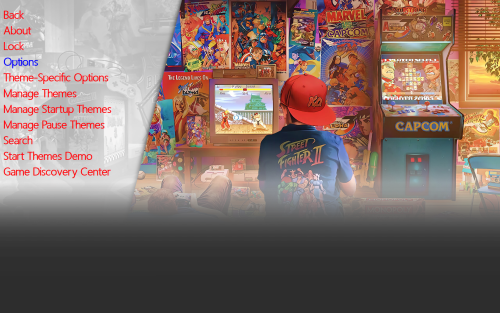
This is Alekfull-XN The theme is originally from Retrobat and Batocera and i really like it. I remember autumn 2024 i took the images and start make it for Launchbox Bigbox and then my laptop got broken luckly i got the files for the theme in (ctc) Community Theme Creator and with a new pc i finally complete this theme and i hope you like this feel free and downlad. cheers Ninjaman- 3 comments
-
- 10
-
-
-
-
-
Alekfull-XN View File This is Alekfull-XN The theme is originally from Retrobat and Batocera and i really like it. I remember autumn 2024 i took the images and start make it for Launchbox Bigbox and then my laptop got broken luckly i got the files for the theme in (ctc) Community Theme Creator and with a new pc i finally complete this theme and i hope you like this feel free and downlad. cheers Ninjaman Submitter Gameon100 Submitted 07/26/2025 Category Custom Themes
-
Version 2.0
34 downloads
For the fastest game browsing experience please use both VisionN-Lite Colorful Redux and The Grid-Instant Redux The Grid-Instant Redux V2.0.mp4 2 themes where modded, VisionN-Lite 1.0 and this here: I removed all animation delays and made screenshot loading direct for Faeran's The Grid 1.2 theme to be as clear and fast as possible when scrolling. What changed from The Grid 1.2: Removed all animations delaying existing media for the selected game when scrolling. Made screenshots load directly as even without animation it was slow. Made text and labels load instantly too. Left background art load with delay as clear logos, text and screenshots are what most important and didn't want to stress performance. Modded Faeran theme (The Grid 1.2) Cheers Redux-Themes-Speed-Clarity.mp4 The Grid-Instant Redux 1.1.mp4 -
View File VisionN-Lite Colorful Redux For the fastest game browsing experience please use both VisionN-Lite Colorful Redux and The Grid-Instant Redux. I wanted to make the main platform theme as fast as possible and responsive instantly to button press like Beacon Game Launcher. I purchased and tried them all on Android and honestly not are as good as Launchbox (I can't live without the remote nas game lists and the minute access to xmls). Hopefully a solution is made to make the skin system 60fps smooth and responsive and a way to easily create more themes as their manual coding is... 🫢 2 themes where modded, The Grid-Instant and this here: I remade all (maybe) art for Faeran's VisionN-Lite 1.0 theme to be as clear as possible when scrolling and went with Colourful's art theme. What changed from VisionN-Lite 1.0: Added custom consoles and handleds clear logos to match the Arcade one. Recreated all assets using Colouful art by adding backgound and graphical effects and made some custom ones for Backgrounds and Backgrounds2 Made the theme use png instead of jpg (jpg reduction of color look bad on oled screens and make gradients circular even at 100%) Optimized the png files using Caesium image compressor. Modded Faeran theme (VisionN-Lite 1.0) Used viking Colourful background and Hardware set (COLORFUL platform video set 2.1.5) Used Yorrick36 Clear logos for genres (Iconic Genre Playlist Clear Logo Set 1.0.1) Cheers PS: I will try to lower the images' resolution than the default ones for the backgrounds and if it works and is faster and looks good I'll update this theme mod. Redux-Themes-Speed-Clarity.mp4 VisionN-Lite Colorful Redux 1.1.zip Submitter JAKAMY Submitted 07/05/2025 Category Custom Themes
-
Rincewind Theme View File Total Game Count now works in all Languages Updated the plugin Now on the new version of @NJDave71's Plugin (v4), You may need to Unblock the plugin. Credit to @NJDave71 for his plugin Wow finally ready to release!! First off I have to mention that this is my first attempt to design a theme and secondly thank you to @viking as it was the base for the theme, and @criticalcid for all the help when I got stuck Please install the font supplied in the folder before you start. This theme has been designed around these platform clear logos and I recommend installing them to get the intended look - simply download them and add them in the ...\ LaunchBox \ Themes \ <Theme name> \ Images \ Platforms \ Clear Logo. Remember to make sure the files are named the same as your platform name. I also recommend using these platform images. - simply download them and add them in the ...\ LaunchBox \ Themes \ <Theme name> \ Images \ Platforms \ Banner. Remember to make sure the files are named the same as your platform name. Submitter Rincewind Submitted 02/13/2017 Category Big Box Custom Themes
-
Is there a way to always keep the "sub platforms" expanded? After closing and opening Launchbox the "sub platforms" collapse. I am using the "Default Plus" theme along with "Platform Category" selected in the top left corner.
-
Version 1.0.0
22 downloads
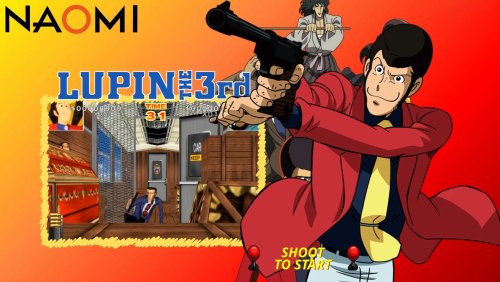
Lupin the shooting sega naomi custom video theme by sosuke91 Credits to original creators for artworks and music theme Lupin3ENG.mp4







.thumb.png.83dcf83ef17bd58458b90edd83312ca3.png)





.thumb.png.6caf257a0459ccd133c470a97c7eaa6a.png)