Our query builder takes care of all of that. It reads query parameters from the URL, translates them into the right Eloquent queries, and makes sure only the things you've explicitly allowed can be queried.
// GET /users?filter[name]=John&include=posts&sort=-created_at

$users = QueryBuilder::for(User::class)
    ->allowedFilters('name')
    ->allowedIncludes('posts')
    ->allowedSorts('created_at')
    ->get();

// select * from users where name = 'John' order by created_at desc
This major version requires PHP 8.3+ and Laravel 12 or higher, and brings a cleaner API along with some features we've been wanting to add for a while.
Let me walk you through how the package works and what's new.
Using the package
The idea is simple: your API consumers pass query parameters in the URL, and the package translates those into the right Eloquent query. You just define what's allowed.
Say you have a User model and you want to let API consumers filter by name. Here's all you need:
use Spatie\QueryBuilder\QueryBuilder;

$users = QueryBuilder::for(User::class)
    ->allowedFilters('name')
    ->get();
Now when someone requests /users?filter[name]=John, the package adds the appropriate WHERE clause to the query:
select * from users where name = 'John'
Only the filters you've explicitly allowed will work. If someone tries /users?filter[secret_column]=something, the package throws an InvalidFilterQuery exception. Your database schema stays hidden from API consumers.
You can allow multiple filters at once and combine them with sorting:
$users = QueryBuilder::for(User::class)
    ->allowedFilters('name', 'email')
    ->allowedSorts('name', 'created_at')
    ->get();
A request to /users?filter[name]=John&sort=-created_at now filters by name and sorts by created_at descending (the - prefix means descending).
Including relationships works the same way. If you want consumers to be able to eager-load a user's posts:
$users = QueryBuilder::for(User::class)
    ->allowedFilters('name', 'email')
    ->allowedIncludes('posts', 'permissions')
    ->allowedSorts('name', 'created_at')
    ->get();
A request to /users?include=posts&filter[name]=John&sort=-created_at now returns users named John, sorted by creation date, with their posts eager-loaded.
You can also select specific fields to keep your responses lean:
$users = QueryBuilder::for(User::class)
    ->allowedFields('id', 'name', 'email')
    ->allowedIncludes('posts')
    ->get();
With /users?fields=id,email&include=posts, only the id and email columns are selected.
The QueryBuilder extends Laravel's default Eloquent builder, so all your favorite methods still work. You can combine it with existing queries:
$query = User::where('active', true);

$users = QueryBuilder::for($query)
    ->withTrashed()
    ->allowedFilters('name')
    ->allowedIncludes('posts', 'permissions')
    ->where('score', '>', 42)
    ->get();
The query parameter names follow the JSON API specification as closely as possible. This means you get a consistent, well-documented API surface without having to think about naming conventions.
What's new in v7
Variadic parameters
All the allowed* methods now accept variadic arguments instead of arrays.
// Before (v6)
QueryBuilder::for(User::class)
    ->allowedFilters(['name', 'email'])
    ->allowedSorts(['name'])
    ->allowedIncludes(['posts']);

// After (v7)
QueryBuilder::for(User::class)
    ->allowedFilters('name', 'email')
    ->allowedSorts('name')
    ->allowedIncludes('posts');
If you have a dynamic list, use the spread operator:
$filters = ['name', 'email'];
QueryBuilder::for(User::class)->allowedFilters(...$filters);
Aggregate includes
This is the biggest new feature. You can now include aggregate values for related models using AllowedInclude::min(), AllowedInclude::max(), AllowedInclude::sum(), and AllowedInclude::avg(). Under the hood, these map to Laravel's withMin(), withMax(), withSum() and withAvg() methods.
use Spatie\QueryBuilder\AllowedInclude;

$users = QueryBuilder::for(User::class)
    ->allowedIncludes(
        'posts',
        AllowedInclude::count('postsCount'),
        AllowedInclude::sum('postsViewsSum', 'posts', 'views'),
        AllowedInclude::avg('postsViewsAvg', 'posts', 'views'),
    )
    ->get();
A request to /users?include=posts,postsCount,postsViewsSum now returns users with their posts, the post count, and the total views across all posts.
You can constrain these aggregates too. For example, to only count published posts:
use Spatie\QueryBuilder\AllowedInclude;
use Illuminate\Database\Eloquent\Builder;

$users = QueryBuilder::for(User::class)
    ->allowedIncludes(
        AllowedInclude::count(
            'publishedPostsCount',
            'posts',
            fn (Builder $query) => $query->where('published', true)
        ),
        AllowedInclude::sum(
            'publishedPostsViewsSum',
            'posts',
            'views',
            constraint: fn (Builder $query) => $query->where('published', true)
        ),
    )
    ->get();
All four aggregate types support these constraint closures, making it possible to build endpoints that return computed data alongside your models without writing custom query logic.
A perfect match for Laravel's JSON:API resources
Laravel 13 is adding built-in support for JSON:API resources. These new JsonApiResource classes handle the serialization side: they produce responses compliant with the JSON:API specification.
You create one by adding the --json-api flag:
php artisan make:resource PostResource --json-api
This generates a resource class where you define attributes and relationships:
use Illuminate\Http\Resources\JsonApi\JsonApiResource;

class PostResource extends JsonApiResource
{
    public $attributes = [
        'title',
        'body',
        'created_at',
    ];

    public $relationships = [
        'author',
        'comments',
    ];
}
Return it from your controller, and Laravel produces a fully compliant JSON:API response:
{
    "data": {
        "id": "1",
        "type": "posts",
        "attributes": {
            "title": "Hello World",
            "body": "This is my first post."
        },
        "relationships": {
            "author": {
                "data": { "id": "1", "type": "users" }
            }
        }
    },
    "included": [
        {
            "id": "1",
            "type": "users",
            "attributes": { "name": "Taylor Otwell" }
        }
    ]
}
Clients can request specific fields and includes via query parameters like /api/posts?fields[posts]=title&include=author. Laravel's JSON:API resources handle all of that on the response side.
The Laravel docs explicitly mention our package as a companion:
Laravel's JSON:API resources handle the serialization of your responses. If you also need to parse incoming JSON:API query parameters such as filters and sorts, Spatie's Laravel Query Builder is a great companion package.
So while Laravel's new JSON:API resources take care of the output format, our query builder handles the input side: parsing filter, sort, include and fields parameters from the request and translating them into the right Eloquent queries. Together they give you a full JSON:API implementation with very little boilerplate.
In closing
To upgrade from v6, check the upgrade guide. The changes are mostly mechanical. Check the guide for the full list.
You can find the full source code and documentation on GitHub. We also have extensive documentation on the Spatie website.
This is one of the many packages we've created at Spatie. If you want to support our open source work, consider picking up one of our paid products.
]]>Our spatie/invade package provides a tiny invade function that lets you read, write, and call private members on any object.
You probably shouldn't reach for this package often. It's most useful in tests or when you're building a package that needs to integrate deeply with objects you don't control.
Let me walk you through how it works.
Using invade
Imagine you have a class with private members:
class MyClass
{
    private string $privateProperty = 'private value';

    private function privateMethod(): string
    {
        return 'private return value';
    }
}
If you try to access that private property from outside the class, PHP will stop you:
$myClass = new MyClass();

$myClass->privateProperty;
// Error: Cannot access private property MyClass::$privateProperty
With invade, you can get around that. Install the package via composer:
composer require spatie/invade
Now you can read that private property:
// returns 'private value'
invade($myClass)->privateProperty;
You can set it too:
invade($myClass)->privateProperty = 'changed value';

// returns 'changed value'
invade($myClass)->privateProperty;
And you can call private methods:
// returns 'private return value'
invade($myClass)->privateMethod();
The API is clean and reads well. But the interesting part is what happens under the hood. Before we look at the package code, there's a PHP rule you need to know about first.
How it works under the hood
Let me walk you through how the package works internally. We'll first look at the old approach using reflection, and then the current solution that uses closure binding.
The first version: reflection
In v1 of the package, we used PHP's Reflection API to access private members. Here's what the Invader class looked like:
class Invader
{
    public object $obj;
    public ReflectionClass $reflected;

    public function __construct(object $obj)
    {
        $this->obj = $obj;
        $this->reflected = new ReflectionClass($obj);
    }

    public function __get(string $name): mixed
    {
        $property = $this->reflected->getProperty($name);
        $property->setAccessible(true);

        return $property->getValue($this->obj);
    }
}
When you create an Invader, it wraps your object and creates a ReflectionClass for it. When you try to access a property like invade($myClass)->privateProperty, PHP triggers the __get magic method. It uses the reflection instance to find the property by name, calls setAccessible(true) on it, and then reads the value from the original object. The setAccessible(true) call tells PHP to skip the visibility check for that reflected property. Without it, trying to read a private property through reflection would throw an error, just like accessing it directly.
This worked fine, but it required creating a ReflectionClass instance and calling setAccessible(true) on every property or method you wanted to access. In v2, we replaced all of this with a much simpler approach using closures. To understand how, we first need to look at a lesser-known PHP visibility rule.
Private visibility is scoped to the class
In PHP, private visibility is scoped to the class, not to a specific object instance. Any code running inside a class can access the private properties and methods of any instance of that class.
Here's a concrete example:
class Wallet
{
    public function __construct(
        private int $balance
    ) {
    }

    public function hasMoreThan(Wallet $other): bool
    {
        // This works: we can read $other's private $balance
        // because we're inside the Wallet class scope
        return $this->balance > $other->balance;
    }
}

$mine = new Wallet(100);
$yours = new Wallet(50);

// returns true
$mine->hasMoreThan($yours);
Notice how hasMoreThan reads $other->balance directly, even though $balance is private. This compiles and runs without errors because the code is running inside the Wallet class. PHP doesn't care which instance the property belongs to. As long as you're in the right class scope, all private members of all instances of that class are accessible.
This is the foundation that makes v2 of the invade package work. If you can get your code to run inside the scope of the target class, you get access to its private members. PHP closures give us a way to do exactly that.
How closures can change their scope
PHP closures carry the scope of the class they were defined in. But the Closure::call() method lets you change that. It temporarily rebinds $this inside the closure to a different object, and it also changes the scope to the class of that object.
$readBalance = fn () => $this->balance;

$wallet = new Wallet(100);
// returns 100
$readBalance->call($wallet);
Even though $balance is private, this works. The ->call($wallet) method binds the closure to the $wallet object and puts it in the Wallet class scope. When PHP evaluates $this->balance, it sees that the code is running in the scope of Wallet, so it allows the access.
This is the entire trick that invade v2 is built on. Now let's look at the actual code.
The current Invader class
When you call invade($object), it returns an Invader instance that wraps your object. The current version of the Invader class is surprisingly small:
class Invader
{
    public function __construct(
        public object $obj
    ) {
    }

    public function __get(string $name): mixed
    {
        return (fn () => $this->{$name})->call($this->obj);
    }

    public function __set(string $name, mixed $value): void
    {
        (fn () => $this->{$name} = $value)->call($this->obj);
    }

    public function __call(string $name, array $params = []): mixed
    {
        return (fn () => $this->{$name}(...$params))->call($this->obj);
    }
}
That's the entire class. No reflection, no complex tricks. Just PHP magic methods and closures.
When you write invade($myClass)->privateProperty, the invade function creates a new Invader instance. PHP can't find privateProperty on the Invader class, so it triggers __get('privateProperty'). The __get method creates a short closure fn () => $this->{$name} and calls it with ->call($this->obj). As we just learned, this binds $this inside the closure to your original object and puts the closure in that object's class scope. PHP then evaluates $this->privateProperty inside the scope of MyClass, and the private access is allowed.
The __set method uses the same pattern, but assigns a value instead of reading one:
(fn () => $this->{$name} = $value)->call($this->obj);
The $value variable is captured from the enclosing scope of the __set method, so it's available inside the closure.
For calling private methods, __call follows the same approach:
return (fn () => $this->{$name}(...$params))->call($this->obj);
The closure calls the method by name, spreading the parameters. Since ->call() binds the closure to the target object, PHP sees this as a call from within the class itself, and the private method becomes accessible.
In closing
The invade package is a fun example of how PHP closures and scope binding can bypass visibility restrictions in a clean way. It's a small trick, but understanding why it works teaches you something interesting about how PHP handles class scope and closure binding.
The original idea for the invade function came from Caleb Porzio, who first introduced it as a helper in Livewire to replace a more verbose ObjectPrybar class. We liked the concept so much that we turned it into its own package.
Just remember: use it sparingly. It works great in tests or when you're building a package that needs deep integration with objects you don't control. In your regular project code, you probably don't need invade.
You can find the package on GitHub. This is one of the many packages we've created at Spatie. If you want to support our open source work, consider picking up one of our paid products.
]]>We originally created this package after DigitalOcean lost one of our servers. That experience taught us the hard way that you should never rely solely on your hosting provider for backups. The package has been actively maintained ever since.
Taking backups
With the package installed, taking a backup is as simple as running:
php artisan backup:run
This creates a zip of your configured files and databases and stores it on your configured disks. You can also back up just the database or just the files:
php artisan backup:run --only-db
php artisan backup:run --only-files
Or target a specific disk:
php artisan backup:run --only-to-disk=s3
In most setups you'll want to schedule this. In your routes/console.php:
use Illuminate\Support\Facades\Schedule;

Schedule::command('backup:run')->daily()->at('01:00');
Listing and monitoring backups
To see an overview of all your backups, run:
php artisan backup:list
This shows a table with the backup name, disk, date, and size for each backup.
The package also ships with a monitor that checks whether your backups are healthy. A backup is considered unhealthy when it's too old or when the total backup size exceeds a configured threshold.
php artisan backup:monitor
You'll typically schedule the monitor to run daily:
Schedule::command('backup:monitor')->daily()->at('03:00');
When the monitor detects a problem, it fires an event that triggers notifications. Out of the box the package supports mail, Slack, Discord, and (new in v10) a generic webhook channel.
Cleaning up old backups
Over time backups pile up. The package includes a cleanup command that removes old backups based on a configurable retention strategy:
php artisan backup:clean
The default strategy keeps all backups for a certain number of days, then keeps one daily backup, then one weekly backup, and so on. It will never delete the most recent backup. You'll want to schedule this alongside your backup command:
Schedule::command('backup:clean')->daily()->at('02:00');
What's new in v10
v10 is mostly about addressing long-standing community requests and cleaning up internals.
The biggest change is that all events now carry primitive data (string $diskName, string $backupName) instead of BackupDestination objects. This means events can now be used with queued listeners, which was previously impossible because those objects weren't serializable. If you have existing listeners, you'll need to update them to use $event->diskName instead of $event->backupDestination->diskName().
Events and notifications are now decoupled. Events always fire, even when --disable-notifications is used. This fixes an issue where BackupWasSuccessful never fired when notifications were disabled, which also broke encryption since it depends on the BackupZipWasCreated event.
There's a new continue_on_failure config option for multi-destination backups. When enabled, a failure on one destination won't abort the entire backup. It fires a failure event for that destination and continues with the rest.
Other additions include a verify_backup config option that validates the zip archive after creation, a generic webhook notification channel for Mattermost/Teams/custom integrations, new command options (--filename-suffix, --exclude, --destination-path), and improved health checks that now report all failures instead of stopping at the first one.
On the internals side, the ConsoleOutput singleton has been replaced by a backupLogger() helper, encryption config now uses a proper enum, and storage/framework is excluded from backups by default.
The full list of breaking changes and migration instructions can be found in the upgrade guide.
In closing
You can find the complete documentation at spatie.be/docs/laravel-backup and the source code on GitHub.
This is one of the many packages we've created at Spatie. If you want to support our open source work, consider picking up one of our paid products.
]]>Let me walk you through what the package can do and what's new in v8.
Generating a sitemap by crawling
The simplest way to use the package is to point it at your site and let it crawl every page.
use Spatie\Sitemap\SitemapGenerator;

SitemapGenerator::create('https://example.com')->writeToFile($path);
That's it. The generator will follow all internal links and produce a complete sitemap.xml. You can filter which URLs end up in the sitemap using the shouldCrawl callback.
SitemapGenerator::create('https://example.com')
    ->shouldCrawl(function (string $url) {
        return ! str_contains(parse_url($url, PHP_URL_PATH) ?? '', '/admin');
    })
    ->writeToFile($path);
Creating a sitemap manually
If you'd rather have full control, you can build the sitemap yourself.
use Carbon\Carbon;
use Spatie\Sitemap\Sitemap;
use Spatie\Sitemap\Tags\Url;

Sitemap::create()
    ->add(Url::create('/home')
        ->setLastModificationDate(Carbon::yesterday())
        ->setChangeFrequency(Url::CHANGE_FREQUENCY_YEARLY)
        ->setPriority(0.1))
    ->add(Url::create('/contact'))
    ->writeToFile($path);
You can also combine both approaches: let the crawler do the heavy lifting, then add extra URLs on top.
SitemapGenerator::create('https://example.com')
    ->getSitemap()
    ->add(Url::create('/extra-page'))
    ->writeToFile($path);
Adding models directly
If your models implement the Sitemapable interface, you can add them to the sitemap directly.
use Spatie\Sitemap\Contracts\Sitemapable;
use Spatie\Sitemap\Tags\Url;

class Post extends Model implements Sitemapable
{
    public function toSitemapTag(): Url | string | array
    {
        return route('blog.post.show', $this);
    }
}
Now you can pass a single model or an entire collection.
Sitemap::create()
    ->add($post)
    ->add(Post::all())
    ->writeToFile($path);
Automatic sitemap splitting
Large sites can easily exceed the 50,000 URL limit that the sitemap protocol allows per file. New in v8, you can call maxTagsPerSitemap() on your sitemap, and the package will automatically split it into multiple files with a sitemap index.
Sitemap::create()
    ->maxTagsPerSitemap(10000)
    ->add($allUrls)
    ->writeToFile(public_path('sitemap.xml'));
If your sitemap contains more than 10,000 URLs, this will write sitemap_1.xml, sitemap_2.xml, etc., and a sitemap.xml index file that references them all. If your sitemap stays under the limit, it just writes a single file as usual.
XSL stylesheet support
Sitemaps are XML files, and they look pretty rough when opened in a browser. Also new in v8, you can attach an XSL stylesheet to make them human-readable.
Sitemap::create()
    ->setStylesheet('/sitemap.xsl')
    ->add(Post::all())
    ->writeToFile(public_path('sitemap.xml'));
This works on both Sitemap and SitemapIndex. When combined with maxTagsPerSitemap(), the stylesheet is automatically applied to all split files and the index.
In closing
Under the hood, we've upgraded the package to use spatie/crawler v9.
You'll find the complete documentation on our docs site. The package is available on GitHub.
This is one of the many packages we've created at Spatie. If you want to support our open source work, consider picking up one of our paid products.
]]>Throughout the years, the API had accumulated some rough edges. With v9, we cleaned all of that up and added a bunch of features we've wanted for a long time.
Let me walk you through all of it!
Using the crawler
The simplest way to crawl a site is to pass a URL to Crawler::create() and attach a callback via onCrawled():
use Spatie\Crawler\Crawler;
use Spatie\Crawler\CrawlResponse;

Crawler::create('https://example.com')
    ->onCrawled(function (string $url, CrawlResponse $response) {
        echo "{$url}: {$response->status()}\n";
    })
    ->start();
The callable gets a CrawlResponse object. It has these methods
$response->status();        // int
$response->body();          // string
$response->header('some-header');  // ?string
$response->dom();           // Symfony DomCrawler instance
$response->isSuccessful();  // bool
$response->isRedirect();    // bool
$response->foundOnUrl();    // ?string
$response->linkText();      // ?string
$response->depth();         // int
The body is cached, so calling body() multiple times won't re-read the stream. And if you still need the raw PSR-7 response for some reason, toPsrResponse() has you covered.
You can control how many URLs are fetched at the same time with concurrency(), and set a hard cap with limit():
Crawler::create('https://example.com')
    ->concurrency(5)
    ->limit(200) // will stop after crawling this amount of pages
    ->onCrawled(function (string $url, CrawlResponse $response) {
        // ...
    })
    ->start();
There are a couple of other on closure callbacks you can use:
Crawler::create('https://example.com')
    ->onCrawled(function (string $url, CrawlResponse $response, CrawlProgress $progress) {
        echo "[{$progress->urlsProcessed}/{$progress->urlsFound}] {$url}\n";
    })
    ->onFailed(function (string $url, RequestException $e, CrawlProgress $progress) {
        echo "Failed: {$url}\n";
    })
    ->onFinished(function (FinishReason $reason, CrawlProgress $progress) {
        echo "Done: {$reason->name}\n";
    })
    ->start();
Every on callback now receives a CrawlProgress object that tells you exactly where you are in the crawl:
$progress->urlsProcessed;  // how many URLs have been crawled
$progress->urlsFailed;     // how many failed
$progress->urlsFound;      // total discovered so far
$progress->urlsPending;    // still in the queue
The start() method now returns a FinishReason enum, so you know exactly why the crawler stopped:
$reason = Crawler::create('https://example.com')
    ->limit(100)
    ->start();

// $reason is one of: Completed, CrawlLimitReached, TimeLimitReached, Interrupted
Each CrawlResponse also carries a TransferStatistics object with detailed timing data for the request:
Crawler::create('https://example.com')
    ->onCrawled(function (string $url, CrawlResponse $response) {
        $stats = $response->transferStats();

        echo "{$url}\n";
        echo "  Transfer time: {$stats->transferTimeInMs()}ms\n";
        echo "  DNS lookup: {$stats->dnsLookupTimeInMs()}ms\n";
        echo "  TLS handshake: {$stats->tlsHandshakeTimeInMs()}ms\n";
        echo "  Time to first byte: {$stats->timeToFirstByteInMs()}ms\n";
        echo "  Download speed: {$stats->downloadSpeedInBytesPerSecond()} B/s\n";
    })
    ->start();
All timing methods return values in milliseconds. They return null when the stat is unavailable, for example tlsHandshakeTimeInMs() will be null for plain HTTP requests.
Throttling the crawl
I wanted the crawler to a well behaved piece of software. Using the crawler at full speed and with large concurrency could overload some servers. That's why throttling is a polished feature of the package.
We ship two throttling strategies. The first one is FixedDelayThrottle that can give a fixed delay between all requests.
// 200ms between requests
$crawler->throttle(new FixedDelayThrottle(200));
AdaptiveThrottle is a strategy that adjusts the delay based on how fast the server responds. If the server responds fast, the minimum delay will be low. If the server responds slow, we'll automatically slow down crawling.
$crawler->throttle(new AdaptiveThrottle(
    minDelayMs: 50,
    maxDelayMs: 5000,
));
Testing with fake()
Like Laravel's HTTP client, the crawler now has a fake to define which response should be returned for a request without making the actually request.
Crawler::create('https://example.com')
    ->fake([
        'https://example.com' => '<html><a href="/about">About</a></html>',
        'https://example.com/about' => '<html>About page</html>',
    ])
    ->onCrawled(function (string $url, CrawlResponse $response) {
        // your assertions here
    })
    ->start();
Using this faking helps to keep your tests executing fast.
Driver-based JavaScript rendering
Like in our Laravel PDF, Laravel Screenshot, and Laravel OG Image packages, Browsershot is no longer a hard dependency. JavaScript rendering is now driver-based, so you can use Browsershot, a new Cloudflare renderer, or write your own:
$crawler->executeJavaScript(new CloudflareRenderer($endpoint));
In closing
I'm usually very humble, but think that in this case I can say that our crawler package is the best available crawler in the entire PHP ecosystem.
You can find the package on GitHub. The full documentation is available on our documentation site.
This is one of the many packages we've created at Spatie. If you want to support our open source work, consider picking up one of our paid products.
]]>Let me walk you through what the package can do.
Getting started
Install the package via Composer:
composer require spatie/laravel-og-image
The package uses spatie/laravel-screenshot under the hood, which requires Node.js and Chrome/Chromium on your server. If you prefer not to install those, you can use Cloudflare's Browser Rendering API instead (more on that later).
The package automatically registers middleware in the web group, so there's no manual configuration needed. Just drop the Blade component into your view:
<x-og-image>
    <div class="w-full h-full bg-blue-900 text-white flex items-center justify-center">
        <h1 class="text-6xl font-bold">{{ $post->title }}</h1>
    </div>
</x-og-image>
That's all you need. The component outputs a hidden <template> tag in the page body, and the middleware injects the og:image, twitter:image, and twitter:card meta tags into the <head>:
<head>
    <!-- your existing head content -->
    <meta property="og:image" content="https://yourapp.com/og-image/a1b2c3d4e5f6.jpeg">
    <meta name="twitter:image" content="https://yourapp.com/og-image/a1b2c3d4e5f6.jpeg">
    <meta name="twitter:card" content="summary_large_image">
</head>
The image URL contains a hash of the HTML content. When you change the template, the hash changes, so crawlers automatically pick up the new image.
How it works
The clever bit is that your OG image template lives on the actual page, so it inherits your page's existing CSS, fonts, and Vite assets. No separate stylesheet configuration needed.
Here's what happens when a crawler requests the image:
- The request hits the package's controller at
/og-image/{hash}.jpeg - The controller looks up the original page URL from cache (stored there by the Blade component during rendering)
- Chrome visits that page with
?ogimageappended - The middleware detects the
?ogimageparameter and replaces the response with a minimal HTML page: just the<head>(preserving all CSS and fonts) and the template content at 1200x630 pixels - Chrome takes a screenshot and saves it to disk
- The image is served back to the crawler with
Cache-Controlheaders
Subsequent requests serve the image directly from disk. The route runs without sessions, CSRF, or cookies, and the content-hashed URLs play nicely with CDNs like Cloudflare.
You can preview any OG image by appending ?ogimage to the page URL. This is really useful while designing your templates.
Using a Blade view
Instead of writing the HTML inline, you can reference a separate Blade view:
<x-og-image
    view="og-image.post"
    :data="['title' => $post->title, 'author' => $post->author->name]"
/>
The view receives the data array as variables:
{{-- resources/views/og-image/post.blade.php --}}
<div class="w-full h-full bg-blue-900 text-white flex items-center justify-center p-16">
    <div>
        <h1 class="text-6xl font-bold">{{ $title }}</h1>
        <p class="text-2xl mt-4">by {{ $author }}</p>
    </div>
</div>
This is handy when you reuse the same layout across multiple pages or when the template gets complex enough that you want it in its own file.
Fallback images
Pages that don't use the <x-og-image> component won't get any OG image meta tags by default. You can register a fallback in your AppServiceProvider:
use Illuminate\Http\Request;
use Spatie\OgImage\Facades\OgImage;

public function boot(): void
{
    OgImage::fallbackUsing(function (Request $request) {
        return view('og-image.fallback', [
            'title' => config('app.name'),
            'url' => $request->url(),
        ]);
    });
}
The closure receives the full Request object, so you can use route parameters and model bindings to customize the image. Return null to skip the fallback for specific requests. Pages that do have an explicit <x-og-image> component are never affected by the fallback.
Customizing screenshots
You can configure the image size, format, quality, and storage disk via the OgImage facade in your AppServiceProvider:
use Spatie\OgImage\Facades\OgImage;

OgImage::format('webp')
    ->size(1200, 630)
    ->disk('s3', 'og-images');
By default, images are generated at 1200x630 with a device scale factor of 2, resulting in crisp 2400x1260 pixel images. You can also override the size per component:
<x-og-image :width="800" :height="400">
    <div>Custom size OG image</div>
</x-og-image>
If you don't want to install Node.js and Chrome on your server, you can use Cloudflare's Browser Rendering API instead:
OgImage::useCloudflare(
    apiToken: env('CLOUDFLARE_API_TOKEN'),
    accountId: env('CLOUDFLARE_ACCOUNT_ID'),
);
Pre-generating images
By default, images are generated lazily on the first crawler request. If you'd rather have them ready ahead of time, you can pre-generate them with an artisan command:
php artisan og-image:generate https://yourapp.com/page1 https://yourapp.com/page2
Or programmatically, which is useful for generating the image right after publishing content:
use Spatie\OgImage\Facades\OgImage;

class PublishPostAction
{
    public function execute(Post $post): void
    {
        // ... publish logic ...

        dispatch(function () use ($post) {
            OgImage::generateForUrl($post->url);
        });
    }
}
In closing
Our og image package is already running on the blog you're reading right now. You can see the pull request that added it to freek.dev if you want a real-world example of how to integrate it. Try appending ?ogimage to the URL of any post on this blog to see which image would be generated for that post.
With this package, your OG images are just Blade views. You design them with the same Tailwind classes, fonts, and assets you already use in the rest of your app. No separate rendering setup, no external API, no manual meta tag management.
You can find the full documentation on our documentation site and the source code on GitHub.
The approach of using a <template> tag to define OG images inline with the page's own CSS is inspired by OGKit by Peter Suhm. If you'd rather not self-host the generation of OG images, definitely check out OGKit.
This is one of the many packages we have created at Spatie. If you want to support our open source work, consider picking up one of our paid products.
]]>The CLI has dozens of commands and hundreds of options, yet we only wrote four commands by hand. Our laravel-openapi-cli package made this possible: point it at an OpenAPI spec, and it generates fully typed artisan commands for every endpoint automatically.
Here's how we put it all together.

How we built it
The Flare CLI combines Laravel Zero for the application skeleton, our laravel-openapi-cli package for automatic command generation, and an agent skill to make everything accessible to AI. Let's look at each piece.
Laravel Zero as the foundation
The Flare CLI is built with Laravel Zero, which lets you create standalone PHP CLI applications using the Laravel framework components you already know. Routes become commands, service providers wire everything together, and you get dependency injection, configuration, and caching out of the box.
But the really interesting part is what generates the commands.
Generating commands from an OpenAPI spec
The entire CLI is powered by our laravel-openapi-cli package. This package reads an OpenAPI spec and generates artisan commands automatically. Each API endpoint gets its own command with typed options for path parameters, query parameters, and request bodies.
The core of the Flare CLI is this single registration in the AppServiceProvider:
OpenApiCli::register(specPath: 'https://flareapp.io/downloads/flare-api.yaml')
    ->useOperationIds()
    ->cache(ttl: 60 * 60 * 24)
    ->auth(fn () => app(CredentialStore::class)->getToken())
    ->onError(function (Response $response, Command $command) {
        if ($response->status() === 401) {
            $command->error(
                'Your API token is invalid or expired. Run `flare login` to authenticate.',
            );

            return true;
        }

        return false;
    });
That's it. That one call registers the Flare OpenAPI spec and generates every single API command. The useOperationIds() method uses the operation IDs from the spec as command names, so listProjects becomes list-projects, resolveError becomes resolve-error, and so on. The spec is cached for 24 hours so the CLI doesn't need to fetch it on every invocation. Authentication is handled by pulling the token from the CredentialStore, and the onError callback provides a friendly message when the token is invalid.
Only four hand-written commands
If you browse the app/Commands directory, you'll find only four hand-written commands: LoginCommand, LogoutCommand, InstallSkillCommand, and ClearCacheCommand. Everything else, every single API command for errors, occurrences, projects, teams, and performance monitoring, is generated at runtime from the OpenAPI spec.
The CredentialStore is straightforward. It reads and writes a JSON file in the user's home directory:
class CredentialStore
{
    private string $configPath;

    public function __construct()
    {
        $home = $_SERVER['HOME'] ?? $_SERVER['USERPROFILE'] ?? '';

        $this->configPath = "{$home}/.flare/config.json";
    }

    public function getToken(): ?string
    {
        if (! file_exists($this->configPath)) {
            return null;
        }

        $data = json_decode(file_get_contents($this->configPath), true);

        return $data['token'] ?? null;
    }

    public function setToken(string $token): void
    {
        $this->ensureConfigDirectoryExists();

        $data = $this->readConfig();
        $data['token'] = $token;

        file_put_contents(
            $this->configPath,
            json_encode($data, JSON_PRETTY_PRINT | JSON_UNESCAPED_SLASHES),
        );
    }
}
No database, no keychain integration, just a plain JSON file at ~/.flare/config.json. Simple and portable.
Making it AI-friendly with an agent skill
A CLI with consistent, predictable commands is already a great interface for AI agents. But to make it even easier, the Flare CLI ships with an agent skill that teaches agents how to use it:
flare install-skill

The skill file gets added to your project directory and any compatible AI agent will automatically pick it up. It includes all available commands, their parameters, and step-by-step workflows for common tasks like error triage and performance investigation.

This is a pattern any API-driven service can follow: if you have an OpenAPI spec, you can use laravel-openapi-cli to generate a full CLI, add an agent skill file that describes how to use it, and your service instantly becomes accessible to both humans and AI agents.
Automatic evolution
The best part of this approach: when the Flare API evolves and new endpoints are added, the CLI picks them up automatically the next time it refreshes the spec. No code changes, no new releases needed for API additions.
The same approach powers the Oh Dear CLI
We used the exact same technique to build the Oh Dear CLI. Oh Dear is our website monitoring service, and its CLI also uses laravel-openapi-cli to generate all commands from the Oh Dear OpenAPI spec. The result is a full-featured CLI for managing monitors, checking uptime, reviewing broken links, certificate health, and more.

If you have a service with an OpenAPI spec, this pattern works out of the box. Point laravel-openapi-cli at your spec and you get a complete CLI for free.
In closing
The combination of Laravel Zero for the application skeleton and laravel-openapi-cli for the command generation means the Flare CLI is mostly configuration and a handful of custom commands. If your service has an OpenAPI spec, you can build a similar CLI in an afternoon.
To see the CLI in action, check out the introduction to the Flare CLI for a full walkthrough of all available commands. We also wrote about letting your AI coding agent use the CLI to triage errors, investigate performance issues, and fix bugs for you.
The Flare CLI is currently in beta. My colleague Alex did an excellent job creating it. If you run into anything or have feedback, reach out to us at [email protected].
You can find the source code on GitHub and the full documentation on the Flare docs site. The laravel-openapi-cli package that powers the command generation has its own documentation as well.
Flare is one of our products at Spatie. We invest a lot of what we earn into creating open source packages. If you want to support that work, consider checking out our paid products.
]]>The Flare CLI ships with an agent skill that teaches AI agents like Claude Code, Cursor, and Codex how to interact with Flare on your behalf. Let me show you how it works.
Installing the skill
Install the skill in your project:
flare install-skill
That's it. The skill file gets added to your project directory and any compatible AI agent will automatically pick it up.
From there, you can ask your agent things like "show me the latest open errors" or "investigate the most recent RuntimeException and suggest a fix" or "show me the slowest routes in my app."
What the agent can do
The skill includes detailed reference files with all available commands, their parameters, and step-by-step workflows for common tasks like error triage, debugging with local code, and performance investigation.
The agent knows how to fetch an error occurrence, find the application frames in the stack trace, cross-reference them with your local source files, check the event trail for clues, and present the AI-generated solutions.
From error discovery to resolution
In the following video, I look up the latest error on freek.dev using the CLI, ask the AI to fix it, use bash mode to run my deployment command, and then ask the AI to mark the error as resolved in Flare. The entire flow, from discovery to resolution, happens without leaving the terminal.
AI-powered performance reviews
In this next video, the AI creates a performance report for mailcoach.app. I then ask it what I can improve, and it comes back with actionable suggestions based on the actual monitoring data:
Why the skill over MCP
We also offer an MCP server that gives AI agents access to the same data and actions. So why do we prefer the skill approach?
The skill is a single flare install-skill command and you're done. No per-client server configuration, no running a separate process, no dealing with transport protocols. It's just a file that lives in your project.
Skills are portable. They work with any agent that supports the skills.sh standard. Move to a different AI tool tomorrow and the skill comes along. With MCP, you need to reconfigure the server connection for each client.
Skills also compose naturally with other skills. Your agent might already have skills for your database, your deployment pipeline, or your test suite. The Flare skill slots right in alongside those, and the agent can use them together. With MCP, each tool is a separate server with its own connection.
That said, the AI development landscape is evolving quickly. The MCP server is there if your agent or workflow works better with it.
In closing
The combination of a CLI and an agent skill gives AI coding agents direct access to your error tracker and performance data. Instead of copy-pasting from a dashboard, your agent can fetch the data it needs, cross-reference it with your code, and propose fixes.
You can read about installing and using the Flare CLI for a full walkthrough of the available commands. And if you're curious how we built the CLI itself (spoiler: with almost no hand-written code), read about why a CLI + agent skill is the best way to let AI use your service.
The Flare CLI is currently in beta. If you run into anything or have feedback, reach out to us at [email protected].
You can find the source code on GitHub and the full documentation on the Flare docs site.
Flare is one of our products at Spatie. We invest a lot of what we earn into creating open source packages. If you want to support that work, consider checking out our paid products.
]]>We just released spatie/php-attribute-reader, a package that gives you a clean, static API for all of that. Let me walk you through what it can do.
Using attribute reader
Imagine you have a controller with a Route attribute and you want to get the attribute instance. With native PHP, that looks like this:
$reflection = new ReflectionClass(MyController::class);
$attributes = $reflection->getAttributes(Route::class, ReflectionAttribute::IS_INSTANCEOF);

$route = null;
if (count($attributes) > 0) {
    $route = $attributes[0]->newInstance();
}
Five lines, and you still need to handle the case where the attribute isn't there. With the package, it becomes:
use Spatie\Attributes\Attributes;

$route = Attributes::get(MyController::class, Route::class);
One line. Returns null if the attribute isn't present, no exception handling needed.
It gets worse with native reflection when you want to read attributes from a method. Say you want the Route attribute from a controller's index method:
$reflection = new ReflectionMethod(MyController::class, 'index');
$attributes = $reflection->getAttributes(Route::class, ReflectionAttribute::IS_INSTANCEOF);

$route = null;
if (count($attributes) > 0) {
    $route = $attributes[0]->newInstance();
}
Same boilerplate, different reflection class. The package handles all targets with dedicated methods:
Attributes::onMethod(MyController::class, 'index', Route::class);
Attributes::onProperty(User::class, 'email', Column::class);
Attributes::onConstant(Status::class, 'ACTIVE', Label::class);
Attributes::onParameter(MyController::class, 'show', 'id', FromRoute::class);
Where things really get gnarly with native reflection is when you want to find every occurrence of an attribute across an entire class. Think about a form class where multiple properties have a Validate attribute. With plain PHP, you'd need something like:
$results = [];
$class = new ReflectionClass(MyForm::class);

foreach ($class->getProperties() as $property) {
    foreach ($property->getAttributes(Validate::class, ReflectionAttribute::IS_INSTANCEOF) as $attr) {
        $results[] = ['attribute' => $attr->newInstance(), 'target' => $property];
    }
}

foreach ($class->getMethods() as $method) {
    foreach ($method->getAttributes(Validate::class, ReflectionAttribute::IS_INSTANCEOF) as $attr) {
        $results[] = ['attribute' => $attr->newInstance(), 'target' => $method];
    }
    foreach ($method->getParameters() as $parameter) {
        foreach ($parameter->getAttributes(Validate::class, ReflectionAttribute::IS_INSTANCEOF) as $attr) {
            $results[] = ['attribute' => $attr->newInstance(), 'target' => $parameter];
        }
    }
}

foreach ($class->getReflectionConstants() as $constant) {
    foreach ($constant->getAttributes(Validate::class, ReflectionAttribute::IS_INSTANCEOF) as $attr) {
        $results[] = ['attribute' => $attr->newInstance(), 'target' => $constant];
    }
}
That's a lot of code for a pretty common operation. With the package, it collapses to:
$results = Attributes::find(MyForm::class, Validate::class);

foreach ($results as $result) {
    $result->attribute; // The instantiated attribute
    $result->target;    // The Reflection object
    $result->name;      // e.g. 'email', 'handle.request'
}
All attributes come back as instantiated objects, child classes are matched automatically via IS_INSTANCEOF, and missing targets return null instead of throwing.
In closing
We're already using this package in several of our other packages, including laravel-responsecache, laravel-event-sourcing, and laravel-markdown. It cleans up a lot of the attribute-reading boilerplate that had accumulated in those codebases.
You can find the full documentation on our docs site and the source code on GitHub. This is one of the many packages we've created. If you want to support our open source work, consider picking up one of our paid products.
]]>Let me walk you through what the package can do.
Why this package exists
Many APIs publish an OpenAPI spec, but interacting with them from the command line usually means writing curl commands or building custom HTTP clients. This package reads the spec and generates artisan commands automatically, so you can start querying any API without writing boilerplate.
Combined with Laravel Zero, this is a great way to build standalone CLI tools for any API.
Registering a spec
After installing the package via Composer, you register an OpenAPI spec in a service provider:
use Spatie\OpenApiCli\Facades\OpenApiCli;

OpenApiCli::register('https://api.bookstore.io/openapi.yaml', 'bookstore')
    ->baseUrl('https://api.bookstore.io')
    ->bearer(env('BOOKSTORE_TOKEN'))
    ->banner('Bookstore API v2')
    ->cache(ttl: 600)
    ->followRedirects()
    ->yamlOutput()
    ->showHtmlBody()
    ->useOperationIds()
    ->onError(function (Response $response, Command $command) {
        return match ($response->status()) {
            429 => $command->warn('Rate limited. Retry after '.$response->header('Retry-After').'s.'),
            default => false,
        };
    });
That single registration gives you a full set of commands. For a spec with GET /books, POST /books, GET /books/{book_id}/reviews and DELETE /books/{book_id}, you get:
bookstore:get-booksbookstore:post-booksbookstore:get-books-reviewsbookstore:delete-booksbookstore:list
Using the commands
You can list all available endpoints:
php artisan bookstore:list
By default, responses are rendered as human-readable tables:
php artisan bookstore:get-books --limit=2
This will output a nicely formatted table:
# Data

| id | title                    | author          |
|----|--------------------------|-----------------|
| 1  | The Great Gatsby         | F. Fitzgerald   |
| 2  | To Kill a Mockingbird    | Harper Lee      |

# Meta

total: 2
You can also get YAML output:
php artisan bookstore:get-books --limit=2 --yaml
This will output YAML instead:
data:
  -
    id: 1
    title: 'The Great Gatsby'
    author: 'F. Fitzgerald'
  -
    id: 2
    title: 'To Kill a Mockingbird'
    author: 'Harper Lee'
meta:
  total: 2
Path parameters, query parameters and request body fields are all available as command options. The package reads them from the spec, so you get proper validation and help text for free.
In closing
We are already using this package internally to build another package that we will share very soon. Stay tuned!
You can find the full documentation on our documentation site and the source code on GitHub.
This is one of the many packages we have created at Spatie. If you want to support our open source work, consider picking up one of our paid products.
]]>The problem is that not all of my projects use the same formatter. Some use Pint, some use PHP-CS-Fixer directly. My Zed config originally pointed to ./vendor/bin/pint, which meant it silently did nothing in projects that don't have Pint installed.
Let me walk you through how I solved this.
The wrapper script
Zed's external formatter pipes your buffer content to stdin and expects formatted output on stdout. Tools like pint and php-cs-fixer don't work that way, they modify files in place. So you need a wrapper script to bridge the two.
The solution is a small bash script that bridges the gap. I used AI to help me build it. I put it at ~/bin/php-format.
#!/bin/bash

FILE="$1"
GLOBAL_PINT="$HOME/.composer/vendor/bin/pint"

find_project_root() {
    local dir="$1"
    while [ "$dir" != "/" ]; do
        if [ -f "$dir/composer.json" ]; then
            echo "$dir"
            return
        fi
        dir="$(dirname "$dir")"
    done
}

PROJECT_ROOT=$(find_project_root "$(dirname "$FILE")")

TEMP=$(mktemp /tmp/php-format.XXXXXX.php)
cat > "$TEMP"

if [ -n "$PROJECT_ROOT" ] && [ -f "$PROJECT_ROOT/vendor/bin/pint" ]; then
    "$PROJECT_ROOT/vendor/bin/pint" "$TEMP" > /dev/null 2>&1
elif [ -n "$PROJECT_ROOT" ] && [ -f "$PROJECT_ROOT/vendor/bin/php-cs-fixer" ]; then
    cd "$PROJECT_ROOT"
    ./vendor/bin/php-cs-fixer fix --allow-risky=yes "$TEMP" > /dev/null 2>&1
else
    "$GLOBAL_PINT" "$TEMP" > /dev/null 2>&1
fi

cat "$TEMP"
rm -f "$TEMP"
The script walks up from the buffer path to find the project root (by looking for composer.json), writes stdin to a temp file, runs the right formatter, and outputs the result. It tries project-local Pint first, then PHP-CS-Fixer, and falls back to a globally installed Pint for projects without a formatter.
Don't forget to make it executable:
chmod +x ~/bin/php-format
You'll also need Pint installed globally for the fallback to work:
composer global require laravel/pint
The Zed configuration
In your Zed settings (~/.config/zed/settings.json), configure PHP to use the wrapper script as its formatter:
{
    "languages": {
        "PHP": {
            "formatter": {
                "external": {
                    "command": "/path/to/your/home/bin/php-format",
                    "arguments": ["{buffer_path}"]
                }
            }
        }
    }
}
Replace /path/to/your/home with your actual home directory. Unfortunately, Zed doesn't expand ~ in the command path.
With format_on_save set to "on" in your Zed settings, this runs automatically every time you save a PHP file. You can also trigger it manually with whatever keybinding you've set for editor::Format (I use Cmd+Alt+L).
Getting the files from my dotfiles
I keep both the wrapper script and my Zed configuration in my dotfiles repo on GitHub. You can find the php-format script in the bin directory and my full Zed settings under config/zed. Feel free to grab them and adjust to your own setup.
In closing
It's a simple script, but it solves an annoying problem. Now I can open any PHP project in Zed and formatting just works, regardless of whether the project uses Pint or PHP-CS-Fixer.
]]>We just released v8, a new major version with a powerful new feature: flexible caching. It uses a stale-while-revalidate strategy, so that every visitor gets a fast response, even when the cache is being refreshed.
Let me walk you through it.
Caching responses
The basic usage hasn't changed. Add the CacheResponse middleware to a route, and the full response gets cached:
use Spatie\ResponseCache\Middlewares\CacheResponse;

Route::get('/posts', function () {
    return view('posts');
})->middleware(
    CacheResponse::for(minutes(30))
);
Every request within those 10 seconds gets the stored response instantly. Your controller doesn't run at all. Depending on the complexity of your page, this can greatly increase the performance of your app.
Flexible caching
Regular caching works great, but it has one downside. When the cache expires, the next visitor has to wait while the server generates a fresh response.
That visitor is the unlucky one. On a page that takes a while to render, say a dashboard with complex queries, their experience is noticeably slower.
Flexible caching solves this with the FlexibleCacheResponse middleware:
use Spatie\ResponseCache\Middlewares\FlexibleCacheResponse;

Route::get('/dashboard', function () {
    return view('dashboard');
})->middleware(
    FlexibleCacheResponse::for(
        lifetime: minutes(10),
        grace: minutes(5),
    )
);
There are two parameters: a lifetime and a grace period.
During the lifetime, responses are served from the server cache, just like regular caching. When the lifetime expires, instead of leaving visitors hanging, the grace period kicks in.
The grace period
This is the key part. When a request arrives during the grace period, two things happen simultaneously:
The stale response is sent to the browser immediately. The visitor doesn't wait at all. At the same time, using Laravel's defer, the server runs your controller after the response is already sent. The fresh result gets stored in the cache.
The next visitor gets the fresh response, also instantly.
Every visitor gets a fast page. The regeneration happens in the background, invisible to your users.
Regular vs flexible
With regular caching, the first request after expiry is slow: the browser has to wait for the server. With flexible caching, the grace period acts as a safety net. Stale content is served instantly while the server regenerates a fresh response in the background via defer.
Only when the cache is completely gone, past both lifetime and grace, does a visitor have to wait. On a page with regular traffic, this rarely happens.
Replacers
When you cache an entire response, some parts of the HTML might need to stay dynamic. Think of CSRF tokens: every user session needs a fresh one, but the rest of the page can stay cached.
Replacers solve this. Before storing a response, a replacer swaps dynamic content with a placeholder. When serving the cached response, it replaces the placeholder with a fresh value. The package ships with a CsrfTokenReplacer out of the box, so forms just work.
You can create your own replacer by implementing the Replacer interface:
use Spatie\ResponseCache\Replacers\Replacer;
use Symfony\Component\HttpFoundation\Response;

class UserNameReplacer implements Replacer
{
    protected string $placeholder = '<username-placeholder>';

    public function prepareResponseToCache(Response $response): void
    {
        $content = $response->getContent();
        $userName = auth()->user()?->name ?? 'Guest';

        $response->setContent(str_replace(
            $userName,
            $this->placeholder,
            $content,
        ));
    }

    public function replaceInCachedResponse(Response $response): void
    {
        $content = $response->getContent();
        $userName = auth()->user()?->name ?? 'Guest';

        $response->setContent(str_replace(
            $this->placeholder,
            $userName,
            $content,
        ));
    }
}
Then register it in the config:
// config/responsecache.php

'replacers' => [
    \Spatie\ResponseCache\Replacers\CsrfTokenReplacer::class,
    \App\Replacers\UserNameReplacer::class,
],
This way you can cache the full page while keeping small parts of it personalized per user or per session.
Using attributes
Instead of applying middleware in your routes file, you can use PHP attributes directly on your controllers. Put #[Cache] on a class to cache all its methods, or on a specific method to cache just that one.
use Spatie\ResponseCache\Attributes\Cache;
use Spatie\ResponseCache\Attributes\NoCache;

#[Cache(lifetime: 5 * 60)]
class PostController
{
    public function index()
    {
        // cached for 5 minutes
    }

    #[NoCache]
    public function store()
    {
        // not cached
    }
}
The #[NoCache] attribute lets you opt out specific methods when the rest of the controller is cached. This is useful for write operations like store or update.
Flexible caching has its own attribute too:
use Spatie\ResponseCache\Attributes\FlexibleCache;

class DashboardController
{
    #[FlexibleCache(lifetime: 3 * 60, grace: 12 * 60)]
    public function index()
    {
        return view('dashboard');
    }
}
I like this approach because caching behavior lives right next to the code it applies to. No need to check the routes file to figure out what's cached and what isn't.
Server-side caching vs Cloudflare
You might be wondering: why not just use Cloudflare?
Cloudflare is great. It serves cached pages from edge nodes close to the visitor. Your server doesn't even see the request. For public pages like a marketing site or docs, that's perfect.
But Cloudflare doesn't know about your app. It caches at the URL level. It has no idea who's logged in, what role they have, or what session data exists. If you need different responses per user, you're stuck wrestling with Vary headers and cache keys.
Our package runs inside your Laravel app, so it has access to everything. The authenticated user, request parameters, custom cache profiles. You can cache a page differently for admins and guests. You can invalidate the cache when a model changes. You can use replacers to keep parts of a cached response dynamic.
You can also use both. Cloudflare for your fully public pages, laravel-responsecache for anything that needs application-aware caching. They work well together.
In closing
Flexible caching is the headline feature of v8. For most apps, adding a grace period is a no-brainer: you get the same caching benefits with zero slow requests during regeneration.
You can find the code of the package on GitHub. We also have extensive docs on our website.
This is one of the many packages we've created at Spatie. If you want to support our open source work, consider picking up one of our paid products.
]]>IDE
Since I don't have to write PHP as much as I used to, but mainly have to read and review it, I recently started using Zed as my main editor. It's superfast, and it has a couple of nice extensions to make PHP development good.

In Zed, I use the One Light theme with JetBrains Mono (size 15, line height 1.7) for the editor and MesloLGM Nerd Font Mono for the integrated terminal. Formatting on save is handled by Laravel Pint. I've stripped the UI down to the essentials: no tab bar, no minimap, no git blame, most panel buttons hidden. Copilot edit predictions are enabled though.
PhpStorm is still around for major refactoring sessions where I need powerful find-and-replace across hundreds of files.

Claude Code is of course not really an IDE, but it's my primary coding agent. I run it in iTerm2 and it handles the heavy lifting: writing features, running tests, debugging. My role has shifted to reviewing, guiding, and polishing.
Chief is an autonomous PRD agent that breaks projects into tasks and runs Claude Code in a loop to complete them one by one. It produces one commit per task, which makes reviewing the output much easier.
Terminal

I use iTerm2 with Z shell and Oh My Zsh. The prompt is a customized agnoster theme.
I've replaced most traditional CLI tools with faster, modern alternatives:
- eza instead of
ls(with icons and tree view) - bat instead of
cat(syntax highlighting) - ripgrep instead of
grep - fd instead of
find - zoxide instead of
cd(smart directory jumping) - delta as my git pager (side-by-side diffs)
- fnm instead of
nvm(fast Node.js version management)
Some aliases I can't live without:
alias a="php artisan"
alias mfs="php artisan migrate:fresh --seed"
alias nah="git reset --hard;git clean -df"
I also have a commit() function that uses Claude to auto-generate commit messages from the current diff.
Dotfiles
Most of my development setup is version-controlled in my public dotfiles repository. It contains my shell configuration, editor settings, Claude Code configuration, aliases, functions, and more. If you want to replicate anything you see in this post, that repo is the place to start.
macOS

Though you see it on the screenshot, by default I hide and dock. I like to keep my desktop ultra clean, even hard disks aren't allowed to be displayed there. On my dock there aren't any sticky programs. Only apps that are running are on there. I only have stacks to Downloads and Desktop permanently on there. I've also hidden the indicator for running apps (that dot underneath each app), because if it's on my dock it's running.
The spacey background I'm using was the default one on Mac OS X 10.6 Snow Leopard Server.

One of the most important apps that I use is Raycast. It allows me to quickly do basic tasks such as opening up apps, locking my computer, emptying the trash, and much more. One of the best built in functions is the clipboard history. By default, macOS will only hold one thing in your clipboard, with Raycast I have a seemingly unending history of things I've copied, and the clipboard even survives a restart. It may sound silly, but I find myself using the clipboard history multiple times a day, it's that handy.

Raycast is also a window manager. I often work with two windows side by side: one on the left part of the screen, the other one on the right. I've configured Raycast with these window managing shortcuts:
- ctrl+opt+cmd+arrow left: resize active window to the left half of the screen
- ctrl+opt+cmd+arrow right: resize active window to the right half of the screen
- ctrl+opt+cmd+arrow up: resize active window to take the whole screen
I've installed these Raycast extensions:
- Zed: open up a Zed project from anywhere
- JetBrains Toolbox Recent Projects: same thing for PhpStorm
- Laravel Docs: search the Laravel docs from anywhere
- Laravel Livewire: search the Livewire docs
- Pest Documentation: same purpose for Pest
- Spatie Documentation: search the docs for our own packages
- Tailwind CSS: you guessed it: search the Tailwind docs
- Tuple: start a Tuple call with one of my colleagues
- TablePlus: open database connections
- 1Password: search and open passwords
- Kill Process: kill a misbehaving process
- Emoji Search: search and paste emoji
- Coffee: prevent my Mac from sleeping
These are some of the other apps I'm using:
- To run projects locally I use Laravel Valet. PHP Monitor keeps track of my PHP versions alongside it.
- Ray is our own little tool at Spatie that I use for debugging apps. I use it daily.
- Sometimes I need to run an arbitrary piece of PHP code. CodeRunner is an excellent app to do just that.
- Yaak is my go-to for performing API calls. It's simple, it's good.
- Databases are managed with TablePlus, and I use DBngin to manage local database servers.
- For Docker and Linux machines I use OrbStack. It's way faster and lighter than regular Docker.
- ImageOptim compresses images before I commit them.
- If you're not using a password manager, you're doing it wrong. I use 1Password. It also handles SSH key signing via its SSH agent.
- Things contains my to-dos.
- Hidden Bar hides menu bar clutter.
- CleanShot X handles screenshots and screen recording.
- DaisyDisk is a nice app that helps you determine how your disk space is being used.
- My favourite cloud storage solution is Dropbox. It's an oldie, but still good.
- I read a lot of blogs through RSS feeds in Reeder.
- Mails are read and written in Mimestream. Unlike other email clients which rely on IMAP, Mimestream uses the full Gmail API. It's super fast, and the author is dedicated to using the latest stuff in macOS. It's a magnificent app really.
- My browser of choice is Safari, because of its speed and low power usage. To block ads I use 1Blocker.
- I like to write long blog posts in iA Writer.
- To pair program with anyone in my team, I use Tuple. The quality of the shared screen and sound is fantastic.
- For team communication at Spatie we use Slack. For personal messaging I use Telegram and WhatsApp.
- I have both Claude and ChatGPT as desktop apps for when I need AI assistance outside the terminal.
- OpenClaw is an AI agent I deployed on a Digital Ocean server that I use via Telegram. It posts interesting links on my blog, summarizes blog posts for me, and helps me create code snippet screenshots. I've just started using it and I think I'll have more use cases for it next year. Fantastic technology.
iOS
Here's a screenshot of my current homescreen.

I don't use folders and try to keep the number of installed apps to a minimum. There's just one screen with apps, all the other apps are opened via search. Notifications and notification badges are turned off for all apps except Messages. My current phone is an iPhone 17 Pro Max.
In the dock I have Mail, Messages, Claude, and Safari.
Here's a rundown of the apps on the homescreen:
- I listen to podcasts using Apple's built-in Podcasts app.
- WordStockt is a word game I built myself. I play it daily.
- WhatsApp and Telegram are where most of my friends and family are, so I need both.
- I live in Antwerp, fantastic city. I don't own a car and do almost everything by bike and foot. Velo Antwerpen is the local bike sharing service and great for getting around.
- Slack is for communicating with my team and some other communities.
- Google Drive gives me file access on the go.
- Letterboxd is like a pretty version of IMDb. I use it to log every movie I watch.
- Using the Home app I control my lights at home.
- VRT MAX is the offical app of the public broadcasting service in Belgium. There's good local content there.
- We use Asana for project management at Spatie.
- Reeder is where I read my RSS feeds.
- SNCB is handy for looking up train schedules in Belgium.
- Dropbox keeps my files accessible everywhere.
- Nuki controls the electronic door lock at our office.
- I use Books for reading on the go.
- I still use X (Twitter), mostly through the website on Mac. I still miss Tweetbot a lot.
- Bluesky
- For music I use Apple Music.
There are no other screens set up. I use the App Library to find any app that isn't on the home screen.
Hardware
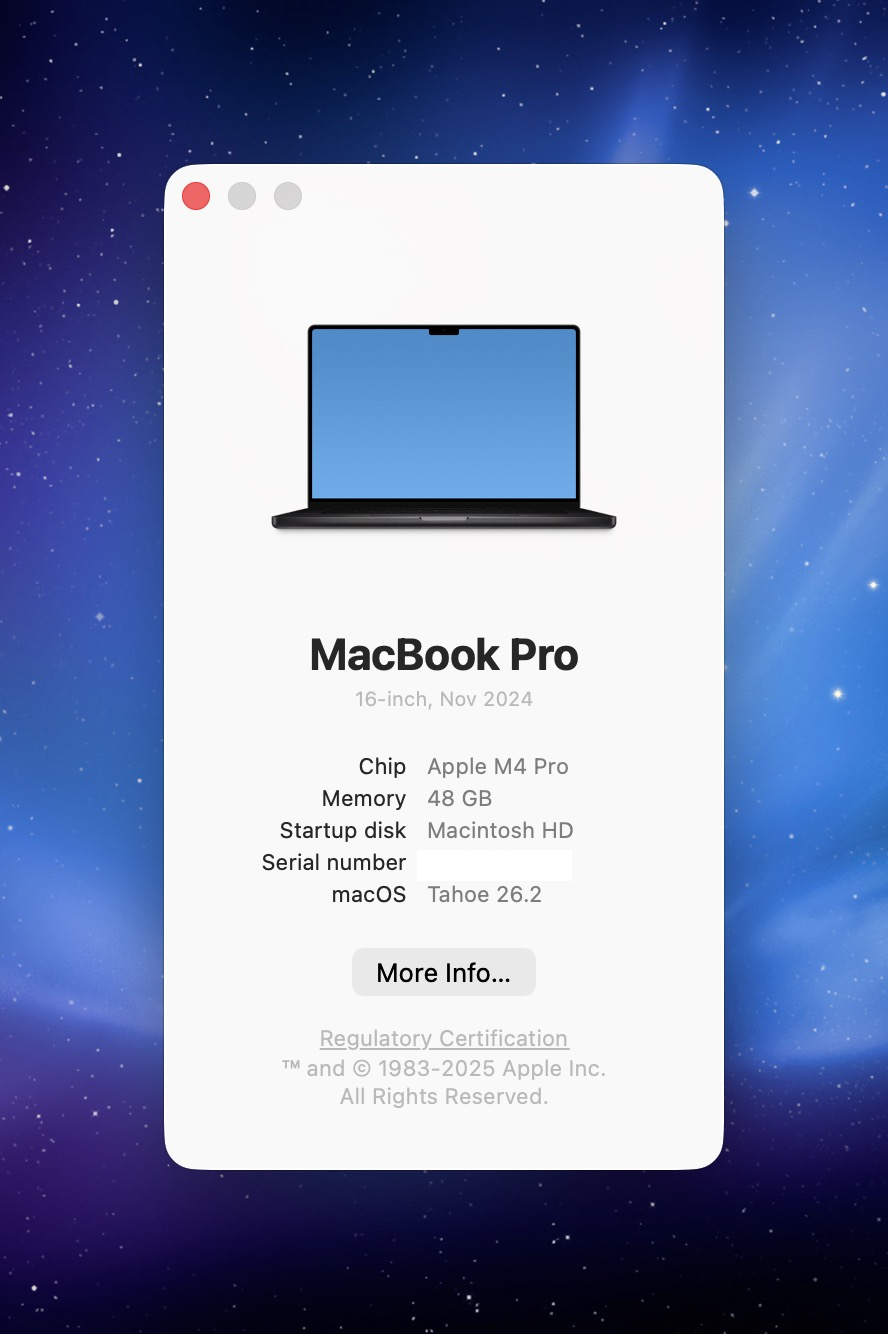
I'm using a MacBook Pro 16-inch with an Apple M4 Pro processor, 48 GB of RAM, running macOS Tahoe.
I usually work in closed-display mode. To save some desk space, I use a vertical Mac stand: the Twelve South BookArc. The external monitor is a Gigabyte Aorus FO32U2P, a 32" 4K OLED.
Here's the hardware that is on my desk:
- a space grey wireless Apple Magic Keyboard with Touch ID
- a space grey Apple Magic Trackpad
To connect all external hardware to my MacBook I have a CalDigit TS3 Plus. This allows me to connect everything to my MacBook with a single USB-C cable. That cable also charges the MacBook. Less clutter on the desk means more headspace.
I play music on a KEF LS50 Wireless II stereo pair, which sound incredible. To stay in "the zone" when commuting or at the office have my Sony WH-1000XM6 noise-cancelling headphones.
Next to programming, my big passion is music. I produce tracks under my artist name Kobus. You can find my music on Spotify and Apple Music. I use Ableton Live 12 Suite for recording and editing.
Misc
At Spatie, we use Google Workspace to handle mail and calendars. High level planning at the company is done using Float. All servers I work on are provisioned by Forge. The performance and uptime of those servers are monitored via Oh Dear. To track exceptions in production, we use Flare. To send mails to our audience that is interested in our paid products, we use our homegrown Mailcoach. For HR, we use Officient. The entire team uses Claude Code as their coding agent.
In closing
Every few years, I write a new version of this post. Here's the 2022 version. If you have any questions on any of these apps and services, feel free to contact me on X.
]]>