Why is it then that so many people ask ‘What is the best way to teach the class?’ The simple answer is that you have to know the material! I do not mean that you just need to study a script… teaching a course is not an acting role. You need to:
- Know the courseware very well.
- Know all of the products and techniques that will be covered… very well.
- Have excellent technical presentation skills.
- Have real-world experience working with the systems that are covered in the course.
- Listen to your students, and answer their questions honestly… which includes admitting when you do not know the answer.
There is more to it than that, but all of these are important… and some of them you can get from studying, but others only come from experience. You can study the slides and go through the labs and learn the courseware – and even the products that you may not know as well – and become proficient in them. However, how do you get excellent technical presentation skills? Part of it is practice, and part of it is doing it… a lot… in front of hundreds of audiences over the span of years.
How do you get real-world experience? If you are a full-time trainer then you might have trouble with this. If you are a consultant who also teaches then you should be fine.
Teaching is not a one-way monologue; we have to listen to our students and answer their questions… and it has to be done properly and respectfully. I have heard trainers interrupt their students in the middle of their question because they knew what the student was asking. That is disrespectful… the student wants to be heard, wants to be listened to… and frankly, while we might think we know the answer off the bat, every once in a while the student throws a curveball in at the end of the question which we will not know if we interrupt before they are done. Also, it astounds me that some trainers are afraid to admit when they do not know the answer… but worse, when they try to make up an answer. What a great opportunity that could be for us to say ‘Let me find out for you.’ When we do that… and when we follow up on it… then we become smarter, the student becomes smarter, and you have shown your students that you may not know all of the answers, but you are willing to find them.
How do I know all of this? It is mostly from years of making every mistake in the book. I would go into classes without studying the courseware, on products that I might not have been so proficient in, I might have had the real-world experience, but despite my speaking skills I did not always have the listening skills that were so important.
I was going to say that I think that I am a better trainer today than I was ten years ago, but that is not fair. I know I am. When I was traveling the world teaching for Microsoft, I was arrogant. I was brash. I did not know how to listen. I had all of these great certifications… and thought they were fodder for my ego. Today I know better. I still tell my students that they need to pay attention to me… but I know it is equally important that I pay attention to them. I also spend hours every week learning more because I know that I will always have a student who will ask me something and I am still afraid to say that I do not know… even though I have gotten much better at it.
Knowledge and skills can make you a good trainer. Adding experience to it can make you a better trainer. If you want to be a truly excellent trainer, you need to add humility to that mix.
Have a great weekend folks!
]]>Nearly, but not quite time. I had a discussion with some of my students about the pros and cons of choosing the at home, on-line proctored exam experience. It is a subject I can go into with confidence in my experience for both sides – at-home versus in-person, and I have experienced both the pros and the cons of both. In fact, I have written several articles about the exam experience, including one about preparing your home environment for them; I decided, since I had a few minutes before I could officially log into the exam session, to go looking for it. I found the article titled Online Certification Exams – Are they worth it? which I published in June of last year.
Two things struck me as interesting as I scrolled through it. The first was how similar my desk is eight months later; the second was how similarly I my test desk was.
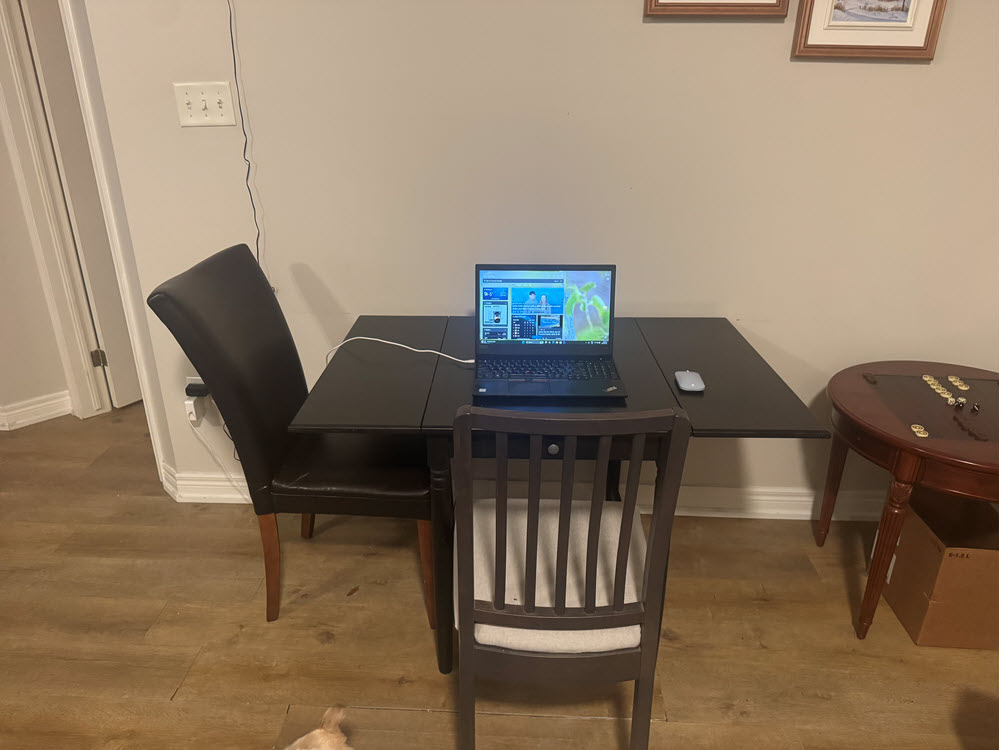
The only difference from last year to last night is that the chairs were reversed, and the side of the table is not folded down. The reason for that is because for an exam I sat last week the proctor wanted me to sit there instead of where it is set up now, and I just had not folded it down yet.
It’s a strange coincidence that the exam I had just taken when I took the picture a year ago was AI-900, and this week it was AB-900… two foundation-level exams from Microsoft, essentially bookends to nine exams I took in between… eight of which were orders of magnitude harder.
We all have our own preferences, but in the balance as long as I have a stable Internet connection, I would rather sit the exams at home. Not only does that allow me to avoid weather, traffic, and parking issues, but it also allows me to schedule the exams for odd hours – the last two that I sat were at 5:30am and 10:00pm respectively. I also live alone, and my dog will not bother me.
Will it always be at that table? Likely not… but given the chance they will always be at home.
]]>**DISCLOSURE: While I have previously been contracted to Microsoft Corporation, I have never been an employee. The articles that I write are not meant to represent the company, nor are they meant to represent me as an employee, contractor, spokesman, or representative of any sort for the company. As has always been the case, all articles on this website represent me and nobody else.
In the spring of 2015 Microsoft announced they were going to release Windows 10, which would be the last desktop operating system they would release. The intent of this, as memory serves, was to shift people from purchasing a single version of the operating system and moving to a subscription model… essentially Windows as a Service model. So whereas previously if you had purchased Windows 7, you would then need to purchase Windows 8; even if you were offered a free upgrade (which was not uncommon), you would need to install the new version by either upgrading in place, or else re-installing. Both of these needed to be done from the original source media.
Windows 10 would be different. You would install it once, and then all future OS versions would be deployed directly as a software patch, just as monthly security updates have been for years.
A careful reading of the previous paragraphs exposes an inconsistency, doesn’t it? In the one, it says that Microsoft claimed that Windows 10 would be the last desktop OS, but in the other, it says that future operating systems would be deployed as a patch. The two cannot be entirely correct, can they?
In fact, they are both truthful… from different perspectives. The intention was for Windows 10 to be the OS that people used and talked about, but twice yearly they would release new feature updates, which would really be new operating systems… but they would still be called Windows 10, and the end user would not have to worry about reinstalling or upgrading… it would just happen naturally. For end-users that meant that the new version would be installed through Windows Update without any effort or even awareness on their part. For corporate devices it would be deployed through the centralized update tools that they used – whether that was one of Microsoft’s offerings (such as Windows Server Update Services (WSUS), Microsoft Configuration Manager (currently called MCM but that name has changed at least four times since I first became aware of it), or Microsoft Intune), or any of a number of third-party offerings.
The Windows 10 operating system was first released in July, 2015, and the version number was 1507 – so designated because of the year (2015) and month (July – 07) of release. That numbering system would last until later in our saga. Keep reading and you’ll get there!
And so 1507 was upgraded to 1509, and then 1603… and continued on through 1609, 1703, 1709, 1803, 1809, 1903, 1909, 2003, 20H2, 21H1, 21H2, and finally the last version was 22H2.
Why the change from 2003 to 20H2? There were a couple of reasons. The first was that Microsoft had a previous operating system called Windows 2003. While this was true, the more likely reason was that they had missed almost every single release target… for example, the 1903 release, which according to their system should have been released in March of 2019, was not released until May. They took a lot of public ribbing for these missed targets, and while they absolutely did the right thing by not releasing a flawed and buggy version for the sake of hitting a deadline, the critics were unrelenting. In the end they changed the version numbering to more accurately reflect the spring release (First half of the year, or H1) and the autumn release (Second half of the year, or H2).
As such, there would eventually be fifteen (15) versions of Windows 10. From the marketing (and purchasing) side, they were all a single operating system. From the technical side, Microsoft continued to release new features twice yearly, and so the fifteen versions were really fifteen different operating systems. As a former desktop deployment specialist, I thank them for not making us deal with them as we used to!
While Microsoft never formally announced it, a Microsoft developer evangelist announced in a technical session prior to the release of their new OS that: “…Windows 10 is the last version of Windows.”
My first exposure to Microsoft Evangelists was in 2005. Over the next several years I would work closely with the Canadian Evangelism team, and for nearly two years I was on the team for Microsoft Canada. Whatever public statements the company may release, people listen to the Evangelists like (pun intended) gospel. That is why when I started working with them, and especially when I was given the title and started criss-crossing the country, it was always made very clear that we needed to follow the company message very closely. The tongue-in-cheek comment made by Jerry Nixon was widely reported, and to this day people remember it. Even I have made fun of the ‘last operating system… you know, until then next operating system!’ when Windows 11 was announced.
Still and all, what was the purpose of the change from Windows 10 to Windows 11? Who cares?
The answer is simple: Consistency and Security.
If you purchased a computer in 2015 with Windows 10 on it, then whatever changes Microsoft might make to Windows 10 over the course of the years, you should still be able to run it on your original Windows 10 computer. Many of us remember needing to purchase new computers to run Windows Vista because of the massive increase in resource requirements over Windows XP, and that shift caused massive blowback for Microsoft. While people like me (and probably the majority of my readers) may upgrade our computers every couple of years, the average user does not see the need. Most of them believe that if the reasons they bought their computer in 2002 have not changed, then the computer that did the job for them then should still do the job for them now. Why should they need to buy a new computer every time Microsoft releases a new operating system? Microsoft knew that while they might add features to the OS, whatever they might call it behind the scenes it would need to continue to work on the same computer that it originally worked on. That is the Consistency side of the equation.
On the other side, there was the Security side. The security embedded in our devices have advanced tremendously over the past fifteen or twenty years. I remember the disappointment I had when I discovered that my first computer specifically purchased to run Windows Vista did not have a Trusted Platform Module (TPM) chip, and that to take advantage of the new Bitlocker full drive encryption that I had been looking forward to I would need to carry around a USB key that I would need to insert into my computer every time I wanted to turn it on.
On January 15, 2002 Bill Gates released the Trustworthy Computing Memo. In it he claimed that security would now become Microsoft’s top priority, and they would shift from the agile release of new features and products to reliability, security, and privacy. For the first time since the company’s founding, security and reliability would be fundamental design principles, and not afterthoughts. He said that ‘…Microsoft must transform its entire development approach to ensure products are secure from the ground up, and that they must lead the industry to a whole new level of trustworthiness.’
The initiative was prompted by rising criticism from major customers (governments, financial institutions) and the impact of major worms and attacks (e.g., Code Red, Nimda). Gates cites that unless Microsoft addresses systemic security issues, customers will not adopt the company’s future innovations.
For those of us who were following the industry at the time, it sounded like a pipe dream. I remember studying Windows 2000 and seeing glaring security vulnerabilities in it… but on the desktop side of things, any security that might have been in Windows 98 was an accident.
It took a few years, but Microsoft made good on Mr. Gates’ promise. Their first new desktop release – Windows Vista – had been rewritten from the ground up, and while it had many failings, the truth was that it was much more secure than Windows XP. Windows 7 and then 8 and finally Windows 10 had the ability to be extremely secure… as long as the users or admins did what they needed to ensure that security. There were still a lot of glaring holes in that security though… and it was no longer Microsoft’s fault.
The advancements in security at the hardware level were tremendous. I will not go into details, nor would I ever claim to be an expert in them, but by 2020 it was clear that to truly secure a computer from the hardware up, one could employ the features of the later generations of CPUs (Intel 8th-gen or AMD Zen 2+), the newer version of the Trusted Platform Module (TPM 2.0), and a Unified Extensible Firmware Interface (UEFI) that had the Secure Boot feature.
While UEFI and Secure Boot had been available since 2006, and the TPM 2.0 was released in 2014 (less than a year before the release of Windows 10), the more secure generations of the CPUs did not begin to appear until 2017… two years after the launch of Windows 10.
Microsoft was left with a difficult decision. Should they continue to support Windows 10, on which security was only an option on modern hardware but you could continue to run it without modern security on older hardware? Or should they change their long-standing policy of consistency by telling users that their older hardware would no longer support what many people thought was the same operating system they had been running for years? Or should they pull the trigger… which is what they did.
They announced publicly that they were pulling the trigger on June 24, 2021. They told the world that while their existing Windows 10 operating system would be supported through at least the next three years, but that they were releasing the new Windows 11 later that year… which is what they did. They announced the new minimum hardware requirements, including the newer CPU, the newer TPM, and the UEFI (which was not so new).
On October 5, 2021 Windows 11 was released. A month later they would release Windows 10 21H2, and a year later they released Windows 10 22H2… the 2022 Update would be the last release of the operating system once touted as the last desktop operating system.
The reception of Windows 11 was mixed. Most people looked at it and saw the Start Menu was no longer in the bottom-left corner of the screen, and the actual menu was completely different from what was introduced in Windows 8.1. The complaints that Microsoft released a new operating system with cosmetic changes just as a cash grab were as loud and plentiful as they were completely ridiculous. For one thing, you did not have to pay for it. If your computer met the minimum hardware requirements, Windows 11 was distributed through the same Windows Update process as every previous version of Windows 10.
The reason most people did not see beyond the cosmetic changes is obvious. Most users are hardly aware of the security features in their computers. When you buy a car most people do not ask about or even give a second glance at the seatbelts, and the airbags and other safety features are completely irrelevant to them… unless they are in an accident. Their computer is no different.
Any computer that did not meet those minimum requirements mentioned would the following month receive the new release of Windows 10, and would continue to receive them through October 14, 2025… four years and nine days after the launch of Windows 11. In lifecycle terms, the average service life of a laptop in corporate environments is 3-5 years, with desktop PCs usually at 4-5 years. While personal devices have much longer lifecycles (as long as ten years in some cases), most devices that had been purchased four years prior to the Windows 11 announcement would still be eligible for the upgrade.
I remember my disappointment when I realized that neither my Microsoft Surface Pro 4 (released in October 2015, purchased in January 2016) nor my HP EliteBook 8570w (purchased in late 2012 or early 2013) were eligible for the upgrade. It would run smoothly on my newly purchased Microsoft Surface Laptop 3. The Surface Pro was on its last legs… the battery was swelling which meant it was now less of a computer and more an explosive device. The HP? It is still sitting on my other desk next to where I am sitting now. It was running Windows 10 happily until last summer when I reprovisioned it to run Windows Server.
There are plenty of how-to blogs and videos on the Internet that will show you how to bypass the security requirements and run Windows 11 on your older hardware, but I am not about that. I did go through the motions to make sure that these hacks worked on the ten-year-old EliteBook, but only as a proof of concept. You cannot be a cybersecurity professional and use non-secure devices. Yes, it works; no, I definitely do not recommend doing it.
Conclusion
I have said many times that had I gotten on stage the first time I presented a Microsoft session to a professional audience and claimed that the Microsoft ecosystem was inherently secure, the reaction would have been bad. It was simply not true. When I speak of the security of Microsoft technologies today, I am comfortable in claiming that from the desktop operating system beneath your fingers through the corporate and cloud ecosystem that it connects to, there is true security. That does not mean that we IT Pros do not need to lock several components down – we do. However, in the modern age with a modern system the largest security risk to your computer is summarized in an acronym we call PICNIC… Problem In Chair, Not in Computer.
Yes, dear reader, that is you. Follow the recommendations and do not fall for social media scams and you should be pretty safe.
]]>It does not matter that in this particular case the owner’s politics align with those I hold. If the roles were reversed, I would feel exactly the same way when I say this: Every single one of those employees should be fired.
There are three topics that should never under any circumstances be brought into the workplace: religion, politics, and sex. If you work in a bakery then for the time that you are at work you should focus on bread, not borders.
As do many people of my background, I am fiercely loyal to the two countries of which I am a citizen, and in both of them I have very strong opinions. I am also a man of faith who does everything in his power to observe my religion while never pushing it on anyone.
When I was living in California I was a member of a cigar lounge in Westlake Village. One evening, after an event that was open to the public, a few of us were sitting around and chatting. I knew two of the owners, but there was a third who I had never met until ten minutes ago. He sat back, took a puff on his cigar, and said ‘I am so glad that everyone else is gone. Now that it’s just us, I know that all of us agree staunchly on guns and abortion.’ I nearly dropped my cigar. Aside from him, I was friends with everyone else in the room and I knew their politics (and we all agreed to disagree on some things)… but how could this guy pretend to know what my position on anything other than Havana cigars was? I held my tongue… but made a mental note to be careful of what I might ever share with him.
That man was a businessman and he made a colossal mistake. He aired his political opinion with customers who might or might not decide to stop doing business with him for them. On the other hand, he was a smart man who might have had the courage of his convictions to not want anyone’s business who did not share his opinion. As the owner of the establishment, that was his right.
Let’s turn the tables in a hypothetical. Imagine a group of his employees came into his establishment and tried to force him to change his politics, or at least to betray them, lest they go on strike and try to force him out of business because of what he believes in. Are they within their rights to do that? Is it ethical? Is it moral? Is it legal?
If you are so opposed to someone’s politics then you are not obligated to work for them. However, if you try to force your views on them – right or wrong – then you should be fired, escorted off the property, and barred from standing within 500 feet of their workplace. Why? Politics have no place in the workplace.
To anyone who knows me, my political viewpoint is clear and steadfast. With that said, I go out of my way to keep it out of my classrooms. I do this for two reasons. First and foremost, it is the right thing to do. Secondly, politics are very divisive, and I want my students to like and to trust me. I also want to make sure that when at the end of the class the students fill out their course evaluations they rate me as an instructor based on my knowledge of the subject matter and my ability to communicate that knowledge in a way that is easy for them to understand… and nothing else.
I do not hide my faith. Not only do I wear a yarmulke/kippah at all times, but I also teach from my desk… behind which is my clearly visible bookshelf that has to complete shelves of religious texts in Hebrew and English. I might mention my religion if it is relevant (it very occasionally is), and I will answer questions (during breaks) about it from the occasional student who asks. That’s it. Why? Because I am a staunch believer that religion does not belong in the classroom.
Because I spend more time teaching cybersecurity than any other subject, I do need to lecture on nation-state cyber threat actors, which includes discussing election tampering by the Russian GRU (Chiefly Unit 26165, referred to in the industry as Fancy Bear), and the massive disinformation campaign that was started by the Soviet KGB in the mid-1960s, and has continued to this day (and expanded to include the social engineering teams from Qatar, Iran, and China to name a few) to make Israel look like the big bad aggressor. With regard to the election tampering, I discuss only the 2016 election so as to try to avoid current politics. For the disinformation campaign, I go to great lengths and take great pains to call out the disinformation campaign without expressing an opinion or taking sides. I let my students know that I am discussing facts on the ground without taking sides.
I know that occasionally the companies for whom I teach will be told that I am discussing my personal political opinions, so I make sure that when discussing these topics I am being recorded so that I can refute that accusation. The one time it happened in the past year, I read it on the student’s class evaluation, and I brought it to the attention of the company. They told me they knew me and trusted me and were not interested in going over the recordings.
When I am not teaching, I almost always wear a flag pin on my clothes that might be considered divisive in this day and age. When I am teaching, I never wear it. Does that mean that I feel any less patriotic to the nation it represents? Absolutely not. I believe that anyone who stands in front of an classroom wearing a Russian Chinese Israeli Palestinian Ukrainian Venezuelan LGBTQ+ Pro-Abortion Anti-Abortion Republican Democrat Liberal Conservative Labour Hamas Hezbollah or Vote for Pedro symbol is inviting divisiveness and discord… and is asking for trouble. I wear my Canadian Maple Leaf pin because even over the last year nobody really dislikes Canada… and until the hostages were released in October I wore a yellow ribbon (which can also mean support for Childhood Cancer Awareness).
When the original blurb I wrote for my high school yearbook was censored, I replaced it with the quote: “I may not agree with what you say, but I will defend to the death your right to say it.” This quote, by Evelyn Beatrice Hall in her 1906 book The Friends of Voltaire, essentially codifies the concept of Freedom of Speech. I graduated high school some thirty-seven years ago, and I wish today that I could go back and amend this quote to find a way of codifying one’s right to speak the truth and not lies and hatred… but that’s the world we live in today.
What people misunderstand about the idea of freedom of speech, especially as codified by law in both Canada and the United States, is that the government shall not infringe on your right to speak. That does not mean that you can say what you want at work… at least not without accepting that there might be consequences. The employer’s obligation is to pay the employees the agreed upon wage for their work. The employee’s obligation is to do the work that they are hired to do. The employee has a right to a fair wage and safe working conditions and nothing more. If they step out of line then the employer has the right to fire them. Any attempt to change the politics or religion of anyone – fellow employee or employer – is exactly as egregious a violation of every workplace norm as would be forcing one to change their sexual preference. In other words… if an employee starts spreading political vitriol in the workplace it is grounds for immediate dismissal.
Of course, in the climate that we are in today, with sixty years of KGB Disinformation spread to foment hatred, even that might be up for debate because too many people fell for it.
]]>Sometimes I get caught in my own web.
I try to keep my systems secure using many of the same tools that I talk about in my class. For example, my main system is Entra ID (formerly Azure AD) joined, and it is protected with Microsoft Intune Configuration Policies. I have a number of policies for different purposes, ranging from Wi-Fi to Security Baselines to… BitLocker.
I have loved BitLocker since I was first introduced to it nineteen years ago. The Full-Disk Encryption (FDE) that Microsoft introduced in Windows Vista has been protecting my mobile devices (as well as my less-than-mobile devices) since January, 2007. It has bit me in the bottom once or twice (each was my fault), but I continue to swear by it.
One of the policies I have applied to my machines is that any external drive connected via USB port (or, I suppose, any other port… if I had any) needs to be BitLocker encrypted in order to write to it. If a drive is not encrypted, then it is automatically set to Read Only. This is usually not a problem… the rare time I need to share files with someone, I simply create a USB key with a password that I can share with them.
This morning I came across 40gb of files that I had saved for a buddy when I helped him with his smart phone. I asked if he still needs them and he shouted YES! No problem, I’ll put them onto a USB key for him.
Unfortunately my buddy is a Mac guy… and I know full well that Mac and BitLocker do not work together. How was I going to do this? Oh right… I encrypt the drive, copy the files over, and then remove the encryption! Simple enough…
…but slow. The encryption of an empty drive is very quick. The decryption of a drive with nearly 40gb of files on it is not… and to slow it down even further, the USB key that I chose is not a high performance key, but a relatively cheap USB 2.0 key that is not going to win any races. It took nearly two hours to copy the files over… and it took nearly two more hours to remove the encryption.
That is not what I would call healthy friction.
To be fair, the situation that I described is not an everyday one. If it were, then I would either transmit those files onto another computer on my network that does not have that restriction, or I would do away with the restriction. Were this a policy that affected many users (or any, other than myself) then I would revisit this (and likely several other) policy because I would want my users working, not fighting with drive encryption/decryption… and so much more.
There is a site that I have been advocating for years called The Center for Internet Security Workbench (https://workbench.cisecurity.org/). It provides benchmarks for myriad platforms – recommendations on how to best secure your environment. As an example (one that is relevant to this discussion), the CIS Microsoft Intune for Windows 11 Benchmark v4.0.0 is dated April 25, 2025 and includes an overview, target technology details, intended audience, consensus guidance, typographical conventions, recommendation definitions, and then about 1,070 pages of recommendations… followed by a 50-page checklist (Summary Table), and then a section on Change History. It would take an organization several weeks of full-time effort to review and then implement all of the recommendations contained in the benchmark to ensure that you have done it all correctly.
…But should you? I am not saying that you should not harden your systems. Far from it. Should you implement every single recommendation? That is a different story… and the answer is what I call the Universal Consultants Answer (UCA): It depends.
Should you harden your systems? Absolutely. Should you implement every single possible security measure? That would depend on what you are protecting… but probably not. Should you review the document and determine which recommendations are important to your organization, and which would be superfluous? Yes you should.
The following story is about a company that I once worked for. I want to clarify at this point that during my tenure with the company I never discussed any of this with anyone, so if you do happen to glean what company it is, know that I will not be revealing any insider or protected information. While I do not believe my NDA is still in force, I nevertheless will not break it.
I spent a year working for a major motion picture studio that had been compromised a few years earlier by cyber threat actors. It was an extremely embarrassing experience for the studio, and one that they vowed they would never need to go through again. When I arrived for my first day of work, I was told that I would need to meet with a senior cybersecurity manager… and that I would not get along with him because nobody did. I met with him, and to everyone’s shock I got along with him quite well. Why? Because I understood cybersecurity. At no point did I say to him ‘Isn’t that going a bit overboard?’ I knew why the security measures were in place, and I respected them.
Before and since that job I have worked with many organizations that require the absolute highest level of security, including governments and militaries. My recollection is that the security at that company was as secure if not moreso than those organizations. Were they going overboard? Possibly… but they had been hit before and they were not going to take a chance that it might happen again.
That company probably went overboard on their security… but they knew firsthand the cost of an unsecure environment. For most organizations, the best advice I can give is to balance security with usability… and to supplement their cybersecurity policy with regular User Awareness Training. This should be designed to help the users understand why cybersecurity is important, but also how to navigate it properly.
As an example of this, let’s discuss password complexity. Imagine your organization has a policy that requires passwords be twenty-two characters long, with upper- and lower-case letters, numbers, and special characters. The technical policy would be backed up by an administrative policy that bars users from writing their passwords down. Most users would balk at this… or they would follow the technical policy while ignoring the administrative one.
Now let’s go into the training! You show users the consequences of compromised passwords, and how easily cyber threat actors can break short and non-complex passwords. You remind them that people walking around the office may have clearance, but they should not have access to your files – and that a yellow sticky note with your password on it would give them everything. You then show them how to take their favourite songs and turn them into easy to remember complex passwords. “Heartbreak Hotel” is neither long enough, nor is it sufficiently complex. Indeed, the space is a special character, but that brings it to sixteen characters… and there are no numbers. However… knowing the song was published in January of 1956, we could use that – Heartbreak 1956 Hotel is 21 characters long and complex.
Conclusion
Our systems need to be secured using both technical and administrative policies… and periodic user awareness training will help your users to navigate the security hurdles you install. However, remember that if you are protecting a bag of candy you do not buy a vault and install a hundred thousand dollar security system. Implement the security appropriate to what you are protecting, and do not change the policy for a single case. I began this article discussing my frustration with a technical policy that I implemented; the day this arose was the first time the policy had every stymied me. Did I reverse the policy? I did not. Instead, I found a way to accomplish my goal without needing to do that. Is this a workaround that could compromise my security? It is not because end users would not be able to decrypt the drive, and even if they tried to the effort would show up in my audit logs.
Healthy friction should be your goal. We may not like lining up at airport security to have our carry-on bags inspected… but we know we have to arrive at the airport two hours before our flight because this will be required. It is not prohibitive friction… even though it is indeed a pain in the heinie. So are passwords and Intrusion Prevention Systems (IPSs) and Access Control Lists (ACLs) and so many of the security measures we implement to keep our organizations safe. They may initially be a pain… but if implemented properly they will protect your systems from cyber threat actors getting in.
]]>The irony of it hit me in the face when I received an email over the weekend between Christmas and New Years that read:
Breach: WIRED
Date of Breach: September 2025
Breached Accounts: 2.36 Million
Compromised Data: Dates of birth, Display names, Email addresses, Genders, Geographic locations, Names, Phone numbers, Physical addresses
Description: In December 2025, 2.3M records of WIRED magazine users allegedly obtained from parent company Condé Nast were published online. The most recent data dated back to the previous September and exposed email addresses and display names, as well as, for a small number of users, their name, phone number, date of birth, gender, and geographic location or full physical address. The WIRED data allegedly represents a subset of Condé Nast brands the hacker also claims to have obtained.
I think no less of either WIRED or its parent company than I did before this. The truth is that companies are going to be compromised and while they can take every reasonable precaution to lessen the chances, the reality is that no company can take every step necessary without making their products or services unusable and cost-prohibitive. Knowing some of the employees of both firms, I am confident that the breach was not the result of carelessness on the part of the IT and Information Security teams.
I receive emails from https://www.haveibeenpwned.com on a fairly regular basis. I have hundreds of accounts on hundreds of websites, and every time one of those sites is compromised, I am advised… and I take what necessary precautions I can or should, based on the breach information.
In the case of WIRED, I cannot change (nor could I have masked) my physical address because I subscribed to the physical magazine and they had to mail it to me. With that said, they were sending it to an address in Texas that is no longer mine and no longer relevant to me.
You might notice in the announcement that several things – date of birth, email and physical address, names and phone numbers – are included in the leak. Passwords were not. That did not stop me from logging into my account and changing my password immediately. Why? You never can be sure… and while the worst that could happen if someone logs into WIRED as me is they might see my reading trends and saved articles, that does not change the fact that it is better to be safe than sorry.
If you were to ask me what steps you can take to reduce even further the likelihood of such breaches costing you, then I have the following suggestions for you:
- Create an alternate persona – including fake name, address… everything – that you can use for sites that do not require a credit card (at which point you likely need to provide your actual details). Create an email account only for this purpose. Keep a record of these details, and use them for any site that does not require you using your actual details. It is easier than trying to remember fake details for different sites.
- Use a strong password vault. This will allow you to use different passwords for every site you visit. Yes I know… it is hard to remember dozens or even hundreds of passwords. That is what the password vault is for! The one I use lets me know if I have reused passwords, or weak ones. Every few months I go into my dashboard and check my security score… and I review all of my reused passwords (which are mostly because the same site has two or three entries because of different URLs). I change the ones that need to be changed, I clean up the ones that need to be cleaned up.
- Never share your passwords! I wish I did not have to keep repeating that.
- Whenever possible, implement Multifactor Authentication (MFA). You have a smartphone, so install an Authenticator app onto it.
- More and more sites are offering you the option to log in via a passkey. That is not a terrible idea!
These are just a few suggestions off the top of my head. There is a great book called The Art of Invisibility by Kevin Mitnick with Robert Vamosi which goes into great detail about the lengths you can take to go completely anonymous online. While I found it to be an interesting read, I consider the steps required for complete online anonymity somewhat (cough) extreme… not to mention pricey and inconvenient. While I might go about setting up a completely anonymous identity online as an exercise, it would be completely impractical for anyone to do, let alone maintain.
While I know there are services out there that might do it, I do not believe it possible or at least practical to completely eliminate your online presence. I also know that for me, having spent a great deal of time building my online presence (before I started focusing on cybersecurity) it would be nearly impossible to eliminate; nor would I want to. I am neither a criminal nor a paranoiac… and while I realize that bad things can happen when too much information is shared online, I try to not share too much… and I constantly weigh the benefits of my online presence against the potential of what could happen. Just like I teach it in class, I follow a Risk Management strategy that includes Risk Awareness, Risk Minimization, Risk Tolerance, and Risk Avoidance.
My point is that the Internet is both an an amazing resource and a dangerous place for the unaware. Stay informed, stay aware, and stay vigilant. Yes, you are going to get spam and yes, people are going to try to social engineer you. It is absolutely certain that one or more sites that you are registered with will be compromised, so take the steps necessary to minimize the potential damage that could happen – do not reuse your passwords is just one example. Never register on a site that does not have a valid TLS Certificate protecting it. Stay off the types of site that have traditionally been magnets for cyber attacks – pornography, non-secure gaming, and any site that either offers pirated software (or other files) for download, sites that publish or sell illegitimate license keys or hacks, and sites that sell (or give away) exam cheat sheets.
Safe web browsing is not too different from walking down the street. Stay aware, walk/surf with intent, and stay out of the bad neighbourhoods. Will that keep you completely safe? Absolutely not… but it will reduce your risk.
As for compromised sites… well you either know that your information has been compromised or you do not know that your information has been compromised. Either way, your information has indeed been compromised. Sorry if I am the bearer of bad news.
(Oh… and if you believe that posting a disclaimer on your online profile that states that you do not give permission to use your information or pictures means anything to anyone, then boy do I have bad news for you… those disclaimers are not worth the paper they are printed on!)
Stay safe people… and happy surfing!
]]>The first time I said those words I was on a Microsoft stage, wearing a Microsoft logoed shirt, speaking to a Microsoft audience. I remember seeing the event sponsor – a Product Manager at Microsoft Canada – turn shades of red. How dare I stand on a Microsoft stage speaking to a Microsoft audience and imply that in some cases there were better options than those offered by Microsoft?
I was relieved when he and I spoke later and I was able to explain to him why I said it… and I convinced him that I was right. We continued to work together on many different events after that. It could have gone another way.
I have used Microsoft Windows as my main desktop operating system for the last three decades. I have been implementing Windows Server for nearly as long, and I have been consulting on both of them since before the millennium started. I cannot imagine what would have to happen for me to decide one day that Windows would no longer be my primary operating system. I am not saying it couldn’t happen… but it is unlikely to happen any time soon.
Here’s the thing… while I still see Windows as the best tool for the job for desktop productivity, when it comes to cybersecurity it is a Linux world. Sure, you can download some of the tools we use for cyber in Windows, but there is no contest – to be a cybersecurity professional you need to know and use Linux.
A couple of years ago I wrote a series of three articles on installing Kali Linux on Windows Subsystem for Linux (WSL). Kali Linux is a penetration testing and security-focused distribution that is based on the Debian kernel. While some may prefer Parrot Linux for the purpose, and believe me I understand, Kali remains an industry standard. Additionally, Kali is available in WSL where Parrot is not.
I have been telling my students for years that if you are going to work in cybersecurity, you need to learn Linux… and I have championed the use of Kali to them for just as long. I even wrote a couple of articles to guide my students in installing virtual machines running Kali on their desktop computers (See Windows 11/10 Hyper-V and Oracle VirtualBox articles). I also wrote later that year a series of three articles on installing Kali in WSL… including the full experience and Remote Desktop.
After teaching a class on Linux recently, I decided it was time to revisit WSL.
I have been a Windows Hyper-V advocate since before it was called Hyper-V. However, the ability to completely and seamlessly integrate the Linux environment into our Windows desktop certainly has its advantages. It requires fewer resources (and no resource dedication), it starts up much quicker, and it seamlessly integrates to the desktop (including mounting the local file system as /mnt/c). Additionally, by using WSL it is easier to mount several different builds of Linux in the desktop.
Step 1: Enable Windows Subsystem for Linux
Installing WSL is a pretty simple process. Because it is a part of the Windows it really just has to be turned on. Open a PowerShell window (as Administrator) and run the following cmdlet:
Enable-WindowsOptionalFeature –Online –FeatureName Microsoft-Windows-Subsystem-Linux
Your system may require a reboot after this.
When you log back in, open PowerShell (again as Administrator) and run this command to apply any updates that are available.
wsl –update
While it is possible Windows will prompt you to reboot again, at this stage it is unlikely. However, if it does… just log back in, and then reopen Windows PowerShell as Administrator.

Step 2: Choose and Install Your Build
If you want to continue the PowerShell route, there is a simple way to extract a list of Linux builds available. Just type wsl –list –online. That will give you a list of builds (at the time of writing it was 22 distros) that can be installed by using the command wsl –install <distro name> -online. This list conveniently includes Kali Linux Rolling, which is the distro that I use most often. However, there are a number of other distros that are available through other means. While I will not spend any time discussing them, there are several additional builds that are available for download from the Microsoft Store, and a few others (including CentOS and RHEL) that are available to download as tarballs (.tar images) which can then be installed manually. In all there are more than thirty distros available, and while most of them are Debian based, there are a few available that are based on the Red Hat kernel.
When you enter the command wsl –list –online you should receive a list that will include kali-linux. This is the one we are focusing on here, although I encourage you to install more than one!
wsl –install kali-linux
This will install a minimal Kali in your WSL. It might or might not require a reboot (I have seen both… for reasons I never quite understood). If it does, then reboot, and then reopen PowerShell. run the command wsl. You will be prompted to create a local user account. Remember that unlike Windows, Linux accounts are case-sensitive.
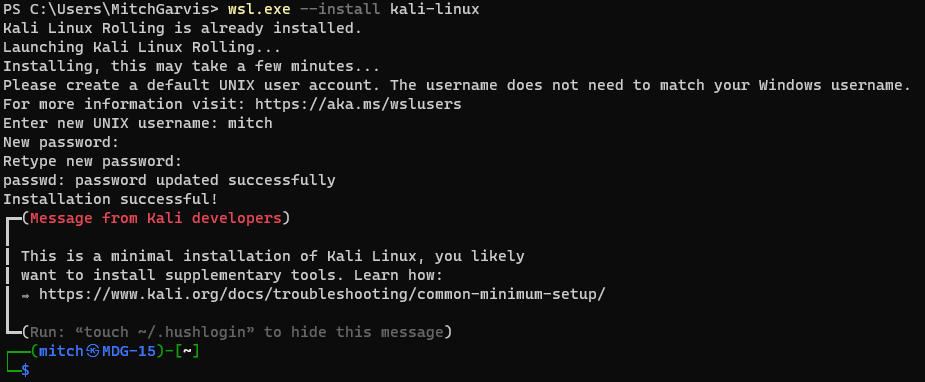
Step 3: Connecting to your WSL instance
Now that you have your Kali Linux instance installed, you have a number of easy ways to access it:
- From a command line you can type wsl.exe;
- In your Windows Terminal you should have an option to open a new tab directly into your WSL instance (note that if you just installed your WSL, this option will not be available until you close and then reopen Terminal); or
- In your Start Menu there will be an entry for kali-linux.

Note that to this point, you are exclusively accessing Linux from the bash. To get a GUI experience, read on to the next section (Installing Win-KeX).
Step 4: Install Win-KeX
Okay, we are not quite ready to interact with your Windows desktop. That requires another step. We are going to install Win-KeX in the Kali instance. Win-KeX is the tool that provides a full graphic desktop environment inside WSL, and it stands for Windows + Kali Desktop Experience.
In your WSL instance, run the following commands:
sudo apt update
sudo apt install -y kali-win-kex
We are now ready to go.
KeX supports three modes:
Windows Mode gives us a dedicated Kali desktop in a dedicated window. To start from inside your Kali WSL, type kex –win -s. To start it from PowerShell (or a Command Prompt) type wsl -d kali-linux kex –win -s
Seamless Mode allows us to share the Windows desktop between Windows and Kali applications and menus. To start from inside your Kali WSL, type kex –sl -s. To start it from PowerShell (or a Command Prompt) type wsl -d kali-linux kex –sl -s
Enhanced Session Mode is similar to Hyper-V, and uses Remote Desktop Protocol (RDP) for a more feature-rich experience. To start from inside your Kali WSL, type kex –esm –ip -s. To start it from PowerShell (or a Command Prompt) type wsl -d kali-linux kex –esm –ip -s
Step 5: Supersize Me!
I mentioned earlier that when you install Kali in WSL it installs a minimal installation. The minimal installation is good to get started, but you will not have all of the tools that make Kali the go-to for cybersecurity and penetration testing.
You can pick and choose which apps to install… but at that point you could just as easily be using Ubuntu. There is an option to install “Kali with everything” with a single command. From within your Kali WSL instance, type:
sudo apt update
sudo apt -y upgrade
sudo apt install -y kali-linux-large
You are now installing many different packages with a single command, and some of those packages require user interaction… even if it is just to click OK. Make sure you read what you are agreeing to… some of them might involve exposing or hiding your MAC address, and other fun stuff!
This will install all of the tools that you are used to having from a traditional Kali install… the full Monty, as it were. It will definitely take a few minutes, so be patient.
I should mention that this option is going to take a hit on your free drive space. Whereas the base install might be a couple of gigabytes in a virtual hard drive file, by installing Kali Linux Large that quickly turns into a file that is 30gb… before you do any work in it.
Step 6: Configuration
In addition to the WSL instance that you created, there is another new Start Menu item that might helpful. Windows Subsystem for Linux Settings allows you to manage the resources you are allowing the WSL instances to use, networking modes, optional features, and more. Take a look in them to see what you might want to tweak for your usage.
Conclusion
I have discovered a lot of bugs and instability in the current release of Windows Subsystem for Linux (version 2.6.2.0,kernel version 6.6.87.2-1, WSLg version 1.0.71, MSRDC version 1.2.6363). Don’t get me wrong; it works… more or less most of the time. It is definitely a useful tool, but these instabilities can test your patience. It is definitely not something I would recommend to hand to end users… but then again, most end users do not require Windows and Linux on the same interface. As an IT Pro / Techie, you will put up with having to reboot, or to terminate unresponsive processes, or other fun gotchas that you are likely to encounter.
Once you have gotten past all of the frustrations, you are likely to find that Kali on WSL is a great way to compromise using the familiar Windows 11 desktop while still having the powerful pen testing tools of Kali… without needing a second computer.
Good luck, and let me know how it goes for you!
]]>From time to time one of those training providers will call on me to teach a course that is outside of my comfort zone. When that has happened, it has almost always been on the Microsoft stack. ‘Mitch is a Microsoft guy, so we can ask him to teach Azure Open AI, or DevOps!’ At first, I used to jump at every class I was offered, simply because as a contract trainer I only earn when I work… and teaching a course that I am not comfortable teaching is still more comfortable than not being able to pay my bills. On these classes I usually spend a lot of time studying and preparing… it would be unfair to the students if I went into any class unprepared.
A couple of months ago I got such a call from a training provider with whom I have an excellent relationship. Really, they have helped to advance my career so much that it would be hard for me to imagine not accepting any reasonable request from them. Of course, they know that my expertise lies in cybersecurity and the Microsoft infrastructure stack, so most of their requests – even the ones that are outside of my comfort zone – are usually tied to one or the other of those.
“Mitch, can you teach a CompTIA Linux+ class for us at the beginning of December?”
After checking my calendar to confirm that it was not April 1st, I gave it some thought. I have been using Linux for a couple of decades… for very specific use cases. In 2010 I even bought a laptop that was intended strictly for me to use and really learn Linux on… although that never really worked because I was distracted by a number of other, more pressing tasks… including being a new father. I have been using both Kali and Parrot Linux for my cybersecurity work (and demos) for several years. I can certainly navigate the command line interface of BaSH and could even do some very rudimentary Python scripting. It’s not like I would be diving into a new invention (which I have done for Microsoft on at least three occasions)… Linux is an operating system, and I know operating systems. Sure, there would be a few concepts that I would really need to brush up on, but would teaching Linux be so difficult?
I checked my calendar again. No joke this time, while there was a month between the request and the course delivery, I do have obligations (including other classes to teach) that I needed to consider when estimating if I would have sufficient time to prepare for the course… and of course to book and pass the exam. I decided that it would be a little tight, but it would certainly be doable. I would be cutting it close… but yes, I could do it.
I joked with the training broker that they were really scraping the bottom of the barrel, but I agreed to take on this class. They assigned me the courseware, and I got to work.
I downloaded the courseware at the end of October when the weather was still reasonable, and I spent a few evenings on the balcony studying with a cigar. I was interrupted by a high level infosec class I needed to deliver, and some other work I needed to do, but I made sure that I was able to go through all of the labs provided… and replicated many of the steps in my own lab so that I could have the technology as persistent, and not in an online lab that is wiped out at the end of each session.
When the training provider asked me a week before the class if I was ready… I lied and said that I was. Deep down I knew that I was not… and I was certain that I was going to fail the exam. I booked the exam anyways… for Thursday afternoon. I figured that if I failed it Thursday, then I would have enough time to rebook it and take the exam again over the weekend.
Thursday afternoon came, and I decided to reschedule the exam for Saturday. I was not feeling confident, but I was at the point where I felt that a couple of more days of studying would make a real difference. I spent two more days studying and then sat down to the exam.
I was very confident on some questions, extremely unsure about others. In short, I was not confident when I pressed the ‘End Exam’ button. When it told me that I passed I was relieved… and I started to laugh. I have passed fifty-eight Microsoft exams… and now one Linux exam! (It should be noted that several of my cybersecurity and networking exams required a decent knowledge of Linux, including live simulations… but none of them were Linux exams.)
Okay, I am certified. Great. Was I ready to teach the class? That was another issue. I went over my score report and spent several hours on Sunday reviewing the topics I was uncomfortable with. By the time I was ready for bed I was confident that I was ready for the class. Woohoo!
I had more fun teaching the Linux+ class than I ever thought I would have. I went through the material but broke into demos as often as I could so that I could show the students what the concept I was teaching looked like in practice. I always prefer to teach with demos because there is only so much you can learn from slides. I also realized as I taught that despite my heavy focus on Microsoft, I have implemented or at least used so many of the features and concepts included in the class in my professional life.
Because all of my students were very new to Linux, and were mostly Windows guys, they asked me to show the comparison to Windows on a lot of concepts. I realized that for someone who grew up in Windows, they would be familiar with the concepts I was teaching if I could draw the comparison. That was probably one of the most beneficial reasons to have a Microsoft consultant teach Linux. I asked the students and they all agreed that it was a huge value add for them and helped them to better understand the material covered.
We spent the week together, and at the end they all filled out the course evaluations that were entirely positive. I was relieved by that because trainers live and die by those scores, so when I am teaching well outside of my comfort zone, I have to pay even closer attention. It was a win.
I never expected to love teaching that course, but I have told the training provider that I did, and that I will happily teach it again. Don’t get me wrong… I am not reformatting my primary computers to Linux… but I will definitely maintain the lab environment that I built, and I will continue to work in it so that I can maintain and hone my Linux skills. I am also thinking that when I get a laptop that I loaned out back next month, I will repurpose my other spare laptop to run Linux. Which distro? I don’t know… but expect this Microsoft guy to continue to coexist in Linux!
]]>I received an email this morning in my Junk Mail folder. Actually, I received three of them that are worded identically from different addresses. It is very long, so while I will post the entire text, I will post it at the end. I invite you to skim it, but do not waste your time. It essentially claims that the sender has compromised my devices, downloaded all of my data and contacts, and recorded compromising videos of my… uhm… enjoying adult videos in the privacy of my home. If I pay him off then he will delete the videos and data, otherwise he will share it with all of my contacts.
You may have received this email (or one like it) before. You might receive one in the future. Let me put your mind at ease: The losers sending this message have not compromised anything.
Should you change your passwords often? Yes. Should you ever share them? No. If you are worried that someone might have your password should you change it right away? Absolutely. However, without raising my blood pressure one single point, this email scam reinforces the most basic password rules that I always preach:
- Do not share your passwords with anyone.
- Do not reuse your passwords; or at least have unique passwords for any sensitive accounts.
- Change your passwords often.
- If you use the same password on multiple sites, then when you click Forgot Password on one site… if it emails you a link to reset your password, then great; if it emails you your password in plain text, then make sure you muck that password and change it on every account you might have ever used it on.
- Use long and complex passwords (UpperCase, LowerCase, Numbers, and Special characters) to make passwords hard to guess.
- Use multifactor authentication when possible to prevent compromise even if someone does get your password.
- Never trust anyone!
Okay, that last point is an unfair generalization. However it is very true when it comes to sharing passwords. Nobody should have your password.
I came across a great line in a book recently. Passwords are like underwear in three respects: Never share them, nobody should ever see them, and you should change them often. Remember that!
Conclusion
An email scam like the one that this article is based on is almost always a scam, like someone coming up to you in public who tells you that they will ruin your reputation unless you pay them off. The Internet gives these cyber scumbags the anonymity to do it without risking getting punched in the mouth. Unfortunately, too many people will believe anything they see, hear, or read on the Internet, so every so often I will need to write an article just like this to remind people.
—
<SCAM TEXT BEGINS>
Hello there!
Unfortunately, there are some bad news for you.
Around several months ago I have obtained access to your devices that you were using to browse internet.
Subsequently, I have proceeded with tracking down internet activities of yours.
Below, is the sequence of past events:
In the past, I have bought access from hackers to numerous email accounts (today, that is a very straightforward task that can be done online).
Clearly, I have effortlessly logged in to email account of yours (my email address).
Here is the proof I hacked this email. Your password at the time when I got access to your email:
A week after that, I have managed to install Trojan virus to Operating Systems of all your devices that are used for email access.
Actually, that was quite simple (because you were clicking the links in inbox emails).
All smart things are quite straightforward. (>_’)
The software of mine allows me to access to all controllers in your devices, such as video camera, microphone and keyboard.
I have managed to download all your personal data, as well as web browsing history and photos to my servers.
I can access all messengers of yours, as well as emails, social networks, contacts list and even chat history.
My virus unceasingly refreshes its signatures (since it is driver-based), and hereby stays invisible for your antivirus.
So, by now you should already understand the reason why I remained unnoticed until this very moment…
While collecting your information, I have found out that you are also a huge fan of websites for adults.
You truly enjoy checking out porn websites and watching dirty videos, while having a lot of kinky fun.
I have recorded several kinky scenes of yours and montaged some videos, where you reach orgasms while passionately masturbating.
If you still doubt my serious intentions, it only takes couple mouse clicks to share your videos with your friends, relatives and even colleagues.
It is also not a problem for me to allow those vids for access of public as well.
I truly believe, you would not want this to occur, understanding how special are the videos you love watching, (you are clearly aware of that) all that stuff can result in a real disaster for you.
Let’s resolve it like this:
All you need is $1290 USD transfer to my account (bitcoin equivalent based on exchange rate during your transfer), and after the transaction is successful, I will proceed to delete all that kinky stuff without delay.
Afterwards, we can pretend that we have never met before. In addition, I assure you that all the harmful software will be deleted from all your devices. Be sure, I keep my promises.
That is quite a fair deal with a low price, bearing in mind that I have spent a lot of effort to go through your profile and traffic for a long period.
If you are unaware how to buy and send bitcoins – it can be easily fixed by searching all related information online.
Below is bitcoin wallet of mine: <redacted>
You are given not more than 48 hours after you have opened this email (2 days to be precise).
Below is the list of actions that you should not attempt doing:
Do not attempt to reply my email (the email in your inbox was created by me together with return address).
Do not attempt to call police or any other security services. Moreover, don’t even think to share this with friends of yours. Once I find that out (make no doubt about it, I can do that effortlessly, bearing in mind that I have full control over all your systems) – the video of yours will become available to public immediately.
Do not attempt to search for me – there is completely no point in that. All cryptocurrency transactions remain anonymous at all times.
Do not attempt reinstalling the OS on devices of yours or get rid of them. It is meaningless too, because all your videos are already available at remote servers.
Below is the list of things you don’t need to be concerned about:
That I will not receive the money you transferred.
- Don’t you worry, I can still track it, after the transaction is successfully completed, because I still monitor all your activities (trojan virus of mine includes a remote-control option, just like TeamViewer).
That I still will make your videos available to public after your money transfer is complete.- Believe me, it is meaningless for me to keep on making your life complicated. If I indeed wanted to make it happen, it would happen long time ago!
Everything will be carried out based on fairness!
Before I forget…moving forward try not to get involved in this kind of situations anymore!
An advice from me – regularly change all the passwords to your accounts.
I have used Linux for more than two decades, but never spent the time needed to really be an expert in it. When one of the training providers I contract to asked me a few weeks ago if I would deliver a Linux+ course, I told them I would need a couple of weeks to brush up and really become proficient again. I have seen too many technical trainers deliver courses on technologies they were not expert in, and I vowed a long time ago that I would never be one of those. I am not afraid to tell my students that I don’t know something… I just don’t like doing it. The training company sent me the courseware and an exam voucher, and so in between preparing for and delivering another class mid-November, I started preparing to deliver Linux+… after passing the exam.
It was under the wire, but I sat the exam on Saturday (two days before the class). For those of you who are wondering, I was already prepared for the class delivery, and the certification exam was just a box that I needed to check. I passed the exam and then went to watch the hockey game with a few friends. It was not until the following morning that I woke up to receive three emails from CompTIA congratulating me on my new certifications and inviting me to collect my badges.
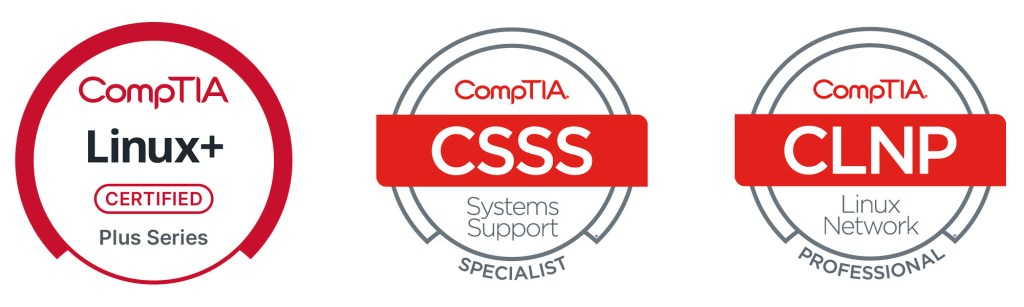
It seems that the CSSS (CompTIA Systems Support Specialist) is awarded to those who hold the A+ and Linux+ certifications, and is a Specialist stackable certification. (I now hold the two in this category, with CIOS for A+ and Network+). The CNLP (CompTIA Linux Network Professional) is a Professional stackable certification, and is awarded those who hold Network+ and Server+. (there are two others in this category, for which I would need to pass Server+ and Cloud+).
While I do not know that I will pursue the Server+ certification, the Cloud+ would also earn the CSCP (CompTIA Secure Cloud Professional) stackable cert. The exam I should really pursue as a cybersecurity professional, however, is PenTest+, which will earn me two Professional level stackables (CNVAP (CompTIA Network Vulnerability Professional) and CNSP (CompTIA Network Security Professional), as well as the other Expert level stackable that I don’t hold (CSIE – CompTIA Secure Infrastructure Expert).
I have spoken at length about the difficulty of finding the right candidate to fit a position. I have told both candidates and employers that one advantage of certifications is that when you know what combination of skills you need, they can connect you to the appropriate candidates to fill the role. Stackable certifications can help guide both the candidate and the employer in reaching the right match. Rather than saying ‘We need a network professional who is conversant in Linux’ they need only look for the CLNP credential.
While stackable certifications are another credential that can be shared on a CV or profile, they are not really new. When I first started getting certified, my goal was to earn the MCSE (Microsoft Certified Systems Engineer) certification. To do so, I first had to earn my MCP (Microsoft Certified Professional), and then my MCSA (Microsoft Certified Systems Administrator). Before I started out, there were MCSE specialties if I recall… possibly for Exchange Server and SQL Server. In any case, the different MCP exams stacked into the MCSA and then MCSE. CompTIA has simply brought them back into my life… and named them for me 
Conclusion
Certifications are a great way to learn and to advance your career. Stackable certifications are a way for you to guide your learning in a particular direction, and for employers to seek out the right candidates for positions without requiring three or four different certifications listed. ‘We need s CompTIA Secure Infrastructure Specialist’ is the same as saying ‘The prerequisites for the position are A+, Network+, and Security+.’ Those who have them will know… and those who don’t might do some research so that they can pursue the missing pieces to be a better candidate.
]]>I logged in with my local administrator account without issue, and received a message that read “‘”the trust relationship between this workstation and domain failed.” Cr@p. In a workstation this is usually pretty easy to fix, but I was concerned that for a server that was running a utility that directly required connectivity to the Active Directory domain there might be complications. Before I simply unjoined and then rejoined the domain, I tried some troubleshooting steps.
I ran the Test-ComputerSecureChannel cmdlet in PowerShell. Not surprisingly, it returned False. We knew that was going to happen, right? Okay, I then tried the Reset-ComputerMachinePassword cmdlet, which should have fixed the issue. Unfortunately, that did not solve the issue.
I was going to have to unjoin and then rejoin the domain. No problem, right? Wrong. It blocked me from doing so. I realized I might need to clean up my Active Directory, deleting the previous computer account. That should work, right?
Wrong. This was getting sticky. I did not want to spend any time today on this, let alone the time I would need to build a new server, clean out the cloud side of the connection, and then reestablish the link. Please, don’t make me do that!
Before doing that, I tried one more thing. I renamed the computer. I first tried to rename the computer and join the domain in the same step, but that did not work. As a last resort, I renamed the computer, rebooted, and then tried to join the domain. Success. Phew!
I went through several troubleshooting steps for the connection, and realized it was synchronizing properly. Double Phew!
(I did take the opportunity to upgrade my Entra Connect Sync to the latest version, but only once I knew that the issue was resolved).
Conclusion
Active Directory is and has been for over two decades a rock-solid LDAP-based directory infrastructure tool, but occasionally issues can arise that, if you do not know what you are doing, can be quite time consuming to resolve. While I did not really have the time on this particular day to deal this problem, I know that if that connection was broken, my infrastructure might be one step closer to crashing completely… and if I did not want to spend thirty minutes dealing with this issue, I certainly did not have the time on this day to spend the eight hours that it would require to rebuild my entire home lab from the ground up.
A stitch in time saves nine, as the saying goes. Don’t ignore little problems and wait for them to become major problems.
]]>I read a great quote recently: The best time to plant a tree is twenty years ago; the next best time is now.
It is absolutely true… the best time to start thinking about security is at the beginning of your project. If you didn’t, then start thinking about it now and start implementing it now. Your systems are open? secure them. Harden them. Do what you can do and get it done. Yes, it will be more difficult… but that does not mean you shouldn’t do it.
]]>As I commiserated over the situation with a colleague, they asked me how could I let it happen? I asked what he meant, and they said ‘You are his friend… you are the person he has usually turned to for advice on his computer. You are a cybersecurity guy. How could you let this happen?
To a greater or lesser extent, the colleague is right. I have been my friend’s computer guy for a decade. My friend is one of the few people for whom I am happy to work and consult for free… no exceptions. With that said, I take zero responsibility or blame for what happened. Why not? In order for my advice to work, you have to follow it.
- You have to change your passwords regularly.
- You can never share your passwords with anyone. No my friend, not even with me. Yes I am glad that you trust me with your life… please do not entrust me with your passwords.
- You must use different passwords on every account. No, there are no exceptions to that rule either.
- If you have ever entered your password onto a device that has been stolen or compromised then yo must change that password immediately.
None of these points are particularly insightful. They are all common sense. The following conversation happened a couple of months ago:
Mitch: Friend, you need to install an authenticator app on your phone.
Friend: My phone is too old… it won’t support it. Also, I do not want to have anything on my phone.
Mitch: We can look at other ways of implementing multifactor authentication, such as text codes.
Friend: All of this is too complicated. I simply want to be able to use my email. I don’t want any of these extra steps.
Mitch: Friend, I cannot keep you safe if you won’t take my simple advice. These steps will add an extra second or two to your day, but can keep you safe.
Friend: Why are you worried? There are only a few people I trust with my email.
Mitch: Yes but the list of people who have had access to your email includes someone that you used to trust but don’t trust anymore.
Friend: Don’t worry, I changed the password like you told me to.
Mitch: From what I can tell, you have three or four passwords that you use for everything. Please pick something completely new.
Friend: You are a good friend. Thank you!
My mistake was thinking that he meant, ‘You are a good friend. Thank you, I’ll do that!’ No, that is not what he meant. He meant ‘You are a good friend but you worry too much about these things, and my way is just fine for me.’
I have been told that I am pretty good at cybersecurity. I do not feel that I need to pull out my curriculum vitae for any of my readers to know that. Even were I not certified up the wazoo for large enterprises, and even if I did not consult for and teach government agencies and militaries, then I would still be pretty adept at protecting individual users. Use hard-to-guess passwords. Don’t share those passwords. Use Multifactor Authentication (MFA). Apply security patches in a timely manner. Don’t click on links in scam e-mails (and here is what to look for, but if you are ever unsure then forward it to me and I’ll tell you. The list goes on, but is really just a lot of common sense. All of it really does – no, but should – go without saying. Staying safe in the digital age takes a bit of extra work… but it is absolutely worth the effort and energy required.
Three weeks ago I was frustrated with something my friend said and I told him in exasperation that he needed to swap out his smart phone for something new enough to support the security that he needs. He yelled at me for disrespecting him and his phone, and then hung up on me. It took him three days to get him to speak with me again. I felt horrible for losing my patience with him. I’ll bet you a shekel that he now wishes that he had followed all of my advice that day.
There is a huge difference between hearing what you need to do and doing what you need to do. My friend heard… he did not do. Like so many people out there, he vastly underestimated the consequences of a security breach, and he probably ‘knew’ that it would never happen to him.
Where does that leave us? This morning I had to instruct a very close friend that his only course of action was to call the police on a close family member. It broke my heart. It broke my friend’s heart. While there is nothing more that I can do, and while I will lose even more sleep over the terrible situation that my friend finds himself in, I will not take any blame for myself. I did not tie my friend to a chair and yell at him to follow my advice or else. He is an adult, and while as his friend it is my duty to tell him what he should do, I cannot then tell him that he must do it… and then watch over him as he does it. You can lead a horse to water but you cannot make him drink.
Staying safe online is not rocket science, and it does not require degrees or certifications or higher education. It simply requires a healthy dose of common sense mixed with a basic understanding of what the consequences of a breach can be. A very basic meatspace** analogy would be crossing the street: Children may not know why we have to cross at the crosswalk, wait for the signal, and even then we look both ways before crossing the street; when we explain to them that by not doing so we risk getting hit by a car and getting extremely hurt or even dying, they will then hopefully follow the basic common sense precautions. In cyberspace we think we are safe… despite hearing myriad horror stories of people getting hacked, having their bank accounts emptied, their identities stolen, their reputations ruined… but they still don’t see the danger despite everything we tell them. It is frustrating – it is often infuriating. We have to simply continue to tell them about the importance of staying safe online… and hope that the message starts to sink in. With our kids we can force them to hold our hands when we are crossing the street… until they are too old for that and we have to just let them out into the world and trust that they learned the lesson. With our friends… they are already too old for that, and we have to hope and pray… and then we help them to pick up the pieces after they have been splattered all over the cyber road by the proverbial cyber (lower case, no reference to any actual product intended!) truck.
Conclusion
The first time I ever delivered a lecture on password complexity was nearly twenty-five years ago. It was a lunch-and-learn seminar at the office of the small security company where I was working. Has my advice changed since then? I don’t know is changed is the right word; it has certainly evolved slightly with the advent of multifactor authentication. Have the stakes changed? Absolutely. How so? There were people banking online in the year 2000… but not many of them. the concept of social media existed… but there were no huge platforms like Facebook, Instagram, or Twitter/X. Friendster and MySpace came to the Internet in 2002/2003, but the social media platforms from 2000 were all sites you have probably never heard of… SixDegrees.com, Bolt, and Xanga as three examples (yes, I had to look them up). In that year there were only 361 Million Internet users worldwide… hardly enough to steal an election or manipulate entire generations. Your entire life is online, whether you like it or not.
The long and the short of it is that when people like me tell you that secure passwords are important it is not because we get paid to nag you; it is because secure passwords are important. Your lives, your livelihoods, your everything is at stake. Listen to us, we are not shouting these messages from the rooftops for our health or because we enjoy nagging you. It is because we care about you. We care about the integrity of the online world… and we are sick and tired of sharing the horror stories of friends who refused to listen to us until it was too late.
**The term ‘Meatspace’ dates from the mid-1990s to mean the real (physical) world, as opposed to the on-line Cyberspace.
]]>Whatever term we use, unsupported operating systems and applications are a huge security risk. Simply put: when a vulnerability is discovered in supported software, the developer can create and distribute a security patch that will address the vulnerability. If a vulnerability is discovered in unsupported software then the developer will not patch it, and any deployed instances of the software will forever be vulnerable.
This is a serious enough issue that any security-minded company will have a policy that states that no unsupported software may be used. This covers both the end of life but also the pre-release (beta) versions of software.
For nearly four years prior to April 8, 2014 I tweeted every day how many days there were until the end of support for Windows XP. My #EndOfDaysXP tag was retweeted far and wide. It was, hands down, the longest-lived operating system the company had released – from the day it was launched (October 25, 2001) it was supported for just under 12.5 years. Microsoft Canada had me criss-crossing the country for three years teaching Windows 7 deployment, and helping to convince companies and individuals to retire their Windows XP (which was never very secure in the first place). I spent so much time and effort evangelizing the effort that when it did happen the Microsoft Canada Partner team gifted me a ‘gold’ Seiko watch with the words ‘Happy Retirement Windows XP’ on the back. I still have it.
There was nowhere near the same kind of fanfare leading up to Tuesday October 14 – a little over a week ago – or at least I did not notice it if there was. However that was the day that Windows 10 was launched. It was touted at the time as the last desktop operating system that Microsoft would release – it marked the shift toward the Windows as a Service model, and so while they would release two new versions every year, it would always be under the Windows 10 name and so, while Windows 10 was technically fourteen different versions of the operating system, it was technically only the one. Microsoft’s ‘last operating system’ was actually supported for less time that Windows XP had been… a little under 10.25 years.

The point of this article is not to wax nostalgic about the quiet demise of Windows 10. If my experience has taught me anything, it is that we will be seeing Windows 10 in the wild for many years to come. Why am I so sure? Because I still see Windows 7 regularly (EOSL January 14, 2020)… and from time to time I even come across the odd Windows XP machine.
If we are being honest, the only reason Microsoft transitioned us from Windows 10 to Windows 11 is because they wanted to be able to enforce security requirements that leveraged features of newer hardware. Their Windows as a Service model that had us all getting the new release on Patch Tuesday worked smoothly… until they realized that to enforce those security requirements on computers with incompatible hardware might well have rendered tens or even hundreds of millions of computers inoperable overnight. They knew that was simply not an option. However… if they released a “new” operating system with stronger security requirements, then users with newer machines would be able to update smoothly… and users with older hardware that did not meet the minimum requirements would be told that their computer was not eligible for the upgrade. From the day Windows 11 launched on October 5, 2021 they would have four years to upgrade their hardware… which is actually quite reasonable considering that by that time any computer that was not compatible with Windows 11 was already six years old… so by #EndOfDaysWin10 they would be eleven years old – the IT equivalent of an octogenarian.
I know from firsthand experience that there are still computers out there that do not meet the Windows 11 minimum hardware requirements, but are otherwise still perfect machines. I have one laptop that I acquired when I was still with Microsoft Canada that is an HP EliteBook with an i7 CPU and 32gb of RAM. Unfortunately it fails the hardware check – the i7 CPU is a 3rd generation i7 (Ivy Bridge) while Windows 11 only supports the 8th generation i7 (Whiskey Lake) or newer. It’s Trusted Platform Module (TPM) also fails to make the cut because only TPM 2.0 is supported, not my HP’s older TPM 1.2. I also know that despite these failings, the computer is perfectly capable of running Windows 10 without any issues… until the wheels fall off to use an old trope.**
In the 1960s IBM guaranteed purchasers that their computers would remain current for a minimum of seven (7) years. That was quite reasonable to expect, considering that the price of a mid-range System/360 Model 40 could run you USD$250,000. Today we are buying computers for under $1000 and expecting them to be current forever. That is not reasonable, and I have always understood why Microsoft releases new operating systems on the cadence that they do. For the first twenty or so years of the personal computer we saw exponential increases in the CPU speed. Moore’s Law (1975 version) stated that the number of transistors on a microchip would double every two years, which effectively meant the speed would be double. While it was not the latest and greatest on the market, I purchased my first PC (the first one running an Intel CPU and MS-DOS) in 1988, and its speed was 12MHz. Nine years later I purchased my fist PC with a 1.2GHz CPU – an increase of a factor of 100 in just nine years.
Seeing an increase like that in the period from 1988-1997, it would stand to reason that by the year 2025 we should have been measuring CPU speeds in Terahertz… alas, we are not. The fastest commercially available Intel CPU is the Intel Core Ultra 9 285K with a base clock speed of 3.7GHz and a boosted clock speed of up to 5.7GHz. That second speed is less than four times the speed of that CPU from 1997.
When and why did we slow down? We didn’t… we just started using new measures for advancement other than simple clock speed. That Intel Ultra 9 has 24 cores which means it is able to run 24 processes simultaneously as if it were 24 separate CPUs. This was a huge improvement over the single-core CPUs when it comes to multithreading and virtualization. They also include myriad security features that allow functionality such as Secure Boot and Credential Protection which greatly improved the value of the CPU without actually increasing the speed. So yes, the clock speed increases have slowed down but the technology improvements have been incredible. Thanks to these our operating systems and CPUs can offer the user security that was simply not even a dream twenty years ago.
It is these security features that Microsoft’s latest operating system – Windows 11 – requires to ensure a secure computing experience for the user. Does that mean there are no longer any threats? Of course not… because we as an industry can throw every security feature out there and there will always be human error and people vulnerable to social engineering attacks. ‘If you just press this then luck will follow!’ I can assure you that it is not good luck of which they speak.
As the era of Windows 10 fades in the rearview mirror we will continue to see improvements to the technologies we use on a daily basis. Last week Windows Update upgraded my primary system to Windows 11 25H2; there are numerous security improvements in the latest offering, but I doubt that most users will notice anything new. Improvements to the kernel security may be interesting to the geekiest of geeks, but I doubt even I would be able to see the relevance. I am sure I would have noticed that PowerShell 2.0 and WMIC (Windows Management Instrumentation Command-Line) were removed, but I hardly ever use WMIC, and I am perfectly content with the combination of PowerShell 5.1 (installed by default) and PowerShell 7.5.4 (don’t ask why we need both) and won’t miss PowerShell 2.0 one bit. I like the better enterprise-level policy controls we have… but again, end users won’t care.
Conclusion
For all of the people who complain about new versions of operating systems and applications, let me assure you that your experience as an end user may be a bother but it is nowhere near on the scale of what we as IT professionals – and especially IT professionals who specialize in cybersecurity – need to contend with. That is not to say that your issues are not real but they are likely mostly cosmetic. Under the hood we have to learn how the new pieces work so that we can give you the best and most secure experience that we can. If you find yourself nostalgic for Windows 7 or wonder why you need to purchase a new computer to run Windows 11 now that your Windows 10 is no longer supported (but seems to be otherwise completely functional) then please understand that we have very good reasons for these upgrades and our suggestions, while possibly inconvenient and even costly to you, will in the end ensure that we can continue to keep you safe and secure…
…as long as you don’t click THAT button!
**Someone is going to tell me that I can do this or that to jerry-rig Windows 11 to work on the system. I know, and I am not doing that. Others will tell me that I can continue using Windows 10 version 22H2 without any issues. I’m not going to do that either. Why not, you may ask? I’m a cybersecurity guy. I am still using the laptop, but it is running a Server OS and it is simply a backup to my two rack-mounted servers in case of a really weird outage.
]]>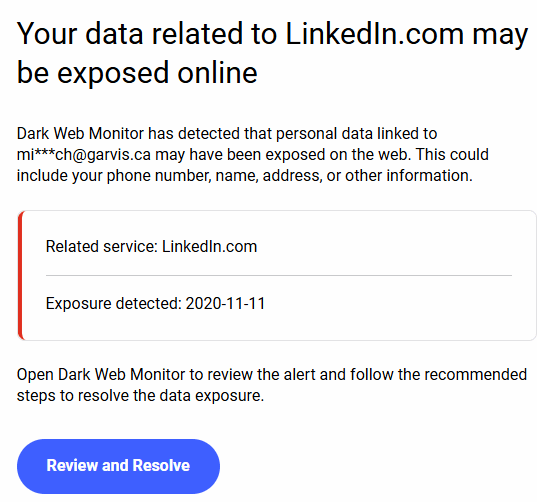
Let me be clear: these emails are quite important, and you should be paying close attention to them. With that said, this particular exposure was from nearly five years ago. If you have a password that is that old then maybe you deserve to be compromised?
With multifactor authentication we have improved the security of our accounts… somewhat. With that said, it is still important to use complex passwords and to change them on a regular basis. If you are using a password vault then it might be able to help you to automate your password changes. It will certainly allow you to chose long, complex, and unique passwords for every site… and not reuse the same password for every one. No Rick & Munchkin, the name of your cat is never a good password… and when prompted to change it choosing the name of your other cat is worse.
Passwords get compromised. It is often not your fault that someone gets access to a password list. You can mitigate these compromises by:
- Choosing long and complex passwords. ‘That ‘Complex’ means that you will have at least one upper case letter, one lower case letter, one number, and one special character. How long is long? At least fifteen characters, but longer is better.
- Do not use dictionary words or common names. You are not fooling anyone by replacing the A with an @, or your I with a 1. This is called ‘leet speak’ and is a term coined by the industrial ancestors of the very people you are trying to prevent from stealing your information.
- While you are at it… don’t use anything resembling your company name, or anything to do with your hobbies. It will surprise only some of you that the word CIGAR does not appear in any of my passwords in any form.
- Change your passwords often. If that sounds like a daunting task considering how many passwords you have, then think of what those passwords are protecting. Things like your bank account, your social media accounts, your email, and so much more… everything that the cyber threat actors need to impersonate you, steal your identity, steal your money, and ruin your credit and reputation.
- Do not share your passwords… with anyone! I cannot believe how many times I have to repeat this and still people think it’s a good idea to share them. DON’T DO IT! Passwords are like underwear: Nobody should see them, change them often, and do not share them!
- Do not write your passwords down! I have been saying for more than twenty years that the number one threat to cybersecurity was the Post-It Note. This is, of course, an exaggeration… but only a slight one. Do not write your passwords down. Yes, you can use a secured Password Vault to keep them straight. No, I will not recommend one… unless a company whose product I trust decides to sponsor me.
- So many sites are now allowing you to enable multifactor authentication. This means that they will ask you to enter a code they send to your phone, or use an authenticator app, or any of a number of other options. Yes, it is an extra step. You might even think it is inconvenient. It can also be the difference between a hacker getting into your account… and not.
These are seven easy steps that, if you follow them, can improve your security posture. Please note that I am not saying that they will keep you secure or that you will be immune from hacking… there is so much more to it than that. However, taking these easy steps will make you somewhat safer.
There is a quote that I use when I teach that I have grown fond of: Security should cause healthy friction. Yes, it is more than you once needed to do, and yes, it takes a few more seconds… and requires planning. It might even require you to spend a couple of hours every few months changing passwords (which a good password vault should mitigate). We live in an online world, and statistically you are probably more likely to have your money stolen online than in person.
Our world has changed in my lifetime. Okay, the first email was sent the year before I was born, but I was ten years old when SMTP (Simple Mail Transfer Protocol), and the World Wide Web (WWW) was launched when I was nineteen. When I was in high school I read books about us living a computerized life and they were absolute science fiction.
The world we live in has surpassed many of those fantasies, and there is not one person in the modern world who does not use the Internet in some fashion… and if there is someone like that then they are definitely not reading this article so we can talk about them. The point is, if we are going to do our banking and shopping online… if we are going to socialize and date and fall in love online… then we should have the respect for these systems to take the necessary precautions to keep ourselves safe.
In the early 2010s the US government tried to legislate cybersecurity requirements to companies, but the idea was defeated by a strong business lobby. In response to that, the President signed Executive Order 13636 which ordered the National Institute of Standards and Technology (NIST) to create the Cybersecurity Framework (CSF). The CSF is a voluntary framework that companies can follow to improve the cybersecurity posture of their critical infrastructure. The companies cannot force security upon you… they can only give you the tools to be secure. Most of them do. Use them.
]]>When I laughed he asked me what was so amusing? I explained to him that most large organizations have a cybersecurity department that holds the overall responsibility of cybersecurity, but that does not change the fact that anyone at the level we are discussing – in fact, anyone at any respectable level in the IT space – must be, to at least some degree, a security person. There are absolutely no exceptions to that rule.
In the modern world there are too many threats to our organizational integrity to not think about security in everything we do. A few examples:
- An IAM manager should not create accounts or grant access without the due diligence to ensure the account is authorized, that it follows the principle of least privilege, and that the credentials are shared in a secure manner.
- A server administrator cannot deploy a server without hardening it, deploying proper protections, and ensuring that it is properly patched and maintained.
- An application developer cannot develop code that is not secure and then hope that cyber threat actors would not find the weaknesses.
The list goes on and on. Cybersecurity is everyone’s business, and while not everyone needs to be a CISSP, every single IT professional needs to be well versed in secure computing. Come to think of it, so should be every single computer user.
In the physical world it is easy to see where dangers may lurk, and if you are aware it is possible to reduce the risk of falling pray to them.. We look both ways before crossing the street with the signal so we won’t get hit by cars; we don’t walk in dangerous neighbourhoods. The list goes on, but in truth the threats in the physical world (what some call meat space) are quite limited in comparison to the threats in cyber space. A burglar needs to be in your immediate geography; a cyber intruder can be on the other side of the planet.
You get the picture. We need to educate ourselves and our users of the steps we need to take to keep ourselves safe… but before we do that we need to be sure that the systems that we implement are secure. We cannot ask them to keep our data secure if the systems we give them to use are not secure.
I currently have at least eight cybersecurity certifications. That might make me more of a ‘security person’ than the average candidate for the position in question; that does not mean that every other candidate should not be at least a little bit of a security person. At the very least, they should take a Security+ class. At the very least, go through the ISC2 training to become Certified in Cybersecurity. Why? None of us know what we do not know. Cybersecurity is everyone’s business. A user who does not take care of their system is a disaster waiting to happen for the organization; an IT administrator who does not make sure the systems are as secure as they can be is, with today’s threat landscape, is turning your business into the easiest target for every cyber criminal out there.
]]>While I have been taking IT certification courses and exams for nearly twenty-five years, it was only in 2022 that I sat my first cybersecurity exam. I have not looked back, and since then I have passed ten exams with the word Security in the title. Well… nine, really… but the tenth was a prerequisite for another cybersecurity certification so I count it. Until a couple of years ago, when asked what I do for a living I would answer that I was an IT Professional. Now I tell people that I consult in and teach cybersecurity.
Until a year ago I only held cyber certifications from CompTIA and Mile2. It was only when a learning partner that I do a lot of teaching for said ‘Hey Mitch, how would you like to take some ISC2 courses so you can eventually teach them?’ that I finally recognized that just as in security technologies, vendor heterogeneity in certifications is a very good idea… especially since I have been focusing so heavily on cybersecurity these last few years.
I took the CCSP (Certified Cloud Security Professional) course first but shortly thereafter I found out about the ‘One Million Certified’ promise for the CC cert (Certified in Cybersecurity) and decided to sit that exam first. I spent a weekend going through the material and then sat the exam on Wednesday… nearly two weeks before I was scheduled to sit the CCSP exam. I did not find it to be a very challenging exam… but then, I’ve been teaching most of this stuff (and at a higher level) for years… why would I be challenged by it?
Since sitting that exam I have taught twenty-four classes. Only one of those classes was a CC class. I have told every student in twenty-three classes about the free ISC2 CC training and exam voucher. I have no idea how many of those students have followed through, but I have told them that the $50 AMF (Annual Maintenance Fee) for ISC2 is absolutely worth the money… especially if they are trying to embark upon a new career in cyber, or are refocusing their IT career that way. ‘Yes, you are sitting CompTIA Security+ this week and passing the exam will give you a great CompTIA cert. The CC gives you a great ISC2 cert, and membership in a completely information-security focused organization.’
I joke with them that CC is a gateway cert… like your first hit of a drug that a dealer gives you for free, once you try it you are going to want more and more. Unlike the drugs, the more certifications you have, the more you will want… and the better off you will be. Hey, in 2001 when I signed up for my MCSE classes I was under the misguided impression that I would pass those seven exams and I would never need to take another one. Just look at how that worked out (113 exams later).
Certified in Cybersecurity is a gateway cert to cybersecurity, but if you are already involved (even tangentially) in the IT field then it is a gateway cert into ISC2. I make sure that every one of my students – whether I am teaching them Security+, SecurityX, A+, or Microsoft Endpoint Administration – hears about it. Why? Because I tell my students that there are two ways of doing IT: my way, and the wrong way. In 2025 if you are an IT Pro at any level and you are not doing things securely then put away the computer and open a hotdog stand. We don’t all need to be CISSPs… but there is absolutely no reason in the world for any IT Professional to not have their CC.
By the way… looking at the gateway cert analogy: I took the CC exam in November. Since then I have achieved two more ISC2 certifications – CCSP in January, and CISSP (Certified Information Systems Security Professional) in August. They were much more difficult and much more advanced, but I want to keep going. I want more! My next ISC2 cert? I know what it will be, but I will share it only once I earn it. Also, please be aware that while the CC exam voucher is free through this program, the CCSP exam costs USD$599, and the CISSP is USD$749. With that said, those certifications truly increase your value in the job market.
Conclusion
Cybersecurity is everyone’s business and it is everyone’s responsibility. In your organization, the CISO (Chief Information Security Officer) might be the one who is ultimately responsible for data security, but if any employee compromises that security they will likely first be assigned education and learning, and for subsequent they can expect disciplinary action up to and including dismissal for cause. It is up to all of us to ensure that our systems are safe and secure. We cannot simply expect our people to know how to do that, so education is the key. For IT Professionals this course and the associated certification are a great way to ensure they learn what they need to learn the right way, and by passing the exam they will have demonstrated that they understand the concepts.
]]>With that in mind, even for those of us who lived through the era (I was a young adult in the 1990s), it might be hard to fathom that between 1997 and 1999 fifty percent (50%) of all CDs pressed were by America Online (AOL). They did not contain music, rather they were one of the greatest ad campaigns of the era. ‘Here’s a disc that will get you started with the Internet, including X number of hours for free!’
For many years AOL was America’s (and possibly the world’s) foremost Internet Service Provider (ISP). Their dial-up service was available in nearly every area code in North America, and if you were not covered then there were toll-free 800- numbers.
I cannot recall the last time I used a computer modem. From the age of thirteen (1985) until the year 2000 my computer – starting with my Apple //e at 300bps and right through to my last PC-compatible with a 32-bit Pentium processor at 57,600bps – always had one, and I used it to connect my computer to the outside world. I started out with electronic bulletin board systems (BBSes) and would eventually (in 1995) begin dialing into the Internet. In 2000 when I started studying for my Microsoft Certified Systems Engineer (MCSE) certification I made the switch from TotalNet dial-up Internet to a Videotron cable modem… and once I finally experienced the speed I would never look back.
My journey to high-speed internet was, as with many things related to computers, probably ahead of most people. With that said, it would not be too much longer before customers around the world would begin to make the switch from dial-up to DSL or Cable Internet. As I sit here pondering I cannot remember the last time I was even asked to support anyone who had dial-up Internet. I forgot that it even existed.
That is why I was surprised this week to see a headline come across my LinkedIn feed that read AOL to end dial-up Internet service.
Who would have realized that in 2023 (the last time the survey was taken) across North America there were still 160,000 Americans still using AOL’s dial-up Internet. It’s true.
There was no big announcement – why would there be, as AOL has no follow-up to it from which it would profit. Earlier this week they quietly announced that on September 30, 2025 AOL will be shutting down their dial-up service.
It is an end of an era for certain. Commercial dial-up Internet Service Providers (ISPs) were first introduced in 1989, but the World Wide Web (www) only became publicly available on August 6, 1991, and the first browser to display images inline with text (Mosaic browser) was only released in 1993, which is when the Internet as most of us know it was finally beginning to develop. The tipping point was the late 1990s and early 2000s… in 1995 there were about 44 Million users on the Internet, but that would reach 500 Million by 2001 and by 2005 it would surpass One Billion.
I do not know when the balance tipped from dial-up to high-speed Internet, but I would bet that it was long after the year 2001… that’s just around when I stopped seeing it. As I stated earlier, the latest data is from 2003 which had 175,000 users on dial-up (Of which most were on AOL). According to that survey, most of those users were in rural areas where broadband service is unavailable. I wonder what will happen to those users on September 30.
I do not miss dial-up Internet any more than I miss rotary phones. The end of AOL’s dial-up service will not affect me, but like so many other technologies that have come and gone I remember when I had it, and I remember when I stopped using it. I may not miss it… but that does not mean that I cannot be a bit nostalgic about it.
While I did briefly use AOL Messenger, and I used ICQ for well over a decade (from well before the time AOL acquired them), I do not think I ever dialed into AOL. After a couple of ISPs in Israel (both of which I piggybacked off of friends) I came back to Canada and used TotalNet for a few years until Willem convinced me that I should go for the Videotron cable modem. That was twenty-five years ago. It did not occur to me until earlier today that I cannot even remember the last time I had a modem in my computer, let alone a landline to connect it to. It’s been a long time for sure.
I remember getting my first modem for my own computer for my fourteenth birthday. Prior to that, I had only used a friend’s. From that time, I had one in every computer I ever owned through at least 2001… but when did that actually stop? I know that I still wanted to have a modem even after I got high-speed Internet because it allowed me to send faxes and to connect to corporate VPNs (back then RADIUS really did rely on the Dial-In that is part of its name). The import of them just… faded away without my ever realizing it. I guess that happened to most computer users at some point.
Goodbye to AOL’s dialup Internet… I may never have known you, but I was for many years intimately familiar with your cousins in Israel and Canada.
]]>On June 23 I provisioned a Microsoft Security Copilot (https://securitycopilot.microsoft.com) environment so that I could try it out as I prepared to teach a course that goes into it the following day. Not expecting I would need more, on the Create a Seucirty capacity page I provisioned forty (40) Security Compute Units (SCUs). As you can see on the screen capture, at $4 per unit, that would cost $160.

Because there is no lab for this course I used my personal Azure environment (which I use almost exclusively for training). With my monthly $150 MCT Azure credit, I have almost never had a bill at the end of the month that was not Zero Dollars.
It is important to be aware that while the billing cycle is June 1-30, the invoice is only issued on July 23.
The morning of July 23rd I received an email from Microsoft Azure with the title: ‘Payment is past due—please contact your admin to avoid service disruption.’ I had never seen this before, so I took a break from my exam prep to open my Azure portal. I am glad my heart is strong because I might have had a coronary right then and there.
The June invoice was for $7,056.22 (taxes included). Digging into my Cost Analysis page, my July Month to Date usage was $21,761.17, with a forecast cost of $28,937.38 (plus tax). All numbers cited are in US Dollars.
I had an extremely stressful exam to sit two hours later, and while this could have forced me into bankruptcy, I needed to focus. The only immediate step I took was to delete every resource that I had in Azure to stop the bleeding.
(For the record, I have no idea how… but I passed my exam.)
When I was finally able to open a support ticket with Microsoft (which is not easy when you do not pay for a monthly support contract with Azure), the first support agent was happy to explain it to me… Secure Compute Units (SCU), which must be purchased to use Security Copilot, are billed hourly… whether or not you use them. In other words: from the day I provisioned Security Copilot through the morning of July 23 I was being billed $960 per day for… nothing.
After several phone calls and nineteen emails back and forth, several escalations and appeals, yesterday afternoon I received an email that Microsoft has reduced what I must pay from nearly $30,000 to $2,002.70 ($1,828.21 plus tax). How they came up with that number I do not know.
To make sure you don’t think I somehow dropped the ball and screwed up on this one:
- The term SCU exists on precisely one slide of the courseware for Course MD-4011 – Slide 29. The sentence reads: ‘Azure IAM roles control access to Azure resources, like Security Capacity Units (SCU) within a resource group.’ Neither the term nor the acronym do not come up anywhere else in a search of the PowerPoint deck. The word hour is not in the courseware at all.
- On the Create a Security Capacity page in the portal (Microsoft Security Copilot) there is no mention of hourly billing.
- On that same page, in small print, there is a link to Learn more about security compute units. It opens to the link Microsoft Security Copilot – Pricing | Microsoft Azure. While the cost of the SCUs is in large print, you have to read the very fine print footnote that reads: “1Provisioned capacity (minimum 1) is priced per hour and billed monthly.”

I have had a (mostly) great relationship with Microsoft for nearly twenty-five years. I have evangelized their products and solutions in many capacities since earning the title Microsoft Certified Trainer in 2006. I have defended the company’s position, direction, and decisions many times, and when I did not agree with them I have disagreed respectfully. So it will come as a surprise to anyone who knows me or knows of me that I am confident in saying that in this instance this is an absolute scam, and the Microsoft Corporation is perpetrating a fraud on its customers. What they are doing with these Secure Compute Units (alternately referred to as Security Capacity Units) is criminally dishonest.
As far as I am concerned, Microsoft should not only cancel every single penny that they are still billing me for this, but should also compensate me for all of the time that I had to spend in trying to resolve the issue. If I was to take them to court (which I am absolutely not doing) I would also expect both punitive damages and compensation for pain and suffering. I can assure you that I will get nothing from them… which is the thanks that I get for more than twenty years their strongest and loudest advocate.
Of course, this incident will not cause me to sever my ties to Microsoft. I have been Microsoft Certified since March 30, 2003 and a Microsoft Certified Trainer (MCT) since July 20, 2006. In that time, I have passed 54 exams and I hold 23 active certifications and 20 historical ones. The number of Microsoft classes that I have taught would be nearly impossible to count. I couldn’t imagine switching from Windows to Linux or Mac, or from Microsoft 365 Apps to Open Office or any other alternative. I am not walking away from the company (who would not notice my absence, but would require tremendous changes on my part). I am simply pointing out that this one issue is absolutely terrible and dishonest, and everyone should be aware of it before they accidentally find themselves on the verge of bankruptcy for Microsoft’s deception and dishonesty with regard to Security Copilot.
…See? I told you I’ve never written about them like this!
While I am disgusted by Microsoft for this issue (and for not clearing the slate completely) I would still like to take a moment to thank the Support Engineers who helped me with my ticket. Josue Rivera helped from the outset, and it was Cristian Canizalez who took over the last few days that Josue was away. They were helpful and professional, and I believe they helped me as much as they were able. Thanks guys!
]]>While the on-prem resources (and therefore IAM) are still vital to many businesses, so too is the cloud. The importance of limiting the number of credentials our users must maintain is great not only for them being able to remember their passwords, but for also for our organizational information security.
In order to bridge the two, we are going to use a tool called Entra Connect. For this we are going to create a machine running a supported edition of Windows Server. When I wrote my original article on the process I was using WIndows Server 2019; today I am using Windows Server 2025… despite some issues I have had with it in the past. It must be domain joined, While earlier versions may work, the recommendation is .NET v. 4.8 or later.
Before we even download the tool, we are going to take care of one pesky item… we have to disable the IE Enhanced Security Configuration on the server, In your Server Manager dashboard click on Configure this local server. In the right column you should see the option… click on the word On and turn it off (for both Users and Administrators).

Entra Connect is downloaded from your Microsoft Entra admin centre. When logged into the portal: in the navigation pane expand Entra ID then scroll to Entra Connect. In the main screen click the Manage tab, Under Manage from on-premises: Connect Sync click the button Download Connect Sync Tool.
**NOTE: There is an option to manage Cloud Sync from the cloud. This will not be covered in this article.
While AzureAD was renamed Entra ID in August 2023, and while the tool is now called Entra Connect, the downloaded file is still called AzureAdConnect.msi. Run the installer and make sure it installs completely. (I clicked install, accepted the UAC warning, and then walked away for two minutes. When I came back, I noticed there was a new UAC window on my screen; before I could click anything it ended the installation prematurely. My bad… don’t walk away, it’s a really quick install.)
To confirure Entra Connect Sync you will need:
- A domain account that is a member of the Enterprise Admins group; and
- An Entra ID account that is a member of the Hybrid Identity Administrators role.
Run the program (the icon on your desktop also still says Azure AD Connect).
If you have a simple AD domain then the Express Settings will probably be simpler. On the Express Settings page you can click Use express settings… or you can click Customize. My domain is pretty simple so for the article we are going to use the express settings… even though I know there is an issue I will have to fix when we’re done.
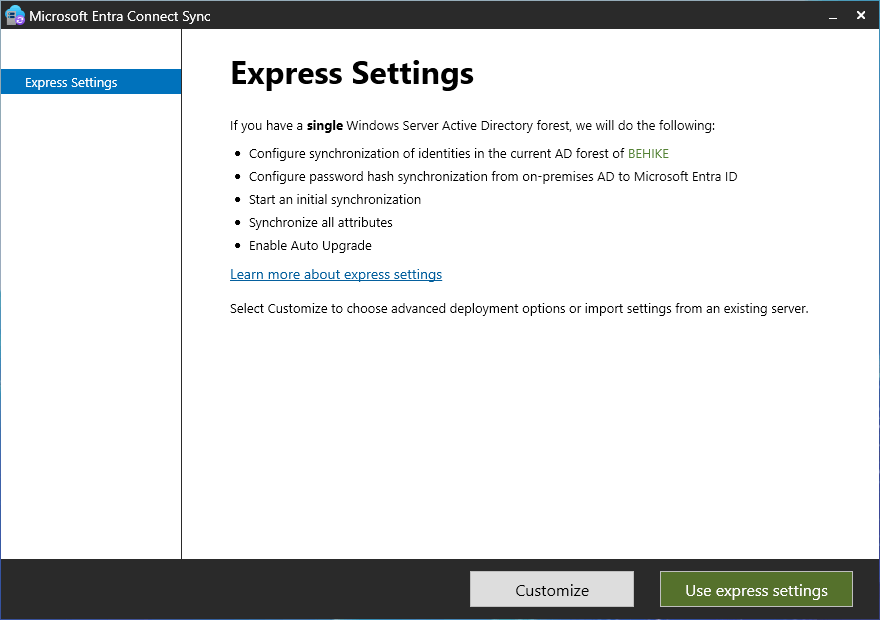
On the Connect to Microsoft Entra ID screen you need to enter the cloud credentials of a user in the Hybrid Identity Administrator role and then click Next.
On the Connect to AD DS screen you need to enter the domain credentials of a user in the Enterprise Administrators group.
The next screen will be the Microsoft Entra sign-in configuration screen. If you are using a different domain name on prem as you are in the cloud then you will have to be careful here. I know, for example, that while my internal domain name is Behike.ca, I use that name in a different tenant that is not connected to my main Entra tenant… rather than taking that all apart, I decided to map my online users to a diffent domain name. In order to do that, without having to go back and reconfigure things manually, I decided first to add that UPN (User Principal Name) to my Active Directory, using the following PowerShell cmdlet:
Get-ADForest | Set-ADForest -UPNSuffixes @{add=”cigars.hm”}
In any event, on this screen you will click Continue without matching… if you have a conflicting name (as I do)…

Once you get past here, the next screen will be Ready to configure. You will notice at the bottom of the list of what it is going to do, there is a checkbox that by default is checked that says Start the synchronization process when configuration completes. You can unselect it if you’d like, but I usually do not. Click install… and away we go!
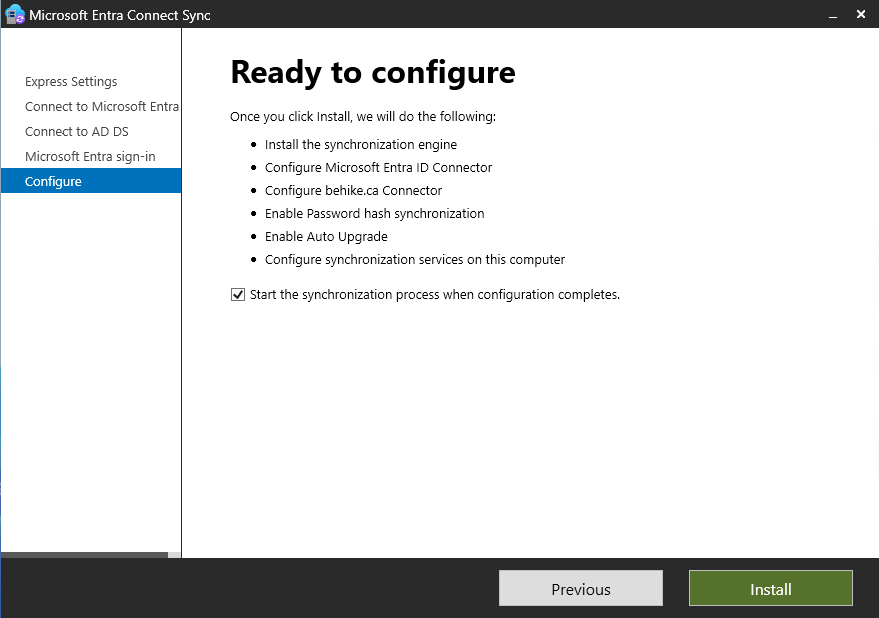
On the final screen (and yes, it will take a few minutes) it will give you any tips to improve your environment. You will see in mine that I have not enabled the AD Recycle Bin, which I will do quickly.
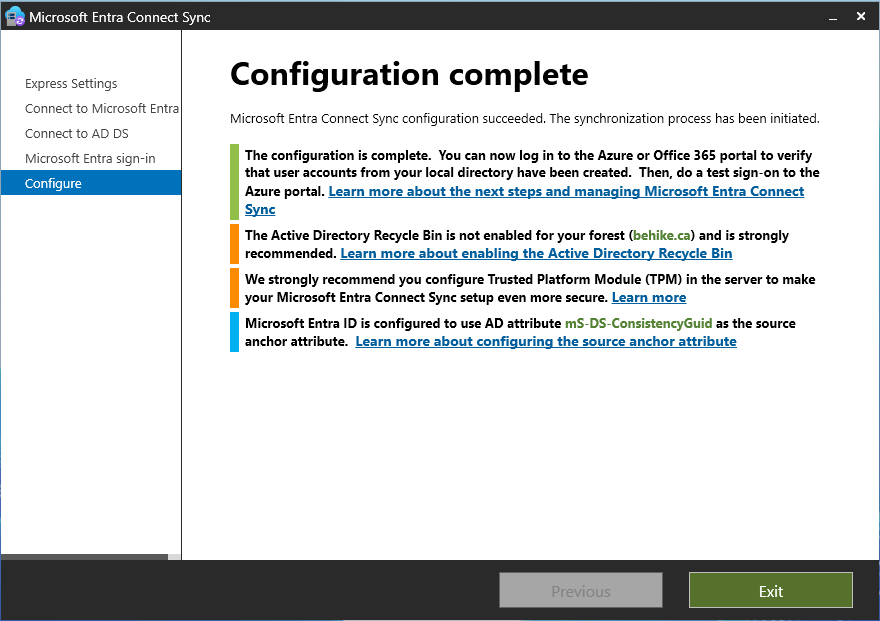
It is going to take a few minutes (or longer) for the synchronization to complete, but once it does you might still need to do some tweaking. The most common issue I come across is that users who should be [email protected] turn out to be [email protected]… that can be caused by any number of minor issues, and while they are all pretty simple fixes, many of them are pretty technical and that is not the topic of this article.
I can check in my Entra tenant that my on-premises synced objects were created… which I did by creating a filter for On-premises syn enabled == Yes. Voila!
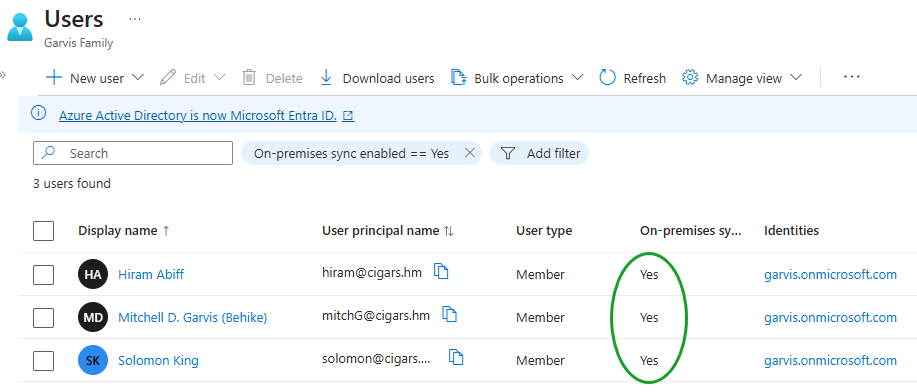
Conclusion
In this article we installed the Entra Connect tool, and configured it for a simple sync that connects our local AD DS domain to our cloud Entra tenant.
In my next article, I will walk you through the process of configuring your environment so that your workstations are both Active Directory joined and Entra ID joined. Stay tuned!
]]>