AI PaperChecker is a Streamlit-based web application designed to automate the grading of student answer sheets by comparing them with a provided answer key. The application utilizes pdfplumber for PDF text extraction, SentenceTransformer & OpenAI's Turbo GPT 3.5 model for semantic analysis and scoring.
- PDF Upload: Easily upload the answer key and student's answer sheet in PDF format.
- Text Extraction: Extracts text from PDFs using
pdfplumber. - Question and Answer Parsing: Automatically identifies and separates questions and answers from the answer key. Question Paper should be setted in a fix format.
- Semantic Comparison: Uses a pre-trained model from
sentence-transformersto compare student answers to the key. - AI-Powered Scoring: OpenAI's GPT model assigns scores based on content similarity, length, and correctness.
- Final Report: Generates a comprehensive report with marks and percentage for each question.
To run AI PaperChecker locally, follow these steps:
- Clone the Repository:
git clone https://github.com/Spy-boy-07/AnswerSheetChecker.git cd AnswerSheetChecker - Install Dependencies::
pip install openAI pdfplumber SentenceTransformer re streamlit
Replace API_KEY with your OpenAi's API key.
- Run the Application::
streamlit run app.py
- Upload PDFs: Upload the answer key and the student's answer sheet using the file uploaders.
- Process PDFs: Click the "Process PDFs" button to start the analysis.
- View Results: The app will display a detailed report with scores for each answer and the overall percentage.
- Input: PDF files for the answer key and student answer sheet.
- Output: A report with individual question scores and the total percentage.
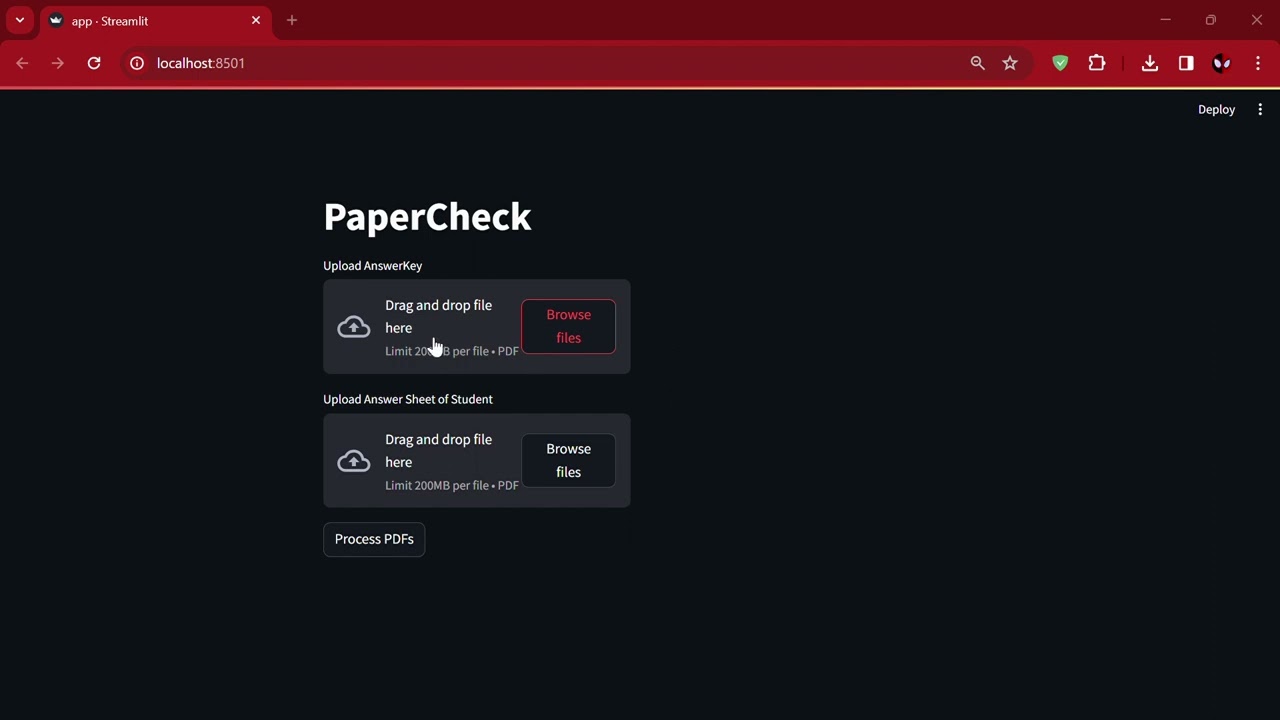
Click the image above to watch a video demonstration of the AI PaperChecker in action.