PADD-inspired multi-purpose terminal-based information monitor that displays information about my RPI4 as well as some sets of externally gathered data on a 240x320 Adafruit TFT mini HAT display.
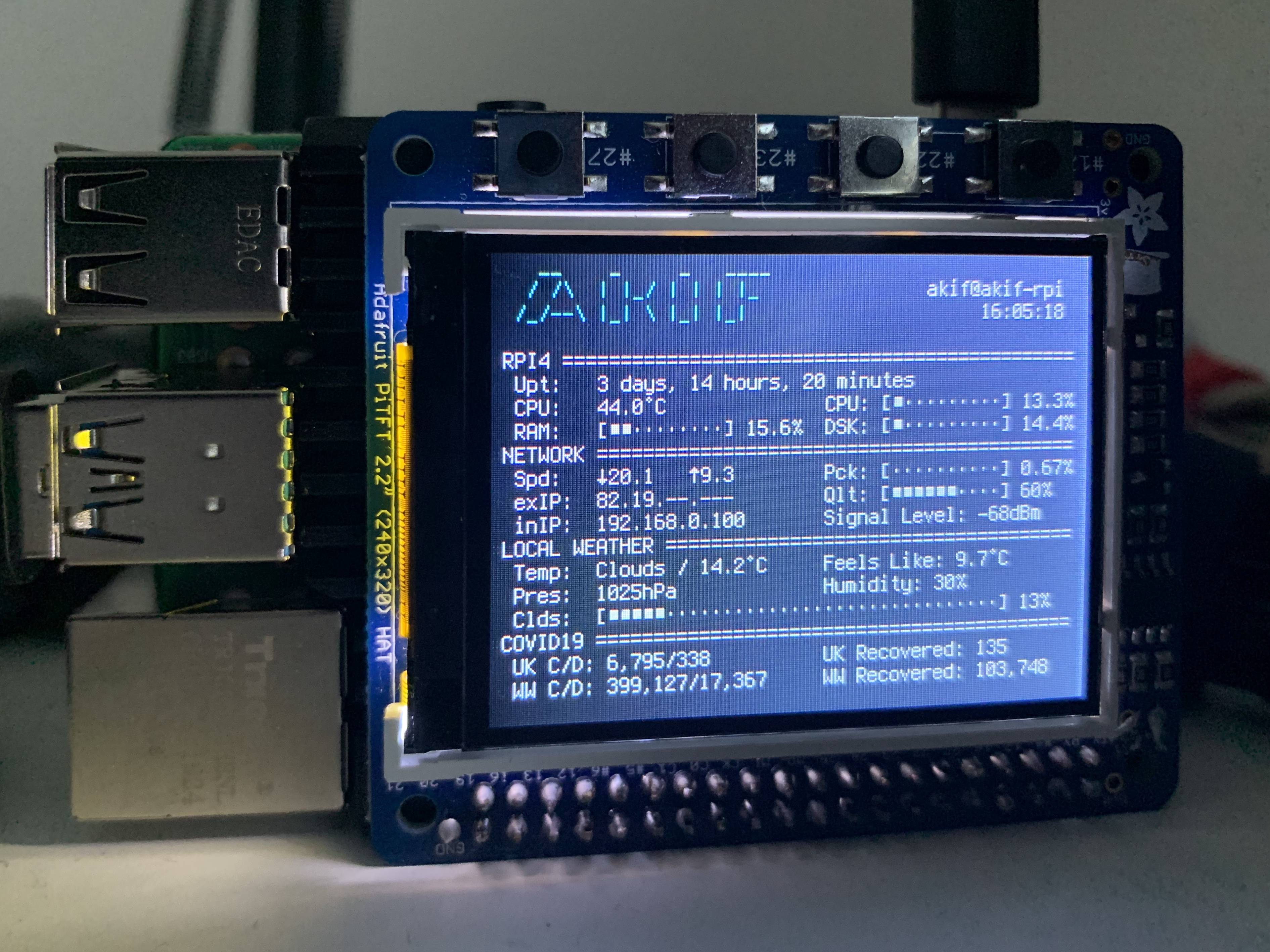
If you would like to run this script on your Pi and your display resolution is larger than 240x320 and your terminal font is set to anything but 6x12 it is highly likely that it will look very buggy.
IMPORTANT:
In order to use the display.py script, make sure you have ran the prestart.py script beforehand. For this you will need to create an OpenWeatherMap account to access their api. You will then be required to copy your api key and also find the city ID for your local city so that the program can accurately track your local weather.
prestart.py will run the two scripts found in the data_getters directory. In order to run the speedtest.py script you will need to install Speedtest-CLI. Follow the instructions under Ubuntu/Debian at this website: https://www.speedtest.net/apps/cli
Before you run this Python script you must install the required libraries:
pip3 install requests
pip3 install beautifulsoup4
pip3 install pytemperature
pip3 install psutil
The other libraries that are used by this that are usually included with python are sys, subprocess, traceback, os, traceback, json, tempfile, time, datetime
Before you run the main script display.py , you must run the two scripts in the data_getters folder at least once. This is because this is how the main script gets the data for covid stats and network speed. However, if you only run it once, the values shown on the display will only show the data written to the files created by the scripts. If you would like it to constantly update along with the main display.py script, I highly recommend setting up a cron schedule to run those scripts like so:
*/30 * * * * cd *dir of data_getters* && python3 speedtest.py&
*/6 * * * * cd *dir of data_getters* && python3 covid.py&
Do not run the main script display.py from a remote machine as this has personally caused it to freeze after a couple of hours. If you do run it from a remote machine, try using nohup so that it doesn't hang. This might just be an issue caused by my personal machines though.