


This integration supports Tesla T-Smart and other branded water heaters made by EUROICC.
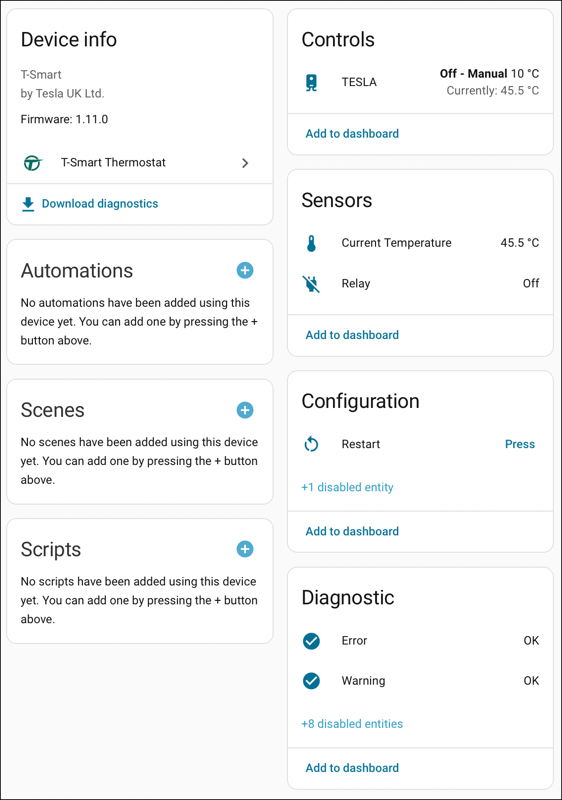
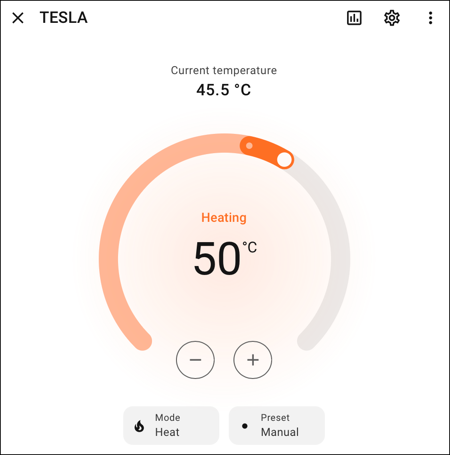
The integration provides a climate control with preset modes, current temperature sensor, a binary sensor for the relay, and a restart button.
Error and warning binary problem sensors (on when there's a problem) with attributes for error/warning codes are also provided for diagnostic purposes.
Additional binary sensors for each error and warning are available but disabled by default.
A synchronise time button is available if you use the inbuilt schedules and the time of the device drifts, but you do not have your thermostat internet facing to time sync automatically. This is disabled by default.
This project is not endorsed by, directly affiliated with, maintained, authorized, or sponsored by Tesla UK Limited or EUROICC.
Please ⭐ this repo if you find it useful
If you want to show your support please

If you are moving from the pdw-mb HACS version you should uninstall it first and remove the repository from HACS to avoid confusion. If you see two then select the one with the description starting with new.

Restart Home Assistant
In the HA UI go to "Configuration" -> "Integrations" click "+" and search for "T-Smart Thermostat".
Show detailed instructions
Installation via HACS is recommended, but a manual setup is supported.
- Manually copy custom_components/t_smart folder from latest release to custom_components folder in your config folder.
- Restart Home Assistant.
- In the HA UI go to "Configuration" -> "Integrations" click "+" and search for "T-Smart Thermostat"
After restarting Home Assistant:
-
Go to Settings -> Devices & services -> Add Integration.
-
Find "T-Smart Thermostat" and click on it.
-
Click "OK" and any thermostats on the same network should be discovered, or you can manually enter their IP address if not found.
-
If your change the IP address of your thermostat the integration will try to rediscover it automatically at restart. If your thermostat is on a different network you will have to modify this in the integration by going into settings/configure.
-
By default the integration takes the average of both sensors within the thermostats, this can be changed by going into settings, configuring the thermostat and choosing a different temperature mode. For vertical thermostats the High setting will match the display and the app.
This integration works with all EUROICC water heaters.
- T-Smart
- Style boiler
- Ting-Inox
- SELFA Smart Heater
- EST
- WUG MB
- DINAK
- Hottech GR Smart
- Smart Coballes
- Logitex
- Termorad Smart
- Smart Bandini
Thanks to pdw-mb for the original version of this which is no longer maintained.
