Home
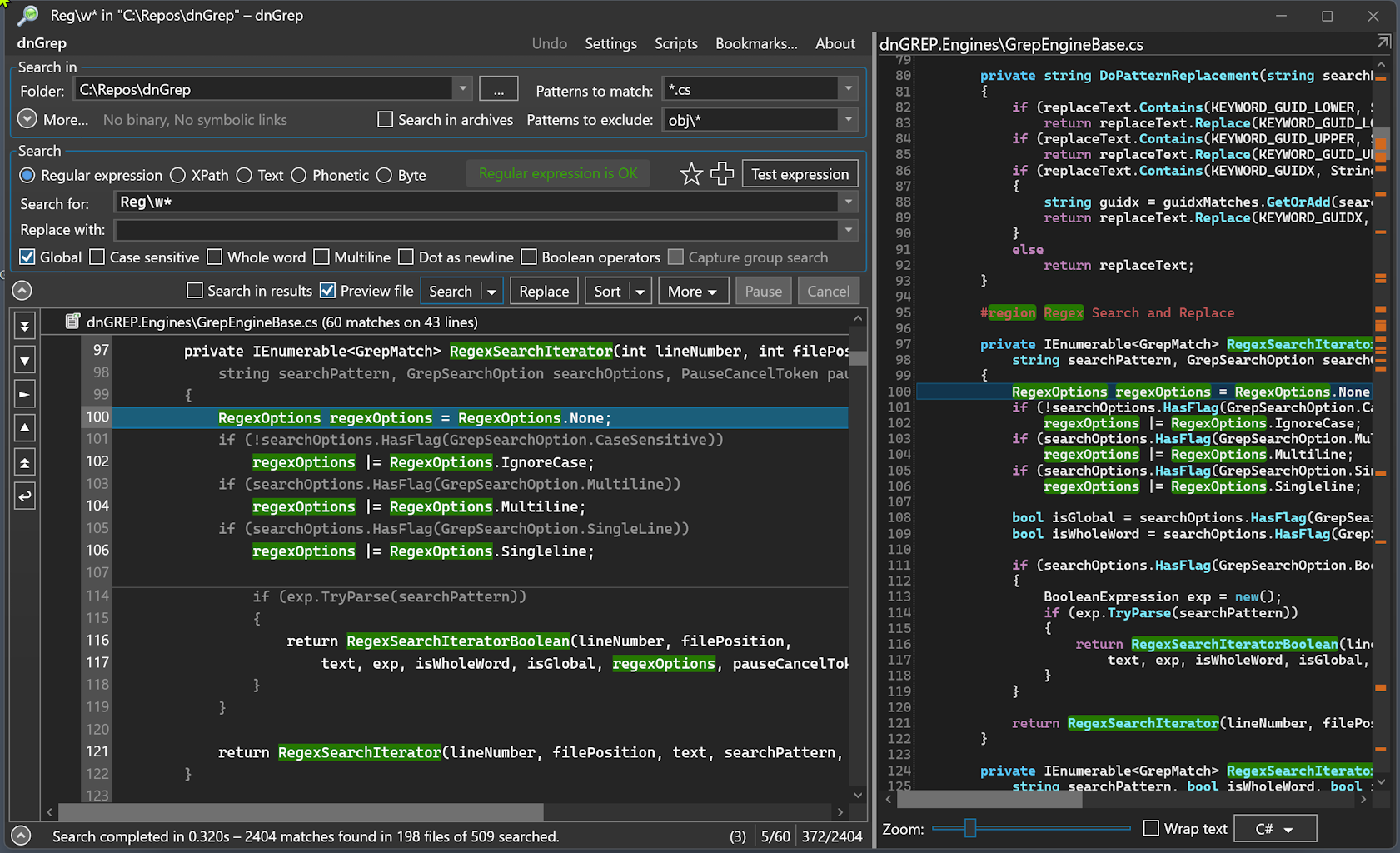
dnGREP is a powerful grep utility for Windows with a graphical interface. It searches files for lines matching a given regular expression, text, or XPath pattern and returns matches in a results tree.
- Download the latest release from the Releases page.
- Install or extract the application.
- Launch dnGREP, enter a search pattern, select a folder, and click Search.
For more details, see Start from Windows File Explorer.
- Plain text, Regular expression, and XPath search (including case-insensitive)
- Phonetic search (using Bitap and Needleman-Wunch algorithms)
- Search for byte sequences in binary or text files
- Search in archives — ZIP, 7z, RAR, JAR, and many more
- Search MS Word, Excel, PowerPoint, and PDF documents
- Replace in plain text files (does not replace in binary formats such as Word, Excel, PDF, ebooks, archives, images, audio, or executables)
- File move, copy, and delete actions
- Undo functionality
- Start from Windows File Explorer
- Optional text editor integration (Notepad++, GVim, VS Code, etc.)
- Optional file diff tool integration (WinMerge, Beyond Compare, etc.)
- Optional Everything integration — see configure Everything
- Search result highlighting and preview with syntax highlighting
- Light and dark themes
- Translations in several languages
- Bookmarks — save file filters and search options
- Test form for regular expression patterns
- Save search results