-
Notifications
You must be signed in to change notification settings - Fork 30.1k
Closed
Labels
a: imagesLoading, displaying, rendering imagesLoading, displaying, rendering imagescustomer: crowdAffects or could affect many people, though not necessarily a specific customer.Affects or could affect many people, though not necessarily a specific customer.p: cameraThe camera pluginThe camera pluginp: image_pickerThe Image Picker plugin.The Image Picker plugin.packageflutter/packages repository. See also p: labels.flutter/packages repository. See also p: labels.
Description
Steps to Reproduce
- Clone the repository https://github.com/aleksvujic/CameraBug.
- Run the application on Nexus 5X API 26, Android 8.0, x86_64.
- Click on Select image.
- Choose Use Camera (if running for the first time, it will ask you for permission).
- Camera preview will show up. Preview is not rotated.
- Take a photo. Image will be ROTATED!
- Click check icon, image preview inside
Image.filewill be ROTATED as well!
NOTE: When choosing Use gallery, the selected image is not rotated. It only gets rotated when you use the camera.
It happens on iOS and Android.
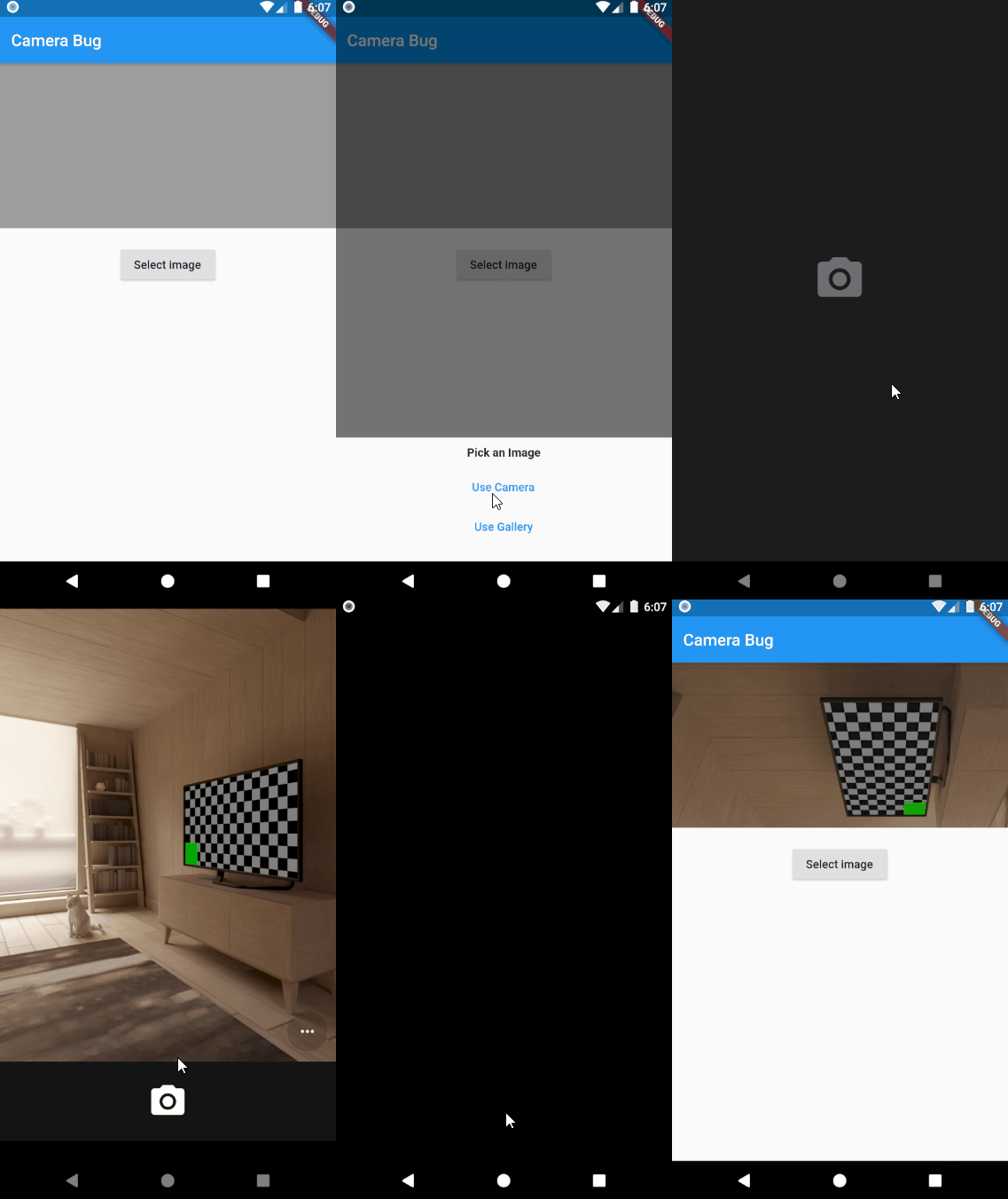
Visual representation
Reactions are currently unavailable
Metadata
Metadata
Assignees
Labels
a: imagesLoading, displaying, rendering imagesLoading, displaying, rendering imagescustomer: crowdAffects or could affect many people, though not necessarily a specific customer.Affects or could affect many people, though not necessarily a specific customer.p: cameraThe camera pluginThe camera pluginp: image_pickerThe Image Picker plugin.The Image Picker plugin.packageflutter/packages repository. See also p: labels.flutter/packages repository. See also p: labels.
