Yes, the Internet Archive has an onion address. The Internet Archive can be accessed via the Tor network at its onion address: archivep75mbjunhxc6x4j5mwjmomyxb573v42baldlqu56ruil2oiad.onion
What is an onion address?
Tor (The Onion Router) is a privacy-focused network that helps protect users’ identities and browsing activity by routing traffic through encrypted layers. Visiting the Internet Archive through Tor allows users to explore the Wayback Machine, books, audio, video, and other collections with an added layer of anonymity, which is an important option for researchers, journalists, and anyone seeking greater privacy or access in regions where the open web may be restricted.
]]>How do I know what kind of access I have?
Currently, Tapestries is only available as a viewable set of pages. In the future, when the creator of a Tapestry shares a link with a user, it will be either as a ‘Collaborator’ or a ‘Viewer’. Collaborators will be able to toggle ‘Author mode’ by pressing the 🄴 key.
How do I zoom in on one Tapestry item?
When looking at a larger Tapestry, you can view one item at a time by clicking on the item and pressing 🄵 on your keyboard. This will ‘focus’ your screen on what you’re looking at — similar to walking up to a specific painting in an art gallery.
When you want to zoom back out, you can either press 🄵 again, or use the ‘Zoom in/out’ keys in the bottom right hand corner.
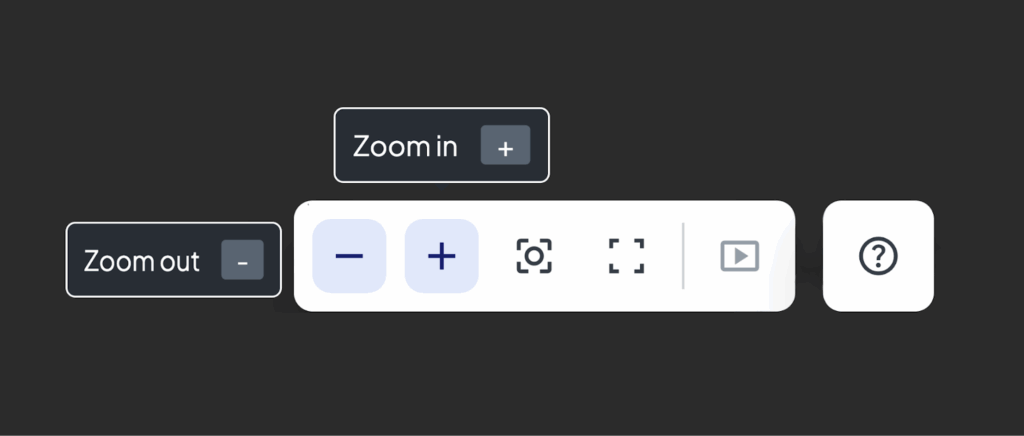
Using ‘pinching’ and ‘pulling’ motions on your screen will also allow you to zoom in and out.
I clicked on a video or livestream in Tapestries and it isn’t playing, what should I do?
If you click on a video file that has been uploaded directly to Tapestries, it should begin playing as soon as you click on the thumbnail. Some embedded links have to be ‘activated’ before you can interact with them so you may need to click on certain videos more than one time. Once a video is playing, use the ‘Focus’ tool—🄵 on your keyboard—to enter and exit fullscreen mode.
I see the outline of a file or link but it’s blank, how do I fix it?

Sometimes files and images, like the ones above, have trouble displaying a thumbnail for viewing. These files are still usable and can be re-set to display their contents by clicking on them.
How do I download content off of a Tapestry?
You can download content from Tapestries to your own computer by clicking on the item and either pressing ‘command-I’ on your keyboard or clicking the ⓘ symbol to ‘Show info’.
This will display a source link which will appear as a webpage when you click on it. Once you see it load in a new tab, left-click (or two-finger-click if you’re using a keypad) on the image and select ‘Save image As…’.
If you’re downloading video or audio content, follow the same steps. The file should appear in a new tab on your browser with three dots on the right hand side like in the image shown below.

How do I find the link for a webpage embedded in a Tapestry?
Click on the page and press ⓘ to see a popup with the link included.

Tapestries: Common error messages and how to fix them
Why am I seeing a message saying ‘Cannot frame’ where a website should be?

Many popular websites—especially news sites—limit how their content can be used. When this happens, Tapestries has a feature whereby a user can view a version of the site that has been previously captured by the Wayback Machine, showing you a version of the page as it was at the time of capture (for more info see this article on Wayback captures).
When Tapestries is unable to display a site’s content, the Tapestry’s creator may be able to use “Wayback mode.”
What does it mean if a page is “Awaiting archive availability…”?
“Wayback mode” accesses URLs on the archive. There may be webpages that have not been captured by the Wayback Machine. If you have a URL you would like to add to the Wayback Machine, use Save Page Now (see this page for instructions).
Why is Tapestries giving me an “Internet Archive account not accessible” message?
If you’re getting this message from Tapestries it might be because your account is not verified. Verifying your account means that you have clicked the ‘Verify my account’ link the first time you logged into Archive.org. Make sure you have gone through the full signup process through the Internet Archive before trying to access Tapestries. If you are having ongoing issues, visit the Accounts – Tips & Troubleshooting page in our help center.
One of the links on Tapestries is saying it “Couldn’t access the Internet Archive”, why is this?
This may also appear as “Error while communicating with the Internet Archive”
It’s likely that this is an issue with a specific part of Archive.org and should resolve with time. Try reloading the Tapestry or checking the website in a separate webpage to see if it’s a connection issue or a site-specific issue.
]]>- Why did Internet Archive pursue becoming a federal depository library?
- This is the culmination of years of work building Democracy’s Library, a free, open, online collection of government research and publications from around the world. As Brewster Kahle, digital librarian of the Internet Archive, explained to KQED:
“By being part of the program itself, it just gets us closer to the source of where the materials are coming from, so that it’s more reliably delivered to the Internet Archive, to then be made available to the patrons of the Internet Archive or partner libraries.”
- This is the culmination of years of work building Democracy’s Library, a free, open, online collection of government research and publications from around the world. As Brewster Kahle, digital librarian of the Internet Archive, explained to KQED:
- What does the FDLP designation mean for Internet Archive in practical terms?
- It means that Internet Archive will get more documents from the Government Publishing Office and from other FDLP partner libraries that we will preserve, digitize (if in physical form), and make available through archive.org. Internet Archive currently receives donations of government documents from libraries, but there are some materials that can only be donated to other FDLP libraries. By being part of the program, Internet Archive can now work with those libraries, and GPO directly, to preserve, digitize, and provide access to even more public information.
- It means that Internet Archive will get more documents from the Government Publishing Office and from other FDLP partner libraries that we will preserve, digitize (if in physical form), and make available through archive.org. Internet Archive currently receives donations of government documents from libraries, but there are some materials that can only be donated to other FDLP libraries. By being part of the program, Internet Archive can now work with those libraries, and GPO directly, to preserve, digitize, and provide access to even more public information.
- How are FDLP designations made?
- Libraries can become part of the Federal Depository Library Program (FDLP) in two main ways. First, some libraries are designated by law—for example, land grant universities automatically qualify. Second, members of Congress can designate libraries in their district or state to join the FDLP, as long as there’s a vacancy and the library can show it’s capable of serving the public’s need for access to government information. The Internet Archive was designated as a federal depository library on July 24, 2025, by Senator Alex Padilla of California.
- Libraries can become part of the Federal Depository Library Program (FDLP) in two main ways. First, some libraries are designated by law—for example, land grant universities automatically qualify. Second, members of Congress can designate libraries in their district or state to join the FDLP, as long as there’s a vacancy and the library can show it’s capable of serving the public’s need for access to government information. The Internet Archive was designated as a federal depository library on July 24, 2025, by Senator Alex Padilla of California.
- Does this mean the government owns the Wayback Machine?
- No. Becoming a Federal Depository Library does not give the government any ownership of or control over the Wayback Machine or the Internet Archive’s collections. The Federal Depository Library Program (FDLP) is a voluntary partnership that helps libraries provide free public access to government publications. The Internet Archive remains an independent, nonprofit research library, and continues to curate and operate its collections—including the Wayback Machine—on its own terms.
- No. Becoming a Federal Depository Library does not give the government any ownership of or control over the Wayback Machine or the Internet Archive’s collections. The Federal Depository Library Program (FDLP) is a voluntary partnership that helps libraries provide free public access to government publications. The Internet Archive remains an independent, nonprofit research library, and continues to curate and operate its collections—including the Wayback Machine—on its own terms.
- What does this designation mean for Internet Archive?
- Becoming a member of the Federal Depository Library Program furthers Internet Archive’s mission to provide “Universal access to all knowledge.” It is the culmination of years of existing collaborations and partnerships with FDLP libraries. With our new designation as a federal depository library, we’re officially part of the national network that provides the public with free access to government publications. That means we can now acquire, preserve, and share even more official government documents—further expanding our collections and strengthening public access to government information.
- Try going to archive.org/donate on another device or a different browser (Chrome, Firefox, Safari, etc). You can also try using your current browser in a private/incognito window.
- If you’re using a VPN, try disabling it before you make a donation.
- Try disabling any ad blockers that may be active in your browser window.
- If you attempted to make a donation using the credit card button, please try using PayPal, Venmo, Google Pay, or Apple Pay (and vice versa).
If none of the above steps have helped you resolve the issue, or if you have any further questions, you can reach out to us at [email protected] and we’ll be happy to provide assistance.
There are also alternatives to using our online donation form, including donations via:
Thank you so much for your interest in supporting the Internet Archive and our goal to provide free Universal Access to All Knowledge.
]]>In general, using Boolean Operators and doing fielded searches are your best bets.
Boolean Operators
The video above contains a quick explanation, but you can also read more about Boolean Operators elsewhere on the Internet. They are useful on archive.org, but you can use them in other search engines too. As a quick recap, the most common are:
- AND – narrows your search
- OR – widens your search
- AND NOT – excludes things from your search
- ( ) – parentheses can be used to group search terms
- ” “ – double quotes will only return searches with an exact match for that phrase within
- [ ] – square brackets can be used for ranges when ranges are allowed
Fielded Searches
If you would like to explore doing more fielded searches, use the Internet Archive metadata schema to figure out what fields you can search and what their values tend to look like. Here are some common fields you might want to search:
- title – the title of the work
- e.g. title:”war and peace” will find items with the exact phrase “war and peace” in the title field
- subject – terms that describe the content of the work (also referred to as topics or keywords)
- e.g. subject:mythology will find items with the word mythology in their subject fields
- creator – the person (or entity) that created the work, e.g. the author, director, conductor, etc.
- e.g. creator:(Dickens AND Charles) will find all items with both Dickens and Charles in the creator field
- date – the date the work was published, often in YYYY or YYYY-MM-DD format
- e.g. date:1922 will find all items with a publish date within the year 1922
The app can be downloaded from the App Store here, or from the Play Store here.
Installing the App
iOS
- Open the App Store on the device you would like to install the app on
- Search for “Donate Books”
- Select the Internet Archive “Donate Books” app
- Click install
- Open the app
- Grant camera permissions
Android
- Open the Play Store on the device you would like to install the app on
- Search for “Donate Books”
- Select the Internet Archive “Donate Books” app
- Click install
- Open the app
- Grant camera permissions
Using the App
Barcode scanning
- Select the barcode scanning mode from the bottom of the screen
- Aim your phone’s front camera at a book barcode
- Wait for a response to appear on the screen
If your barcode is not scanning properly, tap your phone screen to refocus your camera. Keep the book on a flat surface while scanning to reduce the need for refocus.
OCR-ing ISBNs
- Select the OCR mode from the bottom of the screen
- Aim your phone’s front camera at a printed ISBN
- Wait for a response to appear on the screen
If your ISBN is not scanning properly, tap your phone screen to refocus your camera. Keep the book on a flat surface while scanning to reduce the need for refocus.
Found a bug? Need help?
E-mail us at [email protected] with the subject “Donate Books App”!
Reporting a bug? Please include what device you are using to access the app and operating system version in your message.
Ready to donate books?
If you will donate books we need for our library, then the Internet Archive might pay for shipping– please contact us.
Start here! https://help.archive.org/help/how-do-i-make-a-physical-donation-to-the-internet-archive/
]]>- More than 500,000 books have been taken out of lending as a result of Hachette v. Internet Archive, the publishers’ lawsuit against our library, including more than 1,300 banned and challenged books.
Books that are shown as “Borrow Unavailable” mean they cannot be borrowed by our patrons, including books you may have previously read or consulted.
In 2020, our library was sued by four of the world’s largest publishers—Hachette, HarperCollins, Penguin Random House, and Wiley—for lending books via the library practice known as controlled digital lending. That lawsuit, Hachette v. Internet Archive, is currently on appeal after the lower court (the United States District Court for the Southern District of New York) heard the case and ruled in favor of the publishers. In this decision against our library, Judge Koeltl issued an injunction that limits what we can do with our digitized books—namely, we can no longer lend those books to our patrons. The injunction does not affect our accessibility program—the removed books are still available to patrons with print disabilities.
Additionally, the Association of American Publishers (AAP), the trade organization behind the lawsuit, worked with some of its member publishers (listed below) that were not named in the lawsuit to demand that we remove their books from our library.
As a result, more than 500,000 books in our collection are not currently available for borrowing, including more than 1,300 banned and challenged books. We understand that this is a devastating loss for our patrons. Fortunately, other countries and international library organizations are moving to support controlled digital lending. For inquiries, please contact patron services at [email protected].
Plaintiff Publishers
- Hachette Book Group
- HarperCollins
- Penguin Random House
- Wiley
Other Publishers Coordinated by the Association of American Publishers (AAP)
- American Chemical Society
- American Reading Company
- BiggerPockets Publishing
- Bloomsbury
- Bookpress Publishing
- Cambridge University Press
- Chronicle Books
- De Gruyter
- Elsevier
- Fordham University Press
- Getty Publications
- Hansen Publishing Group
- Harvard University Press
- Holiday House-Peachtree-Pixel+Ink
- Imbrifex Books
- Lynne Rienner Publishers
- Macmillan
- MedMaster
- Melville House Publishing
- Moody Publishers
- Pearson
- Princeton University Press
- Sage Publications
- Scholastic
- Simon & Schuster
- Springer
- Taylor & Francis
- Teacher Created Materials
- The American University in Cairo Press
- University of California Press
- University of Chicago Press
- University of Massachusetts Press
- University of Minnesota Press
- University of Texas Press
- University of Wisconsin Press
- University Press of Colorado
- Valancourt Books
- W. W. Norton & Company
- Wesleyan University Press
- Wolters Kluwer
- Yale University Press
Adding items to a list
- Go to the item’s detail page.
- Click or tap the “Add to list” button underneath the top theater section.
- Choose a list to add the item to by clicking or tapping on it. To create a new list and add the item to it, click or tap “Create new list” and enter the list information.
Removing items from a list
An item can be removed from a list either from the item’s detail page or from the “My Lists” page.
From the detail page
- Click or tap the “Add to list” button.
- Find the checkmarked list that the item is to be removed from, and click or tap on that list.
From the “My Lists” page
- Go to your Profile Page > My Lists.
- Select the list in the left column from which the item is to be removed.
- When the list contents are displayed, click or tap “Remove items…” in the top right list of actions.
- Select the item or items to be removed from that list.
- Click or tap “Okay”.
Managing lists
To manage your lists, go to your Profile Page > My Lists. There you can:
- View all your lists
- Edit the information for any of your lists
- Create a new list
- Delete a list
- Remove items from a list
Creating a new list
- Click or tap “Add list” in the left column.
- Enter a name for the list and optionally, a description. If you would like to prevent others from seeing your list, mark it as Private.
- Click or tap “Save”.
You can now add items to this list from any item detail page.
Editing a list
- Select a list to edit by clicking or tapping on the list name in the left column.
- Click or tap the pencil icon in the main pane to the right of the list name.
- Edit the list properties and click “Save”.
Deleting a list
- Select a list to edit by clicking or tapping on the list name in the left column.
- Click or tap the trash can icon at the edge of the screen to the right of the list name.
- Click “Delete” to confirm the deletion.
Removing items from a list
- Select a list to edit by clicking or tapping on the list name in the left column.
- Click or tap “Remove items” from the list of actions at the top right.
- Select the items to delete by clicking or tapping on their tiles. A checkmark will be displayed in the top right corner of the tile for each item to be deleted.
- After all desired tiles have been selected, click or tap “Remove selected items”.
- On the subsequent confirmation dialog box, click or tap “Remove items” to confirm the deletion.
| format | extension | mediatype | review | |
| Metadata | files.xml | all | the manifest that records all of the files available for this book; also gives 2 checksums and a format definition for each file; provides the only mechanism for validating that the component data has been downloaded successfully | |
| Simple File Verification | .sfv | all | Simple file verification (SFV) is a file format for storing CRC32 checksums of files to verify the integrity of files. SFV is used to verify that a file has not been corrupted, but it does not otherwise verify the file’s authenticity. https://en.wikipedia.org/wiki/Simple_file_verification | |
| Metadata | meta.xml | all | Internet Archive’s internal “management” metadata; a proprietary XML format, this file includes information about the scan event (date, # of pages, operator, station, etc.), the contributor, basic bib data (title, author, subject, language), and a set of identifiers | |
| Windows Media Audio | .wma | audio | Windows Media Audio (WMA) is a series of audio codecs and their corresponding audio coding formats developed by Microsoft. https://en.wikipedia.org/wiki/Windows_Media_Audio | |
| WAVE | .wav | audio | Waveform Audio File Format (WAV) is an audio file format standard for storing an audio bitstream. https://en.wikipedia.org/wiki/WAV | |
| Ogg Vorbis | .ogg | audio | Vorbis is a free and open-source software project. The project produces an audio coding format and software reference encoder/decoder (codec) for lossy audio compression. Vorbis is most commonly used in conjunction with the Ogg container format and it is therefore often referred to as Ogg Vorbis. https://en.wikipedia.org/wiki/Vorbis | |
| VBR MP3 | .mp3 | audio | VBR (Variable Bitrate) MP3 is a coding format for digital audio https://en.wikipedia.org/wiki/MP3 | |
| VBR M3U | .m3u | audio | VBR (Variable Bitrate) M3U is a computer file format for a multimedia playlist. One common use of the M3U file format is creating a single-entry playlist file pointing to a stream on the Internet. The created file provides easy access to that stream and is often used in downloads from a website, for emailing, and for listening to Internet radio. https://en.wikipedia.org/wiki/M3U | |
| Shorten | .shn | audio | Shorten (SHN) is a file format used for compressing audio data. It is a form of data compression of files and is used to losslessly compress CD-quality audio files. https://en.wikipedia.org/wiki/Shorten_(codec) | |
| MP3 | .mp3 | audio | MP3 is a coding format for digital audio https://en.wikipedia.org/wiki/MP3 | |
| M3U | .m3u | audio | M3U is a computer file format for a multimedia playlist. One common use of the M3U file format is creating a single-entry playlist file pointing to a stream on the Internet. The created file provides easy access to that stream and is often used in downloads from a website, for emailing, and for listening to Internet radio. https://en.wikipedia.org/wiki/M3U | |
| MP3 Sample | sample.mp3 | audio | x | Limited length MP3 audio file derived from source audio file. Typically 30 seconds in length. |
| Flac | .flac | audio | FLAC is an audio coding format for lossless compression of digital audio, developed by the Xiph.Org Foundation, and is also the name of the free software project producing the FLAC tools, the reference software package that includes a codec implementation. https://en.wikipedia.org/wiki/FLAC | |
| AIFF | .aiff | audio | Audio Interchange File Format (AIFF) is an audio file format standard used for storing sound data for personal computers and other electronic audio devices. https://en.wikipedia.org/wiki/Audio_Interchange_File_Format | |
| Advanced Audio Coding | .m4a | audio | Advanced Audio Coding (AAC) is an audio coding standard for lossy digital audio compression. Designed to be the successor of the MP3 format, AAC generally achieves higher sound quality than MP3 encoders at the same bit rate. https://en.wikipedia.org/wiki/Advanced_Audio_Coding | |
| Spectrogram | spectrogram.png | audio | x | A visual representation of the spectrum of frequencies of a signal as it varies with time. |
| Columbia Fingerprint | .afpk | audio | x | “audio fingerprinting” to enable comparing audio tracks together for “the same” tracks or portions of them |
| Columbia Fingerprint | ffp.txt | audio | x | “audio fingerprinting” to enable comparing audio tracks together for “the same” tracks or portions of them |
| Essentia High GZ | esshigh.json.gz | audio | x | historical audio format that tried to do analysis like beats-per-minute, deductions of “genre” of music, etc. |
| Essentia Low GZ | esslow.json.gz | audio | x | historical audio format that tried to do analysis like beats-per-minute, deductions of “genre” of music, etc. |
| Flac FingerPrint | .ffp | audio | x | a community-specific checksum for flac files, important to etree community |
| ZIP | .zip | data | ZIP is an archive file format that supports lossless data compression. A ZIP file may contain one or more files or directories that may have been compressed. https://en.wikipedia.org/wiki/ZIP_(file_format) | |
| Rich Text Format | .rtf | data | The Rich Text Format (often abbreviated RTF) is a proprietary document file format. Most word processors are able to read and write some versions of RTF. https://en.wikipedia.org/wiki/Rich_Text_Format | |
| OpenDocument Text Document | .odt | data | The Open Document Format for Office Applications (ODF), also known as OpenDocument, is an open standard file format for spreadsheets, charts, presentations and word processing documents using ZIP-compressed XML files https://en.wikipedia.org/wiki/OpenDocument | |
| HTML | .html | data | The HyperText Markup Language or HTML is the standard markup language for documents designed to be displayed in a web browser. It can be assisted by technologies such as Cascading Style Sheets (CSS) and scripting languages such as JavaScript. https://en.wikipedia.org/wiki/HTML | |
| Shockwave | .swf | data | SWF is an Adobe Flash file format used for multimedia, vector graphics. SWF files can contain animations or applets of varying degrees of interactivity and function. They may also occur in programs, commonly browser games, using ActionScript. https://en.wikipedia.org/wiki/SWF | |
| RAR | .rar | data | RAR is a proprietary archive file format that supports data compression, error recovery and file spanning. https://en.wikipedia.org/wiki/RAR_(file_format) | |
| OpenType Font | .otf | data | OpenType is a format for scalable computer fonts.. https://en.wikipedia.org/wiki/OpenType | |
| MIDI | .mid | data | MIDI is a technical standard that describes a communications protocol, digital interface, and electrical connectors that connect a wide variety of electronic musical instruments, computers, and related audio devices for playing, editing, and recording music. https://en.wikipedia.org/wiki/MIDI | |
| Word Document | .doc | data | Microsoft Word is a word processing software developed by Microsoft. https://en.wikipedia.org/wiki/Microsoft_Word | |
| Powerpoint | .ppt | data | Microsoft PowerPoint is a presentation program. PowerPoint was originally designed to provide visuals for group presentations within business organizations, but has come to be very widely used in many other communication situations, both in business and beyond. https://en.wikipedia.org/wiki/Microsoft_PowerPoint | |
| Excel | .xls | data | Microsoft Excel is a spreadsheet developed by Microsoft. https://en.wikipedia.org/wiki/Microsoft_Excel | |
| JSON | .json | data | JSON is an open standard file format and data interchange format that uses human-readable text to store and transmit data objects consisting of attribute–value pairs and arrays (or other serializable values). https://en.wikipedia.org/wiki/JSON | |
| TAR | .tar | data | In computing, tar is a computer software utility for collecting many files into one archive file, often referred to as a tarball, for distribution or backup purposes. https://en.wikipedia.org/wiki/Tar_(computing) | |
| Text | .txt | data | In computing, plain text is a loose term for data (e.g. file contents) that represent only characters of readable material but not its graphical representation nor other objects (floating-point numbers, images, etc.). https://en.wikipedia.org/wiki/Plain_text | |
| GZIP | .gz | data | gzip is a file format and a software application used for file compression and decompression. https://en.wikipedia.org/wiki/Gzip | |
| Flash Video | .flv | data | Flash Video is a container file format used to deliver digital video content (e.g., TV shows, movies, etc.) over the Internet using Adobe Flash Player version 6 and newer. https://en.wikipedia.org/wiki/Flash_Video | |
| Cascading Style Sheet | .css | data | Cascading Style Sheets (CSS) is a style sheet language used for describing the presentation of a document written in a markup language such as HTML. https://en.wikipedia.org/wiki/CSS | |
| ISO Image | .iso | data | An optical disc image (or ISO image, from the ISO 9660 file system used with CD-ROM media) is a disk image that contains everything that would be written to an optical disc, disk sector by disc sector, including the optical disc file system. https://en.wikipedia.org/wiki/Optical_disc_image | |
| Adobe Illustrator | .ai | data | Adobe Illustrator Artwork (AI) is a proprietary file format developed by Adobe Systems for representing single-page vector-based drawings in either the EPS or PDF formats. The .ai filename extension is used by Adobe Illustrator. https://en.wikipedia.org/wiki/Adobe_Illustrator_Artwork | |
| Tab-Separated Values | .tsv | data | A tab-separated values (TSV) file is a simple text format for storing data in a tabular structure, e.g., a database table or spreadsheet data, and a way of exchanging information between databases. https://en.wikipedia.org/wiki/Tab-separated_values | |
| 7Z | .7z | data | 7z is a compressed archive file format that supports several different data compression, encryption and pre-processing algorithms. https://en.wikipedia.org/wiki/7z | |
| Windows Executable | .exe | data | .exe is a common filename extension denoting an executable file (the main execution point of a computer program) for Microsoft Windows. https://en.wikipedia.org/wiki/.exe | |
| Animated GIF | .gif | image | The Graphics Interchange Format is a bitmap image format that was developed by a team at the online services provider CompuServe. https://en.wikipedia.org/wiki/GIF | |
| TIFF | .tiff | image | Tag Image File Format, abbreviated TIFF or TIF, is an image file format for storing raster graphics images, popular among graphic artists, the publishing industry, and photographers. https://en.wikipedia.org/wiki/TIFF | |
| PNG | .png | image | Portable Network Graphics is a raster-graphics file format that supports lossless data compression. https://en.wikipedia.org/wiki/Portable_Network_Graphics | |
| JPEG | .jpg | image | JPEG is a commonly used method of lossy compression for digital images, particularly for those images produced by digital photography. https://en.wikipedia.org/wiki/JPEG | |
| JPEG 2000 | .jp2 | image | JPEG 2000 (JP2) is an image compression standard and coding system. https://en.wikipedia.org/wiki/JPEG_2000 | |
| Web Video Text Tracks | .vtt | movies | WebVTT (Web Video Text Tracks) is a (W3C standard for displaying timed text in connection with the HTML5 <track> element. https://en.wikipedia.org/wiki/WebVTT | |
| WebM | .webm | movies | WebM is an audiovisual media file format. It is primarily intended to offer a royalty-free alternative to use in the HTML5 video and the HTML5 audio elements. https://en.wikipedia.org/wiki/WebM | |
| Ogg Video | .ogv | movies | Theora is a free lossy video compression format. It is is most commonly used in conjunction with the Ogg container format. https://en.wikipedia.org/wiki/Theora | |
| Checksums | .md5 | movies | The MD5 message-digest algorithm is a cryptographically broken but still widely used hash function producing a 128-bit hash value. https://en.wikipedia.org/wiki/MD5 | |
| Matroska | .mkv | movies | The Matroska Multimedia Container is a free and open container format, a file format that can hold an unlimited number of video, audio, picture, or subtitle tracks in one file. https://en.wikipedia.org/wiki/Matroska | |
| MPEG4 | .m4v | movies | The M4V file format is a video container format developed by Apple and is very similar to the MP4 format. The primary difference is that M4V files may optionally be protected by DRM copy protection. https://en.wikipedia.org/wiki/M4V | |
| QuickTime | .mov | movies | QuickTime is a video format that is particularly suited for editing, as it is capable of importing and editing in place (without data copying). https://en.wikipedia.org/wiki/QuickTime_File_Format | |
| MPEG4 | .mpeg4 | movies | MPEG-4 is a method of defining compression of visual (AV) digital data. https://en.wikipedia.org/wiki/MPEG-4 | |
| MPEG2 | .mpeg | movies | MPEG-2 is a standard for “the generic coding of moving pictures and associated audio information”. https://en.wikipedia.org/wiki/MPEG-2 | |
| MPEG2 | .mpg | movies | MPEG-2 is a standard for “the generic coding of moving pictures and associated audio information”. https://en.wikipedia.org/wiki/MPEG-2 | |
| 512Kb MPEG4 | 512kb.mp4 | movies | x | Low resolution MPEG4 video file |
| Thumbnail | thumb.jpg | movies | x | Images of video captured approximated every 30 seconds. They are used in the player scrubber |
| h.264 IA | ia.mp4 | movies | x | Derived h.264 file intended to create web-friendly version of uploaded source mp4 that does not meet the minimum criteria for optimal use in the online media player. |
| Closed Caption Text | cc5.txt | movies | x | Closed captions text file captured with tv archive recordings |
| SubRip | align.srt | movies | x | Closed Captions in TV Archive items adjusted to better align with the AV |
| SubRip | cc5.srt | movies | x | Closed Captions in TV Archive items |
| Cinepack | .avi | movies | Cinepak is a lossy video codec developed by Peter Barrett at SuperMac Technologies, and released in 1991 with the Video Spigot, and then in 1992 as part of Apple Computer’s QuickTime video suite. https://en.wikipedia.org/wiki/Cinepak | |
| ASR | asr.js | movies | x | Automatic Speech Recognition closed captions. Computer generated from mp3 audio files that are converted to text files. |
| ASR | asr.srt | movies | x | Automatic Speech Recognition closed captions formatted to run in conjucntion with the related video file. Computer generated from mp3 audio files that are converted to text files. |
| h.264 | .mp4 | movies | Advanced Video Coding (AVC), also referred to as H.264 or MPEG-4 Part 10, Advanced Video Coding (MPEG-4 AVC), is a video compression standard based on block-oriented, motion-compensated coding. https://en.wikipedia.org/wiki/Advanced_Video_Coding | |
| Windows Media | .wmv | movies | Advanced Systems Format (wmv) is Microsoft’s proprietary digital audio/digital video container format, especially meant for streaming media. https://en.wikipedia.org/wiki/Advanced_Systems_Format | |
| h.264 | h.264 720P | movies | x | 720px1080p h.264 file. Advanced Video Coding (AVC), also referred to as H.264 or MPEG-4 Part 10, Advanced Video Coding (MPEG-4 AVC), is a video compression standard based on block-oriented, motion-compensated coding. https://en.wikipedia.org/wiki/Advanced_Video_Coding |
| h.264 | h.264 HD | movies | x | 720px1080p h.264 file. Advanced Video Coding (AVC), also referred to as H.264 or MPEG-4 Part 10, Advanced Video Coding (MPEG-4 AVC), is a video compression standard based on block-oriented, motion-compensated coding. https://en.wikipedia.org/wiki/Advanced_Video_Coding |
| for tvarchive | .xml | movies | x | TV Archive minimal metadata to create full metadata for a show (eg: program title & description, scheduled duration, etc.) |
| h.264 | h.264 popcorn | movies | x | Online directly in-the-browser user edited audio/video editor files that will playback arbitrary audio & video files, add textual overlays, maps, and more as well |
| JPEG Thumb | thumb.jpg | movies | x | A smaller version of various item image files |
| JSON | align.json | movies | x | Captions alignment (audio wave form vs. captions) to reduce the “drift” between what is spoken vs. what got captioned. They can often have 2-10 seconds of distance between displayed words/captions and heard audio |
| Derivation Rules | rules.conf | movies/audio | x | Prevents lossy derivatives of source data files in audio and video items |
| Android Package Archive | .apk | software | The Android Package with the file extension apk is the file format used by the Android operating system, and a number of other Android-based operating systems for distribution and installation of mobile apps, mobile games and middleware. https://en.wikipedia.org/wiki/Apk_(file_format) | |
| Emulator Screenshot | screenshot.png | software | x | Screen capture of an emulated computer game |
| Mac OS X Disk Image | .dmg | software | Apple Disk Image is a disk image format commonly used by the macOS operating system. When opened, an Apple Disk Image is mounted as a volume within the Finder. https://en.wikipedia.org/wiki/Apple_Disk_Image | |
| iOS App Store Package | .ipa | software | An .ipa (iOS App Store Package) file is an iOS application archive file which stores an iOS app. https://en.wikipedia.org/wiki/.ipa | |
| Amiga Disk File | .adf | software | Amiga Disk File (ADF) is a file format used by Amiga computers and emulators to store images of floppy disks. https://en.wikipedia.org/wiki/Amiga_Disk_File | |
| Windows Screensaver | .scr | software | A screensaver is a computer program that blanks the display screen or fills it with moving images or patterns, when the computer has been idle for a designated time. https://en.wikipedia.org/wiki/Screensaver | |
| Log | .log | texts | x | There are several logs from scanning, republishing, etc. e.g. Cloth Cover Detection Log, various Republisher Logs, and then the plan Log format for Scribe logs. |
| texts | The presentation version on BHL in PDF format. Low quality; sufficient for printing and reading text | |||
| Metadata | reviews.xml | texts | x | The meta.xml file contains all of the item-level metadata for reviews |
| Metadata | meta.xml | texts | x | The meta.xml file contains all of the item-level metadata for an item (e.g. title, description, creator, etc.). |
| MARC Binary | marc.xml | texts | the MARC (bibliographic description) data in XML. MARC is a bibliographic data format describing standards for the representation and communication of bibliographic and related information in machine-readable form, and related documentation | |
| MARC Binary | meta.mrc | texts | the binary MARC record as retrieved using z39.50. MARC is a bibliographic data format describing standards for the representation and communication of bibliographic and related information in machine-readable form, and related documentation | |
| Single Page Original JP2 Tar | orig_jp2.tar | texts | Some books are so large that the volume of images exceed the maximum size for a ZIP archive. For these books, the images are compressed and delivered using TAR. These TAR archives average 2.07 gb and occur .39% of the time (738 out of 191,568 books total). High quality; Best for use and printing of plates, illustrations, detailed figures and tables | |
| DjVu | .djvu | texts | Similar to PDF, a proprietary compressed document format. Low quality; sufficient for printing and reading text | |
| Scandata | scandata.xml | texts | x | Scandata is an XML file containing specific per-image information, including if the image should be included in any of the produced formats. The module will find, parse and honors these files if they exist. |
| Text PDF | texts | x | Portable Document Format files, containing MRC-compressed images and the OCR result as a hidden (selectable, searchable) text layer. (In some cases, the PDF files can have a slightly different suffix, but the extension remains .pdf) | |
| Item Image | itemimage.png | texts | x | PNG image file to be used as the main image in an item page. For audio items it may appear adjacent to the audio player. For collection items it will appear adjacent to the title. It will be used to create the thumbnail image that is used in search results tiles. |
| chOCR | chocr.html.gz | texts | x | OCR results with character-level granularity |
| Dublin Core | dc.xml | texts | OAI record in Dublin Core (bibliographic description) XML. Dublin Core is a set of metadata elements that provide a small and fundamental group of text elements through which most resources can be described and cataloged; a metadata format for describing resources. | |
| Metadata | meta.sqlite | texts | x | Metadata for file sync via an sqlite database |
| Name Metadata | names.xml | texts | list, by page, of all the scientific names found in the book; presented in xml format | |
| Item Image | itemimage.jpg | texts | x | JPG image file to be used as the main image in an item page. For audio items it may appear adjacent to the audio player. For collection items it will appear adjacent to the title. It will be used to create the thumbnail image that is used in search results tiles. |
| Item Tile | __ia_thumb.jpg | texts | x | Item thumbnail image used in search results tiles |
| Abbyy ZIP | abbyy.gz | texts | GZipped version of the full ABBYY FineReader XML output, which includes all character-level information (confidence, location, etc.) | |
| Item Image | itemimage.gif | texts | x | GIF image file to be used as the main image in an item page. For audio items it may appear adjacent to the audio player. For collection items it will appear adjacent to the title. It will be used to create the thumbnail image that is used in search results tiles. |
| EPUB | .epub | texts | EPUB is an e-book file format that uses the “.epub” file extension. The term is short for electronic publication and is sometimes styled ePub. EPUB is supported by many e-readers, and compatible software is available for most smartphones, tablets, and computers. | |
| DAISY | texts | Digital accessible information system (DAISY) is a technical standard for digital audiobooks, periodicals, and computerized text. DAISY is designed to be a complete substitute for print material and is specifically designed for use by people with “print disabilities”, including blindness, impaired vision, and dyslexia. https://en.wikipedia.org/wiki/Digital_Accessible_Information_System | ||
| Archive BitTorrent | archive.torrent | texts | x | Derived torrent file that contains files information on files in an item. archive.org does not seed files. |
| PNG | slip.png | texts | Book scanning slips that get uploaded to reserve an identifier so as not to have to wait hours for a full book to upload | |
| hOCR | hocr.html | texts | x | Barring any failures in the OCR process, after upload, every item will get one or more hocr.html files which represent the results of OCR jobs. Each hocr.html file contains results for all pages in one set of images (book, PDF, or otherwise), with text, bounding boxes, and confidence at the word level. For those seeking more detailed OCR results, each _hocr.html file should also have a corresponding chocr.html.gz file, with character-level granularity. (The exact meaning of “character” differs, of course, per script or language). |
| Generic Raw Book Zip | images.zip | texts | x | A zip imagestack file formatted to derive the files necessary to create a flip book, pdf and other text formats |
| Single Page Processed JP2 ZIP | jp2.zip | texts | A ZIP archive of all of the cleaned, cropped, etc. JP2 page images. These are the highest quality, least modified images that are available after the raw/orig file set. High quality; Best for use and printing of plates, illustrations, detailed figures and tables | |
| Generic Raw Book Tar | jp2.tar | texts | x | A tar imagestack file formatted to derive the files necessary to create a flip book, pdf and other text formats |
| OCR Page Index | hocr_pageindex.json.gz | texts | x | a simple JSON array annotating where each individual page element starts in the hocr.html file, enabling quick fast-forwarding to an individual page without parsing all the XML. |
| MARC Source | metasource.xml | texts | a proprietary XML file recording where the MARC record came from (catalog, operator, zquery, etc.) MARC is a bibliographic data format describing standards for the representation and communication of bibliographic and related information in machine-readable form, and related documentation | |
| Metadata | scandata.xml | texts | a proprietary XML file recording information about each page image (handSide, cropBox, original width & height, etc.) | |
| OCR Search Text | hocr_searchtext.txt.gz | texts | x | a plaintext file that is ingested by the full text search engine. |
| Djvu XML | djvu.xml | texts | a modified version of the DjVu XML standard, these files can also be used to read OCR results, but the recommendation is to instead parse the hOCR files. | |
| Page Numbers JSON | page_numbers.json | texts | x | A map of page numbers auto-detected in a book. If the confidence score is high enough, they are sometimes added to scandata.xml |
| JSON | events.json | texts | x | A json file containing information about Republisher events. The format is deprecated and no longer used |
| DjVUTXT | djvu.txt | texts | a human-readable plaintext version of the generated djvu.xml file. OCR stands for “Optical Character Recognition;” the conversion of images of text into text characters | |
| Biodiversity Heritage Library METS | bhlmets.xml | texts | x | A format created and used by Biodiversity Heritage Library (BHL) |
| Comic Book RAR | .cbr | texts | A comic book archive or comic book reader file (also called sequential image file) is a type of archive file for the purpose of sequential viewing of images, commonly for comic books. https://en.wikipedia.org/wiki/Comic_book_archive | |
| Comic Book ZIP | .cbz | texts | A comic book archive or comic book reader file (also called sequential image file) is a type of archive file for the purpose of sequential viewing of images, commonly for comic books. https://en.wikipedia.org/wiki/Comic_book_archive | |
| Grayscale PDF | bw.pdf | texts | A black and white PDF compiled using binarized versions of the images. The binarized images are not made available. Low; sufficient for printing with low cost of ink or printing only text images | |
| MOBI | .mobi | texts | .mobi is an e-book file format that is primarily used for Kindle e-readers. https://en.wikipedia.org/wiki/Mobipocket | |
| Web ARChive | .warc | web | The Web ARChive (WARC) archive format specifies a method for combining multiple digital resources into an aggregate archive file together with related information. https://en.wikipedia.org/wiki/Web_ARChive | |
| Web ARChive GZ | warc.gz | web | A compressed Web ARChive (WARC) archive using gzip,a file format and a software application used for file compression and decompression. The format specifies a method for combining multiple digital resources into an aggregate archive file together with related information. https://en.wikipedia.org/wiki/Web_ARChive |
The Internet Archive, a non-profit research library, makes use of internal processes and tools, including human review and hash-matching, as well as reports from external parties to identify, disable access to, and limit the reappearance of illegal and/or proscribed violent extremist material on archive.org.
2025
- Items removed/disabled due to TCO removal orders: 88
- Items removed/disabled due to specific measures: 0
- Removal orders where content has not been removed or access has not been disabled in accordance with Article 3(7) or (8): 0
- Complaints received in accordance with Article 10: 0
- Administrative or judicial review proceedings: 0
- Cases of reinstated content or access thereto as a result of administrative or judicial review proceedings: 0
- Cases of reinstated content or access thereto following a complaint by the content provider: 0
2024
- Items removed/disabled due to TCO removal orders: 932
- Items removed/disabled due to specific measures: 0
- Removal orders where content has not been removed or access has not been disabled in accordance with Article 3(7) or (8): 3 (removal orders contained manifest errors)
- Complaints received in accordance with Article 10: 0
- Administrative or judicial review proceedings: 0
- Cases of reinstated content or access thereto as a result of administrative or judicial review proceedings: 0
- Cases of reinstated content or access thereto following a complaint by the content provider: 0
2023
- Items removed/disabled due to TCO removal orders: 1
- Items removed/disabled due to specific measures: 0
- Complaints received in accordance with Article 10: 0
- Administrative or judicial review proceedings: 0
- Cases of reinstated content or access thereto as a result of administrative or judicial review proceedings: 0
”Specific measures” is used as defined in Article 5 of Regulation (EU) 2021/784 of the European Parliament and of the Council of 29 April 2021 on addressing the dissemination of terrorist content online.
]]>