
Need to make changes to your payment method, check the status of your subscription, or cancel it? Everything can be managed right from tumblr.com/settings/purchases unless you purchased your subscription from the iOS or Android app.
If you purchased your subscription via the iOS app, you’ll manage your subscription from your Apple ID. Learn more about that here.
If you purchased your subscription via the Android app, you’ll manage your subscription from your Google Play account. Learn more about that here.
Your subscription will automatically renew, but you can cancel it at any time in order to prevent a renewal payment. If you do so, it will remain active until the end of your current billing period.
To cancel a subscription on web:
- Head to tumblr.com/settings/purchases
- Click on on the subscription.
- Click on “Cancel your subscription”
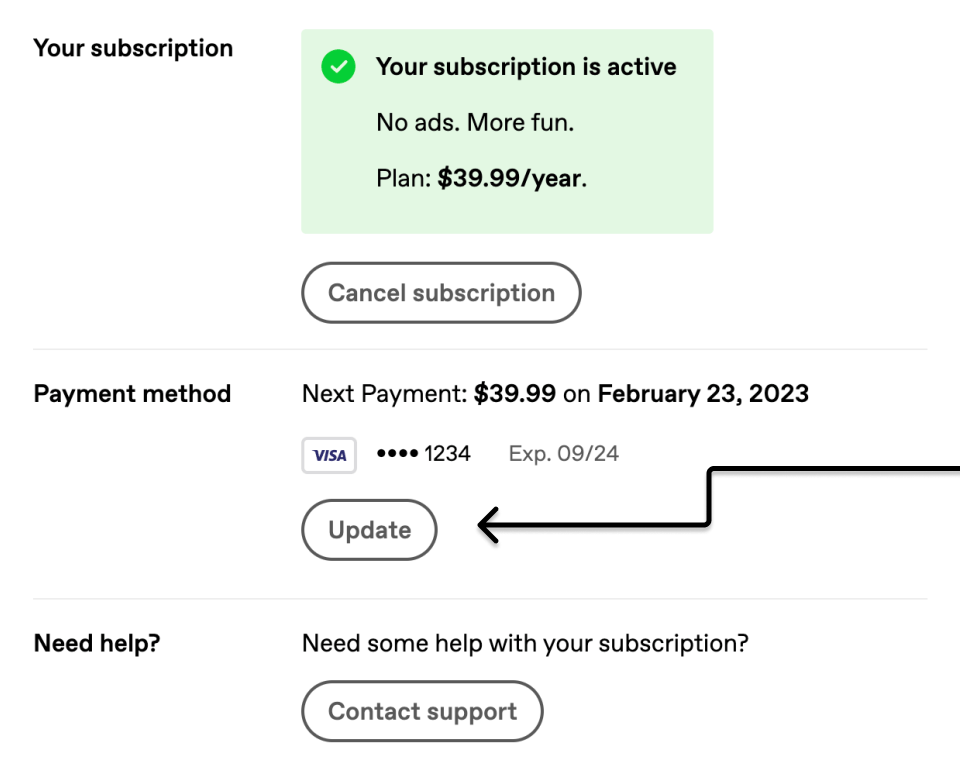
If you need to update your card information or delete a payment method, you can do so by clicking the “Update” button in the “Payment method” section of tumblr.com/settings/purchases:
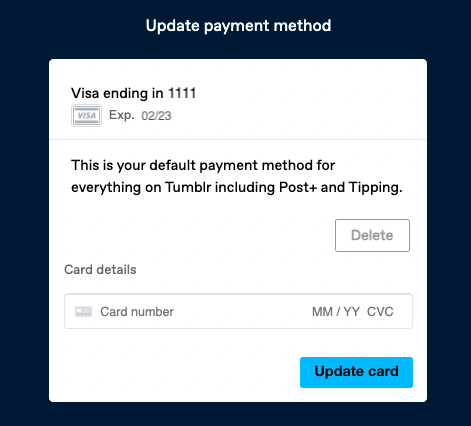
The “Update” button takes you to this page, where you can edit and delete your default payment method or add a new payment method:
Switching a Subscription from a monthly subscription to a yearly subscription and vice versa is currently not possible. To switch subscription type, you’ll need to wait until your currently active subscription ends. Once your active subscription has ended, you can re-subscribe and select a different subscription type.
Does Tumblr have my credit card info? 🤔 Nope! We use Stripe as our payment processor, so we don’t have access to your credit card number, expiration, or CVC.
