MeshX2.4
Publisher Description
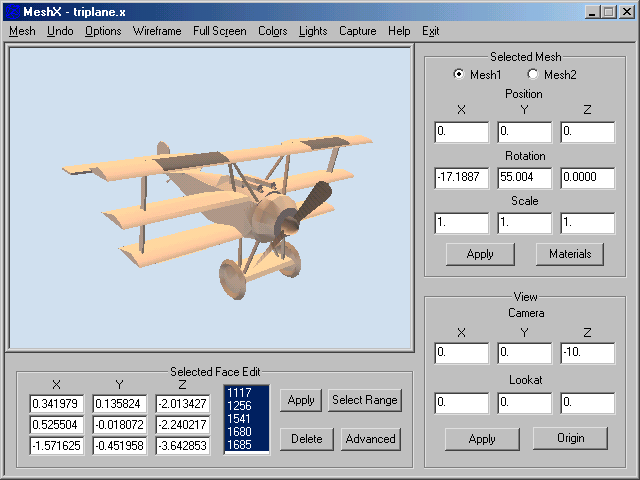
MeshX is a 3D modelling program, for creating, viewing, editing, and saving DirectX X files. It can be used to create and edit models for use in 3D programming, or just to create great 3D art. There are three lights which you can move and adjust, and you can capture the DirectX window to a bitmap file at any time. You can switch to full screen mode to get a better view, and still move and rotate meshes while in full screen mode. MeshX also will create seven basic shapes, and comes with a compressed library of models, to help get you started. MeshX views meshes as solids by default, but its wireframe mode will display the basic mesh without lighting, and allow vertex level editing of the mesh. You can view the materials contained by the mesh, add new materials, and assign materials to selected mesh faces (3D painting, if you will). There are a few advanced editing functions that allow editing multiple selected faces, or all of the mesh faces, at once. There are now boolean, tesselate, and mirror functions. If you screen capture meshes to image files, then edit with a graphics program, you can create some stunning 3D art.
About MeshX
This program is available in English. It was last updated on 08 March, 2026. MeshX is compatible with the following operating systems: Windows.
The company that develops MeshX is SpinnerBaker Software. The latest version released by its developer is 2.4. This version was rated by 1 users of our site and has an average rating of 5.0.
The download we have available for MeshX has a file size of 1.0 MB. Just click the green Download button above to start the downloading process. The program is listed on our website since 2005-01-06 and was downloaded 180 times. We have already checked if the download link is safe, however for your own protection we recommend that you scan the downloaded software with your antivirus. Your antivirus may detect the MeshX as malware if the download link is broken.
How to install MeshX on your Windows device:
- Click on the Download button on our website. This will start the download from the website of the developer.
- Once the MeshX is downloaded click on it to start the setup process (assuming you are on a desktop computer).
- When the installation is finished you should be able to see and run the program.
Program Details
System requirements
Download information
Pricing
Version History
version 2.4
posted on 2005-01-06
mesh selection fix.