MinGW-builds
Continue to app
Free Version
Publisher Description
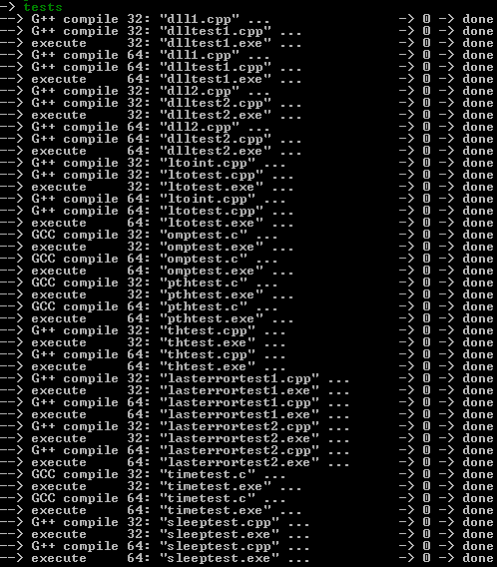


Projects joined MinGW-W64, and the new builds will be available on the MinGW-W64(https://sourceforge.net/projects/mingw-w64) site.
Features- OpenMP
- LTO
- Graphite
- std Thread support library
- std Atomic operations library
- Native TLS Callbacks
- Wide-Character Startup (-municode)
- 32-bit and 64-bit Windows
- Multilib toolchains
- Cross-compiling from x86_64 for i686 and vice versa
About MinGW-builds
MinGW-builds is a free software published in the Debugging list of programs, part of Development.
This Debugging program is available in English. It was last updated on 08 March, 2026. MinGW-builds is compatible with the following operating systems: Linux, Mac, Windows.
The company that develops MinGW-builds is lexx83. The latest version released by its developer is 1.0 . This version was rated by 1 users of our site and has an average rating of 3.0.
The download we have available for MinGW-builds has a file size of 170.0 KB. Just click the green Download button above to start the downloading process. The program is listed on our website since 2013-07-06 and was downloaded 1,206 times. We have already checked if the download link is safe, however for your own protection we recommend that you scan the downloaded software with your antivirus. Your antivirus may detect the MinGW-builds as malware if the download link is broken.
How to install MinGW-builds on your Windows device:
This Debugging program is available in English. It was last updated on 08 March, 2026. MinGW-builds is compatible with the following operating systems: Linux, Mac, Windows.
The company that develops MinGW-builds is lexx83. The latest version released by its developer is 1.0 . This version was rated by 1 users of our site and has an average rating of 3.0.
The download we have available for MinGW-builds has a file size of 170.0 KB. Just click the green Download button above to start the downloading process. The program is listed on our website since 2013-07-06 and was downloaded 1,206 times. We have already checked if the download link is safe, however for your own protection we recommend that you scan the downloaded software with your antivirus. Your antivirus may detect the MinGW-builds as malware if the download link is broken.
How to install MinGW-builds on your Windows device:
- Click on the Download button on our website. This will start the download from the website of the developer.
- Once the MinGW-builds is downloaded click on it to start the setup process (assuming you are on a desktop computer).
- When the installation is finished you should be able to see and run the program.
Program Details
System requirements
Operating systems
mac,windows,linux
Download information
File size
170.0 KB
Total downloads
1,206
Pricing
License model
Free
Price
Version History
Here you can find the changelog of MinGW-builds since it was posted on our website on 2022-03-14. The latest version is and it was updated on Soft112 on 08 March, 2026. See below the changes in each version: