pdfFormServer3.4
Publisher Description
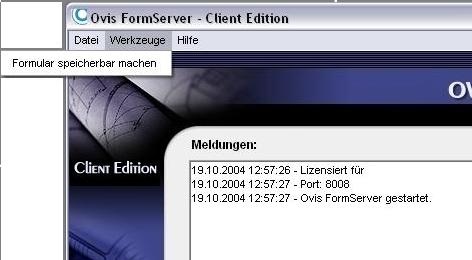
pdfFormServer - Client Edition.
It is possible! There is an easy way to save PDF forms
Who has not come across the situation: You complete a PDF form in Acrobat Reader and when it comes to saving your data, nothing happens. Or worse: You close the program and all your data is lost. The reason for this is: Acrobat Reader cannot save any data!
This is not only time consuming but also very unpleasant.
pdfFormServer eliminates this problem in a very easy way! Once this software solution has been installed, all PDF files can be saved inclusive of all their contents. No need to mention that all forms that have been filed once can be read again with the included data and also altered at a later date.
Handling is extremely easy.
Just open a PDF file. pdfFormServer will then manage all input data so that they can be saved, if the user so wishes. The best thing about it is that the user wont be disturbed when working on his form, because the pdfFormServer works unnoticed in the background.
For a free trial version (limited to a single page document).
+++ Save the data that you enter into a PDF form, fill it in offline +++ Send the form data as an e-mail attachment +++ Save form data to a separate FDF file +++ Import form data from a FDF file +++ Silent Mode to work unnoticed in background +++
About pdfFormServer
This program is available in English, German. It was last updated on 08 March, 2026. pdfFormServer is compatible with the following operating systems: Windows.
The company that develops pdfFormServer is Broadgun Software. The latest version released by its developer is 3.4. This version was rated by 3 users of our site and has an average rating of 3.3.
The download we have available for pdfFormServer has a file size of 13.6 MB. Just click the green Download button above to start the downloading process. The program is listed on our website since 2005-11-18 and was downloaded 249 times. We have already checked if the download link is safe, however for your own protection we recommend that you scan the downloaded software with your antivirus. Your antivirus may detect the pdfFormServer as malware if the download link is broken.
How to install pdfFormServer on your Windows device:
- Click on the Download button on our website. This will start the download from the website of the developer.
- Once the pdfFormServer is downloaded click on it to start the setup process (assuming you are on a desktop computer).
- When the installation is finished you should be able to see and run the program.
Program Details
System requirements
Download information
Pricing
Version History
version 3.4
posted on 2005-11-18
In the new version it is now possible to save the content of the form as a pdf file or a fdf file. There are now two bottons where the user can choose the Format. Fdf is a format that you can evaluate with tools like MS Access or others.