He said that he could also have fixed those same bugs, and that he also
]]>He said that he could also have fixed those same bugs, and that he also consumes a bunch of energy and many litres of water.
Wait, What
What are we doing here? Like in the most philosophical, why exist? Is it to love? To serve each other? To nurture and grow?
I promise you you’re not here on earth to provide fucking shareholder value. Providing shareholder value is a capitalist’s euphemism for transferring power from labour to capital.
If anything, we’re here to enjoy ourselves, enjoy each other, and to pay it forward if we’re given the opportunity. Find people who are disempowered and empower them.
Humanity
A person’s value is not economic. A bus driver is not measured by the kilometers driven subtract the sandwiches consumed. The energy and water we each consume aren’t the inputs into a organic machine from which we demand commensurate outputs.
Being alive and getting a human experience alone justifies the use of those resources.
It’s a surplus if we also fix some software bugs, drive a bus, or raise a family.
But Capitalism!
Yes, I admit these are grand ideas in our capitalistic hellscape. Markets want bugs fixed cheap, and software engineers ain’t that. I don’t have new insights here.
But I do have a request for the participants in the AI discourse. Let’s not dehumanize each other by treating our desire for food & shelter as a liability.
]]>The excellent organizers at keepandroidopen.org encouraged me to complain to the Competition Bureau of Canada.
What I sent wasn't well edited but it captures my anger. Please send your own!
I found
]]>The excellent organizers at keepandroidopen.org encouraged me to complain to the Competition Bureau of Canada.
What I sent wasn't well edited but it captures my anger. Please send your own!
I found this website on the Keep Android Open petition site.
https://keepandroidopen.org/
Google built Android as an open platform, and used the promise of that openness to built an ecosystem that had a expectation of the openness continuing. During the critical period where Android was gaining market share, people and companies chose to purchase Android devices and build Android software because this openness gave them agency.
Google has announced that they are altering the deal. And telling us that we should pray that they don't alter it further. They're requiring Canadians send our IDs and pay fees to them to develop software for the platform we invested in specifically because we didn't have that obligation.
I would like an intervention where this process change is blocked for Canadian developers and users. In particular Google has the capacity to not enforce this policy on Canadians (either users or developers) and we need to demand that. All it takes is telling Google that this policy change is anti-competitive, and that they must not apply it in Canada.
It is anti-competitive because it gives Google a technical capacity to block Canadian individuals from using software that Google dislikes, and also the capacity to stop distribution of software that Google doesn't like.
As one example, they will be vulnerable to being strong-armed by the US government into blocking products that distribute generic pharmaceutical products in Canada to Canadians. Or they may block comedy products that hurt the feelings of their leadership, such as the Beaverton. Or they might block products that speak truth to power.
They will also have the capacity to block Canadian-made software for defence systems to favour either US alternatives, or more corrupt alternatives. Google is a vendor to the US military and will respond swiftly to financial demands.
Block this policy change now before they wrap their cold metal hands around our necks.
]]>- PostgreSQL persistence via SQLDelight (hosted on PlanetScale!)
- WebAuthn4J for Passkeys
- kotlinx.html for dynamic web pages
- Ktor for HTTP binding
The service uses six database tables. The business domain tables are Game and GameEvent. Support for auth, sessions, and collaborative
- PostgreSQL persistence via SQLDelight (hosted on PlanetScale!)
- WebAuthn4J for Passkeys
- kotlinx.html for dynamic web pages
- Ktor for HTTP binding
The service uses six database tables. The business domain tables are Game and GameEvent. Support for auth, sessions, and collaborative editing adds Account, Cookie, Passkey, and GameAccess.
How many modules should a program have?
Decomposing code into modules is something I’ve struggled with for a long time.
One some projects I’ve screwed up by putting too much responsibility into a single module. Big modules are slow to build and test. Their size means they’ll change more frequently and will be rebuilt more frequently. Decomposing them into smaller modules is difficult because it requires introducing abstraction boundaries where there aren’t any. Consumers of big modules also suffer because they drag in unwanted behavior.
On other projects I’ve made the opposite mistake by having too many modules. Each module requires its own build file, where I paste repetitive configuration. I get particularly frustrated when a new feature depends on multiple too-small modules: do I introduce a new dependency between these modules? Or do I introduce yet another module that depends on the others? Consumers of my modules choose what they want à la carte, but must write verbose build files in the process.
Ralf’s Scheme
Ralf Wondratschek presented a pattern that was critical in decomposing the Square POS Android app. Each feature starts with three modules:
public: the feature’s public API interfaces and value objects.impl: the feature’s implementation classes. It provides service objects that implement the public API.impl-wiring: dependency injection glue that binds the interfaces inpublicto their implementations inimpl.
The full set of features are assembled together into an executable by an app module that depends on all of the impl-wiring modules.
Ralf also introduced a strict rule: projects can’t depend on each other’s impl and impl-wiring modules; they may only depend on each other’s public modules.
This scheme requires a lot of setup! But it yields compelling benefits:
- All
implmodules can build in parallel! - Changes to one
implmodule never causes otherimplmodules to rebuild. The build caches get lots of hits!
It’s simple and scalable and I wish I’d come up with it. Here’s what the scheme looks like for Rounds’ server. I’m using different words ’cause I dislike the word impl, and I put my wiring in the implementation module. I’m not using a dependency injection framework yet!
server
 |-- accounts
 |   |-- api
 |   '-- real
 |-- games
 |   |-- api
 |   '-- real
 |-- passkeys
 |   |-- api
 |   '-- real
 |-- server-development
 |-- server-staging
 '-- server-production
The last 3 server-* modules build executables for each environment that Rounds runs in. Each depends on all of the real modules.
The games/api module depends on accounts/api because each GameAccess entity has an associated AccountId. Similarly, accounts/api depends on passkeys/api for PasskeyId.
Must Go Flatter
Most of the code is in real modules, and most of the code can build in parallel.
But I dislike dependencies between api modules. They build sequentially because there’s a dependency chain spanning them. I also have to carefully avoid creating a dependency cycle between these: it’s arbitrary that accounts/api depends on passkeys/api and not vice-versa!
When I look closer, the dependencies between my api modules is limited: I’ve got typesafe ID classes (AccountId, PasskeyId, etc.) and I reference these in my service interfaces. The fix is simple: introduce a new identifiers module with just that stuff:
server
 |-- accounts
 |   |-- api
 |   '-- real
 |-- games
 |   |-- api
 |   '-- real
 |-- identifiers
 |-- passkeys
 |   |-- api
 |   '-- real
 |-- server-development
 |-- server-staging
 '-- server-production
Now the various *-api modules depend on identifiers, and it defines simple value objects for all of my features:
package app.rounds.identifiers

data class AccountId(val id: Long)

data class CookieId(val id: Long)

data class GameAccessId(val id: Long)

data class GameEventId(val id: Long)

data class GameId(val id: Long)

data class PasskeyId(val id: Long)
The net result is a module dependency graph with nice symmetry and practical benefits.
]]>In this recording you can see colors change when I toggle the win condition:
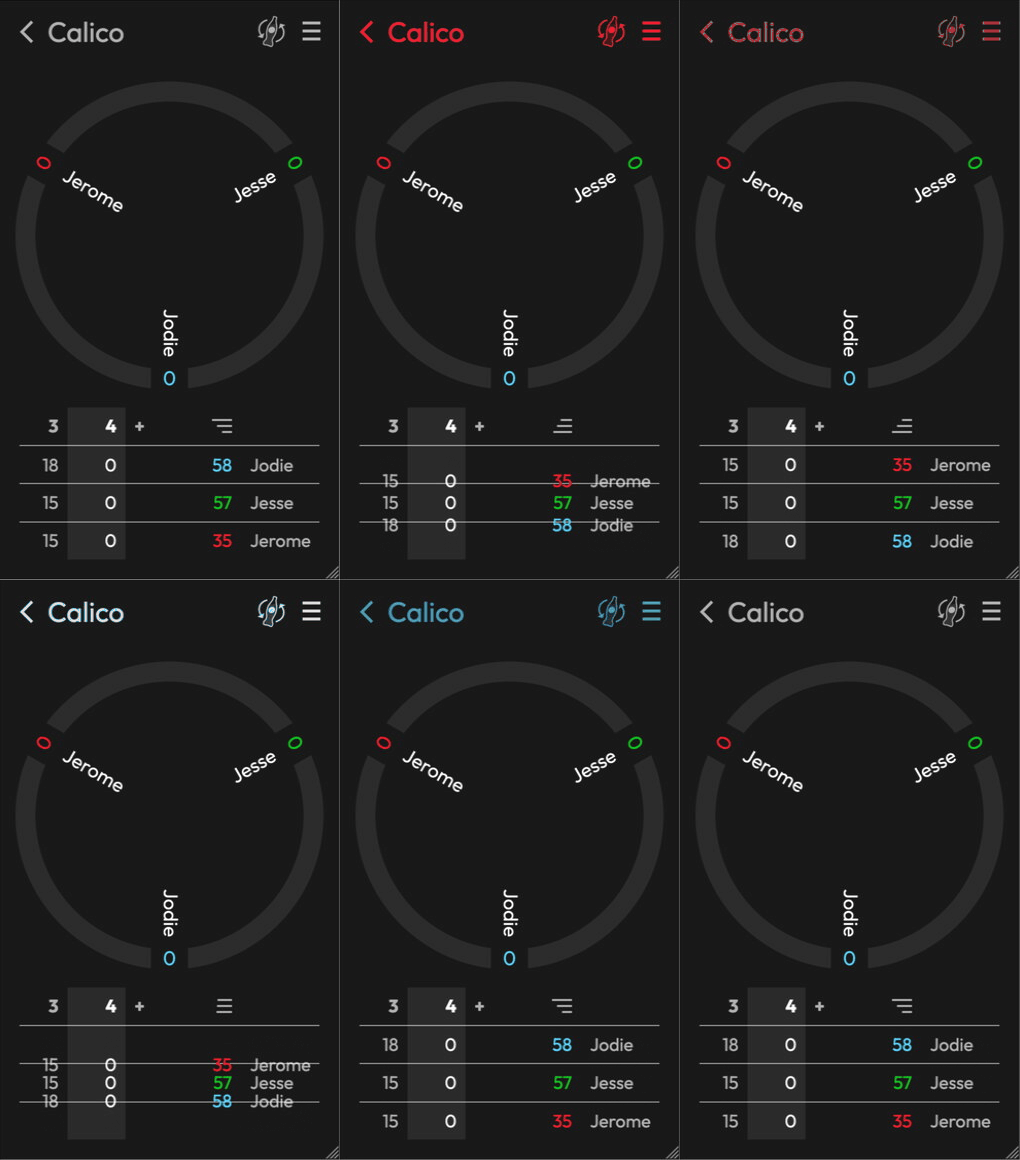
In this recording you can see colors change when I toggle the win condition:
I’ve got a two CSS classes, tinted and tintedDefault for the game name. I’m using a CSS transition to animate color changes:
.tinted {
  transition: color 300ms linear;
}

.tintedDefault {
  color: #ffffff;
}
By using a CSS class, any element that’s declared as tinted will automatically receive tints. For example, the title:
<div class="title tinted tintedDefault">Calico</div>Next I need to dynamically add a CSS rule. I’m using Kotlin/JS so it’s easy to hook up the adoptedStyleSheets API:
private var adoptedStyleSheet: CSSStyleSheet? = null
  set(value) {
    field = value
    val array = js("[]")
    if (value != null) {
      array.push(value)
    }
    document.asDynamic().adoptedStyleSheets = array
  }
To call it, I build a stylesheet rule from a string:
val colorOrDefault = color ?: Colors.DefaultThemeColor
val cssStyleSheet: CSSStyleSheet = js("""new CSSStyleSheet()""")
cssStyleSheet.insertRule(
  rule = """
    .tinted {
      color: ${colorOrDefault.css()} !important;
      opacity: 1 !important;
    }
    """,
  index = 0,
)
adoptedStyleSheet = cssStyleSheet
Using !important is important here; it ensures the dynamic tint takes precedent over the default one.
I remove the tint after a 1,500 ms delay:
resetJob = scope.launch {
  delay(duration)
  adoptedStyleSheet = null
}
That’s enough to tint the text, but I need another trick to tint the SVG icons. The easiest way I found to recolor an SVG file was a CSS mask. Thankfully my icons are single-color.
<div
  class="imageButton tintedBackground tintedBackgroundDefault"
  style="mask: url('/assets/bottle40x64.svg'); width: 40px; height: 64px">
</div>
Annoyingly, the dynamic color for masks is the background, so I need a second pair of CSS rules:
.tintedBackground {
  transition: background-color 300ms linear;
}

.tintedBackgroundDefault {
  background-color: #ffffff;
}
And a second dynamic CSS rule:
cssStyleSheet.insertRule(
  rule = """
    .tintedBackground {
      background-color: ${colorOrDefault.css()} !important;
      opacity: 1 !important;
    }
    """,
  index = 1,
)
The most difficult part of the whole exercise is using restraint. I’m inclined to color everything in bright colors all the time, but that yields a very ugly UI!
Rounds is my free web app for scoring in-person games. Try it out at rounds.app.
]]>@Test
fun test() = runTest {
val channel = Channel<String>()
val deferredA = async {
while (isActive) {
delay(1_000)
}
}
val deferredB = async {
channel.send("hello")
}
val deferredC = async {
channel.receive()
}
deferredB.await(@Test
fun test() = runTest {
val channel = Channel<String>()
val deferredA = async {
while (isActive) {
delay(1_000)
}
}
val deferredB = async {
channel.send("hello")
}
val deferredC = async {
channel.receive()
}
deferredB.await()
deferredC.await()
deferredA.cancel()
}
Once the useful jobs B and C finish, it cancels job A. The program completes in about 50 milliseconds on my laptop.
Programs like this are why I adore Kotlin’s coroutines API. I can orchestrate a lot of behaviour with a small amount of code.
Coroutines are powerful, but they aren’t magic! Jobs achieve concurrency by suspending when they aren’t executing. The whole mechanism can break down if jobs don’t suspend.
Here’s that program with delay() replaced with sleep(). The two functions have similar semantics but sleep() doesn’t suspend:
@Test
fun test() = runTest {
  val channel = Channel<String>()

  val deferredA = async {
    while (isActive) {
      Thread.sleep(1_000)
    }
  }
  val deferredB = async {
    channel.send("hello")
  }
  val deferredC = async {
    channel.receive()
  }

  deferredB.await()
  deferredC.await()
  deferredA.cancel()
}
This program never finishes! Jobs B and C don’t get a chance to execute and so the await() calls never return.
Preemptive vs. Cooperative Concurrency
Threads implement a preemptive concurrency model. When one thread blocks, the operating system takes the CPU back (it preempts the thread) and gives it to another thread. Such context switches are expensive and so it’s conventional to do coarse-grained concurrency with threads.
Coroutines implement a cooperative concurrency model. When a coroutine suspends, the dispatcher immediately runs the next coroutine. It’s no problem to have thousands of coroutines so it’s conventional to do fine-grained concurrency in this model.
Mixing and matching models is bad. When a coroutine blocks, it’s being selfish in a model that requires cooperation. A single blocked coroutine can prevent thousands of other coroutines from executing.
When I’ve made this mistake, it blows up like a time bomb:
- My server is running smoothly serving thousands of requests per second.
- Some blocking I/O thing that my server uses temporarily slows down. Perhaps my server calls an auth service to check credentials, and that service is redeployed.
- All of my coroutines dispatchers stall, waiting on blocking calls that accumulate faster than they complete.
- My server is wrecked and times out on thousands of requests per second.
I can mix-and-match models without problems for months, and then a small event can trigger a collapse. There’s a DoorDash blog post with details of how this hazard impacted them.
What I’m Doing
Here’s the rules I follow when I use coroutines:
- Never call a blocking function from a suspending function.
- Use
Dispatchers.IOto escape the limitations of rule 1. (Making blocking calls on the I/O dispatcher is fine). - Never call
runBlocking(). This rule is much easier to follow now that we can putsuspendonmain.
It’s possible to write correct programs that are less strict than this! But I dislike the fragility of code that makes assumptions about the caller’s CoroutineDispatcher.
Coroutines are rad and you should use ’em.
]]>
I joined Square, did a bunch of open source,
]]>I joined Square, did a bunch of open source, had a bunch of kids, and got generally busy. Rounds wasn’t broken and I neglected it. But eventually Google kicked it out of the Play Store for lack of updates. I never felt like I had the time to bring it back to life.
Until now. After 13 years (!) I left Square, and have spent the last two months rebuilding Rounds.
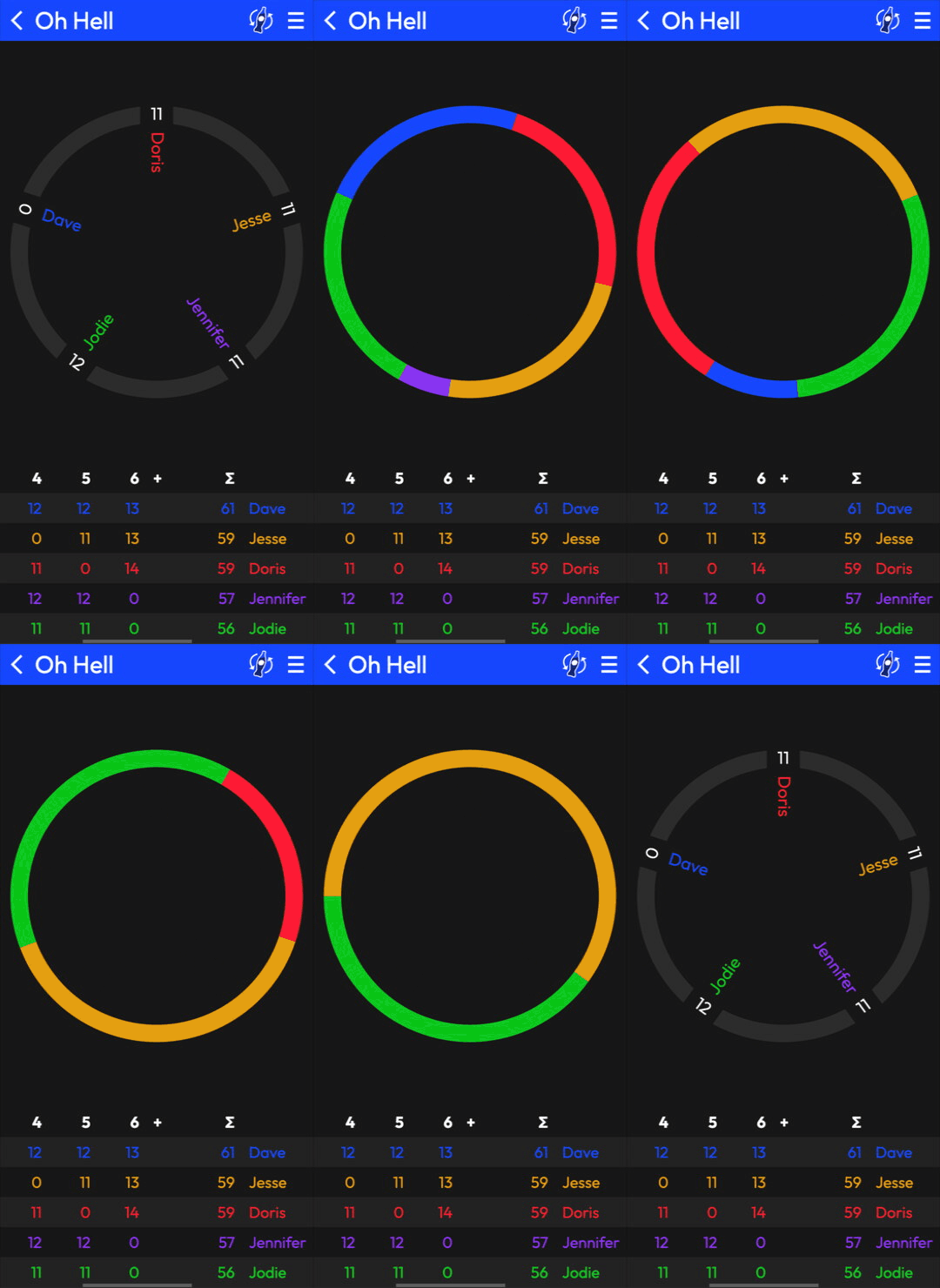
The old Rounds was an Android app. The new one is a website: Rounds.app.
It’s a work in progress:
- The UI only works on mobile
- You can’t delete games
- There are bugs!
But you can create games, add scores, and share ’em with your people. I’m simultaneously proud of what I’ve got working and enthusiastic to make it better.
Please give it a try, follow Rounds.app on Bluesky, and send feedback to [email protected].
]]>A Small API
A typical use case is connecting some lifecycle to a test’s execution. Perhaps we want a chess engine to be available
]]>A Small API
A typical use case is connecting some lifecycle to a test’s execution. Perhaps we want a chess engine to be available while a test is running:
class ChessEngineTest {
  @InterceptTest
  val chessEngineInterceptor = ChessEngineInterceptor()

  val chessEngine: ChessEngine
    get() = chessEngineInterceptor.chessEngine

  @Test
  fun moveValidation() {
    assertThat(chessEngine.isLegalMove(E2, E4)).isTrue
  }
}
Writing an interceptor is straightforward:
class ChessEngineInterceptor : TestInterceptor {
  lateinit var chessEngine: ChessEngine

  override fun intercept(testFunction: TestFunction) {
    stockfish = StockfishChessEngine()
    try {
      testFunction()
    } finally {
      stockfish.close()
    }
  }
}
Critically, the interceptor calls testFunction() to execute the test body. This gives it lots of power:
- It can differentiate test successes (
testFunction()returns normally) from test failures (testFunction()throws) - It can skip tests by not calling
testFunction() - It can repeat tests by calling
testFunction()in a loop - It can collect timing metrics by calling
testFunction()inside ameasureTime()block
JUnit rules have the same capabilities. JUnit rules are implemented with Java reflection, which is a great fit for both simplicity and capability.
One Possible Implementation
But Burst implements the same behavior without reflection. Burst is a Kotlin Multiplatform library and uses a compiler plugin to connect interceptors to the tests they execute.
Here’s a sketch of how Burst could have transformed ChessEngineTest to hook up its single interceptor:
class ChessEngineTest {
  @InterceptTest
  val chessEngineInterceptor = ChessEngineInterceptor()

  val chessEngine: ChessEngine
    get() = chessEngineInterceptor.chessEngine

  @Test
  fun moveValidation() {
    chessEngineInterceptor.intercept(
      object : TestFunction(
        packageName = "com.publicobject.chess",
        className = "ChessEngineTest",
        functionName = "moveValidation",
      ) {
        override fun invoke() {
          assertThat(chessEngine.isLegalMove(E2, E4)).isTrue
        }
      }
    )
  }
}
But this isn’t how Burst does it...
Implementation Challenges
One test function and one interceptor is no sweat! But we’re building Burst to power a particularly thorough set of tests that have more requirements.
Multiple interceptors. We want these to execute in declaration order.
Inheritance. We can have interceptors in the base class, and in each subclass. When a test function runs we want to execute all the interceptors. Different subclasses could declare different interceptors!
abstract class AbstractChessEngineTest {
  @InterceptTest
  abstract val engineInterceptor: ChessEngineInterceptor

  val chessEngine: ChessEngine
    get() = engineInterceptor.chessEngine

  @Test
  fun moveValidation() {
    assertThat(chessEngine.isLegalMove(E2, E4)).isTrue
  }
}

class StockfishChessEngineTest : AbstractChessEngineTest() {
  override val engineInterceptor = StockfishEngineInterceptor()
}

class GenerativeAiChessEngineTest : AbstractChessEngineTest() {
  override val engineInterceptor = StockfishEngineInterceptor()

  @InterceptTest
  private val flakyTestInterceptor = FlakyTestInterceptor()
}
In this example, moveValidation() runs with one interceptor in StockfishChessEngineTest, and two in GenerativeAiChessEngineTest.
Module isolation. Each file in our test’s class hierarchy can be compiled independently. We can introduce a new interceptor in the base class without recompiling the subclass, or vice-versa.
The Actual Implementation
Each test that defines interceptors aggregates those interceptors up into its own intercept() function, that calls them in the appropriate order.
If the superclass has interceptors, we call its intercept first, passing the subclass stuff as an argument.
The net effect is that we get to apply a chain-of-responsibility pattern for each interceptor in a test, and apply that pattern again for each class in the type hierarchy.
Check it out
I had a lot of fun finding a way to build this thing that’d have ‘reflection-like behavior’ without any reflection.
]]>
Available as code, video, slides, Droidtube, & Speaker Deck.
Coroutines are an important tool in the Android developer’s toolbox. We use 'em to background our tasks, to parallelize our work, and to gracefully cancel operations.
This is not a
]]>Available as code, video, slides, Droidtube, & Speaker Deck.
Coroutines are an important tool in the Android developer’s toolbox. We use 'em to background our tasks, to parallelize our work, and to gracefully cancel operations.
This is not a talk about that reasonable coroutines use.
Instead, we’ll do unreasonable, forbidden things. We’ll study the implementation details of coroutines, scopes, and contexts. Once that foundation is established, we’ll start ‘thinking in coroutines’ and break our brains a bit!
We’ll cover:
💣 Making I/O slower with suspend
💣 Turning code inside-out
💣 Using reflection with coroutines
💣 Treating the user as a function
If you're willing to suspend disbelief, this talk is for you.
]]>UIView APIs when I found some code that broke my brain. Here’s Swift code to animates a UIButton from opaque to transparent over one second.let button = ...
let animateOut = UIViewPropertyAnimator(duration: 1.0, curve: .easeInOut) {
print("2 alpha=\(button.alpha)")
button.alpha = 0.0UIView APIs when I found some code that broke my brain. Here’s Swift code to animates a UIButton from opaque to transparent over one second.let button = ...
let animateOut = UIViewPropertyAnimator(duration: 1.0, curve: .easeInOut) {
print("2 alpha=\(button.alpha)")
button.alpha = 0.0
print("3 alpha=\(button.alpha)")
}
print("1 alpha=\(button.alpha)")
animateOut.startAnimation()
print("4 alpha=\(button.alpha)")It prints the button’s alpha four times:
- Before starting the animation
- Before setting
alphato0.0 - After setting
alphato0.0 - After starting the animation
Here’s the output:
1 alpha=1.0
2 alpha=1.0
3 alpha=0.0
4 alpha=0.0
And here’s it all running in the simulator:
The pixels don’t match the properties
The value of button.alpha is 0.0 when startAnimation() returns, and remains at 0.0 forever. But the actual drawn pixels are different! Over the one-second animation the pixels smoothly transition from 1.0 to 0.0.
I added code to print button.alpha on every frame: it printed 0.0 each time.
It’s bananas that the alpha property doesn’t match the drawn pixels!
State capture
I’m more familiar with Android’s animation code. Instead of directly assigning properties to their target values as above (button.alpha = 0.0), Android requires me to use Property objects, like View.ALPHA:
val animateOut = ObjectAnimator.ofFloat(button, View.ALPHA, 0f)For each property I want to animate, I need to find its Property object or create one. Android uses it to read the initial value and to write an update for each frame.
But hang on a sec... how does iOS do capture the initial value? Somehow UIViewPropertyAnimator figures out the initial value of each animated property. It also keeps track of those values somewhere. I don’t know how this works.
The pixels don’t match the properties, again
This whole API is such a curiosity! What happens if I change the property while it’s being animated?
...
animateOut.startAnimation()
print("4 alpha=\(button.alpha)")
button.alpha = 1.0
print("5 alpha=\(button.alpha)")
So when the animation completes, the value I set takes effect. I suspect the animation overrides the actual property while it’s running.
Only certain properties
What happens if I animate the tint color too?
...
let animateOut = UIViewPropertyAnimator(duration: 1.0, curve: .easeInOut) {
  print("2 alpha=\(button.alpha)")
  button.alpha = 0.0
  button.tintColor = .red
  print("3 alpha=\(button.alpha)")
}
...
The color changes instantly, and the alpha animates over a second. Yuck.
Too Cute
The UIViewPropertyAnimator API can do amazing and powerful things! But it’s built on mechanisms that I can’t use. And because there’s no source code to browse, I can’t study it to learn how it works.
UPDATE, AN HOUR LATER
Khaos Tian, who knows iOS better than I do, read this post and referred me to CALayer.presentation(). That API holds properties during an animation. Super cool!
(I’m still trying to figure out how the accessing alpha inside a UIViewPropertyAnimator block creates a property animation.)
‘If you can’t do what you want to do try to do something simpler’
I was thinking about this recently. I was writing code to embed resource files in an iOS application binary. Here’
]]>‘If you can’t do what you want to do try to do something simpler’
I was thinking about this recently. I was writing code to embed resource files in an iOS application binary. Here’s my first draft:
let embeddedDir = OkioPath.companion.toPath(
  Bundle.pizzaResources.resourcePath!,
  normalize: false
)
The ! in this sample applies Armstrong’s rule:
- Attempt what I want: Try to load the resource path.
- I can’t, because the
resourcePathis nil. - Try to do something simpler: crash the app.
The iOS developers I work with don’t like !, or anything else that could crash the app. When I get my Swift experts to review code that uses !, they always recommended I replace ! with if let for a graceful recovery.
let embeddedDir: OkioPath
if let resourcePath = Bundle.pizzaResources.resourcePath {
  embeddedDir = OkioPath.companion.toPath(resourcePath, normalize: false)
} else {
  // Fail silently. We won't find the resources, but we'll keep going.
  embeddedDir = OkioFileSystem.Companion.shared.SYSTEM_TEMPORARY_DIRECTORY
}
My peers and I value different things.
I want code that fails fast. Not being able to load resources should never happen. If it does the system is in an unexpected & untested state. We should not silently recover.
They want code that doesn’t crash. Every day as a software engineer I see things that are never supposed to happen. Why should I have the hubris to claim something will never happen?
A hazard of mobile apps is that deploying fixes takes forever. I’ll be in big trouble if Apple ships an iOS update that changes the API. I have to fix the bug, an app reviewer has to approve it, and each of my users needs to get the update.
Ugh.
]]>The iOS code to handle
]]>The iOS code to handle this is simple:
class RedwoodUIView : UIStackView(cValue { CGRectZero }) {
  init {
    this.setInsetsLayoutMarginsFromSafeArea(false) // Handle insets manually.
  }

  override fun safeAreaInsetsDidChange() {
    super.safeAreaInsetsDidChange()
    handleNewInsets(safeAreaInsets)
  }

  private fun handleNewInsets(safeAreaInsets: CValue<UIEdgeInsets>) {
    ...
  }
}
But writing the test was difficult. It took me two days to figure this out.
  @Test
  fun testSafeArea() {
    val redwoodUIView = RedwoodUIView()
    val viewController = object : UIViewController(null, null) {
      override fun loadView() {
        view = redwoodUIView
      }
    }

    val window = UIWindow(
      CGRectMake(0.0, 0.0, 390.0, 844.0), // iPhone 14.
    )
    window.setHidden(false) // Necessary to propagate additionalSafeAreaInsets.
    window.rootViewController = viewController

    viewController.additionalSafeAreaInsets =
      UIEdgeInsetsMake(10.0, 20.0, 30.0, 40.0)
  }
To populate safeAreaInsets on a UIView:
- The
UIViewmust be in aUIViewController. There isn’t a direct way to manipulate itssafeAreaInsets. - That
ViewControllermust also be in a visibleUIWindow. TheUIViewControllerwon’t propagate insets unless it’s in a view hierarchy with a visible window.
I spent so long trying and failing to get it working with a standalone UIViewController. That was so frustrating! Eventually I found this StackOverflow sample that happened to have a UIWindow, and I tried that and it worked.
func test_presentationOfViewController() {
  let window = UIWindow(frame: CGRect(x: 0, y: 0, width: 300, height: 300))
  window.rootViewController = sut
  window.makeKeyAndVisible()

  ...
}
Well, it kind of worked. It worked locally. But when I pushed my test to run on GitHub actions, it failed hard:
:sample:iosSimulatorArm64Test: Test running process exited unexpectedly.
Current test: testSafeArea
Process output:
  Child process terminated with signal 5: Trace/BPT trap
What the heck is a Trace/BPT trap?! I couldn’t find more details on what broke.
With more grinding and experimentation I found that my tests pass on CI once I replaced window.makeKeyAndVisible() with window.setHidden(false).
The whole exercise reminds me that I value testability, and that the iOS platform engineers... don’t.
UPDATE, A FEW HOURS LATER
Tyler Bell, a colleague who knows iOS better than I do, read this post and shared a simpler solution. Override the superview’s safeAreaInsets() function and request a layout:
  class InsetsContainer : UIView(cValue { CGRectZero }) {
    var subviewSafeAreaInsets = cValue { UIEdgeInsetsZero }
      set(value) {
        field = value
        setNeedsLayout()
        layoutIfNeeded()
      }

    override fun safeAreaInsets() = subviewSafeAreaInsets
  }

  @Test
  fun testSafeArea() {
    val insetsContainer = InsetsContainer()
    val redwoodUIView = RedwoodUIView()
    insetsContainer.addSubview(redwoodUIView)

    insetsContainer.subviewSafeAreaInsets =
      UIEdgeInsetsMake(10.0, 20.0, 30.0, 40.0)
  }
Yay!
]]>My daughter’s hockey team has a game coming up. League rules say they must forfeit if they have fewer than 10 players. There’s only 10 girls on the roster so they need everyone
]]>My daughter’s hockey team has a game coming up. League rules say they must forfeit if they have fewer than 10 players. There’s only 10 girls on the roster so they need everyone to be healthy to compete.
In either situation, a single failure will fail the lot. With swimming there’s just one chance to get unlucky, whereas with hockey there’s ten. I’ve been thinking of these ‘opportunities to get unlucky’ as bad luck tickets.
I see bad luck tickets everywhere.
When I was working on smaller teams, the leadership was very open and transparent with their plans and decisions. On larger teams, internal news often leaks externally! Share your plans with 1,000 people and you’ve got 1,000 chances to get unlucky.
I was impressed – but not surprised – by this year’s xz supply chain attack. If our software depends on 10 open source libraries, that’s 10 chances to be compromised by a rogue maintainer. Depend on 1,000 libraries and we’ve got 1,000 bad luck tickets.
One of the backend services at my job does fan-out queries on its sharded database. Suppose you’d like to know how much money it transferred yesterday:
SELECT SUM(amount_cents)
FROM transactions
WHERE DATE(sent_at) = DATE('2024-11-11');
On a database with 64 shards, the query is executed on each shard and then aggregated. Each shard has an opportunity to fail.
The math is weird.
Our database executes fan-out queries in parallel. That’s rad! But the latency of the aggregate query is the maximum latency of the 64 individual shard queries. If one shard is hot because the traffic isn’t balanced, that’ll degrade all of the aggregate queries.
Suppose an action fails on 1 in 1,000,000 attempts. If we attempt it 1,000 times, there’s a 0.1% chance of at least one failure within those attempts¹.
Failures will probably correlate (and the successes will too). Hockey players don’t get sick independently! They exhaust themselves at the same tournaments. And they share their water bottles even though I keep telling them it’s gross and they should cut it out.
Limit your bad luck.
It’s difficult to build robust systems with fallible parts, but fallible parts is all there is. I aspire to do more with less.
]]>- I learned a thing.
- The hard way.
- It sucked.
- Please avoid making the same mistake.
In other posts, there’s a discussion on something and I feel compelled
]]>- I learned a thing.
- The hard way.
- It sucked.
- Please avoid making the same mistake.
In other posts, there’s a discussion on something and I feel compelled to broadcast my opinion! Here’s a 2008 post about strict vs. forgiving APIs, where I declare my preference for strict APIs.
I didn’t anticipate being bound by my own posts.
But when I wrote it down that I prefer strict APIs, that fleeting preference became more of a principle. Now when I write code that doesn’t reject bad inputs, I hear younger me saying tisk-tisk.
When I code up something and I don’t want to write a test because it’ll be annoying, the Toehold Test haunts me into compliance.
The worst one is this old Developer Identity & Multiplatform post. In it I obnoxiously claimed that Android Engineers should shed that identity, and replace it with Mobile Engineer. So today I mumble fuuuuck me as I’m using Xcode and Android Studio side-by-side, as I seem to do a lot these days.
You should write some blog posts.
]]>@blacktshirt1981:
‘I tried to use your library to decode the integer 1 to a boolean and it crashed. Please document that your library doesn’t decode integers to booleans.’
I probe a bit in my response:
@jessewilson:]]>
‘Oh
@blacktshirt1981:
‘I tried to use your library to decode the integer 1 to a boolean and it crashed. Please document that your library doesn’t decode integers to booleans.’
I probe a bit in my response:
@jessewilson:
‘Oh darn, lemme fix. Which docs did you read? (I want to update the right ones!)
And predictably the documentation-requester might not be a documentation-consumer:
@blacktshirt1981:
‘Nothing specific. I just think it’s worth documenting.’
The root cause of the docs complaint is ‘I don’t understand it’.
I can address the request by writing some documentation. But sometimes the best way to make a project easier to understand is to change the project itself:
- Remove non-essential components
- Find components that do too much, and decompose ’em
- Find components that do too little, and combine ’em
I prefer a simple solution over a well-documented complex one.
]]>Lemme start with my ideal:
- IntelliJ, Android Studio, and a command-line
Lemme start with my ideal:
- IntelliJ, Android Studio, and a command-line thing all agree on the formatting rules.
- I can use .editorconfig to customize some rules that I’m persnickety about. The IDE and command-line both honor these customizations. The default style is thoughtful.
- I don’t need to install any IDE plugins.
- The command-line thing is absurdly fast. Fast enough that I can run it in a pre-commit hook and not feel like I’m doing a build.
- The command-line thing can validate the style:
spotlessCheck. - The command-line thing can fix the style automatically:
spotlessApply. - The command-line thing can run on a whole repo, or just a few commits: ratchetFrom.
- I can mash the Reformat Code shortcut in the IDE (⌘⌥L) and it’ll fix my code.
It turns out that almost everything I want is already here. IntelliJ and Android Studio are excellent and support .editorconfig. Ktlint has good enough defaults and supports .editorconfig. Spotless integrates Gradle with ktlint and Git.
But there’s a bug (KTIJ-16847) in IntelliJ where it doesn’t sort aliased imports properly. This one’s super annoying because it means I’ll probably need spotlessApply before each commit. Please vote up this issue!
And spotlessApply isn’t absurdly fast. It runs inside Gradle which needs to do a lot of project set up before it can launch ktlint to format my code. Here’s some unreasonable optimizations that qualify as absurdly fast:
- Interrogate the host hardware and use careful parallelism to saturate the CPU, file reading, and file writing.
- Use Kotlin/Native or a GraalVM native image to eliminate JIT startup latency.
- Use a sqlite DB to remember which files have already been formatted.
- Do something fancy with SIMD.
Fast is a feature. If my formatter runs in half a second, I’ll run it all the time.
]]>