Textify
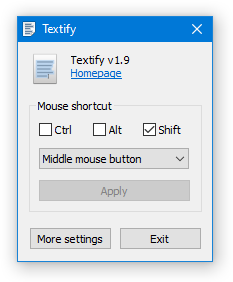
Have you ever wanted to copy some text from a dialog box which doesn’t provide such functionality?
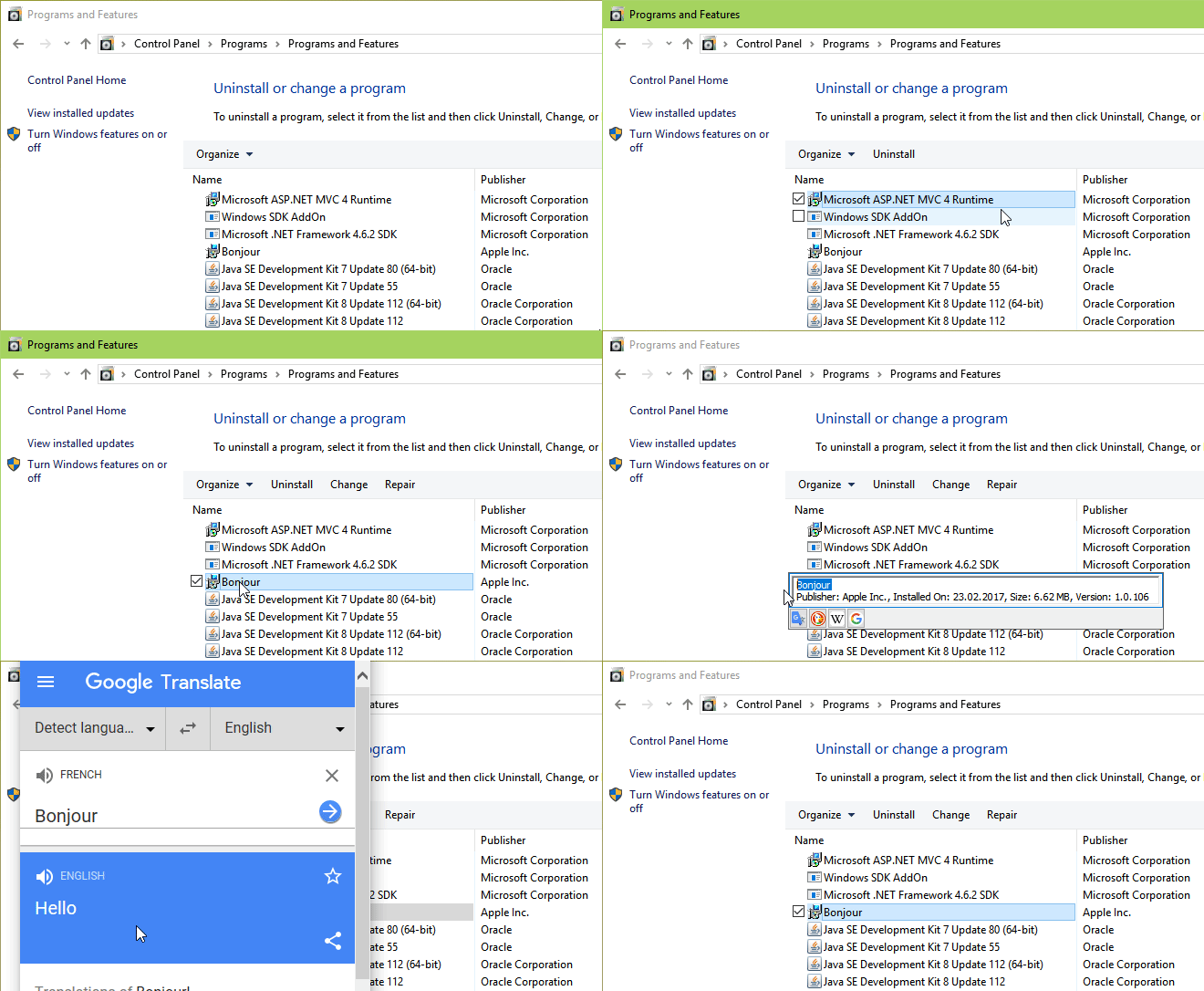
Textify was created to solve this problem: you can point your mouse over the text, click on the mouse shortcut (Shift + Middle click by default), and get a selectable view of the text.
Download
 textify_setup.exe (593.16 kB, changelog)
Latest version: v1.10.4
Source code
https://github.com/m417z/Textify
Demonstration
Translations
If you’d like to translate Textify to your language, please refer to this comment.
Thanks for making this amazing tool!
Is it possible to make it activate automatically by a double click on a dialog box, or ctrl c, instead of memorizing another key combo? Thanks in advance.
You’re welcome. Currently there’s no such option and it’s not planned.
Beware if you load a web page that has a lot of structured text, textify may grind your browser (and your whole OS) to a stuttering halt.
I thought it was Chrome’s fault until I started seeing it in Firefox and other browsers as well. It turned out that Textify was freaking out trying to parse all that text.
If you’re ever using Chrome on a page and your mouse starts moving slower and slower, and you think you’re dying, just exit Textify and see if that clears it up.
No disrespect to Textify, it’s a useful app. Just doesn’t love very long web pages.
You know, I noticed that on some web pages Chrome Browser (and others) will just grind my whole computer to a halt (even the mouse will stutter and stop).
I thought it was Textify (see my post above), but nowadays I’m starting to think that Textify was framed, and the issue was actually Google Drive for Desktop.
For some reason the web page slowdown only seems to happen when I’m running Google Drive for Desktop. If I exit that app, Chrome (and other browsers) speed up again.
Sorry, Textify, if that wasn’t you. Anyone else have similar experience with Google Drive for Desktop (on Windows, in my case Windows 11).
Thanks!
yes yes yes yes yeeeeeeeeeeeeeeeeeeeeeees
It is a very cleverly designed tool that I really like to use. My only suggestion is that it would be much better for my own usage scenario if there was a win key in addition to ctrl, shift, alt in the click setting menu.
This is an incredibly useful program. Thank you very much!
Paypal don’t want me to give you a tip! You could have retired. Anyway why our dear MS presents us with these unmemorizable dialogs that cant be copied for search puzzles me greatly, so thanks for doing this for us long suffering MS victims. Cheers. Will try Paypal again
Hi, thank you for considering a donation. PayPal works for many other contributors, so I’m not sure why it doesn’t work for you. Are you getting an error message?
Can we get MAC version?
It is a crying need.
I can only copy one by one, the copied content is limited, and the efficiency is too low. Some interfaces have a lot of text and cannot be copied all at once. The software is okay, but the efficiency is too low. I hope the author can improve the copying efficiency.
This was brought up a couple of times before. Right now that’s not possible with Textify. See the discussion here:
https://github.com/m417z/Textify/issues/20
Also, this tip of using Textify together with Ditto might be helpful.
起動時最小化で自動起動オプションが欲しいです。
Did you configure Textify to run at startup manually? If yes, add the
-hidewndcommand line switch to the startup entry or shortcut. If not, the setup wizard should have added this command line switch for you – make sure it exists and that there are no other startup entries.スイッチがありましたか。ありがとうございました。
你以前好可以直接提取抖音直播伴侣的弹幕,现在在直播的时候提取的是Chrome Legacy Window,不知道是不是老版本的可以,新版本的不能了,老版本我现在又找不回来了
Textify relies on UI Automation. There’s a tool from Microsoft called Inspect which shows automation-related information. It can be downloaded here. You can compare Textify and Inspect to make sure it’s not a bug in Textify.
I don’t think anything changed in recent Textify versions that could be relevant.
Thank you for your excellent program.
The Textify application is unable to detect or extract text from Windows 10 notifications.
If possible, please consider fixing this issue as well.
Hi, as far as I remember, it worked when I last tried. Currently I’m using Windows 11 and, since Windows 10 is no longer supported, I’m not very motivated to test it.
Textify relies on UI Automation. There’s a tool from Microsoft called Inspect which shows automation-related information. It can be downloaded here. You can compare Textify and Inspect to make sure it’s not a bug in Textify.
Microsoft Inspect works as expected; however, Textify is unable to detect or extract text from Windows 10 notifications.
It’s able to extract the text, but it’s covered by the notification, since regular programs can’t show content above it:
https://imgur.com/a/jO79YeE
Then, if you click anywhere, it’s closed.
There are several workarounds that you can use:
auto_copy_selectionin the settings, then the text will be automatically copied.