You might know I have a bit of an unhealthy obsession with wearables, lifelogging, and trying to augment reality or at least my own memory. From my early days with the Google Glass and more recently building the SDK for the Frame smart glasses, I’m always excited by tech that tries to seamlessly integrate into our lives. Add the recent explosion in AI capabilities, especially Large Language Models (LLMs), and things get really interesting.
Recently, I’ve been playing with the Bee wearable. It’s a neat little device designed to capture moments from your life – conversations, places visited, notes – essentially acting as an external memory aid. It listens, summarizes interactions, pulls out potential to-dos, and helps you build a personal knowledge base. Think of it as a dedicated lifelogger trying to be that “external brain” I dreamed about back in the Glass days.
Bee is cool on its own, but what’s really exciting is that Bee has an API! Simultaneously, i’ve been excited to follow the Model Context Protocol (MCP) as it gains popularity and I’ve been looking for a project to build on top of it.
So, naturally, I decided to build a bridge.
Introducing BeeMCP
I’m excited to announce BeeMCP - an unofficial Model Context Protocol (MCP) server for your Bee data.
Basically, BeeMCP runs locally (maybe I’ll figure out how to make a hosted version eventually) and acts as a bridge between your LLM client (like Claude Desktop or the Zed editor) and the Bee API. When your AI needs information from your Bee, it talks to BeeMCP using the standard MCP protocol, and BeeMCP grabs or updates the data in your Bee account using your API key.
This means you can now ask your AI assistant questions like:
- "What important things did I discuss last week?"
- "Remind me about Brad’s dietary preferences."
- "Where was I last Tuesday afternoon?"
- "Add ’Book flight tickets’ to my reminders."
- "Please remember that I prefer morning meetings."
The LLM can use BeeMCP’s tools to list conversations, get specific conversation details, manage your facts, manage your to-dos, and query your location history.
It also exposes this data via standard MCP resources for clients that make better use of those.
Getting Started with Claude Desktop
The easiest way to try it out is to use the Claude desktop app. This won’t work from your phone or the website, it must be run on a computer.
Get your Bee API key from developer.bee.computer.
Set up you your Claude MCP config:
- Open Claude, go to the settings (the hidden menu in the upper left if on Windows), then the “Developer” tab. Click the “Edit Config” button. This will open a folder on your computer highlighting a
claude_desktop_config.jsonfile. - Edit
claude_desktop_config.jsonto have this content (replacingYOUR-BEE-API-KEY-HEREwith your actual API key):
{ "mcpServers": { "beemcp": { "command": "uvx", "args": ["beemcp"], "env": {"BEE_API_TOKEN": "YOUR-BEE-API-KEY-HERE"} } } }- Open Claude, go to the settings (the hidden menu in the upper left if on Windows), then the “Developer” tab. Click the “Edit Config” button. This will open a folder on your computer highlighting a
Restart Claude. You should now see a hammer icon with a list of tools.
If you have any trouble with this, there are more detailed instructions in the readme or check the official Claude MCP setup guide.
Surprisingly Useful
I think this intersection of personal lifelogging data and powerful AI assistants is incredibly compelling. Bee does a decent job capturing the raw material, and tools like BeeMCP allow us to start making that data interactive and useful in daily life via the AI tools I’m already using. It turns passive data into active knowledge you can converse with.
Try it Out!
Bee has a free Apple Watch app so you can try this out for free even without their hardware.
I’m excited to see if others find this useful. Give BeeMCP a try by checking out the repo! Let me know if you have ideas for improving it.
]]>I have an unhealthy obsession with Google Glass, which unfortunately has been a story of unfulfilled promise for over a decade since I got my first Glass Explorer Edition back in 2013. Every year I go to CES to scope out if maybe this is the year someone finally released wearable computer smart glasses that are subtle enough to wear in real life and doesn’t wind up being vaporware. There have been some promising attempts over the years, but they always ended in disappointment (notably the Focals by North which sadly never actually released a developer SDK and then abruptly shut down after being acquired by Google, and remotely bricked all existing devices).
So, when I heard about Brilliant Lab’s new Frame “AI Glasses” this spring, I was excited. They are subtle and openly hackable, a combo which I haven’t seen actually available for sale in the decade since Google Glass.
While the early version of the Frame is not impressive from a technical point of view, it’s very impressive from the point of view that I can actually wear it in social situations without upsetting people, and I can program it to do whatever I want. So I started trying to do just that, only to be met with somewhat confusing documentation and limited hand-holding for someone who is used to higher-level development. Doing anything with the Frame required manually sending bytes over Bluetooth LE. I worked my way through it, but it was tedious, especially since the docs could have best been described as a work in progress.
But! Brilliant Labs has a very hacker-friendly ethos where everything is open-sourced and everything is open to the community. So I collaborated with the team and took it upon myself to build a better way to develop for Frame. Which leads me to today…
I am excited to share the new Frame Software Development Kit for the Frame smart glasses! Currently available in Python and Flutter, and coming soon for Swift and Kotlin, these new SDKs wrap all the hard stuff and make it super easy for anyone to build apps for their Frame, even if you have no experience with BTLE, low-level programming, or hardware. It’s hard to describe how much simpler it makes the development process, but suffice to say it eliminates weeks of developing and testing your own boilerplate to get off the ground.
As proof of how simple it makes development, over this week I helped run the official Frame Launch Hackathon, and in just a few hours we had people go from unboxing a Frame device to building all sorts of cool apps, from a pong game to a teleprompter, an AI-powered Pokemon card generator for the people you meet (an homage to Niantic who generously let us use their space for the event) to a tool for dementia patients to help remember faces and conversations in partnership with a care provider. All in an afternoon!
So if you want to build something for the best smart glasses I’ve seen in a decade, it’s easy to get started. Check out the documentation here, the Python and Flutter packages, and examples for Python and Flutter. Ping me if you have any questions, and please share with me if you build something cool!
]]>Enter Doppler. Over the past few months I’ve been working on building a turn-key white-label chatbot builder for influencers, celebrities, and anyone with an enthusiastic fanbase. Doppler makes it easy, fast, and free for anyone to create a paid doppelgänger chatbot of themselves.
With your explicit permission, Doppler automatically clones your likeness, voice, manner of speaking/writing, and backstory from your social media profiles, message history, and brief voice interview. It then creates an AI chatbot of you accessible via web chat, Telegram, Facebook Messenger, and Instagram DMs. Your fans can chat for free for a bit, and then are asked to pay a rate you set to keep talking. You get half the revenue, and Doppler keeps the other half.
The goal is to be like Shopify for chatbots. Doppler is a platform that makes it easy to make your own chatbot without coding. We handle the setup, implementation, integration, billing, and analytics. You spend 5 minutes setting it up and driving traffic to your new chatbot, and then sit back and get collect recurring revenue from your fans.
Unlike other startups claiming to be building similar ideas, Doppler is fully launched and usable today, with no waitlist. Try it yourself at https://doppler.page. There a lot more features coming soon, including WhatApp and Discord integration (alphas are already working), a wider range of data ingestion, better usage analytics, and automatically-generated shareable marketing graphics and videos, but the core product is already working well. Try it yourself by chatting with our virtual clone of Grimes using voice or text.
To build Doppler, I’ve partnered with one of the founders of Cerebral Valley, Aqeel Ali, who is leading the business, finance, and marketing side. I’ve built the initial MVP myself, but we’re looking to grow our technical team. If you’re interested in joining us on this exciting new journey, please get in touch at [email protected]!
]]>Just type in a short description of your business, website, or product idea and within a few seconds you’ll have domain names ideas being generated and validated for you. Unlike other domain name generator tools, all domains generated by this service are verified available, no “premium” parked domain names for thousands of dollars here. I’ve used a variety of prompts and filters to ensure a nice mix of professional, short, easy-to-spell .com domain names, as well as puns, wordplay, web 2.0 clevr [sic] names, and alternative tlds where appropriate. But feel free to provide additional guidance in the prompt, like “Mainly suggest .ai domains names that must contain the word “domain”. Results take a minute to finish generating but stream in via Server Sent Events so it’s pretty responsive. You can also pin your favorite domain names and then re-run the same or new query to come up with more variety. You may hide/show various TLDs by clicking the tld buttons. And simply click any result to register it (I get a small commission from Namecheap if you register a domain with them, which hopefully will cover my costs for hosting this service. I’m not getting rich from this.)
Of course I used it to come up with its own domain name domainotron.com!
If you have any feedback or find any bugs (especially alternate tld’s having inaccurate availability, which I’ve tried to eliminate but I can’t guarantee 100% accuracy), send me an email or ping me on twitter/etc (contact info is on my homepage).
Of note, even though I’ve been building websites and apps for the better part of two decades, I’ve never built a website using python. For Domainotron, I wanted to try building it in python with flask, as I’m trying to up my python game for obvious reasons. But a new web framework can turn a weekend side project into a much longer slog, so I used this as an opportunity to try out cursor.so, a fork of VSCode that uses GPT-4 as a pair programmer. It’s definitely not anywhere near a human junior engineer level but it is a lot more useful than Github Copilot if you’re trying to figure out a new framework and way of doing things. As one particularly compelling example, after I got the main functionality up, I tried pushing it by asking it the following prompt (copied verbatim) and it did a great first stab at implementation which I only had to slightly clean up:
“Add a little pin icon to the left of the domain name text that if clicked, toggles the pinned state of this domain name by adding or removing it from the pinnedDomains set. Domains that are pinned should not be cleared when the form is resubmitted, instead they should stay in the list as new domains get added from the new query. This allows the users to save domain names they like even when starting a new search. Pinned domains should also have a css class "pinned" so they can have a distinct style.”
Anyway, props to cursor.so for a compelling start. It’s extremely buggy so I don’t recommend switching to it as your main IDE, but it’s exciting to try it out and see how far things are getting. And it helped me build this project in a weekend using a language and web framework I’m not very familiar with.
Enjoy Domainotron.com and let me know if you end up using it to choose a name for your new project! Of the few friends I sent it to over the last week, I know of two domain names that have been purchased due to this already, plus itself.
]]>Opinions seem to be divided as to whether this is more hype or a real turning point for practical AI, but from my personal experience it is definitely a huge step forward. Sure it’s not perfect, but one can’t help but be amazed by the shear amount of tasks that it seems somewhat capable of tackling and the hard-to-describe feeling of genuine intellegence it imparts on anyone who spends much time trying it out. Many of the failure modes (like making up answers to nonsensical questions) seems to be swiftly counterected by cleaver prompt engineering (in this case, explicitly telling it that it is allowed to respond “I don’t know").
There is a playground that lets one easily interest with the text outputs of the the API, but even more exciting are the possilities of programatic access via the API. To facilitate that, there is an official Python package and an unofficial NodeJS package which wrap the raw Rest API, and this week I’ve been working on expanding that footprint.
Today I’m excited to launch my .NET bindings for the OpenAI GPT-3 API. This is a widely compatible .NET Standard 2.0 package which should work on the .NET Framework, on cross-platform .NET Core, and even via ASP.NET or Xamarin mobile (although I have not yet tested all of those scenarios). It’s a bit more than a simple Rest wrapper, handling some of the complication of the API and making it feel like an idiomatic C# library.
Using it is as simple as installing the nuget package “OpenAI" and doing something quick and simple like
var api = new OpenAI_API.OpenAIAPI(engine: Engine.Davinci);

var result = await api.Completions.CreateCompletionAsync("One Two Three One Two", temperature: 0.1);
Console.WriteLine(result.ToString());
// should print something that starts with "Three"
Of course there’s plenty of advanced ways to use it as well, from asyncronous streaming of results using fancy new C# 8.0 async interators (don’t worry, it’s also possible via more traditional methods for older versions of C#), to inspecting the log-likelihoods of results, to searching the document matching API. More details can be found on the Github Repo Readme
]]>Here is an example screenshot from my dev machine uploaded this way: http://rog.gy/ss/dd4299790b.png. I simply pressed Alt-PrintScreen on my keyboard to take a screenshot of my active app, then Ctrl-Shift-V to paste the URL of the uploaded screenshot.
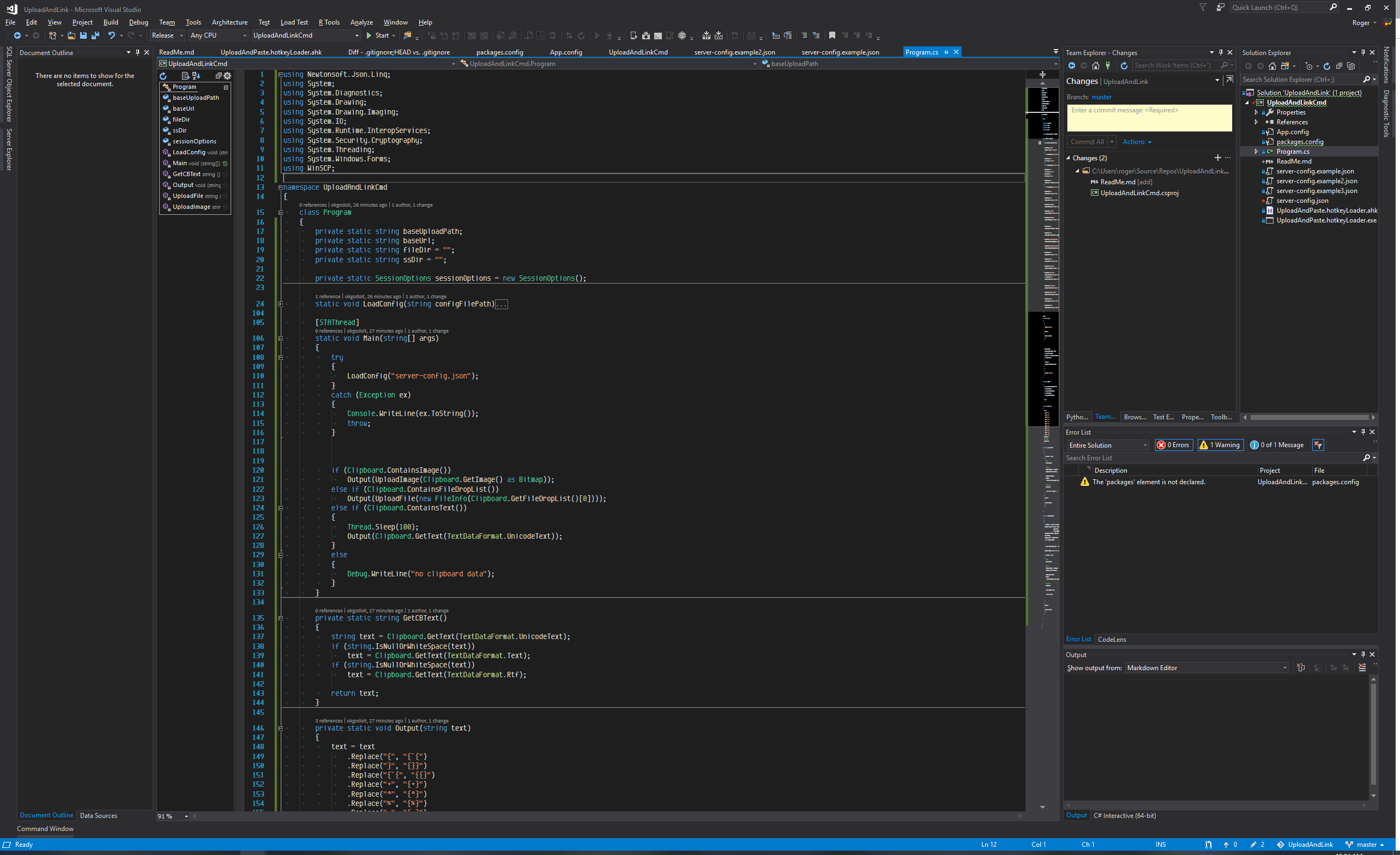
Functionality
- If content of clipboard is a file, it uploads that file to the server and pastes the public URL.
- If content of the clipboard is an image (such as a screenshot or other raw bitmap data), it saves to a png and uploads to the server, pasting the public URL.
- If content of clipboard is rich text or HTML, it pastes the plain text without formatting.
- If none of the above, it silently aborts.
In all supported cases it pastes a plain text, easily sharable representation of the content.
Setup
- Either build from source in Visual Studio 2017 or download the pre-built binary from http://rog.gy/share/UploadAndPaste.zip (yes that was uploaded using this tool!)
- Rename one of the
server-config.example.jsonfiles toserver-config.jsonand fill in the details."baseUploadPath": "/var/www/mysite/"
This is the path relative to the root of your server where files should be uploaded"baseUrl":"https://example.com/"
This is the root public URL that the files are accessible from."fileDir": "share/"Optional
You can specify a subdirectory where non-screenshot files are uploaded. Since these files may be of any type, you should configure your server/host to serve these files directly without running/executing them (for example a shared hosting provider may assume you want to execute a php script, which may result in unforeseen issues)"ssDir": "ss/"Optional
You can specify a subdirectory where screenshots uploaded.- The remaining items are configuration for WinSCP to connect to the server. You can generate the values directly via WinSCP as documented here: https://winscp.net/eng/docs/ui_generateurl
- If you want to use a hotkey other than Ctrl-Shift-V, you need to modify
UploadAndPaste.hotkeyLoader.ahkand use AutoHotKey to recompile the script - Run
UploadAndPaste.hotkeyLoader.exeor set it to run on startup. Depending on how you set it to run on startup, you may need to ensure the working directory is specified. - With some data on the clipboard and a focused text area to paste into, press Ctrl-Shift-V to test it out.
Open Source
I built this tool to scratch my own itch, but hopefully others find it useful as well. Feel free to submit any issues or PR’s on GitHub: https://github.com/OkGoDoIt/UploadAndPaste
]]>Recently I was asked to speak at an AI/ML conference as the opening talk to introduce machine learning to designers and others without prior ML experience. I wanted to focus on the practical opportunities for developers to put ML to immediate use without having to dive into the weeds of the underlying math. My talk “Machine Learning for Everyone” was a hit and I received great feedback from attendees and the organizer.
Although I’ve been presenting in front of huge hackathon audiences for nearly a decade, this was my first time presenting a long-form talk at a conference, so I’m quite proud of how it turned out. I plan on refining it and continuing to give talks at other conferences, so if you think you know an event where a practical introduction to machine learning would be valuable, please let me know!
]]>I built this bot for the VentureBeat Botathon this weekend: https://stop.dating (domain name has since expired)
The Stop.Dating bot handles everything from breaking the news to your soon-to-be-ex and handling any followup pushback/questions/anger/guilt they may try to burden you with. The bot handles it all for you, and even helps to block your new ex so they can’t bother you anymore.
Ah, the sweet bliss of singleness without the messy conversation and feelings. Because what are bots good for if not reducing down a complex emotional ordeal to a well-defined set of tasks performed without mercy or remorse?
All of this is freshly built in 24 hours. Check out https://stop.dating (yes that was the domain name) or text 443-2-REJECT and you’ll be seconds away from unattached bliss!

In case it’s unclear, this bot is mostly tounge-in-cheek silliness. But it does work, so use it wisely! :-P
]]>Google Glass is the Windows XP Tablet PC of wearable computing. It has a lot of tradeoffs. It doesn’t replace a smartphone completely, yet it doesn’t offer any groundbreaking new capability to justify its existence. It’s certainly not worth the extreme price tag for personal use. But... there’s something magical about it. It’s a computer on your face! It’s exhilarating, in that way that bleeding-edge technology feels if you look past the short-term flaws.
"Who would need an underpowered computer on their face?” you ask, “especially if it doesn’t enable anything worth the hassle, social stigma, and price?” While a fair question, it rings eerily similar to the question of “who would need an underpowered computer in their home?” Perhaps Glass is like the Apple II, a hobbyist device that most people can’t imagine a personal use for. But like the Apple II or Windows tablet PC, Glass is finding its way into specialized business uses. GlassAlmanac.com argues convincingly that people will become familiar with the tech at work, and eventually it may find its way back into personal use again. What Glass needs is a killer app: what spreadsheets, desktop publishing, etc were to personal computing. This is a great opportunity to be the Lotus/Microsoft/Adobe of the wearable computing era.
I feel like there is also a lot of opportunity for improvement in the user experience of Glass and wearable tech in general. Glass’s current model of pushing notifications or acting on voice commands feels too much like a smartphone interaction that just happens to be on one’s head. It’s Windows XP shoehorned into a keyboardless body. What if Glass was more contextual? Back when Google was still teasing us with Glass and my imagination wasn’t yet aligned to reality, I envisioned Glass listening to my speaking throughout the day and nudging me to reduce my share of talking in conversation if I’m yapping too much, or popping up with my grocery list as soon as I enter a grocery store, or giving me a summary of people I had talked with at a conference including face photos and snippets of conversation. Battery and processing power limit the viability of these ideas for now, but not forever.
Beyond just Glass, I see the future of wearables in a set of devices that work together. A heads-up display, maybe an optional head-mounted camera, a smartwatch with a screen and buttons, a ring/bracelet with motion sensitivity, and the smartphone as the coordinating hub. Right now my Glass and my Pebble each try to act independently. But it would be so much more useful if I could flick my wrist to turn on Glass, or speak to Glass to enter text on my watch, or take a photo with my Glass by pressing a button on my watch.
Regardless of whether Glass the product dies or thrives, wearables as a category are going to continue to evolve. Batteries will improve. Displays will blend into the frames. Pricing will come down. People will find uses for them, and as some point they will be useful enough and subtle enough that wearables will be just another technology. The magic will be gone along with the controversy. There is opportunity now for developers and businesses to learn from Glass and make the iPad or Excel of wearable computing. And there’s still plenty of time for wonder and excitement at the magic. Holy crap, I have a computer on my face!
]]>