SmartQRTags1.23
Publisher Description
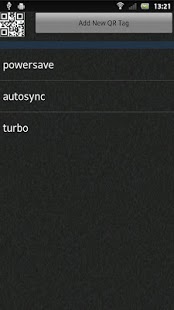
switching profiles via QR code :D printout a QR code (**or just cut one out of your newsletter** ;) ) and put it anyware
for example -in the car on the dashboard to start cardock mode-in the bedroom on the bedside table to activate the flight mode-at home at the entrance door to activate wireless-scan the barcode of a CD Cover and associate it to the belonging playlist-...
>>>> Switch on Display - Shake your phone - Scan QR Code - Done <<<<
its like SmartTags on Xperia2012 series ;o)
it includes settings to configure shake sensitivity and now you can use every QR Code you find !!! just cut one out of your newsletter if you need a TAG (just like nfc tags)
folloing action are possible:-Enable/Disable Wifi-Enable/Disable Wifi Hotspot-Enable/Disable Bluetooth-Enable/Disable Mobile Data-Open Network Settings to change 2G/3G-Open Gps/Location Settings-Enable/Disable Autosync-Enable/Disable Flightmode-Mute/UnMute the Phone-Set Alarmvolume to MAX-Enable/Disable Cardock mode-Play Title or Playlist-Start selected Application-Send a Textmessage-set Phone Volumes-set Bass Boost
update:-reworked shake detection-added a few actions more-added a second icon to directly scan and apply a Profile
update v1.03:-switched storing from shardpreferences to sqlite database for better performance-send sms works now-start app works now
update v1.04:-new icon
update v1.05:-few ui changes-added flightmode
update v1.06:-fixed the bug where scanner not opened while screen is locked-action "data" now opens the mobiledata settings page (user have to check/uncheck the checkbox)-added action "gps" -option to disable the use of acceleration sensor
update v1.07:-fixed action "data" now works without user interaction
update v1.08:-gui updates-added "send log dump" function-added "hotspot"-added "play music/playlist"
update v1.09:-fixed the bug where you cant dismiss barcodescanner insallation-fixed (hopefully) the bug where the phone stays unlocked-if you have a modded phone.apk you can limit to 2G without user interaction.
update v1.10:-added a full mixercontrol to set volumes and bassboost -a few bugfixes
update v1.15:-bug fixes-fixed playlist select/playback-added googlemusic playlists-added apply profiles by time-added create shortcuts to desktop
update v1.16:-fixed ForceClose on start-fixed timed profiles are not applied when device is in deepsleep-added a notify when profiles are applied-fixed create desktopshortcuts when icon are to big
update v1.17:-added the option to use Magneticfield as Trigger (usefull if dardock has magnet buildin)
update v1.20:-if you have my SetXperia (at least version 1.58) on your Phone. you can now switch OC profiles with smartQRTags ;o)
update v1.22:-if you have Systemcleanup (at least version 3.57) on your Phone, you can now trigger autocleanups with smartQRTags ;o)
update v1.23:-made the profiles screen scrollable (for small screens)
About SmartQRTags
The company that develops SmartQRTags is inteks. The latest version released by its developer is 1.23. This app was rated by 1 users of our site and has an average rating of 5.0.
To install SmartQRTags on your Android device, just click the green Continue To App button above to start the installation process. The app is listed on our website since 2013-03-05 and was downloaded 9 times. We have already checked if the download link is safe, however for your own protection we recommend that you scan the downloaded app with your antivirus. Your antivirus may detect the SmartQRTags as malware as malware if the download link to com.SmartQRTags.inteks.org is broken.
How to install SmartQRTags on your Android device:
- Click on the Continue To App button on our website. This will redirect you to Google Play.
- Once the SmartQRTags is shown in the Google Play listing of your Android device, you can start its download and installation. Tap on the Install button located below the search bar and to the right of the app icon.
- A pop-up window with the permissions required by SmartQRTags will be shown. Click on Accept to continue the process.
- SmartQRTags will be downloaded onto your device, displaying a progress. Once the download completes, the installation will start and you'll get a notification after the installation is finished.
Program Details
System requirements
Download information
Pricing
Version History
version 1.23
posted on 2013-03-05
update v1.22:,-if you have Systemcleanup (at least version 3.57) on your Phone, you can now trigger autocleanups with smartQRTags ;o),update v1.23:,-made the profiles screen scrollable (for small screens)
version 1.23
posted on 2013-03-05
Several fixes and updates