bundle install, fails again.

Eventually you add something like Use chruby 4.0.0 to run Ruby commands in either the project or your user-level CLAUDE.md.
While this is frustrating, I don’t blame Claude. Ruby has at least seven version managers - rbenv, chruby, rvm, asdf, mise, rv, shadowenv - and Claude doesn’t know which one you’re using.
This is an example of a bigger question: how can a community teach AI to handle its ecosystem’s quirks? Or how does it know about areas that are still rapidly developing, like the typing and tooling scene in Ruby?
So I built ruby-skills to solve the version manager problem and experiment with community-maintained guardrails for Claude Code.
What ruby-skills provides
Think of it as a starter pack for Ruby development in Claude Code - helping Claude understand your Ruby environment and find the right resources:
- Know how to run Ruby correctly - detects your version manager and activates the right Ruby version
- Know where to look for resources - points Claude to authoritative documentation sources
- Connect with the language server - integrates Ruby LSP for code intelligence
The project provides two plugins:
ruby-skills plugin
Contains Ruby-specific skills:
ruby-version-manager: Detects your version manager and which Ruby version your project requires. Instead of running bundle install and failing, Claude runs:
<version manager activation command> && bundle install
The activation command is prepended because Claude Code runs each command in a fresh shell - environment changes don’t persist between commands.
Ruby LSP’s VS Code extension solves the same problem for editors - it activates the correct Ruby so the language server and other extensions can invoke Ruby commands correctly. This skill does the same for Claude Code.
When multiple version managers are detected, Claude asks which one you prefer:

ruby-resource-map: Provides links to authoritative Ruby documentation (docs.ruby-lang.org) and advises avoiding known outdated sources like apidock.com (an unmaintained Ruby documentation site that often shows up in the top search results).
It also briefly explains the current situation in areas where official guidance is scarce or changing rapidly, like the typing ecosystem (Sorbet vs Steep, RBI vs RBS), and links to relevant projects. Without this, Claude might provide outdated suggestions based on old training data and bad references.
ruby-lsp plugin
Integrates Ruby LSP for code intelligence - hover documentation, go-to-definition, diagnostics. It uses the version manager skill to activate the correct Ruby before running the LSP server. (Note: LSP integration in Claude Code is new and currently less feature-rich than MCP integration.)

A quick note on Claude Code plugins
Here’s some Claude Code terminology (see official documentation for details):
- Marketplace: A repository that hosts multiple plugins. Communities can create their own marketplace to distribute related plugins together.
- Plugins: Extend Claude Code’s capabilities. A plugin can provide LSP integration for code intelligence, MCP integration for custom tools, or skills that teach Claude domain-specific knowledge.
- Skills: Instructions that guide Claude’s behavior for specific tasks.
Anthropic maintains an official plugins repository with plugins for popular tools like Playwright and Sentry, as well as LSP integrations for many languages.
Why Claude Code specific
In the longer term, I want to make this project vendor-agnostic - it should work with Claude Code, Codex, OpenCode, etc. But I started with Claude Code because:
- I use it daily, at work and personally, so I can test what I build in real workflows.
- Claude Code has the most mature skill and plugin system and community. Building from here is easier.
What I think will happen with language-specific skills
As AI coding tools mature, I think language-specific plugins will naturally emerge from each community rather than being centralized in official or popular marketplaces. It makes more sense for people close to the tools to build and maintain these bridges - I’d expect something like ruby/agent-skills to eventually exist under the Ruby organization.
Generic AI tools handle syntax and common patterns well. But every language has ecosystem quirks that require community knowledge - the version manager fragmentation I described above is one Ruby-specific example that Rust or Go developers don’t face the same way. Contributing Ruby-specific logic to a centralized repository creates a mismatch: maintainers unfamiliar with Ruby would have to review and maintain code for tools they don’t use.
Skills also build on skills. Once Claude knows how to activate the right Ruby version, other Ruby skills become possible. A future RuboCop skill that configures project linting rules would need to invoke Ruby correctly first. The version manager skill becomes a foundation.
This is why instead of adding a ruby-lsp plugin to the official plugins repo, I decided to host it alongside the skill.
Try it out
# Add the marketplace
claude plugin marketplace add st0012/ruby-skills

# Install the plugins (format: plugin-name@marketplace-name)
claude plugin install ruby-skills@ruby-skills
claude plugin install ruby-lsp@ruby-skills
See the README for detailed documentation.
The long-term goal is to upstream these plugins to the ruby/ organization - the experiment is whether community-maintained skills are worth the effort. Feedback, issues, and contributions are welcome on GitHub.
This year I want to focus on the writing experience—and how documentation might need to evolve for the AI era.
Moving toward Markdown
RDoc markup has served Ruby well, but Markdown has become the industry standard. Most developers already know it. RDoc markup, being Ruby-specific, creates unnecessary friction for contributors.
I’ve been working on improving RDoc’s Markdown support to reach feature parity with GitHub Flavored Markdown. Although RDoc has supported Markdown for many years, it was buggy and lacked documentation. So starting this year, I’ve been working on fixing those issues. Some recent changes:
- GitHub-style heading anchors: Headings now generate lowercase, hyphenated anchors (like
#my-headinginstead of#label-My+Heading). Markdown links like[link](#my-heading)now work as expected. Legacy anchors are preserved as hidden elements so existing links don’t break. - Strikethrough:
~~text~~now renders properly in Markdown files. - Backticks in RDoc markup: Users can now use backticks (
`) in addition to+for inline code. This is a common mistake in Ruby core documentation contributions—rather than correcting people, we should just support what they naturally write. - Better code block handling: Fixed issues where non-Ruby code blocks were incorrectly getting Ruby syntax highlighting.
I’ve also rebuilt RDoc’s markup documentation to better explain what’s supported in each format.
The above changes have been shipped in RDoc v7.1.0.
The long-term goal is to make Markdown the default for Ruby documentation and help existing RDoc markup projects migrate to Markdown.
RBS integration
Type information is becoming more valuable—both for developers and for AI tools that consume documentation. I want RDoc to support displaying RBS signatures alongside method documentation.
This means integrating inline and external RBS signatures into both HTML and RI output, with dedicated documentation section for type definitions (e.g. type aliases, generic types, etc.).
Documentation for AI
This is more exploratory, but I think documentation tools need to consider how AI agents consume documentation.
One direction is generating LLM-friendly output formats. GitBook’s approach with llms.txt and markdown-only pages is interesting. Markdown is more token-efficient than HTML, and having a single-file documentation dump could be useful for context windows.
Another direction is agent skills that help write documentation. I’ve been thinking about what this could look like for RDoc:
- Setting up RDoc for a project, from documentation generation to deployment on GitHub pages
- Writing documentation using RDoc features and directives
Not directly related to RDoc, but I also would like to explore general Ruby skills, like:
- Navigating common Ruby environment issues (version managers, bundler, etc.)
- Using
rito look up existing Ruby documentation for more effective Ruby programming
What’s next
The Markdown improvements and documentation overhaul are ongoing. RBS integration is next on the list, targeting RubyKaigi. The AI-related work is something I’ll explore throughout the year as I continue to use these tools myself.
If you’re generating documentation with RDoc and run into issues with any of these newer features, please open an issue.
]]>It mostly worked — Claude debugged the issue, I reviewed the changes, and pushed a fix, which triggers the deployment, all from my phone while I was out.
That said, I ran into a few things that made the experience less smooth than I expected. If you’re a Ruby developer thinking about trying this, here’s what to know:
The cloud environment won’t match your local setup. Code sessions run in a standardized Anthropic-managed VM with rbenv and Ruby 3.3.6 as the default. My site uses chruby and Ruby 4.0.0 and I wrote my CLAUDE.md based on it. In the cloud environment Claude tried and failed to follow these, then just gave up on building my Jekyll site to actually test the fix.
I needed to push it to sort out the environment issue, commit detailed instructions for that into CLAUDE.md, and verify the fixes after rebuilding the site. The cloud environment specific instructions are necessary for things to work consistently across multiple Code sessions.
There’s no editor view. You can’t easily see code changes as you go — there’s no editor pane. You either check individual tool outputs, ask Claude to summarize changes, or open a PR to see the diff there.
Sessions seem tied to a single PR. After my first PR was merged, I tried adding follow-up changes in the same session. Neither pushing to the rebased branch nor creating a new branch made Claude realize it needed to create a different PR — the UI kept showing the old, merged one. I’m not sure if this is a bug or intended behavior.

I’m genuinely excited that I can now address website issues and publish content from my phone. The experience was good enough that I’ll probably use it again.
I’m less excited about hearing “You can fix this on your phone” in the future.
]]>I want to use this post to document my opinions on AI coding tools and OSS maintenance at this specific point.
With the rate AI models and coding tools improve, I’d be curious to see how much of my takes hold or change after 6 months/a year.
About me
I’m a Ruby committer. I also maintain Ruby’s RDoc, IRB, and Reline libraries.
I don’t see myself as an AI expert, perhaps not even a power user. I use AI tools regularly at work and for OSS development, but haven’t explored many advanced features, such as custom skills. My primary setup is Claude Code with Opus 4.5, so my takes are largely shaped by that.
I’ve used AI to assist my contributions to ZJIT and the creation of Ruby’s new documentation theme. Without AI, I wouldn’t have attempted these—or not to the same extent, due to the upfront cost.
More developers will contribute to OSS using AI tools
I think a main reason is that they see it works well in their work/personal projects. Laziness and malicious attempts could also be behind some people’s contributions, but I want to believe that the majority genuinely believe AI is helping them contribute.
AI coding skills vary even more than traditional coding skills
Just like every developer’s coding skill can vary, sometimes a lot, our AI coding skills and perceptions on coding with AI can vary a lot too. I’d argue that as of now, the difference could be even bigger than traditional coding skill differences.
We have more variables now:
- The models people have access to (due to budget limits, company policies, regions, etc.)
- Usage limits
- The interfaces they use (CLI, IDE integration, chat)
- What projects they use those tools on daily
- The person’s moral compass
- …and many others
(I don’t want to get too deep into these variables here.)
AI is a multiplier, not a leveler
AI amplifies existing developer habits, good or bad. If you lack certain good traits in software development—curiosity, willingness to dig into root causes, knowing when to ask for help…etc.—AI won’t fill that hole. It’ll just help you produce more of whatever you were already producing.
The maintainer’s dilemma
As an OSS maintainer, I don’t get to control what tools people use to “help” them contribute to the project, or how they use it.
I’ve seen more developers feel “enabled” by AI tools to start contributing to OSS projects. In other words, those devs would not have contributed without these tools. I’m one of those devs in terms of contributing to ZJIT, as I’ve detailed in a previous post.
But this also means we’re seeing more low-effort, low-quality contributions.
So what distinguishes good-faith AI-assisted contributions from low-effort ones? I don’t have a good definition that’s worth sharing, but here’s what I look for:
- Did the contributor commit the changes themselves? (indicates they at least did a final review, hopefully)
- Can they answer: what problem they’re solving, and why this specific approach?
The solution exploration doesn’t need to be exhaustive—it’s okay to make mistakes and ask questions. The point is: have good intent and stay engaged with their own work.
AI agents are changing the maintainer-contributor dynamic
Before AI tools, the contribution process involved two parties: maintainers and contributors (it can also involve community discussions, but let’s keep it simple for now). Now there are three: maintainers, contributors, and contributors’ agents.
This creates new communication channels:
- Maintainer → Contributor: CONTRIBUTING.md, PR reviews (unchanged)
- Maintainer → Contributor’s Agent: Agent instruction files like AGENTS.md, CLAUDE.md, etc. (new)
- Contributor → Their Agent: prompts, instructions
Agent instructions talk directly to agents, not necessarily to contributors. A contributor might not read your docs, but their agent is more likely to. This lets maintainers influence how contributors’ tools behave in their repo.
For example, maintainers can ask agents to:
- Care about commit hygiene
- Not commit anything that breaks tests
- Be concise when generating comments, or use a specific format
In the past, these practices were hard to enforce—you could document them, but contributors might not read or follow them. Now that agents are in the loop and tend to follow instructions, maybe this brings some positivity to maintainers too.
But in my opinion, one channel should stay the same: Contributor → Maintainer communication should remain human-to-human. PRs and discussions should come from the contributor, not their agent.
This doesn’t mean you can’t use AI to help draft a PR description—just review it like you would with the code. The expectation is that you’ve reviewed and understood what you’re submitting.
What does this mean to maintainers
Given this new dynamic, I think projects should provide AI-related guidance via agent instruction files. This isn’t about preventing AI slop, as you can’t really stop bad contributions, with or without AI. It’s about empowering good-faith contributors, your fellow maintainers, and their agents to work more effectively with your project.
Yes, it will add more to the maintainer’s plate. But AI can help with that too—if maintainers have access to these tools.
AI companies should sponsor maintainers
Contributors now have access to powerful AI tools. But many maintainers don’t—and without them, maintainers only feel the negatives: more contributions to review, some low-quality, without the means to keep up.
I personally think AI coding tools are the biggest developer productivity boost in recent memory. And the people maintaining our shared infrastructure should have access to them too.
Similar to how CDN and hosting companies sponsor usage credits to OSS projects, I think AI companies can sponsor access to their tools. For example, maintainers of popular OSS projects could get Claude Code Max free of charge.
The exact mechanism could vary—credits, free tiers, partnerships—but providing sponsorship hits multiple birds with one stone:
- It helps projects progress faster
- It allows maintainers to catch up with contributors’ tooling and respond accordingly (e.g., maintain good agent instructions)
- Publicly visible agent instructions (AGENTS.md, skills, etc.) enable sharing real-world agentic coding practices, which helps broader adoption
If these tools help developers ship faster, let’s make sure maintainers have access too.
To contributors
I encourage using AI to contribute to projects I maintain. The expectations I outlined earlier apply here too—review your own work, be able to explain what and why.
If you want to contribute but aren’t familiar with the codebase, use AI to help you learn. Ask it questions and verify the answers by digging into the code yourself. Treat AI as another person who’s also new to the codebase—have discussions together, run experiments together.
To maintainers who haven’t tried AI tools
If you’re still skeptical, I’d echo Armin Ronacher’s advice: give yourself a week to really try it. Not just a quick test—actually use it for tasks you’re already planning to do.
I recommend treating it as a second pair of eyes first. Let it help you with tasks you already understand well, so you can evaluate its output critically.
Once you’re comfortable, create an AI instruction file like AGENTS.md with AI’s help. At the very least, tell AI how to:
- Build your project
- Run tests
- Run linters
- Run end-to-end tests (if applicable)
The latest models should be able to help you generate these with minimal input. If you’re missing any of these instructions in your CONTRIBUTING.md, you can improve it together as well.
With these instructions in place, agents can do a lot with minimal intervention:
- Prototype a few solutions to an issue and summarize the results
- Identify and remove dead code, then run tests to verify
- Execute and test documented code examples
This is where I feel the agents start to increase my productivity significantly.
Long-term optimism
I think in the long run, AI will help the community maintain and improve OSS projects.
RDoc’s new Aliki theme is one example—I wouldn’t have built it without AI. Beyond that, AI has helped me address markdown parsing issues, explore refactoring ideas, and more. It’s made project maintenance a bit more fun, instead of just extra debugging on weekends.
I’d be interested to see if AI tools will help revive unmaintained projects. And whether they’ll help raise a new generation of contributors—or even maintainers.
]]>This post was originally published on September 8, 2025 on Rails at Scale.
Ever since YJIT’s introduction, I’ve felt simultaneously close to and distant from Ruby’s JIT compiler. I know how to enable it in my Ruby programs. I know it makes my Ruby programs run faster by compiling some of them into machine code. But my understanding around YJIT, or JIT compilers in Ruby in general, seems to end here.
A few months ago, my colleague Max Bernstein wrote ZJIT has been merged into Ruby to explain how ZJIT compiles Ruby’s bytecode to HIR, LIR, and then to native code. It sheds some light on how JIT compilers can compile our program, which is why I started to contribute to ZJIT in July. But I still had many questions unanswered before digging into the source code and asking the JIT experts around me (Max, Kokubun, and Alan).
So I want to use this post to answer some questions/mental gaps you might also have about JIT compilers for Ruby:
- Where does JIT-compiled code actually live?
- How does Ruby actually execute JIT code?
- How does Ruby decide what to compile?
- Why does JIT-compiled code fall back to the interpreter?
While we use ZJIT (Ruby’s experimental next-generation JIT) as our reference, these concepts apply equally to YJIT as well.
Where JIT-Compiled Code Actually Lives
Ruby ISEQs and YARV Bytecode
When Ruby loads your code, it compiles each method into an Instruction Sequence (ISEQ) - a data structure containing YARV (CRuby virtual machine) bytecode instructions.
(If you’re not familiar with YARV instructions or want to learn more, Kevin Newton wrote a great blog series to introduce them)
Let’s start with a simple example:
def foo
  bar
end

def bar
  42
end
Running ruby --dump=insn example.rb shows us the bytecode:
== disasm: #<ISeq:[email protected]:1 (1,0)-(3,3)>
0000 putself                                                          (   2)[LiCa]
0001 opt_send_without_block                 <calldata!mid:bar, argc:0, FCALL|VCALL|ARGS_SIMPLE>
0003 leave                                  [Re]

== disasm: #<ISeq:[email protected]:5 (5,0)-(7,3)>
0000 putobject                              42                        (   6)[LiCa]
0002 leave                                  [Re]
JIT-Compiled Code Lives on ISEQ Too
I assumed JIT-compiled code would replace bytecode—after all, native code is faster. But Ruby keeps both, for good reason.
Here’s what an ISEQ looks like initially:
ISEQ (foo method)
├── body
│   ├── bytecode: [putself, opt_send_without_block, leave]
│   ├── jit_entry: NULL  // No JIT code yet
│   ├── jit_entry_calls: 0  // Call counter
After the method is called repeatedly and gets JIT-compiled:
ISEQ (foo method)
├── body
│   ├── bytecode: [putself, opt_send_without_block, leave]  // Still here!
│   ├── jit_entry: 0x7f8b2c001000  // Pointer to native machine code
│   ├── jit_entry_calls: 35  // Reached compilation threshold
The jit_entry field is the gateway to native code. When it’s NULL, Ruby interprets bytecode. When it points to compiled code, Ruby can jump directly to machine instructions.
But the bytecode never goes away - Ruby needs it for de-optimization, which we will explore a bit later.
The Execution Switch: From Bytecode to Native Code
This is easier than I expected. Since each ISEQ points to its JIT compiled code when it’s available, Ruby simply
checks the jit_entry field on every ISEQ it’s going to execute:

When there’s no JIT code (jit_entry is NULL), it continues interpreting. Otherwise, it runs the compiled native code.
How Ruby Decides What to Compile
Ruby doesn’t compile methods randomly or all at once. Instead, methods earn compilation through repeated use. In ZJIT, this happens in two phases:
if (body->jit_entry == NULL && rb_zjit_enabled_p) {
    body->jit_entry_calls++;

    // Phase 1: Profile the method
    if (body->jit_entry_calls == rb_zjit_profile_threshold) {
        rb_zjit_profile_enable(iseq);
    }

    // Phase 2: Compile to native code
    if (body->jit_entry_calls == rb_zjit_call_threshold) {
        rb_zjit_compile_iseq(iseq, false);
        // After this, jit_entry points to machine code
    }
}
As of now, ZJIT’s default profile threshold is 25 and compile threshold is 30 (both may change in the future). So a method’s lifecycle may look like this:
Calls:     0 ─────────── 25 ────────── 30 ─────────────────►
           │              │             │
Mode:      └─ Interpret ──┴── Profile ──┴─ Native Code (JIT compiled)
This is why we need to “warm up” the program before we get the peak performance with JIT.
When JIT Code Gives Up: Understanding De-optimization
JIT code makes assumptions to run fast. When those assumptions break, Ruby must “de-optimize” - return control to the interpreter. It’s a safety mechanism that ensures your code always produces correct results.
Consider this method:
def add(a, b)
  a + b
end
which would generate these instructions:
== disasm: #<ISeq:[email protected]:1 (1,0)-(3,3)>
0000 getlocal_WC_0                          a@0                       (   2)[LiCa]
0002 getlocal_WC_0                          b@1
0004 opt_plus                               <calldata!mid:+, argc:1, ARGS_SIMPLE>[CcCr]
0006 leave                                                            (   3)[Re]
Because Ruby doesn’t know what opt_plus would be called with beforehand, the underlying C function vm_opt_plus needs to handle various classes (like String, Array, Float, Integer, etc.) that can respond to +.
But, if profiling shows add is always called with integers (Fixnums), JIT compilers can generate optimized code that only handles integer addition. But it includes “guards” to check this assumption:

When the assumption is broken, like when add(1.5, 2) is called:
- The guard check fails
- JIT code jumps to a “side exit”
- The side exit restores interpreter state (stack, instruction pointer..etc.)
- Control returns to the interpreter
- The interpreter executes
opt_plusand calls thevm_opt_plusfunction
Other triggers for falling back include:
- TracePoint activation - TracePoint needs bytecode execution for properly emitting events (more details below)
- Redefined core methods - Someone changed what
+means on Integer - Ractor usage - Multi-ractor changes some YARV instruction’s behaviour. So the compiled code could perform differently than the interpreter in that situation
These assumption checks, or patch points as we call them in ZJIT, make sure your program performs correctly when any of the assumptions change.
Answering Some Additional Questions
Why does enabling TracePoint slow everything down?
(TracePoint is a Ruby class that can be used to register callbacks on specific Ruby execution events. It’s commonly used in debugging/development tools.)
Most of TracePoint’s events are triggered by corresponding YARV bytecode. When TracePoint is activated, instructions in ISEQs will be replaced with their trace_* counterpart. Like opt_plus will be replaced with trace_opt_plus.
If Ruby only executes the compiled machine code, then those events wouldn’t be triggered correctly. Therefore, when ZJIT and YJIT compilers detect TracePoint’s activation, they immediately throw away the optimized code to force Ruby to interpret YARV instructions instead.
Why doesn’t Ruby just compile everything?
Many methods are called rarely. Compiling them would waste memory and compilation time for no performance benefit. Also, compiling methods without profiling would mean that JIT compilers either make wrong assumptions that get invalidated pretty quickly, or don’t make specific enough assumptions that miss further optimization opportunities.
Final Notes
I hope this post helped you understand JIT compilers, a now essential part of Ruby, a little bit more.
If you want to learn more about Ruby’s new JIT compiler: ZJIT, I highly recommend giving ZJIT has been merged into Ruby a read. And if you want to learn more about Ruby’s YARV instructions, Kevin Newton’s Advent of YARV series is the best resource.
]]>This post was originally published on July 19, 2025 on Rails at Scale.
For a decade (2014-2024), I was a Ruby-only developer. I worked across the Ruby ecosystem—from Rails development to Ruby’s core tooling like IRB, RDoc, and the debug gem. But while I moved around the stack, I stayed within Ruby’s boundaries. Ruby wasn’t just my primary language; it was essentially my only language.
That changed in 2025.
This year, I’ve contributed to Sorbet (C++), worked on RBS’s parser (C), and am now diving into ZJIT (Rust). A combination of factors enabled this shift—something I’d always dreamed of but was terrified to attempt. But AI coding tools like Cursor and Claude Code—both encouraged at Shopify—have been absolutely career-changing.
The Perfect Storm of Opportunity
Before diving into the AI aspect, I need to acknowledge two crucial factors that made this transition possible:
First, our Ruby DX team’s roadmap shifted to require Sorbet’s support for RBS, which meant I now had to work on projects written in C++ and C—system programming languages that require understanding concepts I’d never encountered in Ruby.
Second, Shopify’s Ruby and Rails Infrastructure team is packed with experts who genuinely love sharing their knowledge. Alexander Momchilov, Alexandre Terrasa, Max Bernstein, and many others have been incredibly generous with their time. Those pairing/tutoring sessions gave me the C/C++/JIT fundamentals I needed to even attempt this work.
But here’s the thing: great mentors and project opportunities to learn new languages have always existed. What’s different now is how AI has fundamentally changed the learning curve.
The Complexity of System Programming Projects
Let me use ZJIT, a new just-in-time (JIT) Ruby compiler, as an example (to learn more about it, check out this RailsAtScale post by Max). This project perfectly illustrates the challenge: it requires both deep conceptual understanding (how JITs and GC work) AND language/tool-specific expertise (Rust idioms, C programming conventions, Ruby’s build system). Working on ZJIT means constantly juggling:
- Rust (what ZJIT is written in)
- C (what Ruby is written in)
- General JIT knowledge (compiler theory, optimization strategies)
- ZJIT-specific concepts (its particular architecture and design decisions)
- Ruby internals (how the VM actually works)
- Ruby build systems (which have their own conventions on top of tools like autoconf and Makefile that I’d rarely encountered before)
A single pull request typically touches 2-4 of these areas simultaneously. Claude is remarkably helpful with the first three—language syntax, general concepts, standard patterns. It’s hit or miss for the last three—project-specific knowledge, deep internals, and build system quirks.
But that’s still cutting my learning blockers in half.
AI as a Complementary Pairing Partner
The real breakthrough came when I stopped thinking of AI as a code generator and started treating it as a pairing partner with complementary skills.
This isn’t about AI writing code for me. If I expected Claude to implement ZJIT features correctly, I’d likely be frustrated and probably waste more time than I’d save. The AI lacks the project-specific context and deep domain knowledge required.
Instead, we act as a pair of engineers with different strengths. While it knows more about language-specific syntax and patterns than I do, I understand the project requirements and constraints better (and hopefully have better taste). This creates a productive learning dynamic where:
- I provide task requirements and project context
- AI identifies existing patterns and acts as the language expert
- I question why certain approaches would or wouldn’t work
- AI explores the theory, either through actually changing code or simply inferring, and gives me the result
- Through the conversation, I’m learning both the language AND how to apply it effectively
For example, when I need to profile a Ruby bytecode instruction for ZJIT, I can ask Claude Code to examine previous PRs that did something similar and explain the parts I don’t understand line by line. I can ask “dumb” questions like “Why do JIT compilers need profiling?” without feeling like I’m wasting someone’s time. I get immediate clarification on unfamiliar Rust syntax. And throughout this process, I’m building my understanding of both the language and the system.
Of course, there were also times where we were both heading in the wrong direction together, and could only be saved by my mentors and teammates’ clarification and knowledge sharing. AI accelerates learning, but human expertise remains irreplaceable for course correction.
The Language Barrier Is Dissolving
What excites me most is that we no longer need to spend 100+ hours learning C before making our first contribution to a C project. AI acts as a second pair of eyes, unblocking us from silly rookie mistakes—using the wrong syntax to declare variables, misunderstanding type conventions, or fighting with unfamiliar tooling. We can start contributing meaningfully from day one, learning what we need as we go.
This doesn’t replace deep expertise—our team’s language experts remain invaluable. But it does mean that being productive in multiple languages is now achievable for more developers. The cognitive load of syntax, standard library functions, and common patterns can be offloaded, letting us focus on the actual problems we’re solving.
For someone who spent a decade as a “Ruby developer,” becoming a multi-language developer in less than a year feels revolutionary. And I suspect I’m just early to a trend that will reshape how we think about programming language specialization entirely.
]]>- You can use the Ruby LSP extension to connect to debug.gem too. It requires a slightly different
launch.jsonconfiguration (example) and provides better error handling for connection issues. -
Try using
launchrequest inlaunch.jsoninstead ofattach. It simplifies the debugging process as you don’t need to manually start/stop the server. In most Rails projects, a simple entry like this will do:{ "version": "0.2.0", "configurations": [ { "type": "ruby_lsp", "name": "Launch Server", "request": "launch", "program": "bin/rails s", }, ] } - The effectiveness of your debugging session heavily depends on your ability to navigate between methods, classes, and files. Make sure you have a good editor setup, such as Ruby LSP.
- Even if you don’t use VS Code, Ruby LSP works with many other editors too.
- Use Ruby LSP’s Code Lens feature to easily debug tests in both terminal and VS Code.
- I made ruby-lsp-rspec to provide code lens for RSpec tests.
-
Use
gem "debug", require: "debug/prelude"in yourGemfileinstead.debug.gem is activated when required, which usually isn’t necessary when you’re not debugging.
By requiring
debug/prelude, it defines the breakpoint methods likebreakpointandbinding.break, but doesn’t activate the gem immediately.(This has been the default in newly generated Rails projects since Rails 7.2.)
-
If you want to prevent debug.gem from being used in certain environments, you can set
RUBY_DEBUG_ENABLEto0.For example, setting this on CI will make
debuggerorbinding.breakraise an error rather than hang indefinitely. -
You can configure debug.gem to ignore certain gems when debugging. For example:
begin # Try to load debug, but only just the config component so we don't activate it by accident require "debug/config" zeitwerk_paths = Gem.loaded_specs["zeitwerk"].full_require_paths.freeze bootsnap_paths = Gem.loaded_specs["bootsnap"].full_require_paths.freeze DEBUGGER__::CONFIG[:skip_path] = Array(DEBUGGER__::CONFIG[:skip_path]) + zeitwerk_paths + bootsnap_paths rescue LoadError # In case debug.gem is not installed for any reason # Such as when this file being loaded from production where debug.gem is usually not installed end-
If you use
Sorbet, you can addsorbet-runtimeto the ignore list too:sorbet_paths = Gem.loaded_specs["sorbet-runtime"].full_require_paths.freeze DEBUGGER__::CONFIG[:skip_path] = Array(DEBUGGER__::CONFIG[:skip_path]) + sorbet_paths
-
- For most users, I recommend activating debug.gem’s integration with IRB for a better debugging experience. You can do this by:
- Setting
RUBY_DEBUG_IRB_CONSOLEto1 - Setting
DEBUGGER__::CONFIG[:irb_console]totrue
- Setting
- The following debug.gem commands will repeat when hitting
enter:step(s)next(n)continue(c)finish(fin)until(u)updown
For example, if you type
s+enterand then hitenteragain, it’ll repeat thestepcommand. -
You can use
debugger(do: "...")ordebugger(pre: "...")to automatically execute a command after a breakpoint is hit:# This will print the local variables and open the console debugger(pre: "info locals") # This will print the local variables and continue the program debugger(do: "info locals") - The combination of
trace exceptionandcatch [exception]commands can make debugging control-flow related bugs easier:trace exceptionwill print traces when an exception is raisedcatch [exception]will break when the exception is raised
-
Using the combination of
bt [n]andup/downcommands is often more effective than setting multiple breakpoints on the same code path. -
For more fine-grained tracing, you can use the tracer gem.
-
debug.gem freezes all running threads when it enters a breakpoint. If this causes issues, use
binding.irbas an alternative. - You can use
binding.irbfor light debugging to open a REPL, and then activate debug.gem with itsdebugcommand. - For learning more fundamental debugging concepts, I think my talk at RubyKaigi 2022 should still be helpful.
I hope you find these tips useful. Happy debugging!
]]>Ruby 3.4 isn’t just about shiny language features; it also comes with meaningful documentation updates. Some of these changes are reflected in the content of docs.ruby-lang.org, while others are behind the scenes in RDoc, the official documentation generator for Ruby.
Documentation shapes our day-to-day experience with Ruby, as well as the first impression for newcomers. A well-structured, easy-to-read reference can:
- Decrease confusion for newcomers.
- Make day-to-day Ruby development easier.
- Encourage more community contributions.
From my previous post “A RDoc Maintainer’s View on Ruby’s Documentation”, I shared that there are many aspects around Ruby’s documentation that can be improved. So I want to use this post to summarize the improvements in Ruby 3.4 as the first step towards better Ruby documentation in the future.
I also welcome you to read the Ruby 3.4’s Documentation and Ruby 3.3’s Documentation to see the improvements.
Major Improvements in Ruby 3.4 Docs
1. Expanded Content & Indexing
As with any Ruby release, Ruby 3.4’s documentation received many fixes and improvements from Ruby committers and the community. But I’d like to highlight some changes that are unique to this release.
-
A dedicated index page helps readers jump to frequently referenced classes faster (e.g., Array, String).
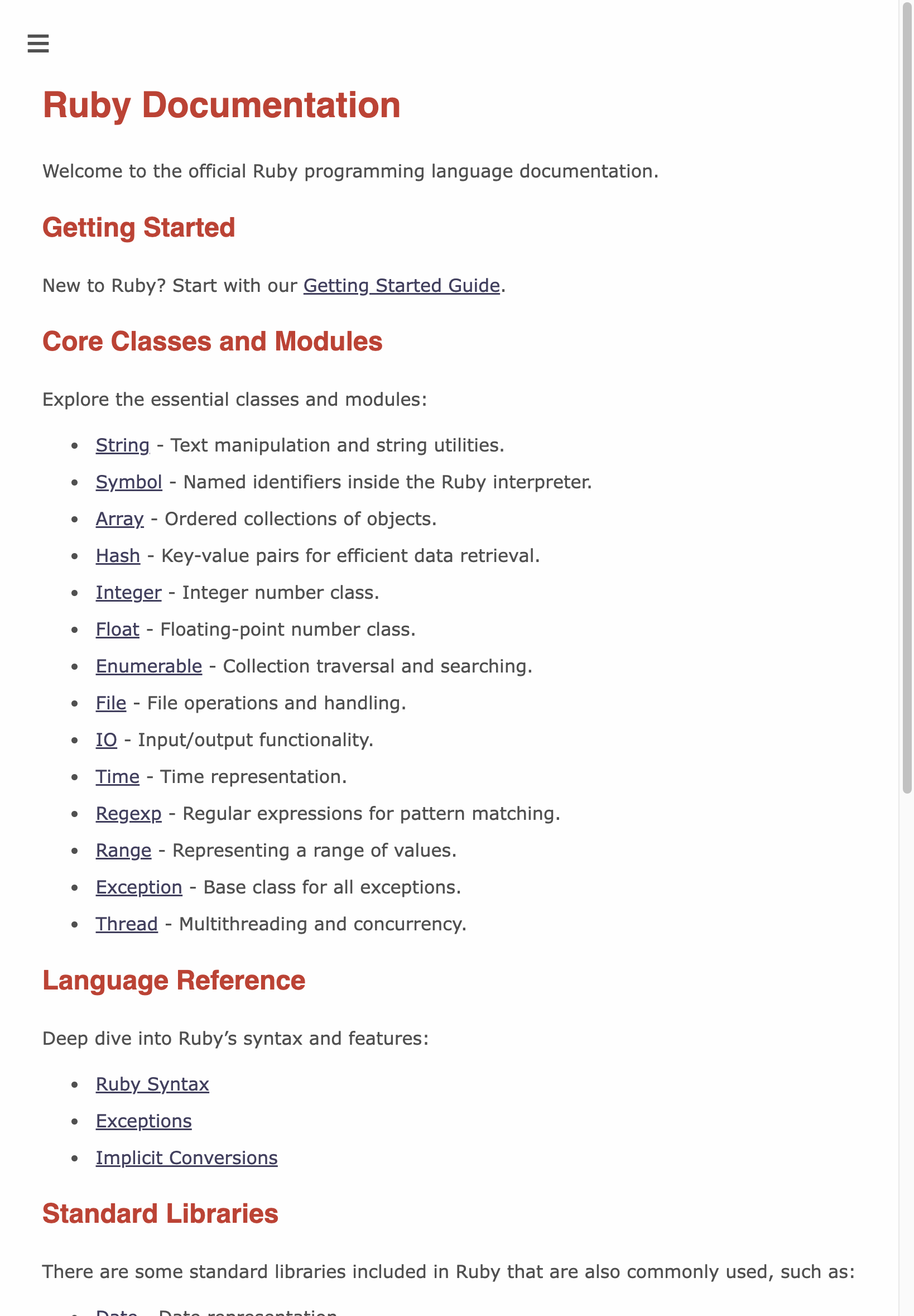
- The revamped Standard Library page makes navigating to related documentation and GitHub repositories easier.
-
More than 50 dead links have been fixed with a new RDoc feature.

2. Revamped Theme & Navigation
-
The default theme for Ruby 3.4’s documentation is more mobile-friendly, thanks to community-driven CSS upgrades in RDoc. Below is a comparison between Ruby 3.3 documentation and Ruby 3.4’s doc on iPhone.


- The color contrast, font size, and text readability have been improved.
-
Class pages now feature an ancestors list (example).

-
Source code is displayed more neatly.

-
Direct method-linking means sharing docs with specific anchors is much simpler.

3. ri Improvements
The rdoc-ref expansion feature now lets “ri” automatically expand and link out to relevant information, instead of just displaying the rdoc-ref reference.

Ongoing & Future Work
As I mentioned earlier, this year’s documentation improvements are just the beginning. Even with all these changes, these are some of the ideas I’d like to explore in Ruby 3.5:
- Reorganizing top-level pages (see PR #12226) so that non-API documents (e.g., syntax introduction, implicit conversions, etc.) become easier to find.
-
Marking default gems on
docs.ruby-lang.org/enso developers can clearly see what’s part of core Ruby vs. what’s part of default gems.For example, ERB’s documentation page should have a badge/indicator saying it’s from the erb gem and potentially link to the gem’s repository.
- Applying the latest RDoc features to all Ruby versions’ documentation.
- Providing an easier way to switch between different Ruby versions’ documentation.
And other ideas that I listed in “A RDoc Maintainer’s View on Ruby’s Documentation”.
Note: Because Ruby 3.4 has been released, future documentation improvements will mostly be reflected on https://docs.ruby-lang.org/en/master/ from now on.
Community Shout-Out
We owe these updates to many RDoc contributors. A huge thanks to everyone who contributed to RDoc since Ruby 3.3 was released:
@adam12, @alexisbernard, @antoinem, @BurdetteLamar, @deivid-rodriguez, @earlopain, @eregon, @flavorjones, @hsbt, @ishe-ua, @MatheusRich, @mterada1228, @nevans, @nobu, @okuramasafumi, @omegahm, @p8, @paracycle, @sambostock, @skipkayhil, @soutaro, @st0012, @sunblaze, @tompng, @toshimaru, @vinistock, @ydah
Conclusion
As a community, we should continue to improve the documentation to make Ruby more welcoming, informative, and easy to navigate, so Rubyists can stay happy even when looking for documentation ;-)
If you’d like to contribute to the documentation, here are some resources:
- Ruby’s Documentation Contribution Guide
- You can also contribute to this guide itself!
- RDoc’s GitHub Discussions
- RDoc’s GitHub Issues
Let’s keep the momentum going and make Ruby’s documentation the best it can be!
]]>And I’d like to share my thoughts on the current state of Ruby’s documentation and how we can improve it.
Note: The contents of this article are my personal opinions and do not represent the opinions of other RDoc maintainers or the Ruby core team. The actual roadmap of RDoc and related projects will be decided by the teams responsible for them, so please don’t use this article as the official roadmap.
Table of Contents
RDoc: The Tool, The Markup, and docs.ruby-lang.org
Before we talk about documentation in the broader sense, let’s discuss RDoc first.
When we mention “RDoc,” we might refer to two different things:
- RDoc as a markup language to write documentation (example source and its output). You can write it as comments in Ruby and C source code or as a separate file with a
.rdocextension. - RDoc as a tool (gem) to generate documentation from Ruby or C source code (link), which supports both
MarkdownandRDocmarkup languages.
Ruby’s documentation website, docs.ruby-lang.org, is divided into two parts:
- https://docs.ruby-lang.org/en/ - English version
- https://docs.ruby-lang.org/ja/ - Japanese version
English Version
The English version is generated from the Ruby source code using the version of RDoc bundled with it. For example:
- Master is generated from the
ruby/rubymaster branch, with theruby/rdocmaster branch (sinceruby/rdocis synced toruby/ruby). - Ruby 3.3 is generated from the ruby_3_3 branch of
ruby/ruby, with the latestruby/rdoccommit synced to it. - Ruby 3.2 is generated from the ruby_3_2 branch of
ruby/ruby, with the latestruby/rdoccommit synced to it.
Different Ruby versions not only have different documentation content but could also have different themes since the English version is generated from the Ruby source code with the bundled RDoc version.
Japanese Version
The Japanese version is maintained separately in rurema/doctree, handling both the theme and content independently.
Top 3 Things I Want to Improve
There are many aspects of Ruby’s documentation that can be enhanced. To keep it concise, I’ll focus on the top three:
- Incrementally Improve RDoc’s Default Theme
- Move Away from RDoc Markup Language to Markdown
- Improving Ruby’s English Documentation Website
I’ll also touch on other improvements without going into detail. If I haven’t mentioned something, it doesn’t mean it’s unimportant—it might just need more thought.
1. Incrementally Improve RDoc’s Default Theme
(And therefore, docs.ruby-lang.org/en/master’s theme)
A project’s official documentation is often the first thing users see, shaping their initial impression. It should be:
- Easy to read
- Easy to navigate
- Aesthetically pleasing
Over the past few months, I’ve collaborated with community members to gradually enhance RDoc’s default theme. Comparing latest with Ruby 3.3, there should be a noticeable difference. However, there’s still room for improvement:
- Better navigation features like breadcrumbs
- Enhanced search results
- Improved SEO optimization
- Support for dark mode
Have ideas or suggestions? Please open an issue or a pull request on RDoc’s GitHub repository.
Apply Improvements to All Actively Maintained Ruby Versions
Beyond enhancing the theme, we should also upgrade the infrastructure to apply these changes to all actively maintained Ruby versions (issue). This ensures that improvements benefit most users, even those on older Ruby versions.
2. Move Away from RDoc Markup Language to Markdown
In a world where Markdown is the de facto standard, it’s time for Ruby to transition from RDoc markup language.
Benefits of Switching to Markdown:
- Ease for developers: No need to learn a new markup language.
- Better compatibility: Markdown files render properly on many platforms (GitHub, GitLab, etc.), whereas
.rdocfiles often don’t (example). - Editor support: The Language Server Protocol only supports plain text and Markdown, requiring RDoc markup to be translated if tools want to display it.
Challenges:
- Enhance RDoc’s Markdown parser to support the latest Markdown syntax:
- The current parser is generated via kpeg, making it hard to maintain and update. This also leads to issues like this.
- Using parser gems like redcarpet isn’t feasible since RDoc, as a default gem, can’t depend on external libraries. Alternatives include implementing the parser ourselves or vendoring dependencies without affecting Ruby’s distribution.
- Support RDoc directives in Markdown.
- Provide a conversion tool from RDoc markup to Markdown:
- Rails has a tool: rdoc-to-md, which we can collaborate with to improve.
- We need a similar tool for C source code.
The goal is to let users write documentation in Markdown with the same functionality as RDoc, making it easier to write and maintain documentation through the RDoc tool.
3. Improving Ruby’s English Documentation Website
Enhancing Ruby’s English documentation website involves addressing several key issues across different projects:
- Poor SEO: The official website often doesn’t appear prominently (or at all) in search results, making it harder for developers to find the documentation they need.
- Additionally, we may embrace standards like llms.txt to improve large language models’ ability to understand the content and thus improve their understanding of Ruby.
- Unhelpful Front Page: Currently, the front page displays the project’s readme, which isn’t helpful for most users looking for documentation. Ideally, it should provide a good index of the commonly used documentation.
- Content Selection and Organization: The documentation content should be more curated and better organized to facilitate easier navigation and discovery of information.
Other Improvements I Want to Make
While the top three are crucial, there are additional areas to enhance:
- Display RBS signatures in documentation
- Add server mode to RDoc (PR)
- Improve RDoc’s own documentation
- Migrate RDoc’s parser to use Prism instead of Ripper (@tompng has made significant progress on this)
- Ensure the content and links on ruby-lang.org/en remain current and valuable
Final Thoughts
These proposed enhancements are essential for modernizing Ruby’s documentation system. By transitioning to Markdown, improving SEO, and upgrading the infrastructure to support all actively maintained Ruby versions, we can significantly enhance the accessibility and usability of the documentation.
Achieving these goals will require increased investment and active collaboration from the community. I’ve dedicated a lot of time to these issues, and I encourage all contributors to participate in these initiatives to ensure that Ruby’s documentation remains current and valuable for all users.
]]>IRB 1.6 has been released and will become Ruby 3.2’s built-in IRB version.
It and a few recent releases include many enhancements @k0kubun and I made, and I want to introduce them in this article:
New Commands
In recent releases, we added a bunch of new commands to IRB:
show_cmdsshow_doceditdebugand other debugging commands:breakcatchnextdeletestepcontinuefinishbacktraceinfo
The number of new commands may look intimidating, so let me introduce them one by one:
show_cmds
This command prints all available IRB commands with their description. It’s similar to Pry, Byebug, and debug’s help command.
(It’s not named help because IRB already uses help to look up API documents. I’ll explain more about this in the next section.)
Output of show_cmds in v1.6:
IRB
  cwws           Show the current workspace.
  chws           Change the current workspace to an object.
  workspaces     Show workspaces.
  pushws         Push an object to the workspace stack.
  popws          Pop a workspace from the workspace stack.
  irb_load       Load a Ruby file.
  irb_require    Require a Ruby file.
  source         Loads a given file in the current session.
  irb            Start a child IRB.
  jobs           List of current sessions.
  fg             Switches to the session of the given number.
  kill           Kills the session with the given number.
  irb_info       Show information about IRB.
  show_cmds      List all available commands and their description.

Debugging
  debug          Start the debugger of debug.gem.
  break          Start the debugger of debug.gem and run its `break` command.
  catch          Start the debugger of debug.gem and run its `catch` command.
  next           Start the debugger of debug.gem and run its `next` command.
  delete         Start the debugger of debug.gem and run its `delete` command.
  step           Start the debugger of debug.gem and run its `step` command.
  continue       Start the debugger of debug.gem and run its `continue` command.
  finish         Start the debugger of debug.gem and run its `finish` command.
  backtrace      Start the debugger of debug.gem and run its `backtrace` command.
  info           Start the debugger of debug.gem and run its `info` command.

Misc
  edit           Open a file with the editor command defined with `ENV["EDITOR"]`.
  measure        `measure` enables the mode to measure processing time. `measure :off` disables it.

Context
  show_doc       Enter the mode to look up RI documents.
  ls             Show methods, constants, and variables. `-g [query]` or `-G [query]` allows you to filter out the output.
  show_source    Show the source code of a given method or constant.
  whereami       Show the source code around binding.irb again.
show_doc
show_doc is an alias to the help command.
As mentioned above, IRB’s help command is very different than its major counterparts’, which could be confusing or even annoying.
So we want to encourage users to use show_doc from v1.6 onward. And we’ll convert help to displaying command information in the next major release.
If you’ve never used help before, try show_doc String#gsub now :-)
edit
edit opens files in your editor (defined with ENV["EDITOR"]):
edit- opens the current context’s file.edit path/to/foo.rb- opensfoo.rb.edit Foo- Looks upFoo’s source location and opens it.edit Foo#bar- Looks upFoo#bar’s source location and opens it.
Demo

debug and other debugging commands
When you look at the output of show_cmds, you’ll notice a big Debugging section:
Debugging
  debug          Start the debugger of debug.gem.
  break          Start the debugger of debug.gem and run its `break` command.
  catch          Start the debugger of debug.gem and run its `catch` command.
  next           Start the debugger of debug.gem and run its `next` command.
  delete         Start the debugger of debug.gem and run its `delete` command.
  step           Start the debugger of debug.gem and run its `step` command.
  continue       Start the debugger of debug.gem and run its `continue` command.
  finish         Start the debugger of debug.gem and run its `finish` command.
  backtrace      Start the debugger of debug.gem and run its `backtrace` command.
  info           Start the debugger of debug.gem and run its `info` command.
All of them were added recently to bridge IRB and the debug gem.
The debug command does 2 things:
- If you haven’t required the
debuggem in the current IRB session, the command would require it for you. - It’ll then start a
debugdebugging session from the current context. It’s the same as you enter abinding.bbreakpoint.
From: test.rb @ line 4 :

    1: a = 1
    2: b = 2
    3:
 => 4: binding.irb
    5:
    6: c = 3

irb(main):001:0> debug
[1, 6] in test.rb
     1| a = 1
     2| b = 2
     3|
=>   4| binding.irb
     5|
     6| c = 3
=>#0    <main> at test.rb:4
(rdbg) # you're now using the debugger
(Note: it only works if the IRB session is started with binding.irb as it’s pointless debugging the irb executable.)
And the rest of debugging commands (<cmd>) are shortcuts of debug + <cmd>.
For example, we may step after running debug. In this case, you can just run step in IRB, and it will start the debugging session and then run step.
From: test.rb @ line 1 :

 => 1: binding.irb
    2:
    3: a = 1
    4: b = 2
    5:

irb(main):001:0> step
(rdbg:irb) step
[1, 4] in test.rb
     1| binding.irb
     2|
=>   3| a = 1
     4| b = 2
=>#0    <main> at test.rb:3
(rdbg)
The long-term goal is to make IRB an interface of the debug gem, like what pry-byebug provides. This means you will run
certain debug commands without leaving the IRB session.
But for now, we hope to make the scene transition easier with these command shortcuts.
Debugging with a REPL (binding.irb) V.S. Debugging with a debugger (binding.b)
A REPL only gives you access to the breakpoint (binding.irb)’s surrounding context.
For example, if you put binding.irb inside a bar method, you can only see the locals available inside that method.
def foo(n)
  bar(n + 1)
end

def bar(x)
  binding.irb # you can only see x
  baz(x + 10)
end
But if you’re inside a debugger, either through the binding.b breakpoint or the new debug command, you get the power to:
- Move along with the program’s execution through commands like
stepornext.stepwill let you enter thebazmethod’s context.
- Navigate between the frames on the current callstack with the
upordowncommands.- You can go back to
fooand see the value ofn.
- You can go back to
- Dynamically set breakpoints with the
breakorcatchcommands.
To learn more about how to utilise a debugger, please watch my talk: ruby/debug - The best investment for your productivity.
Command Improvements
show_sourcenow supports Pry-like syntax:show_source Class#method.- New symbol aliases:
$is an alias toshow_source.@is an alias towhereami.- You can add/modify aliases with
IRB.conf[:COMMAND_ALIASES]in.irbrc.- For example,
IRB.conf[:COMMAND_ALIASES].merge!({ :'&' => :show_cmds })aliases&toshow_cmds.
- For example,
lsnow takes-g/-Gargument for greping output with regexp.- For example,
ls -g irbonly prints methods that matchirb.
- For example,
Other Improvements
- Several crashing issues have now been addressed.
- It now has a refreshed README, where you can see all available commands.
New Configurations
ENV["EDITOR"]- Will be used by theeditcommand to open files.ENV["IRB_USE_AUTOCOMPLETE"]- When set to"false", it’ll disable IRB’s autocompletion feature.- Rails
7.0.5and7.1+will use this to disable autocompletion in production Rails console (PR).
- Rails
Wrapping Up
We hope these changes can make IRB more convenient and helpful. If you can, please install the latest 1.6 version and give these new features a try.
When you see any problems, please open an issue. We want to detect as many issues before Ruby 3.2 as possible.
I’ll keep posting news like this here too, but you’ll see a lot more content if you subscribe to the Rails at Scale blog ;-)
]]>