In this guide, we are sharing the most actionable, data-backed eCommerce growth strategies that new Shopify store owners can implement right now. Whether you have just launched your store or are in the pre-revenue stage, these strategies cover every dimension of growth, from technical setup and SEO foundations to conversion rate optimization, paid advertising, retention marketing, and beyond.
Think of this blog as your complete 2026 playbook. We have organized it from the ground up, so you can follow it sequentially or jump to the section most relevant to your stage of growth.
1. Laying the Right Foundation for eCommerce Growth Strategies
Most new store owners rush to launch and start running ads. That is a costly mistake. The first 90 days of a Shopify store are about building a foundation that every future growth initiative will rest on. A shaky foundation means wasted ad spend, poor conversion rates, and high churn. A strong foundation multiplies every dollar and every effort you put in later.
1.1 Choose Your Niche with Precision
In 2026, generalist stores are fighting an uphill battle against Amazon, Walmart, and well-funded incumbents. Niche stores win because they can speak directly to a specific audience, command premium pricing, and build a genuine community.
Before you invest in marketing, validate your niche against three criteria:
- Demand validation: Use Google Trends, keyword research tools, and Reddit or Facebook groups to confirm that real people are actively searching for and talking about your product category.
- Competition mapping: Analyze your top five competitors. If every competitor has 10,000+ reviews and massive budgets, you need a sharper angle. Find the underserved subsegment.
- Margin viability: Ensure your product margins after COGS, shipping, and platform fees can support paid customer acquisition. Generally, a minimum 50% gross margin gives you room to grow.
1.2 Build Your Store for Trust and Speed
Shopify gives you an excellent platform, but the way you set it up determines whether visitors trust you enough to buy. In 2026, consumer trust signals have become more important than ever, largely because of the explosion of dropshipping stores with poor quality.
Trust-building essentials every new store needs:
- Professional custom domain: Never launch on a myshopify.com subdomain.
- SSL certificate: Shopify provides this by default. Make sure it is active.
- About Us page: Tell your real story. Customers buy from people, not faceless companies.
- Clear return and shipping policies: Ambiguity kills conversions. Be specific about timelines and processes.
- Customer reviews and UGC: Even a handful of authentic reviews dramatically lifts conversion rates.
| Storeware Insight: Our data shows that Shopify stores with complete trust signals (About page, policy pages, reviews, and verified payment badges) see 23% higher average conversion rates compared to stores missing even two of these elements. This is not a nice-to-have. It is a growth lever. |
1.3 Page Speed: The Silent Conversion Killer
Google’s Core Web Vitals and the Largest Contentful Paint (LCP) metric directly impact both your SEO rankings and your paid ad Quality Scores. More importantly, studies consistently show that a one-second delay in page load time reduces conversions by 7%. For mobile commerce, which now accounts for over 70% of eCommerce traffic, speed is non-negotiable.
Key optimizations to prioritize:
- Compress all product images without losing quality (use WebP format)
- Minimize third-party app scripts that bloat your theme
- Use a fast, lightweight Shopify theme built for performance
- Enable lazy loading for images below the fold
- Audit and remove unused Shopify apps regularly
2. Shopify SEO in 2026: Building Organic Traffic That Compounds
Organic search remains one of the highest-ROI growth channels for eCommerce. Unlike paid advertising, the traffic you earn through SEO does not vanish the moment you stop spending. It compounds over time. In 2026, with AI-powered search results (SGE), Answer Engine Optimization (AEO), and Generative Engine Optimization (GEO) reshaping how people discover products, your SEO strategy needs to go beyond traditional keyword stuffing.

2.1 Keyword Strategy Built for Intent
Effective Shopify SEO starts with a trusted Shopify SEO app with AI-powered features to align with your understanding of search intent. Every keyword your potential customer types falls into one of four categories: informational, navigational, commercial, or transactional. New stores should prioritize commercial and transactional keywords for product and collection pages, while building informational content such as blog posts and guides that target top-of-funnel audiences and build topical authority. This dual approach drives both immediate conversions and long-term organic growth.
2.2 On-Page SEO for Product and Collection Pages
Your product pages are your primary revenue-generating assets. They deserve the same SEO attention as any content piece. Here is a practical checklist:
- Write unique, keyword-rich product titles (avoid manufacturer defaults)
- Craft product descriptions that answer buyer questions and incorporate semantic keywords naturally
- Optimize meta titles and meta descriptions for click-through rate, not just rankings
- Use structured data (schema markup) for products, including price, availability, and review ratings
- Add descriptive, keyword-rich alt text to every product image
- Implement breadcrumb navigation for better site structure
Collection pages are often underoptimized. Add a descriptive intro paragraph above the product grid and a longer content section below it. This provides search engines with rich context about the page’s topic while helping customers find helpful guidance.
2.3 Answer Engine Optimization (AEO) and Generative Engine Optimization (GEO)
Here is where 2026 SEO diverges significantly from traditional practices. AI-powered search engines like Google SGE, Perplexity, and Microsoft Copilot are increasingly pulling answers directly from websites into search results. To get featured in these AI-generated responses, you need to optimize for AEO and GEO.
What this means practically:
- Structured FAQ sections: Add FAQ schema to product pages and blog posts. Answer the specific questions your audience is asking.
- Conversational content: Write in natural language that answers complete questions, not just fragments.
- Entity optimization: Build topical authority by creating comprehensive content clusters around your core topic, not isolated pages.
- Cite your expertise: AI systems favor content that demonstrates clear expertise, authority, and trustworthiness (E-E-A-T).
- Fast, clean HTML structure: AI crawlers favor well-structured pages with clear headings, short paragraphs, and logical information hierarchy.
| Pro Tip from Storeware: Create a dedicated FAQ page that mirrors the exact questions your customers ask in support tickets and social media. This is low-hanging fruit for AEO. These pages consistently generate featured snippet placements and AI answer inclusions with minimal link-building effort. |
2.4 Technical SEO Fundamentals
Even the best content strategy is undermined by technical SEO issues. For new Shopify stores, these are the most common technical mistakes we see:
- Duplicate content: Shopify creates duplicate URLs for products that appear in multiple collections. Use canonical tags to consolidate.
- Missing XML sitemap: Shopify auto-generates a sitemap. Submit it to Google Search Console immediately after launch.
- Broken internal links: Audit these monthly, especially after adding or removing products.
- Incorrect robots.txt: Do not accidentally block important pages from crawlers.
- Slow mobile experience: Google uses mobile-first indexing. Test your mobile Core Web Vitals every month.
3. Conversion Rate Optimization: Turning Visitors Into Buyers
Driving traffic to your store is only half the equation. The other half is converting that traffic into paying customers. Conversion Rate Optimization (CRO) is the discipline that addresses this, and it is one of the highest-leverage activities any Shopify store owner can invest in. Improving your conversion rate from 1.5% to 3% effectively doubles your revenue without spending an extra dollar on traffic.
3.1 Optimizing the Product Page for Maximum Conversions
Your product page is where purchase decisions are made or abandoned. Every element needs to work in concert to guide the visitor toward a confident buying decision.
High-converting product pages share these characteristics:
- Clear, benefit-focused headlines: Lead with what the product does for the customer, not just what it is.
- High-quality images and video: Show the product in context, from multiple angles, with a size reference. Video increases conversion rates by up to 80% on product pages.
- Social proof above the fold: Display your star rating and number of reviews directly beneath the product title.
- Urgency without manipulation: Real stock levels, real countdown timers, and real limited offers work. Fake scarcity destroys trust.
- Clear, prominent Add to Cart button: Use a high-contrast color. Make it the most visually dominant element on the page.
- Trust badges: Secure checkout, money-back guarantee, and free returns near the CTA button.
3.2 Cart and Checkout Optimization
Shopping cart abandonment averages 70% across eCommerce. That means 70 out of every 100 people who add a product to their cart never complete the purchase. Recovering even a fraction of these abandoners represents significant revenue.
Proven cart and checkout optimization tactics:
- Enable Shopify’s one-page checkout, which significantly reduces abandonment
- Offer guest checkout without forcing account creation
- Display a progress bar in checkout to show customers how close they are to completing the order
- Show total cost, including shipping and taxes, early in the checkout process, never surprise customers with fees
- Enable multiple payment options: credit card, PayPal, Shop Pay, Apple Pay, Google Pay
- Send automated abandoned cart email sequences (the first email within 1 hour converts best)
3.3 Site Search Optimization
Internal site search is often overlooked, but it is a remarkably high-intent behavior. Customers who use your search bar convert at 3 to 5 times the rate of non-searchers. Yet most new stores have a poorly configured search function that returns irrelevant results.
Optimize your site search by:
- Ensuring your search returns results for misspellings and synonyms
- Setting up redirects for high-volume searches to relevant collection or product pages
- Analyzing your search query data monthly to identify new product opportunities or content gaps
- Featuring top-selling or high-margin products in your search results
4. Paid Advertising for New Shopify Stores: Starting Smart
Many new store owners make the mistake of throwing money at ads before their store is conversion-ready. The result is predictably disappointing: high ad spend, low returns, and a belief that paid advertising does not work. Paid advertising works exceptionally well, but only once your store can convert the traffic it receives.
4.1 Meta Ads (Facebook and Instagram): Still the Best Starting Point
Despite increasing competition and rising CPMs, Meta’s advertising platform remains the most powerful tool for new eCommerce stores because of its unparalleled audience targeting capabilities and visual ad formats that suit product marketing.
A smart Meta Ads strategy for new stores:
- Start with a broad audience: Meta’s algorithm has become remarkably capable at finding buyers when given sufficient data. Over-restricting your audience limits learning.
- Run awareness and retargeting simultaneously: Top-of-funnel cold traffic campaigns and bottom-of-funnel retargeting campaigns serve different purposes and should both run from day one.
- Test creatives relentlessly: The creative is the most important variable in Meta ads. Test at least three to five creatives per campaign.
- Use Advantage+ Shopping Campaigns: Meta’s AI-powered shopping campaigns have consistently outperformed manual setups for most product categories.
- Budget for learning: Expect the first four to six weeks to be a learning phase with suboptimal returns. Do not kill campaigns too early.
4.2 Google Shopping and Performance Max
Google Shopping is where purchase-intent traffic lives. When someone searches ‘buy [product name]’, they are ready to buy. For new Shopify stores, the recommended approach:
- Set up Google Merchant Center and connect it to your Shopify store via the Google Sales Channel app
- Optimize your product feed: accurate titles, descriptions, images, and pricing are essential for Google Shopping to serve your ads correctly
- Start with a Standard Shopping campaign to gather data before moving to Performance Max
- Use Performance Max campaigns once you have at least 30 to 50 conversions in your account
- Segment products by margin: bid more aggressively on high-margin products
4.3 TikTok Ads: The New Customer Acquisition Channel
TikTok has emerged as one of the fastest-growing eCommerce advertising platforms in 2025 and 2026, particularly for brands targeting audiences under 40. TikTok Shop integration with Shopify has made it even more powerful, allowing in-app purchases directly from TikTok videos.
What works on TikTok Ads for eCommerce:
- Authentic, unpolished UGC-style video ads dramatically outperform branded productions
- Hook viewers in the first two seconds: lead with the problem or the wow moment
- Spark Ads (amplifying organic content that performs well) often deliver a strong ROI
- Capitalize on trending sounds and formats while keeping your product message clear
| Storeware Note Many of our clients using Storeware’s theme and app ecosystem report that their TikTok-driven traffic converts significantly better after implementing structured product pages with video embeds and social proof elements. Your landing page quality has a multiplier effect on every ad channel you invest in. |
5. Email and SMS Marketing: Your Most Profitable Revenue Channel
Email marketing delivers an average ROI of $36 to $42 for every dollar spent. Nothing in digital marketing comes close to that number. In 2026, with rising paid acquisition costs, owned channels like email and SMS are not just important. They are essential to building a sustainable, profitable Shopify store.
5.1 Building Your Email List from Day One
Do not wait until you have thousands of visitors to start building your email list. Start capturing emails on day one with a well-crafted opt-in incentive.
Proven list-building methods for new stores:
- Welcome pop-up with discount offer: A 10 to 15% first-purchase discount or free shipping offer in exchange for an email address is the most consistently effective tactic.
- Exit-intent popups: Trigger a pop-up when a visitor is about to leave. Offer them a compelling reason to stay or subscribe.
- Embedded forms in blog content: If you are publishing educational content, offer a related content upgrade in exchange for an email.
- Post-purchase opt-in: During checkout, offer to opt customers into marketing emails.
5.2 Essential Email Automation Flows
Before you start sending broadcast campaigns, set up these foundational automation flows. They run on autopilot and generate revenue continuously:
- Welcome Series (3 to 5 emails): Introduce your brand, share your story, highlight your best products, and make a compelling offer to convert new subscribers.
- Abandoned Cart Series (3 emails): Send at 1 hour, 24 hours, and 72 hours after abandonment. Include product imagery, social proof, and an escalating offer.
- Post-Purchase Series: Confirm the order, set expectations, follow up with cross-sell and upsell recommendations, and request a review.
- Win-Back Campaign: Re-engage subscribers who have not opened or clicked in 60 to 90 days before removing them from your active list.
- Browse Abandonment: Trigger an email when a subscriber views a product but does not add it to the cart. Gentler than cart abandonment but still highly effective.
5.3 SMS Marketing: The 98% Open Rate Channel
SMS marketing has become a powerful complement to email for eCommerce stores. With open rates consistently above 95% and response rates far exceeding email, SMS is particularly effective for time-sensitive communications like flash sales, back-in-stock alerts, and shipping updates.
SMS best practices for Shopify stores:
- Always get explicit consent before sending SMS (compliance is non-negotiable)
- Keep messages short, direct, and personalized
- Include a clear CTA with a trackable link
- Limit promotional SMS frequency to two to four times per month to avoid unsubscribes
- Use SMS for high-urgency messages: flash sales, order updates, limited stock alerts
6. Social Media and Content Marketing: Building Brand Equity
In a crowded market, brand equity is your most durable competitive advantage. Customers who have a genuine connection with your brand buy more frequently, spend more per order, and refer their friends. Content marketing and social media are how you build that equity at scale.
6.1 Choosing the Right Channels for Your Brand
You do not need to be on every social platform. Choose one or two primary channels where your target audience is most active and commit to producing genuinely valuable content there.
A quick channel guide for Shopify stores in 2026:
- Instagram: Best for visually-driven lifestyle brands, fashion, beauty, food, and home decor. Reels continue to have the best organic reach.
- TikTok: Best for brands with a product story to tell, younger audiences, and high entertainment or educational value.
- Pinterest: Underutilized but extremely high-intent for home, fashion, DIY, and gifting categories. Long content lifespan, unlike other platforms.
- YouTube: Best for products that benefit from demonstration, tutorials, or review content. Excellent long-term SEO value.
- LinkedIn: Best for B2B eCommerce stores and brands selling to professionals.
6.2 Content Marketing: The Long Game That Always Pays Off
A well-executed content marketing strategy drives organic traffic, builds topical authority, and creates assets that continue to generate value for years. For Shopify stores, the most effective content formats are:
- Buyer’s guides and comparison articles: ‘Best [product type] for [specific use case]’ articles capture high-intent commercial searches and convert exceptionally well.
- How-to and tutorial content: Demonstrate expertise while attracting informational search traffic that you can convert with strategic CTAs.
- Product-focused SEO blogs: Write about the problems your products solve. Optimize for long-tail keywords with clear purchase intent.
- User-generated content campaigns: Encourage customers to share their experiences. Reshare and amplify the best content to build social proof at scale.
7. Customer Retention: The Most Overlooked Growth Strategy
Every eCommerce operator has heard that acquiring a new customer costs five to seven times more than retaining an existing one. Yet most new store owners spend 90% of their growth budget on acquisition and almost nothing on retention. This is backwards.
Increasing customer retention by just 5% can increase profits by 25% to 95% (Bain and Company research). For new Shopify stores, building retention systems from the start means your customer acquisition costs become investments rather than expenses.
7.1 Loyalty Programs: Turn One-Time Buyers into Brand Advocates
A well-designed loyalty program incentivizes repeat purchases, increases average order value, and transforms customers into active brand advocates. In 2026, customers across all demographics expect some form of loyalty reward from brands they shop with regularly.
Effective loyalty program mechanics for Shopify stores:
- Points for purchases: The foundational mechanic. Award points on every dollar spent, redeemable for discounts on future orders.
- Tiered rewards: Create Bronze, Silver, and Gold tiers with escalating benefits. Tier status creates powerful status motivation.
- Points for actions: Award points for writing reviews, referring friends, following on social media, and celebrating birthdays.
- Referral bonuses: Give both the referrer and the referred friend a meaningful reward. Referral programs can dramatically reduce your paid customer acquisition cost.
7.2 Post-Purchase Experience: The Moment Most Brands Forget
The purchase is not the end of the customer journey. It is the beginning of the relationship. The post-purchase experience, from order confirmation to delivery to product unboxing, shapes whether a customer comes back.
How to create a memorable post-purchase experience:
- Send a personal, warm order confirmation email (not just a transactional receipt)
- Provide proactive shipping updates that exceed expectations
- Include a handwritten note or personalized packaging insert where possible
- Follow up two weeks after delivery to check on satisfaction and gently request a review
- Offer a meaningful repeat purchase incentive in your post-purchase sequence
| Storeware Recommendation: Storeware’s suite of Shopify apps includes tools specifically designed to enhance the post-purchase experience, from customizable thank-you pages to automated review request sequences. Merchants using our post-purchase tools report an average 18% increase in repeat purchase rate within 90 days. Learn more at storeware.io. |
7.3 Customer Segmentation: Stop Sending Everyone the Same Message
Not all customers are equal, and treating them as if they are wastes your marketing budget and trains customers to ignore your communications. Segment your customer list and personalize your messaging accordingly.
The most impactful customer segments for Shopify stores:
- VIP customers (top 20% by spend): Give them early access, exclusive offers, and personalized outreach. Protect this segment fiercely.
- At-risk customers (no purchase in 60 to 90 days): Target with a compelling win-back campaign before they churn completely.
- New customers (first purchase within 30 days): This segment needs extra nurturing to build the habits that drive repeat purchasing.
- High-frequency, low-AOV customers: Identify opportunities to increase their average order value through bundles and upsells.
8. Shopify Apps and Tech Stack: Choose Wisely
One of the most powerful and most dangerous aspects of Shopify is its app ecosystem. With over 8,000 apps available in the Shopify App Store, you can add virtually any functionality to your store. The danger is that many new store owners install too many apps, slowing down their store and paying for features they do not need.
8.1 The Lean App Stack for New Stores
As a new Shopify store, your app stack should be lean and purposeful. Here is a recommended starting point organized by function:
- Reviews and social proof: Judge.me, Loox, or Okendo for collecting and displaying product reviews.
- Email and SMS marketing: Klaviyo (best-in-class for segmentation and automation) or Omnisend (more beginner-friendly).
- Loyalty and referrals: Smile.io or LoyaltyLion for points, tiers, and referral programs.
- Upsell and cross-sell: ReConvert, AfterSell, or Zipify Pages for post-purchase upsells.
- SEO: Plug In SEO for identifying and fixing technical SEO issues.
- Subscription and recurring revenue: Recharge or Bold Subscriptions if your product category suits subscription models.
| Storeware Products: At Storeware, we build Shopify themes and apps specifically engineered for conversion performance and store speed. Our themes are crafted to be lean, fast, and optimized for the specific trust signals that drive purchase decisions in 2026. If you are setting up a new Shopify store and want to start with a performance-first foundation, explore our theme collection at storeware.io. |
8.2 Audit Your App Stack Quarterly
Every app you install adds JavaScript to your storefront, which can slow down your page speed. Set a quarterly reminder to audit your installed apps and remove anything you are not actively using. A lean app stack is a fast store, and a fast store converts better.
9. Data, Analytics, and Decision Making: Grow with Evidence
Gut feelings might identify opportunities, but data confirms them and guides you toward the highest-leverage actions. In 2026, the Shopify stores that scale fastest are those with a clear analytics setup and the discipline to review their numbers regularly.
9.1 Essential Analytics Setup for New Shopify Stores
Make sure these analytics tools are properly configured before you start driving meaningful traffic:
- Google Analytics 4 (GA4): The standard for web analytics. Set up enhanced eCommerce tracking to capture product impressions, clicks, add-to-carts, and purchases.
- Shopify Analytics: Your built-in dashboard for sales, traffic sources, conversion rates, and customer behavior. Review it weekly.
- Google Search Console: Monitor your organic search performance, identify ranking keywords, and catch technical SEO issues.
- Meta Pixel and Conversions API: Essential for tracking Meta ad performance, especially important in a post-iOS 14.5 world where browser-level tracking has limitations.
9.2 The KPIs Every Shopify Store Owner Should Track
Rather than drowning in data, focus on a core set of key performance indicators (KPIs) that actually drive decisions:
- Conversion rate: The percentage of visitors who complete a purchase. The industry average is 1 to 3%. Benchmark and improve monthly.
- Average Order Value (AOV): A Higher AOV means more revenue without more customers. Track the impact of upsell and bundle strategies on AOV.
- Customer Acquisition Cost (CAC): How much you spend to acquire each new customer. Compare against LTV to understand the health of your business.
- Customer Lifetime Value (LTV): The total revenue you expect from a customer over their relationship with your store. The higher your LTV, the more you can afford to spend on acquisition.
- Return on Ad Spend (ROAS): Revenue generated per dollar of ad spend. Monitor per channel to identify where to scale and where to cut.
- Email and SMS revenue contribution: What percentage of your total revenue comes from owned channels? Healthy Shopify stores typically see 30 to 40%.
10. Scaling Your Shopify Store: Moving from First Sales to Consistent Growth
Once you have validated your product, established your conversion baseline, and built initial traffic and email lists, you are ready to scale. Scaling means systematically amplifying what works, fixing what does not, and expanding into new channels and markets.
10.1 Identifying Your Scaling Triggers
Not every store is ready to scale at the same point. Before pouring more money into growth, confirm these readiness signals:
- Consistent conversion rate of 1.5% or above
- Positive ROAS on at least one paid channel
- Email automation flows are active and generating revenue
- Customer service processes are documented and can handle 3 to 5 times the current volume
- Inventory or production can scale with demand
10.2 Channel Diversification: Do Not Depend on One Source
The biggest growth risk for any Shopify store is over-dependence on a single traffic or revenue channel. When that channel changes its algorithm, raises its prices, or temporarily goes down, your entire business is affected. A resilient growth strategy diversifies across multiple channels.
Build toward a traffic mix that includes:
- Organic search (SEO): The compounding channel. Slow to start, powerful at scale.
- Paid social (Meta, TikTok): Scalable volume channel. Requires active management and creative refresh.
- Paid search (Google): High-intent channel with excellent purchase conversion rates.
- Email and SMS: The highest-ROI owned channel. Non-negotiable for sustainable profitability.
- Influencer and affiliate marketing: Performance-based channel that reduces risk versus fixed advertising costs.
- Organic social: Brand equity builder. Slower to convert but valuable for trust and community.
10.3 International Expansion with Shopify Markets
Shopify Markets has made it significantly easier for Shopify stores to sell internationally without building separate stores. Key considerations before expanding internationally:
- Identify markets where you are already receiving organic traffic or orders without active targeting
- Ensure you can handle shipping, returns, and customer service in target markets
- Use Shopify Markets to set local currencies, languages, and pricing
- Research and comply with local regulations, taxes, and consumer protection laws
11. The Role of AI and Automation in 2026 eCommerce Growth
Artificial intelligence has moved from a buzzword to a practical growth tool for eCommerce businesses of all sizes. In 2026, new Shopify store owners will have access to AI-powered tools that were previously only affordable for large enterprises.
11.1 AI-Powered Personalization
Personalization is one of the most powerful levers for increasing conversion rate and customer lifetime value. AI makes personalization scalable even for stores without large data science teams.
Practical AI personalization applications for Shopify:
- Product recommendation engines that show each visitor the products most relevant to their browsing history and purchase behavior
- Dynamic pricing and discount optimization based on customer segments
- Personalized email content blocks that adapt based on individual customer data
- AI-powered site search that understands natural language queries and returns contextually relevant results
11.2 AI for Content Creation and SEO
AI writing tools have dramatically reduced the cost and time required to produce SEO content at scale. New Shopify stores can use AI to generate product descriptions, blog post drafts, meta descriptions, and social media content. The most effective approach combines AI efficiency with human expertise. Use AI to generate first drafts and structural outlines, then apply your product knowledge, brand voice, and SEO intent to refine the content into something genuinely useful and differentiated.
11.3 Customer Service Automation
AI chatbots and automated support flows can handle a significant portion of common customer inquiries (order status, return policies, product FAQs) without human intervention. This reduces your support costs and improves response times, both of which have a measurable impact on customer satisfaction and repeat purchase rates.
12. Common Mistakes New Shopify Stores Make (And How to Avoid Them)
We have worked with enough Shopify stores to have seen the same mistakes repeated over and over. Knowing these pitfalls in advance can save you months of wasted effort and thousands of dollars.
- Launching without a marketing plan: ‘Build it, and they will come’ does not apply to eCommerce. Have a clear acquisition strategy before you launch.
- Killing ad campaigns too early: Most new campaigns need four to six weeks of data before optimizing. Stopping at week two almost always leads to poor decisions.
- Ignoring mobile experience: Over 70% of your traffic will come from mobile. Test every element of your store on multiple mobile devices.
- Not building an email list: Many store owners realize the value of their email list only after they have lost their primary traffic source. Start building it on day one.
- Pricing too low: Competing on price is a race to the bottom. Compete on value, story, and experience. Price confidently.
- Neglecting customer service: One bad review that goes unaddressed can cost you dozens of potential customers. Respond to every review, positive and negative.
- Copying competitors exactly: Your competitive advantage should come from genuine differentiation. Understand your competitors, but do not imitate them.
- Over-investing in apps: More apps means slower stores and higher monthly costs. Be ruthless about app ROI.
Conclusion: Your 2026 Shopify Growth Roadmap
Growing a new Shopify store in 2026 requires a holistic approach that combines technical excellence, smart marketing, genuine customer relationships, and data-driven decision-making. There is no single magic tactic that will 10x your revenue overnight. What works is systematically executing the fundamentals with discipline and patience.
Here at Storeware, we are committed to building the tools, themes, and apps that help Shopify merchants at every stage of growth. From performance-first themes that maximize conversion rates out of the box, to apps designed to enhance post-purchase experience and retention, our products are built with one goal in mind: helping your Shopify store grow faster and more profitably.
The strategies outlined in this guide are not theoretical. They are drawn from real work with real Shopify stores across industries and geographies. Implement them thoughtfully, measure your results, iterate based on data, and you will build a Shopify store that not just survives in 2026 but thrives.
Your growth story starts now. Let us help you write it.
| Ready to Build a High-Performance Shopify Store? Explore Storeware’s collection of conversion-optimized Shopify themes and growth apps, engineered specifically for the 2026 eCommerce landscape. Visit storeware.io to get started |
Frequently Asked Questions
What are the most important Shopify growth strategies for beginners in 2026?
The most important growth strategies for new Shopify stores in 2026 are: building a conversion-optimized store with clear trust signals, implementing SEO from day one, setting up email marketing automation flows, running targeted paid ads on Meta or Google, and building a customer retention system. Starting with the right Shopify theme and app stack also significantly impacts your baseline conversion performance.
How long does it take for a new Shopify store to become profitable?
Most new Shopify stores take 6 to 12 months to reach consistent profitability. Stores that invest in both paid acquisition and organic growth (SEO and content marketing) simultaneously tend to reach this milestone faster. Stores that rely solely on paid ads often struggle with profitability until they build their email list and improve their customer retention metrics.
What is the best marketing channel for a new Shopify store?
There is no single best channel. For immediate results, Meta Ads offer the best combination of audience targeting and scalability. For long-term compounding growth, SEO is the highest-ROI channel. For direct revenue with zero ongoing ad spend, email marketing consistently delivers the best returns once you build a substantial list. The best strategy uses all three in combination.
How much should a new Shopify store spend on advertising?
Most growth advisors recommend allocating 10-20% of your target monthly revenue to paid advertising. For new stores in the validation phase, a minimum test budget of $1,000 to $2,000 per month on Meta Ads or Google Shopping gives the algorithm enough data to optimize. Avoid spreading a small budget across too many channels simultaneously.
What Shopify apps are essential for a new store?
The essential apps for a new Shopify store are a reviews app (like Judge.me or Loox), an email marketing platform (Klaviyo or Omnisend), an upsell and cross-sell app, and an SEO audit tool. Beyond these four categories, each additional app should be evaluated on clear ROI. Avoid installing apps you are not actively using, as they slow down your store.
How does Answer Engine Optimization (AEO) differ from traditional SEO for Shopify stores?
Traditional SEO focuses on ranking pages for specific keywords in Google’s blue link results. AEO focuses on getting your content featured within AI-generated answer summaries in Google SGE, Perplexity, and similar platforms. For Shopify stores, this means structuring content to directly answer specific questions with clear, concise language, using FAQ schema markup, and building topical authority through comprehensive content clusters.
How can Storeware help my new Shopify store grow?
Storeware provides conversion-optimized Shopify themes and growth-focused apps built specifically for the needs of modern Shopify merchants. Our themes are engineered for speed, trust, and conversion performance. Our apps target high-impact growth levers, including post-purchase optimization, review collection, and retention marketing. Whether you are launching your first store or scaling an established one, Storeware’s products give you a competitive foundation.
]]>However, the key to success lies in choosing the right products that are in demand, trendy, and capable of driving repeat sales. In this blog, we will explore how to start a dropshipping business in 10 simple and easy steps and which products you should choose to start with.
What Is a Dropshipping Business?
Dropshipping is a way to sell products online without keeping any inventory, and you can do it from anywhere. It is a digital business model where the least amount of investment is required. Through this business model, anyone can sell any product online. By connecting with different suppliers, anybody can operate a dropshipping business from anywhere.
Here is an example of how it works. In a dropshipping business, an owner has an eCommerce website based on their brand name and color, with different types of products. This online store is synced with third-party suppliers like Alibaba. A customer will place an order from the website and the supplier will get a notification of the order. After that, from order processing to delivery supplier will take care of it. In return, your dropshipping website will get a specific amount of percentage from the supplier. This is how dropshipping works.
How to Start a Dropshipping Business? [10 Easy Steps]
Globally, dropshipping businesses are becoming popular. According to Shopify, this market exceeded $365 billion in 2024 and is projected to surpass $1 trillion by 2030. For being cost-effective and flexible, dropshipping has become one of the most popular solutions for many entrepreneurs. But how does it actually work? Here, in this section, you will learn how you can get started with a dropshipping business with these 10 simple steps.
Research Niche And Choose Products
Before getting started with the Dropshipping business model, research which specific niche you can start your business with. Randomly selling products will not always be beneficial. Looking at the recent purchase or search trend, or which type of product people are actually looking for, will help boost sales and conversion in your business.
How to Choose the Right Product for a Dropshipping Business?
If you want to know what to sell on your dropshipping online store, then there are two ways you can do this:
1. Google Trends: Go to Google Trends and search for different products. Then you will see month-on-month or yearly which products are trending and which different customers are looking for.

2. eCommerce Platforms: Different eCommerce platforms, such as Amazon or eBay, have a filter option to see “Most Selling” or “Trending” product options. There, you can look for which type of products are most popular right now in a specific niche to start with.
3. Niche Selection Tools: Niche Selection Tools help dropshipping businesses identify profitable markets by analyzing demand, trends and competition. Tools like Meta Ads Library and Facebook Marketplace make it easier to validate niches before investing. Using these tools reduces guesswork and increases the chances of choosing a winning niche.
Analyze Competitors
After researching the niche and product, the next step is to analyze the competitors. What other dropshipping businesses are doing with that specific niche or product? While analyzing the competitors, there should be some questions you must ask and answer. Then you will find what your competitors are actually doing and the gap you identify to fill it.
Things You Should Consider While Analyzing Competitors
- What core problem does the product solve, and how clearly is that value communicated?
- How is the product positioned: generic, bundled, customized, or branded and what makes it stand out?
- Is the pricing aligned with the perceived value, and what incentives (discounts, free shipping, guarantees) are used?
- How optimized is the product page for conversions (design, CTAs, mobile experience, page speed)?
- What types of social proof or trust signals are used to reduce buyer hesitation?
- How transparent and competitive are the shipping times, costs, and return policies?
- Which marketing channels drive their traffic, and what messaging or emotional angles are repeated?
- What upsells, bundles, or cross-sells are used to increase Average Order Value (AOV)?
- What do customer reviews praise most, and what complaints or objections appear repeatedly?
- Where does the competitor fall short and how can you offer a better experience, price, or positioning?
Find Reliable Suppliers
Before jumping into business, find reliable suppliers whom you can trust. There are a lot of green flags and red flags to look for while choosing the right supplier for your business. Before choosing the right supplier, you must look for some of the qualities of suppliers. Here is what you should look for. Some of the reliable suppliers include Collective, Alibaba, AliExpress, DropCommerce, etc.
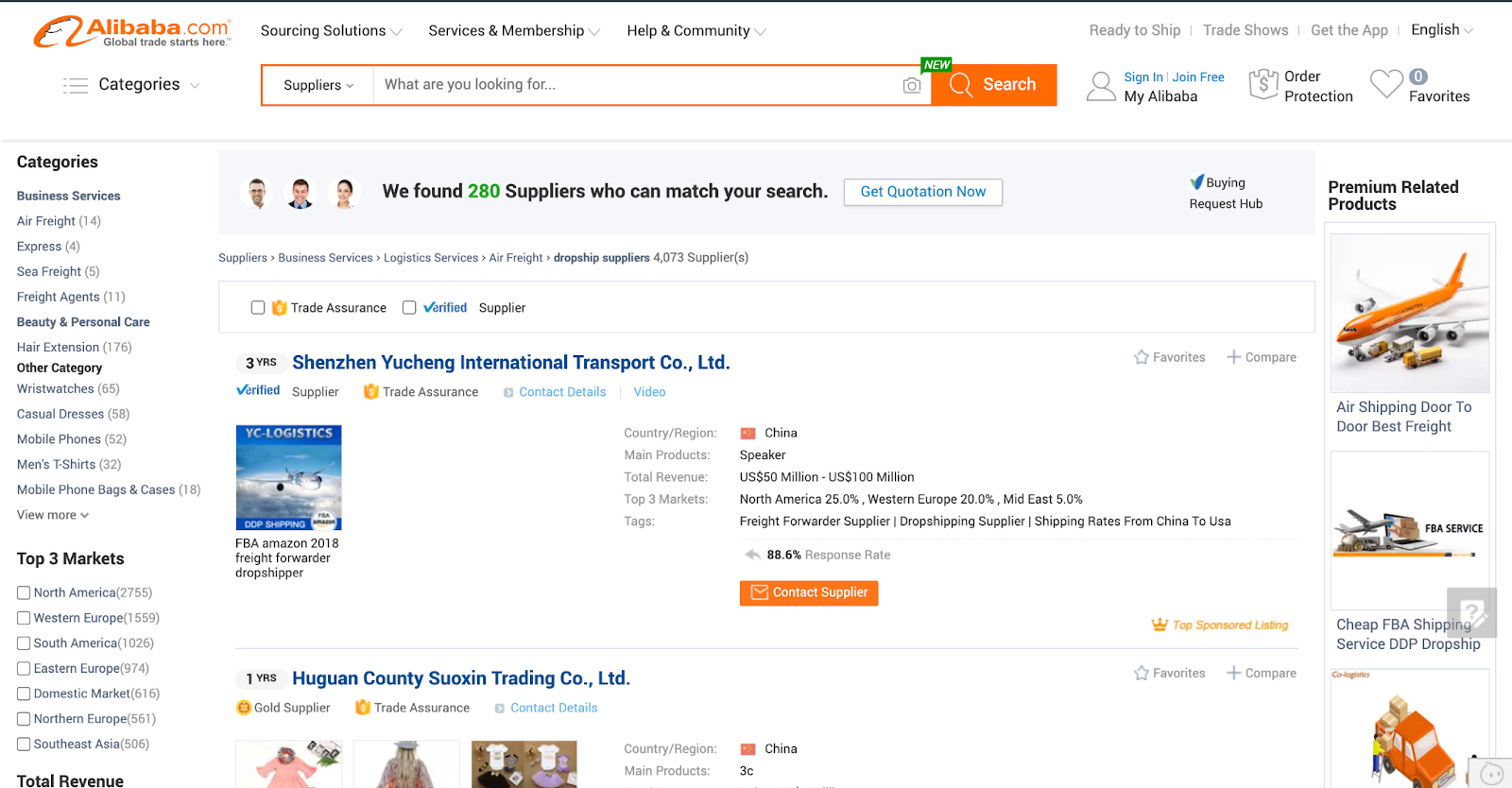
Checklist for a Proper Supplier
 Fast Shipping: Make sure your suppliers have a high reputation for shipping faster to customers. If your customers get slow deliveries of their product, then they might not like to order from your business anymore, since suppliers will take care of the shipping part. Make sure your suppliers ship products within 3-5 days to the customers.
Low Cost: The price of the product you choose to dropship will affect your overall net profit margin. So make sure you are cost-effectively getting the product so that you can get the most profit out of it and make a successful dropshipping business.
Quality Control: Make sure that whichever product you are trying to dropship with your suppliers, the product is of proper quality. Because a bad quality product will lead to negative reviews. No matter who your suppliers are, customers will place the order from your online store and because of the bad quality, they will give you negative feedback. So make sure that your suppliers provide the best quality product that you can dropship to your store.
Good Communication: Communication skill is a crucial part of your relationship with your supplier. Your supplier is your business partner. So maintaining consistent communication is important. Whether your order goes wrong or in a time-sensitive situation, somethings need to be modified. It will not be proper if you have to wait a week or a month to get a response, then it will be difficult to manage the product. So maintaining good communication is important.
Select the eCommerce Platform
Since a dropshipping business is a digital business model, you should also choose the right platform. The right eCommerce platform will help you make your store visible everywhere, be flexible and easy to use. Before choosing an eCommerce platform, you should keep some pointers in mind. Here is what you should be looking for,
Ease of Setup & Use: The eCommerce platform must be easy to set up, where dropshippers can easily add the product, name, description and tags. This way, anybody can easily start a business. A platform like Shopify helps to build an eCommerce platform easily and efficiently.
Scalability & Performance: Make sure the platform you choose is scalable and has optimized performance. Because the more you attract customers, the larger your business will be. So, your store must be scalable and properly performance optimized, so you can manage your store properly in the long run.
Design & Customization: The platform must be that it can be easily designed so that your store will be easily accessible and navigable on mobile devices. This way, anybody can design any store and get started with the dropshipping business easily. For example, Shopify can be a great platform to get started with to create your eCommerce store for its design customization options.
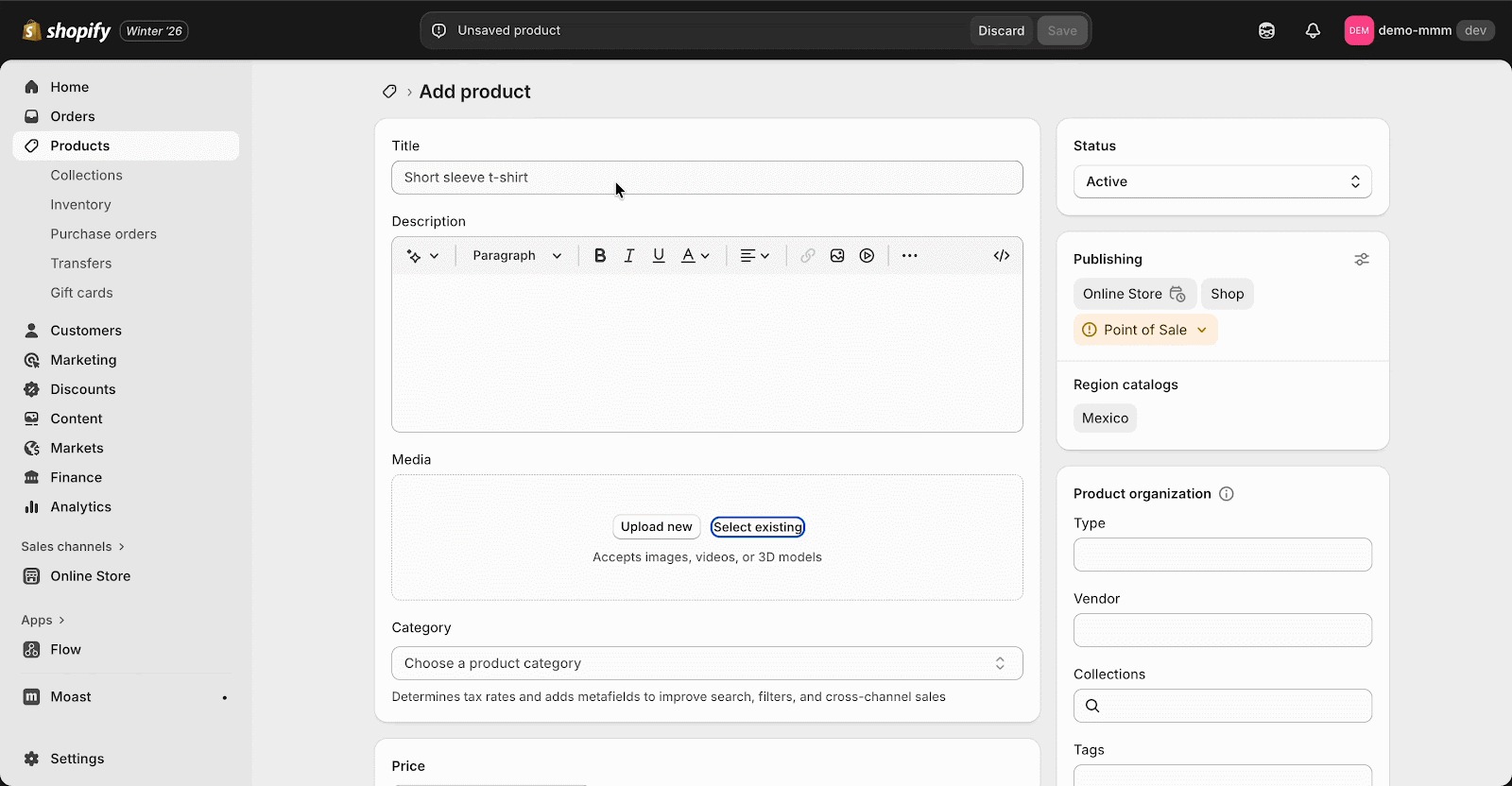
Add Products & Optimized Pages
After choosing the right platform for your business, it is time to add the products and optimize the product and other landing pages. The products should be showcased in this way, so that any customer gets a clear image of each product, with proper pricing and options availability. After that, make sure your product page is properly optimized for search engines. Adding a proper title, meta description and SEO best practices will help you to get more traffic on your product page and increase your Dropshipping business conversion.
Checklist to make a high-conversion product landing page:
Layout & Navigation
- Place buy box on the right, product images on the left (70/30 layout)
- Add sticky “Add to Cart” button
- Enable live chat and FAQ
- Button-style variation selectors when fewer than 4–5
- Add a size guide or tech sheet in a pop-up
- Show transparent pricing, shipping, and taxes
- Add FAQ below social proof
- Preselect the most expensive variant
- Add upsells & cross-sells
- Use accordions for readability
- Provide step-by-step instructions
- Write concise product titles (<65 characters)
- Add an impactful subheadline
- Tailor copy to psychographics (desires, fears, motivations)
Visual Elements
- Enable zoom of the product image
- Provide 3–5 images: white background, lifestyle, benefit-driven
- Add product video when needed
- Ensure all variants have accurate images
- Make the ATC button bold and contrasting
- Display discounts clearly
- Emphasize free shipping with icons
- Highlight key benefits with bold text
Social Proof
- Place reviews above the price to anchor value
- Highlight return policies, shipping times, and guarantees
- Show stock levels
- List payment methods + offer installment options
- Add article logos or event features
- Show reviews from trusted platforms
- Include video testimonials and before/after content
- Use urgency & scarcity: delivery timers, low stock, etc.
Set Pricing & Payment Methods
Define your pricing strategy by balancing product cost, shipping, marketing expenses, and profit margins. Choose prices that reflect the value of your product while remaining competitive. At the same time, enable multiple secure payment options to make checkout seamless and trustworthy for customers, helping reduce cart abandonment and increase conversions.
Things You Should Consider While Setting Prices & Payment Methods:
- Does the product price cover all costs (product, shipping, ads, platform fees) while leaving a healthy profit margin?
- Is the pricing competitive compared to similar products in the market?
- What pricing strategy works best—premium, competitive, or value-based pricing?
- Should shipping be included in the price or shown separately at checkout?
- Do discounts, bundles, or limited-time offers improve conversions without hurting profitability?
- Do pricing and payment options build trust through clear policies, secure badges, and transparency?
Register Your Dropshipping Business
To register a dropshipping business, start by choosing a unique business name and deciding on a legal structure such as a sole proprietorship or limited company. Next, register the business with the appropriate government authority in your country and obtain any required trade licenses or tax identification numbers. Open a business bank account to keep personal and business finances separate and ensure you understand your tax and compliance obligations before launching your online store.
Steps to register your dropshipping business:
Step 1: Choose a business name that is unique and professional, that reflects your brand and is available for registration.
Step 2: Decide on the legal structure, such as sole proprietorship, partnership, or limited company, based on your business goals and local regulations.
Step 3: Register with Government Authorities to submit your business registration to the relevant government body and obtain necessary trade licenses or permits.
Step 4: Get tax & compliance documents to apply for a tax identification number and understand your tax responsibilities for online sales.
Step 5: Open a business bank account. Set up a separate bank account for your business to manage payments, expenses and financial records efficiently.
Brand Your Dropshipping Business
Since in the dropshipping business, your suppliers take care of the product and shipping, there will be a limited chance to brand your dropshipping business. But with some smart strategy, you can brand your dropshipping business.
How can you brand your dropship business?
Choose a Memorable Brand Name & Logo: Pick a simple, relevant brand name and a professional logo that reflects your product category and appeals to your audience.
Create a Consistent Visual Style: Use consistent colors, fonts and imagery across your website, ads, emails, and social media to build strong brand recognition.
Deliver a Branded Customer Experience: From product packaging and order updates to customer support and follow-up emails, every touchpoint should feel professional and on-brand.
Market Your Dropshipping Business
The best approach to market your dropshipping business is to select a multichannel approach. Social media, SEO, Email marketing, and Influencer marketing can be some of the options, where you can reach the target audience and make a profitable online store.
Channels to market your business:
Social Media: Different social media platforms, such as Facebook, X and TikTok, can be the best option to advertise your business. Based on your particular product or business niche, you can reach out to your target audience on these platforms.
SEO: By writing different product-related blog posts and optimizing each of the landing pages properly, you can rank your store in the search results. By doing keyword research and identifying the content gap from the competitors, you can easily scale up and rank your store on the SERP.
Influencer Marketing: This is one of the most popular forms of marketing for dropshipping businesses. Based on the product, reaching out to particular influencers can help you get more customers for your store. For example, a famous fitness trainer who regularly posts videos online can be a good way to promote health & fitness-related products such as smartwatches, trackers.
Facebook Ad for Dropshipping: Facebook ads play a crucial role in growing a dropshipping business by helping store owners reach highly targeted audiences based on interests, behaviors and demographics. With the right creative copy and clear value proposition, Facebook ads can quickly test products and identify winners.
Manage Orders & Scale the Business
Finally, make sure to manage the orders properly and scale up your business. Your first order might be difficult to find. But once that order is placed, it is all about scaling and growing your business. By following some key tips, anybody can manage orders properly and scale the business in the store.
Tips to manage orders & scale business
 Automate Order Fulfillment: Use tools or apps that automatically send orders to suppliers and update tracking information. This will help to reduce manual errors and save hours, especially when order volume grows.
Monitor Inventory & Supplier Reliability: Keep track of stock levels with automated sync to avoid selling out-of-stock products. Work with reliable suppliers to ensure consistent product quality and shipping times.
Optimize Customer Communication: Send order confirmations, shipping updates and delivery notifications automatically. Provide quick support for returns, refunds, or inquiries to build trust.
Analyze Sales Data & KPIs: Track metrics like conversion rate, average order value (AOV), cost per acquisition (CPA), and repeat purchases. Use this data to identify top-performing products, marketing channels and customer segments.
Scale Strategically: Focus first on winning products, increase ad spend, offer bundles, and upsells. Expand your product line gradually instead of overloading your store.
Return & Refund Policy: Be very specific about the proper return and refund policy. Make sure that customers know how to return their products and request a refund whenever it is required. Set a separate page for the return & refund policy, where customers will be clear about the product.
Profitable Dropshipping Product Ideas for 2026
Before getting started with a dropshipping business in 2026, it is equally important to know more about which could be the most profitable business. Here we have listed down some profitable product ideas for dropshipping in this new year.
Home Appliances
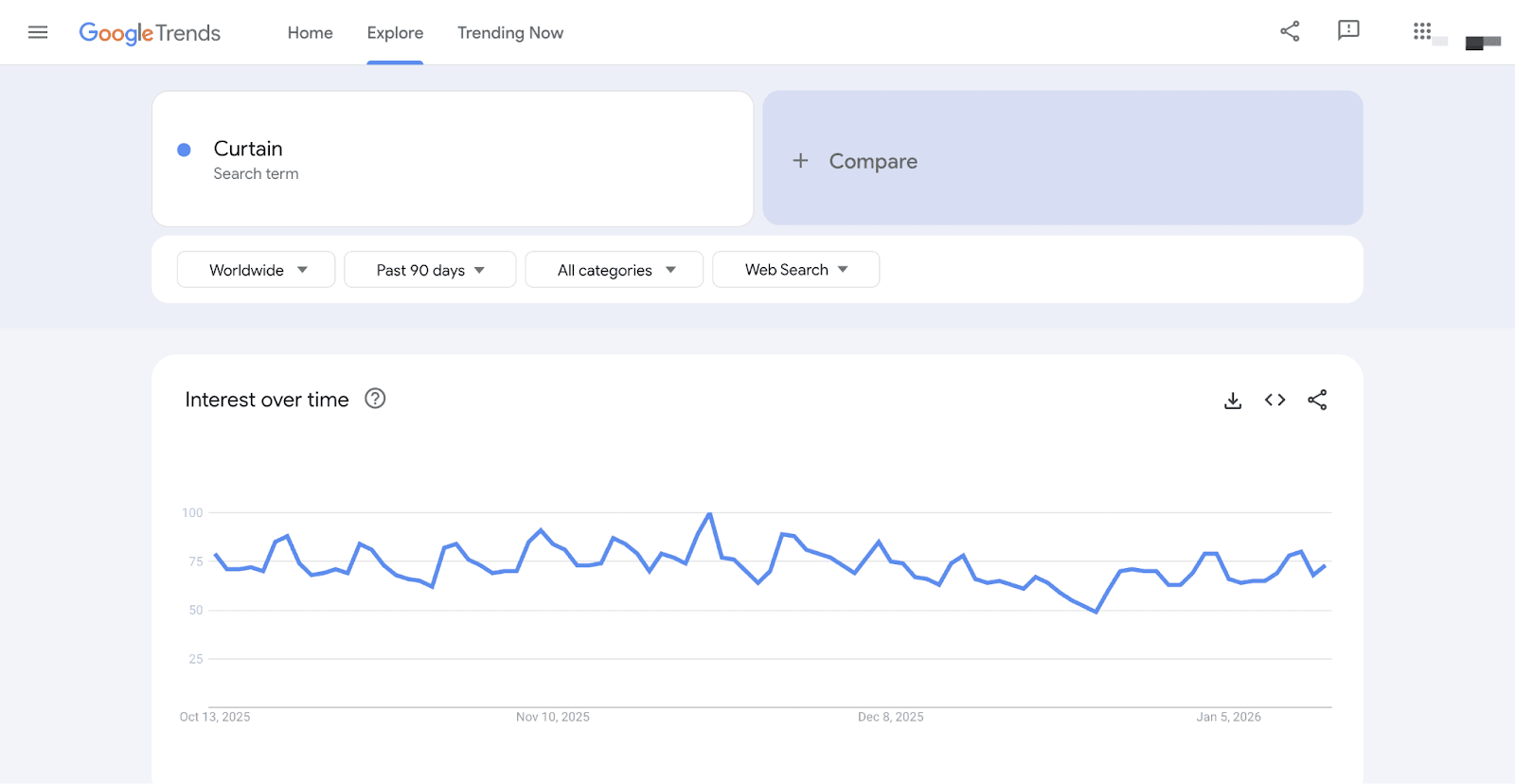
Everybody needs different home appliances every year. Whether it is a normal bed sheet or something for the kitchen, dropshipping a product for home appliances is always profitable. According to Shopify, spending on home interiors, décor, and furnishings is set to reach $949 billion by 2032. Let us have a look at which type of product you can start your business with.
- Bedsheets (Fiber)
- Curtain
- Laundry Baskets
- Picture Frames
- Planters
- Non-slip hangers
Baby Products
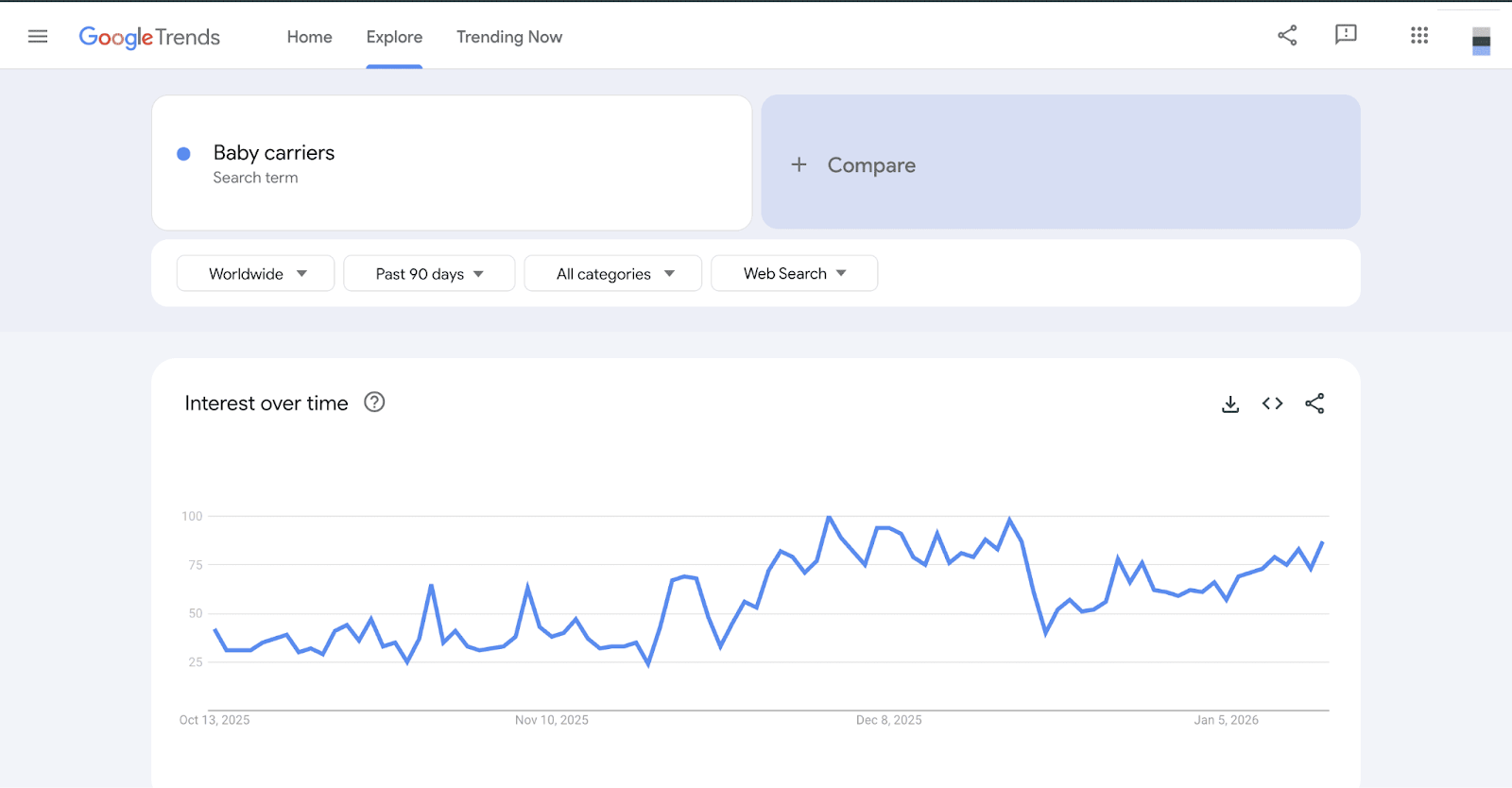
Parents love to spend money on their children. For their happiness, they willingly spend a lot on the products kids usually love and like to have. Here are some of the baby products that can be profitable in 2026 for a dropshipping business:
- Toys
- Cartoon Bottles
- Baby carriers
- Plant-based wipes
- Stylish diaper backpacks
Phone Accessories
With smartphone users increasing rapidly worldwide, phone accessories have become one of the most in-demand and trend-driven product categories in eCommerce. Today, smartphones are more than just communication devices; they are a part of daily life, personal style, and productivity. Here are some of the phone accessories that you can bring to your store:
- Wireless chargers
- Protective customized cases
- Car stands
- Screen protectors
- Phone coolers
- Gadget cleaners

Fashion & Apparel
Fashion and apparel remain one of the most popular and fast-evolving product categories in online shopping, driven by changing trends, social media influence and personal expression. People love experimenting with clothing, accessories, and styles that reflect their personality, lifestyle and identity, making fashion a repeat-purchase niche with year-round demand. Here are some of the trendy products in this category,
- Classic coats
- Basic short-sleeve t-shirts
- Yoga pants
- Beanies
- Flannel shirts
- Loafers
- Leggings

Beauty & Personal Care
Beauty and personal care products are in constant demand as people increasingly focus on self-care, grooming, and overall well-being. For dropshipping, beauty products are ideal due to their affordable pricing, strong visual appeal, and high perceived value. Here are some of the products to get started with,
- Hydrocolloid pimple patches
- Hydrogel face masks
- Face rollers
- Hair nets
- Hydrating eye gels
- Foundation brushes

Pet Supplies
From toys and grooming tools to feeding accessories and smart pet products, this niche benefits from strong emotional connection, repeat purchases and evergreen demand. Pet products work exceptionally well for dropshipping due to their variety, lightweight nature, and shareable appeal on social media. Here are some of the trendy pet products,
- Rope leashes
- Dog toys
- Hair removers
- Harnesses
- Raw/ freeze-dried food
- GPS collars
- Self-cleaning litter box
- Supplements

Shopify Apps to Boost Your Dropshipping Business
If you are planning to launch your Dropshipping store from Shopify, then you are in luck. From optimizing your store to get the best reviews, these apps can be your go-to solution for your Shopify store. Here, in this section, let us have a look at some of the best Shopify apps for a Dropshipping business.
StoreSEO – Best AI SEO Agent for Shopify
To improve your store’s Google ranking, increase sales & traffic from the search engine, StoreSEO is the best option for your Shopify store. With this app, you can optimize your Shopify store’s content and images with AI. With its unique feature, the AI image optimizer, you can optimize and reduce the size of the images. Popular SEO tools such as Google Search Console or Google Analytics can also be integrated with the StoreSEO app.
StoreSEO overall becomes a solution from technical to image optimization. Where dropshipping suppliers have to deal with multiple variations of products, this AI SEO agent can handle everything within a few minutes and make a proper dropshipping store for any type of niche.

StoreFAQ – Shopify FAQ Builder App
Your customers or suppliers may have a lot of questions about your store. It can be about delivery time or the process of ordering the product. The app, which provides an advanced solution for common queries, can be the best solution here. StoreFAQ is an effective Shopify FAQ builder app for your store. With its AI-powered feature, you instantly generate common queries along with the answers, create FAQ in any language and add FAQ to your store by simply dragging and dropping. To answer customer queries instantly and efficiently, StoreFAQ is the ultimate solution for your dropshipping business.

BetterDocs for Shopify – Knowledge Base App
If you want to expand your FAQ section and make a proper knowledge base, then BetterDocs for Shopify can be your go-to solution. For your dropshipping business, with this app, you can design responsive product FAQ, Docs with AI & add Instant Answer & direct Live Chat support. This app offers instant customer support with WhatsApp Chat and Facebook Messenger, making it easy for shoppers to get quick responses. The built-in order tracking feature allows customers to monitor order status, track delivery progress, and stay updated at every step of the purchase journey.

EasyFlow – Product Customization App
You might have different customers for your dropshipping store. Some customers might be looking for options to customize their product and make it more personalized. To do this, EasyFlow allows your customers to customize different products. With its features like product personalizer, text input, image swatches, dropdown and conditional logic settings like show/hide variants with smart price addons, it can give the flexibility to make the product their own.

TrustSync – Collect Positive Reviews for Your Store
Your suppliers and customers can only trust you if you have a better rating and reviews from other customers. For this, TrustSync solves the problem of getting positive feedback. By automatically sending review request emails and filtering out the negative reviews, dropshippers can reach out to the unhappy customers and turn the negative reviews into positive feedback. You can also implement popular review platforms such as Google, Trustpilot, Yelp, etc. You can easily get all the positive reviews for your dropshipping business.

Common FAQ for a Dropshipping Business
Here are some of the common FAQ that you might have. Before starting a dropshipping business, let us have a look at whether these questions are also on your mind or not.
How much does it cost to start a dropshipping business?
There is no specific amount of money to start a dropshipping business. But on average can cost anywhere from under $100 to several hundred dollars in the first month. Sometimes this cost even depends on the platform cost that you are choosing.
How to start a dropshipping business with no money?
By focusing your products on the organic market, you can start your business. Such as social media platforms ike Facebook, X, and LinkedIn allow you to create your own marketplace and showcase different products. Another way is using trial versions of platforms like Shopify can help you to start without any money.
Does Walmart allow dropshipping?
Yes, Walmart allows dropshipping businesses. But to do business there, you have to follow some strict rules and guidelines. To dropship a business there, you have to be an approved seller with an excellent customer service reputation and avoid other retailers, such as Amazon.
Why do dropshippers fail?
Many dropshippers fail due to poor customer service, outdated products, long shipping times and ineffective marketing strategies. By maintaining a proper strategy in your dropshipping business, you will be able to make it more profitable and sustainable.
What is the biggest risk in dropshipping?
The biggest risk in a dropshipping business is choosing the wrong suppliers. How your business will grow mostly depends on the trusted and well-reputed suppliers. If the suppliers are not reliable, then there is a big chance that your customers will be dissatisfied with the overall service and quality of your business.
Which is the best platform to start dropshipping?
The best platform mostly depends on your dropshipping business goals. But mostly, Shopify is the best option to start your business with. For its user-friendly and highly customizable interface, it has become a top choice for many dropshipping business owners to get started with.
Can I do dropshipping from home?
Since a dropshipping business does not require any inventory costs, it is a good way to start from home. In a dropshipping business, suppliers mostly take care of the inventory and deliver the product. All you have to do is list down the product and take orders. So yes you can start your dropshipping business from home.
Get Started with Your Dropshipping Business Today
A Dropshipping business is easy to implement and profitable if it is done right and properly. Many dropshipping businesses fail to scale up due to their poor strategy and not understanding the proper trend of the product. But with the right mindset, reliable suppliers, trendy products and well-planned marketing strategies, anybody can make money for their store. So, try to choose the right strategy this year to get ahead in the competitive dropshipping business.
Have you found our blog helpful? If you do, then please subscribe to our blog for more tutorials, guides, news, and updates.
]]>In this blog, we will explore the top 20 trending products in 2026 that eCommerce store owners can target and boost their eCommerce sales strategy.
Top 20 Trending Products to Sell in 2026
Every new year brings shifting buying behaviors, emerging trends and fresh opportunities for online sellers. The key to building a profitable eCommerce business is identifying what customers will want before your competitors do. Here, we break down the top 20 products to sell in 2026, including high-demand apparel like shirts, pants and activewear, popular beauty and personal care items such as skincare, body lotion and perfumes, as well as digital products like website themes, language learning resources and social media templates, giving you a comprehensive roadmap to capture market demand and gain a competitive edge.
Apparel / Clothing
The apparel and clothing industry remains one of the strongest and most adaptable sectors in eCommerce, driven by shifting fashion trends, lifestyle changes, and growing demand for personalization. In 2026, consumers are leaning toward comfort, functionality and style, making categories like everyday wear, activewear and seasonal fashion more profitable than ever. Let us see which type of clothing will be most in demand in 2026.
1. Shirts
Shirts remain a timeless staple in the apparel and clothing market, making them a consistently high-demand product in eCommerce. From casual to formal, all types of shirts cater to a wide range of audiences. The trend of shirts varies every year based on different seasons. For example, in winter seasons, sweatshirts become high-trending products, while in summer, soft cotton wool shirts become popular.

According to Google Trends data, the term “shirt” consistently draws interest from consumers. In recent months, the search trends for shirts have surged by 112%. Additionally, when examining the Best Sellers in the clothing category on Amazon, we find that men’s sweatshirts, which are also classified under shirts, are among the most popular items.
2. Pants
Pants remain a key part of modern wardrobes, offering comfort, versatility and style. As lifestyles grow more dynamic in 2026, consumers are drawn to flexible designs like relaxed-fit trousers, cargo pants, tailored joggers and hybrid work-to-casual styles.

Now, if we look at the data, we will see that pants have always been trending and an on-demand product over the years. The search query for pants grew in recent years, but always remained constant for each of the months. So, this product is always something that eCommerce owners can rely on and grow their business with it.
3. Activewear
Now, apart from basic apparel, if we look at some of the most trendy and unique products, then these are activewear. These dresses are functional and designed specifically for exercises, sports and other physical activities. According to FastStats, the percentage of adults age 18 and older who met the Physical Activity Guidelines for aerobic physical activity is 46.9%. This increased amount of data proves a high demand for products relevant to physical activities in the apparel category.
Among activewear products, leggings continue to be one of the most popular choices for fitness enthusiasts and everyday wear alike. High-waisted designs, seamless construction and functional details like built-in pockets are especially in demand. Alongside leggings, matching activewear sets, including performance tops such as half-zips and tech tees, as well as joggers and shorts, are gaining strong traction. With the growing emphasis on comfort, versatility and athleisure fashion, adding activewear to your eCommerce store can provide a significant competitive advantage in 2026.
4. Sneakers
With activewear, another on-demand apparel product is Sneakers and Boots. While sports enthusiasts look for comfortable clothing options for physical activities, a comfortable sneaker can also be a cherry on top. While popular brands such as Nike, Puma continue to bring exclusive and premium-level sneakers, customers who are looking for affordable yet stylish options often turn to emerging brands or value-focused collections.

2026 can be the best year to add affordable sneakers to the eCommerce inventory to attract more customers to the store. In the recent search data, sneakers are one of the most popular apparel items for everyone around the world. Providing an affordable sneaker option can be game-changing for the industry.
5. Hats
Over the last few months, the trend of buying hats has grown rapidly. This is because modern influencers and public figures like Jeff Bezos or Beyoncé are accepting the Western style of wearing hats. While in the winter season, Binnie hats are becoming more popular, in other seasons, normal caps are the most popular ones among buyers.

6. Coats
Coats are a timeless outerwear essential, combining style, functionality, and seasonal appeal. In 2026, consumers are looking for versatile designs that work for both casual and formal occasions, including trench coats, wool blends. Features such as sustainable fabrics, weather-resistant materials and modern tailoring are driving buyer preferences. Sales of overshirts among Shopify merchants have jumped by 166%. This change reflects a significant rise in Google searches, particularly for overshirts from established outdoor brands.

Health & Beauty
Another trendy category is health and beauty products. While in many places it is considered that this type of product is only for women, there are some health & beauty products for men as well. Here, some of the most popular products in this category that eCommerce store owners can reflect on in their business are mentioned.
7. Skin care
Skin care products are one of the fastest-growing sectors in the health and beauty category. In 2026, buyers are seeking products that combine effectiveness with clean, sustainable ingredients, including moisturizers, serums, facial masks and sunscreens. If we look at the recent search trends, skin care products are increasing. eCommerce store owners can partner up with different authentic brands and enhance their inventory for the customers.

8. Fitness trackers
With the trending demand for sports activities, fitness trackers have also become one of the most crucial products in the category. While different smartwatches can track the data, specific fitness trackers help to enhance it more for the users. Among popular fitness trackers, Fitbit Charge 6, Garmin Venu 3/Forerunner series, Apple Watch Series 9/10, etc.
9. Perfume And Cologne
Perfume and cologne remain popular products in the beauty and lifestyle market. They give consumers a chance to show their personality and style. In 2026, buyers are more interested in unique, long-lasting scents, niche fragrances, and eco-friendly formulations.
The recent search trends show the number of searches for perfume products is going up and rising over the years. It is predicted that in the upcoming years as well, this product and other brands will go up massively. Social media and online personalities influence the industry. Some YouTubers have created successful scent businesses by using their fan bases.

10. Shampoo and Soap
Shampoo and soap are daily necessities for everyone. These types of products never go out of trend and are always demandable by customers. The main difference is within the brand. Which type of brands customers prefer matters the most for eCommerce store owners.
Dove, Dial, Ivory and Caress are some of the most popular brands that the audience mostly relies on. By offering a mix of classic favorites and trending natural or eco-friendly alternatives, eCommerce stores can attract a broader audience and encourage repeat purchases, making this category both dependable and profitable in 2026.

11. Body Lotion
Body lotion is a staple in the personal care market, offering both hydration and skin nourishment for consumers of all ages. In 2026, buyers are increasingly seeking formulas that combine moisturization with added benefits, such as anti-aging properties, SPF protection, or natural and organic ingredients.

Like shampoo and soaps, body lotion also differs based on the brands. According to the AI overview search, Nivea, Vaseline and Aveeno are some of the most popular brands that people are looking for.
Home & Living
Some home & living products have become essential for everyone. For the demographic shift, US housing has been transforming for its demographics, such as from Millennials to Gen Z. Let us see some of the home & living products that eCommerce store owners can add to their store.
12. Bedding
In 2026, consumers are paying closer attention to fabric quality, breathability, and durability, with cotton, bamboo, and microfiber bedding gaining strong popularity. With recent search data, bedding has become one of the essential products for shoppers and those looking for a comfort solution for their household.

13. Yoga Mats
With regular physical activities, for better mindfulness, Yoga is one of the most prominent solutions. According to research, approximately 300 million people practice yoga worldwide. For doing Yoga properly and comfortably, a Yoga mat can be the solution. On Amazon, on average, more than 60K+ people have already ordered Yoga mats over the years. In the upcoming years and rising popularity of Yoga, this can be a solution for massive users.
14. Chopper
The fruit and vegetable chopper has become one of the most popular and desirable products in the household. For its easy-to-cut fruits and vegetables feature and since it saves time. On Amazon, under the household category, it has now become the most trendy product with more than 100K buyers worldwide.
Digital Products
If you are planning to sell digital products in the upcoming year, then there are some trendy products that you can focus on, too. Mostly, if the products are AI-powered, then there is a higher possibility that they will attract more users. Let us have a look at which products you should focus on to sell in 2026.
15. Website Themes And Templates
Every business now understands the reason for having a website for search engine purposes and leaving a digital footprint. But not everybody is skilled enough to build one from scratch. Sometimes, for budgeting issues, many struggle to hire coders to launch their business website. In this case, selling website themes and templates on a digital store can be helpful for customers. This saves time and helps users launch a website faster and in a better way.
16. Language Learning Resources
Day by day, with globalization, language learning sources are booming. People are open to learning new languages to go global. According to Duolingo, in 2025, English learning became the #1 language in 154 countries, representing a 14% increase over 2024. So, what to sell in the language learning resources? It can be an online course, an eBook, or apps that help to learn a new language. By offering a monthly or yearly subscription package, these digital products can be a great source of earning for small businesses.
17. Social Media Templates
Social media users are always booming. With social media users, different businesses are also on social media to scale up their business. But only launching a social media account is not enough. Creating regular content can boost engagement and as well as make followers aware of the business or product. For this, selling different social media templates can be a better and profitable business.

Electronics & Tech
Tech products have now become essential for everyone. Without any electronic or tech-related products, it is almost impossible to complete a task efficiently. Now, in the upcoming year, let us have a look at some of the electronic products that you can sell on your online store.
18. Noise Cancellation Earbuds
Earbuds with noise cancellation features are becoming increasingly popular. People now want a disturbance-free experience while listening to their favorite music. Popular brands like Apple, Samsung and Xiaomi are bringing amazing earbuds that are affordable. On the other hand, search queries for Earbud brands have been increasing steadily for the past three months.
19. Home Automation Tools
Smart technologies are now in the home too. People are adapting different home automation tools, such as smart locks, security cameras and home assistants are becoming popular day by day. Famous brands’ products like Amazon’s Alexa, Google’s assistant Nest have become popular. Amazon has sold over 500 million Alexa-enabled devices globally, which proves the increased popularity of home automation tools.
20. VR/AR Devices
VR and AR devices are expected to be highly popular in 2026 as immersive technology becomes more accessible and integrated into everyday life. These devices are no longer limited to gaming; they are increasingly used for virtual shopping, remote collaboration, education, fitness, and training simulations. According to recent search data, for the last 3 months, people have been looking for different VR devices for their daily use as well.
How to Scale up Sales on Trendy Products on a Shopify Store?
Just knowing what products are trending is not always enough. You know which products are trending and you keep them on your eCommerce website or store, but still, you might see a fall in your sales. Why? Because there are some strategies that you must follow to keep the sales up. Here are some of the strategies that you must follow to keep up the sales.
Be the First Store in SERP
While people are looking for a trendy product, make sure your store comes up first in the Search Engine Results Page (SERP). This way, it will increase your visibility and increase the chances higher for increasing sales. Optimizing your product pages with proper keywords, adding correct alt text in images, and maintaining proper website structure can help you rank higher in Google. If you have a Shopify store, then StoreSEO can be one of the best options to rank higher on search engines. With its AI-powered features, including the AI Content Optimizer, Image Optimizer, and Seamless Google Integration, you can effortlessly rank your Shopify store on search engines.

Make it Personalized
With a trendy product, make it more personalized. With proper customization flexibility, it will influence shoppers to purchase. For example, if shoppers get personalized items, such as adding their name to an activewear product, it will make them feel the product is their own. For Shopify, EasyFlow is one of the best apps for Shopify product customization. With this app, you can manage product options, add custom sizes & text options and smart conditional logic options and much more.
Collect Your Store Reviews
Trust and authenticity are one of the best options to increase sales for your store. When people see so many positive reviews, it becomes easier for shoppers to buy products. For example, if you collect your store reviews from Trustpilot and then showcase them on our Shopify store, then it creates authenticity. For example, the Shopify app, like TrustSync, helps to make it easier for you to collect reviews from popular platforms and filter out negative reviews to make your store the highest-rated one.
Frequently Asked Questions on Trending Products
1. How to Find Trending Products in 2026?
To find trending products in 2026, there are a lot of tools available. One of the best strategies is to explore different eCommerce platforms like Amazon, stores from Shopify and filter with Trending Products. From there, you will be able to find trending products. Another way is to find through Google Trends. Search for a specific product and show the trends and what people are actually looking for.
2. What is the best-selling product ever?
Some products are always the highest-ranked and best-selling of all time. These products are always demandable and every year people look for them. One of these products is from Apple. Such as a new iPhone, iPad, or MacBook. Another type of product is an Automobile, where popular brands like Corolla, BMW dominate the market.
3. How can I increase my sales in trending products?
To increase sales in trending products, you can add a customizable option to the product. For example, as the Shirt is the trending product, adding a customization option to the shirt can be another way to make it more personalized. Shopify Apps like EasyFlow allow store owners to give different customization options to the product.
Turn 2026 Product Trends into Profitable Opportunities
As 2026 approaches, a wave of new opportunities is opening up for eCommerce businesses ready to adapt and evolve. By closely following market trends and choosing the right products at the right time, whether it is trending apparel like shirts, pants and activewear, in-demand tech gadgets like fitness trackers, noise-cancellation earbuds, or digital products such as website themes, language learning resources and social media templates, store owners can significantly boost profitability and accelerate sales growth. Get ready to embrace these trends, refine your product strategy and position your eCommerce store for a stronger, more successful 2026.
Have you found this blog useful? If you do, then please subscribe to our blog for more tutorials, guides, news and updates.
]]>In this blog, we will learn in depth about Conversion Rate Optimization and how different AI-powered strategies, along with the right tool, can help to increase your conversion rate.
What is Conversion Rate Optimization?
Conversion Rate Optimization (CRO) is the process of increasing the percentage of website visitors who perform certain actions. This is one of the most common terms, especially for an eCommerce store. This is achieved by improving the overall website experience, using a catchy call to action, conducting behavioral analysis, and considering many other factors. CRO mostly focused on existing traffic and converting them into customers, rather than acquiring new customers on the website.
For instance, a Shopify store owner started noticing customers were abandoning carts. After behavioral analysis, the owner noticed there were certain improvements required in the checkout process. So by making this process simpler and smoother, owners can increase the CRO.
Formula of Conversion Rate Optimization (CRO):
The CRO is calculated with a simple formula. Which is,
Conversion Rate = (Number of Conversions / Total Visitors) x 100
Let us say your Shopify store has a total of 3,000 visitors and it has 150 purchases that month. So the conversion rate is (3000/150) = 20%. Now, if the owner wants to optimize the conversion rate and increase it to 30%, then it is called Conversion Rate Optimization (CRO).
Key Aspects of CRO
Understanding the key aspects of CRO is essential. These aspects help to make better decisions for your eCommerce business. Here are some of the key aspects in different areas.
Goals: In terms of CRO goal settings, there are some aspects you should focus on. The core goal is to turn your visitors into your customers. Many visitors might visit your eCommerce site, but not necessarily everybody will convert. You have to optimize the website or store in that way and you get more customers for your business. So the goal is –
“Convert more visitors into customers or leads.”
Actions: In which area do you want to improve the actions or increase conversions? It is an important decision in terms of CRO. Here are some essential areas that business owners must focus on. These areas include:
- Purchases: CTA button optimization, Cart Abandonment Issues fixing.
- Form Fills: Newsletter signups or taking a subscription to collect more leads.
- Demo Requests: Getting more users to get a trial or beta version of the feature.
Methods: There can be a lot of methods the way you can optimize your conversion rate. Here are some of the aspects that you must focus on:
- Data Analysis: Analyzing overall data to understand customers’ purchasing behavior.
- User Research: Which types of audiences are exploring or trying out your products?
- A/B Testing: Trying out different methods to better understand which works best for your customers.
- Psychological Nudges: Understanding UI/UX psychology to better design and shape your store based on customers’ convenience.
How CRO Overall Works:
After understanding the key aspects, you need to understand how the CRO overall works for your store. You have to carefully look into some things that will help you to better optimize the conversion rate and make decisions based on that. Here is how overall CRO will work:
- Analyze: Use analytical data to better understand where you need to improve your conversion rate. This analysis can happen based on the cart abandonment rate, where visitors are dropping off, where the CTA button will work properly, etc.
- Hypothesize: Develop the ideation of what should be improved while optimizing the conversion rate. This hypothesis can change the button color or positioning, or anything. Measure if these changes positively impact the conversion rate.
- Implement: Through the implementation of different strategies, you can analyze what is working for your store and what is not. Try out different strategies with different tools and apps for successful and continuous conversions.
Why Does it Matter on a Shopify Store?
The best way to implement CRO is in an eCommerce store. One of the main goals of Shopify store owners is to deliver a better shopping experience to their customers while lowering the customer acquisition cost. It also creates a competitive advantage and increases sales. Let us know more about why it matters in the Shopify store.
Lowers Customer Acquisition Cost (CAC)
CRO focuses on converting existing traffic into paying customers, turning visitors already familiar with your Shopify products into buyers. CRO often improves the shopping experience, leading to repeat purchases. Customers returning to buy again further lowers the effective CAC over time. Also, with AI-driven CRO strategies, like personalized recommendations or predictive offers, ensure the right message reaches the right visitor, increasing the probability of conversion without extra acquisition cost.
Deliver a Better Shopping Experience
With the CRO, the Shopify store owners better understand where the customers are abandoning the cart, where their shopping experience is not going as expected. So, they try to improve the process. These processes can include improving the checkout process, giving personalized recommendations. This automatically helps the owners to make a better shopping experience for the visitors and increase the probability of converting them into customers.
Increases Long-Term Growth & Trust
The higher the conversion rate, the higher the returns on investment and the increase in sales. Here, CRO plays a crucial role in long-term growth & trust for Shopify store owners. By continuously analyzing customer behavior and optimizing the overall shopping experience, CRO ensures that more visitors turn into paying customers. When shoppers encounter a seamless and personalized shopping experience, they are more likely to return and recommend the store to others.
Creates Competitive Advantage
For eCommerce store owners, CRO gives a competitive advantage by enabling them to make the most out of their existing traffic. While many store owners focus only on attracting new customers, CRO helps to nurture the customer base by improving the overall experience of shopping experience. This means they generate higher revenue without proportionally increasing marketing spend, giving them more resources to reinvest in growth, product development, or customer experience, areas where competitors may lag.
Current CRO Trends on Shopify: How Top Stores Beat the Conversion Ceiling
Currently, many of the Shopify store owners are adapting the concept of CRO. To boost sales and reduce the cart abandonment rate, the importance of CRO is becoming essential. The average conversion rate for Shopify was 1.4%. Anything more than 3.2% would put you in the best 20% of Shopify stores.But it can be optimized more by optimizing the landing page or improving the overall shopping experience.
Another Shopify CRO statistics study has introduced the industry-wise conversion rate. Here, while General Apparel has a 2% conversion rate, the lowest conversion rate falls in the Luxury Handbags industry, with only 0.3%.
If we look at some real-life examples, we can see how strategic CRO can transform a Shopify store. AdventureWell Outdoors is a US-based brand selling freeze-dried backpacking meals for outdoor lovers. But their store did not fully showcase the value of their products. With targeted CRO interventions, including UX enhancements, clearer product presentation, trust-building elements, and smart offers, their conversions tripled and sales grew 4.5X in just 90 days.
So this proves that Shopify store owners are more focused on CRO and this also brings results. Currently, adapting CRO to businesses has become essential. With the right tool and trendy strategy, this CRO can be improved further in the upcoming years.
How AI Can Take Your Shopify Conversion Rates to the Next Level in the Future?
The future of CRO is being smart and trendy with your Shopify product pages. In recent years, AI has been the best way to implement different strategies. In eCommerce, AI uses different data such as clicks, impressions and purchase data to make predictive analytics and decisions based on this data.
Recent AI data reveals that generative AI alone has the potential to generate $240–$390 billion in annual value for retailers while simultaneously reducing costs. Another study from SellersCommerce found that the use of AI in e-commerce will be valued at $8.65 billion in 2025 and $17.1 billion by 2030.
The use of AI will span different segments. For example, the use of agentic AI in customer support will increase in eCommerce stores. 33% of eCommerce enterprises will include agentic AI by 2028 (Data from SellersCommerce). Today, less than 1% do so. Another use case of AI in eCommerce is predictive analysis. This analysis helps guide daily decisions using real-time data, such as traffic, promotions, and social media trends. In a Shopify 2025 use case study, six out of 10 retail buyers say AI has already improved their demand forecasting accuracy.
This data shows how AI can be a game-changer in terms of optimizing conversion rates and increasing customer satisfaction as well as sales. But what should be the key strategy? In the next part, we will learn more about it.
AI Strategies for Shopify Stores That Actually Convert
Adopting AI has become a common practice now for Shopify store owners. But it is important to know some of the best strategies for CRO and how to implement them with different AI-powered apps. Here are some of the strategies that store owners can implement with the power of AI that actually convert. In this section, we will learn more about how to implement different strategies for the Shopify store.
Home Page Optimization
The first optimization strategy should come from your Homepage. After deciding to purchase a certain product, sometimes your visitors might look at your homepage first. So, this should be optimized in a way that the conversion rate can be increased. Here are some of the strategies that can work better for the CRO of your Shopify store.
Above-the-Fold Essentials
- Add a strong offer: Through an opt-in and banner with an eye-catching heading and CTA by showcasing strong offers can help visitors learn more about the recent deals and engage users to explore the product on the deal.
- Answer key visitor questions: Answer first, what is your store about? Is it a software brand or an electronics store? Make it clear so that users can better understand what they will expect. To generate these answers, use an AI tool like ChatGPT or Perplexity to generate the about section of your website.
- Add review badges: Highlight top reviews on the homepage. This will create trust and authenticity among new visitors. It will motivate them to purchase from your store since they will be able to trust the product.
- Highlight press coverage: Press coverage from popular news sources will boost the visitors’ trust and authenticity. It will help store owners attract more visitors and convert them into customers.
Visuals & Storytelling
High-quality image: Make sure your product images have good quality and resolution. Also, try to make sure your store has optimized images, so that it takes less loading time. With StoreSEO’s AI Image Optimizer, you can do that efficiently for your store.
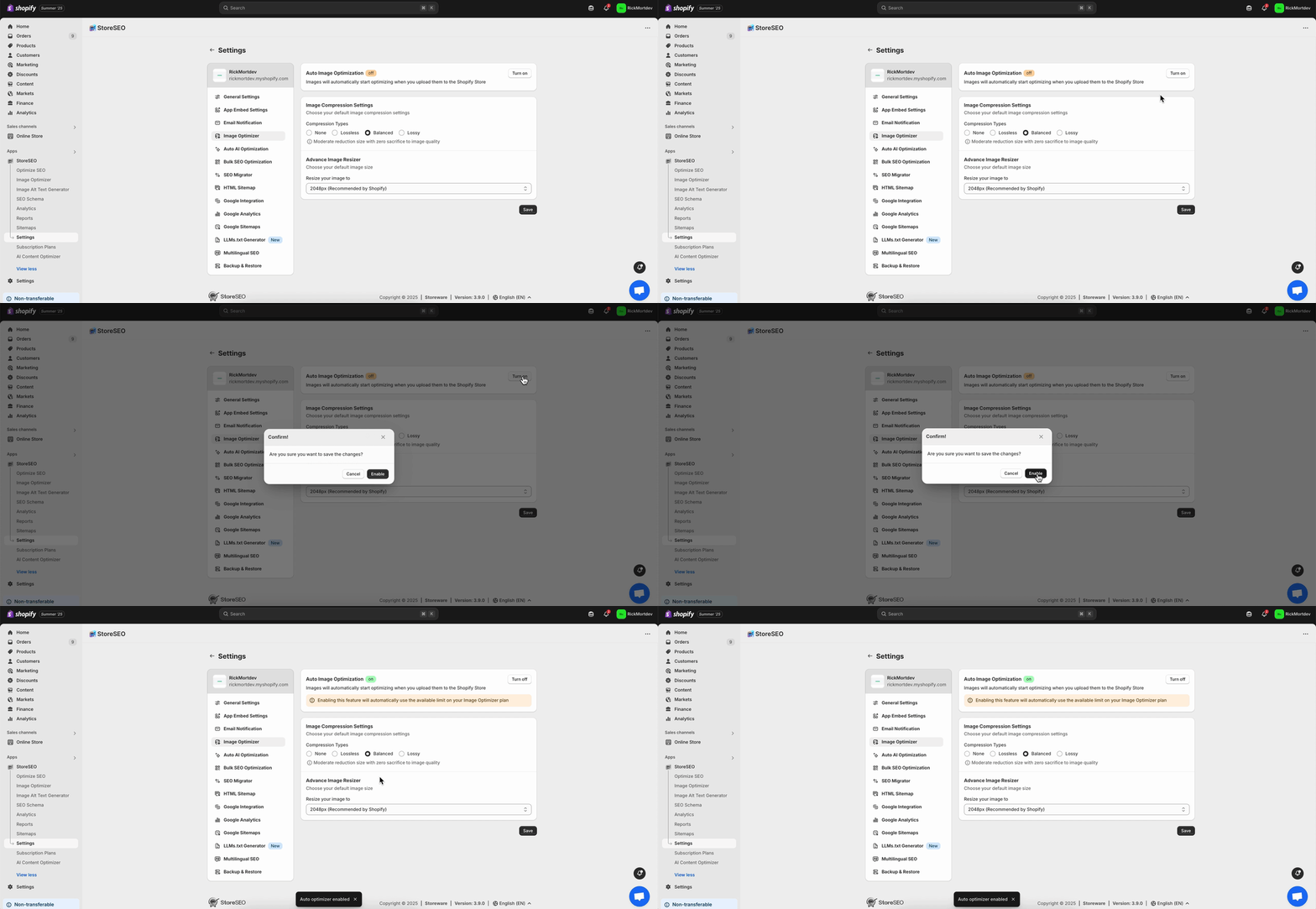
- Include brand mission: Talk about your store’s mission with the founder’s perception, so visitors know more about your brand on the homepage. This section can be generated with AI by giving a simple prompt based on the founder’s perception.
- Showcase best-selling products: Highlight the products that the customers loved most. By showcasing this, you can increase the sales numbers of your best-selling products. By analyzing the whole Shopify store with an AI-powered app like RealtimeStack, you can showcase the best-selling products based on visitors’ behavior.
Conversion Boosters
- Email signups: To boost conversion and collect more leads, add an email sign-up button for subscribing to new blog posts or latest deals. Later on, you can use a Shopify app like Klaviyo to create AI-powered segments and flow triggers using historical and real-time data.
Product Page Optimization
The next part for your Shopify store is the product page. After learning about your product, visitors would like to know what type of products your store offers. So optimizing this page is important. Now, let us have a look at which AI-backed strategy can be utilized for product page optimization.
Layout & Structure
- Maintain proper layout: With the 70/30 layout, place the buy box on the right and product image on the left. This way, it gives a proper eye-catching experience to the store visitors.
- Sticky Add to Cart: By adding a sticky add to cart button, it will grab the attention of the visitors and encourage them to add the product to the basket. You can also add a small cart icon on the bottom right corner of your website.
- Enable LIVE chat and FAQ: With AI-powered chat and customer support, store owners can automate their customer support. Apps like StoreFAQ help to create AI-generated questions and answers within minutes on your Shopify store, so you do not have to write every common query manually.
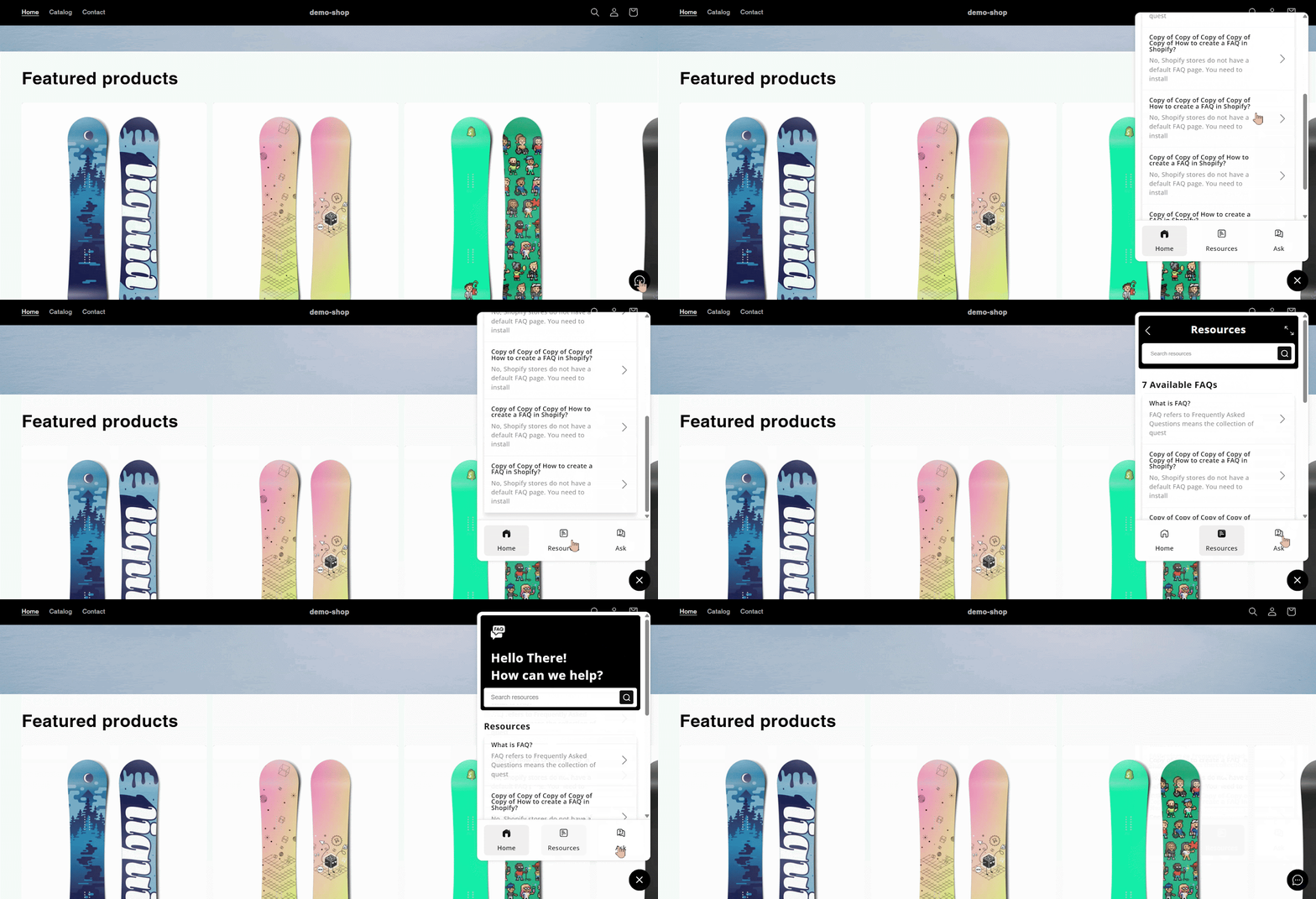
Product Image & Media
- Enable Zoom: With the Zoom feature, visitors will better understand the product and get a good look at it. It will help them make better decisions from the Shopify store.
- Add multiple images: Try to add images from multiple angles. It will help them to make a proper decision. Apps like Canva AI can help to create visually stunning product images and mockups.
- Add product videos: Another way to attract customers is to create AI-generated videos of the product. An AI-powered Shopify app like Vidify can help you generate videos instantly in different styles for your product store.
Call-to-Action Optimization
- Make bold Add to Cart Button: The Add to cart button should be highlighted properly with a bold interface. Adding proper color that catches the attention of the visitors.
- Add size guide: If you have a product in your store that requires a specific size for the users, then adding a size guide will help visitors make quicker decisions. With AI, you can generate this size chart based on the brand guidelines with Canva AI.
- Show transparent pricing: Keep it very clear about the pricing section. Do not miss out on shipping costs, taxes, or any other extra costs. It will give a clear idea to customers what the actual pricing of the product is.
- Highlight return policies: Be very clear about the return policies on your store. Now, many policies might take too long to write. So, try to use AI tools like ChatGPT or Jasper AI to write the return policy for your store.
- List payment methods: It is better to add the payment methods in the button format. It will help customers make a purchase decision based on their convenient payment options.
Social Proof
- Show trusted platform reviews: To get the proper social proof, it is great to implement reviews from trusted platforms like Trustpilot, Yelp, etc. With the Shopify app, like TrustSync, you can collect reviews from the platform and implement them on your store.

Category Page Optimization
Another important page is the category page. Here, visitors will find product categories to get the specific products. There are some conversion optimization strategies you can implement.
- Max 3–4 products per row: For desktop optimization, it is better to add 3-4 products in a row. It helps users to better identify the product and it becomes visually pleasing for the visitor. For the mobile version, it is better to keep max 2 per row on mobile.
- Place expensive items first: By placing the expensive items first, with a special deal will help visitors trust that they will get a premium product at a minimum price. With the Shopify app, like Rebuy Personalization Engine, personalizes every step of the shopping journey with AI-powered upsells, cross-sells, and smart product discovery
Cart Page Optimization
After choosing the product, there are some CRO strategies that can be implemented on the cart page. Let us have a look at some of the strategies for this page.
Urgency & Motivation
- Use catchy phrases: In the cart page, use catchy phrases like “Your cart isn’t reserved.” This way, it will be engaging and create a hook. Different copywriting AI tools, such as Copy.ai, can help to generate engaging copy for the cart page.
- Highlight free shipping: If your store offers free shipping, then highlight it. Visitors love anything free on an eCommerce site. So, by highlighting free shipping, there is a high chance that visitors will convert to customers.
Checkout Page Optimization
Another important part is the checkout page. It is important to make the page’s process smoother so that visitors can be converted into customers. Here are some strategies that can be implemented.
- Trust & Transparency: To build trust and keep transparency, show shipping times, updates. By giving an invoice tracking ID, visitors can easily identify where their product is. AfterShip Order Tracking is one of the Shopify apps. With AI, you can generate an estimated delivery time for customers.
- Checkout & Thank-You page upsells: In the thank-you page, you can show some product recommendations to upsell different products. With AI-powered apps like LimeSpot Personalizer, you can add recommended products to your thank-you page.
Technical Store Requirements
With the product page changes, you also need to fulfill some technical requirements to optimize the conversion rate. Here are some of the technical strategies that can be implemented.
- Loading speed under 2 seconds: Keep the loading speed minimal; it is better to keep it under 2 seconds. Nobody likes a slow-loading page. So, to keep the shopping experience better, it is better to keep it under 2 seconds. Shopify apps like StoreSEO’s AI Image Optimizer feature can optimize images for better loading speed for your Shopify store.
- Consistent brand identity: Keep your store’s brand identity consistent. It will help users to better understand your brand and product. With Shopify, you can create a custom website with AI.
Search Optimization
Even if you make proper categorization for your store, there must be some products that your visitors might still look for. That is why it is important to optimize your store search bar to boost conversions. Here are some of the strategies you can apply.
- Add search icon: Add the search icon on your store in a suitable place where your visitors can easily take action. It can be in the middle of your store so that the search is highlighted.
- Include autocomplete & autosuggest: With autocomplete, it will help visitors find any product faster. By adding a few words, the search will automatically suggest the product that visitors might be looking for. Shopify apps like Boost give you fast, intuitive AI search to help shoppers find the product.
Footer Optimization
Even if your shoppers go through the entire store and navigate to the footer, there is a chance of optimization as well. Let us have a look at some of these strategies to better understand what to do in the footer.
- Add “Back to Top” button: If visitors go to the footer, then they might be considering converting into your customers. For this, add a back-to-top button with an arrow pointing up. It will help them navigate to the product page faster.
- Display office location: Show if you have a physical location with an interactive Google map interface. So that, if they want to get a product physically to check the quality of the product, they can find your business and try the product on their own.
Navigation Optimization
Navigation is important for your Shopify store so that people can go through the entire page quickly and check out their desired product instantly. Here are some of the strategies that can be effective for your store.
- Add breadcrumbs: Adding breadcrumbs on a Shopify store helps visitors navigate through the pages quickly and easily. With Shopify’s website builder and AI-powered feature, you can create your custom store within minutes.
- Use sticky header: Try to use a sticky header on your store, so that your visitors can get your available product options right in front of their eyes. This will help them make quick decisions and navigate through specific product pages.
Boost Shopify Store Conversion Rate with AI-powered Strategies
In today’s competitive Shopify landscape, using AI-driven strategies is essential for boosting conversions and driving growth. From personalized product recommendations and predictive analytics to automated A/B testing and real-time behavioral targeting, AI helps Shopify store owners better understand their audience. It enhances the shopping experience, delivers the right message at the right time and enables more effective Shopify conversion rate optimization strategies.
Was this blog helpful? Do not forget to subscribe to our blogs to get all the latest blogs on time.
]]>Shopify calls it a “Renaissance” because, just like the historical era sparked creativity and innovation, these tools amplify human ingenuity while handling the heavy lifting. If you’re a Shopify merchant, developer, or just watching eCommerce trends, this winter ’26 edition could redefine how you run your business in 2026.
Winter ’26 Edition Overview
Winter ’26 edition overview is the perfect place to set the stage for what Shopify Winter ‘26 is really about for store owners. This winter ’26 edition is called the Renaissance edition because it blends the spirit of a creative rebirth with the power of artificial intelligence.
Instead of focusing solely on small tweaks, Shopify uses this release to push a bigger idea: AI should work alongside merchants like a smart partner, not as a distant, intimidating technology. The goal is to help you run your business faster, smarter, and with less manual effort, while you stay in full control of the important decisions.

At the heart of this Winter ’26 edition is a shift toward “AI native commerce.” That means many of the tools you use every day in Shopify now have AI built into them by default. Editing your theme, planning campaigns, testing changes, creating workflows, checking reports, or even seeking strategic advice can now begin with a natural language prompt instead of a blank screen.
For a busy store owner, this changes the experience from “What do I do next?” to “Here is what you should try next based on your customers and store data.” It is designed to lower the barrier for non-technical founders while also saving time for experienced teams.
Winter ‘26 also covers a very wide surface area. It introduces over 150 improvements across the admin, storefront, marketing, analytics, payments, inventory, point of sale, and developer ecosystem. Some updates are large and visible, such as AI agents that help you sell within chat platforms or simulate how shoppers behave before a launch.
Others are quieter, but still powerful, like better bulk operations, more flexible product variants, or cleaner analytics. Together, these changes are meant to support you whether you run a small single-product store or a complex brand with multiple locations and sales channels.
This winter ’26 edition matters because it turns AI from a buzzword into a set of practical tools that you can use every day. Instead of asking you to change your entire business, Shopify tries to meet you where you already work: inside the admin, the theme editor, your reports, and even your checkout, and enhances your workflows with the power of AI.
AI-Powered Sidekick Upgrades: Evolution from Assistant to Collaborator
AI-Powered Sidekick upgrades in Shopify’s Winter ’26 Edition are designed to feel like working with a smart, obsessed partner who cares about your store as much as you do. Instead of just answering questions, Sidekick now helps you plan, build, and execute tasks across your Shopify admin in a much more active and efficient way.
Sidekick Pulse: Your Strategic Co-Pilot
Sidekick Pulse uses data from your store and wider market trends to suggest what you should do next, not just what you ask for. It can highlight slow-moving products, seasonal opportunities, or underused features, and then guide you step by step to take action. This turns Sidekick into a real strategic helper, especially useful if you feel overwhelmed by everything you could optimize.

Sidekick also remembers your previous chats and preferences, so over time, it starts to understand how you like to work. That means the advice and suggestions become more tailored to your business model, your tone, and your priorities, making each interaction more efficient and personal.
Building Custom Apps and Workflows with Simple Prompts
One of the biggest upgrades is Sidekick’s ability to help you get custom tools without needing a developer on day one. You can describe the kind of app or automation you want, and Sidekick helps build it, custom to your store’s needs, using Shopify’s app platform and Shopify Flow.
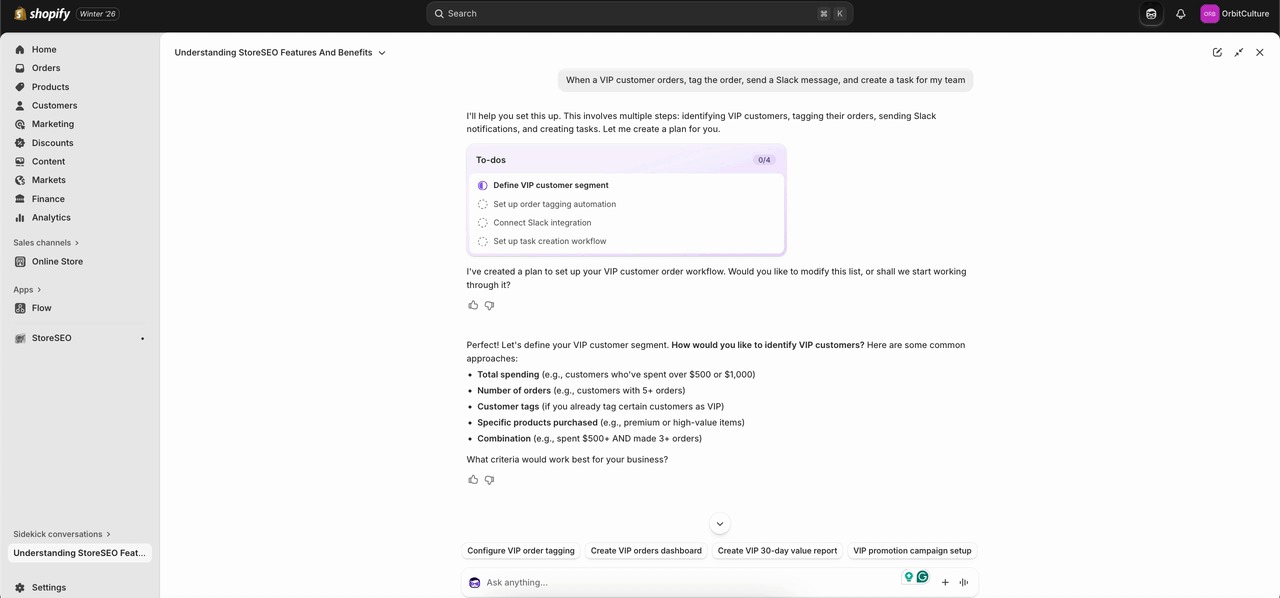
For example, you can explain a workflow like “When a VIP customer orders, tag the order, send a Slack message, and create a task for my team,” and Sidekick can set that up in Flow for you. This saves hours of trial and error in settings screens and makes advanced automation accessible to non-technical store owners.
Design, Theme, and Content Edits Made Easy
Sidekick now goes much deeper into design and content changes. You can tell it what kind of theme update you want, such as increasing the focus on a new collection, changing button styles, or adjusting layout sections, and it can update your theme instantly.

It also works with images and creative assets. You can prompt Sidekick to change image backgrounds, remove or add elements, or expand the canvas size to better fit your design. Moreover, these design or layout modifications can be made globally to reflect on your entire store, not just on individual blocks on your website.
On mobile, you can even turn regular product images into polished product shots using the file editor, which is extremely helpful if you do not have a professional photographer on call.
Smarter reporting, segments, and email support
For store owners who care about numbers, Sidekick can generate custom reports and visualizations directly in the ShopifyQL query editor. You can ask questions like “Show me sales by channel for the last 30 days” or “Which products have the highest return rate,” and Sidekick can build the queries and charts for you. This lowers the barrier to using advanced analytics to better understand what works for your store.

Sidekick can also assist with building customer segments, either by refining existing ones or generating new ones from scratch based on your goals. On top of that, it helps edit marketing emails directly inside the Shopify Messaging app, so you can adjust subject lines, copy, and structure with natural language prompts, instead of rewriting everything yourself.
Skills, Multi-Step Task Management, and Working On The Go
Another powerful upgrade is the idea of Skills. You can turn your best prompts into reusable recipes or “Skills”, then share them with the community and discover what other merchants are using. This means you do not need to remember the exact wording that worked before, and you benefit from proven workflows created by others.
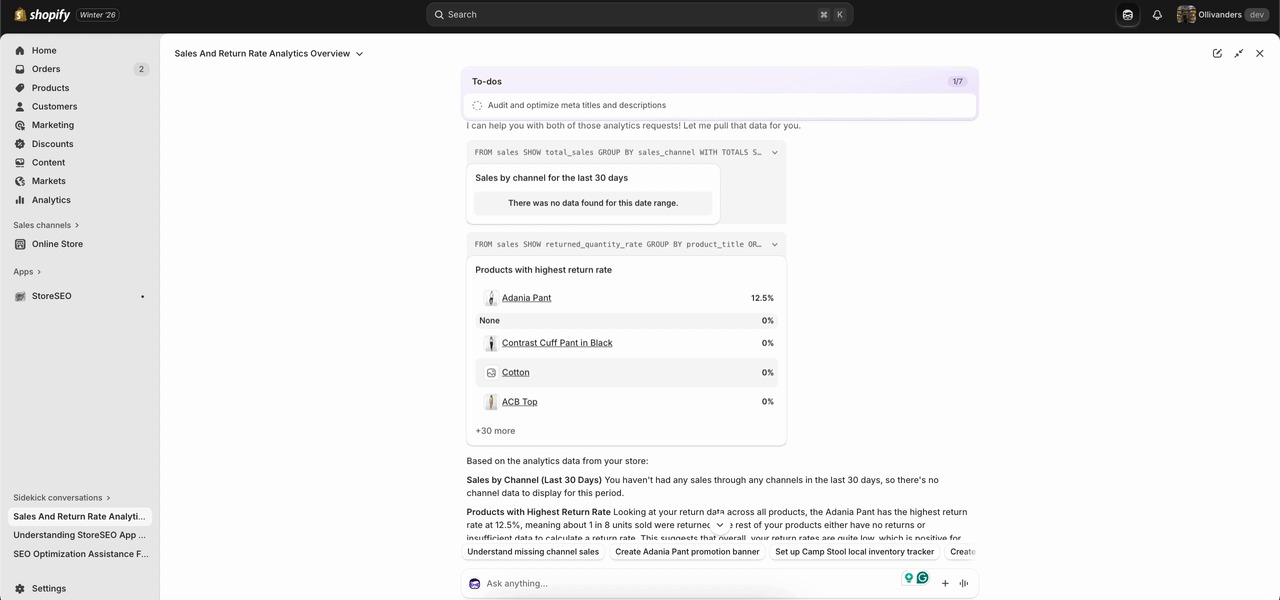
Sidekick is now better at handling more complex, multi-step tasks. It can plan to-do lists, chain actions, and keep context as it works through your requests. You can also speak with Sidekick in the Shopify mobile app, and it can go full screen on desktop to give you more space when you are working through big projects. This makes it feel less like a small chat bubble and more like a full work interface.
Shopify Agentic Storefront and Selling Innovations
Storefront and selling innovations in Shopify Winter ‘26 are all about helping store owners meet customers where they already spend time and making every change safer and more profitable.
AI Chat Shopping and Agentic Storefronts
Shopify is pushing a big shift with AI chat shopping. Instead of waiting for people to visit a website, merchants can now show products directly inside popular AI assistants such as ChatGPT, Copilot, and Perplexity. The idea is simple. When shoppers describe what they want in an AI chat, Shopify can surface relevant products from connected stores so they can browse and buy without leaving that conversation.

For store owners, this reduces the friction between discovery and purchase. Once the store data is connected, products become discoverable across these AI channels without the need for separate complex setups or integrations for each one.
Store owners set up their catalog once, manage how their brand appears and on which platform, and Shopify’s agentic storefront layer handles the rest across different AI platforms. This makes the store feel “present” in more places and platforms, without extra daily work.
Smarter, Safer Experimentation with Rollouts
Another major innovation is the way Shopify helps merchants test and launch changes through built-in A/B testing with Rollouts. Instead of changing a theme or layout and hoping for the best, store owners can schedule theme changes, display different versions to different visitors, and compare performance directly within the Shopify admin. This includes theme changes for big campaigns, like a seasonal sale design or a new homepage layout.

Source: Shopify
This matters because every change carries risk. A well-designed layout can still hinder conversions if it confuses buyers. With Rollouts, merchants test versions side by side, see which one brings more sales or a higher average order value, and then roll out the winner with confidence. In addition to more control and flexibility, Rollouts provides the insights you need inside the Admin to improve conversions and boost revenue growth.
It turns design and UX decisions into measurable experiments, rather than relying on gut feeling alone.
Simulated Shopper Behavior With SimGym App Before Going Live
With this winter ’26 edition, Shopify also introduces AI agents or apps such as “Shopify SimGym” that let you simulate shopper behavior, often referred to in the ecosystem as tools that model how real customers might behave based on billions of past purchases, even before real customers experience them.
These AI agents “walk” through the store, interact with pages, and try different paths that real people usually take. The goal is to find problems or opportunities before a human visitor ever sees the change, and share suggestions that can actually make a positive impact.

Source: Shopify
For example, if a merchant changes during navigation or adds a new bundle offer, AI agents can show whether people are likely to miss key products, drop off at a certain step, or get stuck on a particular page. The merchant then receives actionable recommendations in clear language, such as improving a call-to-action, moving an important section higher on the page, or clarifying pricing. This reduces the risk of broken flows during sales, product drops, and other high-pressure events.
Easier Merchandising Inside The Store & Countless Enhancements
On the storefront side, Shopify also rolls out practical improvements that support these innovations. Store owners can create products with up to 2048 variants, which helps brands with large catalogs and many options, such as different sizes, colors, and lengths. They can also hide products from search and collections while still making them accessible through direct URLs, which is useful for private drops, special campaigns, or exclusive customer segments.
Inventory and Product Tools With The Renaissance Winter ’26 Edition
Shopify Winter ‘26 is designed to help store owners manage large catalogs, complex variants, and smarter merchandising with less manual work. These changes focus on giving you more control over how you structure products and how you present them to shoppers, while keeping your backend clean and predictable.
More Variants for Complex Catalogs
One of the biggest changes brought within the Winter ‘26 Edition is the ability to create products with up to 2048 variants. This matters if you sell items with many options, such as different sizes, colors, lengths, materials, or styles. Instead of splitting these into multiple products or using confusing workarounds, you can keep everything under one main product catalog and manage it in a single place. This helps you maintain accurate inventory and makes your product pages easier for shoppers to understand.
At the same time, combining options in the Shopify Bundles app, such as size and length together, lets you build richer product configurations without making the variant structure unmanageable. Think of it as a way to reflect the real-world variety of your products while still keeping your catalog organized.
Unlisted Products for Controlled Visibility
Another useful capability is the new “unlisted” product status, which lets you hide products from search results, collections, and other discovery surfaces, while keeping them accessible by direct URL. This is particularly powerful for pre-launch offers, private collections for VIP customers, B2B clients, or special campaigns you don’t want every visitor to see. You can share links in email, SMS, or private communities and keep the rest of your storefront clean.
This also reduces clutter in your main navigation and search, while providing you with more advanced merchandising options. For example, you can run limited drops or early access promotions without having to constantly change visibility settings for entire collections.
Smarter Collection and Discount Workflows
Shopify has also made it easier to manage collections and discounts at scale. You can now duplicate collections, which is useful when you want a similar structure for a seasonal update or a new region, and then simply adjust the rules instead of rebuilding from scratch. You can also exclude products from smart collections using conditional logic, which gives you more precise control over what appears in each collection.
On the pricing side, you can set up comparisons directly from the admin, eliminating the need for CSV imports or external tools. This makes it simpler to run price-based promotions, highlight discounts, and experiment with A/B testing of pricing strategies. You can also create automatic discounts that target specific customers such as VIPs, which allows you to personalize offers without complex workflows.
Flexible Pricing and Measurement Options
For stores that sell by weight, volume, length, or quantity, Shopify now supports displaying prices by unit in metric, imperial, or simple counts on a global basis. This is especially important for food, cosmetics, fabric, building materials, or any product where the unit price affects trust and conversion. Clear unit pricing enables customers to quickly understand value and reduces the need for support questions.
Together with more variants and better bundles, this makes it easier to sell technical or regulated products in a way that aligns with how customers actually purchase in your niche. You can align your pricing and measurement with local expectations without maintaining separate workarounds per market.
Filling gaps with Product Networks and Bundles
The Winter ‘26 updates also introduce and expand tools that help you fill assortment gaps and increase average order value. Through Shopify Product Networks, you can choose to surface products from other Shopify brands in your search, collections, emails, and post-purchase pages, and earn a commission on every sale. This means you can fill holes in your catalog without carrying inventory or taking on additional risk, while still providing customers with a complete experience.

Source: Shopify
Why This Matters for Store Owners
All of these inventory and product tools share a common goal: to help you model your real business within Shopify without relying on constant hacks, spreadsheets, and manual edits. Higher variant limits and better bundles allow your catalog to grow with your brand, rather than forcing you to split products. Unlisted products and enhanced collection logic provide you with more nuanced control over what buyers see at various stages of their journey.
Tinker: Unified App To Explore All AI-Powered Tools
And finally, Shopify is launching a mobile app, named Tinker, that brings together Shopify’s premium Artificial Intelligence (AI) tools (which are usually spread out or sold separately) into one convenient, affordable place.
POS and Operations Enhancements For Shopify
Shopify’s Winter ‘26 Edition is designed to make in-store selling smoother, more reliable, and easier to manage alongside your online store. These updates help you reduce friction at the counter, maintain accurate inventory, and provide clearer visibility into what is happening across your business.
Reliable Selling with POS Hub
The new POS Hub acts as the central brain and connection point for your in-store hardware. Instead of dealing with unstable Bluetooth connections, it lets you plug in card readers, barcode scanners, and printers directly for a strong, wired link that is much less likely to drop during busy periods. This setup means your staff can focus on serving customers instead of troubleshooting devices.
Because the software inside the POS Hub is designed to work closely with Shopify POS, data flows seamlessly between your hardware and your store. Orders, payments, and receipts stay in sync with your online backend, so what happens at the counter is reflected in your admin without extra manual work or exports. For growing retailers, this creates a more professional in-store experience and lowers the risk of mistakes.
Smarter In-Store Subscriptions and Local Selling

Source: Shopify
Subscriptions are no longer just an online feature. With Winter ‘26, customers can sign up for subscriptions directly in store through the Shopify Subscriptions app on POS. This is very helpful if you sell consumables, refills, or services and want customers to commit to regular purchases while they are in your shop.
Local selling gets a boost, too. You can offer fast local delivery for online orders with live tracking through partners like Uber Direct, so your physical store becomes a true local hub for both pickup and delivery. This helps you capture buyers who want the speed of local delivery without the cost and complexity of running your own fleet.
Better Inventory Control from The Counter
Inventory accuracy is one of the hardest parts of retail, and Winter ‘26 brings tools that help you stay on top of stock without leaving the POS. Staff can scan and update inventory directly from the point of sale, which keeps stock levels aligned with what is actually on the shelves and in the back room. This is especially useful in fast-moving stores where items are constantly being sold, restocked, or moved.
You can also set unique prices and product availability per retail location and online, which means you can run store-specific promotions or keep certain items exclusive to physical shops if you want to drive foot traffic. This flexibility lets you test different strategies by market or store type without breaking your overall catalog structure.
Flexible Payments and Refunds In-Store
Customers now have more ways to pay in person. Winter ‘26 expands support for Tap to Pay on iPhone and Android to more countries, and adds local payment methods like iDeal, Swish, Twint, and Mobilepay through QR-based flows. This helps you match local buyer expectations and close more sales because shoppers can use the payment method they trust.
On the operations side, returns and exchanges are easier to manage with more control in POS. You can create custom return and exchange receipts that include your logo, return policy, and contact details, which makes your processes look more professional and clear. There is better tracking of in-progress returns and more precise options for refunding to original payment, gift card, or store credit, so your accounting stays clean and you avoid confusion at the till.
Customization and Control Over the POS Experience
Shopify has also made it easier to shape how your POS looks and behaves. You can customize the customer display, smart grid layout, receipts, and lock screen from a single editor. This allows you to design a checkout flow that fits your brand and makes it simple for staff to find the tiles and actions they use most often.
Payments and Financial Wins
Payments and financial tools in Shopify’s Winter ’26 Edition are designed to help store owners keep more control over their cash flow, lower friction at checkout, and make smarter money decisions without needing a finance background. These updates focus on giving you faster access to funds, more flexible ways to accept payments, and better visibility into your real costs so that you can plan growth with more confidence.

Source: Shopify
Smarter Funding with Shopify Capital
Shopify Capital now works more like an ongoing growth partner rather than a one‑time loan source. You apply once, and as you repay, you can get replenished funding offers based on your sales performance and repayment history, subject to approval. This means your access to capital can grow as your store grows, which is helpful when you are planning things like inventory buys, seasonal campaigns, or product launches.
There are also region-specific improvements, such as fast funding with adjustable repayment terms in countries like the Netherlands, Spain, and Ireland. Instead of worrying about rigid bank loan schedules, you can choose terms that match your sales cycles, so repayments feel more natural and less risky during slower months.
Everyday Money Management with Shopify Balance
Shopify Balance is evolving into a more complete financial command center for your store. You can set up rules to automatically split each payout across different accounts, for example, sending a fixed percentage to inventory, marketing, expenses, and savings as soon as the money arrives. This helps you build a simple “profit first” style structure without manually moving funds every week.
You can also issue Balance cards to staff and set spend controls, which is very useful if your team runs ads, buys tools, or pays suppliers. Instead of sharing one card with vague limits, you can assign separate cards and caps, and use SMS fraud alerts to stay on top of suspicious activity in real time.
Growing with Shopify Credit and Cashback
Shopify Credit is a business credit product that aligns your credit limit with your store performance, looking at factors such as sales, utilization, and repayment behavior. This means your limit can adjust as your revenue grows, so you are not stuck with a card that does not keep up with your needs or a traditional bank that is slow to update.
The cashback structure is another strong advantage. You can earn a higher rate, such as 3 percent cashback on your top spend category up to a yearly cap, and 1 percent after that, plus 1 percent on other eligible categories. Over time, this turns your regular expenses like ads, tools, or shipping into a small but steady return that you can reinvest back into growth campaigns.
USDC rewards and cross‑border payments
One of the more innovative updates is the ability to earn credits on every order that is paid with USDC in some regions, such as the United States, Mexico, and Hong Kong.
These credits are applied automatically and can be settled either in traditional currency or USDC, depending on how payouts are configured.
For merchants who are open to digital assets, this creates a new way to gain extra value from each transaction without adding friction for buyers.
On top of that, Shopify Payments continues to expand cross‑border options, allowing customers in different European markets to pay with familiar local methods like Bancontact, iDEAL, Twint, MobilePay, or EPS when buying from stores in countries such as France or Denmark.
When shoppers see their own trusted payment method at checkout, they feel safer and are more likely to complete the purchase, which leads to higher conversion rates in international markets.
Faster transfers, clearer disputes, and real costs
For day‑to‑day cash flow, there is also support for same‑day transfers from Shopify Balance when money is sent out before a certain cut‑off time, like 1 pm ET in the United States.
This is very helpful if you need to pay a supplier or cover an urgent bill without waiting several business days for funds to move.
Dispute handling is becoming more transparent as well. You can file and track disputes within the interfaces for Shopify Balance and Shopify Credit in a clear, self‑serve flow.
This makes it easier to understand what happened with a chargeback or suspicious charge, and to respond quickly with the right documentation, which can improve your chances of a better outcome.
Finally, there are tools to compare actual and estimated costs by market, including duties, taxes, and shipping adjustments. This helps you understand the true margin on each order, especially for cross‑border sales, so that you can refine pricing, adjust shipping rules, and avoid undercharging in markets where fees are higher.
Together, these payment and financial updates make it easier for Shopify store owners to grow with confidence, stay organized, and protect profits while focusing on the actual work of selling.
The Developer and App Ecosystem
The Developer and App Ecosystem part of Shopify Winter 26 is all about giving builders more power while making life easier for store owners who rely on apps. It creates a stronger bridge between what developers can build and what merchants can use without technical stress. The result is an ecosystem where apps are faster, more reliable, and more tightly integrated into everyday workflows.
Smarter ways to connect apps and stores
Shopify has made it much easier for apps to talk to a store in real time and in more meaningful ways. Developers can now plug their apps directly into key areas of the admin, checkout, and even the AI assistant experience, so merchants get helpful actions right where they work instead of jumping between tools.
This means tasks like editing discounts, adjusting payment terms, or changing customer experiences can be handled by apps through clean, controlled extension points rather than hacks or workarounds. For a store owner, it feels like using one unified system, even if several apps are working in the background.
Shopify also gives apps clearer ways to show what they are doing in the admin history and audit trails. This improves trust because merchants see exactly which app changed a price, a payment term, or a return setting. When you scale up your operations, this kind of visibility matters a lot for both control and compliance.
Better Performance and Easier Scaling
On the technical side, Shopify has upgraded bulk operations and the way data fields like metafields and metaobjects are handled. Bulk APIs support more operations and larger files, which lets apps process big catalogs and complex updates without timing out or failing. For merchants, this means bulk edits run faster and more reliably, especially when working with large product sets, multi-location inventories, or complex pricing rules.
Metafields and metaobjects now load faster and support richer filtering. This helps developers build custom experiences on themes or headless storefronts without making the site slow. Store owners feel this as snappier pages, smoother product recommendations, and less friction for customers, even when the experience is very personalized.
AI-Powered Tools for Developers
A big focus in this edition is on giving developers AI-powered helpers that reduce coding time and errors. Shopify has introduced tools that check API calls in real time, suggest valid code, and catch mistakes before they reach a live store. This reduces the risk of bugs that could break checkout, pricing, or theme layouts. For merchants, this means updates from agencies or app partners can ship faster and with fewer issues.
Developers can also access documentation, examples, and storefront tools like Hydrogen more directly from these assistants. This speeds up work on headless builds and advanced integrations. When a developer can ship safer code more quickly, store owners receive new features, experiments, and improvements in much shorter cycles.
Stronger discovery and quality signals for apps
On the marketplace side, Shopify is pushing harder on quality with the Built for Shopify standard. Apps that meet performance, UX, and integration guidelines receive a clear badge and better placement in search and recommendations. For store owners, this is very helpful because it becomes easier to pick apps that will behave well, feel native, and not slow down the store.
Themes and demos are also more discoverable and better organized, which supports developers who build storefront experiences. In turn, merchants can find themes that match their industry, catalog size, and design needs with less trial and error. When you combine this with the Sidekick integration, merchants can even discover and install apps from within the assistant, guided by their current problem or goal instead of random browsing.
Why This Matters to Store Owners
All of these changes may sound very technical, but they have a simple impact on store owners. New apps should be easier to evaluate, safer to install, and more tightly integrated into your everyday tasks. Bulk edits will run smoother, pages will load faster, and AI assistants will be able to control more actions across your stack.
For you, this means you can be more confident when relying on apps to handle critical aspects of your business, from discounts and subscriptions to B2B terms and analytics. You spend less time fighting with tools and more time using them to test ideas, improve customer experience, and grow revenue.
Wrapping Up the Renaissance
Shopify’s Winter ’26 Edition marks a significant shift in Renaissance for store owners, integrating over 150 AI-driven enhancements into a seamless toolkit that anticipates needs, automates tedious tasks, and unlocks new revenue streams, such as AI chat sales and simulated testing.
From Sidekick’s proactive Pulse recommendations saving hours on strategy to Rollouts ensuring risk-free storefront experiments, these updates empower merchants to scale smarter without technical hurdles or endless manual tweaks. Whether managing vast variant catalogs, unifying POS reliability, or tapping Shopify Capital for fluid funding, the real win lies in reclaiming time for creative growth while AI handles the rest.
]]>By using intelligent algorithms, you can identify SEO issues, implement fixes, and monitor performance in ways that propel your visibility skyward. The result? Higher rankings translate directly to increased organic traffic and, ultimately, more sales. If you own a Shopify store, embracing AI for bulk SEO is no longer optional; it is essential for staying competitive in 2025.
Understanding Bulk SEO Issues in Shopify
Shopify powers millions of stores, but its ease of use often leads to overlooked bulk SEO pitfalls that compound over time. Let us break down the most prevalent ones.
First, metadata inconsistencies plague many stores: meta titles and descriptions that are either too generic, overly long, or missing entirely across product pages.
Next, product descriptions frequently suffer from thin content; short, unengaging blurbs that fail to incorporate relevant keywords or provide value to search engines.
Images present another hurdle; unoptimized files with massive sizes slow down load times, while absent or irrelevant alt text misses opportunities for accessibility and image search rankings.
Page speed issues arise from bloated themes or unoptimized assets, and internal linking gaps create silos where search engines struggle to crawl and understand site structure.
Duplicate content, often from variant products or auto-generated pages, further dilutes authority. These problems are not isolated; they affect entire catalogs in bulk, turning what should be a streamlined operation into a nightmare.
The consequences hit hard. Unresolved issues tank search rankings, as algorithms favor well-optimized, fast-loading sites.
Traffic dwindles, with studies showing that even a one-second delay in load time can slash conversions by seven percent.
In the end, potential customers click away to competitors, leaving your store with stagnant sales and missed revenue. Addressing these SEO issues in bulk is crucial, and that is precisely why turning to AI makes all the difference.
Why AI is a Game-Changer for Bulk SEO Fixes
Picture this: sifting through product data manually feels like searching for a needle in a haystack, but AI flips the script entirely. Modern AI technologies, including machine learning for pattern recognition, natural language processing for content analysis, and predictive analytics for trend forecasting, empower Shopify merchants to tackle SEO at scale. Machine learning algorithms scan vast datasets to spot anomalies, while NLP understands context to refine language for search intent.
What sets AI apart is its ability to automate the drudgery. Instead of hours spent editing meta tags one by one, AI generates compliant versions across your entire inventory in minutes. It enables continuous optimization too, learning from performance data to refine strategies over time. For Shopify stores, this means shifting from reactive fixes to proactive enhancements, ensuring your site evolves with search algorithm updates. In essence, AI turns SEO from a bottleneck into a growth engine, freeing you to focus on what you do best: building your brand.
Essential AI SEO Tools for Shopify
Selecting the right AI tool can transform your Shopify SEO workflow. Leading AI bulk SEO tools offer robust integrations with Shopify, focusing on automation and scalability. Key features include bulk editing for metadata and content, product feed optimization for enhanced visibility in shopping results, schema automation to enable rich snippets, A/B testing for iterative improvements, and performance tracking through intuitive dashboards.
Consider tools that excel in comprehensive audits and edits, those specialized in image handling, or platforms geared toward content generation and predictive insights. For example, some provide real-time monitoring and automated testing, while others focus on structured data implementation. Evaluate based on your store’s needs: if image optimization is a priority, seek compression and alt text features; for content-heavy sites, prioritize NLP-driven writing aids. Integrating two or three complementary tools often yields the best results, combining strengths like feed enrichment with advanced analytics.
Step-by-Step Guide: Using AI to Fix Bulk SEO Issues
Ready to dive in? Follow this roadmap to harness AI for tangible improvements. We will walk through each phase with practical examples.
Step 1: Sitewide and Product-Level Audit with AI Tools
Begin with a thorough audit to uncover hidden issues. Audit your entire store, flagging problems such as missing alt text, duplicate URLs, or slow-loading pages. For instance, run a full-site crawl with Shopify apps like AI SEO Agent. It will generate a report highlighting areas that require improvement. Prioritize high-impact areas like top sellers, then export findings for targeted fixes.
Step 2: Automate Metadata and Product Descriptions Generation
Metadata is the backbone of click-through rates, so automate it smartly. Use AI-powered SEO agents to generate meta titles and descriptions. Input your keyword list, and the AI crafts variations like “Eco-Friendly Cotton T-Shirt – Soft, Sustainable Apparel | YourBrand” while ensuring they stay under 60 characters. For product descriptions, leverage content optimization platforms to analyze top-ranking pages and expand thin content with SEO-rich, engaging copy. Process 1,000 products at once, then review for brand alignment before publishing.
Step 3: Image Optimization and Alt Text Generation
Images drive visual appeal but kill speed if mishandled. AI-driven image tools compress files in bulk without quality loss, reducing sizes by up to 70 percent. Pair it with alt text generation features: upload your catalog, and it produces descriptive tags like “vibrant red running shoes with breathable mesh upper” based on image analysis and keywords. Apply changes sitewide to boost mobile performance and accessibility scores.
Step 4: SEO Schema Markup & Structured Data in Bulk
Rich snippets turn listings into magnets. AI automation platforms inject JSON-LD code for products, reviews, and FAQs across pages. Select your schema type, and the tool maps it to your inventory; voila, star ratings appear in search results. This elevates click rates by 30 percent on average, especially for shopping queries.

Step 5: Internal Linking and Content Personalization
Fragmented navigation confuses crawlers, so AI bridges the gaps. Unified optimization tools scan your site to suggest links, like connecting “summer dresses” to related accessories pages. For personalization, use predictive models in content platforms to tailor material by user segment, improving dwell time and rankings through better engagement signals.
Step 6: AI-Driven Mobile & Voice Search Optimization
Mobile dominates, and voice search grows. Optimize with auditing tools that check for Core Web Vitals and suggest structural tweaks. Incorporate conversational keywords via NLP in writing aids, phrases like “best wireless earbuds under $50,” and automate speed enhancements. Test on devices to ensure seamless experiences.
Pro Tips for Implementation & Human Oversight
Implementation thrills, but pitfalls lurk. Over-automation risks generic content that dilutes your voice, so calibrate AI outputs to match tone; always infuse personality. Questionable keyword choices from unchecked models can backfire; cross-verify with tools like Google Keyword Planner. Human oversight is non-negotiable: review 20 percent of bulk edits manually to preserve authenticity. AI’s speed with your expertise for results that resonate.
Final Checklist: Launching Your Bulk AI SEO Strategy
Launch confidently with this actionable list:
- Select and install 2-3 complementary AI tools suited to your needs.
- Conduct an initial full-site audit and prioritize top issues.
- Bulk-process metadata, descriptions, and images in phases of 500 items.
- Implement schema and internal links, then test for errors.
- Set up real-time monitoring alerts and schedule weekly reviews.
- Track metrics like traffic and rankings for 30 days, adjusting as needed.
- Document wins and scales to new products or collections.
Create Sustainable Improvements for Your Shopify Store
Bulk AI-powered SEO for Shopify is not just a tactic; it is your pathway to outpacing rivals in a crowded digital space. From audits to advanced predictions, these strategies unlock traffic and sales you once deemed unattainable. The urgency is clear: search evolves daily, and early adopters reap the rewards.
Have you found our blog useful? If you do, then please subscribe to our blog for more tutorials, guides, news, and updates.
]]>With BetterDocs for Shopify, you can set up a professional, customizable knowledge base in minutes, complete with AI writing assistance and smart search. In this blog, we will show you how to build a branded knowledge base that enhances customer experience and streamlines your support.
Understanding What a Knowledge Base Is and Its Benefits for Your Shopify Store
A knowledge base is an online self-service hub where customers can access detailed information about your products, services, policies, and common questions. Unlike isolated FAQs, a knowledge base is typically better organized, deeper, and covers more topics.
The benefits of a knowledge base for your Shopify store include:
- Improved Customer Experience: Customers get immediate answers whenever they want without waiting for a response.
- Reduced Support Tickets: By offering self-service, many common questions never reach your support staff, freeing them to handle complex issues.
- Increased SEO Traffic: Knowledge base articles with keyword-rich content can attract buyers via search engines.
- Consistent Brand Messaging: A branded knowledge base ensures your customers receive accurate, up-to-date, and on-brand information.
BetterDocs for Shopify is designed to help you use all these benefits easily. It integrates seamlessly with your store and offers powerful tools unique to Shopify merchants.
Before You Build: Key Steps for a Strong Knowledge Base
Before you jump into writing your knowledge base articles, take a moment to prepare and plan. This preparation will make the building process more efficient and the end product more useful. Here are key steps to prepare:
- Gather Customer Questions: Review your existing customer support requests, emails, chats, and comments to discover common questions and pain points.
- Define Content Categories: Group common queries and topics into clear categories such as Shipping, Returns, Product Usage, and Account Management.
- Decide Content Types: Decide if you want FAQs, step-by-step product guides, troubleshooting instructions, policy documents, or all of these.
- Plan Structure: Outline your knowledge base structure with categories and subcategories so customers can easily navigate through topics.
This initial planning helps you create a knowledge base that is well-organized and truly meets your customers’ needs. Next is to find a trustworthy Shopify app that will help you throughout the knowledge base building from scratch.
Steps to Install BetterDocs on Your Shopify Store with Ease
Here are the steps to install BetterDocs on a Shopify store: find the app, install it from the Shopify App Store, and complete the quick onboarding to launch the knowledge base.
Step 1: Add New Documentation
To add new documentation on Shopify using BetterDocs, go to the BetterDocs dashboard and click on the ‘Create doc’ button, as shown below.

Step 2: Add A Title & Permalink To Your Doc
Clicking on this will open a customizer window. In this pop-up window, you can add a suitable title to your documentation in the editable field under ‘Title’, as shown below.

This will automatically add a slug for the permalink of your documentation. However, you can easily click on the editable permalink slug to make necessary changes, as shown.
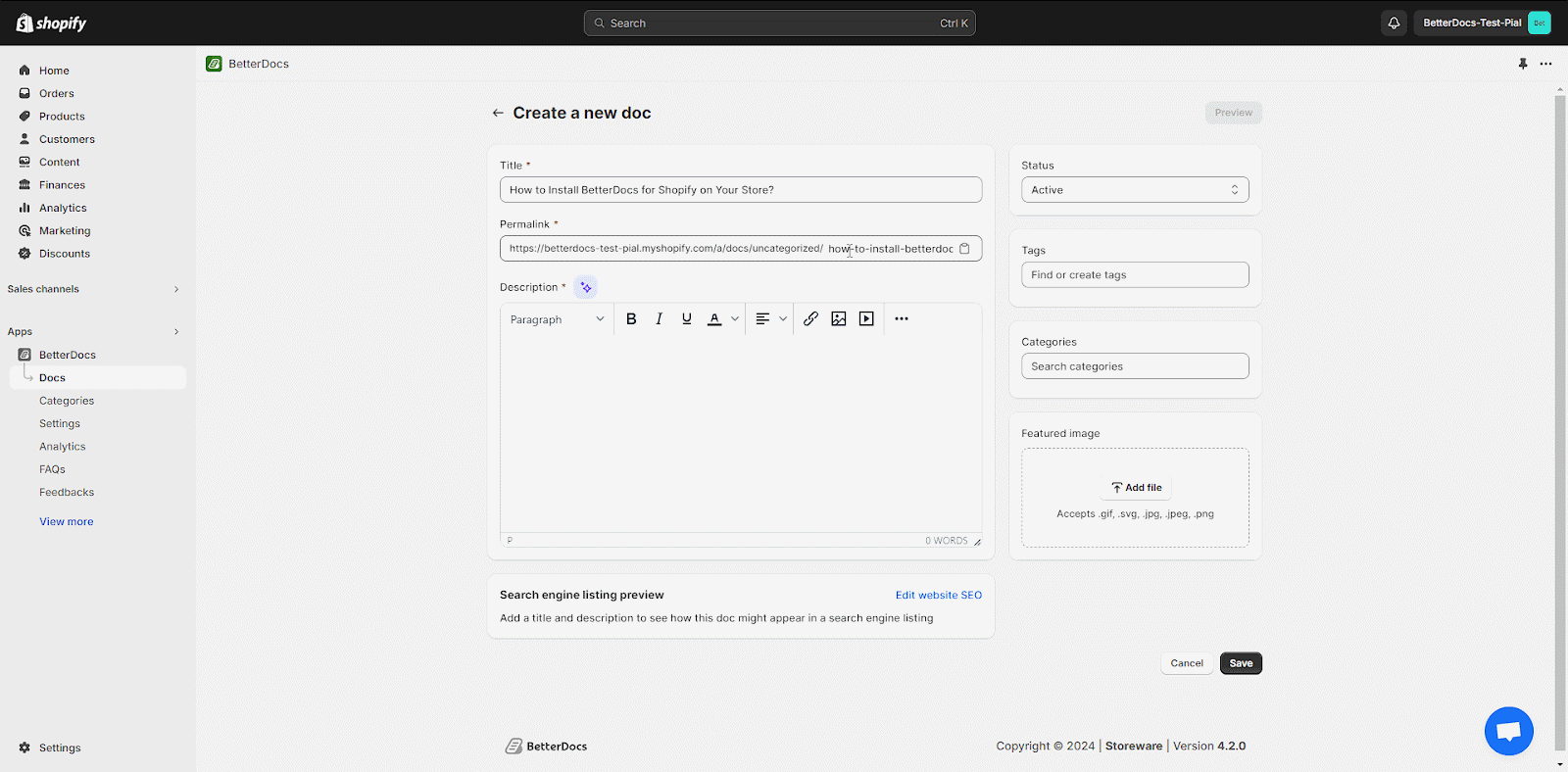
Step 3: Add The Documentation Content
Then, simply add your documentation content to the ‘Description’ field. You can also add descriptions with the ‘Generate with AI’ option, along with adding images and videos directly to this input field, and edit using the options given.

Step 4: Insert A Featured Image
Afterward, you can add a featured image to your doc to help your customers understand what the document is about. To do so, simply click on the ‘Add File’ button in the ‘Featured Image’ section. Select the file you want to set as the featured image.

Step 5: Select Doc Tags & Categories
To organize your product documentation page better, set the Tags & Categories of your documentation. Add proper tags as needed. In the ‘Tags’ field, click on ‘+Add’ to add tags. Then select categories. Check out this documentation to learn how you can easily add categories, parent categories, and tags.

Step 6: Publish The Documentation
Finally, click on the ‘Status’ drop-down menu and click on the ‘Active’ option and then the ‘Save‘ button to publish and add the new document to your store’s documentation page. You can also keep the doc drafted by simply saving the documentation status ‘Draft’ from the drop-down menu.

The image below shows how your new documentation will look to your store visitors and customers.

This is how easily you can add new documentation to your knowledge base on Shopify using BetterDocs. The entire installation is designed for beginners but is also flexible enough to serve advanced users, ensuring a smooth transition from zero to a fully functional knowledge base in just minutes.
Creating Your First Documentation Pages with BetterDocs
Creating documentation pages in BetterDocs is intuitive and requires just a few steps to publish useful articles for your customers. On the BetterDocs dashboard, click on the “Create Doc” button to start.

The first step is to provide a clear and concise title for your document. This title will not only help users find the information easily but also improve your SEO, so keep it relevant and keyword-friendly.

After naming your documentation, you can set the URL slug for the page, which appears in the address bar. A clean, easy-to-read URL makes it simpler for customers to share or bookmark the page.

Next comes the content creation area, where you can write detailed answers, instructions, or guides. BetterDocs supports rich text formatting, so you can add headings, bullet points, numbered lists, hyperlinks, and more to make your documents easy to read and navigate.

Additionally, you can insert images and videos to provide visual support that complements your text.

If you want to save even more time, BetterDocs offers a built-in Magic AI Autowrite feature that can generate draft content or help rewrite existing text, making documentation faster without sacrificing quality.
Once you finish writing, preview the document to check how it will appear to your customers. If everything looks good, simply publish it to make the article live. You can always edit or update documentation later as your store evolves.
Organizing Your Knowledge Base with Categories and Tags for Seamless Navigation
If you have already installed BetterDocs in your Shopify store, you can now add categories and tags to your new knowledge base easily. Follow this tutorial step by step.
Step 1: Create A New Category
To create a new category, click on ‘Categories’ and hit the ‘Add a new category’ button. Along with adding new categories, you can now also create subcategories and nested categories for a more organized approach.

Step 2: Provide Details For The New Category
Now you need to give a suitable title for the newly created category. You can also add the ‘Category slug’ that comes with the edit option. Provide a proper ‘Category Description’ in the description box.

This is how you can easily create several categories using Betterdocs for Shopify. However, while creating categories or adding any information, if you don’t click on the ‘Save’ button, you’ll get a warning message, as shown below, to ensure you’ve saved your information properly before moving to another menu or tab.

How To Add Tags To New Docs?
To add individual tags to any of your documentation, open a newly created doc from your dashboard. Click on the edit icon of the doc.

After clicking on the ‘Edit’ button, a new window will open up. You can add multiple tags in the ‘Tags’ field as well.

This is how you can create and add categories and tags to your knowledge base using BetterDocs for Shopify.
Customizing Your Knowledge Base to Match Your Brand Identity
BetterDocs for Shopify app lets you design a knowledge base easily and thus create informative, attractive documentation. Follow this step-by-step guide to successfully design your knowledge base on Shopify with BetterDocs.
First, navigate to the ‘Design’ tab from where you can edit the ‘Basic Options’ and ‘Category Column Settings’. From the ‘Basic Options’, you can change the layout, change the content area width, the background color, and so on. Click on the ‘Save Changes’ button to save the progress.

Next, click on the ‘Single Docs’ option and customize the ‘Basic Options’ and ‘Doc Title’. ‘Breadcrumb’, and ‘Doc Content’ as you need. Click on ‘Save Changes’ after you are done with the single doc page customization.
However, you will find two more options here, called Doc reaction and Doc navigation. You can turn these on or off with a toggle button. Plus, you can customize the reaction position, title, and success message with your own preferences and words. You can also modify the navigation of your document with a suitable color, margin, padding and more for your users.

Afterward, you can even change the default settings of ‘Archive’, ‘Sidebar’, ‘Table Of Content’, and ‘Live Search’.

This is how you can easily design your knowledge base for Shopify using BetterDocs.
Launching Your Knowledge Base and Adding Interactive Features
When your content is ready and organized, it is time to launch:
- Publish your articles by toggling the status from “Draft” to “Active.”
- Add the BetterDocs live search bar to your store so customers can instantly search all knowledge base content.
- Enable a sticky Table of Contents on longer articles to let customers jump directly to specific sections.
- Integrate live chat features like WhatsApp or Messenger for customers who want instant personalized support within the knowledge base.
These interactive features make your knowledge base more user-friendly and dynamic.
Keeping Your Knowledge Base Updated and Relevant Over Time
A knowledge base is not a set-it-and-forget-it project. Regular maintenance keeps it valuable:
- Review analytics to see which articles are accessed most and which search terms are used.
- Gather customer feedback through ratings or comments to identify areas needing improvement.
- Update content when there are product changes, new policies, or common new questions that arise.
- Use BetterDocs’ analytics dashboard to continually optimize the quality and coverage of your knowledge base.
Consistent updates ensure your customers always find accurate and helpful information.
Advanced Features of BetterDocs That Boost Customer Support and Store Efficiency
BetterDocs is more than just a simple article repository. It offers powerful advanced features that increase your store’s support capabilities:
- Order Tracking: Customers can track their order status directly within the knowledge base.
- AI-Powered Content Creation: Generate or enhance articles automatically with AI assistance.
- Live Chat Integration: Offer real-time messaging through WhatsApp or Facebook Messenger.
- Detailed Analytics: Monitor search queries, article performance, and user behavior to improve content.
- Flexible Pricing: BetterDocs offers a free plan for small stores and scalable paid tiers as your business grows.
Take Your Shopify Support to the Next Level with BetterDocs
Building a branded knowledge base with BetterDocs is a smart investment in your Shopify store’s future. It empowers your customers to find answers instantly, reduces support workload, and strengthens your brand’s credibility. With its easy setup, powerful customization, and helpful AI tools, BetterDocs is the ideal app to create a professional, user-friendly knowledge base tailored to your store.
Have you found our blog useful? If you do, then please subscribe to our blog for more tutorials, guides, news, and updates.
]]>
20+ Top Free Shopify Tools for 2026
Discover the best free Shopify apps that can take your store to the next level in 2026. From boosting sales and streamlining operations to enhancing customer experience and optimizing marketing efforts, these tools are designed to help you grow your business.
 SEO And Optimization
Boost your store’s visibility with free SEO tools that help optimize product pages and blog posts. From keyword research to meta-tag management, these resources ensure your Shopify store ranks higher on search engines.
StoreSEO
StoreSEO uses AI to optimize your store’s SEO, including image optimization and schema markup. It helps improve search engine rankings and drive more traffic to your store. By automating SEO tasks, StoreSEO saves time and enhances your store’s visibility on search engines.

Doc 404: Broken Links Repair
Doc 404 keeps your Shopify store running smoothly by detecting and repairing broken links in real time. It ensures a seamless browsing experience for your visitors, which is crucial for improving SEO and reducing bounce rates. By maintaining functional links, Doc 404 helps build trust with your customers and enhance their overall shopping experience.

Product Customization And Management
Customize products effortlessly using free apps that allow real-time previews and personalization options.
EasyFlow Product Options
EasyFlow allows you to create infinite product options and variants, enhancing the shopping experience with customizable product configurations. It supports features like conditional logic and bulk editing, making it easy to manage complex product offerings.

Printful
Printful is a leading print-on-demand service that allows you to create custom products without inventory risks. It handles production, packaging, and shipping, making it easy to scale your business. By integrating Printful with Shopify, you can offer a wide range of products, from t-shirts to mugs, without the upfront costs of inventory management. This app is ideal for businesses looking to expand their product offerings without significant investment.

Dropshipping And Fulfillment
Simplify dropshipping with free integrations that connect you to reliable suppliers and automate order processing. Efficient fulfillment tools ensure timely deliveries without the hassle of manual tracking.
Spocket
Spocket offers access to a vast catalog of high-quality products from global suppliers. It simplifies order fulfillment with real-time tracking and flat-rate shipping options. By using Spocket, you can focus on marketing and growing your business while ensuring timely delivery to your customers. This app is excellent for dropshipping businesses looking to streamline their operations.

Dropshipman: Easy Dropshipping
Dropshipman simplifies the dropshipping process by automating order fulfillment and inventory management. It connects you with reliable suppliers, reducing operational costs and ensuring timely delivery. With Dropshipman, you can focus on marketing and growing your business while ensuring that your customers receive their orders promptly.

Customer Experience And Support
Enhance customer satisfaction by leveraging free support tools that provide quick responses and personalized interactions. Use feedback collection apps to understand pain points and improve overall service quality.
StoreFAQ
StoreFAQ helps you create FAQ pages or individual product FAQs using AI, reducing support tickets and enhancing customer experience. It offers a drag-and-drop FAQ builder and seamless integration with your store’s theme, ensuring that customers can easily find answers to common questions.

BetterDocs Knowledge Base
BetterDocs is an advanced FAQ and knowledge base builder that helps reduce support queries by providing detailed documentation and FAQs. It offers features like AI-generated content and live chat integration, making it easy to manage and update your knowledge base, especially if you have different products in your store.

Customer Review App
The Customer Review App helps automate the process of collecting and showcasing customer reviews, which can increase trust and boost sales. It offers features like review moderation and customizable review widgets, allowing you to display reviews in a way that aligns with your brand.

Rapid AI Search Bar & Filter
Rapid AI Search Bar & Filter enhances your store’s search functionality with AI-powered search and customizable product filters. This app improves customer experience by making it easier for customers to find what they are looking for. By providing accurate and fast search results, Rapid AI Search helps reduce bounce rates and increase sales by ensuring that customers can quickly locate products.

Landing Pages And Marketing
Create high-converting landing pages with easy-to-use, free page builders tailored for Shopify stores. Amplify your marketing efforts through email campaigns, pop-ups, and social media integration at no cost.
GemPages
GemPages is a versatile landing page builder that allows you to create custom pages using pre-made templates. It is ideal for promoting specific products or running limited-time offers. With GemPages, you can design engaging landing pages that convert visitors into customers without needing extensive coding knowledge. This app is perfect for businesses looking to enhance their brand presence and drive sales through targeted marketing campaigns.

PageFly Landing Page Builder
PageFly is a powerful page builder that allows you to create high-quality pages using a drag-and-drop editor. It is ideal for designing landing pages, FAQs, and blog pages. With PageFly, you can create visually appealing content without needing extensive coding knowledge, making it perfect for businesses looking to enhance their brand presence.
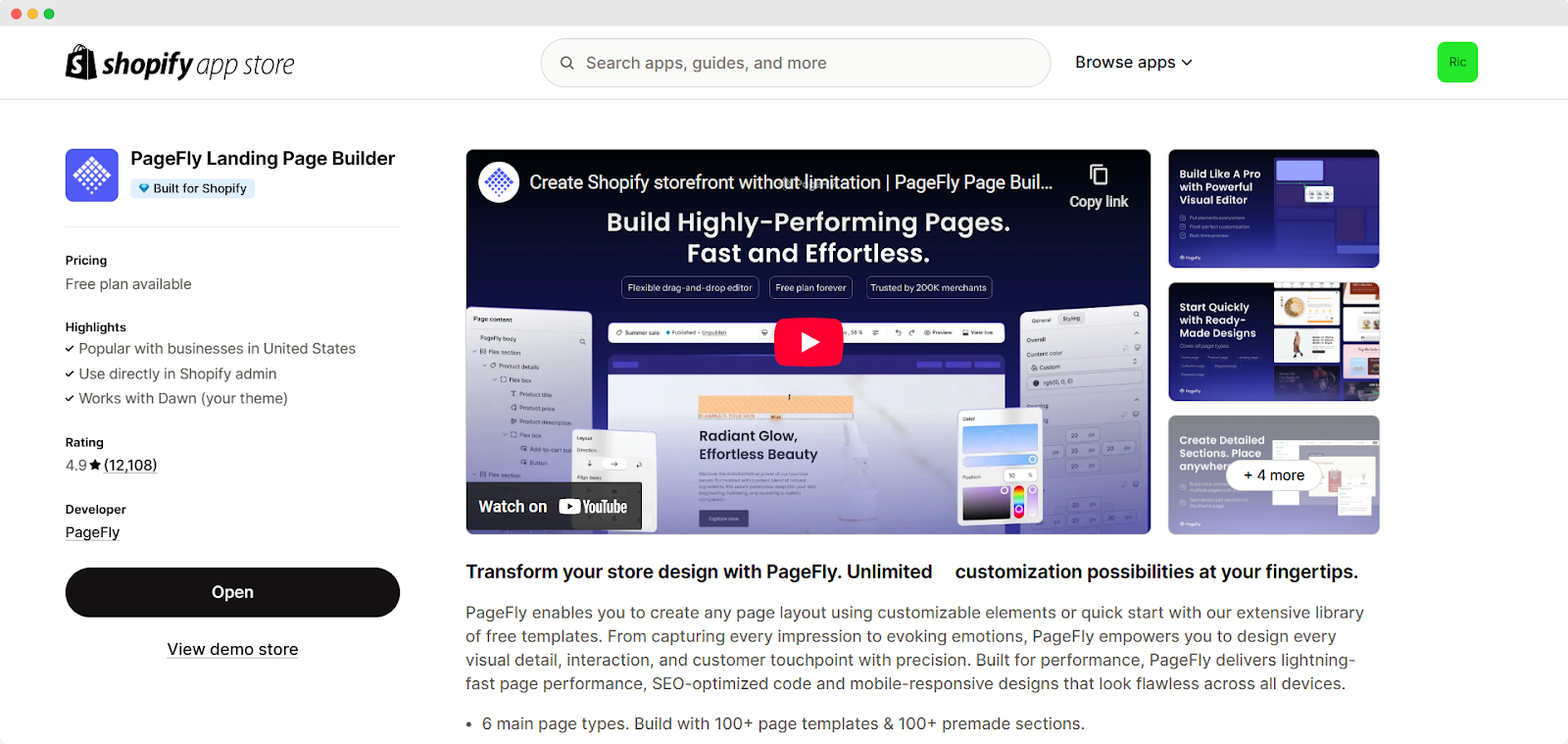
Klaviyo: Email Marketing & SMS
Klaviyo is a comprehensive marketing platform that offers targeted email and SMS campaigns. By automating your marketing efforts, you can drive sales, enhance customer engagement, and build strong relationships with your audience. Klaviyo integrates seamlessly with Shopify, providing valuable insights into customer behavior and helping you tailor your marketing strategies.
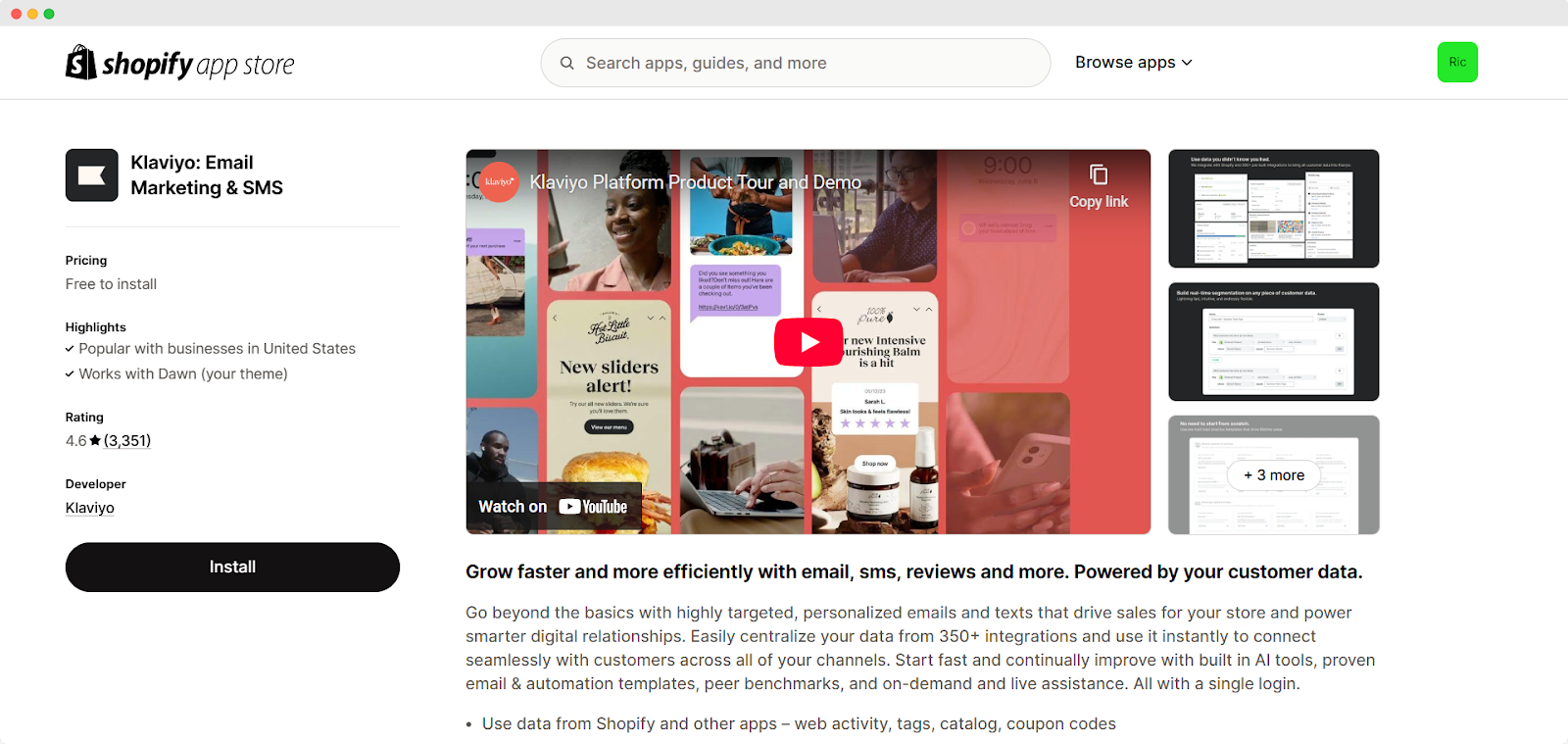
Order Tracking And Delivery
Keep customers informed with free order tracking solutions that send real-time shipping updates. Simplify logistics by integrating delivery management systems directly into your Shopify dashboard.
PostShip Order Tracking
PostShip provides proactive order tracking notifications, keeping customers informed about their orders. This app enhances customer satisfaction and reduces support queries by ensuring that customers are updated about the status of their orders. By providing transparency and communication, PostShip helps build trust with your customers.

AfterShip Order Tracking
AfterShip provides a proactive order-tracking system that optimizes delivery services for both you and your customers. It offers service-level tracking updates and an order-tracking dashboard. By keeping customers informed about their orders, AfterShip enhances customer satisfaction and reduces support queries.

Loyalty And Subscriptions
Build long-term relationships with free loyalty programs that reward repeat buyers and encourage referrals. Subscription management tools make it simple to offer recurring payment options for your products.
Smile: Loyalty & Rewards
Smile is a popular loyalty and rewards app that helps build strong relationships with customers. By offering points, rewards, and exclusive discounts, you can encourage repeat purchases and increase customer loyalty. Smile integrates seamlessly with your Shopify store, making it easy to manage loyalty programs and retain customers.

Recharge Subscriptions
Recharge Subscriptions helps turn one-time shoppers into loyal subscribers. It allows you to sell curated subscription boxes and flexible bundles, reducing churn with powerful retention tools. You can increase customer loyalty and generate recurring revenue by offering subscription options.

Upselling And Engagement
Maximize revenue with free upselling apps that suggest complementary products during checkout. Engage visitors effectively through targeted offers, discounts, and interactive content tailored to their preferences.
ReConvert Post Purchase Upsell
ReConvert is a powerful app for post-purchase upselling. It allows you to customize your thank you pages with offers and promotions, increasing the average order value and enhancing customer engagement. By leveraging these moments, you can encourage customers to purchase additional products or services, maximizing each sale’s potential. ReConvert is an excellent tool for businesses looking to increase revenue without additional marketing efforts.

PushOwl: Web Push & Email
PushOwl allows you to send personalized push notifications and emails to customers. It helps drive traffic, increase engagement, and boost sales by leveraging these channels. With PushOwl, you can automate marketing campaigns and target specific customer segments, ensuring that your messages reach the right audience at the right time.

Instafeed
Instafeed enables you to embed shoppable Instagram feeds on your Shopify store. It helps drive traffic and convert visitors into customers by leveraging Instagram content. By showcasing your products in a visually appealing way, Instafeed makes it easy for customers to discover and purchase products directly from your feed. This app is ideal for brands with a strong Instagram presence, as it bridges the gap between social media engagement and eCommerce sales.

Live Chat And Support
Offer instant assistance with free live chat tools that enhance communication between you and your customers. Resolve queries faster while improving user experience with proactive support features built for Shopify.
Omega Facebook Messenger Chat
Omega integrates live chat functionality into your Shopify store using Facebook Messenger. This app enhances customer support and increases sales opportunities by providing real-time support. By allowing customers to reach out to you directly via Messenger, Omega helps build trust and improve customer satisfaction.

EasyRoutes Delivery
EasyRoutes simplifies delivery management by planning and optimizing local delivery routes. It ensures timely delivery and keeps customers updated with real-time tracking and notifications. By streamlining delivery operations, EasyRoutes helps reduce operational costs and enhance customer satisfaction.

Choose the Right App For Your Shopify Store And Grow Your Business Like Never Before
Choosing the right apps for your Shopify store is crucial for growth and success. Each of these apps offers unique benefits, from enhancing customer experience to streamlining operations. By selecting apps that align with your business goals and ensuring smooth integration, you can maximize their potential and thrive in the competitive eCommerce landscape. Regularly update your apps and monitor their performance to ensure they continue to support your business objectives. With the right tools, your Shopify store can achieve remarkable success and continue to grow in the future.
]]>Whether you are a blogger, an influencer who helps businesses or an entrepreneur, selecting the right affiliate program is crucial for audience monetization. With a vast selection of programs, aligning with your niche and expertise is achievable. Let us explore the 20 best affiliate programs for 2026, catering to beginners and those seeking high-ticket commissions.
What Is an Affiliate Program?
An affiliate program is a partnership where individuals (affiliates) promote a company’s products or services in exchange for a commission. Affiliates earn by referring customers through unique tracking links, banners, or content placements.
The process is simple: A merchant provides an affiliate with a unique referral link. When someone clicks the link, makes a purchase, or completes a specific action (like signing up), the affiliate earns a commission. Depending on the program, these commissions can be one-time or recurring revenue.
Affiliate marketing benefits both parties—brands gain more customers, while affiliates earn a passive income by recommending products they trust. With thousands of the best affiliate marketing programs available, marketers can choose from various niches, including eCommerce, SaaS, finance and lifestyle. Whether you are a beginner or an experienced marketer, affiliate programs offer a low-risk, high-reward income stream.
How to Choose the Best Affiliate Marketing Programs?
Selecting the best affiliate marketing programs requires evaluating key factors to maximize earnings and long-term success.
First, consider the commission structure; higher percentages or recurring commissions lead to more significant passive income. Some programs offer one-time payouts, while others provide lifetime commissions on referrals.
Next, focus on product relevance. Promoting products that align with your niche and audience increases conversion rates and credibility. Choose programs with high-quality, in-demand products.
Support and resources matter, too. Look for affiliate programs that provide marketing materials, tracking tools, and dedicated support to help optimize performance.
Finally, research the program’s reputation. Check reviews, payment reliability and brand trustworthiness. Established top affiliate programs often have transparent terms, timely payouts and strong brand recognition.
Marketers can build a sustainable and profitable revenue stream by carefully selecting affiliate programs while providing value to their audience.
20 Best Affiliate Programs for 2026
With countless affiliate programs available, choosing the right one can be overwhelming. Whether you are a beginner, seeking high commissions, or focusing on Shopify and eCommerce, you have an option. Below, we have curated 20 of the best affiliate programs for marketers and creators in 2026, categorized to help you find the perfect fit.
Best Affiliate Programs for Beginners
If you are new to affiliate marketing, starting with beginner-friendly programs can make all the difference in your success. Here are some of the best affiliate programs for beginners that offer easy sign-ups, trusted brands and the tools you need to earn immediately.
- Amazon Associates

Amazon’s affiliate program is one of the most popular and beginner-friendly. It allows you to promote a wide variety of products available on Amazon. Commission rates vary depending on the product category.
It is an excellent option for anyone looking to get started in affiliate marketing with no upfront costs. Amazon Associates is perfect for newcomers with its vast product selection and simple sign-up process. However, commission rates may be lower compared to other programs.
- ShareASale

ShareASale is an affiliate network that connects affiliates with numerous industry merchants. It offers easy-to-use tools, making it an excellent option for beginners. It also gives you access to a wide range of products and services to promote.
ShareASale is beginner-friendly and offers a wide variety of merchants. The platform provides ample support to help new affiliate marketers succeed.
- CJ Affiliate

CJ Affiliate (formerly Commission Junction) offers a wide range of products from reputable brands. It provides detailed reporting and various promotional tools, making it ideal for beginners who want to grow and track their affiliate marketing business.
CJ Affiliate offers excellent support and opportunities to work with top-tier brands, making it perfect for newcomers who want to start with trusted names in the industry.
- Rakuten Advertising
Rakuten connects affiliates with global brands across many sectors. It offers an intuitive platform with easy-to-understand tools, perfect for beginners who want to work with well-established brands.
It offers excellent reporting tools and high-quality support. Rakuten’s platform is user-friendly and offers access to big brands. Its reporting and support features make it a solid choice for beginners starting affiliate marketing on Rakuten Advertising.
- eBay Partner Network

The eBay Partner Network allows you to promote eBay’s products through flexible linking options. It is excellent for beginners as eBay’s marketplace has a massive product range. Commissions are competitive, and it is easy to get started.
eBay’s affiliate program is simple and offers a variety of products, making it an excellent choice for beginners. However, it may require more effort to drive sales than other programs.
Best High-Paying Affiliate Programs for Marketers
Looking to boost your affiliate income with high commissions and recurring payouts? These high-paying affiliate programs are perfect for marketers who promote digital tools, email marketing platforms and online education services. They offer excellent earning potential and long-term revenue streams.
- Klaviyo Affiliate Program

Klaviyo is an email marketing and automation platform designed for eCommerce businesses. Affiliates earn up to a notable amount of recurring commission, making it ideal for marketers in this space. Klaviyo offers great commissions and is a highly trusted tool for eCommerce brands, making it a top choice for affiliates.
- AWeber Affiliate Program

AWeber is a popular email marketing platform. Affiliates earn up to $300 per sale, making it an excellent option for marketers focused on email marketing tools. AWeber’s solid commission structure and long track record make it a reliable and profitable affiliate program.
- GetResponse Affiliate Program

GetResponse offers all-in-one marketing solutions, including email marketing, automation, and landing pages. Affiliates can earn up to 33% recurring commissions, making it ideal for those promoting email marketing and automation solutions. With its excellent earning potential and comprehensive marketing tools, GetResponse is a great program for digital marketers.
- ClickFunnels Affiliate Program

ClickFunnels is a popular tool for creating sales funnels. Their affiliate program rewards affiliates for promoting their software. Affiliates can earn up to 40% recurring commissions on sales.
It suits marketers or business coaches interested in sales funnel tools. ClickFunnels offers high recurring commissions, making it an excellent choice for marketers. The program is best suited for those with an audience interested in improving sales processes and digital marketing.
- Teachable Affiliate Program

Teachable allows creators to build and sell online courses. Affiliates earn up to 30% recurring commission on each sale. It is ideal for those targeting course creators and online educators. Teachable’s recurring commissions and growing popularity make it a strong affiliate program for those in the online education space.
Best Affiliate Programs for Shopify
Promoting Shopify-focused tools is a smart move if your audience revolves around eCommerce or you are in the Shopify ecosystem. These top Shopify affiliate programs offer strong recurring commissions tailored for creators, educators and marketers who help others build and grow online stores.
- Shopify Affiliate Program

Shopify is one of the most popular eCommerce platforms. Their affiliate program encourages influencers, educators, and content creators to promote Shopify. Affiliates earn competitive commissions for every new referral for a paid plan.
This program is ideal for those who work with eCommerce audiences or teach others about online stores. Shopify’s program offers excellent earning potential, especially for content creators in the eCommerce niche. It is perfect if your audience wants to start or grow their online store.
- Printful Affiliate Program

Printful is a print-on-demand service that integrates with Shopify to help users sell custom products without inventory. Affiliates earn a 10% commission on referred orders for nine months.
This is an excellent program for those targeting people interested in starting a print-on-demand business. Printful is a solid option for affiliates focused on the print-on-demand market. Its easy integration with Shopify is perfect for those with an audience looking to sell custom products online.
- Oberlo Affiliate Program

Oberlo is a dropshipping app that works with Shopify, allowing users to easily find products to sell online without holding inventory. Affiliates earn commissions by promoting the app to those interested in dropshipping.
It is ideal for eCommerce enthusiasts and those interested in dropshipping as a business model. Oberlo offers an easy-to-promote service for anyone interested in starting a dropshipping business. The program is highly suitable for those targeting eCommerce entrepreneurs looking for automation and simplicity in product sourcing.
- LiveRecover Affiliate Program

LiveRecover is an SMS chatbot tool that helps Shopify merchants recover abandoned carts and boost conversions. It is an excellent affiliate option for content creators, publishers, and marketers with an eCommerce audience looking for high-converting tools to recommend. Affiliates earn a 15% recurring commission for every referred customer who stays subscribed to LiveRecover.
The program also offers extra perks for top performers. If you refer more than four customers, you become a Preferred Partner, unlocking benefits like a directory listing, LiveRecover swag and access to their partnership team via Slack. It is a solid choice for affiliates focused on helping merchants drive more revenue through automation and retention.
- Loox Affiliate Program

Loox is a photo review app designed to enhance Shopify store credibility by showcasing customer photos and reviews. Affiliates earn a 20% recurring commission for every sale.
This program is perfect for those who target Shopify store owners looking to build trust with their customers. Loox is a valuable tool for eCommerce stores, and its affiliate program offers good recurring commissions. If your audience is focused on Shopify and improving online store conversions, this is a great fit.
Best Affiliate Programs for eCommerce And SaaS
If you are targeting business owners, SaaS users, or eCommerce professionals, promoting software solutions with high commissions can be incredibly rewarding. These top affiliate programs for eCommerce and SaaS offer generous payouts, recurring income opportunities and access to trusted platforms—making them ideal for affiliates focused on digital tools and business growth.
- BigCommerce Affiliate Program

BigCommerce is a leading eCommerce platform that helps businesses build online stores. Its affiliate program rewards affiliates for promoting its platform. Affiliates earn a 200% bounty for each referral, plus $1,500 for enterprise-level referrals.
This program is ideal for those focusing on the eCommerce platform niche. BigCommerce offers one of the highest payouts in the industry. It is perfect for affiliates targeting businesses that want to set up or upgrade their online stores.
- PartnerStack Affiliate Program

PartnerStack is a popular affiliate network that connects SaaS companies with affiliates. It’s a great platform if your audience includes marketers, developers, or eCommerce entrepreneurs looking to promote trusted software solutions. Well-known brands like Webflow, Gorgias, and Omnisend host their affiliate programs on PartnerStack, making it easy to find high-quality products to promote.
Commissions vary depending on the company, but affiliates benefit from a 90-day cookie duration and flexible payout options via Stripe, PayPal, or direct deposit. Earnings become available on the 13th of each month, with a low $5 payout threshold. It’s a solid pick for affiliates who want access to multiple SaaS programs from a single platform.
- xCloud Affiliate Program

xCloud offers WordPress hosting services with a focus on speed and performance. Affiliates can earn up to $100 per sale with a 20% commission rate. It is perfect for affiliates targeting those in need of WordPress hosting services.
xCloud’s affiliate program is ideal for those in the web hosting space. It offers good commissions, and its focus on WordPress hosting makes it especially attractive to bloggers and website owners.
- Bounty Affiliate Program

Bounty is a Shopify app that helps eCommerce brands create authentic user-generated content (UGC) by connecting them with creators. Its affiliate program is free and open to everyone—even if you’re not a Bounty customer. This makes it a great opportunity for creators, marketers, or agencies with eCommerce audiences interested in UGC and influencer-style content.
Affiliates earn $299 per referral, split into two payments: $149 when a customer signs up and another $149 if they remain subscribed after six months. The program offers a 45-day cookie window and pays commissions via PayPal, making it a straightforward way to earn by promoting a fast-growing content solution in the eCommerce space.
- HubSpot Affiliate Program

HubSpot is a leading CRM and marketing software platform that helps businesses with inbound marketing and sales. Affiliates can earn up to $1,000 per product purchase. This program is ideal for those focusing on CRM, marketing software, or digital marketing.
HubSpot’s affiliate program offers high commissions and is perfect for marketers targeting businesses needing marketing automation tools. It is a top-tier program with excellent earnings potential.
Tips for Success in Affiliate Marketing
To succeed in affiliate marketing, it is crucial to choose the right niche. Pick a niche you are passionate about with a demand for affiliate products. This will make it easier to create authentic content and connect with your audience.
Focus on content and SEO to drive organic traffic to your affiliate links. High-quality, valuable content paired with effective SEO strategies can help you rank higher on search engines, attracting more potential buyers.
Additionally, use multiple traffic sources to diversify your reach. Relying on just one platform can limit your growth. Leverage social media, email marketing, YouTube, and other channels to drive traffic to your site or blog. The more traffic you have, the higher your chances of making sales and growing your affiliate income. By consistently following these strategies, you can increase your success in affiliate marketing.
Did you find this post helpful? Subscribe to our blog for more exciting tips and tutorials, and stay updated on the latest news.
]]>As EasyFlow continues to evolve, we look forward to even greater innovation and possibilities for the app and its users. Let us explore what this exciting acquisition means for the future of EasyFlow and Storeware.
Inside Our Shopify Journey: Built for Shopify, Trusted by Merchants
EasyFlow enables merchants to create option sets in under a minute, saving time and streamlining product customization. Developed in London by three passionate developers in late 2023, EasyFlow rapidly gained popularity among Shopify merchants, maintaining an impressive 5.0-star rating with over 260 reviews. Within just a year, the app earned the prestigious ‘Built for Shopify’ badge—an honor given to apps that meet the highest standards in quality, performance, and design.
 What Is the ‘Built for Shopify’ Badge?
The ‘Built for Shopify‘ badge represents the pinnacle of excellence within the Shopify ecosystem. Awarded to only about 2% of the 10,000+ apps, this exclusive recognition signifies that an app meets Shopify’s highest standards for quality, security, performance, and user experience.
For EasyFlow, this means we have been recognized as a top-tier solution for product customization, offering store owners an effortless way to enhance their product offerings. And, with the acquisition, Storeware aims to build on EasyFlow’s strong foundation and expand its capabilities for Shopify users worldwide. Backed by the experience of running successful apps like StoreSEO, which serves over 10,000 merchants, Storeware is committed to enhancing EasyFlow with new features, continuous updates, and faster support.
The original creators of EasyFlow are confident that their product is now in the best hands for future growth. This acquisition marks a new chapter, aligning with Storeware’s vision to empower Shopify merchants with efficient, scalable, and innovative solutions.
How EasyFlow Got the ‘Built For Shopify’ Badge?

Earning the ‘Built for Shopify’ badge involved a rigorous review process where we had to excel in several key areas. The app was thoroughly evaluated for data protection, seamless integration, and optimized performance to ensure it enhances the Shopify ecosystem. This recognition reflects our dedication to quality and innovation, making EasyFlow a trusted solution for product customization.
 Uncompromising Security & Data Privacy
Shopify demands the highest levels of data security and privacy. EasyFlow ensures that all product configurations and customer data are handled with the utmost care. We have implemented robust privacy measures, including complete data removal when a user uninstalls the app, to align with Shopify’s strict policies.
 A Lightning-Fast User Experience
Performance is crucial in eCommerce. EasyFlow has been fully optimized to ensure a seamless experience, allowing store owners to add and manage product options instantly without any lag.
 A Native Shopify Look & Feel

EasyFlow adopts Shopify’s Polaris design system. So it feels like a native Shopify feature. The interface is designed to be intuitive and easy to use, ensuring a smooth experience for store owners with a minimal learning curve.
The Secret to Faster Product Setup on Shopify – EasyFlow Product Options App

EasyFlow is more than just a product options app—it is a powerful customization tool. This Shopify product options app enables Shopify merchants to provide a seamless, personalized shopping experience. Here is how:
 Unlimited Product Options: No more restrictions—create as many options and option sets as needed, offering limitless customization possibilities.
Reusable Option Sets: Design option sets once and apply them across multiple products, saving time and maintaining consistency.
Flexible Option Types: Choose from a variety of selections and input methods, including selection-based options like Checkbox, Dropdown, Image/Color Swatch, Radio Button, and Button. Also, input-based options like Text Box, Multi-Line Text Box, Number Field, Date Picker, and File Upload.
Add-On Pricing: Charge extra for certain selections to increase your revenue effortlessly.
Conditional Logic & Rules: Set dynamic conditions for product options to create smart, tailored configurations.
Addon Product Bundling: Enhance cross-selling opportunities by bundling relevant products together.
In-Depth Customizations: Easily tweak fonts, colors, buttons, swatches, and more to align with your store’s branding.
Global Settings: Configure how your store’s price add-ons, cart behavior, and other settings function.
What Is Next for EasyFlow?
Receiving the ‘Built for Shopify’ badge is just the beginning! We are committed to continuous innovation, introducing even more powerful features to help store owners elevate their product customization experience.
 A Heartfelt Thank You
Your feedback, trust, and support have driven us to make EasyFlow the best Shopify product options app available today. It is an honor to be a Shopify-certified app, and we look forward to pushing the boundaries of eCommerce customization together. If you have not explored EasyFlow yet, now is the perfect time to revolutionize your Shopify store with powerful, flexible product options. Experience the difference today!
Stay tuned for more exciting updates as we continue transforming the Shopify experience, and subscribe to our blogs to get all the latest blogs on time.
]]>