System Cleaner Cache Android1.0
Publisher Description
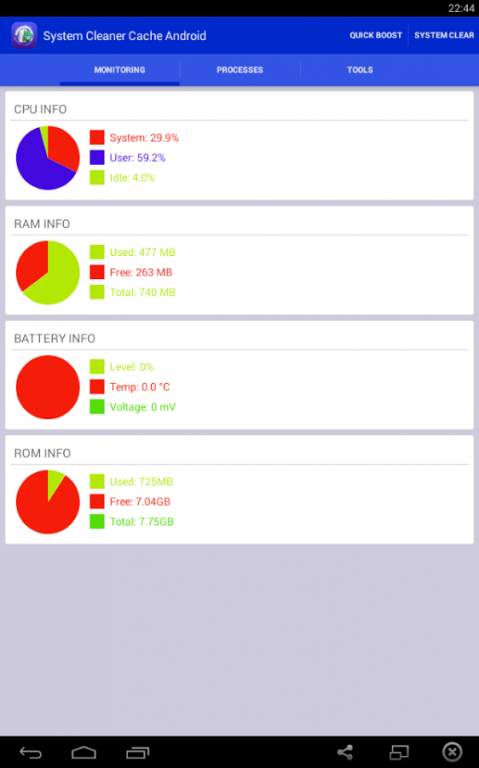
System Cleaner Cache Android is one of the system utility tool that improves your androids performance Cache Cleaner.
Zinc heightens your phones performance and saves battery existence. Apparently which improve your system os and memory. Additionally, it has process manager which allow you to clean system running applications. It incorporated with Backup & Restore feature which help you backup applications as apk file and restore when you really need them.System Cleaner feature cleans Cache, Thumbnail Cache, Log File, Empty Folder, Browser History, Clipboard, Market History, Gmail History, Google Map History.Function:
Monitor status (CPU, RAM, ROM, SD card, Battery)
Process Manager (Clean Running Process)
Cache Cleaner
System Clean (Cache, Thumbnail Cache, Log File, Empty Folder, Browser History, Clipboard, Market History, Gmail History, Google Map History)
Power Saver (bluetooth, wifi, gps, auto-sync, auto-rotate screen, screen brightness, timeout)
Battery Usage
Clear the cache for all applications
Clear System process
Clear browser history
Clear up the clipboard data
Clear call records
Clear market search history
Clear Gmail's search history clear
Clear Google Maps search history
Clear Google search history
App Uninstall
Volume Control, Phone Ringtone, Screen Brigthness, Sleep Time
System Info
APK Backup & Restore
The most convenient system cleaning tool!
About System Cleaner Cache Android
The company that develops System Cleaner Cache Android is Brent Watson. The latest version released by its developer is 1.0.
To install System Cleaner Cache Android on your Android device, just click the green Continue To App button above to start the installation process. The app is listed on our website since 2015-04-25 and was downloaded 45 times. We have already checked if the download link is safe, however for your own protection we recommend that you scan the downloaded app with your antivirus. Your antivirus may detect the System Cleaner Cache Android as malware as malware if the download link to com.brentwatson.systemcleanercacheandroid is broken.
How to install System Cleaner Cache Android on your Android device:
- Click on the Continue To App button on our website. This will redirect you to Google Play.
- Once the System Cleaner Cache Android is shown in the Google Play listing of your Android device, you can start its download and installation. Tap on the Install button located below the search bar and to the right of the app icon.
- A pop-up window with the permissions required by System Cleaner Cache Android will be shown. Click on Accept to continue the process.
- System Cleaner Cache Android will be downloaded onto your device, displaying a progress. Once the download completes, the installation will start and you'll get a notification after the installation is finished.