Building websites from design should feel smooth, not like translating between two different tools.
So this month, we focused on making the Figma-to-WordPress workflow smoother and more flexible inside UiChemy.
From RTL language support to Elementor Atomic Elements compatibility, here’s what’s new and what we’re working on next.
🔥 Highlight of the Month
Elementor Atomic Elements Support (Editor v4)
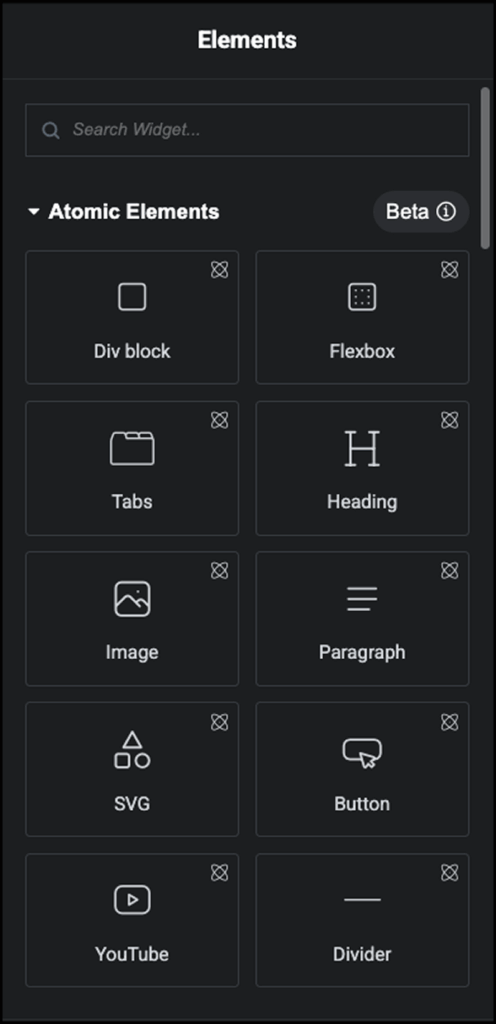
UiChemy now supports exporting designs using Elementor’s new Atomic Elements system in Elementor Editor v4.
UiChemy now supports exporting designs using Elementor’s new Atomic Elements available in Elementor Editor v4.
With this update, UiChemy can generate layouts using supported auto-tagged Atomic widgets,
including:
- Heading
- Paragraph
- Image
- Button
- SVG
- Flexbox
UiChemy also syncs and creates Elementor classes based on your Figma design system. This includes support for:
- Boxed width
- Typography
- Padding
- Border
- Border radius
- Shadow
- Gap
- Color
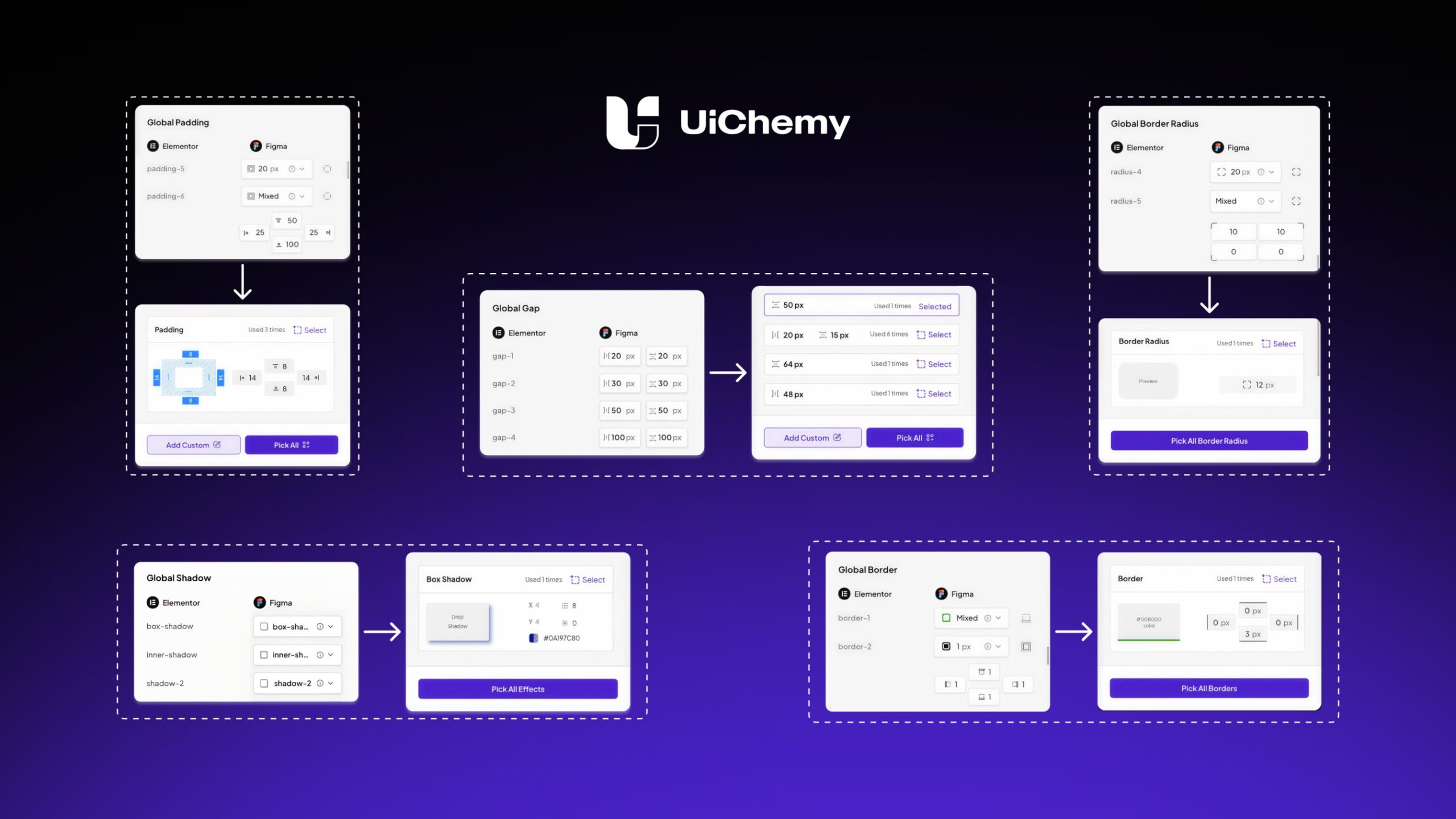
When designs are exported using the Elementor v4 Atomic mode, UiChemy automatically applies these synced classes to the generated layouts, helping maintain consistent styling across the website.
🚀 Product Updates
We’ve introduced a few important updates to improve the design-to-development workflow.
Key Updates
• RTL Language Support for exporting designs correctly for RTL-based websites
• Elementor Atomic Elements (Editor v4) support for improved design system syncing
Workflow Improvements
Along with these, we’ve also made several conversion improvements and export optimizations to make the Figma-to-Elementor process smoother and more reliable.
⚡ Quick Win
UiChemy is helping designers turn Figma designs into WordPress websites faster.
“Game-changing plugin with outstanding support!”
UiChemy makes Figma to WordPress super easy and works perfectly. The support team is kind and very helpful. Definitely a 10/10, highly recommended!
⭐ From a WordPress.org review
😉 Did You Know?
UiChemy can map your Figma design system to Elementor classes automatically.
This means styles like typography, spacing, borders, and colors can stay consistent across your entire site when exported.
A powerful way to maintain design consistency without repetitive manual styling.
🛠 Tool of the Month
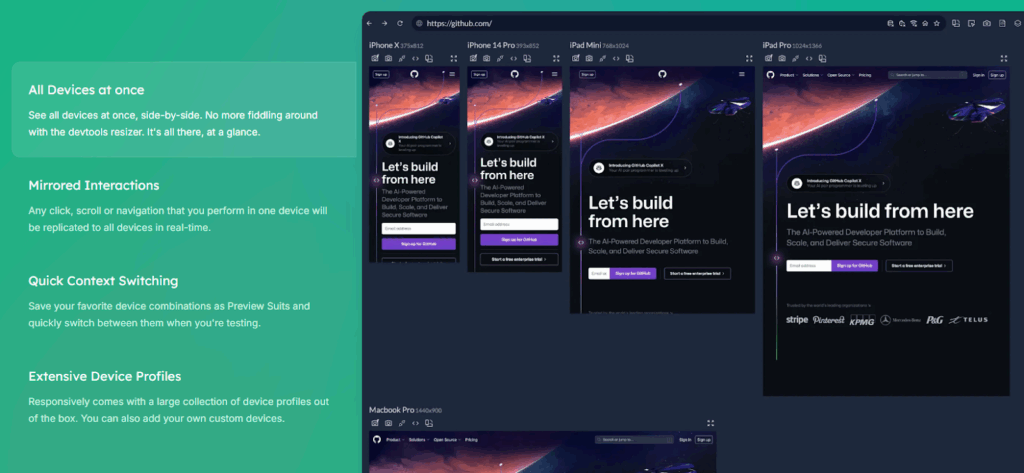
Test responsive websites faster.
Responsively App lets you view your website on multiple screen sizes at once, making responsive testing much easier for designers and developers.
A great companion when checking layouts exported from UiChemy.
🧠 Helpful Resource
Free UiChemy Course (Coming Soon)
We’re working on a free UiChemy educational course to help you master the Figma-to-WordPress workflow.
It will guide you through design preparation, conversion best practices, and building WordPress sites faster using UiChemy.
Stay tuned, it will be free for the community.
👀 Coming Next
We’re currently working on several improvements to make UiChemy even more powerful.
Upcoming Updates
• RTL support expansion for Figma → Gutenberg
• RTL support for Figma → Bricks
• Performance and stability improvements for Atomic Elements export
That’s all for this month.
Our goal with UiChemy is simple, make the journey from Figma design to WordPress website faster and more reliable.
More improvements are already in progress, and we’re excited to share them soon.
Subscribe our Newsletter, get Monthly & Weekly Product updates, News and more….✉️
]]>Here’s everything you should know from January 👇
✅ — What’s New in UiChemy
This month, we focused on making your design-to-WordPress workflow smoother and more reliable. From syncing Bricks design systems completely to preparing for Elementor v4, here’s what’s new and coming up.
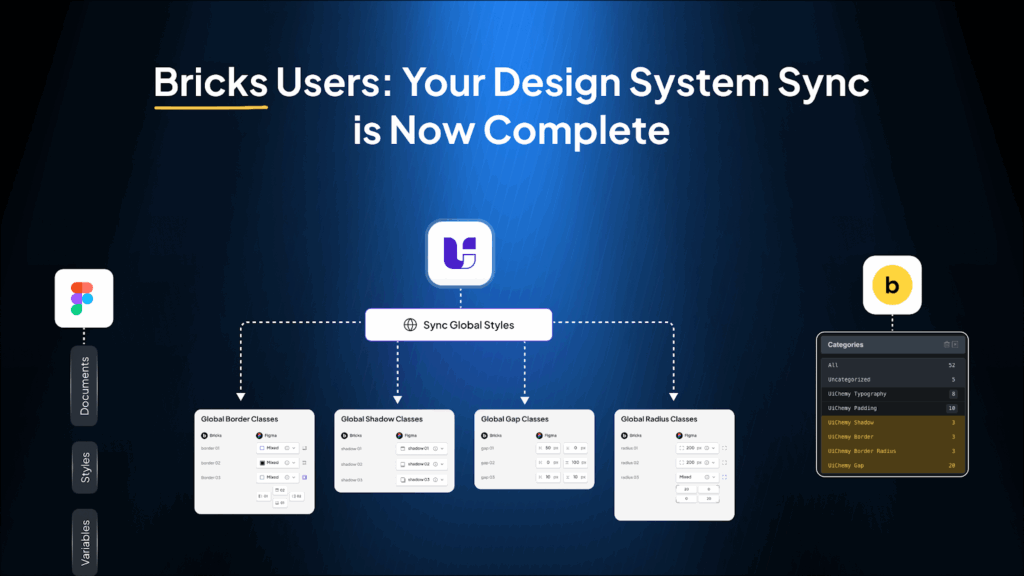
Until now, UiChemy could sync the core parts of your Figma design system into Bricks: colors, typography, container width, and padding.
Want the full breakdown of how this sync works? Read the detailed blog post here
Many of you mentioned that radius, borders, gaps, and shadows still needed manual setup, which slowed down your workflow.
Now, UiChemy completes the design system sync for Bricks:
✅ Global radius
✅ Borders
✅ Gaps
✅ Shadow classes
These styles are applied globally and inside imported designs, keeping everything consistent from Figma to Bricks. Less manual work, more reliability, and cleaner results for serious design system users.
📈 — What’s Next at UiChemy?
We’re actively working on a few exciting updates:
Elementor v4 Atomic Widget Support
- Convert Figma variables and styles into Elementor v4 atomic widget classes
- Support global typography, colors, padding, gaps, borders, radius, and shadows
- Tagging support for atomic widgets during conversion
UiChemy Education Course
This course will guide you step by step:
- Understand UiChemy workflows clearly
- Avoid common mistakes during Figma-to-WordPress conversion
- Build confidence and get the best results every time
More updates are on the way, and we can’t wait to share them with you!
🔥— Feature Spotlight
UiChemy as Your Design-to-WordPress Bridge
Most tools help you design. Others help you build. UiChemy sits right in the middle, and that’s the real power.
UiChemy is not just an exporter. It acts as a bridge between design thinking and real WordPress structure, translating visual decisions into usable systems inside your builder.
Instead of redesigning everything again in WordPress, your styles, spacing logic, and structure move with you, reducing duplicate work and keeping design intent intact from Figma to live site.
For teams, this means smoother collaboration.
For freelancers, it means faster delivery.
For everyone, it means fewer “why doesn’t this match the design?” moments.
🎥 — Learn from the Experts

📰 — Figma & Tech Bytes
- Figma adds prototype embeds in Figma Make, more Make features, a discovery pipeline update with user prompts, FigJam diagramming in Claude, new Glass effect improvements, Figma for Google Chat, iPhone 17 device frames, and more.….Read about all the updates here.
- Google unveiled new tools that let users complete purchases directly inside AI Mode and interact with branded AI agents right within Search results. Read about all the updates.
- Google launched Creator Search, helping advertisers find YouTube creators by keywords or channel handles, then filter by subscribers, views, location, and contact info, making creator discovery and outreach much faster.
- The View Transitions plugin is set to become part of WordPress core, starting with the admin area. Felix Arntz confirmed the integration, bringing smoother visual transitions inside the dashboard interface.
- WordPress Playground now includes a dedicated dashboard to manage saved playgrounds, a warning with one-click save for unsaved work, and quick links for faster admin navigation. Support for PHP 7.2 and 7.3 has been removed, with PHP 7.4 now the minimum version.
- Google introduced Personal Intelligence for Gemini (beta in the U.S.), allowing users to connect apps like Gmail, Photos, YouTube, and Search. With permission, Gemini can understand personal data across services to provide more contextual and tailored assistance.
- Feedback from the WordPress 6.9 “Gene” release highlights what worked well, areas needing improvement, and key lessons for future cycles. Anonymized form responses have also been shared publicly for deeper community insight.
- AI Experiments 0.2.0 released: Version 0.2.0 introduces AI-powered excerpt generation for posts, a new Abilities Explorer for developers to test AI capabilities, and improvements to editorial workflows and developer tools.
- New in Gutenberg 22.4 adds Classic and Hybrid Theme support for the Font Library, enables custom blocks to use Pattern Overrides, and includes several additional improvements and fixes.
- WordPress.org now features a central space for Education Programs, bringing together initiatives like Campus Connect, Credits, and Student Clubs to help students learn and contribute to the WordPress ecosystem.
- WooCommerce 10.5 will change how order data is imported into Analytics tables, improve the Checkout block UI, add new filters and API updates, and deliver multiple performance enhancements.
- WordPress.com now supports OAuth 2.1, making it easier and more secure for AI agents like ChatGPT and Claude Desktop to access site content such as posts, comments, and site data without sharing passwords.
- WordPress 6.9.1 is scheduled for February and will focus solely on bug fixes following post-release issues in 6.9, including email delivery failures, plugin conflicts, and infinite loops in Adjacent Post Navigation.
💡— Figma Tips, Tricks & Tools
Tool of the Month
Remove.bg
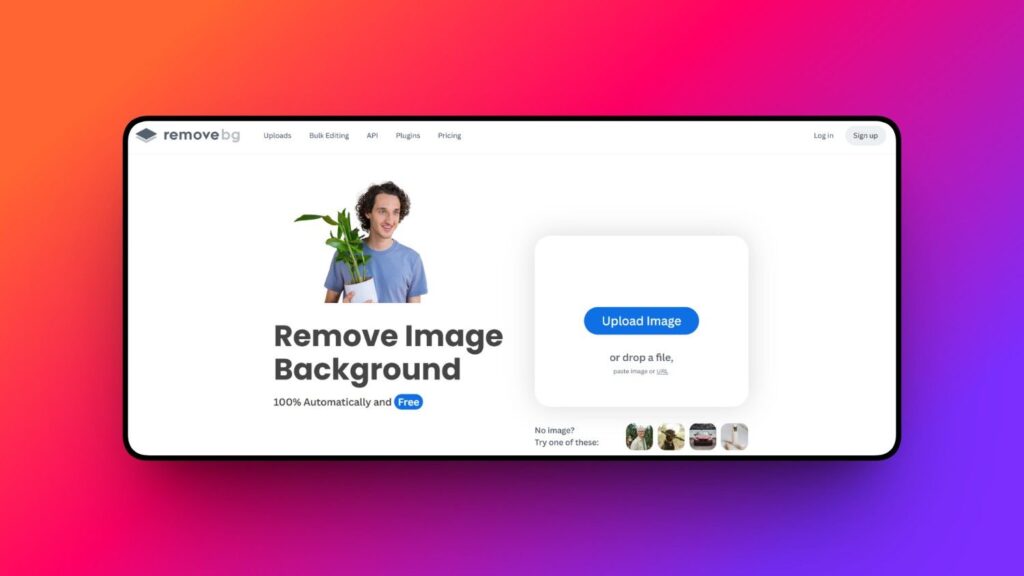
Removes image backgrounds in seconds. Super useful for hero sections, product cards, team sections, and creative layouts without needing advanced photo editing.
Tip of the Month
Design Once, Think Reusable
Before you design a section, ask:
“Will I reuse this somewhere else?”
If yes, turn it into a style, component, or system element in Figma first.
When you design with reuse in mind:
• Your layouts stay cleaner
• Your WordPress structure becomes more organized
• UiChemy can map things more accurately
One reusable system element can save you from editing 10 different places later. Small mindset shift, huge time saver.
🗣️— From the Community
I must say, Your Global Style sync feature is robust, It help me not just in UiChemy Export with Global styles but it also my go to tool for regular Global Style Sync between Figma to Elementor. More Power to your team for even more functionalities like this.
Subscribe our Newsletter, get Monthly & Weekly Product updates, News and more….✉️
]]>Working with a design system in Figma and building in Bricks should feel connected. UiChemy already helped bridge that gap by syncing core styles, but some important visual properties still required manual setup inside Bricks.
With this update, UiChemy now completes a key part of the Figma to Bricks design system workflow.
The Challenge with Design System Sync in Bricks
Before this update, UiChemy could sync:
- Global colors
- Global typography
- Global container width
- Global padding
But Bricks users still needed to manually configure:
- Border radius
- Borders
- Gaps
- Shadows
This created extra steps and made it harder to maintain full design system consistency between Figma and WordPress.
What’s New in UiChemy for Bricks
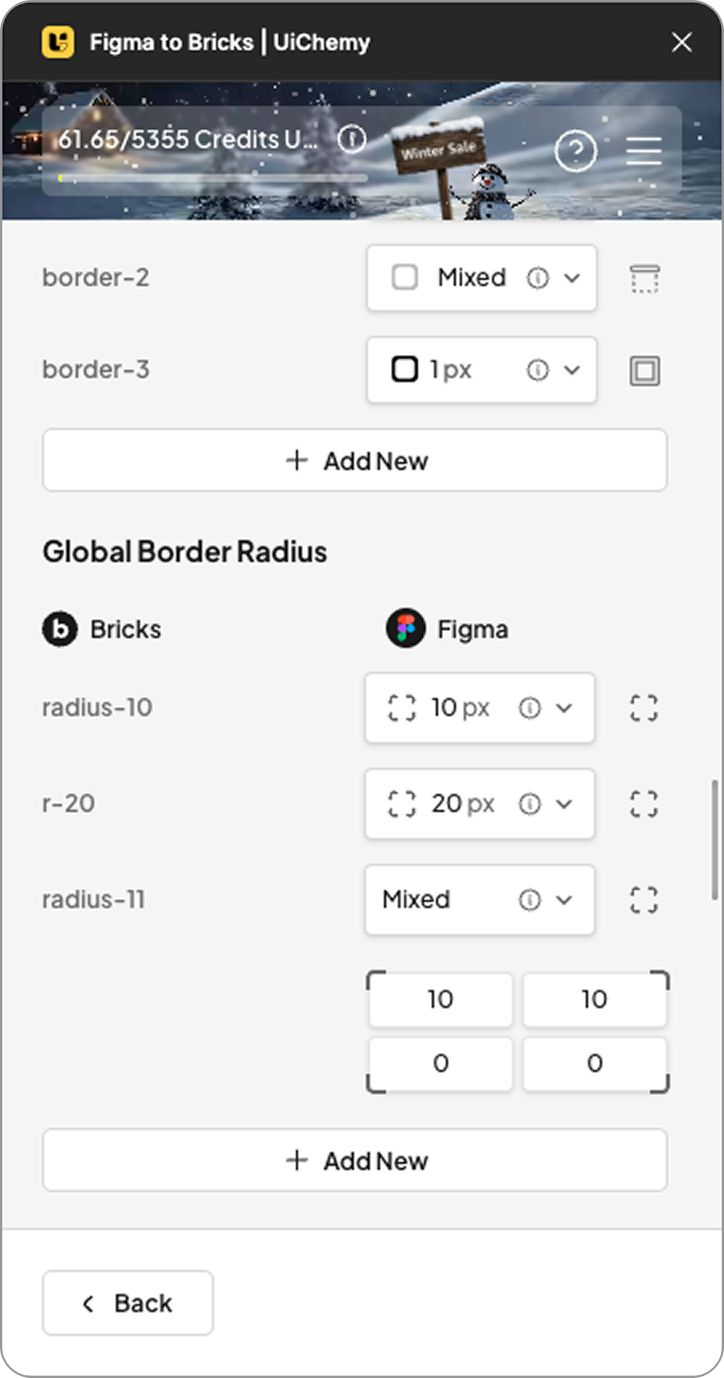
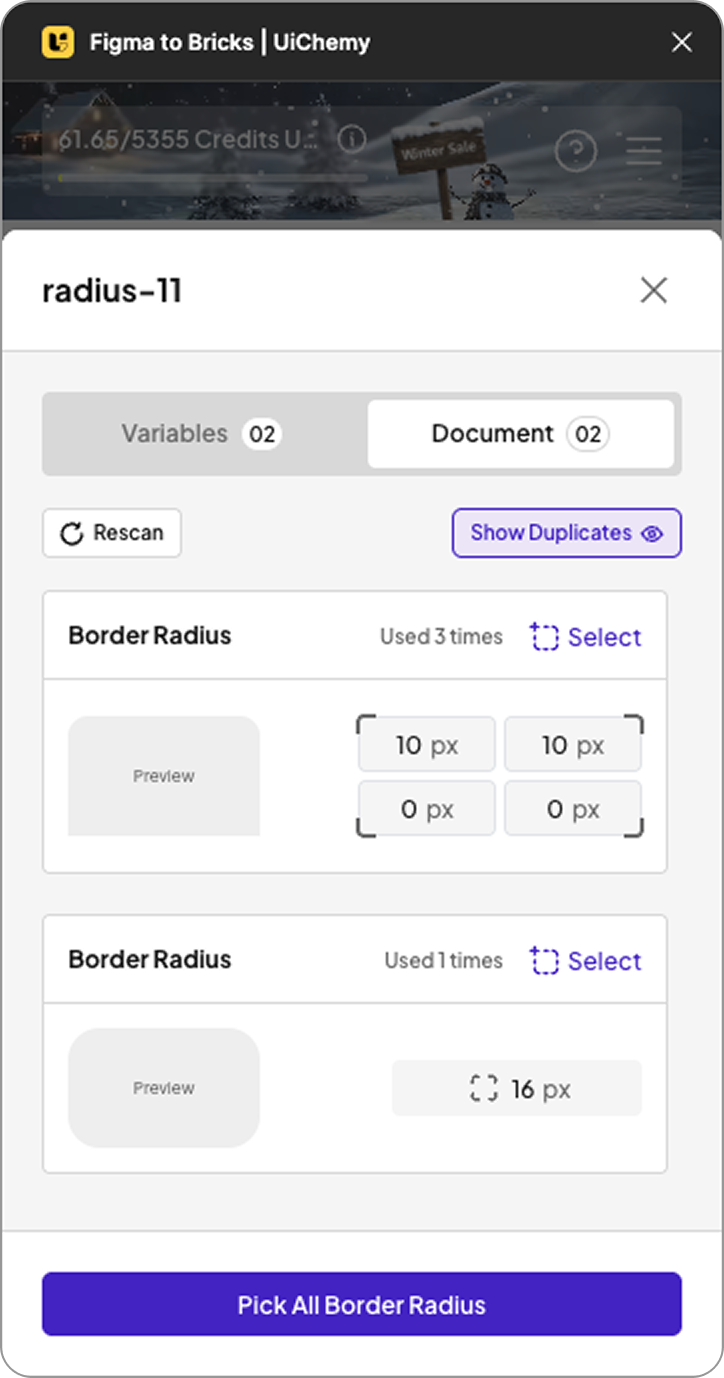
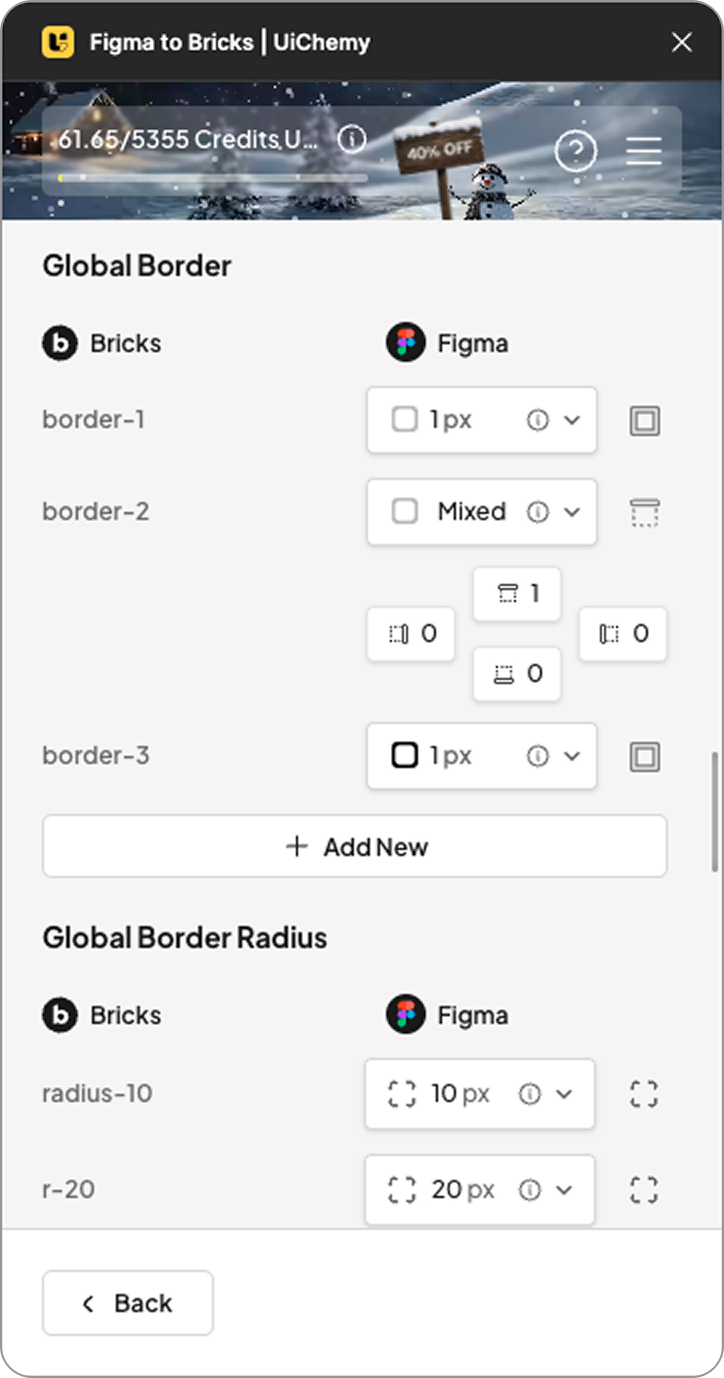
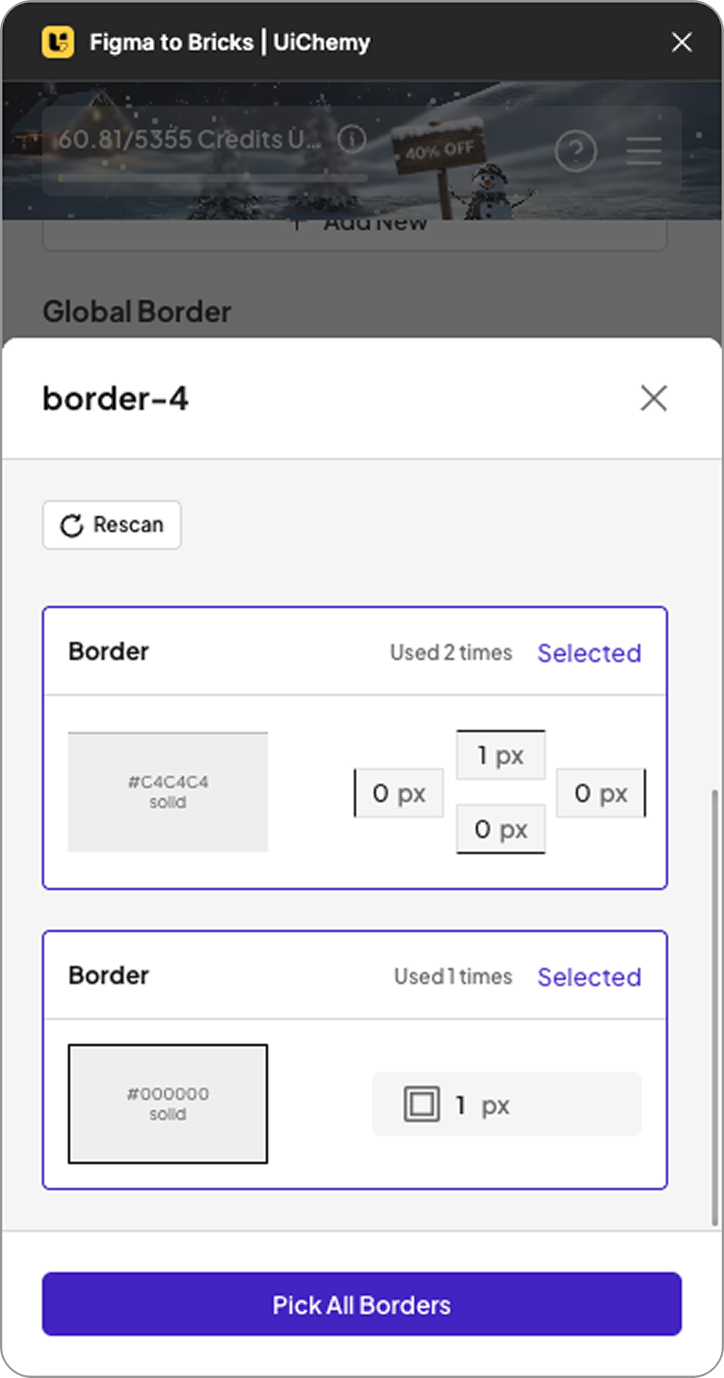
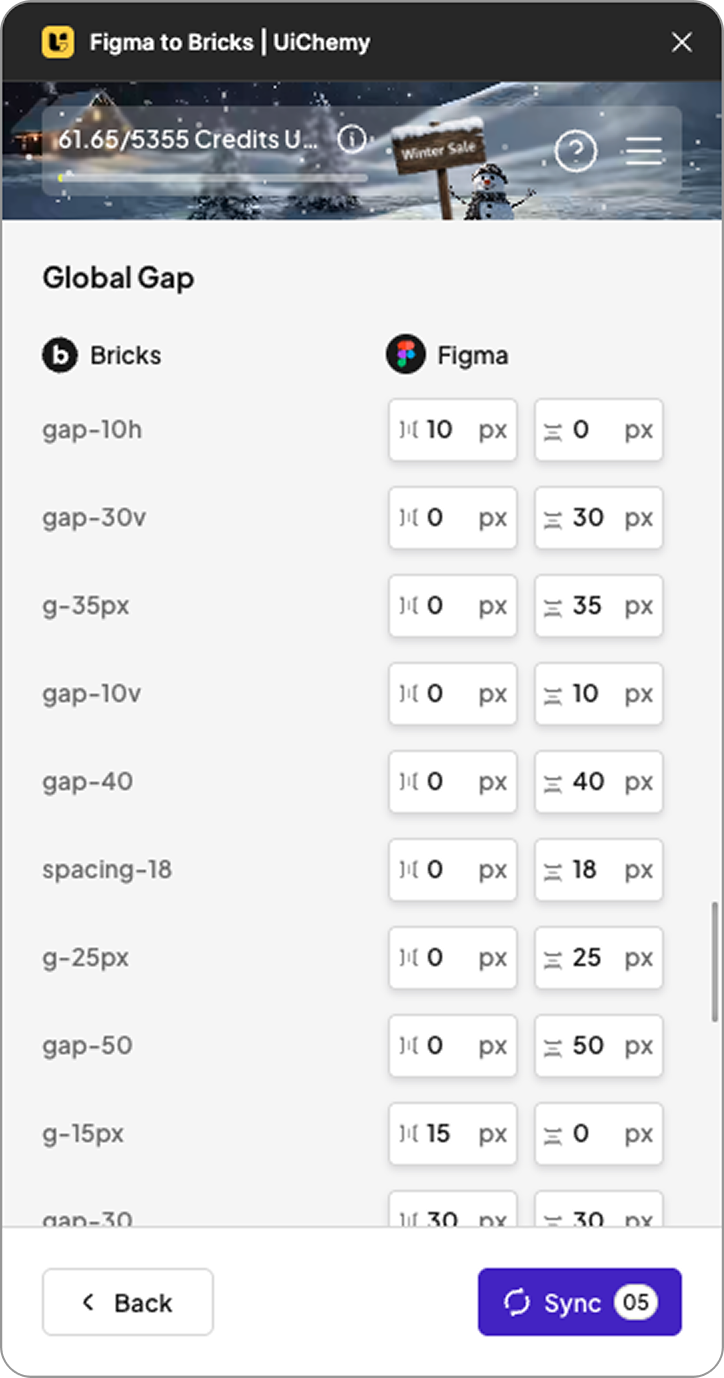
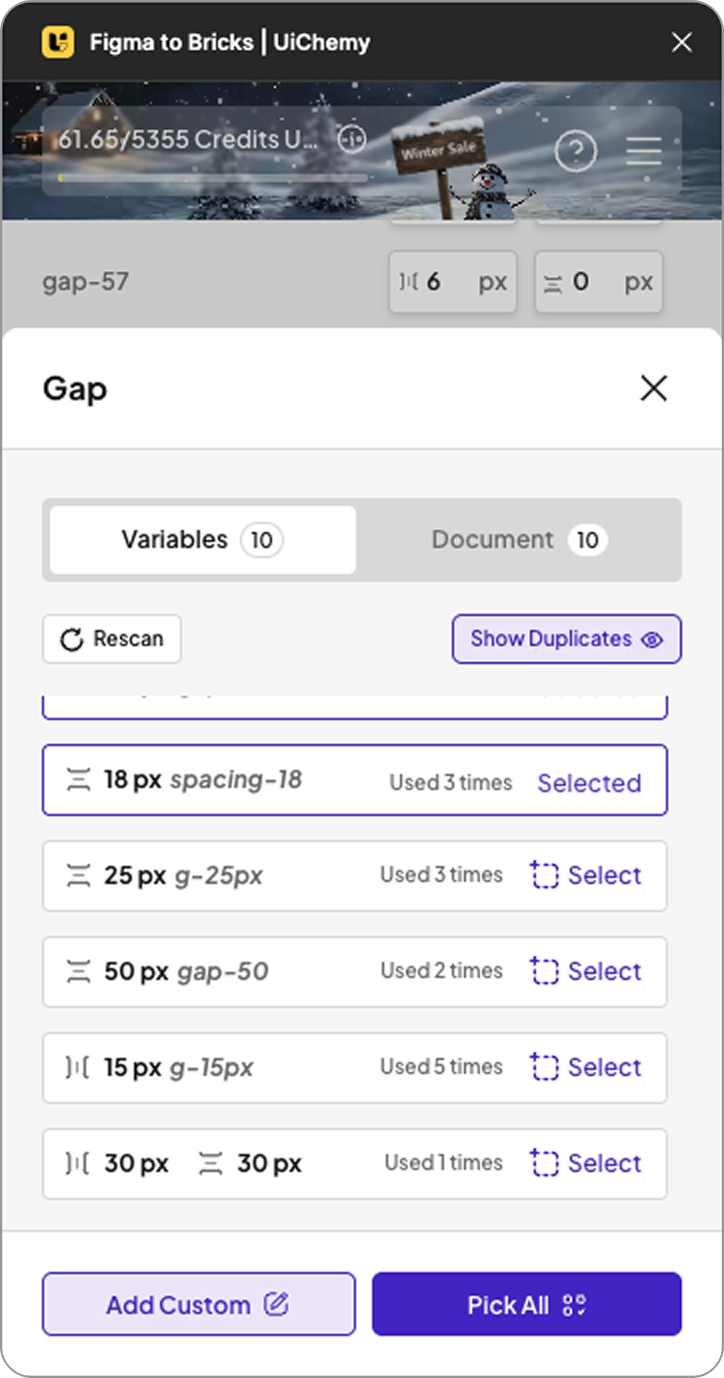
UiChemy now allows you to sync directly from Figma to Bricks:
- Global Border Radius
- Global Border
- Global Gap
- Global Box Shadow
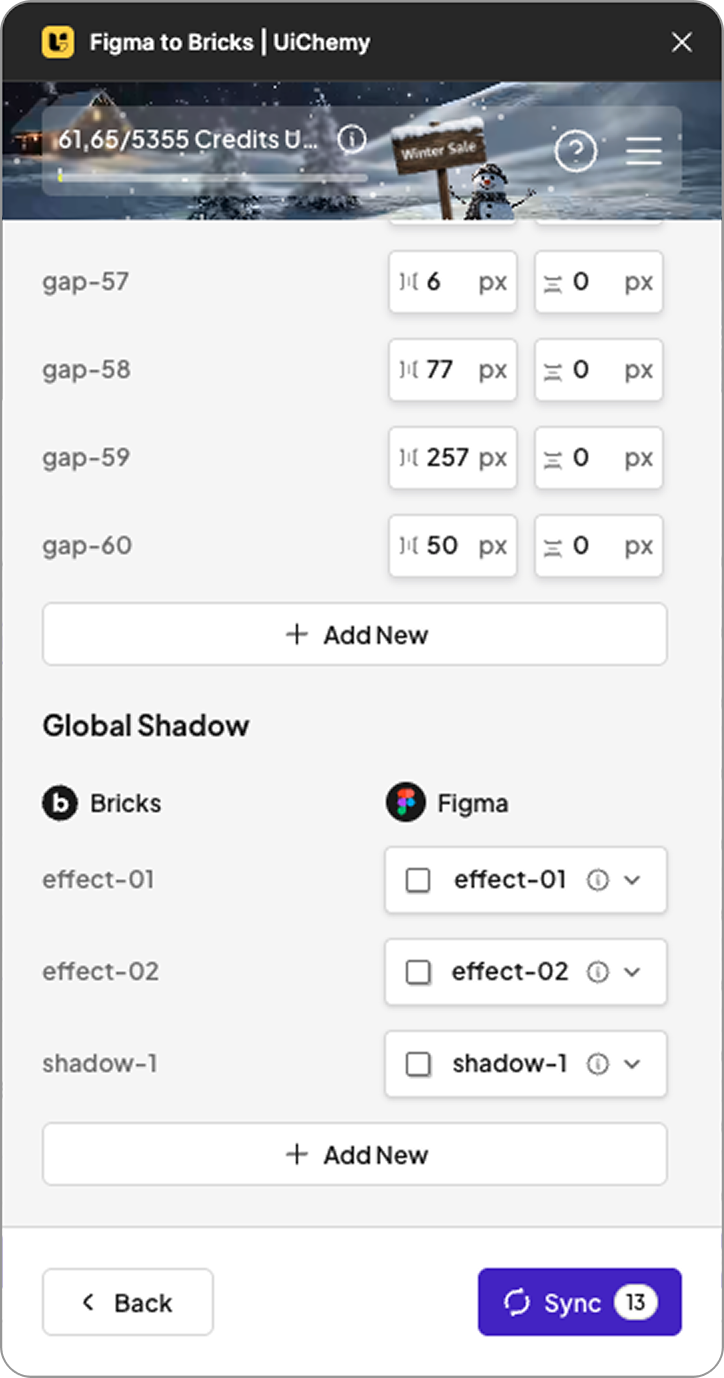
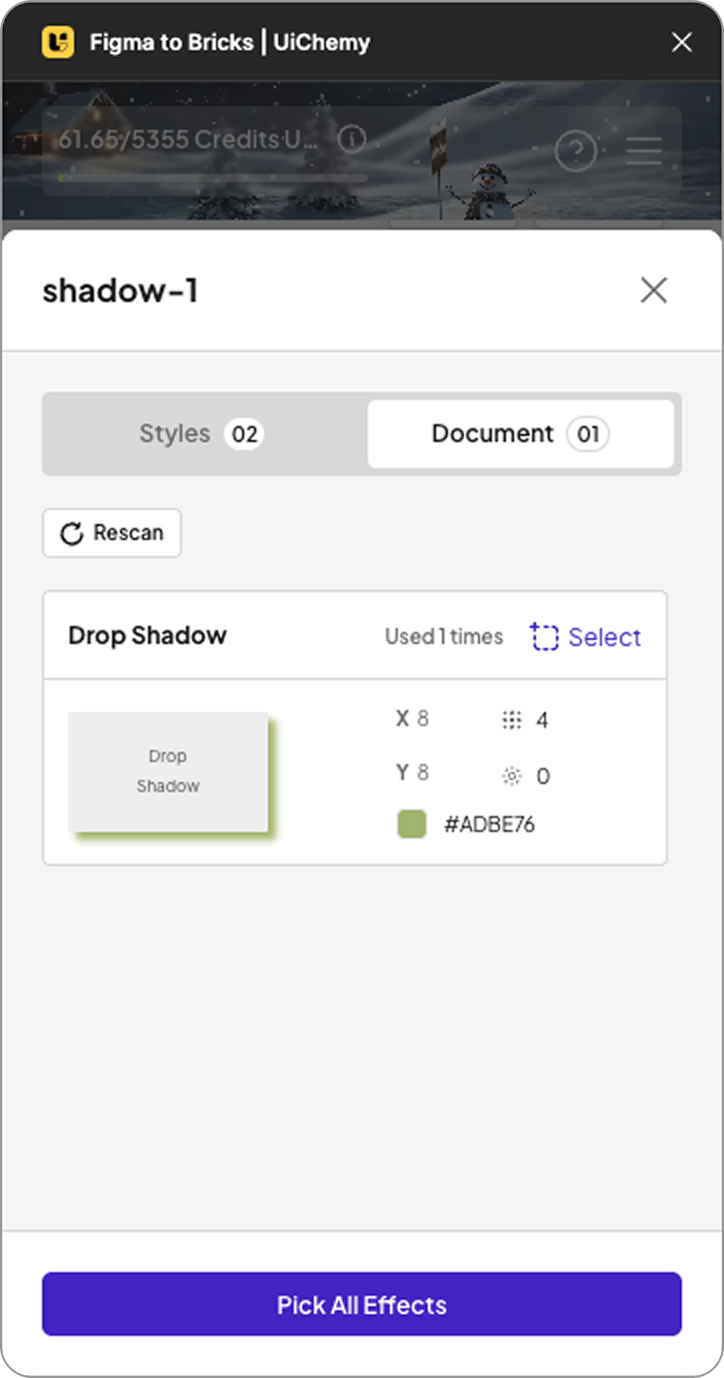
These styles are applied not only at the global level but also inside imported designs. Your layouts stay visually aligned with your Figma design system without additional adjustments in Bricks.
Why This Matters for Bricks Users
This update improves the Figma to WordPress workflow by:
- Reducing manual styling inside Bricks
- Keeping UI consistent across designs and builds
- Supporting structured design systems
- Speeding up the design-to-development process
For teams and designers who rely on reusable systems, this removes a common friction point in Bricks projects.
See the Update in Action
We have shared a full walkthrough showing how the new style sync works inside Bricks and how it improves your workflow.
If you use UiChemy with Bricks, this update helps your design system work more completely inside WordPress. Try the new sync and see how it fits into your process.
We would love to hear your feedback. Stay tuned for upcoming UiChemy updates.
]]>Stitch AI Optimizer (Google Stitch × UiChemy)
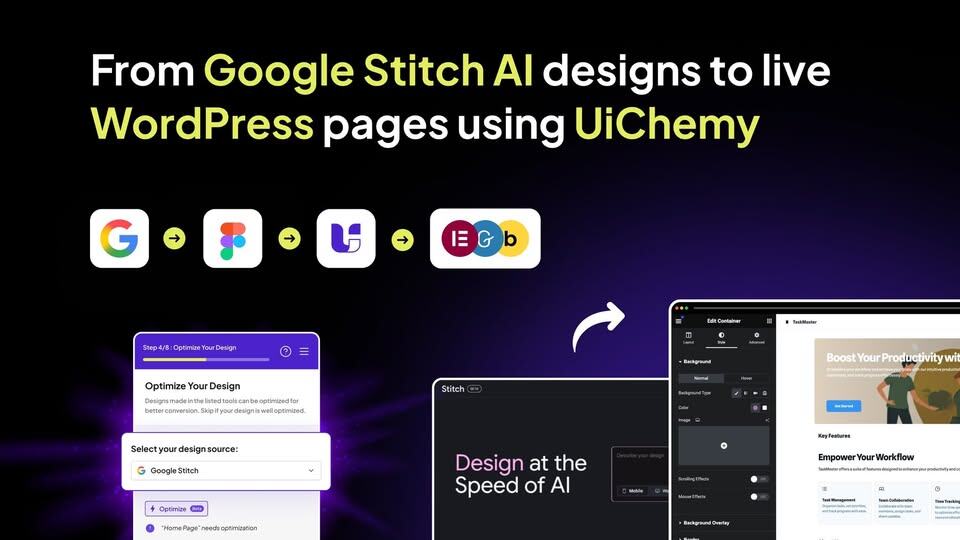
Google Stitch changed how designs are generated with AI, and UiChemy now makes those designs practical to build with. We’ve added a Google Stitch Optimizer inside the Convert to Auto Layout flow.
It automatically:
- Removes unnecessary frames
- Converts layouts into proper Auto Layout
- Prepares a clean 960px box-width structure ready for Elementor and Bricks
Once optimized, your work is simple:
- Check alignment
- Update content or images if needed
- Export directly to WordPress
From Google AI design to a live WordPress page, faster, cleaner, and built for real projects.
We’ve also rolled out security enhancements behind the scenes to keep things more stable and reliable as you work.
For all the changes, Check out the complete changelog here.
📈 — What’s Next at UiChemy?
We’re already working on the next set of improvements to make design conversion even smoother and more future-ready.
- Figma Make Optimizer (Alpha Coming Soon)
We’re actively working on support for Figma Make. An early alpha version is on the way, with around 60–70% design conversion accuracy to start. As Figma Make continues to improve its output, we’ll keep refining UiChemy alongside it for better results over time. - Expanded Global Styles for Bricks
Bricks users can expect more control soon. We’re adding support for additional class-level settings like borders, gaps, radius, and drop shadows, making it easier to maintain consistent styling across your site. - Elementor v4 (Atomic) Compatibility
Elementor’s Atomic / v4 architecture is coming, and we’re getting UiChemy ready for it. Our workflows are being prepared to stay compatible, so your exports remain clean, stable, and future-proof.
🔥— Feature Spotlight
Image Compression
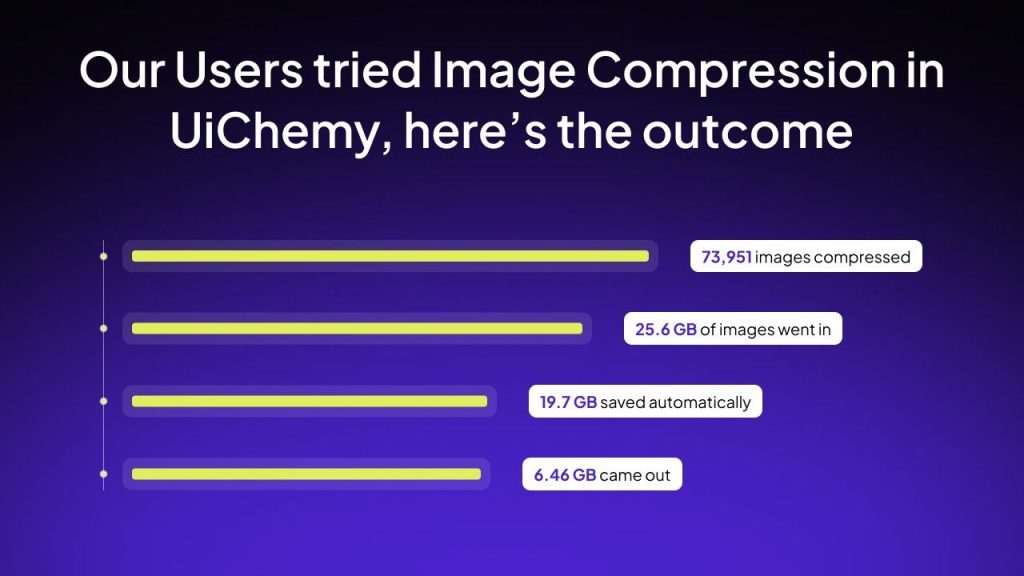
UiChemy compresses images into modern formats like PNG, JPEG, AVIF, and WEBP, with adjustable quality settings, so your files stay light, uploads stay smooth, and WordPress stays fast.
No extra steps. No separate tools. No extra cost.
Just lighter images during export.
🎥 — New Video
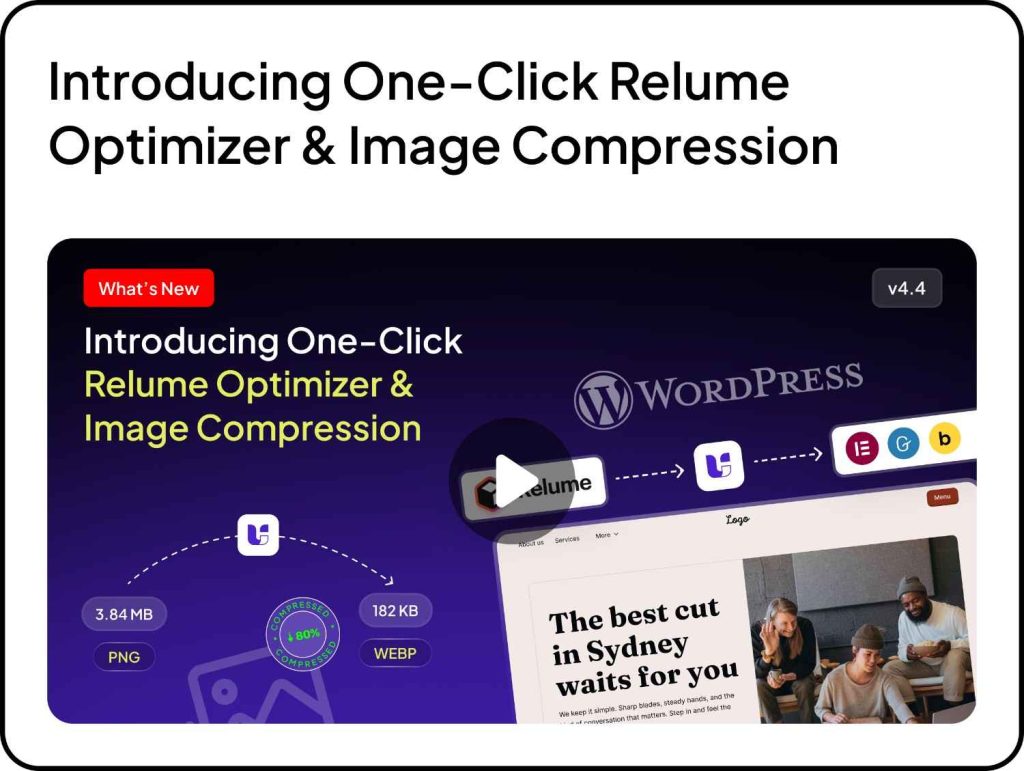
Two easy ways to turn your ideas into websites, fast and without coding.
📰 — Figma & Tech Bytes
- Turn ChatGPT conversations into Figma Slides and Buzz assets: ChatGPT users can now generate presentations, social posts, ads, posters, and more directly in Figma Slides and Figma Buzz. The Figma app is available on all ChatGPT plans, with EU support coming soon.
- Figma rolled out several updates, including the option to disable templates in Buzz, Figma for Government with enterprise-level capabilities in a compliant environment, new image editing tools in Design and Draw, metadata improvements for Make and Sites, and visibility into AI credit usage and more.….Read about all the updates here.
- Elementor 3.34 Developer Update focuses on advancing Editor V4 with atomic design principles, introducing Nested Tabs, Entrance Interactions, and core system improvements for better styling consistency, layout control, accessibility, and performance. Editor V4 features remain experimental as it’s still in Alpha.
- Google has begun rolling out a new feature that allows users to change their Gmail address while keeping their existing data and services. The update appears first on Google’s Hindi support pages, indicating an initial rollout in India or Hindi-speaking regions.
- Google has released its Year in Search 2025 report, highlighting the actors, movies, athletes, games, recipes, and travel destinations that drew the most interest throughout the year.
- WordPress has opened a feedback call for the 6.9 release. The community is invited to share thoughts on the release cycle, process, and team via a short form (open until January 15, 2026). All feedback will be anonymized and used to improve future WordPress releases.
- Gutenberg 22.3 introduces a new Fonts page for easier typography management, improved image editing with persistent crop and zoom, and a responsive Grid block for creating layouts across devices, along with several bug fixes and enhancements.
- Google has filed a DMCA lawsuit against SerpApi, alleging the company bypassed protections designed to prevent automated scraping of Google Search results and licensed content.
- WordPress 6.9 “Gene” has been released as the second major update of the year, introducing new features such as Notes, the Abilities API, an option to hide blocks, and several other improvements.
- AI as a WordPress Fundamental: Jason Adams outlines a vision where AI becomes a core part of WordPress, similar to the database itself. With AI integrated into hosting plans and supported by tools like the WP AI Client and Abilities API, developers can easily build features such as auto-generated alt text, images, and intelligent workflows.
- What’s new in Gutenberg 22.2: This update introduces video embeds for the Cover block, improves the Breadcrumbs block, and adds new styling options for the Math block, along with several other enhancements and bug fixes.
- WordPress to return to three major releases in 2026: Core committers shared plans to move back to three major WordPress releases in 2026, with the first expected around March or April. The roadmap includes features deferred from 6.9, such as template activation, the Tabs block, and client-side abilities for the Abilities API.
- WordPress AI Team announces first public release of AI Experiments plugin: The WordPress AI Team has launched version 0.1.0 of the AI Experiments plugin, marking the first public step in testing AI-powered features before they are considered for WordPress core. This plugin is part of the AI Building Blocks for WordPress initiative introduced earlier this year.
💡— Figma Tips, Tricks & Tools
Tool of the Month
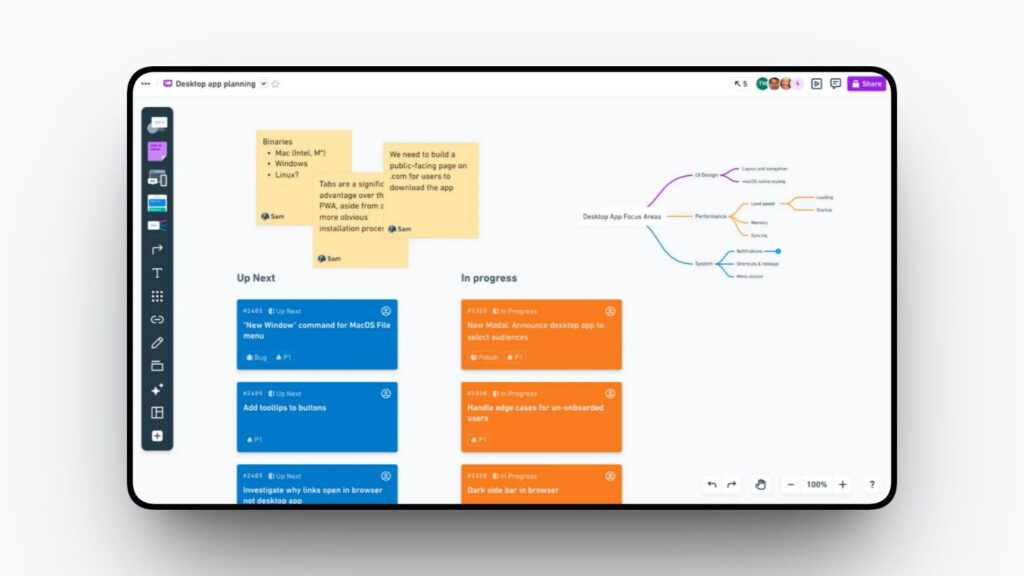
If you love planning before designing, this one’s for you. Create clean wireframes, mind maps, and flows in minutes, a great way to organize your ideas before moving to Figma.
Tip of the Month
Use Figma Components for Repeatable Patterns
Want to save time and avoid unnecessary tweaks? Turn repeating elements into components. It keeps your UI clean, helps you make global updates in one click, and makes your whole file easier to manage, especially as your design grows.
🗣️— From the Community
Amazing plugin for designers
Uichemy is amazing for figma designers
Subscribe our Newsletter, get Monthly & Weekly Product updates, News and more….✉️
]]>Over the past year, UiChemy evolved into a more powerful and reliable Figma to WordPress conversion tool, helping designers and developers convert designs into Elementor, Gutenberg, and Bricks with greater speed and accuracy.
This yearly recap covers everything UiChemy shipped in 2025, from major workflow upgrades to responsive improvements and ecosystem expansion.
UiChemy in 2025: Built With You, For You
Every update in 2025 focused on one core objective:
Simplify the Figma → WordPress workflow for real-world projects.
Instead of adding complexity, UiChemy prioritized:
- Faster exports
- Cleaner structure
- Predictable results
- Reduced manual steps
All improvements were driven by real feedback, real projects, and real usage.
Major Workflow Improvements in UiChemy v4.0
The release of UiChemy v4.0 marked one of the biggest milestones of the year.
Key Workflow Enhancements
- Complete UI refresh with UiChemy v4.0
- Step-by-step guided workflow for smoother onboarding
- Optimization Companion reduced from 14 steps to just 1
- Proportional credit usage based on page size
- One-click Google Stitch AI and Relume Optimizer integration
These updates significantly improved conversion speed while keeping exports clean and consistent.
Responsive Management & Layout Control Updates
Responsive behavior was a major focus area in 2025, helping users reduce post-export adjustments.
Responsive & Layout Improvements
- Fully revamped Responsive Manager
- Clamp support with Global Styles
- Auto-filled breakpoint values
- Easier responsive setup using Figma scanning
These changes made UiChemy’s responsive output more predictable across devices.
Improved Global Styles & Design System Support
To support scalable and consistent design systems, UiChemy expanded its global styling features.
- Global container box width support
- Padding class system support in Bricks Builder
This allowed teams to maintain consistent spacing and layout across entire projects.
Widget Tagging & Export Accuracy Enhancements
Small but impactful improvements helped reduce cleanup work inside WordPress builders.
- Automatic widget tagging for buttons using Figma layer names
This improved accuracy during export and streamlined the editing experience.
Image Optimization & Media Handling
Media optimization became a built-in part of the UiChemy export process.
Image Handling Improvements
- Automatic image compression during export
- Support for PNG, JPEG, WEBP, and AVIF formats
This reduced page weight without requiring external optimization tools.
Expanded WordPress Builder Support
UiChemy continued to grow beyond a single-builder solution.
In 2025, UiChemy expanded support for popular WordPress block builders, including:
- Gutenberg Core Blocks
- Spectra
- Kadence
- GenerateBlocks
This made UiChemy more flexible for different WordPress workflows and project requirements.
UiChemy 2025 Release Summary
UiChemy maintained a strong release cadence throughout the year.
Total Releases in 2025: 52
- Figma to Elementor: 28 releases
- Figma to Gutenberg: 11 releases
- Figma to Bricks: 13 releases
Each release focused on stability, performance, and usability improvements.
Looking Ahead: What’s Next for UiChemy in 2026
As UiChemy moves into 2026, our focus remains on expanding core capabilities and aligning with the evolving WordPress ecosystem. Here’s what we’re actively working toward:
- Expanded Global Styles for Bricks: Support for more class-level controls such as Border, Gap, Radius, and Drop Shadow, allowing better design consistency and control when exporting to Bricks.
- Elementor v4 (Atomic) Compatibility: Preparing UiChemy workflows to work smoothly with Elementor’s upcoming Atomic / v4 architecture, keeping exports future-ready.
- Framework-Level Support: Exploring deeper compatibility with popular CSS frameworks like ACSS, along with other core framework-based setups, to support structured and scalable builds.
Every upcoming feature will continue to prioritize speed, predictability, and real-world usability, keeping UiChemy practical for everyday production workflows.
Every upcoming feature will continue to prioritize speed, predictability, and real-world usability.
Thank You for Being Part of the UiChemy Journey 💙
UiChemy wouldn’t be where it is today without the feedback, bug reports, and insights shared by its users.
Every improvement in 2025 was shaped by real conversations and real workflows. If there’s a feature you’d like to see or an improvement you’ve been waiting for, we’d love to hear from you.
Here’s to building faster and better Figma to WordPress workflows together.
If you have a minute, can you please take the short survey? There’s a small surprise waiting at the end of the survey! 👇🏻
]]>✅ — What’s New in UiChemy
This month, we focused on making things easier for you
- General Improvements (Figma to Elementor / Bricks / Gutenberg)
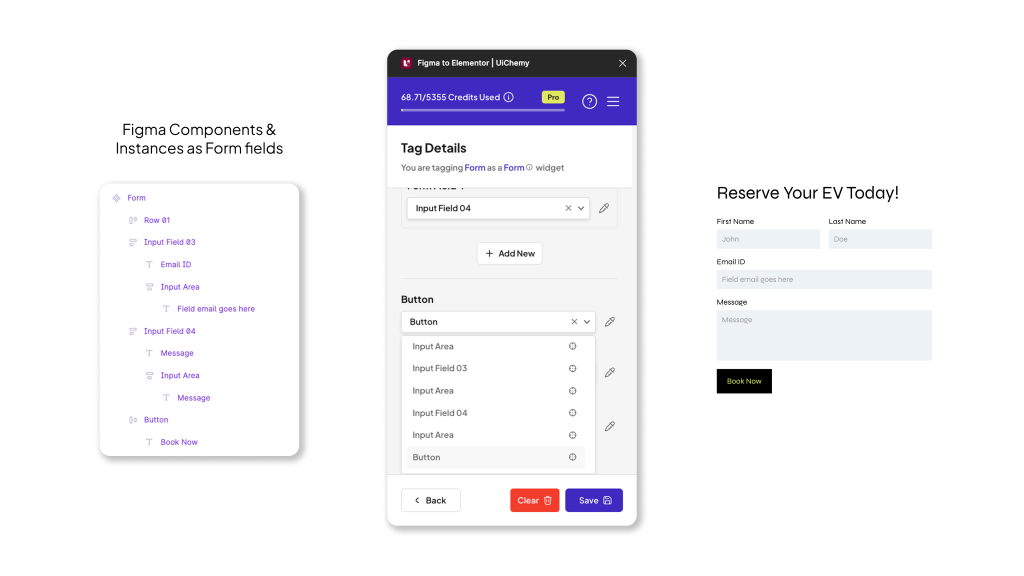
Working with forms just got simpler. You can now use Figma components and instances as form fields, which keeps your designs more organized and converts perfectly into editable WordPress forms.
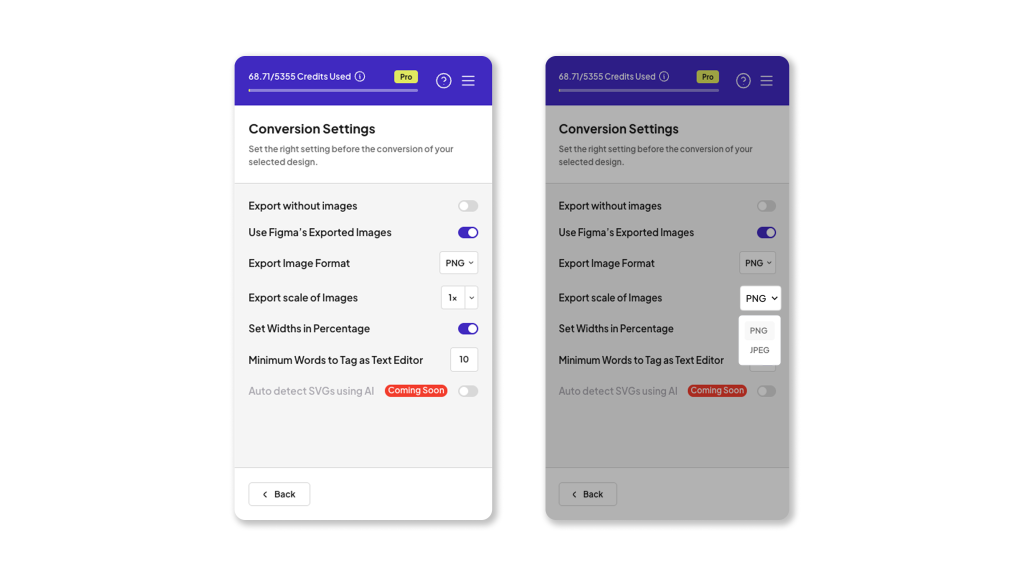
- We also added JPEG export, so your images load lighter and faster during import and on the final site.
- Our widget tagging feature is now more accurate than ever. Even complex layers won’t confuse UiChemy anymore.
Plus, clamp support in Global Styles brings smoother responsive typography across devices, along with a noticeable boost in export performance.

Figma to Gutenberg
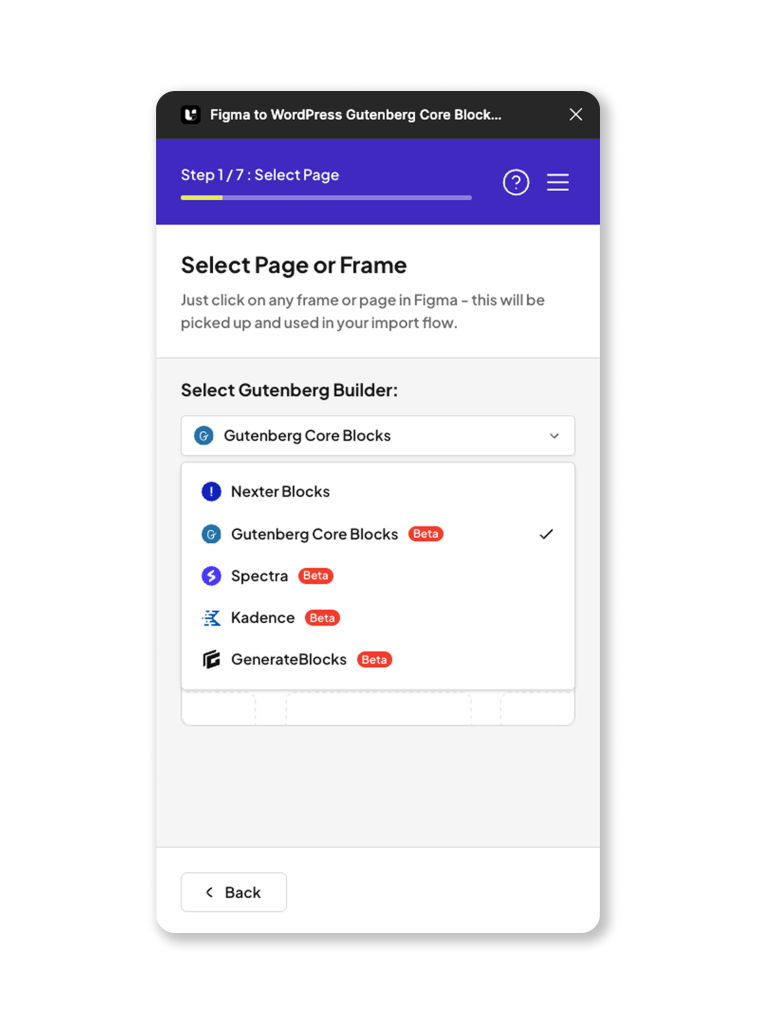
- Your Gutenberg workflow just leveled up. UiChemy now supports Core Blocks, Spectra, Kadence, and GenerateBlocks, giving you much more flexibility.
- We also rolled out the all-new v4 UI for Gutenberg, making the entire flow cleaner, quicker, and way more intuitive.
Figma to Bricks
- Bricks users get clamp-powered Global Styles too, so your text and spacing adapt beautifully across breakpoints with no extra work.
For all the changes, Check out the complete changelog here.
📈 — What’s Next at UiChemy?
We’ve got some big upgrades lined up, and each one is aimed at saving you time and making your Figma to WordPress workflow even smoother.
- Figma to Elementor, Atomic Widget Support (4.0)
A major upgrade is coming. Atomic Widget Support will give you precise, component-level control, making widget tagging more accurate and exports more reliable than ever. - Relume Optimizer (Coming Soon)
If you use Relume, you’ll love this. With one click, UiChemy will clean up and optimize your file, tag all necessary widgets, and make it fully export-ready for Elementor, Bricks, or Gutenberg. No more manual fixes. - Figma to Gutenberg, Responsive Output (Coming Soon)
Soon, exports using Kadence, Spectra, and GenerateBlocks will automatically include tablet and mobile styles. No extra setup. No headaches. - UiChemy Education Course
We’re building a complete learning experience that’ll help you master UiChemy from scratch. You’ll learn how to optimize your Figma file, tag it correctly, and export it into Elementor, Bricks, or Gutenberg with a step-by-step real project.
🔥— Feature Spotlight
UiChemy Templates Library
Not everyone has time to start from scratch, and that’s why UiChemy now includes a growing library of ready-to-use templates.
You can pick a layout, customize it in Figma, and convert it to Elementor or Gutenberg in a few clicks.
These templates are optimized to convert well, load fast, and reduce your design-to-WordPress development time by almost 70%.
🎥 — Learn With Experts


📰 — Figma & Tech Bytes
- Schema by Figma Highlights: Figma introduced new design system features aimed at improving consistency across design, code, and overall workflows.
- Figma rolled out several improvements including new Buzz features, easy account switching on mobile, pushing Make projects to GitHub, accessibility upgrades, support for multiple IdPs, FigJam diagram creation from ChatGPT brainstorms, and desktop app support for Figma for Government and more.….Read about all the updates here.
- WordPress has released version 6.8.3, a security update that fixes two issues: a data exposure bug allowing authenticated users to access restricted content, and an XSS vulnerability affecting navigation menus that required an authenticated user role. Site owners are encouraged to update promptly.
- WordPress 6.9 Beta 1 is ready for download and testing. The final release is scheduled for December 2, 2025. Users can review the full release timeline and follow the official guide to contribute to testing the WordPress 6.9 update.
- Gutenberg 21.9.0 is now live, introducing three new blocks (MathML, Term Name, and Term Count) along with 16 bug fixes.
- OpenAI is rolling out project sharing to all ChatGPT users, allowing anyone to share projects and collaborate with others who can join in and make updates.
- Google is updating how search ads appear. All text ads will now be grouped under a single “Sponsored results” label that stays visible while scrolling. Google has also added a new “Hide sponsored results” option, allowing users to collapse the entire ad section with one click.
- A recent study by marketing agency Nectiv found that ChatGPT performs a search in about 31% of prompts. It also averages more than two searches per query, with each search around 5.5 words long, which is roughly 60% longer than a typical Google search.
💡— Figma Tips, Tricks & Tools
Tool of the Month
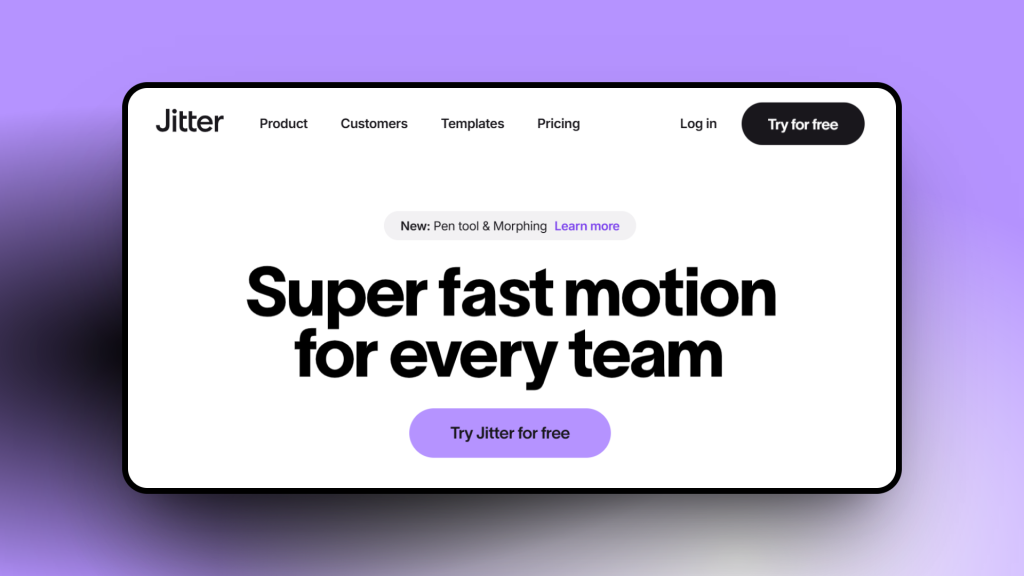
Jitter Video
Jitter makes it simple to turn your static UI designs into smooth motion graphics and micro-interactions. Perfect for adding life to your Figma designs or creating quick animations for social posts and tutorials.
Tip of the Month
Keep Your Design Files Lightweight
Before starting any new project, take a minute to clean up your Figma file, remove unused layers, delete extra pages, and organize frames properly.
It keeps your workspace fast, reduces confusion, and makes collaboration so much smoother. A small habit that saves a lot of time in the long run.
🗣️— From the Community
I must say, Your Global Style sync feature is robust, It help me not just in UiChemy Export with Global styles but it also my go to tool for regular Global Style Sync between Figma to Elementor. More Power to your team for even more functionalities like this.
Subscribe our Newsletter, get Monthly & Weekly Product updates, News and more….✉️
]]>You’re in the right place! This roundup features UiChemy and other top Figma plugins and tools, all at special discounted prices.
If you’re a designer, developer, or someone who simply enjoys creating websites, these deals will make your work easier and your wallet happier.
Explore the best Figma and WordPress offers and grab your favorites before the deals end!
| Sl No | Product | About | Offer | Deal Start | Deal End | Get Deal |
|---|---|---|---|---|---|---|
| 1 | UiChemy | UiChemy converts your Figma designs into fully functional Elementor pages instantly. No manual recreation needed. | Up to 50% Off | 16th Nov 2025 | 7th Dec 2025 | Get Deal |
| 2 | The Plus Addons for Elementor | The Plus Addons for Elementor provides 120+ unique Elementor widgets to enhance the functionality of Elementor page builder. | Up to 50% Off | 16th Nov 2025 | 7th Dec 2025 | Get Deal |
| 3 | Nexter | Nexter WP helps you build fast, stunning WordPress websites in minutes using Gutenberg Blocks, powerful extensions, and a lightweight theme. | Up to 50% Off | 16th Nov 2025 | 7th Dec 2025 | Get Deal |
| 4 | WDesignKit | WDesignKit simplifies WordPress design with cloud collaboration, a widget builder, 1000+ templates, and Figma integration. | Up to 50% Off | 16th Nov 2025 | 7th Dec 2025 | Get Deal |
| 5 | UIHut | Access 26,000+ premium design resources to build stunning UIs faster. UI kits, templates, illustrations, icons, and more in one place. | 72% Pre Applied | 3rd Nov 2025 | 3rd Dec 2025 | Get Deal |
| 6 | Uxcel | Uxcel is an interactive platform for learning UX, product, and AI skills with bite-sized lessons, certifications, and real-world career growth. | Offer #1 – $299 USD Lifetime Deal capped at 1,000 claims. Offer #2 – 62.5% Off Uxcel Pro Yearly membership. | 24th Nov 2025 | 3rd Dec 2025 | Get Deal |
| 7 | Supercharge Design | Supercharge Design offers video courses and resources that speed up your process and help you learn critical UX and UI skills. | $100 Off (BF2025) | 28th Nov 2025 | 28th Nov 2025 | Get Deal |
- Redesigned Manual Responsive Manager for a cleaner UI.

- New Pick All option to grab values directly from your Figma document.

- Added AutoFill to speed up responsive adjustments.

On top of that, we polished the Figma to Elementor workflow with small but impactful improvements, all aimed at giving you a smoother experience.
📈 — What’s Next at UiChemy?
We’re not stopping here, With the latest UiChemy 4.0 update, we’re expanding beyond Elementor to bring in new plugin support.
The update also includes a redesigned, user-friendly interface with a simple step-by-step method to make your design process smoother.
- Figma to Bricks & Figma to Gutenberg Plugin Support
- Figma to Gutenberg Plugin with added compatibility for Kadence, Spectra, GenerateBlocks, and Core Gutenberg Blocks.
These updates mean more flexibility, more choice, and smoother builds across your favorite WordPress tools.
🔥— Feature Spotlight
Global Style Sync
Keeping your Figma designs consistent with your live site just got easier. With Global Style Sync, you can now bring your site’s colors, typography, and container widths directly into Elementor from Figma.
- No more guessing hex codes or font sizes.
- Your Figma file and WordPress site stay perfectly aligned.
- Works easily with multiple breakpoints, so your design looks good everywhere.
This not only saves time but also ensures your projects feel polished and professional from the first import.
🎥 — New Video
We know many of you have been eager to see UiChemy 4.0 in action, so we’ve put together a new video walking through the updated workflow. In this quick session, you’ll see how easy it is to go from Figma to Elementor, with a cleaner process and faster results than ever before.

📰 — Figma & Tech Bytes
- Figma introduced a new Cut tool that allows users to precisely divide vector objects and shapes into separate elements. When editing a vector, users can select the Cut tool and either click and drag to slice an object or click on a point to split the vector, making vector editing smoother and more efficient.
- Figma introduced new features, including Zapier integration, Remote MCP Server, Code Connect UI, Figma Sites for Starter & Education plans, Snap to midpoint for variable width stroke, and more….Read about all the updates here.
- Gutenberg 21.7 Update: The latest version introduces an expanded command palette, a new Terms Query Block, and several other improvements and bug fixes.
- WordPress Now Supports IPv6: After eight years, WordPress has officially added full IPv6 support, marking the closure of the long-standing trac ticket.
- WordPress 6.9 will make the “Discourage search engines from indexing this site” message more visible. A new Site Health test under the Privacy category will alert site owners with a red icon in the dashboard and provide a direct link to Reading Settings for adjustments.
- Google has disabled the &num=100 results parameter, affecting rank trackers and prompting adjustments in how desktop impressions are measured.
- The WordPress 6.9 release cycle is progressing without documentation team leads, mirroring the 6.8 approach. The smaller team aims to reduce coordination overhead, but the decision has sparked concerns over the role and value of documentation in the community.
- Google will retire the Looker Studio-based CrUX Dashboard at the end of November 2025, ending the visualization tool for Core Web Vitals data.
- Google’s AI Max for Search is now in global beta, offering one-click experiments and an upcoming text guidelines feature to guide brand-safe creative.
💡— Figma Tips, Tricks & Tools
Tool of the Month
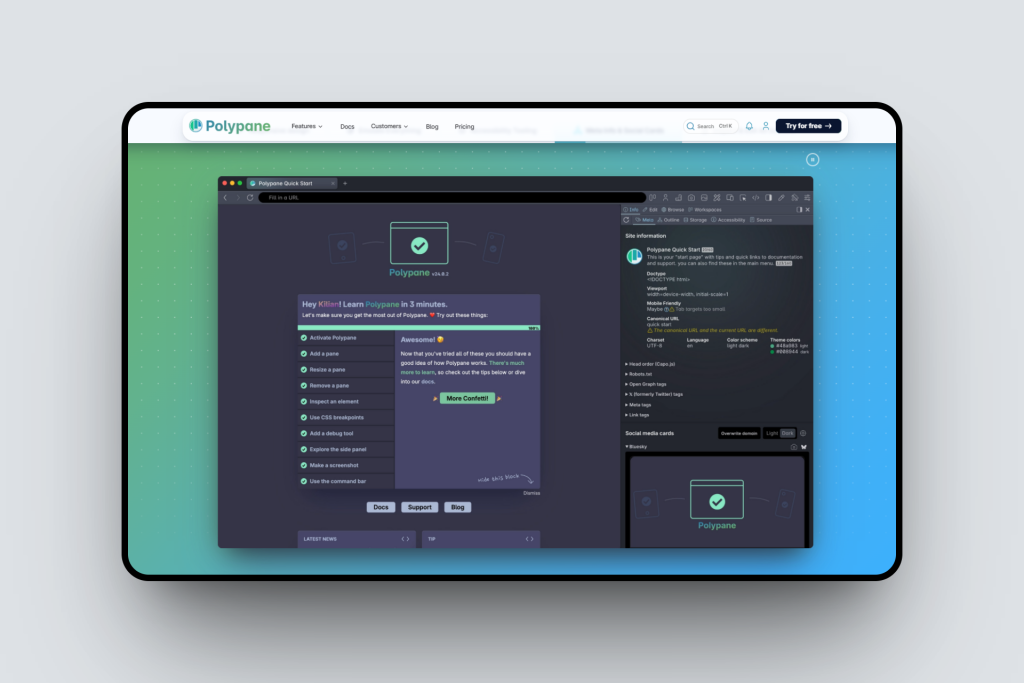
Polypane
A browser built for responsive design & accessibility testing, see your site on multiple devices at once.
Tip of the Month
Name Your Layers Clearly
Good layer names = less confusion, faster exports, and cleaner handoff when building in WordPress.
🎉Big News for Creators! Join the UiChemy Influencer Contest
Here’s something exciting! We’re hosting a special contest for talented YouTube creators who love Figma and WordPress.
Here’s your chance to create a video or tutorial about UiChemy – Figma to WordPress converter, and win up to $1000, earn 40% recurring affiliate commissions (we’ve doubled the usual 20% just for you!), and even get featured on our official channels.
Don’t keep it to yourself, share it with a friend or creator you know who’d love to join too!
👉 Register now for free and secure your spot!
Got questions or need a little help getting started? Just drop us a message at [email protected], we’d love to hear from you and help you get going.
🗣️— From the Community
Here is what we were waiting for !! GREAT JOB TEAM <3
I just completed 3 projects together in just 2 days LOL I’ve never done it before!! Absolutely going to purchase it but I am stuck with some complex layouts for which I need help from your team, how can I reach them? Looking forward to collab with you.
Have any questions or suggestions about UiChemy?
We’re always listening! Share your thoughts with us, our team reads every message and loves hearing from you.
Subscribe our Newsletter, get Monthly & Weekly Product updates, News and more….✉️
]]>- Bricks – WordPress Menu & Nav Menu Tagging Support
Now you can directly tag navigation menus in Figma, and UiChemy will automatically convert them into WordPress Navigation Menu elements. No need to remove and manually drag-and-drop menus after export. - Elementor: Button Auto Tagging
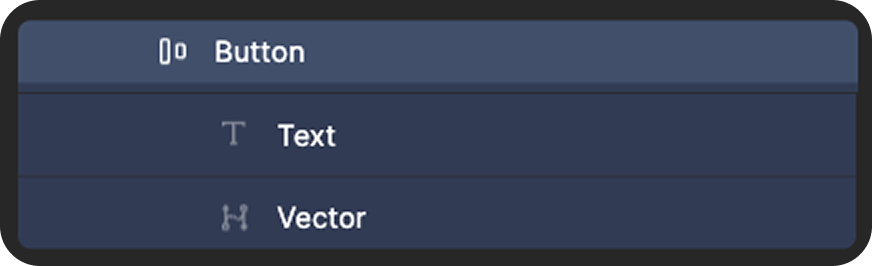
Just like containers, headings, and images, button layouts now get auto-tagged. If you name layers like Button, Btn, div-btn, or div-button, UiChemy will automatically convert them into button widgets.
- Educational Figma File Released
We published a dedicated Figma file covering the most common design issues and how to fix them. From fixing grouped layers to optimizing media assets, flattening vectors, handling absolute positions, and more, step-by-step examples with screenshots make your workflow cleaner and export-ready.
Topics covered include:- Fix Incorrectly Grouped Layers
- Optimise Media Assets
- Flatten Vector Layers
- Crop Overflowing Images
- Use Container Borders Instead of Lines
- Convert Shapes to PNG/Container
- Handle Absolute Positioned Elements
- Fix Overflowing Sections
- Remove Fixed Text Heights
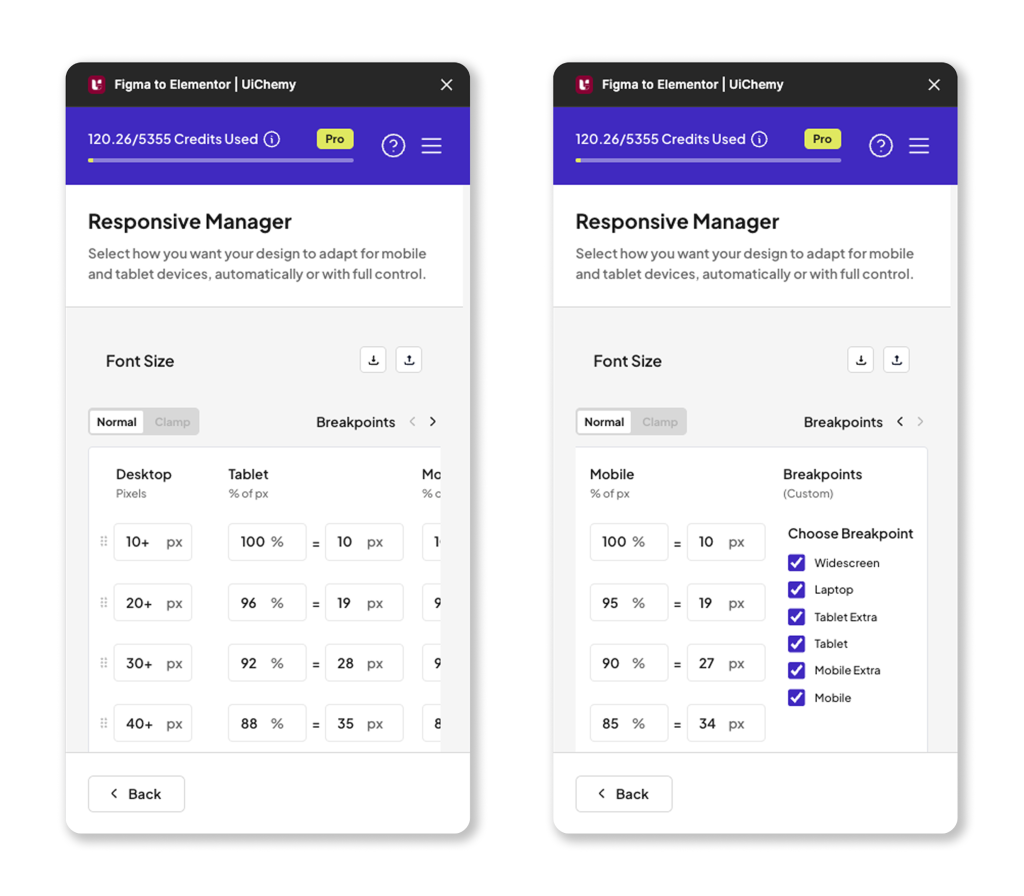
- Responsive Manager, Reimagined
The new Responsive Manager comes with a redesigned interface and improved workflow.
- Static & Range Font Sizes: Easily manage responsive typography with px values or percentage scaling.
- Laptop Breakpoint: Now supported.
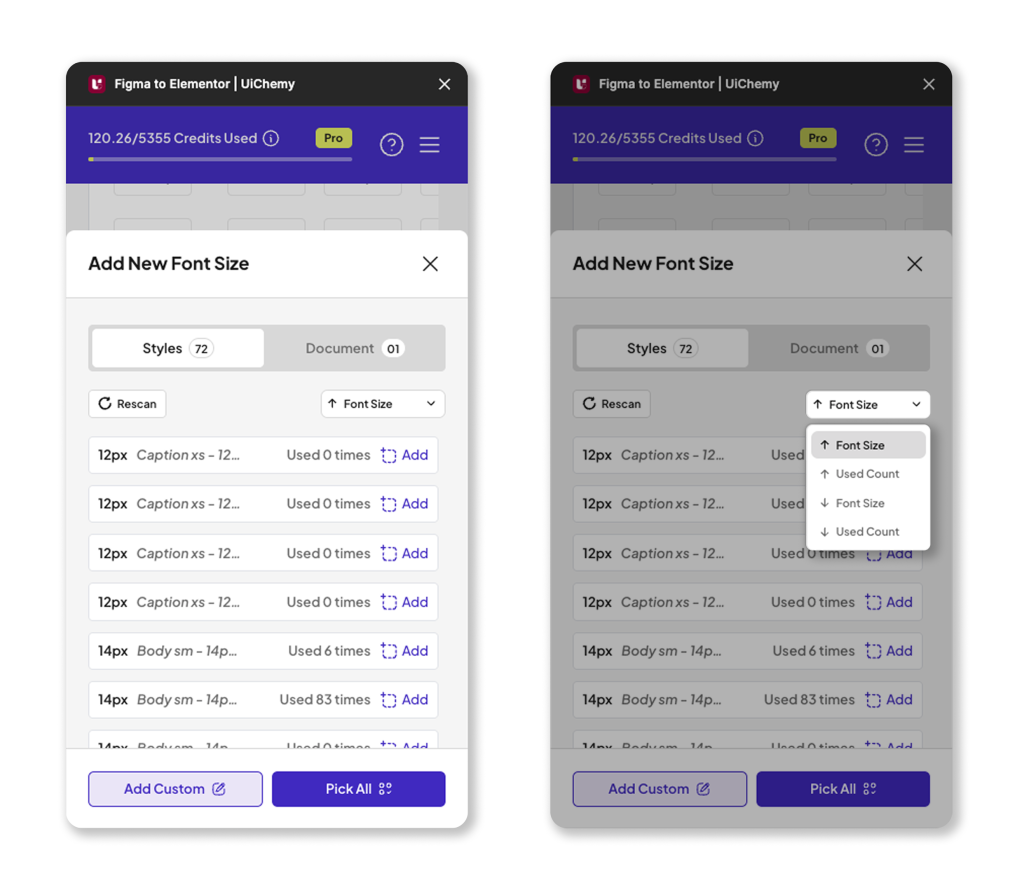
- Automatic Value Detection: UiChemy scans your Figma file and lists all font sizes, line heights, paddings, and gaps, saving manual effort.
- Sorting Support: Sort values by font size or usage frequency for better consistency.
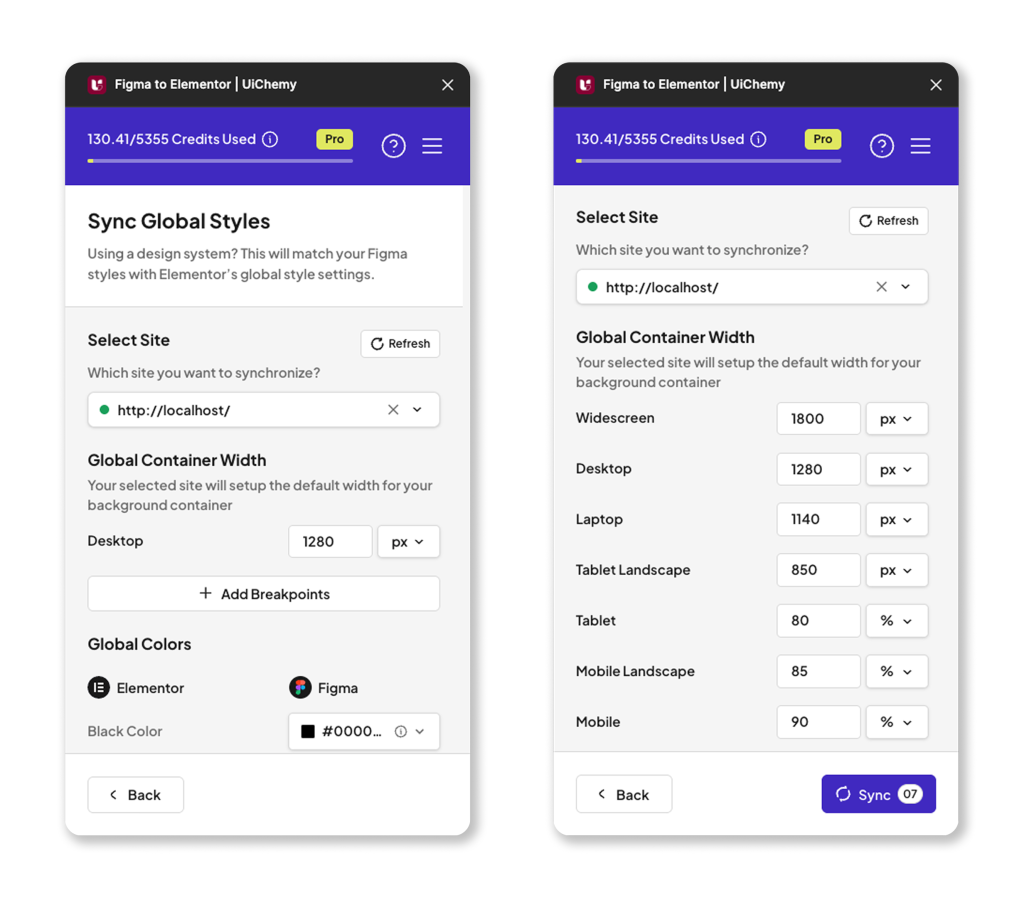
- Smarter Global Styles Sync
You can now define global container widths for all breakpoints, not just desktop. Whether widescreen, laptop, tablet, or mobile, your layouts stay consistent across every device.
All these updates are live and ready for you. Just update to the latest version and explore.
For all the changes, Check out the complete changelog here.
📈 — What’s Next at UiChemy?
We know you’ve been waiting for this, here’s what’s next on our roadmap:
- UiChemy Figma to Bricks & Gutenberg Plugins
We’re bringing all the goodness of UiChemy 4.0 (the redesigned plugin with step-by-step workflows) into Bricks and Gutenberg. Expect smoother conversions and broader support, with Kadence, Spectra, and Gutenberg Core Blocks, alongside our existing support for Nexter Blocks. - UiChemy Education Course
We’re working on a structured learning course designed to help you master Figma-to-WordPress workflows with UiChemy. Perfect for new users and teams who want to refine their process.
That’s what’s lined up next, and we can’t wait for you to try them.
🔥— Feature Spotlight
Smarter Conversions, Less Guesswork
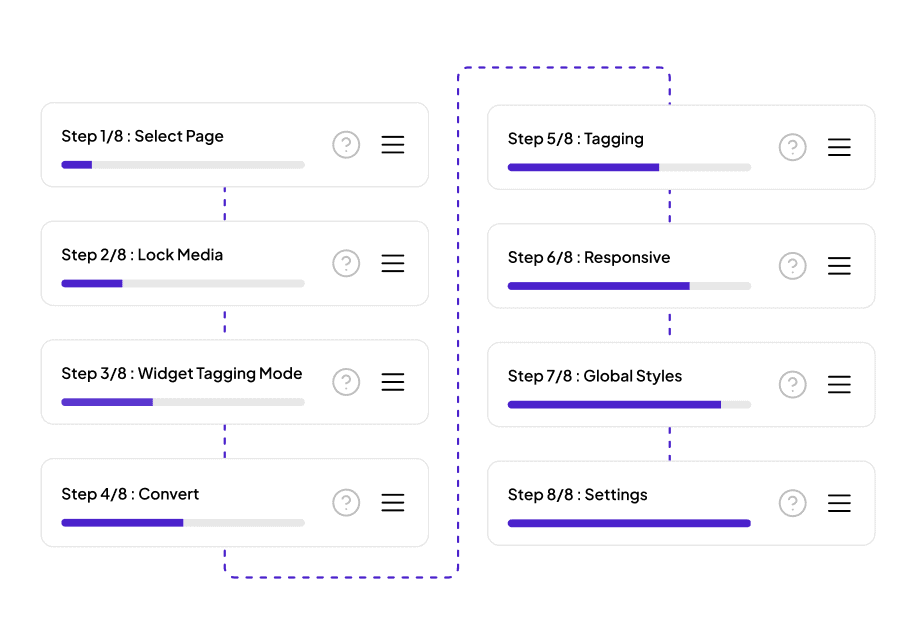
We introduced real-time responsive preview in UiChemy. As you adjust layouts or change screen sizes, you can instantly see how your design will adapt, no need to re-export or re-click anything. It’s all about building with confidence, faster.
Instead of guessing what to do next, you’ll now move through each stage step by step, from prepping your Figma file, tagging widgets, setting up responsiveness, to syncing global styles.
This makes the whole process smoother, easier to follow, and especially helpful if you’re new to UiChemy or want more control while exporting.
No more skipping steps. No more confusion. Just a clear path from design to Elementor.
🎥 — Learn with the Experts
We’ve got something special for you this month, fresh educational videos on UiChemy.


📰 — Figma & Tech Bytes
- Figma Draw now includes 10 new scatter brushes, enabling users to add dimension with shadows and stippling effects for more detailed illustrations.
- Hover to View Full Names in Pickers: Figma now lets users hover over shortened variable and style names in pickers to see the full name.
- More AI-Powered Image Editing Options: Figma has expanded its AI editing features, allowing users to remove backgrounds or boost resolution for up to 25 images at once, and choose between Gemini 2.0 Flash or GPT Image 1 for tailored results.
- Password Protection for Sites & Makes, Figma now allows users to restrict access to published Sites and Makes with password protection, making it easier to manage internal reviews, client sharing, and pre-launch work.
- Figma Buzz now integrates millions of high-quality stock images from Unsplash. Users can browse the media panel for inspiration or use the search bar to find specific images. The feature is available for free on all seats and plans during beta.
- The WordPress AI team has selected its new logo, “Block Sprinkles,” following a GitHub discussion.
- The latest Gutenberg release (v21.4) introduces improvements to DataViews, style shuffling in write mode, along with several enhancements and bug fixes.
- Google AI vs. ChatGPT on Brand Picks: New data shows Google’s AI Overviews/AI Mode and ChatGPT disagree on brand recommendations nearly two-thirds of the time.
- ChatGPT-5 Gains Google App Integrations: OpenAI has added Gmail, Google Calendar, and Google Contacts connectors for ChatGPT Plus users, allowing ChatGPT to access and use data from these apps directly within chats.
- Google SEO Guidance for Paywalls: Google has issued new guidance for publishers on handling JavaScript paywalls, as its systems struggle to properly identify paywalled content.
- Google Adds Search Partner Visibility: Google has quietly rolled out site-level reporting for the Search Partner Network, giving advertisers long-awaited visibility into where their ads appear outside of Google.
💡— Figma Tips, Tricks & Tools
Tool of the Month
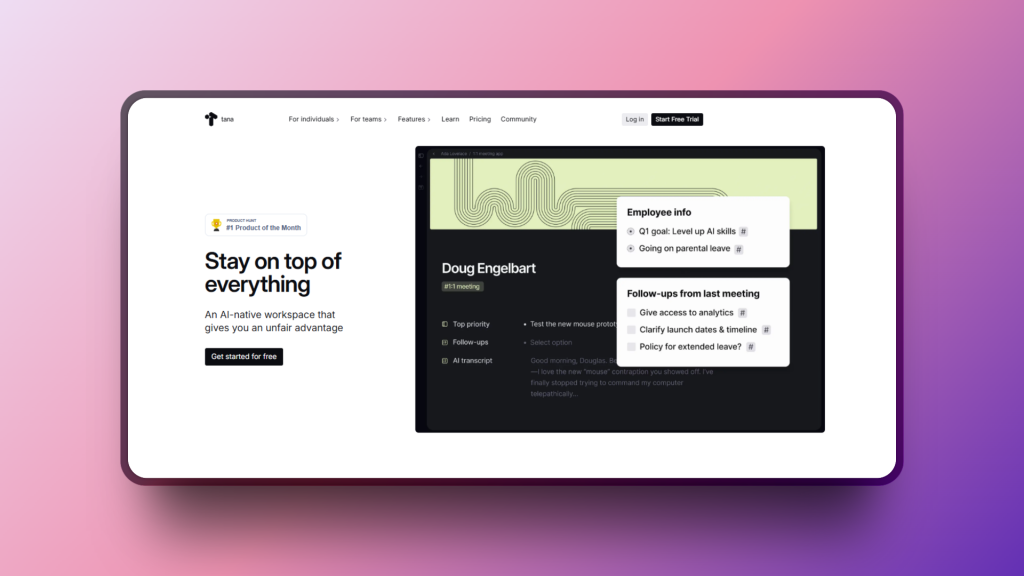
Tana – Your Second Brain, Reimagined
Tana blends notes, tasks, and databases into one beautiful and flexible space. Perfect for anyone juggling multiple projects or trying to keep ideas, research, and workflows organized without feeling overwhelmed.
Tip of the Month
Keep Your Images Web-Ready
Large, unoptimized images can slow down your site and hurt the user experience. Before uploading, compress them using tools like TinyPNG or Squoosh. You will get faster load times, better SEO, and happier visitors, without losing visual quality.
🗣️— From the Community
Powerful Style Integration
I must say, Your Global Style sync feature is robust, It help me not just in UiChemy Export with Global styles but it also my go to tool for regular Global Style Sync between Figma to Elementor. More Power to your team for even more functionalities like this.
Subscribe our Newsletter, get Monthly & Weekly Product updates, News and more….✉️
]]>Let’s break down what’s changed (and why you’ll love it):
- A Fresh New Look: We’ve redesigned the entire UiChemy interface to be cleaner, more focused, and easier to use. From the dashboard to preview panels, everything now feels more polished and intuitive, making your workflow feel less like work.
- Live Preview Before You Import: No more guessing. Now, you can preview each design section or page visually inside UiChemy before importing. It helps you decide faster and ensures you’re choosing the right layout for your needs.
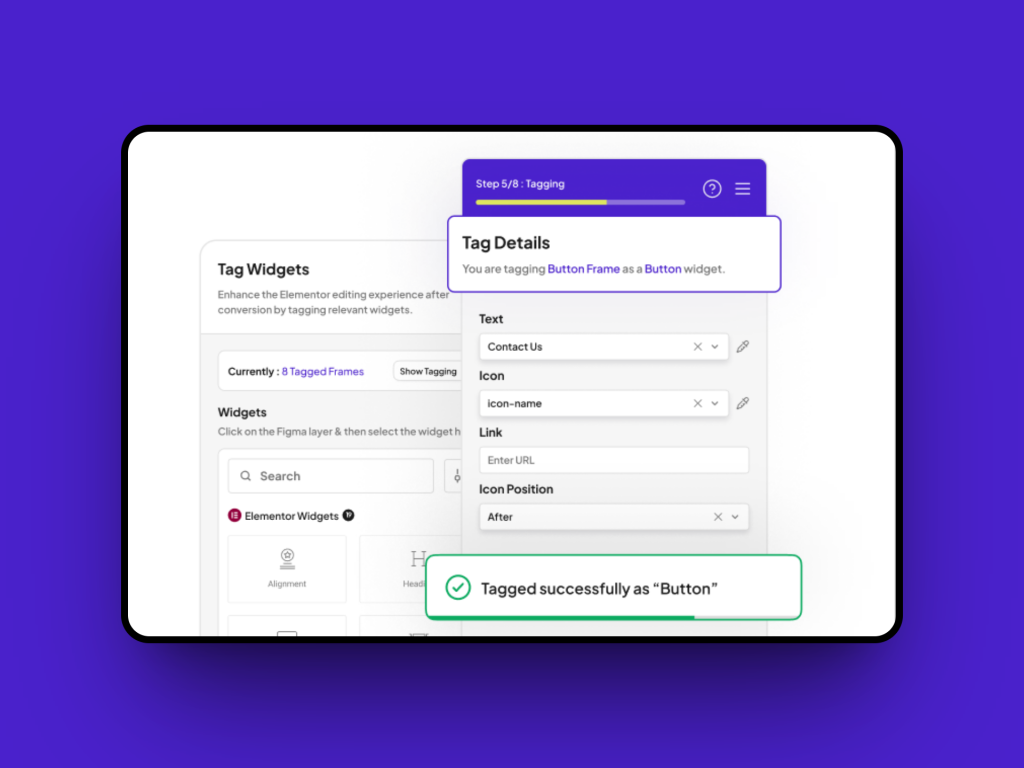
- Tagging Got Smarter: We’ve improved the tagging experience from the ground up. Now, as soon as you tag an element, it instantly reflects in the design, no need to re-click or guess if it worked. It’s fast, clear, and frustration-free. And here’s something new: You’ll now also see a live count of tagged elements. This makes organizing and tracking your progress super simple.
- Control Your Image Export Sizes: Need high-res exports for a client? Or want faster exports with lighter files? You can now scale images up or down based on your needs, all within the export flow. This gives you more control, whether you’re exporting for quality or speed.
- Templates Inside the Plugin: You asked, we delivered. We’ve added 10+ free ready-made templates directly inside UiChemy. No more switching tabs or digging through folders, browse and import what you need, without leaving the plugin.
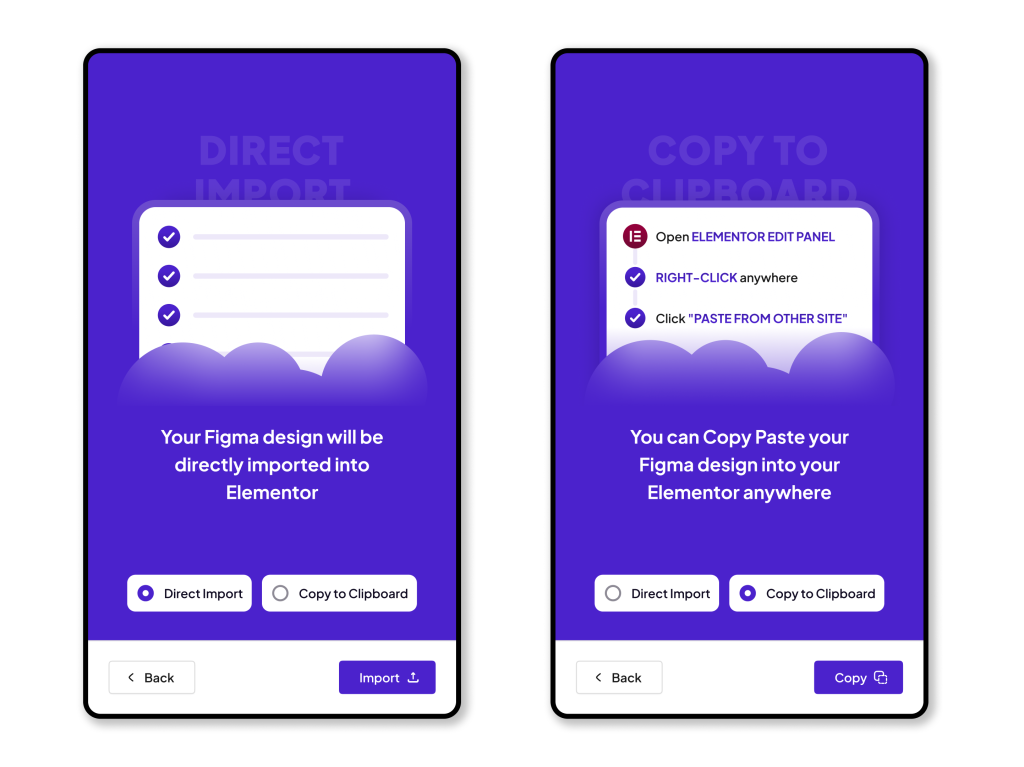
- Export Your Way: Choose ‘Direct Import’ for instant transfer to Elementor, or ‘Copy to Clipboard’ to paste in the editor, both give you clean, fast-loading output.
- Better Typography + Spacing: We’ve refined the way typography and spacing are handled during import. The result? More consistent design and less post-import tweaking.
- Onboarding That Actually Helps: New to UiChemy? We have added a simple onboarding flow to guide you through your first few steps, from uploading your Figma file to importing your first block. No more getting lost.
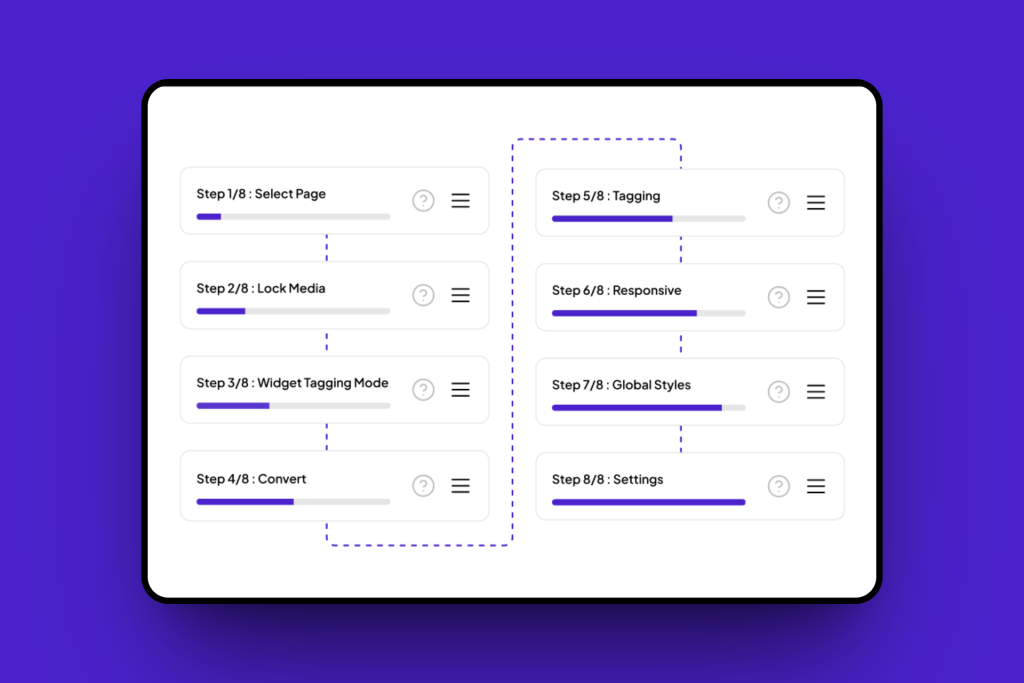
All of these updates are now live in your plugin, no extra steps needed. Just update to the latest version and explore!
👉🏻 Get the full story in our release blog
🎥 Watch the video to see UiChemy 4.0 in action
Thank you for being part of this journey. The feedback, the love, the support – it’s what drives us every day.
Let us know what you think, we’re always listening.
More good stuff is on the way. Stay tuned.
For all the changes, Check out the complete changelog here.
📈 — What’s Next at UiChemy?
We know it’s been a while, things were on hold as we focused on a major update for UiChemy. But we’re back! Over the next couple of months, you’ll start seeing new educational videos and blog posts that’ll make working with Figma to Elementor even easier. We’ve got some really helpful stuff coming your way.
Till then, if you haven’t already, subscribe to our channel to stay in the loop.
We’re also planning more updates to the Responsive Manager, improving its layout and reducing complexity so you can create perfect responsive designs faster than ever.
🔥— Feature Spotlight
Responsive Preview, Now in Real-Time
We introduced real-time responsive preview in UiChemy. As you adjust layouts or change screen sizes, you can instantly see how your design will adapt, no need to re-export or re-click anything. It’s all about building with confidence, faster.
📰 — Figma & Tech Bytes
- Figma has introduced smarter vector drawing, layout variables, and enhanced object swapping tools to streamline design workflows. The update also brings improved keyboard navigation, Dev Mode enhancements, and video background support for Sites.
- Figma has introduced major enhancements to its Variable Width Stroke feature, allowing users to input exact values, navigate width points with keyboard tabbing, preview custom profiles, and enjoy more precise control while resizing or designing.
- Figma rolls out a wave of new features including the glass effect, iOS & iPadOS 26 UI kit, Supabase integration in Figma Make, and support for apex domains and custom subdomains in Sites. The update also brings improved grid controls and Dev Mode enhancements like annotations and Code Connect snippets. [Read more information here]
- Chrome launches a trial to improve Core Web Vitals for JavaScript-heavy websites. Google is testing a new API aimed at accurately measuring performance in single-page applications (SPAs).
- Google reverses course on Google URL shortener plans. The company announced continued support for select links from the deprecated service, noting that 99% of shortened URLs see no traffic.
- WordPress Coding Standards 3.2.0 released. The update introduces enhanced code quality checks, adds new rules to detect potential issues, and improves compatibility with WordPress 6.8.1 and newer PHP versions. It also removes outdated checks, boosts performance, and expands documentation to support cleaner and more reliable code development.
- The latest Elementor 3.30 update introduces key improvements aimed at enhancing the design experience. It includes early capabilities of Editor V4, advanced styling options, and access to full Website Templates hosted in the cloud. These additions are designed to help users build accessible, scalable websites more efficiently.
- WordPress 6.9 Roadmap Highlights Ahead of December Release: Scheduled for release on December 2, 2025, WordPress 6.9 will bring simplified site editing, expanded template management, block hiding options, block-level commenting, command palette enhancements, and more.
- Recent experiments suggest that ChatGPT might rely on Google Search as a fallback when Bing doesn’t return indexed results. While not officially confirmed by OpenAI, this behavior has been observed in various scenarios where Bing data appears incomplete.
- Google has clarified that CSS class names have no influence on SEO and are not interpreted as content. However, large or bloated CSS files can negatively affect Core Web Vitals by slowing down page speed. To maintain optimal performance and indexing, Google recommends keeping CSS crawlable for proper rendering.
- The WordPress Foundation has introduced the WordPress Credits system, aimed at helping university students engage with WordPress in a structured and meaningful way. This initiative provides guided learning and hands-on experience in contributing to the open-source WordPress project, fostering early involvement in the community.
💡— Figma Tips, Tricks & Tools
Tool of the Month
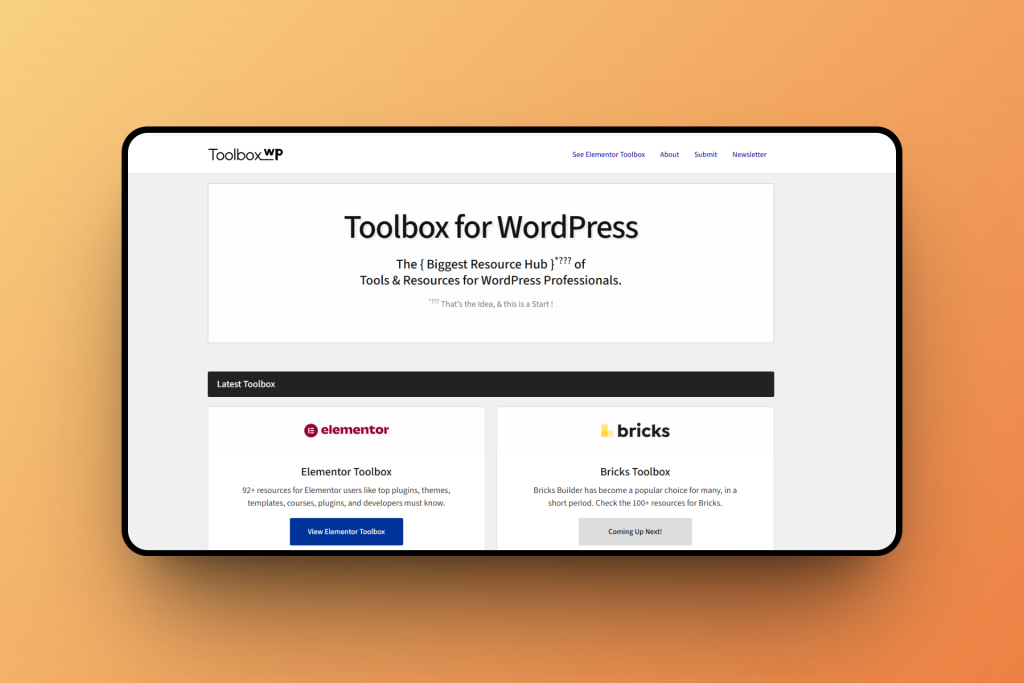
ToolboxWP
A growing resource hub created for WordPress professionals. It’s a growing collection of tools, plugins, and resources, picked for people who actually work with WordPress every day. Big company or solo creator, if it’s useful, it’s in here. The goal? To make life a little easier for WordPress pros like you.
Tip of the Month
Use Fewer Fonts for a Cleaner Design.
Stick to 1–2 fonts in your designs or websites. It improves readability and makes your brand look more professional.
🗣️— From the Community
Excellent Plugin & Outstanding Support!
Really impressed with UiChemy! The plugin is smooth, easy to use, and has already saved me a lot of time in my workflow. The support team is also super responsive and helpful, Mohit got back to me quickly and gave a clear solution that worked right away.
It’s great to see developers who genuinely care about both their product and their users. Highly recommend this to anyone looking for a reliable and well-supported tool!
Subscribe our Newsletter, get Monthly & Weekly Product updates, News and more….✉️
]]>