-
-
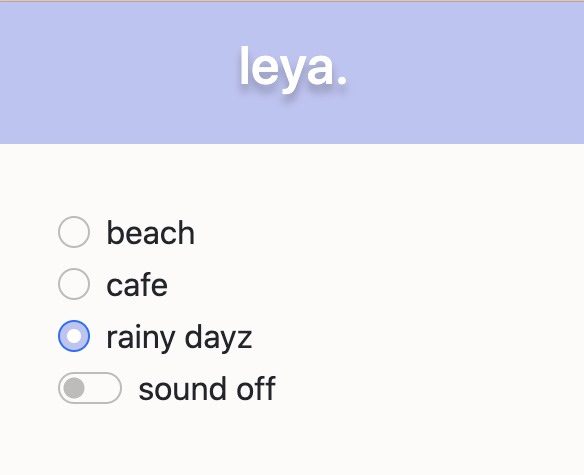
Popup
-
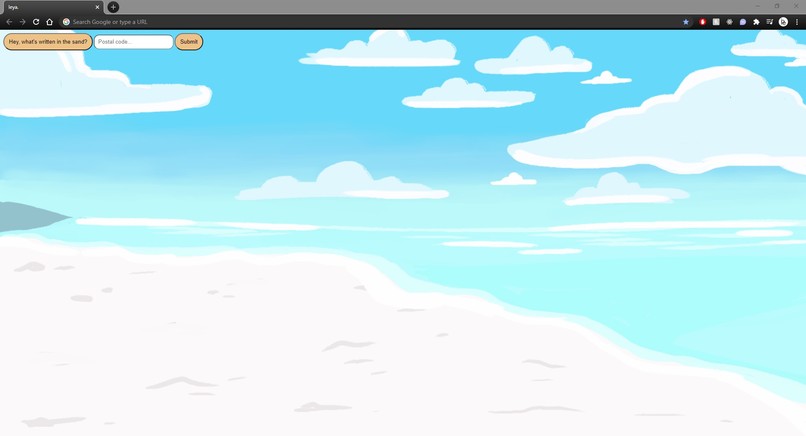
Beach Theme
-
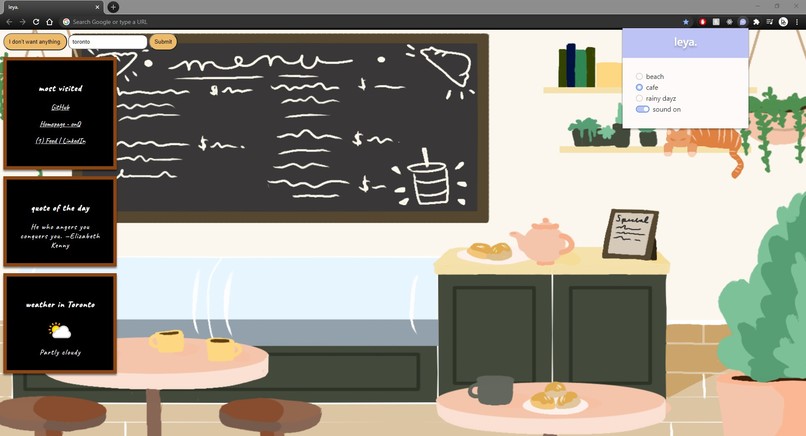
Cafe Theme
-
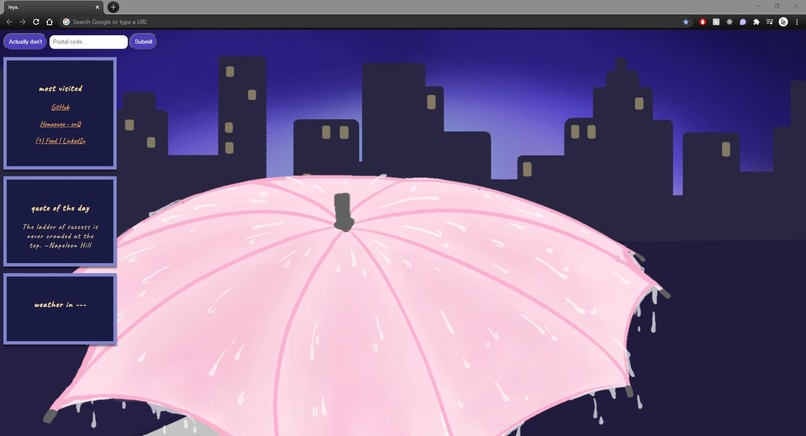
Rainy Days Theme


Inspiration
As Computer Science students, we spend a lot of time on Google Chrome. In a global pandemic, who doesn’t spend a lot of time on Google Chrome? As our browsers have become our workplace, we set out to make them as comfortable and productive as we could. leya was inspired by a need for a better web experience, crafting aesthetic imagery and sounds that not only relax you as you browse, but provide an interesting visual experience while you work in Google Chrome. The extension can be customized to fit your visual environment and productivity needs, with three different themes for day to day workflow and browsing. Customize your browsing experience with leya!
What it does
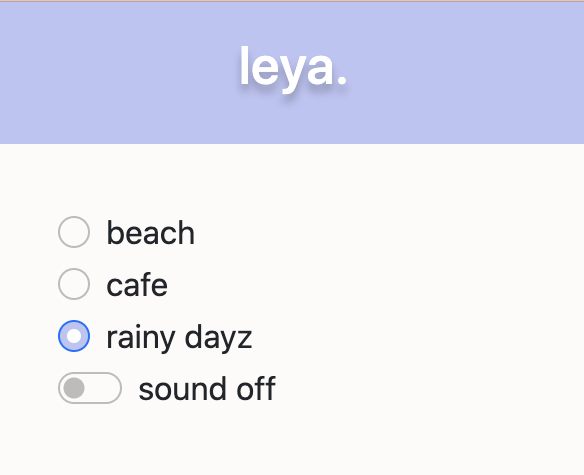
Through leya, users can access a popup menu that allows them to toggle between different themes and their corresponding sounds. Users will have their homepage background changed to match their theme, along with a customized menu of options to view their most visited pages, see a quote of the day, and the weather in their local area through inputting their postal code.
How We built it
leya has 4 major components: visual styling of the browser, audio, an extension popup, and respective theme menus. At their core, chrome extensions are built with HTML and CSS for styling and Javascript for functionality. Thus, the styling of the browser including the background images and menus were made with separate HTML and CSS files for each theme. Additionally, the background art was done by our team in a simple painting software. leya’s popup menu design was first created in Figma before being implemented in the application using HTML and CSS. The UI uses the chrome extension API to add event listeners that listen for changes in the UI selections, fire messages to other parts of the app, and pull from and update data in Chrome’s local storage. The audio selection was implemented using the chrome extension API, using event listeners in the background file of the app to listen for messages sent from the popup UI to switch between audio files and toggle the mute function.
Challenges We ran into
This was our first time making a Google Chrome extension, so naturally technical issues will follow. We particularly struggled with the debugging of errors in our code, understanding the flow and passing of information between files and functions, and styling the browser without the use of Google themes. On a less technical note, we completed the hackathon from four separate locations while communicating only online. This type of communication easily allows for problems and ideas to fall through the cracks, and navigating workflow in this setting was no easy task. However, regardless of the technical issues and overcoming a challenging situation communication-wise, our group not only worked well together, but genuinely enjoyed our time on the project and at Hack the North 2020++!
Accomplishments that We're proud of
We’re proud that as a team we were able to ship a novel and polished product that we were invested in conceptually and that could have a lot of value in one’s everyday life. Building a chrome extension together from start to finish was a memorable learning experience and invaluable exercise in creativity.
What We learned
It was our first time building a chrome extension so the languages that we used were familiar but the application was in a completely different form. We were able to explore just how robust chrome extensions are and how much they have the capacity of doing, from changing visuals to completely altering a new page to even playing sound from within your browser itself. As visuals were such a key component of our project, we were able to emphasize learning many principles of design, such as tools like figma to prototype our gui and painting softwares to design our themed backgrounds. Additionally, we learned about the importance of effective workflow and communication for remote teams.
What's next for leya.
In terms of UI changes, we would like to add a volume slider built into the popup menu to allow users to customize their auditory experience from within our extension. We would also like to add a close button on the popup to enhance user experience even further. Currently, we were able to develop three themes; however, we would like to expand leya into many more aesthetic themes and audio ambience, allowing for more flexibility and customization of the browsing experience. Eventually, we would like to tailor the browsing theme even further to match the local weather of the user.
Built With
- chrome-extension-api
- css
- html
- javascript
- quotable-api
- scss
- weatherapi


Log in or sign up for Devpost to join the conversation.