
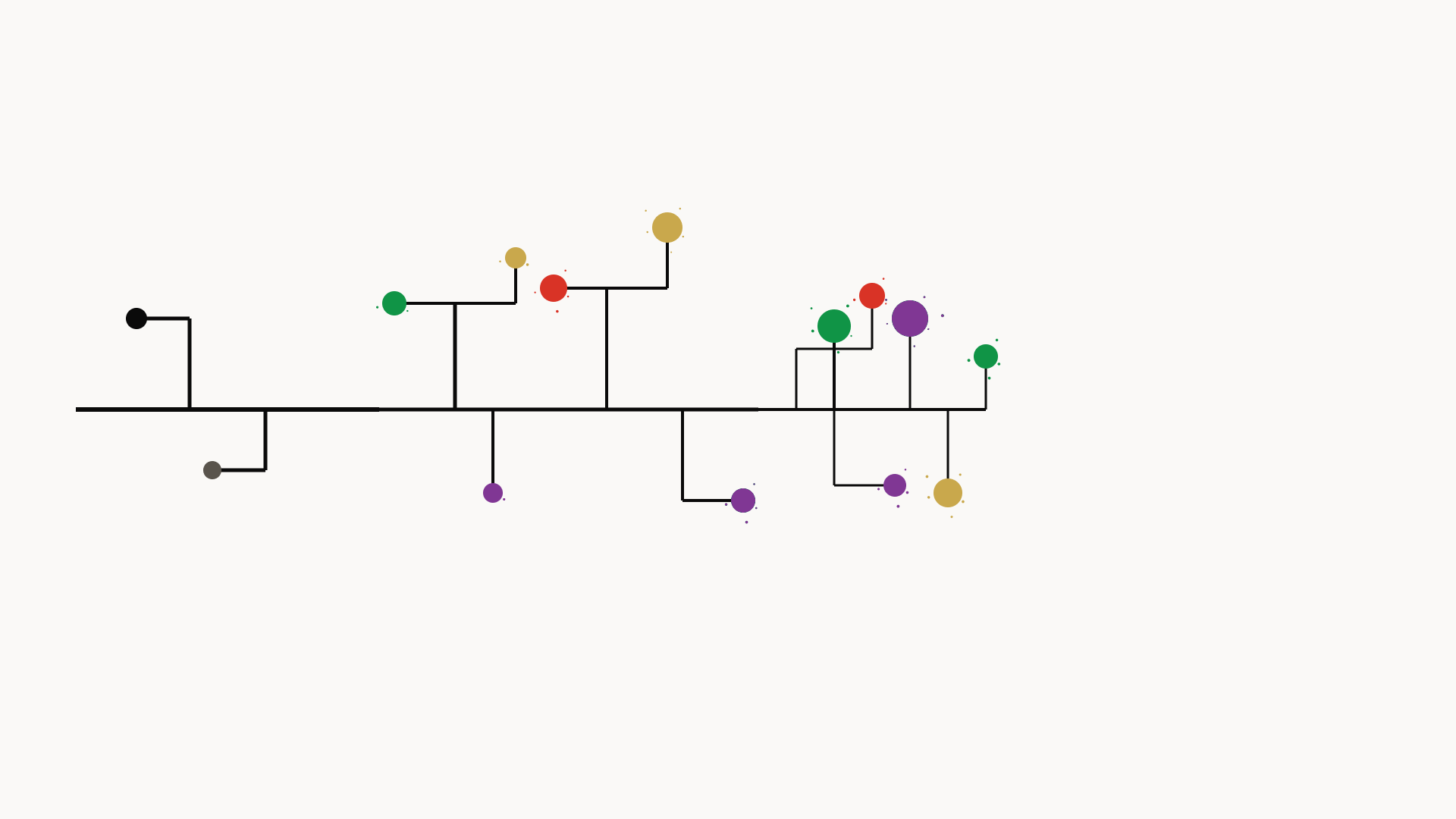
Your engineering process, visualized as a knowledge graph.
MethodProof captures how you work — terminal commands, file edits, git commits, AI interactions — and renders it as an interactive process graph you can explore, share, and prove.
No account required. Fully offline. Your data stays on your machine unless you explicitly push it.
pip install methodproofmethodproof init # choose what to capture, install hooks
methodproof start # begin recording
# ... code normally ...
methodproof stop # stop recording, build process graph
methodproof view # explore your session in the browsermethodproof view opens a D3-powered interactive graph: every action is a node, every relationship is an edge. You see exactly how your session unfolded — which commands led to which edits, when you consulted AI, where you hit dead ends and recovered.
- Process graph — D3 interactive visualization of your entire session as a knowledge graph
- Prompt analysis — 35 structural metadata dimensions extracted from every AI prompt (intent, cognitive level, specificity, context dependency) — no content stored
- Environment profiling — structural analysis of your AI dev environment (instruction files, tool counts, MCP servers) captured at session start
- Outcome metrics — first-shot apply rate, follow-up sequences, phase transitions computed at session end
- Granular consent — 10 standard capture categories + 1 premium, each independently toggled. Nothing records without your opt-in
- Local-first — SQLite database at
~/.methodproof/,chmod 600. No network calls unless you choose - Live streaming —
methodproof start --livestreams events to the platform in real-time over WebSocket - Integrity verification — hash-chained events + Ed25519 attestation prove sessions haven't been tampered with
- E2E encryption — optional company-held AES-256-GCM encryption the platform cannot decrypt
- Auto-detection — hooks for shell, Claude Code, OpenClaw, codex, gemini, aider installed automatically
- Platform sync —
methodproof pushuploads sessions.methodproof publishmakes them public and shareable
| Command | What it does |
|---|---|
init |
Interactive consent selector, install hooks, create data directory |
start [--dir .] [--tags t1,t2] [--public] [--live] |
Start recording |
stop |
Stop recording, build process graph |
view [session_id] |
Open session graph in browser |
log |
List sessions with sync status, visibility, tags |
login |
Authenticate with the platform |
push [session_id] |
Upload session |
publish [session_id] |
Set public + push |
tag <session_id> <tags> |
Add tags |
delete <session_id> [-f] |
Delete session and all its data |
consent |
Change capture categories |
review |
Inspect session data before pushing |
update |
Check for and install CLI updates |
How consent works
On first init, you choose exactly which categories to capture:
MethodProof — Full Spectrum

All data stays local in ~/.methodproof/. Nothing leaves your
machine unless you explicitly run `mp push` or `mp publish`.

  [x]  1. terminal_commands    Commands you run and their exit codes
  [x]  2. command_output       First 500 chars of command output (secrets auto filtered)
  [x]  3. test_results         Pass/fail counts from pytest, jest, go test, cargo test
  [x]  4. file_changes         File create, edit, and delete events with paths and line counts
  [x]  5. git_commits          Commit hashes, messages, and changed file lists
  [x]  6. ai_prompts           Your interactions with AI agents: prompts, slash commands,
                                mode switches, and tool management. Captured as graph nodes
  [x]  7. ai_responses         AI agent responses, tool calls, and results
  [x]  8. browser              Page visits, tab switches, searches, copy events (via extension)
  [x]  9. music                Now Playing track and artist (Spotify, Apple Music, etc.)
  [x] 10. environment_analysis Structural profile of your AI dev environment: instruction file
                                sizes, tool counts, config fingerprints (no file content stored)

  [ ]  0. code_capture         Full file diffs and git patches (Pro only, encrypted, private)

  Toggle: enter number (0 for code capture) | a = all 10 on | n = all off | done = confirm
Categories are enforced at three levels:
- Agent level — disabled agents don't start
- Event level — events from disabled categories are dropped
- Field level — specific fields stripped from events that are otherwise captured
Change anytime with methodproof consent. Inspect data before pushing with methodproof review.
Capture categories reference
| Category | Events | Details |
|---|---|---|
terminal_commands |
terminal_cmd |
Command text, exit code, duration. Sensitive commands auto-filtered |
command_output |
field in terminal_cmd |
First 500 chars of stdout. Redacted for sensitive patterns |
test_results |
test_run |
Framework name, pass/fail counts, duration |
file_changes |
file_create, file_edit, file_delete |
File paths, language, line counts |
git_commits |
git_commit |
Short hash, commit message, changed file list |
ai_prompts |
user_prompt, llm_prompt, agent_prompt |
Prompt metadata + 35 structural analysis fields (intent, cognitive level, specificity, etc.) |
ai_responses |
llm_completion, agent_completion, tool events |
Response metadata, tool calls, latency |
browser |
browser events | Metadata only — no page content, no search text, no copied text |
music |
music_playing |
Track, artist, source, player |
environment_analysis |
environment_profile |
Instruction file sizes/sections/fingerprints, hook/plugin/MCP counts |
code_capture |
field in file_edit, git_commit |
Full diffs (Pro only, AES-256-GCM encrypted, private by default) |
Prompt analysis — what gets extracted
Every AI prompt is structurally analyzed at capture time. The full prompt text is read to extract metadata, then discarded — no content is stored. Fields include:
| Dimension | Fields | Examples |
|---|---|---|
| Intent | sa_intent |
instruction, strategic_question, bug_report, correction, selection, verification |
| Cognitive level | sa_cognitive_level |
information, analysis, synthesis, evaluation, execution, decision |
| Specificity | sa_specificity_score, sa_named_files, sa_named_functions, sa_named_technologies |
0.0 (vague) to 1.0 (precise) |
| Context dependency | sa_context_dependency, sa_pronoun_count, sa_is_follow_up |
total (e.g. "Option B"), low (self-contained) |
| Collaboration mode | sa_collaboration_mode |
delegating, thinking_together, reviewing, selecting, correcting |
| Structure | sa_has_code_blocks, sa_has_error_trace, sa_has_constraints, sa_is_compound |
Booleans and counts |
At session end, outcome metrics are computed: first-shot apply rate, follow-up sequences, phase transitions, and correction counts.
Integrity verification
Three layers ensure session data hasn't been tampered with:
Hash-chained events — every event includes a SHA-256 hash linking to the previous event. Any modification breaks the chain, detectable via GET /sessions/{id}/chain/verify.
Ed25519 attestation — on methodproof push, the CLI signs a session summary with your private key. Install with pip install methodproof[signing]. Key generated during methodproof init, stored in ~/.methodproof/config.json.
Binary hash self-reporting — the CLI reports its own binary hash on push. The platform compares against known release hashes to detect modified builds.
E2E encryption
For company-managed encryption where the platform cannot read your data:
pip install methodproof[e2e]Set your company's key in ~/.methodproof/config.json:
{ "e2e_key": "<64-char-hex-key>" }All sensitive metadata (prompts, completions, commands, output, diffs) is encrypted with AES-256-GCM before storage and before any platform sync.
methodproof init auto-detects and installs hooks for:
- Shell — bash/zsh preexec/precmd hooks
- Claude Code — prompt, tool, agent, and session event hooks (structural analysis on prompts)
- OpenClaw — hook + skill for agent telemetry
- AI CLIs — codex, gemini, aider command wrappers
- MCP server — registered with Claude Code for session/graph queries
methodproof start watches the current directory recursively (or the directory passed via --dir). Every file create, edit, and delete under that tree generates an event.
Start in the right directory. If you start in a monorepo root, you'll capture events from every subdirectory. If you start in a subdirectory, parent-level changes won't be recorded.
cd my-project          # scope to this project
methodproof start

cd ~/code              # ⚠️ captures ALL projects under ~/code
methodproof start
Excluded patterns: __pycache__, .pyc, .git/, node_modules, .DS_Store, .swp, temp files ending in ~
Git commits are detected by polling .git/refs/heads/ every 2 seconds — only commits in a git repo rooted at (or above) the watch directory are captured.
~/.methodproof/
| File | Purpose |
|---|---|
config.json |
API URL, auth token, consent settings, E2E key (chmod 600) |
methodproof.db |
Sessions, events, graph (chmod 600) |
commands.jsonl |
Shell command log |