


Access Android camera using a WebSocket client API to perform real-time AI and computer vision tasks on a live video stream.


The app broadcasts live camera frames as JPEG images over WebSocket connections, where each JPEG image is received as a byte array through the WebSocket’s onMessage callback. The app supports multiple client connections, enabling each client to independently perform AI or computer vision processing in parallel.
A simple Python example using OpenCV and WebSocket libraries to connect to the WebSocket CAM app and display the live camera stream.
pip install opencv-python numpy websocket-clientimport cv2
import numpy as np
import websocket
SERVER_URL = "ws://192.168.18.50:8080"
def on_message(ws, message):
# Convert received bytes into numpy array
np_arr = np.frombuffer(message, np.uint8)
# Decode JPEG
frame = cv2.imdecode(np_arr, cv2.IMREAD_COLOR)
if frame is not None:
cv2.imshow("Camera Stream", frame)
if cv2.waitKey(1) & 0xFF == 27: # ESC key to exit
ws.close()
cv2.destroyAllWindows()
else:
print("Failed to decode frame")
def on_error(ws, error):
print("WebSocket error:", error)
def on_close(ws, close_status_code, close_msg):
print("Connection closed:", close_status_code, close_msg)
cv2.destroyAllWindows()
def on_open(ws):
print("Connected to Websocket CAM, open camera to see live stream")
if __name__ == "__main__":
websocket.enableTrace(False)
ws = websocket.WebSocketApp(
SERVER_URL,
on_open=on_open,
on_message=on_message,
on_error=on_error,
on_close=on_close,
)
try:
ws.run_forever()
except KeyboardInterrupt:
print("\n Stopped by user")
ws.close()
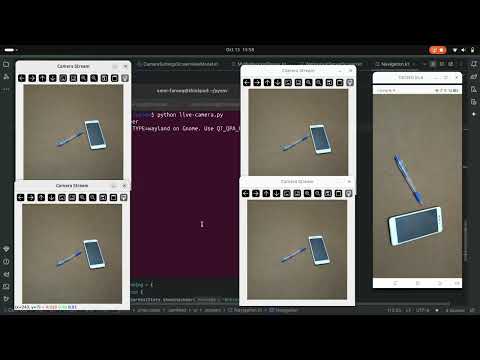
cv2.destroyAllWindows()Start the WebSocket server in the app, then run the this Python script in multiple terminals to view multiple live streams simultaneously
See the demo on Youtube 👇
Working examples of this app are availbe here WebsocketCAM examples


