Desafio técnico
A Pix key is, as the Banco Central do Brasil (BCB) calls, a “nickname” used to identify your account in a financial transaction.
With it, you no longer need to inform the number of your bank account and agency. The only information needed is your Pix key.
The 4 types of Pix keys you may use are:
- CPF/CNPJ
- Cell phone number
- Random key
🚩Important: You can’t use the same Pix key in two different institutions.
To register your Pix key:
- Open your bank app in your cell phone,
- Click in “Área Pix”,
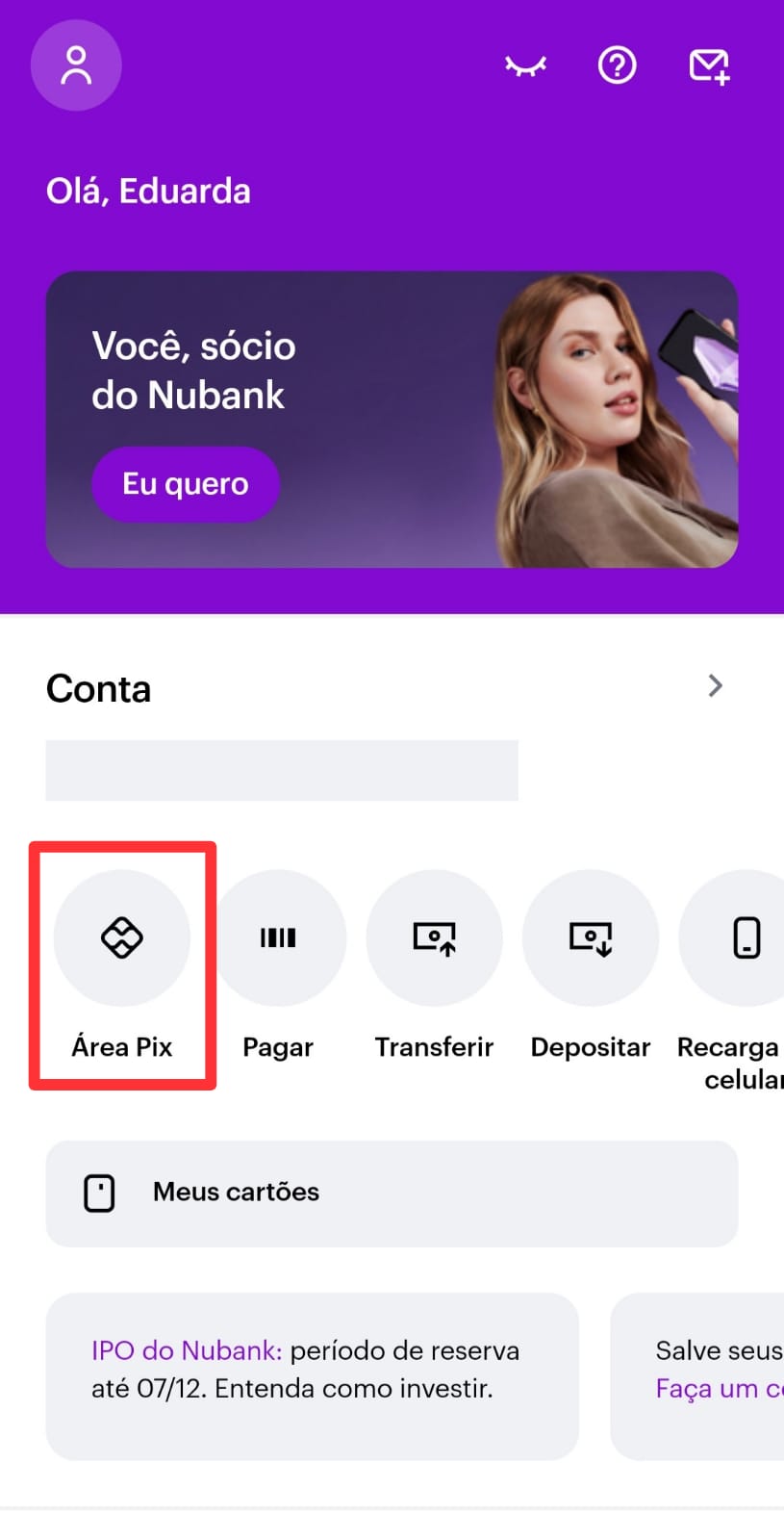
- Click in “Registrar ou trazer chaves”,
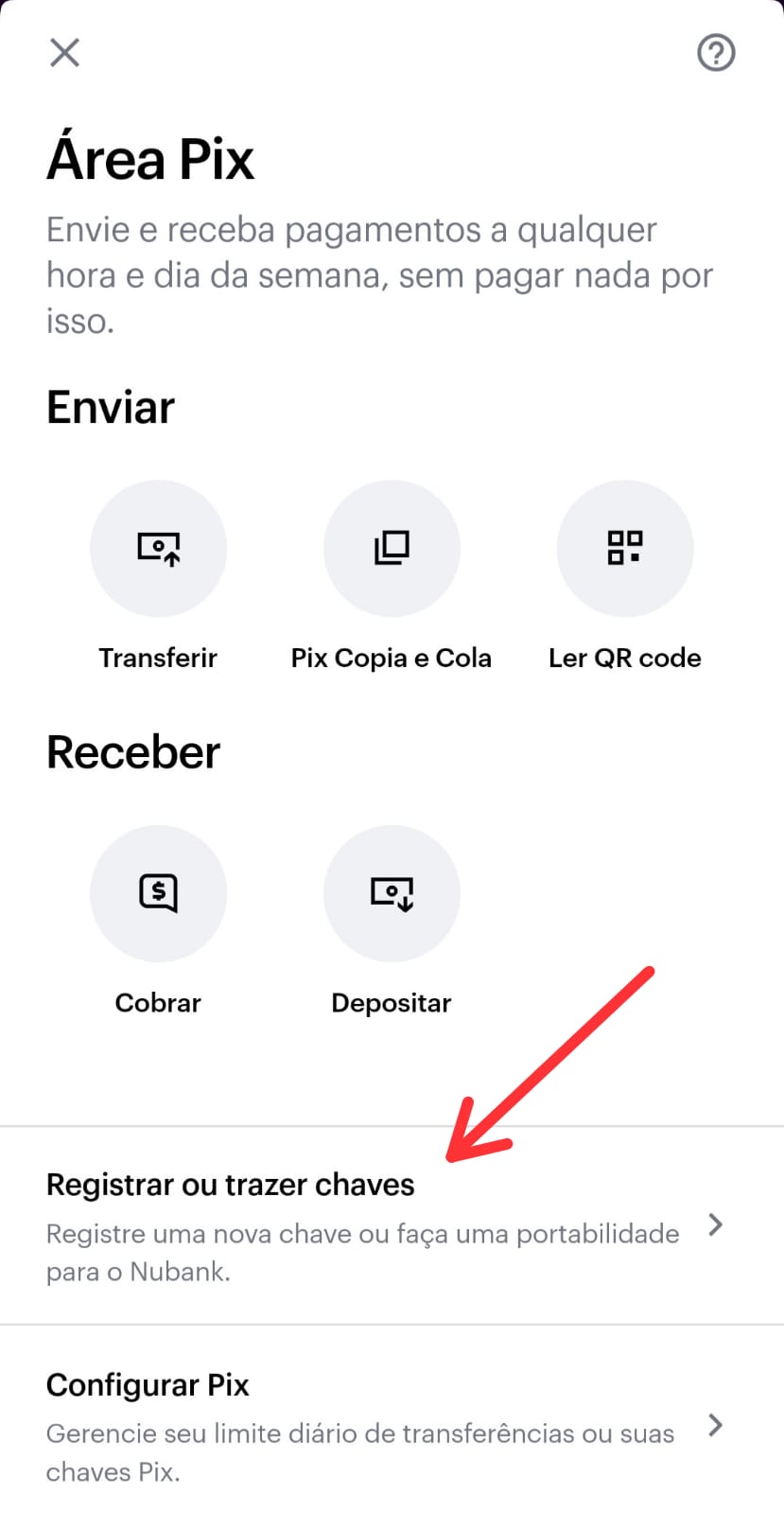
- Choose the type of key you want to use (CPF/CNPJ, e-mail, cell phone number or random key),
- Complete your information with the key chosen,
- Include the code received by SMS that you receive in your cell phone number,
- Done! Pix key is registered.