
My personal Selenium IDE notes.
Index
-
Validate that the given number is within the range.
return Number(${my_num}) > 0 && Number(${my_num}) < 123;
Example of how to use the number range validation.


-
Validate that the given date is greater than or equal to the current date.
return ${my_date_formatted} >= ${today_date};
Example of how to use the date from today validation.

-
Examples to format the date in JS format
// Example: Jan/17/2024

return new Date(${my_date}.replace(/(\w+)\/(\d+)\/(\d+)/, '$1 $2, $3'));

-
Replace the script with the desired regular expression.
Example of how to use the RegEx Tester.

-
Examples of RegEx and their valid strings.
// For: '$ 10 USD', '$ 3.50 USD', '$ 0.25 USD', '$ 12345.67 USD'

return /^\$ ([1-9]\d*|\d+\.\d+) USD$/g.test(${SAMPLE_TEXT})
// For: '10 USD', '3.50 MXN', '1000 USD', '0.25 MXN', 'N/A'

return /^(([1-9]\d*|\d+\.\d+) (?:USD|MXN))?$|^N\/A$/g.test(${SAMPLE_TEXT});
// For: '10', '3.50', '1000', '0.25', 'N/A'

return /^(([1-9]\d*|\d+\.\d+))?$|^N\/A$/g.test(${SAMPLE_TEXT});
// For: ''

return ;

-
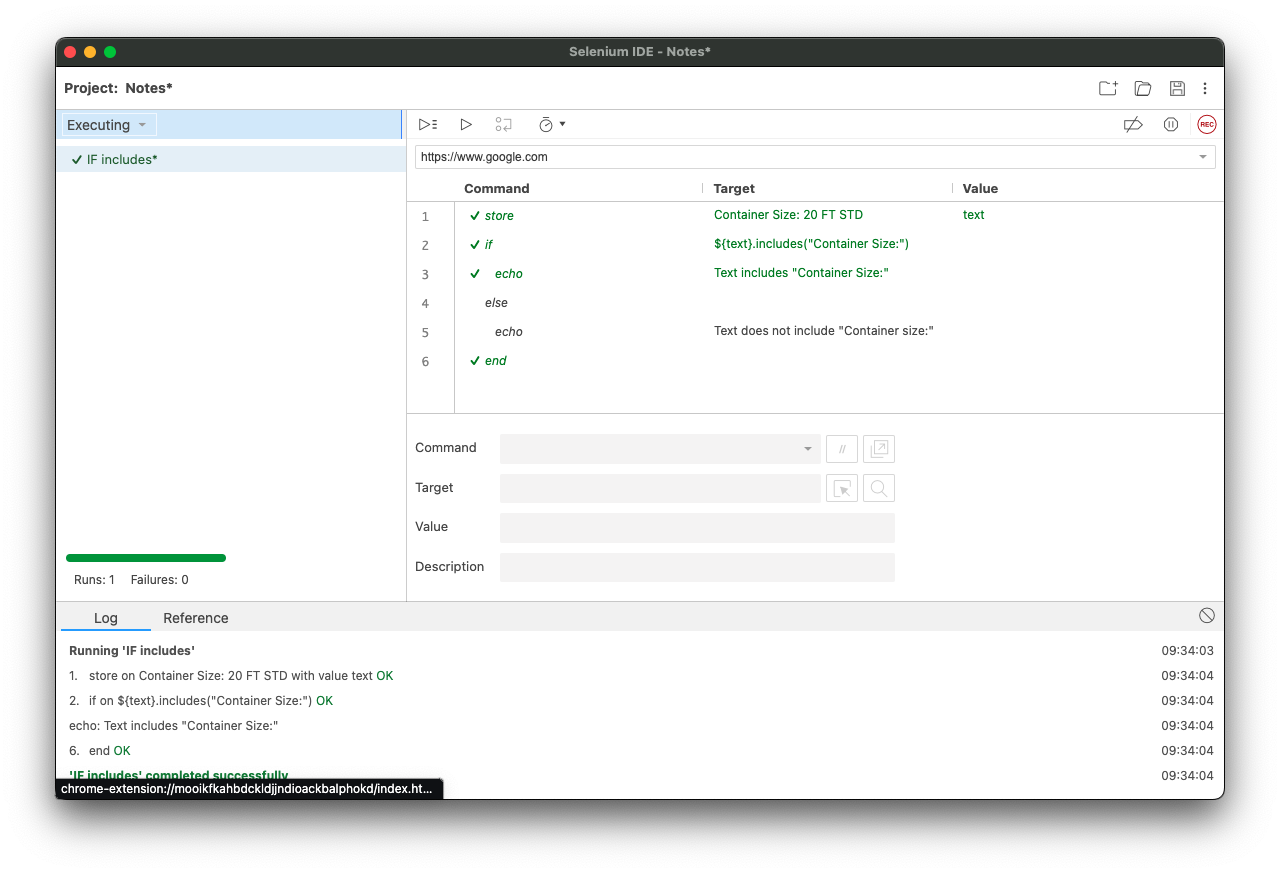
Example of how to use the includes JS in an if.
${text}.includes("Container Size:")

-
Example of how to use the times loop.


-
Example of how the times loop should be used. But there is a bug that does not allow the correct use of this functionality.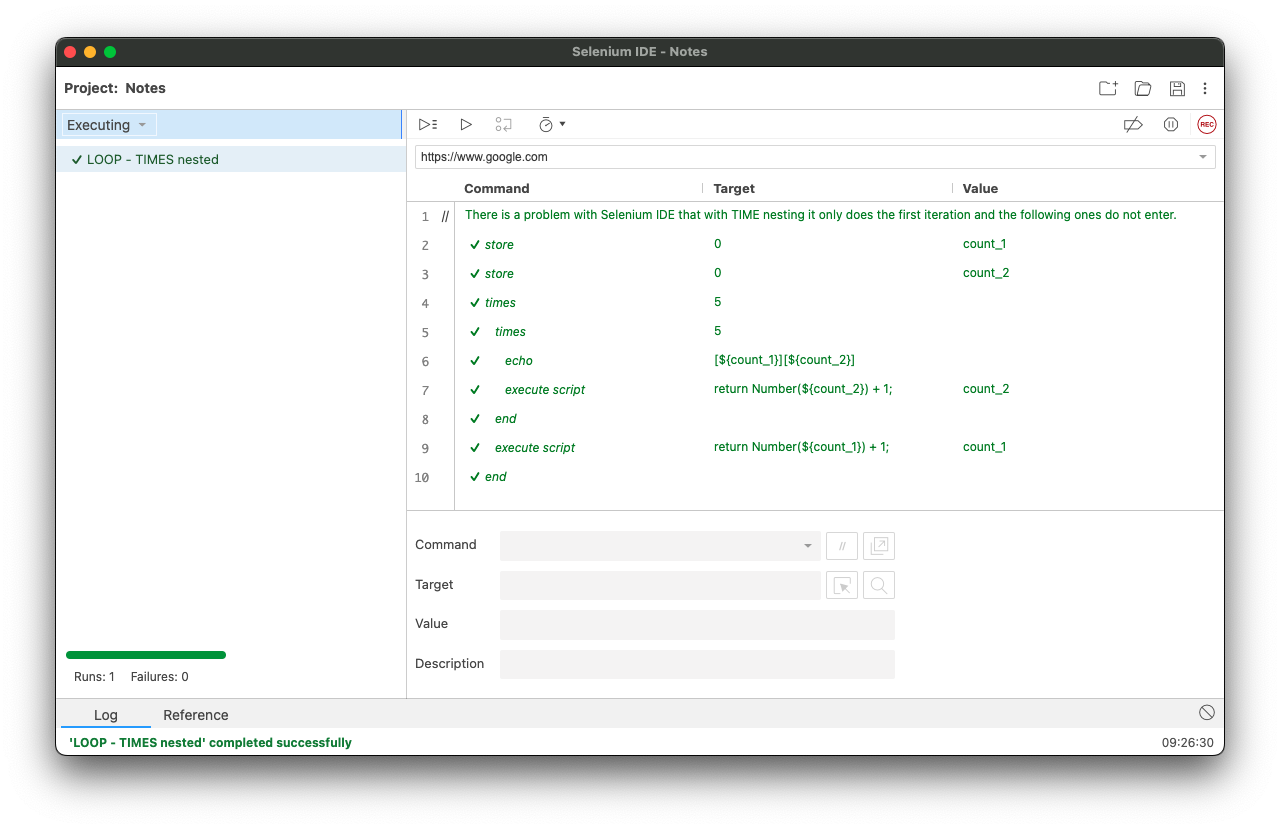

-
Example of how to use the do...repeat if loop.


-
Example of how to use the times loop.

