✨Dvurechensky✨
Note
This project is part of the Lizerium ecosystem and belongs to the following direction:
If you are looking for related engineering and supporting tools, start there.
-
Generates a
FLResourcesexport targeting.NET 3.5, compatible withUnity
-
Main access class when integrating the library into a project:
ResControlIt provides the following API:
-
Dictionary<string, int> LoadIds(int ids)
→ Input: numeric value from INI (ids_nameorids_info)
→ Output: DLL file name + string index -
StatusHandle GetData(string nameResources, int id)
→ Input: RESX resource name embedded in DLL
(OfferBribeResources_name, NameResources_name, EquipResources_name, SBM3_name, SBM2_name, SBM_name, SBM_info, EquipResources_info, MiscTextInfo2_info, InfoCards_info, MiscText_info, SBM3_info)
→ Output: resource value by key from initialized RESX
-

-
FLGenerateLibrarygenerates.resxfiles forFLResourcesusing data extracted from Win32.dllfiles ofFreelancer (2003)Data is предварительно extracted using
Resource Hacker.
Extraction steps are described below.
FLEDId— a utility for quick conversion betweenids_name/ids_infoand the numeric values stored inside resource DLLs- Works independently of
freelancer.inistructure - Can also resolve INI ID from DLL name + numeric identifier
- Works independently of
🌟 Extracting files from dll using Resource Hacker 🌟
-
Open a
.dllinResource Hacker, e.g.equipresources.dll- Select
String Table - Save
.rcfile into theINPUTfolder (located near the.exe) - Rename
.rc→data.txt - Remove line:
LANGUAGE LANG_NEUTRAL, SUBLANG_NEUTRAL

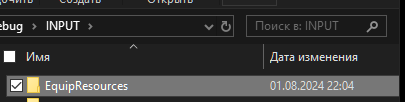


[!NOTE] You have now created a file for resolving
ids_namefields. - Select


-
If the DLL contains an
HTMLsection:- Select
HTML - Save
.rcintoINPUT\HTML - Delete the
.rcfile (we only need the generated.txtfiles for each.html)

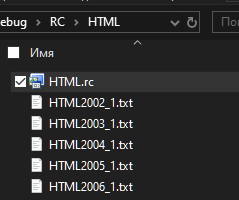
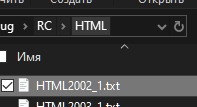
[!NOTE] You have now created files for resolving
ids_infofields. - Select


- Final structure should look like:

-
Command
g [filename.ini] [field]
→ Finds unique values of a field inside an INI file located in theAnalisfolder[filename.ini]— must exist inAnalis[field]— field name to analyze
Example:
g example.ini progres_field
-
Command
c [path/to/file.resx]orclear [path/to/file.resx]→ Clears all resources inside a.resxfileExample:
c path/to/file.resx
-
Command
st [path/to/file.resx] [path/to/data.txt]→ Generates.resxentries from TXT dataExample:
st path/to/file.resx path/to/data.txt
-
Command
st [path/to/file.resx] [path/to/html]→ Generates.resxentries from HTML TXT filesExample:
st path/to/file.resx path/to/html
-
Command
importori→ Copies test data intoINPUTfolderExample:
import
-
Command
allora→ Generates resource files fromINPUTintoOUTPUTExample:
all
- Command
rhtml→ Outputs processed HTML text formatted forUnity TextMeshPro
- Command
exit/e/q→ Exit application
- Command starting with
::text→ Searches for matching text inside embedded data inFLResources.dll
- Command starting with
::489→ Searches for matching identifiers inside embedded data
✨Dvurechensky✨