We will learn how integrating AdminLTE with ASP.NET Core 3.1 MVC or really any other Bootstrap based UI Frameworks completely from scratch. We will also go through about integrating Identity Server to our MVC Applicaiton. Also, you will gain quite a lot of practical knowledge on Views, Layouts, Partial Views, Conditional Rendering, Navigation Indicator and much more.
For more details about this project, you can read my post titled Integrating AdminLTE with ASP.NET Core from my blog PureSourceCode
I updated the project to
.NET5. You can use the same project with.NET Core 3.1if you downgrade the project from.NET5to.NET Core 3.1and the NuGet packages.
In this project template you have already:
- AdminLTE integrated
- Navigation indicator
- Breadcrumbs
- Gravatar
- Authentication\Authorization with ASP.NET Identity
- Authentication\Authorization with IdentityServer4
- Authentication with other providers:
- Integration with a mail server (such as Outlook.com) to send emails from the authentication process
- New View Components in AdminLTE project
- API controllers
- Integration with Swagger functionalities and comment generation
- Integration with Hangfire.io for background processes
- Integration with SignalR
If you have any question, please use the PureSourceCode Forum.
The result of the main application is this one:
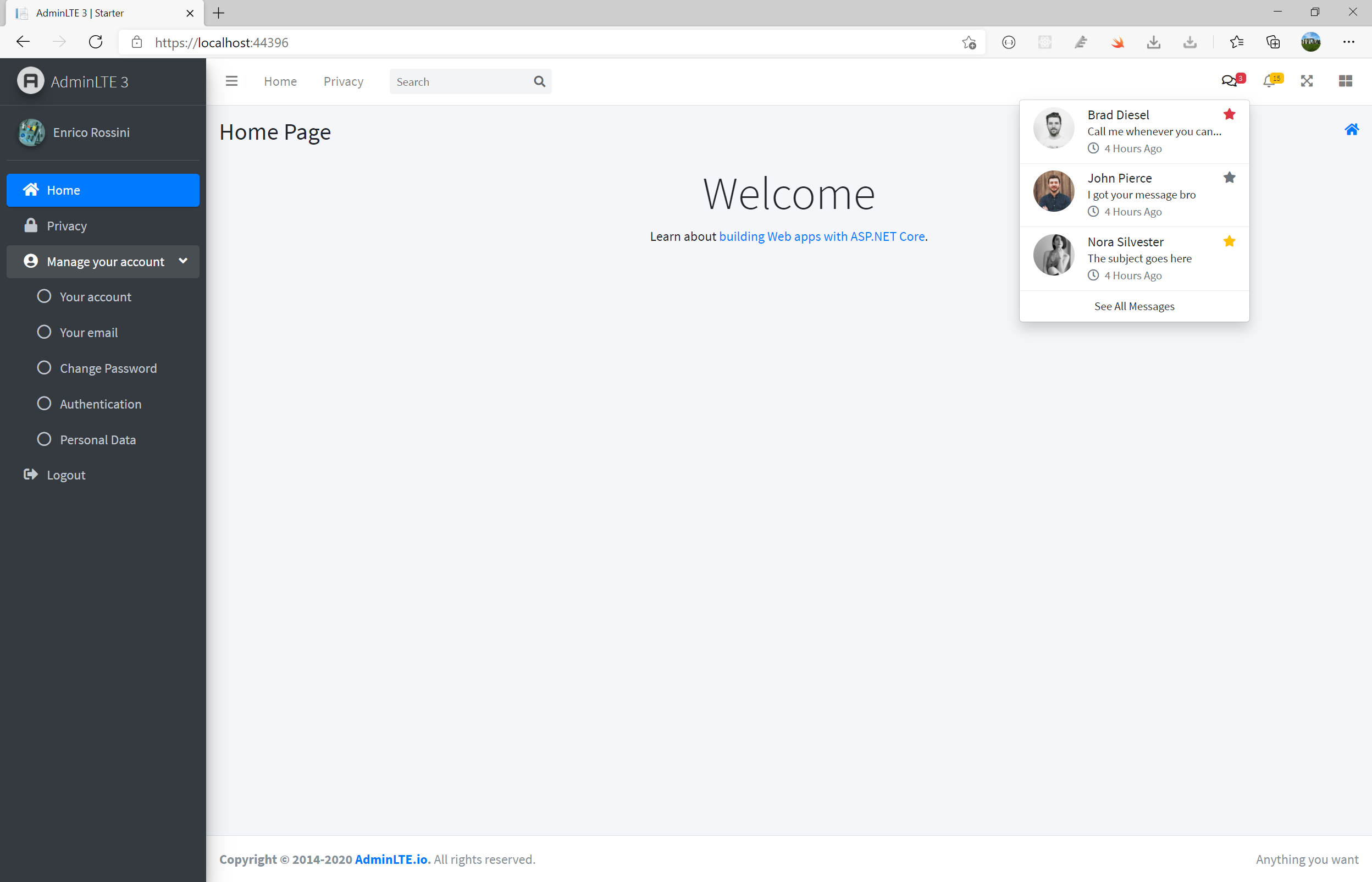

The project is divided into the following layers:
- Tasks
- Domain
- Infrastructure
- Presentation
- Specs/Tests
Previous known as “Application Services,” the Tasks Layer serves to tie together any non-business logic from a variety of third-party services or persistence technologies.
The Presentation Layer contains the familiar MVC project with views, viewmodels and controllers, along with application setup tasks.
The Infrastructure Layer setups up third party data sources. You can extend the repository implementation with additional methods to perform specific queries.
The Domain Layer is where business entities and other business logic resides. The domain layer should be persistence ignorant, with any persistence existing in the Tasks Layer or in the Presentation Layer (for populating viewModels).
There are new ASP.NET Core ViewComponents to enrich the UI:
- Boxes
- simple
- progressbox
- showbox
- Charts with Chart.js
- Bar
- Line
- Pie
- Card (simple)

In the project you find an integration with IdentityServer4. To enable the authentication with IdentityServer, you have to change the appsettings.json under Authentication and modify UseIdentityServer to true.
"Authentication": {
    "UseIdentityServer": true,
    "IdentityServer": {
        "IdentityServerUrl": "https://youridentityserver.com",
        "ClientId": "",
        "ClientSecret": ""
    }
}
Although the implementation in the project is correct, you will face an issue: after the login with IdentityServer, the application calls again and again IdentityServer for authentication. Basically, there is a loop between the application and IdentityServer. I discovered that this issue is coming from Microsoft Identity.
If you want the authentication with IdentityServer, you have to remove all packages related to Microsoft Identity and under the Area folder remove the Pages folder and IdentityHostingStartup.cs.
Clean the solution, the cookies in your browser and then everything will work.
I left the branch named Only IdentityServer where I removed all the Microsoft.Identity Nuget packages and clean the solution for that.
If you want an implementation of a particular view or feature, please use our Forum and explain what you like to have.
More features are coming...