

This is a TONE3000 fork of Steve Atkinson's Neural Amp Modeler Core DSP library, specifically adapted to run Neural Amp Modeler inference in web browsers using WebAssembly. This enables real-time audio modeling directly in the browser without requiring native plugins.
The original Neural Amp Modeler Core is a C++ DSP library for NAM plugins. This fork extends its capabilities to the web platform, allowing you to run Neural Amp Modeler models in any modern web browser.
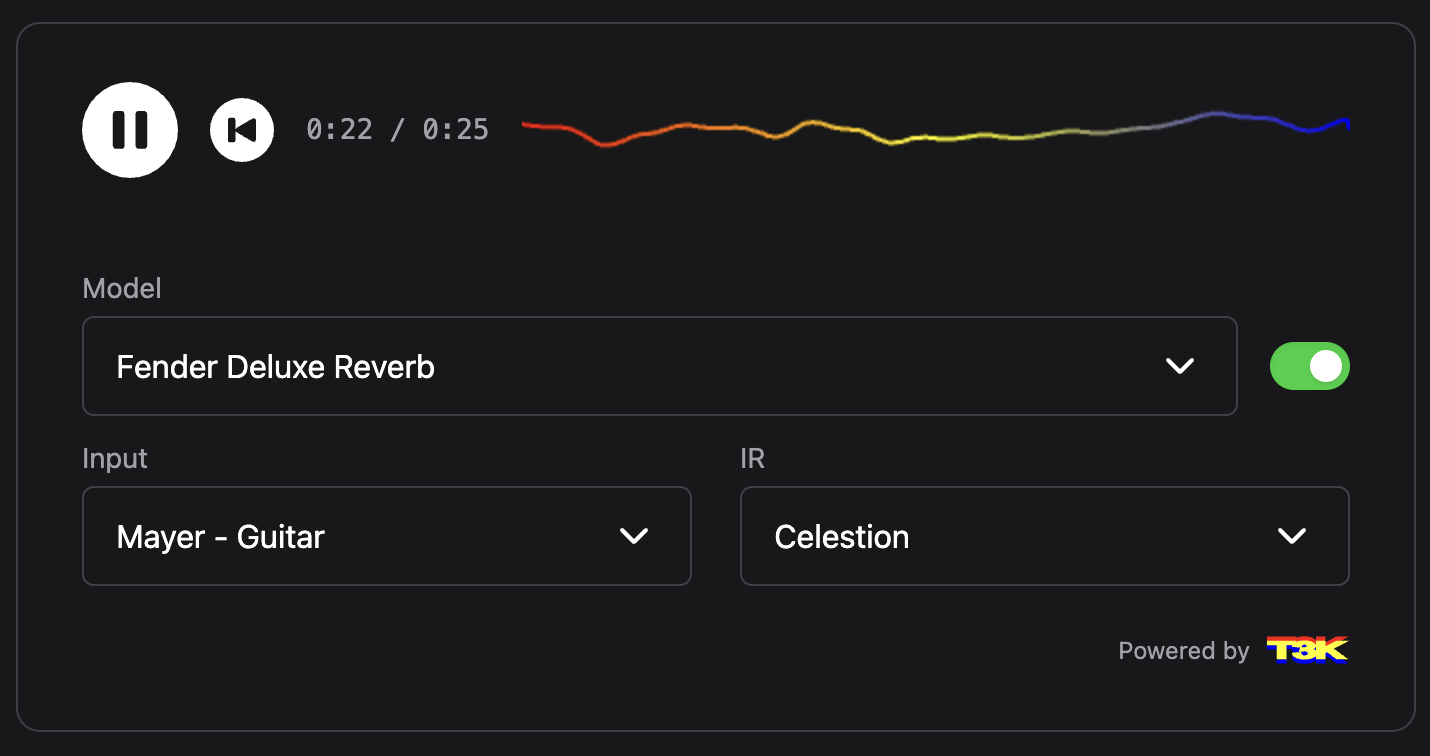
This repo includes a few helpful tools.
For guidance on building them, have a look at the workflow provided in .github/workflows/build.yml.
run_tests, which runs a suite of unit tests.loadmodel, which allows you to test loading a.namfile.benchmodel, which allows you to test how quickly a model runs in real time. _Note: For more granular profiling tools, check out themain-profilingbranch.
Before building the project, you need to initialize the required submodules:
git submodule update --init --recursiveThis will fetch and initialize the Eigen library and other dependencies required for building.
To build the WebAssembly version of the library, you'll need to install Emscripten and Node.js first:
-
Install Node.js and npm (which includes npx):
# On macOS with Homebrew
brew install node

# On Ubuntu/Debian
curl -fsSL https://deb.nodesource.com/setup_lts.x | sudo -E bash -
sudo apt-get install -y nodejs

# On Windows
# Download and install from https://nodejs.org/
-
Install Emscripten:
# Clone the emsdk repository
git clone https://github.com/emscripten-core/emsdk.git
cd emsdk

# Install and activate Emscripten
./emsdk install 3.1.41
./emsdk activate 3.1.41

# Set up the environment variables
source ./emsdk_env.sh

# Add Emscripten to your PATH permanently
# For bash/zsh, add this line to your ~/.bashrc or ~/.zshrc:
echo 'source "$HOME/emsdk/emsdk_env.sh"' >> ~/.bashrc  # or ~/.zshrc
# Then reload your shell configuration:
source ~/.bashrc  # or source ~/.zshrc
-
Build the WASM version:
cd wasm
# Run the WASM build script
./build.bash
The build script will create the WebAssembly files in the build/wasm directory. The main output files will be:
t3k-wasm-module.js- JavaScript wrappert3k-wasm-module.wasm- WebAssembly binaryt3k-wasm-module.worker.js- Web Worker implementation for parallel processingt3k-wasm-module.aw.js- Audio Worklet implementation for real-time audio processingt3k-wasm-module.ww.js- Web Worker wrapper for thread management
The project includes a React-based UI for testing and demonstrating the WebAssembly implementation. To build and run the UI:
-
First, ensure you have built the WebAssembly module as described above.
-
Install UI dependencies:
cd ui npm install -
Start the development server:
npm start
This will:
- Copy the WebAssembly files to the public directory
- Start a development server with hot reloading
- Open the UI in your default browser at
http://localhost:3000
-
To build the UI for production:
npm run build
This will create a production build in the
ui/distdirectory.
The project exports a React component that can be used in other projects. To use it:
-
Install the package:
npm install neural-amp-modeler-wasm
-
Import and use the component in your React application:
import { T3kPlayer, T3kPlayerProvider } from 'neural-amp-modeler-wasm';
import 'neural-amp-modeler-wasm/dist/styles.css';

function App() {
  return (
    <T3kPlayerProvider>
      <T3kPlayer
        models={[
          {
            name: "Vox AC10",
            url: "https://raw.githubusercontent.com/tone-3000/neural-amp-modeler-wasm/refs/heads/main/ui/public/models/ac10.nam",
            default: true
          },
          {
            name: "Fender Deluxe Reverb",
            url: "https://raw.githubusercontent.com/tone-3000/neural-amp-modeler-wasm/refs/heads/main/ui/public/models/deluxe.nam"
          }
        ]}
        irs={[
          {
            name: "Celestion",
            url: "https://raw.githubusercontent.com/tone-3000/neural-amp-modeler-wasm/refs/heads/main/ui/public/irs/celestion.wav",
            default: true
          },
          {
            name: "EMT 140 Plate Reverb",
            url: "https://raw.githubusercontent.com/tone-3000/neural-amp-modeler-wasm/refs/heads/main/ui/public/irs/plate.wav",
            mix: 0.5,  // Optional: wet/dry mix (0-1)
            gain: 1.0  // Optional: gain adjustment
          }
        ]}
        inputs={[
          {
            name: "Mayer - Guitar",
            url: "https://raw.githubusercontent.com/tone-3000/neural-amp-modeler-wasm/refs/heads/main/ui/public/inputs/Mayer%20-%20Guitar.wav",
            default: true
          },
          {
            name: "Downtown - Bass",
            url: "https://raw.githubusercontent.com/tone-3000/neural-amp-modeler-wasm/refs/heads/main/ui/public/inputs/Downtown%20-%20Bass.wav"
          }
        ]}
      />
    </T3kPlayerProvider>
  );
}
The component must be wrapped in a T3kPlayerProvider which handles the WebAssembly module initialization, audio context setup, and includes the settings dialog (rendered once for all players on the page). The provider manages the audio processing pipeline and ensures proper cleanup of resources.
The T3kPlayer component accepts the following props:
Array of model objects, each containing:
name: Display name for the modelurl: URL to the NAM model filedefault: Optional boolean to mark as default selection
Array of IR (Impulse Response) objects, each containing:
name: Display name for the IRurl: URL to the IR file (use empty string for "None")mix: Optional wet/dry mix ratio (0-1)gain: Optional gain adjustmentdefault: Optional boolean to mark as default selection
Array of input audio objects, each containing:
name: Display name for the inputurl: URL to the audio filedefault: Optional boolean to mark as default selection
Optional enum value to control the preview mode:
PREVIEW_MODE.MODEL: Show model selection interface (default)PREVIEW_MODE.IR: Show IR selection interface
Optional boolean to show loading state
Callback function triggered when demo audio playback starts (playing from a pre-recorded input file):
onPlayDemo?: ({ model, ir, input }: {
  model: Model,
  ir: IR,
  input: Input
}) => void;Callback function triggered when live mode playback starts (playing from microphone/live input):
onPlayLive?: ({ model, ir, device }: {
  model: Model,
  ir: IR,
  device: string | null  // configured microphone/interface name
}) => void;Callback function triggered when model selection changes:
onModelChange?: (model: Model) => void;Callback function triggered when input selection changes:
onInputChange?: (input: Input) => void;Callback function triggered when IR selection changes:
onIrChange?: (ir: IR) => void;