


audia is an agentic Python package that converts PDFs — academic papers, reports, regulations — into podcast-style audio files. It uses an LLM to rewrite content into natural spoken language (math in plain English, tables as sentences, no citations) before passing it to a TTS engine, so the result actually sounds good when read aloud.
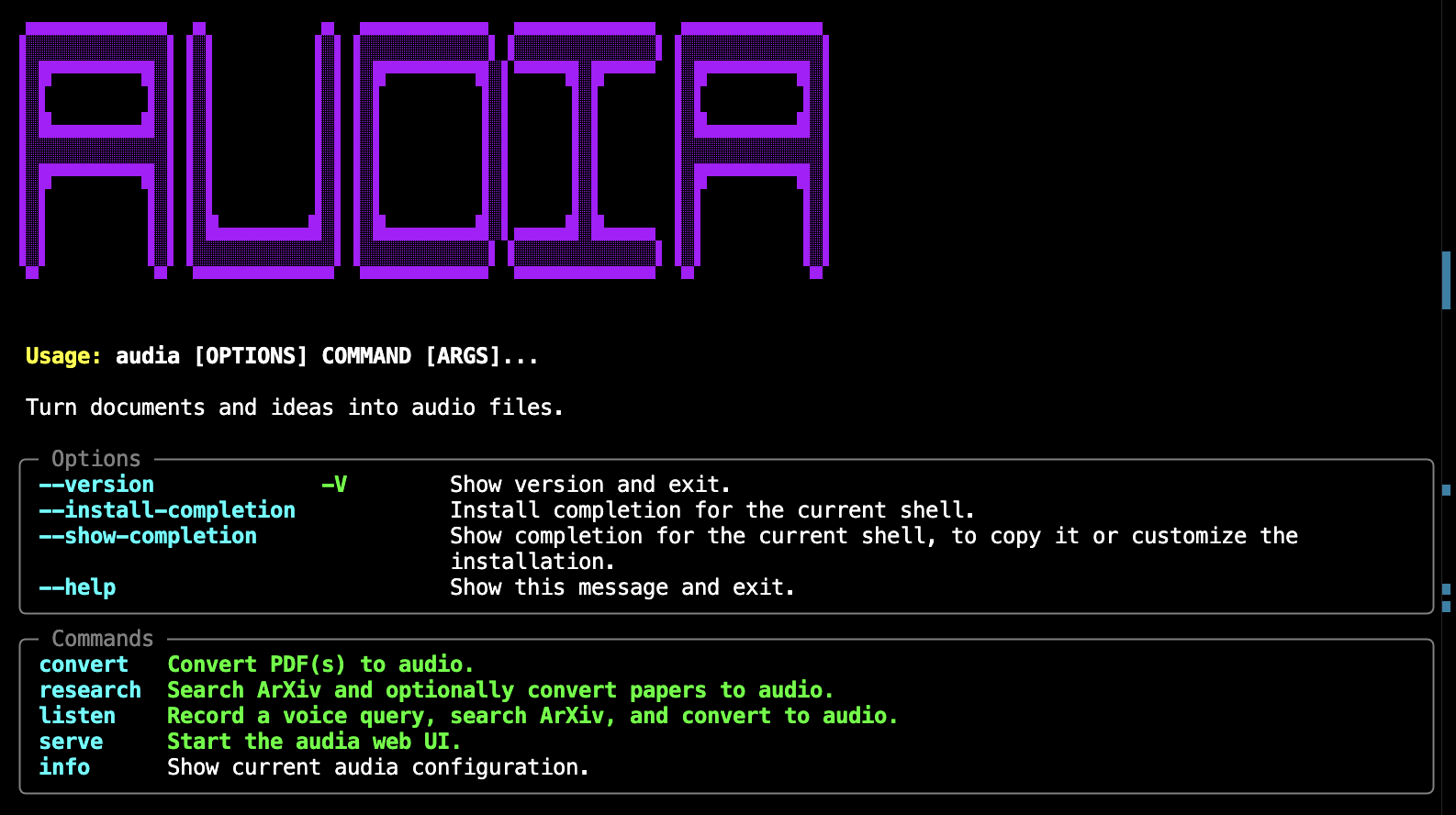 The audia CLI
- LLM-curated text — mandatory LLM pass rewrites math notation, condenses tables and acknowledgements, removes citation artefacts, and ensures smooth spoken flow
- Chunk-level stitching — long documents are split at paragraph boundaries; each chunk receives the tail of the previous curated output as transition context
- ArXiv research — search papers by query and convert them to audio in one command
- Voice input (STT) — record a spoken query to trigger an ArXiv search
- Multiple TTS backends —
edge-tts(default, free),kokoro(local), or OpenAI TTS - Multiple LLM backends — OpenAI (
gpt-4o-minidefault) or Anthropic - CLI —
audia convert,research,listen,serve,info - Web UI — FastAPI backend + SPA frontend
- Local storage — SQLite database for papers and audio files via SQLAlchemy
- Debug output — every run saves raw, preprocessed, and curated text to
~/.audia/debug/<run_id>/
Backend
Python 3.10+ — package language
FastAPI — backend for the web UI
LangGraph — agentic pipeline orchestration (PDF → preprocess → LLM curate → TTS)
LangChain — LLM abstraction
- Current support for LLMs from
Anthropic,
Google, and
OpenAI
- Current support for LLMs from
edge-tts — default TTS backend, no API key required
faster-whisper — STT for voice input
PyMuPDF — PDF text extraction
SQLite — local database for papers and audio files


Frontend
React — interactive frontend
Vite — fast dev server and production bundler
Tailwind CSS — utility-first styling
TypeScript — type-safe component and API code


CLI

Packaging
PyPI — distributed as an installable Python package

pip install audiaFor CLI usage, pipx is recommended — it installs audia in an isolated environment while exposing the command globally:
pipx install audiaOptional extras:
| Extra | Installs |
|---|---|
kokoro |
local Kokoro TTS |
pip install "audia[kokoro]"Copy .env.example to .env in your working directory and set your API key:
cp .env.example .envMinimum required settings:
AUDIA_LLM_PROVIDER=openai           # or anthropic
AUDIA_OPENAI_API_KEY=sk-...
All settings use the AUDIA_ prefix. Run audia info to see the active configuration.
Show active configuration:
audia infoConvert a local PDF:
audia convert paper.pdfConvert multiple PDFs to a specific output folder:
audia convert paper1.pdf paper2.pdf --output ~/audiobooksSearch ArXiv and convert the top results:
audia research "retrieval augmented generation" --max-results 3 --convertStart the web UI:
audia serve
# → http://localhost:8000
 The audia UI
The pipeline can be entered in three ways:
| Entry point | Command |
|---|---|
| Voice input | audia listen — record speech, LLM distils a search query, confirm, then runs the full pipeline |
| Text query | audia research "retrieval augmented generation" — search ArXiv by text, select papers, run pipeline |
| Local PDF | audia convert paper.pdf — skip Steps 0, go straight to extraction |
When starting from voice or text, the full five-step LangGraph pipeline runs. For local PDFs, Steps 1–4 run directly:
 [voice input]          [text query]
      │                      │
      ▼                      │
  Microphone                 │
  (faster-whisper STT)       │
      │                      │
      ▼                      │
  LLM query distillation     │        ← extracts concise ArXiv search terms
      │                      │           from natural speech
      ▼                      │
  Confirm / re-record?       │
      │  yes                 │
      ▼                      ▼
Step 0 — ArXiv search    (or use local PDF)
 │        arxiv API: fetch metadata, download PDF
 │
 ▼
Step 1 — PDF extraction       PyMuPDF: text + metadata per page
 │
 ▼
Step 2 — Heuristic pre-pass   Regex: strip citations, LaTeX commands, figure captions
 │
 ▼
Step 3 — LLM curation         Chunked LLM pass: math → English, tables → sentences,
 │                             smooth spoken transitions between chunks
 ▼
Step 4 — TTS synthesis        edge-tts (or kokoro / OpenAI): split into ~3800-char
                               chunks, synthesise, concatenate → .mp3
Output files for a run on 2025_Xu+.pdf:
~/.audia/audio/2025_Xu+_20260329_084445.mp3
~/.audia/debug/2025_Xu+_20260329_084445/
    1_raw.txt            ← PyMuPDF output
    2_preprocessed.txt   ← after heuristic pass
    3_curated.txt        ← after LLM curation
- Fork the repository
- Create a feature branch (
git checkout -b feature/my-change) - Make your changes
- Run the test suite:
pytest --cov=src --cov-report=term-missing - Submit a pull request
MIT — see LICENSE for details.