
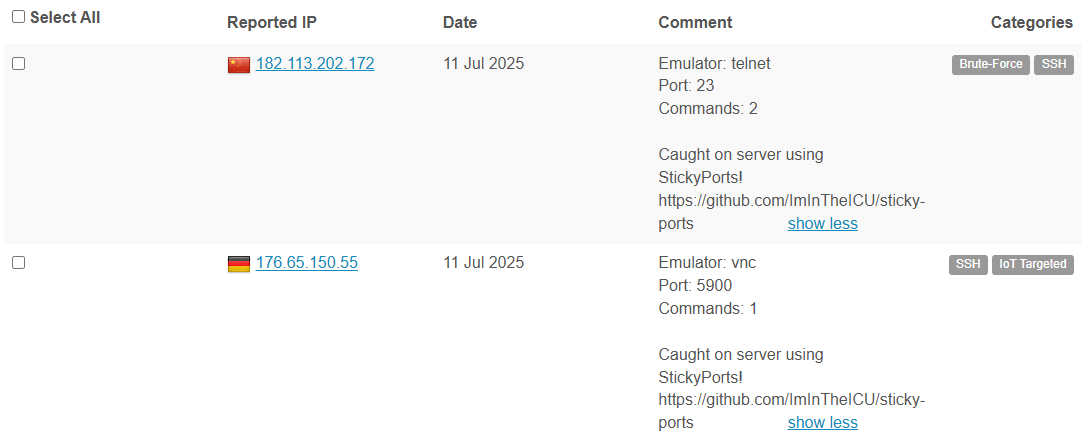
Sticky Ports is an all-in-one Layer 4 honeypot framework written in Python. It emulates commonly abused Ubuntu services and logs interactions for security analysis and threat intelligence.
- Redis
- SMTP
- Memcached
- FTP
- Telnet
- MySQL
- VNC
- RDP
- SQLite (local storage)
- AbuseIPDB (optional, for reputation-based reporting)
Before you begin, ensure you have:
- Python 3.12 or newer installed.
- Git (to clone the repository).
- pip (Python package installer).
- systemd (on Ubuntu/Debian for the service unit example).
Follow these steps to get Sticky Ports up and running on your system:
-
Clone the repository
git clone https://github.com/ImInTheICU/sticky-ports.git cd sticky-ports -
Change directory to the source
cd src -
Create and activate a virtual environment (recommended)
python3.12 -m venv venv source venv/bin/activate -
Install dependencies
pip install --upgrade pip
pip install -r requirements.txt
-
Configure the honeypot
-
Copy the sample configuration:
cp config.yaml.example config.yaml
-
Open
config.yamlin your favorite editor and adjust settings (e.g., ports, logging options, AbuseIPDB API key).
-
-
Run the engine
python engine.py
-
(Required) Firewall setup
-
To allow Sticky Ports to operate you should open the required ports on your system/network's firewall.
-
UFW Example:
sudo ufw allow 3306
- IPTables Example:
sudo iptables -A INPUT -p tcp --dport 3306 -j ACCEPT
- FireWallD Example:
sudo firewall-cmd --permanent --add-port=3306/tcp
-
-
(Optional) Set up as a systemd service
To have Sticky Ports start automatically at boot and restart on failure, create a systemd unit file:
[Unit]
Description=Sticky Ports Honeypot
After=network.target

[Service]
Type=simple
User=YOUR_USER
WorkingDirectory=/path/to/sticky-ports/src
ExecStart=/path/to/sticky-ports/src/venv/bin/python engine.py
Restart=on-failure
RestartSec=10s

[Install]
WantedBy=multi-user.target
-
Save this as
/etc/systemd/system/sticky-ports.service. -
Reload systemd and enable the service:
sudo systemctl daemon-reload
sudo systemctl enable sticky-ports
sudo systemctl start sticky-ports
-
This project is licensed under the MIT License. See the LICENSE for details.