Grid is an attempt to answer the question:
What would a decentralized electrical grid look like?
This project was inspired by Gretchen Bakke's excellent book The Grid which outlines some of the challenges the electrical grid has with onboarding renewables. In short, the grid was originally designed with a clear distinction between producers and consumers. With the advent of renewables, consumers can also be producers, which disrupts the existing market dynamics. Renewables also introduce the problem of inconsistent power generation (clouds block the sun, the wind dies down, steady streams become raging rivers).
In essence, the problem can be stated:
Centralized players are responsible for ensuring consumption equals prdouction at any given moment without having any control over an increasing share of the power producers.
At the heart of it, this seems like a problem with forcing a centralized system to operate with decentralized players. Grid attempts to establish a purely decentralized system in which players can act indepenently (produce and consume power) but with rules that push them towards a common goal (net power output = 0 at any given time).

Grid is composed of a series of nodes in an undirected graph, each representing some entity connected to the grid. Each node can theoretically produce and/or consume electricity. In the real world this would cover the full range of possible connected entitites from strict producers (i.e. a power plant) to consumers that also have power generating capabilities (i.e. a house with solar panels) to strict consumers (i.e. a house with no solar panels).
Each node has three main jobs:
- Maintain it's own production, consumption, and net output state.
- i.e. If a node is producing 5kwH and consuming 10kwH, it should register those values as well as a net of -5kwH.
- Maintain an undirected relationship to it's siblings.
- i.e. If nodeX is added as a sibling to nodeY, then nodeY should also add nodeX as its sibling.
- Be in sync with all other nodes with regards the net ouput of the system.
- i.e. If 3 connected nodes are individually generating a net output state of 5kwH, 10kwH, and -5kwH, respectively, then each node individually should register the total net output of the grid as a whole as 10kwH (5kwH+10kwH-5kwH=10kwH).
Nodes communicate with each other according to the rules of the Actor model. Only a Node can change it's own state and Nodes communicate with each other by sending each other messages which each node that receives them processes sequentially to prevent simultaneous state updates.
Fork and clone the repo
cd into the repo
Install dependencies:
$ pip install --user --requirement ./requirements.txt
Run a Node by running the following from within the main directory:
$ python -m grid.app -s {host address} -p {port} -n {Node Name} -i {Node ID} -t {token}
Example:
$ python -m grid.app -s "127.0.0.1" -p "8081" -n "A" -i "1" -t "t1"
You can run a single instance of Grid but, as it's name suggests, the application is much more interesting as an actual Grid. To start, lets run 4 instances with their own names and ids. To see the messaging between nodes, it's helpful to run an instance per Terminal window like so:
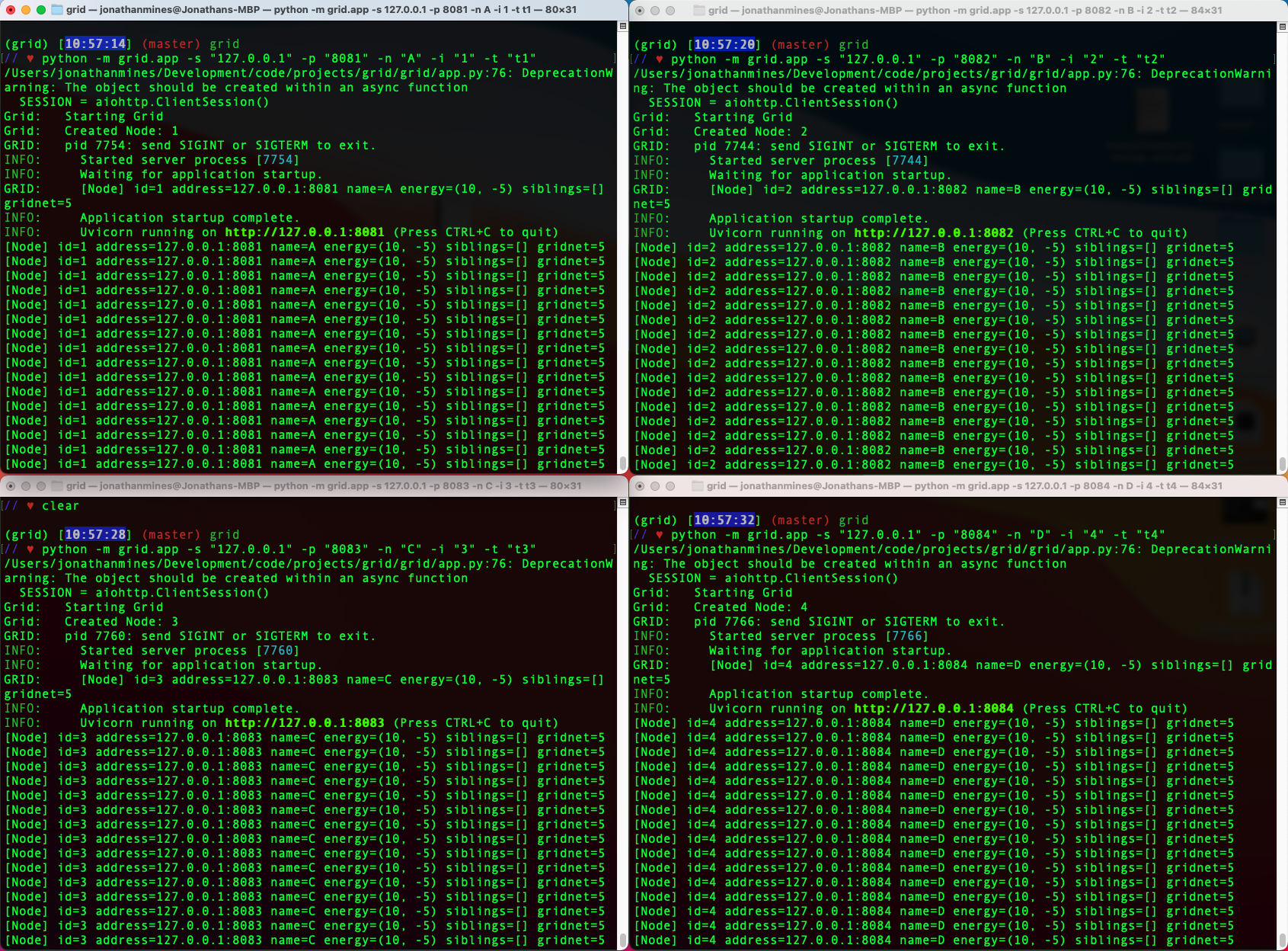
Run the following, one instance per Terminal window:
<!-- Start Node A: Terminal 1 -->
$ python -m grid.app -s "127.0.0.1" -p "8081" -n "A" -i "1" -t "t1"

<!-- Start Node B: Terminal 2 -->
$ python -m grid.app -s "127.0.0.1" -p "8082" -n "B" -i "2" -t "t2"

<!-- Start Node C: Terminal 3 -->
$ python -m grid.app -s "127.0.0.1" -p "8083" -n "C" -i "3" -t "t3"

<!-- Start Node D: Terminal 4 -->
$ python -m grid.app -s "127.0.0.1" -p "8084" -n "D" -i "4" -t "t4"
You'll notice that after starting a Node it begins printing it's current state every second. energy=(0,0) shows the production and consumption values of a Node. siblings=[] show the array of sibling names a Node is currently associated with. And gridnet=0 is the current registered net output of the grid as a whole.
Now, let's send some messages. Nodes respond to 4 Message Types:
UpdateNet- Tell's Node to get the latest Net values of the gridSyncGrid- Tell's Node to send a message to all other Nodes to trigger their own UpdateNet processesAddSibling- Tell's Node to Add a fellow Node as a siblingUpdateEnergy- Tell's a Node to update it's consumption and production energy values
We'll focus on AddSibling and UpdateEnergy as they trigger the other two processes.
Node's start with default production and consumption values of 0. Let's update A and B's production and consumption values.
 <!-- Update Node A -->
 curl --location --request GET 'http://127.0.0.1:8081/messaging' \
    --header 'Content-Type: application/json' \
    --data-raw '{
        "envType": "Tell",
        "msgType": "UpdateEnergy",
        "msg": {
            "production": 0,
            "consumption": 10
        }
    }'

 <!-- Update Node B -->
 curl --location --request GET 'http://127.0.0.1:8082/messaging' \
    --header 'Content-Type: application/json' \
    --data-raw '{
        "envType": "Tell",
        "msgType": "UpdateEnergy",
        "msg": {
            "production": 20,
            "consumption": 5
        }
    }'
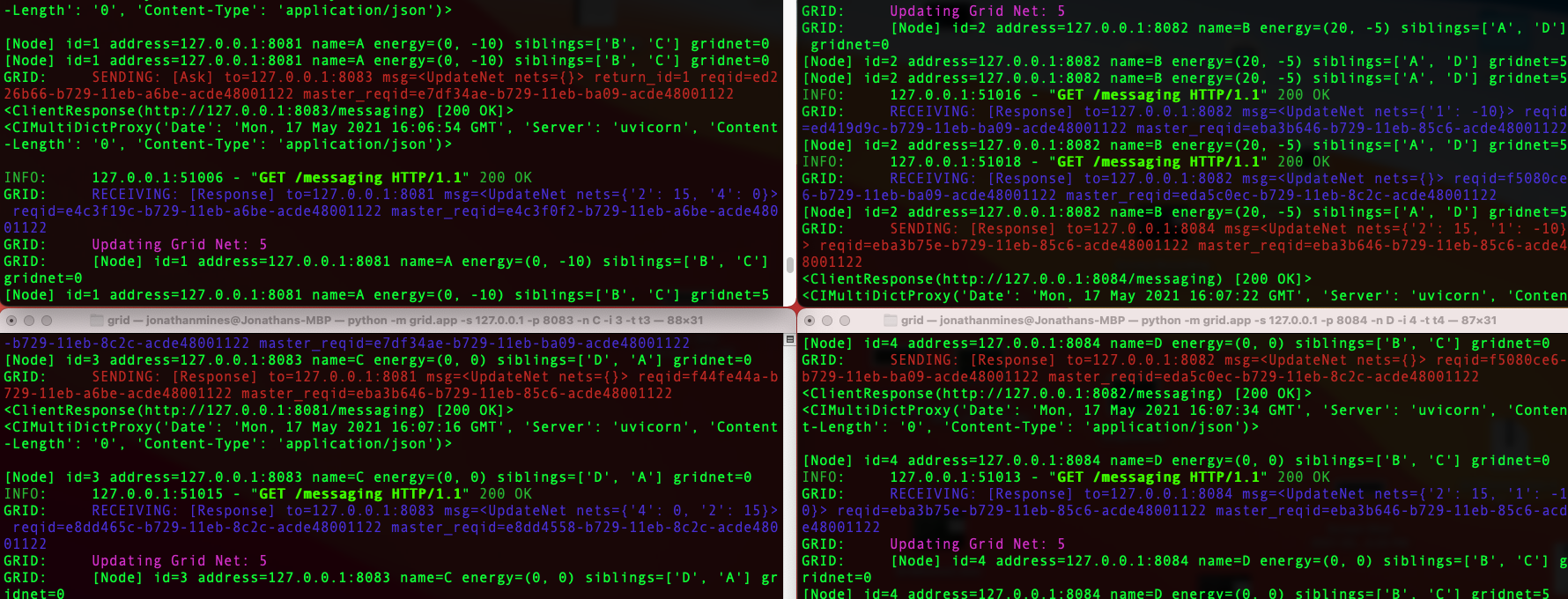
You should see the messages appear in Terminal 1 and Terminal 2:

Note that at this point, both Node's are still a Grid of one each as they are not connected to each other or any other Node. That means that their net output is now going to be -10 for Node A (production 0 - consumption 10 = net -10) and 15 for Node B (production 20 - consumption 5 = Net 15).
Now let's associate them with each other.
 <!-- Tell Node A to add Node B as a sibling -->
 curl --location --request GET 'http://127.0.0.1:8081/messaging' \
    --header 'Content-Type: application/json' \
    --header 'Accept: application/json' \
    --data-raw '{
        "envType": "Tell",
        "msgType": "AddSibling",
        "msg": {
            "siblingName": "B",
            "siblingAddress": "127.0.0.1:8082",
            "siblingId": "2"
        }
    }'
You'll notice a couple of things happening. Node A should receive a Tell: AddSibling message and almost immediately sends an Ask message to
B to add A. B receives the Ask, adds A, then responds to A with it's details. A receives the Response and adds B. This back and forth is to ensure that all AddSibling requests result in a bidirectional relationship between the Nodes.
Next, A sends a SyncGrid message. Now that A and B are a grid of 2, they need to reflect the net energy output of the two of them as a system. In this case, because A currently has a personal net output of -10 and B has a personal net output of 15, their combined net output as a Grid will be 5.
How the SyncGrid Message Works
If any Node sends the SyncGrid message to any sibling Node, the message is forwarded to all Nodes in the Grid. Each Node is responsible for continuing this forwarding process until every Node has been hit.
Once a Node receives a SyncGrid message, it sends an UpdateNet message to all it's siblings. Those siblings then forwards that message in a similar way to the SyncGrid message, however, when the UpdateNet reaches the leaves of the graph, they begin sending back responses with their personal net values (production - consumption). The responeses containing these net values are retraced back through the initial path that was established by the UpdateNet forwarding until it reaches the initial sender (the Node that initially requested the UpdateNet). That sender then sets their own gridnet value with the sum of all the collected nets, ensuring that it is in-sync with the grid net output as a whole.
Note that each Node is responsible for staying in sync if it receives the SyncGrid message. This is because the system is distributed, meaning there is no master collection and distribution of values. Every Node is responsible for itself.
Finishing the Grid Send the following messages to establish relationships between all other nodes. Note that the messsaging may take a little time because each message is currently being processed at 1 second intervals for each Node for better visualization of the messaging back and forth.
 <!-- Tell Node B to add Node D as a sibling -->
 curl --location --request GET 'http://127.0.0.1:8082/messaging' \
    --header 'Content-Type: application/json' \
    --header 'Accept: application/json' \
    --data-raw '{
        "envType": "Tell",
        "msgType": "AddSibling",
        "msg": {
            "siblingName": "D",
            "siblingAddress": "127.0.0.1:8084",
            "siblingId": "4"
        }
    }'

 <!-- Tell Node C to add Node D as a sibling -->
 curl --location --request GET 'http://127.0.0.1:8083/messaging' \
    --header 'Content-Type: application/json' \
    --header 'Accept: application/json' \
    --data-raw '{
        "envType": "Tell",
        "msgType": "AddSibling",
        "msg": {
            "siblingName": "D",
            "siblingAddress": "127.0.0.1:8084",
            "siblingId": "4"
        }
    }'

 <!-- Tell Node C to add Node A as a sibling -->
 curl --location --request GET 'http://127.0.0.1:8083/messaging' \
    --header 'Content-Type: application/json' \
    --header 'Accept: application/json' \
    --data-raw '{
        "envType": "Tell",
        "msgType": "AddSibling",
        "msg": {
            "siblingName": "A",
            "siblingAddress": "127.0.0.1:8081",
            "siblingId": "1"
        }
    }'
This will result in the following formation:

Now send a final UpdateEnergy message to Node D see how the SyncGrid and UpdateNet messages are propogated:
 <!-- Update Node D -->
 curl --location --request GET 'http://127.0.0.1:8084/messaging' \
    --header 'Content-Type: application/json' \
    --data-raw '{
        "envType": "Tell",
        "msgType": "UpdateEnergy",
        "msg": {
            "production": 5,
            "consumption": 10
        }
    }'
After all the messaging settles down, you should see that all Nodes share the same gridnet values, indicating that the syncing has completed!