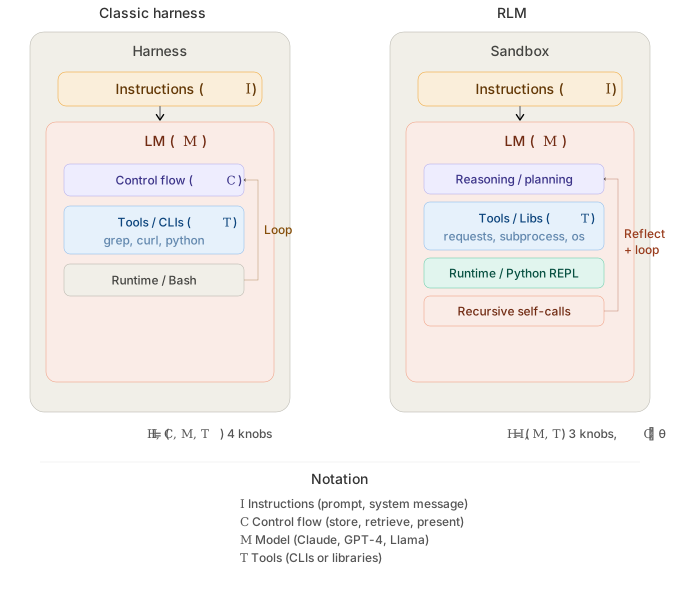
Production focused Self-harnessed LM runtime (RLM) that allows the LM to call its sub-lm with DSPy signatures. Define your inputs, outputs, and tools — the model handles its own control flow. Get fully interpretable trajectories and performance that scales directly with model improvements. Without context rot.
Based on the Recursive Language Models paper by Alex L. Zhang, Tim Kraska, and Omar Khattab from the Stanford NLP lab.
crafted with ♥ in MTL · NYC · FLP
by Trampoline AI
uv add predict-rlm
- Avoid context rot — The root LM only interacts with its context programmatically through the REPL, staying well within its comfortable operating range — enabling complex, long-horizon tasks that would otherwise cause models to silently degrade.
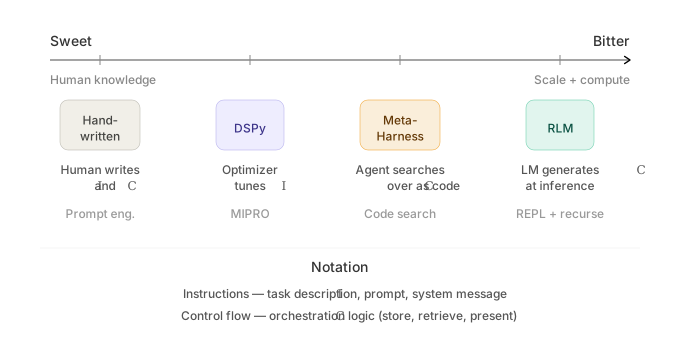
- Bitter lesson-proof: RLMs improve as LMs improve — Unlike harnesses, which can cap or constrain the base model's capabilities, the performance, speed, and cost of RLM calls correlate directly with improvements to base model capabilities. If the base model handles 10M tokens tomorrow, the RLM handles 100M.
- Symbolic reasoning & recursion — like algebra, RLMs express the structure of computation rather than performing each operation individually; a single line can represent 1M sub-calls — in direct contrast to agents like Claude Code that must mechanically emit each sub-agent call one at a time.
- Interpretability — RLM trajectories are fully readable: you can trace every peek, chunk, sub-call, and verification step the model takes. This not only reveals how the model decomposed a problem, but provides concrete optimization signals which tools like GEPA can ingest to evolve the RLM's strategies.
- Ideal for improving performance per token — RLMs allow small models to punch way above their weight (RLM(GPT-5-mini) outperforms base GPT-5) providing great opportunities for reducing costs or stretching limited compute budgets without sacrificing quality.
- Multimodal — process images, documents, audio, and video through sub-LM calls using native provider multimodal APIs.
- Async tool calling — native RLM async support in the WASM sandbox, enabling concurrent sub-LM invocations and tool calls
- Prompt-optimized skills & tools — predict-rlm skills comes tested and optimized to ensure maximum LM interoperability and performance, bundling instructions, PyPI packages, and tools for domain-specific tasks
- Simple file I/O — pass local or cloud files as typed inputs and outputs via
File, keeping interop with your existing data pipelines straightforward. (S3 files support soon) - Structured sub-LM calls — native Pydantic and DSPy signature support for type-safe sub-LM invocations with structured outputs
| Description | Input / Output | Preview |
|---|---|---|
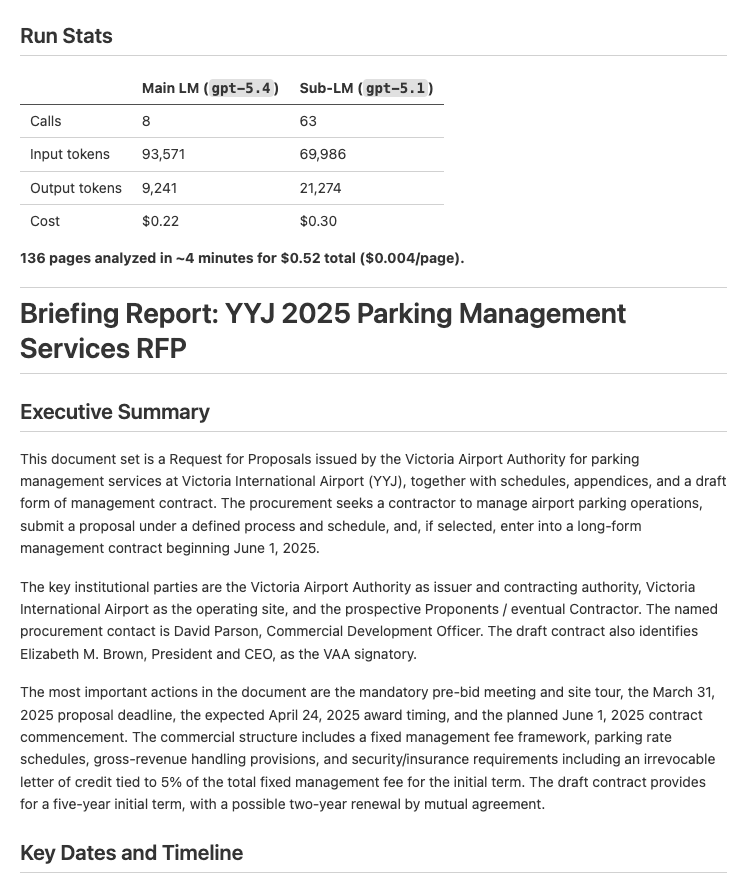
| Document Analysis — Analyze documents and extract key dates, entities, and financial information into a structured report | Input: PDFs Output: Structured briefing report (example output) |
 |
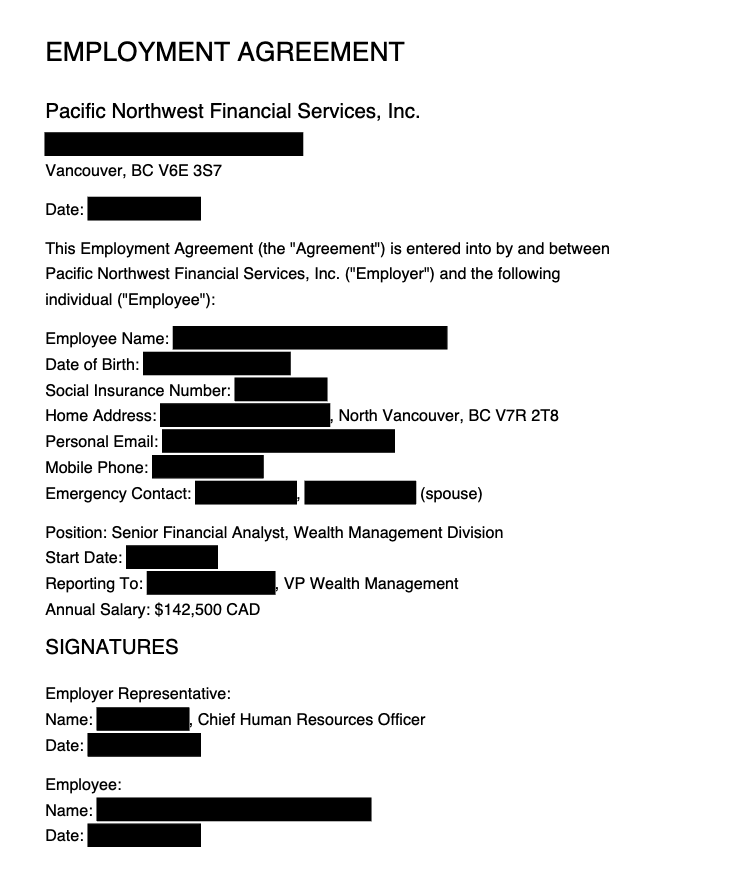
| Document Redaction — Redact PII from PDFs based on a policy, then verify the redactions visually | Input: PDFs Output: Redacted PDFs (example output) |
 |
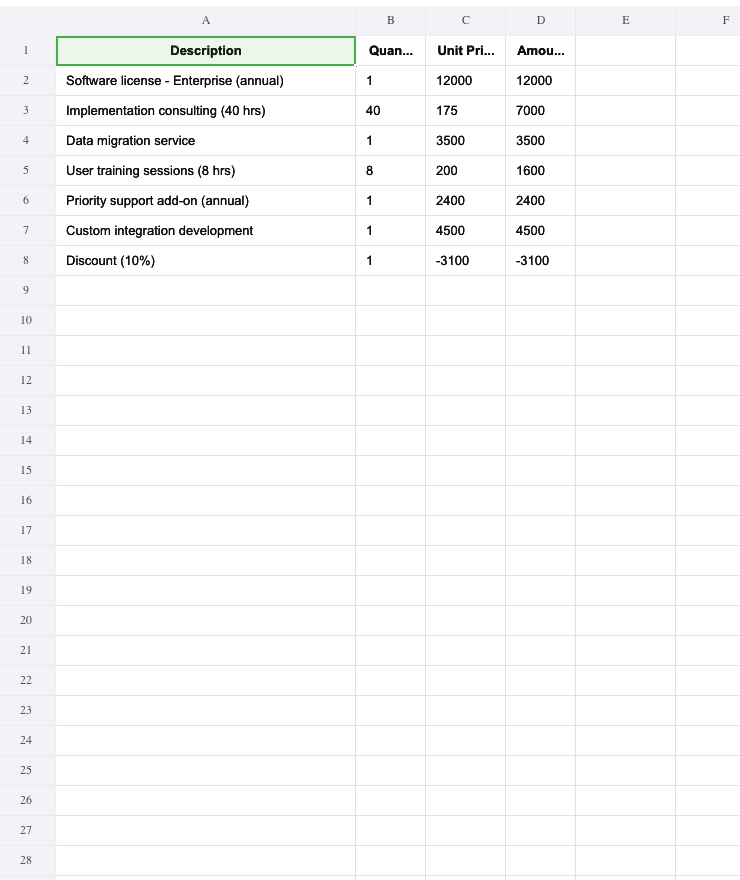
| Invoice Processing — Extract vendor info, line items, and totals from PDF invoices into a consolidated Excel spreadsheet | Input: PDF invoices Output: Excel spreadsheet (example output) |
 |
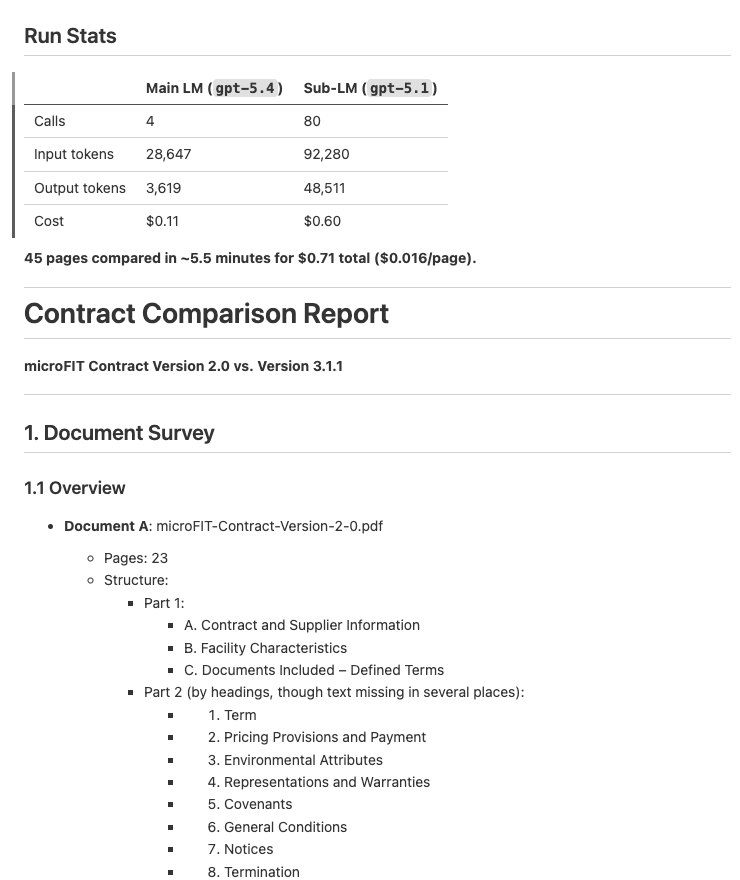
| Contract Comparison — Compare two contract versions and produce a structured diff report with per-section analysis | Input: 2 PDF contracts Output: Structured diff report (example output) |
 |
Install the predict-rlm skill in Claude Code, Codex, Cursor, or any compatible coding agent:
npx skills add Trampoline-AI/predict-rlmThen ask your agent to build an RLM:
❯ /rlm build an RLM that extracts line items from PDF invoices into a spreadsheet
import dspy
from predict_rlm import File, PredictRLM

class AnalyzeImages(dspy.Signature):
    """Analyze images and answer the query. Load each image as a base64 data
    URI and use predict() with dspy.Image to extract visual information."""
    images: list[File] = dspy.InputField()
    query: str = dspy.InputField()
    answer: str = dspy.OutputField()

rlm = PredictRLM(
    AnalyzeImages,
    lm="openai/gpt-5.4",
    sub_lm="openai/gpt-5.1",
)

result = rlm(
    images=[File(path="page.png")],
    query="Extract all visible text, then count each letter A-Z (case-insensitive).",
)

print(result.answer)- How it works — understand the sandbox, REPL loop, signatures, and file I/O
- API reference — constructor params for
PredictRLM,File, andSkill - Skills — define, compose, and mount custom skills
- Examples — end-to-end demos with setup instructions