
A powerful Visual Studio Code extension that automatically discovers, organizes, and runs tasks from your workspace. Manage build scripts, run tests, execute workflows, and organize your development tasks with favorites and queues—all from a single, intuitive interface.
v1.6.0 98.5% performance improvement of task discovery in large workspaces.
- 📥 Installation
- ✔️ Requirements
- 📖 Documentation ↗
- 📷 Screenshots
- ✨ Key Features
- 🤝 Contributing
- 📄 License
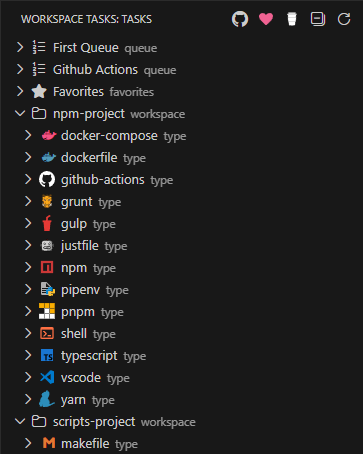
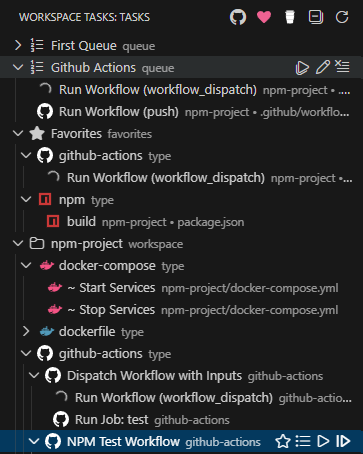
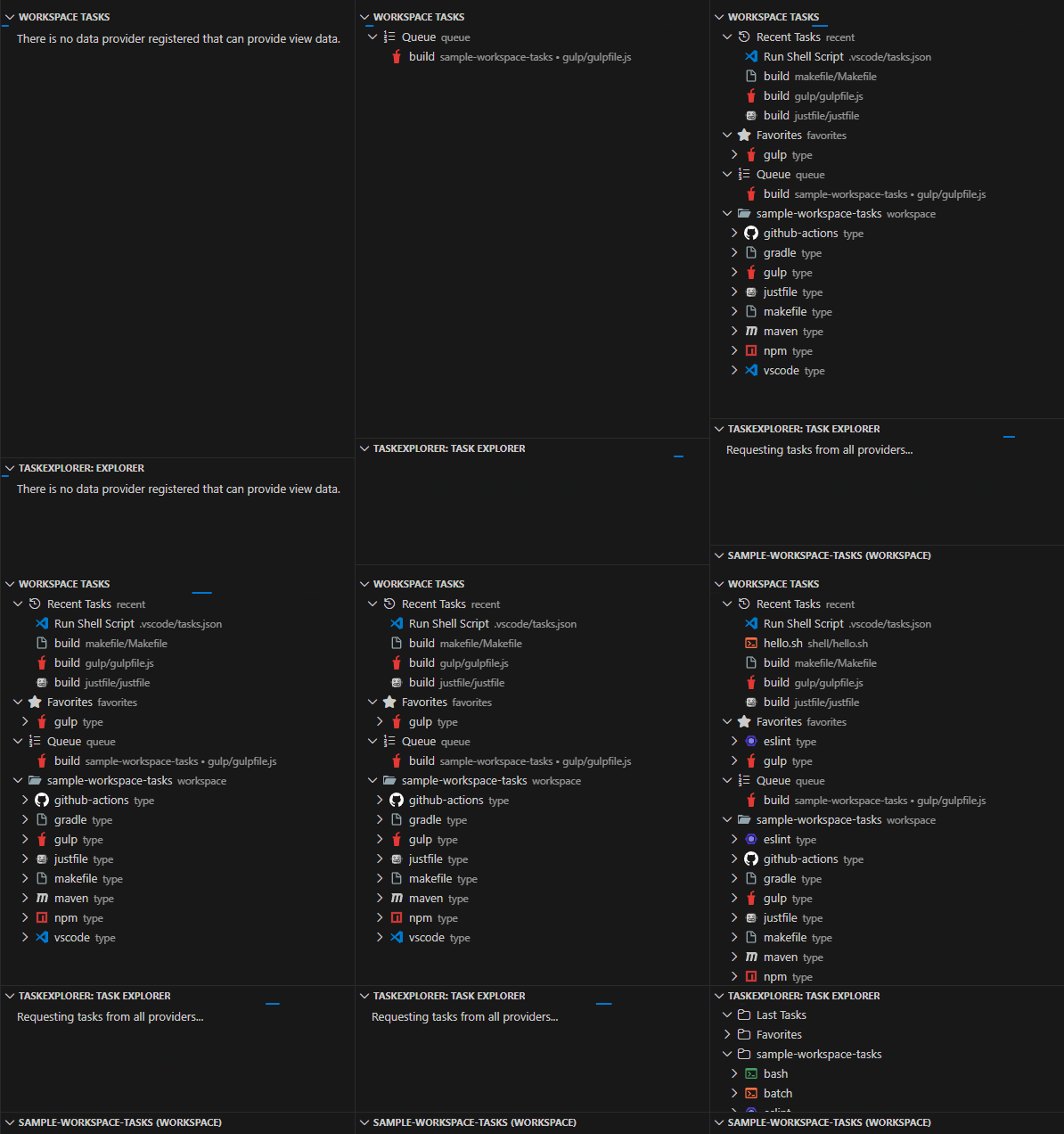
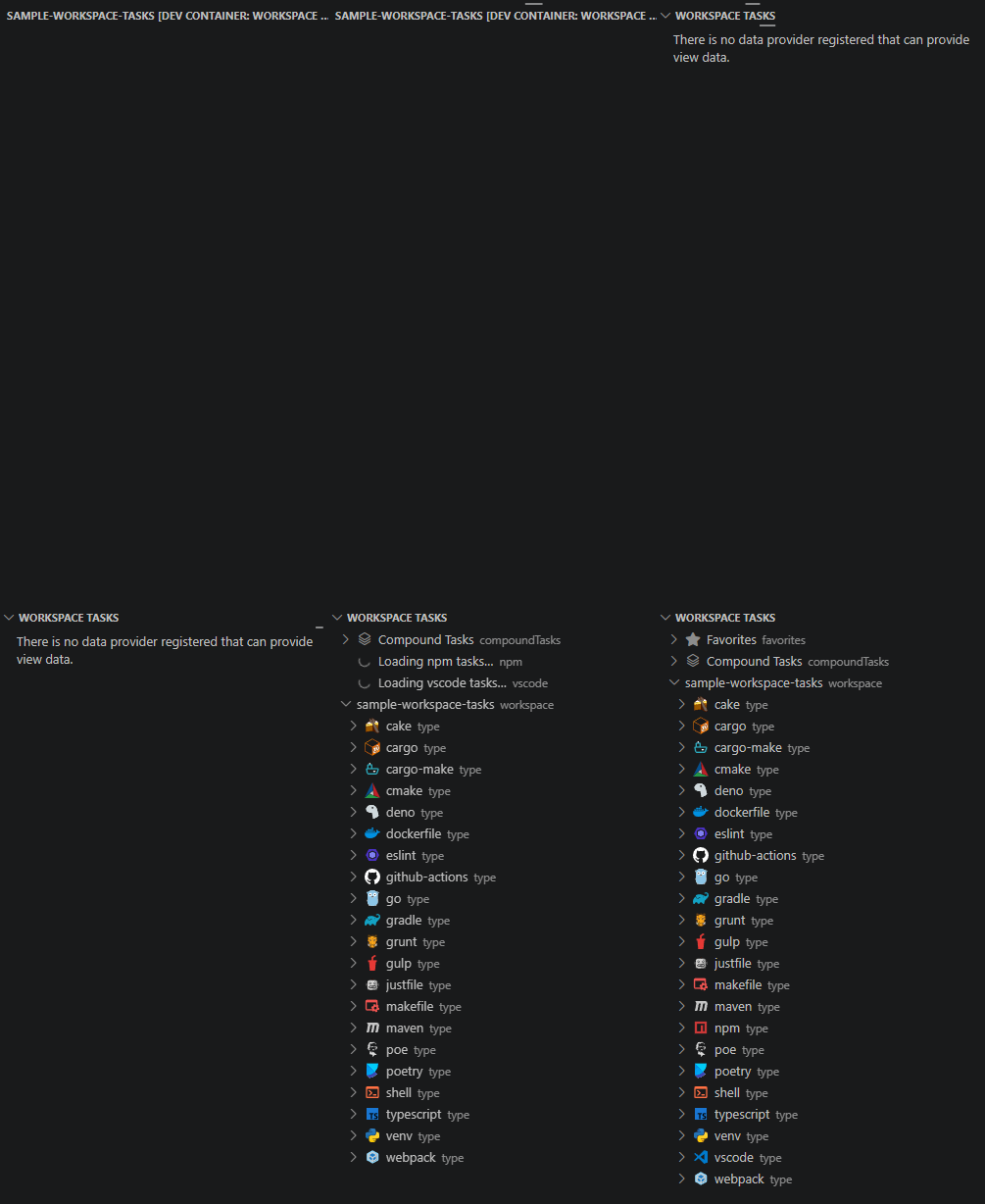
- 🔍 Automatic Task Discovery ↗ - Scans your workspace for tasks from 20+ file types and build systems
- 📍 Flexible Placement - View tasks in the dedicated sidebar or as a dockable panel in the Explorer
- ⭐ Favorites ↗ - Pin frequently used tasks for instant access
- 🌱 Recent Tasks ↗ - Tracks the most recently executed tasks
- 📋 Multiple Compound Tasks (Queues) ↗ - Create and manage named sequences of tasks with sequential or parallel execution
▶️ Quick Execution - Double-click tasks to run instantly, or use the play icon (▶️ )- ⏹️ Smarter Stop Controls - Optionally stop running
dependsOnchild tasks when stopping a compound task - 🎯 Smart Organization - Hierarchical tree view organized by workspace, task type, and file
- 🔀 Drag & Drop - Reorder tasks in compound tasks (queues) with drag and drop
- 🎭 GitHub Actions Support ↗ - Run GitHub Actions workflows locally with act
- ⭕ CircleCI Support ↗ - Run CircleCI jobs locally and execute workflows sequentially via the CircleCI CLI
- 🪣 Bitbucket Pipelines Support ↗ - Run Bitbucket Pipelines locally via
pipeline-runner - 📝 Custom Tasks ↗ - Define reusable task templates with dynamic inputs
- 🔐 Environment Variable & Secrets Management ↗ - Inject env vars and secrets into any task with fourteen-layer precedence; manage SecretStorage keys directly from the Secrets tree group (store, update, delete, copy key) or via the Command Palette; git-tracked env/secret files are flagged in the Problems panel to prevent accidental credential exposure
- 🚫 Task Filtering ↗ - Use
.tasksignorefiles to exclude unwanted tasks - 🙈 Hide Tasks & Groups ↗ - Hide individual tasks or entire task groups from view
- 🕰️ Task History, Statistics & Dashboard ↗ - Track all task executions in a sortable history table, view per-task performance metrics (duration trends, success rates, failure streaks), and explore workspace-wide health in the interactive Dashboard with Chart.js charts
- 💾 Persistent State - Favorites and Compound Tasks (queues) are saved across Visual Studio Code sessions
- ☁️ Settings Sync - Sync your favorites and Compound Tasks (queues) across multiple machines via VS Code's Settings Sync
- 🛡️ Run Guard ↗ - Require confirmation before running destructive or sensitive tasks; guard via manual toggle, definition flag, or label pattern
- 🕜 Estimated Task Duration ↗ - View estimated duration for tasks based on historical execution data
- Open Visual Studio Code
- Go to Extensions view (
Ctrl+Shift+X/Cmd+Shift+X) - Search for "Workspace Tasks"
- Click Install
- Open Editor (example: Cursor)
- Go to Extensions view (
Ctrl+Shift+X/Cmd+Shift+X) - Search for "Workspace Tasks"
- Click Install
code --install-extension darthminos.workspace-taskscursor --install-extension darthminos.workspace-taskscodium --install-extension darthminos.workspace-tasksantigravity --install-extension darthminos.workspace-taskskiro --install-extension darthminos.workspace-taskswindsurf --install-extension darthminos.workspace-tasks- Visual Studio Code 1.105.1 or later
- External tools must be installed for task execution (see External Tools)
Workspace Tasks automatically discovers and organizes tasks from a wide variety of tools and frameworks:











- npm - Scripts from
package.json - Yarn - Scripts from
package.json - pnpm - Scripts from
package.json - Bun - Scripts from
package.jsonviabun run <script>, plus built-inbun:install,bun:build, andbun:test - Composer - PHP scripts from
composer.json - Pipenv - Python scripts from
Pipfile - Poe the Poet - Python task runner from
pyproject.toml - Poetry - Python scripts from
pyproject.toml - Apache Ant - Targets from
*.xmlbuild files - Apache Maven - Lifecycle goals from
pom.xml - Gradle - Tasks from
*.gradlefiles - MSBuild - .NET project targets






- Gulp - Tasks from
gulpfile.jsorgulpfile.mjs - Grunt - Tasks from
Gruntfile.js - Cargo - Tasks for
Cargo.toml - cargo-make - Rust task runner from
Makefile.tomlor*.tomlfiles (requires Cargo) - Just - Recipes from
justfileor*.justfiles - Make - Targets from
Makefile - mise - Tasks from
mise.tomlormise-tasks/directory - Task (go-task) - Tasks from
Taskfile.yml(CLI-based discovery) - Cake Build - Tasks from
*.cakescripts viaTask("...")





- Docker - Build tasks from
Dockerfile - Docker Compose - Services from
docker-compose.yml - GitHub Actions - Workflows from
.github/workflows/*.yml(via act) - CircleCI - Jobs and workflows from
.circleci/config.yml(via CircleCI CLI; workflows run sequentially locally) - New in v1.9.0 - Possible issues running. see CircleCI Task Type for details - GitLab CI - Jobs from
.gitlab-ci.yml(via gitlab-ci-local) - New in v1.9.0 - Bitbucket Pipelines - Pipelines, stages, and steps from
bitbucket-pipelines.yml(via pipeline-runner) - New in v1.9.0




- Shell Scripts -
.sh,.bash,.zsh,.fish,.ps1,.bat,.cmd; extensionless scripts (shebang + executable bit, opt-in viashellEnabledTaskTypes.extensionless) - Python Virtual Environments - Activation scripts in
.venv/Scripts/ - Jupyter Notebook - Execute notebook cells from
*.ipynbfiles- Requirements: Jupyter Extension must be installed
- Setup: Configure a Jupyter Server through the Jupyter extension
- Features:
- Notebooks appear as parent tasks with code cells as children
- Click to open notebook in Visual Studio Code's notebook editor
- Execute individual cells or entire notebooks
- Real-time cell execution status via the Jupyter Extension UI
- Visual Studio Code Tasks - Tasks from
.vscode/tasks.jsonand the user-leveltasks.json(%APPDATA%\Code\User\tasks.jsonon Windows,~/.config/Code/User/tasks.jsonon Linux,~/Library/Application Support/Code/User/tasks.jsonon macOS) - Workspace Tasks - Custom tasks from
.workspace-tasks.json
The extension discovers tasks regardless of whether tools are installed. Execution requires the respective tool to be available in your PATH. See Requirements for details.
- Open a workspace with supported task files (e.g.,
package.json,Makefile, shell scripts) - Open the Workspace Tasks view from the Activity Bar (sidebar) or Explorer panel
- Sidebar: Click the Workspace Tasks icon in the Activity Bar
- Explorer: Find "Workspace Tasks" in the Explorer panel, or drag it to your preferred location
- Browse tasks organized by workspace folder and task type
- Run a task by double-clicking it or clicking the play icon (
▶️ ) - Add to favorites by clicking the star icon (☆)
- Create a Compound Task by clicking the list icon to organize task sequences
Tips:
- Double-click a task to execute it immediately
- Single-click a task to open its definition file (when applicable)
- Use the collapse button (⊟) to toggle view states
- Create
.tasksignorefiles to exclude unwanted tasks - Drag the Explorer view to any panel location (sidebar, panel, or as a floating window)
All settings are grouped into five categories. See the full configuration reference for details.
| Group | Description |
|---|---|
| ⚙️ General ↗ | Debug logging and task execution metrics |
| 🔍 Task Discovery ↗ | Exclusion patterns, discovery depth, enabled task types, and shell-script detection |
| 🖥️ Display & Interaction ↗ | Tree view grouping, click behavior, action bar, icons, and recent-tasks |
| Terminal presentation, graceful stop delay, and compound-task execution modes | |
| 🌐 Environment ↗ | Executable paths for build tools and tool-specific settings |
Contributions are welcome! If you'd like to improve Workspace Tasks, here's how:
- Report Issues - Found a bug or have a feature request? Open an issue on GitHub
- Submit Pull Requests - Fork the repository, make your changes, and submit a PR
- Improve Documentation - Help make the docs clearer or add examples
- Share Feedback - Let us know how you use the extension and what could be better
- Fork the repository:
gh repo fork camalot/vscode-workspace-tasks - Open in Visual Studio Code:
code vscode-workspace-tasks - Reopen in Dev Container: When prompted, reopen the project in the recommended dev container for a consistent development environment
- Install dependencies:
npm install - Run the extension: Press
F5to launch a new Extension Development Host instance with the extension loaded - Run tests:
npm testto run unit tests andnpm run test:coveragefor coverage reports
- Follow the existing code style and conventions
- Write clear commit messages
- Add tests for new features when applicable
- Update documentation for user-facing changes
- Ensure all tests pass before submitting
Made with contrib.rocks.
This project is licensed under the Apache 2.0 License.
Made with ❤️ for the Visual Studio Code community
