
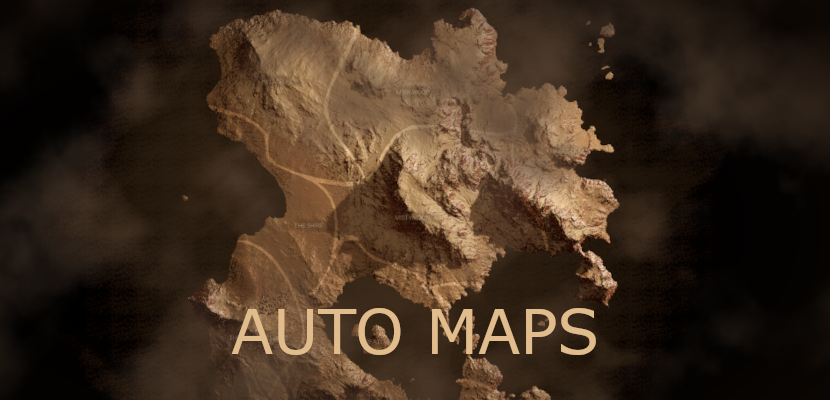
This is an Unreal Engine experimental project with a contained plugin to generate maps in procedural format. Is a technical proof of concept for generating unreal maps and location detection.
Maps and maps in game can vary like in real life comes with their unique constraints and representations. AutoMaps uses traditional mapping techniques like slope mapping and voronoi mapping to generate maps. Auto Maps created for mid size levels and would work with even open world levels. However if your map need is open world you will need additional improvements in this plugin. especially with rendering stitched images and virtual texture loading.

In its core, Auto Maps rely on pins to generate its coordinate system, borders, dynamic borders and look and feel on runtime. This also unlocks this plugin to detect region changes of player in realtime with integrate tracking system. Since its a contained system and not relying on anything else but itself it is very easy to extend this system into production quality map with regions, subregions etc.
Demo project plugin can be integrated to any game, however additional tweaks can be required.
If you have any bug or crash, please open an issue in the Github repo.
If you have suggestions, questions or need help to use you can always contact me
If you want to contribute, feel free to create a pull request.
- Generating map snapshot with ease and creating map mini replica.
- Generating map borders with splines or other splines if wanted (Level Splines)
- A mini pin system, supporting Quest, Objective, Direction, Location, Location Name pin types and easy to extend.
- Dynamic border generation from pins of location generators.
- 2 Materials for 2.5d stylized and realistic stylized for maps.
- Ability to reflect day/time on maps and change light conditions as seen fit.
- Low cost, only spawns one time and stays till map changed or game ends.
- UMG examples with divided MapContainer->PinContainer->Pin logic with events of zoom, pan.
- UMG is easy to extend to your game and needs as you see fit or UX requires.
- Easy to integrate with gamepad if provided proper input handling.
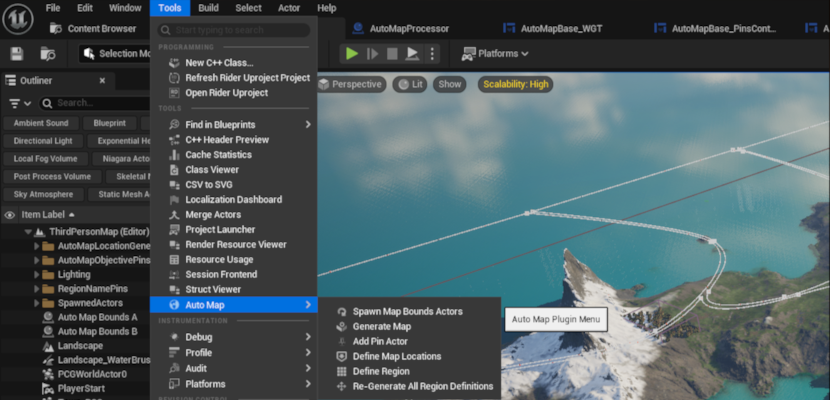
- After opening project or installing plugin to another project, you will be able to see AutoMaps menu under tools.
- Load your map, if its partitioned map load all partitions and Spawn Map Bounds Actors.
- After spawning select one of the actors (Auto Map Bounds A or B) go to edge of your world and place your actor to the edge. You can use snap object to view for ease of use. You don't have to place both of them, the other actor will automatically go other corner creating a perfect rectangle for coordinate system.
- Click on Generate Map and it snapshot your terrain topography. At this stage if you want some level objects not visible in maps you can define as not visible in scene capture or you can add to exclude list in map processor actor.
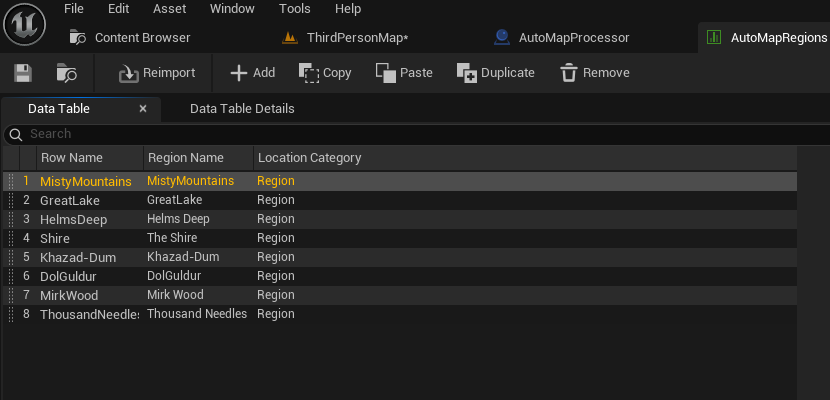
- Define your regions under table, you can define Region, Subregion and Area. Extend to your game needs.
- After this stage you can define your regions with the button on tool menu with "Define Region"
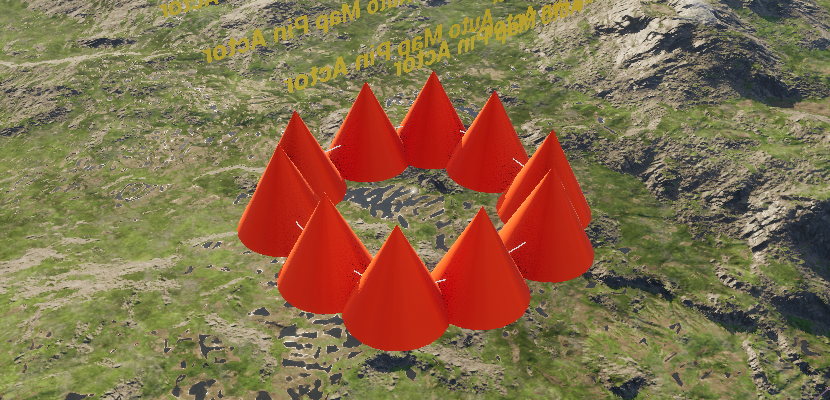
- "Define Region" will spawn an actor with choices you defined in table. Choose the data and create your spline around the level as you need.
- Select the spline in actor and define your spline, you can define granularity of actor spawns in density.
- If you click on button on menu "Re Generate All Regions" : a script will look for generator actors in level, delete all pins and respawn them if needed.
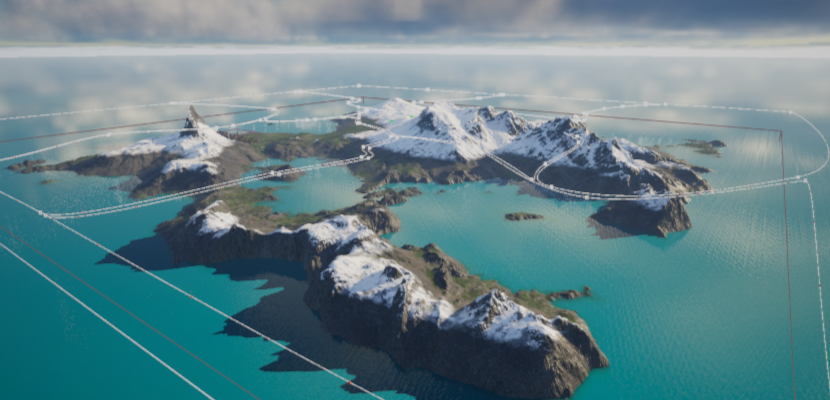

- Spawn UMG widget included and map will be generated and represented.
- On UMG AutoMapBase_WGT use SetLightStatus to control day/night conditions of map if you need, you can also bind this to your time manager 0 and 1 being night and 0.5 being mid day. Colors of night conditions and day conditions for light colors and intensity are defined in function.

- Processor always scans player position and region, when player passes to another region, change is detected in processor an event occurs. This event processed by an umg right now in demo to show region changes as proof of concept.
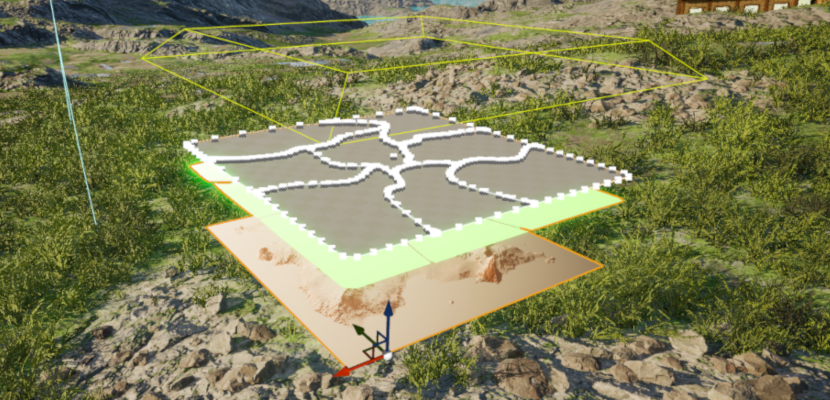
- AutoMap scripts generate scaling, umg scaling and coordinate system using provided bounds actors and bounds data with provided region information with region regerators.
- After this AutoMap Processor actor process snapshot images into engine and updates them. With updated images lower representation layer is generated in materials.
- A dynamic mesh added for each region and polygon is defined for each. Each dynamic mesh then copied to a static mesh with tags provided from regions.
- After game starts a data snap shot is made for borders and a single snapshot is made for light conditions on generated mesh and processed through umg interface materials.
- Day night conditions for materials are updated in umg materials like color, intensity etc for clouds and backgrounds and map is represented to player.
- All pin generations done in runtime since pin system is basic however it is well designed and can be developed further. There are some basic hide show functions available demonstrating pin system vs map zoom levels.
Level terrain doesn't look same like images?
Terrain materials dynamic terrain is not included.
Can I use with my own project?
Yes you can, even though its experimental it is a well designed system which can be expanded. However before you integrate to your own project make sure you understand what is going on at least on surface level since integration would require that. Carry plugin to your project and create a widget in your pawn/controller (or ui manager system) and follow same generation steps.
Can I create additional regions?
Yes, right now there is 3 but you can define more. Region SubRegion and Area
Can I use hand drawn borders or additional images
Yes, however you have to go and do material design changes, right now its %100 procedural
Is it costly in terms of performance?
Not at all since generally all realtime calculations only done for once at game start. That includes 2 frame captures, the rest realtime calculations are only for pins and dynamic gameplay elements. If you change time on map it will do the same which is not so much costly. Materials and Look and feel can be costly depending on gpu, however they can be simplified if necessary or removed. In terms of post process two ui materials are used.
Can I use with underground maps
If you extend regions and ui logic to open a new frame with defined maps or change on runtime, yes you can however its not built in feature.
This plugin is under MIT license.
MIT License does allow commercial use. You can use, modify, and distribute the software in a commercial product without any restrictions.
However, you must include the original copyright notice and disclaimers.
If you like my plugin, please do support me with a coffee.
