
Javocado is a gamified Java learning tool, like Duolingo but for Java! It simplifies the learning java with interactive exercises and tutorials that make coding fun and accessible.
📃 An iLS Requirment for our Web/Computer Programming 3 (Java) & Mobile App Programming 1 (Java) { 1st & 2nd Quarter | 2nd Term }


If the preview doesn't appear right away, please give it a moment to load.
📃 Download Full Documentation (PDF) — Recommended for best viewing.
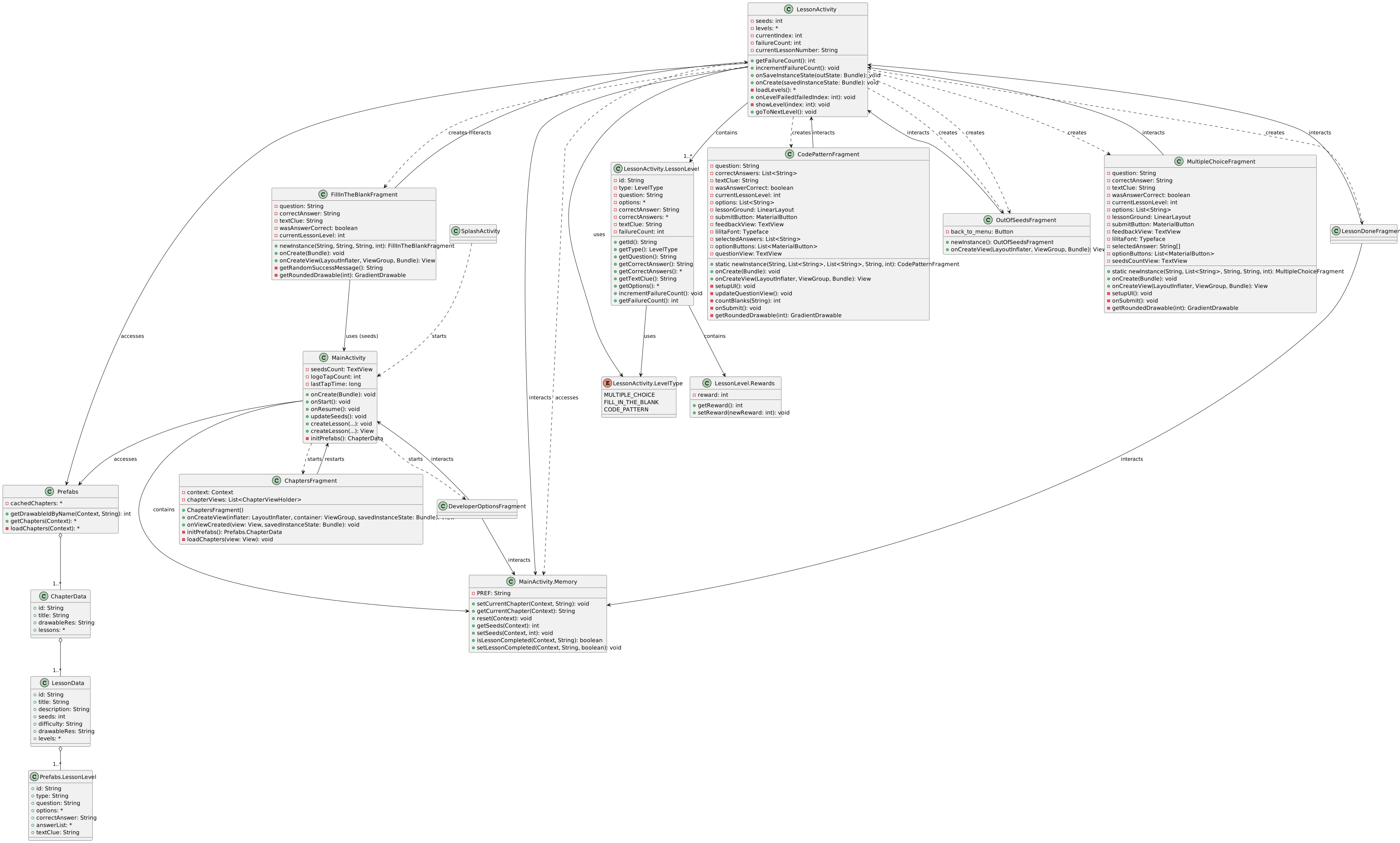
To access Developer Options:
Side Menu > Tap the Javocado Icon 3–4 times rapidly.

If the preview doesn't appear right away, please give it a moment to load.
- Open Android Studio
- Go to:
File > New > Project from Version Control - Paste:
https://github.com/altxxr0/Javocado.git - Click Clone
- Go to:
Settings (Top Right) > Version Control > GitHub > Add Account - Login via GitHub
- Then:
Git > Update Project(Top Left Hamburger Icon)
Work on your own branch to avoid conflicts and track progress easily.
- Create Branch:
Git > New Branch... - Update Before You Start:
Git > Update Project(if you haven’t started coding) - Commit Your Changes (local save):
Git > Commit - Push Your Branch:
Git > Push - Track Others:
Git > Fetch(pull updates from remote)
- Go to: Pull Requests
- Click: New Pull Request
- Base:
main, Compare:your-branch-name - Submit PR with a summary of your changes
- Wait for Admin @Altxxr0 to review and merge
- Open Android Studio
- Wait for Gradle sync to complete (bottom status bar)
- Go to:
Build > Build Bundle(s) / APK(s) > Build APK(s) - Wait for the build process to finish (look at the Build Output window)
- A popup will appear:
“APK(s) generated successfully.” - Click Locate to open the folder:
app/build/outputs/apk/debug/ - You'll find
app-debug.apk- ready to install on Android!

Javocado © 2025 by Altxxr is licensed under
Creative Commons Attribution 4.0 International

