Volto add-on
IMPORTANT! Because this depends on @eeacms/volto-block-style, you should always load this addon as the last addon in Volto project configuration or after @eeacms/volto-block-style.
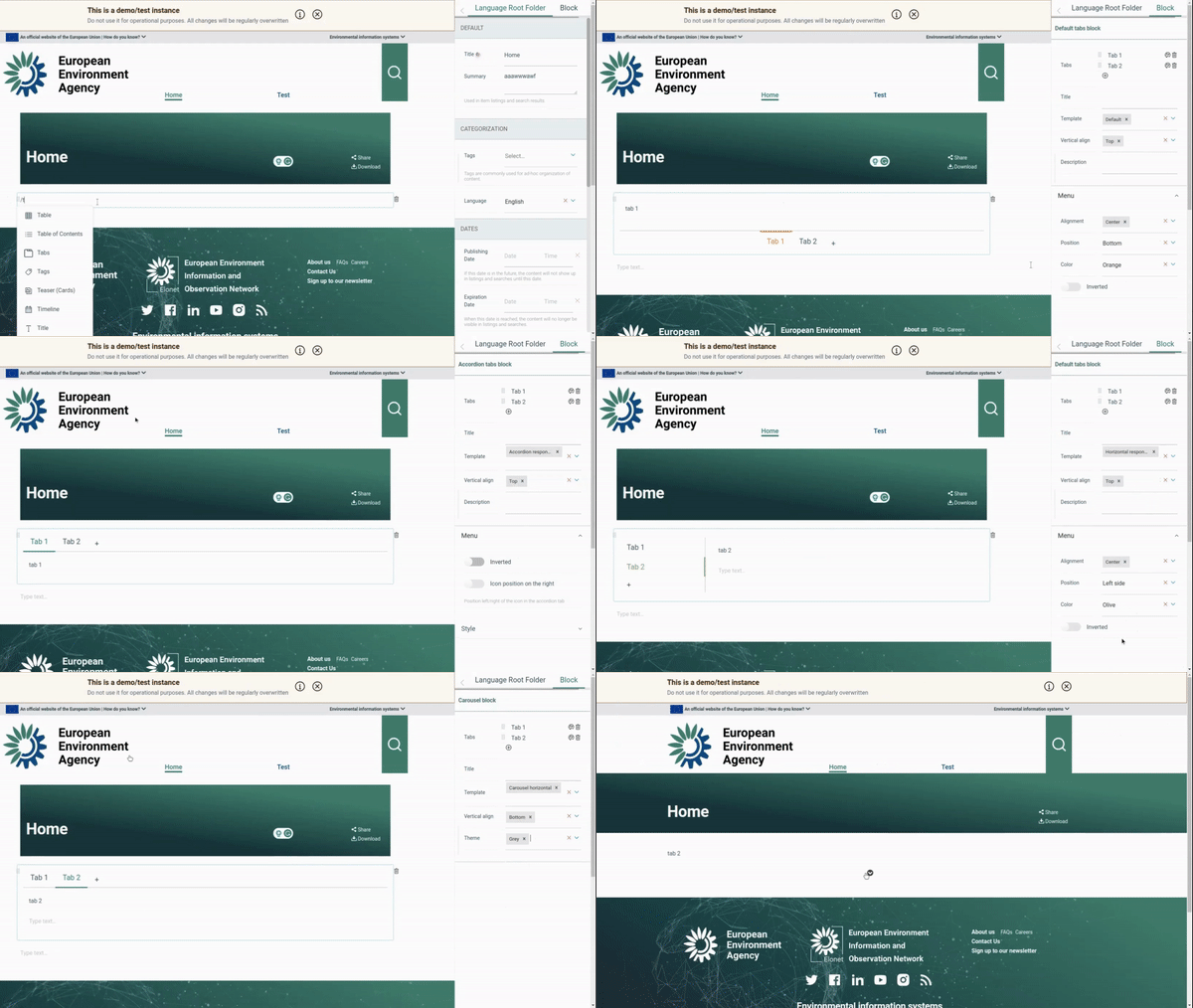
  git clone https://github.com/eea/volto-tabs-block.git
  cd volto-tabs-block
  make
  make start
Go to http://localhost:3000
make start now defaults to Volto 18. To run the same setup against Volto 17, use:
  VOLTO_VERSION=17 make
  VOLTO_VERSION=17 make start
-
Make sure you have a Plone backend up-and-running at http://localhost:8080/Plone
docker compose up backend
-
Start Volto frontend
-
If you already have a volto project, just update
package.json:"dependencies": { "@eeacms/volto-tabs-block": "*" }
and
volto.config.js:const addons = ['@eeacms/volto-tabs-block'];
-
If not, create one with Cookieplone, as recommended by the official Plone documentation for Volto 18+:
uvx cookieplone project
cd project-title
Then install the add-on in your frontend project. For Cookieplone-based Volto 18 and 19 projects, Plone documents
pnpmusage:pnpm --filter <name-of-your-policy-add-on> add @eeacms/volto-tabs-blockThen add
@eeacms/volto-tabs-blockto theaddonskey in your project'spackage.jsonor declare it involto.config.js.
-
Install or update dependencies, then start the project:
make installFor a Cookieplone project, start the backend and frontend in separate terminals:
make backend-start
make frontend-start
For a legacy Volto 17 project, install the package with
yarnand restart the frontend as usual. -
Go to http://localhost:3000
-
Happy editing!
This version requires
Volto >= 17.18orVolto 18+. It removes the customEditBlockWrapperand uses Volto's built-in block chrome provided byBlocksForm.
- Removed
EditBlockWrapper.jsx. Any code importingEditBlockWrapperfrom@eeacms/volto-tabs-blockwill break. Use Volto's built-inEditBlockWrapperfrom@plone/volto/components/manage/Blocks/Block/EditBlockWrapperif you need a custom wrapper. - Removed custom edit toolbar styles. The
edit.lessstyles that powered the custom inner block toolbar have been removed. Inner blocks now use Volto's default block chrome.
Version 7 introduces the following breaking changes:
- The templates are now
variationsof the default template, so if you have custom templates, you need to update them to be variations of the default template. - All variations have
schema enhancers, see https://github.com/eea/volto-eea-website-theme/blob/develop/src/index.js#L40 for example on how to customize the variation schema. - Some defaults have been changed, see the
schema.jsfiles for any default values. - Tabs now have the ability to reference an
Imageor use aSemantic UIicon within the tab title, even allowing the hiding of the text title. - Responsive template no longer uses
react-responsive-tabsstyles but useaccordionclasses when it's transformed into accordion. Bring your own style for the accordion if you want to customize it. - Cleaned up styling in favor of
Semantic UIstyling and to bring your own styling. - Better
i18nsupport for the block especially in edit mode.
See RELEASE.md.
See DEVELOP.md.
The Initial Owner of the Original Code is European Environment Agency (EEA). All Rights Reserved.
See LICENSE.md for details.